Latest News

The Blog

voip blogs
COSMOS RPC PROVIDERS

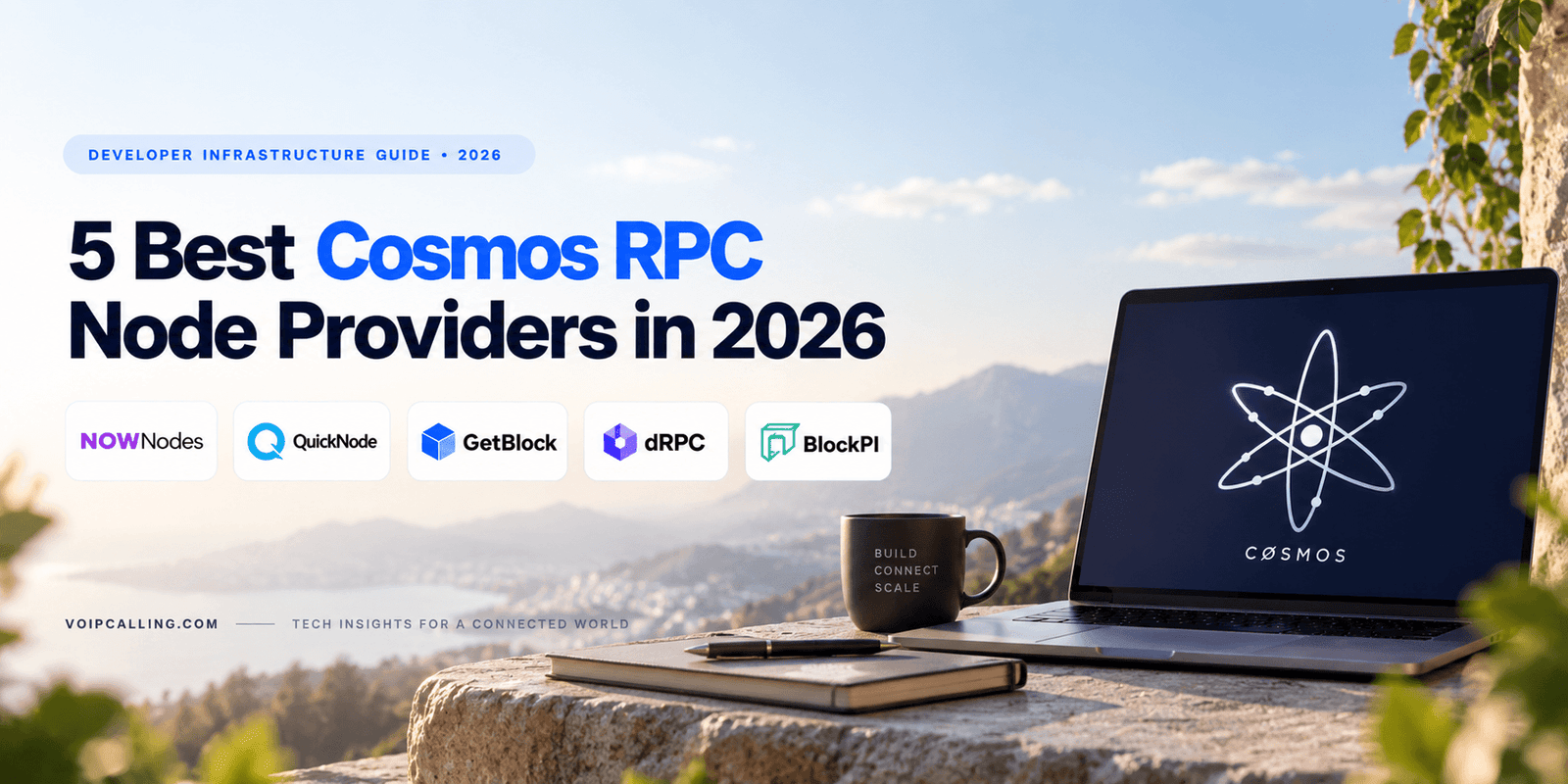
5 Best Cosmos RPC Node Providers in 2026

Developer Infrastructure Guide · 2026 Best Cosmos RPC Providers Compared Building on Cosmos does not necessarily mean maintaining your own node. Managed RPC providers give wallets, applications, exchanges and developer tools a practical way to query chain data, broadcast transactions and connect to Cosmos Hub without handling the full node infrastructure themselves. This guide compares five Cosmos RPC providers and the differences developers should check before choosing one. Updated for 2026 · Provider features and limits may change over time. What is a Cosmos RPC node provider? A Cosmos RPC node provider gives an application access to Cosmos Hub through hosted endpoints. Developers can use those endpoints to retrieve blockchain data, query accounts and balances, inspect blocks and transactions, or submit transactions without running and maintaining their own Cosmos node. The important part is not simply finding a provider that lists Cosmos among its supported networks. Developers should look at the actual Cosmos Hub implementation: available APIs, archive depth, WebSocket or gRPC support, rate limits, reliability, pricing and the way requests are routed. This becomes especially important for production applications. The same infrastructure principles that matter for high-availability cloud services also apply here. Redundancy, monitoring, capacity planning and a sensible failover strategy can matter just as much as headline performance numbers. In This Guide How we compared providers Quick comparison 1. NOWNodes 2. QuickNode 3. GetBlock 4. dRPC 5. BlockPI How to choose Provider use cases Cosmos RPC FAQs How We Compared Cosmos RPC Node Providers A useful comparison needs to go beyond the number of blockchains shown on a provider’s homepage. For this guide, the focus is Cosmos Hub and the infrastructure features that can make a practical difference when an application moves from testing to real traffic. 1 Network & API Access We looked at Cosmos Hub availability, HTTP/JSON-RPC, WebSocket, gRPC, archive access and the distinction between shared and dedicated infrastructure where applicable. 2 Reliability & Limits Published uptime information, request or compute limits, endpoint architecture and production-oriented features were considered rather than relying on speed claims alone. 3 Cost & Practical Fit Free access, paid-plan structure, scaling options and support were considered to understand which type of project each service may suit. Pricing, quotas and supported features change frequently. Always verify current terms with the provider before making an infrastructure decision. Cosmos RPC Providers at a Glance There is no single specification that makes an RPC provider suitable for every application. This comparison provides a quick starting point before looking at each provider in more detail. Provider Access Model Archive WebSocket gRPC Free Access Useful For NOWNodes Shared / dedicated options Available Yes Yes Available Multi-chain applications QuickNode Managed endpoints Yes* Yes Yes Trial / entry access Production developer tooling GetBlock Shared / dedicated options Available on applicable plans Yes Available Available Shared and dedicated access dRPC Distributed / aggregated RPC Check current coverage Yes Check current support Available Distributed RPC / secondary endpoint BlockPI Public / private RPC Paid private RPC Yes Coming soon* 50M RUs/month* Testing and prototyping *Provider features shown here reflect information available during this 2026 review. Always check current specifications before deploying. Provider 01 NOWNodes Best suited to: multi-chain teams that want Cosmos alongside other networks NOWNodes is worth considering when Cosmos is only one part of a wider blockchain stack. Rather than maintaining separate infrastructure relationships for every network, a development team can work with multiple chains through one provider. Its Cosmos Hub documentation includes access to the gRPC API for chain state, accounts, balances, staking, governance, transactions and IBC. That makes the service relevant to applications that need more than a basic block-query endpoint. For developers researching hosted Cosmos infrastructure, Cosmos RPC access through NOWNodes can be considered alongside the other providers in this guide, particularly when a project also works across several blockchain networks. Network Access Cosmos Hub access with multiple API options, including documented gRPC functionality. Infrastructure Fit Particularly relevant to wallets, explorers and services working across Cosmos and other chains. Before Choosing Confirm current plan limits, archive requirements, available regions and commercial terms for your expected traffic. Provider 02 QuickNode Best suited to: developers who want established managed RPC tooling QuickNode provides managed Cosmos Hub endpoints and documents support for Tendermint JSON-RPC, Cosmos REST and Cosmos gRPC. Its documentation identifies the production network as cosmoshub-4 and provides HTTP and WebSocket connectivity. One detail deserves attention if your application performs historical queries. QuickNode documents Cosmos archive availability from block height 5,200,791. Applications that require data from earlier Cosmos Hub chain versions should therefore check historical coverage carefully before development begins. API Coverage Tendermint JSON-RPC, REST and gRPC are documented for Cosmos. Archive Consideration Historical availability begins from a documented block height on cosmoshub-4. Good Fit Applications that value a managed developer platform and established endpoint tooling. Provider 03 GetBlock Best suited to: teams that want a path from shared RPC access to dedicated infrastructure GetBlock takes a relatively straightforward infrastructure approach. Developers can begin with shared RPC access and evaluate more isolated infrastructure as their requirements increase. This can make it easier to test an application before committing to a larger server arrangement. That progression can be useful when request volume is still uncertain. A new wallet, analytics application or Web3 product may not know its eventual traffic pattern during development, so starting smaller and monitoring real usage can be more sensible than provisioning around optimistic forecasts. Access Model Shared access is available, with dedicated infrastructure options for projects that need them. Scaling Approach Suitable for teams that want to test on a lower tier before considering a larger deployment. Check Carefully Compare current compute limits, supported protocols and dedicated-node pricing against your expected request pattern. Provider 04 dRPC Best suited to: applications considering a distributed RPC layer or secondary endpoint dRPC approaches blockchain infrastructure differently from a conventional single-provider node setup. Its service distributes RPC traffic through a wider provider network, while Cosmos Hub endpoints are available for common blockchain queries. This model can be interesting for teams designing redundancy into an application. Instead of treating an RPC endpoint as something that can never fail, developers can design the application to tolerate provider or regional problems and route requests appropriately. The principle is similar to resilient communications architecture. Whether you’re designing blockchain RPC access or internet-based communications , relying on one component without monitoring or fallback planning can create an avoidable point of failure. Architecture Distributed RPC routing rather than relying solely on a traditional single node-fleet model. Cosmos Support Cosmos Hub methods are available for common blockchain queries. Potential Role Worth evaluating as part of a redundant or multi-provider RPC strategy. Provider 05 BlockPI Best suited to: prototyping and teams comparing public and private RPC access BlockPI provides both a public Cosmos endpoint and private authenticated RPC access. That separation can be useful during development. A team can experiment with the network first and move toward authenticated access as an application becomes more serious. At the time of this 2026 review, BlockPI’s Cosmos information lists HTTPS and WebSocket support and offers a free monthly request-unit allowance. Cosmos gRPC is currently listed as coming soon, so teams that specifically require gRPC should verify its current status. Private RPC plans can provide additional functionality for more demanding applications. As with any RPC service, developers should confirm current limits and protocol availability before deploying production workloads. Endpoint Options Public and private Cosmos RPC endpoints are available. Protocols HTTPS and WebSocket are available; check current gRPC status if needed. Development Fit Free access can make initial testing easier before moving into private RPC infrastructure. How to Choose a Cosmos RPC Node Provider Provider comparisons become much easier once you start with your own workload instead of the provider’s feature list. A high RPS limit is not particularly valuable if your application makes only a few requests per second, while a generous free allowance may be irrelevant to an application that needs deep archive data. Measure expected request volume. Estimate normal traffic as well as short spikes. If possible, use staging data rather than guessing from monthly user numbers. Decide which APIs you actually need. Check JSON-RPC, REST, WebSocket and gRPC requirements before building tightly around one provider. Check archive depth, not only the word “archive.” Historical access can begin at different points. If your application queries old blocks, confirm the exact coverage. Understand how limits are calculated. Providers may charge or throttle according to requests, request units, compute units, credits or RPS. These models are not directly interchangeable. Plan for RPC failure. Production applications should decide what happens when the primary endpoint becomes slow or unavailable. A secondary endpoint can be more valuable than simply buying a larger primary plan. Test before committing. Send production-like traffic through shortlisted endpoints and monitor latency, errors and consistency from the regions where your users are located. Which Cosmos RPC Provider Fits Your Use Case? Rather than treating the five services as interchangeable, it is more useful to match their infrastructure approach to the type of application you’re building. NOWNodes Consider it when Cosmos is one of several chains your application needs and you want broad network coverage through one infrastructure provider. QuickNode Consider it when you want established managed endpoint tooling and documented Cosmos JSON-RPC, REST and gRPC support. GetBlock Consider it when you want to begin with shared access while keeping dedicated-node infrastructure as a possible next step. dRPC Consider it when distributed routing or using a secondary RPC provider forms part of your reliability strategy. BlockPI Consider it for testing and applications that benefit from a public-to-private RPC progression. Check current gRPC availability if that protocol is required. For business-critical applications, it can make sense to test two providers rather than selecting one from specifications alone. Latency, error rates and request consistency under your own traffic are ultimately more useful than a generic benchmark. Frequently Asked Questions About Cosmos RPC Providers What does a Cosmos RPC provider do? A Cosmos RPC provider gives applications hosted access to Cosmos Hub. Developers can use an endpoint to retrieve blocks, transactions, balances and other chain data and, depending on the API, submit transactions. Do I need to run my own Cosmos node? Not necessarily. A managed RPC provider can handle the underlying node infrastructure while your application connects through an endpoint. Running your own node may still make sense when you need greater infrastructure control. What is the difference between HTTP RPC and WebSocket? HTTP is commonly used when an application sends an individual request and waits for a response. WebSocket maintains a persistent connection, making it useful when an application needs subscriptions or near-real-time updates. Why does gRPC support matter for Cosmos? Cosmos SDK applications expose gRPC services that can be used for structured queries across modules such as accounts, staking, governance and transactions. Whether you need it depends on how your application is built. What is an archive Cosmos RPC node? Archive access is useful for applications that need historical blockchain data that may no longer be retained by a pruned node. Providers can differ in how far their historical coverage goes, so archive depth should be checked directly. Should a production app use more than one RPC provider? It can be useful when RPC availability is critical. A secondary endpoint gives developers another route when the primary provider becomes unavailable or performs poorly. Appropriate health checks and failover logic are still required. How should I compare Cosmos RPC pricing? Compare costs using your actual request pattern. Providers may bill using requests, credits, compute units or request units, so headline prices are not always directly comparable. Final Thoughts Choosing a Cosmos RPC provider is less about finding the longest feature list and more about understanding what your application will actually ask the infrastructure to do. A wallet that needs live balances has different requirements from an analytics platform running historical queries, and both differ from a multi-chain application handling traffic across several networks. Start with the APIs you need, estimate realistic request volume, check historical-data requirements and then test the endpoints with traffic that resembles production. For important applications, think about redundancy from the beginning rather than waiting for the first outage. That makes it easier to choose infrastructure based on real technical requirements instead of marketing numbers. Editorial note: RPC features, free allowances, pricing, supported protocols and service limits can change. Verify current specifications with each provider before deploying a production application.
Read More
free phone number lookup

Free Phone Number Lookup: How to Search a Phone Number? 2026 Guide

A free phone number lookup lets you search an unknown telephone number for available information such as its country or area code, possible carrier, line type and publicly associated business or spam reports. The information available depends on the lookup service and number. A lookup cannot guarantee the caller’s identity because phone numbers and caller ID information can be spoofed. A free phone number lookup tool is a powerful digital tool that can help you gain immediate insight into the source and authenticity of incoming calls. With spam and unsolicited calls becoming more prevalent in today’s world, these sites enable users and businesses to determine the carrier, line type and geographical area of a mystery caller. Users can check if the contact is a real person or a potential security threat by cross-referencing with the global numbering databases and real-time data. By using this technology, you can control your communication, block unwanted distractions and have a safe digital life in your day-to-day life. What Information Does a Free Phone Number Lookup Show? The information returned by a phone number lookup depends on the service, country, number type and data sources available. A basic lookup may provide technical information about the number, while reverse-lookup services may also search public or user-contributed records. Common results can include: Country or calling code: Identifies the country associated with the number’s international dialing code. Area or numbering region: For some fixed-line and North American numbers, the area code can indicate the numbering region originally associated with the number. Carrier information: Some lookup services can identify the carrier or network associated with a number, although number portability can complicate carrier data. Line type: A service may classify a number as mobile, landline, VoIP, toll-free or another supported category. Number format: Lookup or validation tools can determine whether a number follows the expected numbering format for a particular country. Public business information: A reverse search may find a company name when the number appears in public business listings. Spam or scam reports: Community-based databases may show whether other users have reported calls from that number. Possible caller information: Some reverse-lookup databases may return a person or organization associated with a number, but availability and accuracy vary considerably. Important: A phone number lookup does not prove who is physically making a call. Caller ID information can be spoofed, reassigned numbers can contain outdated information, and mobile number portability can affect location or carrier assumptions. How to Look Up a Phone Number for Free? It doesn’t take a lot of technical expertise to gain insight into an unknown contact, most platforms focus on user experience and speed. Follow these steps to get the information you need from any mystery digits. You can perform a basic phone number search in a few steps: Enter the complete phone number. Use a reputable phone lookup or reverse-search service and enter the full number. For international numbers, include the country code. Run the search. The service checks its available numbering, carrier, public, business, spam-reporting or other databases. Review the available information. Depending on the service, you may see the country, region, line type, possible carrier, business listing or community spam reports. Cross-check important information. Don’t rely on a single lookup result to determine whether a caller is trustworthy. Search the number separately and check official business contact information when appropriate. Block or report suspicious calls. If the call appears unwanted or fraudulent, use your phone’s blocking features or report it through the appropriate carrier or consumer-protection channel. Best Free Phone Number Lookup Websites Truecaller for caller/spam identification, NumLookup for reverse lookup, IPQualityScore for number validation/risk information, FreeCarrierLookup for carrier/line-type checks, and Google Search for finding publicly indexed business or directory references. The key is to distinguish what is actually free. Some services advertise a free lookup but put owner names, addresses, or detailed reports behind payment. Also, different tools solve different problems: a reverse lookup tries to associate a number with public information, a carrier lookup identifies network/line type, and a spam lookup relies on reputation or community reports. A useful comparison table would be: Tool Best For Free Lookup Name Lookup Carrier/Line Type Spam Reports Truecaller Unknown caller & spam checks Yes Sometimes Limited/varies Yes NumLookup Reverse number searches Yes/basic Sometimes Varies Varies IPQualityScore Validation & fraud signals Limited free use No/limited Yes Risk signals FreeCarrierLookup Carrier identification Yes No Yes No Google Search Public business/number searches Yes Only if publicly indexed No Search-result dependent Can You Find Someone’s Name With a Free Phone Number Lookup? Sometimes, but not always. A reverse phone lookup may display a name when the number is associated with a publicly available business listing, directory entry or another database accessible to the lookup provider. Finding the owner of a personal mobile number is generally more difficult. Privacy restrictions, number reassignment, unlisted numbers and incomplete databases can prevent an accurate name from appearing. Free services also commonly provide less information than paid reverse-lookup reports. Most importantly, a displayed name should not be treated as proof of the caller’s identity. Caller ID can be spoofed, and numbers can be reassigned to new users. Why Use a Free Phone Number Lookup? A dependable verification instrument can be beneficial to your digital way of life in concrete methods for personal boundaries and efficiency. These services make your communication life easier and more secure in the following ways: Screen unknown callers: Avoid answering persistent robocalls or suspicious numbers by identifying them before the device even starts ringing in your hand. Verify a contact is real: Ensure that new business leads, online marketplace buyers, or potential acquaintances are using authentic, traceable mobile numbers. Avoid fraud: Protect yourself from sophisticated phishing attempts by identifying numbers linked to known scam networks or non-geographic virtual lines. Clean your contact lists: Organizations can significantly improve their outreach strategies by removing disconnected, invalid, or obsolete phone numbers from their customer databases. Respect communication boundaries: By checking the caller’s time zone, you ensure that your outbound messages or calls are delivered at reasonable hours, fostering better professional relationships. How Does a Phone Number Lookup Work? Phone number lookup services combine different data sources to provide information about a telephone number. The exact sources depend on the provider and the type of lookup being performed. A basic number-validation service may analyze the country code, area code, numbering format and line type using telecommunications numbering data. More advanced reverse-lookup services may compare the number against public directories, business listings, carrier information, licensed databases and community-generated spam reports. The lookup result can therefore differ from one service to another. One platform might identify only the country and line type, while another may find a public business name or previous spam reports. Phone number portability and reassignment can also make some information outdated. For this reason, lookup results should be treated as useful indicators rather than guaranteed real-time information about the person currently using a number. Why Use a Free Phone Number Lookup? Phone verification technology is a valuable tool in many industries and situations, and its versatility makes it an essential tool for businesses. These tools can be used for various purposes, such as professional workflows or securing home life. Sales and SDR Teams: Sales professionals utilize these tools to verify the quality of their incoming leads instantly, ensuring they focus their energy on prospects with legitimate, active contact details. Support Teams: Customer service departments benefit from identifying the origin of incoming calls, allowing them to route inquiries to the correct language departments or regional teams. Small Business Owners: Local enterprises rely on these services to manage regional inventory requests and verify that incoming inquiries are from genuine local customers. Individuals Screening Calls: Everyday people use these platforms to effectively manage their personal time, filtering out nuisance calls and ensuring they only spend energy on communication that is relevant. Phone Number Lookup vs Reverse Phone Lookup Although the terms are often used interchangeably, they can refer to slightly different searches. A phone number lookup commonly checks technical information about a number, such as its country, format, carrier or line type. A reverse phone lookup starts with a telephone number and searches for publicly available information that may be associated with it, such as a business name, directory entry or spam reports. For example, if you want to know whether a number is mobile or VoIP, a number-validation or carrier-lookup tool may be sufficient. If you’re trying to determine what business may have called you, a reverse phone search is more appropriate. How Accurate Is a Free Phone Number Lookup? The accuracy of a lookup is highly dependent on the source of the data and the kind of number being looked up. The information on the country, region and carrier is very accurate since it is derived from fixed national numbering-plan rules that are very seldom deviated from the standard registry. But fields that depend on public records like the exact identity of the owner are subject to privacy laws, and differ from jurisdiction to jurisdiction. For example, it offers strong data for professional and commercial uses. Always make sure you use these results in accordance with legal frameworks like GDPR or CCPA, ensuring ethical data practices. Can a Phone Number Lookup Detect a VoIP Number? Some number-validation and carrier-lookup services can classify a telephone number as VoIP, mobile, landline or another line type. This can be useful for businesses validating contact information or investigating unfamiliar numbers. However, a VoIP classification does not mean a number is fraudulent. Millions of legitimate businesses and individuals use VoIP phone numbers every day. Similarly, a mobile or landline classification does not prove that a caller is trustworthy. Line type should be considered one piece of information rather than a fraud verdict. Read More: What’s the Difference Between ACD and IVR? A 2026 Guide Final Thought A free phone number lookup can help you learn more about an unfamiliar number before deciding whether to answer or return a call. Depending on the service, you may find its country, numbering region, carrier, line type, public business information or previous spam reports. However, no lookup result should be treated as proof of a caller’s identity. Numbers can be spoofed, ported or reassigned, and database information can become outdated. If a suspicious caller claims to represent a bank, government agency or business, contact that organization independently using its official contact information. FAQ’s How do I accurately identify a phone number? The best way is to use a trusted online verification service that checks your number against the databases of the world’s carriers and live numbering plans, delivering instant, accurate data. Can I discover the owner’s name without paying? Simple technical information, such as carrier and region, is usually available without charge, but the personal identifying names are usually limited due to privacy laws and may need to be purchased. Are international searches supported? Most sophisticated lookup services also support international formats, so that you can find out what country the number is from, for nearly any number in the world, by using the correct E.164 syntax. Is the lookup process anonymous? Yes, the search process is completely private and anonymous, so the owner of the phone number will never be informed that his or her contact information was requested. Does this tool effectively filter spam? You can recognize the different kinds of lines, including VoIP or known scam-reporting registries, and easily differentiate between the two. Is using this tool legally safe? Trustworthy providers adhere to international privacy regulations, such as GDPR and CCPA, guaranteeing that data is used in an ethical and legal way for all users. Is this tool designed for commercial use? Yes, these tools are employed by businesses to verify contact information, stop fraudulent registrations, and maintain a clean and professional outreach. Why would a number appear as invalid? Numbers that are marked as invalid are probably disconnected, inactive or not yet registered in the numbering plan and are not safe or reliable contacts.

Read More
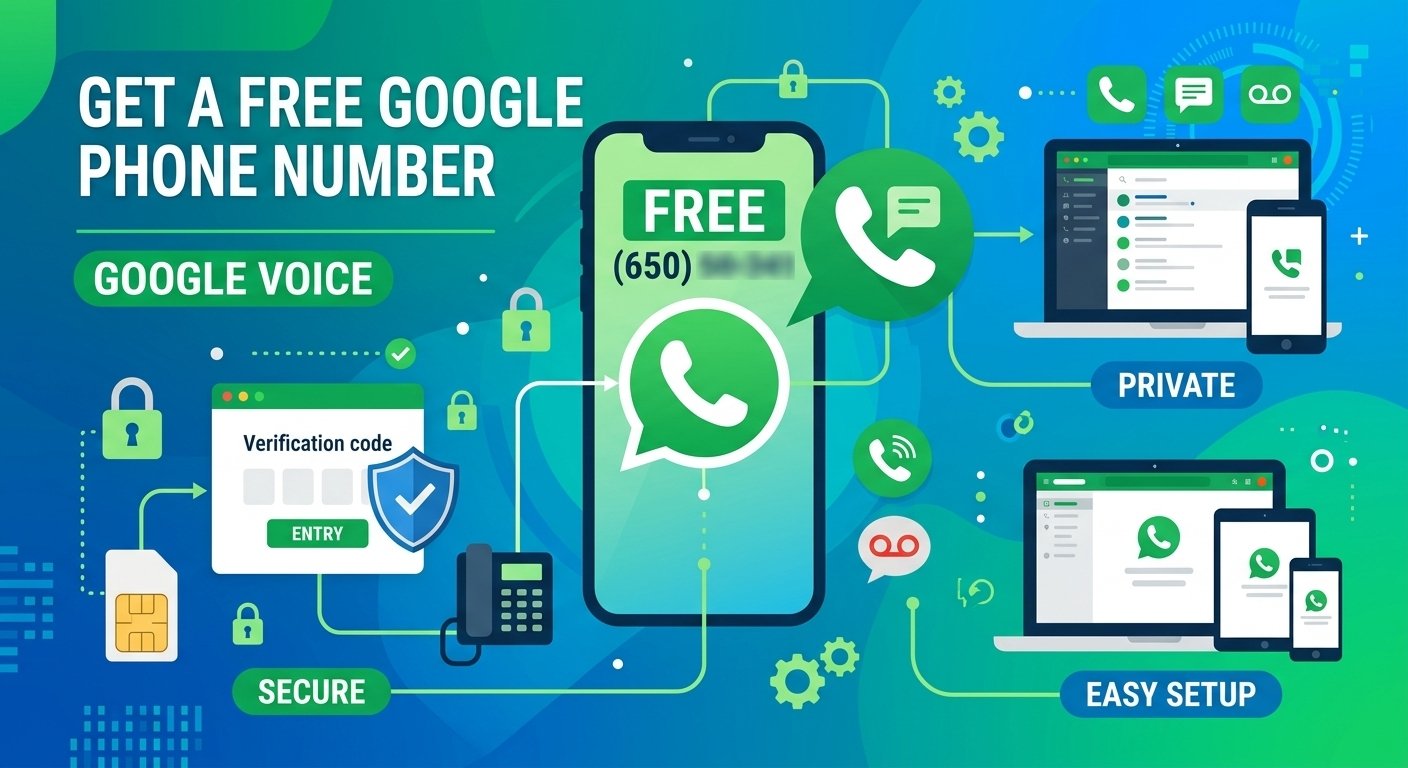
A free Google phone number serves as a versatile virtual solution for maintaining digital privacy, managing professional communications, or verifying online accounts without revealing your primary mobile identity. By leveraging the Google Voice platform, users gain access to a dedicated US-based line that facilitates calls, texts, and voicemail directly through an intuitive app or browser interface. This service acts as a powerful buffer, allowing you to shield your personal details from marketers, unknown platforms, and potential security risks. Mastering the setup process ensures you can enjoy seamless connectivity while keeping your primary contact information strictly guarded and secure. Quick answer: how to get a free Google phone number right now Acquiring a free Google phone number involves a straightforward registration process via the official Google Voice portal. You must possess an active Google account and a secondary phone number to complete the initial verification requirements set by the provider. The process is simple: visit the official voice.google.com website or download the mobile application, sign in with your Gmail credentials, and select the personal use option. Once you browse the available area codes to find a number that suits your preferences, you must verify your identity by linking an existing physical SIM card or landline to complete the final setup. What is a “free Google phone number” and what can you do with it? A free Google phone number is a virtual telephone identity provided through the Google Voice ecosystem, allowing for cost-effective communication within the United States. It functions independently of your hardware, meaning you can access your messages and call logs from any internet-enabled device, including tablets, laptops, and smartphones. The primary utility of this service lies in its ability to offer a secondary contact point for various activities. It is highly valued for securing online sign-ups, managing separate lines for business projects, filtering incoming calls through automated screening, and consolidating voicemail messages into your email inbox for easy archival. Research indicates that users who utilize virtual numbers for online registrations experience a significantly lower volume of unsolicited marketing calls compared to those who provide their primary mobile numbers. By offloading your public-facing contact information to this virtual tool, you gain better control over who reaches your personal device and when they are permitted to do so. Requirements and limitations for getting a free Google Voice number in 2026 Accessing these services in 2026 requires adherence to specific guidelines and eligibility criteria. Google maintains a robust security framework to prevent abuse, which means your account must be in good standing before you can successfully claim a new virtual identity. To qualify, you must possess a verified Google account that has not been flagged for suspicious behavior and maintain a valid, non-VoIP physical phone number that can receive a one-time verification code. Additionally, you must operate from a supported geographic region, as the free version of the service is currently restricted to users based in the United States. These numbers are not permanent assets. If your account remains inactive for an extended period, the system may reclaim the number and release it back into the public pool. To maintain ownership, you must interact with the service periodically, such as sending a quick text message or making a brief outbound call to keep the line active. Step‑by‑step: create a free Google phone number with Google Voice The configuration process varies slightly depending on whether you are using a desktop computer or a mobile device. Each method is designed for efficiency, ensuring you can secure your virtual line within minutes by following these structured phases. For desktop users, navigate to the voice settings panel after logging into your account and select the Get a Number button. After inputting your preferred city or area code, confirm your choice and link a forwarding destination by entering the verification code sent to your physical device. For mobile users, download the official Voice application from the relevant app store and authorize the necessary permissions. Follow the on-screen prompts to select your new virtual identity and complete the verification link using your existing mobile number to establish the final connection. Using free Google numbers for account verification and multi‑accounting Professional users often utilize these virtual lines to manage multiple digital identities across social media platforms and marketplaces. This practice allows for effective segmentation of different brand projects, ensuring that client communications remain distinct from one another. When managing multiple accounts, the human element of your browsing behavior is just as critical as the technical setup. Maintaining a natural pace of interaction and avoiding the simultaneous creation of dozens of accounts helps ensure that your virtual numbers remain functional and trusted by the service providers you are verifying against. Privacy, security, and traceability of free Google numbers While these services offer a shield for your personal identity, they are not completely invisible. Every call, text, and voice recording is routed through Google’s infrastructure, meaning the company retains access to these records in accordance with their privacy policies and legal obligations. To enhance your personal security, avoid using your virtual line for highly sensitive, private conversations. Additionally, always enable two-factor authentication on your main account to prevent unauthorized access and review your data privacy settings regularly to manage what information is shared or tracked. A study on digital privacy habits reveals that users who rotate their secondary contact information periodically are better protected against long-term data profiling. While the service provides a layer of anonymity from other users, always treat your virtual line as a professional or temporary tool rather than a substitute for encrypted communication channels. Benefits of a Gmail account without a phone number Benefit Description Enhanced Security Reduces your vulnerability to SIM-swapping attacks and unauthorized account recovery. Data Privacy Eliminates unnecessary data sharing with large service providers, reducing your digital footprint. Account Management Simplifies the process of maintaining multiple accounts for different projects or personal needs. Spam Prevention Keeps your private mobile number out of third-party databases, reducing unsolicited marketing calls. Identity Protection Prevents the linkage of various online activities to your primary, real-world identity. Email account management for privacy-focused users For those who prioritize data sovereignty, managing an inbox securely is an ongoing process. Relying on strong, unique credentials and robust authentication methods ensures your digital communication remains safe even if you choose to bypass traditional phone verification. Utilize a reputable password manager to generate complex, non-repetitive credentials. Implement app-based authentication or physical security keys for account access. Configure recovery emails using secondary, equally secure services to maintain access without needing a phone. By treating every digital connection as a potential data point, you can build a more resilient online presence. This systematic approach to account management reduces the risk of credential stuffing and unauthorized entry, keeping your personal correspondence protected from malicious actors. Alternatives to free Google phone numbers (and when Google Voice isn’t enough) Sometimes, the limitations of free virtual services, such as US-only availability or VoIP detection on specific platforms, necessitate exploring other solutions. Understanding when to shift to alternative tools is crucial for maintaining seamless operations. Paid virtual number providers offer greater customization and international coverage for global projects, while dedicated physical SIM cards are often required for platforms that strictly block VoIP traffic. Deciding between these options depends on the specific needs of your project and the level of trust required by the platform you are verifying against. Alternative email services for anonymous communication Beyond the standard offerings, several dedicated privacy services cater to users seeking maximum anonymity. These platforms are designed from the ground up to minimize data retention and protect the privacy of their users. ProtonMail provides end-to-end encrypted email with a focus on Swiss-based privacy laws. Tutanota offers secure, encrypted calendars and inboxes that are entirely disconnected from standard tracking networks. Temp-mail services allow for the generation of instant, disposable inboxes for one-time verification needs. Choosing the right service allows you to tailor your communication strategy to your specific risk tolerance. Whether you need a secure, long-term alias or a fleeting address for a quick sign-up, these platforms provide the necessary tools to keep your primary inbox uncluttered and your digital identity shielded from unnecessary surveillance. Final thought Obtaining a free Google phone number is a highly effective way to balance convenience with privacy in an increasingly tracked digital landscape. By following the established steps, you can create a secure secondary line that allows you to engage with online services safely and efficiently. Remember that while this tool provides significant benefits, it is most effective when integrated into a broader strategy of operational security. Use strong passwords, enable hardware-based authentication, and manage your accounts with care. With these practices in place, you can enjoy a more controlled, private, and secure online experience that puts you in the driver’s seat of your digital life. Faqs Can I get a Google phone number for free? Yes, you can secure a virtual number for personal use through the Google Voice platform at no cost. Is Google phone number still free? The service remains free for domestic calling and texting within the United States for personal account holders. Does Google give a free phone number? Google provides this service as part of its communication suite, allowing users to register a virtual line tied to their account. Can you google a phone number for free? You can easily sign up for a virtual identity on the official platform after performing a search for available numbers in your area. How do I get a free Google Voice number? Register by visiting the official website, selecting your preferred number, and verifying your identity with a secondary phone. Does a Google Voice number hide my identity? It acts as a mask for your primary contact details but remains tied to your overall account information. Can I use a Google Voice number for WhatsApp? While some platforms accept virtual lines, success depends on the specific verification protocols used by the target application. Do I need a real phone to get a Google number? Yes, a valid physical phone number is required during the initial setup to complete the mandatory security verification.

Is Google Phone Number Free? How to Get a Free Google Phone Number with Google Voice

Yes, Google offers a free phone number through Google Voice for eligible personal users in the United States. Google’s Basic individual plan costs $0 per month and includes one phone number for calling and texting across supported devices. You need an existing mobile number to sign up. Business Google Voice plans and some international calls or features cost extra. A free Google phone number is a virtual alternative that allows you to keep your privacy online, handle professional calls and messages, or confirm online accounts without giving away your real mobile number. Users can access a dedicated line in the United States via the Google Voice platform, which allows them to make calls, send texts, and use voicemail via an easy-to-use app or browser. This service is a strong protection barrier, and you can protect your personal information from marketers, unknown platforms, and possible security dangers. Understanding how to set up will help you to enjoy a seamless connection while maintaining the confidentiality and security of your main contact details. Quick answer: How to Get a Free Google Phone Number Right Now The process of getting a free Google phone number is simple and requires users to register through the official Google Voice website. The provider has some initial verification requirements, which include an active Google account and a secondary phone number. Sign in to your Google Account. Open Google Voice on the web or through the Google Voice mobile app. Search for an available number by entering a city or area code. Select the Google Voice number you want. Enter your existing eligible mobile number when requested. Complete Google’s verification process. Finish setup and start using your Google Voice number for supported calls, texts and voicemail. Google’s help documentation confirms that available numbers can be searched using a city or area/ZIP code and then selected. It is very easy to do: go to the official voice.google.com site or download the voice.google.com app, log in with your Gmail account, and choose the personal use option. After you have scrolled through the options and selected an area code that you like, you will have to confirm your identity by connecting an existing physical SIM card or landline to finish the setup. What is a “Free Google phone number” and what can you do with it? A free Google phone number is a virtual phone number that you can use to communicate cost-effectively in the United States through the Google Voice ecosystem. It works without any hardware, so you can view your messages and call log from any internet connected device, such as a tablet, laptop, or smartphone. The main value of this service is to provide a second point of contact for a range of activities. It is highly appreciated for its ability to sign up online, manage multiple lines for business projects, screen incoming calls with an automated system and archive voicemail messages into your email inbox. Studies have shown that customers who use virtual numbers for online registration receive much fewer unwanted marketing calls than customers who enter their main mobile numbers. You can remove your public contact details from your device and manage who can access them and when. Requirements and limitations for getting a free Google Voice number in 2026 In 2026, there are certain guidelines and eligibility requirements that must be met to access these services. Google has a strong security system that prevents abuse, and you will need to have a good account standing before you can be successful in claiming a new virtual identity. You need to have a verified Google account with no suspicious activity and a valid physical phone number (not VoIP) that can receive a one-time verification code. Also, you need to be in a supported geographic location: the free version of the service is currently only available for users in the United States. Requirement Details Google Account Required Location Free Basic service is available in the U.S. Existing Mobile Number Required Available Google Voice Number Choose from numbers Google makes available Internet Connection Needed for web/app-based Voice use Monthly Fee $0 for the Basic individual plan Google currently lists the Basic individual option as $0/month and available in the U.S., with an existing mobile number required.   Step‑by‑Step: Create a Free Google Phone Number with Google Voice There are slight differences in the configuration process between desktop computers and mobile devices. Each method is optimized for speed, giving you the ability to secure your virtual line in a matter of minutes, following these structured phases. If you’re on a desktop, log in to your account and click the Get a Number button on the voice settings panel. Once you enter your desired city or area code, verify and connect a forwarding destination by entering the verification code sent to your physical device. If you’re using a mobile device, download the official Voice app from the app store of your device and grant the required permissions. Click on the on-screen instructions to choose your new virtual identity and then click on the verification link with your existing mobile number to make the final connection. Privacy, Security, and Benefits of Free Google numbers These services provide you with a cover for your personal identity but they are not entirely invisible. All calls, text messages and voice messages are sent through Google’s infrastructure, which means that Google has access to these records as per its privacy policies and legal requirements. For personal security, do not have very private or sensitive conversations on your virtual line. Also, make sure to always use two-factor authentication on your primary account to avoid unauthorized access, and regularly review your data privacy settings to control what data is shared or monitored. The study indicates that those who change their secondary contact details regularly are more likely to be protected from long-term data profiling. The service offers a degree of anonymity from other users, but remember that your virtual line should be used like a professional or temporary communication channel, not as an alternative to encrypted communication channels. Benefit Description Enhanced Security Reduces your vulnerability to SIM-swapping attacks and unauthorized account recovery. Data Privacy Eliminates unnecessary data sharing with large service providers, reducing your digital footprint. Account Management Simplifies the process of maintaining multiple accounts for different projects or personal needs. Spam Prevention Keeps your private mobile number out of third-party databases, reducing unsolicited marketing calls. Identity Protection Prevents the linkage of various online activities to your primary, real-world identity. Free vs Paid Google Voice Comparison Google’s current U.S. page lists Basic at $0/month, Starter at $10/month, Standard at $20/month, and Premier at $30/month, although promotions can temporarily change displayed prices. Google Voice Option Price Best For Basic $0/month Personal calling and texting Starter $10/month Individuals needing professional features Standard $20/month* Advanced business calling Premier $30/month Advanced/global business requirements Alternatives To Free Google Phone Numbers:  Google Voice is a strong option for eligible U.S. users who want a second number without a monthly fee. Google’s current Basic individual plan is $0/month and includes a single number plus unlimited domestic calling and texting, subject to its terms. However, it isn’t the best choice for everyone. If you need a different type of number, international availability, a full business phone system, or cellular service independent of an internet connection, consider the following alternatives. 1. TextNow — Best Free Alternative to Google Voice TextNow is one of the closest alternatives to Google Voice for someone specifically looking for a free phone number. Its free service provides a phone number plus unlimited calling and texting across North America over Wi-Fi or an existing data connection. It works through Android, iOS and a desktop browser, although the free version is supported by advertising. TextNow also offers wireless/SIM options in the U.S., which makes it somewhat different from a purely virtual-number service. Its geographic availability is more limited than a global VoIP provider; TextNow currently says registration and use are available within North America. Best for: People who want a free second number for everyday calls and texts. Main advantages: Free number, free North American calling/texting, mobile and browser access. Main limitations: Ads on the free service, geographic restrictions, and additional charges/features for some international or premium usage. 2. Microsoft Teams Phone — Best for Microsoft 365 Businesses Microsoft Teams Phone shouldn’t be presented as another free-number service. It is better positioned as a business alternative for companies already using Microsoft Teams or Microsoft 365. Teams Phone turns Teams into a cloud-based business phone system. Businesses can make and receive PSTN calls, transfer calls between devices, use existing numbers, and obtain Microsoft-provided phone numbers with eligible Calling Plans. As of September 2026, Microsoft lists Teams Phone Standard at $10 per user/month when paid yearly. That base phone-system option doesn’t itself include Microsoft’s PSTN Calling Plan. In the U.S., Microsoft currently lists a pay-as-you-go calling package at $13/user/month and a domestic Calling Plan package at $17/user/month, subject to licensing requirements and availability. Best for: Companies already working within Microsoft 365. Main advantages: Business phone features, PSTN integration, number portability and deep Teams integration. Main limitation: It’s paid and requires appropriate Teams/Microsoft licensing, so it isn’t a direct replacement if the reader simply wants a free personal number. 3. Paid Virtual Phone Number Providers — Best for More Number Choices A paid virtual phone number is worth considering when Google Voice or another free service doesn’t offer the location, number type or features you need. Depending on the provider, virtual-number services can offer local, mobile, toll-free and international numbers. Because calls are managed over the internet, users can often answer the same business number from a smartphone, computer or web application. Paid virtual numbers are particularly useful when you need a specific country or area code, want to maintain a number for professional use, or require features that aren’t available with a basic free service. Best for: Freelancers, remote workers, international users and small businesses that need more flexibility than a free number provides. Main advantages: Wider number selection, international options and more professional calling features. Main limitation: Monthly number rental and usage charges may apply. 4. Business VoIP Providers — Best for Companies and Teams If the number will primarily be used for business, a full business VoIP phone system is usually a more appropriate alternative than repeatedly relying on free virtual numbers. Business VoIP services can provide each employee with a business number or extension while adding features such as call routing, call queues, IVR/auto attendants, voicemail, call recording, analytics, business hours and CRM integrations. This makes business VoIP fundamentally different from a free Google Voice number. Google Voice Basic is useful for a single person’s everyday calling and texting, while a business VoIP system is designed to manage communications across a team. Best for: Small businesses, sales teams, support teams and companies handling larger call volumes. Main advantages: Multiple users, advanced call management, analytics, integrations and business administration. Main limitation: Monthly per-user or per-number costs are common. This section also gives you a very natural internal-link opportunity to your business VoIP/provider pages rather than forcing links from unrelated words. 5. Physical SIM or eSIM — Best When You Need a Real Mobile Line A physical SIM or eSIM can be a better choice when you need an actual mobile service rather than an internet-based virtual number. Unlike a typical VoIP number, a SIM/eSIM number is issued as part of a cellular service. It can therefore be preferable when you need conventional mobile calling, SMS and mobile-network access. An eSIM performs essentially the same subscriber-identification role without requiring a removable physical card on compatible devices. Some phones also support multiple SIM/eSIM lines, making it possible to keep personal and work numbers on the same device. Best for: People who need a conventional mobile number and cellular connectivity. Main advantages: Cellular service, standard SMS/calling and less dependence on a VoIP application. Main limitations: Usually requires a mobile plan, and pricing depends on the carrier and country. Google Voice Alternatives Compared I would definitely add this table after those explanations: Option Free Option Best For Number Type Calling Method Business Features Google Voice ✅ Yes, eligible U.S. personal users Free second U.S. number Virtual/VoIP Internet + supported calling Limited on Basic; more on paid plans TextNow ✅ Yes Free calls and texts Virtual number Wi-Fi/data; U.S. wireless options Limited Microsoft Teams Phone ❌ Paid Microsoft 365 businesses Business/PSTN Internet + PSTN ✅ Extensive Paid Virtual Number Provider Usually ❌ Flexible/international numbers Virtual/VoIP Internet Varies Business VoIP Provider Usually ❌ Businesses and teams Business VoIP Internet/PSTN connectivity ✅ Extensive Physical SIM/eSIM Usually ❌ Standard mobile service Mobile/cellular Cellular network Carrier-dependent Read More: Toll-Free Numbers with VoIP and How to Get One? Final thought Google Voice remains an easy way for eligible U.S. users to get a second phone number without a monthly fee. Google’s Basic plan costs $0 per month, but you’ll need an existing mobile number to get started. If you need multiple users, advanced call management, guaranteed number retention or business features, compare Google’s paid Voice plans before deciding which option is right for you. FAQ’s Can I get a Google phone number for free? Yes, you can get a virtual number for personal use for free using Google Voice. Does Google give a Free phone number? Google offers this service as part of its communication package, and users can register a virtual line that is linked to their account. Is a Free Google Voice Number Private? A Google Voice number can help keep your primary mobile number separate from everyday calls and texts, but it doesn’t make you anonymous. Your Voice number is connected to your Google account, and Google processes service data according to its privacy policies. Use normal account-security practices such as a strong password and two-step verification. What Is Free With a Google Voice Number? Then explain that Google’s current Basic plan includes a separate number and domestic calling/texting under its applicable terms, while international calls and premium/business features can cost extra. Can you google a phone number for free? After conducting a search for available numbers in your area, you can easily sign up for a virtual identity on the official platform. How do I get a free Google Voice number? Sign up on the official website, choose your desired number, and confirm with a secondary phone. Does a Google Voice number hide my identity? It serves as a screen or cover for your main contact information, but is still linked to your account information. Can I use a Google Voice number for WhatsApp? Some platforms support virtual lines, but the success will depend on the verification protocols that the target application supports. Do I need a real phone to get a Google number? Yes, a valid physical phone number is needed at setup to complete the required security verification. Can I Get a Free Google Voice Number Outside the US? Google’s free Basic Google Voice plan is currently listed as available in the United States. Google also offers paid Voice services in additional countries for eligible business/Workspace customers, but that does not mean the free U.S. personal number is globally available.

Read More
free conference call

Best Free Conference Call Services Compared (2026)

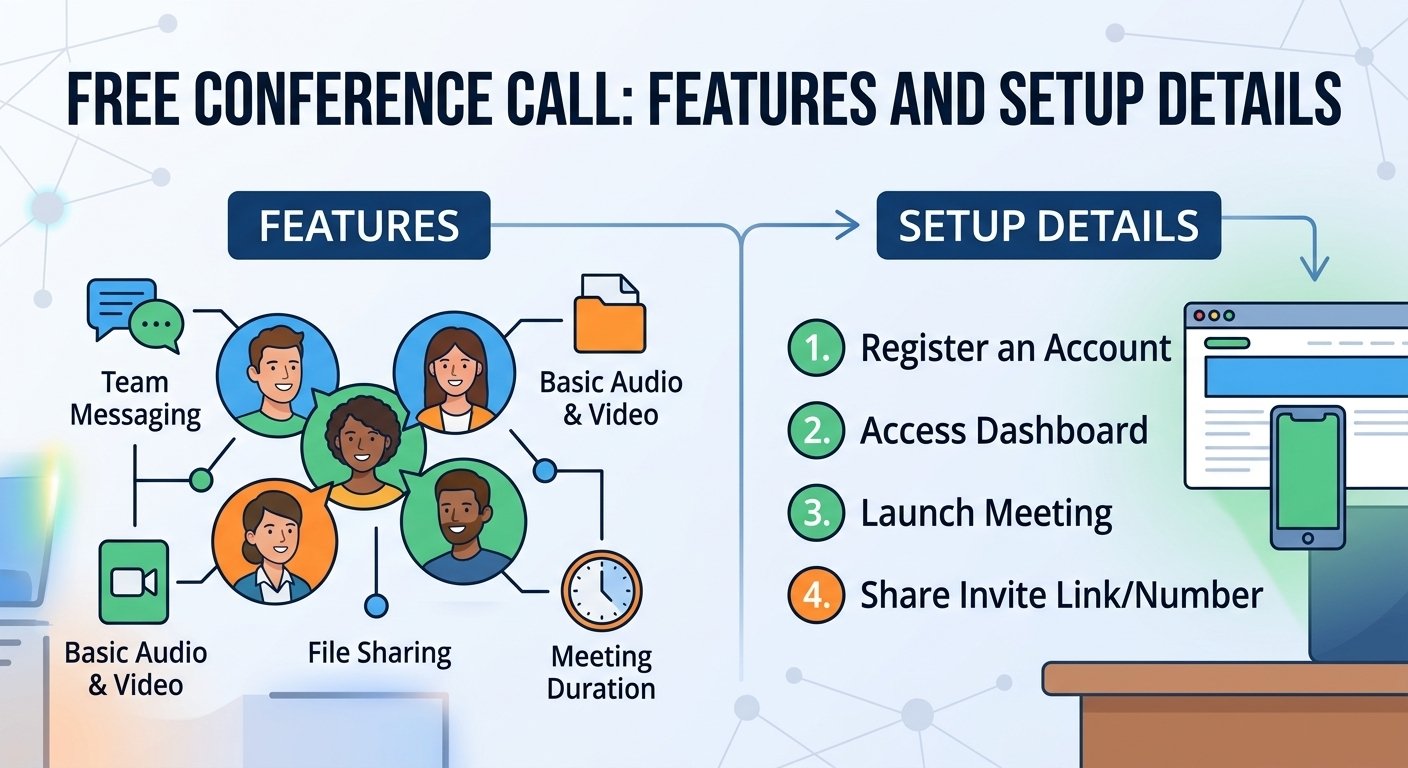
Free conference call services let you host audio or video meetings without paying for a traditional conference bridge. Popular options include Zoom, Google Meet, Microsoft Teams Free and FreeConferenceCall.com. However, free plans can limit meeting length, participant numbers, recording, dial-in access and advanced business features. This guide explains what you can get for free and how to choose the right service. With the right free conference call service, you can maintain your team’s productivity and keep everyone on the same page, even when you’re not in the same room. With digital transformation taking place at a rapid pace, businesses of all sizes are turning to a free conference call to connect with remote workers and offices around the world. With the right tools, you can make sure that every meeting, from an internal update to a client presentation, runs smoothly and effectively. To understand the modern telecommunications landscape, it is important to know what these ubiquitous platforms can do and what they can’t. Are Free Conference Call Services Really Free? Yes, some conference call services offer genuinely free plans, particularly for internet-based meetings. However, “free” doesn’t always mean every feature or connection method costs nothing. Telephone dial-in numbers may be subject to normal carrier charges, while toll-free numbers, recording, longer meetings, larger participant limits and advanced administration features may require a paid plan. Also, these services are frequently freemium. This includes access to essential features like team messaging, file sharing, and interactive whiteboards, but also may have limitations on: Meeting duration: Many platforms impose time limits on calls. Participant limits: There is often a cap on how many individuals can join simultaneously. Bandwidth and connectivity: Heavy usage might lead to throttled connection quality. Data privacy: Some free tools may collect user metadata or browsing history to offset operational costs. What Features Are Often Limited on Free Conference Call Plans? While a free conference call app is a great way to get started with a small team, it may not have the depth of structure needed for a more advanced business operation. With a free tier, you often have to sacrifice the advanced infrastructure that eliminates information silos. For example, enterprise-grade analytics are essential for monitoring meeting performance or ROI, and are not typically available in free versions. You may also miss out on automated AI transcription services, which are vital for maintaining accurate meeting minutes. In addition, weak security measures like no end-to-end encryption or administrative access controls can be problematic when discussing proprietary information. The feature set grows considerably when moving to a professional plan, and a simple bridge becomes a full communications center. New AI-powered suites provide post-meeting summaries, closed captioning, and effortless CRM integration, which automatically records interactions. Feature Why It Can Be Useful Call Recording Lets authorized users review meetings later AI Transcription Creates searchable meeting transcripts Meeting Summaries Highlights key points and action items Screen Sharing Helps with presentations and demonstrations Host Controls Lets hosts mute or manage participants CRM Integration Connects meeting activity with customer records Calendar Integration Simplifies scheduling and invitations Research indicates that teams utilizing integrated collaboration tools experience a notable reduction in communication latency. With custom app development options through API integration or enhanced dashboard analytics, businesses can shape their environment to align with their workflows, allowing technology to support the team, not dictate it. How To Set up and Host A Free Conference Call? Starting a meeting is now very easy. The majority of modern providers enable users to run sessions straight from a web browser without any software downloads. This is important for making sure that external guests or clients can attend your conference calls online without any technical difficulties.  To start a free conference call, choose a conferencing service, create a meeting, copy the meeting link or dial-in details, and send the invitation to participants. At the scheduled time, open the meeting and admit participants if required. Some services also let guests join from a browser without installing an app. Choose a service – Select a platform based on meeting size and features. Create a meeting – Start an instant meeting or schedule one. Copy the invitation – Get the meeting URL, ID or dial-in information. Invite participants – Send the details by email, calendar or messaging app. Test your equipment – Check your microphone, speakers and camera. Start the conference – Join as host and manage participants. Best Free Conference Call Services in 2026 The best free conference call service depends on your needs. Google Meet is a strong choice for simple browser meetings, Zoom is widely used for video conferencing, Microsoft Teams Free works well for team collaboration, Webex Free offers business-focused meeting tools, while FreeConferenceCall.com is particularly suitable for traditional conference calling and large free meetings. Always check current limits before hosting an important meeting, as free-plan features can change. What constitutes the best service depends on your specific business needs. For some businesses, a basic interface for ad hoc calls is the most important feature, while others may need high-definition audio and uptime for regular client presentations. To gauge user satisfaction with connection reliability and technical support responsiveness, experts recommend reviewing independent software review sites. A good provider should provide consistent service, no matter where the user is located, which can disrupt the professional flow of events. Quick Review: Summary Google Meet – best for easy browser meetings Zoom – best for familiar business video conferencing Microsoft Teams Free – best for Microsoft users/team collaboration FreeConferenceCall.com – best for traditional conference-call functionality Cisco Webex – strong business meeting option Jitsi Meet – useful for simple open-source/browser-based meetings 1. Google Meet: Personal/free accounts support up to 100 participants. Group meetings with three or more people are limited to 60 minutes, while one-to-one meetings can last up to 24 hours. Browser joining is supported. Telephone dial-in is associated with meetings organized through eligible Google Workspace setups, and Google’s native meeting recording requires eligible Workspace/Google One plans rather than the standard free personal tier. 2. Microsoft Teams Free: Microsoft currently specifies 100 participants and 60-minute group meetings. Participants can join through a supported browser without installing Teams. Microsoft’s own plan comparison says meeting recording is not included in Teams Free. 3. Webex Free: Cisco currently lists up to 100 attendees, 40-minute meetings and local recording on its free plan. 4. FreeConferenceCall.com: This one is particularly relevant to your article because it’s actually centered on conference calling rather than just video meetings. Its current site advertises up to 1,000 participants, no group-meeting time restriction, browser-based conferencing, dial-in access and recording. Comparison Table for Free Conference Call Services Service Best For Free Meeting Limit Participants Browser Join Dial-In Recording Google Meet Simple browser meetings 60 min for 3+ people; up to 24 hrs 1-to-1 100 ✅ Yes ⚠️ Workspace-hosted meetings ❌ Not on standard personal free plan Zoom Basic General business/video meetings 40 min 100 ✅ Yes* ⚠️ Availability varies ✅ Local recording on supported desktop setup Microsoft Teams Free Team collaboration 60 min group meetings 100 ✅ Yes ⚠️ Depends on meeting/plan ❌ No Webex Free Business meetings 40 min 100 ✅ Yes ⚠️ Plan/region dependent ✅ Local recording FreeConferenceCall.com Large free audio/video conferences No stated group-meeting time limit Up to 1,000 ✅ Yes ✅ Yes ✅ Yes, including recording features Jitsi Meet Quick, no-account browser meetings No standard fixed meeting limit Varies by deployment/server capacity ✅ Yes ⚠️ Deployment dependent ⚠️ Deployment dependent How Does International Conference Calling Work? When working with teams around the world, you’ll face the problem of different telecommunication standards. It’s important to have a service that offers local dial-in numbers in various countries to avoid any unforeseen expenses for your remote participants. This will allow a person in London or Tokyo to join by conference call line, either local or toll-free, instead of an international connection. When communicating via video, the process is easier. Video data is sent via the internet, so any participant in any country can join via a central link. The geographical distance is not a problem as long as they have a stable internet connection, and a truly unified global workspace can be achieved. How to Choose An Online Conference Call Service for Your Business Partner selection is a strategic investment. While a conference call free number is essential, you also need to think about the platform’s scalability in the long run. Consider whether the provider can accommodate your expanding team and whether they can provide any particular modules for webinars and virtual events. Security protocols: Prioritize platforms that utilize TLS encryption and SRTP to safeguard your data. Integration ecosystem: Ensure the tool syncs with your existing calendar, email, and CRM software. Ease of use: Avoid platforms that force guests to download heavy, complex software. Support availability: Look for 24/7 customer support options to address technical issues before they affect your business continuity. Read More: 0371 Numbers: Cost, Benefits & Usage Final words A dependable conference call service is not just a convenience, but a must-have for effective collaboration in today’s business world. Free tiers are great for smaller teams, but knowing when to upgrade to more professional features can significantly boost your productivity and security. When selecting a solution, consider features, security, and usability to ensure your team remains connected, efficient, and professional, regardless of their location. Conference call services FAQs How many people can join a conference call? There are a number of free services that will accommodate between 10 and 100 people for your conference call, depending on the provider and the plan you select. How much do conference call services cost? There are many basic options available, but professional services can cost anywhere from $15 to $50 per user per month, depending on the advanced features. What are the benefits of a conference call service? The main advantages are that it saves on travel costs, enhances team communication, and allows for the capture of conversations for later review. What is the best free conference call app? While the best app is always subjective, many industry leaders consistently rate RingCentral and other dedicated providers as being stable and of good quality. Conference Call vs Video Conference: What’s the Difference? A conference call traditionally refers to an audio conversation involving three or more participants, often using telephone dial-in numbers. A video conference adds live video and usually operates through an internet-based app or browser. Modern platforms often combine audio calling, video meetings, screen sharing and messaging in a single service. Do You Need Internet for a Conference Call? Not always. Traditional audio conference calls can be joined by dialing a telephone number and entering a meeting code, so an internet connection may not be required. However, browser-based audio, video conferencing, screen sharing and online meeting features require an internet connection. Whether telephone dial-in is available depends on the conference call provider and plan. Can I Join a Conference Call Without Downloading an App? Yes, many modern conference services allow participants to join through a web browser without installing desktop software. Traditional audio conferences may also allow participants to dial a phone number and enter an access code. Browser and dial-in availability varies by provider, so check the meeting invitation before joining. Can I Host a Free Conference Call Without a Phone Number? Explain that internet-based meetings can often be created/joined using accounts or meeting links, whereas traditional PSTN conference calling uses telephone numbers. What is the difference between teleconferencing and video conferencing? Teleconferencing is mainly audio based, using telephone lines, while video conferencing adds visual elements with the use of cameras. How do participants join an audio-only teleconference call? The participants are usually called up by calling a designated phone number and entering an access code given by the meeting host. What are the rules for virtual meeting etiquette? Some important rules to follow are to keep your microphone muted when not speaking, to be on time, and to be in a quiet, distraction-free environment. Are Free Conference Calls Secure? Free conference calls can be secure, but protection varies by platform and meeting configuration. Look for encrypted connections, meeting passcodes, waiting rooms, host controls and the ability to remove unwanted participants. For confidential business meetings, also review the provider’s privacy policy, recording controls and data-retention practices. Avoid sharing private meeting links publicly and keep your conferencing software updated.

Read More
unknown caller iphone

How To Silence Unknown Caller iPhone: A Complete Guide

To silence unknown callers on an iPhone, go to Settings > Apps > Phone, tap “Screen Unknown Callers,” and choose “Silence.” Calls from unsaved numbers will be silenced and sent to voicemail, while the call still appears in your Recents list. On some iOS versions, the option may appear as “Silence Unknown Callers.” This can help reduce spam and unwanted calls without blocking the numbers completely. When you’re stuck with an unknown caller iPhone problem, it can be frustrating, particularly when your iPhone appears to be blocking out individuals you truly want to hear from. It’s essential to keep these settings in check to prevent privacy breaches and ensure you don’t miss out on crucial messages. If you’re trying to block unwanted telemarketing calls or find out who’s calling from a private number, knowing how your iOS device responds to these signals is the first step to a smooth experience. These inbuilt controls give you the power to filter your digital environment and take control of your device usage. Understanding the Silence Unknown Callers Feature Silence unknown callers is a great feature that helps users avoid spam, scams and unwanted calls. If this setting is on, then any phone number that is not in your contacts, recent outgoing calls list or Siri Suggestions will be muted. The caller is added to your recent calls list and the call is routed straight to your voicemail, rather than your phone ringing. This will not interrupt your day, and will give you a record of the attempt. One should understand the rationale behind this function. This is designed by Apple to give preference to known connections. Research into digital wellbeing shows that people who use automated call filtering tend to feel less stressed at work when they don’t have to deal with intrusive telemarketing calls. This basic toggle is a sort of gatekeeper, letting only trusted or familiar entities pierce the silence and warn you of their presence. How to Silence Unknown Callers on iPhone It is very easy to enable this setting, and can be done in only a few seconds. When you’re getting too many calls from unknown numbers, this is the best way to protect your privacy. To enable the protection, do the following: Open the Settings app on your iPhone. Scroll down and tap on Phone. Look for the option labeled Silence Unknown Callers. Toggle the switch to the On position. When activated, your iPhone will silently check your contacts. If not saved, it will not ring. This is especially helpful if you get a lot of spam emails. Keep in mind that this will not prevent the caller from leaving a voice mail message, it will just prevent the device from notifying you until you’re ready to see what you missed. How to Turn Off Silence Unknown Callers If you are not receiving essential messages from doctors, delivery people or new business contacts, you might want to turn it off. Just as with privacy, managing your accessibility is important. To disable the setting, do the following: Navigate to your Settings app. Select the Phone menu. Find the Silence Unknown Callers option. Switch the toggle to the Off position. This will restore your phone to its normal state and cause it to ring for any incoming call, whether or not the number is in your contacts. This is frequently suggested when you’re expecting a call from a service provider or a company that has a central, non-listed phone line. When making these adjustments, keep in mind what you need to communicate now and don’t end up missing out on important information. Managing Call Screening and Message Filtering Modern versions of iOS have more sophisticated methods of controlling data from unknown sources than just blocking calls. You can set your voice call and text message preferences to make them more organized. These tools can help you filter spam without missing out on important information. Feature Location Purpose Silence Unknown Callers Settings > Phone Automatically route unknown numbers to voicemail. Filter Unknown Senders Settings > Messages Separate messages from non-contacts into a different list. Show My Caller ID Settings > Phone Control if your identity is visible when you call others. To effectively screen messages, go to Settings and select Messages. Then, you can enable Filter Unknown Senders. This will help you to keep your main feed clean and tidy, as it will separate texts from people who are not in your contacts into a separate tab. How to Make and Manage Unknown Calls In some cases, it may be desirable to conceal your identity during a particular call. There are ways to do this safely, even if you’re calling a business or a service that you don’t want your personal number to be revealed. The best way to do this is to dial the number preceded by a prefix code. Dialing with a Prefix: Before entering the phone number, type #31# or *67. This instructs the network to suppress your Caller ID for that specific session. Permanent Settings: If you wish to hide your number for all outgoing calls, go to Settings > Phone > Show My Caller ID and turn the switch off. Please note that some recipients have their own systems configured to automatically reject calls from private or hidden numbers. If your call fails, it probably means that the recipient’s carrier or phone settings are preventing anonymous calls. Before using these methods to make sure your recipient is receptive, always make sure they are willing to accept private calls. Read More: Network Interface Device: Key Concepts and Importance Explained What Happens When You Silence Unknown Callers on iPhone? When you choose Silence for unknown callers, your iPhone does not ring normally when an unrecognized number calls. Instead, the call is silenced and sent to voicemail, and you can still find it later in your recent calls. This is different from permanently blocking a phone number. A silenced caller can still attempt to contact you and may be able to leave a voicemail. You can review the call later and add the number to your contacts if it belongs to someone you know. Keep in mind that legitimate calls can also come from numbers you haven’t saved. Doctors’ offices, delivery drivers, new customers and service providers are common examples. If you’re expecting an important call, screening unknown callers may be more suitable than automatically silencing all of them. How to Screen Unknown Callers on iPhone Newer versions of iOS provide a Call Screening option that gives you more control over unfamiliar calls. Instead of immediately silencing an unknown number, your iPhone can ask the caller for their name and reason for calling before your phone rings. Go to: Settings > Apps > Phone > Screen Unknown Callers > Ask Reason for Calling When an unknown caller responds, you can use that information to decide whether you want to answer. This can be a useful alternative to silencing every unknown caller, particularly if you regularly receive legitimate calls from businesses, delivery services or people who aren’t yet in your contacts. Silence vs Screen Unknown Callers: What’s the Difference? Silencing and screening unknown callers are designed to reduce unwanted interruptions, but they work differently. Silence prevents eligible unknown calls from ringing and sends them to voicemail. Ask Reason for Calling, on the other hand, screens the caller first by asking who they are and why they’re calling. Screening may be the better choice if you want protection from unwanted calls without automatically missing every unfamiliar number. Silencing is more suitable when you simply don’t want unknown calls interrupting you. On current iPhone software, these controls can be found under Settings > Apps > Phone > Screen Unknown Callers. Does Silence Unknown Callers Block Calls? No. Silencing an unknown caller is not the same as blocking the caller. When an eligible unknown call is silenced, your iPhone can send it to voicemail and keep a record of the call so you can review it later. Blocking is more restrictive. If you identify a particular number as unwanted, you can block that specific caller rather than silencing all unfamiliar numbers. This distinction is important because Silence Unknown Callers can affect legitimate callers whose numbers aren’t saved in your contacts. Why Is My iPhone Silencing Calls From People I Know? Your iPhone may silence a legitimate call if it does not recognize the incoming number. This can happen when someone calls from a new phone number, a business uses a different outgoing number, or the caller’s details aren’t saved correctly in your contacts. First, check your recent calls to identify the number. If it belongs to someone you trust, save or update their contact information. Also review Settings > Apps > Phone > Screen Unknown Callers. If Silence is selected and you’re missing important calls, consider changing the setting to Ask Reason for Calling or Never, depending on how you want unfamiliar calls handled. How to Find Silenced Calls on iPhone Silencing an unknown caller doesn’t necessarily make the call disappear. You can check the Phone app to review recent calls and determine whether an unfamiliar number tried to reach you. Also check your voicemail for messages from callers who were silenced. If you recognize an important number, save it to your contacts to make it easier for your iPhone to recognize future calls. This is worth checking regularly if you use aggressive unknown-call filtering, especially when you’re waiting for a call from a doctor, delivery company, recruiter or business. Unknown Caller vs No Caller ID on iPhone An unknown caller and No Caller ID aren’t necessarily the same thing. An unknown caller may simply be calling from a number your iPhone doesn’t recognize or that isn’t stored in your contacts. With No Caller ID, the caller’s telephone number is generally being withheld or isn’t being presented to your phone. This distinction matters when troubleshooting unwanted calls. If a visible number repeatedly calls you, you may be able to block that individual number. A hidden caller doesn’t provide the same visible number to block directly, so call-screening and carrier spam-protection features may be more useful. Can Silence Unknown Callers Stop Spam Calls? Silencing unknown callers can reduce interruptions from spam calls, but it doesn’t prevent scammers or telemarketers from attempting to call your number. The main benefit is that eligible unfamiliar calls don’t interrupt you in the usual way. You can review your recent calls and voicemail afterward and decide whether a caller was legitimate. For additional protection, iPhone can also use supported carrier identification and spam-filtering services. The availability of these features can depend on your carrier and region. Should You Keep Silence Unknown Callers Turned On? It depends on how you use your phone. Keeping unknown callers silenced can be useful if you receive frequent spam calls and most legitimate callers are already saved in your contacts. However, it may not be ideal if you frequently receive important calls from unfamiliar numbers. For example, you may want to reconsider silencing unknown callers while waiting for: A doctor’s office or hospital A delivery driver A job recruiter A new customer or client A repair or service company A school or other organization If you want a middle ground, Ask Reason for Calling can be more useful because it screens unfamiliar callers rather than immediately silencing them. How to Stop Spam Calls Without Silencing Every Unknown Caller You don’t necessarily have to silence every unfamiliar number just to reduce spam. On supported current iPhone software, you can select Ask Reason for Calling under Settings > Apps > Phone > Screen Unknown Callers. This allows an unfamiliar caller to identify themselves before your phone rings. You can also block individual numbers that repeatedly bother you and check whether your mobile carrier provides spam-call identification or filtering. Troubleshooting Silenced Unknown Calls If you’re having problems with calls being blocked, or you think you’re getting too many blocked notifications, check your recent calls. In some cases, a contact might have updated their phone number and your phone is considering them an unknown number. To check whether a number is truly unknown, you can check your recent calls, as silenced calls will have a specific indicator or no contact information will be associated with them. An interesting note is that when you dial 911 to the local authorities, the “silence unknown callers” feature is automatically turned off for 24 hours. This means that any subsequent contact with emergency services or other parties will be able to contact you without getting lost. This is an integral safety feature that is a crucial component of the iPhone design, and it’s clear that Apple is more concerned about keeping users safe than filtering aggressively. Final Thoughts In today’s day and age, spam calls are a thing of the past and it’s important to manage your iPhone settings to control incoming communications. You can learn how to switch on and off the silence unknown callers feature, which will allow you to maintain your day uninterrupted. At the same time, understanding how to disable these features guarantees you can be reached by the people and services that are most important to you. Regularly review your settings to ensure your communications needs are met. Maintaining an up-to-date contact list and knowing how to use these tools will make your mobile life better and give you peace of mind when using your mobile devices. Frequently Asked Questions What does unknown caller mean on an iPhone? An unknown caller is an incoming call that does not display the caller’s identity on the phone’s screen, or the caller’s identity is not provided by the network, and is usually displayed as “No Caller ID” or “Private. How do I find out who the unknown caller ID on iPhone is? There is no built-in way to unmask hidden caller IDs on iOS for privacy and legal reasons, but it’s possible to find them with third-party spam identification apps or by looking at your carrier’s online call logs. *Does 57 still work for tracking calls? *The 57 code, which is a legacy system for call tracing, is generally no longer a reliable way for individual users to identify anonymous callers, as it requires coordination with law enforcement and your service provider. How do I go unknown caller on an iPhone? To display your number as unknown, call the number with #31# or disable “Show My Caller ID” in your phone’s main settings. Can I unsilence calls on my iPhone? Yes, you can easily turn off the “Silence Unknown Callers” setting in Settings > Phone and switch it off. Why am I getting silenced unknown calls? These calls are probably being made because your “Silence Unknown Callers” option is enabled and any number that is not stored in your contacts will be sent straight to voicemail. How can I stop unknown callers on iPhone? The best way to prevent unknown callers from calling you is to turn on the “Silence Unknown Callers” setting in your phone’s settings, which will block them from calling you. Is there a way to screen unknown callers on iPhone? Unlike some other platforms, iPhones don’t have a live “answer on my behalf” screening tool, but you can use the built-in silence feature or third-party call filtering apps to detect and block spam calls.

Read More
Free video call app

How To Make Free Video Calls? Easy Guide for 2026

You can make free video calls using internet-based apps such as WhatsApp, Google Meet, FaceTime, Signal, Zoom or Microsoft Teams. Choose an app, install it or open its web version, sign in, select a contact or create a meeting link, and tap the video-call button. The call itself can be free, although mobile data charges may apply. An online video call free platform allows people and businesses to communicate over long distances without having to pay anything, simply by using an internet connection. These tools have transformed the way people communicate today, enabling them to interact with each other face-to-face from anywhere in the world. From catching up with family to coordinating a remote team or hosting a virtual webinar, the right application will ensure seamless connectivity. With the advancement of technology, numerous solutions offer high-definition visuals, group calling capabilities, and cross-platform compatibility, ensuring that users can stay connected with their peers on smartphones, tablets, and desktop computers. Quick Steps to Make a Free Video Call Choose a video calling app. Connect to Wi-Fi or mobile data. Create or sign into your account. Select the person you want to call. Tap the video-camera icon. Allow camera and microphone access. End the call when finished. Quick Apps Summary For Free Video Calls Best free video calling app for personal calls: WhatsApp Best for Apple users: FaceTime Best for privacy: Signal Best for browser-based meetings: Google Meet Best for business meetings: Zoom or Teams Best for communities: Discord What is Free Video Call App? A free video call app is a software program that allows users to make video calls with others for free. These tools remove the need for traditional long-distance fees and instead use data networks instead of voice minutes. The majority of the platforms have user-friendly interfaces, enabling you to start a discussion with a single tap, making them indispensable tools for personal and professional life. Cross-platform support: Many apps allow users on Android, iOS, Windows, and macOS to communicate effortlessly. Data-based connectivity: These services require only a stable Wi-Fi or mobile data connection to function. Integration: Features often include screen sharing, file sending, and integrated text messaging for a comprehensive experience. Host meetings anywhere, any time With modern technology, you can meet from anywhere, from home to office to travel. This flexibility means that you can collaborate and socialize without being constrained by geography. With a dependable video conferencing solution, you can instantly turn any room into a professional meeting room. According to research, almost 70% of the world’s workforce is currently working remotely, underscoring the critical role of effective mobile video solutions. Advanced scheduling capabilities enable you to create virtual rooms in seconds, allowing participants to join easily from their preferred mobile devices or desktops. Unlimited number of free video calls The best thing about selecting the right software is that you can make an unlimited number of free video calls. Unlike traditional telephony, these digital options do not cost by the minute, so you can talk to your loved ones for a long time or have long business strategy sessions. Most of the big companies provide unlimited one-on-one calling as a standard service, and many even include group calling. Easy-to-use meeting app An easy-to-use meeting app is one that has a simple user interface and is easy to set up. Technical skills should not be required to start or participate in a call. Modern developers strive to make it as easy as possible to connect, even for those who aren’t technically inclined, so that they can navigate the features easily. Intuitive “join” links, easy invitation systems and clear dashboard buttons are features that make it easy to use. User-friendly software decreases the learning curve, enabling teams to concentrate on the conversation instead of resolving connectivity problems. Reliable, high-quality experience The best video chat apps today are characterized by a reliable and high-quality experience. Users are looking for clear sound, rich visuals and low latency, even with varying speeds. Top platforms employ sophisticated compression methods that focus on delivering clear audio and video, guaranteeing that communication is both professional and enjoyable. Industry reports indicate that low latency is the most important aspect for user satisfaction, since it is the closest to the natural face-to-face conversation flow. When you select applications that are adaptive bitrate streaming, you can be sure that your video call will stay stable even on a poor network. Why use free video conferencing software? Free video conferencing software offers a great deal of benefit for personal and professional development. These tools combine social connectivity with organizational requirements and serve as a central point for collaboration. They are intended to make it easier to share information, and to make digital interactions as natural as face-to-face ones. Improved communications Video tools provide visual cues and facial expressions that are often lost in voice calls or text messages. This clarity minimizes misunderstandings and builds stronger rapport between the participants. Engaging business calls Business meetings are more dynamic with interactive features such as screen sharing, digital whiteboards, and reaction emojis. These elements help to keep participants engaged and involved in the discussion. Dynamic presentations Professional grade virtual demonstrations are possible by sharing your screen or presenting slides directly from a video app. This is a must-have for sales presentations, in-house training and educational webinars. Work from anywhere With the advent of distributed teams, remote access has become a must. Video platforms offer the tools that enable employees to remain productive and on track with company objectives, no matter where they are. Improve efficiency and productivity By cutting down on travel time and allowing for rapid, spontaneous check-ins, these apps significantly boost daily efficiency. Teams can resolve issues faster and complete projects with greater agility. 8 Free Video Calling Apps: Best Options for Staying Connected in 2026 Free video calling is useful when you want to speak face-to-face without paying traditional international calling charges. Apps such as WhatsApp, Google Meet, FaceTime and Zoom use your Wi-Fi or mobile data connection instead. The market is filled with various applications, each offering unique strengths. Selecting the best one depends on your specific needs, such as group size, security, or platform preference. WhatsApp: Known for its massive user base, it provides an easy-to-use interface for free video and voice calls. FaceTime: The gold standard for Apple users, offering seamless integration across the iOS ecosystem. Google Meet: Highly favored for its clean design and deep integration with Google Calendar and Gmail. Viber: Offers great privacy features alongside standard video calling capabilities for users globally. Zoom: Widely recognized as a top video chat app for its robust meeting controls and large participant capacity. Discord: Initially for gamers, it has become a powerful platform for communities and group video chats. Microsoft Teams: An all-in-one workspace that excels in corporate environments and complex project management. Facebook Messenger: Very popular for social interaction, allowing for quick transitions from text to video. A Comparison   App Best For Free Group Limit Free Meeting Limit Works in Browser? E2EE WhatsApp Friends & family Verify No typical time limit Yes/limited by platform Yes Google Meet Browser meetings Verify Verify Yes Not E2EE by default Zoom Business meetings Verify Verify Yes Optional/availability varies FaceTime Apple users Verify — Join via browser supported Yes Signal Privacy Verify — No traditional browser client Yes Microsoft Teams Free Work/groups Verify Verify Yes Platform security Read More: 961 Area Code: Lebanon Phone Number Format Can I Make a Free Video Call Without a Phone Number? Yes, you can make or join free video calls without providing a phone number on some platforms. Services such as Google Meet and Zoom can allow participants to join meetings through an invitation link, although account and host settings may affect how you join. For example, Google Meet allows guests to join certain meetings without a Google Account. You can open the meeting link, enter your name and request to join. The meeting organizer or another participant may need to admit you. Zoom also allows people to join many meetings as guests without creating a Zoom account. If browser joining is enabled by the host, you may only need the meeting link, your display name and, when required, a meeting passcode. This makes link-based video conferencing useful when you don’t want to exchange personal phone numbers with clients, customers or other participants. However, requirements vary between apps. Signal, for example, lets you use a username so that you don’t have to share your phone number with other people, but a phone number is still required when registering a Signal account. Can I Video Call Without Installing an App? Yes. Several video conferencing services let you make or join video calls directly from a web browser, so installing a desktop application isn’t always necessary. Google Meet is particularly convenient for browser-based meetings. A meeting invitation can be opened on a compatible browser, where you can allow access to your camera and microphone and join the conversation. Zoom also provides a web-based meeting option. When the meeting host allows browser access, participants can select “Join from your browser” instead of installing the Zoom application. Some advanced features may be more limited in the browser version. WhatsApp also supports video calling on major browsers, although you’ll still need the appropriate WhatsApp account setup. Browser-based video calling is especially useful when you’re using a work computer, borrowing another device, or simply don’t want to install additional software. Before joining, make sure your browser has permission to access your microphone and camera. Can I Make International Video Calls for Free? Yes. Internet-based apps can let you make free international video calls without paying traditional international calling rates. WhatsApp, Signal, FaceTime, Google Meet, Zoom and similar services transmit the call over the internet rather than the conventional international telephone network. For example, someone in the United States can video call a family member in the UK, Australia, Pakistan or another supported country without paying a per-minute international voice charge when both participants are using an internet-based calling service. WhatsApp specifically states that its one-to-one video calls can be made for free even when the other person is in another country. There is an important distinction, however: free video calling doesn’t necessarily mean your internet connection is free. When connected to Wi-Fi, the call uses that internet connection. When using 4G or 5G mobile data, the video call consumes data from your mobile plan. Your carrier may therefore charge you if you exceed your data allowance or use mobile data while roaming internationally. For longer international video calls, Wi-Fi is usually the most economical option. Does a Free Video Call Use Mobile Minutes? No, a standard app-to-app video call normally doesn’t use the voice minutes included in your mobile phone plan. Apps such as WhatsApp, FaceTime, Signal and other internet calling services send audio and video using your internet connection. That means a video call normally uses either: Wi-Fi; or 4G/5G mobile data. For example, if you’re connected to your home Wi-Fi and make a 30-minute WhatsApp video call, the conversation travels through your internet connection rather than being billed as 30 minutes of a conventional cellular voice call. If Wi-Fi isn’t available, your phone may use mobile data instead. In that case, the call can count against your monthly data allowance. This is one reason internet-based video calling can be particularly useful for international communication: you can avoid conventional per-minute international calling charges when both sides communicate through the same supported internet service. However, features that dial conventional telephone numbers or let participants join meetings by phone may be treated differently and can incur carrier or service charges. How Much Data Does a Video Call Use? The amount of data used during a video call varies considerably. Video quality, resolution, number of participants, screen sharing, network conditions and the application you’re using can all affect data consumption. As a general rule, higher-quality video consumes more data than audio-only communication. Group meetings can also require more bandwidth than a simple one-to-one call. Instead of assuming every app consumes a fixed number of megabytes per hour, check the bandwidth recommendations of the platform you’re using. Many video calling services automatically adjust video quality when the connection becomes slower. You can reduce video-call data usage by: Connecting to Wi-Fi whenever possible. Lowering video quality when the app provides that option. Turning your camera off when video isn’t necessary. Avoiding HD video on limited mobile-data plans. Closing unnecessary applications that may also be using your internet connection. If you frequently make long video calls over 4G or 5G, monitor your phone’s data-usage settings. This provides a more accurate picture of how much data your particular app and calling habits consume. Can I Make a Free Video Call From a Laptop? Yes. You can make free video calls from a laptop using either a web browser or a desktop video calling application. Most modern laptops already include the three basic components required: a camera, microphone and speakers. Platforms such as Google Meet and Zoom support browser-based meetings, while other services provide dedicated Windows or macOS applications. WhatsApp also supports video calling from computers and major browsers. To make a video call from your laptop: Connect the laptop to a stable internet connection. Open your preferred video calling service or application. Sign in if required. Allow access to your camera and microphone. Select a contact or open a meeting invitation link. Check your microphone and camera. Click the video or Join button to begin. If your laptop doesn’t have a built-in webcam, you can connect an external USB webcam. A headset can also improve audio quality and reduce echo, particularly for business meetings. For professional calls, test your camera, microphone and internet connection a few minutes before the meeting starts. Which Free Video Calling App Is Safest? There isn’t one free video calling app that is automatically the safest choice for every user. Privacy depends on factors such as encryption, account security, meeting settings, software updates and how you use the service. For privacy-focused personal communication, Signal is a strong option because its voice and video calls are private and protected by Signal’s encryption system. Signal also allows users to connect through usernames so they don’t necessarily have to reveal their phone number to the person they’re contacting. WhatsApp also provides end-to-end encryption for personal calls and is a convenient choice when both participants already use the service. For Zoom and Google Meet, security should be evaluated somewhat differently because they’re commonly designed for meetings involving multiple participants. Features such as meeting passwords or passcodes, waiting rooms, participant approval and account authentication can help prevent unwanted access. Regardless of which video calling service you choose, follow a few basic security practices: Keep the app and operating system updated. Don’t publicly post private meeting links. Use strong, unique passwords for your accounts. Enable two-factor authentication where available. Review camera and microphone permissions. Verify unexpected video-call invitations before joining. Use meeting waiting rooms or participant approval for sensitive meetings. For private one-to-one conversations, an end-to-end encrypted service is generally preferable. For business meetings, security controls, account administration and participant management can be just as important as encryption. Conclusion With the development of digital connectivity, online video call free services have become an essential part of our lives. From social apps to enterprise-grade platforms, there are numerous ways to stay connected. Investing in high-quality, reliable, and easy-to-use software can improve communication, increase productivity, and foster effective relationships, no matter the distance. Select the platform that suits your lifestyle and begin to connect with confidence today. Frequently Asked Questions Which video call is free? There are many popular platforms such as WhatsApp, Google Meet, Zoom, and Skype that provide free versions, enabling you to make unlimited video and voice calls via the internet without any recurring charges. What app is private video call? Apps with end-to-end encryption, like WhatsApp, Signal, and Viber, are made to ensure that your video calls stay private and secure from third parties. How to have free video calls? Download a trusted app, connect to a reliable internet connection, and invite contacts to join the app with your account details to have free video calls. Can you video call on WhatsApp for free? Yes, WhatsApp has high-quality video calling for free, which works over the internet instead of your cell voice plan, so long as you have access to the internet. Which app is best for video chat? The best app depends on your needs; Zoom is often cited as the best for group meetings, while FaceTime and WhatsApp are top-tier choices for personal, one-on-one communication. Are video chat apps secure? Most modern, popular video chat apps implement advanced security protocols, but it is always recommended to use apps with end-to-end encryption and keep your software updated. Can I use these free video call apps on my laptop? Yes, most video calling apps offer desktop versions or browser-based platforms, allowing you to seamlessly switch between your mobile device and your computer. Do I need a high-speed internet connection for free video call? Some apps may work with lower bandwidth, but a reliable, high-speed internet connection is strongly recommended for the best video and audio quality during your calls.

Read More
962 area code

962 Area Code: Jordan Area Code

The +962 country code belongs to Jordan. If you receive a phone call beginning with +962, it originates from or uses a telephone number registered in Jordan. To call Jordan from abroad, dial your international exit code, followed by 962, the relevant area/mobile code, and the local phone number. Jordanian numbers use different prefixes for locations and services, such as 6 for Amman and mobile prefixes beginning with 7. To call Jordan, you need to understand the international dialing codes, which include the Jordan 962 area code. From calling family in Amman to handling business calls or coordinating with local teams, knowing the +962 country code guarantees seamless calls. Jordan has a standardized numbering system, and regional area codes and mobile prefixes play a crucial role in ensuring effective communication. You can dial any Jordanian telephone number from any part of the world without any technical hassles by removing the local trunk prefix and dialing the international exit code. These basic dialing instructions are the first step to connecting with the Hashemite Kingdom of Jordan around the world. Jordan at a glance +962 Area Code: Before you make your first call, it’s important to know the basic telecommunications environment in Jordan. The country has a very structured system, which is governed by the Telecommunications Regulatory Commission. Jordan is a key Middle Eastern country with a relatively stable infrastructure to sustain its population of about 11.6 million. The Jordanian telecom environment is characterized by the following key facts: Category Information Country Code 962 area code Exit Code 00 Time Zone UTC+3 (fixed year-round, no daylight saving) Currency Jordanian Dinar (JOD) Capital City Amman Active SIMs Approximately 11 million What is the country code for Jordan? The international dialing code for Jordan is +962. This identifier is assigned by the International Telecommunication Union (ITU) under the E.164 numbering plan. When you see a number starting with this prefix, it signifies that the destination is within the Hashemite Kingdom of Jordan. The plus sign (+) in international dialing represents your local international exit code. For instance, if you are calling from a mobile device, holding down the zero key typically generates this plus sign. Alternatively, you can replace the + with your country’s specific exit code, such as 011 in the United States or 00 in many European nations, followed by 962 to reach any Jordanian landline or mobile device. How to Call Jordan from Anywhere? The format is consistent for dialing Jordan, no matter where you are. The structure is as follows: your country’s exit code, the Jordan country code, the area code (or mobile prefix) without the leading zero, and finally the subscriber number. For instance, a landline call from the United States to Amman would be made by dialing 011 (exit code) + 962 (Jordan code) + 6 (Amman area code) + the seven-digit subscriber number. International telecommunication research indicates that more than 90% of international calls that fail are because the local trunk digit “0” is included when it should not have been. Please note that the trunk prefix is for domestic use only and international callers should not use it to complete the call. Jordan phone number format explained Jordanian numbers are structured to identify both the region and the type of service being reached. Distinguishing between landlines and mobile phones is straightforward once you understand the specific prefixes. Landline Jordan’s landline telephone numbers consist of one-digit governorate zone code and seven-digit subscriber number. For instance, Amman is marked as 06. If you dial an international number, the 06 becomes a 6. Other governorates follow the same pattern, with 02, 03 or 05 prefixes, such as Irbid or Aqaba. Mobile Jordan’s mobile numbers are easily identifiable as they always start with 07. This is followed by a particular network identifier and then a seven-digit subscriber number. The country has about 11 million active SIMs, which is indicative of a young and very connected population. To call a mobile phone from outside the country, just remove the initial 0, thus beginning the number with +962 7X. Jordan area codes: major cities Regional identification is vital when placing landline calls within Jordan. Each governorate has a dedicated code that you must dial after the country code. Note that many cities share the same prefix depending on their administrative region. City / Region Area Code City / Region Area Code City / Region Area Code Amman 6 Irbid 2 Mafraq 2 Jerash 2 Aqaba 3 Karak 3 Ma’an 3 Zarqa 5 Madaba / Salt 5 Jordan mobile network prefixes Jordan’s mobile market is strong with three main operators. The mobile number portability (MNP) feature, which allows you to retain your mobile number when switching to a different network, is widely available, but the initial prefix can still be used to determine the network that issued the SIM. Zain Jordan: This operator is a market leader and typically uses the 079 prefix. Orange Jordan: Known for managing both mobile and significant fixed-line broadband infrastructure, Orange utilizes the 077 prefix. Umniah: This provider is a major player in the mobile landscape and is associated with the 078 prefix. Jordan time zone Jordan is on a fixed time zone of UTC+3 all year round. The government has strategically decided to do away with DST since 2022. This eliminates the need for the country to change its time twice a year, which helps businesses and families keep track of each other when they operate in different time zones around the world. The time difference between Jordan and your location is always the same since there is no seasonal variation. This makes it easy to schedule for regular meetings or international calls. Note that in many Middle Eastern countries, the work week is from Sunday to Thursday, with Friday being the main holiday day. Common mistakes when calling Jordan The most common cause of connection problems when dialing overseas is formatting errors. By steering clear of these problems, you can make sure that your calls are successful the first time. 1. Assuming Jordan still does daylight saving: it doesn’t Many people think that the country still fast forwards or slow backs. Jordan has not changed its time zone since the 2022 policy update, and remains UTC+3 all year round. Do not use historical seasonal data to determine the current local time in Amman, always check the local time. 2. Keeping the leading 0: drop the trunk 0 after +962 The most common mistake is including the trunk prefix 0 when dialing internationally. You should dial +962 6 for Amman, never +962 06. Including that extra digit will almost always result in an invalid number message from your provider. 3. Forgetting Amman’s area code is a single 6 The area code of Amman is only one digit long. Callers can easily assume they have dialed a wrong number, but the 6 is the full code. Just put it right after the +962 country code. 4. Confusing mobile prefixes with landline zones There are different rules for mobiles and landlines. The mobile numbers begin with 07 and the landline numbers with a single digit governorate code. Do not use a governorate code (such as 2, 3 or 5) for a mobile call. 5. Reading the prefix as the operator With the advent of mobile number portability, the prefix no longer ensures the operator. A number that begins with 079 may be a Zain number but may now be serviced by Orange or Umniah. Don’t assume service quality or billing rates with the prefix. Tips to reduce the cost of calling Jordan International carrier rates may be too high, particularly for regular communications. One way to keep costs in check is to use Voice over Internet Protocol (VoIP) services or a virtual number provider. These digital options can bypass traditional PSTN (Public Switched Telephone Network) fees, and can cost significantly less per minute. Also, if your phone company charges different rates for calls during different times of day, try to make landline calls during off-peak hours. Knowing that Jordanian fixed-line termination rates tend to be lower than mobile rates can also help you to optimize your communication budget. With the help of digital platforms, businesses and individuals can keep in touch with Jordan without having to pay high international roaming or long-distance fees. Why businesses get a Jordan virtual number Expanding into the Jordanian market requires establishing trust, and a local phone number is one of the most effective ways to do this. A local identity suggests a permanent presence, which significantly increases the likelihood that your calls will be answered. Higher answer rates: Customers are more likely to pick up a call from a familiar +962 number than an unidentified foreign ID. Lower trust friction: A local Amman 6 number projects professionalism and stability. Cheaper inbound: Virtual lines route calls over the internet, avoiding heavy international termination fees. Centralized routing: You can direct all Jordanian inquiries to a specific team regardless of where they are physically located. Faster expansion: Virtual numbers allow you to enter the market instantly without the need to set up physical offices or local infrastructure. Read More: 0371 Numbers: Cost, Benefits & Usage Final thoughts Once you match up with the right dialing standards, it’s easy to connect with Jordan. With the +962 country code, no local trunk prefix and knowledge of regional variations between mobile and landline formats, you can communicate successfully and reliably. These protocols eliminate technical obstacles, whether you’re growing a business using a virtual number or just staying in touch with friends and family. These are basic, but crucial, dialing tips that will help you stay in touch with the pulse of the Middle East as Jordan continues to become a regional hotspot. FAQ Which country has code +962? The country code +962 belongs to Jordan. What is Jordan’s country code? Jordan’s country code is +962, which is dialed after your local international exit code. How do I call Jordan from the United States? To call Jordan from the US, dial 011 followed by 962 and the local number (omitting the leading 0). How do I recognize a Jordanian mobile? Jordanian mobile numbers always begin with 07, followed by another digit (7, 8, or 9). Which days are the Jordanian working week? The standard work week in Jordan runs from Sunday to Thursday, with Friday being the primary weekend day. Can my business hold a +962 number without an office in Jordan? Yes, businesses can easily acquire a virtual +962 number from service providers, allowing them to establish a local presence without physical office space.

Read More
961 area code Lebanon

961 Area Code: Lebanon Phone Number Format

961 area code is the international code for the Republic of Lebanon, on the eastern side of the Mediterranean Sea. To dial a Lebanese number from outside of Lebanon, dial the country code of your home country, plus the Lebanese country code 961, and then the area code and/or mobile prefix (without the leading zero). This particular phone code 961 ensures your international call is directed properly via the world’s telecommunication networks to the Lebanese infrastructure. It is important to know this format for smooth communication with the friends, family or business associates in the country. +961 + area or mobile prefix without leading 0 + local number The most crucial to keep in mind while preparing to make an international call to Lebanon is the sequence of digits. To get to this destination, you must begin with the plus sign and then add the numbers 9, 6 and 1. This international code is used to connect to the local network, and tells your carrier where the call is going. An error frequently made by callers is to add the domestic trunk prefix, typically a zero, which must not be included when making an international call for it to connect properly. The number does not change, whether you’re attempting to dial a fixed line or a modern mobile phone in a city such as Beirut. Once you have typed in the country code, you will enter the area code, mobile prefix (one or two digits) and finally the local subscriber number (six or seven digits). For instance, in the example of “where is area code 961”, the area code refers to the entire country; however, the numbers that follow indicate specific regions or networks. This standardized structure minimizes the risk of failure to connect, and gives you 100% accurate country code use for your 00961 country code. How to dial Lebanon? For Lebanon, dial the appropriate exit code (011 or 00 for a landline phone) or the “+” symbol on your mobile phone, then dial the country code for Lebanon. This process guarantees that you’ll be able to place an international call seamlessly, as it’s routed through the telecom network properly, regardless of the device or location. Country code All incoming international telephone calls into Lebanon are dialed using the country code of 961. The International Telecommunication Union has developed this code to give the country an identifier in the global numbering plan. It’s the starting element of the contact information used in text messages, voice calls, video conferencing, and more. It is known by all major telecom companies globally and is the code used for routing traffic to the region of the Levant. Number format The Lebanese numbering plan is designed to be efficient and uses geographical area codes and non-geographical mobile prefixes. Generally, landline numbers have a single digit area code, for example, the Landline number 1 exists in the capital. For mobile numbers, the typical prefixes are two digits that provide information about the network operator. The number’s length combined with the country code 961 is generally within the standard length of international numbers, which makes the lebanon telephone code easy to remember in an electronic address book. Before calling It is advisable to check the time in the Eastern European Time zone before dialing, to make sure that the call will be received at a convenient time. Also, you should inquire from your phone service provider how much it costs you to dial the 961 area code as it can vary by country. There are many users who believe that they can obtain more competitive rates from a special VoIP service or an international calling application than a traditional carrier. These details will be verified in advance, which will help you avoid any surprises on your next phone bill. Format the number before checking the rate Correctly formatting a number with the +961 country code ensures that automated billing systems accurately distinguish between landline and mobile rates. Preparing your number in this full international format helps you identify specific prefixes, leading to more reliable cost management and precise pricing quotes. Start with +961 The plus sign and the country code is the first digit in every international number for this region. This prefix is used for all calls to be processed as Lebanese phone numbers. You make it easier to remember the number +961 at the beginning than memorizing particular numbers that are in use in the world that correspond to the exit codes. It is the common way of using the 961 calling code of all digital communication systems. Add the area or mobile prefix The last digits in the sequence are the Local Number of each individual subscriber. These digits will remain as they were entered by the person or business with which you are trying to contact. Lebanon telephone numbers typically have six digits and mobile numbers often have six digits after the network prefix. All digits must be accurate following the area code 961 usa or any other country to make the call to its intended recipient. Complete the local number The final digits of the sequence represent the individual subscriber’s unique local number. These digits should be entered exactly as provided by the person or business you are attempting to contact. In Lebanon, local landline numbers are generally six digits long, while mobile numbers usually consist of six digits following the network prefix. Ensuring every digit is entered correctly after the 961 area code in usa or any other country is necessary for the call to reach the intended recipient. Check the rate before calling International telecommunications markets are very competitive, and calling Lebanon may be subject to time of day and provider pricing. It is highly recommended to use an online rate calculator or consult your provider’s app before initiating the call. This is especially relevant since the mobile termination rates in Lebanon can be greater than landline termination rates. The 961 international code check will ensure you are getting the best value for your international communication needs. Mobile and landline examples For better understanding of the application of these rules in real life, it is best to look at a few examples of how numbers are written. Mobile numbers typically have a different dial plan than landline numbers, and this difference is typically in the first one or two digits of the number after the country code. The examples below can help to explain how to remove the leading zero and use the format 961 area code usa. The examples are template to be used with any Lebanese contact details that you receive. The Lebanese Ministry of Telecommunications revealed that the country has made a major shift toward mobile connectivity, with more than 4 million mobile accounts in use. You will have a higher chance of getting hit by mobile prefixes than by traditional phone prefixes when calling the country. The next table clearly explains the formatting for common numbers when dialing from any country. Connection Type Domestic Format International Format (+961) Beirut Landline 01 234 567 +961 1 234 567 Tripoli Landline 06 123 456 +961 6 123 456 Mobile (Alfa/Touch) 03 123 456 +961 3 123 456 Mobile (Newer) 70 123 456 +961 70 123 456 Mount Lebanon 04 987 654 +961 4 987 654 Mobile example To call a mobile phone in Lebanon you must dial a unique combination of prefixes, which are allocated to the country’s two main network operators: Alfa and Touch. If the mobile number is written domestically as 03 123 456, the international version of the number would be +961 3 123 456. See the zero is dropped to accommodate the country code 961. The same applies to other mobile prefixes such as 70, 71 or 76, which are also very much used by cell phones throughout the country. Landline example The landline number is linked to a particular geographical location like Beirut, Sidon, etc. or the Bekaa Valley. Call a local business in the capital city (phone no 01 234 567) from an international phone with the code +961 1 234 567. The single digit 1 is the Beirut area code, the most commonly dialed landline area code in the country. The international code that is used in lebanon guarantees that the call will be connected to the right city exchange without delay. What to check before using the 961 country code Essential Guide to Using Lebanon’s +961 Country Code Format & Equipment: Use the “+” symbol as the modern standard for mobile and digital devices, or “00961” for older documentation; ensure your service provider has international calling features enabled. Exit Codes: When calling from a U.S. landline, you must dial the “011” exit code before the country code (011 961), whereas mobile users can simply use the “+” prefix. Terminology: Recognize that “country calling code,” “dial code,” and “phone prefix” all refer to the 961 digits required before the local number. Number Structure: Mobile numbers typically feature seven digits following the prefix, while older landline numbers may consist of only six digits. Regional Area Codes: Specific regions use one-digit codes (e.g., 1 for Beirut, 4 for Mount Lebanon, 7 for South Lebanon) which must be added after the +961 country code. Mobile Prefixes: Common mobile prefixes include 03, 70, 71, 76, 78, 79, and 81; when dialing internationally, the leading zero (specifically for 03) is dropped. Communication Limits: Text messaging is generally only supported on mobile prefixes and will likely fail if sent to a landline. Short Numbers: Local emergency codes (like 112 or 125) are not reachable from abroad; you must obtain the full landline number for the specific agency to connect internationally. After checking the country code After verifying the country code and the correct formatting of the number, the next step would be to think about how to place the call. Today, there are a number of choices that can help you save a lot of money from the direct dialing charges by a mobile carrier. Numerous opt for special international calling cards or digital services with low-cost routing to the Middle East. These services will frequently offer more clear voice and clear billing on the 961 area code. Lebanon rates The international calling rates to Lebanon can differ depending on the type of telephone number you are calling (land line or mobile). In general, landlines are more affordable to call than mobile phones because the termination fees imposed by local phone companies are lower for fixed-line phones. For frequent callers, there are many VoIP companies that provide a subscription with a fixed amount of minutes to Lebanon for a fair price. To avoid any surprises on the bill, always check the latest per-minute fee on the phone code for lebanon. International calling app The best option when calling 961 is usually an international calling app that will allow you to dial over the phone with ease and without any extra charges. These apps can help you avoid paying a high international charge from the traditional cell phone carrier by transmitting the call via the internet. If you choose Lebanon from a dropdown menu, all of the most common apps will format the country code 961 for you. It’s a technology that has changed the way people use the lebanon country code, and it has made it available to all who have a smartphone. All country codes Today it’s about Lebanon, but knowing how the international system of country codes functions can come in very handy. Every country has its own coding system which enables the global telecommunication network to operate as a whole. If you need to call other areas around Lebanon (like Syria +963 or Jordan +962), it would be helpful to know where to find a full list of these codes. For those who travel or conduct business abroad, it’s as well to have a reference of the country code of lebanon together with neighboring countries. Popular guides for calling Lebanon Many telecommunications companies and travel websites provide extensive information regarding calling Lebanon from countries such as the United States, India and the United Kingdom. They are helpful because they give you the precise codes and dials to exit from each location. For instance, if you’re calling from India, a guide for calls from India would help you understand that you should dial the 00 exit code prior to the 961 area code. These are localized instructions that eliminate the guesswork in international calls for users worldwide. These guides usually include information about dialing instructions as well as the optimal time to call and any local holidays that could impact business hours in Lebanon. They may also highlight the most reliable service providers for calls to the 961 calling code from your particular region. By using these popular guides, you’ll be using the latest best practices for international communication. These are a great resource to add to your lebanon’s knowledge toolbox of the international code. Read More: 846 vs 864 Area Code: A Non-Existent number Final Thought Now, the knowledge of the 961 area code is a straightforward yet crucial ability that every person require to call the interesting and historic state of Lebanon. Using the standard international formatting (+961) and omitting the leading zero in the phone number makes it easy for your calls and messages to get through to the right person without any mistakes. The basic rules of the Lebanese numbering plan are the same for both traditional landline telephone sets and modern calling applications. Armed with this intelligence, you can communicate confidently and efficiently with people from anywhere around the world – just a few clicks away in Lebanon. Lebanon dialing FAQ Which country code is 961 in WhatsApp? The 961 country code in WhatsApp is used to identify phone numbers from Lebanon. The problem is that when you add a Lebanese number to your phone, you have to save it beginning with +961 and then the mobile prefix and the number for the app to know it is the right number. Which country code is 961? The international country calling code for the country Lebanon is 961. It is the prefix that is used worldwide to direct the telephone traffic to the national Lebanese telecommunications network. Is Lebanon an Arab country? Lebanon is indeed an Arab country in the Middle East region of the Levant. It belongs to the Arab League, it has Arabic as its official language and French and English are widely spoken. Is Lebanon an African country? No, Lebanon is not an African country; it is located on the continent of Asia. Specifically, it sits on the eastern coast of the Mediterranean Sea, bordered by Syria to the north and east and Israel to the south. Which country uses 961? Lebanon is the only country that uses the 961 country code. No other nation shares this prefix, as each country is assigned a unique identifier by the International Telecommunication Union. Is 961 the country calling code for Lebanon? Yes, 961 is the official country calling code for Lebanon. It must be used for all inbound international calls to any landline or mobile phone within the country. How do I call Lebanon internationally? To call Lebanon internationally, dial your country’s exit code (like 011 or 00), then dial 961, followed by the area or mobile code (without the leading zero), and finally the local subscriber number. Do I remove the first zero when calling Lebanon? Yes, you must always remove the leading zero of the domestic area code or mobile prefix when calling Lebanon from an international location. For example, the Beirut code 01 becomes 1 after the +961 prefix. Are Lebanon mobile and landline rates the same? Generally, no, the rates for calling Lebanese mobile phones are typically higher than the rates for landlines. This is due to the different termination fees charged by mobile network operators compared to fixed-line providers.

Read More
Are 0371 numbers free

0371 Numbers: Cost, Benefits & Usage

0371 numbers are not free like 0800 numbers, but they may be part of your monthly calling minutes. Calling these numbers typically won’t cost you anything over and above your mobile or landline contract with included minutes. If you’ve used up your allowance or are using a pay-as-you-go service, however, you’ll be charged the same rate as you would for a 01 or 02 landline number. Are 0371 Numbers Free to Call? The answer to the question of whether are 0371 numbers free is a resounding “No” with a big caveat. They are not free as 0800 numbers are, but they are “inclusive” for the vast majority of UK residents. That is, if you have a monthly phone plan, the cost is already included in your plan. There is no fluctuating rates as there is a fixed billing system followed irrespective of the location of the caller or the device used. Call rates can differ depending on the carrier network, so it is essential to check with your provider to fully understand your plan. Some special plans for older or low-income customers may have these numbers as free at all times, while others may have a basic pay-as-you-go sim that charges the full landline rate from the first second. In plan details, always check for “inclusive minutes” to see if you will be charged. Calling Charges for 0371 Numbers Each network in the UK has its own standard rates for calls made outside of the inclusive packages. Understanding these charges can help you better control your mobile expenses. A. EE These numbers are subject to the EE landline rates when called from the EE network. The network includes the dialling code in its typical offers, such as inclusive minutes and flexible text allowances. For others, however, who are on a pay-as-you-go or who have exhausted their minutes, the cost is typically 50p per minute and 50p access charge. B. Three The Three network also charges for calls made to these lines outside of a bundle. Most monthly subscribers will be able to call without paying additional charges. If you don’t have a plan, you’ll have to pay the standard charges set by the network, but Three may have “Add-ons” that can make these calls cheaper. C. Vodafone Vodafone charges a different rate for these prefixes. Users of this network can be charged a 55p connecting fee and then a 55p per minute charge on a pay-per-minute module. This is only if the caller has no minutes left in their monthly Vodafone bundle. D. O2 If not under contract, O2 customers pay a small fee for these calls. These calls are typically part of the mobile contract. If not, it’s usually 35p per minute and a 35p connection charge. Please check with O2 support for rates of individual legacy plans. E. Tesco Mobile Tesco Mobile charges normal rates for each such number called outside of a bundle. The average rate is 55p per minute. Many Tesco Mobile plans, however, include unlimited calling offers, which means that users can call these numbers without paying a penny as long as they have their plan. F. BT These calls are typically part of the “anytime” or “evening and weekend” bundles offered by BT network users with landlines or mobile contracts. Outside these inclusive times, it is around 45p per minute. BT is still one of the most popular providers of these numbers, particularly for home landlines. What are 0371 Numbers? The United Kingdom has a unique set of dialling codes that are used to help classify calls and make it easier to track for consumers and regulators. In this system, 0371 numbers are used as non-geographic codes that are mainly assigned to public service providers, government agencies, and charitable organizations throughout the country. These numbers are a central helpline code to enable the general public to call key services without having to know a local area code. These digits give a neutral national identity, as opposed to 01 numbers which refer to a city such as London or 0161 for Manchester. These lines were launched by Ofcom in 2007 as an alternative to the expensive 08 dialling codes and are now a common feature for professional organisations. They enable people from different places to communicate with the same code to officials, even if the office is in a different location. Other similar non-geographic codes are 0330, 0300, and 0344 numbers, all of which have a similar function. They are not tied to a particular geographic region, which means that they provide a great deal of flexibility for organisations that have a national presence or deliver specialist public services. How are 0371 Numbers Different from Others? The main difference between these lines and geographic dialling codes is that they identify a business or public service to the caller. A 01 or 02 number will direct a call to a physical address. 0371 numbers, on the other hand, are cloud-based or digital, and can be routed to multiple offices throughout the UK. This helps to build trust and professionalism, since the organization looks like a national organization instead of a local branch. This is important for government departments that must have one point of contact for the entire population. Another significant difference lies in the cost structure compared to premium-rate numbers. Traditionally, calling non-geographic numbers starting with 087 or 09 involved expensive service charges and varying rates. However, according to the official Ofcom regulations, these 03 prefixes must always be charged at the same rate as standard landline calls. This means there is no “premium” cost attached to them, making them a much more consumer-friendly option for those seeking customer support or public information. The Primary Benefits of 0371 Numbers These particular numbers provide a number of strategic benefits for the organization and the caller. These advantages are related to accessibility, cost-effectiveness, and the potential to expand communication without geographical limitations. A. National Presence The first advantage of these codes is that they can be used to create a national presence. These numbers are familiar to the general public and lend a professional or governmental feel to the business, providing a non-geographic and trustworthy identity. B. Easy Calling Routes The technical back end of these numbers can be programmed to route calls to various locations as needed. This improves the customer experience since the complexities of geographic routing are hidden from the customer. C. Cost-Effective and Additional Flexibility These numbers are subject to a standard calling cost rate which applies to all UK users. This eliminates problems with extra expenses resulting from the distance between the caller and receiver. It also offers service providers the flexibility of running from anywhere without having to change their dialling codes or tell the public about regional changes. D. Complete Privacy and Scalability These lines are available across the country, so businesses can expand their operations without the need to install additional physical lines to accommodate more calls. In addition, these codes help staff members keep their privacy as they use a specific business line instead of a local office or personal line for work purposes. Regulations and Standards on 0371 Numbers When these numbers are used or called, there are specific legal standards that must be adhered to. These rules are mainly to prevent the public from being overcharged for accessing essential services. The most important rule is that 03 numbers can never be more expensive than a call to a 01 or 02 number. This way, regardless of how an organization markets itself, the caller will be covered by standard pricing. The rules change if you are calling from a foreign number that is not in the United Kingdom. The international code is +44 and the first zero should be omitted. For instance, the sequence should be +44 371 XXX. In these instances, international roaming rates will be charged and the “standard UK rate” rule will not be in effect as international networks charge their own rates for connecting to the UK. Ofcom Guidelines In the United Kingdom, Ofcom is the regulatory authority responsible for overseeing and establishing these calling standards, ensuring transparency. They launched the 03 range to tackle the issue of the high cost of calling businesses and government helplines, which consumers had raised. Under Ofcom’s regulations, these numbers must be handled in the same way as geographic numbers by all phone companies. One of Ofcom’s major research findings was that prior to these regulations, consumers were often put off from calling important helplines because of the uncertainty of the cost. Ofcom’s rule that 0371 numbers need to be included in inclusive minute bundles has helped to reduce the hurdle for people to access social services and charitable support. They are still checking the network for compliance, so that there are no hidden charges on these non-geographic calls. Service Provider Compliance Requirements All the carriers are required to adhere to strict compliance standards set by the regulator. These policies are designed to safeguard the customer and ensure the integrity of the UK’s telecoms infrastructure. A. Transparency of Pricing Standards Networks should be clear about the pricing of non-geographic numbers. All per-minute charges, access fees and service charges should be made known to subscribers in their terms of service. This helps to avoid “bill shock” for customers who are charged unexpectedly high fees for calling helplines. B. Calling Cost Limits As stated, there are limits on what can be charged for these calls. They are not allowed to cost more than a regular geographic call. This compliance requirement is to ensure fairness across all networks, including a large network provider such as BT or a smaller mobile virtual network operator. C. Free Minutes According to the Plan Carrier service providers must provide these numbers in any plan that provides unlimited or included minutes. If a subscriber has an active allowance, then no further charges can be levied. This is a rule that is intended to keep the goodwill of customers and to ensure that those who pay for “unlimited” services actually get unlimited services. Read More: How to Integrate VoIP with CRM? A Quick Guide Conclusion Knowing the details of these phone lines can help consumers make informed choices about their communication habits. We have already answered the question “Are 0371 numbers free?” by stating that they are typically inclusive in minutes, but it is obvious that they provide a fair and regulated means of reaching out to organisations. These numbers give services a national identity and shield the caller from the high costs of non-geographic dialling. To make the most of these standard-rate lines, always make sure you know your mobile plan’s limits. Faqs Are 0371 numbers free from a mobile? These numbers are usually free if you have inclusive minutes in your mobile contract. If you don’t have a monthly plan or have exhausted your allowance, you will be charged the same rate as a call to a standard 01 or 02 landline number. How to tell if a number is free to call? A number with a 0800 or 0808 prefix is free. Numbers beginning with 03 (e.g. 0371) are not strictly free but are covered by the standard calling bundle and minute allowance. Which numbers are not free to call? Numbers that are generally not free are those that begin with 084, 087 and 09. These are typically more expensive than regular 03 or landline numbers, as they include a service charge and an access charge. Are 0371 numbers free in O2? These calls count towards your monthly minute allowance on the O2 network. If you have an unlimited minutes plan, you won’t have to pay anything extra for the call. Pay-as-you-go customers will be charged at the standard landline rate. Can I call these numbers from outside the UK? Yes, you can call them by dialling +44 371, but you will likely be charged international roaming rates by your provider. They are typically not included in international calling bundles unless specifically stated. Do 0371 numbers cost more on weekends? No, the cost of calling these numbers remains consistent throughout the week. However, if your landline plan offers “free weekend calls,” then dialling an 0371 number on a Saturday or Sunday would be free for you. Is 0371 a premium rate number? No, it is a non-geographic number charged at standard rates. It was specifically designed to be a low-cost alternative to premium-rate 08 numbers. Why do government departments use 0371 numbers? They use them to provide a single, national point of contact that is affordable for everyone in the UK to call, regardless of their network or physical location. What is the difference between 0371 and 0300? Both are charged at the same rate. 0300 numbers are only available for public services, charities and non-profit organisations, however, 0371 numbers can be used by businesses as well as public services.

Read More
Scroll to Top