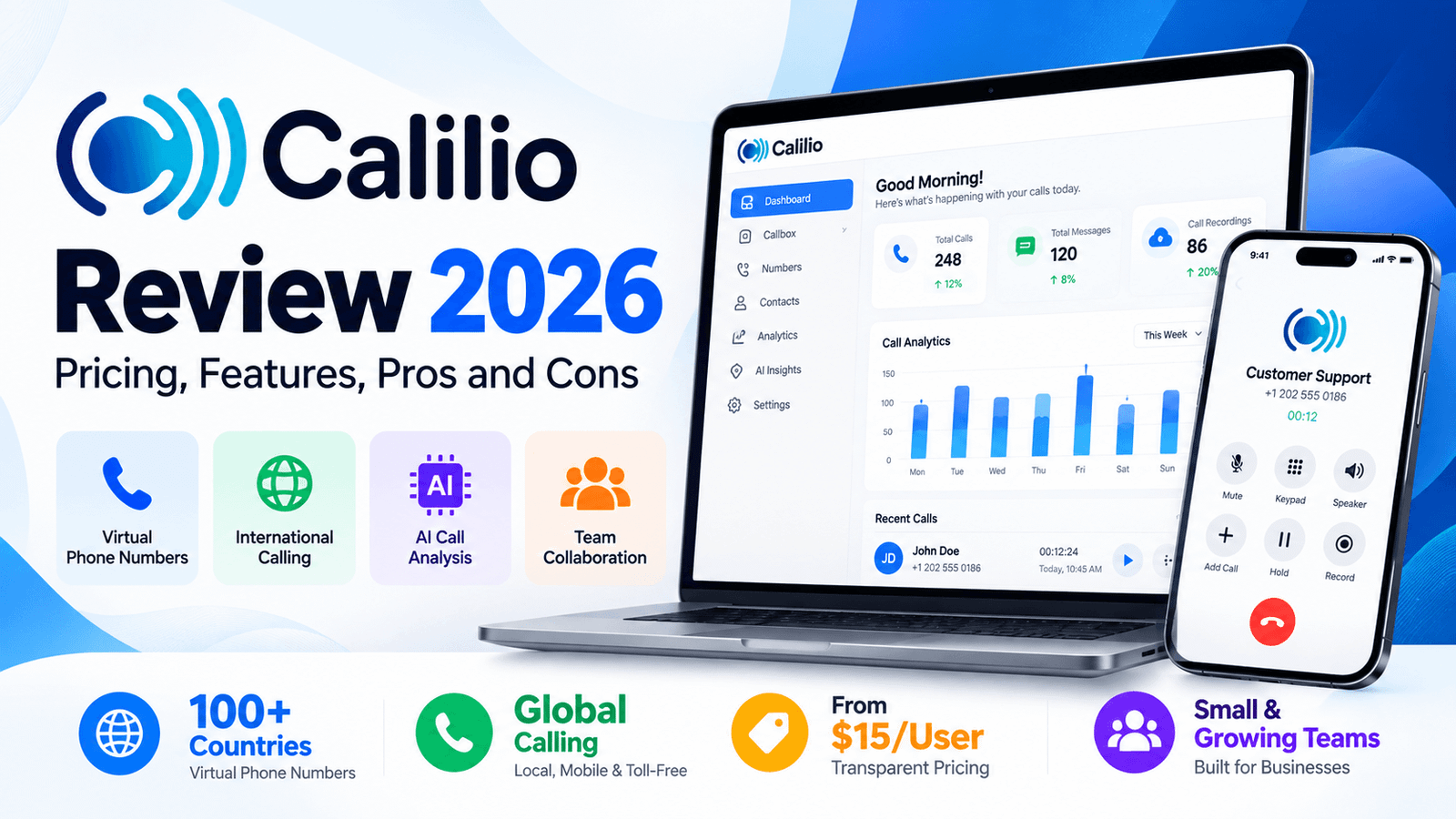
Calilio Review: Pricing, Features, Pros & Cons

This Calilio review examines total costs, everyday usability and team call handling. Calilio is a cloud-based business phone system that combines virtual phone numbers, internet calling, SMS, call management and AI-assisted call analysis in one platform. Businesses can buy or port numbers, assign them to team members, and manage customer conversations through web and mobile apps.
Calilio is worth considering if you need virtual numbers and everyday business calling together with features such as call recording, shared numbers and analytics. It provides virtual phone numbers across more than 100 countries, making it particularly relevant to businesses that need local or international phone presence. Its Premium plan becomes more relevant for sales and support teams that need IVR, power dialing, live call monitoring and AI call reporting. Businesses should still calculate the complete cost because calling, messaging and additional phone-number charges can apply beyond included allowances.
What Is Calilio and How Does It Work?
Calilio is a VoIP business phone platform designed to let individuals and teams communicate without relying on a traditional office telephone system. Users can purchase or port virtual phone numbers, make and receive calls, exchange supported text messages and manage conversations from an internet-connected device.
Calilio provides virtual phone numbers from more than 100 countries, including local, mobile and toll-free number options where available. This allows businesses to establish phone presence in different markets without maintaining a physical office in each location.
A central part of the platform is its Callbox, which brings calls, messages and voicemails into a shared communication interface. This can be useful for teams where multiple employees need visibility into customer conversations rather than keeping communications tied to one employee's personal phone.
Calilio also goes beyond basic VoIP calling with routing, monitoring and AI-assisted features on its higher plan. That makes it relevant to several different use cases, ranging from a small business needing a virtual number to a customer-facing team handling a larger volume of calls.
Calilio Pricing: Plans, Cost Per User and Billing
Subscription references checked October 16, 2026. Prices below are in US dollars, before applicable taxes, additional numbers and usage. This Calilio phone system review evaluates documented features; it does not claim hands-on performance testing.
Calilio currently offers Standard, Premium and custom Enterprise options. Standard costs $15 per user per month with monthly billing, while Premium costs $35 per user per month. Annual billing reduces the advertised equivalent prices to $12 and $28 per user per month, respectively.
| Plan | Monthly Price | Annual Equivalent | Best Suited To |
|---|---|---|---|
| Standard | $15/user/month | $12/user/month | Solopreneurs, startups and small businesses |
| Premium | $35/user/month | $28/user/month | Growing businesses, franchises, sales teams and call centers |
| Enterprise | Custom | Custom | Large organizations with customized communication requirements |
The subscription price should not be treated as the complete cost of using Calilio. Phone numbers and usage can be billed separately from the base subscription, and calling or messaging beyond applicable included allowances can create additional charges. Businesses with high call volumes should therefore estimate their expected usage before comparing Calilio with alternatives.
Calilio Monthly vs Annual Billing: Five and Ten Users
| Plan | 5 Users, Monthly Billing | 5 Users, Annual Monthly Equivalent | 10 Users, Monthly Billing | 10 Users, Annual Monthly Equivalent |
|---|---|---|---|---|
| Standard | $75 | $60 | $150 | $120 |
| Premium | $175 | $140 | $350 | $280 |
These are subscription-only calculations. Five Standard seats represent $720 per year at the annual rate; five Premium seats represent $1,680. Compare the commitment as well as the monthly equivalent, and choose the tier that includes your required call handling.
Calilio Calling Charges, Phone Number Cost and SMS Pricing
The advertised Standard bundle lists 200 outgoing and 100 incoming US/Canada minutes, plus 100 outgoing and 100 incoming SMS. Premium lists 1,000 outgoing and 500 incoming minutes, plus 500 SMS in each direction. Confirm how allowances apply to users and shared numbers before multiplying them by team size.
The pricing page advertises a complimentary number, but country wording differs between its cards and comparison table. Confirm the eligible country, quantity and recurring rental in checkout. Additional numbers and usage are billed separately; Calilio international calling rates depend on the destination and number type.
Total monthly cost: user licenses + additional number rental + chargeable inbound/outbound minutes + SMS segments + recording, storage or AI overages + applicable taxes and fees. For an illustrative budget, five annual Standard seats ($60 monthly equivalent), $10 in number extras and $25 in usage total $95 before other charges. The $10 and $25 are example inputs, not quoted Calilio rates.
Calilio Standard Plan
Standard is the entry-level business plan and supports up to 10 users. It includes core functions such as virtual phone numbers, number sharing, call forwarding, call recording, internal team communication and basic call analytics.
The Standard plan costs $15 per user when paid monthly or $12 per user per month with annual billing. It is primarily designed for solopreneurs, startups and small businesses.
Standard makes more sense for businesses that primarily need a professional cloud number and routine calling features rather than advanced call-center workflows.
Calilio Premium Plan
Premium substantially expands the call-management toolset. It includes features aimed at teams handling customer conversations at greater scale, including IVR, business hours, power dialing, call disposition, call transfer and live monitoring.
Premium costs $35 per user per month with monthly billing or $28 per user per month with annual billing. Unlike Standard, Premium supports unlimited users and is positioned for growing businesses, franchises and call centers.
This is also the more relevant tier for businesses interested in advanced call management and AI-powered call analytics rather than simply obtaining a virtual business number.
Premium’s unlimited-user capacity means no stated seat cap; each employee license is still billed. It does not mean unlimited free users or calling.
Calilio Enterprise
Enterprise uses custom pricing and is aimed at larger organizations requiring higher usage levels or more individualized service. Businesses considering Enterprise should confirm integration, implementation, account management, developer-support and usage requirements before purchasing.
Calilio Features
Calilio's feature set covers three broad requirements: obtaining business phone numbers, handling calls and messages, and managing or analyzing customer conversations.
1. Virtual Phone Numbers in 100+ Countries
Calilio provides virtual business phone numbers from more than 100 countries. Depending on the selected market, businesses can obtain local, mobile or toll-free numbers and use them through Calilio without installing a traditional telephone line.
This is particularly useful for businesses that want to establish a local presence in multiple countries without opening a physical office in every location. Businesses that also make frequent overseas calls can compare international VoIP plans to evaluate calling coverage and costs alongside virtual-number availability.
Number types, availability, documentation requirements, SMS support and pricing can vary by country, so businesses should check the specific market they need before purchasing a number.
2. Calilio Shared Numbers, Shared Inbox and Team Collaboration
A business number does not necessarily need to belong to only one employee. Number sharing can allow a team to handle communications collectively, reducing dependence on a single employee for customer calls.
Test the Calilio shared inbox with two employees: locate the same customer history, add a note and complete a follow-up. Verify permissions and ownership so staff know who is responsible for the next response.
3. Calilio Call Recording, Voicemail and Recording Storage
Calilio supports call recording, giving businesses a way to revisit conversations for quality review, training and record keeping.
Recording laws vary between jurisdictions. Businesses should establish an appropriate consent and compliance process before automatically recording customer conversations.
Check Calilio recording storage allowances, retention and export options before relying on recordings as business records. Test voicemail greetings, missed-call notifications and who can access shared messages. Recording, storage and transcription are separate usage categories.
4. Calilio Call Forwarding and Routing
Calls can be directed to the appropriate person rather than depending on a traditional desk phone. Calilio also supports ring strategies including simultaneous, sequential and round-robin distribution, which can be useful when several employees share responsibility for incoming calls.
5. Calilio IVR, Business Hours and Call Queue Requirements
Premium users can access inbound call-management features such as IVR and business hours. IVR can route callers according to menu selections, while business-hour rules help determine how calls are handled when the team is unavailable.
These capabilities make Premium considerably more appropriate than Standard for customer-support and inbound sales environments.
For Calilio call queues, ask for a demonstration of waiting callers, overflow, agent availability and the reports you need. Ring strategies alone do not establish a complete queue-management feature set.
6. Power Dialer
Calilio's Premium plan includes a power dialer for outbound workflows. A power dialer reduces the amount of manual dialing required when agents need to work through a list of contacts.
This feature is more relevant to outbound sales and follow-up teams than to businesses that primarily receive incoming calls.
7. Live Call Monitoring
Premium includes supervisory controls such as listening, whispering, barging into calls and ending calls. These functions can help managers coach agents and intervene when necessary.
Small businesses with only one or two people answering phones may have little need for these tools, whereas a larger support or sales team may consider them important.
Calilio AI Features: Transcription, Summaries and Sentiment Analysis
Evaluate Calilio call transcription and call summaries separately from an AI voice agent that answers calls. Check plan eligibility, included minutes and overage charges for each. Use a sample conversation with names, dates and agreed actions to assess accuracy before relying on automated output.
Calilio also incorporates AI-assisted tools into its business communication platform, particularly for analyzing calls and reducing the amount of manual work required after conversations.
AI Call Transcription
Recorded conversations can be converted into searchable text. This can reduce the need to replay an entire recording when an employee needs to check what was discussed.
AI Call Summary
Calilio can generate concise summaries for eligible calls, helping employees review important points without manually listening to the entire conversation.
Reason for Call and Call Conclusion
AI-assisted reporting can help identify why a customer called and summarize how the conversation concluded. This can give another employee useful context before following up.
Sentiment Analysis
Calilio can use AI-assisted analysis to provide additional context about customer conversations. Automated analysis should still be treated as a supporting tool rather than an infallible assessment of what a caller intended or felt.

What Is the Calilio Dashboard Like?
Calilio brings calling and messaging functions into a software-based workspace instead of requiring employees to manage customer communications from traditional telephone hardware.
The Callbox concept is particularly useful to understand before buying. Calls, messages and voicemails can be organized in one communication area, which can make handoffs easier when several employees work with the same customers.
For buyers evaluating Calilio against another VoIP provider, dashboard appearance alone should not determine the decision. Consider everyday workflows such as assigning a number, placing calls, locating recordings, transferring conversations and reviewing previous customer interactions.
Calilio SMS and Business Texting Limitations
Check whether the exact Calilio business number supports SMS in both directions. International number availability does not guarantee texting, verification-code acceptance or every messaging feature. Include registration requirements, destination restrictions and per-segment charges in your Calilio SMS pricing comparison.
Long texts can consume several billable segments. Test replies, shared conversation access and opt-out handling before using Calilio business texting with customers. Confirm the eligible plan for bulk messaging rather than assuming it is part of Standard.
Calilio Integrations and CRM Options
Calilio’s integration directory lists Pipedrive, Pabbly Connect and LeadHeed. Pipedrive is presented for calling and logging activity, Pabbly for workflow automation, and LeadHeed for lead imports. Demonstrate the actual action your team needs, including contact matching and follow-up records.
Its plan-restrictions guide marks several CRM connectors, including Salesforce, Zoho and HubSpot, as coming soon, while other marketing pages can differ. Obtain written confirmation and a live demonstration before depending on one. Enterprise API and webhook access is also marked coming soon on the pricing page.
For any Calilio CRM integration using middleware, include the automation subscription, task limits and maintenance. An integration logo does not prove two-way synchronization or recording access.
Calilio Mobile App, Desktop Use and Remote Teams
Calilio documents web and mobile access, with iOS and Android apps and a Chrome dialer extension. If you require a native Calilio desktop app for Windows or Mac, confirm its current availability; a browser interface is a different deployment.
For remote teams, test locked-screen notifications, headset selection, microphone permissions, transfers and missed calls on staff devices. A small team should be able to find the customer’s previous conversation and continue it without using a personal number.
Calilio Call Quality, Reliability and Customer Support
This Calilio VoIP review does not present independent audio or uptime measurements. Test incoming and outgoing calls during a normal busy period and check your usual Wi-Fi, mobile connection and headsets. Record timestamps and affected numbers if audio or notifications fail.
Calilio’s security policy says it does not publish an uptime commitment and invites contractual discussions where one is required. Ask about outage communication, escalation and recovery arrangements. Its pricing highlights 24/7 support for Premium and phone/WhatsApp support for Enterprise; confirm the channels included in your quote.
Calilio Reviews: Customer Experiences and Complaints
Use Calilio customer reviews to identify practical tests, not to assume every business has the same experience. Compare recent feedback from users with similar countries, devices, team sizes and call volumes. Distinguish comments about subscription costs from number rental, usage and onboarding.
For Calilio complaints or support reviews, look for the specific issue, its date, the provider’s response and whether it was resolved. This article does not assign a customer-review average or claim that a particular complaint is widespread without verified evidence.
Is Calilio Legit and Safe? Security and Privacy
Calilio publishes service and security policies under CALILIO PTE. LTD. That provides an identifiable supplier to assess; it does not establish that every plan meets your security requirements.
Its security policy describes encrypted connections and storage, account MFA and role-based permissions. It explicitly states that Calilio does not currently hold ISO 27001 or SOC 2 certification. Do not confuse its infrastructure provider’s certifications with certification of Calilio itself, or describe all telephone calls as end-to-end encrypted.
For Calilio privacy, review recording access, retention, data-processing terms and employee offboarding. Enable MFA, give staff only the access they need and confirm how transcripts and customer records can be exported or deleted.
Calilio Setup and Number Porting
- Select the plan for your required transfers, IVR and integrations.
- Confirm number inventory or porting eligibility and supply the required documentation.
- Add employees, assign permissions and configure shared numbers.
- Set greetings, voicemail, routing and business hours where included.
- Test inbound calls, callbacks, texts and customer handoffs before moving the main number.
When switching to Calilio, keep your old account active until the port completes. Porting a number does not automatically transfer recordings, texts or CRM settings. Confirm emergency-calling arrangements and the fallback process for an outage before launch.
Calilio Free Trial, Demo and Cancellation Policy
Calilio advertises a demo and a conditional 14-day money-back guarantee. A refund offer is different from a no-payment free trial. Its published guarantee requires fewer than 30 call minutes, fewer than 20 SMS and no third-party verification use; check the complete exclusions before paying.
Its terms allow cancellation through billing settings or support, but cancellation does not establish refund eligibility. Confirm the billing end date, renewal treatment, remaining balance and number-retention process before closing the account.
Calilio Pros and Cons
Pros
- Virtual phone numbers available from 100+ countries.
- Local, mobile and toll-free number options are available in supported markets.
- Standard plan is designed for solopreneurs, startups and small businesses.
- Call recording and basic analytics support everyday business communication.
- Phone-number sharing can help teams manage customer conversations.
- Premium adds IVR, power dialing and live call monitoring.
- AI-assisted tools provide additional post-call context.
- Premium supports unlimited users for growing organizations.
Cons
- The advertised subscription price may not represent the complete monthly cost.
- Phone-number and usage charges can apply separately.
- Advanced call-management features require Premium rather than Standard.
- Standard has a 10-user limit.
- Number types and capabilities can differ between countries.
- High-volume businesses should calculate usage costs carefully.
- Some enterprise requirements should be confirmed before purchasing.
Who Is Calilio Best For?
Calilio can serve different business sizes, but the appropriate plan and feature set depend heavily on the number of users and the way the business handles customer calls.
Solopreneurs and Startups
A solo professional or startup that wants to separate business communication from personal calls can use Calilio to establish a professional phone presence without installing traditional phone hardware.
Small Businesses
Standard supports up to 10 users and is positioned toward small businesses that primarily need business numbers, calling, messaging, recording, forwarding and basic analytics.
Growing Businesses
Premium removes the 10-user restriction and adds advanced call-management features. This makes it more relevant when a company begins adding more sales, support or customer-facing employees.
Sales and Customer Support Teams
Features such as IVR, power dialing, call disposition, transfers and live call monitoring make Premium more appropriate for structured sales and customer-support workflows.
International Businesses
The ability to obtain virtual phone numbers from more than 100 countries is particularly relevant to businesses that want local phone presence in several markets without maintaining physical offices in those countries.
Calilio for Call Centers
Premium includes functionality relevant to call-center environments, including unlimited users, inbound and outbound call management, live monitoring and AI-powered analytics. Larger operations should still compare reporting, integration and usage requirements before selecting a platform.
For agent workflows and limitations, read our Calilio for Call Centers guide. A power dialer should not be assumed to provide predictive dialing or every enterprise contact-center function.
Calilio Alternatives and Competitors: Who Should Compare?
Calilio will not necessarily be the right fit for every organization.
Consider comparing alternatives if you require highly specialized enterprise integrations, have extremely high call volumes, need a specific number type that is unavailable in your target country, or want advanced contact-center functionality at an entry-level price.
Businesses already deeply invested in another productivity or CRM ecosystem should also compare integration and workflow requirements before migrating their phone system.
If you are still comparing platforms, see our business VoIP provider comparison to compare other services by pricing, features and business use case. You can also read our guide on how to choose the right VoIP provider before committing to a phone system.
Compare equivalent employee phone services in our Calilio vs RingCentral article. Keep specialist contact-center requirements separate when assessing alternatives to Calilio.
Calilio Standard vs Premium: Which Should You Choose?
Choose Standard when you have up to 10 users and primarily need virtual numbers, routine business calling, messaging, call recording, forwarding and basic analytics.
Consider Premium when the phone system supports a growing sales, support or call-center operation. Premium supports unlimited users and adds capabilities such as IVR, business hours, power dialing, call disposition, transfers and live call monitoring.
Paying for Premium simply because it has more features is not necessarily worthwhile. The more useful question is whether those additional tools solve communication problems your team actually has.
Explore Calilio Pricing
Compare Calilio's available plans, virtual-number options and included features with your expected team size and communication requirements.
Explore Calilio PricingIs Calilio Worth It in 2026?
Calilio offers more than a basic virtual number service. Its combination of international virtual phone numbers, cloud calling, shared communications, call management and AI-assisted tools gives it practical appeal across several business sizes.
One of its more notable advantages is international number coverage. Calilio advertises virtual numbers in more than 100 countries; confirm purchase and porting eligibility separately for the exact number, which can make Calilio useful for organizations that want to establish a local phone presence across multiple markets.
The main purchasing consideration is total cost. The base Standard subscription starts at $15 per user per month with monthly billing, but businesses should also account for phone numbers and applicable calling or messaging usage when estimating the real monthly expense.
For smaller teams primarily requiring professional numbers and standard VoIP functionality, Standard may provide enough functionality. Growing customer-facing teams that need IVR, power dialing, live monitoring and more advanced analytics should compare the Premium plan against their actual workflow requirements.
Frequently Asked Questions
What Is Calilio, and How Does It Work?
Calilio is a cloud business phone system. Users access supported numbers, calls and texts through software, while teams share customer history and configure call handling according to their plan.
Is Calilio Good for Small Businesses?
It is worth evaluating for small teams needing shared numbers and routine calling. Standard supports up to ten users; check whether transfers, IVR or other essential tasks require Premium before comparing costs.
How Much Does Calilio Cost Per User?
Standard lists $15 monthly or $12 per month billed annually. Premium lists $35 monthly or $28 annually. Five annual Standard seats equal $60 per month in subscriptions; five Premium seats equal $140, before extras.
Are Phone Numbers and Calling Minutes Included?
Advertised bundles include defined usage and a complimentary number, subject to offer conditions. Confirm the eligible number and allowance allocation. Additional numbers and calls beyond the covered allowance cost extra; it is not unlimited worldwide calling.
Which Countries Can I Get Virtual Numbers In?
Calilio advertises numbers in more than 100 countries. Actual local, mobile or toll-free inventory, documents, rental and messaging capability depend on the selected market and number type.
Does Calilio Support International Calling and Business Texting?
Yes, for supported destinations and eligible numbers. Check calling rates and SMS segment charges separately. A number offered in a country does not automatically support every texting or verification use.
Can Multiple Employees Share a Business Number?
Calilio offers number sharing and a shared Callbox. Test employee permissions, history access, call distribution and follow-up ownership with the proposed plan.
Does Calilio Offer Call Recording and Transcription?
Yes, with plan-specific entitlements and usage allowances. Recording, storage and AI transcription can generate separate charges. Confirm retention, export access and the process for informing callers.
Which CRM Platforms Integrate With Calilio?
Its integration directory lists Pipedrive and LeadHeed, plus automation through Pabbly Connect. Several other connectors appear as coming soon in its plan guide. Require confirmation and a working demo of the specific CRM workflow.
Can I Transfer My Existing Number to Calilio?
Eligible numbers may be ported, subject to country, number type and carrier requirements. Confirm the documents and timing before canceling the old account; records and settings need a separate migration.
Does Calilio Offer a Free Trial or Demo?
A demo is advertised. Its 14-day money-back guarantee is conditional, not the same as a no-payment trial. Verify current eligibility, usage thresholds and refund exclusions before starting.
What Are the Main Drawbacks and Alternatives to Calilio?
Consider usage charges, Standard feature and user restrictions, country-specific number capabilities and integration availability. Compare RingCentral and other business phone providers against the exact workflow and complete bill rather than the entry price alone.