
The best Frontier Business VoIP alternatives depend on what your business needs to replace. KrispCall and Calilio are practical starting points for shared customer calling and reception. GoTo Connect, Nextiva, RingCentral RingEX, Zoom Phone and Dialpad Connect suit other hosted phone requirements. Fusion Connect, Comcast Business, CallTower and Telnyx address broader managed services, collaboration calling or a retained PBX.
These Frontier Business VoIP competitors cover different buying scenarios. Replacing SmartVoice is not the same as replacing a few analog-compatible Business Voice lines, Unified Communications by Frontier, Teams Direct Calling or SIP connectivity. This guide compares eleven candidates and explains how to preserve the numbers, equipment, support and customer workflows that matter.
Ratings are from the named G2 listings. Fusion Connect uses its Modern Connectivity and Communications Solutions listing; Comcast Business uses its broader service listing; Telnyx uses its CPaaS listing. Product feedback is not a network-performance measurement. Placement reflects editorial and partner priorities. We have not performed hands-on call-quality, equipment-compatibility or migration testing.
Identify Your Frontier Voice Product Before Comparing Providers
Frontier is now a Verizon company. Verizon’s business customer information says product availability continues and existing account and billing arrangements have not changed. An ownership change does not establish that your phone system needs to move. Check notices and the actual account agreement before making a service decision.
Verizon is therefore part of the existing ownership context, rather than an independent entry among Frontier Business VoIP alternatives. Frontier’s enterprise voice and collaboration portfolio also shows why the product name matters: hosted communications, RingCentral, Teams calling and SIP are different architectures.
SmartVoice And Frontier Communicator
SmartVoice is relevant to employee calling, mobility and business-group administration. Frontier’s help resources include administrator portals and Frontier Communicator desktop and mobile guides. Inventory your enabled call flows, user roles and devices instead of assuming that every feature in a general guide belongs to the purchased configuration.
Frontier Business Voice And Connected Equipment
Frontier Business Voice documentation describes fiber-based voice that can use existing analog equipment. Frontier also markets the service for lines supporting alarms, elevators, fax and payment equipment. That makes the connected device part of the requirement. A softphone subscription should not be treated as a replacement for every physical line.
Unified Communications By Frontier
UCF is a hosted unified communications offering. Its documentation distinguishes optional services, including inbound fax and call recording. List which add-ons the account uses, where records are stored and which staff administer them. Compare those purchased capabilities separately from the basic employee calling requirement.
Frontier + RingCentral
Frontier already offers a RingCentral-based service. Direct RingEX can still be an option for a different package or purchasing relationship, but it may preserve the same underlying platform. Ask about tenant control, numbers, support and transition arrangements before assuming the account can simply be relabeled.
Teams Direct Calling And SIP Trunking
Frontier’s Teams service can replace or work alongside a PBX. Its SIP portfolio includes private Ethernet and over-the-top delivery, with SIP, PRI or analog handoff options. For these arrangements, Frontier Business VoIP competitors need to match the retained system, access connection and management responsibilities, not merely an employee-app feature list.
Compare The Best Frontier Business VoIP Alternatives
The first table covers Frontier Business VoIP alternatives for a hosted employee environment. KrispCall and Calilio appear first as partner priorities where their application scope fits. RingEX is a conditional option if the starting point is Frontier + RingCentral, because the existing service already uses that platform.
| Provider | Best Fit | Buying Consideration | Pricing And Evaluation |
|---|---|---|---|
| Shared Customer Conversations | Application Scope: Confirm shared calling, paid features, number eligibility and retained internet. | US$32/User/MonthAdvance, billed annually; up to 50 users. Numbers, usage, extras and tax additional.Start A 7-Day KrispCall Free Trial | |
| Reception And Supervision | Reception Workflow: Premium covers the relevant routing and supervision requirements; qualify extras. | US$28/User/MonthPremium, billed annually; US$35 monthly. Numbers, usage and applicable extras additional.Request A Calilio Demo | |
| Central Phone Administration | Package And Devices: Match branch administration, handsets and any contact-center requirements. | Request A Matched QuoteInclude users, numbers, traffic, implementation, required extras and support.Request A GoTo Connect Demo | |
| Phone And Customer-Experience Requirements | Product Scope: Separate employee calling from additional customer-service products. | Request A Matched QuoteConfirm product, term, users, numbers, calling, extras, implementation and support.Request Nextiva Pricing | |
| Broader Employee Communications | Existing Platform: Frontier + RingCentral uses the same technology; qualify account transition and support. | Request Regional PricingInclude licences, numbers, calling, implementation and additional products; retain IT costs separately.Request RingCentral Pricing | |
| Zoom-Based Workplaces | Carrier Model: Qualify native calling or supported BYOC, phone licences and queue requirements. | Request A Matched QuoteQualify country, users, numbers, calling package, queue reporting and optional products.Request Zoom Phone Pricing | |
| Employee Calling And Collaboration | Product Scope: Connect differs from Sell and Support; qualify integrations and conversation tools. | Request A Matched QuotePrice Connect licences, numbers, destinations, implementation and required extras.Request Dialpad Pricing |







The second table compares Frontier Business VoIP competitors for managed communications, Teams calling or retained-PBX connectivity. These options require a defined service inventory. A broad managed-provider proposal and a metered SIP account have different costs, technical requirements and ongoing responsibilities.
| Provider | Best Fit | Buying Consideration | Pricing And Evaluation |
|---|---|---|---|
| Managed Communications And Networking | Managed Scope: Match access, voice, equipment, support and service availability by location. | Request A Matched QuotePrice the proposed services, licences, access, equipment, implementation and ongoing support.Explore Fusion Connect Services | |
| Connectivity And Managed-Service Requirements | Address And Product: Qualify VoiceEdge or the proposed service; the rating is for Comcast Business overall. | Request A Location QuoteInclude address-specific access, equipment, voice, security scope, implementation and support.Explore Comcast Business Services | |
| Managed Teams Or Webex Voice | Teams Model: Match the proposed connection, Microsoft licences, tenant administration and support. | Request Deployment PricingQuote the proposed voice service, licences, optional applications, implementation and support.Explore CallTower Voice Options | |
| Retained PBX Or SIP Application | Retained PBX: Match SIP, PRI or analog handoff, access, gateways, capacity and technical ownership. | Inbound From US$0.0032/MinOutbound from US$0.005/min. Local starting references; numbers, other routes, extras and taxes additional.Explore Telnyx SIP Pricing |


Prices refer to the stated plan, billing term or route. Obtain a matched proposal covering users, numbers, calling, devices, implementation, support and continuing connectivity. Team sizes below are illustrative evaluation scenarios, not provider capacity guarantees or claims of universal availability.
1. KrispCall For Shared Business Conversations
KrispCall is useful among Frontier Business VoIP alternatives when a small business wants customer conversations accessible to the appropriate staff. Its Unified Callbox approach is relevant to shared answering and follow-up. Define the team’s access requirements and how staff should recognize an enquiry that somebody else has already handled.
For a five- to 50-person service business, compare application-focused Frontier Business VoIP competitors through an enquiry that moves between office and remote employees. Ask how a colleague sees the call history, takes responsibility and updates the customer record. Qualify the specific integration rather than assuming every CRM workflow is included.
Advance is US$32 per user per month billed annually or US$40 with monthly billing, positioned for up to 50 users. Confirm the tier for recording, transfers, dialing and integrations. Numbers, calling and messaging usage, AI-related extras and taxes need their own budget.
Suitable Scope: An employee phone-workspace change. Important Limitation: A subscription does not replace a PBX trunk, fiber connection or every analog device. KrispCall scores 4.5/5 from 392 G2 reviews. Our KrispCall review provides further product detail.

2. Calilio For Reception And Supervised Calling
Calilio fits Frontier Business VoIP alternatives for an office organizing incoming calls across a small team. Start with the actual answering process: greeting, menu, available colleague, transfer and fallback. Receptionists and supervisors should help define that process before anyone selects the plan.
A ten- to 40-person office could compare hosted Frontier Business VoIP competitors using a busy reception period. Ask staff to route an enquiry when the intended employee is unavailable, check a missed call and change business hours. Include the access permissions required by the person making those changes.
Premium is the relevant reference for IVR, transfers, business hours and live monitoring. Its subscription is US$28 per user per month billed annually or US$35 with monthly billing. Confirm number availability, usage allowances, optional tools and any storage limits.
Suitable Scope: Reception and departmental calling. Important Limitation: An office workflow does not establish parity with a full contact center or equipment-dependent line. Calilio scores 4.7/5 from 94 G2 reviews. Our Calilio review explains its plans and application scope.

3. GoTo Connect For Hosted Calling Across Locations
GoTo Connect is relevant among Frontier Business VoIP alternatives for businesses centralizing employee calling across locations. Its portfolio includes a phone system and related customer-engagement or contact-center products. Request a proposal that identifies the package responsible for each necessary function.
For a 20- to 150-person organization, compare Frontier Business VoIP competitors through one central number and several local answering teams. Ask an administrator to change the route when a branch closes unexpectedly. Check how callers reach another available team and what information follows the call.
Include the handset and local-network requirements. Where existing shared desks or reception phones are important, demonstrate the intended device configuration. Separate routine phone-system reports from any additional engagement or contact-center reporting needed by supervisors.
Pricing And Limitations: Request licences, numbers, traffic, supported devices, implementation and required extras together. GoTo Connect scores 4.4/5 from 1,438 G2 reviews. A hosted platform still needs a suitable connection and clear responsibility for each location’s equipment.
4. Nextiva For Phone And Customer-Experience Projects
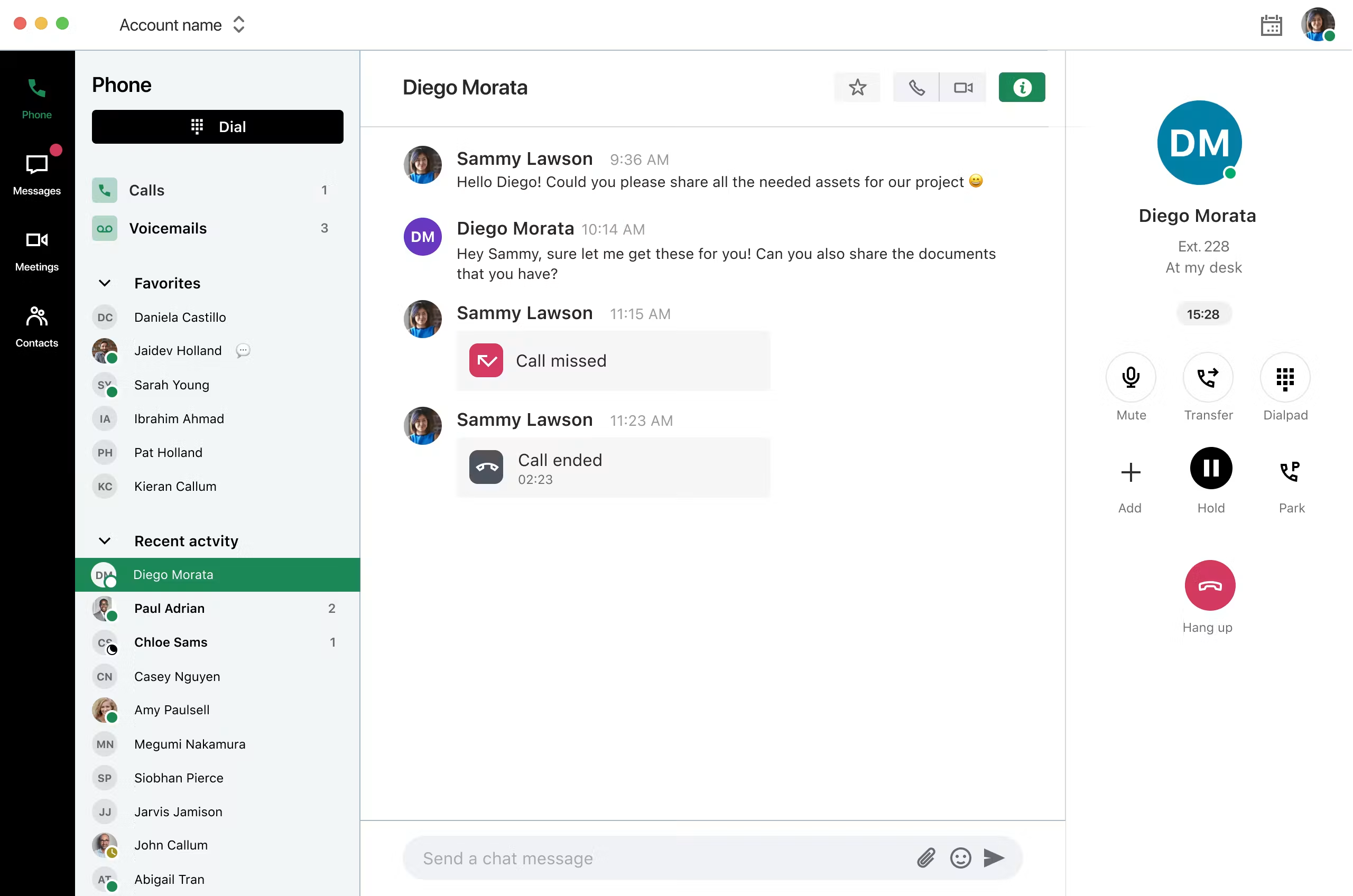
Nextiva is one of the Frontier Business VoIP alternatives for organizations reviewing employee calling and customer-service processes together. Its phone and contact-center offerings should be evaluated as defined products. A broad platform description does not establish that every channel or agent tool belongs to one subscription.
A 25- to 200-person company could compare Frontier Business VoIP competitors by role: ordinary employee, receptionist, service agent and supervisor. Have each role follow a customer enquiry and inspect the resulting information. Identify the routing, reporting and recording requirements before choosing the package.
Ask which features are included, optional or usage-based. Devices and deployment can add costs even where the application itself looks straightforward. Keep retained access, managed networking and local IT tasks visible if those services are not part of the new order.
Pricing And Limitations: Obtain the exact phone and customer-service scope, users, term, traffic, devices and implementation in writing. Nextiva scores 4.5/5 from 3,709 G2 reviews. Match the quote to the existing workload rather than comparing portfolio names alone.
5. RingCentral RingEX For A Different Commercial Arrangement
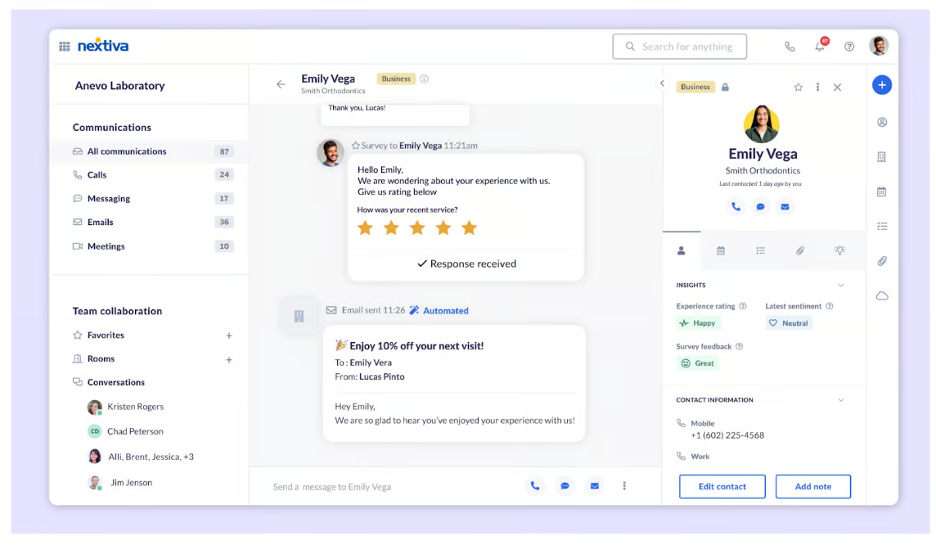
RingCentral RingEX is a conditional candidate among Frontier Business VoIP alternatives because Frontier + RingCentral already uses its technology. The reason to evaluate it may be a different purchasing relationship, plan or administrative arrangement. Establish that goal before planning an entirely new platform rollout.
For a 50- to 250-person organization, compare Frontier Business VoIP competitors on tenant administration, number control and escalation as well as employee features. Ask whether the proposed move is a supported transition or requires a new deployment. Get an answer covering existing settings, purchased devices and account records.
RingEX should also be distinguished from RingCX. A contact-center requirement needs its own product, users and implementation scope. Do not assume that changing the seller transfers an existing integration, recording archive or messaging configuration automatically.
Pricing And Limitations: Request regional RingEX pricing and any additional products with the transition work identified. RingEX scores 4.2/5 from 1,553 G2 reviews. That is a platform rating, not a separate score for Frontier’s bundled service, access connection or support relationship.

6. Zoom Phone For Organizations Using Zoom
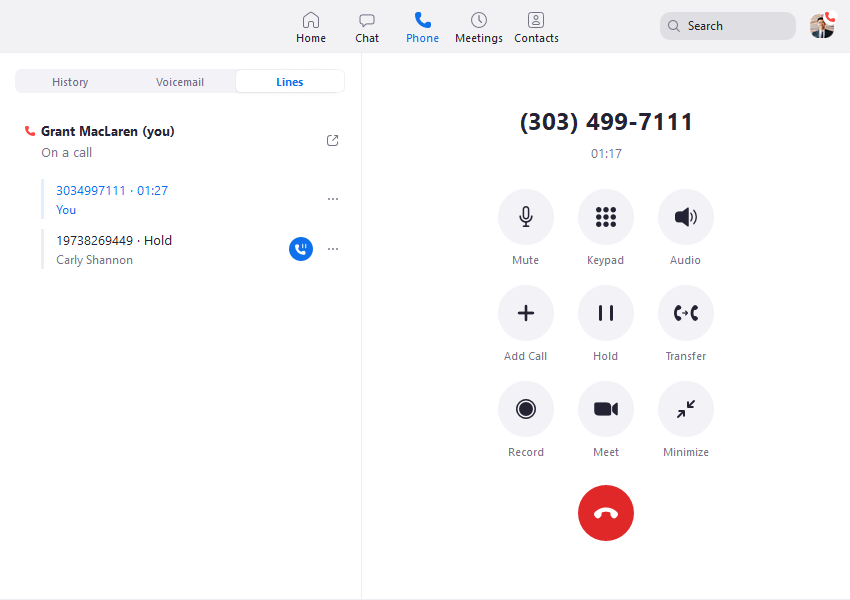
Zoom Phone fits Frontier Business VoIP alternatives when an organization wants telephone calling in the Zoom environment its employees already know. Familiarity with meetings can simplify training, but phone licences, numbers and call handling remain separate requirements.
For a ten- to 100-person team, compare application-based Frontier Business VoIP competitors through shared answering, voicemail, transfers and remote work. Ask what an administrator can see and which package supplies the required queue or supervisor information. Demonstrate the workflow on the devices staff will use.
Zoom supports native calling and Bring Your Own Carrier arrangements. Keeping a carrier while changing the user platform is different from exiting the carrier. Qualify the supported design, connection, equipment and support ownership before choosing either route.
Pricing And Limitations: Request the relevant country, phone licence, calling package, numbers and extras. Zoom Phone scores 4.6/5 from 2,694 G2 reviews. An existing meeting subscription is not proof that the business has purchased all required calling capabilities.
7. Dialpad Connect For Conversation-Based Follow-Up
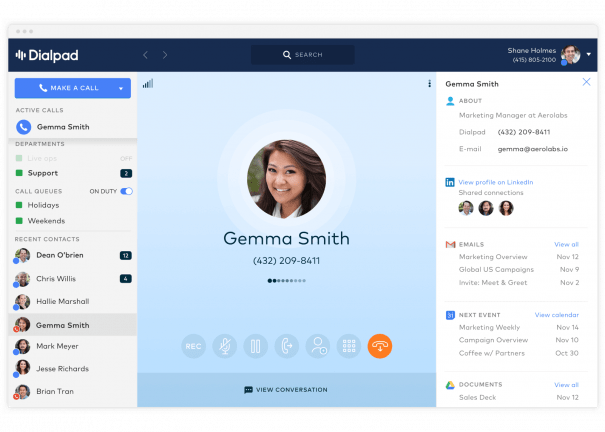
Dialpad Connect belongs among Frontier Business VoIP alternatives for businesses wanting calling and conversation information in one workspace. Its AI-assisted communications approach is relevant where employees spend time reviewing calls and preparing follow-up. Define the business task that should become easier.
A 15- to 100-person team could compare Frontier Business VoIP competitors with a realistic customer conversation and record update. Inspect whether the right activity reaches the customer record and which employee can access it. Assess transcripts or summaries using the vocabulary and audio conditions of the actual business.
Connect differs from Dialpad Sell and Support. Identify any specialized sales or contact-center requirements separately. Confirm plan restrictions, integrations, retention and supported languages rather than treating all AI-related functions as interchangeable.
Pricing And Limitations: Request Connect licences, numbers, calling, integrations, deployment and required additional products. Dialpad Connect scores 4.4/5 from 4,269 G2 reviews. Generated notes may need review, and a phone application does not take responsibility for the whole office network.
8. Fusion Connect For Managed Voice And Networking
Fusion Connect is relevant among Frontier Business VoIP alternatives when the business is reviewing connectivity and managed communications together. Its services span hosted voice, SIP, Teams-related calling, Webex, contact centers and managed networking. Ask for the actual combination required by your sites and users.
For a 100- to 500-person organization, compare broader Frontier Business VoIP competitors using a location and responsibility inventory. Include access circuits, equipment, failover, voice configuration and technical support. Identify which functions the provider manages and which stay with internal IT or another partner.
A coordinated service relationship can matter when a fault crosses network and voice components. It still requires a precise order and escalation process. Qualify serviceability, installation and exclusions for each address instead of assuming a broad portfolio makes every site equivalent.
Pricing And Limitations: Request licences, access, equipment, implementation and ongoing management in a matched quote. Fusion Connect’s Modern Connectivity and Communications Solutions listing scores 4.3/5 from 77 G2 reviews. The suite score does not certify the particular bundle proposed for your organization.
9. Comcast Business For Location-Based Voice And Connectivity
Comcast Business fits Frontier Business VoIP alternatives for companies examining hosted voice and connectivity at their physical premises. Its enterprise services include managed networking and unified communications, with VoiceEdge as a hosted voice option. Identify the actual products in the proposal.
A multi-location business should compare Frontier Business VoIP competitors by service address, installation plan and operating responsibility. Ask how access is delivered at every site and whether the same voice design applies across them. Marketing coverage does not establish identical availability or installation requirements.
VoiceEdge materials describe core hosted calling and Webex-related collaboration. Compare reception, devices, voicemail and administration against the existing deployment. Ask for network and voice line items separately if the objective includes understanding the ongoing cost of a combined service.
Pricing And Limitations: Request an address-specific proposal covering equipment, implementation, support and extras. The G2 score is Comcast Business overall, 3.3/5 from 15 reviews. The small, broader-service sample should not be presented as a VoiceEdge-specific rating.
10. CallTower For Managed Teams Calling
CallTower is one of the Frontier Business VoIP alternatives for a business evaluating managed calling around Microsoft Teams. Its Operator Connect offering is relevant to that architecture. Identify how the proposed service differs from the existing Frontier Direct Calling arrangement before comparing licence or carrier charges.
For a 100- to 1,000-person organization, compare Frontier Business VoIP competitors in a workshop covering tenant configuration, number assignment and support. Include user accounts, resource accounts, auto attendants, queues and emergency locations. Document which party administers each component.
If Microsoft licences come from another partner, confirm the resulting support boundaries. A provider managing PSTN connectivity may not manage every Microsoft application or local network issue. Where another collaboration platform is required, request that supported design explicitly.
Pricing And Limitations: Obtain voice connection, licences, optional applications, implementation and ongoing support together. CallTower scores 4.3/5 from 388 G2 reviews. The rating does not establish that the proposed agreement includes all tenant administration or endpoint work.
11. Telnyx For A Retained PBX Or SIP Application
Telnyx completes the shortlist of Frontier Business VoIP alternatives for businesses retaining a compatible PBX or application. The existing system can continue providing user features while its SIP connectivity changes. Establish the supported physical and logical handoff before requesting a rate comparison.
For a 20- to 100-person business with technical support, compare infrastructure-focused Frontier Business VoIP competitors using actual call directions, destinations and capacity. Telnyx publishes local starting references of US$0.0032 per inbound minute and US$0.005 per outbound minute. Numbers and other applicable charges are additional.
Frontier’s existing design may include private Ethernet delivery, a gateway or PRI or analog handoff. A new SIP account does not automatically reproduce those components. Specify authentication, simultaneous calls, call-attempt limits, fraud controls and troubleshooting ownership.
Pricing And Limitations: Include the required routes, numbers, optional services and retained-system maintenance. Telnyx CPaaS scores 4.7/5 from 528 G2 reviews. This is a platform rating rather than a separate measurement of your proposed SIP connection or PBX compatibility.
Build A Shortlist Of Frontier Business VoIP Alternatives
The best alternative to Frontier Business VoIP is the one that replaces the correct layer of the service. A problem with shared customer follow-up calls for an application evaluation. A problem with a branch connection calls for a network evaluation. Both can be part of one project, but they need separate acceptance criteria.
For SmartVoice Or UCF Employee Calling
Start with two or three hosted Frontier Business VoIP alternatives. KrispCall and Calilio suit smaller customer-facing evaluations; GoTo Connect, Nextiva, RingEX, Zoom Phone and Dialpad Connect address other application preferences and operating requirements. Keep the shortlist tied to roles, locations and essential functions.
Choose one representative workflow for each role. A receptionist needs an answering and transfer exercise. A remote employee needs a realistic mobile scenario. A supervisor needs the exact reporting or monitoring process. Confirm that the purchased package supplies these functions, rather than relying on a provider’s entire portfolio.
For A Few Lines Serving Many Employees
Compare Frontier Business VoIP competitors using the distinction between a line and a user. A small business might have several shared lines serving many staff. Moving to individual subscriptions can add useful mobility and accountability, but multiplying employee count by a seat price is not directly comparable with the existing line count.
List who needs an individual number, who needs shared access and which phones are used in common areas. Ask Frontier Business VoIP competitors to price the intended configuration. Do not assume every person needs an identical plan, or that every platform supports the desired shared-device arrangement in the same way.
For Retained Systems And Managed Services
Telnyx belongs in the SIP branch of Frontier Business VoIP alternatives. CallTower is relevant to managed Teams calling, while Fusion Connect and Comcast Business can be qualified for broader voice and network proposals. Identify the existing system, connection and management tasks before asking them to quote.
Where a business wants to keep its PBX, list the functions still performed there. Where it wants to leave a PBX behind, include the migration of dial plans, reception and connected devices. Those are different projects even if they start with the same telephone numbers.
Compare Frontier Business VoIP Competitors On Complete Cost
Frontier advertises SmartVoice and Frontier Business Voice starting at US$29.99 per month with qualifying Business Fiber bundles. That is a conditional starting reference, not a universal quote for every voice product, user configuration or location. Enterprise UCF, Teams and SIP requirements need their own pricing.
Compare Frontier Business VoIP alternatives against the actual account and the proposed configuration. Ask for the continuing cost of retained fiber, equipment and support after voice changes. A lower app subscription can be offset by a different user count, lost discount, usage or an additional service that still needs to be purchased.
An Eight-User Hosted Calling Example
For eight users, KrispCall Advance at US$32 per user per month billed annually gives US$256 per month equivalent, or US$3,072 for twelve months. At US$40 with monthly billing, eight subscriptions total US$320 per month. Numbers, usage, extras and taxes are outside that subscription calculation.
Calilio Premium at US$28 per user per month billed annually gives US$224 per month equivalent, or US$2,688 for twelve months. At US$35 with monthly billing, eight subscriptions total US$280 per month. Confirm the commitment and payment schedule rather than assuming a monthly equivalent means month-to-month billing.
The annual subscription difference in this illustration is US$32 per month equivalent for eight users. It does not establish that these Frontier Business VoIP competitors include identical features, numbers or usage. Request a matched basket and include any additional tools needed for the team’s actual workflow.
A SIP Usage Example For A Retained PBX
As a separate illustration, 20,000 inbound minutes at US$0.0032 cost US$64, and 30,000 outbound minutes at US$0.005 cost US$150. The combined usage reference is US$214. This assumes traffic qualifies for those published local starting rates; it is not a quote for every number, route or destination.
For infrastructure-focused Frontier Business VoIP alternatives, add numbers, applicable services, taxes, connection costs and PBX maintenance. Compare actual peak simultaneous calls and call-attempt requirements as well as monthly minutes. A usage subtotal cannot be compared with a complete hosted subscription as though both buy the same system.
Include The Services And Obligations That Remain
- Access And Equipment: Retained fiber, routers, gateways, desk phones, adapters and backup power.
- Application Costs: Users, numbers, calling, messaging, recording, storage, integrations and additional products.
- Implementation: Configuration, number work, training, technical support and overlapping service.
- Account Obligations: Contract terms, notice requirements, renewals, equipment returns and any quoted exit charges.
Ask Frontier Business VoIP competitors to identify recurring, usage-based and one-time costs separately. Ask Frontier to confirm the effect of the proposed change on the retained account. Compare those written positions before estimating savings or authorizing a cancellation.
Separate Employee Calling From Equipment-Dependent Lines
A list of Frontier Business VoIP alternatives can help replace a staff phone system, but equipment-dependent services need a more specific assessment. Frontier Business Voice is marketed for several types of connected equipment. That does not mean an unrelated phone app or adapter is automatically suitable for every device on the old line.
Inventory Every Physical Connection
Record the purpose, device model, location and responsible vendor for each line. Include fax machines, door entry equipment, payment terminals and any monitored system. Ask the device vendor and proposed service provider to confirm the supported connection and operating requirements. Keep any required specialist service in its own scope.
When comparing Frontier Business VoIP competitors for these connections, request a device-specific answer. A generic statement that analog phones are supported does not establish compatibility with every signaling or monitoring function. Identify the installation and verification process before removing the old service.
Understand Power And Connectivity Dependencies
Fiber-based voice and VoIP equipment require power. Frontier documentation explains that backup power is needed for continued voice operation during a power outage. Determine the equipment that must remain powered, the required operating period and who maintains the batteries. An internet backup product and a battery serve different purposes.
Assess Frontier Business VoIP alternatives through the failure scenarios that matter to the business. An office can lose power, its primary access connection or one device. Identify the proposed behavior in each case and a practical way to answer customers. Do not assume an active cloud account makes every local endpoint reachable.
Keep Fax And Recording Requirements Distinct
UCF describes inbound fax as an optional service and call recording as an additional capability. Determine whether the business needs inbound email delivery, outbound fax, a physical machine or an application workflow. Confirm the exact replacement function rather than matching the word fax on two product pages.
For recording, list the archive location, export method, storage needs and permitted users. Ask shortlisted Frontier Business VoIP competitors whether old files can be imported or simply retained outside the new system. Do not assume that porting numbers moves historical records, greetings or voicemail.
Use A Practical Evaluation Before Selecting A Provider
Give each of the Frontier Business VoIP alternatives on your final shortlist the same requirements. Ask for a demonstration or controlled pilot using the actual employee roles and devices. Record included functions, required extras and unresolved items so the comparison remains useful after the sales presentation.
Customer And Reception Workflows
Test an outside call to the main number, the menu, a busy destination, a transfer and the after-hours route. Include a customer returning a missed call. Have staff explain how they identify who handled the enquiry and what should happen next. Check caller ID and voicemail access as part of the same exercise.
For app-based Frontier Business VoIP competitors, add a desktop and mobile task. Verify that the right employee sees the conversation and that administrative access stays with authorized staff. If shared handsets or line-key behavior matter, use the proposed handset rather than an unrelated demonstration device.
Administration And Support
When evaluating Frontier Business VoIP competitors, ask an administrator to add a user, update hours, change an overflow route and remove access. Record who can complete those tasks and when provider involvement is necessary. A business leaving a managed arrangement should understand the work it will now perform internally.
Require Frontier Business VoIP alternatives to identify the first support contact and escalation route. Separate application support, carrier support, Microsoft or Zoom administration and local networking. Ask Frontier Business VoIP competitors who leads troubleshooting when more than one company is involved and the cause is unclear.
Teams And Contact-Center Boundaries
For Teams, document the current Direct Calling design, Microsoft licensing and any retained PBX. Ask the proposed provider to state the connection model and responsibilities for users, resource accounts, auto attendants, queues and emergency locations. Retaining the Teams interface does not mean every component remains unchanged.
For customer-service teams, compare Frontier Business VoIP competitors on agent routing, reporting, supervision, recordings and non-voice channels. A basic queue and a complete contact center are different scopes. Identify separate products and licences, including who handles implementation and access to existing customer information.
Network Readiness
Evaluate the connection staff will actually use under realistic traffic. Latency, jitter, packet loss, Wi-Fi coverage and local configuration all affect voice operation. If retaining Frontier fiber, assign responsibility for diagnosing network issues after the phone service changes. If replacing access too, coordinate its installation before relying on it for the move.
Managed Frontier Business VoIP alternatives should explain access delivery, failover and the support boundary at each address. Ask what the service commitment covers and what it excludes. A network commitment should not be treated as a guarantee for every remote worker’s home connection or mobile device.
Move Numbers And Close Services In A Controlled Sequence
Before purchasing Frontier Business VoIP alternatives, gather the full number list and identify associated services. Distinguish the main number, individual numbers, toll-free numbers and lines serving equipment. Confirm account information and authority to transfer the numbers before the receiving provider submits its request.
- Resolve The Scope: Identify each number and service that moves, stays or needs a separate replacement.
- Confirm Eligibility: Have the receiving provider assess the numbers, locations and any messaging requirements.
- Build The Configuration: Prepare users, greetings, menus, schedules, permissions and integrations before the public handover.
- Validate Representative Workflows: Include reception, remote staff, supervision and retained equipment or system interfaces.
- Coordinate The Transfer: Confirm accepted arrangements, outside-call checks, staff availability and provider escalation contacts.
- Reconcile The Account: Verify transferred numbers, retained services, returned equipment and the final billing position.
Ask Frontier Business VoIP competitors for a number-level handover plan. A transfer can require corrected account details or further coordination. Do not cancel a service supporting numbers before the receiving provider confirms the safe sequence, and do not assume one transferred number closes every related product.
Preserve Information Before Access Ends
Export contacts, greetings, necessary voicemail and recordings while the relevant account remains available. Verify that exported files open and that staff know where to find them. Record whether the replacement can import the information or whether it must be retained separately.
For a Frontier + RingCentral change, have both parties explain the supported account transition. For UCF or SmartVoice, confirm the portal and export procedures for that service. These are product-specific tasks; a general assurance that the business can keep its numbers does not answer them.
Agree On Contingencies And Acceptance
Ask shortlisted Frontier Business VoIP alternatives how they handle an individual number that has not moved, a device that cannot register or an incorrect caller-ID setting. Temporary forwarding may be useful in some designs, but it depends on the service state. It is not an automatic reversal of a completed port.
Assign acceptance owners. Reception confirms the customer call flow, IT confirms configuration and support responsibilities, and finance confirms the continuing bill. Verify emergency-calling configuration through the provider’s approved process. With shortlisted Frontier Business VoIP competitors, agree on who owns each unresolved issue and how its resolution will be recorded.
Frequently Asked Questions
What Are The Best Frontier Business VoIP Alternatives For Small Businesses?
KrispCall and Calilio are useful starting points for shared calling and reception. GoTo Connect, Nextiva, RingEX, Zoom Phone and Dialpad Connect suit other hosted workflows. Compare exact numbers, paid features, devices, usage and support before choosing the best fit.
Are SmartVoice And Frontier Business Voice The Same Service?
No. SmartVoice addresses employee calling and mobility, while Frontier Business Voice documentation describes fiber-based voice supporting existing analog equipment. UCF, Frontier + RingCentral, Teams Direct Calling and SIP are other distinct offerings. Identify the product on the actual account before requesting replacement quotes.
Is Verizon An Independent Frontier Business VoIP Competitor?
Frontier is now a Verizon company. Treat Verizon as ownership context for the existing relationship rather than an independent competitor in this shortlist. Check account-specific notices and product arrangements; ownership alone does not establish a need to migrate the phone service.
Can I Keep Frontier Fiber And Change The Phone System?
Potentially, subject to the existing agreement and the proposed provider’s requirements. Have the shortlisted Frontier Business VoIP competitors confirm their access requirements, and check the cost and conditions of retained fiber after voice changes. Have the new provider qualify the connection and identify who supports local networking, equipment and any continuing services.
Which Frontier Business VoIP Competitors Support An Existing PBX?
Telnyx is a SIP candidate for a compatible retained system, while managed providers can quote a supported PBX connectivity design. Confirm access, handoff, gateways, numbers, capacity and technical ownership. A hosted employee licence is not automatically a replacement for a trunk connection.
Is RingCentral A Different Platform From Frontier + RingCentral?
The existing offer already uses RingCentral technology. Direct RingEX may change the package or purchasing relationship, but it does not necessarily introduce a different underlying platform. Confirm account transition, tenant control, number handling, devices and support with both parties.
Can An App Replace Frontier Lines Used By Alarms Or Fax Machines?
Not automatically. Identify the equipment and its connection requirements, then obtain a supported design from the device vendor and service provider. Fax workflows, monitored devices and ordinary employee calls can require different solutions, power arrangements and verification processes.
Are Frontier Business VoIP Alternatives Cheaper?
They can be, but compare complete costs. Individual user subscriptions may differ from the existing shared-line arrangement. Include retained fiber, lost discounts, numbers, traffic, equipment, implementation and any contractual obligations before estimating savings.
Can I Keep My Business Numbers When Switching?
Many numbers can be transferred, subject to eligibility and correct account information. Ask the receiving provider to assess every number and any messaging requirement. Coordinate the handover before cancelling related services, then verify incoming calls, outgoing identity and expected routing.
What Customer Reviews Suggest About These Options
Reviews can help narrow Frontier Business VoIP alternatives, but their value depends on the product and sample. The G2 scores above are third-party feedback signals, not ratings produced by VoIPCalling.com. A broad service listing and a specific phone application do not measure the same operating environment.
KrispCall review summaries highlight ease of use and support, while noting that its range of features can take time to learn. Calilio feedback values usability and pricing, with number availability in some countries appearing as a drawback. Use those themes to check onboarding and your exact number requirements.
Among managed Frontier Business VoIP competitors, Fusion Connect feedback includes positive support and usability themes alongside billing-process concerns. CallTower feedback appreciates support and Teams integration, with some billing-portal friction. Ask for an explanation of account changes, itemized charges and escalation before signing.
Nextiva feedback includes positive calling and app-usability themes, with some administration and reporting limitations. Dialpad Connect feedback values its combined interface and AI-assisted tools, while noting that call quality can vary. Translate those observations into role-specific demonstrations and a realistic network assessment.
Comcast Business has a small broader-service sample, not a VoiceEdge-only rating. RingEX feedback describes the platform, not a separate Frontier resale experience. Use reviews to improve your questions, then select the service whose configuration, complete cost and handover plan meet the business requirement.
Affiliate Disclosure: VoIPCalling may earn a commission when you use sponsored links in this article.