
What Is VoIP?
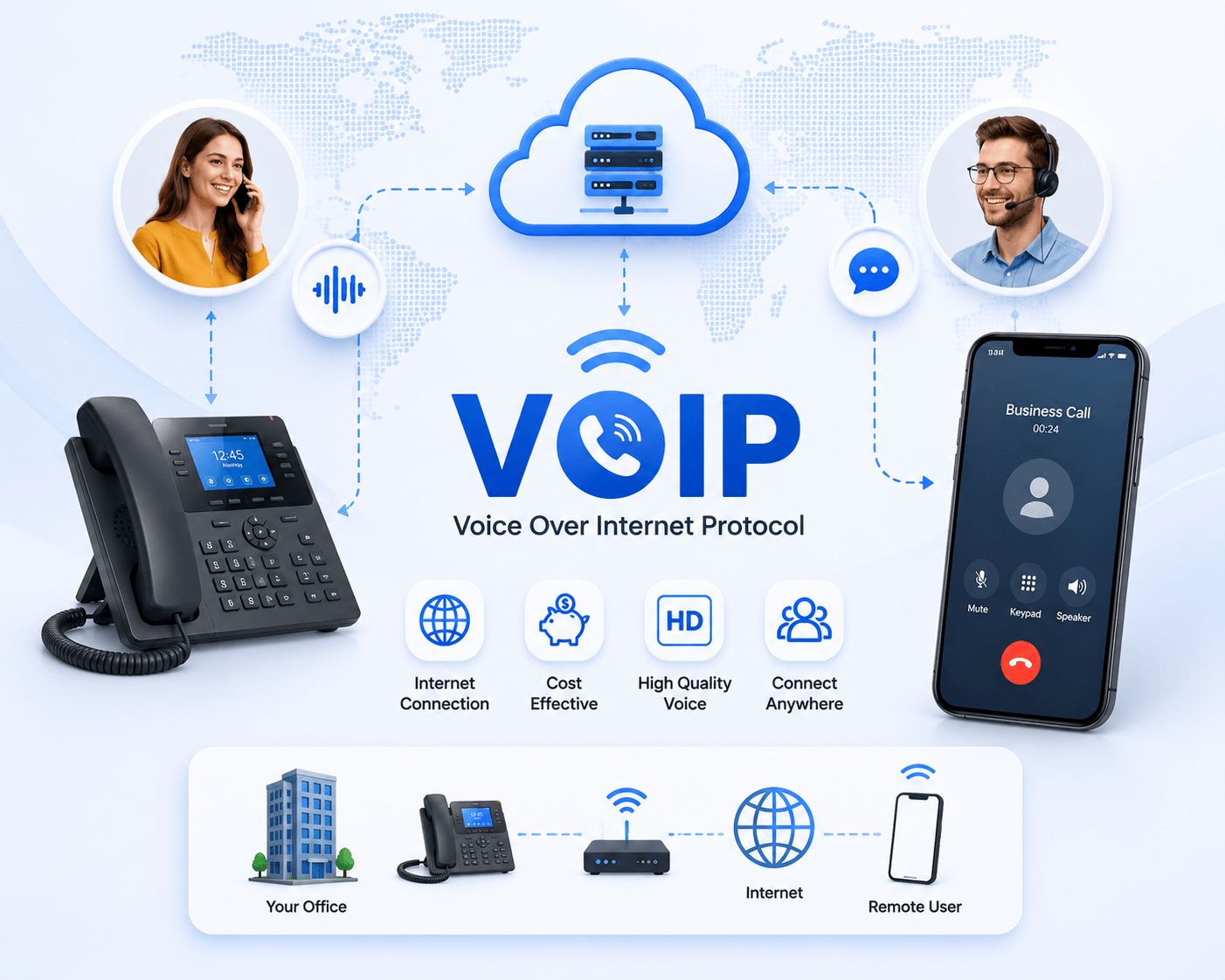
VoIP (Voice over Internet Protocol) is a technology that allows you to make and receive phone calls over an internet connection instead of a traditional telephone line. It converts your voice into digital data and sends it across an IP network. Businesses use VoIP for calling, voicemail, call routing, video meetings and other communication features across desk phones, computers and mobile devices.
Unlike traditional landlines, VoIP isn’t tied to a physical telephone line at a particular desk. Depending on the service, users can make and receive business calls through IP phones, desktop software, web browsers or mobile apps. This flexibility makes VoIP particularly useful for businesses with remote employees or multiple locations.
Before going further, you may want to know how it works.
How Does A VoIP Phone System Work?
When you speak during a VoIP call, your device converts the audio into digital data. A codec encodes and compresses the audio, which is divided into packets and transmitted across an IP network. At the receiving end, the packets are decoded back into audio so the other person can hear your voice.
Many VoIP systems use Session Initiation Protocol (SIP) to establish, manage and end calls, while protocols such as RTP may be used to transport the actual voice media.
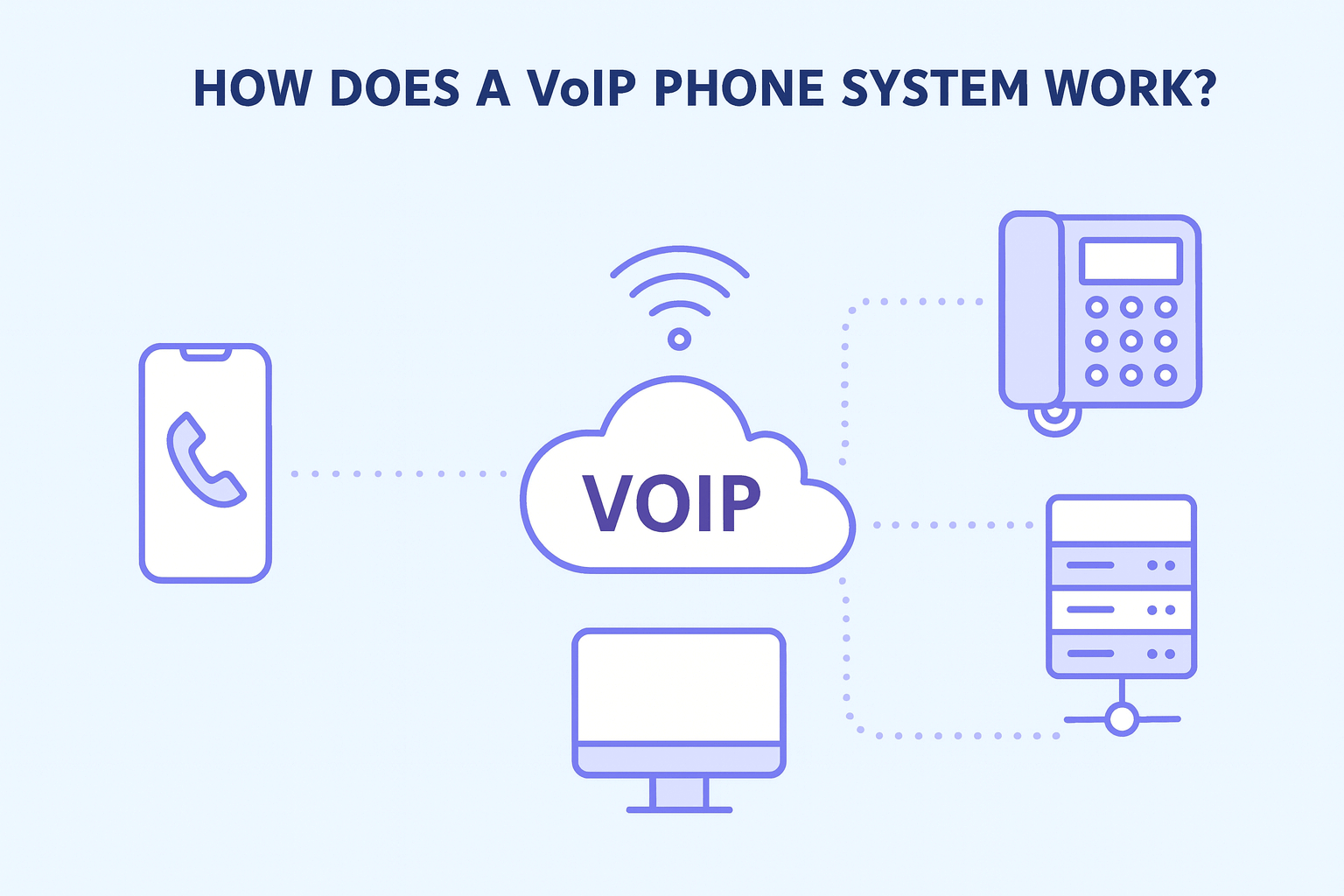
Conversion
A codec converts audio signals into digital packets. These can be hardware or software-based processes that compress your voice signal and convert them into digital signals.
Transmission Via IP
The data packets are then transmitted through IP. It can be either done online or across a Local Area Network (LAN). This transmission is quick.
Unpacking
When the packets reach the destination, the receiving device decodes the digital data and converts it back into audio.
The person receiving a VoIP call doesn’t necessarily need a VoIP phone. VoIP providers can connect calls to traditional telephone networks, allowing users to call ordinary mobile and landline numbers. VoIP users themselves may make calls through an IP desk phone, computer, mobile app or compatible analogue telephone adapter (ATA).
Looking to get a VoIP communication system for your business? So Let’s get started with a free trial from VoIP Calling!
Top Used Technical VoIP Terms
The VoIP phone system works a bit differently from PSTN. When your voice is transmitted through IP, it is not sent down to a phone line. Instead, it is converted into digital packets and transmitted via the internet.
It is a simple process of conversion of voice signal into a digital packet, transmission over IP, and unpacking. It works in the following way:
Bandwidth
Bandwidth describes how much data a network connection can transfer over a given period and is commonly measured in Mbps or Gbps. VoIP doesn't require huge amounts of bandwidth per call, but available bandwidth and network congestion can affect call quality.
VoIP Codecs
Codecs can be software-based or hardware devices used in the VoIP process. They are used to convert voice into digital packets before transmission and compress these signals for transmission. Then they re-convert them into voice signals at the other end.
VoIP Latency
It refers to the time taken in the transmission of data. The more the latency, the greater the delay in the data transmission. Higher latency can cause noticeable delays in conversation. ITU guidance commonly uses around 150 ms of one-way delay as an important benchmark for good conversational voice quality, although actual call quality also depends on jitter, packet loss and network conditions.
IP
IP stands for Internet Protocol, the set of rules used to address and route data between devices across IP networks such as the internet. VoIP uses IP networks to transport voice data.
IVR
IVR (Interactive Voice Response) is an automated phone technology that lets callers interact with menu options using keypad selections or, in some systems, voice commands. For example, callers might hear “Press 1 for Sales or Press 2 for Support.
VoIP Equipment
It would be best if you had the following major equipment to use VoIP services. • Modem • Router You may find both of these in your existing Internet set up too. Users can even make calls by downloading their softphones on desktops, laptops, and smartphones.
PBX vs Hosted PBX
PBX is an acronym for Private Branch Exchange. It refers to a private telephone network used within an organization. It allows you to press a button on your desk phone and reach another person in your office. A PBX (Private Branch Exchange) manages calls within an organization and connects internal extensions with external telephone networks. With a hosted or cloud PBX, the core phone-system infrastructure is operated by a service provider rather than maintained entirely on the business's premises.
RTP & SRTP
RTP stands for Real-Time Transport Protocol. It is an internet protocol that transmits VoIP call data packets. It also transmits audio and video streams to allow other forms of multimedia communication. In contrast, SRTP is a Secure Real-Time Transport Protocol, an encrypted and more secure upgrade of RTP.
SIP vs SIP Trunking
It is also a way of transmitting voice communication over the internet. SIP isn't an alternative to VoIP. SIP is a protocol commonly used within VoIP communications. It provides added control to the user but needs more equipment compared to a VoIP phone system. SIP (Session Initiation Protocol) is commonly used to establish and manage VoIP communication sessions. SIP trunking is a service that connects a business phone system or PBX to the public telephone network over an IP connection, replacing or supplementing traditional telephone lines.
VoIP vs Landline
A traditional phone system depends on landlines. These phone systems use physical landlines connected to the phone socket and a receiver. Many businesses combine this with the PBX system, allowing them multiple phone lines. Traditional landlines use dedicated telephone infrastructure, while VoIP carries calls over an IP network. VoIP users can make calls through IP desk phones, computers or mobile apps, depending on their provider and setup.
| Feature | VoIP | Traditional Landline |
|---|---|---|
| Network | Internet/IP network | Telephone network |
| Mobility | High | Limited |
| Hardware | Optional depending on setup | Usually physical phone |
| Remote work | Well suited | More limited |
| Scaling | Usually software-based | May require additional lines |
| Power/internet dependency | Yes | Depends on landline technology |
Benefits of VoIP for Small Businesses
VoIP is relatively a new technology that is still undergoing improvements and refinements. Those improvements and advancements in internet technology are making VoIP more relevant for business communication. It has numerous advantages that are enough to outweigh its drawbacks.
-
Flexibility And Agility
-
Cost Savings
-
Scalability
-
Reliability
-
Secure
One of the most significant advantages of VoIP is its flexibility. It means you are not tied to a specific location and can easily make or receive calls from anywhere until you have an internet connection. It means you will never miss a call and improve your customer experience.
The Agility of VoIP makes it a perfect solution for remote working. You can connect to your clients or team members no matter where you are. Moreover, it is also useful for businesses with multiple offices at different locations.
VoIP phone systems are cheaper than traditional telephony due to several reasons. The major reason is that the infrastructure is very inexpensive, which lets small businesses have high-quality communication systems without putting pressure on their pocket.
VoIP call charges are also cheaper because calls travel over the internet instead of the public telephone system.
In addition, VoIP removes the maintenance cost, as your network provider is responsible for maintenance.
Another significant advantage of VoIP is its scalability. If your business grows over time, you can easily expand your VoIP system to include new phone lines and workstations. There is no need to add new infrastructure or phone lines. Your employees can use their own devices to make or receive calls.
VoIP is considered the most reliable communication source among the rest. VoIP has been chosen by many businesses globally, and still, the numbers are increasing.
Security is the primary concern of all businesses. How can you even imagine having a successful business without proper security?
All the VoIP providers will ensure the security of your business communication.
Why Choose VoIP Calling for Small Business?
At VoIP Calling, we offer a VoIP communication solution that can meet the needs of businesses of all types and sizes. We have experience working with organisations across different industrial sectors. We have an experienced team that can help you set up VoIP phone systems for your sales team, customer services or internally.
Still, thinking about whether it is right for you or not? Find out by knowing more about our business VoIP solution for:
Startup Business
VoIP is a cost-effective communication solution for startups, allowing calls over the internet without the need for expensive phone systems. It supports remote work, helping teams stay connected from anywhere in the world. With advanced features like call forwarding, voicemail, and video meetings, it enhances professionalism and efficiency. VoIP also integrates with CRM tools to improve customer service and team productivity.
Enterprise Business
VoIP is useful for enterprise businesses as it streamlines communication across large teams and multiple locations. It reduces operational costs by eliminating traditional phone systems and offering cheaper international calling. With features like call routing, video conferencing, and analytics, enterprises can manage communication more efficiently. VoIP easily integrates with CRM and business tools to enhance collaboration and customer experience.
Call Centre
VoIP is perfect solution for call centres as it enables smooth, cost-effective, and high-quality communication. It allows agents to handle calls over the internet, reducing the need for expensive phone infrastructure. With features like call recording, auto-dialers, and real-time analytics, managers can monitor performance and improve efficiency. VoIP also supports remote or cloud-based call centres, giving flexibility to hire agents from anywhere.
Education
VoIP is also beneficial for the education sector as it enables easy and affordable communication between teachers, students, and parents. It supports online learning through voice and video calls, virtual classrooms, and conferencing tools. Educational institutions can use VoIP for remote lectures, administrative coordination, and parent-teacher meetings. It also helps reduce communication costs while improving accessibility and collaboration.
Fianancial Services
VoIP has helped many financial services as it ensures secure, fast, and reliable communication with clients and teams. It helps banks and financial firms manage customer support, remote consultations, and global operations efficiently. With features like call recording, analytics, and CRM integration, it improves service quality and compliance. VoIP also reduces communication costs while maintaining high security and call clarity.
IT
VoIP is beneficial for the IT industry as it offers seamless, flexible, and cost-effective communication. It supports remote teams, allowing developers and IT staff to collaborate easily from anywhere. With features like video conferencing, instant messaging, and file sharing, VoIP enhances project coordination and productivity. Integration with business and support tools also streamlines client communication and technical support.
Health Care
VoIP is valuable for the healthcare industry as it enables secure and efficient communication between doctors, patients, and staff. It supports telemedicine, allowing remote consultations and follow-ups through voice and video calls. Hospitals can use VoIP for internal coordination, appointment management, and emergency communication. With features like call recording, voicemail, and integration with patient management systems, it enhances service quality and responsiveness.
Non-Profit
VoIP is useful for non-profit organizations as it offers affordable and efficient communication solutions. It helps teams connect easily across different regions, supporting remote work and global outreach. With features like conferencing, voicemail, and virtual numbers, non-profits can coordinate campaigns and donor communications effectively. VoIP also reduces operational costs, allowing more funds to be directed toward their mission.
Retail
VoIP is perfect solution for the retail industry as it enables smooth communication between stores, suppliers, and customers. It helps manage customer service efficiently through features like call forwarding, IVR menus, and voicemail. Retail businesses can use VoIP for order management, support hotlines, and coordination across multiple locations. It also integrates with CRM systems to track customer interactions and improve satisfaction.
How To Switch To VoIP?
Now you know most about VoIP. It is an advanced technology bringing significant change to business communication. With VoIP, organisations can make and receive calls using an internet connection
It brings numerous benefits for businesses, such as lower calling costs, reduced initial setup and hardware costs, flexibility, and scalability.
After that, you must decide whether you need a physical or cloud-based server setup. Then choose if you require software-based VoIP calls using your office computers or go for a VoIP phone system . No matter what you decide, it will take less time to set up the system than the traditional calling system.
Switch to our VoIP system with a free trial.
- Review your existing phone setup.
- Decide how many users and numbers you need.
- Identify required features.
- Compare VoIP providers.
- Check your internet/network capacity.
- Decide whether to use IP phones, softphones or mobile apps.
- Arrange number porting if required.
- Configure and test the system.
- Train users.
- Complete the migration.

How VoIP Saves Businesses Money?
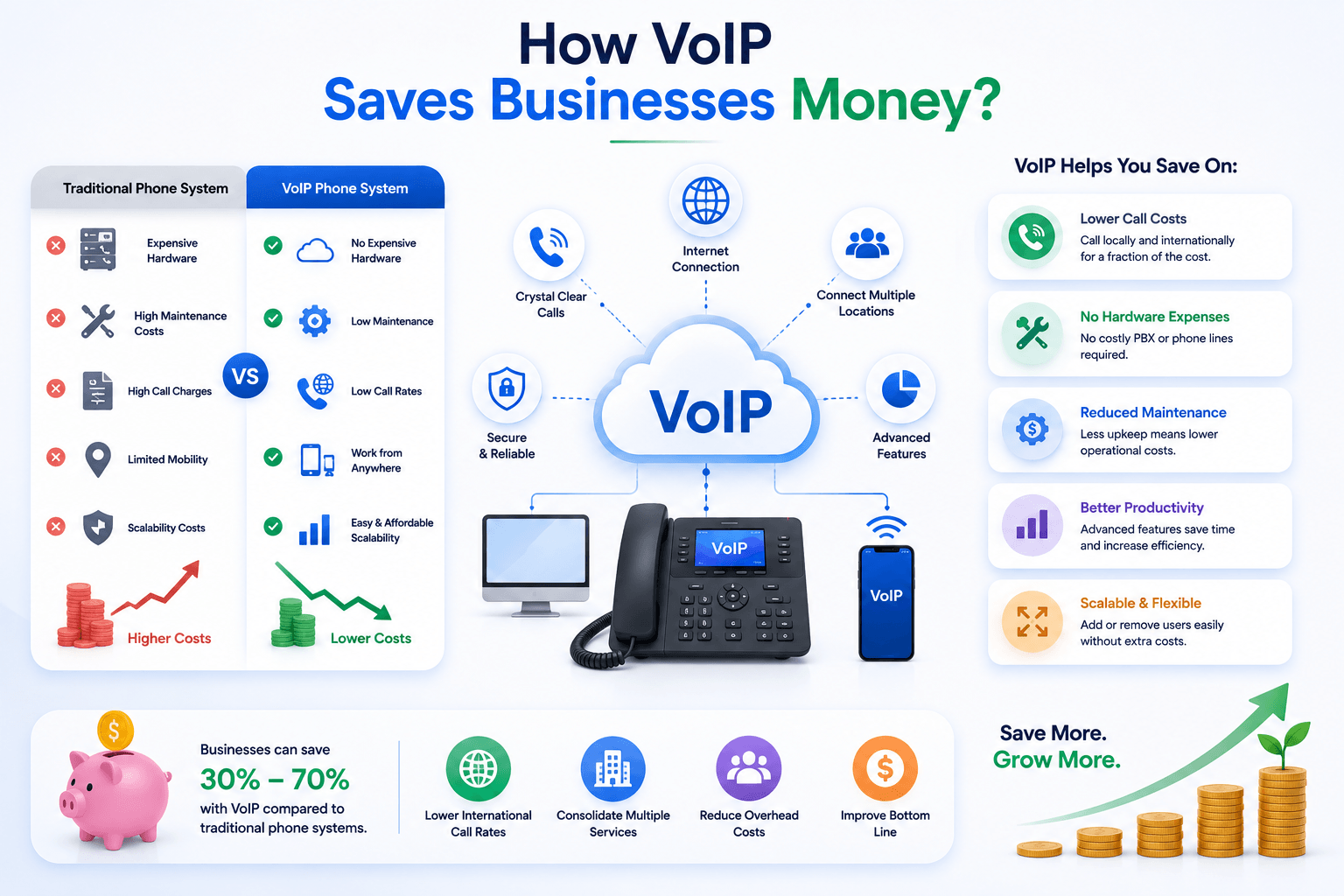
VoIP is surprisingly inexpensive when you consider all its capabilities. Arguably, it’s one of the biggest advantages over traditional phone lines.
The short answer is that you can expect to pay approximately $25 per user per month for VoIP. The cost savings are quite dramatic compared to a traditional phone system or on-premises PBX.
To give you an idea, here’s how much VoIP typically costs:
- Initial costs: $0-$60 per line
- Monthly costs: $15-$25 per line
- Device costs: $80-$600 per IP phone
- International calls: $0.01+ per minute
- Taxes and fees: Varies based on your city, county, and state
Traditional phone systems have hidden costs you might not expect:
- Installation fees: $50-100 per drop
- Deposit: $100-$500
- Maintenance contract: $1000+ annually
- International calls: $1.00+ per minute
- Credit check: Soft or hard pull
All this is to say that we strongly recommend you obtain a free quote to confirm the exact VoIP pricing.
Top VoIP Features Businesses Should Use
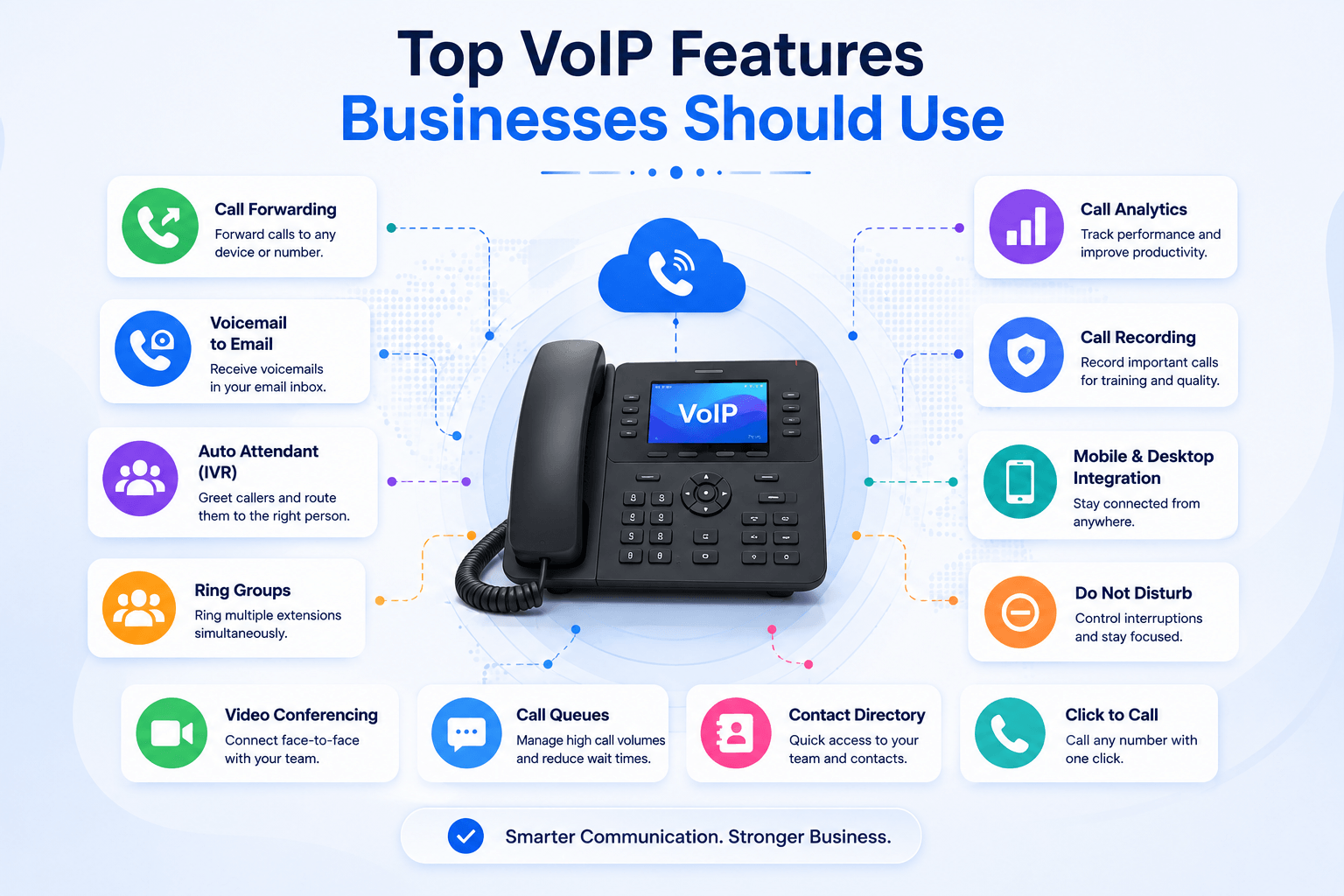
VoIP Calling is a telephone service over the internet. VoIP has been around for a while now and is adopted worldwide by pretty much every organisation (startups, SMEs, and even enterprises), and is the first choice for any organisation looking for a new phone system.
Features of VoIP Calling For Businesses
Here are the key features of VoIP calling for businesses:
High-Quality Voice & Video Calls – Delivers crystal-clear communication over the internet.
Auto-Attendant (IVR) – Greets and routes customers automatically to the right department.
Call Forwarding & Routing – Ensures no call is missed by redirecting to available agents or devices.
Voicemail-to-Email – Sends recorded voicemails directly to your email inbox for easy access.
Conference & Video Calling – Enables team meetings and client discussions from anywhere.
Call Recording & Analytics – Tracks performance, monitors quality, and supports staff training.
CRM Integration – Connects with customer management systems to streamline workflows.
Virtual Numbers – Lets businesses create local or international numbers for a global presence.
Mobile & Desktop Apps – Allows employees to make and receive calls from any device.
Scalability & Flexibility – Easily add or remove users as the business grows.
Enhanced Security – Uses encryption and secure networks to protect sensitive data.
Cost Efficiency – Reduces phone bills and infrastructure costs compared to traditional systems.
4 Ways To Connect VoIP
You have four ways to connect to our VoIP Calling hosted / Cloud telephone system.
Web Phone
Use our web phone (works on all popular browsers).
Soft Phone
Our soft phone is available on any device with any web browser.
IP Phone
We have a good selection of business-grade desk and office phones.
Mobile App
Our mobile app is in progress that would integrate also other CRMs.
Use Case Of Current VoIP Business Customers
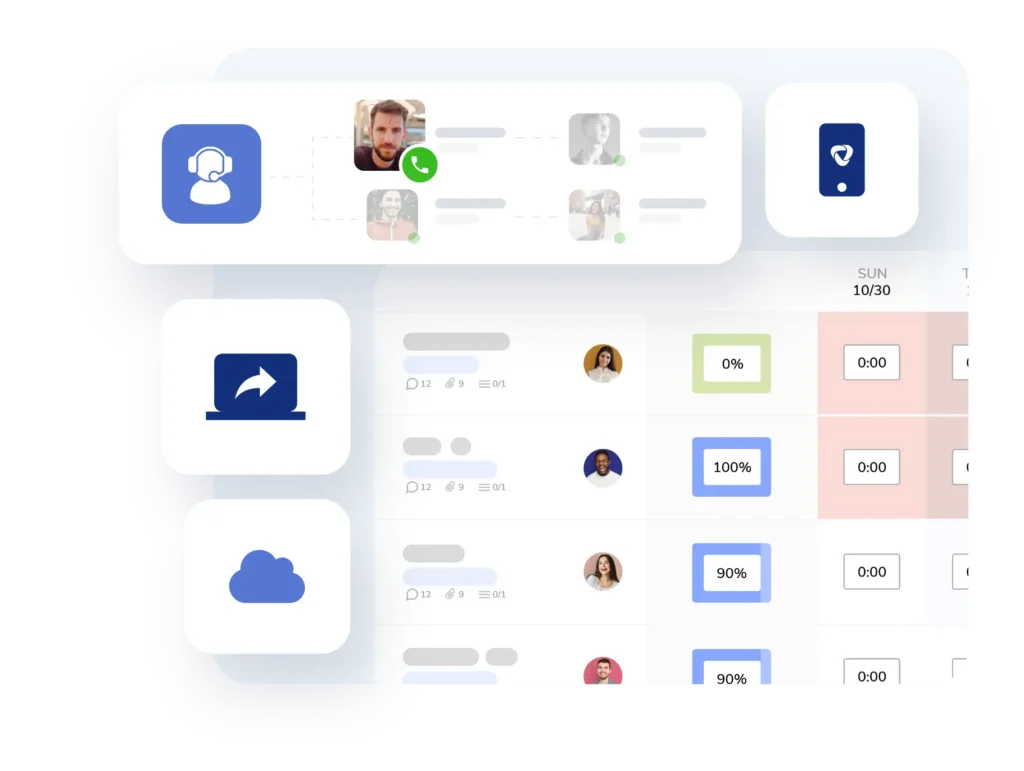
Here is a typical use case for some of our current customers. The user will never have to miss a call and can dial out using their business phone at anytime.
Personal Number
Or you can also use a telephone number like your personal mobile number as an extension.
FAQ About VoIP
How long does it take to migrate my phone number to VoIPCalling?
Pretty much quickly, most happen within 7 days whilst others take about 10 days, it depends on your provider. We have migrated some clients in less than 72 hours, so you’re in safe hands.
What if I need more that one number, how many can I purchase?
You can definitely buy a single number or a block of numbers. For example, if you need a block of 10 successive numbers for your business, we’ll book it for you to order. You can purchase up to 1000 numbers at one go.
Can I port any number?
Of course you can, we handle any number, whether is a non-geographic number, local number or international number. Just let us know how many numbers you wish to migrate and we’ll arrange for that.
Do you cover all areas in the UK for geographic numbers?
You name any area in the UK, we’ve got numbers for them. Just choose your numbers and if you have multiple offices around the country, feel free to pick out the numbers the most relevant to you.
Will my old provider charge me fees for transferring the number away?
If some providers are stuck in the dark ages, then they might do, but most don’t. We don’t charge to port your number to us either, so you enjoy a stress-free number porting.
Can I send/receive FAX and SMS?
Sure, we have SMS and Fax enabled numbers, when you get in touch with us, let one of our advisors know and we;ll sort it out for you.
Is my business eligible for VoIP?
Pretty much quickly, most happen within 7 days whilst others take about 10 days, it depends on your provider. We have migrated some clients in less than 72 hours, so you’re in safe hands.
Will I need to change my handsets?
Of course you can, we handle any number, whether is a non-geographic number, local number or international number. Just let us know how many numbers you wish to migrate and we’ll arrange for that.
Is VoIP as reliable as a traditional phone system?
If some providers are stuck in the dark ages, then they might do, but most don’t. We don’t charge to port your number to us either, so you enjoy a stress-free number porting.
Do I have to change my number?
You can definitely buy a single number or a block of numbers. For example, if you need a block of 10 successive numbers for your business, we’ll book it for you to order. You can purchase up to 1000 numbers at one go.
How’s the quality of VoIP calls?
You name any area in the UK, we’ve got numbers for them. Just choose your numbers and if you have multiple offices around the country, feel free to pick out the numbers the most relevant to you.
What do I have to do to make a VoIP call?
Sure, we have SMS and Fax enabled numbers, when you get in touch with us, let one of our advisors know and we;ll sort it out for you.
What Do You Need for VoIP?
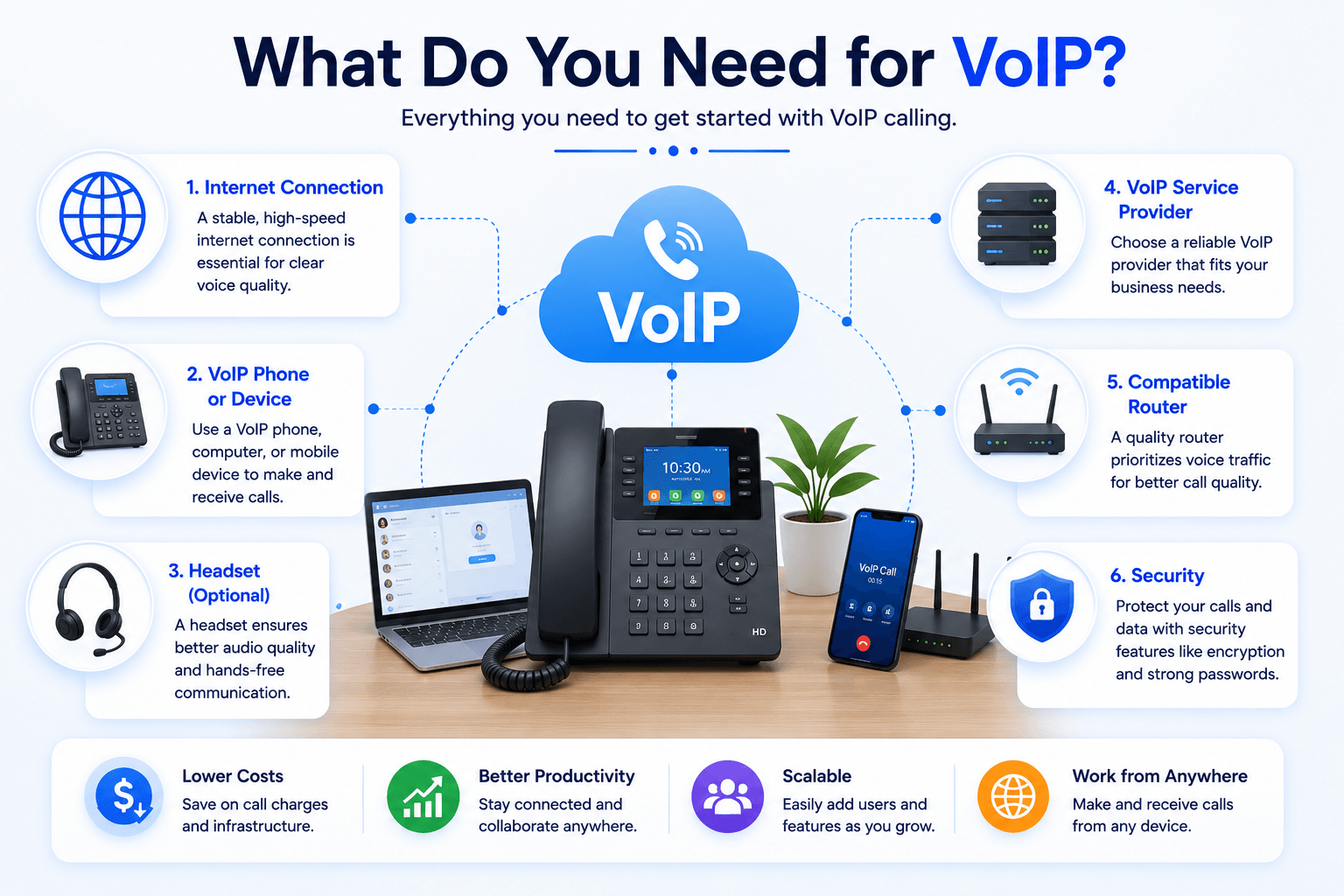
To use VoIP, you generally need a reliable internet connection, a VoIP service or platform, and a compatible device such as an IP phone, computer or smartphone. Businesses may also need a router, headset, network configuration and sufficient bandwidth depending on the number of simultaneous calls.
- Free Trial
- Video Calling
- Phone Call