Latest News

The Blog

voip blogs
omnichannel vs multichannel contact center (1)

Omnichannel vs Multichannel Contact Center

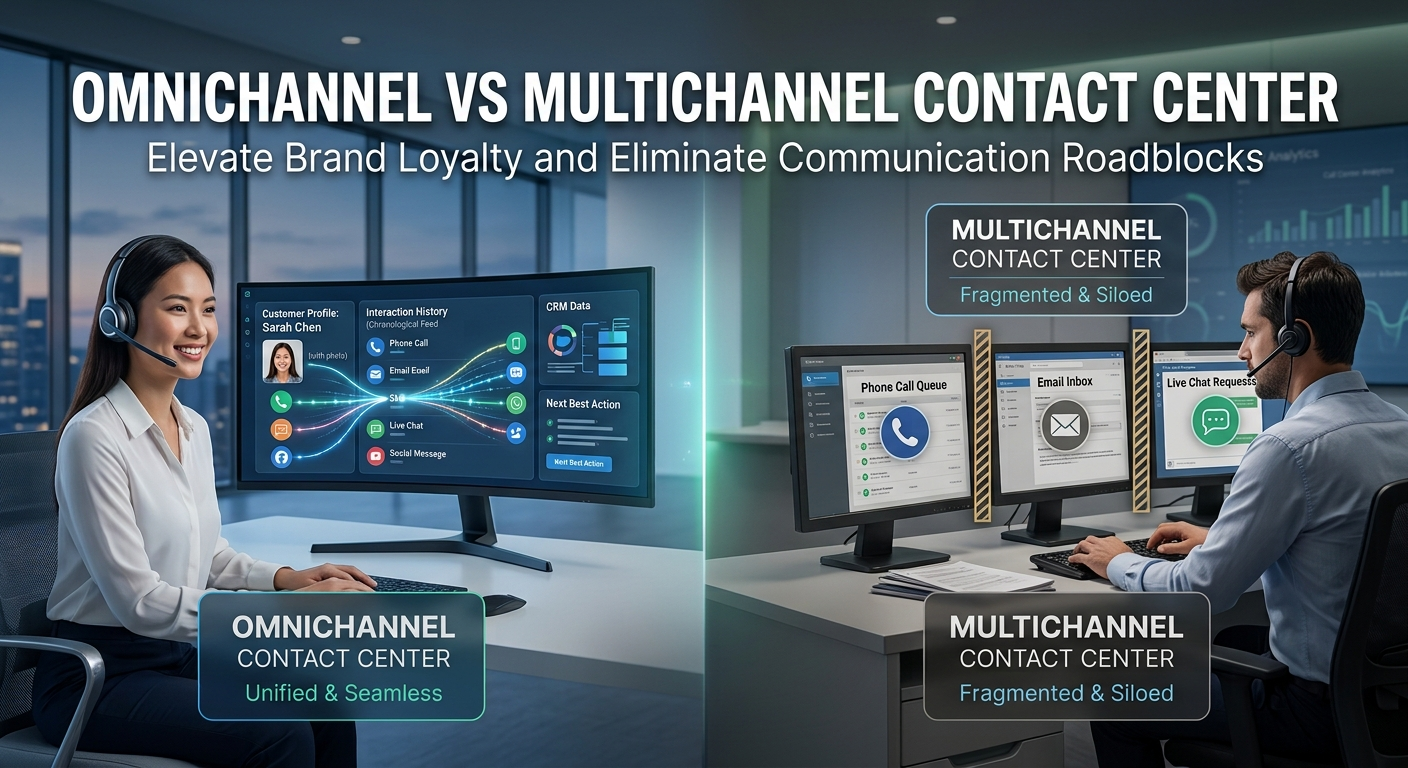
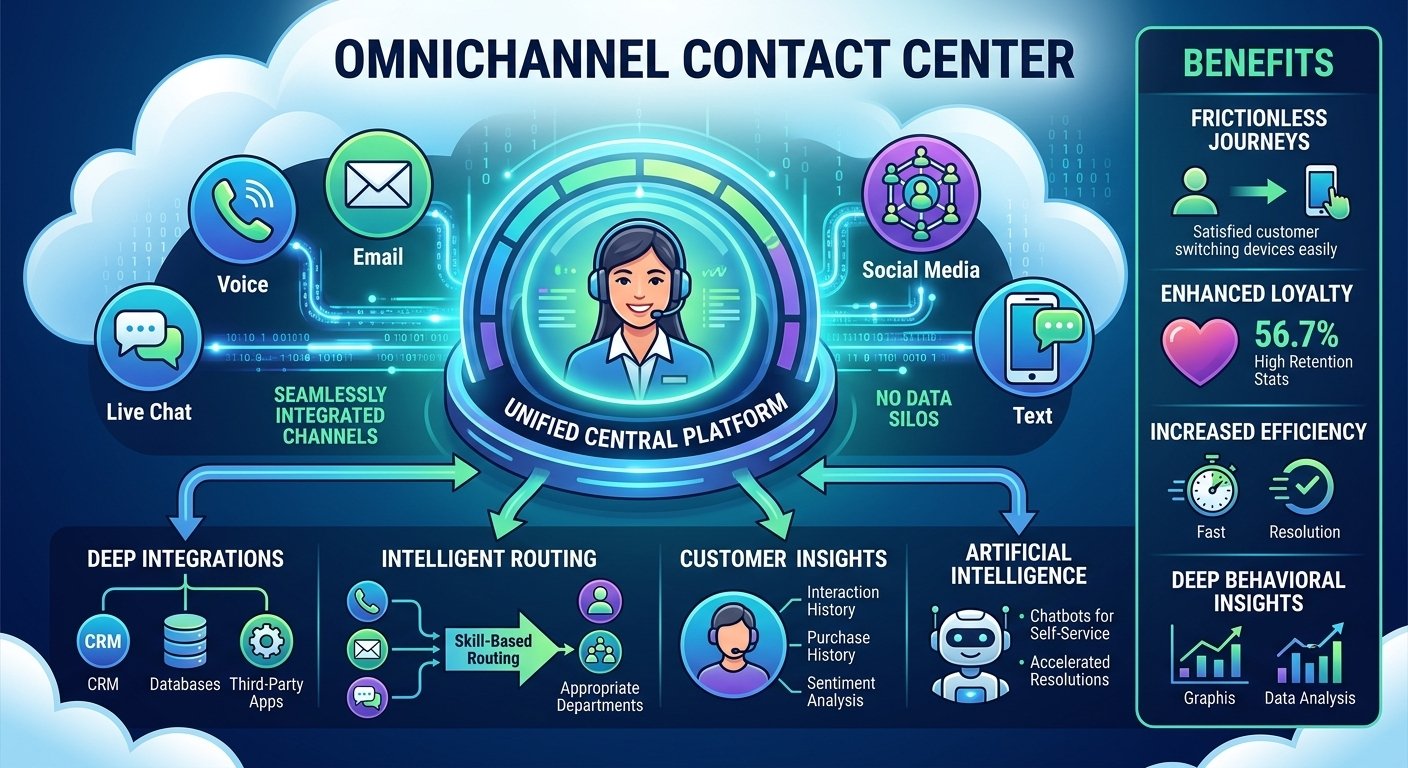
The decision between an omnichannel vs multichannel contact center hinges on your business objectives. A traditional setup offers different communication channels such as email and social media, but they are all in their own silos. On the other hand, an integrated strategy brings together all these touchpoints in a single system, which guarantees a seamless buyer journey. Today’s customers demand quick, seamless communication and don’t want to restate their problems. Hence, it is important to be aware of these architectural differences for long-term operational efficiency. This detailed guide covers the world of multi channel customer support, and how to choose the best system to boost brand loyalty and permanently remove communication barriers. What Is an Omnichannel Contact Center? An integrated platform is a modern customer engagement hub that brings together all communication touchpoints. This sophisticated architecture enables businesses to provide hyper-personalized experiences, no matter how buyers engage with the brand. Cloud-based technology allows support teams to have full visibility into past data and behavior. This single view significantly boosts agent productivity and strengthens an airtight omnichannel vs multichannel contact center approach. The main advantage is the ability to make a seamless, connected experience where people feel seen as soon as they arrive. Agents can predict needs in advance, as they have a 360-degree view of past interactions. Another big plus is the capacity to quickly adjust to new communication trends such as in-app messaging and SMS. An omni channel contact center solution ensures your business is available wherever your audience is. What Is a Multichannel Contact Center? A traditional hub is a place where an organization can interact with the audience via various channels like phone, email, and live chat. But this model is a standalone one, where there is no cross-platform integration. Agents in this context handle inquiries effectively, but they don’t have access to the conversations that occur on other platforms. In fact, when you dig into the details of an omnichannel vs multichannel contact center, you’ll find that this legacy system is all about volume, not continuity. This configuration is still very affordable and is a good choice for startups setting up their first support infrastructure. The first configuration is much quicker than complex, highly integrated cloud deployments. Moreover, platforms can be isolated so that teams can concentrate on particular metrics, such as email response time. This ease of use allows smaller teams to efficiently handle their multi channel customer service without the need for extensive technical training. Differences Between Omnichannel & Multichannel Contact Center The difference between an omnichannel vs multichannel contact center is all about the user experience and data integration. One is about the whole ecosystem, the other is about being on multiple platforms. For a detailed comparison of these important differences, check out the detailed comparison table below. By knowing the difference between omni channel and multichannel architectures, you will be able to make future technological investments. Feature Omnichannel Multichannel Integration Fully integrated systems across all channels Silos between different channels Context Complete customer history and journey data across channels Limited cross-channel customer data Experience Consistent experience across channels Can feel disjointed across channels Customer Focus Customer-obsessed, focused on service excellence More operational focus on delivering service Personalization Hyper-personalized service based on customer data/journey Less capacity for personalization Channels Phone, email, chat, SMS, social media, etc. Typically focuses on traditional channels Technology Sophisticated, cloud-based, real-time omnichannel routing Basic call routing, legacy on-premise systems Cost Higher investment but drives long-term value Lower upfront costs but less futureproof Metrics 360-degree customer relationship metrics Channel-specific metrics only Best For Customer-centric teams focused on superior CX Budget-conscious teams with volume focus Advantages of an Omnichannel Call Center A fully-synchronized contact center changes the way that organizations deal with everyday consumer requests. The advantages below explain why modern businesses quickly embrace these advanced customer support solutions. 1. Consistent messaging Salesforce’s 2023 State of the Connected Customer report reveals that 79% of customers expect consistency across departments. Customers are aware that they will get the same great service from a phone agent as they would from a live chat portal. This reliability in your omnichannel call center builds a strong level of trust and enhances your brand’s reputation in a very competitive market. 2. Increased retention and loyalty The 2024 The Omnichannel Difference report by Forrester and Emarsys discovered that 35% of businesses noted enhanced client retention through integrated support systems. In total, 46% of organisations said they had seen an increase in lifetime value with a synchronised omnichannel contact centre compared to a multichannel contact centre. When buyers’ support experiences are connected and seamless across all channels, it becomes much easier to retain them. 3. Unified data analysis Information is passed on smoothly as people move from one support person to another and supervisors can predict behaviour accurately. This comprehensive perspective enables businesses to optimize their live chat capabilities assessment efficiently, using omnichannel contact center metrics. The ability to see a caller’s journey allows leaders to identify unique trends and optimize the entire operational process for good. 4. Improving the customer experience The ultimate goal is to remove friction from the buyer’s journey with an integrated contact center platform. With the addition of tools such as CRM software, all the important caller information is available to all individual support agents at once. When people reach out to the help desk, they only describe their problem once, and that’s how omnichannel software really works to break down sales channel silos. Challenges of an Omnichannel Call Center Although the advantages are many, there are organizational challenges to consider when moving to an interconnected call center. Before embarking on this technological transformation, leaders need to carefully assess their internal support capacity. 1. Cost and resources A full-fledged omnichannel contact center vs multichannel contact center will cost a lot of money for communication software. Businesses need to invest in their current technology and acquire advanced cloud-based routing solutions for their agents. Furthermore, companies need to invest significant time in training their staff to use these sophisticated systems to avoid any short-term loss of productivity. 2. Managing omnichannel data According to a 2024 Forrester report commissioned by Acoustic, 84% of respondents said tracking engagement was critical, but only 68% did. Call center supervisors are often overwhelmed with the sheer volume of behavioral data they collect, and don’t know how to use it to make meaningful decisions. To address this particular challenge, experts suggest using complete cleaning tools that can extract actionable intelligence from the huge support data stream. Advantages of a Multichannel Call Center Although it is not deeply integrated, this traditional contact center model has a lot of benefits for certain business models. Let’s find out why so many businesses are still using these stand-alone communication centres for their day-to-day needs. 1. Each channel operates independently Separate platforms provide full autonomy for different departments to have their own support strategies without the need for a lot of coordination. This multi channel contact center configuration enables quick decision making in separate customer care teams. Managers can adjust their local operational strategies on the fly without fear of affecting the entire corporate communications system. 2. Each channel can adapt Some groups like to use certain platforms, which allows for specific adaptations that are unique to that communication medium. A brand can use the youthful trends on social media and still have professional multichannel customer service through traditional phone lines. By adjusting the tone, you can maximize engagement in that singular support setting, without the agent’s responses sounding too robotic. 3. Data specificity Information isolation enables supervisors to make very specific improvements based on the strengths of an individual support platform. Multi channel call centre metrics such as average email handle time can be analysed by teams, and are only related to the performance of the single platform. This granular focus enables analysts to identify which particular network is providing the best resolution rate during quarterly reviews. 4. Lower barrier to entry Stand-alone support platforms are still very cost-effective when compared to fully interconnected call center networks. This multichannel support approach is commonly used by startups to quickly get a customer service team up and running. You can help buyers without the huge resources of an omnichannel vs multichannel contact center infrastructure. Challenges of a Multichannel Call Center In general, the main disadvantages of this configuration are when considering the overall user experience versus an integrated support center. When customer service platforms don’t talk to each other, there are bound to be friction points. 1. Customer support roadblocks Departments work in isolation, which means that consumers may have to re-enter account information when they switch from live chat to a phone agent. This multi-channel customer experience often causes high levels of frustration and reduced brand loyalty. When an agent receives an email inquiry, he has no idea what the buyer was talking about yesterday on the phone, and that’s a huge problem. 2. Inconsistent messaging When independent call center queues are in operation, it can lead to conflicting information being passed on to the consumer base, which can erode trust over time. If agents are giving different answers to the same issues, then there is a risk of brand confusion with a fragmented multi channel customer support system. Consistency builds familiarity, and if you’re not consistent, buyers may doubt the reliability and competence of your entire support organization. 3. Data is not comprehensive Evaluating isolated ticket statistics means call center leaders completely miss the holistic overview of buyer behavior. Without interconnected analytics, there is no way to gain a deep understanding of the effectiveness of the multichannel contact center solutions as a whole. In the absence of a single view, forecasting future support volume trends is extremely challenging and requires relying on disjointed operational insights. Choosing Between Omnichannel and Multichannel Call Centers Each organization has its own specific operational needs, budget, and audience. You need to thoroughly assess your internal capabilities before choosing between omnichannel and multichannel contact center software. When deciding on your facility layout, take into account the following key considerations: Assess your exact business model: Are you strictly an e-commerce brand or managing physical retail locations requiring synchronized digital support? Evaluate your technical resources: Do you possess the massive budget required to deploy an omni channel contact center solution successfully? Review your managerial capacity: Can your leadership team effectively synchronize multiple support departments into one cohesive unit? For brands that are looking to just get tickets and are budget-conscious, a traditional call center is great. But for businesses that are committed to building high-quality, lasting customer relationships, an integrated facility is still a must. Read More: Tree Phone: How to Design and Use One Effectively Final words Understanding your operational support capabilities is crucial when navigating the complexities of digital communication. The right omnichannel vs multichannel contact center architecture determines whether your agents will be able to keep your audience or not. Isolated call centers may provide low-cost access, but interconnected support facilities virtually ensure higher lifetime value and unparalleled satisfaction. In the end, a single technological ecosystem investment will help your support team stay competitive, resilient, and completely irreplaceable to your modern consumer base. FAQs What is the best choice for an omnichannel vs multichannel contact center? The best choice strictly depends on your financial budget and customer experience goals. Integrated systems provide a flawless, personalized journey, while isolated networks offer a cheaper, faster setup for smaller support teams. How do integrated platforms improve agent productivity? Integrated systems consolidate all historical data and previous interactions into a single, unified dashboard. This eliminates the need for agents to toggle between multiple applications, allowing them to resolve issues much faster. Is a traditional communication hub cheaper to implement? Yes, legacy systems require significantly less upfront financial investment. Companies can launch isolated email and phone support quickly without purchasing expensive, fully synchronized cloud-routing software. Can small businesses benefit from interconnected contact hubs? Absolutely, small businesses can utilize scalable cloud software to synchronize their minimal platforms. Doing so early prevents future data silos and establishes a strong foundation for rapid, organized business expansion. Why do consumers prefer integrated communication environments? Consumers deeply despise repeating their account information to different representatives. Integrated environments ensure their previous interactions are instantly visible, making the resolution process completely frictionless and highly personalized. Do isolated networks cause brand messaging inconsistencies? Yes, because each department operates independently, they often push conflicting promotional materials. This lack of centralized coordination frequently confuses the target audience and degrades overall brand authority. What specific metrics do integrated contact hubs track? These advanced hubs track comprehensive relationship metrics, cross-platform behavioral trends, and overall lifetime value. This provides a holistic narrative rather than isolated, channel-specific statistics like basic response times. How difficult is migrating from an isolated to a synchronized system? Migration requires careful planning, significant financial investment, and extensive employee training. However, utilizing modern, adaptable software makes bridging the gap between an omnichannel vs multichannel contact center highly achievable.

Read More
Benefits of Using Call Center Recording Software

Best Call Recording Software for Call Center in 2026

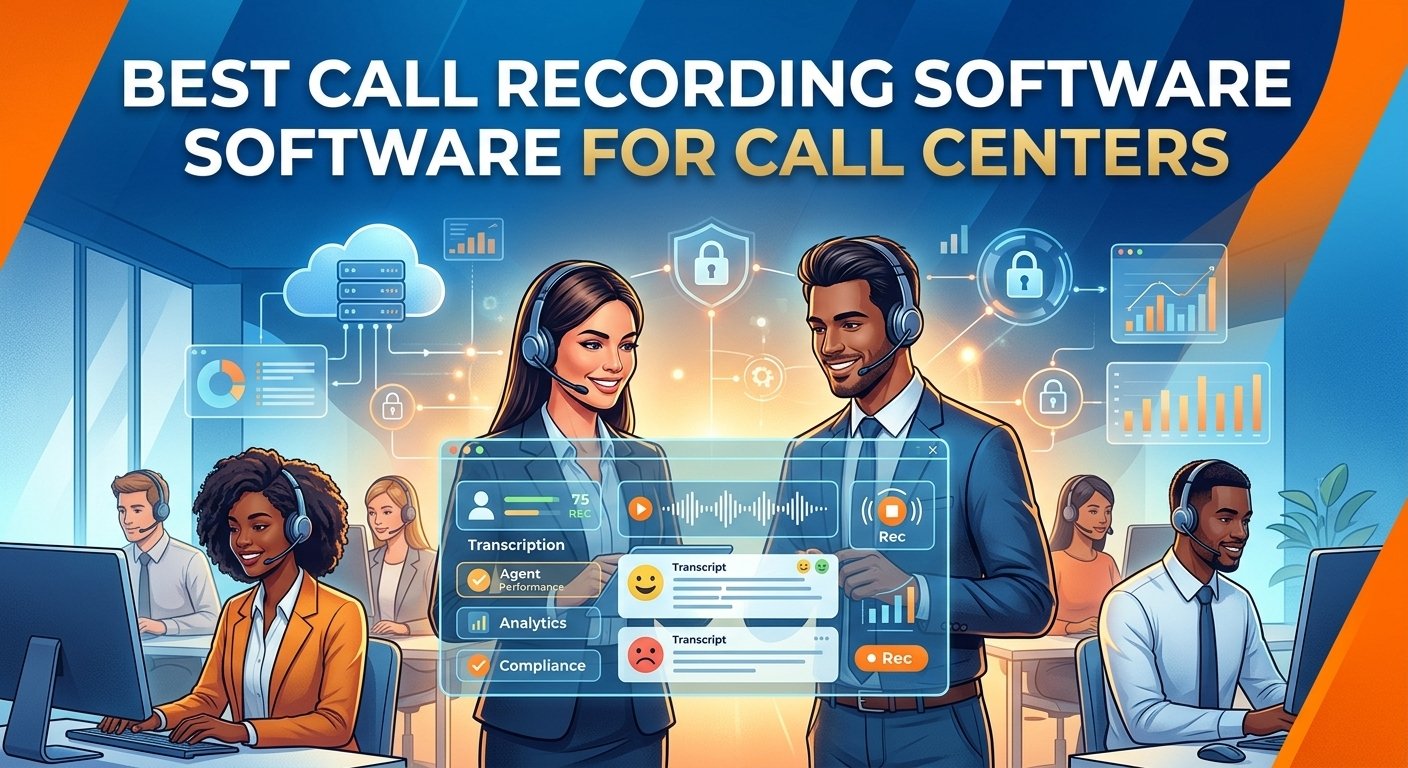
The right call recording software for call center operations can revolutionize customer interactions, compliance, and agent performance. This vital tool records audio and screen data, enabling managers to analyze conversations, pinpoint training needs, and settle disputes quickly. The best platforms will have powerful AI transcription, easy integration with systems, and secure cloud storage. Advanced call recording solutions help businesses meet industry standards and enhance the quality of their services. For small support teams or large enterprise networks, choosing the right system is essential for maintaining competitive edge and providing outstanding customer support. What Is Call Center Recording Software? Call center recording software is a specialized digital tool that is used to record, store, and analyze customer interactions across different communication channels. These powerful platforms capture audio conversations and screen activity in a secure manner, creating an indelible record of each client interaction. The modern voice recording system for call center is based on cutting-edge artificial intelligence technology, which can transcribe voice data, analyze emotional sentiment, and automatically identify conversations that need to be reviewed by management. These dynamic call recording platforms are essential for organizations to keep a detailed record of all their daily communications for future strategic analysis. Assessing the most suitable call recording software for call center use guarantees that teams can easily access past recordings to handle intricate conflicts. Furthermore, these insights enable administrators to pinpoint common operational challenges, enhance standard operating procedures, and continually improve the consumer experience. Benefits of Using Call Center Recording Software 1. Legal compliance In highly regulated areas, it is essential to have a strong financial voice call logging solution that can safeguard sensitive consumer data. A detailed 2025 compliance study by Forbes found that companies without adequate audio documentation can expect to be fined an average of $4 million per year for compliance violations. By using the best call recording software for call center compliance, businesses can ensure that they automatically comply with strict regulations such as HIPAA, PCI-DSS, and GDPR. 2. Quality monitoring and coaching Assessing agent interactions is still an important part of effective workforce optimization and ongoing professional development. With optimize call recording techniques, managers can pinpoint key moments in the conversation to show good communication practices or identify areas for improvement. This focused strategy translates performance ideas into real-world learning experiences, leading to improved conversion rates and better client satisfaction scores. 3. Improved customer experience and problem resolution Having easy access to conversation archives significantly speeds up dispute resolution and removes the need for tedious misunderstandings. In the event of a conflict, the ability to retrieve the precise business phone recording systems data gives clear and indisputable evidence, helping supervisors to defuse escalating conflicts in a timely manner. This means that clients can benefit from quicker remediation of issues, leading to stronger brand loyalty and positive long-term commercial relationships. What Features to Look for in Call Center Recording Tools Cloud or on-premises infrastructure means the difference between limitless scalability and direct physical control of your proprietary hardware. Real-time and post-call analytics enable supervisors to step in during live escalations, and also provide actionable insights for long-term strategic planning. AI-driven searchable transcripts enable administrators to quickly find key words, analyze caller sentiment and gain insights into overall behavioral trends. Highly sensitive consumer data is protected by secure storage with military-grade encryption and meets strict international compliance standards, while also being protected against malicious cyber threats. Seamless integration with customer relationship management (CRM) platforms allows agents to have a complete and highly contextualized view of the entire buyer journey. Automated capturing mechanisms ensure that no interaction is missed, while manual controls offer the privacy required for certain sensitive conversations. 10 Best Call Center Recording Software Platforms Tool Best for Key features Starting price for call recording Call recording type Nextiva All-in-one business communication VoIP, CRM, analytics, call recording $25/user/month Automatic/on-demand NiCE CXone Enterprise contact centers Workforce optimization, analytics, automation $94/month Automatic (full-time, percentage-based, event-driven) Five9 Cloud contact centers Omnichannel support, predictive dialer, AI $119/month Automatic/on-demand Aircall Sales and support teams Power dialer, CRM integration, call coaching $30/user/month (3-user minimum) Automatic Talkdesk Customer-centric companies AI-powered features, customer journey mapping $105/user/month Automatic/on-demand Rev.ai Developers and enterprises Speech-to-text APIs, real-time transcription Pay-as-you-go Automatic Vonage Businesses of all sizes Unified communications, APIs, contact center $27.99/line/month On-demand call recording (15 hours per month) JustCall Remote teams SMS automation, appointment scheduler, call tracking $89/user/month (2-user minimum) AI-powered and automatic RingCentral Small- to medium-sized businesses Team messaging, video conferencing, phone system $25/user/month Automatic/on-demand Zoom Contact Center Businesses using Zoom Video-first omnichannel, AI companion $69/user/month Ad-hoc and automatic recording 1) Nextiva Key recording features During each client interaction, both voice and screen capturing are enabled, capturing agent audio and desktop activity at the same time. AI transcription services produce full text transcriptions with distinct emojis that visually represent the sentiment of the speaker for each line in the transcription. Administrators can use configurable automation rules to ensure that all logging is enabled or to let individual agents turn logging on or off as necessary. Recording strengths Searchable transcripts, with high accuracy, enable management to quickly find key phrases and gain a broader understanding of the emotional tone of the entire organization. Flexible retention policies allow organizations to easily customize long-term storage parameters to ensure they are in strict compliance with complex industry retention policies. Granular role-based access protocols give system administrators absolute control over who can view, download or permanently delete archives. Pros An integrated communications platform eliminates much of the internal tech stack and saves on administration. The system is incredibly reliable, with industry-leading uptime metrics that ensure no critical data is lost during busy times. Advanced AI features such as sophisticated tone analysis are built in, not as an expensive third-party application add-on. Cons This complete package can sometimes be more expensive than simple, one-use tracking solutions. The large administrative dashboard is initially confusing to newer managers who are not used to advanced enterprise telecommunications configurations. Some of the more advanced analytical reporting options are only available with the highest-priced enterprise subscription level. Pricing Plan Starting price Key recording features included Core $15/user/month On-demand voice and video recording (Add-on) Engage $25/user/month Automatic voice and video recording Power Suite CX $75/user/month Advanced recording, AI transcription & tone analysis 2) NiCE CXone Key recording features NiCE Combined multimedia capturing captures clear voice audio and screen activity on the desktop in a single interaction file that can be easily reviewed. The proprietary Enlighten artificial intelligence suite automatically analyzes conversations recorded to ensure adherence to corporate performance and procedural standards. Proactive compliance flagging automatically detects and flags potential regulatory violations, enabling supervisors to take immediate action on key vulnerabilities. Recording strengths Unparalleled accuracy of deeply searchable transcriptions allows enterprise-scale contact center call recording software analytics and robust quality management. The enterprise-class retention architectures enable unlimited secure long-term archiving that is demanded by heavily regulated financial institutions around the world. Automated redaction tools permanently redact personally identifiable information, guaranteeing that stored files are completely compliant with data privacy laws. Pros The platform offers extraordinarily deep analytical insights that can turn raw conversational data into actionable strategic corporate initiatives. Designed for large enterprises that demand the highest level of compliance features and have extensive workforce optimization needs. Seamless integration with the broader gartner magic quadrant call recording ecosystem ensures unmatched operational scalability and technological longevity. Cons The cost of such an advanced infrastructure is much greater than the cost of the mid-market alternatives. The administrative interface is complex, and it takes a significant amount of dedicated training time for frontline representatives and supervisory staff to master it. The highly complex artificial intelligence scoring parameters require specialized technical skills to customize and ensure accurate performance evaluations. Pricing Plan Starting price Key recording features included CXone Mpower Voice Agent $94/month Voice recording and storage CXone Mpower Omnichannel Agent $110/month Voice and digital capture, storage, search, and playback CXone Mpower Essential Suite $135/month Screen recording for the agent desktop CXone Mpower Core Suite $169/month Advanced AI QM capabilities CXone Mpower Complete Suite $209/month AI-driven omnichannel analytics and Voice of the Customer capture CXone Mpower Ultimate Suite $249/month Full orchestration of human and AI agents 3) Five9 Key recording features Long captured conversations are automatically summarized by generative artificial intelligence engines into easily digestible summaries, removing the need for tedious manual documentation. Live assistance protocols are based on real-time analysis of the dialogue that is taking place, and provide on-screen coaching prompts in real-time to the representative’s dashboard. Advanced topic analysis precisely identifies evolving consumer attitudes and recurring topics throughout the entire communication database in history. Recording strengths The extensive transcription library allows for very specific keyword queries, phrase matching and advanced emotional sentiment score filtering. Administrators can customize retention frameworks to program exact deletion timelines, which are in sync with strict legal compliance obligations. Hierarchical access permissions allow for fine-grained control over user access to playback, export, and secure editing of sensitive audio files. Pros This system brings in extremely powerful automation capabilities that significantly cut down on repetitive post-call administrative tasks. The platform has very strong outbound campaign management features, which are perfect for more aggressive sales environments. Supervisors have access to extremely powerful visual dashboards that constantly monitor changing performance trends based on historical data logged. Cons Some users find the old admin interface is not as intuitive as newer, very streamlined competitor interfaces. For smaller organizations with very limited budgets, these advanced operational capabilities can be cost prohibitive. To fully utilise the real-time assistance tools, the initial configuration and system recalibration must be carried out with great care. Pricing Plan Starting price Key recording features included Core $159/seat/month Standard call and screen recording for all interactions. Plus Contact sales All core recording features, plus AI transcription and summarization. Pro Contact sales All core recording features, plus workforce management tools. Enterprise Contact sales All previous features + advanced analytics and real-time dashboards that use recording data + interaction Analytics for deep recording analysis, automated quality management, and sentiment analysis. 4) Aircall Key recording features Frictionless single-click logging mechanisms automatically append captured audio links directly to corresponding customer profiles within your centralized database. Live listening functionalities grant supervisors the ability to silently monitor active conversations and privately whisper constructive advice to representatives. Collaborative communication inboxes allow entire departments to easily access, review, and sequentially comment on shared training materials simultaneously. Recording strengths Premium subscription tiers unlock sophisticated transcription services and intelligent keyword spotting for vastly accelerated post-call analytical reviews. Default storage parameters retain critical files indefinitely, while granting administrators complete authority to permanently purge outdated records manually. Simplified user hierarchy configurations make assigning viewing permissions and system management responsibilities incredibly straightforward for technical novices. Pros The system executes exceptionally deep, flawless integrations with premier customer relationship management platforms like Salesforce and HubSpot. Frontline personnel consistently praise the highly intuitive user interface, which dramatically accelerates initial onboarding and daily operational adoption. The architecture heavily emphasizes collaborative coaching methodologies, transforming individual interactions into valuable departmental learning resources. Cons Entry-level subscription packages completely lack vital modern functionalities such as automated text transcription and advanced emotional analysis. Calculating expenses based on individual user licenses rapidly escalates overarching operational costs as departmental headcounts continuously expand. Procuring this specific service necessitates a mandatory three-user minimum commitment, potentially alienating solitary independent contractors. Pricing Plan Starting price Key recording features included Essentials $30/user/month Inbound/outbound call recording available up to 1 year (by request, 6 months available in Dashboard) Professional $50/user/month Unlimited inbound/outbound call recording (by request, 6 months available in Dashboard) Custom Contact sales Unlimited inbound/outbound call recording (by request, 6 months available in Dashboard) 5) Talkdesk Key recording features Continuous machine learning integration feeds generated transcripts directly into proprietary algorithms, vastly improving automated virtual assistant accuracy over time. Automated quality management protocols autonomously evaluate randomized conversation samples against highly specific, pre-configured corporate performance scorecards. Instantaneous transcription services project a live, scrolling textual record of the ongoing dialogue directly onto the representative’s active screen. Recording strengths Both live and historical transcriptions undergo rigorous algorithmic analysis, providing supervisors with incredibly deep, actionable behavioral insights continuously. Highly flexible storage policies incorporate military-grade encryption protocols, protecting sensitive information both at rest and during active transmission. Intelligent redaction mechanisms proactively identify and permanently obscure personally identifiable information housed within stored text and audio files. Pros Deploying this software introduces phenomenally powerful automated assistance tools that simultaneously empower human agents and facilitate consumer self-service. The navigational layout features a remarkably modern, aesthetically pleasing design that substantially minimizes daily operational friction and fatigue. Automated evaluative mechanisms salvage countless supervisory hours previously squandered on tedious, manual performance review methodologies. Cons Securing access to this premium infrastructure requires one of the most substantial financial investments currently present within the marketplace. Numerous highly desirable advanced functionalities remain exclusively locked behind the most expensive top-tier enterprise subscription packages. Transitioning historical data from legacy platforms into this modern ecosystem occasionally demands extensive technical support and extended timelines. Pricing Plan Starting price Key recording features included CX Cloud Voice Essentials $105/user/month Unlimited voice engagement, call recording, and quality management CX Cloud Elite $165/user/month Screen recording, proactive notifications, and live custom reporting CX Cloud Experience Clouds $225/user/month Advanced AI, industry-specific, and compliant recordings 6) Rev.ai Key recording features The asynchronous processing interface allows developers to programmatically upload and accurately transcribe massive volumes of previously archived cloud-based audio. Real-time streaming integration facilitates near-instantaneous speech-to-text conversion with remarkably low latency for demanding live application environments. Advanced language identification algorithms autonomously detect dominant spoken dialects, dynamically adjusting analytical parameters to ensure optimal output accuracy. Recording strengths Delivering consistently industry-leading transcription accuracy rates remains the foundational operational pillar of this highly specialized analytical engine. Dedicated privacy endpoints automatically isolate and permanently eradicate sensitive personal details from all generated textual documents seamlessly. The entirely developer-centric architecture provides robust programmatic interfaces rather than relying on restrictive, pre-configured graphical user environments. Pros Organizations benefit from unprecedented textual accuracy, minimizing the necessity for frustrating manual corrections and post-processing editing. The flexible pay-as-you-go financial model ensures companies exclusively purchase exact computing resources consumed, eliminating wasteful subscription overhead. This specific solution perfectly accommodates massive enterprises needing to rapidly process immense backlogs of historical communication archives efficiently. Cons Implementing this sophisticated infrastructure absolutely requires dedicated software engineers and substantial internal technical developmental expertise. Operating strictly as an analytical component, it fundamentally lacks the comprehensive managerial interfaces expected from standalone recording solutions. Processing costs occasionally become highly unpredictable when unexpectedly massive conversational volumes surge during unforeseen seasonal operational peaks. Pricing Service Price per minute Description Asynchronous speech-to-text $0.02 Transcribe pre-recorded audio files Summarization $0.002/minute Transcribe live audio streams Language identification $0.003/minute Identify the dominant language in an audio file 7) Vonage Key recording features Manual pause functionalities allow representatives to temporarily suspend capturing mechanisms, definitively preventing the storage of sensitive payment details. Write-Once-Read-Many cryptographic storage guarantees every archived conversation remains fundamentally immutable and entirely tamper-proof against malicious alterations. Enterprise-grade infrastructure ensures unparalleled system availability, guaranteeing organizations never forfeit critical compliance data due to unforeseen network outages. Recording strengths Highly customizable retention frameworks combined with immutable storage protocols ensure organizations easily satisfy the strictest international evidentiary standards. Granular hierarchical permissions empower compliance officers to meticulously govern exact personnel capable of accessing highly confidential client communications. Accessible manual toggles provide frontline staff immediate control over data privacy, ensuring instantaneous compliance during sensitive financial transactions. Pros The overarching network architecture consistently delivers phenomenal reliability, boasting industry-leading uptime metrics that outpace numerous contemporary competitors. Maintaining a relentless focus on verified security certifications establishes unparalleled trust for organizations operating within heavily regulated sectors. The highly adaptable programmatic interface enables engineering teams to construct deeply customized integrations tailored for incredibly specific corporate workflows. Cons Numerous contemporary administrators consider the visual aesthetic of the primary management console distinctly antiquated compared to newer alternatives. The platform places noticeably less developmental emphasis on integrating cutting-edge generative artificial intelligence features than rival market leaders. Base-level subscription packages enforce restrictive limitations on overall storage capacity, necessitating rapid upgrades for high-volume communication centers. Pricing Plan Starting price Key recording features included Mobile $13.99/line/month NA Premium $20.99/line/month NA Advanced $27.99/line/month On-demand call recording (15 hours per month) 8) JustCall Key recording features Live monitoring tools permit managers to silently audit ongoing client interactions and actively participate in conversations to de-escalate conflicts. Optional algorithmic add-ons introduce automated speech-to-text conversion and emotional sentiment evaluation for substantially deeper post-interaction analytical reviews. Publicly shareable cryptographic links allow representatives to securely distribute specific audio files to external stakeholders without granting system access. Recording strengths Procuring the supplemental intelligence package unlocks highly accurate, deeply searchable transcripts that radically accelerate routine quality assurance methodologies. Tier-based storage configurations ensure archived communications remain immediately accessible for predetermined durations directly corresponding to your subscription level. Standardized administrative permissions simplify overarching system governance, allowing novice managers to effortlessly control fundamental operational security protocols. Pros Highly affordable entry-level pricing structures make this software exceptionally accessible for blossoming startups operating under restrictive financial constraints. Core subscription packages surprisingly include robust SMS automation capabilities, providing multifaceted omnichannel communication tools without additional substantial investments. The remarkably straightforward setup process empowers smaller remote teams to implement comprehensive tracking mechanisms without requiring dedicated technical assistance. Cons Accessing critical modern analytical functionalities, including automated transcription, necessitates purchasing entirely separate, supplementary intelligence application packages. Various independent reviews indicate occasional inconsistencies regarding the promptness and overarching efficacy of direct technical customer support interactions. Unlocking essential supervisory tools within higher-tier subscriptions enforces a mandatory two-user minimum, marginally inflating initial deployment expenditures. Pricing Plan Starting price Key recording features included Essentials $29/user/month Call Recording, Voicemail Drop Team $39/user/month Call Monitoring, Whisper, Barge Pro $69/user/month Bulk SMS Campaigns, Basic Call Analytics Business Contact Sales JustCall iQ (AI features), Full Analytics 9) RingCentral Key recording features Universal automated parameters empower administrators to definitively mandate the continuous capturing of every single inbound and outbound organizational transmission. Comprehensive programmatic interfaces permit developmental teams to meticulously manage, extract, and manipulate archived files within deeply customized corporate applications. Centralized media libraries aggregate all logged communications into one highly organized, easily navigable database accessible to authorized supervisory personnel. Recording strengths Supplemental intelligence packages introduce the capacity to generate highly accurate, searchable transcripts essential for conducting thorough behavioral analysis. Automated deletion protocols allow administrators to program exact chronological parameters for the permanent destruction of outdated conversational archives. Strict role-based governance frameworks ensure executives maintain absolute authority over which specific employees can download or disseminate sensitive materials. Pros Consolidating all communication archives into a singular, unified digital repository substantially streamlines daily administrative oversight and compliance auditing. The architecture facilitates exceptionally smooth integrations with premier business applications, effortlessly syncing data across diverse operational technology stacks. Robust developer tools provide unparalleled flexibility, enabling enterprises to engineer highly unique, automated workflows surrounding their captured communication data. Cons Acquiring comprehensive contact center functionalities mandates purchasing entirely distinct software products, increasing overarching technological complexity and procurement costs. Navigating the incredibly extensive configuration menus occasionally overwhelms novice administrators, necessitating additional dedicated training and onboarding periods. General technical support responsiveness fluctuates significantly depending upon your specific subscription tier, chosen communication channel, and reported issue severity. Pricing Plan Starting price Key recording features included Core $20/user/month On-demand call recording Advanced $25/user/month Automatic call recording Ultra $35/user/month Advanced reporting and device analytics 10) Zoom Contact Center Key recording features Native multimedia capturing infrastructure flawlessly logs traditional telephonic communications alongside high-definition video interactions within one unified digital ecosystem. The integrated algorithmic companion autonomously observes live discussions, subsequently generating highly accurate executive summaries and distinct actionable next steps. Incredibly granular privacy controls allow administrators to precisely dictate notification parameters, participant consent requirements, and definitive geographic storage locations. Recording strengths Automated speech-to-text algorithms instantaneously generate deeply searchable text files for both standard telephonic engagements and highly visual video conferences. Flexible cloud policies grant system administrators the absolute authority to establish precise retention parameters governing all unified multimedia archives. Seamless synchronization with preexisting user management hierarchies dramatically simplifies the assignment of viewing permissions for newly logged conversational materials. Pros Organizations already utilizing this prominent video ecosystem experience an incredibly frictionless transition, maximizing existing internal technological familiarity immediately. Incorporating visual elements provides supervisors with substantially richer contextual data, significantly enhancing the efficacy of subsequent behavioral coaching sessions. The highly sophisticated automated summarization companion comes completely integrated into the foundational package without requiring predatory additional financial investments. Cons Deploying this specific solution fundamentally requires maintaining an active prerequisite foundational subscription, tangibly inflating total overarching operational expenditures. Despite aggressive developmental cycles, this platform remains relatively nascent compared to deeply entrenched, historically proven contact center industry leaders. Organizations relying strictly on traditional telephonic communications may find the heavy emphasis on visual multimedia integration somewhat fundamentally unnecessary. Pricing Plan Starting price Key recording features included Essentials $69/user/month* Omnichannel voice/video recording, AI Companion Elite $149/user/month* AI-powered advanced quality management How to Choose Recording Software for Your Call Center Choosing the right call recording software for call centers requires a thoughtful assessment of your team’s size, communication preferences, and overall budget considerations. A detailed report from Gartner indicates that integrating automated conversation analysis reduces quality assurance administrative time by nearly 40 percent. For those whose main goal is to meet strict legal requirements, look for systems with powerful encryption and automatic redaction features. On the other hand, departments that prioritize ongoing agent development will greatly appreciate solutions that prioritize real-time monitoring of agents, full screen tracking, and smart sentiment analysis. Organizations need to carefully consider the total cost of ownership, which includes hidden costs for implementation and high storage costs. In the end, the best call recording solution will be one that is provided by a trusted vendor with a strong uptime service level agreement and excellent technical support. Read More: What Does DND Mean? A 2026 Guide Final Thoughts The use of the best call recording software for call center operations is still a must-have for any modern organization that wants to provide unparalleled customer satisfaction. These dynamic platforms seamlessly connect regulatory requirements with practical workforce optimization solutions, empowering teams to work at their best. A comprehensive comparison of call recording platforms can help business leaders make informed decisions and ensure that they have a robust infrastructure that meets their specific needs and goals. Call Center Recording FAQs What is the best call recording software for call centers? The best call recording software for call center operations heavily depends on your specific organizational size and unique regulatory compliance requirements. Platforms like Nextiva offer exceptional all-in-one capabilities for small businesses, whereas NiCE CXone provides the extensive analytical depth required by massive global enterprises. What is the best software to record phone calls? Leading platforms currently include Five9, Talkdesk, and Aircall due to their robust automated logging mechanisms and intelligent transcription integrations. These specialized applications ensure high-fidelity audio capturing while simultaneously organizing archived files for effortless retrieval during subsequent managerial reviews. What is the best software for call centers? Top-tier solutions seamlessly blend omnichannel communication routing with sophisticated quality assurance monitoring and comprehensive customer relationship management synchronizations. Modern organizations predominantly favor cloud-based architectures because they offer unparalleled scalability, exceptional reliability, and immediate access to cutting-edge algorithmic advancements. Which software is best for voice recording? Systems prioritizing flawless audio clarity, secure cryptographic storage, and instantaneous programmatic retrieval generally dominate the contemporary commercial marketplace. Tools like Vonage and RingCentral consistently deliver phenomenal reliability, making them highly trusted options for organizations handling incredibly sensitive consumer financial data. Are call recording solutions legally compliant? Reputable commercial platforms are specifically engineered to strictly adhere to complex international privacy frameworks like GDPR and HIPAA protocols. They utilize automated redaction, mandatory consent notifications, and encrypted databases to ensure organizations avoid devastating financial penalties while logging daily communications. Can these platforms analyze customer sentiment? Modern algorithmic engines integrated within top platforms actively scan spoken conversations to accurately detect distinct emotional fluctuations and behavioral trends. Supervisors utilize this invaluable contextual data to immediately identify frustrated clients, evaluate agent empathy, and continuously refine overarching service methodologies. Do recording tools integrate with CRM systems? Leading commercial applications effortlessly synchronize with prominent databases like Salesforce and HubSpot to streamline daily organizational workflows seamlessly. This crucial integration automatically appends captured audio files directly to corresponding client profiles, providing representatives with immediate historical context before answering inquiries. Is cloud storage better than on-premise archiving? Cloud infrastructure provides businesses with virtually limitless scalability, automated security updates, and significantly reduced upfront hardware implementation expenditures. While on-premise configurations grant absolute physical control over data servers, cloud environments remain vastly superior for supporting dynamic, rapidly expanding remote workforces.


Read More
what does dnd mean

What Does DND Mean? A 2026 Guide

DND universally stands for Do Not Disturb. Modern smartphone users rely on this popular abbreviation to inform others about their current digital unavailability. Understanding this internet slang helps you respect personal boundaries while avoiding awkward communication blunders. Discovering exactly what does dnd mean in text ensures you grasp when someone needs complete silence for working, sleeping, or studying. Whether you spot it on a social media caption or receive a direct message, the core message remains perfectly consistent. Keep reading to explore everything surrounding this essential digital boundary. What Does DND Mean In Text The acronym translates directly to a request for silence across all digital communication platforms. Individuals utilize this shorthand when they require absolute focus, uninterrupted rest, or a brief hiatus from constant online connectivity. Modern etiquette dictates that when someone shares this status, you must immediately refrain from calling or sending multiple consecutive messages. Knowing what does dnd mean in text prevents unnecessary panic when a close friend abruptly stops responding to your urgent group chats. Mastering this specific digital terminology allows everyone to navigate the modern virtual landscape without stepping on anyone’s virtual toes. According to a 2023 digital wellness survey published by Asurion, the average American checks their smartphone over 350 times daily. This staggering statistic makes tools like the Apple Focus feature absolutely vital for maintaining workplace productivity and safeguarding mental health. Deciphering this abbreviation effectively allows everyone to enjoy their offline moments peacefully. The Origin And Evolution Of The DND The physical concept of a do not disturb abbreviation existed long before smartphones dominated our daily routines. Hotel staff originally placed physical hanging signs on guest room doors to prevent housekeeping from interrupting resting travelers. As cellular technology rapidly evolved during the early 2000s, mobile operating systems adopted this exact phrasing for their notification silencing features. Dedicated users quickly shortened the entire phrase into a convenient three-letter acronym to save precious typing time on traditional numerical keypads. This seamless transition from physical hospitality to digital software cemented the term in our modern lexicon permanently. Social media platforms dramatically accelerated the mainstream popularity of this texting slang among younger demographics globally. What began strictly as a rigid system setting quickly transformed into a versatile conversational tool indicating personal unavailability. Millennials primarily use it for maintaining a healthy work-life balance, while Gen Z treats it as a broader lifestyle statement prioritizing emotional stability and essential self-care routines. Observing how this terminology shifted across different generations highlights the dynamic nature of internet linguistics. Evaluating what does dnd mean in text exposes how humanity adapts language to manage overwhelming technological advancements. Impact Of Using Do Not Disturb The concept of “DND” (Do Not Disturb) extends beyond simply silencing a phone; it is a crucial tool for establishing personal boundaries and protecting mental wellbeing in a hyper-connected world. Constant digital interruptions contribute to severe burnout and anxiety, whereas intentionally unplugging prevents exhaustion and preserves cognitive energy. A comprehensive 2024 psychological study conducted by the American Psychological Association revealed that constant digital interruptions significantly increase baseline anxiety levels in working adults. Ultimately, using DND empowers individuals to guiltlessly control their technology consumption, allowing for better focus on important tasks, healthier relationships, and improved sleep hygiene. Alternative Meanings Across Different Contexts Context Meaning Description General Digital/Social Do Not Disturb Used to avoid technological interruptions or indicate unavailability. Corporate Do Not Delete Used to mark essential files to prevent accidental deletion by coworkers. Legal/Law Enforcement Drunk and Disorderly Used to describe conduct in official police reports regarding public disturbances. Gaming/Pop Culture Dungeons and Dragons A prominent tabletop role-playing game with over 50 million players. Global internet culture has also spawned several modified versions of the original phrase to thoroughly describe highly specific scenarios of unavailability. According to the legendary publisher Wizards of the Coast, Dungeons and Dragons has amassed over fifty million global tabletop players, making it the absolute most prominent alternative definition. Paying close attention to contextual clues solves this particular linguistic puzzle effortlessly. Steps To Use The Do Not Disturb Feature Properly Implementing this powerful linguistic tool requires understanding different conversational contexts and proper social implementation strategies. Activating the related features on your smart devices automates this boundary-setting process seamlessly without accidentally alienating your close contacts. Notify Close Relatives Prematurely: Send a preemptive digital warning to family members before walking into crucial medical appointments or demanding job interviews to prevent unwarranted worry. Configure Automated Mobile Replies: Utilize the built-in focus modes on your smartphone to instantly dispatch a customized response confirming your current unavailability to unexpected incoming senders. Enhance Vacation Picture Captions: Announce your well-deserved holiday by incorporating this digital abbreviation into your scenic photos alongside relevant tropical internet emojis to broadcast your offline status. Establish Relationship Expectations: Discuss digital availability with your romantic partner to ensure they firmly understand your quiet periods stem from sheer exhaustion rather than emotional withdrawal. Update Professional Status Indicators: Change your corporate messaging status to accurately reflect your complete unavailability during complex coding sessions or sensitive human resources discussions. How To Respond When Someone Is Unavailable Encountering a sudden notification block requires a polite and highly respectful approach to maintain healthy long-term interpersonal relationships. Reacting appropriately to these boundaries demonstrates exceptional emotional intelligence and immense respect for personal privacy. Acknowledge With Casual Brevity: Sending a quick textual confirmation lets the original sender clearly know you successfully received their boundary request without demanding any further immediate attention. Offer Support For Impending Challenges: Wish your contact immense luck when they announce a temporary offline period for a difficult academic examination or vital corporate presentation. Utilize Humorous Digital Comebacks: Reply playfully to close friends by joking about sending carrier pigeons, ensuring the conversational exchange remains lighthearted despite the sudden communication block. Express Mature Emotional Understanding: Reassure the individual to take all the necessary time they require, reinforcing that you will patiently await their eventual return to normal online connectivity. Leave Uplifting Social Comments: Interact joyfully with public vacation announcements by leaving a cheerful remark about their exciting trip, showing immense support while honoring their desire to avoid lengthy online conversations. Comparing DND With Other Texting Expressions To fully comprehend what means dnd, you must compare it directly against similar digital shorthand circulating the internet today. Here is a helpful structured breakdown of modern texting terminologies regarding user availability to clarify any lingering linguistic confusion. Expression Full Form General Meaning Similar to DND? DND Do Not Disturb Seeking uninterrupted privacy and absolute silence Yes BRB Be Right Back Stepping away temporarily for a few short minutes Partially AFK Away From Keyboard Not currently sitting at the primary computer device Similar Offline Disconnected Lacking an active internet connection altogether Related Muted Silent Mode Device makes no physical sound but receives alerts Very Similar Read More: Free Phone Number Lookup: How to Search a Phone Number? 2026 Guide Final Thought Navigating modern messaging platforms gracefully requires understanding essential digital abbreviations like “DND” (Do Not Disturb), which empowers you to respect personal boundaries and foster healthier interpersonal relationships. Whether you are stepping into a demanding board meeting, taking a restorative nap, or simply seeking uninterrupted peace, using DND clearly communicates your unavailability and prevents frustrating interpersonal friction. Ultimately, mastering this powerful linguistic tool not only significantly improves your baseline mental wellbeing but also ensures you remain a considerate, respected, and highly digitally savvy communicator in today’s demanding interconnected world. Faqs What does DND mean in text messages? It universally stands for Do Not Disturb and clearly indicates that the sender is currently busy, deeply asleep, or completely unavailable to chat online. People use this highly specific abbreviation to establish firm digital boundaries and temporarily pause incoming communication from their demanding peers. Does this abbreviation mean someone is permanently ignoring me? No, it typically implies that the specific individual requires a temporary reprieve from digital notifications to handle urgent personal matters or achieve deep cognitive focus. Most individuals will gladly return your digital messages once they successfully finish their currently scheduled offline activities. What is the stark difference between this acronym and silent mode? Silent mode exclusively mutes the audible ringing sounds of your mobile device, whereas activating the full focus feature comprehensively blocks or securely filters incoming visual notifications entirely. The latter ensures your mobile screen remains completely dark and wonderfully distraction-free during critical life moments. Is using this popular slang considered inherently rude in professional settings? Modern professionals widely accept this boundary-setting acronym as a completely healthy and highly productive way to expertly manage corporate attention spans during complex analytical tasks. However, employees should explicitly communicate their expected return time to completely avoid frustrating their collaborative team members. What does DND stand for on social media platforms specifically? Social media content creators place this distinct acronym prominently in their digital profiles or video post captions to boldly announce a temporary psychological break from the application. It firmly alerts their loyal followers that the primary account owner is happily relaxing, extensively traveling, or simply taking a crucial mental health hiatus. Are these digital boundaries completely safe for young kids to use? Implementing these highly specific notification filters proves exceptionally beneficial for students needing to drastically reduce digital distractions during intense evening homework sessions or quiet family dinners. Parents should simply ensure that critical emergency override contact settings remain fully active so they can safely reach their vulnerable children if absolutely necessary. What does DND mean in a text from a guy? When a male contact unexpectedly sends this specific phrase, he is straightforwardly stating that he is temporarily occupied with demanding physical work, intense video gaming, or crucial personal family matters. It serves strictly as a highly convenient communication tool rather than a negative emotional reflection on your ongoing romantic relationship. What does D&D free meaning actually translate to? When written explicitly with a prominent ampersand, it almost exclusively refers to the wildly popular Dungeons and Dragons tabletop fantasy role-playing game. Passionate players use this highly specific visual formatting to excitedly invite their close friends to weekend gaming campaigns rather than rudely requesting absolute digital silence. Can you properly utilize this abbreviation during crucial workplace meetings? Yes, corporate professionals frequently activate this convenient digital status right before stepping into highly sensitive executive board presentations or demanding external client consultation calls. It elegantly signals maximum professional productivity and deep uninterrupted focus rather than general laziness or a complete avoidance of essential daily corporate responsibilities.

Read More
what are 0843 numbers

0843 Numbers: Meaning, Cost & Benefits in 2026

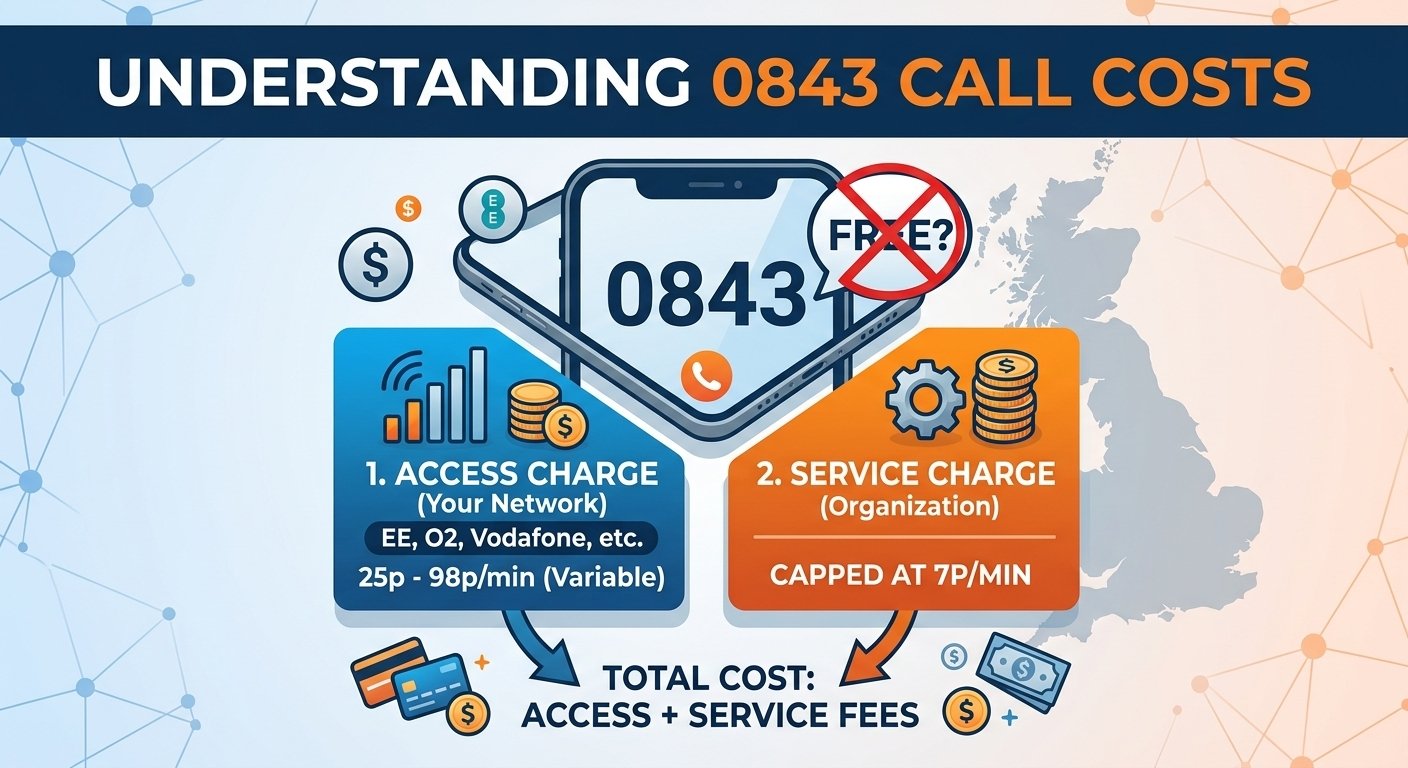
No, 0843 numbers are not free to call in the UK. The cost of calling an 0843 number is made up of two charges: an access charge set by your phone provider and a service charge set by the organization you are calling. Calls to 0843 numbers are generally not included in standard mobile or landline inclusive minutes. When you look at your handset and see who phoned me 0843, it’s usually a commercial company that uses a revenue-sharing communication line. It is important to estimate the exact cost of the 0843 numbers being evaluated before making a decision to call them back, as cellular network operators can charge almost a pound per minute for basic connectivity. Are 0843 Numbers Free Under Standard Telecom Regulations? To find out if are 0843 numbers free, it is important to know how telecommunications billing works in the country today. The pricing is divided into two segments: permanently, the connectivity fee and the corporate service fee are charged from the first second of your conversation. This hard financial separation means that your typical allowances or bundled monthly packages offer no financial protection against these particular commercial dials. Answering the common consumer query regarding are 0843 numbers free is straightforward when thoroughly reviewing official network policies, as no major operator waives these fees. A fundamental aspect of this transparent system ensures the service charge remains displayed prominently wherever the enterprise advertises its contact details. Customers must carefully combine that advertised corporate rate with their own network access rate to calculate the total final expense accurately. What Are 0843 Numbers Exactly? These specific contact lines are not geographic and are used for business purposes, not residential. The 0843 code is used by organisations to handle a large number of incoming calls at the same time, across multiple departments or even nationwide branches. The sophisticated digital system allows inbound communications to be seamlessly distributed across available support agents, regardless of their physical location, across the country. According to official Ofcom regulations established during the major 2015 UK calling modifications, the cost of calling service lines was completely overhauled to ensure total pricing transparency. This crucial historical fact confirms that regulatory bodies forced companies to publicly declare their service fees, effectively ending the previous era of hidden corporate contact expenses. Consequently, when investigating are 0843 numbers free, official government legislation confirms the permanent separation of access and service tariffs across all providers. The Split Charge Pricing Structure The access charge represents a completely variable connectivity fee dictated entirely by your personal network operator based on your specific monthly subscription package. The service charge constitutes a strict secondary tariff mandated directly by the receiving organization, capping at exactly seven pence per minute under current national regulations. How Much Does It Cost To Call 0843 Numbers? The question of whether 0843 numbers are free is a complex issue that requires a thorough understanding of the connectivity tariffs imposed by the major networks. The corporate service part is capped by regulators at up to seven pence per minute, while the access part is a wild card, depending on the network provider you choose and the type of contract you have. Pay-as-you-go users often have vastly different access speeds than premium monthly users on the same cellular network. You can easily verify these specific connectivity rates by checking your current price guide or visiting the official Ofcom website to thoroughly understand modern telecom billing structures. The comprehensive table below highlights the vast differences in access rates across major UK telecommunications providers as of August 2026. Added to the service charge above. Set by your own phone company: Provider Tariff Access charge EE Pay monthly 98p/min EE Pay as you go 44p/min Sky Mobile All plans 95p/min Vodafone Pay monthly 90p/min O2 Pay monthly 87p/min Vodafone Pay as you go 84p/min O2 Pay as you go 65p/min Three Pay monthly 65p/min Tesco Mobile All plans 55p/min Three New pay as you go 45p/min BT Landline (current plans) 31.05p/min giffgaff All members 25p/min Sky Talk Landline 15p/min Is 0843 An Area Code For A Specific City? One of the most common geographical misconceptions is when citizens try to identify the exact location of a 843 area code on a map. These numbers are not a town, village or county boundary, but rather a virtual, non-geographic overlay. Your call goes through cloud-based digital servers that ultimately end up at a specific business address anywhere in the country when you dial the 843 phone code. This special sequence is only used as a routing tool throughout the country and has no traditional regional associations like a standard landline structure. Therefore, the answer to the question are 0843 numbers free is not related to the actual geographical location of the active caller and the receiving organization’s headquarters. True area codes such as 01843 are completely different and are still associated with a local exchange. Geographic Alternatives And Confusing Codes The telephone code 01443 is a direct code for the Pontypridd area, meaning that all calls within the area are fully covered by the standard inclusive mobile minutes and there are no hidden charges. The area code 01503 connects callers to the Looe district securely, utilizing entirely traditional domestic billing structures rather than expensive non-geographic commercial tariffs. The phone code 01843 is a reliable representation for the Thanet area and is a good example of the fact that real regional phone codes never have secondary corporate service charges imposed on unsuspecting everyday consumers. The area code 01443 and the 01843 telephone code are clearly official local exchanges, based on official geographic numbering statistics provided by the UK telecommunications regulatory authority, and have a completely different billing structure to virtual commercial prefixes. Benefits Of 0843 Numbers For Businesses 1. Quick, free and easy to set-up Organizations have a wide range of digital packages to choose from seamlessly. You can proceed with any operational budget that is appropriate for your enterprise and meets your precise technical needs efficiently. Most virtual lines are installed in a 24 hour period without any physical visits from technicians as you can easily complete commercial orders online. These special communication lines will be installed for your firm at no up-front installation fee. The deployment costs of assessing are 0843 numbers are quite different from the active calling costs, and the initial system installation is still very affordable for corporate entities looking for professional upgrades. 2. Portability And National Presence These prefixes are non-geographical, meaning that you won’t have to update your company contact information if you move or expand to other countries. This crucial flexibility adds a lot of consistency to your external communications and can help build long-term trust with your existing consumer base, no matter where you are physically based. These digits in particular make it look like you run a big, established national business. You will attract a very appropriate and varied customer base by presenting a large corporate image, even if you are in the early stages of commerce or have a small agency. 3. Unique Routing And Comprehensive Analytics The simple fact that these sequences operate independently from any particular geographical region makes complex inbound routing exceptionally straightforward for network administrators. There are multiple advanced distribution options available, including simultaneous ring groups, dedicated out-of-hours forwarding rules, and sequential hunt groups to maximize workforce efficiency. The continuous provision of detailed analytical statistics comes in very handy to heavily support your advertising campaigns and overall corporate growth strategies. Whenever a customer dials in, your organization generates fractional revenue during each active conversation minute, successfully offsetting standard operational expenses continuously. Robust disaster recovery protocols also remain active, ensuring communication continuity during severe local infrastructure outages. Read More: Is Google Phone Number Free? How to Get a Free Google Phone Number with Google Voice Final Words Understanding the precise financial implications of non-geographic communication lines remains absolutely essential for modern consumers and business owners alike. Evaluating are 0843 numbers free saves significant frustration, as recognizing the strict separation between network access fees and corporate service fees prevents unexpected monthly billing surprises.  Always verify your specific mobile or traditional landline network provider rates meticulously before engaging in lengthy conversations with businesses utilizing these commercial prefixes. In the end, investigating are 0843 numbers free is a powerful way for consumers to make highly informed communication decisions and for modern corporations to streamline their vital customer service operations efficiently. Frequently Asked Questions Are 0843 numbers free? No. 0843 calls are never included in inclusive minutes: you pay your provider’s access charge and the service charge charged by the organisation you are calling. Service charges are usually between 0 and 7 pence per minute. Why do I get calls from 0843 numbers? Businesses typically utilize these lines for automated marketing campaigns, sales outreach, or customer service follow-ups. Since these prefixes can route multiple outbound dials efficiently, large call centers frequently adopt them for high-volume telemarketing purposes. What type of phone number is 0843? This sequence is a non-geographic corporate service line that is used only by businesses and organizations. It operates completely via cloud-based routing software and not to a particular physical landline within a local regional exchange. How much does it cost to call an 0845 number? Like other non-geographic prefixes, a network access fee and a corporate service fee apply to calls to this prefix. The final 0843 price will vary significantly depending on your telecom provider and your monthly subscription package. How to block 0843 numbers? These inbound dials are easily prevented by going to your smartphone’s recent activity log and choosing the contact information you want to block. Most modern cellular devices have built-in rejection features and landline users can use specialized network barring services from their provider. Do inclusive minutes cover 0843 numbers? No, never. This is the most costly miscommunication in the whole telecom industry about these particular commercial lines. The access fee and service fee is charged from the first second of connection, without any monthly package. How much is a 10 minute call to an 0843 number? FThe cost of a pay-monthly mobile with a premium access rate and top-band service fee easily runs to ten pounds. On the other hand, if you call from a regular domestic landline that offers the same service rates, you could pay much less, which is a perfect example of why your provider is important. Why is an organisation using an 0843 number? The main reasons why companies have these communication channels today are revenue generation and historical legacy. The underlying service fee creates additional revenue or pays for the high cost of maintaining a digital phone system for the enterprise. Are 0843 numbers free on EE? Absolutely not. As detailed clearly in current network provider tariffs, calling these business lines from an EE mobile device incurs a substantial access fee alongside the standard corporate service fee, completely bypassing any standard inclusive allowances.

Read More
what is pri

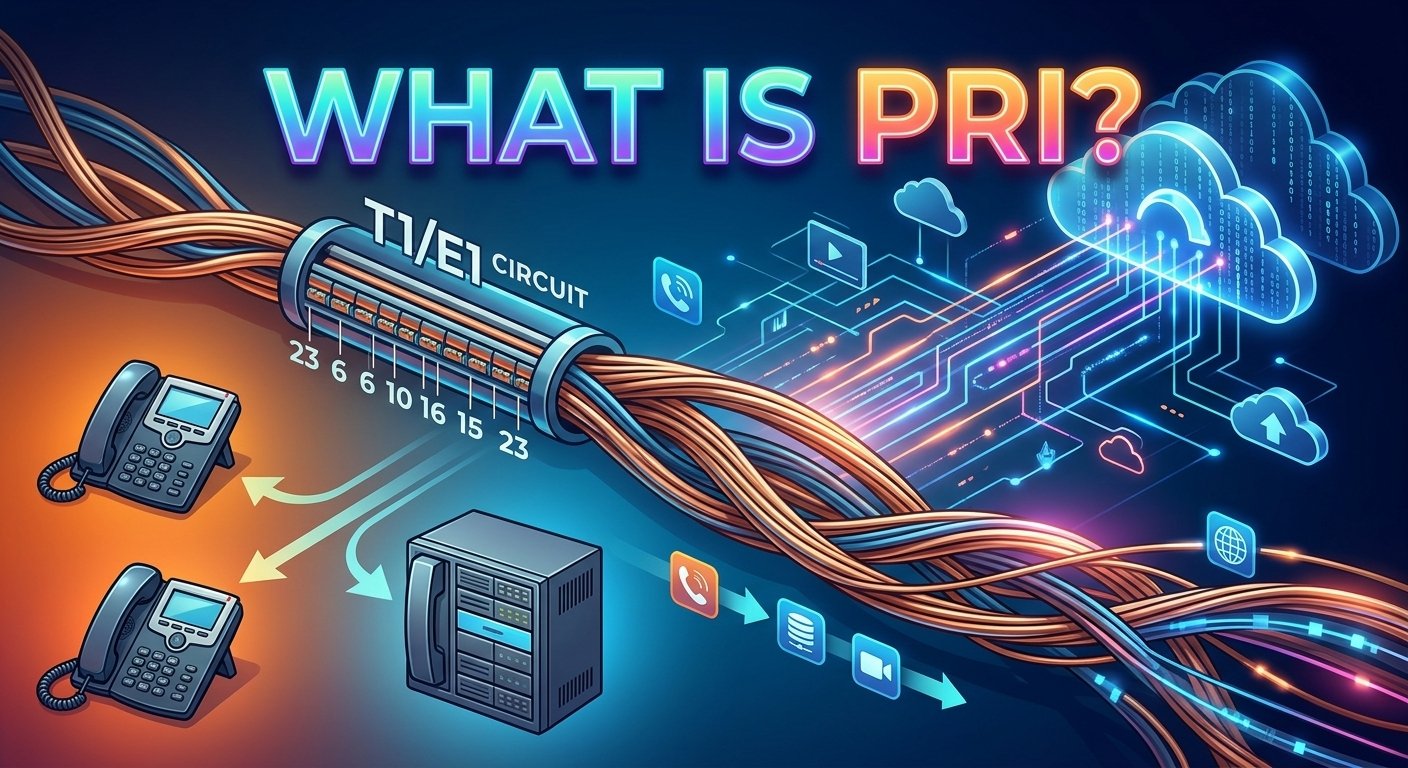
What is PRI? Guide about Primary Rate Interface

Once the absolute backbone of enterprise telecommunications, this legacy protocol is a digital connection linking a business telephone network to the public switched telephone network. By utilizing physical copper wires, it allows companies to transmit up to 23 simultaneous voice, data, or video calls over a single traditional line. Although these old physical circuits are quickly being replaced by modern cloud solutions, it is still incredibly important for network administrators to understand this classic phone pri technology. Let’s delve into the essentials, hardware capabilities, and the future trajectory of these configurations in the ever-evolving business landscape. What Is PRI? The first step to figuring out what is pri is to understand its basic structure. It is an acronym for Primary Rate Interface. It is a dedicated digital telephone line that connects enterprise telephone systems to the larger telecommunications network. A primary rate isdn is different from regular analog lines because it can carry several voice and data transmissions at the same time between two physical locations. Establishments requiring high volumes of concurrent communications, such as large hospitals or inbound call centers, relied heavily on this setup for decades to manage high traffic. These traditional networks offer strong, committed digital connectivity. A standard pri phone system provides a lot of physical capacity, fast data transfer, and integrated operations without the internet. While there are newer virtual technologies available, understanding the basic rate interface definition is useful for organizations to understand the evolution of modern telecommunications. To determine what is pri compatible, you need to consider your current hardware. Features of a PRI Line The physical characteristics of a pri circuit are essential to understanding the circuit. The architecture is complex and requires particular signal handling capabilities and wiring, which are different from standard consumer broadband. When people ask “what is pri?” they are often amazed by the technicality of it. Physically composed of two pairs of copper wires connecting the carrier network to the customer premises. Capable of transmitting 23 separate communications simultaneously, including pri voice, raw data, or video packets. Each channel inside the connection maintains a 64 kbps capacity for highly stable data transmissions. Highly adaptable hardware, working seamlessly with mixed EPABX setups or an IP PBX infrastructure. Readily joins two private branch exchange platforms together, instantly expanding available channels. How PRI Works The actual physical cable that connects your telecommunications equipment is categorized into two distinct formats: T1 and E1. According to historical technology records, the first major customer trial of an ISDN primary rate interface occurred in October 1987 through AT&T, proving its enterprise viability. The basic structure has not changed since then, using dedicated circuit-switched networks. This is one of the reasons why tech experts talk about what is pri when they explain it. A key element of this mechanism is direct inward dialing. This enables an outside caller to call an employee’s extension without going through a central receptionist. With dynamic channel allocation, a single pri trunk can support up to 50 employees, since it is highly unlikely that all the staff will be on the phone at the same time. Understanding what is pri scaling is understanding modular hardware additions. E1 T1 Used in Europe and Australia Used in North America and Asia Provides 64 Kpbs for data transmission Provides 64 Kpbs for data transmission Transmit and receive a rate of 2.048 Mbps Transmit and receive rate of 1.544 Mbps Physically contains two pairs of copper wires Physically contains two pairs of copper wires 32 total channels 24 total channels 30 channels used for voice, data, video 23 channels used for voice, data, video 2 channels are used for signaling 1 channel used for signaling Benefits of PRI Before the rise of broadband internet, relying on a pri primary rate interface offered massive advantages for large-scale operations. Organizations enjoyed enhanced capabilities that outmatched standard consumer landlines. Those who fully understand what is pri recognize these historical benefits. Cost Savings: Sharing physical circuits reduces monthly expenses compared to installing individual analog phone lines for every desk. Outstanding Call Quality: The all-digital transmission eliminates signal degradation, ensuring every basic rate interface interaction remains crisp and clear. Unmatched Reliability: Dedicated physical circuits minimize localized downtime, offering superior uptime compared to early internet-based communication tools. High Productivity: Advanced software-defined features like caller ID, secure conferencing, and dynamic call routing empower staff to handle interactions efficiently. Drawbacks of PRI Systems While it has a strong history, traditional hardware has its drawbacks in a cloud-first world. Physical copper lines are becoming more and more costly to maintain, and the hardware is not as agile as virtual platforms. Network capacity upgrades involve buying and installing all new equipment, not just clicking a button on a web dashboard. The hardware constraints are very apparent when assessing what is pri. Furthermore, major providers are actively phasing out these legacy networks globally. Studies and market analyses indicate a staggering 96% decrease in ISDN orders over the past decade as the telecommunications industry prepares for an inevitable network switch-off. Consequently, clinging to this aging framework exposes organizations to diminishing IT support, rising costs, and outright obsolescence. Alternatives To PRI As traditional physical networks are becoming a thing of the past, modern organizations need strong, long-term alternatives. The selection of the best alternative is largely dependent on existing infrastructure limitations, IT budget, and the volume of communications per day. 1. Analog POTS lines The simplest legacy format available is called Plain Old Telephone Service. It uses only one analog circuit, so only one conversation can take place at a time per line. This old format works well for small amounts of traffic but is not at all appropriate for scaling businesses. 2. SIP trunking SIP is a digital connection between your current private branch exchange and the internet. It doesn’t require any physical copper wires to be pulled into your building, but rather virtual data connections. This particular configuration significantly lowers physical maintenance expenses and provides scalable solutions for expanding teams. 3. Hosted VoIP Hosted Voice over Internet Protocol shifts the entire communication workload to off-site cloud servers managed by experts. The service provider handles all physical maintenance, core software updates, and server troubleshooting. This alternative removes the need for expensive on-premise hardware entirely, giving users incredible mobility. Hosted VoIP vs. PRI vs. SIP Trunking A direct comparison of the three major telecommunications strategies must be made in order to evaluate the three. To make informed IT budgets, it is important to understand what is pri compared to modern cloud tools. Feature PRI SIP Trunking Hosted VoIP Functionality Traditional digital phone lines to carrier’s PSTN Uses SIP protocol for voice calls over internet Cloud-based phone system hosted offsite by a provider Number of simultaneous calls Up to 23 Variable Variable Scalability Limited Scalable Scalable Flexibility Limited Flexible Flexible Cost Typically more expensive than SIP trunking or hosted VoIP Uses SIP protocol for voice calls over the internet Can be less expensive than PRI, but may vary depending on usage Equipment & maintenance Requires on-site legacy PBX system and hardware and maintenance Can reduce PRI/PSTN line costs by sending calls over the internet No on-site equipment required.<br><br>Hardware is minimal, just IP phones needed Startup costs The initial investments are highly dependent on the technology route selected. Hosted VoIP requires minimal up-front investment, as the provider provides the back-end servers. On the other hand, traditional copper-wire systems involve the purchase of physical interface cards, high-priced PBX equipment, and professional installation on site. Ongoing costs The long-term ROI of any enterprise communication platform is determined by monthly maintenance fees. Over time, traditional setups can add up to expensive long-distance charges and high maintenance costs. In the meantime, online options usually come with fixed monthly fees that include unlimited local calls and extensive software capabilities. Connectivity Overall system agility is determined by the physical needs to get online. Legacy architectures require several physical circuits to be directly connected to a server room. Cloud solutions and modern SIP configurations work completely over virtual connections and require only a very stable enterprise broadband connection. Backup and redundancy Disaster recovery separates mediocre networks from true enterprise-grade solutions. Virtual frameworks boast redundant remote hosting sites, automatically redirecting incoming traffic during local power outages. Physical networks remain highly vulnerable to localized physical damage, offering little backup capability. Business continuity Corporate communications should never be stopped by severe weather or regional physical disruptions. Cloud-based tools enable employees to instantly route their office numbers to mobile devices from anywhere. If the central physical hardware fails, on-premise setups simply can’t reroute traffic. Flexibility and upscaling Planning for exponential corporate growth requires a platform that expands frictionlessly. Adding capacity to a virtual system happens via an online portal in mere minutes. Expanding a traditional hardware configuration forces IT teams to order, wait for, and successfully install physical components. Call quality Clear and precise audio is critical when dealing with professional clients. Legacy digital networks provide reliable, clear sound without relying on broadband. But, modern internet protocols now offer high-definition sound quality that is equal to or better than older analog protocols. How To Choose the Right Business Phone System Choosing the right telecom strategy involves a comprehensive inventory of existing equipment and future growth plans. If your facility already has a large PBX that is paid for and has thousands of simultaneous local calls, then using the existing physical interfaces may still have a place for a short time. But, if you are stuck with legacy physical infrastructure, you are not very flexible when it comes to geographical location and remote work. Moving to a hosted configuration provides unparalleled organizational agility and complete disaster recovery. Intuitive web portals centralize management completely, eliminating the need for specialized on-site technicians. Virtual solutions are the absolute ultimate choice for most forward-thinking enterprises, as they do not have to purchase large equipment and can still receive regular software updates remotely. Simplify Your Communication Infrastructure An aging infrastructure is constantly consuming IT resources and limiting collaboration opportunities. Organizations can easily upgrade their entire audio and video conferencing environment by partnering with top cloud communication providers. Transparent pricing models eliminate unpredictable monthly maintenance fees and confusing service fees. Learning what is pri helps you realize why upgrading is necessary. Read More: Free Phone Number Lookup: How to Search a Phone Number? 2026 Guide Final Thought Understanding the basic rate interface and its larger enterprise counterpart is absolutely vital for grasping telecommunications history. While these dedicated copper systems fueled immense corporate growth for decades, their physical rigidity simply cannot match the demands of modern remote workframes. Transitioning toward agile, cloud-hosted platforms ensures long-term business continuity, drastically lower operational expenses, and a future-proof network architecture. FAQs What is PRI fundamentally? It is a standard digital interface that can be used to send several voice and data signals at once over the public switched telephone network via physical copper wires. What is a PRI circuit? It is a physical hardware connection, typically utilizing two pairs of copper wires, that directly links a company’s private branch exchange to the local carrier network. What is sip and PRI? SIP is a modern internet-based protocol for virtual call routing, whereas the older telecommunications standard relies entirely on physical copper wire circuits and localized hardware. What is a PRI line in telecommunications? It is a dedicated digital communication channel capable of transmitting 23 separate voice, data, or video interactions concurrently on a single physical cable. What does PRI mean for small organizations? It means having the robust capacity to handle dozens of simultaneous incoming calls without needing to purchase separate analog phone lines for every individual office desk. Is PRI considered an outdated legacy technology? Yes, it is largely considered legacy hardware today because global telecom providers are actively switching off their physical copper networks in favor of internet protocols. How do I PRI network components upgrade properly? You must completely replace or migrate the physical on-premise hardware to a modern cloud-based gateway to handle modern virtual traffic effectively. What is the difference between a PRI telephone and POTS? The modern digital interface handles up to 23 simultaneous digital interactions, while an older POTS setup only supports one single analog conversation at a time. Can a PRI system handle live video data? Yes, the 64 kbps data channels can be effectively used to send live video and other raw data formats in addition to regular corporate voice traffic.

Read More
Tree Phone

Tree Phone: How to Design and Use One Effectively

A tree phone system is an automated directory that guides callers through pre-recorded voice menus to reach the right department or information. Instead of relying on manual switchboard operators, this virtual receptionist uses keypad selections or voice recognition to route calls efficiently. When someone dials your business, the tree phone answers immediately, presents clear choices, and transfers the user based on their selection. Implementing this technology ensures a professional first impression, reduces wait times, and lowers operational costs. Mastering call flow design helps businesses handle high inbound volumes while significantly improving overall customer satisfaction and agent productivity. What Is a Tree Phone? A traditional tree phone is an automated menu system designed to direct inbound callers through a series of pre-recorded voice prompts. Instead of a human operator answering every single call, this technology allows consumers to navigate toward the correct department by selecting keypad numbers. Modern corporate communication heavily relies on this routing framework to manage high inquiry volumes efficiently without overwhelming staff members. By establishing a logical pathway for consumer interactions, companies can maintain a professional image while handling simultaneous connections effortlessly. Implementing this virtual assistant eliminates the need for expensive hardware or large teams of receptionists. Today’s cloud-based software platforms make configuring a tree phone incredibly simple for administrators of any technical skill level. The setup acts as the primary touchpoint for consumers, meaning getting the design right is crucial for brand reputation. Every second counts during customer interactions, and providing a seamless navigation experience prevents potential buyers from abandoning the line. Phone tree vs. IVR vs. auto-attendant Term Scope & Definition Key Capabilities / Limitations Role in Practice Phone tree The broadest term; refers to the overall menu structure and branching logic. Routes callers through a series of options based on their selections (typically button presses). Determines where the call goes. IVR (Interactive Voice Response) A more advanced, highly capable routing and interaction system. Understands natural spoken language (e.g., saying “billing” instead of pressing 2); connects to back-end databases to enable self-service (payments, lookups, tracking). Handles self-service operations. Auto-attendant The front-facing layer; the recorded voice, greeting, and initial menu prompt. Answers the call, presents options, and initiates routing. Limitation: Does not process spoken language or interact with external data. Answers the call and greets the caller. How Tree Phones Work? Operating much like a digital flowchart, a tree phone utilizes branching logic to filter inbound traffic toward the most relevant destination. Upon dialing, the user immediately hears a branded greeting followed by highly specific choices based on departmental functions or common service requests. Choosing a number pushes the individual down a specific branch, where the choices become progressively narrower until the final connection occurs. This structured methodology guarantees that complex inquiries reach specialized representatives while basic questions get answered through automated recordings. Many advanced configurations incorporate multilingual support or after-hours fallback protocols so that individuals always receive assistance regardless of the clock. Relying on intelligent routing mechanics ensures that the workload gets distributed evenly across available personnel. According to a comprehensive study by Gartner, organizations leveraging automated resolution frameworks reduce operational contact center costs by up to 30 percent annually. This impressive statistic highlights exactly why mapping out an effective architecture remains a priority for modern enterprise leaders. Examples of tree phones: Simple configuration: A two-level setup offering basic choices like sales or support before directly transferring the individual to those respective teams. Multi-level configuration: A complex three-tier architecture guiding individuals first to a broad category, then to sub-departments, and finally to a specialized technician. Self-service configuration: A highly interactive setup letting users input their secure account digits using the keypad to check billing statuses automatically. Benefits of Implementing a Tree Phone Fewer staff interruptions: Automatically filtering inquiries prevents irrelevant transfers and keeps agents focused on complex problem-solving tasks. Faster information delivery: Pre-recorded informational messages provide critical details around the clock, even when the primary office remains closed. Enhanced consumer experience: Providing a streamlined self-service pathway helps people reach appropriate solutions instantly, boosting overall satisfaction rates. Professional brand image: A properly structured tree phone makes small startups appear as large, established enterprises with dedicated support divisions. Nuisance call deflection: Automated prompts successfully block robocalls and spammers, keeping the internal communication lines entirely clear. Optimized voicemail management: Directing users to specific digital inboxes based on their selections makes transcription and follow-up much more organized. How to Build a Tree Phone (4 Simple Steps) Following a systematic approach ensures that every single variable gets accounted for before the system goes live to the public. By adhering to industry standards during the creation phase, developers can build an intuitive architecture that scales smoothly as the organization expands. 1. Identify your needs Identifying exact consumer requirements serves as the foundational element of any successful communication strategy. Analyzing historical data helps pinpoint the most frequent inquiries, such as billing discrepancies, technical glitches, or general product information requests. Understanding these primary drivers allows designers to prioritize the most important menu choices right at the beginning of the sequence. Anticipating caller intent ultimately reduces confusion and accelerates the overall resolution timeline significantly. 2. Define call flow Mapping out the actual pathway visually prevents structural errors from complicating the final user experience. Administrators should draft a logical diagram illustrating exactly how a person moves from the initial greeting down to the final resolution endpoint. This visual representation exposes potential bottlenecks or unnecessarily long pathways that might annoy the user. The primary objective remains delivering a frictionless journey that minimizes transfer rates and maximizes first-contact resolution metrics. 3. Record messages Producing high-quality audio files dictates how professionally your brand comes across to the external world. Studios should utilize clear, friendly voiceover talent while actively avoiding confusing technical jargon that might alienate everyday consumers. Since this audio serves as the definitive front door to the enterprise, the tone must perfectly reflect the underlying corporate values. Concise phrasing ensures that listeners absorb the instructions rapidly without needing to replay the entire sequence multiple times. 4. Test and refine Deploying the architecture internally before a public launch remains absolutely critical for catching hidden navigational flaws. Asking internal team members to dial in and navigate various scenarios provides invaluable feedback regarding audio clarity and logical flow. Based entirely on this internal audit, developers can tweak the tree phone settings to optimize performance further. Continuous refinement based on real-world testing ensures the ultimate deployment meets the highest possible quality standards. Best Practices for Using Call Trees Effectively Research published by Zendesk indicates that nearly 69 percent of modern consumers actually prefer utilizing automated self-service tools over speaking with live agents initially. Capitalizing on this preference requires businesses to deploy structures that are both highly intuitive and consistently reliable. 1) Keep it simple and clear Utilizing plain language throughout the recorded prompts prevents listeners from misunderstanding their available selections. Complex vocabulary or convoluted sentences drastically increase the likelihood of someone pressing the wrong digit by accident. Straightforward descriptions empower individuals to make immediate decisions without second-guessing their actions. The faster someone comprehends the menu, the faster they connect with the precise department capable of solving their exact dilemma. 2) Limit menu options and use multiple levels Restricting the primary menu to a maximum of five choices prevents cognitive overload and subsequent abandonment. When enterprises possess numerous departments, utilizing nested sub-menus proves much more effective than listing ten consecutive options aloud. Broad categories should always introduce the interaction, followed gradually by more granular selections as the individual progresses deeper. This layered methodology keeps the audio brief while effectively narrowing down the specific nature of the inquiry. 3) Offer a repeat option and allow for navigation Always providing a dedicated button to replay the audio acts as a vital safety net for distracted listeners. Ambient background noise frequently causes individuals to miss critical instructions, making a replay function absolutely indispensable. Additionally, allowing users to navigate backward to the previous menu prevents them from having to hang up and redial entirely. Flexible navigation mechanics demonstrate immense respect for the consumer while heavily reducing accidental misroutes. 4) Always provide a path to a live agent Forcing individuals entirely into automated loops without an escape hatch generates extreme frustration and negative brand perception. Certain complex scenarios simply require human intervention, meaning a direct line to an operator must exist within the primary menu. Offering a clear escape route, typically by pressing zero, reassures the caller that genuine assistance remains available if needed. If queues are exceptionally long, offering a scheduled callback alternative keeps satisfaction high while managing heavy traffic properly. 5) Regularly update your call infrastructure Reviewing the operational analytics of your tree phone quarterly highlights exactly where individuals experience difficulties or hang up prematurely. Seasonal volume shifts often require temporary adjustments to the routing logic to accommodate sudden spikes in specific departmental inquiries. Gathering qualitative feedback directly from the support staff reveals if misdirected connections are occurring frequently. Actively modifying the software based on this concrete data guarantees the infrastructure evolves alongside the shifting demands of the marketplace. Common tree phone mistakes (a quick diagnostic) Excessive choices: Presenting more than five initial selections transforms the interaction into a confusing memory test for the listener. Trapping callers: Failing to offer an immediate transfer to a human representative creates severe anxiety and immediate dissatisfaction. Outdated routing: Leaving inactive extensions or incorrect operational hours in the active system completely shatters brand credibility. Lengthy introductions: Forcing users to endure a massive corporate speech before revealing the keypad choices wastes valuable time. Buried selections: Hiding the absolute most popular inquiry reasons deep inside a complex sub-menu irritates frequent callers endlessly. Helpful Tree Phone Templates for Small Businesses Whether establishing a central directory, a dedicated technical queue, or a revenue-generating pipeline, starting with a template eliminates guesswork. Below are highly effective blueprints designed specifically to handle various corporate communication scenarios with maximum efficiency. 1. Standard tree phone template (script) Greeting during hours: “Thanks for dialing our enterprise. To assist you properly: Press 1 for Sales. Press 2 for Support. Press 3 for Billing. Press 0 for an operator. Press 9 to replay.” Unavailable protocol: “Unfortunately, nobody is available currently. Kindly leave your contact details, and we will return your inquiry shortly.” After-hours protocol: “You have reached us outside operating times. We are active Monday through Friday. Please leave a message.” Operator fallback: Pressing zero instantly connects the individual to the main reception desk. 2. Customer Support Tree Phone Template (script) Bilingual greeting: “Thanks for dialing our specialized assistance center. For English, press 1. Para español, oprima 2.” Core menu: “Press 1 for Technical Assistance. Press 2 for Order Tracking. Press 3 for Account Help. Press 0 for an agent.” Technical sub-menu: “For Hardware, press 1. For Software, press 2. To speak with a technician directly, press 0.” Queue management: “Current wait time is five minutes. To receive a callback, press 1. To continue holding, press 2.” 3. Sales Tree Phone Template (script) Promotional greeting: “Thank you for dialing our revenue team. We have a new promotion—press 9 to hear more. Otherwise, choose an option.” Sales menu: “Press 1 for New Purchases. Press 2 for Existing Orders. Press 3 for Product Details. Press 0 for a representative.” Routing logic: The system automatically matches the inquiry to the most qualified agent available on the floor. Fallback message: “All representatives are busy. To request a callback, press 1. To leave a voicemail, press 2.” Read More: How To Silence Unknown Caller iPhone: A Complete Guide Final Words Deploying a highly optimized tree phone entirely transforms how an enterprise handles incoming communication traffic daily. By thoroughly mapping out the logical pathways and recording crystal-clear audio prompts, businesses can eliminate bottlenecks and elevate satisfaction levels. The careful integration of this technology ensures that every single individual receives prompt, accurate assistance regardless of the time they dial. Continuously refining the architecture based on concrete analytics and staff feedback guarantees long-term operational success. Ultimately, investing the required effort into designing a flawless automated framework yields massive returns through increased staff productivity and happier consumers. Tree Phone FAQs What is a tree phone and how do I design one effectively? A tree phone is an automated voice directory that routes callers to specific departments using keypad inputs. You design one effectively by identifying core caller needs, mapping out a logical menu flow, recording concise prompts, and rigorously testing the setup before public deployment. What are mobile phone trees? These refer to automated routing systems specifically optimized for individuals dialing in from cellular devices. They feature exceptionally brief menus and SMS-fallback capabilities to accommodate the unique behaviors of mobile consumers. Can a 3 SIM be used in any phone? Yes, provided the mobile device is entirely unlocked and compatible with the specific network frequencies utilized by the carrier. Inserting the card into an unlocked handset immediately grants access to the provided cellular services. What do you call a digital routing menu? Industry professionals frequently refer to this technology as an automated attendant, an interactive voice response system, or simply a virtual receptionist. The terminology varies based on the exact complexity and digital capabilities of the software deployed. How do I create an automated directory? You create this digital architecture by purchasing a modern VoIP subscription, navigating to the administrator dashboard, and utilizing visual mapping tools. From there, you type or record your desired greetings and link each keypad digit to a specific user extension. Why is limiting menu choices important? Restricting selections prevents cognitive fatigue, ensuring the listener does not forget the earlier options presented. A concise list directly reduces accidental misroutes and vastly improves the overall speed of the resolution process. How often should an automated infrastructure be updated? Administrators should thoroughly audit and refresh their routing logic at least every quarter. Regular updates ensure the system properly reflects changing operational hours, new departmental structures, and seasonal volume fluctuations. Does this technology completely replace human operators? No, automated routing exists specifically to complement human workers by handling repetitive filtering tasks. Complex problem-solving and nuanced consumer interactions still require the empathy and critical thinking skills of a live representative. What happens if a caller presses the wrong button? A properly configured system always includes a designated button, typically the nine or star key, to replay the audio instructions. Furthermore, providing a zero-key fallback allows the individual to reset the interaction by speaking with a general receptionist.

Read More
omnichannel contact center

Omnichannel Contact Center: Meaning; How Companies Use It

An omnichannel contact center represents a modern approach to customer service by unifying multiple communication channels into one seamless platform. Consumers expect brands to be available on voice, email, social media, and text without ever losing conversation context. A robust omnichannel contact center solves this communication gap by integrating every touchpoint natively, empowering agents with complete interaction histories. Implementing such advanced systems elevates customer satisfaction while simultaneously boosting agent productivity. This centralized setup ensures that inbound inquiries route intelligently, saving critical time. Transitioning to an omnichannel cloud contact center transforms disorganized communication into a highly efficient, personalized customer journey. What Is an Omnichannel Contact Center? It is a unified customer service solution that integrates various communication platforms like voice, live chat, email, and social networks into a single dashboard. Consumers can smoothly transition between these mediums without having to repeat their issues to different representatives. Unlike separated communication strategies, an omnichannel contact center links every interaction centrally to eliminate isolated data silos. Consolidating interactions across all mediums grants support representatives a comprehensive view of the buyer journey. Providing this holistic perspective enables staff to deliver highly personalized support effortlessly. Agents access the exact context they need instantly, leading to faster resolution times, improved operational workflows, and stronger brand loyalty. Omnichannel customer experience example Imagine a user experiencing a technical glitch who initially attempts self-help but eventually initiates a live web chat. After explaining the situation, they request to transition to a voice call to clarify complex details with a human representative. The receiving representative instantly accesses the entire chat transcript alongside previous purchase histories. According to research from McKinsey, consumers regularly use three to five different mediums to resolve issues, and the vast majority desire effortless transitions between them. This seamless continuation prevents frustration and resolves the technical glitch swiftly. Benefits of Omnichannel Contact Centers Embracing a unified communication strategy yields substantial advantages for both organizations and their clientele. An omnichannel contact center provides the foundation for sustainable business growth. Frictionless journeys: Consumers switch effortlessly between text, email, and voice without reiterating their problems to multiple agents. Enhanced loyalty: Delivering consistent support turns standard interactions into positive experiences. A study by Aberdeen Group reveals that organizations utilizing unified strategies achieve a 91 percent year-over-year increase in client retention. Increased efficiency: Having a comprehensive interaction history readily available allows staff to resolve support tickets rapidly. Deep behavioral insights: Consolidated platforms capture valuable behavioral analytics across every digital medium for better decision-making. Controlled operational costs: Deploying self-help tools deflects routine inquiries, allowing staff to focus on complex tasks and reducing overhead. Key Features of Omnichannel Contact Center Software Cloud-powered platforms simplify intricate customer interactions by funneling them into a single centralized hub. Evaluating omnichannel contact center solutions requires looking for highly specific technical capabilities. 1) Cloud-based with a unified interface A successful strategy requires staff to move fluidly between mediums while retaining complete conversational context. Your chosen software needs an intuitive dashboard that delivers real-time data directly to the workforce. Agents should never struggle to locate historical records during a live interaction. Centralizing these records in a cloud-hosted environment facilitates remote work and ensures immediate access to previous interactions without relying on clunky third-party middleware. 2) Seamless integration between channels Consumer preferences shift rapidly, requiring businesses to adopt new platforms without disrupting daily workflows. Any capable call center omnichannel software must smoothly connect with existing business tools. This connectivity includes natively linking with existing databases, predictive dialers, and social media platforms. Consolidating reporting metrics across these integrated mediums ensures managers accurately forecast demand and pinpoint critical areas for workflow optimization. 3) Customer insights render personalized experiences Personalization plays a vital role in cultivating long-term brand loyalty among your consumer base. Providing relevant historical context helps staff tailor their responses to individual needs seamlessly. Agents require immediate visibility into past purchases, open support tickets, and recent product usage. Leveraging an ai omnichannel contact center solution further enhances this by conducting sentiment analysis during live conversations. 4) Intelligent routing of inbound requests Managing multiple inbound mediums demands sophisticated routing capabilities to maintain swift response times. Automatic call distribution directs inquiries based on availability, priority, and historical context. Deep crm omnichannel integration ensures that highly specific requests go straight to the most qualified department. Factoring in language fluency and technical certifications guarantees a precise match between the consumer and the representative. 5) Where does your CX strategy stand with AI? Artificial intelligence transforms standard support environments into proactive, highly efficient hubs. Assessing your current automation maturity highlights areas where machine learning could accelerate ticket resolution. Implementing conversational bots handles routine inquiries instantly, reserving human representatives for nuanced situations. This strategic deployment of automation directly improves the overall client experience while optimizing agent workload. 6) Integrated data across the customer journey Delivering a genuinely cohesive experience requires absolute visibility into every single digital touchpoint. Journey mapping allows managers to trace the exact path a user took before initiating contact. Tracking the complete pipeline from the initial marketing touchpoint to the final resolution builds a deeper understanding of consumer behavior. Connecting a dedicated data platform aggregates these diverse data points into one highly actionable profile. 7) Self-service options Empowering consumers to resolve minor issues independently boosts overall satisfaction while significantly reducing inbound ticket volume. A robust self-help portal forms the foundation of any modern support ecosystem. Providing access to comprehensive knowledge bases, frequently asked questions, and intelligent bots gives users immediate answers. Deflecting these basic requests allows skilled representatives to dedicate their time to high-value interactions. 8) Performance management and reporting Consolidated analytics supply management teams with actionable insights regarding workforce performance. Tracking historical trends highlights operational bottlenecks and opportunities for targeted coaching. Customizable dashboards display the exact metrics that align with overarching corporate objectives. Providing staff with access to their own performance data encourages continuous self-improvement and accountability. Top 5 Omnichannel Contact Center Software Selecting the ideal omni channel contact center software depends entirely on your specific organizational requirements and budget constraints. Nextiva: A unified communications provider offering an easy-to-use and scalable cloud-based omnichannel contact center solution. It is suitable for businesses of all sizes and provides complete features to manage customer interactions across multiple channels, including phone, email, chat, social media, and SMS. Genesys Cloud CX: A comprehensive and scalable cloud-based contact center platform. It is an excellent option for businesses looking for a wide range of features, including omnichannel routing, self-service options, automation, and analytics. Five9: A powerful, cloud-based contact center platform designed specifically for the enterprise market. Like Genesys, it offers a robust suite of features including omnichannel routing, self-service, automation, and analytics for businesses needing a highly scalable solution. Zendesk Sunshine: A customer relationship management (CRM) platform that seamlessly integrates with various contact center solutions. It helps businesses improve their customer service by providing a unified, single view of all customer interactions. Freshdesk Contact Center: An affordable and user-friendly cloud-based contact center solution tailored for small and medium-sized businesses (SMBs). It provides essential features such as omnichannel routing, self-service, automation, and analytics. Comparison of top omnichannel contact center software Solution Who It’s Best For Key Features Pricing Nextiva Businesses seeking an easy-to-use, all-in-one solution • Call recording • CRM integration • Live chat • Email management • Social media integration • Advanced reporting & analytics Starts at $75 per user per month Genesys Cloud CX Businesses needing a comprehensive and highly scalable contact center with advanced features • Workforce management • Skills-based routing • AI-powered self-service • Speech analytics • Customizable dashboards Starts at $75 (can be expensive for smaller businesses) Five9 Large enterprises requiring a powerful, customizable solution • WFO integrations • CTI integrations Starts at $175 monthly (excludes Voice on the digital-only and includes only Voice on the base plans) Zendesk Sunshine Businesses prioritizing a unified customer view across channels and leveraging existing CRM integrations • CRM data integration • Agent workspace • Multi-channel ticketing • Reporting & analytics Starts around $69/user/month (custom integrations may add cost) Freshdesk Contact Center Small and medium businesses seeking an affordable and user-friendly contact center solution • Ticketing system • Live chat • Call routing • Reporting & Analytics Starts at around $59/user/month Omnichannel vs. Multichannel Contact Centers Multichannel setups support diverse communication methods, but these platforms operate in isolated data silos. Consumers must repeatedly explain their situations whenever they switch from an email thread to a voice conversation. Conversely, a unified omnichannel contact center blends all data into one centralized dashboard. This modern structure empowers a single representative to manage inquiries across every available medium effortlessly, creating a vastly superior user experience. Functionality Multichannel contact center Omnichannel contact center Supports multiple channels ✔ ✔ Seamlessly switch between communication channels ✗ ✔ CRM integration for relevant customer data ✗ ✔ Real-time insights on customer activity ✗ ✔ One team can handle requests across all channels ✗ ✔ Call Center vs. Omnichannel Contact Center Traditional call centers rely exclusively on an omnichannel phone system to handle consumer inquiries. Support representatives spend their entire shifts answering phones and resolving issues verbally, entirely ignoring digital mediums. Modernized contact facilities encompass a much broader spectrum of digital communication pathways. A true omnichannel contact center facilitates interactions through text, video, live chat, and social applications, accommodating diverse consumer preferences efficiently. Implementing an Omnichannel Contact Center Executing this technological transition involves careful planning and structured deployment strategies to ensure absolute success. 1. Assess business needs and goals Begin by analyzing current interaction volumes across all existing communication mediums and identifying specific operational bottlenecks that are causing delays in your current support pipeline. Furthermore, determine the exact service levels required to meet your overarching corporate objectives. 2. Evaluate technology and integration requirements You must audit your current technological infrastructure to identify necessary API connections and verify that prospective software flawlessly syncs with your established ERP systems. Additionally, it is essential to confirm that the platform supports every digital medium your target demographic prefers. 3. Develop an omnichannel strategy Start by mapping out the ideal consumer journey from initial contact to final resolution, and then define strict protocols for routing inquiries between different specialized departments. Finally, establish clear guidelines to maintain brand voice consistency across all digital platforms. 4. Plan for agent training and workforce management Be sure to design comprehensive educational modules that thoroughly cover the new unified interface, and train your representatives on effective communication techniques for text-based interactions. Alongside this training, implement advanced scheduling algorithms to ensure adequate staffing during peak traffic hours. 5. Consider budget and ROI Carefully calculate the total cost of software licensing, initial deployment, and ongoing maintenance. Once these costs are established, estimate the potential financial savings generated by deflecting routine inquiries through automation, and project the revenue increase associated with higher client retention and improved satisfaction scores. 6. Develop a phased implementation plan To minimize operational disruption, prioritize launching the most critical communication mediums first and gather extensive feedback from both staff and consumers during this initial rollout phase. Once the core system stabilizes, you can gradually introduce advanced features like sentiment analysis. 7. Continuously monitor and optimize Track key performance metrics on a daily basis to ensure the new system meets expectations, and continually solicit feedback from end-users to rapidly identify any minor usability issues. As conditions change, adjust your routing algorithms regularly to reflect shifting consumer demands and seasonal traffic spikes. Omnichannel Contact Center Best Practices Establishing a highly effective omnichannel contact center strategy requires consolidating behavioral data into a singular view. Accessing this holistic profile allows representatives to anticipate needs before the consumer even explains them. Monitoring shifting consumer preferences ensures your organization adapts rapidly to emerging digital platforms. Maintaining a careful balance between automated bots and empathetic human representatives guarantees consistently high-quality resolutions across your entire support network. The Future of Customer Support Is Omnichannel Forcing clientele through a single point of contact limits growth and frustrates active users. Equipping staff with a multi channel call centre alternative that actively syncs data sets a new standard for excellence in service delivery. Gradually introducing new digital pathways allows your organization to scale operations gracefully without overwhelming your workforce. Adopting this unified philosophy guarantees your brand remains competitive in a rapidly evolving digital landscape. Read More: Best Free Conference Call Services Compared (2026) Final words Upgrading to a sophisticated omnichannel call center solution represents a necessary evolution for modern businesses. Providing frictionless, highly personalized interactions directly boosts long-term revenue and brand advocacy among your core demographic. Organizations prioritizing seamless communication will inevitably outperform competitors relying on disjointed, legacy systems. Investing in a robust omnichannel contact center today secures operational efficiency, reduces overhead costs, and guarantees elevated customer satisfaction for years to come. Faqs What makes the best omnichannel contact center essential for mastering customer support? It is essential because it completely unifies all communication pathways, allowing organizations to deliver personalized, frictionless support that elevates overall user satisfaction. What is omnichannel customer support? This refers to a unified approach to service where every communication platform integrates seamlessly, allowing consumers to switch mediums without losing conversational context. What does “omnichannel” mean? It signifies an integrated methodology where all individual platforms, channels, and devices operate collaboratively to provide a singular, consistent user experience. What is an omni channel service? It is a business strategy that connects disparate communication touchpoints into one cohesive environment, empowering representatives to access complete interaction histories instantly. What is an example of an omnichannel? A user initiates a support request via social media, later transitions to a web chat, and finally calls a representative who immediately possesses the full history of the previous two interactions. What is an omnichannel call center? It is an upgraded support facility that handles inbound and outbound communications across voice, email, text, and chat from a single centralized software dashboard. How does omnichannel contact center software improve efficiency? It improves efficiency by eliminating the need for staff to toggle between different applications, automatically routing tickets, and providing complete contextual data immediately. What is the difference between an omnichannel and a multichannel contact center? A multichannel setup offers various contact methods that operate entirely independent of one another, whereas a unified setup syncs all data seamlessly across every available medium. How does AI impact an omnichannel cloud contact center? Artificial intelligence accelerates issue resolution by powering intelligent bots for self-service, conducting real-time sentiment analysis, and automatically routing complex tickets to the most qualified staff.

Read More
Inbound Call Center

Inbound Call Center: A Complete Guide

An inbound call center is a specialized hub designed to handle incoming communications from clients seeking assistance, technical support, or product inquiries. Establishing a highly efficient inbound call center is fundamental to delivering exceptional service and ensuring long-term client retention. When buyers reach out, they expect swift, accurate, and empathetic responses. By optimizing your internal operations and equipping agents with cutting-edge tools, organizations can transform standard interactions into meaningful brand-building opportunities. Mastering these conversations reduces wait times, skyrockets satisfaction rates, and creates a seamless experience. The strategies outlined here will elevate your entire customer care approach effortlessly. What is an inbound call center? A dedicated department focused strictly on receiving incoming communications defines the core inbound call meaning perfectly. Modern consumer demands require businesses to maintain a highly responsive inbound contact center capable of addressing inquiries across various channels simultaneously. Agents working in this environment act as the primary point of contact for resolving complaints, guiding users through complex software, and providing detailed product information. This ecosystem often relies on robust inbound call center systems to efficiently route incoming traffic to the most qualified representatives available. According to the Zendesk Customer Experience Trends Report 2026, seventy percent of consumers believe there is a clear gap between companies that leverage intelligent technology effectively in support environments and those that fail to adapt. Utilizing top-tier software call center inbound tools allows your team to meet these rising expectations seamlessly. Integrating advanced routing capabilities ensures that every inbound call service request reaches an expert capable of delivering an immediate resolution. Inbound vs. outbound call center: What’s the difference? Feature / Characteristic Inbound Call Center Outbound Call Center Origin of Communication Initiated directly by the consumer. Initiated by the call center agent. Approach Reactive: Agents receive incoming messages and calls to assist. Proactive: Agents reach out to target prospects and customers. Primary Function Customer support, answering questions, and problem-solving. Telemarketing, lead generation, and market research. Main Objectives Promptly addressing user concerns and ensuring high satisfaction scores. Driving new revenue streams through aggressive outreach. Business Impact Focuses on client retention and building brand loyalty. Focuses on acquiring new customers and expanding sales. Inbound call center services: What do businesses use inbound call centers for? Companies across all industries leverage an integrated contact center to streamline their daily communication workflows efficiently. Deploying an effective inbound call management system allows enterprises to segment incoming traffic into specific functional departments based on the caller’s distinct needs. This logical division of labor significantly enhances overall operational efficiency. Customer service Handling general inquiries remains the most recognized function of any global inbound service operation today. Buyers expecting rapid assistance frequently dial the customer service inbound hotline to report damaged goods, modify existing orders, or request refunds. A well-equipped inbound customer contact center empowers representatives to resolve these daily challenges swiftly while maintaining a positive brand image. Industry research emphasizes the importance of resolving issues on the very first attempt to maximize satisfaction. A study by the SQM Group revealed that for every one percent improvement in first contact resolution rates, businesses experience an identical one percent increase in overall client satisfaction scores. Equipping your inbound call center agent with comprehensive knowledge bases directly contributes to achieving these critical performance metrics. Marketing and inbound sales (people responding to your marketing) Promotional campaigns frequently generate a massive influx of potential buyers eager to learn more about advertised products. Whenever television commercials or online advertisements prompt viewers to contact a business directly, a specialized inbound call solutions team stands ready to process those inquiries. These representatives expertly transition curious callers into paying clients by answering specific product questions. Organizations utilizing inbound call center services often train their staff to cross-sell complementary items during these interactions organically. By leveraging an intuitive inbound call center platform, marketing directors can seamlessly track which specific advertisements generate the highest volume of profitable incoming traffic. This collaborative approach aligns promotional spending directly with verifiable conversion rates. IT help desk Technical troubleshooting represents a critical function for companies offering complex software platforms or electronic devices. When users encounter system failures or require assistance configuring new applications, they depend on an inbound customer service call center to provide immediate technical relief. To deliver superior technical assistance consistently, organizations implement specific structural methodologies: Tiered support levels to categorize technical requests based on complexity and required expertise. Screen sharing applications allowing representatives to diagnose software glitches in real time. Automated ticketing platforms that track ongoing issues until a definitive resolution is achieved. Feedback Gathering actionable insights from active users allows companies to continuously refine their operational strategies and product offerings. An established inbound contact centre frequently processes calls from individuals eager to share their recent experiences, whether exceptionally positive or notably negative. Capturing this qualitative data requires agents possessing strong active listening skills and genuine empathy. Advanced inbound call center technology simplifies the process of cataloging this feedback systematically for future analysis. Supervisors often review these recorded inbound calls to identify recurring product flaws or pinpoint areas requiring immediate procedural improvements. This ongoing feedback loop proves essential for businesses striving to maintain a competitive advantage in crowded consumer markets. Finance Billing discrepancies and payment processing errors inevitably prompt users to contact the appropriate financial department for clarification. Implementing dedicated call center services inbound guarantees that sensitive monetary inquiries receive the focused attention they demand. Representatives handling these specific channels must strictly adhere to compliance regulations while explaining complex invoice structures clearly. Clients contacting the finance department typically experience heightened anxiety regarding their personal funds or account statuses. A reliable inbound contact center solution ensures these highly sensitive interactions remain secure, private, and fully compliant with international data protection standards. Resolving financial disputes efficiently prevents minor misunderstandings from escalating into severe customer churn. How to choose the right inbound call center solution Selecting the perfect technological infrastructure requires a comprehensive evaluation of your current operational bottlenecks and anticipated future growth. Decision-makers must prioritize software offering exceptional scalability, allowing the communication framework to expand seamlessly alongside the company. A premium inbound cloud contact center eliminates the need for expensive physical hardware while granting staff the flexibility to work remotely. Evaluating potential vendors demands a structured approach to guarantee maximum return on technological investments: To ensure the chosen platform meets all your operational needs, you must analyze your anticipated traffic volume to prevent crashes during peak seasonal spikes, confirm flawless synchronization with your existing customer relationship management tools, investigate available AI enhancements like conversational analytics and automated transcription, and verify the provider’s technical support guarantees for comprehensive assistance during unexpected outages. Inbound customer service and sales: Hints and tips to get it right Optimizing daily performance requires a strategic blend of technological innovation and continuous workforce development. Implementing these refined management techniques will significantly boost your overall productivity levels. 1. Monitor your metrics regularly Maintaining absolute visibility over your daily operations is critical for identifying hidden inefficiencies before they escalate. An advanced inbound call center system continuously tracks essential key performance indicators like average handle time and abandonment rates. Leadership teams must review these statistics daily to adjust staffing schedules and optimize internal routing protocols accordingly. Consistent metric monitoring reveals profound insights into individual workforce performance and broader consumer trends. When supervisors utilize a sophisticated inbound calling solution, they can easily identify which specific team members require additional training resources. This proactive approach to workforce management dramatically improves overall service quality and boosts team morale. 2. Deflect calls where you can Reducing the burden on live representatives involves implementing intelligent self-service pathways for highly repetitive inquiries. Providing a comprehensive knowledge base or deploying interactive voice response menus allows users to resolve minor issues independently. This strategic deflection significantly lowers the total volume of routine inbound calls flooding your communication channels daily. Deflection strategies ensure that your highly skilled workforce remains completely focused on resolving complex challenges requiring human empathy. Whenever an organization partners with an outsource inbound call center services provider, implementing these self-service barriers maximizes the efficiency of every billable minute. Empowering clients to find their own answers ultimately yields faster resolutions and higher satisfaction scores. 3. Automate live coaching Real-time guidance technology revolutionizes how supervisors develop their staff during active client interactions. Artificial intelligence tools monitor ongoing conversations and instantly display relevant troubleshooting steps directly onto the representative’s screen. This immediate support mechanism prevents newly hired personnel from struggling when confronted with unfamiliar product inquiries. Automated coaching tools dramatically reduce the time required to onboard new team members effectively. Instead of memorizing dense product manuals, agents receive contextual assistance precisely when the conversation demands specific technical knowledge. Leveraging this cutting-edge inbound contact center technology guarantees that every interaction remains professional, accurate, and highly efficient. Read More: Is Google Phone Number Free? How to Get a Free Google Phone Number with Google Voice Final Words Establishing a world-class support environment requires significant dedication, continuous technological investment, and a profound understanding of modern consumer expectations. Optimizing your entire communication infrastructure ensures that every client interaction reinforces long-term brand loyalty and trust. The strategic integration of automated routing, real-time coaching, and comprehensive metric analysis transforms ordinary support departments into powerful revenue-generating assets. Organizations must continually adapt their operational frameworks to meet the ever-changing demands of the global marketplace. Whether you manage an internal team or utilize specialized inbound call center outsourcing, maintaining a relentless focus on rapid problem resolution remains non-negotiable. Embracing these advanced methodologies guarantees your business will consistently deliver extraordinary experiences that easily outshine industry competitors. FAQs What makes an inbound call center different from an outbound one? Handling client-initiated contact defines the primary function of this environment, focusing entirely on resolving active inquiries or technical issues. Conversely, outbound facilities rely on representatives proactively dialing out to generate new leads, conduct extensive market research, or close pending sales. What features are essential for effective inbound call center operations? Implementing intelligent routing protocols, automated call distribution, and comprehensive analytical dashboards guarantees smooth daily operations. Additionally, seamless integration with existing customer relationship management software ensures representatives possess immediate access to vital historical account data. How should I structure call flows to reduce wait times and improve resolution rates? Deploying interactive voice response menus allows users to select their specific issue category before speaking with anyone. This preliminary categorization ensures the system routes the individual directly to the most appropriate departmental expert immediately. How can AI help inbound agents provide a better customer experience? Artificial intelligence analyzes spoken conversations in real time to automatically display relevant product documentation directly on the representative’s monitor. This instant guidance drastically reduces hold times and prevents agents from transferring frustrated users multiple times. What is an inbound call center? A centralized department specifically configured to receive and process incoming communications from buyers requiring immediate assistance. These facilities manage various digital channels simultaneously to ensure every user receives prompt and accurate support. How to answer an inbound call? Representatives must consistently greet the individual warmly while immediately stating their name and the company title clearly. Maintaining an empathetic tone while actively listening to the presented issue ensures the interaction begins on a highly positive note. What skills are needed for inbound calls? Active listening, profound patience, and exceptional problem-solving capabilities remain absolutely vital for anyone working in this demanding field. The ability to navigate complex software swiftly while maintaining a friendly conversational tone also dictates long-term professional success. Why is first contact resolution crucial for inbound operations? Resolving an issue during the initial interaction prevents frustrated users from repeatedly clogging the communication queue with identical complaints. Achieving high resolution rates drastically lowers operational costs while simultaneously skyrocketing overall brand loyalty. What is incontact? A cloud-based communication platform designed to streamline incoming traffic routing and enhance overall workforce management capabilities seamlessly. Organizations utilize this specific software to unify their various digital messaging channels into one easily manageable interface.

Read More
automated phone system

Automated Phone System: Key Benefits and Examples

An automated telephone system is a highly advanced digital communications tool that manages inbound and outbound calls seamlessly without human intervention. By utilizing predefined routing rules, interactive voice response, and artificial intelligence, this setup answers callers, plays pre-recorded messages, and directs individuals to the correct department immediately. Implementing an automated telephone system helps modern businesses reduce long wait times, lower daily operational costs, and boost overall workforce productivity significantly. Rather than relying heavily on live agents for repetitive administrative tasks, companies use an automatic phone system to ensure continuous, reliable customer support. This technology eliminates common communication bottlenecks and provides meticulously organized call management for organizations of any size. What Is an Automated Phone System (ATS)? An automated telephone system serves as an intelligent virtual receptionist capable of processing and directing customer inquiries efficiently. This platform relies on advanced software algorithms, speech recognition, and natural language processing to determine caller intent accurately. Understanding what is an automated system involves recognizing its unique ability to minimize live agent workloads during initial conversational interactions. Many enterprises deploy a cloud-based automated system phone network to maintain stable performance across entirely distributed remote work environments. According to recent economic studies published by industry researchers, outdated communication infrastructures cause United States businesses to lose up to 1.8 trillion dollars annually in productivity due to repetitive manual tasks. Outdated legacy technology heavily drains corporate resources and dramatically decreases core employee efficiency.Replacing these obsolete frameworks with a modern automated phone system for business prevents this massive financial waste. A reliable phone automation system allows staff members to focus on complex problem-solving rather than basic call routing. Key Features of an Automated Telephone System Selecting the best auto attendant phone system requires evaluating several core functionalities designed specifically to streamline daily operations. These built-in tools handle large caller capacities effortlessly and maintain a highly professional auditory image for your growing brand. 1. Auto-attendant and conversational IVR A virtual receptionist instantly greets incoming callers and provides a structured auditory menu to navigate various internal departments smoothly. Utilizing conversational artificial intelligence enables this voice automated system to comprehend spoken requests naturally and accurately. These advanced software capabilities ensure direct callers connect with appropriate resources quickly without requiring immediate human assistance. 2. Automated call routing Directing individuals to the exact right destination forms the absolute backbone of any automated phone calling service. The software analyzes touch-tone keypad inputs or speech commands to forward the active connection perfectly. This critical automated call routing system prevents callers from experiencing frustrating transfer loops between incorrect organizational departments. 3. Call queuing Managing extreme traffic volumes effectively requires an organized digital method to place individuals on a virtual waitlist. A robust automated voice call system updates waiting customers regarding their exact estimated hold times automatically. Many contemporary setups offer intelligent callback features so people can retain their exact queue position without staying actively on the line. 4. Self-service options Empowering customers to resolve routine daily tasks independently drastically reduces the heavy burden on your dedicated support staff. Callers easily check account balances or process payments through secure encrypted pathways within the automatic call system. These convenient automated telephone service alternatives improve overall resolution speeds across multiple global communication channels. 5. Voicemail management Capturing detailed messages accurately remains absolutely vital when representatives are temporarily unavailable to accept incoming network connections. Modern business phone systems with auto attendant transcribe audio recordings into readable text formats instantly. This specific functionality guarantees that critical caller details reach the intended recipient seamlessly for rapid outbound follow-up. 6. After-hours routing Maintaining communication workflows outside of standard operating times prevents missed revenue opportunities and heavily frustrated clients. Custom rules configured within your auto attendant phone systems direct night-time inquiries to specialized voicemails or external answering services. This after-hours feature provides a continuous safety net for global organizations handling diverse international time zones. 7. Call analytics and reporting Tracking specific operational performance metrics provides invaluable empirical insights into daily communication strengths and hidden weaknesses. Supervisors monitor interaction durations, caller abandonment rates, and menu usage trends through the automated telecom software dashboard. Analyzing this quantitative data highlights exact workflow areas where management teams must improve their overarching communication strategies. Top 5 Business Benefits of an Automated Telephone System Integrating these communication platforms transforms exactly how growing organizations interact with their consumer base daily. Improved efficiency: Automating routine administrative duties completely frees your human staff to handle highly complex customer support issues effectively. Deploying an automated phone answering system eliminates the constant tedious need for manual call transfers across different departments. Reduced costs: Lowering the reliance on physical receptionists significantly cuts down on fundamental overhead expenses related to continuous live staffing. Exploring automated outbound calling benefits for businesses allows marketing teams to execute large telemarketing campaigns affordably. 24/7 availability: Offering continuous system support ensures that international clients always receive prompt assistance regardless of their specific geographic location. Implementing a reliable automated phone messaging system effortlessly captures urgent leads generated well outside of standard working hours. Improved customer satisfaction: Decreasing initial wait durations thoroughly prevents caller frustration and sets a highly positive tone for the entire conversation. Intelligent automated call services can independently resolve a vast majority of basic inquiries without demanding human intervention. Data-backed customer insights: Evaluating detailed interaction logs helps network administrators identify exactly where callers experience friction within the automated line. Monitoring frequent conversational topics processed by the automated voice system allows product development teams to spot emerging market trends quickly. Use Cases for an Automated Phone System Busy medical practices utilize an automatic telephone answering system to manage secure appointment bookings and send proactive visit reminders automatically. Large online retailers deploy a dedicated automated phone calling system to handle massive order status inquiries during peak holiday shopping seasons. Software development companies rely on a sophisticated automated answering system to rapidly triage technical support tickets based on absolute urgency levels. Financial banking institutions implement highly encrypted attendant auto phone systems to process sensitive customer bill payments completely safely. Charitable nonprofit organizations execute massive donor outreach programs using automated calling technologies to connect with widespread global networks seamlessly. 4 Examples of Automated Phone System Providers Provider Key Features Best For Nextiva Multi-level directories, advanced analytics, unified communications Small to medium enterprises needing a highly reliable automated operator. RingCentral Video integrations, robust CRM syncing, conversational intelligence Larger corporations seeking comprehensive automated phone systems for small business expansion. Grasshopper Custom professional greetings, virtual numbering, straightforward voicemail transcription Solopreneurs requiring a very simple yet professional auto call system. Aircall Power dialers, real-time coaching tools, deep helpdesk application connections Sales teams needing an aggressive auto calling system to heavily boost conversions. How To Choose the Right Automated Telephone System Selecting the perfect telecommunications architecture requires a methodical evaluation of your current operational status and future business objectives. 1. Conduct a communication audit Calculate your average daily incoming call volume to deeply understand the exact network capacity requirements for automated phone calls for business. Identify specific recurring workflow bottlenecks to determine exactly what do you call the automated phone system features you genuinely need most. 2. Set your must-have capabilities Document absolutely vital technical requirements like artificial intelligence virtual agents, real-time sentiment tracking, and specialized automated phone answering tools. Prioritize specific functionalities that directly resolve the exact pain points identified during your initial organizational communication review. 3. Review your network infrastructure Test your existing broadband internet connection thoroughly to ensure it easily supports a cloud-based phone system for call center without noticeable audio latency. Configure your local office routers to prioritize voice traffic, completely preventing dropped connections during unusually busy operational periods. 4. Check integrations and ease of use Verify that the prospective automated telephone calling system syncs perfectly with your current customer relationship management software database. Request a live software demonstration to completely confirm your staff can easily navigate and modify the automated phone tree independently. 5. Calculate Total Cost of Ownership Evaluate the complete vendor pricing structure, including monthly licensing fees, hidden software onboarding costs, and premium system feature upgrades. Factor in the potential financial savings generated by massively improved workforce productivity when assessing the overall return on investment. 6. Plan for future scalability Choose a software provider that readily allows network administrators to add or remove user seats instantly based on fluctuating seasonal staffing demands. Ensure the chosen automated call systems inherently support international virtual numbers to effortlessly accommodate eventual global market expansion. Read More: Is Google Phone Number Free? How to Get a Free Google Phone Number with Google Voice Final Words Transitioning to a sophisticated digital communication platform represents a critically crucial step toward achieving lasting organizational excellence. The strategic deployment of an automated telephone system entirely eliminates traditional communication bottlenecks and guarantees every single caller receives immediate, professional attention. Embracing this massive digital transformation comprehensively empowers your entire workforce to operate efficiently while delivering exceptional consumer service experiences consistently. Companies that thoughtfully upgrade their underlying telecommunications infrastructure inevitably secure a formidable, highly profitable competitive advantage in today’s rapidly evolving corporate landscape. Automated Telephone Systems FAQs What are the top benefits of an automated telephone system? The primary advantages include significantly improved operational efficiency, heavily reduced labor costs, and reliable around-the-clock availability for incoming inquiries. Implementing this specific technology ensures customers always receive immediate assistance, which drastically boosts overall brand satisfaction and long-term loyalty. How much does an automated telephone system cost? Software pricing varies widely depending on specific premium features and active user counts, typically ranging from fifteen to fifty dollars per user monthly. Advanced enterprise packages requiring extensive customized integrations will naturally command significantly higher recurring subscription fees. How do I automate my phone? You begin by selecting a highly reputable cloud-based telecommunications provider offering built-in intelligent routing and interactive voice response capabilities. Administrators can then map out communication workflows, record professional greetings, and establish specific distribution rules through an intuitive online dashboard. How to get past automated phone systems? Frustrated callers frequently press the zero key repeatedly or explicitly speak the word representative to bypass digital menus instantly. Certain network configurations also detect prolonged background silence, which automatically triggers a default transfer directly to the primary human support queue. Can you automate phone calls? Organizations routinely utilize dedicated outbound software to pre-record detailed voice messages and dispatch them to specific contact lists automatically. This highly proactive outreach method proves incredibly effective for delivering urgent global notifications, automated appointment reminders, and promotional updates simultaneously. What is the main difference between an auto attendant and IVR? An auto attendant functions primarily as a basic digital directory that transfers individuals based strictly on simple touch-tone keypad inputs. Interactive voice response dynamically engages with users by actively accessing external databases to resolve complex queries without needing live staff intervention. Do small businesses genuinely need automated telecom setups? Small enterprises benefit immensely from these digital setups because the technology clearly projects a highly professional corporate image regardless of actual staff size. The software completely prevents missed revenue opportunities by capturing critical inquiries and directing valuable leads even when business owners are completely unavailable. How secure is a modern automated call routing system? Leading telecom vendors actively implement rigorous end-to-end encryption protocols and maintain strict legal compliance with global data privacy regulations to protect sensitive information. Regular third-party security audits strictly ensure internal communication channels remain entirely safe from unauthorized external access or malicious hacking attempts. What equipment is required to run automated phone services? Modern cloud-based solutions require absolutely minimal physical hardware since the core digital processing occurs entirely on the vendor servers via stable internet connections. Employees can securely access the entire network using standard desktop computers, dedicated internet protocol phones, or integrated mobile smartphone applications.

Read More
Scroll to Top