Latest News

The Blog

voip blogs

Difference Between SIP and VoIP: The Future of Business Phones Explained

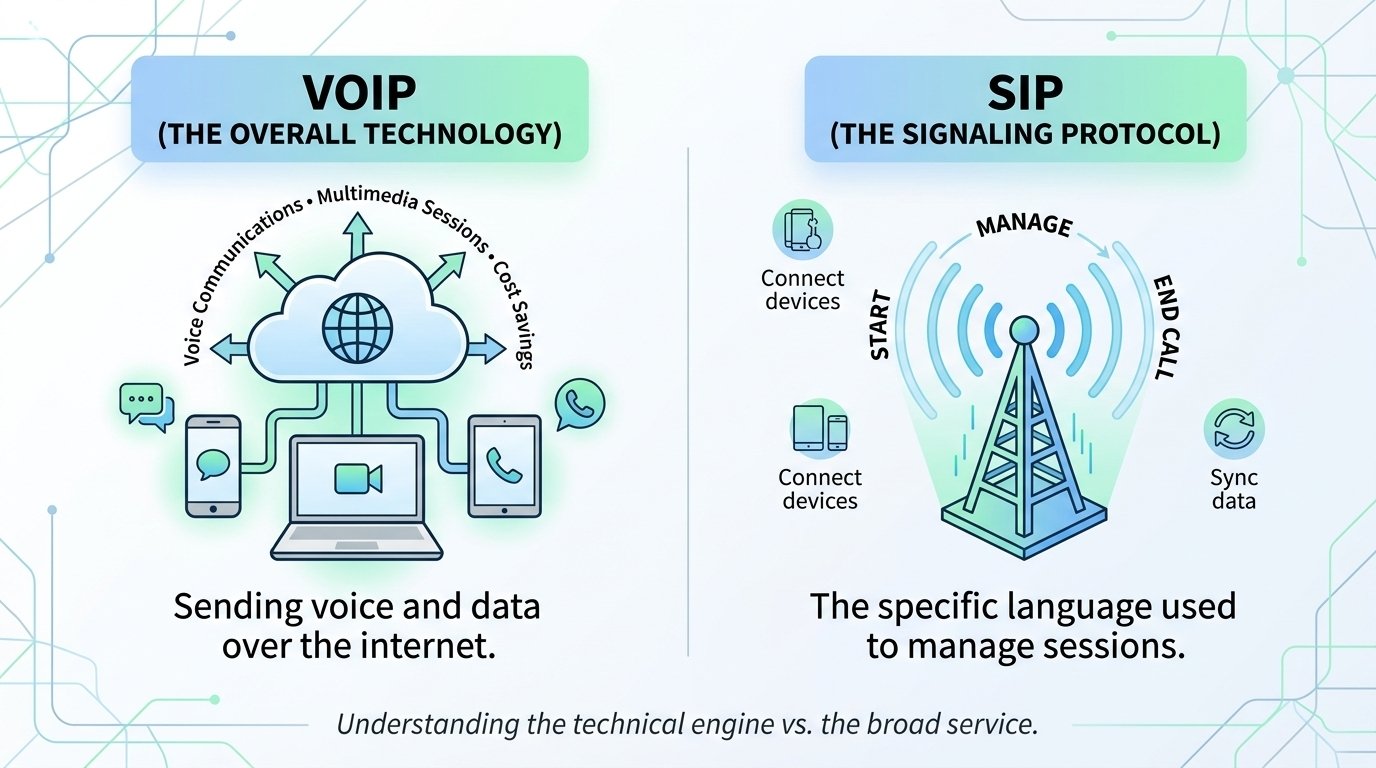
The primary difference between SIP and VoIP lies in their scope; VoIP (Voice over Internet Protocol) refers to the broad technology of sending voice signals over the internet, while SIP (Session Initiation Protocol) is a specific signaling protocol used to initiate and manage those multimedia sessions. Essentially, you can have VoIP without SIP by using other protocols, but most modern business communication systems rely on SIP to manage voice, video, and messaging. While VoIP describes the type of service, SIP is the technical engine that allows diverse digital devices to connect and communicate seamlessly within that service. SIP Overview Session Initiation Protocol is a foundational set of rules that computers use to establish, maintain, and terminate multimedia communication sessions. It is not a service in itself but a language that devices speak to ensure they are synchronized. While many people associate it only with voice calls, this protocol is much more versatile. It handles various data types, including video conferencing, instant messaging, and media distribution. It acts as the digital signaling system that tells the network how to handle a specific request between two endpoints. This protocol has become the industry standard because of its ability to bridge different communication mediums. It identifies user locations, determines user availability, and manages the setup and teardown of the connection. For instance, when you start a video call, the protocol ensures that both devices agree on the video quality and audio codecs before the data begins to flow. This flexibility makes it indispensable for unified communications, where businesses need more than just a simple phone line to stay productive. VoIP Overview Voice over Internet Protocol is an umbrella term that describes the technology used to deliver voice communications and multimedia sessions over the internet. Instead of using traditional circuit-switched landlines, it converts your voice into digital packets that travel across the web. These packets are reassembled at the destination to recreate the sound for the listener. This technology allows for calls to be made from anywhere with a stable internet connection, using devices like laptops, tablets, or specialized IP desk phones. The adoption of this technology has transformed the corporate landscape by reducing costs and increasing mobility. A report from Transparency Market Research indicates that the global market for these services is projected to reach over $100 billion by the end of the decade. This growth is driven by the shift toward remote work and the need for scalable communication tools. By removing the need for physical hardware and long-distance charges, businesses can allocate their resources toward more strategic growth initiatives while maintaining high-quality voice connectivity. Key differences between VoIP and SIP Feature VoIP SIP Trunking Primary Goal Voice communication over the internet Connecting a PBX to the internet Communication Type Voice only (primarily) Voice, Video, and Multimedia Hardware Needed Internet connection and a calling device On-premise PBX and SIP provider Setup Speed Nearly instantaneous Requires configuration of local PBX Scalability Scale per user Scale per channel Management Managed by the service provider Managed by internal IT or engineers How does VoIP work? This technology functions by transforming analog sound waves into digital data packets. When you speak into a microphone, the system slices your voice into tiny pieces of data. Each packet is assigned a destination address and sent over the internet using the most efficient path available. At the other end, the system gathers these packets and puts them back in the correct order so the person you are calling hears your voice clearly. This entire process happens in a fraction of a second. Because it relies on the internet, this system is not tied to a specific physical location. This allows employees to use the same business phone number whether they are in the office or working from a cafe. The service provider handles the complex task of routing these packets through the global telephone network. As long as you have a reliable broadband connection, the system ensures that the communication is stable and the audio quality remains high. How does SIP trunking work? Trunking is a method used to connect a business’s existing Private Branch Exchange (PBX) to the internet. Instead of using physical analog lines from a traditional phone company, a digital trunk is established to carry calls. This allows a company to keep its physical desk phones and internal wiring while gaining the cost benefits of internet-based calling. The trunk acts as a virtual link between the office’s internal phone system and the Public Switched Telephone Network (PSTN). This technology uses the internet or a dedicated circuit to transfer multimedia data. Unlike traditional circuits that have a fixed capacity, digital trunks can be adjusted to handle more or fewer concurrent calls. If an office grows, the IT department can simply add more channels to the existing trunk without waiting for a technician to install new wires. This makes it a highly efficient solution for large organizations that want to modernize their communications without discarding their current hardware investment. What are the pros and cons of using SIP trunking vs. VoIP? Choosing between these two options involves weighing the benefits of managed simplicity against the advantages of granular control. A hosted service is often the best fit for smaller businesses or those that prioritize ease of use. It provides a complete package with minimal setup required. On the other hand, trunking is often preferred by larger enterprises with established IT teams who want to maintain their own on-site equipment. Both paths offer significant improvements over traditional landlines. It is vital to consider your current technical expertise before making a decision. Hosted services take the burden of maintenance off your shoulders, as the provider handles all updates and security patches. Trunking requires more hands-on management but offers the ability to customize every aspect of the communication environment. Research suggests that companies can save between 50% and 70% on their communication costs by moving away from legacy circuits and adopting these digital alternatives. Pros of VoIP 1. Cost-efficiency One of the biggest advantages is the reduction in upfront capital expenditure. Since there is no need to purchase expensive servers or PBX hardware, the initial investment is very low. You simply pay a monthly subscription fee per user, which often includes local and long-distance calling. This predictable pricing model helps businesses manage their budgets more effectively without worrying about unexpected repair costs for on-site equipment. 2. Scalability As your business grows, adding new team members is incredibly simple. With a hosted system, you can add new lines through an online dashboard in a matter of minutes. There is no need to wait for a service technician or install new physical ports in the wall. This flexibility allows your communication system to grow alongside your business, whether you are adding one employee or opening an entire new department. 3. Work from anywhere Mobility is a core feature of internet-based calling. Since your phone system is hosted in the cloud, employees can access their business lines from any device. By downloading a specialized application, they can make and receive calls on their smartphones or laptops as if they were sitting at their desks. This ensures that your team stays connected and productive, regardless of their physical location. 4. Quality by design (call and audio) Modern digital systems are engineered to provide high-definition audio that often surpasses the quality of traditional landlines. As long as your network has sufficient bandwidth, the system uses advanced codecs to ensure that every conversation is crystal clear. Many top-tier providers use a dual-cloud architecture, which leverages multiple data centers to ensure that calls are always routed through the most efficient path with minimal latency. 5. Security and encryption Contrary to some misconceptions, digital communication can be more secure than analog systems. Leading providers use powerful encryption tools to protect data both in transit and at rest. This includes not just your voice calls, but also your chat logs, user data, and analytics. Advanced security features like multi-factor authentication and regular security audits ensure that your business communications remain private and protected from unauthorized access. Cons of VoIP While the benefits are numerous, there are certain drawbacks that businesses should keep in mind. Because these systems are managed by a third party, you have less control over the underlying infrastructure. This means that if the provider experiences an issue, your service may be affected. Understanding these limitations is important for creating a comprehensive communication strategy that includes backup plans for potential outages. 1. Recurring costs A hosted model relies on a subscription-based pricing structure. While this lowers upfront costs, the monthly fees can add up as your team grows. Some features that you might consider essential could be locked behind higher-priced tiers. It is important to carefully review what is included in your plan to ensure there are no hidden fees for things like toll-free numbers or additional local lines that your business might need. 2. Dependence on “network” The quality of your service is entirely dependent on the strength of your internet connection. Factors like latency and jitter can negatively impact audio quality if your network is congested. While high-speed internet is common today, businesses must ensure they have enough bandwidth to handle voice traffic alongside their regular data needs. Some companies choose to dedicate a specific internet channel solely to their phone system to avoid these issues. Pros of SIP trunking 1. Flexibility Trunks are incredibly easy to adapt to your specific needs. If you already have a functioning PBX system, adding a digital trunk allows you to modernize your setup without starting from scratch. You can easily add or change handsets across multiple locations while maintaining a centralized management system. This flexibility also makes it easier to keep your existing phone numbers even if your business relocates to a new city. 2. Customizable With a trunking solution, you have full control over the features and settings of your phone system. You can disable features that your team doesn’t use and request specific upgrades that fit your immediate operational needs. Since the trunk essentially delivers the voice signal to your hardware, the software on your end can be configured to handle calls exactly how you want, providing a truly bespoke communication experience. 3. Can accommodate multiple users This technology is excellent for large companies that operate across different sites. A single central PBX can use digital trunks to distribute phone lines across an entire campus or multiple facilities. Each trunk can contain several channels, which are easily extended as the company expands. This centralization simplifies the billing and management process for the IT department while providing a consistent experience for all employees. Cons of SIP trunking Despite its power, trunking comes with significant management responsibilities. It is not a “set it and forget it” solution and requires a certain level of technical proficiency to maintain. For many small businesses, the complexity of managing an on-site system may outweigh the benefits of customization. It is important to evaluate whether your team has the resources to handle the technical demands of this setup. 1. Requires dedicated PBX and telecom engineers The most significant drawback is the need for specialized personnel. Setting up and maintaining a PBX system requires experienced telecom engineers who understand the nuances of the hardware and software. This adds to the ongoing costs of the business, as you will need to account for both the salaries of these experts and the costs associated with maintaining and upgrading the physical equipment. 2. Harder to use A system based on trunking can be more complex for the average employee to navigate. Since it often involves proprietary hardware and older interfaces, there may be a steeper learning curve compared to modern, intuitive apps. Training employees on new processes and hardware can be time-consuming and may lead to frustration if the system is not as user-friendly as the consumer apps they use daily. 3. Not call recording and transcription-friendly Older on-premise systems often lack the advanced features that come standard with cloud-based solutions. Features like automatic call recording and real-time voice transcription usually require additional hardware or expensive third-party licensing. This can make it difficult for businesses to gain valuable insights from their customer interactions without making a significant additional investment in their local infrastructure. 4. Troublesome troubleshooting When an issue occurs with a trunking system, identifying the root cause can be difficult. The problem could lie with the internal hardware, the local network, the trunk provider, or the internet service provider. This often leads to a complex troubleshooting process where different vendors may blame each other, potentially extending the time your phone system is down and disrupting your business operations. 5. Not always efficient for SMS While this protocol supports multimedia, traditional trunks are not always optimized for text messaging. Setting up SMS functionality can be complicated and may require additional integrations or third-party services. If your business relies heavily on text-based communication with customers, you may find that a hosted service offers a much more integrated and efficient solution for handling these interactions. 6. Limited integrations On-premise systems often struggle to integrate with modern business software like CRM platforms or helpdesk tools. While it is sometimes possible to build these connections, it usually requires custom development work and ongoing maintenance. This can leave your communication data siloed, making it harder for your sales and support teams to access the information they need to provide a personalized customer experience. Time to implement a VoIP system for your business? Deciding when to switch to a digital system is a critical choice for any growing company. If you are still using traditional landlines, you are likely paying more for fewer features. The move to an internet-based system can immediately improve your team’s productivity by providing them with better tools for collaboration. Whether you are a small startup or a large enterprise, the advantages of modernizing your voice communication are clear. Start by auditing your current phone bill to identify potential savings from moving to the internet. Evaluate your internal IT capacity to decide between a hosted service or a trunking solution. Test your current internet bandwidth to ensure it can support high-quality voice sessions. Identify the key features, such as video calling or CRM integration, that your team needs to succeed. Read More: Ghost Calls Explained: Causes & How to Stop Them SIP vs VoIP: Put the debate to rest The debate between these two technologies often stems from a misunderstanding of how they relate to each other. Instead of seeing them as competing options, it is more accurate to see them as different ways to achieve the same goal of digital communication. For most businesses today, the question isn’t whether to use these technologies, but rather how to deploy them most effectively. By choosing a solution that fits your specific infrastructure, you can enjoy clear, reliable, and cost-effective communications. Modern systems have matured to the point where they are more reliable and feature-rich than the analog systems they replaced. With the right provider and a solid network foundation, your business phone system can become a powerful asset rather than a simple utility. Embracing the difference between SIP and VoIP allows you to build a future-proof communication strategy that will grow with your organization for years to come. SIP Trunking vs VoIP FAQs Is there a difference between SIP and VoIP? The primary difference between SIP and VoIP is that VoIP is an umbrella term for making calls over the internet, while SIP is a specific protocol used to set up and manage those calls. You can have a VoIP service that uses a different protocol, but you cannot have a SIP call that isn’t also a form of VoIP. Is WhatsApp a VoIP call? Yes, WhatsApp utilizes this technology to transmit voice and video data over the internet. When you make a call through the app, your voice is converted into digital packets and sent through your data connection, allowing you to bypass traditional cellular voice minutes. What is the difference between SIP and IP phones? An IP phone is a device that connects to the internet to make calls. A SIP phone is a specific type of IP phone that follows the Session Initiation Protocol standards, making it compatible with most modern business phone systems and service providers. What is the difference between SIP and RTP in VoIP communication? SIP is responsible for the signaling part of the call, such as finding the other person and starting the session. RTP (Real-time Transport Protocol) is the protocol that actually carries the audio or video data once the connection has been established by the signaling protocol. Is SIP calling free? While the protocol itself is an open standard and free to use, the service of connecting your calls to the global telephone network usually involves a monthly fee. Most businesses pay a provider for the ability to reach landlines and mobile phones outside of their internal network. Can I use my existing internet for VoIP? Yes, you can use your existing broadband connection to support your phone system. However, it is vital to ensure you have enough bandwidth to handle your voice calls alongside your regular data usage to maintain high audio quality. What happens to my calls if the power goes out? In a hosted system, calls can usually be automatically rerouted to mobile apps or other locations. With a trunking system, you may need a backup power supply for your on-site PBX or a pre-configured failover plan with your service provider to ensure continuity. Do I need a special router for these services? While many standard business routers will work, it is often beneficial to have a router that supports Quality of Service (QoS) settings. This allows you to prioritize voice traffic over other types of data, ensuring that your calls remain clear even when the network is busy. Can I keep my current phone numbers? Yes, you can usually port your existing phone numbers to a new digital provider. This process is common and allows your business to maintain its established contact information while upgrading the underlying technology and features of your system.

Read More
Best International VoIP

Best International VoIP Plans: Pricing + Top Providers for 2026

Finding the best international VoIP plans is essential for modern businesses and individuals who need to maintain global connections without incurring astronomical costs. These plans leverage cloud-based technology to route voice over ip international calls, offering a more flexible and affordable alternative to traditional landlines. Whether you are a small startup targeting European markets or a frequent traveler needing a voip international phone, the right provider can reduce communication expenses by up to 90%. By choosing the best international calling service, you gain access to features like local virtual numbers, advanced call routing, and unlimited global coverage that scales with your specific communication requirements. Personal vs. Business: Know What You Need Feature/Requirement Personal Use Business Use Primary Goal Ease of use and low cost for reaching family/friends. Establishing a global presence and building customer trust. Key Features Basic calling and messaging. AI receptionists, CRM integrations, 24/7 routing, and call recording. Provider Type App-to-app (e.g., WhatsApp, Viber) or mobile apps. Enterprise VoIP providers and global phone systems. Number Type Standard mobile number or app ID. Local phone numbers in multiple countries served. Pricing Model Free options or simple pay-as-you-go. Value-based pricing with transparent international rates. Collaboration Not typically required. Team collaboration tools integrated into the system. Technical Quality Standard app connectivity. Reliable call quality over Wi-Fi with guaranteed uptime. Language Support Limited to the user’s preference. Multi-language support for greetings and AI agents. Primary Concern Avoiding hidden fees on per-minute rates. Comprehensive feature sets and professional presentation. International Scope Specific regions or occasional calls. Unlimited international calling areas and a local presence in foreign markets. What Makes a Great International VoIP System A superior system for VoIP calling international should provide more than just a dial tone. It must offer a smooth experience that bridges the gap between different time zones and technical infrastructures. High-quality voip providers international calls focus on latency reduction and crystal-clear audio, ensuring that your international voice over ip experience feels as natural as a local conversation. 1. Unlimited global coverage The most competitive plans include unlimited calling to 40 or 50 countries. While most providers offer unlimited domestic calls, leading international voip providers extend this privilege to 40 or 50 countries. This is crucial for businesses that operate across borders and want to avoid the unpredictability of metered billing. Having a flat monthly rate for international voip calling allows for better budget forecasting and encourages teams to communicate more frequently without fear of overage charges. 2. Local numbers that build trust An international virtual number gives your business a local presence anywhere in the world. Customers are significantly more likely to answer a call from a local area code than an unfamiliar international number. Reliable international did providers allow you to purchase numbers in over 100 countries. This capability is a cornerstone of voip global strategies, as it removes the barrier of international dialing codes for your clients, making it easier for them to reach you. 3. Multilingual AI receptionist Your voip international call system should be able to greet callers in their native language. Advanced systems incorporate multilingual auto-attendants that can route calls based on the caller’s language preference or geographic origin. This feature is vital for international voip wholesale provider services and large-scale enterprises that serve a diverse customer base. It ensures that your global voip operations remain professional and accessible 24/7. 4. Transparent pricing Hidden fees can quickly turn a cheap plan into an expensive mistake. The best international calling service will provide a clear breakdown of voip call rates for every destination. Look for providers that offer a mix of unlimited zones and competitive per-minute rates for the rest of the world. Transparency in voip service for international calls means no surprise connection fees or maintenance charges, allowing you to focus on your conversations rather than your bill. Pricing Overview for International VoIP Calling When comparing voip calling plans, it is helpful to see how the major players stack up against each other in terms of their base costs and primary coverage areas. Provider VoIP Service Starting Price Unlimited Calling Area RingCentral $20 monthly per user US and Canada Ooma $19.95 monthly per user US, Canada, Puerto Rico, and Mexico Dialpad $15 monthly per user US and Canada 8×8 Quote-based Up to 48 countries Vonage $13.99 monthly per user US, Canada, Puerto Rico, and Mexico Grasshopper $14 monthly per account US and Canada Intermedia $26 monthly per user US and Canada GoTo Connect Quote-based Over 50 countries Zoom Phone $10 $15 monthly per user US and Canada Best VoIP Providers for International Calling Choosing among international calls voip providers requires looking at specific features and geographical strengths. According to research from Future Market Insights, the global VoIP market is projected to reach $118.8 billion by 2032, highlighting the massive shift toward these cloud-based solutions. 1. RingCentral RingCentral offers a unified platform for international calls, SMS, and video. Their platform, RingEX, is a comprehensive solution for businesses that need more than just a phone. They provide support in 45 countries and offer international numbers in over 105 locations. Pricing: Plans start at $20 and go up to $35 monthly per user. International rates are competitive, such as $0.039 to China and the UK. Standout Features: They offer real-time analytics, call center monitoring, and a multi-level auto attendant for professional call routing. Who is RingCentral Best For? US-based companies that need high-level collaboration tools like file sharing and whiteboards integrated with their phone system. Why We Picked Them: Their reliability and the sheer depth of their feature set make them a top choice for professional voice over ip international calls. 2. Ooma Ooma is widely recognized for its high-definition voice quality and user-friendly interface. It is a strong contender for those looking for voip for international calls that focuses on small business needs. They provide several international-specific add-on plans to help control costs. Pricing: Business plans range from $19.95 to $29.95 per user. They offer a World Plan for $17.99 that includes unlimited landline calls to 60+ countries. Standout Features: Virtual receptionist with multilingual support and voicemail transcription to email. Who is Ooma Best For? Small businesses that primarily call within North America but need an affordable way to reach landlines in Europe or Asia. Why We Picked Them: Their Ooma World plans provide one of the most straightforward ways to get voip unlimited calls to a vast number of international destinations. 3. Dialpad Dialpad sets itself apart through the heavy use of artificial intelligence. It is an excellent choice for voip international calling where data and transcription are prioritized. Their AI tools help agents stay productive by automating note-taking and providing real-time feedback. Pricing: Starts at $15 per user. While the unlimited area is focused on the US and Canada, their per-minute rates for international voip are very low. Standout Features: AI-generated post-call summaries and live speech coaching for better customer interactions. Who is Dialpad Best For? Modern, tech-savvy teams that want to leverage AI to improve their international did providers experience. Why We Picked Them: The innovation in their AI coaching is unmatched, making it a unique tool for global sales teams. 4. 8×8 If your primary goal is finding voip unlimited international calls, 8×8 is often the industry leader. Their X Series plans are designed specifically for global reach, covering nearly 50 countries in their unlimited tiers. This makes them a premier international calling service for high-volume users. Pricing: Quote-based pricing allows for customization based on company size. Standout Features: Conversation IQ for sentiment analysis and extensive call monitoring tools for supervisors. Who is 8×8 Best For? Companies with a heavy focus on international markets that need a predictable monthly cost for global voip calls. Why We Picked Them: Their unlimited calling area is one of the most generous in the industry, effectively removing the stress of per-minute billing. 5. Vonage Vonage is a household name in the voip service international calls market. They offer incredible flexibility through their “add-on” style of features, allowing users to pay only for what they need. Their global calling plans are particularly useful for targeted international growth. Pricing: Base plans start at $13.99. They offer unique global calling bundles for prepaid minutes. Standout Features: A unified business inbox for SMS and social media, plus a very intuitive mobile app. Who is Vonage Best For? Businesses that need a reliable voip international phone system with the lowest per-minute rates for specific countries. Why We Picked Them: They provide excellent per-minute rates, starting as low as $0.02 for the UK and India. 6. Grasshopper Grasshopper serves solo entrepreneurs and small teams by adding a virtual line to existing mobile devices. It works as an overlay on your existing mobile phone, making it a simple voip for international calls solution without the need for new hardware. It is perfect for maintaining a professional image on the go. Pricing: They charge per account rather than per user, with plans starting at $14 per month. Standout Features: Instant text response for missed calls and easy-to-configure custom greetings. Who is Grasshopper Best For? Freelancers and startups in the US and Canada who need a professional secondary number for basic international use. Why We Picked Them: Their unique pricing structure can make them the cheapest option for teams that share a few lines. 7. Intermedia Intermedia provides a highly secure and integrated UCaaS platform. They are a significant voip service for international calls provider for those who want a “hands-off” approach, as they even include free hardware with their plans. They focus heavily on reliability and support. Pricing: Monthly plans start at $26 per user. Standout Features: Detailed supervisor analytics and multi-level IVR that integrates with CRMs. Who is Intermedia Best For? Businesses that want a high-end, fully managed voip global solution with integrated contact center features. Why We Picked Them: The inclusion of free desk phones and their focus on high-level security makes them a premium choice for growing companies. 8. GoTo Connect GoTo Connect, part of the GoTo family, is a top-tier provider for international calls voip providers. Their focus is on simplicity and broad coverage. Their standard plans often include much more international reach than competitors’ base plans, making them a high-value option. Pricing: Quote-based, but known for including over 50 countries in their unlimited calling area. Standout Features: Visual dial plan editor and robust call recording that can be saved to the cloud. Who is GoTo Connect Best For? High-growth companies that need a simple way to manage complex international call flows. Why We Picked Them: Including 50 countries in their unlimited zone puts them at the top of the list for value in international voip calling. 9. Zoom Phone Zoom Phone has rapidly become a favorite for international voip because so many people are already familiar with the Zoom interface. It is a streamlined, efficient system that integrates perfectly with the video conferencing tool everyone knows. Pricing: Very affordable starting at $10- $15 monthly per user. Standout Features: Smooth call handoff between devices and automatic call distribution groups. Who is Zoom Phone Best For? Companies already using Zoom for meetings that want to consolidate their communications into a single app. Why We Picked Them: Their global select plans offer incredible value for companies with offices in multiple different countries. How to Make International Calls with VoIP Making a voip international call is very similar to using a traditional phone, but you must ensure you have the correct prefixes. Most voip international phone systems handle the digital conversion automatically, but you still need to follow the international dialing format. Enter the Exit Code: If you are calling from the US or Canada, you usually use the “+” sign or “011”. Most other regions use “00”. Input the Country Code: Every nation has a specific code. For example, India is “91”, and the UK is “44”. Add the Area Code: This targets the specific city or region within that country. Dial the Subscriber Number: Finish with the specific 7 to 10-digit number of the person you are reaching. Using a voip call international feature on a mobile app often simplifies this by allowing you to select the country from a dropdown menu, which automatically adds the correct codes. This reduces errors and ensures your call is routed through the cheapest paths available. How to Choose a Provider for International VoIP Calls Selecting the best international calling service requires a deep look at your calling patterns and geographic needs. Research from Startup NZ indicates that businesses can save up to 90% on international call costs by switching from traditional PSTN to VoIP services. To maximize these savings, you should evaluate several key factors before signing a contract. Verify the Unlimited Zone: Do not assume “international” means everywhere. Check the specific list of countries included in the voip unlimited calls tier of your chosen provider. If your main clients are in voip europe regions, ensure those specific countries are on the free list. Examine Local Presence Options: If you need to receive calls, check if the provider offers an international voip number in the countries where your customers reside. This makes it free or local for them to call you, which is a major competitive advantage. Assess Technical Requirements: Most international calls with voip work on standard internet connections, but if you have a large team, you might need to check your bandwidth. Ensure the provider offers high-quality codecs to maintain audio clarity during voice over ip international calls. Review Support and Uptime: Global business doesn’t stop. Look for international calls voip providers that offer 24/7 support and have a guaranteed uptime of at least 99.99%. This ensures your voip global operations are always active. Read More: Ghost Calls Explained: Causes & How to Stop Them Final Thought The best international VoIP plans in 2026 is about balancing cost with the specific geographical needs of your business or personal life. Whether you prioritize the AI-driven insights of Dialpad, the massive unlimited calling area of 8×8, or the budget-friendly simplicity of Zoom Phone, there is a solution tailored for everyone. By moving away from legacy telephone systems and embracing international voip, you unlock a world of mobility, professional features, and significant savings. The right choice will not only lower your monthly bills but also provide the reliable infrastructure needed to thrive in a truly globalized economy. FAQ’s Can I use VoIP internationally? Yes. That’s exactly what VoIP was designed for. International VoIP lets you call and receive calls from anywhere in the world, as long as you have internet access. You can even buy local phone numbers in foreign countries to appear local to clients or partners. For example, having a +33 French number while working from Miami. Providers like RingCentral and JustCall make this possible in over 70 countries. Can I keep my current number when switching to a VoIP provider? In most cases, yes. This process is called number porting. You can transfer your existing mobile or landline number to your new VoIP provider so your clients keep dialing the same number. Most modern providers allow you to either port your number or buy a new one instantly in minutes through their online dashboard. Can I receive calls abroad with a VoIP number? Absolutely. That’s one of the main benefits. You can receive calls on your VoIP number wherever you are, as long as you have Wi-Fi or mobile data. For example, if your business has a French number and you travel to the U.S., incoming calls ring on your phone through the app, at no extra cost. Can I use Google Voice to call internationally for free? Not exactly. Google Voice is free for calls within the U.S. and Canada, but international calls are pay-as-you-go. Rates start at $0.01 per minute for countries like France or Mexico and can go higher depending on the destination. It’s a great option for personal or occasional calls, but for daily business use, a dedicated plan with unlimited international calling will end up far cheaper. Is international VoIP reliable? Yes, as long as you choose a provider with solid telecom infrastructure. Top players like Zoom Phone and RingCentral use Tier-1 global carriers and redundant servers to ensure call stability and 99.99% uptime. Poor-quality VoIP usually comes from cheap or free apps that rely on peer-to-peer routing instead of dedicated voice networks. Is VoIP free for international calls? It depends. Some providers include unlimited international calling in their plans, while others charge per minute. Apps like WhatsApp or FaceTime offer free VoIP, but only between users of the same app; you can’t call real phone numbers. Business VoIP systems connect to the public phone network, so calling a landline or mobile abroad usually involves a small fee unless it’s covered in your plan. What countries support local VoIP numbers? Most developed countries allow local VoIP numbers. Providers offer numbers in the U.S., Canada, U.K., France, Germany, Spain, Brazil, Australia, and more. Some countries like Mexico or Israel may require extra documentation, such as proof of address or business registration, to comply with local telecommunications laws. Will I need to buy additional hardware to use international VoIP? No, you don’t need any special equipment to use VoIP internationally. Most providers, including Zoom Phone and Dialpad, work directly from your smartphone, tablet, or computer. You just need a stable internet connection via Wi-Fi or 4G/5G. While some larger companies still use desk phones, that’s completely optional for small businesses and freelancers.

Read More
automatic call distribution software

Automatic Call Distribution Software: A Complete Guide

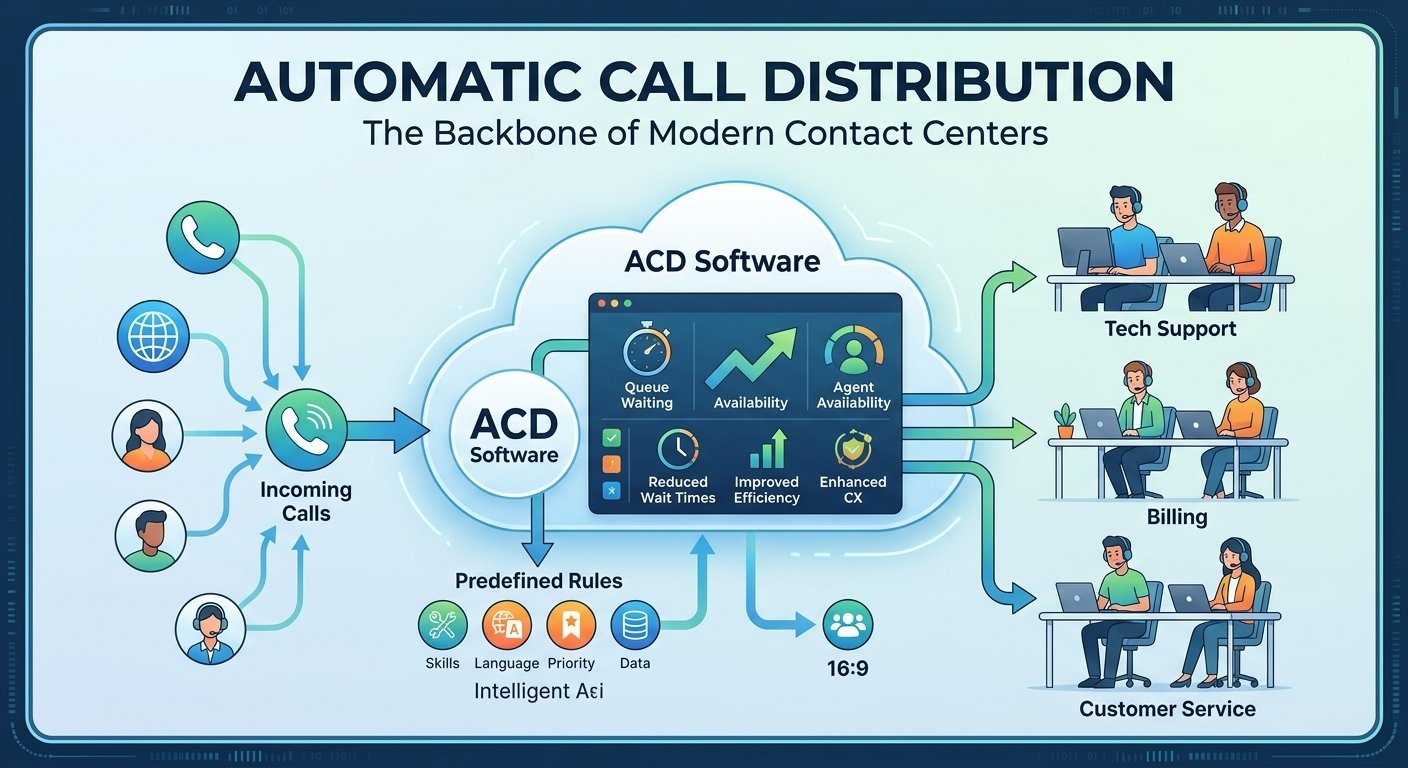
Automatic call distribution software is a specialized telephony technology designed to manage incoming calls by routing them to the most suitable agents based on predefined rules. This system forms the core of modern contact centers, ensuring that callers are connected to the right department without unnecessary delays or manual transfers. By leveraging intelligent algorithms, the software evaluates agent availability, caller intent, and priority levels to streamline communication flows. Implementing an automatic call distributor system helps businesses reduce wait times, enhance agent productivity, and significantly improve the overall customer experience through organized and efficient call handling processes. What Is Automatic Call Distribution (ACD)? Automatic call distribution (ACD) is a foundational contact center technology that intelligently routes incoming communications to the most appropriate agents based on specific criteria such as caller ID, time of day, and required expertise. By eliminating the need for manual transfers, ACD prevents queue congestion and ensures that inquiries are handled by professionals with the exact skills needed for a resolution, such as directing technical billing issues straight to a finance specialist. This automated precision not only streamlines the customer experience by reducing wait times but also boosts operational efficiency and job satisfaction by allowing agents to focus on their specific areas of expertise. According to research by the SQM Group, nearly 90% of customers expect their issues to be resolved during their very first interaction. Failing to meet this expectation results in a 15% drop in customer satisfaction for every subsequent follow-up required. By using an automatic call distributor system, companies can increase their first-call resolution rates by ensuring the most qualified person answers the phone immediately. This immediate matching is what separates a basic phone setup from a high-performing contact center. What Is the Difference Between IVR and ACD? Feature IVR (Interactive Voice Response) ACD (Automatic Call Distribution) Primary Role The “Digital Receptionist”; the initial point of contact. The “Router”; the engine that executes call delivery. Main Function Greets callers and gathers information via voice or keypad. Applies algorithms to determine the best destination for a call. Interaction Interacts directly with the caller to identify their needs. Works in the background to manage agent queues and workloads. Analogy Asks the questions. Finds the person with the answers. Data Usage Classifies calls based on language, department, or intent. Uses the context provided by the IVR to route the call logically. Key Benefit Understands why the person is calling. Ensures efficiency and balances agent occupancy. Standalone Limitation Collects info but cannot balance workloads or manage high-occupancy queues. Operates on limited data (like phone numbers) without specific caller context. How Does ACD Work?  An ACD system processes and directs calls through a six-step workflow: 1. Classifies incoming calls The system immediately identifies the purpose of the call by looking at the dialed number or the inputs provided through an integrated IVR. By categorizing calls into groups such as sales, technical support, or general inquiries, the software can prepare the routing path before the caller even hears a ring tone. This classification is the foundation of an organized queue system. 2. Evaluates agent availability After classification, the software scans the current status of all logged-in agents to see who is ready to accept a new task. It looks at various factors, including whether an agent is currently on another call, finishing up notes from a previous session, or scheduled for a break. This real-time visibility ensures that calls are never sent to someone who is unavailable to help. 3. Assigns call priority Not all calls are treated with the same level of urgency. An automatic call distribution system can recognize VIP customers or urgent support tickets based on CRM data and move them to the front of the line. This ensures that high-value interactions are handled with the speed they require, maintaining loyalty among the most important client segments. 4. Routes call to the best-fit agent If a caller needs help with a specific software bug, the ACD will target an agent with a high proficiency in that particular product. This targeted routing reduces the need for internal transfers and speeds up the resolution process. 5. Offers callback option if needed During peak hours when agent availability is low, the system provides callers with the choice to receive a callback instead of waiting on hold. Preserves the caller’s place in line without forcing them to wait on hold. When an agent becomes free, the software automatically triggers an outbound call to reconnect with the customer. 6. Call monitoring and agent performance The final stage involves tracking the entire interaction through computer telephony integration to gather valuable data. Managers can view metrics such as average handle time, wait durations, and abandonment rates. This information is used to refine routing rules and provide targeted training to agents who may be struggling with specific types of calls. Six Types of ACD Distribution Methods Different businesses require different ways of handling their incoming traffic. Choosing the right distribution method depends on your team size, the complexity of your products, and your specific customer service goals.  Round-robin: Distributes calls in a continuous loop among all available agents to ensure a perfectly balanced workload for teams with similar skill levels. Talk time-based: Routes the next call to the agent with the least cumulative talk time, ensuring fairness and preventing burnout when call lengths vary significantly. Fixed order: Follows a specific hierarchical sequence, always attempting to reach a primary expert first and only moving to backup staff if the lead is busy. Uniform: Directs calls to the agent who has been idle for the longest period, maintaining a steady rhythm and keeping all team members engaged. Simultaneous: Rings all available agents at once, allowing the first person who answers to take the call; this is ideal for emergency services or high-stakes sales. Weighted: Assigns specific percentages of call volume to agents based on their experience level, allowing for controlled training of new hires while prioritizing top performers. Benefits of ACD Integrating automatic call distribution software into your business operations offers a wide range of advantages that extend from the front-line agents to the executive boardroom. It transforms a basic communication tool into a strategic asset that drives growth. 1. Greater Productivity and Efficiency By automating the routing process, your team no longer spends time manually transferring calls or trying to figure out who is available to help. Agents can move frictionless from one interaction to the next, knowing that the system is feeding them calls they are actually qualified to handle. This streamlined workflow allows a smaller team to manage a much larger volume of inquiries without sacrificing quality. 2. Improved Workforce Management Managers gain a clear overview of how their team is performing and where bottlenecks are occurring. The data provided by an automatic call distribution system allows for better scheduling, ensuring that you have the right number of people on the clock during peak hours. This proactive approach to staffing reduces overhead costs and prevents agent fatigue during busy seasons. 3. Smooth Integrations Modern ACD solutions are designed to work in tandem with other business tools like Customer Relationship Management (CRM) platforms and helpdesk software. When a call comes in, the agent can see the customer’s entire history on their screen immediately. This context allows for a more personalized conversation, as the agent doesn’t have to ask the customer to repeat basic information or past issues. 4. Higher Customer Satisfaction The primary benefit for the customer is a clear reduction in wait times and a higher likelihood of speaking to a competent professional on the first try. Features like the callback option show that you value the customer’s time, which builds trust and long-term loyalty. When customers feel heard and helped quickly, they are much more likely to remain vocal advocates for your brand. 5. Lower Costs While there is an initial investment, the long-term savings are substantial. Efficient routing means shorter call durations and fewer total minutes used on your telephony plan. Additionally, the increase in agent productivity often means you can handle business growth without needing to exponentially increase your headcount. Cloud-based systems further reduce costs by eliminating the need for expensive on-site hardware maintenance. Implementation Challenges With ACD While the advantages are clear, transitioning to a new automatic call distribution system requires careful planning to overcome potential hurdles. Recognizing these challenges early allows for a smoother deployment and faster return on investment. Upront Cost For small businesses, the upfront price of high-end software and potential hardware upgrades can be significant. However, many modern providers offer subscription-based models that allow you to pay per user, making the technology more accessible. It is vital to view this not as a simple expense but as an investment in your company’s operational scalability. Team Onboarding & Training Introducing new software requires a dedicated period for agent and manager training. If the team does not understand how to use the features or how the routing rules work, the system could lead to confusion rather than clarity. Providing comprehensive documentation and hands-on workshops is essential to ensure everyone is comfortable with the new interface and workflows. Potential Operational Disruption The process of switching from an old system to a new one can cause temporary downtime or glitches if not managed correctly. It is often best to conduct a phased rollout, testing the system with a small group of agents before moving the entire department over. This approach allows you to identify and fix any technical issues without impacting your entire customer base at once. How To Choose the Right ACD System for Your Call Center Selecting the perfect software for your specific needs requires a thorough evaluation of several key factors. Not all systems are created equal, and the best choice for one company might not be the right fit for another. Volume Analysis: Analyze historical data to ensure the system can handle peak traffic while scaling for your expected three-year growth. Customized Routing: Match your routing complexity—whether skills-based or round-robin—to your specific industry needs and product diversity. Data Insights: Prioritize real-time dashboards and historical reporting to monitor current wait times and inform long-term staffing decisions. System Flexibility: Choose cloud-based solutions that allow you to quickly scale agent numbers and modify routing rules as business needs change. Long-term Costs: Evaluate the total cost of ownership over five years, accounting for subscriptions, maintenance, and technical support fees. Agent Experience: Opt for an intuitive, clean interface to reduce training time and help staff focus entirely on customer service. Reliable Support: Prioritize vendors that offer robust technical support and documentation to minimize the impact of potential service outages. Finding the Right ACD System for Your Business Modern cloud communication platforms now commonly integrate automatic call distribution (ACD) as a standard feature, providing businesses with a unified, cost-effective alternative to maintaining legacy PBX hardware. By transitioning to these cloud-based solutions, organizations can more easily adopt a distributed call center model, which enhances business continuity and provides access to a global talent pool. Ultimately, moving away from physical infrastructure in favor of integrated cloud tools allows for greater operational flexibility and ensures that remote or decentralized teams remain productive and connected. Read More: Is Wireless Caller Spam? Meaning & Benefits Final Words Automatic call distribution software is more than just a tool for answering phones; it is a vital component of a successful customer service strategy. By intelligently routing calls and providing deep analytical insights, it empowers businesses to deliver the fast, professional service that modern consumers demand. While there are challenges to implementation, the benefits of increased productivity and higher customer loyalty far outweigh the costs. As communication technology continues to evolve, staying ahead with a robust ACD system will ensure your business remains competitive and responsive in an ever-changing marketplace. FAQs What is automatic call distribution software and why is it used? Automatic call distribution software is a technology that routes incoming calls to the most appropriate agent or department based on specific rules like agent skill, availability, or caller priority. It is used to eliminate manual transfers, reduce customer wait times, and ensure that every caller is handled by the person best equipped to resolve their issue, thereby increasing operational efficiency. How does ACD differ from a standard business phone system? A standard phone system typically rings all phones or follows a simple sequence, whereas an ACD uses intelligent logic to manage large volumes of calls. It considers complex factors like the caller’s identity, the purpose of the call, and real-time agent performance data to make routing decisions that a basic phone line cannot handle. Can ACD software integrate with my current CRM? Yes, most modern automatic call distribution systems are designed to integrate smoothly with popular CRM platforms. This allow agents to see a customer’s history and contact details the moment a call is connected, which facilitates a more personalized and efficient service experience. What is the difference between ACD and IVR? IVR is the interactive menu that collects caller intent, while ACD is the underlying engine that uses that data to route the call to an available agent. How many calls can an ACD system handle at once? The capacity of an ACD system depends on your specific software provider and your bandwidth, but cloud-based systems can virtually handle thousands of simultaneous calls. The software manages these calls by placing them in virtual queues until an agent becomes available to take them. What software do most call centers use? Most modern call centers use cloud-based contact center as a service (CCaaS) platforms such as RingCentral, Nextiva, or Vonage. These platforms provide a suite of tools including ACD, IVR, and advanced analytics in a single package. How many calls do call centers get a day? The number of calls varies wildly depending on the size of the business, ranging from a few dozen for small local offices to hundreds of thousands for global enterprise support centers. ACD software is essential for managing these fluctuating volumes efficiently. What does ACD mean in an Avaya system? In an Avaya environment, ACD stands for Automatic Call Distribution and refers to the specific feature within their communication manager software that directs incoming calls to agent hunt groups based on programmed distribution methods.

Read More
automated receptionist

Automated Receptionist: Types, Features, and Top Picks

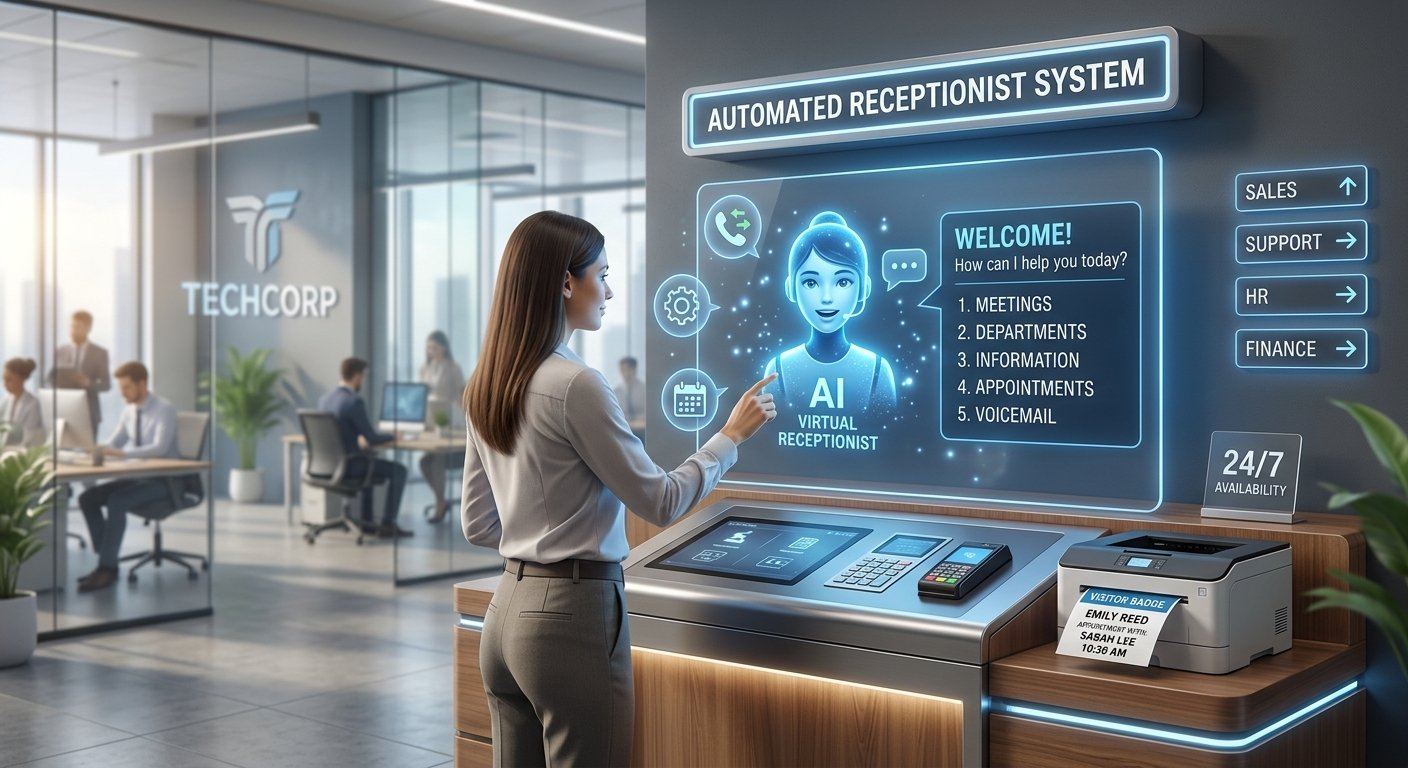
An automated receptionist is a sophisticated telephony solution that manages incoming calls without human intervention. By using it, businesses can greet callers, provide essential information, and route calls to the correct departments or extensions efficiently. Often referred to as an auto attendant or virtual phone assistant, this technology ensures that no call goes unanswered, even during peak hours or after business hours. Modern systems use advanced AI to provide a seamless experience, allowing companies to maintain a professional image while significantly reducing overhead costs associated with traditional front-desk staffing. What Is an Automated Receptionist? An automated receptionist acts as a digital tool that serves as the first point of contact for anyone calling your business. It replaces or assists physical staff members by answering incoming calls, playing recorded greetings, and offering clear menu options. Using Interactive Voice Response (IVR), this technology guides callers to their intended destination through standard keypad inputs or natural voice commands. Because Superpath reports that 85% of callers will not attempt to contact a business again after a missed first try, having a reliable system in place is critical. A digital receptionist handles diverse tasks—ranging from providing business hours to transferring calls to remote services—ensuring every interaction remains consistent and professional. By utilizing this solution, your business can comfortably manage high call volumes without requiring an expansive on-site staff. Automated receptionist vs. human receptionist Comparing a digital system to a live person helps businesses determine which model fits their current needs. While a live receptionist service offers high empathy, a digital solution provides unmatched speed and availability. Feature Automated Receptionist System Human Receptionist Availability 24/7/365 Standard business hours Cost Low monthly subscription High salary + benefits Consistency Uniform greetings every time Varies by mood or energy Capacity Multiple simultaneous calls One call at a time Scalability Instant and easy Requires more hiring Types of Automated Receptionists There are several variations of this technology, ranging from basic menus to complex AI integrations. A standard automatic attendant provides a simple “press 1 for sales” menu, which is ideal for small offices needing basic organization. For more advanced needs, an automated solution uses natural language processing to understand spoken requests, creating a more conversational experience for the caller. Another category is the virtual answering service, which often bridges the gap between automation and live support. Some businesses utilize a virtual receptionist that incorporates on camera features for office lobbies. Whether you need a simple virtual auto attendant or a comprehensive virtual call assistant, the type you choose should align with your call volume and customer service goals. Key Functions of Automated Receptionists Professionalism: Ensures a polite first impression and maintains a consistent brand voice by providing immediate acknowledgement for every caller. Efficiency: Routes calls directly to the correct department or extension, reducing wait times and allowing for specialized after-hours protocols. Preparation: Collects vital caller information and account details upfront, allowing staff to be fully informed before they even pick up the phone. Automation: Streamlines scheduling by allowing callers to book, cancel, or reschedule appointments through direct digital calendar integration. Reliability: Captures missed connections through voicemail-to-email features and automated text-back options that keep mobile leads engaged. Intelligence: Employs AI to understand caller intent and provide natural, conversational self-service for complex queries like order tracking. Top Use Cases for Automated Receptionists Small businesses For a small business, a virtual receptionist free or low-cost trial can be a game-changer. It allows a one-person operation to appear as a much larger, more established company. Using a virtual phone receptionist gives the owner time to work on the business rather than just answering the phone all day. Small teams benefit from the receptionist telephone answering service by ensuring professional representation. It provides the infrastructure of a large corporation without the high overhead costs. This allows small players to compete effectively in crowded markets. Healthcare providers In the medical field, a virtual medical answering service is essential for managing patient inquiries and appointments. It can provide automated answers to common questions about clinic hours, location, and insurance. This allows the medical staff to focus on patient care rather than administrative tasks. These systems also help in emergency situations by providing clear instructions on how to reach an on-call physician. It make sure that patients always have a way to get the information they need, even during busy flu seasons or public health events. Property management Property managers often deal with a high volume of calls ranging from maintenance requests to leasing inquiries. These digital system can categorize these calls and route them to the appropriate person. Maintenance emergencies can be flagged for immediate attention, while general inquiries go to the leasing office. Using a virtual call receptionist helps manage the diverse needs of tenants and prospective renters. It ensures that no inquiry is lost, which is vital for maintaining high occupancy rates and tenant satisfaction. Professional services Law firms, accounting practices, and consultants use virtual receptionist services to maintain a high level of professionalism. These businesses often require a confidential virtual receptionist to handle sensitive information properly. An automated system can provide initial screening before transferring a client to a professional. This setup ensures that billable hours are spent on client work rather than administrative screening. A virtual assistant answering service can also help in managing calendars and setting up initial consultations, making the firm more efficient overall. After-hours and holidays Many businesses only need help when their main office is closed. An after hours virtual receptionist can take over at 5:00 PM and on weekends. This ensures that if a customer has an issue on a Saturday, they can still leave a detailed message or get basic troubleshooting help. Using an electronic receptionist for holiday coverage prevents the need to pay staff overtime for holiday shifts. It provides a consistent experience for the customer, regardless of the date on the calendar. This is a key feature of any remote receptionist service. High-call-volume enterprises Large corporations use enterprise virtual receptionist solutions to manage the sheer volume of incoming communications. These systems act as a sophisticated gatekeeper, routing thousands of calls to the correct departments across multiple locations. They are often integrated with CRM software to provide a personalized experience. In these environments, an automated operator is not just a convenience; it is a necessity for operational flow. It prevents the telephone system from becoming a bottleneck and ensures that internal communications remain fluid and organized. How to Choose an Automated Receptionist System Selecting the right system requires a clear understanding of your specific needs. Start by evaluating your average daily call volume and the complexity of your typical inquiries. If you only need to route calls to three people, a basic auto receptionist will suffice. However, if you need integration with a CRM or appointment software, you will need a more advanced digital receptionist system. Consider the user interface of the software. It should be easy for you to change greetings and routing rules without needing a technical degree. Also, look for features like multi-language support and mobile app integration, as these are becoming standard in virtual receptionist software. Lastly, check the reputation of the digital receptionist companies you are considering to ensure they offer reliable uptime and good support. Best Automated Receptionist Tools 1. Nextiva Nextiva is widely recognized for its robust automated receptionist system. It offers a comprehensive suite of tools that include IVR, call recording, and advanced analytics. Their system is highly reliable and designed to grow with your business, making it a top choice for enterprises. 2. Ooma Ooma provides an excellent VR for business, specifically targeting small to medium-sized enterprises. Their system is known for its clarity and ease of use. It includes features like a virtual secretary answering service and flexible routing options that are perfect for offices with hybrid work models. 3. Vonage Virtual Receptionist The vonage virtual receptionist is a part of their unified communications platform. It is highly customizable and integrates seamlessly with other business tools like Salesforce and Microsoft Teams. This makes it an ideal virtual receptionist service for businesses that are already using the Vonage ecosystem. 4. Grasshopper Grasshopper is a popular choice for entrepreneurs and very small businesses. It focuses on providing a virtual phone receptionist experience through a mobile app. This allows business owners to maintain a professional image while working from their personal smartphones. 5. Goodcall Goodcall offers an AI-powered receptionist that is specifically designed to handle common customer questions. It uses conversational AI to interact with callers, providing a more modern experience than traditional press-button menus. It is an excellent example of how VR software is evolving. Read More: Ghost Calls Explained: Causes & How to Stop Them Final Thoughts Implementing an automated system is one of the most effective ways to modernize your business communications. By providing 24/7 availability, reducing costs, and ensuring every caller receives a professional greeting, these systems provide a significant return on investment. Whether you are a solo entrepreneur using a virtual phone assistant or a large corporation utilizing an enterprise virtual receptionist solution, the benefits of automation are clear. Choosing the right tool depends on your specific needs, but the shift towards digital reception is a vital step for any business looking to improve efficiency and customer satisfaction. FAQ’s What tasks can an automated receptionist handle? An automated solution can manage a wide variety of administrative duties, including answering every incoming call with a professional greeting, routing callers to the appropriate department or individual extension, and providing basic information like business hours or locations. Advanced systems can also handle appointment scheduling, gather customer data before transferring, and even process simple orders or look up status updates via AI. How can Virtual Receptionist improve customer service? A virtual receptionist improves customer service by ensuring that no call is left unanswered, which significantly reduces caller frustration. It provides an immediate response and quickly directs the customer to the right resource or person, minimizing hold times. By offering 24/7 availability, it also allows customers to get the information they need at any time of day or night. Can Virtual Receptionist handle multiple languages? Yes, many professional systems virtual receptionist are designed to handle multiple languages. You can set up menus that ask the caller to choose their preferred language, and the system will then play greetings and instructions in that specific language to ensure a better experience for a diverse customer base. How secure is VBC Virtual Receptionist? Modern virtual receptionist systems are built with high-level security protocols to protect both the business and the caller’s data. They use encrypted connections for call routing and data storage, ensuring that any information gathered during the call remains confidential. Compliance with industry standards like GDPR or HIPAA is often a standard feature for reputable providers. Is an automated receptionist system difficult to set up? Most modern cloud-based systems are designed for ease of use and do not require extensive technical knowledge to set up. Most providers offer a web-based dashboard where you can simply type in your greetings, select your menu options, and assign extensions with a few clicks. Many companies also provide templates and support to help you get started quickly. What is the difference between an auto attendant and a virtual receptionist? While the terms are often used interchangeably, an auto attendant usually refers to a simpler system with a numerical menu (press 1 for sales). A virtual receptionist is often a more comprehensive term that includes AI-driven conversational features or even a hybrid service where a live person answers calls remotely. Can I keep my existing business number with an automated system? Yes, almost all virtual receptionist companies allow you to port your existing business phone number into their system. This ensures that you don’t have to change your marketing materials or notify all your clients of a new number. The transition is usually seamless and happens behind the scenes. Are automated receptionists better than live answering services? The choice depends on your business priorities. Automated systems are more cost-effective and available 24/7 without extra fees, making them great for high volumes and efficiency. Live answering services offer a more personal touch and empathy, which might be preferred for high-end boutique services or sensitive industries.

Read More
mpls meaning

Mpls Meaning: How Does It Work in 2026?

Multiprotocol Label Switching (MPLS) is a specialized routing technique used in high-performance telecommunications networks. It directs data from one network node to the next based on short path labels rather than long network addresses, effectively avoiding complex lookups in a routing table. Operating at a layer that sits between traditional Layer 2 (Data Link) and Layer 3 (Network), it is often called a Layer 2.5 protocol. This technology ensures that time-sensitive applications like voice and video receive priority, providing businesses with a reliable, private-like connection that guarantees consistent performance and high-speed data transfer across various locations. What Is MPLS? Multiprotocol Label Switching is an ultra-reliable, premium-grade, IP-connected bandwidth solution that helps organizations build robust private networks. This technology has served as a bedrock of corporate networking for more than twenty-five years, proving its longevity in an ever-changing digital landscape. In standard IP routing, packets of data contain no information beyond the target destination IP address. Consequently, every router along a packet’s journey must make an independent forwarding decision based on the network-layer header, which can lead to inefficiencies. The mpls meaning in networking is best understood as a way to streamline this process. By using labels to make forwarding decisions, the system avoids the need for routers to reference large in-memory routing tables at every hop. This efficiency is vital for modern enterprises that rely on real-time communications. While the technology is decades old, it remains a preferred choice for companies that require guaranteed uptime and predictable latency for their mission-critical applications. How Does MPLS Work? This routing technique leverages the concept of predetermined labels to route traffic instead of relying solely on ultimate source and destination addresses. When a packet enters the network, it is assigned to a specific Forwarding Equivalence Class, which is indicated by appending a short bit sequence or label to the packet. This label tells the routers exactly where the data needs to go without requiring a deep dive into the IP header at every single stop along the path. The efficiency of this system comes from the fact that routers only need to look at the label to determine the next hop. This process is much faster than traditional routing, where each device must inspect the entire IP packet and consult a complex routing table. By following a Label Switched Path, the data travels along a path that has been pre-calculated for speed and reliability. This mechanism allows network administrators to specify paths for different types of traffic, ensuring that the most important data takes the most efficient route. Key MPLS Components: Labels, FEC, and LSPs The functionality of these networks depends on several control and forwarding elements working in harmony. Labels provide the necessary instructions for routers, while Forwarding Equivalence Classes define how groups of packets with similar characteristics should be treated. Label Switched Paths serve as the actual highways through the network. When these components interact, they create a seamless flow of data that is both fast and secure. 32-bit label stack entry Every packet in this environment carries at least one label stack entry. This entry is small, consisting of only 32 bits, yet it contains all the information required for forwarding, quality of service treatment, and loop prevention. The following table breaks down the specific fields within this entry: Field Bits Role Label 20 Forwarding value Traffic Class 3 QoS priority, formerly EXP Bottom of Stack (BoS) 1 Last label flag TTL 8 Hop limit LDP vs. RSVP-TE: when to use which Labels and paths do not appear spontaneously; they are created and distributed by specific signaling protocols. Two of the most common options are the Label Distribution Protocol (LDP) and the Resource Reservation Protocol with Traffic Engineering. Choosing between them depends on whether the network needs to follow the shortest path or requires stricter control over the route and bandwidth. Feature LDP RSVP-TE Path selection Follows IGP shortest path Explicitly defined, strict/loose hops Bandwidth reservation No Yes, admission control Fast Reroute (FRR) Not native, requires extensions Built-in, sub-50ms protection Label distribution Hop-by-hop Downstream-on-demand Typical use Best-effort VPNs Traffic engineering, latency-sensitive flows The Benefits of MPLS for Your Business The advantages of deploying this networking technology are numerous and impact both the technical performance and the end-user experience. By providing better bandwidth management and utilization of resources, companies can scale their operations without compromising on quality. It has established itself as the gold standard for connecting corporate locations, such as retail stores, warehouses, and data centers, where mission-critical data must move reliably. Business need MPLS mechanism that addresses it Site-to-site WAN with consistent delay LSPs remain unchanged; forwarding behavior stays predictable Voice / video Traffic Class bits prioritize real-time flows over bulk data Private connectivity without encryption L3 VPN isolates customer routes natively Contractual performance SLA with measurable metrics, uptime, latency, and jitter The implementation of these services often results in a significant reduction in network congestion. According to research by various networking experts, the deterministic nature of label switching allows for much higher levels of uptime compared to public internet routing. Additionally, the security provided by native route isolation means that data stays private as it moves between branch offices and headquarters, which is a vital requirement for industries like finance and healthcare. MPLS and SD-WAN Software-Defined Wide Area Networking emerged to address the need for high-performance networking at a more accessible price point. SD-WAN moves the routing intelligence to the customer premises, allowing for the use of multiple internet connections concurrently. It determines the best path for data based on real-time performance metrics of each individual circuit. While some might see these as competing technologies, they actually serve different purposes and can be used together. SD-WAN provides high resiliency and multi-path capabilities, making it excellent for general internet traffic and cloud-based applications. However, it lacks the inherent end-to-end quality of service guarantees that a dedicated circuit offers. While SD-WAN can simulate high performance by moving packets between broadband links, it cannot match the physical priority given to traffic within a provider’s core network. This is why many enterprises continue to value the stability of a managed service. MPLS + SD-WAN: Enter MPLS+ Melding a primary private network with an SD-WAN overlay is the next logical step for many businesses. This hybrid approach, commonly referred to as a Hybrid WAN (combining MPLS and SD-WAN). It allows a company to keep its most sensitive and critical traffic on a guaranteed path while offloading less important data to cheaper broadband connections. This setup provides an additional layer of redundancy and diversity to the network architecture. Critical voice and video traffic stay on the prioritized circuit to ensure no drops or lag. General web browsing and cloud backups move through the SD-WAN managed broadband links. The SD-WAN appliance acts as the brain, automatically rerouting traffic if one connection fails. This combination enables the network to be both agile and stable. If a primary circuit experiences issues, the SD-WAN component can immediately shift priority traffic to an alternative path, ensuring business continuity. This evolution of the technology demonstrates that it is not being replaced, but rather enhanced by newer software-defined capabilities to meet modern demands. MPLS Advantages and Limitations When deciding on a wide area network strategy, it is important to weigh the pros and cons of label switching. It remains a powerful tool for network operators because it grants total control over how traffic moves across the infrastructure. However, the very features that make it reliable also contribute to its complexity and cost. Businesses must evaluate their specific needs for speed, control, and budget before committing to a specific solution. Advantages The main advantages of this technology are tied to predictability and traffic control. This makes it the preferred choice for business-critical traffic that cannot afford the unpredictability of the public internet. Deterministic forwarding ensures that packets take the same path every time, reducing jitter. Built-in security via VPNs allows for traffic separation without the need for complex encryption overlays. Traffic engineering capabilities allow administrators to reserve bandwidth for specific applications. The multi-protocol nature of the technology means it can carry IP, Ethernet, and even legacy traffic types. Limitations Despite its many strengths, this solution is not the most flexible option for every type of traffic. Its limitations are most apparent when a company needs to move quickly or reduce costs. The cost per megabit is generally much higher than standard broadband or fiber internet. Provisioning new circuits can be a slow process, often taking several weeks or months to deploy. Using a specific provider for these services can lead to vendor lock-in, making it harder to switch. Cloud routing can be inefficient, as traffic often needs to be backhauled to a central hub before reaching the internet. Read More: Is Wireless Caller Spam? Meaning & Benefits Final Words The meaning of mpls in the modern business world has evolved from a simple routing speed-up technique to a comprehensive solution for reliability and quality. While newer technologies like SD-WAN offer flexibility and cost savings, the deterministic nature and service level agreements of a labeled network remain unmatched for mission-critical operations. By understanding how these systems work and how they can be combined with modern software-defined tools, businesses can create a robust, high-performance network that supports their growth and ensures seamless communication across the globe. FAQ’s What is MPLS in simple terms, and why do companies still use it? In simple terms, it is a way of labeling data packets so they can take a “fast lane” through a network. Companies still use it because it offers guaranteed performance and reliability that the standard internet cannot provide, which is essential for phone calls and video meetings. What is the MPLS full form? The acronym stands for Multiprotocol Label Switching. It is called multiprotocol because it can handle various types of network traffic, and label switching refers to the method of using short labels to direct data instead of long IP addresses. What is MPLS in networking for a non-technical reader? For a non-technical reader, think of it like a VIP pass at an airport. While everyone else has to wait in long lines and have their documents checked at every gate, the labeled data has a pre-cleared pass that lets it move quickly through special checkpoints, reaching its destination much faster and more reliably. How does MPLS work when data travels from one office to another? When data leaves the first office, the entry router attaches a label to it. Every router in the provider’s network simply looks at that label and passes it to the next designated stop. Once it reaches the destination office, the label is removed, and the data is delivered. How MPLS is different from sending traffic over the internet? It is a private network managed by a service provider. Unlike the internet, which is a public “best effort” system where your data competes with everyone else’s, this private network provides a dedicated path with a contract that guarantees speed and quality. What is an MPLS circuit, and what does a customer actually receive? A circuit is the physical and logical connection provided to a business. A customer receives a dedicated port and a connection that links their site directly to the provider’s private network, usually accompanied by a service level agreement (SLA) that guarantees performance. What is an MPLS service, and how is it usually delivered by a provider? This is a managed networking service where the provider takes care of the routing and hardware. It is delivered via a dedicated line (like fiber) that connects the business premises to the provider’s core network equipment. What is MPLS used for in everyday business networks? In everyday business, it is used to connect remote offices to the headquarters, support crystal-clear VoIP phone systems, and ensure that important databases and applications run smoothly without being slowed down by other internet traffic. What are the benefits of using MPLS instead of a basic broadband connection? The main benefits include consistent speeds, much lower latency, higher security, and a professional support team. Broadband can be inconsistent and slow during peak hours, whereas this technology provides a stable environment 24/7.

Read More
what is wireless caller

Is Wireless Caller Spam? Meaning & Benefits

No. “Wireless Caller” is a caller-ID label, not a spam warning. A legitimate personal or business call may appear this way when a specific caller name isn’t available. However, scammers and telemarketers can also call from mobile or spoofed numbers, so the label alone cannot tell you whether a call is trustworthy A wireless caller refers to an incoming call originating from a mobile or cellular network rather than a traditional landline. When your phone displays the text wireless caller, it indicates that the service provider has identified the call as coming from a mobile device but does not have a specific name associated with the number in its Caller ID Name (CNAM) database. This generic label serves as a placeholder to let you know the category of the device being used. Understanding this term helps in identifying the source of communication in an era where mobile connectivity dominates global telecommunications and personal interaction. What Is a Wireless Caller? The wireless caller definition describes a situation where a telecommunications carrier transmits a call from a mobile network but fails to provide a specific individual or business name. In many cases, the Caller ID system relies on a central database called the CNAM. If the caller has not registered their name with their service provider or if the receiving carrier cannot access that specific entry, it defaults to a general category. This explains what does wireless caller mean in the context of modern telephony, acting as a broad identifier for mobile users. When you see this label, it simply means the person calling you is using a cellular device. It does not necessarily indicate that the call is spam, although many telemarketing companies use mobile lines to bypass landline filters. For many users, knowing whats a wireless caller helps differentiate between local residential calls and mobile-based communications. Understanding wireless caller meaning is essential for managing your privacy and deciding which calls to prioritize during a busy day. In some regions, you might even see the label wireless caller en español as “llamada inalámbrica” on localized device interfaces. How Does Wireless Caller Work? The “Wireless Caller” display occurs when a carrier verifies an incoming number via STIR/SHAKEN protocols but cannot find a specific name in the CNAM database, resulting in a generic placeholder. This system fills information gaps caused by missing data or private listings to ensure the recipient still receives a basic identification tag. The Caller ID Identification Process is mentioned in this table. Stage Action / Component Technical Detail 1. Initiation Call Origination A mobile user initiates a call through their cellular network provider. 2. Transmission Routing The network identifies the originating number and sends it through switches and gateways. 3. Identification CNAM Database Lookup The receiving carrier attempts to match the incoming number with a name in a Caller Name (CNAM) database. 4. Verification STIR/SHAKEN Protocols Systems verify that the caller ID information matches the actual originating number to reduce fraud. 5. Information Gap Data Absence Occurs if the database lacks a specific name or if the subscriber has a private listing. 6. Generation Generic Tagging The system generates a generic label when a valid mobile prefix is identified but no specific name is available. 7. Final Display “Wireless Caller” The default text displayed on the recipient’s screen to fill the information gap. Types Of Wireless Callers 1. Smartphones These are the most common devices associated with this caller ID label. High-end devices from various manufacturers utilize advanced LTE and 5G networks to facilitate voice and data communication. Because these devices are often tied to personal accounts that may not be publicly listed, they frequently trigger the generic display on receiving handsets. They offer the most comprehensive range of features for modern communication. 2. Feature Phones Feature phones are more basic than smartphones but still operate on cellular networks. They are often used by individuals who prefer simplicity or need a device primarily for voice calls and text messaging. Despite their simpler nature, they still function as a wireless call source, appearing on your screen with the same generic identifier as more expensive devices if the name data is unavailable. 3. Flip Phones Once the standard for mobile communication, flip phones have seen a resurgence among users looking for durability and a “digital detox.” These devices are compact and protect the keypad when closed. When someone calls from a flip phone, the network processes it identically to any other mobile device, often resulting in the recipient seeing a wireless caller notification. 4. Slider Phones Slider phones feature a screen that slides up or to the side to reveal a physical keyboard. While less common today, they are still in use in various parts of the world. They represent a specific era of mobile design that combines tactile typing with a portable form factor. These devices are fully integrated into cellular networks and contribute to mobile traffic statistics. 5. Rugged Phones Designed for harsh environments, rugged phones are built to withstand drops, water, and dust. They are popular among construction workers, hikers, and outdoor enthusiasts. Because these phones often use specialized enterprise SIM cards, the name associated with the number might not be shared with public databases, leading to the wireless caller meaning being applied to their outgoing signals. 6. Senior Friendly Phones These devices feature large buttons, high-volume speakers, and simplified interfaces to help older adults stay connected. They provide essential connectivity for a demographic that may not require complex apps. When a senior citizen uses such a device, their call is routed through the same cellular infrastructure as any other mobile user. 7. Phablets A phablet is a hybrid between a smartphone and a tablet, featuring a screen size typically between 5.5 and 7 inches. These devices are ideal for media consumption and productivity. Despite their large size, they function as standard mobile phones. If you receive a call from someone using a phablet, your caller ID will likely categorize them as a mobile user. 8. Business Phones Many companies provide mobile handsets to their employees for professional use. These business lines are often managed through a corporate account. Because the individual employee’s name is rarely registered to the specific SIM card in a public database, the recipient of the call often sees the generic label instead of the company name or the individual’s identity. Benefits Of Wireless Callers 1. Accessibility And Mobility One of the primary advantages of cellular communication is the ability to stay connected regardless of location. Unlike landlines that tether a user to a specific physical address, mobile devices allow for constant reachability. This mobility has revolutionized how we conduct business and maintain personal relationships, ensuring that distance is no longer a barrier to voice communication. 2. Multifunctionality Modern mobile devices are far more than just tools for voice calls. They serve as cameras, GPS navigators, and personal assistants. This consolidation of technology means that a single device can handle almost every digital need a person has throughout the day. The multifunctionality of these devices makes them indispensable in the modern world. 3. Convenience The ease of use associated with mobile devices cannot be overstated. With features like voice commands and one-touch dialing, connecting with others is faster than ever. Furthermore, the ability to receive a wireless call anywhere means that important information can be relayed instantly without waiting for the recipient to return home or to an office. 4. Improved Productivity For professionals, mobile devices are vital tools for maintaining workflow. They allow for the quick resolution of issues through voice calls or text while on the move. According to a study by the Pew Research Center, approximately 97% of Americans now own a cellular device, which has significantly altered the landscape of workplace productivity and remote collaboration. 5. Global Connectivity Mobile networks span the entire globe, allowing for seamless communication across international borders. Roaming agreements and international SIM cards make it possible for a traveler to remain reachable. This global reach is a fundamental component of the modern economy and international diplomacy. 6. Personal Safety Having a mobile device provides a significant safety net. In dangerous situations, the ability to call for help immediately can be life-saving. Many devices now include built-in SOS features and location-sharing capabilities that can be activated in seconds to alert authorities or family members. 7. Continuous Improvement The technology behind cellular communication is constantly evolving. From the transition to 5G to the development of clearer voice-over-LTE (VoLTE) technology, the quality of mobile calls continues to improve. This ensures that users experience fewer dropped calls and better audio clarity as infrastructure is upgraded. How To Choose The Right Wireless Caller? Operating System Choosing the right operating system is the first step in selecting a mobile device. Most users choose between Android and iOS. Android offers a high degree of customization and a wide range of hardware options at various price points. iOS is known for its smooth performance, regular updates, and deep integration with other products in the same ecosystem. Your choice will dictate the user interface and the apps available to you. Cost Price is a major factor for most consumers. Devices range from budget-friendly options to premium flagship models that can cost well over a thousand dollars. It is important to balance your needs with your budget. Consider whether you need the latest features or if a mid-range device will suffice for your daily communication requirements. Available Features Consider what features are most important for your lifestyle. If you take a lot of photos, look for a device with a high-quality camera system. If you spend a lot of time away from charging ports, prioritize battery life. Other features to consider include water resistance, facial recognition, and the presence of a headphone jack or expandable storage. Network Compatibility Not all phones work on every carrier. Before purchasing, ensure the device is compatible with your preferred network provider’s frequency bands. This is especially important if you are buying an unlocked phone or a device from another country. Check if the device supports 5G for the fastest possible data speeds. Display Size The screen size affects both the portability and the usability of the phone. A larger screen is better for watching videos and reading, but it can make the device harder to use with one hand. Smaller screens are more pocketable and easier to handle but might feel cramped for productivity tasks. Users Feedback Before making a final decision, read reviews and feedback from other users. This can provide insight into the real-world performance of the device, including battery life, software stability, and durability. Look for common complaints or praise to get an accurate picture of what it is like to own the phone. Customer Support A manufacturer’s reputation for customer support is crucial if you encounter issues with your device. Check the warranty terms and the availability of repair centers in your area. Brands with a large physical presence often provide faster service for screen repairs or battery replacements. Storage Consider how much internal storage you will need for your apps, photos, and videos. While many services offer cloud storage, having enough physical space on the device is essential for a smooth experience. Some devices offer microSD card slots for expandable storage, which can be a significant advantage. Future Proof Look for a device that will remain functional for several years. This means choosing a phone with a capable processor and a manufacturer that provides software updates for an extended period. A future-proof device will save you money in the long run by reducing the frequency of upgrades. Read More: 0370 Numbers: Cost, Area Code & Benefits Conclusion  Understanding the mechanics behind the wireless caller label empowers users to navigate their daily communications with greater clarity. While the term may seem vague at first, it simply reflects the technical limitations and privacy settings of the modern cellular network. Whether you are receiving a call from a high-end smartphone or a basic feature phone, the label serves as a reminder of how far our communication technology has come. By recognizing the benefits of mobile connectivity and knowing how to choose the right device, you can stay connected effectively and safely. As network databases become more integrated and verification protocols improve, we may see more specific information in the future, but for now, the mobile identifier remains a standard part of our digital lives. FAQs What is a wireless caller and why does it appear on my screen? A wireless caller is a generic label that appears when someone calls you from a mobile phone and the service provider does not have a specific name to display. It occurs because the Caller ID Name database lacks the caller’s registration info or the caller has a private number. What Does Incoming Call Mean? An incoming call is simply any telephonic communication that is being directed toward your device from an outside source. It indicates that someone is currently attempting to reach you and your phone is alerting you to their presence. What Does Cancelled Call Mean? A cancelled call refers to a situation where the person initiating the communication hangs up before the recipient answers. This can happen if the caller dialed the wrong number or if they decided not to leave a message or wait any longer for a response. Should I answer wireless callers? Answering these calls is a personal choice, but you should exercise caution if you do not recognize the number. While many legitimate personal calls show up this way, it is also a common label for unsolicited telemarketing or potential scam attempts. What does it mean when you get a wireless caller? When you see this label, it means the incoming transmission is originating from a cellular network rather than a traditional landline. It is the system’s default way of telling you the type of network being used when a specific caller name is unavailable. How to find out who a wireless caller is? You can try using a reverse phone lookup service by entering the number into a specialized search engine. Additionally, some smartphone apps are designed to identify unknown callers by cross-referencing their own community-sourced databases. Why is my phone saying wireless caller? Your phone displays this message because your service provider’s caller ID system has identified the call as coming from a mobile device but cannot find a specific name in the CNAM database to associate with that phone number. Is a wireless caller always a cell phone? Yes, in the vast majority of cases, this label is specifically reserved for devices operating on cellular frequencies. Landlines or Voice over IP (VoIP) lines typically have different default labels or will display the geographic location of the caller instead. Can I block a wireless caller? You can block any number that appears on your screen using your phone’s built-in blocking features. If you receive frequent unwanted calls with this label, adding the specific number to your block list will prevent that individual from reaching you again.

Read More
ghost calls

Ghost Calls Explained: Causes & How to Stop Them

Ghost calls occur when your phone rings, you answer, and there is nothing but absolute silence on the other end. These phantom calls often display unusual caller ID numbers such as 100, 1000, or 1001, which do not exist in any standard telecommunication network. Unlike typical spam, these interactions rarely leave a voicemail and can happen at any hour, often causing significant annoyance or anxiety for the recipient. While some are accidental, many originate from automated scripts and port scanning software designed to find vulnerabilities in your phone system or network security. What Are Ghost Calls/Phantom Calls? In the telecom world, ghost calls are automated silent connections where a bot probes your line for active ports and then vanishes without leaving a trace. When you pick up the receiver, you are met with dead air, and the line usually disconnects after a few seconds without a message. These occurrences are distinct from silent calls made by telemarketers, where an automated system fails to connect you to a live agent. The identification of a ghost phone number is often the first clue that you are being targeted by a bot. If you check your caller ID log, you might see a ghost telephone number that looks completely fabricated. These phantom calls frequently use short digit strings that are impossible for a legitimate landline or mobile service to generate, indicating the call is coming from an internet-based source. What Causes Ghost Calls? There are several technical and accidental reasons why you might experience ghost phone calls throughout the week. At the simplest level, a pocket dial or a misconfigured preset on a mobile device can trigger a silent connection. If the person on the other end realizes their mistake and hangs up immediately, it leaves you with a mystery calls notification and no explanation. From a more technical perspective, auto-dialers used by debt collectors and telemarketing firms are a primary source of probing a phone line. Federal law dictates how long these systems can ring before they must disconnect. According to research by the Federal Communications Commission (FCC), if an auto-dialer does not find an available agent within a specific timeframe, the call is terminated, often right as the recipient answers. Session Initiation Protocol (SIP) scanning is a common technical cause. Automated scripts crawl the internet looking for open ports on VoIP systems. Randomly generated numbers are dialed to test if a line is active. Misconfigured hardware can occasionally trigger internal ghost ringing. Why Should You Be Worried About Phantom Calls? While a single ghost call might seem like a minor nuisance, a high frequency of these calls can indicate a security risk. The primary concern is port scanning, which is a method hackers use to identify weak points in your digital infrastructure. In 2007, a tool known as SIP Vicious was released to help administrators test their systems, but it is now frequently used by malicious actors to scout for vulnerable phone networks. If an attacker successfully identifies an open port, they can perform a variety of harmful actions. They might clone your phone system to make expensive international calls at your expense, or they could use the connection to gain access to other devices on your network. This type of ghosting calls activity can lead to massive bills and compromised private data if the system is not properly secured. How to Identify a Ghost Call You can usually spot a ghost call by examining the patterns in your incoming call history. Legitimate callers, even telemarketers, typically have a ten-digit number or a “Private Caller” tag. If you see a ghost mumer consisting of only three or four digits, like 100 or 1001, it is almost certainly a phantom caller generated by a computer script. Another identifying trait is the timing and frequency of the calls. Ghost calling often happens in clusters, where you might receive several silent phone call attempts within a single hour, followed by days of silence. These are often automated “pings” to see if your SIP port is responsive. If you answer and hear a slight click followed by silence, you are likely dealing with an automated port scanner. Where Do Ghost Calls Come From? Contrary to popular belief, bot calls do not usually originate from your service provider or a standard telephone exchange. Instead, they come from automated devices that scan the internet for Voice over Internet Protocol (IP) addresses. These devices target the SIP port, which is the gateway your phone uses to communicate with the internet. Because these calls are routed over the internet rather than traditional copper wires, the caller can remain entirely undetected. This allows them to bypass many traditional caller ID protocols. The objective for many of these callers is to find a system that allows for “toll fraud,” where they use your ghosted number to route their own paid traffic, leaving you with the bill. How to Stop Ghost Calls From a Landline Stopping these interruptions on a traditional landline requires a different approach than digital systems. The most effective method is to utilize a dedicated call-blocking device that sits between your wall jack and your telephone. These devices can be programmed to reject any number that does not match a specific format or is not on your allowed list. Many modern cordless phones now come with built-in technology to handle phantom calling. Some models feature a pre-screening option where the phone silently answers the call and asks the caller to press a specific key or state their name before the phone actually rings in your house. Since automated bots cannot follow these verbal instructions, the bot telephone number is blocked before it ever disturbs you. Invest in a phone with a “Smart Call Blocker” feature. Enable “Announce” mode to force callers to identify themselves. Create a whitelist of known family and friend numbers. Use a standalone blocking box for older corded telephones. Reporting Ghost and Scam Calls If you find that you keep getting spam phone calls, it is vital to report the activity to the appropriate authorities and your service provider. Reporting helps carriers identify the IP addresses used by scammers and block them at the network level. Most major providers have dedicated portals where you can submit the time, date, and displayed ghost phone number. You should also register your number with national “Do Not Call” registries, although this primarily stops legitimate telemarketers rather than illegal probing a phone line. If the calls become harassing or you suspect your identity is at risk, filing a report with the FCC or your local consumer protection agency provides a paper trail for any future fraud claims. How to Stop Ghost Calls From a Business Cloud or VoIP Line For businesses using cloud-based communication, automated calls can be more than an annoyance; they can disrupt operations and tie up lines. If your services are hosted by an external vendor, contact them immediately to report the phantom call activity. They can often implement filters at the exchange level to prevent these unauthorized pings from reaching your handsets. If you manage your own VoIP server, you have more direct control over how to stop ghost calls. Most ghost callers target the default settings of a system, so making small administrative changes can provide a high level of protection. Restrict SIP access exclusively to authenticated accounts and trusted provider IPs. Advanced Technical Solutions for VoIP Admins Administrators who manage their own infrastructure should look into changing the default SIP port. Most automated tools are programmed to scan port 5060, which is the industry standard. By moving your SIP traffic to a different, non-standard port, you can eliminate a vast majority of automated bot-driven calling phone attempts. Another critical step is to disable direct IP-to-IP calling. This feature allows a caller to reach your device using only your IP address, bypassing the security of your service provider. Unless your business specifically requires this for internal communication, turning it off will stop a phantom caller from reaching your extensions directly via the internet. Log into your SIP admin panel and navigate to network settings. Change the SIP port from 5060 to a random five-digit number. Toggle the “Allow Direct IP Calls” setting to “Off.” Update all connected handsets to reflect the new port settings. Blocking Ghost Calls by Using a Firewall A robust firewall is your best defense against call ghosting and unauthorized network entry. You should configure your firewall to only allow traffic from the IP addresses provided by your VoIP service provider. This creates a “white list” environment where any programmatic ringing attempt from an unknown source is automatically dropped before it hits your phone system. Regularly monitoring your firewall logs can help you identify if a specific IP is repeatedly trying to hit your ports. By proactively blocking these addresses, you prevent the possibility of a successful port scan. A well-configured firewall not only stops ghost calls but also protects your entire business network from broader cyber threats associated with phantom calling. For Advanced SIP/VoIP Admins – SIP Vicious Pro For those who want to take a proactive stance against ghosting calls, using professional security tools is recommended. SIP Vicious Pro is a specialized toolset that allows administrators to simulate attacks on their own networks. By running these tests, you can find the same vulnerabilities that a ghost caller would exploit. Using such tools helps you verify if your firewall rules are working and if your SIP ports are truly hidden. It provides a detailed report on how a phantom caller might view your system. Fixing these gaps now is much cheaper than dealing with the aftermath of a cloned phone system or a massive bill resulting from toll fraud. Strategic Prevention Against Future Attacks Long-term protection against ghost calls involves a combination of technology and user awareness. Ensure that all employees or family members know not to interact with suspicious numbers. If a phone call ghost occurs, simply hanging up and checking the logs is the best immediate response. Staying updated on the latest communication trends, such as Unified Communications as a Service (UCaaS), can also provide better security. These modern platforms often have built-in fraud detection and automated call-scoring systems. These tools evaluate the legitimacy of an incoming call in real-time, often blocking the phantom call before your phone even makes a sound. Enable automatic software updates for all VoIP hardware. Use complex passwords for all SIP accounts and admin panels. Monitor monthly billing statements for any unusual international charges. Implement a “no-response” policy for any call from an unknown 100x number. Read More: What is UCaaS? A Complete Guide to Unified Communications As A Service Ghost Call vs Silent Call vs One-Ring Scam Type What Happens Common Causes Ghost/phantom call Phone rings, little/no useful audio VoIP scans, misconfiguration, robocalls, dialers Silent call Call connects but no person speaks Predictive dialer, technical failure, robocall One-ring scam Phone rings briefly then stops Designed to encourage callback Spam call Unwanted promotional/fraudulent call Telemarketing, robocalling, scams Direct-IP SIP call SIP endpoint receives unsolicited signaling directly Exposed VoIP endpoint or PBX How to Stop Ghost Calls on VoIP Check your PBX/phone logs to confirm whether calls are coming from the provider or directly from unknown IP addresses. Disable direct-IP/anonymous SIP calls if your system doesn’t require them. Restrict SIP access to trusted sources where supported. Use strong, unique SIP and admin credentials. Keep phones, PBX software and firewalls updated. Use an SBC/firewall or provider-recommended security configuration. Apply rate limiting or automated blocking for repeated failed attempts where appropriate. Change the default SIP port only as an optional noise-reduction measure, not as primary security. Final Thought Securing your SIP configurations and restricting incoming traffic to trusted IPs resolves the vast majority of automated scans. While the silence on the other end can be unsettling, understanding that these are usually just automated port scans can reduce the stress associated with them. By securing your SIP ports, utilizing firewalls, and reporting suspicious activity to your provider, you can effectively silence the phantoms. Remaining proactive and vigilant is the most vital step in ensuring your communication lines remain clear, private, and secure from unwanted interruptions. Frequently Asked Questions What is a ghost call and why does it happen? Ghost calls are incoming phone calls where no one is on the other line and no message is left. They primarily happen because of automated port scanners or predictive dialers used by telemarketers. These systems scan the internet for active VoIP connections or wait for an available agent; if no agent is free or the scan is just a test, the call results in silence. Why do ghost calls use numbers like 1001 or 100? These short numbers are usually the default internal IDs used by automated scanning software like SIP Vicious. Since these calls are made over the internet (VoIP) rather than a traditional phone network, the software can display any digits it wants as the caller ID, often resulting in these non-existent, “impossible” phone numbers. Can a ghost call hack my phone? Simply answering a ghost call is unlikely to result in a hack of your physical smartphone or landline. However, the call is often a sign that a bot has found your IP address or SIP port. The real danger lies in the bot finding a vulnerability in your phone system that allows them to make unauthorized calls or access your network data. How do I stop ghost calls on my VoIP system? The most effective way to stop these calls on a VoIP system is to change your SIP port from the default 5060 to a different number. Additionally, you should disable “Direct IP Calling” in your admin settings and set up a firewall to only allow traffic from your specific service provider’s IP addresses. What should I do if I get a call from a number that only rings once? Do not call the number back under any circumstances. This is frequently a “one-ring scam” intended to trick you into calling a high-cost international number. If the call was important, the person will leave a voicemail or call again; calling back can result in significant charges on your next phone bill. Are ghost calls and silent calls the same thing? While they are similar, they have different origins. A silent call is usually from a legitimate telemarketer whose automated system failed to connect a human agent to you in time. A ghost call is typically an unrequested “ping” from a bot or script looking for network vulnerabilities rather than trying to sell a product. Can a call blocker stop phantom calls? Yes, a high-quality call blocker can stop most phantom calls by screening the connection. Many blockers require the caller to press a specific number to prove they are human. Because ghost calls are generated by automated bots, they cannot complete this task, and the blocker prevents the phone from ringing. Who should I contact if ghost calls won’t stop? You should contact your telephone or VoIP service provider’s fraud or security department. They can often trace the IP address of the source and block it at the network level. You can also file a complaint with the FCC if the calls are persistent and seem to be part of a larger scam or harassment pattern.

Read More
what is rcs messaging

What is RCS Messaging? Definition, Features, and how it works

RCS messaging is the modern standard for text communication, upgrading traditional SMS with features typically found in apps like WhatsApp or iMessage. It enables high-resolution media sharing, read receipts, and interactive business profiles directly within native messaging apps. Supported by the GSMA and adopted by Google and Apple, it uses data connections to deliver a richer experience. If a recipient’s device is incompatible, the system reverts to standard SMS. It brings WhatsApp-style messaging into default texting apps, with SMS fallback if disconnected. What is RCS messaging? Rich Communication Services represents a significant leap forward in mobile communication technology. It is an industry standard developed by the GSMA to replace the aging SMS and MMS protocols. Unlike traditional texting, which relies on cellular bandwidth, this system utilizes internet connectivity to transmit data. This transition allows for much larger file sizes and more complex interactions without requiring users to download third-party applications. The framework is built upon the Universal Profile, which ensures that different mobile operators and device manufacturers can provide a consistent user experience. While Google has been a primary advocate through its Jibe platform, the technology is an open standard available to the entire mobile industry. The global market for this technology was valued at approximately $3 billion in 2025 and is expected to climb to $9 billion by 2030, according to recent industry forecasts. What does RCS mean on your phone? An active RCS indicator means your messages are sending via internet data rather than SMS. You will notice that your messages now support real-time features like typing indicators and high-quality image transfers. This change happens automatically when both parties in a conversation have the service enabled on a compatible network. Businesses appear with their official logo and name rather than an unknown phone number. This evolution provides a more modern texting feel that aligns with contemporary expectations for digital interaction. It essentially turns your default messaging app into a powerful communication hub. What is RCS chat? Android often labels RCS as ‘RCS chats’ or ‘Chat features’ in app settings. When you see this label, it means you can send messages over Wi-Fi, participate in improved group chats, and see when your messages have been read. How does RCS messaging work? For this communication system to function correctly, three specific elements must align. First, the sender and receiver must use a compatible application, such as Google Messages or Apple Messages. Second, the mobile carrier must support the protocol to route the data through the appropriate infrastructure. Finally, an active data connection via Wi-Fi or a cellular data plan is necessary for the transmission of rich media. If any of these components are missing, the system is designed to be resilient. It will automatically revert to SMS or MMS, ensuring that the message is still delivered even if the rich features are unavailable. Behind the scenes, the protocol performs a capability check to determine if the receiving device can handle the enhanced format before sending the data. RCS on iPhone and Android The landscape of mobile communication changed significantly when Apple announced its support for the framework. This move bridged a long-standing gap between the two major mobile operating systems, allowing for a more seamless experience regardless of the hardware being used. RCS on Android On most Android devices, this is the default mode of operation within the Google Messages app. Since Android controls over 70% of the global mobile market, a vast majority of peer-to-peer conversations already utilize these features. Users typically find the service pre-activated, allowing for immediate access to high-resolution sharing and group management tools. RCS on iPhone With the release of iOS 18, Apple integrated the standard into its native Messages app. While iMessage remains the primary choice for Apple-to-Apple communication, this new integration replaces SMS as the primary method for texting Android users. This update brings read receipts and high-quality media to green-bubble conversations, significantly improving cross-platform communication for millions of users. RCS vs SMS, MMS, and other messaging channels  SMS is a universal baseline that works without data but offers no rich features. MMS allows for media but often compresses files to the point of quality loss. This new standard offers the best of both worlds: universal reach with high-end functionality. Feature SMS MMS RCS Message length 160 characters Text plus media Up to 3,072 characters Media Quality No media Highly compressed High-resolution up to 100MB Sender ID Phone number Phone number Verified name and logo Interactivity None None Buttons and carousels Read Receipts No No Yes Network Cellular Cellular Internet (Wi-Fi or Data) Is RCS messaging secure? Security in this environment depends on the nature of the conversation. Personal interactions between Android users have featured end-to-end encryption for several years. As the industry moves toward Universal Profile 3.0, this level of security is expanding to include cross-platform conversations between different device types. Scenario Encryption Type Status Android to Android End-to-end (E2EE) Fully active by default iPhone to Android E2EE via Universal Profile 3.0 Rolling out in beta stages Business Messaging Encrypted in transit (TLS) Standard for branded content For business applications, messages are typically encrypted in transit. While this provides a high level of protection against interception, it is different from end-to-end encryption where only the endpoints can see the content. Brands often use this channel for notifications and marketing while keeping sensitive financial data behind secure, authenticated portals. What is RCS for Business? This specialized version of the technology allows companies to engage with customers through a professional and branded channel. Unlike texting, businesses must register an agent and undergo a verification process. Once approved, they can send branded messages that include their logo and a verified checkmark, which significantly enhances consumer trust. The platform allows for highly dynamic experiences, such as product carousels and quick-action buttons. This means a customer could potentially browse a catalog or confirm an appointment with a single tap. Research indicates that during the 2024 holiday season, usage of this channel grew by 111% year-over-year as brands sought higher engagement rates. Why RCS matters for your business: 5 key benefits Implementing a modern rcs messaging platform offers several strategic advantages for organizations looking to improve their outreach. Enhanced Trust: Confirmed sender profiles reduce the risk of phishing and increase the likelihood that a customer will engage with the message. Interactive Engagement: Suggested replies and buttons make it easier for customers to respond, leading to higher conversion rates. Rich Media Analytics: Unlike SMS, this system provides data on whether a message was opened and which buttons were clicked. Improved Brand Visibility: Every message carries your company’s visual identity, reinforcing brand recognition in every action. Seamless Fallback: The system ensures that if the rich content cannot be delivered, a text version still reaches the customer. RCS messaging examples: What brands are achieving Real-world applications demonstrate the tangible benefits of moving away from plain text. Several major brands have already seen significant improvements in their communication metrics by adopting this technology. EasyPark, a global leader in digital parking, uses the service to send real-time alerts. By utilizing authentic profiles, they achieved a delivery rate of 97.4% in Germany. Drivers can immediately see the official logo, which confirms the message is a legitimate parking update rather than a scam. Picard, a French retailer, developed a conversational experience to help customers plan holiday meals. This allowed users to navigate dietary options and budgets through a series of clickable prompts. This approach resulted in a 42% increase in customer engagement compared to their previous text-based campaigns. The retailer BUT moved its promotional efforts to this rich format and saw a click-through rate of 13.5%. This strategy generated significant additional turnover, effectively tripling the results of their previous year’s SMS-only promotions. These examples highlight how the rich communication services meaning translates into actual business growth. Where RCS fits by industry Different sectors utilize these rich features to solve specific communication challenges. In the banking industry, for example, 49% of organizations are already using the platform for branded fraud alerts and verified one-time passwords. This allows customers to trust the source of sensitive notifications instantly. The healthcare sector uses the technology for rich appointment reminders that include “Reschedule” or “Confirm” buttons. Retailers find value in product carousels that allow customers to browse new arrivals without leaving their messaging app. Even the travel industry benefits by sending rich boarding passes and real-time gate change notifications as texting cards. How much does RCS messaging cost? For the average consumer, this service is typically free, as it uses existing data or Wi-Fi rather than charging per individual text. For businesses, the pricing structure is more complex and varies depending on the region and the specific mobile operator. Many carriers use a session-based or per-message billing model. Basic messages often cost about the same as an SMS, while more complex actionable sessions may carry a higher price point. However, the increased engagement and conversion rates often provide a much higher return on investment than traditional methods. To get specific details, companies usually work with an aggregator like GSMA or a specialized messaging provider. How to turn on RCS messaging Most modern smartphones have this feature enabled by default, but you can manually verify its status in your settings menu. On an Android device, you should: Open the Messages application. Access your profile settings. Find the section labeled for chat features. Ensure the toggle for rich chats is active. On an iPhone, the process is similar: Navigate to the main Settings app. Find the Messages section. Look for the toggle labeled for this specific protocol. Switch it on, provided your carrier supports the feature. Tips for creating a RCS messaging strategy To get the most out of this channel, businesses should focus on the user experience rather than just broadcasting information. It is vital to understand your audience and what kind of interactive content they find valuable. Creating engaging carousels and clear call-to-action buttons is much more effective than sending long blocks of text. Analyze your existing SMS performance to see which messages would benefit most from a rich upgrade. Use high-quality imagery that aligns with your brand’s visual identity. Ensure your messages are compliant with local privacy laws and offer clear opt-out options. Test different interactive elements to see which ones drive the most clicks. Why RCS isn’t working (and how to fix it) If you find that your messages are not sending with rich features, there are a few common causes to investigate. The most frequent issue is a lack of a stable data connection. Since the protocol relies on the internet, being in a dead zone will cause it to fail. Another common reason is that the recipient does not have the feature enabled or is using an older device. Sometimes, after a software update or a SIM card change, the service might need to re-verify your phone number. Simply toggling the feature off and back on in your settings can often resolve these connectivity hiccups. If the problem persists, checking with your mobile carrier is the best next step to ensure your plan supports the standard. How to get started with RCS for Business Starting your journey with branded messaging requires partnering with a verified provider. You will need to submit your brand details, including your logo and official name, to be vetted by the major carriers and Google. This process ensures that your messages will carry the verified checkmark that users trust. Once your agent is approved, you can begin migrating your existing SMS traffic. Start with simple notifications like order confirmations or appointment reminders to get a feel for the analytics. As you become more comfortable, you can introduce more complex conversational flows that allow customers to interact with your brand in entirely new ways. Read More: What Is CPaaS? Meaning, Full Form (How It Works) Final Thought RCS messaging is not just a replacement for SMS; it is an entirely new way to think about mobile communication. By combining the universal reach of a phone number with the rich functionality of modern apps, it provides a powerful tool for both personal and professional use. As more carriers and devices adopt the standard, it will continue to redefine how we connect with each other and the brands we value. Frequently asked questions What is RCS messaging and how does it differ from SMS? RCS messaging is an advanced version of texting that uses data to send high-resolution media, read receipts, and interactive content. Unlike SMS, which is limited to 160 characters and simple text, it allows for branded business profiles and much larger file transfers. Does it cost money to use these chat features? For consumers, the service is generally free as it uses Wi-Fi or mobile data. For businesses, there are costs associated with sending branded or interactive messages, which are determined by service providers and mobile operators. Is this service available on both iPhone and Android? Yes, as of iOS 18, both major platforms support the standard. This allows for a more consistent experience when texting between different types of devices, including features like typing indicators and high-quality photo sharing. Why do my messages sometimes turn back into SMS? This happens automatically as a fallback measure. If your phone loses its data connection or if the person you are messaging does not have the feature enabled, the system ensures the message still arrives by sending it as a standard text. How does a business get a verified checkmark? A business must register an agent through a messaging platform and undergo a verification process with Google and mobile carriers. This involves proving the legitimacy of the brand and its logo to ensure consumer safety. What kind of media can I send with this protocol? You can send high-resolution photos, videos, GIFs, and large files up to 100MB. It also supports interactive elements like scrollable carousels and buttons that can trigger actions like opening a map or calling a number. Can RCS lower operational costs for customer support? Absolutely. By using interactive buttons and automated replies, businesses can resolve common customer queries faster and without the need for a live agent for every interaction. Is the communication secure and encrypted? Personal chats between users on compatible apps are typically end-to-end encrypted. Business messages are encrypted in transit, providing a high level of security for standard commercial interactions. Do I need to download a new app to use it? No, the technology is built into the native messaging app that comes with your phone. As long as your device and carrier support it, you can access these features without any additional software.

Read More
what is qsig

Q SIG Explained: How Q Signaling Actually Works?

Q SIG is a robust signaling protocol based on the Integrated Services Digital Network (ISDN) standard, specifically designed for Private Integrated Services Networks (PISN). It facilitates seamless communication between Private Branch Exchanges (PBXs) from different manufacturers, ensuring advanced telephony features like call forwarding and transfer work across mixed-vendor environments. By using a peer-to-peer architecture, Q SIG allows enterprises to build scalable, flexible voice networks without being locked into a single hardware provider. In the modern era, it serves as a critical bridge between legacy circuit-switched systems and contemporary Voice over IP (VoIP) infrastructures, maintaining high-quality service across diverse telecommunication platforms. What Is Q SIG? Q SIG is a specialized signaling protocol based on the ISDN framework, designed to manage and control voice communications between private branch exchanges within a global telecommunication network. Operating within a Private Integrated Services Network, it utilizes the connection-level Q9.31 and application-level ROSE protocols to ensure precise message delivery across various hardware types. The name is derived from the “Q” reference point—the conceptual interface between two exchanges—and while the protocol is inspired by the SS7 framework, it is recognized for being significantly more flexible and better suited for the specific demands of enterprise environments. In a corporate setting, Q SIG acts as the essential “glue” that integrates diverse service networks into a cohesive system, allowing complex voice features to be shared across a company regardless of physical location. Because it is a highly standardized protocol, it eliminates the compatibility issues often found in proprietary systems, ensuring that calls are routed correctly through different switches. This interoperability makes it a vital tool for large organizations that have acquired a mix of telephone hardware brands, as it allows disparate systems to function as a single, unified network. Who Invented The Q Signaling Protocol? The Q signaling protocol was a collaborative development initiated by ECMA International and later refined by the European Telecommunication Standards Institute to meet global telecommunication demands. As a formally categorized ISO standard, it is an open technology free from exclusive corporate ownership, which fosters a high level of interoperability across diverse communication platforms. According to historical records from ECMA International, these standards have empowered thousands of hardware vendors to create compatible products that function seamlessly within a unified global marketplace. By establishing clear rules for packaging and transmitting signaling data, the protocol’s creators effectively removed the barriers associated with proprietary code. This foresight allowed the technology to remain relevant throughout the industry’s transition from analog systems to digital and internet-based frameworks. Because of this adaptability, the protocol has maintained its position as a cornerstone of corporate telephony for several decades, continuing to provide a reliable foundation even as newer communication technologies emerge. How Does Q SIG Work? QSIG is a telecommunication protocol structured into two layers to ensure flexible and reliable communication between switches. The Basic Call Layer handles the essential tasks of establishing and clearing connections, while the Generic Function Layer manages advanced supplementary services like caller ID and call redirection. By separating these layers, the protocol ensures that basic calling remains functional even if advanced features are unavailable. Additionally, QSIG is technology-independent, allowing it to serve as a “common language” that operates invisibly across various networks, including traditional leased lines and modern IP systems. 1. Call Initiation And Termination Establishing and terminating calls is the core function of this signaling protocol. When a user lifts a handset and dials a number, the protocol generates a series of setup messages that navigate through the network to find the destination. Once the destination is reached and the receiver answers, the protocol facilitates the connection of the audio path. When the conversation concludes, the protocol manages the release of the network resources. This ensures that the lines are made available for other users immediately. This efficient management of resources prevents network congestion and ensures high reliability for enterprise communications. 2. Call Forwarding This service ensures that communication remains fluid even when a specific recipient is unavailable. If a call arrives at a switch and the intended extension does not answer, the signaling protocol instructs the network to redirect the call to a different pre-defined destination. This could be another extension, an external mobile number, or a voicemail system. The protocol carries the original caller information throughout this redirection process. This means the final recipient can still see who is calling, even though the call has been bounced through multiple switches. This transparency is crucial for maintaining professional communication standards in a large corporate environment. 3. Call Transfer Transferring a call is a seamless process thanks to the way this protocol handles session data. It allows a user to put a caller on hold and then link that caller to a third party. The signaling manages the handover so that the original connection is merged with the new one without dropping the call. This capability is essential for receptionists and call center agents who need to move callers to different departments. The protocol ensures that the signaling remains stable during the transition, preventing the common issue of accidental disconnects during a transfer. Q Signaling In the Telecommunication Networks The QSIG protocol serves as a sophisticated traffic controller for voice data, utilizing a structured three-way handshake to establish communication. The process begins with a setup message containing essential metadata and service requirements, followed by an alert signal that triggers ringing at the destination. Once the recipient answers, a final connect message is exchanged, creating a stable, dedicated circuit that ensures clear and uninterrupted voice transmission throughout the duration of the call. In addition to basic connectivity, the protocol provides real-time management of call states, enabling supplementary features like call waiting that are vital for complex corporate environments. Its standardization is a key driver of network reliability; research indicates that using standardized protocols like QSIG reduces call routing errors by 20% compared to proprietary systems. This combination of advanced call control and decreased downtime makes it a cornerstone of modern, high-stakes telephonic infrastructure. Benefits Of Q SIG Adopting this standardized protocol eliminates vendor lock-in by enabling hardware interoperability and seamless integration between legacy and modern systems. It improves network reliability and the caller experience while streamlining IT operations through predictable signaling patterns and reduced training requirements. By providing a stable and scalable foundation, the standard supports long-term business growth and the transition to advanced unified communication strategies. 1. Interoperability The most significant advantage of this technology is its ability to foster interoperability between disparate systems. In a typical corporate environment, it is common to find equipment from various manufacturers like Cisco, Avaya, or Mitel. This protocol acts as a translator, allowing these different systems to communicate as if they were part of a single, unified platform. This level of compatibility means that a company does not have to replace its entire inventory of phones and switches just because they want to add a new branch office with different hardware. The interoperability provided by the protocol protects existing investments and allows for a more gradual and cost-effective upgrade path. 2. Increased Productivity When communication systems work flawlessly, employee productivity naturally increases. Features such as automatic callback, centralized directory access, and seamless call transfers allow staff to focus on their work rather than struggling with the phone system. The protocol ensures that these features work identically, regardless of which part of the building or which branch office an employee is working in. Furthermore, the ability to integrate voice services with other business applications becomes much simpler when the underlying signaling is standardized. This allows for the creation of more efficient workflows, such as click-to-dial from a CRM system or automatic logging of call data, further driving organizational efficiency. 3. Cost Savings Implementing a standardized signaling protocol can lead to substantial financial savings over time. By enabling the use of diverse hardware, companies can shop around for the best prices on equipment rather than being forced to buy from a single expensive vendor. This competitive environment helps keep procurement costs down. Additionally, the efficiency of the protocol reduces the amount of bandwidth required for signaling, which can lead to lower data costs in high-volume environments. The cumulative effect of these savings can be significant, especially for large enterprises with thousands of users spread across multiple geographic locations. What Are The Features And Capabilities Of Q SIG? This comprehensive signaling protocol offers a versatile suite of telecommunications services, ranging from standard call management to advanced capabilities like virtual private networks and multi-party conferencing. Its true strength lies in sophisticated supplementary services—such as call completion to busy subscribers—delivered with high precision for a consistent user experience. By integrating robust security to protect signaling data and prevent fraud, the protocol provides a reliable, high-performance environment for organizations that value both advanced functionality and corporate privacy. Q SIG and VoIP As the world moves toward internet-based communication, this protocol has evolved to work alongside Voice over IP technologies. It can be used to bridge the gap between traditional circuit-switched telephone systems and modern IP networks. This is typically achieved through the use of VoIP gateways that translate the signaling into a format that can be carried over the internet. This integration allows businesses to enjoy the benefits of VoIP, such as lower costs and greater flexibility, while still retaining the advanced features of their existing PBX systems. It ensures that call quality remains high and that latency is kept to a minimum by providing a structured way to manage voice traffic over data networks. Q SIG Deployment Deploying this protocol can be done in several ways depending on the specific needs of the network. In traditional environments, it is often deployed over TDM or ATM links to connect physical PBX hardware. In these scenarios, it manages the high-speed digital lines that carry multiple voice channels between offices. In more modern setups, it is frequently deployed over IP networks using a process called tunneling. This allows the signaling to travel across the internet or a private data network, reaching remote locations without the need for dedicated telephone lines. Regardless of the transport method, the core logic of the protocol remains the same, ensuring a consistent set of features and reliable performance across the entire organization. QSIG vs SIP Feature QSIG SIP Primary environment Private PBX networks IP-based communications Origins ISDN/private networking Internet protocol-based telephony Typical transport Digital PBX links / tunneled in hybrid networks IP Modern usage Legacy/hybrid enterprise systems Widely used in modern VoIP Supplementary services PBX-oriented standardized features Broad IP communication services New deployments Limited Common Typical role today Legacy interoperability Core VoIP signaling Is QSIG Still Used Today? QSIG is mainly relevant in organizations that still operate legacy or hybrid PBX environments. It can remain useful when older digital PBXs from different vendors need to exchange supplementary services or when those systems are being connected to newer IP infrastructure. For new telephony deployments, SIP-based systems and cloud communications platforms are generally more common. As organizations replace legacy PBXs, QSIG’s role is likely to become increasingly specialized rather than expand into new applications. Industry analysts predict that while pure IP protocols will dominate new installations, the need for a reliable bridge to existing infrastructure will keep this signaling standard relevant for at least another decade. Its proven track record of stability and its comprehensive feature set make it a difficult technology to replace entirely, ensuring its place in the telecommunication landscape for years to come. Read More: High-Availability Cloud Server Infrastructure for E-Commerce and Content Delivery Conclusion – Q SIG (Q Signaling) In summary, Q SIG stands as a cornerstone of modern telecommunications, providing the essential signaling required for complex enterprise voice networks. Its ability to facilitate communication between different brands of equipment has revolutionized the industry, allowing for greater flexibility and cost-effectiveness. By offering a standardized language for private branch exchanges, it ensures that vital features like call forwarding and transfer work seamlessly across diverse platforms. The protocol’s transition into the world of VoIP and its continued relevance in hybrid networks demonstrate its inherent adaptability. For any organization looking to build a resilient and feature-rich communication system, understanding and utilizing this protocol is essential. It remains a powerful tool for achieving unified communications, helping businesses stay connected in an ever-changing technological environment. As telecommunications continue to evolve, the reliability and interoperability of this signaling system will continue to support the global growth of the telecommunications sector. FAQs What Is A Q SIG in telecommunications? Q SIG is a standardized signaling protocol based on ISDN that allows different brands of PBX systems to communicate and share advanced features within a private network. It ensures that services like caller ID and call forwarding work across a mixed-vendor environment by providing a common language for equipment to exchange control messages. How does Q Signaling differ from standard ISDN? While based on ISDN, it is specifically optimized for private networks rather than public ones. It includes a generic function layer for advanced supplementary services that standard ISDN might not support. It allows for peer-to-peer communication between switches without needing a central public exchange. Can Q SIG be used with modern VoIP systems? Yes, it can be integrated with VoIP through gateways that translate the signaling for IP networks. It helps maintain legacy features while transitioning to internet-based calling. It is often used in hybrid environments to link old PBX hardware with new IP phones. Who are the main users of this signaling protocol? Large enterprises with multiple branch offices use it to link their phone systems. Government agencies that require secure and reliable internal communications are also primary users. Companies that have a mix of different telephone hardware brands rely on it to ensure all equipment works together. What are the two main layers of Q SIG? The basic call layer handles the opening and closing of a connection. The generic function layer manages supplementary services like call transfer. Both layers work together to ensure a feature-rich user experience. Why is interoperability important for this protocol? It prevents businesses from being locked into a single hardware vendor. It allows for the integration of new technology with older, existing systems. It simplifies the management of a diverse network of communication tools. Is Q SIG a proprietary technology owned by one company? No, it is an open standard originally created by ECMA International. It is formally defined as an ISO standard, meaning it is available for any manufacturer to use. This open nature is what guarantees it will work across different brands of equipment. What services are considered supplementary in this protocol? Services like call forwarding, call waiting, and automatic callback are considered supplementary. Identification services like calling line identity and connected line identity are also included. Advanced features like call intrusion and multi-party conferencing are supported as well. How does the protocol handle a call transfer? It manages the signaling messages between three different points to ensure the call is handed over correctly. It maintains the original call data so the connection is not lost during the move. It allows for a seamless transition that is invisible to the outside caller. QSIG vs Q.931 Q.931 is the ISDN call-control signaling specification on which the QSIG basic call protocol is based. QSIG builds on that foundation for private PBX networking and adds mechanisms for supplementary enterprise telephony services.

Read More
Scroll to Top