Latest News

The Blog

voip blogs
What are 800 numbers (

What are 800 numbers? Cost, Benefits & How to Get One?

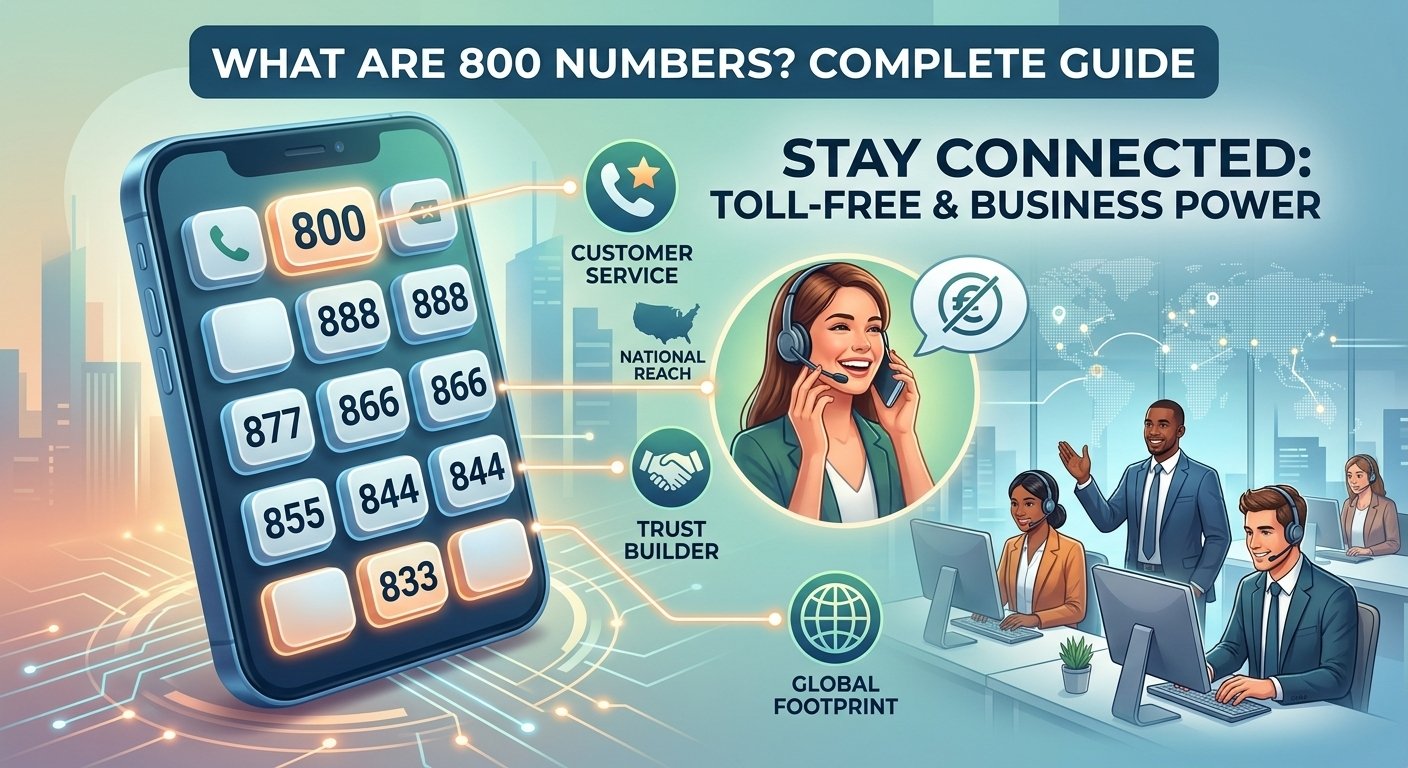
An 800 number commonly known as a toll-free number that allows callers to reach a business without paying any long-distance fees. Instead, the business covers the cost of the call. Instead, the subscriber receiving the call generally pays the associated service charges. In the North American Numbering Plan, toll-free prefixes include 800, 888, 877, 866, 855, 844, and 833. What are 800 Numbers? An 800 number is a toll-free telephone line assigned a specific three-digit prefix—such as 800, 888, 877, 866, 855, 844, or 833. Introduced in the 1960s, these numbers have evolved from manual switchboard setups into flexible digital assets managed over cloud network (VoIP) platforms. Rather than relying on local area codes tied to a specific city, toll-free numbers operate on a nationwide level. Businesses use them to create a unified contact point for customer service, technical support, and sales across entire countries without opening physical regional offices. You just type in the area code and there’s always a list. I’ve never not been able to get one, and then it’s attached to a phone and done. It’s just super quick to provision a phone.  Randy Tanenhaus (IT Manager at ClassPass) Are 800 numbers free? For callers, 800 numbers are designed to be toll-free when the call is made from within the service area supported by the number. The business or organization receiving the call generally pays for the toll-free service. However, mobile-plan usage, international access, and availability can vary by carrier and location. However, it refers strictly to the person making the call: For the Business: The receiver pays the service provider a combination of flat monthly account fees and per-minute usage rates (typically $0.02 to $0.05/min) for all incoming airtime. For Mobile Callers: If a caller uses a cell phone plan without unlimited minutes, their carrier may still deduct standard plan minutes for the duration of the call. For International Callers: Dialing a US 800 number from abroad usually incurs standard international long-distance fees unless the business sets up a dedicated International Toll-Free Service (ITFS). Who Regulates 800 Numbers? The FCC oversees seven toll-free prefixes (800, 888, 877, 866, 855, 844, and 833), which are assigned to subscribers by Responsible Organizations (RespOrgs) on a first-come, first-served basis. To make sure fair distribution, the FCC prohibits the warehousing of numbers, while the non-profit entity Somos manages the centralized SMS/800 database used by RespOrgs for searches and reservations. Additionally, Somos administers the Texting and Smart Services (TSS) Registry to support text-enabled these numbers and multimedia routing. This comprehensive regulatory framework confirm that businesses have legal protection over their numbers and the right to port them between different service providers. How Do 800 Numbers Function? When a customer initiates a call to an 1800 number, the process happens in a fraction of a second. The call doesn’t just go to a local switchboard; it travels through a complex network designed to identify who is responsible for the bill and where the call should land. This invisible infrastructure is what makes the 800 number service so reliable for modern commerce. The process generally follows these four steps: Dialing the 800 number: Just like a regular call, to make a toll-free call, all your customers have to do is dial the number on their phone or device to get started. Routing the call: Calls will be routed through the local telephone network where the SMS/800 (Service Management System) database will identify the responsible toll-free number providers. Forwarding to the destination: Once the carrier has been identified, the system will then forward the call to the relevant phone line provided by the business that owns the 800 number. This can be a landline, mobile phone, or VoIP line, depending on the setup chosen by the business. Taking the call: Your customer’s toll-free call is then connected to you and you can carry out your conversation seamlessly. Types of Toll-Free Numbers 1. Standard toll-free numbers A regular 0800 or 800 number assigned by your provider is known as a standard toll-free number. These are the most common and the least expensive to maintain because they consist of a random string of digits following the prefix. They are ideal for internal business lines or situations where the specific digits are not the primary focus of a marketing campaign. 2. Vanity toll-free numbers Vanity numbers are those that spell out a word or phrase on the phone keypad, such as 1-800-FLOWERS or 1-800-GOT-JUNK. These are highly memorable and effective for marketing, but they often cost more to acquire because popular letter combinations are in high demand. A vanity 1800 phone number can significantly boost brand recognition and recall among potential customers. 3. International toll-free numbers (ITFS) International toll-free numbers are numbers that are toll-free for callers in a specific foreign country but route to your business located elsewhere. If you have customers in France, you can get a French toll-free number that forwards to your office in Germany or the US. This allows the caller to dial a local-looking number and pay nothing, while your business expands its global footprint without opening a physical office in every country. Benefits of a 800 number for business Investing in a business toll-free number may make all the difference for your organization and its customers. These numbers make your company more accessible and help you build a professional image that resonates with a broad audience. By offering a number toll free, you are signaling to your market that you value their time and their business. Lower Customer Effort Toll-free numbers eliminate financial barriers for callers, significantly increasing the likelihood of customer engagement and frequent interactions. Because these numbers have a 75% higher recall rate than local ones, they are much easier for potential clients to remember from advertisements. This increased accessibility and memorability translate to better support experiences and higher conversion rates for both sales and customer service departments. Brand Credibility Providing a free communication channel reassures customers of a company’s legitimacy and commitment to service, reducing the fear of being scammed. Psychologically, toll-free numbers were historically reserved for major corporations, so utilizing one allows small businesses to project a sense of scale and established credibility. This professional image gives customers the confidence they need to invest in a brand, knowing they can reach out for support without incurring costs. National Reach A toll-free number removes the deterrent of long-distance charges, signaling that a business is a national entity capable of serving clients regardless of their location. When paired with VoIP services, companies can even establish a local presence in new regions without the overhead of physical offices. This flexibility allows organizations to scale rapidly and reach broader audiences while maintaining a consistent, professional identity across various geographic markets. Added benefits of virtual toll-free numbers for business Modern virtual toll-free numbers offered through VoIP providers provide unmatched flexibility, allowing employees to handle calls from any internet-connected device while working remotely or traveling. These systems are also highly cost-efficient, often reducing overall communication expenses by 30% to 50% compared to traditional landline systems. By integrating toll-free minutes into affordable monthly subscriptions, businesses can enjoy advanced connectivity features without the high costs associated with legacy hardware. How to get a 800 number There are a few steps involved if you want to get a 800 number for business inquiries. The process is relatively simple but requires choosing the right partner to guarantee your number is managed correctly. Following a structured approach will help you secure the best 1800 number for your brand. 1. Research regulations Toll-free numbers in the US are regulated by the FCC. This organization oversees the allocation and management of these assets, ensuring that numbers and Responsible Organizations conform to regulations and don’t hoard numbers they’re not using. Understanding these basic rules helps you realize that you don’t “own” the number in a permanent sense, but you have the right to use it as long as you pay for the service. 2. Choose a Responsible Organization Responsible Organizations manage the assignment, distribution, and routing of toll-free numbers. Research different toll free number providers and ensure they are certified RespOrgs. Look for a provider that offers features like call forwarding, voicemail-to-email, and detailed analytics. They should be able to answer any questions you may have about how to get a toll-free number for your business. 3. Select a 800 number Now you’re signed up with a Responsible Organization, it’s time to choose your 800 number. Your initial instinct may be that you want an 800 number for business use, but don’t neglect the other prefixes like 888 or 877. They may not be quite as recognizable as the original 800, but there are generally more of them available. You can also work with your provider to find a specific vanity number. 4. Reserve the number As soon as you’ve found the right number, the Responsible Organization will reserve the selected number with the SMS/800 Number Registry. This step ensures the number can only be used by your business and prevents anyone else from claiming it. This reservation process is usually instantaneous when using a digital platform. 5. Activate and test Once the Responsible Organization has activated your 800 number, you can start testing. Check that any call routing, transfers, and automated attendants are working correctly. It is vital to call the number from several different types of phones (landline and mobile) to ensure the connection is clear and the routing is accurate. 6. Go live If everything is working as it should, now is the time to go live and wait for the calls to roll in! Your 800 number provider should help you manage the line long-term by updating call routing as needed. You should also consider porting your number if you ever change providers. FCC rules mean toll-free numbers have to be portable, allowing you to move your number to another Responsible Organization if desired. 800 vs. Local Numbers Choosing between an 800 number and a local number depends on your business strategy. While a local number builds a neighborhood feel, a toll-free number suggests a broader reach and higher level of service. Many businesses choose to use both to cover all their communication bases. Factor 800 Number Local Number Caller cost Free Standard call rates Business cost Monthly fee + per-minute Monthly fee only (usually lower) Geographic association None (national reach) Tied to a city or region Trust factor Pro, established Local, approachable Marketing value High (memorable vanity options) Moderate Best for National businesses, support lines Local businesses, regional services What is Toll Free Forwarding? Toll-free forwarding, or call divert, enables businesses to establish a “local” free calling presence in any target market by routing international or domestic toll-free calls to a primary office, mobile device, or landline. This service is particularly valuable for entrepreneurs without a central office, ensuring they never miss a customer call regardless of their physical location. Often bundled with advanced features like time-of-day routing, toll-free forwarding allows for seamless global communication by directing calls to different offices based on their specific operating hours. Read More: What is Collaboration in the Workplace? Keys to Effective Teamwork Final words Acquiring an 800 number is one of the most effective ways to enhance your business’s professional image and improve customer accessibility. By removing the cost of calling, you invite more engagement and build a foundation of trust with your audience. Whether you choose a standard 1800 number or a custom vanity line, the benefits of national reach and credibility are undeniable. In an era where customer experience is a key differentiator, a toll free number remains an essential tool for any growing organization. FAQs Can I make international calls from my toll-free number? While toll-free numbers are primarily designed to receive incoming calls, many VoIP providers allow you to use your toll-free number as your outbound caller ID for international calls. However, the “toll-free” nature of the number usually only applies to domestic callers. If you are calling an international customer, you will likely be charged international rates by your service provider, and the person receiving the call may still see your 800 number on their display. Will I be charged if I use a number as my caller ID? Using your 800 number as a caller ID for outbound calls does not typically incur “toll-free” charges in the same way an incoming call does. Instead, the call is billed according to your standard outbound calling plan. The benefit of using the 800 number as your caller ID is that it maintains a consistent brand image, making it more likely that customers will recognize the number and answer the call. How can I get a vanity toll-free number? To get a vanity toll-free number, you must work with a Responsible Organization (RespOrg) that has access to the SMS/800 database. You can search for specific word combinations that correspond to the numbers on a keypad. If the number is available, the provider can reserve it for you. Keep in mind that popular vanity numbers are often already taken, so you may need to get creative with your spelling or try different prefixes like 888 or 877. Can I Keep My 800 Number If I Change Providers? Yes, according to FCC regulations, toll-free numbers are portable. This means you have the legal right to move your 1800 number from one service provider to another. The process, known as porting, involves submitting a request to your new provider, who will then coordinate with your old provider to transfer the number. This ensures that you do not lose your established business identity if you decide to switch to a different phone system. Can I use a toll-free number for texting? Many modern toll-free numbers are text-enabled, allowing businesses to send and receive SMS and MMS messages. This is managed through the TSS Registry, which coordinates the routing of text data for 800 numbers. Text-enabling your toll-free number allows customers to reach out via their preferred communication method, which can significantly improve engagement and customer satisfaction for support and marketing queries. What does a toll-free number mean for customers? For customers, a toll-free number means accessibility and convenience. It signals that a business is professional and willing to invest in the customer experience by covering the cost of communication. It removes the hesitation a customer might feel about calling a company located in a different state or region. It also provides a sense of security, as toll-free numbers are traditionally associated with reputable, established organizations. How much does a toll-free number cost? The cost of a toll-free number varies depending on the provider and the type of number chosen. Generally, you can expect a monthly service fee ranging from $5 to $20 per month, plus a per-minute rate for incoming calls, which often falls between $0.02 and $0.05. Vanity numbers may have a higher upfront acquisition cost. Many VoIP providers include one toll-free number and a set number of minutes for free within their standard business communication packages. Is 800 an Area Code? 800 is a toll-free code within the North American Numbering Plan, not a geographic area code associated with a particular city or state. Unlike codes such as 212 for parts of New York City or 305 for parts of South Florida, an 800 number does not reveal the caller or business’s physical location. The original 800 code is one of several toll-free prefixes. Other active toll-free codes include 888, 877, 866, 855, 844, and 833. Although these prefixes look similar to geographic area codes, they are used to identify toll-free services rather than geographic regions. 800 vs 888 vs 877 vs 866 The prefix doesn’t make one number more toll-free than another. An 888 or 833 number has the same basic toll-free function as an 800 number; the main differences are the prefix itself and number availability. Prefix Type Geographic? Caller Toll Charge 800 Toll-free No Toll-free in supported service area 888 Toll-free No Same general toll-free function 877 Toll-free No Same general toll-free function 866 Toll-free No Same general toll-free function 855 Toll-free No Same general toll-free function 844 Toll-free No Same general toll-free function 833 Toll-free No Same general toll-free function  
Read More
Cost to call 0370

0370 Numbers: Cost, Area Code & Benefits

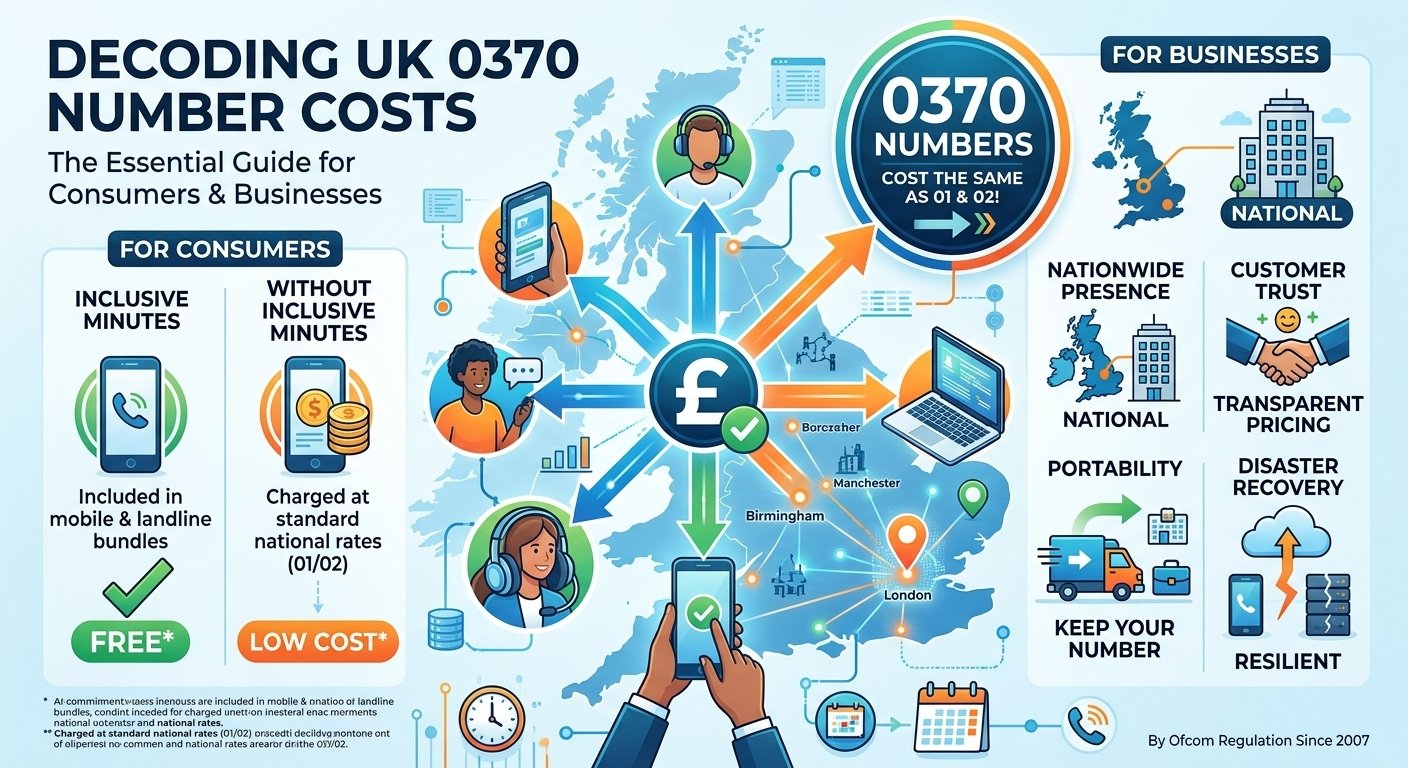
The cost to call 0370 numbers in the United Kingdom is identical to calling standard geographical landlines starting with 01 or 02. These numbers are non-geographic, meaning they are not tied to a specific region, yet they are billed at the basic rate. Whether you are calling from a mobile phone or a landline, the cost to call 0370 is included in your monthly allowance of inclusive minutes. If you have exhausted your minutes or do not have a bundle, you will be charged at your service provider’s standard national rate, making them a consumer-friendly option. A call displaying a 0370 number may come from an organization located anywhere in the UK because the prefix has no geographical location attached to it. Businesses and organizations can use non-geographic numbers while handling calls through different offices or telephone systems, depending on their setup. What Are 0370 Numbers? Introduced by Ofcom in 2007, 0370 numbers are non-geographical prefixes used by government bodies, charities, and large businesses to provide a unified national contact point. Designed as a transparent and fair-priced alternative to expensive 08 numbers, they ensure that calling costs remain predictable and consistent with standard landline rates. Unlike local 01 or 02 numbers, they allow organizations to operate across the UK without being tied to a specific geographic location. Technically, these numbers utilize intelligent digital routing to direct calls to centralized hubs or distributed offices, offering significant operational flexibility for large-scale entities. Because they adhere to strict price-capping regulations and eliminate hidden premium fees, they foster trust between the service provider and the caller. This modern infrastructure effectively replaces older, confusing prefixes, providing a reliable and professional communication standard for the public sector and national corporations. 0370 Area Code: Where Is 0370 Located? The 0370 area code is not linked to any specific city, town, or region in the UK. Although people often search for the “0370 area code,” 0370 is technically a non-geographic telephone prefix. Unlike geographic codes such as 020 for London or 0113 for Leeds, a 0370 number does not reveal where the organization receiving the call is physically located. 0370 numbers are part of the wider 03 number range, which Ofcom introduced in 2007. The 037 range was primarily created to provide organizations using corresponding 087 numbers with a lower-cost alternative. For example, an organization using an 0870 number could potentially migrate to the matching 0370 number, subject to Ofcom’s numbering rules and availability. Because 0370 is non-geographic, an organization using one could be based anywhere in the UK or route calls to different locations. Therefore, seeing a number beginning with 0370 does not mean that the call originated from a particular part of the country. Is 0370 a UK Area Code? No. 0370 is a UK telephone prefix, but it is not a geographic area code. Geographic area codes identify locations, whereas 0370 numbers are location-independent. Calls to 0370 numbers are charged on the same basis as calls to UK 01 and 02 numbers and must be included in applicable call allowances on the same basis. Are 0370 Numbers Free? No, 0370 numbers are not inherently free like 0800 or 0808 prefixes, but they are charged at the same rate as standard UK landlines (01 or 02 numbers). This means that if your mobile or landline contract includes “free minutes,” calls to 0370 numbers are covered by your bundle at no extra cost. If you do not have inclusive minutes, you will be charged a standard connection fee and a per-minute rate consistent with calling any local home or office number. How much does it cost to call an 0370 number? Calling an 0370 number costs the same as calling a standard UK landline (numbers starting with 01 or 02). By regulation, these calls must be included in your monthly minute allowances on both mobile and landline contracts, meaning they are effectively free if you have remaining inclusive minutes. If you do not have a bundle or inclusive minutes, landline calls typically range from 2p to 10p per minute, while mobile charges usually fall between 10p and 40p per minute. Pay-as-you-go users are charged at the standard national rate, and while roaming fees may apply from abroad, the price-matching rule make sure these numbers remain a fair alternative to premium-rate lines. Can You Call 0370 Numbers From Outside The UK? To call a UK 0370 number from abroad, you must dial the international code (+44) and then the number, omitting the initial zero. While the exact cost is determined by your local network provider’s international rates, 03 numbers are generally much more cost-effective than premium-rate alternatives. Many international carriers treat these prefixes as standard UK landlines, often including them in international calling bundles or charging them at a lower “Zone 1” rate. However, some smaller international providers may not recognize the 03 prefix, which can result in higher charges or connection issues. To avoid high roaming fees, travelers and expats are encouraged to use VoIP services or web-based calling apps, which typically offer significantly lower rates. Because 0370 numbers use stable non-geographic routing, they maintain high voice quality across borders, providing a reliable way to manage UK-based affairs from overseas. How to Get 0370 Numbers? 0370 numbers are not allocated in quite the same way as general-purpose 033 numbers. Ofcom established the 037 range primarily for organizations migrating from corresponding 087 numbers. For example, an organization using an 0870 number could potentially move to the matching 0370 number through its communications provider, subject to the applicable numbering rules and availability. Businesses simply looking for a new non-geographic number may find other 03 ranges more appropriate. 0370 numbers are virtual assets that can be routed to any existing mobile or landline, serving as a professional and cost-effective communication tool for UK businesses. Most providers offer competitive pricing with no setup fees, often providing free trials and easy transfers from older 087 prefixes to encourage consumer-friendly practices. When selecting a provider, it is essential to research monthly costs, evaluate advanced features like IVR and call recording, and verify the company’s reputation to ensure you receive a high-quality service that fits your budget. These numbers are highly beneficial because they lower communication barriers by offering low call costs for customers, which significantly improves engagement and support accessibility. Businesses can manage their 0370 lines through a user-friendly web portal, allowing for flexible call routing based on the time of day, such as directing office-hour calls to a desk phone and after-hours calls to a mobile or answering service. This combination of technical control and affordability makes 0370 numbers a staple for companies looking to establish a nationwide presence while maintaining professional standards. Benefits Of 0370 Numbers For Your Business 0370 numbers are not associated with a specific region, and businesses can use them to create an impression that they operate nationwide. This “big company” feel can be achieved without the need for multiple physical offices across the UK. By centralizing your communication through a single 0370 number, you simplify your marketing materials and make it easier for customers to know exactly how to reach you. Nationwide Presence 0370 numbers provide businesses with a professional, nationwide image by removing regional associations, allowing even small companies to compete with larger corporations without maintaining multiple physical offices. By centralizing communication through a single national number, you simplify your marketing materials and make it easier for customers across the UK to reach you, creating a consistent and reliable brand presence. Customer Trust and Transparency One of the most significant selling points of 0370 numbers is that they cost the same as a standard local call, which builds immediate rapport and trust with your audience. Highlighting this fair-rate status in your marketing reduces the friction typically associated with customer service lines, showing that you value your clients’ time and money while encouraging more frequent engagement. Portability and Convenience These numbers offer unparalleled convenience for growing businesses as they are fully portable, meaning you can move your headquarters to any UK city without ever needing to change your contact information. This ensures your brand identity remains stable and your long-term clients can always reach you, providing a sense of continuity as your business scales from a small town to a major hub like London or Manchester. Reduced Overhead Costs Utilizing 0370 numbers is often more economical than traditional landlines because they typically leverage VoIP technology, eliminating the need for expensive physical hardware and high maintenance fees. This internet-based management allows you to scale your operations up or down predictably, reducing calling costs for your clients while keeping your own communication budget manageable and efficient. Attracting More Customers Because 0370 numbers are non-geographic, they remove the hesitation potential leads might feel when calling a distant city code, effectively leveling the playing field with major corporations. By featuring these standard-rate numbers on national advertising and email signatures, you can track analytics across regions and boost sales, as customers are more likely to inquire about your services knowing the call is affordable. Disaster Recovery Since 0370 numbers are hosted in the cloud rather than tied to a physical building, they provide essential business resilience during power outages or local accidents. In the event of an emergency, calls can be instantly redirected to mobile devices, ensuring your team remains reachable and your reputation stays intact without any loss of revenue or operational downtime. Memorable Numbers Network providers offer the option to choose highly memorable “gold” or “platinum” 0370 numbers with repeating digits, which significantly increases brand recall for radio and billboard advertisements. While these premium numbers may require a higher initial investment, they provide long-term marketing value by making your business more accessible to the public while maintaining the standard landline calling rate for the caller. Read More: Work From Home vs Work from Office: Pros and Cons Wrapping UP The 0370 numbers in the UK are beneficial for your business in terms of cost and convenience. There is no major drawback of using these numbers, as they provide a fair and transparent way for people to get in touch. However, you must be careful about the security of your account and never purchase from less reputable companies. Always purchase from a well-reputed and experienced company to enjoy all the benefits of these numbers and increase your sales. Understanding the cost to call 0370 is essential for both consumers and business owners. For consumers, it offers peace of mind that they won’t be overcharged. For businesses, it provides a professional, national presence that is affordable to maintain. By utilizing this 2007 Ofcom-regulated prefix, you are participating in a telecommunications system designed for clarity and fairness, which ultimately benefits the entire UK economy. FAQs What is the cost to call 0370 numbers from a UK mobile? The cost to call 0370 from a UK mobile is exactly the same as calling a standard 01 or 02 landline number. If your mobile contract includes a bundle of inclusive minutes, calls to 0370 numbers will be deducted from that allowance, meaning there is no extra charge. If you do not have any minutes left, you will be charged at your provider’s standard national rate, which typically ranges from 10p to 40p per minute. Is 0370 free on O2 or other major networks? Calls to 0370 numbers are not “free” in the sense of 0800 numbers, but they are included in O2’s monthly minute allowances. If you have an active plan with O2, Vodafone, EE, or Three that includes minutes, calling an 0370 number will not cost you anything extra. If you are a pay-as-you-go customer without a bundle, the call will be charged at the standard rate set by your network. Are 0370 numbers geographic or linked to a city? No, 0370 numbers are non-geographic numbers. Unlike 0113 for Leeds or 020 for London, the 370 prefix does not represent a specific location. This allows organizations to maintain a single national contact number regardless of where their offices are physically located. They were introduced to provide a uniform calling experience across the whole of the UK. Can I call an 0370 number if I am currently abroad? Yes, you can dial 0370 numbers from outside the UK by using the international dialling code +44. You would dial +44 370 followed by the rest of the digits. The cost will depend on your international service provider’s rates for calling a UK landline. Many VoIP services allow you to make these calls at a very low cost even when you are thousands of miles away. Why do government departments use 0370 numbers? Government departments use these numbers because they are legally required to provide high-quality service lines that do not charge callers a premium. Since the cost to call 0370 is capped at standard landline rates, it ensures that citizens can access vital services like HMRC or the DWP without facing high telephone bills, making the services more accessible to everyone. What is the difference between 0370 and 0870 numbers? The primary difference is the cost. Calls to 0870 numbers often involve a service charge and an access charge, which can make them very expensive. In contrast, the cost to call 0370 is strictly regulated to match 01 and 02 rates. Many businesses have migrated from 0870 to 0370 to comply with consumer protection laws and to improve customer satisfaction. Feature 0370 0870 Number type Non-geographic 03 number Non-geographic service number Caller charging No more than equivalent 01/02 call Access charge + applicable service charge Inclusive minutes Must be treated like 01/02 calls Generally not included like normal geographic calls Revenue sharing Not allowed May involve service-charge arrangements Relationship 0370 was created as a matching migration range for 0870 Older corresponding range Does it cost more to call 0370 during the weekend? The cost depends entirely on your specific landline or mobile phone tariff. Most modern mobile plans have flat rates regardless of the time of day. However, some traditional landline providers may have “peak” and “off-peak” rates. If your plan includes free weekend calls to landlines, then 0370 numbers will also be free to call during those times. Is 0370 a Premium-Rate Number? No, 0370 is not a premium rate prefix. It was created specifically to provide a non-geographic alternative that is not premium. While prefixes like 09 are for premium services, 0370 is a basic-rate prefix. This distinction is important for consumers to understand so they do not hesitate to call important business or charity helplines. Can I get an 0370 number for my personal use? While technically possible to purchase one from a VoIP provider, 0370 numbers are almost exclusively used by businesses, charities, and government bodies. Most individuals prefer standard geographic numbers or mobile numbers. If you run a small home business and want a national image, an 0370 number is a professional and affordable choice.

Read More
work from home vs work from office

What is Collaboration in the Workplace? Keys to Effective Teamwork

Collaboration in the workplace is the process where individuals or groups work together to achieve a common goal or complete a task. It involves sharing ideas, skills, and resources to solve problems efficiently. In the modern corporate landscape, it represents the backbone of organizational success, fostering an environment where diverse perspectives lead to innovative solutions. Effective collaboration goes beyond just working in the same space; it requires active communication, mutual respect, and synchronized efforts. Businesses that prioritize this approach often see higher productivity levels and improved employee satisfaction, making it a critical component of professional growth and operational excellence. What is Collaboration in the Workplace? Workplace collaboration happens when employees combine their knowledge and skills instead of working entirely independently. It may involve people within the same team or employees from different departments working together on a project, problem, or customer request. For example, launching a new product may require marketing, sales, design, finance, and product teams to share information and coordinate their work. To define collaboration in the workplace, one must look at how teams interact to produce results that an individual could not achieve alone. It is the practical application of collective intelligence, where the sum of the parts is greater than the individual contributions. This concept has become increasingly vital as businesses shift from hierarchical structures to more fluid, team-based models. In these environments, people from different departments and with varying levels of expertise come together to tackle complex challenges. According to research, the time managers and employees spend on collaborative activities has surged by over 50% in the past two decades, and in many organizations, communication with coworkers takes up 72% of the work week. It proves that workplace collaboration is no longer a peripheral activity but the core of how business is conducted. When people understand what is workplace collaboration, they recognize it as a deliberate strategy to break down silos and leverage the unique strengths of every team member. Why is Collaboration in the Workplace Important? In a fast-paced global economy, joint execution drives organizational agility. It is the engine that drives organizational agility, allowing companies to respond quickly to market changes and customer needs. When employees work together, they can identify potential risks earlier and brainstorm more creative solutions to overcome them. This collective approach reduces the burden on any single individual, leading to a more resilient and adaptable workforce. Furthermore, it serves as a powerful tool for building trust and community among staff. Research by Gallup suggests that having a “best friend” at work—which often stems from close collaborative ties—leads to significantly higher individual engagement and performance. When people feel connected to their colleagues, they are more likely to go above and beyond for the organization. This sense of belonging is a key driver of retention, as employees are less likely to leave a company where they feel valued and supported. Benefits of Collaboration in the Workplace Effective collaboration can make it easier for teams to share knowledge, divide responsibilities, solve problems, and learn from one another. The exact benefits depend on how well the team communicates and how responsibilities are managed. 1. Improved efficiency Efficiency is a direct result of workplace collaborative efforts, as it eliminates the redundancies that often occur when people work in silos. When a team collaborates effectively, they can streamline processes and automate repetitive tasks by sharing best practices. This leads to a more organized workflow where everyone knows their specific role and how it contributes to the final outcome. In a collaborative work environment, the time spent searching for information or waiting for approvals is drastically reduced. Teams that use unified communication tools can resolve issues in real-time, preventing small problems from escalating into major delays. This streamlined approach allows the organization to deliver products and services to market faster, providing a significant competitive advantage. 2. More innovation Bringing people with different skills and experiences into the same discussion can produce ideas that one department might overlook. For example, customer-support staff may identify a recurring customer problem that the product team can address in a future update. 3. Stronger teams When individuals work together toward a common goal, they develop a shared history and a mutual understanding of each other’s work styles. This bond makes the team more effective over time, as they learn how to anticipate each other’s needs and provide support during high-pressure situations. Strong teams are the foundation of a healthy organization, as they are better equipped to handle conflict and change. Through regular cooperation at work, team members learn to appreciate the different perspectives that their colleagues bring to the table. This mutual respect fosters a culture of inclusivity where every voice is heard and every contribution is recognized. 4. Employee development Collaboration among workers is a fantastic catalyst for personal and professional growth. Working alongside others allows individuals to pick up new skills and gain exposure to different areas of the business that they might not encounter otherwise. This peer-to-peer learning is often more effective than formal training sessions, as it happens in the context of real-world tasks. 5. Happier employees Humans are social creatures by nature, and working in a vacuum can lead to feelings of isolation and burnout. When employees feel that they are part of a team and that their work matters to others, their morale increases significantly. This positive atmosphere makes the office—whether physical or virtual—a more enjoyable place to be. A collaborative culture also provides a safety net for indiviuals, as they know they can rely on their teammates when things get difficult. This reduced stress and increased support lead to higher job satisfaction and a more positive outlook on their career. Happy staff are also more likely to be brand advocates, helping to attract top talent to the organization. 7. A better customer experience The ultimate beneficiary of workplace collaborations is often the customer. When internal teams work well together, the results are evident in the quality and consistency of the products and services provided. For example, if the marketing, sales, and product teams are in constant communication, the customer receives a unified message and a product that truly meets their expectations. It ensures that customer inquiries are handled more efficiently, as the necessary information can be quickly gathered from various departments. This leads to faster resolution times and a more seamless journey for the client. In a world where customer experience is a key differentiator, effective collaboration can be the deciding factor in a company’s success. Examples of workplace collaboration Many of the world’s most successful companies have built their entire business models around the idea of collective effort. These organizations understand that by fostering a spirit of togetherness, they can achieve remarkable things. Protiviti: Collaboration for innovation Protiviti, a global consulting firm, uses collaboration to drive innovation across its various service lines. By creating cross-functional teams, they ensure that every client problem is looked at from multiple angles. This approach allows them to provide comprehensive solutions that a single-specialty firm might miss. Their focus on collaborative work has made them a leader in the consulting industry. Workday: Collaboration for team bonding Workday is known for its incredible company culture, which is built on the foundation of collaboration and team bonding. They organize regular team-building activities that are designed to help staff get to know each other outside of their daily tasks. This investment in relationships pays off in the workplace, as employees who like and trust each other are far more likely to collaborate effectively on projects. 8 Principles of successful collaboration in the workplace To achieve effective teamwork in the workplace, certain core principles must be integrated into the daily routine. These principles act as the “ground rules” for how team members interact and work together. Without them, collaborative efforts can become disorganized and lead to frustration rather than results. 1. Efficiency Efficiency means making the best use of everyone’s time and resources. This involves having clear agendas for meetings, using the right tools for communication, and avoiding unnecessary bureaucracy. When a team operates efficiently, they can focus their energy on high-value tasks that drive the project forward. 2. Trust Trust is the bedrock of any collaborative relationship. Team members must trust that their colleagues will follow through on their commitments and that they have the best interests of the project at heart. Without trust, collaboration breaks down into micromanagement and suspicion, which stifles creativity and slows down progress. 3. Empathy Empathy involves understanding the perspectives and feelings of others. In a team setting, this means recognizing when a colleague is overwhelmed and offering help, or understanding the different pressures that people in other departments might be facing. Empathy fosters a supportive environment where people feel safe to take risks. 4. Positivity A positive attitude can be contagious and can significantly boost a team’s productivity. Positivity doesn’t mean ignoring problems, but rather approaching them with a “can-do” spirit and a focus on finding solutions. This mindset helps teams stay motivated even when faced with difficult challenges. 5. Clarity Clarity is essential for preventing misunderstandings and ensuring that everyone is on the same page. This includes clear definitions of roles, responsibilities, and project goals. When everyone knows exactly what is expected of them, they can work with greater confidence and purpose. 6. Accountability Accountability means taking ownership of one’s actions and their impact on the team’s goals. In a collaborative environment, individuals must be willing to admit when they have made a mistake and work to rectify it. This shared sense of responsibility ensures that the team remains focused on achieving its objectives. 7. Inclusivity Inclusivity ensures that all voices are heard and valued, regardless of a person’s background or seniority. A truly inclusive team seeks out diverse perspectives and recognizes that the best ideas can come from anywhere. This principle is vital for fostering innovation and making everyone feel like a valuable part of the team. 8. Digital inclusivity As more work moves online, digital inclusivity has become increasingly important. This means ensuring that all team members have access to the tools and training they need to participate fully in a digital environment. It also involves being mindful of different time zones and remote work setups to ensure that no one is left out of the loop. How to improve collaboration in the workplace: 7 essential strategies and skills Improving collaboration within teams requires a proactive approach from leadership and a willingness to adapt from employees. It is not something that happens overnight but is a continuous process of refinement. By implementing specific strategies, organizations can create a more cohesive and productive workforce. 1. Develop a company culture A strong company culture is the foundation of long-term collaboration. This culture should explicitly value teamwork and reward those who go out of their way to help their colleagues. When collaboration is part of the organization’s DNA, it becomes a natural part of how people work rather than a forced requirement. 2. Embrace differences Diversity of thought is one of the greatest assets of any team. Embracing differences means actively seeking out people with different skills, experiences, and viewpoints. By encouraging a variety of perspectives, teams can avoid groupthink and develop more comprehensive and creative solutions to problems. 3. Set clear goals Without clear goals, collaborative efforts can easily lose direction. It is important to define what success looks like for every project and to communicate these goals to all team members. When everyone understands the “why” behind their work, they are more likely to stay engaged and focused on the end result. 4. Keep the lines of communication open Open communication is vital for identifying issues early and ensuring that everyone has the information they need to succeed. This involves not only formal meetings but also informal channels like instant messaging and video calls. Encouraging a “speak-up” culture ensures that important information isn’t siloed within specific departments. 5. Practice active listening Active listening is a skill that is essential for effective cross-departmental work between teams. It involves fully concentrating on what is being said rather than just passively hearing the words. By practicing active listening, team members can gain a deeper understanding of each other’s ideas and concerns, leading to more productive discussions. 6. Solve problems together Instead of assigning problems to a single individual, try to solve them collectively. Collaborative problem-solving allows the team to leverage a wider range of ideas and ensures that the final solution has the buy-in of everyone involved. This approach also helps to build trust and strengthen team bonds. 7. Manage your time Effective time management is crucial for keeping collaborative projects on schedule. This involves setting realistic deadlines and ensuring that everyone is aware of their individual timelines. By managing time effectively, teams can avoid the stress of last-minute rushes and maintain a consistent level of quality in their work. Tools that help with team collaboration in the workplace In today’s digital world, having the right tools is just as important as having the right mindset. There are many software solutions designed specifically to facilitate collaboration among groups, whether they are in the same building or across the globe. These tools help to organize workflows, manage documents, and keep communication flowing. Tool Primary Use Microsoft Teams Messaging, meetings and Microsoft 365 collaboration Slack Team messaging and channels RingCentral Business calling, messaging and meetings Asana Project and task management Trello Visual task management Google Workspace Documents, email, meetings and file sharing RingCentral RingCentral is a comprehensive communication platform that offers messaging, video, and phone services in a single app. It is designed to help teams stay connected and collaborate effectively from anywhere. Its robust features make it an ideal choice for businesses that need a reliable and scalable communication solution. Asana Asana is a popular project management tool that helps teams track their work and meet deadlines. It allows users to create tasks, assign them to team members, and set due dates. Its visual interface makes it easy to see the status of various projects and identify any potential bottlenecks. Trello Trello uses a card-based system to help teams organize and prioritize their tasks. It is highly flexible and can be customized to fit any workflow. Trello is particularly useful for visual thinkers who want to see their progress at a glance and move tasks through different stages of completion. Google Workspace Google Workspace provides a suite of collaborative tools, including Google Docs, Sheets, and Slides. These tools allow multiple people to work on the same document simultaneously, with changes being saved in real-time. This level of joint efforts is essential for teams that need to produce high-quality content quickly. ProofHub ProofHub is an all-in-one project management and collaboration software that offers a centralized space for teams to plan and track their work. It includes features like task management, time tracking, and file sharing, making it a comprehensive solution for managing complex projects. Challenges of Collaboration in the Workplace Challenge What Can Happen Too many meetings Employees lose time for focused individual work Unclear ownership Tasks get duplicated or overlooked Information overload Important messages become difficult to find Slow decision-making Too many stakeholders delay decisions Tool overload Information becomes scattered across multiple platforms Different priorities Departments may disagree about goals Time-zone differences Global teams may struggle to communicate synchronously More collaboration isn’t always better. Effective collaboration means involving the right people at the right time while preserving enough time for focused individual work. Read More: 09 Numbers: Cost, Meaning & Benefits Final Thought Collaboration in the workplace is more than just a buzzword; it is a fundamental shift in how we approach work in the 21st century. By embracing the principles of trust, empathy, and efficiency, and by utilizing the right tools, organizations can unlock the full potential of their people. The benefits are clear: more innovation, happier employees, and a better experience for customers. As the world of work continues to evolve, those who master the art of collaboration will be the ones who lead the way into the future. FAQs  How do you encourage collaboration in the workplace? Collaboration in the workplace is encouraged by fostering a culture where teamwork is actively celebrated and rewarded. Leadership should set the example by participating in collaborative efforts and making themselves accessible to their teams. Providing the right digital tools, such as project management software and unified communication platforms, is also essential. Additionally, creating opportunities for cross-departmental interaction through workshops or social events can help break down silos. When employees see that their collaborative efforts lead to tangible results and career growth, they are more likely to embrace the practice. What Are the Barriers to Workplace Collaboration? Common barriers include unclear responsibilities, poor communication, information silos, lack of trust, too many meetings, incompatible tools, conflicting priorities, and limited accountability. What does collaboration mean in a professional context? Collaboration in a professional context means the act of working together with one or more people to produce a specific outcome. It involves the integration of different skills, perspectives, and areas of expertise to solve problems or create something new. It is built on the foundation of shared accountability and open communication. Why is workplace cooperation essential for remote teams? Workplace cooperation is essential for remote teams because it bridges the physical gap between employees. Without the ability to interact in person, remote workers must rely on collaborative tools and a cooperative mindset to stay aligned. Effective cooperation ensures that remote employees feel like a valued part of the team and prevents them from feeling isolated. What are some common examples of collaboration in the workplace? Examples include a cross-functional team launching a new product, a group of designers brainstorming a new logo, or different departments working together to resolve a customer service issue. It also includes peer-to-peer mentoring and the use of shared digital workspaces to co-author documents. How does collaboration improve decision-making? Collaboration improves decision-making by bringing a wider range of perspectives to the table. When a diverse group of people evaluates a problem, they are more likely to identify potential pitfalls and consider a broader array of solutions. This leads to more informed and balanced decisions that have the support of the whole team. Can collaboration help reduce employee burnout? Yes, it can help reduce burnout by distributing the workload more evenly across the team. When employees know they can rely on their colleagues for support, the pressure of individual tasks is minimized. Furthermore, its social aspect provides emotional support and a sense of community that can protect against the feelings of isolation associated with burnout. What role does technology play in organizational collaboration? Technology acts as the enabler of organizational efforts, especially in large or global companies. It provides the platforms where people can share ideas, track progress, and communicate instantly. Without tools like video conferencing and cloud-based document sharing, modern collaboration would be significantly more difficult and less efficient.

Read More

Work From Home vs Work from Office: Pros and Cons

Working from home offers greater flexibility, no daily commute, and more control over your workspace, while office work provides face-to-face collaboration, clearer separation between work and home, and easier access to colleagues and workplace resources. Neither option is better for everyone—the right choice depends on your role, working style, home environment, and employer. Some employees are more productive at home, while others work better with the structure and social interaction of an office. Hybrid work combines elements of both and can be a practical option when the role allows it. Comparison: Work From Home vs Work From Office Pros of Working From Home Cons of Working From Home Pros of Working in an Office Cons of Working in an Office Flexible Schedule Isolation and Lack of Social Interaction Structured Workspace Commuting Stress and Time Consumption Customizable Workspace Distractions and Home Responsibilities Opportunities for Collaboration and Networking Less Personal Freedom and Flexibility Less Commuting and Expenses Communication Challenges Access to Resources and Immediate Support Office Politics and Distractions Increased Productivity Technology and Costs Clearer Work-Life Boundaries Limited Control Over Environment Better Work-Life Balance Difficulty with Work-Life Balance Enhanced Learning and Growth Potential Health Impacts Pros of Working From Home The rise of work from home culture has brought about numerous benefits that were previously unavailable to the average employee. Gaining total control over your schedule fundamental changes daily productivity. This shift is not just about where you sit, but about how you manage your energy and time. 1. Flexible schedule One of the most significant advantages is the ability to manage your own time. Unlike the rigid hours of an office, remote work often allows for a more fluid schedule where you can start earlier or end later based on your peak energy levels. This flexibility is a cornerstone of the better work from home experience that many professionals now seek. Post-pandemic employment expectations have permanently shifted. In a 2022 McKinsey survey of U.S. workers McKinsey uncovered that 35% of professionals have the option to work from home full-time since the pandemic began. This shift has changed the expectations of the workforce, making flexibility a primary requirement for many job seekers. Having a flexible schedule means you can attend to personal errands or family needs without the stress of asking for time off for every small appointment. This level of trust between employer and employee often leads to higher job satisfaction.  2. Customizable workspace When working in a home office, you have total control over your space. You can choose the lighting, the chair, and even the temperature to suit your personal preferences. This customizable nature is a major advantage of working at home compared to the standardized office workspaces that offer employees less control over lighting, temperature, furniture, or noise. A personalized work from home can lead to better physical health, as you can invest in ergonomic equipment that specifically fits your body. Whether it is a standing desk or a quiet corner with natural light, these small changes can significantly reduce the physical strain of a long workday. 3. Reduced Commute and Expenses Working from home can reduce commuting-related expenses such as fuel, fares, parking, and vehicle maintenance. Additionally, the costs associated with professional attire and buying lunch every day are greatly reduced. These savings add up to a significant amount of extra disposable income over the year. Furthermore, the time saved by not sitting in traffic can be reinvested into personal hobbies, exercise, or extra sleep. This makes the it a double win for both the wallet and the clock. 4. Increased productivity and performance Many studies, including a prominent report from Stanford University, suggest that remote work can lead to a 13% increase in performance. This is often attributed to a quieter surroundings and fewer interruptions from colleagues. For many, the office vs work from home debate is settled by the ability to enter a deep state of focus at home.  As statistics show that 10% of employees work remotely full time. When you remove the ambient noise of a busy office, you can often complete complex tasks in less time. This efficiency is a primary reason why many believe remote work vs office work efficiency is superior for roles that require deep concentration and analytical thinking. 5. Better work-life balance The ability to integrate work and home life seamlessly is a major draw for the modern workforce. Without the barrier of a long commute, the transition from professional life to personal life happens instantly. This allows for more quality time with family and a reduction in the overall stress associated with juggling multiple responsibilities. A better work-life balance is not just a perk; it is a necessity for long-term mental health. Employees who feel they have enough time for their personal lives are less likely to experience burnout and are generally more engaged when they are on the clock. This makes it one of the top benefits of working from home for employers who want to retain their best talent. Cons of Working From Home Despite the many benefits, there are also significant issues with work from home that individuals must navigate. The lack of a physical boundary between your professional and personal life can lead to unique challenges. Understanding these negatives of working from home is essential for anyone looking to make a long-term transition to remote work. 1. Isolation and lack of social interaction Human beings are social creatures, and working at the home office can sometimes feel incredibly lonely. Without the casual watercooler chats or impromptu coffee breaks with colleagues, a sense of isolation can set in. This lack of social interaction is one of the most cited problems with working at home. Over time, this isolation can impact mental well-being and decrease the sense of belonging to a team. It becomes much harder to build the rapport and trust that come naturally when you are sharing a physical space. For those who thrive on social energy, the cons of work from home can be quite daunting. 2. Distractions and home responsibilities While the office has its distractions, the home setup presents an entirely different set of challenges. From laundry piles and dirty dishes to family members and pets, staying focused can be difficult. These distractions can lead to a decrease in the productivity of working from home vs office environment if not managed strictly. Managing home responsibilities while trying to maintain a professional demeanor on video calls requires a high level of discipline. Without a dedicated office from home, it is easy for household chores to creep into your working hours, leading to a fragmented and less efficient workday. 3. Communication challenges Effective communication is often harder when you are remote vs in person work. You lose the ability to pick up on non-verbal cues and body language, which can lead to misunderstandings. Relying solely on text-based communication or scheduled video calls can slow down the decision-making process. In an office, you can often get a quick answer by walking over to a colleague’s desk. In a remote setting, you might have to wait for an email reply or a Slack message, which can interrupt your flow. These communication hurdles are among the top working from home concerns for managers and team leads. Pros of Working in an Office The traditional in office work still holds significant value in the professional world. There are certain aspects of corporate culture and professional development that are difficult to replicate in a virtual setting. For some employees, particularly those who value face-to-face interaction, an office provides structure and easier access to colleagues. 1. Structured work environment An office provides a clear structure that helps many people stay on task. The dedicated space is designed specifically for productivity, with minimal domestic distractions. This helps to signal to the brain that it is time to focus, which can be beneficial for those who struggle with self-motivation. A structured setting also includes set working hours, which can help in maintaining a consistent routine. Knowing that your colleagues are also working during these hours creates a sense of collective purpose. This structure is often why some people find that in-office work leads to higher productivity than remote work. 2. Opportunities for collaboration and networking The value of spontaneous collaboration cannot be overstated. “Watercooler moments”—the unplanned conversations that happen in hallways—often lead to innovative ideas and quick problem-solving. This type of interaction is a core advantage of working in an office vs home. Networking is also much more effective in person. Building relationships with senior leadership and colleagues from other departments is easier when you are physically present. These connections are vital for career advancement and are often harder to forge in a remote or remotely focused environment. 3. Access to resources and immediate support When you are in the office, you have immediate access to high-end equipment, meeting rooms, and administrative support. If the printer breaks or you need a specific file, there is usually someone or somewhere to turn to immediately. This level of support can make the workday much smoother. Having a dedicated IT team on-site means that technical glitches are resolved quickly, minimizing downtime. This infrastructure is a key reason why some industries continue to favor the office vs remote working model, especially those that handle sensitive data or require specialized hardware. 4. Clearer work-life boundaries One of the greatest pros of working in an office is the physical separation between work and home. When you leave the building at the end of the day, there is a psychological “closing of the laptop” that allows you to leave work behind. This boundary is essential for mental health and long-term sustainability. Having a separate space for work means that your home remains a sanctuary for relaxation and family. This clear distinction helps in preventing the burnout that often comes from the “always-on” culture of remote work. For many, the daily commute acts as a necessary buffer between their two worlds. 5. Enhanced learning and professional growth For junior employees and those new to a company, being in the office is a significant advantage. You can learn through osmosis by observing how more experienced colleagues handle situations and interact with clients. This type of informal learning is one of the primary benefits of working in an office. Mentorship programs also tend to be more effective when conducted in person. The ability to grab a quick coffee with a mentor or shadow them in meetings provides invaluable insights that are often lost in a virtual setting. Professional growth is often accelerated by the visibility and engagement that comes with in-office working. Cons of Working in an Office Despite its benefits, the traditional office model has several drawbacks that have become more apparent in recent years. The rigid nature of office life can sometimes be at odds with the needs of a modern, diverse workforce. Understanding these cons is essential for any company looking to implement a return-to-office policy. 1. Commuting stress and time consumption The most cited disadvantage of working in an office is the commute. Whether it is sitting in traffic or navigating crowded public transit, commuting is a significant source of stress. This time is essentially “unpaid work” and can consume several hours of an employee’s day. Beyond the stress, commuting has a negative environmental impact and can lead to physical exhaustion. The time lost to travel could be spent on exercise, family, or sleep, which are all vital for overall well-being. This is a major factor when comparing the pros and cons of remote workforce options. 2. Less personal freedom and flexibility Working in an office usually means adhering to a strict schedule and a specific dress code. There is less freedom to manage your personal life during the day, which can be frustrating for employees who have become used to the autonomy of remote work. This lack of flexibility is a common complaint in the office vs work from home debate. Employees often feel more monitored in an office setting, which can lead to a feeling of being micromanaged. The inability to adjust your environment or take breaks exactly when you need them can negatively impact morale and creative output. 3. Office politics and distractions While the office is meant to be a place of work, it is often full of distractions. From loud conversations and phone calls to the constant “stop-bys” from colleagues, finding time for deep work can be a challenge. Office politics can also create a stressful environment that detracts from actual productivity. Navigating the social hierarchy and interpersonal conflicts of an office can be emotionally draining. These distractions are a primary reason why many employees report that they are more productive when they work from home vs working from office. 4. Limited control over work environment In a communal office, you have very little control over your surroundings. You may have to deal with uncomfortable temperatures, poor lighting, or an open-plan layout that offers no privacy. This lack of control can lead to physical discomfort and increased stress levels over time. For individuals with sensory sensitivities or specific ergonomic needs, the standard office environment can be particularly challenging. The inability to customize your space is a significant drawback that is often overlooked in discussions about in-office productivity. 5. Potential health impacts Spending a large portion of your day in an office can have various health implications. From the sedentary nature of desk work to the increased exposure to illnesses in a shared space, the office can be a breeding ground for health issues. Poor air quality and lack of natural light in some buildings can also impact long-term health. Furthermore, the stress of commuting and navigating office dynamics can contribute to mental health struggles. In contrast, the ability to control your diet and exercise routine more easily at home is a significant advantage for those who prioritize their physical well-being. Conclusion: Finding the Right Balance The debate over office vs work from home is not about choosing one over the other, but about finding the right balance for your specific needs. Both environments offer unique advantages and challenges. The future of work is likely a hybrid model that combines the flexibility of remote work with the collaborative power of the office. As we move forward, companies that offer a variety of options will likely see the highest levels of employee satisfaction and retention. Whether you prefer the quiet of a home office or the buzz of a corporate headquarters, the goal is to create a sustainable way of working that supports both professional excellence and personal happiness. Read More: Power Dialers: How They Work, Pros, Cons, and Alternatives Final Thought The ultimate goal is choosing the environment that aligns best with your role, habits, and mental well-being. By carefully considering the pros and cons of each, you can design a career path that not only meets your professional goals but also enhances your quality of life. The most successful professionals of the future will be those who can adapt to whichever environment best serves their immediate tasks. Work From Home vs Office: Which Is Better for You? Choose WFH if… Choose Office if… You work independently for long periods Your role requires frequent face-to-face collaboration You have a quiet home workspace Your home environment is distracting You value location flexibility You prefer a structured daily routine Commuting takes significant time You live close to the workplace Your role works well digitally You need specialized workplace equipment Your team communicates effectively online You value regular in-person interaction These are general considerations rather than rules. Many jobs combine characteristics from both columns, which is why hybrid arrangements can work well for some teams. Working from Home FAQs Is working from home better than working in an office? The answer depends on the individual’s role, personal work style, and lifestyle preferences. For those who value autonomy and have a dedicated workspace, working from home can be better. However, for those who thrive on social interaction and structured environments, the office might be the superior choice. Is 100% remote work good? Full remote work is excellent for flexibility and saving time on commutes, but it can lead to isolation if not managed carefully. It works best for self-motivated individuals and companies with strong digital communication cultures. Is WFH increasing depression? While not a direct cause, the isolation associated with working from home can exacerbate feelings of loneliness or depression in some individuals. It is important to maintain a social life outside of work and set clear boundaries to protect mental health. What are the disadvantages of work from home? The primary disadvantages include social isolation, potential for more domestic distractions, communication delays, and the blurring of boundaries between professional and personal life. How can I stay productive while working from home? Maintaining a strict routine, having a dedicated workspace, and using productivity tools can help. It is also important to take regular breaks and communicate frequently with your team to stay engaged. Do employers prefer office work? Some employers prefer office work for the ease of collaboration and oversight, while others have embraced remote work to save on overhead costs and access a wider talent pool. What is a hybrid work model? A hybrid work model allows employees to split their time between working from home and working in a physical office. This is becoming the most popular solution for modern businesses. Can working from home save money? Yes, it significantly reduces costs related to commuting, professional clothing, and buying meals. However, it may increase home utility bills and the cost of maintaining office equipment. Which Is More Productive: Working From Home or Office? Neither environment is automatically more productive. Productivity depends on the type of work, level of collaboration required, home or office environment, technology, management practices, and individual preferences. Tasks requiring uninterrupted concentration may suit remote work, while work involving frequent collaboration may benefit from in-person interaction.

Read More
what is jitter on speed test

What is Jitter On Speed Test?

Jitter refers to the variation in the delay of data packets as they travel across a network. When you perform a connection check, you might see high speeds, but if the timing between those packets is inconsistent, your real-time applications like video calls or gaming will suffer from stutters and lag. Ideally, data packets should arrive at a steady, predictable interval. When the network is unstable, this timing fluctuates, leading to what is jitter on speed test metrics. Minimizing this variation is essential for maintaining a clear and professional digital communication experience. What is jitter? To define jitter in networking, one must look at how data moves in small chunks called packets. Every time you send an email or stream a movie, that information is broken down into these packets and sent across the internet to a destination. These data would arrive in a continuous stream with identical spacing between them. However, in networking, jitter refers to the deviation from this ideal timing. When packets arrive at irregular intervals, the receiving device has to wait or reorder them, leading to noticeable delays. The jitter meaning often gets confused with simple speed, but it is strictly about the timing of the delivery. In computer networks, jitter occurs when there is network congestion or route changes that force packets to take different paths. This results in a “packet jam” where some data arrives too early and some arrives too late. Jitter in internet is simply the measurement of that timing inconsistency, usually expressed in milliseconds. Lower numbers indicate a more stable and reliable connection. The Difference Between Jitter and Latency While they are closely related, latency and jitter represent two different aspects of network performance. Latency, often called ping, is the total time it takes for a data packet to travel from the source to the destination and back. It is a measurement of delay. On the other hand, network jitter is the variation in that delay over time. If your latency is high but stable, you might experience a constant delay, but if your jitter is high, the delay is unpredictable, which is much harder for software to manage. A study by the University of California regarding network traffic found that congestion at the router level is responsible for nearly 60% of packet delivery variance. This highlights that while latency might be caused by the physical distance between you and a server, jitter is often a result of local or provider-side traffic management issues. When you test jitter internet performance, you are looking for a steady ping. A connection with 50ms latency and 2ms jitter is often better for gaming than a connection with 20ms latency and 30ms jitter because the former is predictable and smooth. How Does Network Jitter Impact VoIP calls? Voice over Internet Protocol (VoIP) is incredibly sensitive to what is jitter in voip environments. Because voice communication happens in real-time, the human ear is very good at detecting even small gaps in audio. When network jitter is present, the audio traffic arrive out of order or at different times, causing the conversation to sound robotic, garbled, or full of static. In severe cases, the packets may arrive so late that the system simply discards them, leading to dropped words or disconnected calls. To mitigate this, many VoIP systems use a jitter buffer, which intentionally delays the incoming packets slightly to reorder them before the user hears the audio. However, if the what is jitter on speed test value exceeds the buffer’s capacity, the audio quality will inevitably degrade. For businesses that rely on clear communication, monitoring what is jitter in computer networks is vital for maintaining professional standards. High jitter for voip can lead to frustrated clients and inefficient internal meetings, making it a priority for IT departments to solve. What is an acceptable amount of jitter? When performing an internet jitter test, you need to know what numbers to look for to determine if your connection is healthy. Generally, an acceptable jitter level for most applications is below 30ms. If your speed test with jitter shows a value under 10ms, your connection is considered excellent and you likely will not notice any issues. Once the number climbs above 30ms, you will start to see the effects in video conferencing and online gaming. Anything above 50ms is considered high jitter and will cause significant performance degradation. According to Cisco’s technical recommendations for a high-quality voice experience, the jitter level should stay below 30 milliseconds to avoid audible distortions. Additionally, the packet loss should be less than 1%, and the overall latency should stay under 150ms. If you are a gamer or a professional using high-definition video, aiming for a what is a good jitter speed of less than 5ms is the gold standard. Knowing what is acceptable jitter helps you communicate more effectively with your internet service provider when reporting connection problems. How to fix jitter If you have identified that your connection is suffering after a ping and jitter test, there are several practical steps you can take to stabilize it. Fixing jitter involves identifying the bottleneck in your network and ensuring that data signals have a clear, unobstructed path. While some causes of jitter are out of your control, such as issues with your ISP’s infrastructure, many common problems can be solved by adjusting your home or office setup. Following a systematic approach will help you lower those numbers and improve your overall experience. Upgrade your internet plan Sometimes the root cause of what is jitter on speed test results is simply a lack of bandwidth. When your internet plan is too slow to handle the number of devices in your home, the router struggles to prioritize the stream, leading to congestion. If multiple people are streaming 4K video while you are trying to hold a video conference, the network will naturally experience higher jitter. Upgrading to a higher-tier plan, especially one that offers fiber optic technology, can provide the headroom needed to handle simultaneous high-bandwidth activities without causing packet delays. Use wired connections if possible One of the most effective ways to fix net jitter is to move away from Wi-Fi. Wireless connections are inherently prone to interference from other electronic devices, physical obstacles like walls, and even neighboring Wi-Fi networks. This interference causes traffic to be lost or delayed, resulting in high jitter. By using an Ethernet cable to connect your computer or gaming console directly to the router, you eliminate the unpredictability of wireless signals. A wired connection provides a much more stable environment for data transmission, which is why professionals always prefer it. Purchase a high-quality router The hardware responsible for directing your traffic plays a massive role in what is jitter on speed test outcomes. Older or budget-friendly routers often have weak processors that cannot handle high volumes of traffic efficiently. This leads to a backup of data, which creates jitter. Investing in a modern, high-quality router with a powerful CPU and advanced features can significantly reduce the internal latency of your network. Look for routers that support the latest Wi-Fi standards and have dedicated processing power for handling multiple streams of data at once. Optimize quality of service (QoS) settings Quality of Service, or QoS, is a feature found in many modern routers that allows you to prioritize certain types of traffic. If you are wondering how to improve net jitter for specific tasks, this is often the answer. You can configure your router to give priority to VoIP calls or gaming traffic over background downloads or software updates. This ensures that even if the network is busy, the most time-sensitive packets are sent first. Setting up QoS effectively creates a “fast lane” for your most important applications, keeping the jitter levels low where it matters most. Update your network firmware Manufacturers frequently release firmware updates for routers and modems to fix bugs and improve performance. Sometimes, a high jitter on network result is caused by outdated software that isn’t managing traffic as efficiently as it could. Regularly checking for and installing these updates can resolve underlying issues that contribute to network instability. Most modern routers allow you to check for updates through their web interface or a dedicated mobile app. Keeping your hardware’s software current is a simple but often overlooked step in maintaining a healthy network. Reduce excess bandwidth usage High network jitter often occurs when the network is being pushed to its absolute limit. If you are experiencing issues during an important meeting, check to see if there are other devices on the network performing heavy tasks. Large file downloads, cloud backups, and high-definition streaming can all consume significant portions of your available bandwidth. By pausing these activities, you free up the network for your real-time packets. This reduces the “packet jam” in the router’s queue and allows for a smoother flow of information, immediately lowering the jitter. Try a jitter buffer In some cases, especially with VoIP and streaming, you can use software-based solutions like a jitter buffer to manage the problem. A jitter buffer works by collecting incoming packets and holding them for a very short period before passing them to the application. This small delay allows the system to reorganize packets that arrived out of sequence or wait for slightly delayed ones. While this adds a tiny amount of latency, it significantly improves the smoothness of the audio or video. Many professional VoIP applications have these settings built-in to help mitigate the effects of an unstable link. Invest in a reliable VoIP provider If you have tried everything on your end and still see what is jitter on speed test issues during calls, the problem might lie with your service provider. Not all VoIP or communication platforms are built the same. Some providers have more robust infrastructure and better routing protocols that are designed to handle network fluctuations more gracefully. Investing in a premium service often gives you access to better servers and more efficient data handling, which can compensate for minor issues in your local internet setup and provide a more professional experience overall. What Causes Network Jitter? There are several factors that contribute to what causes network jitter, ranging from hardware limitations to external traffic issues. The most common cause is network congestion. Just like a highway during rush hour, when too much data is trying to pass through the same point at once, delays become unpredictable. This congestion can happen within your home network, at your internet service provider’s local hub, or even at the major exchange points of the internet backbone. When the buffers in network equipment become full, they start delaying or even dropping packets. Moreover, wireless interference from microwaves, Bluetooth devices, and other Wi-Fi networks can disrupt the signal, leading to what is jitter in internet connections. Additionally, hardware issues such as a failing modem or a damaged Ethernet cable can introduce errors that force packets to be retransmitted, adding to the variation in timing. Route changes also play a role; if a server along the path of your data goes down, your packets might be rerouted through a longer or more congested path, causing a sudden spike in jitter. Using Software Adaptation & Advanced Codecs For businesses that cannot afford the interruptions caused by high jitter, using a robust platform like Zoom can make a significant difference. Zoom is engineered to handle fluctuating network conditions by using advanced codecs and dynamic bandwidth adjustment. This means that if your link experiences jitter, the software can automatically lower the video resolution or adjust the audio stream to maintain a continuous setup without dropping the call. This resilience is particularly important for customer-facing roles where professional communication is paramount. By leveraging a global network of data centers, Zoom ensures that your data takes the most efficient path possible, which naturally reduces the likelihood of encountering congestion. Furthermore, their Contact Center solution provides detailed analytics that can help IT managers identify if a specific user is experiencing high jitter on network. This level of visibility allows for proactive troubleshooting, ensuring that agents always have the best possible line to serve customers. Reducing jitter isn’t just about the hardware; it’s also about choosing the right software partners. Final Thought Navigating the complexities of what is jitter on speed test results is essential for anyone who relies on a stable internet connection for work or play. While download and upload speeds get all the marketing attention, jitter is the silent metric that determines whether your online experience feels smooth or frustratingly disjointed. By understanding that jitter is the variation in packet arrival times, you can better diagnose why your video calls are stuttering even when your “speed” looks high. Fortunately, most jitter issues can be resolved through simple steps like using wired network, prioritizing traffic with QoS, or keeping your hardware updated. Maintaining a jitter level below 30ms will ensure that your digital communication remains clear and reliable, allowing you to focus on your tasks without the distraction of network lag. Jitter FAQ What causes high jitter? High jitter is primarily caused by network congestion, where too many data packets are competing for the same path. It can also be triggered by electromagnetic interference in wireless connections, outdated hardware like old routers, or problems with your internet service provider’s infrastructure. When packets are delayed or take different routes to reach their destination, the timing becomes inconsistent, leading to high jitter readings on a speed test. How does jitter differ from latency? Latency is the total time it takes for data to travel from point A to point B, while jitter is the variation in that travel time. You can think of latency as the speed of a train and jitter as the consistency of its schedule. If a train always arrives 10 minutes late, it has high latency but low jitter. If the train arrives anywhere from 5 minutes early to 20 minutes late, it has high jitter, which makes planning much harder. How does internet speed affect jitter? Internet speed itself does not directly cause jitter, but a lack of bandwidth can lead to it. If your connection is slow and you try to perform multiple high-bandwidth tasks at once, the network becomes congested. This congestion forces the router to queue packets, and the varying time they spend in that queue creates jitter. Therefore, a faster connection often provides more “room” for packets to move freely, which can help keep jitter levels low. What is a good jitter on a speed test? A good jitter measurement is generally anything below 30ms for standard internet use. For more demanding tasks like competitive gaming or professional-grade video conferencing, you should aim for a jitter of less than 10ms. If your test results show jitter consistently below 5ms, your connection is exceptionally stable and ideal for any real-time application. How do you fix jitter? To fix jitter, start by switching from a Wi-Fi connection to a wired Ethernet cable to eliminate wireless interference. You should also restart your modem and router, update their firmware, and check for any background applications that might be hogging bandwidth. If the problem persists, configuring Quality of Service (QoS) settings on your router to prioritize your most important traffic can help stabilize the packet flow. Is 21 jitter bad? A jitter of 21ms is not considered bad; it is actually within the acceptable range for most internet activities. While it is not perfectly “smooth,” you likely won’t notice any issues during voice calls or video streaming. However, if you are a professional gamer or using high-end telepresence hardware, you might prefer to see that number drop below 10ms for optimal performance. Is 0.5 jitter good? Yes, a jitter of 0.5ms is excellent. This indicates that your network connection is incredibly stable and that data packets are arriving at their destination with almost perfect timing. With such a low jitter value, you will experience seamless audio, video, and real-time interactions, provided your overall latency is also within a reasonable range.

Read More
How much do 09 numbers cost?

09 Numbers: Cost, Meaning & Benefits

09 numbers are premium rate telephone numbers used in the UK for high-value services. Calling these numbers involves two separate charges: an access charge from your phone provider and a service charge set by the organization you are calling. The service rate can reach up to £3.60 per minute or £6 per call. On mobile networks, access fee typically range between 45p and 65p per minute. These numbers are never included in monthly minute allowances. Knowing about how much do 09 numbers cost helps you avoid unexpected bills from premium rate consultations like competitions, technical support, or directory enquiries. What Are 09 Numbers? These specific digits represent the top-rate range, which consists of the most expensive numbers anyone can dial within the United Kingdom. Unlike standard landline prefixes, these are designed as a revenue-sharing mechanism. When a caller dials a top rate telephone number, the money collected is split between the telephone network and the organization providing the service. This model allows businesses to charge for information, entertainment, or support directly through the phone bill. The regulatory oversight for these lines is quite strict. All these number operations must comply with the standards set by the Phone-paid Services Authority and Ofcom. According to a recent market review by the Ofcom, the industry generates hundreds of millions in revenue annually, proving that while expensive, these lines remain a vital part of the digital economy for specific niche offerings and high-value expert consultations. Cost from Mobile and Landline Charge Category Mobile Device Cost Landline Phone Cost Access Charge High: 45p to 65p per minute Lower: Varies by provider (e.g., BT, Sky, Virgin) Service Charge Fixed: Up to £3.60 per minute Fixed: Same rate as mobile (Up to £3.60/min) One-off Connection Up to £6 per call Varies by service (Service fee remains fixed) Inclusive Minutes Never included; excluded from bundles Never included; billed separately Billing Basis Billed at full rate for every second Billed as access charge + service charge Cost Management Spend caps or total bars available Check provider’s specific tariff guide Transparency Service charg must be displayed Service fee must be displayed Who uses 09 numbers Organizations use 09 numbers to bill callers directly through their phone statements without needing credit card processing. Common users include: Media & Entertainment: TV and radio stations for viewer voting, competitions, and chat lines. Professional Support: IT helpdesks, legal advisors, and consultants charging per-minute fees for expert advice. Information Services: Providers of live or recorded updates, such as sports, horoscopes, and directory connections. Scams involving 09 numbers Premium rate phone lines are frequently exploited by fraudsters due to their high revenue potential. One of the most common methods is the “Wangiri” or one-ring scam, where a fraudster calls and hangs up quickly to trick the victim into calling back. Once connected, the caller is kept on the line as long as possible while expensive rate rapidly accumulate. Scammers also use deceptive text messages and online pop-ups, such as fake prize notifications, delivery alerts, or bank issues, to lure people into calling elite numbers. These automated systems are designed to delay the caller and maximize costs. To stay safe, you should never return calls to unknown numbers starting with 09 and always verify any alerts through an organization’s official channels. What are the benefits and features of 09 numbers? The main benefit is the ability to generate revenue instantly. For businesses that provide valuable information or expertise, the phone line acts as a point-of-sale terminal. This eliminates the need for complex billing systems or the collection of sensitive financial data from customers. The convenience of having the expense added directly to the caller’s phone bill significantly lowers the barrier to entry for many high value features. Beyond revenue, these lines offer advanced features such as real-time tracking and detailed financial reporting. Businesses can see exactly how many calls they receive and the duration of each call, allowing them to optimize their staffing and marketing efforts. Many providers also include call recording and interactive voice response (IVR) systems as standard, which helps in maintaining compliance and providing a professional experience for the caller. Instant monetization of specialist knowledge or entertainment. High level of security and fraud protection for the business. Detailed analytics to track call patterns and revenue. Seamless payment experience for the customer. Professional image for high-value consultancy helplines. Compliance tools integrated into the call flow. What are the key reasons for using 09 numbers? Organizations choose these lines because they are a proven method for funding expensive operations. Whether it is a 24-hour technical support desk or a complex voting system for a national TV show, the costs associated with infrastructure and staffing are high. By using what are special rate phone numbers, companies can ensure that the users of the service are the ones who pay for its maintenance and availability. Another reason is the ability to filter out non-serious inquiries. When a call costs several pounds per minute, only customers who truly value the service will remain on the line. This increases the efficiency of the business, as staff spend their time helping those who are willing to pay for expertise rather than dealing with casual inquiries. This positioning is essential for maintaining a high standard of service in specialized industries.     1. Maximum Revenue Generation The most compelling reason for any business to adopt these lines is the potential for significant income. With the ability to earn up to £4.20 per minute, companies can transform their customer service departments into profit centers. This revenue can be reinvested into the business to improve service quality or expand the range of offerings available to the public. Research from Ofcom suggests that for many small businesses providing niche consultancy, premium rate numbers are the only viable way to bill for short bursts of advice. Without this system, the administrative costs of sending an invoice for a ten-minute phone call would often exceed the value of the advice itself. The automated nature of this revenue generation is its greatest strength.    2. Built-in Payment Processing  A major headache for any business is collecting payment. With these lines, the payment processing is entirely handled by the telecommunications infrastructure. There is no need for the business to set up a merchant account, pay for a payment gateway, or worry about the security of credit card numbers. The customer simply makes the call, and the billing is handled by their phone provider. This built-in system reduces friction for the user. In an era where people are increasingly cautious about sharing their financial details online or over the phone, the special calls model offers a level of anonymity and security. The fee appears clearly on their monthly statement, providing a transparent record of the transaction without the risk of their data being stored on an external server.     3. Premium Service Positioning  Using a premium rate telephone number immediately signals to the market that the service being provided is of a high caliber. It sets an expectation of quality and expertise. In many professional fields, such as IT consultancy or legal advice, the use of these lines helps to differentiate the service from free, less reliable alternatives. This attracts a specific type of clientele. When a customer dials what is an elite phone number, they are usually looking for a fast, expert solution to a problem and are happy to pay for the convenience. This self-selection process ensures that the business is dealing with motivated customers, which often leads to higher satisfaction rates and more successful service outcomes.     4. Comprehensive Compliance  The regulatory environment for 09 numbers is one of the most robust in the telecommunications industry. This provides a layer of protection for both the business and the consumer. Every service must follow strict guidelines regarding price transparency and content. This ensures that the industry remains reputable and that callers are not misled about what are premium phone numbers and what they will be charged. Ofcom and the Phone-paid Services Authority work together to monitor the market and take action against any company that violates the rules. This includes imposing heavy fines or barring a company from using high value numbers entirely. For a legitimate business, this regulatory framework is a benefit, as it builds trust with the public and ensures a fair playing field for all operators. Final Thought Understanding the costs and benefits of 09 numbers is crucial for both businesses and consumers. While they offer a powerful way to monetize consultations and provide instant expert access, the high costs require transparency and caution. By staying aware of the pricing structure and the potential for scams, you can navigate the world of higher rate numbers with confidence. Whether you are looking to set up a revenue stream or just trying to understand your phone bill, knowledge is the best tool for managing premium rate services effectively. FAQS How much does it cost to call an 09 number? The cost depends on two factors: the service and the access charge. The service charge is set by the company you are calling and can be as much as £3.60 per minute or £6 per call. The access charge is set by your own phone provider, which is often between 45p and 65p per minute on mobile networks. Always check the total cost before staying on the line. Can I block 09 numbers on my phone? Yes, most mobile and landline providers allow you to place a bar on premium rate numbers. You can contact your service provider’s customer service department or use their mobile app to set a spend limit or block these calls entirely. This is a highly recommended step if you do not plan on using extreme offerings or if children have access to the phone. What should I do about an unexpected premium-rate charge? If you see a charge you don’t recognize, first contact your phone provider to identify the service. You can then use the Phone-paid Services Authority (PSA) website to look up the number and find the service provider’s contact details. If the fee is fraudulent or the price was not clearly stated, you should file a formal complaint with the PSA for a potential refund. Which providers hold 09 numbers? 09 numbers are not held by a single provider. Ofcom allocates blocks of these numbers to various telecommunications networks, which then lease them to businesses. Major networks like BT and Virgin Media host many of these lines, but the actual service you are calling is usually managed by a third-party specialist company that focus on high rate features. Do 016 numbers cost? Numbers starting with 016 are standard geographic landline numbers for various regions in the UK, such as 0161 for Manchester. These calls are typically priced at the standard local rate and are almost always included in the free minutes provided by your mobile or landline contract, making them very different from premium lines. What is the maximum service charge for an 09 number? Under current UK regulations, the maximum service charge for a call to an 09 number is capped at £3.60 per minute. If the call is charged as a one-off connection fee rather than a per-minute rate, the maximum allowed is £6 per call. These limits are strictly enforced by the Phone-paid Services Authority to protect consumers from excessive billing. Are 09 numbers included in my “unlimited” minutes? No, these numbers starting with 09 are never included in “unlimited” or “inclusive” minute packages offered by UK networks. They are always treated as an “out-of-bundle” expense. This means you will see a separate charge for them on your bill, even if you have not used up your monthly allowance for standard calls. 09 vs 08 vs 03 Number Type Typical Purpose General Charging Model 09 Premium-rate services Access charge + service charge 084/087 Service numbers Access charge + service charge 0800/0808 Freephone Free for callers from UK consumer mobiles and landlines 03 Non-geographic business/public services Charged like 01/02 and normally included in applicable allowances

Read More
power dialer

Power Dialers: How They Work, Pros, Cons, and Alternatives

A power dialer is an automated outbound calling tool that dials a pre-set list of phone numbers sequentially for a sales representative. Unlike other systems that dial multiple lines at once, this software places one call at a time per available agent, ensuring that a team member is always ready to speak the moment a prospect answers. This technology eliminates manual dialing, reduces idle time, and filters out busy signals or disconnected numbers. By automating the dialing process, it allows sales teams to focus entirely on live conversations, significantly increasing their daily call volume and overall productivity. What Is a Power Dialer? A power dialer represents a significant advancement in outbound communication technology, specifically designed to bridge the gap between manual effort and high-volume automation. At its core, this system functions by taking a pre-loaded contact list and automatically calling the next number the moment an agent becomes available. This sequential approach ensures a steady workflow for sales representatives, removing the friction of searching for contacts or physically inputting digits into a phone. It is a focused solution for businesses that need to maintain a high level of outreach without sacrificing the quality of the initial connection. The primary objective of using this technology is to maximize the amount of time agents spend in live conversations. In a traditional manual environment, a significant portion of the workday is consumed by administrative tasks, such as navigating spreadsheets or waiting for rings that never connect. By automating these mechanical steps, companies can ensure their staff stays in a productive state, handling objections and closing deals rather than managing lead lists. This level of operational efficiency is essential for modern sales departments looking to scale their outreach in a competitive landscape. How Does a Power Dialer Work? The working of power dialer is straightforward but extremely effective for establishing momentum. Once a person using a power dialer uploads a contact list, the system starts dialing. Intelligently, it detects whether a call is answered by a machine, human or if it is busy. When the line is busy, the software moves the call automatically to the next contact on the list. This cycle continues until a live prospect answers, at this point the agent is instantly connected to start the conversation without any delay or silence. 1. Import or Select a Contact List The agent or administrator selects the contacts that should be called. 2. The Dialer Calls a Contact When the agent is available, the system automatically dials the next number according to the configured list or workflow. 3. The Call Is Handled If the prospect answers, the agent can begin the conversation. Some platforms may also detect busy signals, unanswered calls, or voicemail. 4. The Agent Records the Outcome The call result can be logged manually or automatically, depending on the software and CRM integration. 5. The Dialer Moves to the Next Contact Once the agent is ready, the system continues to the next number. Tania Cardenas, their Senior Sales and Operations Manager, reported that after implementing the power dialer, her team was able to contact 80 percent of their leads within five minutes of the lead being generated. The rapidness of the response is a crucial factor in the success of sales. Contrarily, when more time passes from initial lead capture the likelihood of conversion decreases significantly. Power Dialers Differ vs Auto Dialers Feature Power Dialer Auto Dialer (Predictive/Robo) Connection Logic Dials only when an agent is free and ready Dials based on algorithms that guess availability Dialing Ratio Maintains a strict one-to-one dialing ratio Often dials multiple lines simultaneously Prospect Experience Immediate human voice upon answering Frequent “telemarketer delay” or silence Call Abandonment Eliminates the risk of abandoned calls High risk of prospects hanging up before connection Ethical Impact More ethical and brand-friendly approach Can be perceived as aggressive or spam-like Best Use Case High-touch industries like Real Estate and SaaS Mass outreach, robocalls, and basic messaging Power Dialers vs Predictive Dialers Feature Power Dialer Predictive Dialer Dialing approach Typically dials one contact per available agent Can dial multiple contacts based on predicted agent availability Agent availability Agent is generally available before the call is placed Algorithm predicts when agents will become available Calling speed High Very high Abandoned-call risk Generally lower Higher if a person answers before an agent is available Agent preparation Limited between automated calls Usually limited Best suited for Sales and outbound teams wanting controlled automation High-volume outbound operations Call pacing Based on agent readiness/workflow Algorithmically adjusted Key Components of Power Dialer Software Today, several components are integrated in a system in order to support the entire lifecycle of sales. The core is the dialing engine, but it is often supported by lead management modules that allow for advanced segmentation. This means agents can prioritize calls based on lead score, time zone, or last interaction date. The user interface is typically designed to be clean and intuitive, providing the agent with all necessary prospect information the moment the call connects to ensure they are prepared for the interaction. Automated sequential dialing engine for uninterrupted workflows. Integrated contact management for easy list organization. Live call monitoring and coaching tools for sales managers. Customizable call disposition buttons for quick outcome logging. Advanced reporting modules for tracking individual and team performance. Who Should Use a Power Dialer? Organizations managing a high volume of prospects and complex sales processes are the ideal candidates for power dialer technology. While beneficial for teams of any size, the return on investment is most significant when scaling operations that require a steady pace of proactive outbound communication. Companies prioritizing “speed to lead” can use this automation to remove the mechanical burden of dialing, allowing sales professionals to dedicate their time to building relationships and persuading potential clients. Best use cases for sales teams For outbound sales, these tools allow individual representatives to process large prospect lists at a speed that would normally require multiple staff members. This efficiency is essential for cold outreach and maintaining a productive, energized sales floor throughout the day. Typical applications include immediate follow-up on website or webinar leads, re-engagement campaigns for former or dormant customers, scheduling appointments for specialized account executives, and distributing limited-time promotional offers across a large database. Best use cases for call centers In a call center environment, power dialers help maintain high agent occupancy and consistent performance for proactive tasks such as satisfaction surveys or account updates. The system prevents agents from being overwhelmed by managing call flow sequentially, which helps maintain morale in high-pressure roles. Furthermore, sectors like debt collection and fundraising utilize these systems to manage vast amounts of data and maintain regulatory compliance through automated call logging and detailed audit trails. When a power dialer is not the right fit There are situations where a high-volume automated approach might not be the best strategy. For instance, in high-ticket enterprise sales where each prospect requires hours of research before a five-minute call, a sequential dialer would be too fast. In these cases, a preview dialer or manual dialing is better because it gives the rep time to personalize their approach for each specific contact. Quality of preparation takes priority over the quantity of calls in these highly specialized sales cycles. Furthermore, if your lead list is extremely small and high-value, automation might cause you to burn through your prospects too quickly. Calling the same few people repeatedly through an automated system can appear aggressive and damage the brand reputation. If you are dealing with a “niche” market where every relationship is sensitive, a more deliberate and manual touch is usually required to ensure that each communication is perfectly timed and tailored to the individual’s needs. Key Features of Power Dialer Software Effective power dialer software should prioritize simplifying the agent’s daily workflow while providing managers with deep, actionable insights. The most successful systems act as an invisible layer of technology. It integrates directly with existing databases to eliminate manual data entry and facilitates sophisticated sales strategies like lead scoring and automated follow-ups. By focusing on ease of use and seamless CRM synergy, businesses can ensure high adoption rates and more productive conversations. 1. Automatic dialing from call lists The primary function of this software is to automate the dialing process, which eliminates choice paralysis and maintains high momentum for sales representatives. By automatically filtering out unproductive connections like busy signals or disconnected lines, agents can focus their energy solely on live prospects. This efficiency is further enhanced by voicemail drop features, allowing reps to leave professional, pre-recorded messages with a single click and move immediately to the next call. 2. CRM and help desk integrations A seamless connection between the dialer and a CRM is essential for maintaining a clean pipeline. It reduces the manual wrap-up time typically required after a call. Integrated systems allow for direct synchronization with platforms like Salesforce or HubSpot, providing automatic screen pops with prospect details and one-click logging of call dispositions. This synergy also ensures legal compliance by synchronizing “Do Not Call” lists and enables the triggering of automated workflows based on specific call outcomes. 3. Call logging and note capture Built-in tools for capturing notes and metadata during a call provide a permanent record that is invaluable for long-term relationship building and team collaboration. Beyond manual notes, the system automatically logs timestamps, phone numbers used, and total talk time, creating a granular data set for managers. This information is critical for quality assurance and evidence-based coaching, helping managers identify specifically where agents might need to improve their scripts or delivery. 4. Local presence and caller ID features To overcome the hurdle of low answer rates, local presence features display a caller ID that matches the area code of the prospect, which can significantly increase connections. Furthermore, advanced software helps manage a company’s caller ID reputation by monitoring for “Spam” or “Telemarketer” flags from carriers. By rotating and verifying outgoing numbers, the system ensures that legitimate business calls successfully reach their intended targets without being filtered out. 5. Reporting and agent performance tracking Real-time dashboards and historical reports are necessary for managers to steer their teams toward success by tracking call volumes, connect rates, and conversion ratios. These tools provide transparency into individual performance, allowing for the use of leaderboards to foster healthy competition and the identification of agents who need extra support. Additionally, features like call recording and detailed outcome analysis offer the resources needed for ongoing training and the refinement of sales strategies. Pros and Cons of Power Dialers Implementing an automated dialing system involves balancing technological efficiency with the personal touch expected by modern consumers. While these tools significantly boost activity levels, their success remains dependent on the quality of the sales strategy and lead lists. Understanding the trade-offs is essential for setting realistic ROI expectations and managing a motivated workforce. Pros Cons Increased call efficiency and volume Reduced preparation time for agents Maximization of lead value Risk of generic or impersonal interactions Significant reduction in agent burnout Vulnerability to technical dependencies Improved staff motivation and retention Potential for spam flagging and reputation damage Consistent and timely lead outreach Risk of repetitive, mechanical workflows Power Dialer vs. Other Dialing Methods Choosing the right tool requires a clear understanding of the alternatives. Each dialing method has its own strengths and is suited for a different type of sales culture. Whether you are looking for pure speed, maximum personalization, or something in between, knowing the difference will help you choose the right software for your specific business goals. Let’s look at how the sequential approach compares to other common methods. 1. Power dialer vs manual dialing Manual dialing is the most basic approach, where a rep looks at a list and types the number into their phone. While it requires no special software, it is incredibly slow and prone to errors like misdials. In a manual environment, a rep might only spend 15 to 20 minutes of every hour actually talking to prospects. The sequential dialing software solves this by automating the mechanics, allowing that same rep to spend 40 to 50 minutes of every hour in live conversations. 2. Power dialer vs click-to-dial Click-to-dial allows an agent to click a number in their CRM to start a call. This is faster than manual dialing and prevents errors, but it still requires the agent to decide when to make the next call. This can lead to “cherry-picking” or procrastination. The power dialer software is superior for high-volume teams because it maintains a steady, automated rhythm that keeps the agent focused on the next task without hesitation. 3. Power dialer vs preview dialer A preview dialer shows the agent the prospect’s information before the system dials. The agent reviews the data and then clicks a button to start the call. This is great for complex sales, but it is much slower than a power dialing system. The power method is preferred for teams that have a high volume of relatively simple leads where speed and volume are more important than deep pre-call research. 4. Power dialer vs predictive dialer Predictive dialers dial multiple numbers at once for every agent, using algorithms to guess when a connection will happen. While this provides the highest volume, it often results in “dropped calls” or a silence when the prospect answers. A power dialer is generally seen as more professional because it only dials when an agent is actually free, ensuring a human greets the prospect immediately. This results in a better customer experience and a higher level of trust. Legal Considerations To stay compliant in outbound calling, businesses must strictly follow the Telephone Consumer Protection Act (TCPA) by scrubbing lead lists against the National Do Not Call Registry and securing explicit consent. Abandoned call rates (calls that connect but reach no agent) are regulated as well, with the FCC setting a 3% threshold. Operationally, companies can reduce legal risk by using power dialers to eliminate dropped calls and adhering to local calling hours between 8 a.m. and 9 p.m. It is also vital to maintain internal “do not call” lists, provide accurate caller ID information, and follow international regulations like GDPR when contacting prospects outside the United States. How to Choose the Right Power Dialer Selecting the right provider requires a balance of features, price, and support. Start by identifying your “must-have” features, such as specific CRM integrations or local presence capabilities. Then, look for vendors that offer a free trial so your agents can test the interface. A tool that is too difficult to use will only cause frustration and lower productivity in the long run. Features to look for CRM integration is paramount for data accuracy. You should also look for voicemail drop, local presence, and call recording for training purposes. Real-time reporting and compliance controls like time-zone awareness are also critical. Ensure the system is easy to use and has a clean interface that won’t overwhelm your agents during a busy shift. Questions to ask vendors Ask about their uptime statistics and what kind of technical support they offer. You should also inquire about how they handle TCPA and GDPR compliance. Understanding their pricing structure—whether it’s per user, per minute, or both—is essential for calculating your total cost of ownership. Finally, ask about their onboarding process to ensure your team can get up and running quickly. Read More: What is the Best Time to Call Italy? Final Words Adopting a power dialer is a strategic move that can dramatically improve the productivity and revenue potential of any outbound sales team. By automating the mechanical tasks of dialing and logging, these tools allow your agents to do what they do best: talk to prospects and close deals. While the transition requires careful planning and a focus on compliance, the long-term benefits of increased call volume and better data management are undeniable. As the sales landscape continues to evolve, those who leverage intelligent automation will be best positioned to succeed and grow. Power Dialer FAQs How does a power dialer help sales teams? A power dialer helps sales teams by automating the dialing process, which eliminates manual errors and significantly reduces the idle time between calls. This allows representatives to focus entirely on live conversations, leading to higher call volumes and more opportunities to close deals. What’s the difference between a power dialer and an autodialer? An auto dialer is a broad term for software that automates outbound dialing. A power dialer is one type of automated dialer that generally calls contacts sequentially according to agent availability. Predictive dialers use a different approach by placing calls based on algorithms that estimate when agents will become available. What should sales teams look for in power dialer software? Sales teams should prioritize features like deep CRM integration, local presence caller ID, and automated voicemail drop. These features help maintain data accuracy, improve answer rates, and save agents time on repetitive tasks like leaving messages. What’s the difference between power dialer and predictive dialer? A power dialer generally places calls when an agent is available, while a predictive dialer can place multiple calls based on expected agent availability. Are power dialers illegal? No, they are legal, but they must be used according to regulations like the TCPA in the US. This includes respecting the Do Not Call registry, sticking to permitted calling hours, and having proper consent for certain types of marketing calls. Is Power Dialer free? Most professional-grade power dialer software requires a paid subscription, though many vendors offer free trials. Costs are usually structured per user or per minute of talk time, depending on the provider and the features included. Which dialer is best for calling? The best dialer depends on your sales model. For high-volume outbound sales that require a professional touch, a power dialer is often the best choice. For low-volume, high-value accounts, a preview or manual dialer might be more appropriate. What are the best power dialers? Some of the most popular and highly-rated options include Nextiva, Dialpad, and CloudTalk. The best choice for your team will depend on which one integrates most effectively with your existing CRM and meets your specific budget and volume requirements. Power Dialer vs Predictive vs Preview vs Manual Dialing Feature Power Dialer Predictive Dialer Preview Dialer Manual Dialing Dialing Automated sequential Algorithm-driven Agent-approved Agent controlled Typical call volume High Very high Moderate Low Pre-call research Limited Limited High High Agent control Moderate Lower High Highest Abandoned-call risk Lower Higher Low Low Best suited for Outbound sales teams High-volume operations Complex/high-value leads Small, highly personalized lists

Read More
auto attendant phone system

Best Auto Attendant Phone Systems for 2026

An auto attendant phone system is a professional communication feature that serves as a virtual receptionist. It automatically answers calls and provides a menu of options to route callers to the correct department or extension. This technology eliminates the need for a human operator to answer every initial inquiry, ensuring that every inbound call is greeted instantly and professionally. By utilizing pre-recorded messages and keypad navigation, an auto attendant phone system streamlines call flows, reduces wait times, and provides 24/7 accessibility for customers seeking information or support without requiring live agent intervention. What is an Auto Attendant? An auto attendant is essentially a voice-based navigation menu that helps manage incoming business communications. Think of it as a digital gateway that greets everyone who dials your company number. Unlike a traditional voicemail box that simply records messages, this system acts dynamically by interacting with the caller. It can offer various pathways, such as reaching a specific person through their extension, finding a department like sales or billing, or listening to pre-recorded information like office hours and physical location. The modern auto attendant phone system has evolved significantly from its early mechanical roots. Today, it is usually a cloud-based feature integrated within a Voice over Internet Protocol platform. This allows businesses of all sizes to appear more established and organized. For a small startup, having an automated greeting gives the impression of a much larger enterprise, while for large corporations, it is a critical tool for managing thousands of daily interactions without overwhelming the front desk staff. How Does an Auto Attendant Work? The process begins when your business number is dialed by a caller. The system prevents the frustration of long ring times by picking up the call instantly. Upon connection, the auto attendant phone system plays a customized greeting. This greeting is often the first interaction a customer has with your brand, making it a vital component of your professional image. The system then presents a series of options, referred as a phone menu, which the caller navigates using their phone’s keypad or sometimes through voice commands. 1. A customer calls the business number The call reaches the business phone system and is answered by the configured auto attendant. 2. The caller hears a greeting A recorded message welcomes the caller and explains the available menu options. 3. The caller selects an option For example, the caller might press 1 for Sales, 2 for Support, or 3 for Billing. 4. The system routes the call The caller is transferred to the corresponding extension, department, ring group, voicemail box, or another configured destination. 5. Fallback rules apply if necessary If nobody answers, the phone system can use another configured route, such as voicemail or another department. Technically, the system relies on Dual-Tone Multi-Frequency signaling. When a caller presses a number on their keypad, it sends a specific tone that the software identifies to trigger a programmed action. If the caller selects the option for sales, the system instantly consults its routing table and forwards the signal to the specific handsets or ring groups assigned to the sales team. If no one is available to pick up, the system can be configured to send the caller to a specific voicemail or back to the main menu, ensuring the caller is never left in a dead-end connection. Key Features of Auto Attendant Systems Every robust auto attendant phone system comes with a suite of features, which are designed to enhance both the caller experience and the administrative control of the business. These features are what separate a basic answering machine from a comprehensive communication hub. 1. Call Routing Based on Menu Options The primary function of any auto attendant phone system is its ability to direct traffic. You can set up specific paths for different needs. For instance, pressing one might lead to a live agent, while pressing two provides a recorded message about shipping policies. This ensures that callers reach the most qualified person to handle their specific request, which significantly improves first-call resolution rates. 2. Customizable Greetings and Hold Music Personalization is key in building brand loyalty. An auto attendant phone system allows you to upload your own audio files or use text-to-speech technology to create greetings that reflect your brand voice. Furthermore, when callers are being transferred or placed on hold, you can provide music or informational messages. This keeps the caller engaged and reduces perceived wait times, making the overall experience much more pleasant. 3. Integration with Voicemail and Extensions Modern systems do not work in isolation. They are deeply integrated with the entire office directory. If a caller knows the extension of the person they are trying to reach, the auto attendant phone system can allow them to dial it immediately. If the recipient is busy, the call is seamlessly handed off to their personal voicemail, ensuring that the communication loop remains unbroken and professional. 4. Time-Based Call Routing Businesses do not operate on a 24-hour live schedule, but their phones can. With time-based routing, your auto attendant phone system can change its behavior based on the clock. During business hours, it might route calls to the front desk. After hours, it can switch to a different greeting that informs callers of your opening times and offers the option to leave a message or reach an emergency on-call technician. 5. Priority Queuing In high-volume environments, not all calls are equal. Some systems allow you to set up priority queuing within the auto attendant framework. This means that if a high-value client or an emergency line calls in, the system recognizes the number and places them at the front of the line. This ensures that your most critical interactions are handled with the urgency they deserve. 6. Multilingual Support In our globalized economy, serving a diverse customer base is crucial. A high-quality auto attendant phone system offers multilingual menus. A caller might hear a greeting in English and then be prompted to “Press nine for Spanish.” Once selected, the entire menu and subsequent instructions are delivered in the chosen language, making your business accessible to a much wider demographic. 7. Call Screening and Blocking Security and productivity are often overlooked aspects of phone management. An auto attendant phone system can help filter out robocalls and telemarketers before they ever reach your employees. By requiring a caller to interact with a menu, most automated spam bots are naturally defeated. Additionally, known nuisance numbers can be blocked entirely at the system level. How to Set Up an Auto Attendant Setting up an auto attendant phone system is a straightforward process that usually takes place within a web-based dashboard. The first step involves defining your goals. You need to decide which departments need their own options and who the primary recipients for each line will be. Once you have a clear map of your desired call flow, you can begin the technical configuration by assigning numbers 0 through 9 to specific destinations like extensions, ring groups, or external mobile numbers. After the routing logic is in place, the next phase is recording the audio. You can use professional voice talent for a high-end feel or use internal staff for a more personal touch. Most systems also offer high-quality text-to-speech engines that allow you to simply type your script. Once the audio is uploaded, you should configure your business hours and holiday schedules. The final and most important step is testing. You must call into your own system from an outside line to ensure every button press leads to the correct destination and that the audio levels are clear. The Difference Between an Auto Attendant and IVR While the terms are often used interchangeably, there is a technical distinction between an auto attendant phone system and an Interactive Voice Response system. An auto attendant is primarily a routing tool. It acts like a switchboard operator that directs calls based on simple inputs. It is the perfect solution for businesses that need to get people to the right department quickly without complex data interaction. Feature Auto Attendant IVR Greets callers Yes Yes “Press 1 for Sales” Yes Yes Routes to departments Yes Yes Database interaction Usually limited Can support it Self-service transactions Limited More advanced Account information Usually no Can be supported Best for Basic call routing Advanced automated interactions An IVR system is much more advanced. It can interact with company databases to provide specific information to a caller. For example, when you call a bank to check your balance without speaking to a human, you are using an IVR. The IVR can verify your identity, fetch data from a server, and read it back to you. While an auto attendant phone system is a component of many IVR setups, the IVR itself is capable of handling entire transactions from start to finish. Pros and Cons of Auto Attendants Pros Cons Professional corporate image and brand trust Potential customer frustration from menu fatigue Consistent and polite branded greetings Lack of personal human touch Reduced labor costs through staff redirection Risk of lost business from long greetings Constant availability with zero missed calls Impersonal feel for high-end luxury services Improved accuracy through caller self-selection Danger of brand damage from routing loops Easy scalability for new departments Potential for high customer dissatisfaction Faster connection by eliminating operator wait times Limited effectiveness for complex inquiries How to Choose an Auto Attendant Phone System Selecting the right provider requires a deep look at your current business needs and your future growth plans. Not all systems are created equal, and the best choice for a retail shop might be different from the best choice for a tech startup. You must evaluate the software based on its ease of use, the quality of its mobile app, and the reliability of its network. 1. Note Why Customers Call You Before looking at technical specs, analyze your call volume. Do people call to check order status, or do they call for complex technical support? If your calls are mostly simple inquiries, a basic auto attendant phone system will suffice. However, if your callers need to reach many different specialized departments, you will need a system that supports multi-level menus. 2. Map Out Your IVR Call Flow Visualization is a powerful tool in system design. Draw a flowchart of how you want a call to progress. Start from the main greeting and branch out into sub-menus. If your map looks like a tangled web, your customers will likely feel lost. A clean, logical call flow is the hallmark of a great auto attendant phone system. Ensure that there is always an easy way to get back to the main menu or speak to an agent. 3. Consider Your Budget Pricing for these systems varies widely. Some providers include a full-featured auto attendant in their basic tier, while others charge a premium for multi-level menus. You should look at the total cost of ownership, including any per-user fees and the cost of toll-free numbers. Often, a slightly more expensive plan that includes more features is a better long-term value than a bare-bones budget option. 4. Determine Any Integrations or Analytics Data is the lifeblood of modern business. You should choose an auto attendant phone system that provides detailed analytics. You want to know which menu options are pressed most often and at what point callers tend to hang up. Furthermore, if you use a Customer Relationship Management tool, look for a system that integrates with it. This allows your agents to see the caller’s history the moment the call is transferred. 5. Compare Auto Attendant Features Once you have your shortlist of providers, do a feature-by-feature comparison. Look for things like a visual dial plan editor, which makes changing your menu as easy as dragging and dropping icons. Also, check the quality of their text-to-speech voices. Some sound very robotic, while others are nearly indistinguishable from a human voice. The quality of these features will directly impact how your brand is perceived. The Best Auto Attendant Phone Systems As we look toward the landscape of 2026, several providers stand out for their innovation and reliability. These companies have refined their automated features to be more intuitive and powerful than ever before. RingCentral RingCentral remains a leader in the unified communications space. Their auto attendant phone system is part of a massive ecosystem that includes video, chat, and detailed call center tools. It is particularly well-suited for businesses that have complex routing needs across multiple global locations. Their multi-level IVR is highly praised for its stability and the depth of its configuration options. Nextiva Nextiva is known for its “Amazing Service” and its focus on the customer journey. Their platform offers a very user-friendly interface for setting up an auto attendant phone system. One of their standout features is the ability to easily manage multiple locations from a single dashboard. They also provide excellent real-time analytics that help you optimize your menu based on actual caller behavior. Grasshopper For solopreneurs and very small teams, Grasshopper is a classic choice. It doesn’t require new hardware; it simply sits on top of your existing personal phones. While its auto attendant phone system is more of an “extension-based” model, it provides the professional polish that small businesses need to compete with larger rivals without the complexity of a full PBX system. Vonage Vonage has transformed from a residential provider into a powerful business tool. Their auto attendant phone system is highly customizable and integrates well with a variety of third-party applications. They are a great choice for businesses that want a modular approach, allowing you to add features like call recording or advanced visual voicemail as your business grows. 8×8 8×8 specializes in international communications. Their auto attendant phone system is robust and designed to handle global traffic with ease. They offer unlimited calling to dozens of countries, making them the go-to provider for teams with a heavy international presence. Their system is also known for high levels of security and compliance, which is vital for industries like healthcare or finance. Ooma Ooma Office is designed specifically for the needs of small businesses. Their auto attendant phone system is incredibly easy to set up, often taking less than 15 minutes to go live. They provide a high-quality desk phone experience alongside a mobile app, making it a versatile choice for hybrid work environments where employees move between the office and home. Dialpad Dialpad is the most AI-forward provider on this list. Their auto attendant phone system is supplemented by Artificial Intelligence that can transcribe calls in real-time and provide “coaching cards” to agents. If you want a system that not only routes calls but also helps you understand the sentiment and content of those calls, Dialpad is the cutting-edge choice for 2026. Are Auto-Attendant Phone Systems IVR Alternatives? In many cases, an auto attendant phone system is a perfectly suitable alternative to a full IVR, especially for small to medium-sized businesses. If your primary goal is to greet callers and get them to the right person, you don’t need the expense or complexity of a full IVR. Statistics from the communications industry suggest that nearly 70% of business routing needs can be handled by a standard auto-attendant without the need for database integration. However, if your business requires customers to perform tasks like checking a bank balance, updating a prescription, or verifying a flight status, then an auto-attendant will not be enough. You must weigh the simplicity and lower cost of an auto attendant phone system against the advanced self-service capabilities of an IVR. For most growing companies, starting with a high-quality auto-attendant and upgrading to IVR features later is the most logical path. Read More: How to Get a Business Phone Number? Guide and Top Providers Conclusion The evolution of the auto attendant phone system has made professional communication tools accessible to every business, regardless of size or budget. By 2026, these systems have become more than just a convenience; they are a critical component of a company’s brand identity and operational efficiency. Whether you are a solo freelancer or a global corporation, the right automated greeting can save you time, reduce your costs, and most importantly, provide your customers with a seamless and respectful experience from the moment they pick up the phone. Frequently Asked Questions What is an auto attendant phone system? An auto attendant phone system is an automated business feature that answers incoming calls and provides a voice menu to help callers reach specific departments or extensions without a human operator. It acts as a 24/7 virtual receptionist, ensuring every caller is greeted professionally and routed to the correct destination through keypad or voice inputs. What is the difference between an auto attendant and an IVR? An auto attendant is a simple routing tool that directs calls based on menu selections (e.g., “Press 1 for Sales”). However, an IVR (Interactive Voice Response) is more advanced and can interact with databases to provide specific information like account balances or order status. How much does an auto attendant phone system cost? Most cloud-based VoIP providers include an auto attendant in their standard plans, which usually range from $15 to $35 per user per month. Some providers may charge extra for multi-level menus or advanced AI features, but for most small businesses, it is part of a bundled subscription. What is the difference between a call queue and an auto attendant? An auto attendant greets callers and asks them where they want to go. A call queue is a “waiting room” where callers are placed after they have made a selection, holding them in line until an agent becomes available to take the call. How do auto attendants help remote and field service teams? They can route calls to mobile phones or home offices seamlessly, so the caller never knows the agent isn’t in a central office. They provide a unified “front” for a team that might be geographically dispersed across the country. Is an auto attendant the same as a virtual receptionist? Technically, an auto attendant is the software system itself. The term “virtual receptionist” can refer to this software, but it is also sometimes used to describe a live person working remotely who answers calls for your business. Which cloud platform has the best auto attendant for 2026? RingCentral and Nextiva are generally considered the top choices for reliability and feature depth. GoTo Connect is often cited as the best for ease of setup due to its visual drag-and-drop editor. What should SMBs look for in a cloud-based auto attendant? Ease of configuration is the most important factor for small businesses without dedicated IT staff. Reliability (uptime) and a high-quality mobile app are also essential for managing calls on the go. Can I record my own greetings for my auto attendant phone system? Yes, almost all modern systems allow you to upload MP3 or WAV files. Many also provide high-quality text-to-speech tools that allow you to generate a professional-sounding greeting by simply typing your script.

Read More
The best time to call Italy

What is the Best Time to Call Italy?

The best time to call Italy is during their standard business hours, generally between 9:00 AM and 6:00 PM Central European Time (CET). For those calling from the United States, the most effective window is between 8:00 AM and 11:00 AM EST, which aligns with Italy’s mid-afternoon. Adhering to this timeframe ensures you reach your contact during their active hours while respecting local cultural rhythms and avoiding late-night disturbances, which is essential for maintaining professional and personal connections within the Mediterranean region. Italy’s Time Zone Italy operates on a single time zone throughout its entire territory, which simplifies the process of finding the best time to call Italy. The country uses Central European Time (CET) during the winter months, which is one hour ahead of Coordinated Universal Time (UTC+1). This zone covers everything from the northern industrial hubs to the southern islands of Sicily and Sardinia. Because the entire country follows the same clock, you do not have to worry about regional time differences when calling different Italian cities. Sometimes, the state also observes Daylight Saving Time to maximize evening sunlight during the warmer months. Research from the International Telecommunication Union (ITU) indicates that synchronized time standards are vital for maintaining the efficiency of global telecommunications networks. Therefore, it is necessary to keep aware about Italy at exact times before calling in the state. Best Time To Call Italy From Different Countries The geographical distances between your location and Italy will decide the nature and easiness of your calling scheduling. If you want to reach someone in active hours of day time, then make sure to calculate the offset, which is based on the standard Italian workday from 9:00 AM to 6:00 PM. Several Italian businesses also take a break in their mid day  from 1:00 PM to 2:30 PM, which is also called riposo. So, the best time for calling in Italy can fall in between late morning to late afternoon.  From the US Callers from the United States face the most significant challenges due to the large time gaps. For someone wondering how do you dial italy from usa, the process begins with the exit code 011, followed by the country telephone code 39. To hit the best time to call italy from america, you generally need to use your morning hours. If you wait until the afternoon in New York or Los Angeles, most Italian offices will have already closed for the day. US Time Zones Time Difference Best Time To Call Italy Atlantic Time Zone AST is 5 hours behind Italy 4 am – 1 pm Eastern Time Zone EST is 6 hours behind Italy 3 am – 12 pm Central Time Zone CST is 7 hours behind Italy 2 am – 11 am Mountain Time Zone MST is 8 hours behind Italy 1 am – 10 am Pacific Time Zone PST is 9 hours behind Italy 12 pm – 9 am Alaska Time Zone AKST is 10 hours behind Italy 11 pm – 8 am Hawaii-Aleutian Time Zone HST is 11 hours behind Italy 10 pm – 7 am Samoa Time Zone SST is 12 hours behind Italy 9 pm – 6 am Chamorro Time Zone CHST is 9 hours ahead of Italy 6 pm – 3 am If you are learning how to dial to italy from us, remember that the East Coast has a 6-hour difference, while the West Coast has a 9-hour difference. This means a professional in California might need to call at 11:00 PM or 12:00 AM to reach someone at the start of the Italian workday. When you need to call italy from america for urgent business, these early morning or late-night windows are the most effective times to ensure a live person answers the phone. Moreover, scheduling these calls in advance via email helps manage the time gap. From Canada Canada shares similar time zones with the US, making the best time to call the Italy almost identical for most provinces. However, Canada includes the Newfoundland Time Zone, which adds a 30-minute offset to the calculation. If you are in Toronto or Montreal, you follow the Eastern Time Zone rules, whereas those in Vancouver follow the Pacific Time Zone. To ensure you are calling at a polite hour, always verify if the recipient is currently observing daylight savings. US Time Zones Time Difference Suitable Time To Call Ital Atlantic Time Zone AST is 5 hours behind Italy 4 am – 1 pm Eastern Time Zone EST is 6 hours behind Italy 3 am – 12 pm Central Time Zone CST is 7 hours behind Italy 2 am – 11 am Mountain Time Zone MST is 8 hours behind Italy 1 am – 10 am Pacific Time Zone PST is 9 hours behind Italy 12 pm – 9 am Newfoundland Time Zone NST is 4 hours 30 minutes behind Italy 4:30 am – 1:30 pm The technical steps remain the same as the US. You must use the 011 exit code and the phone country code 39. Because of the vast distance, many Canadians prefer using VoIP services to reduce costs. Regardless of the kind of technology you are using, the best time to call Italy remains the critical factor for a successful connection building. From the UK The United Kingdom is very close to Italy, situated only one hour behind. This makes it incredibly easy to find the best time to call Italy without disrupting your own schedule. If it is 9:00 AM in London, it is 10:00 AM in Rome. This overlap allows for a full day of collaboration between the two nations, which is one reason why trade between the UK and Italy remains so robust. For residents of the UK, the best time to call Italy is any time during your standard working day. However, it is still courteous to avoid the 1:00 PM to 2:30 PM window, as many Italians take a longer lunch break than is common in the UK. Setting up a call for 10:00 AM GMT is usually perfect, as the Italian party will have finished their morning coffee and settled into their daily tasks. From Australia Australia is significantly ahead of Italy, which means the best time to call Italy falls during the Australian evening or late afternoon. For an Australian businessperson, calling Italy at the start of their day is impossible, as it is still the middle of the night in Europe. Instead, you must wait until the end of your workday to reach the beginning of theirs. Australia Time Zones Time Difference Suitable Time To Call Italy Australian Western Standard Time AWST is 7 hours ahead of Italy 4 pm – 1 am Australian Central Standard Time ACST is 8 hours and 30 minutes ahead of Italy 5:30 pm – 2:30 am Australian Eastern Standard Time AEST is 9 hours ahead of Italy 6 pm – 3 am This time difference requires careful planning. If you are in Sydney and want to hit the best time to call Italy, you might find yourself making calls at 6:00 PM or 7:00 PM local time. This aligns with the Italian morning, allowing for a fresh start to the conversation. Ensuring you have the correct country telephone code 39 is essential before you begin these long-distance sessions. From Germany There is no time difference between Germany and Italy. Both countries utilize the Central European Time zone. This makes communication extremely convenient for professionals in both nations. The best time to call Italy from Germany is simply whenever it is a good time for you. You share the same morning, lunch, and evening hours. Because there is no lag, German callers can focus more on the cultural aspects of the call. It is a good practice to ensure that you are not calling during specific regional holidays in Italy that might not be celebrated in Germany. Aside from that, the best time to call Italy for a German resident is anytime during the 9-to-6 window. From Switzerland Switzerland and Italy also share the exact same time zone. For people living in Swiss cities like Zurich or Geneva, the best time to call Italy is during the standard business day. The lack of a time difference facilitates seamless cross-border trade and personal communication. Many people in Switzerland regularly call Italy for both professional and personal reasons, benefiting from the identical clocks. When calling from Switzerland, the focus remains on the phone code 39 and ensuring you have the right local area code. Since many people in the southern parts of Switzerland also speak Italian, the communication is often very fluid. Finding the best time to call Italy is as simple as checking your own watch. From India India is usually 3.5 to 4.5 hours ahead of Italy, depending on the time of year. This means that the best time to call Italy from India is during the mid-afternoon or early evening. If you call at 10:00 AM IST, it will only be around 5:30 AM or 6:30 AM in Rome, which is much too early for most people. Wait until at least 2:30 PM IST to start your outreach. This ensures that your Italian contact has arrived at their office and finished their initial morning meetings. This window of overlap provides a solid four to five hours of shared working time, making it the best time to call Italy for those based in the Indian subcontinent. Italian Business Call Etiquette: A Few Cultural Notes Timing gets you the connection. Etiquette gets you the result. When you have finally identified the best time to call Italy and successfully dialed the country telephone code 0039, the way you conduct yourself will define the success of the interaction. Italian culture places a high value on personal connection and formal politeness, especially during the first few minutes of a conversation. Always start with a warm, formal greeting such as “Buongiorno” for the morning or “Buonasera” for the afternoon. Do not rush into the business details; instead, spend a moment on polite pleasantries to build rapport. Confirm the recipient’s availability even if you have a scheduled meeting, as unexpected interruptions are common. Use formal titles like “Dottore” or “Signore/Signora” until you are invited to use first names. Italians value a warm opening. A brief greeting before diving into business is expected, not optional. Punctuality for scheduled calls is appreciated, confirm the time zone in writing when you book a meeting so there is zero ambiguity. And patience helps: relationship-building is part of doing business in Italy, so the first call is rarely the closing call. Furthermore, it is important to remember that while English is widely spoken in the business world, making an effort to learn a few basic Italian phrases can significantly enhance your relationship. Research indicates that international business partners who respect local language and customs are more likely to secure long-term contracts. By choosing the best time to call Italy and showing cultural awareness, you set a positive tone for all future dealings. Read More: Best Time to Call the USA: Global Time Zone Guide Conclusion The best time to call Italy is a vital piece of knowledge for anyone involved in international business or personal communication with the Mediterranean. By aligning your schedule with the Central European Time zone and respecting the cultural rhythm of the Italian workday, you ensure that your calls are both professional and effective. Whether you are navigating the complex time zones of the United States or the shorter gaps in Europe, planning your call shows a high level of respect for your contact’s time. Remember to use the correct 39 phone code and follow the local etiquette to turn every conversation into a successful connection. Frequently asked questions What Time Zone Does Italy Use? Italy uses Central European Time (CET), which is UTC+1 during the winter and Central European Summer Time (CEST), which is UTC+2, during the summer months. This single time zone applies to the entire country, meaning there is no time difference between cities like Rome, Milan, or Naples. Is Italy 6 Hours Ahead or behind the US? Italy is generally 6 hours ahead of the Eastern Time Zone (EST) in the United States. For example, if it is 10:00 AM in New York, it is 4:00 PM in Rome. This gap increases as you move west across the US, reaching 9 hours for the Pacific Time Zone. Does Italy Have Different Time Zones? No, Italy does not have different time zones. The entire nation follows the same time standard, which makes scheduling calls very easy once you know the current offset from your own location. What Is the Time Zone In Milan, Italy? The time zone in Milan is Central European Time (CET). Milan follows the same time as the rest of Italy, transitioning to daylight savings in the spring and back to standard time in the autumn. What Time Zone Is Venice, Italy? Venice is in the Central European Time (CET) zone. Just like Milan and Rome, it uses UTC+1 in the winter and UTC+2 in the summer. How do I dial a +39 number? To dial a +39 number, start with your local international exit code (like 011 in the US), then dial 39, followed by the area code and the subscriber number. On a mobile phone, you can simply hold the 0 key to get the + sign and then dial 39. Which time is best for Italy? The best time for Italy is usually between 9:30 AM and 12:30 PM local time. This window is after the morning rush and before the traditional midday lunch break, ensuring the highest chance of reaching your contact. Can I call Italy for free? You can call Italy for free using internet-based apps like WhatsApp, Telegram, or Skype, provided the person you are calling also has the app and an internet connection. What to dial when calling Italy? When calling Italy, you need to dial your country’s exit code, the Italian country code 39, and the full local number including the area code with its leading zero.

Read More
Scroll to Top