Latest News

The Blog

voip blogs
What Is SIP ALG

What Is SIP ALG? VoIP Problem & How to Disable It

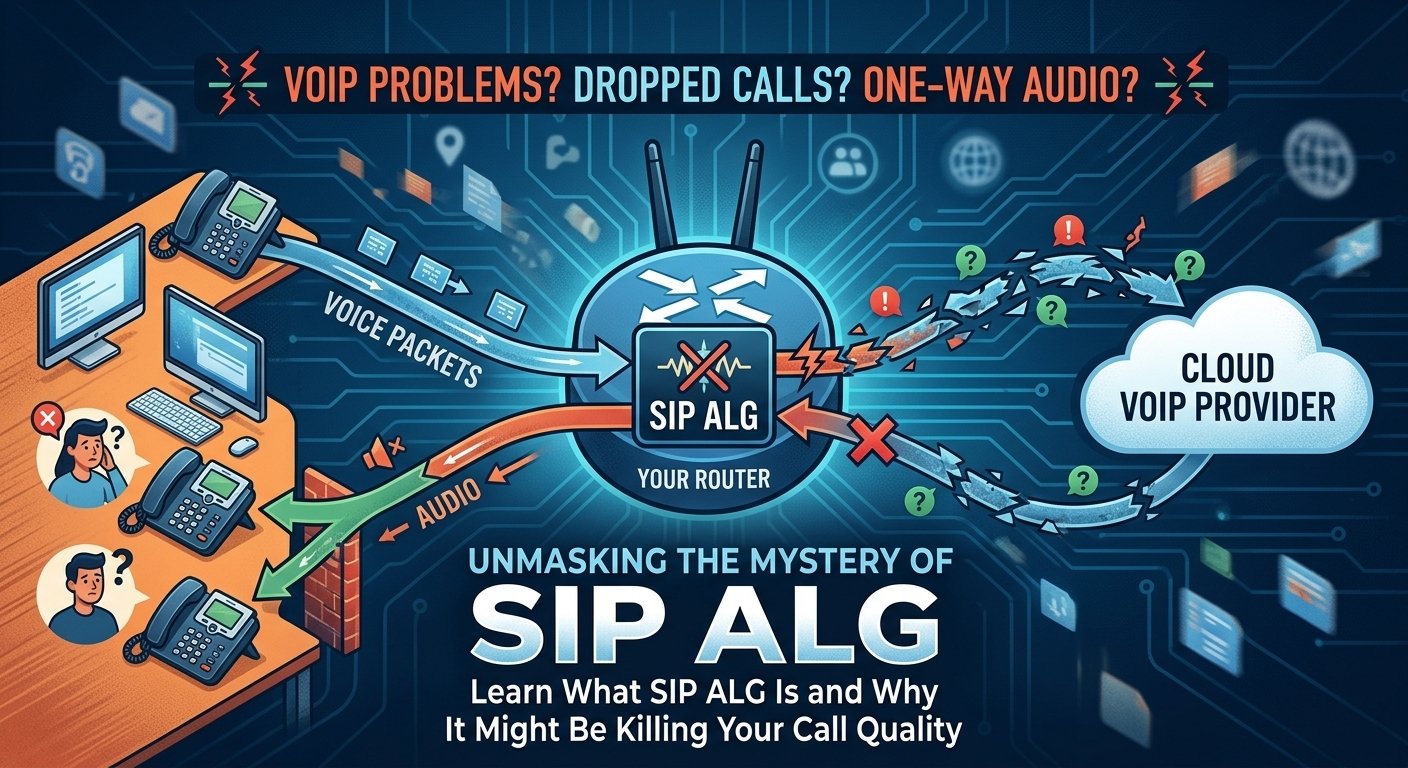
SIP ALG (Session Initiation Protocol Application Layer Gateway) is a router or firewall feature designed to inspect SIP signaling and help VoIP traffic work through Network Address Translation (NAT). It may rewrite IP addresses and port information contained inside SIP messages so calls can reach devices behind a private network. Although SIP ALG can help in some network configurations, it can also interfere with modern VoIP systems that already use their own NAT-traversal methods. If a VoIP provider recommends disabling SIP ALG and the network is experiencing one-way audio, registration failures or dropped calls, turning it off can be an effective troubleshooting step. However, the correct configuration depends on the router, firewall and VoIP service being used. What Is SIP ALG? A SIP application layer gateway is a specialized software component found within many commercial and consumer-grade routers. Its primary objective is to solve problems related to NAT by intercepting voice packets and rewriting their destination addresses. Because Voice over IP (VoIP) utilizes the Session Initiation Protocol to establish connections, the router automatically inspects these “invites” to ensure the media reaches the correct internal device. Despite its name, a SIP application level gateway often creates conflicts with current cloud-hosted PBX systems. These systems are already designed to handle NAT traversal without external help. When the router tries to “help” by modifying the packet data, it often ends up breaking the delicate signaling required for a two-way conversation. This results in the very connectivity issues that the feature was originally designed to prevent. How SIP ALG Works The functionality of this gateway revolves around the manipulation of data at the application layer of the OSI model. Instead of simply routing packets based on IP addresses, the router looks deep into the packet payload to find SIP-specific information. This process is complex and resource-intensive for the hardware, often leading to performance bottlenecks during high-volume call periods. NAT traversal In a standard network environment, internal devices use private IP addresses that are not reachable from the public internet. The router uses Network Address Translation to map these internal addresses to a single public IP. Because SIP messages contain IP information within the message body itself, standard NAT usually fails to route the return audio correctly. The gateway attempts to bridge this gap by manually changing the internal IP to the public IP within the packet. Modification of traffic When a SIP ALG is active, the router acts as a middleman that alters the traffic as it passes through the firewall. This includes changing the port numbers and IP addresses in the headers to match the external network configuration. While this sounds beneficial, many routers do not perform this task perfectly. Even a minor error in rewriting a single digit of the SIP header can cause the entire session to fail or the audio stream to be blocked. Handling of SIP sessions The router maintains a state table to keep track of active voice sessions. It monitors the “handshake” between your phone and the provider to ensure that the firewall remains open for the duration of the call. If the router’s session timeout is shorter than the VoIP provider’s requirements, the firewall might close the connection prematurely. This leads to the frustrating experience of calls cutting off exactly at the same time interval every time. Resolution of SIP signaling and media paths For a successful call, two distinct paths must be established: one for signaling (SIP) and one for the actual audio (RTP). The gateway attempts to synchronize these paths so that the audio knows exactly which internal device to go to. However, research into network performance suggests that nearly 80% of router-related voice issues are caused by faulty ALG implementations that fail to map these media paths correctly. This is why many network engineers recommend disabling the feature immediately upon setup. Signs SIP ALG Affects VoIP Calls Identifying whether your router is interfering with your voice service is the first step toward a fix. Many users assume their internet connection is slow or their service provider is at fault. In reality, the hardware sitting on your desk is often the silent culprit. Recognizing the specific symptoms of a malfunctioning sip application layer gateway can save hours of troubleshooting with tech support. 1. Call set-up issues One of the most common signs of interference is the inability to make or receive calls consistently. You might notice that your phone registers correctly, but when you dial a number, the call never connects. This happens because the router has corrupted the INVITE message, making it unreadable to the recipient’s server. Conversely, incoming calls might never reach your desk because the router failed to create a proper “pinhole” in the firewall. 2. One-way audio If you can hear the person on the other end, but they cannot hear you, you are likely experiencing a media path error. This one-way audio occurs when the router modifies the signaling but fails to open the necessary ports for the Real-time Transport Protocol (RTP) stream. According to technical standards from the ITU-T G.114, voice traffic requires extreme precision in timing and routing. When a gateway mismanages these ports, the audio packets simply get dropped at the firewall. 3. Dropped calls Unexpected disconnections are a hallmark of SIP interference. This usually happens because the router does not properly handle the “keep-alive” messages that phones send to the server. If the router thinks the session has become idle because it doesn’t recognize the modified packets, it will close the connection to protect the network. This results in calls that drop after a specific amount of time, such as 30 seconds or 15 minutes. 4. Inconsistent call quality Sometimes the interference doesn’t kill the call but simply makes it unbearable. You might experience jitter, which is the irregular arrival of data packets, or high latency. Because the router is working hard to inspect and rewrite every single voice packet, it adds processing delay to the stream. This overhead can lead to “choppy” audio where words are clipped or delayed, making professional communication nearly impossible. How Do I Turn Off SIP ALG? Disabling this feature usually requires accessing the web-based management interface of your router. You will need the administrative credentials, which are often found on a sticker on the back of the device. Most manufacturers place this setting under “Advanced Settings,” “Security,” or “Firewall.” Once you locate the checkbox, simply uncheck it, save your changes, and reboot the device to ensure the new configuration takes effect. Router Manufacturer Steps to Disable SIP ALG Actiontec 1. Select Advanced > ALG’s. 2. Remove the check from SIP ALG. 3. Click Apply. 4. Enable “Allow Incoming WAN ICMP Echo Requests” under Remote Administration. Adtran 1. Go to Firewall / ACLs > ALG Settings. 2. Uncheck SIP ALG. 3. Click Apply. Or use CLI command: no ip firewall alg sip. Arris 1. Navigate to 192.168.0.1. 2. Go to Advanced > Options. 3. Uncheck the SIP box and click Apply. Asus 1. Go to WAN > NAT Passthrough. 2. Set SIP Passthrough to Disable. 3. Click Apply. Cisco Use CLI: no ip nat service sip tcp port 5060 or no inspect sip on ASA models. D-Link 1. Go to Advanced Settings > ALG Configuration. 2. Uncheck SIP and save. Fortinet Use CLI: config system session-helper, find the SIP instance (usually #12), and delete it. Linksys 1. Click Connectivity > Administration. 2. Uncheck SIP under Application Layer Gateway and Save. Netgear 1. Go to Advanced > Setup > WAN Setup. 2. Check “Disable SIP ALG” and click Apply. SonicWall 1. Go to VoIP. 2. Enable Consistent NAT. 3. Uncheck Enable SIP Transformations. TP-Link 1. Go to Advanced > NAT Forwarding. 2. Uncheck SIP ALG and Save. Ubiquiti 1. Sign in to USG. 2. Go to Routing & Firewall > Firewall > Settings. 3. Toggle SIP to off and Apply. ZyXEL 1. Go to Configuration > Network > ALG. 2. Uncheck Enable SIP ALG and Apply. Why Disable SIP ALG? SIP ALG is often disabled when it conflicts with a VoIP provider’s own NAT-traversal mechanisms. Many modern cloud phone systems are designed to handle NAT using techniques such as STUN, TURN, ICE, persistent connections or SBCs, so unnecessary packet rewriting by the router may cause problems. However, SIP ALG is not universally harmful. Some network environments are designed to use it, which is why the safest approach is to follow the configuration guidance from your VoIP provider or network administrator. Best Practices for Reliable VoIP Performance Beyond just disabling a single router feature, maintaining high call quality requires a holistic approach to network management. Voice data is much more sensitive to network hiccups than standard web browsing or email. While a website might take an extra second to load without much notice, a one-second delay in a phone conversation feels like an eternity. Implementing these best practices will help you build a robust foundation for your communication system. 1. Choose a high-bandwidth ISP with the proper hardware The quality of your voice service is only as good as the pipe it travels through. You should aim for a fiber or high-speed cable connection that offers low latency and minimal packet loss. Many consumer-grade modems provided by ISPs are locked down and do not allow you to change SIP settings. If possible, use your own high-quality router behind the ISP’s modem in “bridge mode” to gain full control over your firewall configurations. 2. Use wired Ethernet connections whenever possible While modern Wi-Fi has improved significantly, it is still prone to radio frequency interference and signal fluctuations. Every time a microwave runs or another device connects to the wireless network, your voice packets could be delayed. Using a physical Ethernet cable for your desk phones or computers ensures a stable, dedicated lane for your traffic. This simple step eliminates the majority of jitter issues and provides a consistent experience for the user. 3. Lengthen your UDP timeouts User Datagram Protocol (UDP) is the preferred method for carrying voice packets because it does not require the overhead of a formal handshake. However, many routers have a very short “forget” timer for UDP sessions. If you don’t send a packet for 30 seconds, the router might close the firewall port. By increasing the UDP timeout to 150 or 300 seconds, you ensure that the connection stays open even during periods of silence on a call. 4. Set up Virtual LAN (VLAN) tagging for SIP devices A VLAN allows you to create a “private lane” for your phones within your existing network hardware. By segregating voice traffic from data traffic, you can ensure that a large file download in the accounting department doesn’t interfere with a CEO’s conference call. This prioritization, often called Quality of Service (QoS), ensures that even when the network is busy, voice packets are always moved to the front of the line. 5. Keep up on firmware updates Manufacturers frequently release patches that improve how their devices handle voice traffic. Sometimes, a firmware update might even fix a bug that was making the SIP gateway impossible to turn off. Make it a habit to check for updates quarterly. Always remember to double-check your settings after an update, as some routers may revert to factory defaults, which often means the disruptive gateway feature will be turned back on automatically. Read More: Call Center Shrinkage: Definition, Formula, Causes & How to Manage It SIP ALG Enabled vs Disabled SIP ALG Enabled SIP ALG Disabled SIP packet inspection Yes No SIP-specific rewriting NAT assistance Router may attempt it Endpoint/provider handles NAT Compatibility Can help or interfere Often preferred by cloud VoIP providers Best configuration Provider/network dependent Provider/network dependent Troubleshooting May be tested as a possible cause Common test when ALG interference is suspected Final Words Resolving VoIP issues often feels like a daunting task, but the solution is frequently hidden within a single checkbox in your router’s interface. Disabling the SIP ALG feature is the industry-standard first step for anyone experiencing dropped calls or audio gaps. By taking control of your network hardware and following best practices for bandwidth and hardware management, you can transform your office communication from a source of frustration into a reliable asset for your business growth. Frequently Asked Questions What happens if you deactivate SIP ALG? Disabling the feature stops the router from modifying the headers of your voice packets. For the vast majority of users, this results in immediate improvements in call reliability, fewer dropped calls, and the resolution of one-way audio issues. It allows your VoIP provider’s own NAT traversal methods to work without interference. How do I turn off SIP ALG? You must log into your router’s administrative dashboard using a web browser. Search through the “Advanced,” “Firewall,” or “Security” menus for a setting labeled SIP ALG or SIP Passthrough. Uncheck the box, save your settings, and restart your router to apply the change. How to detect SIP ALG? You can use specialized software tools known as “SIP ALG Detectors” or “NAT Helper Tests.” These tools simulate a call and check if the headers were modified by the router. If the tool shows that the “Contact” or “Via” headers have changed from your local IP, the gateway is active. Is SIP ALG a security risk? While it is technically a firewall feature, having it enabled can actually create security vulnerabilities by opening unnecessary ports or mismanaging session states. Disabling it is generally considered safe and is the recommended configuration for professional VoIP environments. Does every router have this feature? Most modern routers designed for home or small business use have it enabled by default. However, some high-end enterprise firewalls require you to manually create a “service” for it, while some very basic modems may not have the feature at all. Why was SIP ALG created if it causes problems? SIP ALG was developed to help SIP applications work through NAT and firewalls because SIP can embed addressing information inside signaling messages. Modern VoIP platforms often use other NAT-traversal mechanisms, which is why SIP ALG may no longer be necessary—and can sometimes conflict with those mechanisms—in certain deployments. What is the best UDP timeout for VoIP? Most experts recommend setting your UDP timeout to at least 150 seconds. Some systems perform better with a 300-second timeout. This prevents the router from “forgetting” the connection during a call, which is a major cause of sudden disconnections.

Read More
how to get a temporary phone number (2)

How to Get a Temporary Phone Number: 5 Ways That Work

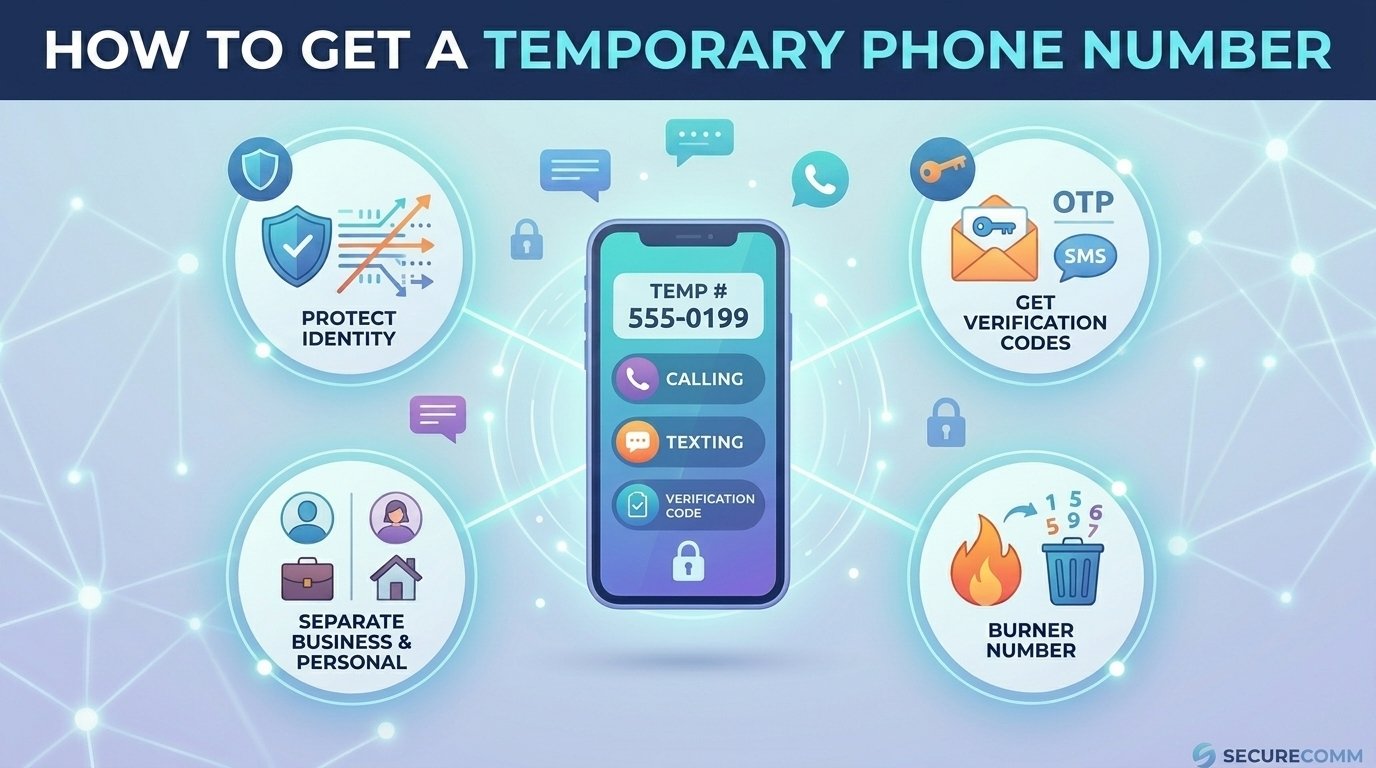
To get a temporary phone number, choose a reputable virtual-number or VoIP service, create an account, and select an available number for the country or area code you need. The number can typically be used for calls, texts, or short-term communication without exposing your primary phone number. Some temporary numbers expire automatically, while others can be rented for days or months. A temporary phone number, often called a virtual or burner number, acts as a secondary line that protects your primary contact information from spam and hackers. You can obtain these numbers through mobile applications, specialized websites, or VoIP providers without needing a physical SIM card. These services typically offer features like call forwarding, text messaging, and verification code reception, making them ideal for online dating, selling items on marketplaces, or signing up for new web services. What Is A Temporary Phone Number? A temporary phone number is a virtual contact point that functions independently of a traditional physical SIM card. It is often referred to as a disposable mobile number or a burner line because it can be used for a specific duration and then discarded once it is no longer required. These numbers provide a protective layer between your personal life and the digital world, ensuring that your real identity remains hidden while you communicate. Many people choose to use a temporary number to manage short-term interactions, such as responding to a classified ad or verifying an online account. Unlike a permanent line, these numbers are highly flexible and can often be managed entirely through an internet connection. This allows users to maintain several different lines for various purposes without carrying multiple physical devices or paying for expensive long-term contracts. What Are The Best Apps For Temporary Phone Numbers? Choosing the right tool depends on whether you want a free temporary number or a premium service with more features. The market is filled with options that cater to different niches, from business professionals to casual web surfers. Here are some of the most reliable applications currently available for both iOS and Android users. Burner: One of the most famous apps, Burner offers a high degree of privacy and integrates with other apps like Dropbox and Slack. Hushed:Hushed is great for international use, providing numbers from over 60 different countries with flexible pricing plans. TextNow: TextNow provides a free phone number supported by ads, making it a favorite for those on a tight budget. Google Voice: A robust choice for those who want a long-term virtual number linked to their existing Google ecosystem. Sideline: Sideline aimed at professionals, it uses your actual carrier minutes to ensure high call quality for business interactions. Talkatone: Talkatone focuses on providing free calling and texting over Wi-Fi, perfect for tablets or phones without a SIM card. How To Get A Temporary Phone Number? The process to get a temporary number is surprisingly simple and can be completed in just a few minutes. Depending on your specific requirements—whether you need a number for a few hours or a few months—there are several reliable methods to choose from. Below is a comparison table of the most common methods available today. Method Best For Typical Availability Typical Cost Temporary-number apps Short-term calls/texts Days to months Free or paid Virtual/VoIP numbers Second lines and business use Monthly/ongoing Usually paid Prepaid SIM/eSIM Separate mobile service Depends on plan Paid Public SMS numbers Non-sensitive incoming SMS where permitted Short-term Often free Secondary-line services Personal/business separation Ongoing Free or subscription i. Use a Disposable Number App The most popular way to manage a temporary cell number is through dedicated mobile applications. These apps are designed to be user-friendly, allowing you to select a specific area code and start communicating immediately. Most of these platforms provide a full suite of features, including customized voicemail greetings and the ability to mute notifications during certain hours of the day. To start, you simply need to download an app from your respective store and follow the prompts to create a temporary number. Many of these services offer a trial period, which is perfect if you only need a temporary contact number for a single afternoon. They are highly secure and provide a professional interface for managing multiple conversations simultaneously without cluttering your main inbox. ii. Virtual Phone Services Virtual phone services are an excellent alternative for those who need a more stable but still non-permanent solution. Google Voice is a primary example, offering a free phone number that can be linked to your existing infrastructure. This is ideal for those who want a temporal number that stays active as long as they use it, rather than one that expires after a set period. These services are often used by freelancers or those managing small projects who want a professional-looking contact point. It allows you to keep your personal life separate while still being accessible to clients. Because it is tied to your digital account, you can access your messages and call logs from any computer or tablet, providing significant flexibility. iii. Prepaid SIM Cards If you prefer to have a completely separate physical connection, buying a prepaid SIM card is the most reliable way to get a temporary number. This method is particularly useful for travelers or people who want a disposable mobile number that is not linked to their primary data plan in any way. You can purchase these at most convenience stores or electronics shops without a lengthy credit check. iv. Temporary Number Services There are specialized platforms that cater specifically to people looking for a temp number for verification. These services, such as smsfast or MyTempNumber, provide a list of active digits that can receive incoming SMS messages. This is the fastest way to get a secondary number for otp purposes when you are signing up for a new social media account or a shopping portal. These services are typically used for a one time phone number use and are highly efficient. You simply copy the digits from the website, paste them into the registration field of the site you are joining, and wait for the verification code to appear on the service provider’s dashboard. It is a quick and effective way to bypass registration hurdles without revealing your true identity. v. VoIP Services VoIP services like RingCentral or WhatsApp provide an alternative route for those who need to communicate without a traditional line. While WhatsApp usually requires an existing number, many other VoIP providers allow you to purchase a temporary us cell phone number to use within their ecosystem. This is highly beneficial for international calls where traditional roaming charges would be prohibitively expensive. Research suggests that the global VoIP market is expected to reach over $100 billion by 2032, driven by the increasing demand for flexible communication tools. Using these services ensures that you can make high-quality calls over Wi-Fi, which is a great way to maintain a disposable number for calls while staying within a budget. vi. Temporary Number Websites For those who do not want to download any software, temporary number websites offer a browser-based solution. Sites like Receive SMS Online provide a public list of throwaway phone numbers that anyone can use to receive messages. This is a great way to find a free virtual number for a quick sign-up process where privacy is not the top priority but convenience is. To anonymously verify accounts, navigate to a reputable temporary number website, select a country and specific number from the public list, enter it into your web form, and refresh the page to view your incoming text message. Why To Get A Temporary Phone Number? There are countless practical reasons why someone might need to use a temporary phone. Privacy remains the primary driver, as modern data brokers frequently sell personal contact information to third parties. According to a study by the Pew Research Center, approximately 79% of adults express significant concern about how companies use their personal data, making the use of a fake phone number a vital strategy for digital self-defense. Unlock The Potential Of Old Devices Getting a temp phone number is a fantastic way to repurpose an old smartphone that is sitting in a drawer. Instead of letting the hardware go to waste, you can install a communication app and turn it into a dedicated device for a specific task. This is useful if you want a separate device for music or navigation that can also receive calls in an emergency. By assigning a temporary mobile line to an old device, you create a secondary workstation. You can give this number to people you don’t fully trust, ensuring that your main device remains reserved for friends and family. It is a cost-effective way to expand your communication capabilities without the need for a new monthly contract. Managing a Side Hustle If you are running a small business or a side hustle, you need a way to look professional without giving out your home or personal cell details. Using a secondary number for calls allows you to create a dedicated business line that you can turn off during your personal time. This helps maintain a healthy work-life balance while ensuring you never miss a potential client. To maintain professional boundaries and optimize your side project, use a dedicated business phone system to separate contact databases, personalize voicemail greetings, track marketing campaigns with unique numbers, and enforce specific call hours. Signing Up For An Account Most websites today require a mobile contact for “security” purposes, but this often leads to an influx of marketing messages. To avoid this, you can use a disposable number for verification free of charge. This allows you to receive the necessary activation code and then let the number expire, keeping your primary inbox clean and organized. This tactic is especially useful for free trials that you only plan to use once. By using a throwaway number, you ensure that even if the company’s database is breached, your real contact information is not part of the leak. It is a simple step that provides a massive boost to your overall digital security posture. Separating Your Business And Personal Life The blurring lines between work and home can lead to significant stress. Obtaining a temporary contact number is a practical way to draw a hard line between these two worlds. You can use your temporary line for all professional correspondence and keep your real number strictly for your inner circle, ensuring that a work crisis doesn’t interrupt your dinner. Many people find that having a dedicated temp phone number for text messages related to work helps them “unplug” more effectively. When you finish your shift, you can simply log out of the app or mute the notifications. This physical and digital separation is vital for long-term mental well-being in a hyper-connected society. Selling an Online Product When you list an item on a marketplace like Craigslist or Facebook, you are essentially opening your door to strangers. Using a temporary us phone number for these transactions is a smart safety move. It allows potential buyers to call or text you to ask questions without having your permanent contact details for the future. Once the item is sold and the transaction is complete, you can simply delete the number. This prevents any disgruntled buyers or late-comers from bothering you weeks after the sale is over. It provides peace of mind and an extra layer of physical safety by keeping your real identity anonymous. Online Dating The world of online dating requires a lot of initial trust, but it is always better to be cautious. Using a temp phone number allows you to get to know someone through calls and texts without giving them a direct link to your personal life. If things don’t work out or the person becomes overbearing, you can simply cut the connection by discarding the number. This approach is recommended by many safety experts as a way to prevent stalking or unwanted persistent contact. It gives you the power to choose when—and if—you want to share your real, permanent number with someone new. Keeping that control is essential when navigating the modern dating landscape. How Does A Temporary Phone Number Work? How a temporary number works depends on the service. App-based and virtual numbers commonly use VoIP or cloud telephony to route calls and messages over the internet, while prepaid SIM or eSIM numbers use mobile networks. Some virtual-number services can also forward incoming calls to an existing phone number. The process is seamless and usually happens in a fraction of a second. You can send outgoing texts or make calls using the interface of a specific application, and the recipient will only see the throwaway phone number on their caller ID. Because the system is software-based, you can refresh or change your digits instantly, making it an excellent tool for avoiding persistent telemarketers or unwanted contacts. Read More: High-Availability Cloud Server Infrastructure for E-Commerce and Content Delivery Temporary Phone Number vs Virtual Number vs Burner Number Type What It Is Typical Duration Best For Temporary number Number intended for limited use Minutes to months Short-term communication Virtual number Cloud-based number not necessarily tied to a SIM Often long-term Business/secondary line Burner number Secondary number designed to be replaced/discarded Short to medium term Privacy and temporary communication Prepaid number Mobile number attached to prepaid SIM/eSIM service Depends on plan Travel/separate mobile service Public SMS number Shared number where incoming messages may be publicly visible Very short-term Non-sensitive uses only Final Words – Temporary Phone Number Getting a temporary phone number is relatively simple, but the best method depends on why you need one. A temporary-number app may work well for short-term calls and texts, while a virtual business number is better for ongoing professional use. Travelers may prefer a prepaid SIM or eSIM. Before choosing a service, check how long you can keep the number, whether it supports calls and SMS, which countries are available, how numbers are recycled, and whether the service you’re using it with accepts virtual numbers. Most importantly, avoid using public or disposable numbers for sensitive accounts, banking, two-factor authentication or long-term account recovery. FAQs  Why would I need a temporary phone number? It keeps your real number safe. Use it for online sign-ups, sales, dating, or to avoid spam. Having a secondary line ensures that your primary contact information isn’t sold to advertisers or leaked in data breaches. It acts as a buffer for any interaction where you aren’t 100% sure about the other party’s intentions. Can I get one without a SIM card? Yep. Many services give you a number that works through Wi-Fi. No SIM needed. Because these numbers are virtual and cloud-based, they rely on your internet connection rather than a cellular network. This makes them perfect for use on tablets, old phones, or even laptops. Can I make calls and send texts with it? Yes! Most of these numbers let you call, text, and even get voicemails. While some very basic free web services only receive SMS, the majority of dedicated apps provide a full communication suite. You can use them just like your regular phone app to stay in touch with anyone. Are they available for international use? Many apps let you pick numbers from other countries if you need one. This is extremely helpful for travelers or people doing business abroad. You can have a local number in the UK while sitting in the US, allowing locals to call you without international charges. How long can I keep it? Depends. Some last a few hours, others can stay active for weeks or months. Most providers offer flexible plans where you can “burn” the number instantly or renew it indefinitely. You have total control over the lifespan of the number based on your specific requirements. Will it affect my main number? Not at all. You can still use your regular number like normal. The temporary line exists in a separate application and does not interfere with your primary cellular service. You will receive notifications for both, but they are kept in different inboxes for easy organization. Are temporary numbers free? Some are, but others may charge a small fee or need a subscription. Generally, services that only receive SMS for verification are free, while those offering full call and text capabilities require a small payment. The cost is usually much lower than a standard phone bill. Can I use one for online verifications? Yes, and that’s actually one of the most common uses. Many people use these numbers to bypass the mobile phone requirement on social media or email platforms. It is an effective way to protect your identity while still accessing the services you need. Can I stay anonymous with it? Definitely, these numbers help keep your identity private when that matters. Since the number is not directly tied to your name or social security number in the way a traditional contract is, it provides a significant layer of anonymity for your daily communications.

Read More
voder phone

What is Voder? Understanding Electronic Speech Synthesizer

A Voder refers to the Voder (Voice Operation Demonstrator), an early electronic speech synthesizer developed by Bell Telephone Laboratories in the 1930s. Instead of playing recorded speech, the Voder electronically generated human-like sounds that a trained operator controlled using keys, pedals, and other controls. Demonstrated publicly in 1939, it was an important milestone in the development of electronic speech synthesis and modern voice technology. Developed by Homer Dudley at Bell Labs in the late 1930s, voder device was officially known as the Voice Operation Demonstrator. Unlike modern digital text-to-speech systems, this invention required a human operator to physically manipulate keys and pedals to simulate the biological functions of the human vocal tract. By breaking down speech into its fundamental acoustic components, it proved that human language could be recreated through purely electronic means, laying the groundwork for all future voice synthesis technology. THE VODER: Overview The Voder is a landmark achievement in early electrical engineering that fundamentally changed our understanding of the mechanics of human speech. An acronym for Voice Operation Demonstrator, this machine was never intended for home use but served as a proof of concept for Bell Labs engineers. It was a manually operated synthesizer that could mimic the nuances of human speech through complex circuitry. This invention was vital because it demonstrated that the human voice could be synthesized without a human speaker being present. This discovery eventually found applications in numerous voice communication scenarios, from long-distance telephony to automated systems. The voder remains a foundational pillar for every voice-activated assistant we use in the modern world. THE HISTORY OF THE VODER Developed by Homer Dudley starting in 1928, the Voder was the first electronic speech synthesizer, using oscillators and filters to mimic the human voice.[1] It gained international fame at the 1939 New York World’s Fair, where operator Helen Harper demonstrated the machine’s ability to converse, proving to a fascinated public that technology could eventually “talk” back to them. Since operating the device resembled playing a complex musical instrument, operators underwent over a year of intensive training to master the specific keyboard and foot pedal sequences necessary for fluid speech. Dudley’s 1937 patent pioneered the concept of transmitting speech as simple electrical signals, laying the early groundwork for modern digital communication and data compression. Bell Labs continued to refine this technology for decades, evolving from basic robotic speech to complex acoustic research that continues to influence how we transmit and synthesize sound today. This specialized research also paved the way for the Vocoder, a system that became vital for secure, encrypted voice transmissions between Allied leaders during World War II. How Did the Voder Work? The voder operated as a spectrum-based voice synthesis device, utilizing a sophisticated array of vacuum tubes. It was the first successful attempt at recreating both voiced and unvoiced sounds, the two primary categories of human language. The system performed speech synthesis by carefully imitating the behavior of the human vocal tract, acting as an electronic surrogate for the lungs and mouth. The machine reproduced speech by electronically reconstructing these core acoustic patterns. In order to produce recognizable speech, the internal energy source had to be converted into audible vibrations. This process resulted in various speech sounds that were distinct enough to be understood by a general audience. Imitating the Human Vocal Tract The device functioned by modeling the two main ways humans produce sound: through the vibration of vocal cords and the movement of air. By simulating these physical actions electronically, the voder could generate vowels and consonants. It essentially acted as a musical instrument where the “music” being played was the English language. The operator had to understand the phonetic structure of words rather than just their spelling. Because the machine was entirely manual, the timing and pressure applied to the controls determined the clarity of the output. This made the device incredibly difficult to master, requiring a unique blend of musical and linguistic talent. Manual Controls and Operation Operators handled the machine like a piano, using a combination of hand and foot movements. The worker operated keys with their fingers to shape the mouth’s resonance, while a wrist bar controlled the vocal cords’ activity. Simultaneously, a foot pedal was controlled with the right foot to adjust the pitch, allowing for inflection and emotion. The keyboard consisted of ten keys that controlled the spectral resonance of the voice. The wrist bar allowed the operator to switch between voiced and unvoiced energy. The foot pedal managed the rising and falling pitch of the synthesized output. Additional keys were provided for specific consonants like “p” or “d.” A set of controls managed the overall volume and intensity of the speech. THE COMPONENTS OF THE VODER The internal architecture of the Voder functions as an electronic analogue of the human vocal tract, simulating speech by generating and shaping raw acoustic energy. It utilizes a dual-source system to produce “breath” and “voice”: a noise generator creates unvoiced hissing, while a relaxation oscillator produces a saw-tooth wave to mimic the glottal pulse of the vocal cords. These raw signals are modulated by the operator through a series of manual controls. A wrist bar toggles between energy sources, potentiometers adjust the pitch, and a specialized keyboard manipulates ten band-pass filters to simulate the resonant “formants” of a human mouth. This processed signal is then amplified to produce audible synthetic speech. The specific components and their functions are detailed in the table below: Category Component Function & Description Sound Generation Noise Generator Produces random “hissing” noise to mimic air rushing through the lips (unvoiced sounds).[1] Relaxation Oscillator Acts as the primary energy source for the “buzz” tone, mimicking vocal cord vibration. Saw-tooth Wave The specific wave shape produced by the oscillator to simulate a glottal pulse. Primary Controls Wrist Bar A master toggle used to switch between voiced (buzz) and unvoiced (hiss) energy sources.[2] Potentiometers A set of three dials used for pitch control and fine-tuning the frequency of the buzz tone. Keyboard Functions like a human mouth; used to shape sounds and control resonance. Resonance & Filtering Band-pass Filters A bank of ten filters that divide the frequency range into specific sub-bands. Formant Tuning The filters are tuned to represent “formants” (spectral peaks) of human speech. Output & System Amplifiers Boosts the electronic signal to a level audible through a speaker. Interconnected Wiring Ensures that transitions between different sounds remain smooth and seamless. EVOLUTION OF SYNTHETIC SPEECH AND VERSATILE AUDIO CAPABILITIES Engineers significantly improved the voder by addressing early limitations, such as the metallic quality of vowels, and introducing a volume-control system that mimicked natural human speech by decreasing loudness as pitch dropped. A major breakthrough included the integration of complex phonetic elements like the “zh” sound and additional keys for stop consonants, which allowed for crisper, more professional word endings. These improvements expanded the range of sounds operators could produce and made demonstrations more intelligible. Skilled operators could vary pitch, imitate different vocal characteristics and even produce singing or non-speech sounds. Beyond standard speech, the voder demonstrated extraordinary flexibility by covering a pitch range from deep bass to high soprano, enabling operators to switch between genders or even perform melodic duets. Its capabilities extended to the imitation of animal noises, such as barking and mooing, as well as mechanical sounds like steam engines. Furthermore, skilled users could manipulate the device to sing, whisper using unvoiced noise sources, or simulate diverse regional accents by adjusting resonance filters, showcasing a level of acoustic range that often rivaled the complexities of the human voice. SELECTING AND TRAINING A VODER OPERATOR Finding the right person to operate the voder was a rigorous process that required identifying individuals with unique talents. Because the machine was so complex, operators needed sufficient skill and manual dexterity to master the instrument. Bell Labs initially screened hundreds of candidates, eventually selecting only twenty-four operators to undergo the full training program. The selection process was based on a specific set of criteria designed to predict success with the machine. Candidates were evaluated on their ability to use a complex keyboard and their inherent phonetic sense. Quickness of comprehension was also vital, as the operator had to process and synthesize sounds in real-time during demonstrations. The Intensive Training Program To facilitate this massive training undertaking, twelve Voders were used to train the twenty-four selected operators in rotating shifts. After mastering the basics in the first six months, students spent the remainder of the year refining their technique and fluency. Bell Labs archives reveal that the training curriculum featured a core vocabulary of 2,500 words. Operators practiced for hours a day to build necessary muscle memory. Training included rhythmic exercises to ensure speech sounded natural. Students had to learn to “play” the machine like a musical instrument. Regular testing was conducted to ensure the synthesized speech was intelligible. Only a small fraction of the original candidates reached professional proficiency. VOCODER VS. VODER COMPARISON While the names are similar, the Vocoder and the Voder were two different applications of the same speech synthesis technology. Both were electrical synthesizers, but they served very different functional purposes. The Vocoder was an automatic speech analysis and synthesis system designed to compress voice data for more efficient long-distance transmission. In contrast, the voder was a pure synthesizer that could create speech from scratch without an incoming human voice signal. While the Vocoder required no special operator training, the Voder required a highly skilled person to manipulate its controls. These two inventions represent the twin pillars of modern communication: data compression and voice generation. Feature / Aspect The Vocoder The Voder Primary Type Speech analysis/synthesis Pure speech synthesizer Operation Mode Automatic (No training) Manual (Requires operator) Speech Generation Reproduces existing voice Creates speech from scratch Modern Usage Digital voice compression Text-to-speech technology Control Method Electronic signal analysis Keyboard and foot pedals The Vocoder’s ability to compress speech was essential for secure communications during World War II, notably in the SIGSALY system used by Winston Churchill. The voder, however, remained primarily a research and demonstration tool. It was used to showcase the possibilities of synthesized sound rather than as a practical tool for daily communication. Research published in historical journals indicates that the Vocoder technology eventually evolved into the voice-coding standards used in modern mobile phones. The Voder’s legacy is found in the software that allows our computers and cars to speak to us. Both machines prove that the human voice is not just a biological mystery, but a series of predictable acoustic patterns. Read More: Call Center Shrinkage: Definition, Formula, Causes & How to Manage It Final Thought The Voder was an important milestone in the history of speech technology because it demonstrated publicly that intelligible speech could be generated electronically. Although the machine required a highly trained human operator and was never intended as an everyday telephone, the research surrounding it helped advance scientific understanding of speech synthesis and electronic voice communication. FAQs What is the voder used for today? The original voder is no longer used for practical communication, as it has been replaced by digital software. However, its underlying principles of spectrum-based synthesis are used in modern text-to-speech (TTS) systems, accessibility tools for the visually impaired, and automated customer service voices. Who invented the Voder and what does the name stand for? The Voder was invented by Homer Dudley at Bell Labs in 1937. The name stands for “Voice Operation Demonstrator.” It was designed to show that human speech could be synthesized using electronic components like oscillators and filters. How did an operator control the pitch of the Voder? An operator used a foot pedal with their right foot to control the pitch of the voice. By moving the pedal up and down, they could make the synthesized voice sound higher or lower, allowing the machine to ask questions or express emotions. Was the Voder a commercial success? The Voder was never intended to be a commercial product for consumers. It was a research tool and a public relations masterpiece for Bell Labs that demonstrated their leadership in telecommunications and acoustic science. How long did it take to learn to use the voder? It typically took about one year of intensive training to become a professional operator. Candidates spent the first six months learning the basic phonetic controls and the remaining six months perfecting the natural rhythm and inflection of speech. What is the difference between a Voder and a Vocoder? The primary difference is that a Voder creates speech from scratch through a manual operator, while a Vocoder analyzes an existing human voice to compress and recreate it. The Vocoder is automatic, whereas the Voder is a manually played instrument. Could the Voder speak multiple languages? Theoretically, yes. Since the Voder was a phonetic synthesizer, an operator trained in the phonetics of different languages could produce speech in those languages. However, most public demonstrations and training were focused on English. Why was Helen Harper famous in the history of the Voder? Helen Harper was one of the most skilled operators of the Voder. She became the public face of the invention during the 1939 New York World’s Fair, where she demonstrated the machine’s ability to talk and sing to thousands of amazed visitors. Are there any working Voders left? Most original Voders are now museum pieces or part of historical archives at Bell Labs. Because they use fragile 1930s vacuum tube technology, very few are in full working order, though digital simulations of the device exist today for researchers.

Read More
call center shrinkage

Call Center Shrinkage: Definition, Formula, Causes & How to Manage It

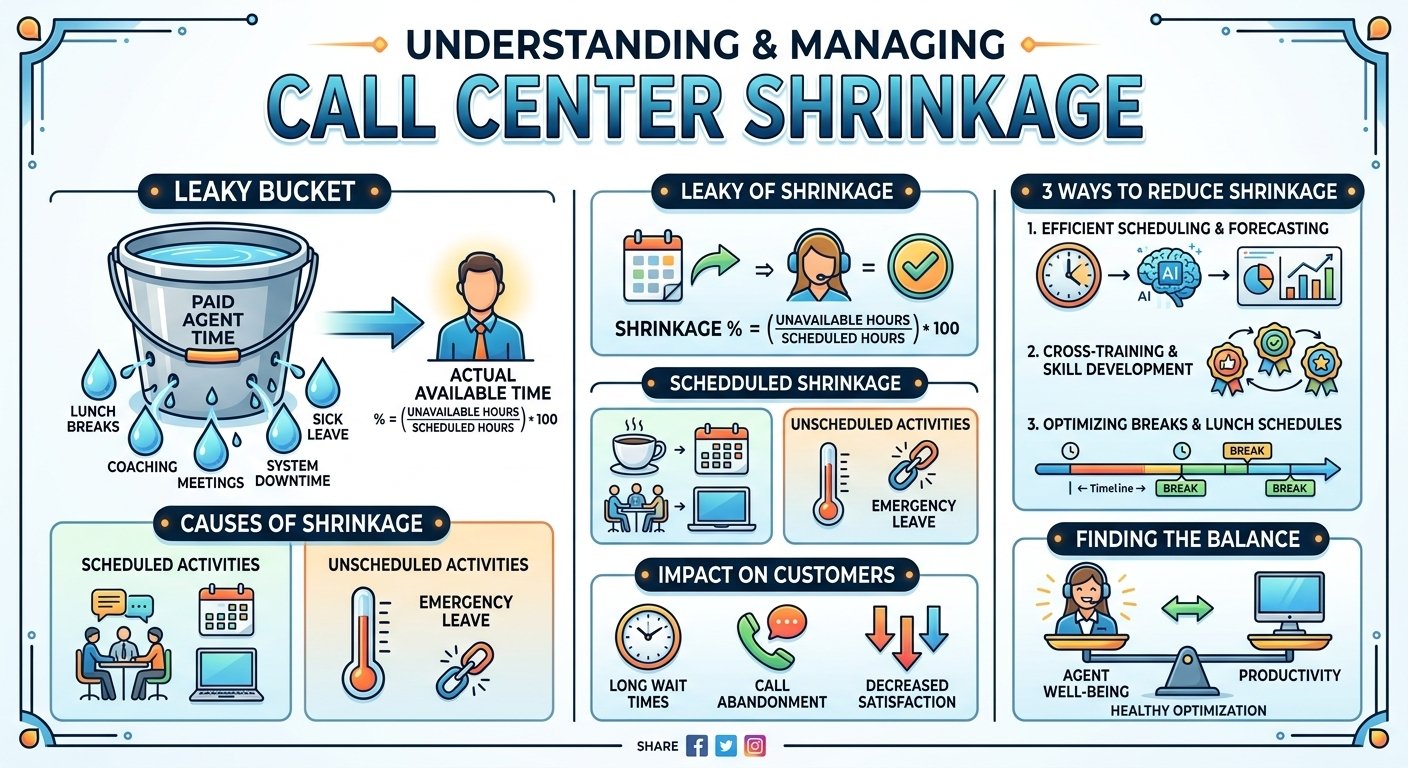
Call center shrinkage is a critical workforce management metric that measures the time agents are paid to work but are unavailable to handle customer interactions. This gap between total scheduled hours and actual time spent on calls is caused by various factors, including breaks, training, meetings, and unexpected absences. Understanding call center shrinkage allows managers to forecast staffing needs accurately, ensuring service levels remain consistent without overworking the team. Most high-performing organizations aim for a shrinkage rate between 30% and 35%, though these figures vary significantly by industry and operational requirements. What Is Call Center Shrinkage? On paper, every supervisor hopes their agents will always be available, logged in, and ready to assist the next customer. However, the reality of the industry dictates that a healthy call center shrinkage rate typically hovers around 30% to 40%. It essentially represents the “leaky bucket” of time in a contact center, where minutes are lost to necessary or unforeseen activities.  Tracking this metric is vital because it directly impacts the customer experience. When agents are busy with other tasks, wait times increase, and call abandonment rates rise. A Cornell University study on global call center management found that organizations that fail to account for these gaps often see a 20% decline in service level consistency. By defining call center shrinkage, leaders can better visualize the difference between their theoretical capacity and their actual daily output. Type What It Means Examples Planned shrinkage Known unavailability that can be included in schedules Breaks, training, coaching, meetings, planned leave Unplanned shrinkage Unavailability that was not scheduled Sickness, lateness, emergency leave, unexpected outages Planned vs Unplanned Shrinkage Planned Shrinkage Unplanned Shrinkage Predictable? Usually Usually not Examples Breaks, training, meetings, planned leave Sickness, lateness, emergencies, unexpected outages Can be scheduled around? Often Limited Should it be eliminated? No Not entirely possible WFM approach Include in forecasts and schedules Forecast from historical patterns and maintain contingency coverage Planned shrinkage breaks lunch training meetings coaching scheduled leave Unplanned shrinkage sickness lateness emergency absence unexpected technical downtime Internal framework categories for call center shrinkage; Category Description Common Examples Internal Activities occurring within the building Meetings, coaching, 1-on-1s External Factors keeping agents away from work Sick leave, holidays, lateness Operational Systemic or technical downtime Software updates, hardware failure Causes of Shrinkage Identifying the root causes of contact center lost hours is the first step toward effective management. These causes are generally divided into scheduled and unscheduled events, alongside systemic inefficiencies that drain productive time. When managers analyze contact center shrinkage, they must distinguish between productive “off-phone” time and wasted idle time. 1. Scheduled activities Scheduled shrinkage includes all the planned events that take an agent away from the phone. While these activities contribute to shrinkage call centre operations rely on them to maintain quality and compliance. These include: Daily lunch and coffee breaks. Weekly team huddles or monthly all-hands meetings. One-on-one coaching and professional development sessions. Mandatory compliance training or software onboarding. According to Lucy McCormick, Content Manager at Infinity, better agent training can boost morale and productivity, build resilience, and reduce your overall attrition rate by giving agents everything they need to nail every single call and feel good about the job they’re doing. 2. Unscheduled activities Unscheduled events are the unpredictable disruptions that can wreak havoc on a service level agreement. This form of contact centre shrinkage is often harder to manage because it occurs without warning. Common unscheduled activities include: Sudden illness or emergency family leave. Unplanned lateness or early departures. System crashes or internet connectivity issues for remote staff. Unscheduled personal breaks or “comfort breaks” beyond the standard allowance. 3. Inefficient scheduling Poor workforce management is a silent contributor to operational shrinkage.  When schedules are not aligned with historical call patterns, agents may find themselves idle during slow periods or overwhelmed during peaks. This mismatch leads to wasted labor costs or high burnout rates. Utilizing a call center shrinkage calculator helps planners visualize these gaps and adjust shifts accordingly. Tracking Call Center Shrinkage To manage what you cannot measure is impossible, and this is especially true for workforce efficiency. Tracking call center shrinkage involves more than just looking at attendance sheets; it requires a deep dive into real-time data and historical trends. Managers must use consistent reporting methods to ensure the data remains actionable for future planning. Track key metrics Monitoring specific key performance indicators provides a roadmap for understanding where time is being lost. By looking at these metrics, you can identify if the problem lies in agent behavior or administrative over-scheduling. The primary metrics to watch include: Schedule Adherence: How closely agents follow their assigned start, stop, and break times. Occupancy Rate: The percentage of time agents spend on live calls versus waiting for a new one. Agent Idle Time: Minutes spent in an available state without receiving an interaction. Average Handle Time: While not a direct shrinkage metric, increases here can indicate agents are taking longer than necessary on tasks. Work out your shrinkage calculation The standard shrinkage formula is a simple but powerful tool for workforce planners. To calculate the percentage, you take the total hours of unavailable time and divide it by the total scheduled hours, then multiply by 100. This provides a clear percentage that can be compared against industry benchmarks or internal goals. Component Example Value Total Scheduled Hours 1,000 hours Total Unavailable Hours 300 hours Calculation (300 / 1000) × 100 Resulting time loss (300 / 1,000) × 100 = 30% Using this formula helps determine actual staffing requirements in call center environments so that hiring managers know exactly how many “extra” staff members are needed to cover the gaps. If your shrinkage is 30%, you need roughly 30% more staff than the raw call volume suggests. 3 Ways to Manage Call Center Shrinkage Reducing lost hour in call center environments does not mean eliminating breaks or training. Instead, it involves optimizing how that time is used and ensuring that resources are deployed where they have the most impact. Better forecasting, scheduling, absence management and workforce planning can help control avoidable shrinkage while preserving necessary off-phone activities. 1. Efficient scheduling and forecasting Modern workforce management tools allow for much more precise forecasting than manual spreadsheets. By analyzing historical data, you can predict exactly when call volumes will spike. This allows you to schedule non-essential meetings and training sessions during historically quiet periods, effectively lowering the impact of contact center shrinkage. To minimize contact center shrinkage, use AI-driven software to predict seasonal and daily trends. Additionally, schedule “floating” breaks that adjust dynamically to real-time call volume. Finally, implement short, frequent training bursts rather than long, day-long seminars. 2. Cross-training and skill development When agents are trained to handle multiple types of queries, the call center becomes more resilient. If one department experiences high shrinkage due to illness, cross-trained agents from another department can step in to fill the gap. This flexibility is a vital component of any strategy aimed at minimizing shrinkage in a call center. Identify common skills shared across different departments. Then, provide incentives for agents who complete multi-skill certification. And, rotate agents through different queues to keep their skills sharp. 3. Optimization of breaks and lunch schedules A common mistake in contact centers is allowing too many people to go on break at the same time. Staggering lunch hours and coffee breaks ensures that there is always a minimum “floor” of agents available to answer calls. Small adjustments to the timing of these breaks can have a massive impact on the overall time loss reported across the contact center. Research from the Society of Workforce Planning Professionals (SWPP) indicates that accurately accounting for shrinkage can improve service levels by up to 15% without increasing head count. This is achieved by ensuring that the people you have are available exactly when the customers are calling. Balancing Shrinkage With Burnout While the goal is to lower the time loss percentage, pushing agents too hard will backfire. High occupancy rates—where agents are on calls 90% of the time—lead to rapid burnout, which in turn increases unscheduled absences and turnover. Finding the right balance is essential for long-term operational health and reducing lost hour call center costs. Offer flexible work arrangements To lower time loss without causing burnout, call centers must balance productivity with agent well-being. Excessive occupancy rates often lead to higher turnover and unscheduled absences; however, offering flexible work arrangements—such as remote work for top performers, shift-swapping programs, and part-time shifts for peak hours—can significantly improve retention. By empowering agents with a better work-life balance, managers can reduce external shrinkage and maintain long-term operational health. Improve communication and feedback Open communication is essential for identifying the root causes of unavailability, especially when overwhelmed agents resort to “stealth” breaks or extended after-call work. By utilizing pulse surveys to gauge stress and real-time dashboards to improve adherence visibility, managers can proactively address these behaviors before they become habits. Ultimately, fostering a feedback-rich culture—where high performance is recognized without compromising well-being—ensures a more resilient and productive workforce. Read More: Work From Home vs Work from Office: Pros and Cons Final Thought Shrinkage is a normal part of contact-center workforce planning because agents cannot spend every scheduled minute handling customer interactions. Breaks, training, meetings, leave and unexpected absences all reduce the number of hours available for customer work. The goal is not to eliminate shrinkage. Instead, contact centers should measure planned and unplanned shrinkage separately, forecast it realistically, and schedule enough coverage to meet service requirements without removing necessary training, breaks or employee support. Frequently Asked Questions What is the average shrinkage for a call center? In most professional environments, the average call center shrinkage falls between 30% and 35%. This figure accounts for all internal and external factors that prevent an agent from handling customer interactions while they are on the clock. What does shrinkage mean in a call center? Shrinkage represents the time for which agents are paid but are not actually available to take calls. It includes everything from scheduled breaks and training sessions to unscheduled absences and system downtime. What is the 80/20 rule in call centers? In call centers, “80/20” commonly refers to a service-level target of answering 80% of calls within 20 seconds. It should not be confused with the Pareto Principle, which is a separate concept sometimes described as the 80/20 rule. What does shrinkage mean in WFM? In workforce management, shrinkage is used to adjust staffing requirements for expected unavailability. For example, if 100 agents must be available and expected shrinkage is 30%, the required scheduled staffing is approximately 143 agents: 100 ÷ 0.70 = 142.86. How much call center shrinkage is acceptable? While it varies by industry, 30% to 35% is generally considered acceptable. Voice-heavy centers with complex training might see up to 40%, whereas chat-focused centers might operate closer to 25%. How does call center shrinkage affect revenue? High shrinkage leads to longer wait times, which results in higher call abandonment. This often leads to lost sales opportunities, decreased customer loyalty, and increased labor costs due to inefficient staffing. Can remote work reduce call center shrinkage? Yes, remote work can often reduce unscheduled shrinkage by lowering lateness due to commuting and decreasing sick leave. However, it requires robust monitoring tools to ensure that “internal” shrinkage doesn’t increase through household distractions. What is the first step to reducing shrinkage? The first step is accurate measurement. You must use a consistent formula to categorize and track where time is going before you can implement targeted strategies to recover those lost minutes.

Read More
High-Availability Cloud Server Infrastructure for E-Commerce and Content Delivery

High-Availability Cloud Server Infrastructure for E-Commerce and Content Delivery

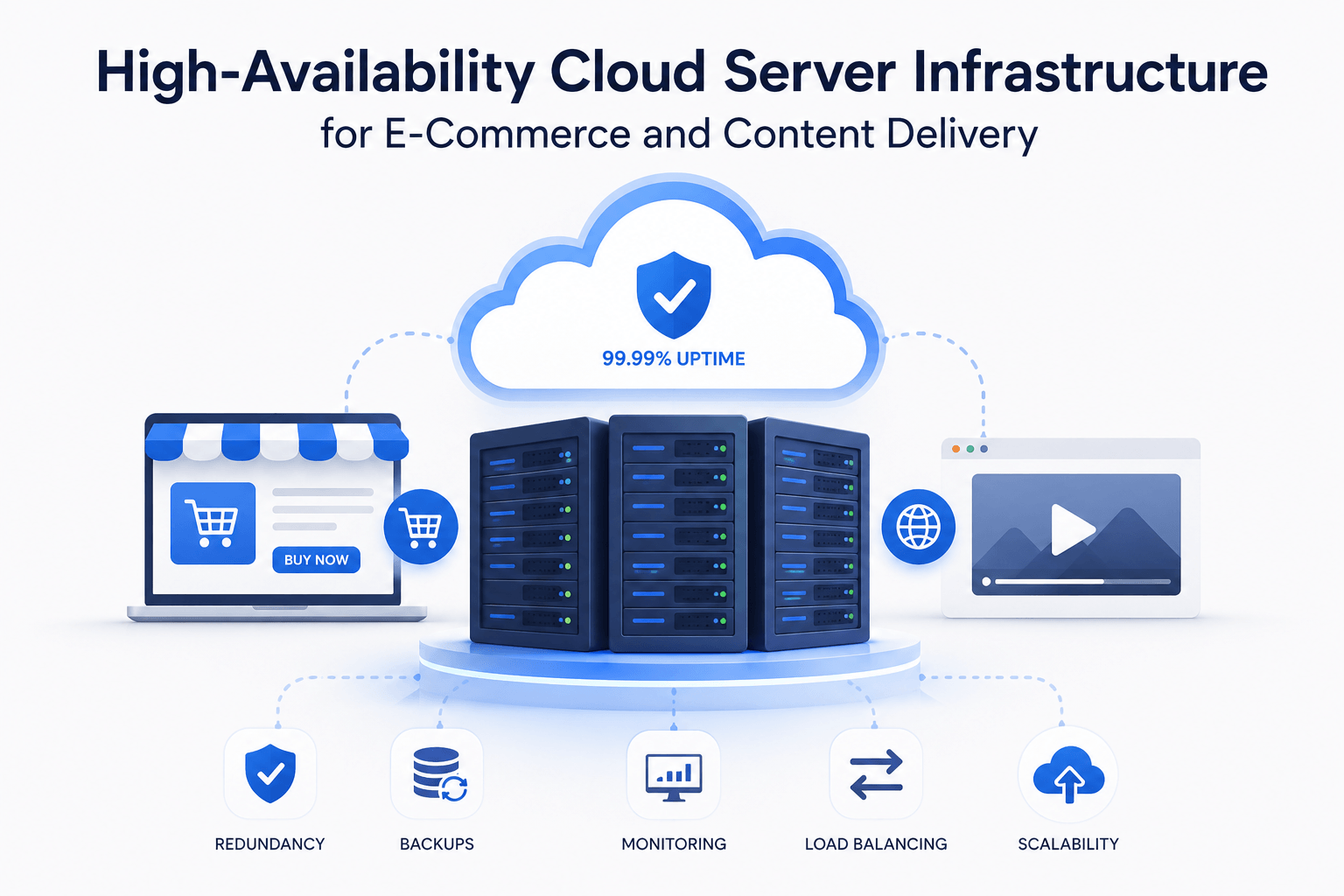
E-commerce stores and content platforms depend on reliable infrastructure to keep websites, checkout systems, databases, and media available to users. High-availability hosting combines adequate server resources with redundancy, monitoring, backups, traffic management, and a recovery plan to reduce the impact of hardware, network, or application failures. Learn how high-availability hosting, NVMe storage, redundancy, backups, and scalable server resources can help e-commerce and content platforms reduce downtime and maintain reliable performance. Ensuring Reliable Uptime for Online Stores Downtime can prevent customers from browsing products, completing purchases, or accessing content. For high-traffic websites, even a short outage during a busy sales period can result in lost transactions and additional support work. A resilient setup should therefore look beyond raw server specifications. Fast NVMe storage and sufficient CPU and memory can improve performance, but availability also depends on network reliability, application architecture, database redundancy, backups, monitoring, failover configuration, and the hosting provider’s infrastructure. Essential Features of High-Availability E-Commerce Hosting High-traffic e-commerce and media platforms require specific technical infrastructure capabilities: Fast NVMe SSD Drives: NVMe storage can reduce storage-related latency and improve I/O performance for databases and applications. Actual WooCommerce, Magento, or custom application performance also depends on CPU, memory, caching, database configuration, and application design. Dedicated CPU and RAM Allocations: Prevent database lag during high-volume sales events and seasonal traffic surges. Automated Daily Snapshots: Maintain regular backups of application files and databases, with retention appropriate to how frequently data changes. Server snapshots can provide convenient recovery points, but critical e-commerce data may require more frequent backups and off-server or off-site copies. Multi-Region Node Mirroring: Build redundant server setups across distinct geographical locations to balance incoming web traffic smoothly. Uptime and Performance Monitoring: Monitor server availability, response times, CPU and memory usage, storage capacity, database health, and application errors. Alerts allow administrators to investigate problems before they develop into longer outages. CDN and Caching: A content delivery network (CDN) can cache static assets closer to users, reducing load on the origin server and improving delivery times across different regions. Application and database caching can further reduce repeated processing on high-traffic websites. Database Resilience: For stores with frequent orders, inventory changes, or account activity, database availability is just as important as web-server uptime. Depending on the scale of the platform, replication, managed database services, frequent backups, and tested recovery procedures can reduce the risk of losing recent transactional data. Network and DDoS Protection: Traffic attacks or abnormal request spikes can make an otherwise healthy server unavailable. Evaluate the provider’s network capacity, DDoS mitigation options, firewall controls, and rate-limiting capabilities according to the risk profile of your website. Choosing Server Locations in Northern Europe Northern Europe has become an important data-center region, with parts of the Nordic market benefiting from strong fiber connectivity, relatively cool climates, and access to renewable or low-carbon electricity. These advantages vary by country, facility, and provider, so server location alone should not be treated as a guarantee of performance or sustainability. For websites serving customers in Scandinavian and European performance can launch a high-speed Sweden VPS to support resource-heavy e-commerce stores. An additional server or caching node in Estonia may also be worth considering for applications serving users in the Baltic region, depending on the provider’s network routes and the geographic distribution of the audience. Server location should generally be selected according to where users are located. Physical distance is only one factor; network peering, routing, CDN configuration, server capacity, and application architecture can have an equally important effect on real-world response times. Choosing Infrastructure for a Growing Online Store When comparing hosting for a growing e-commerce platform, look beyond headline CPU and storage specifications. Consider available memory, storage performance, bandwidth policies, server locations, DDoS protection, backups, monitoring, recovery options, network reliability, and technical support. For critical stores, also consider how the architecture would respond if the primary server, data center, or network route became unavailable. Payment options may matter as well, particularly for international customers or businesses that prefer cryptocurrency. hosting-bitcoin.com provides a way to compare VPS and dedicated-server providers that accept crypto payments, including options across multiple geographic locations. Before choosing a service, compare the actual provider’s infrastructure, resource allocation, backup policy, support terms, network specifications, and service-level commitments. FAQ’s What is high-availability hosting? High-availability hosting uses redundancy, monitoring, failover, backups, and other infrastructure measures to reduce downtime and keep websites and applications accessible when individual components fail. Why is high availability important for e-commerce websites? E-commerce stores depend on continuous access to product pages, customer accounts, databases, and checkout systems. Downtime can interrupt purchases, affect customer experience, and create additional recovery and support work. Does NVMe storage improve e-commerce performance? NVMe storage can improve storage-related performance by providing fast read/write speeds and lower latency. However, overall website performance also depends on CPU, memory, caching, database configuration, network connectivity, and application design. What is server redundancy? Server redundancy involves having additional infrastructure available if a primary server or component fails. Depending on the architecture, this may include secondary servers, replicated databases, multiple locations, load balancing, or automatic failover. What is the difference between server backups and snapshots? A snapshot captures the state of a server or disk at a particular point in time, while a backup is typically a separate copy of important files or databases kept for recovery. Critical e-commerce systems may benefit from using both as part of a broader recovery strategy. Does an e-commerce website need a CDN? Not every store requires one, but a CDN can improve content delivery by caching static assets closer to visitors. It can also reduce demand on the origin server, which can be particularly useful for geographically distributed audiences and high-traffic websites. How does server location affect e-commerce website speed? Hosting closer to your main audience can reduce network latency, but physical distance is only one factor. Network routing, peering, CDN configuration, server resources, and application optimization can also affect real-world performance. Is a VPS suitable for a high-traffic e-commerce store? Yes, VPS has sufficient resources and the overall infrastructure is designed for the store’s workload. As traffic and availability requirements increase, additional servers, load balancing, database replication, caching, or dedicated infrastructure may become necessary.

Read More
Why a 30-Minute Client Call Rarely Takes 30 Minutes

Why a 30-Minute Client Call Rarely Takes 30 Minutes

You look at your calendar and see a blue block titled “Client call”, scheduled to last 30 minutes. So, you think to yourself, “Okay, that’s not so bad; let me just get it over with”. But then the call happens, and you realize it actually lasted about an hour and a half. Not the call itself, but everything around it. If this has ever happened to you, just know that you’re not imagining things. You’re also not bad at managing your schedule. The truth is this: a 30-minute call is never just 30 minutes. Those 30 min are just the middle slice of a bigger time block that includes getting ready for the call, the extra minutes the conversation runs over, the notes and follow-ups you write after, and getting back into what you were doing before the call. Meaning, there’s no such thing as a “quick call”. So, let’s talk about client calls. Let’s see what’s actually happening around that 30-minute block, and why it never ends up being just those 30 minutes. The Prep for the Call That’s Not on Your Calendar Before you even pick up the phone, you’re faced with invisible work. Like, you reread the last email thread so you don’t ask something the client already told you. You skim the account notes, check where the project stands, maybe look at an invoice or ticket. If it’s a sales call, you look up the company and think through what the potential client is most likely to ask. Your research doesn’t get its own calendar entry; it simply happens in the 10-30 minutes before the call, usually while you’re also trying to finish what you were doing beforehand. And that research is real work, it takes real time, and it’s the first reason a 30-minute call takes more time than you can ever imagine. The Call That Runs Long Even with the best of intentions, calls rarely end exactly on the minute. A client can bring up one more thing just when you were about to wrap up. A simple question can turn into a real 15-minute discussion. A client can also bring up an idea that wasn’t on the agenda at all. It can all happen, and it’s not anyone’s fault; it’s just how conversations work when you’re trying to build a stable business relationship. Research on why plans go long points to something called the planning fallacy: people are too optimistic when they estimate how long a task will take, even when their own past experience says otherwise. In the study that first named the effect, researchers found that students predicted they’d finish a thesis project in about 34 days on average, while it actually took them closer to 56. The planning fallacy applies to scheduling calls. You never really leave any room for conversation that goes slightly different. The Notes and Follow-Up The call ends, but the work tied to it rarely does. There’s usually a short window right afterward to write down what was actually said and agreed to while it’s still fresh, because hours later half of it will be fuzzy. You may need to update a CRM entry, draft a follow-up email that recaps what was said, create a ticket, or ping a teammate to loop them in on something the client mentioned. And just like the call, there is no such thing as a “quick note”. Writing a clear summary, sending a proper follow-up, and updating whatever system you use to track client work reliably takes 10-15 minutes on its own. You can’t exactly skip this step because you’re the one who needs to remember what was promised. So, the minutes before the call, during it, and after add up. Getting Back Into What You Were Doing Now, this is the part that gets talked about the least. It’s coming back to the work you were doing before the call interrupted it. Researchers at UC Irvine tracked how office workers actually spend their days and found that after being pulled away from a task, it took an average of 23 minutes and 15 seconds to fully return to it. The same research also found that people typically worked through about two other tasks first before returning to the original one. There’s also a related idea from organizational psychologist Sophie Leroy that helps explain why this happens: when you switch away from a task before it’s finished, part of your attention stays behind with it. She called this attention residue, and her research found that it drags down performance on whatever you move to next, especially if the interrupted task feels unresolved. A client call is the kind of interruption that produces this: you’re deep in some task, then you’re suddenly on a call thinking about a client’s problem, and when you try to go back, part of your brain is still processing what just got discussed. This effect isn’t limited to jumping between unrelated tasks. In fact, it can show up even in the transition from one meeting to another. A 2022 study on meeting-to-work transitions found that when the buffer between a meeting and the next task was too short, people reported more stress and less recovery. The researchers suggested that standard 30- and 60-minute meetings might work better as 25- and 50-minute ones, simply to build in a bit of breathing room. How Much Does a 30-Minute Client Call Truly Last? Well, when you put the pieces together, a single scheduled call can look something like this: 10-15 minutes of prep 30 minutes on the calendar (but often 35-45 in practice once the conversation runs its course) 10-15 minutes writing notes and sending follow-ups 20+ minutes rebuilding focus on what you were doing before When you add all these numbers, a 30-minute client call can turn into well over an hour worth of your time. None of it is wasted time; it’s just invisible on a calendar. So, invisibility is the issue. Now, to make the invisible visible, you should track time. That seems like a logical solution, but if you’re manually tracking your time and trying to reconstruct it at the end of the day from memory, that’s how work tends to disappear. You either round it down to the scheduled 30 minutes, or you forget to log it at all. That’s why you should opt for automatic time tracking. Instead of relying on you to remember to start and stop a timer for every call, prep session, and follow-up email, it runs quietly in the background and records what you actually did, and for how long. For calls specifically, automatic phone call tracking logs the real start and end time of every call as it happens, so you have an accurate record instead of a guess. Some tools offer dedicated call-tracking features; for example, Memtime and its automatic phone call tracking can record call duration without requiring users to start and stop a timer manually. The same idea can work across your whole day, not just your calls. Automatic time tracking tools can also pick up the documents you had open, the apps you were working in, and the tasks you moved between, and build a timeline of your actual day. Pretty handy. How to Schedule Client Calls More Realistically If your calls regularly need preparation and follow-up, avoid scheduling them back-to-back with deep work. A 30-minute conversation may need a larger block around it, even if the meeting itself stays at 30 minutes. You don’t necessarily need to make every calendar event longer. Instead, leave enough space before or after important calls to review context, capture decisions, send follow-ups, and return to your previous task without immediately rushing into something else. Final Thoughts Client calls are not inherently a problem, and you shouldn’t cut every one down. Conversations with clients are often where the real relationship gets built, and rushing them to hit a scheduled time slot can do more harm than the extra ten minutes ever would. What you need is to plan around the real shape of a call. A few things that tend to help: Building a short buffer before and after calls Batching calls together where possible (a power dialer can help with this by queuing calls back-to-back automatically) Taking notes during the call itself rather than trying to reconstruct them afterward from memory It also helps just to know how long your calls actually run. That’s where automatic call tracking can help; it logs the real duration in the background, so you can plan buffers around what actually happens. So, don’t shy away from client calls or try to do fewer calls. Work around them and respect the time they actually require. Client Call Time FAQs Why does a 30-minute call end up taking so much longer? A scheduled call only covers the conversation itself. The real call time also includes prep beforehand, the minutes the call runs over, the notes and follow-up you write afterward, and the time it takes to refocus on what you were doing before the call. Add those together, and a 30-minute call block can turn into an hour or more. Why do calls run past their scheduled time so often? This is partly explained by the planning fallacy, a well-documented tendency to underestimate how long tasks will take, even when past experience says otherwise. A 30-minute time slot doesn’t leave room for the version of the conversation that runs slightly long, which is actually the version that happens most of the time. How long does it actually take to refocus after a call? Research from UC Irvine found that after being pulled away from a task, it takes an average of 23 minutes and 15 seconds to fully return to it, and people typically work through about two other tasks before getting back to the original one. That’s why the time cost of a call doesn’t end when the call ends. What is attention residue? Attention residue is a concept from organizational psychologist Sophie Leroy describing how part of your focus stays with a previous task even after you’ve moved on to something else. It’s a big reason why jumping straight from a client call back into deep work feels harder than it should. Is it worth building buffer time around client calls? Yes, definitely. A short buffer before and after a call gives you room to prep properly, write clear notes while the conversation is fresh, and ease back into your other work. Research on meeting transitions has found that even 5-10 extra minutes of buffer can reduce stress and improve recovery. How can I track the real time a client call costs me? Manually logging every call, prep session, and follow-up doesn’t do much at the end of a busy day, so time gets rounded down or forgotten entirely. Automatic time tracking, including automatic phone call tracking, solves this by recording the actual start and end time of your calls in the background (as well as prep and follow-up), giving you an accurate picture of how long a call really takes. Should I try to shorten every client call to save time? No, not necessarily. Client conversations are often where the real relationship gets built, and rushing them to fit a scheduled time slot isn’t a good tactic. A more effective solution is to build realistic buffers into your schedule.  

Read More
multi line phone systems

What is a Multi Line Phone System? A Complete Guide

A multi-line phone system allows a business to handle multiple phone calls at the same time. Depending on the setup, several lines or call appearances can be managed through desk phones, a PBX, or a cloud-based VoIP platform. Employees can answer incoming calls, place callers on hold, transfer calls, and manage multiple conversations without relying on a single phone line. For example, a receptionist can answer one call, place it on hold, and answer another incoming call without disconnecting the first caller. What Is a Multi-Line Phone System? A multi line phone system serves as the backbone for organizational communication by allowing multiple participants to be on the phone at once through a single interface. In a standard office setting, this means a receptionist can answer a call on line one, place it on hold, and immediately attend to another inquiry on line two. This technology eliminates the limitations of one-to-one communication, making it possible for small and large teams to manage a multi phone line system efficiently. The architecture of these systems is designed to handle the complexities of a multi location business phone system. Whether you are operating from a single storefront or managing various branches across the country, a multi line phone system make sures that all incoming traffic is organized and routed correctly. It acts as a centralized hub that connects various office phones with multiple lines, creating a unified network that supports growth and professional customer service. How Multi-Line Phone Systems Work The mechanical and digital operations of a multi line phone system vary depending on the underlying technology used. Traditionally, these systems relied on physical copper wires where each line required its own pair of wires to be run into the building. Modern systems can use VoIP and cloud technology, reducing the need for separate physical lines and giving businesses more flexibility in how calls are routed and answered. On-premises multi-line phone system An on-premises multi line phone system typically utilizes a Private Branch Exchange (PBX) or a Key System Unit (KSU) installed physically within your office. This traditional method relies on local hardware to route calls and manage the various lines. While it offers high levels of control, it often requires a significant upfront investment in hardware and specialized wiring for every desk that needs a multi line phone. Maintenance for these systems usually falls on the shoulders of local IT staff or contracted technicians. Because the system is tied to the physical location, it can be challenging to integrate with remote workers or to expand quickly without physical construction. However, for companies with a permanent, stationary staff, an on-premises multi line phone system provides a sense of security and full ownership of the infrastructure. Cloud-based multi-line phone system A cloud-based multi line phone system utilizes Voice over Internet Protocol (VoIP) to transmit voice data over the internet. This modern approach removes the need for physical servers in the closet, replacing them with virtual hosting managed by a service provider. Because it is software-driven, a multi line voip phone system can be set up in minutes and accessed through desk phones, mobile apps, or computer software. The scalability of a cloud-based multi line phone system is one of its greatest strengths. Cloud-based systems can reduce the need for on-site PBX hardware and dedicated telephone wiring, although actual costs depend on the provider, number of users, equipment, calling requirements, and existing infrastructure.  This is because the infrastructure is maintained by the provider, allowing the business to focus on communication rather than hardware upkeep. Feature On-Premises System Cloud-Based System Equipment Relies on traditional hardware and analog systems. Utilizes IP phones, softphones, or computer systems. Features Basic features like caller ID and voicemail. Advanced features like virtual numbers and integrations. Cost of Phone Hardware Typically incurs higher costs for traditional hardware. Cost-effective with a range of hardware options. Cost of Subscription 15–50 per line Varies; check pricing for customized plans Set-up Fees 0–200 (depending on location) $0 Internet Reliability Not dependent on the internet. Relies on a stable internet connection. Scaling and Maintenance Limited scalability; hands-on repairs required. Highly scalable; minimal hardware maintenance. Best For Businesses prioritizing reliability and security. Businesses looking to automate and expand outreach. Types of Multi-Line Phones (And Use Cases) Selecting the right hardware for a multi line phone system depends on the specific roles within your company. Not every employee needs a high-capacity switchboard, and understanding the use cases for different multi-line phone units can save significant money. The goal is to match the number of available lines with the daily call volume handled by the specific user. 1) Two-line phones A 2 line business phone system is generally the starting point for small businesses and home offices. It allows a user to manage two active calls, which is perfect for a consultant who needs to take a client call while keeping a second line open for personal or administrative use. Many 2 line voip phone system options are affordable and require very little space on a desk. Ideal for home office telephone system setups. Suitable for retail shop counters where one line is for customers and another for vendors. Commonly used in 2 line expandable phone system configurations for growing teams. Great for freelancers who need a dedicated business multi line phone system. 2) Four-line phones The four-line phone is the workhorse of the modern office environment. This multi-line phone provides enough capacity for mid-level managers and sales representatives to juggle multiple active leads and internal consultations. Most business multi line phone systems standardly offer these devices because they balance cost with high functionality, allowing for complex maneuvers like three-way conferencing and warm transfers. Standard choice for office phones with multiple lines. Used by administrative assistants in medium-sized departments. Supports multiple business phone lines for various departments. Often part of a 4 line pbx system for robust internal routing. 3) 6 to 12-line phones For receptionists and executive assistants, a multi line phone system needs to handle massive amounts of traffic simultaneously. These high-capacity devices often feature large screens and sidecars that display the status of every extension in the building. Having a multi line switchboard allows these power users to see who is busy, who is available, and where to route urgent calls without delay. Essential for large call center supervisors and busy front desks. Allows for advanced monitoring of a multi location phone system. Supports multiline telephone systems with high-definition audio. Ideal for managing a multi phone line system in a large corporate headquarters. Phone Lines vs Numbers vs Extensions A phone line, phone number, and extension are related concepts, but they aren’t the same thing. A phone number is the public number customers dial to reach a business. An extension identifies a specific user, department, or device within the phone system. A “line” traditionally referred to a physical telephone connection, while modern VoIP systems may use the term for a call appearance, account, or concurrent calling capability. Because cloud phone systems don’t always rely on one physical line per call, businesses should check how a provider defines users, extensions, numbers, and simultaneous calls when comparing plans. Multi-Line Phone System vs PBX A multi-line phone system and a PBX aren’t necessarily competing technologies. A PBX can be the system that provides multi-line calling, extensions, transfers, routing, voicemail, and other business phone features. Multi-Line Phone System PBX What it describes Ability to manage multiple calls/lines System that manages and routes business calls Physical lines required Depends on technology Depends on PBX type Extensions May support them Core PBX capability Call routing Basic to advanced Typically supported Cloud option Yes Yes — hosted/cloud PBX On-premises option Yes Yes Best understood as Calling capability/setup Phone-system architecture Hardware Options: Analog vs. IP Phones When choosing hardware for a multi-line phone system, businesses generally select between traditional analog devices and modern IP phones depending on their existing setup and growth plans. 1. Traditional analog systems Operating on the public switched telephone network (PSTN), traditional analog phones rely on copper wiring and standard jacks to function reliably without an internet connection. However, they are rigid, costly to expand, limited in line capacity, and lack modern capabilities like automated computer integrations. 2. IP phones & cloud systems Connecting via Ethernet or Wi-Fi, IP phones transmit voice as digital data to deliver high-definition audio and strong encryption. They offer plug-and-play simplicity for flexible workspaces, supporting cloud directories, mobile app syncing, and seamless integration with cloud-based multi-line platforms. How to Set Up a Multi-Line Phone System The transition to a multi line phone system is much simpler than it was a decade ago. With the advent of cloud technology, the physical labor involved in setting up a business multi line phone system has been replaced by simple software configurations. Following a structured approach make sure that your team can begin taking calls with minimal downtime. 1) Choose your plan and phone numbers The first step is selecting a service provider that offers the specific features your business requires. You will need to decide between local numbers to build community trust or toll-free numbers for a national presence. During this phase, you can also port your existing numbers into the new multi line phone system so that your long-term clients do not lose contact with you. 2) Assign virtual phone extensions Once the plan is active, you can begin assigning extensions to your staff through an online dashboard. Unlike physical lines, virtual extensions allow you to create a multi line system where employees can reach each other by dialing three or four digits. This is especially useful for a multi location business phone system where staff might be spread across different cities. 3) Configure call flow This step involves deciding how a multi-line phone system routes incoming calls. You can set up an automated attendant to greet callers and offer a menu of options. Proper call flow make it confirm that even if one employee is busy, the call is automatically routed to the next available person or a specific department, maintaining a professional image. 4) Plug & play After the digital configuration is complete, the final step is simply connecting your hardware. For an IP-based multi line phone system, you just plug the phone into your internet router. The device will automatically download its settings from the cloud, and your team can immediately start using their new business phones with multiple lines. Advanced Features in a Multi-Line Phone System Modern communication is about more than just talking; it is about managing data and improving the customer experience. A contemporary multi line phone system comes packed with tools that help small businesses act like large corporations. These features are designed to save time and provide insights that were previously only available to high-end call centers. 1) Auto attendant An auto attendant serves as a virtual receptionist, greeting callers and directing them to the appropriate extension. This feature is a staple of any multi line business phone system because it ensures every call is answered immediately. It reduces the workload on human receptionists and provides a consistent, professional brand experience for every caller. 2) Call hold and call parking Managing multiple calls requires the ability to put someone on hold securely. Call parking takes this a step further by allowing a call to be placed in a virtual slot that any other employee can pick up from their own multi line telephone. This is highly effective in large environments like warehouses or medical clinics where staff move between different rooms. 3) AI-powered call analytics Data is vital for growth, and a multi line phone system can provide detailed reports on call volume, peak times, and missed call rates. Many modern systems use AI to analyze customer sentiment and provide summaries of conversations. According to industry facts, businesses that utilize call analytics can improve their customer satisfaction scores by 20% through better staffing and training. 4) Call forwarding The ability to send a call from your desk to your mobile device is essential for the modern mobile worker. Call forwarding ensures that a multi line phone system follows you wherever you go. Whether you are at home or in a meeting, you can receive business calls on your personal device without giving out your private number. 5) Call routing Advanced routing policies allow you to define exactly how calls are distributed among your team. You can choose to have all phones ring simultaneously or use a round-robin style where calls are distributed equally. This flexibility is a core benefit of a multi line phone system for small business, ensuring no single employee is overwhelmed while others are idle. 6) Business voicemail Voicemail in a multi line phone system is far more advanced than a simple recording. Many systems offer voicemail-to-email or voicemail-to-text, allowing you to read your messages in your inbox. This ensures that you can stay updated on client needs even when you are unable to listen to audio files. 7) Screen pop When a call comes in, a screen pop displays the caller’s information directly on your computer screen. By integrating with your CRM, a multi line phone system can show you a client’s past purchase history or recent support tickets before you even pick up the phone. This creates a highly personalized experience that customers appreciate. 8) Toll-free numbers Toll-free numbers allow customers to call your business without incurring long-distance charges. This is a powerful branding tool for any multi line phone system for business, as it suggests a national reach and a commitment to customer service. It makes your business more accessible to a wider audience. 9) Audio conferencing A multi line phone system makes it easy to host meetings with multiple participants. Instead of needing a separate service, you can bridge several lines together for a high-definition conference call. This is vital for team collaboration and client presentations, providing a stable platform for group discussions. 10) Call recording Recording calls is a vital feature for training and quality assurance. A multi line phone system can be set to record every conversation automatically, storing them securely in the cloud. This allows managers to review interactions and ensure that the team is following company protocols and providing excellent service. Mobility & Cordless Solutions (DECT) Not every business operates from a desk, and mobility is often a requirement for success. Whether you are managing a large warehouse or a busy restaurant, you need a multi line phone system that allows you to move around while staying connected. Cordless solutions have evolved to provide the same features as desk phones without the physical tether. What is DECT? DECT stands for Digital Enhanced Cordless Telecommunications, and it is the industry standard for cordless business phones. Unlike Wi-Fi phones that can suffer from interference, DECT phones operate on a dedicated frequency that provides crystal-clear audio. This technology is a vital component of a multi location business phone system where employees need to roam large areas. Provides a range of up to 300 feet from the base station. Supports multiple handsets on a single multi line phone system. Offers encrypted communication for privacy and security. Enables seamless call handovers as you move between different base stations. Benefits of a Multi-Line Phone System Multi-line systems can help businesses handle concurrent calls, organize incoming traffic, route callers to the appropriate employees, and support teams across different devices or locations. The specific benefits depend on whether the system is traditional, on-premises, or cloud-based. These benefits extend beyond simple call handling and touch every part of your business operations. 1. Lower costs Switching to a cloud-based multi line phone system can significantly reduce your monthly overhead. Instead of paying for individual physical lines from the phone company, you pay a flat subscription fee. This eliminates long-distance charges and the need for expensive on-site maintenance, allowing you to reallocate those funds toward other growth initiatives. 2. Higher reliability A modern multi line phone system is built on a foundation of redundancy. If you use a cloud provider, they often have multiple data centers across the globe. This means that if one server goes down, your calls are instantly rerouted to another, ensuring your multi line phone system stays active even during local internet outages or natural disasters. 3. More flexibility The ability to work from anywhere is no longer a luxury; it is a necessity. A multi line phone system allows your employees to take their business extensions home with them. By using mobile apps or laptops, they can maintain a professional presence regardless of their physical location, which is a major draw for top talent in today’s job market. 4. Better scalability As your business grows, your communication system should grow with you. Adding a new user to a multi line phone system takes just a few clicks in an admin portal. You don’t need to wait for a technician or install new hardware; you simply add a license and your new employee is ready to start taking calls on their multi line phone immediately. 5. Improved convenience Managing a business is complex enough without worrying about missed calls or busy signals. A multi line phone system simplifies daily tasks through automation and intuitive interfaces. From easy call transfers to automated greetings, the system handles the technical details so you and your team can focus on serving your clients and closing deals. Read More: What is Collaboration in the Workplace? Keys to Effective Teamwork Conclusion A multi-line phone system helps businesses manage multiple calls without relying on a single telephone line. Traditional systems may use physical lines and on-premises PBX equipment, while modern cloud systems use VoIP to manage calls, users, extensions, and routing through internet-based services. When comparing systems, consider the number of employees, simultaneous call requirements, office locations, internet connectivity, existing phone numbers, hardware needs, routing features, integrations, reliability, support, and total cost. Small offices may need only a simple two-line setup, while larger or distributed teams may benefit from a cloud-based business phone system with extensions, queues, auto attendants, and mobile applications. Multi-Line Phone System FAQs How to operate a multi-line phone? Operating a multi line phone involves using the dedicated line buttons on the device to switch between active calls. You can press a line button to answer, use the hold button to pause a conversation, and then press another line button to start a new call or answer a second incoming inquiry. What is a two-line phone system? A two-line system is a communication setup designed to handle two separate phone lines on one device. This is often the best multi line phone system for small business owners who need to keep their professional and personal calls separate on the same desk phone. How to answer a multi-line phone? When a call comes in, the corresponding line button will usually flash or change color. Simply pick up the handset or press the speakerphone button while the correct line is selected to begin the conversation. The multi line phone system will automatically manage the connection. How to transfer calls on a multi-line phone? To transfer a call, you typically press the transfer button, dial the extension of the person you wish to reach, and then hang up. Many systems also allow for a warm transfer, where you can speak to your colleague before completing the connection to ensure they are ready for the caller. How does multi-line work? Multi-line functionality works by partitioning communication channels so they don’t interfere with each other. In a digital environment, the system assigns a unique identifier to each call, allowing the software to keep multiple conversations active and organized on a single multi line business phone. What types of multi-line systems are there? The main types include on-premises PBX systems, which use local hardware, and cloud-based VoIP systems, which use the internet. There are also hybrid systems that combine elements of both to provide a customized multi line telephone system experience. What is the best multi line phone system? The best system depends on your specific needs, but most modern businesses prefer cloud-based VoIP solutions. These provide the highest level of flexibility, lowest upfront costs, and the most advanced features for a multi location business phone system. What do you call a phone that has multiple lines? It is commonly referred to as a multi line phone or a multiline telephone system. These devices are standard in office environments where a single person needs to manage more than one conversation at a time.

Read More
what is cpaas

What Is CPaaS? Meaning, Full Form (How It Works)

Communications Platform as a Service (CPaaS) is a cloud-based platform that lets businesses add communication features such as voice calls, SMS, messaging, video, and authentication directly to their applications. Developers typically access these features through APIs and SDKs instead of building and maintaining the underlying communications infrastructure themselves. This technology is important for companies wanting to customize their communications infrastructure to meet specific customer needs. While traditional virtual phone systems offer pre-built setups, cpaas provides the building blocks for a completely tailored communication stack, helping brands create a more dynamic and connected customer journey. What Is CPaaS? CPaaS stands for Communications Platform as a Service. It gives developers access to communication capabilities through APIs, software development kits (SDKs), and other development tools. Instead of building voice, messaging, video, or authentication infrastructure from scratch, businesses can integrate the capabilities they need into their existing websites, apps, and business systems.. This approach allows a business cpaas to be highly flexible, moving away from rigid, one-size-fits-all software solutions. Instead of purchasing an entire phone system with features you might never use, you can select only the specific cpaas api functions required for your specific workflow. Unlike a ready-made business phone system, CPaaS provides individual communication capabilities that developers can combine according to the application’s requirements. A company might use one API for SMS notifications, another for voice calls, and an authentication API for one-time passwords. How Does CPaaS Work? CPaaS works primarily through APIs and SDKs. A developer integrates the provider’s API into an application and configures specific events to trigger communication actions. For example, an online store could automatically send an SMS when an order ships, while a healthcare application could send an appointment reminder before a scheduled visit. When a developer uses a cpaas model, they are essentially writing code that tells their application to trigger a specific communication event, such as making a phone call or sending an automated text message, by sending a request to the provider’s server. For instance, consider how a modern ride-sharing application operates. When you book a ride, the app uses a cpaas provider to facilitate various interactions. It might send an SMS notification to confirm your pickup, enable an in-app voice call between you and the driver without revealing personal phone numbers, and provide real-time updates through push notifications. These actions are triggered by specific events within the app, which then communicate with the backend VoIP networks to transmit data packets between users globally. CPaaS vs. UCaaS It is common for business owners to compare cpaas with Unified Communications as a Service (UCaaS). While both offer cloud-based communication, they serve very different purposes. UCaaS provides a ready-to-use, all-in-one platform that includes phone, video, and messaging out of the box. In contrast, a communication platform as a service offers the raw ingredients to build those features into your own existing software. The choice between them depends on whether you need a finished product or a custom-built solution. Feature CPaaS UCaaS Customization High Limited Development effort More complex (requires coding) Simpler (ready-made solution) Scalability Highly scalable Also highly scalable Ideal for Businesses with specific communication needs Businesses seeking a complete communication solution Many companies today utilize a hybrid approach. A company might use a UCaaS platform for employee calling and collaboration while using CPaaS APIs to build SMS notifications or authentication into its customer-facing application. CPaaS vs UCaaS vs CCaaS CPaaS UCaaS CCaaS Purpose Build communications into apps Employee communications Customer contact center Main users Developers Employees Agents/support teams APIs Core delivery method Available but not core Available/integrations Coding Usually required Usually not Usually not Voice API-based Built in Built in Messaging API/channel based Team/business messaging Customer messaging Customization High Moderate/provider-defined Workflow/configuration focused Typical example OTP, alerts, masked calling Business phone + meetings Customer-support queue Benefits of CPaaS CPaaS allows businesses to add communication capabilities without building the underlying telecom infrastructure themselves. Because developers can integrate individual APIs as needed, companies can customize how voice, messaging, video, and authentication work within their applications. Recent industry reports from analysts like Gartner suggest that the communication platform as a service market is growing at a rate of nearly 30% annually. Faster Development Developers can use existing APIs and SDKs instead of creating communications infrastructure from the ground up. This can reduce development work for features such as SMS notifications, voice calling, and user verification. Flexible Pricing Many CPaaS services use usage-based pricing for calls, messages, phone numbers, or other API activity. Actual costs depend on the provider, destination, traffic volume, and features used. Scalability Cloud communications infrastructure can support changing message and call volumes without requiring businesses to install additional on-premises telecom hardware. Customization Developers can combine communication APIs with existing applications, databases, CRM systems, and workflows to create functionality suited to specific business requirements. Much stronger. Factors to keep in mind for successful CPaaS integration While the advantages are significant, successful implementation requires careful planning. First, you must evaluate your development resources. Because these platforms are developer-centric, you will need engineers who understand how to work with RESTful APIs and handle real-time data streams. If your team is small, look for a cpaas provider that offers excellent documentation and SDKs in multiple programming languages to simplify the integration process. Security is another critical factor to consider when choosing a cpaas vendor. Since your communication data travels over the public internet, you must ensure the provider uses end-to-end encryption and complies with global standards like GDPR or HIPAA. High-quality cpaas fraud protection features are also vital to prevent unauthorized access or toll fraud, which can be costly if left unmonitored. Key CPaaS Functions To build a comprehensive communication strategy, you need to understand the various building blocks available. Most cpaas platforms provide a wide array of functions that can be used individually or combined. For example, you might evaluate the cpaas company bird on omnichannel marketing to see how they integrate different messaging streams into a single customer view. 1. Outbound voice calls A voice API allows your software to initiate calls to landlines or mobile phones globally. This is useful for automated alerts or connecting a sales agent to a lead directly from a CRM. Organizations often use this to scale their calling capacity during peak seasons without adding new physical lines. 2. Inbound call routing Using webhooks, cpaas solutions can direct incoming calls to the right department or individual based on specific data. When a call arrives, the system checks your database and follows logic to route the caller, which is a key component of building a modern cloud contact center. 3. WebRTC-based calling Web Real-Time Communication (WebRTC) is a technology that allows voice and video calling directly inside a web browser. This eliminates the need for users to download third-party plugins or apps. Many cpaas vendors offer WebRTC to help businesses embed high-quality video conferencing into their client portals. 4. Text messaging (SMS) SMS remains one of the most effective ways to reach customers. With an SMS cpaas API, you can automate text notifications, two-way conversations, and bulk marketing campaigns. Modern providers also help manage 10DLC registration to ensure your messages are delivered reliably. 5. On-demand SIP trunking For businesses that still have on-premise equipment, SIP trunking provides the necessary connectivity to the internet. This allows you to keep your existing hardware while gaining the flexibility and cost benefits of cloud-based voice services. 6. Multimedia and video messaging Beyond simple text, multimedia messaging allows for the transmission of images, videos, and PDFs. This is particularly useful in industries like insurance or tech support where a visual representation of a problem can speed up the resolution process. 7. Social media messaging Many cpaas platforms now integrate with popular apps like WhatsApp, Facebook Messenger, and Telegram. This allows you to meet your customers where they already spend their time, managing all these conversations through a unified API. 8. Number masking This function protects the privacy of both your employees and your customers. When a delivery driver calls a customer through an app, neither party sees the other’s real phone number. The cpaas platform acts as a secure bridge, ensuring safety and data privacy. CPaaS Use Cases The versatility of cpaas makes it applicable across various sectors. By looking at a cpaas example in real life, we can see how companies transition from legacy systems to agile, cloud-based workflows. For instance, when we evaluate the cpaas company infobip on conversational experience, we see how they enable businesses to create automated yet personal dialogues with their users. 1. Appointment confirmations and fulfillment updates Healthcare organizations can use messaging APIs to send appointment reminders, while retailers and e-commerce businesses can use them for order confirmations, delivery notifications, and other status updates. 2. Fraud and abuse mitigation Security is a major concern for online platforms. By integrating cpaas functions, companies can implement two-factor authentication (2FA) and send one-time passwords (OTP) via text or voice. This adds a robust layer of security for user logins and financial transactions, effectively reducing the risk of account takeovers. 3. Scalable voice and messaging For industries like travel and finance, communication needs can fluctuate wildly. A cpaas provider allows these companies to scale their voice and messaging capabilities instantly during emergencies or high-traffic events. This ensures that customers can always reach support when they need it most, regardless of the volume. 4. Automated customer interactions Chatbots powered by AI and integrated via cpaas allow for 24/7 customer service. These bots can handle routine inquiries like balance checks or password resets, freeing up human agents for more complex tasks. When you evaluate the cpaas company clicksend on cloud contact center capabilities, you see how these automated flows can reduce operational costs while maintaining high satisfaction. Alternatives to CPaaS While cpaas is powerful, it is not the only option for business communication. Some organizations may find that they do not have the technical expertise to build a custom solution from scratch. In such cases, a ready-made UCaaS platform with robust features might be a better fit. These platforms offer a user-friendly interface that requires zero coding, making them ideal for small to medium-sized businesses. Another alternative is a Contact Center as a Service (CCaaS) platform. CCaaS is specifically designed for high-volume customer support and sales teams, providing built-in tools for call queuing, recording, and agent management. For those with a significant investment in physical hardware, unmetered SIP trunks can be used to connect existing PBX infrastructure to the cloud, offering a middle ground between old and new technology. Ultimately, the right choice depends on your specific goals and technical maturity. Solution Best For Development Required CPaaS Embedding communications into apps Usually yes UCaaS Employee calling, messaging and meetings Usually no CCaaS Customer-service/contact-center operations Usually no/low SIP Trunking Connecting existing PBX systems to IP telephony Technical configuration Read More: Work From Home vs Work from Office: Pros and Cons Final words CPaaS is most useful when a business needs communication features inside its own applications rather than a ready-made phone or collaboration system. APIs for voice, messaging, video, verification, and other channels allow development teams to build communication workflows around their specific products and processes. Before choosing a CPaaS provider, compare API documentation, supported channels and countries, pricing, number availability, reliability, security controls, regulatory support, fraud prevention, SDK availability, technical support, and scalability. Businesses without development resources may find that UCaaS or CCaaS provides a simpler alternative. FAQs About CPaaS What is the primary purpose of a cpaas platform? The main goal of a cpaas platform is to allow businesses and developers to integrate real-time communication features, such as voice, video, and messaging, into their existing software applications using APIs. This eliminates the need for companies to build their own global telecommunications infrastructure. How is cpaas different from a traditional phone system? Unlike a traditional phone system that relies on physical hardware and pre-configured software, cpaas is entirely cloud-based and highly customizable. It provides the individual components of a communication system, allowing developers to build only the features they need into their specific business tools. Do I need a developer to use a cpaas solution? Yes, because cpaas is a developer-centric model, you generally need someone with coding skills to integrate the APIs into your applications. However, some modern providers offer low-code tools and visual builders to help non-technical users create basic communication workflows. Is cpaas secure for sensitive business data? Most reputable cpaas providers implement high-level security measures, including data encryption, secure API keys, and compliance with international regulations. It is important to choose a provider that offers built-in fraud protection and regular security audits to safeguard your information. What are the cost benefits of using a cpaas model? CPaaS typically operates on a pay-as-you-go pricing model. This means businesses only pay for the number of minutes, messages, or active users they utilize, which prevents the waste of budget on unused capacity and removes the need for large upfront capital investments. Can cpaas help with omnichannel customer engagement? Absolutely. CPaaS is designed to support multiple channels, including SMS, voice, email, and social messaging apps like WhatsApp. By using a single platform to manage these channels, businesses can provide a consistent and seamless experience for their customers across all touchpoints. What industries benefit the most from cpaas technology? While almost any business can benefit, industries such as healthcare, e-commerce, banking, and logistics see the most significant impact. These sectors rely heavily on real-time notifications, secure authentication, and scalable customer support to maintain their operations. What is number masking in cpaas? Number masking is a feature that allows two people to communicate via voice or text without seeing each other’s actual phone numbers. The cpaas platform uses a temporary or proxy number to facilitate the connection, which is essential for privacy in services like food delivery or ride-sharing. How does SIP trunking relate to cpaas? SIP trunking is a specific function offered by many cpaas providers that allows an on-premise PBX system to send and receive calls over the internet. It serves as a bridge for businesses that want to modernize their voice communication without completely replacing their existing hardware.

Read More
what is UCaaS

What is UCaaS? A Complete Guide to Unified Communications As A Service

Unified communications as a service UCaaS is a cloud-delivered platform that merges multiple business communication channels into one streamlined interface. This technology integrates voice calling, video conferencing, team messaging, and SMS into a single subscription-based model hosted in the cloud. By centralizing these tools, organizations eliminate the friction of switching between disparate applications, which often leads to lost productivity and data silos. The service provider manages the backend infrastructure, ensuring high availability and security while allowing businesses to scale their communication needs without investing in expensive physical hardware or maintenance. What is UCaaS? Unified communications as a service UCaaS represents a significant shift from traditional telephone systems to modern cloud solutions. In the past, companies relied on on-premises private branch exchange systems that required extensive wiring and dedicated server rooms. Today, a ucaas platform moves all those functions to the web, allowing users to access their professional communication tools via any internet-connected device. This transition is fundamental for businesses aiming to maintain agility in a fast-paced global economy. The ucaas meaning centers on the consolidation of tools. Instead of paying for separate vendors for meetings, chat, and phone calls, a unified communication platform brings everything under one roof. This model provides a consistent user experience whether an employee is working from a headquarters office or a remote home setup. Because the software is delivered over the internet, updates and security patches are applied automatically by the provider, ensuring the system is always running the latest version. UCaaS vs. CCaaS: Why the distinction matters UCaaS primarily provides everyday business communications for employees, including phone calls, messaging, meetings, and collaboration. CCaaS is designed specifically for customer-facing contact-center operations and typically adds capabilities such as advanced queues, agent management, workforce tools, omnichannel interactions, and detailed customer-service analytics. While they share similar technology, unified communications as a service ucaas and contact center as a service solve different organizational problems. The primary purpose of a ucaas solution is to facilitate internal collaboration and general business telephony. It is designed for every employee in a company to talk, message, and meet. In contrast, a contact center platform is specifically built for external customer service roles that require complex call routing, agent queues, and deep customer interaction analytics. Choosing between these two depends on the primary user base. A ucaas system is optimized for workflow flexibility among teammates, whereas a contact center tool is optimized for managing high volumes of inbound customer requests. Many ucaas providers now offer integrated versions of both to ensure that back-office employees and front-line agents can share the same directory and data. Understanding this difference prevents companies from overspending on features they do not need for their general staff. How UCaaS works? The underlying mechanism of ucaas systems relies on voice over internet protocol technology and cloud computing. When a user makes a call or sends a message, the data is broken into digital packets and transmitted over the internet to the service provider’s data centers. From there, the provider routes the communication to the final destination, whether it is another cloud user or a traditional landline. This process happens in milliseconds, providing high-quality audio and video without the latency issues common in older digital systems. Cloud delivery model In a cloud based ucaas setup, the vendor takes full responsibility for the hardware, servers, and software updates. This arrangement is beneficial for small to medium businesses that lack a dedicated IT department to manage complex telecom infrastructure. The provider ensures redundancy by hosting the ucaas software across multiple geographically diverse data centers. If one center experiences an issue, the traffic is automatically rerouted to another, maintaining a seamless connection for the end user. Device and location flexibility A major advantage of a unified communication service is the ability to use any hardware to stay connected. Employees can install a ucaas software application on their laptops, smartphones, or tablets. This means a business phone number is no longer tied to a physical desk phone. When a call arrives, it can ring all devices simultaneously, ensuring that critical communications are never missed. This level of mobility is a cornerstone of modern enterprise ucaas strategies. 5 core UCaaS components To understand what is a ucaas platform, one must look at the specific tools it integrates. A robust solution typically consists of five main pillars that replace the need for individual point products. By combining these, a ucaas vendor provides a holistic environment where information flows freely between different modes of communication. 1. Voice calling (VoIP) Cloud-based telephony is the foundation of any ucaas phone system. It replaces traditional copper lines with internet-based calling that includes advanced features like auto-attendants, call forwarding, and voicemail-to-email. Users can manage their call settings through a web portal, making it easy to change routing rules on the fly. This flexibility is vital for teams that frequently move between office locations or work travel schedules. 2. Video meetings Integrated video conferencing has become an essential part of the ucaas market. Instead of using a separate link for every meeting, users can launch a video call directly from a chat thread or a calendar invite within the same ucaas platforms. These tools often include screen sharing, virtual backgrounds, and meeting recordings. High-definition video helps maintain a sense of presence and connection for teams that do not share a physical workspace. 3. Team messaging Persistent chat rooms and direct messaging allow for real-time collaboration without the clutter of email. A unified communication platform organizes conversations by project, department, or topic, making it easy to find past discussions. File sharing is usually built into these messaging threads, ensuring that the latest version of a document is always accessible to everyone involved in the conversation. 4. Business SMS/MMS Many ucaas solutions now include the ability to send and receive text messages using a professional business number. This feature allows employees to communicate with clients or vendors in a way that is convenient for them without revealing personal mobile numbers. It also ensures that business-related texts are archived and searchable for compliance and record-keeping purposes within the enterprise. 5. AI-powered features Modern ucaas technology is increasingly incorporating artificial intelligence to enhance productivity. These features include real-time transcription, which turns spoken words into searchable text during a call. AI can also generate meeting summaries, highlighting key action items and decisions so participants can focus on the discussion rather than note-taking. Some ucaas leaders are even using sentiment analysis to help managers understand the emotional tone of customer interactions. AI features in UCaaS: What to expect in 2026 As we move toward 2026, the role of artificial intelligence in cloud ucaas will become even more prominent. We are seeing a shift from basic automation to predictive intelligence. For instance, smart routing will use AI to analyze a caller’s history and automatically connect them to the person most likely to solve their specific problem. This goes beyond simple menu options and creates a more personalized experience for every caller. Native AI integrations will also offer real-time translation services during global video calls. This allows participants speaking different languages to communicate effectively without a human translator. According to research on the ucaas market, companies that adopt native AI features report a significant reduction in time spent on administrative tasks. These advancements ensure that a ucaas solution is not just a communication tool but a sophisticated productivity engine that learns and adapts to the organization’s needs. Benefits of UCaaS for distributed and hybrid teams Transitioning to ucaas benefits organizations by removing the physical barriers to communication. When a team is spread across different time zones or cities, having a centralized ucaas provider ensures everyone has access to the same resources. This consistency reduces the confusion that often arises when some employees are in the office while others are remote. Centralized Management: Administrators can manage the entire global communication network from a single dashboard. This allows for instant provisioning of new users and the ability to update security settings across the whole organization simultaneously. Cost Efficiency: By moving to a subscription model, businesses can convert large capital expenditures into predictable monthly operating costs. A Forrester Total Economic Impact study found that organizations switching to a leading ucaas vendor saved millions in infrastructure and IT labor costs over three years. Enhanced Security: Top-tier providers invest heavily in data protection and encryption. This provides a higher level of security than most individual companies could achieve on their own with a legacy phone system. Scalability: Whether a company is hiring ten people or a thousand, the ucaas platform can expand instantly. There is no need to wait for hardware shipments or physical installations to get new employees connected. UCaaS features to evaluate before choosing a platform Not all ucaas providers are created equal, and selecting the right one requires a careful look at their specific offerings. One of the most important metrics to check is the uptime service level agreement. A reliable provider should offer at least 99.999% uptime, which equates to less than six minutes of total downtime in an entire year. This level of reliability is critical for businesses that rely on their phone systems for revenue-generating activities. Integration capabilities are another vital factor. A ucaas platform should easily connect with your existing tools like customer relationship management software, email, and helpdesk applications. For example, when a call comes in, the ucaas integrations should automatically pull up the caller’s profile in the CRM. This saves time and provides the employee with the context needed to provide excellent service. Security certifications like HIPAA or SOC 2 are also necessary for companies in regulated industries like healthcare or finance. How much does UCaaS cost? The pricing for unified communications as a service typically follows a tiered structure based on the number of users and the required features. Most providers offer an entry-level tier that includes basic calling and messaging, while higher tiers include advanced analytics, call recording, and AI features. Businesses can expect to pay anywhere from twenty to forty-five dollars per user per month. It is important to look beyond the base price and consider the total value, including the elimination of old phone bills and maintenance contracts. When calculating the cost of a ucaas migration, remember to account for potential add-ons like international calling or toll-free numbers. However, the consolidation of multiple tools into one often leads to an overall reduction in software licensing fees. Many ucaas leaders offer volume discounts for larger enterprises, making it a sustainable choice as the company grows. Requesting an itemized quote helps in comparing different ucaas solutions and identifying any hidden fees before signing a long-term contract. How to get started with UCaaS Moving your entire communication stack to the cloud might seem daunting, but a structured approach makes the transition smooth. The goal is to minimize disruption to your daily operations while ensuring that everyone is trained on the new ucaas technology. Following a clear set of steps will help your IT team manage the change effectively. Step 1: Audit your current tools Begin by listing every piece of communication hardware and software your team currently uses. This includes desk phones, mobile plans, video conferencing accounts, and even fax machines. Identifying which tools are redundant will help you determine which ucaas features are most critical. You might find that you are paying for three different messaging apps that can all be replaced by a single ucaas solution. Step 2: Identify compliance requirements Before choosing a ucaas vendor, you must understand the legal standards your communication data must meet. If your business is in the medical field, look for ucaas for healthcare compliance to ensure patient data is protected. Similarly, those in the financial sector should look for ucaas for financial services that offer robust archiving and audit trails. Verifying these requirements early prevents costly legal issues or the need to switch platforms later. Step 3: Run a pilot with a non-technical team Testing the ucaas platforms with a small group of users provides valuable feedback on the user experience. Choose a department that is not overly technical, such as marketing or sales, to see how intuitive the software really is. Monitor how they use the ucaas voip and messaging features and identify any areas where they might need extra training. This pilot phase allows you to fix configuration issues before rolling the system out to the entire company. Step 4: Plan for number porting One of the most technical parts of a ucaas migration is moving your existing phone numbers to the new provider. This process, known as porting, can take several weeks depending on your current carrier. Start this process early to ensure your business numbers are ready to go live when your team is. Most ucaas providers have dedicated teams to help you navigate the paperwork and technical requirements of porting. UCaaS vs VoIP: What’s the Difference? VoIP is primarily the technology used to transmit voice calls over IP networks. UCaaS is a broader cloud service that typically uses VoIP for calling while also bringing together messaging, meetings, presence, administration, and other collaboration features. Feature VoIP UCaaS Internet-based voice calling ✓ ✓ Business phone features ✓ ✓ Team messaging Sometimes Common Video meetings Sometimes Common Presence/status Sometimes Common File collaboration Limited/varies Often available Integrations Varies Common AI features Provider-dependent Increasingly common Primary focus Internet-based voice Unified business communications Read More: What is Collaboration in the Workplace? Keys to Effective Teamwork Consolidate your Communication stack UCaaS can be useful for businesses that want to manage calling, meetings, messaging, and other communication tools through a cloud-based service rather than separate on-premises systems and applications. The right platform depends on your number of users, locations, existing software, security requirements, calling needs, integrations, and budget. Before choosing a provider, compare its reliability commitments, call quality, number availability, integrations, security controls, support, mobile and desktop applications, migration process, and total cost. A pilot deployment can also help determine whether the platform works well for your employees before you commit to a company-wide rollout. UCaaS FAQs What does UCaaS stand for? The acronym stands for unified communications as a service. It describes a cloud-based delivery model where a single provider offers a variety of communication and collaboration applications, such as voice, video, and messaging. What’s the difference between UCaaS and CCaaS? A ucaas solution is primarily designed for internal employee communication and standard business calls. On the other hand, CCaaS is built for customer service environments, featuring tools for call queues and agent management. Is UCaaS the same as VoIP? VoIP is the technology that allows you to make voice calls over the internet. While ucaas uses VoIP for its phone features, it is a much broader platform that also includes video, chat, and other collaboration tools. What are the benefits of using UCaaS? The main benefits include lower costs, better support for remote work, and easier management. It also provides access to advanced features like AI-driven transcriptions and seamless integrations with other business software. How much does UCaaS cost? Pricing generally ranges from twenty to fifty dollars per user each month. The exact cost depends on the level of features you choose and the number of employees using the system. How do I choose a UCaaS platform? You should evaluate providers based on their uptime guarantees, security certifications, and how well they integrate with your current software. It is also helpful to read reviews regarding their mobile app performance and customer support. Can I keep my current phone number? Yes, you can move your existing business numbers to a new ucaas provider through a process called porting. Most vendors will handle the technical details of this move for you during the onboarding process. Do I need special hardware for UCaaS? No special hardware is required because the software runs on computers and mobile devices. However, many companies still choose to use compatible IP desk phones or headsets for better audio quality in an office setting. Is UCaaS secure for my business? Reputable ucaas providers use high-level encryption and follow strict security protocols to protect your data. They often have better security resources than individual businesses, making the cloud a very safe option for communication.

Read More
Scroll to Top