Latest News

The Blog

voip blogs
what is pri

What is PRI? Guide about Primary Rate Interface

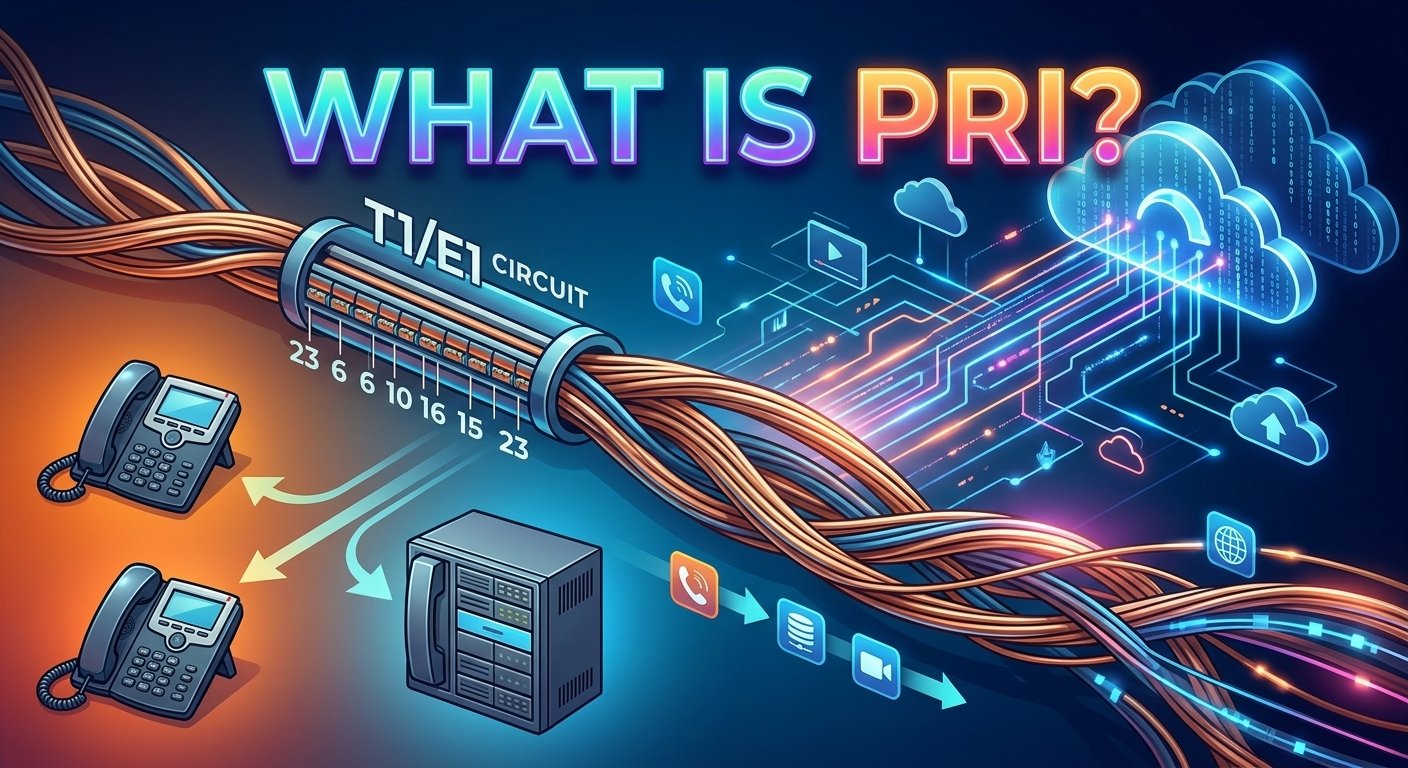
Once the absolute backbone of enterprise telecommunications, this legacy protocol is a digital connection linking a business telephone network to the public switched telephone network. By utilizing physical copper wires, it allows companies to transmit up to 23 simultaneous voice, data, or video calls over a single traditional line. Although these old physical circuits are quickly being replaced by modern cloud solutions, it is still incredibly important for network administrators to understand this classic phone pri technology. Let’s delve into the essentials, hardware capabilities, and the future trajectory of these configurations in the ever-evolving business landscape. What Is PRI? The first step to figuring out what is pri is to understand its basic structure. It is an acronym for Primary Rate Interface. It is a dedicated digital telephone line that connects enterprise telephone systems to the larger telecommunications network. A primary rate isdn is different from regular analog lines because it can carry several voice and data transmissions at the same time between two physical locations. Establishments requiring high volumes of concurrent communications, such as large hospitals or inbound call centers, relied heavily on this setup for decades to manage high traffic. These traditional networks offer strong, committed digital connectivity. A standard pri phone system provides a lot of physical capacity, fast data transfer, and integrated operations without the internet. While there are newer virtual technologies available, understanding the basic rate interface definition is useful for organizations to understand the evolution of modern telecommunications. To determine what is pri compatible, you need to consider your current hardware. Features of a PRI Line The physical characteristics of a pri circuit are essential to understanding the circuit. The architecture is complex and requires particular signal handling capabilities and wiring, which are different from standard consumer broadband. When people ask “what is pri?” they are often amazed by the technicality of it. Physically composed of two pairs of copper wires connecting the carrier network to the customer premises. Capable of transmitting 23 separate communications simultaneously, including pri voice, raw data, or video packets. Each channel inside the connection maintains a 64 kbps capacity for highly stable data transmissions. Highly adaptable hardware, working seamlessly with mixed EPABX setups or an IP PBX infrastructure. Readily joins two private branch exchange platforms together, instantly expanding available channels. How PRI Works The actual physical cable that connects your telecommunications equipment is categorized into two distinct formats: T1 and E1. According to historical technology records, the first major customer trial of an ISDN primary rate interface occurred in October 1987 through AT&T, proving its enterprise viability. The basic structure has not changed since then, using dedicated circuit-switched networks. This is one of the reasons why tech experts talk about what is pri when they explain it. A key element of this mechanism is direct inward dialing. This enables an outside caller to call an employee’s extension without going through a central receptionist. With dynamic channel allocation, a single pri trunk can support up to 50 employees, since it is highly unlikely that all the staff will be on the phone at the same time. Understanding what is pri scaling is understanding modular hardware additions. E1 T1 Used in Europe and Australia Used in North America and Asia Provides 64 Kpbs for data transmission Provides 64 Kpbs for data transmission Transmit and receive a rate of 2.048 Mbps Transmit and receive rate of 1.544 Mbps Physically contains two pairs of copper wires Physically contains two pairs of copper wires 32 total channels 24 total channels 30 channels used for voice, data, video 23 channels used for voice, data, video 2 channels are used for signaling 1 channel used for signaling Benefits of PRI Before the rise of broadband internet, relying on a pri primary rate interface offered massive advantages for large-scale operations. Organizations enjoyed enhanced capabilities that outmatched standard consumer landlines. Those who fully understand what is pri recognize these historical benefits. Cost Savings: Sharing physical circuits reduces monthly expenses compared to installing individual analog phone lines for every desk. Outstanding Call Quality: The all-digital transmission eliminates signal degradation, ensuring every basic rate interface interaction remains crisp and clear. Unmatched Reliability: Dedicated physical circuits minimize localized downtime, offering superior uptime compared to early internet-based communication tools. High Productivity: Advanced software-defined features like caller ID, secure conferencing, and dynamic call routing empower staff to handle interactions efficiently. Drawbacks of PRI Systems While it has a strong history, traditional hardware has its drawbacks in a cloud-first world. Physical copper lines are becoming more and more costly to maintain, and the hardware is not as agile as virtual platforms. Network capacity upgrades involve buying and installing all new equipment, not just clicking a button on a web dashboard. The hardware constraints are very apparent when assessing what is pri. Furthermore, major providers are actively phasing out these legacy networks globally. Studies and market analyses indicate a staggering 96% decrease in ISDN orders over the past decade as the telecommunications industry prepares for an inevitable network switch-off. Consequently, clinging to this aging framework exposes organizations to diminishing IT support, rising costs, and outright obsolescence. Alternatives To PRI As traditional physical networks are becoming a thing of the past, modern organizations need strong, long-term alternatives. The selection of the best alternative is largely dependent on existing infrastructure limitations, IT budget, and the volume of communications per day. 1. Analog POTS lines The simplest legacy format available is called Plain Old Telephone Service. It uses only one analog circuit, so only one conversation can take place at a time per line. This old format works well for small amounts of traffic but is not at all appropriate for scaling businesses. 2. SIP trunking SIP is a digital connection between your current private branch exchange and the internet. It doesn’t require any physical copper wires to be pulled into your building, but rather virtual data connections. This particular configuration significantly lowers physical maintenance expenses and provides scalable solutions for expanding teams. 3. Hosted VoIP Hosted Voice over Internet Protocol shifts the entire communication workload to off-site cloud servers managed by experts. The service provider handles all physical maintenance, core software updates, and server troubleshooting. This alternative removes the need for expensive on-premise hardware entirely, giving users incredible mobility. Hosted VoIP vs. PRI vs. SIP Trunking A direct comparison of the three major telecommunications strategies must be made in order to evaluate the three. To make informed IT budgets, it is important to understand what is pri compared to modern cloud tools. Feature PRI SIP Trunking Hosted VoIP Functionality Traditional digital phone lines to carrier’s PSTN Uses SIP protocol for voice calls over internet Cloud-based phone system hosted offsite by a provider Number of simultaneous calls Up to 23 Variable Variable Scalability Limited Scalable Scalable Flexibility Limited Flexible Flexible Cost Typically more expensive than SIP trunking or hosted VoIP Uses SIP protocol for voice calls over the internet Can be less expensive than PRI, but may vary depending on usage Equipment & maintenance Requires on-site legacy PBX system and hardware and maintenance Can reduce PRI/PSTN line costs by sending calls over the internet No on-site equipment required.<br><br>Hardware is minimal, just IP phones needed Startup costs The initial investments are highly dependent on the technology route selected. Hosted VoIP requires minimal up-front investment, as the provider provides the back-end servers. On the other hand, traditional copper-wire systems involve the purchase of physical interface cards, high-priced PBX equipment, and professional installation on site. Ongoing costs The long-term ROI of any enterprise communication platform is determined by monthly maintenance fees. Over time, traditional setups can add up to expensive long-distance charges and high maintenance costs. In the meantime, online options usually come with fixed monthly fees that include unlimited local calls and extensive software capabilities. Connectivity Overall system agility is determined by the physical needs to get online. Legacy architectures require several physical circuits to be directly connected to a server room. Cloud solutions and modern SIP configurations work completely over virtual connections and require only a very stable enterprise broadband connection. Backup and redundancy Disaster recovery separates mediocre networks from true enterprise-grade solutions. Virtual frameworks boast redundant remote hosting sites, automatically redirecting incoming traffic during local power outages. Physical networks remain highly vulnerable to localized physical damage, offering little backup capability. Business continuity Corporate communications should never be stopped by severe weather or regional physical disruptions. Cloud-based tools enable employees to instantly route their office numbers to mobile devices from anywhere. If the central physical hardware fails, on-premise setups simply can’t reroute traffic. Flexibility and upscaling Planning for exponential corporate growth requires a platform that expands frictionlessly. Adding capacity to a virtual system happens via an online portal in mere minutes. Expanding a traditional hardware configuration forces IT teams to order, wait for, and successfully install physical components. Call quality Clear and precise audio is critical when dealing with professional clients. Legacy digital networks provide reliable, clear sound without relying on broadband. But, modern internet protocols now offer high-definition sound quality that is equal to or better than older analog protocols. How To Choose the Right Business Phone System Choosing the right telecom strategy involves a comprehensive inventory of existing equipment and future growth plans. If your facility already has a large PBX that is paid for and has thousands of simultaneous local calls, then using the existing physical interfaces may still have a place for a short time. But, if you are stuck with legacy physical infrastructure, you are not very flexible when it comes to geographical location and remote work. Moving to a hosted configuration provides unparalleled organizational agility and complete disaster recovery. Intuitive web portals centralize management completely, eliminating the need for specialized on-site technicians. Virtual solutions are the absolute ultimate choice for most forward-thinking enterprises, as they do not have to purchase large equipment and can still receive regular software updates remotely. Simplify Your Communication Infrastructure An aging infrastructure is constantly consuming IT resources and limiting collaboration opportunities. Organizations can easily upgrade their entire audio and video conferencing environment by partnering with top cloud communication providers. Transparent pricing models eliminate unpredictable monthly maintenance fees and confusing service fees. Learning what is pri helps you realize why upgrading is necessary. Read More: Free Phone Number Lookup: How to Search a Phone Number? 2026 Guide Final Thought Understanding the basic rate interface and its larger enterprise counterpart is absolutely vital for grasping telecommunications history. While these dedicated copper systems fueled immense corporate growth for decades, their physical rigidity simply cannot match the demands of modern remote workframes. Transitioning toward agile, cloud-hosted platforms ensures long-term business continuity, drastically lower operational expenses, and a future-proof network architecture. FAQs What is PRI fundamentally? It is a standard digital interface that can be used to send several voice and data signals at once over the public switched telephone network via physical copper wires. What is a PRI circuit? It is a physical hardware connection, typically utilizing two pairs of copper wires, that directly links a company’s private branch exchange to the local carrier network. What is sip and PRI? SIP is a modern internet-based protocol for virtual call routing, whereas the older telecommunications standard relies entirely on physical copper wire circuits and localized hardware. What is a PRI line in telecommunications? It is a dedicated digital communication channel capable of transmitting 23 separate voice, data, or video interactions concurrently on a single physical cable. What does PRI mean for small organizations? It means having the robust capacity to handle dozens of simultaneous incoming calls without needing to purchase separate analog phone lines for every individual office desk. Is PRI considered an outdated legacy technology? Yes, it is largely considered legacy hardware today because global telecom providers are actively switching off their physical copper networks in favor of internet protocols. How do I PRI network components upgrade properly? You must completely replace or migrate the physical on-premise hardware to a modern cloud-based gateway to handle modern virtual traffic effectively. What is the difference between a PRI telephone and POTS? The modern digital interface handles up to 23 simultaneous digital interactions, while an older POTS setup only supports one single analog conversation at a time. Can a PRI system handle live video data? Yes, the 64 kbps data channels can be effectively used to send live video and other raw data formats in addition to regular corporate voice traffic.
Read More
Tree Phone

Tree Phone: How to Design and Use One Effectively

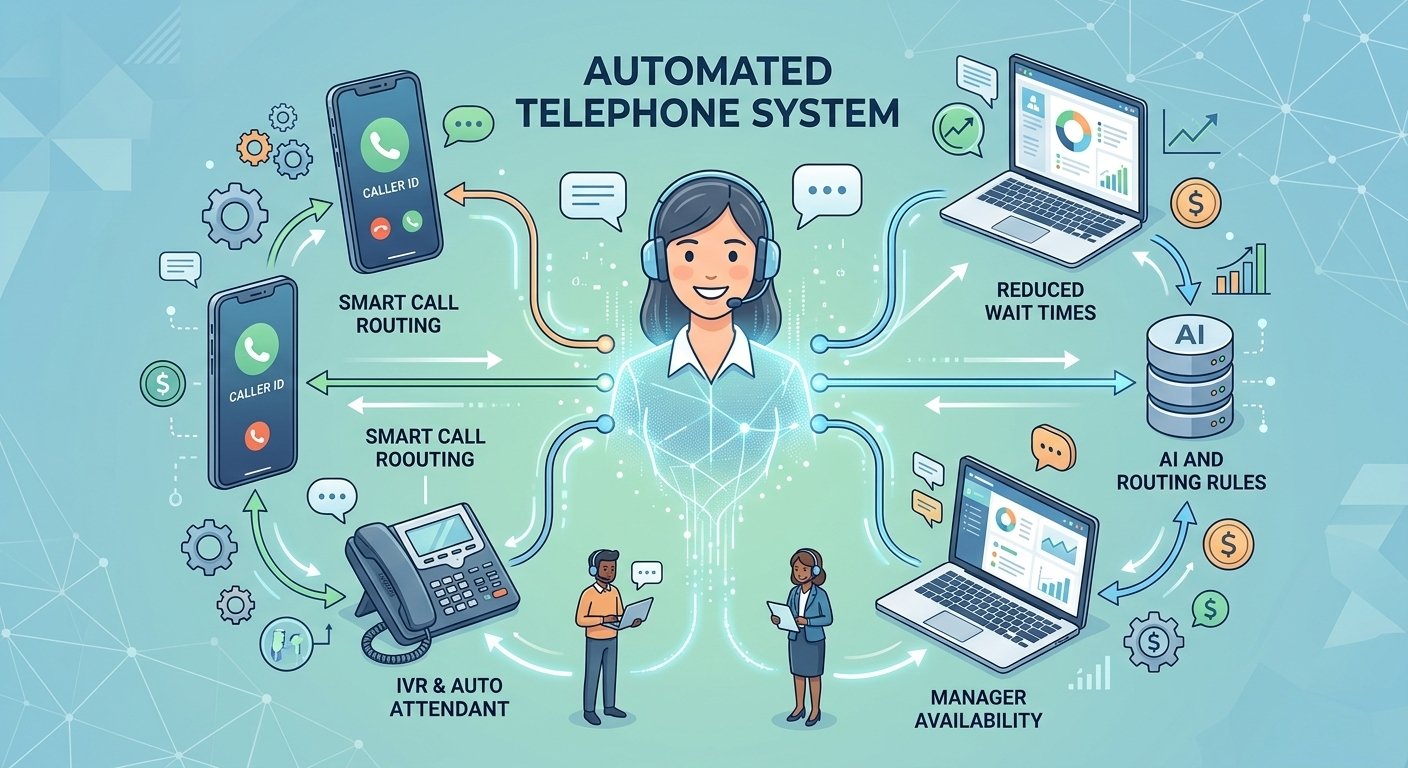
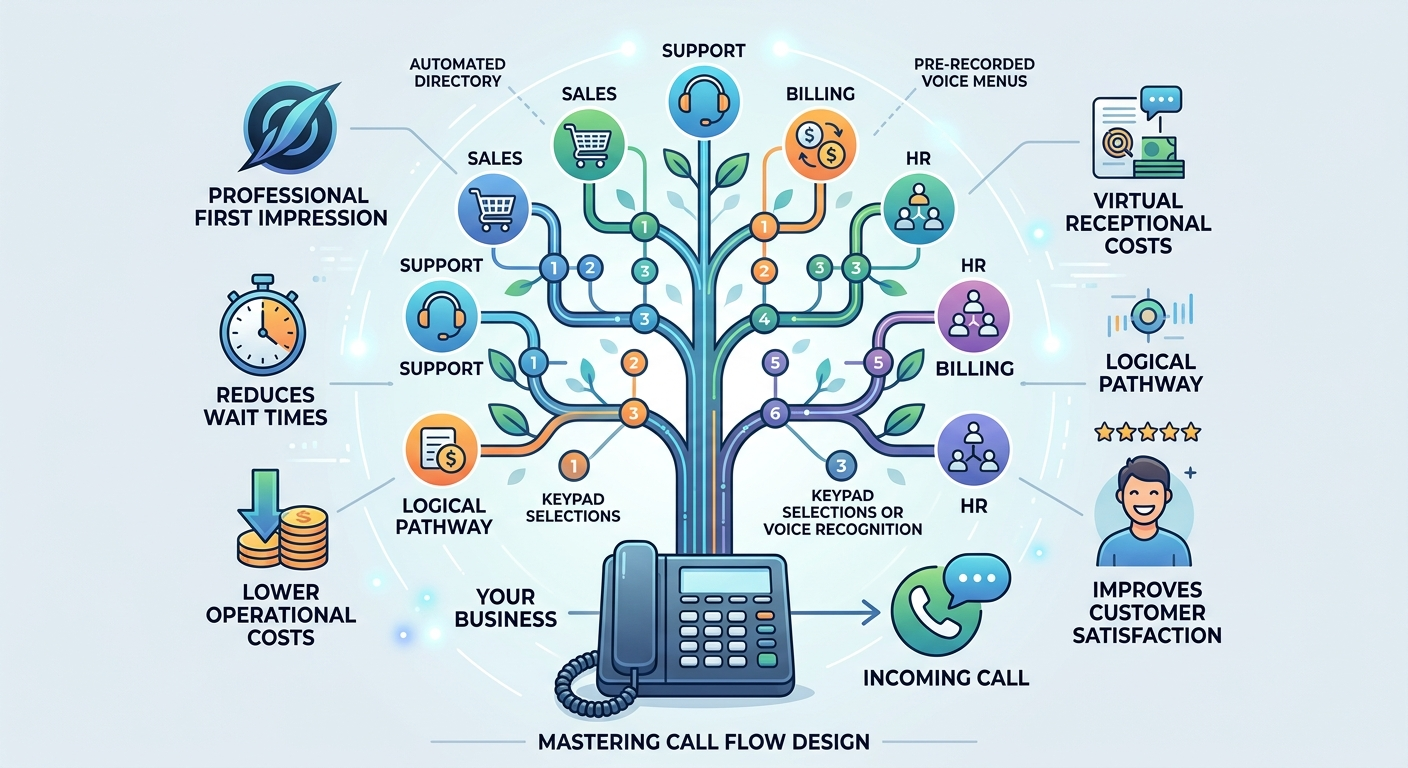
A tree phone system is an automated directory that guides callers through pre-recorded voice menus to reach the right department or information. Instead of relying on manual switchboard operators, this virtual receptionist uses keypad selections or voice recognition to route calls efficiently. When someone dials your business, the tree phone answers immediately, presents clear choices, and transfers the user based on their selection. Implementing this technology ensures a professional first impression, reduces wait times, and lowers operational costs. Mastering call flow design helps businesses handle high inbound volumes while significantly improving overall customer satisfaction and agent productivity. What Is a Tree Phone? A traditional tree phone is an automated menu system designed to direct inbound callers through a series of pre-recorded voice prompts. Instead of a human operator answering every single call, this technology allows consumers to navigate toward the correct department by selecting keypad numbers. Modern corporate communication heavily relies on this routing framework to manage high inquiry volumes efficiently without overwhelming staff members. By establishing a logical pathway for consumer interactions, companies can maintain a professional image while handling simultaneous connections effortlessly. Implementing this virtual assistant eliminates the need for expensive hardware or large teams of receptionists. Today’s cloud-based software platforms make configuring a tree phone incredibly simple for administrators of any technical skill level. The setup acts as the primary touchpoint for consumers, meaning getting the design right is crucial for brand reputation. Every second counts during customer interactions, and providing a seamless navigation experience prevents potential buyers from abandoning the line. Phone tree vs. IVR vs. auto-attendant Term Scope & Definition Key Capabilities / Limitations Role in Practice Phone tree The broadest term; refers to the overall menu structure and branching logic. Routes callers through a series of options based on their selections (typically button presses). Determines where the call goes. IVR (Interactive Voice Response) A more advanced, highly capable routing and interaction system. Understands natural spoken language (e.g., saying “billing” instead of pressing 2); connects to back-end databases to enable self-service (payments, lookups, tracking). Handles self-service operations. Auto-attendant The front-facing layer; the recorded voice, greeting, and initial menu prompt. Answers the call, presents options, and initiates routing. Limitation: Does not process spoken language or interact with external data. Answers the call and greets the caller. How Tree Phones Work? Operating much like a digital flowchart, a tree phone utilizes branching logic to filter inbound traffic toward the most relevant destination. Upon dialing, the user immediately hears a branded greeting followed by highly specific choices based on departmental functions or common service requests. Choosing a number pushes the individual down a specific branch, where the choices become progressively narrower until the final connection occurs. This structured methodology guarantees that complex inquiries reach specialized representatives while basic questions get answered through automated recordings. Many advanced configurations incorporate multilingual support or after-hours fallback protocols so that individuals always receive assistance regardless of the clock. Relying on intelligent routing mechanics ensures that the workload gets distributed evenly across available personnel. According to a comprehensive study by Gartner, organizations leveraging automated resolution frameworks reduce operational contact center costs by up to 30 percent annually. This impressive statistic highlights exactly why mapping out an effective architecture remains a priority for modern enterprise leaders. Examples of tree phones: Simple configuration: A two-level setup offering basic choices like sales or support before directly transferring the individual to those respective teams. Multi-level configuration: A complex three-tier architecture guiding individuals first to a broad category, then to sub-departments, and finally to a specialized technician. Self-service configuration: A highly interactive setup letting users input their secure account digits using the keypad to check billing statuses automatically. Benefits of Implementing a Tree Phone Fewer staff interruptions: Automatically filtering inquiries prevents irrelevant transfers and keeps agents focused on complex problem-solving tasks. Faster information delivery: Pre-recorded informational messages provide critical details around the clock, even when the primary office remains closed. Enhanced consumer experience: Providing a streamlined self-service pathway helps people reach appropriate solutions instantly, boosting overall satisfaction rates. Professional brand image: A properly structured tree phone makes small startups appear as large, established enterprises with dedicated support divisions. Nuisance call deflection: Automated prompts successfully block robocalls and spammers, keeping the internal communication lines entirely clear. Optimized voicemail management: Directing users to specific digital inboxes based on their selections makes transcription and follow-up much more organized. How to Build a Tree Phone (4 Simple Steps) Following a systematic approach ensures that every single variable gets accounted for before the system goes live to the public. By adhering to industry standards during the creation phase, developers can build an intuitive architecture that scales smoothly as the organization expands. 1. Identify your needs Identifying exact consumer requirements serves as the foundational element of any successful communication strategy. Analyzing historical data helps pinpoint the most frequent inquiries, such as billing discrepancies, technical glitches, or general product information requests. Understanding these primary drivers allows designers to prioritize the most important menu choices right at the beginning of the sequence. Anticipating caller intent ultimately reduces confusion and accelerates the overall resolution timeline significantly. 2. Define call flow Mapping out the actual pathway visually prevents structural errors from complicating the final user experience. Administrators should draft a logical diagram illustrating exactly how a person moves from the initial greeting down to the final resolution endpoint. This visual representation exposes potential bottlenecks or unnecessarily long pathways that might annoy the user. The primary objective remains delivering a frictionless journey that minimizes transfer rates and maximizes first-contact resolution metrics. 3. Record messages Producing high-quality audio files dictates how professionally your brand comes across to the external world. Studios should utilize clear, friendly voiceover talent while actively avoiding confusing technical jargon that might alienate everyday consumers. Since this audio serves as the definitive front door to the enterprise, the tone must perfectly reflect the underlying corporate values. Concise phrasing ensures that listeners absorb the instructions rapidly without needing to replay the entire sequence multiple times. 4. Test and refine Deploying the architecture internally before a public launch remains absolutely critical for catching hidden navigational flaws. Asking internal team members to dial in and navigate various scenarios provides invaluable feedback regarding audio clarity and logical flow. Based entirely on this internal audit, developers can tweak the tree phone settings to optimize performance further. Continuous refinement based on real-world testing ensures the ultimate deployment meets the highest possible quality standards. Best Practices for Using Call Trees Effectively Research published by Zendesk indicates that nearly 69 percent of modern consumers actually prefer utilizing automated self-service tools over speaking with live agents initially. Capitalizing on this preference requires businesses to deploy structures that are both highly intuitive and consistently reliable. 1) Keep it simple and clear Utilizing plain language throughout the recorded prompts prevents listeners from misunderstanding their available selections. Complex vocabulary or convoluted sentences drastically increase the likelihood of someone pressing the wrong digit by accident. Straightforward descriptions empower individuals to make immediate decisions without second-guessing their actions. The faster someone comprehends the menu, the faster they connect with the precise department capable of solving their exact dilemma. 2) Limit menu options and use multiple levels Restricting the primary menu to a maximum of five choices prevents cognitive overload and subsequent abandonment. When enterprises possess numerous departments, utilizing nested sub-menus proves much more effective than listing ten consecutive options aloud. Broad categories should always introduce the interaction, followed gradually by more granular selections as the individual progresses deeper. This layered methodology keeps the audio brief while effectively narrowing down the specific nature of the inquiry. 3) Offer a repeat option and allow for navigation Always providing a dedicated button to replay the audio acts as a vital safety net for distracted listeners. Ambient background noise frequently causes individuals to miss critical instructions, making a replay function absolutely indispensable. Additionally, allowing users to navigate backward to the previous menu prevents them from having to hang up and redial entirely. Flexible navigation mechanics demonstrate immense respect for the consumer while heavily reducing accidental misroutes. 4) Always provide a path to a live agent Forcing individuals entirely into automated loops without an escape hatch generates extreme frustration and negative brand perception. Certain complex scenarios simply require human intervention, meaning a direct line to an operator must exist within the primary menu. Offering a clear escape route, typically by pressing zero, reassures the caller that genuine assistance remains available if needed. If queues are exceptionally long, offering a scheduled callback alternative keeps satisfaction high while managing heavy traffic properly. 5) Regularly update your call infrastructure Reviewing the operational analytics of your tree phone quarterly highlights exactly where individuals experience difficulties or hang up prematurely. Seasonal volume shifts often require temporary adjustments to the routing logic to accommodate sudden spikes in specific departmental inquiries. Gathering qualitative feedback directly from the support staff reveals if misdirected connections are occurring frequently. Actively modifying the software based on this concrete data guarantees the infrastructure evolves alongside the shifting demands of the marketplace. Common tree phone mistakes (a quick diagnostic) Excessive choices: Presenting more than five initial selections transforms the interaction into a confusing memory test for the listener. Trapping callers: Failing to offer an immediate transfer to a human representative creates severe anxiety and immediate dissatisfaction. Outdated routing: Leaving inactive extensions or incorrect operational hours in the active system completely shatters brand credibility. Lengthy introductions: Forcing users to endure a massive corporate speech before revealing the keypad choices wastes valuable time. Buried selections: Hiding the absolute most popular inquiry reasons deep inside a complex sub-menu irritates frequent callers endlessly. Helpful Tree Phone Templates for Small Businesses Whether establishing a central directory, a dedicated technical queue, or a revenue-generating pipeline, starting with a template eliminates guesswork. Below are highly effective blueprints designed specifically to handle various corporate communication scenarios with maximum efficiency. 1. Standard tree phone template (script) Greeting during hours: “Thanks for dialing our enterprise. To assist you properly: Press 1 for Sales. Press 2 for Support. Press 3 for Billing. Press 0 for an operator. Press 9 to replay.” Unavailable protocol: “Unfortunately, nobody is available currently. Kindly leave your contact details, and we will return your inquiry shortly.” After-hours protocol: “You have reached us outside operating times. We are active Monday through Friday. Please leave a message.” Operator fallback: Pressing zero instantly connects the individual to the main reception desk. 2. Customer Support Tree Phone Template (script) Bilingual greeting: “Thanks for dialing our specialized assistance center. For English, press 1. Para español, oprima 2.” Core menu: “Press 1 for Technical Assistance. Press 2 for Order Tracking. Press 3 for Account Help. Press 0 for an agent.” Technical sub-menu: “For Hardware, press 1. For Software, press 2. To speak with a technician directly, press 0.” Queue management: “Current wait time is five minutes. To receive a callback, press 1. To continue holding, press 2.” 3. Sales Tree Phone Template (script) Promotional greeting: “Thank you for dialing our revenue team. We have a new promotion—press 9 to hear more. Otherwise, choose an option.” Sales menu: “Press 1 for New Purchases. Press 2 for Existing Orders. Press 3 for Product Details. Press 0 for a representative.” Routing logic: The system automatically matches the inquiry to the most qualified agent available on the floor. Fallback message: “All representatives are busy. To request a callback, press 1. To leave a voicemail, press 2.” Read More: How To Silence Unknown Caller iPhone: A Complete Guide Final Words Deploying a highly optimized tree phone entirely transforms how an enterprise handles incoming communication traffic daily. By thoroughly mapping out the logical pathways and recording crystal-clear audio prompts, businesses can eliminate bottlenecks and elevate satisfaction levels. The careful integration of this technology ensures that every single individual receives prompt, accurate assistance regardless of the time they dial. Continuously refining the architecture based on concrete analytics and staff feedback guarantees long-term operational success. Ultimately, investing the required effort into designing a flawless automated framework yields massive returns through increased staff productivity and happier consumers. Tree Phone FAQs What is a tree phone and how do I design one effectively? A tree phone is an automated voice directory that routes callers to specific departments using keypad inputs. You design one effectively by identifying core caller needs, mapping out a logical menu flow, recording concise prompts, and rigorously testing the setup before public deployment. What are mobile phone trees? These refer to automated routing systems specifically optimized for individuals dialing in from cellular devices. They feature exceptionally brief menus and SMS-fallback capabilities to accommodate the unique behaviors of mobile consumers. Can a 3 SIM be used in any phone? Yes, provided the mobile device is entirely unlocked and compatible with the specific network frequencies utilized by the carrier. Inserting the card into an unlocked handset immediately grants access to the provided cellular services. What do you call a digital routing menu? Industry professionals frequently refer to this technology as an automated attendant, an interactive voice response system, or simply a virtual receptionist. The terminology varies based on the exact complexity and digital capabilities of the software deployed. How do I create an automated directory? You create this digital architecture by purchasing a modern VoIP subscription, navigating to the administrator dashboard, and utilizing visual mapping tools. From there, you type or record your desired greetings and link each keypad digit to a specific user extension. Why is limiting menu choices important? Restricting selections prevents cognitive fatigue, ensuring the listener does not forget the earlier options presented. A concise list directly reduces accidental misroutes and vastly improves the overall speed of the resolution process. How often should an automated infrastructure be updated? Administrators should thoroughly audit and refresh their routing logic at least every quarter. Regular updates ensure the system properly reflects changing operational hours, new departmental structures, and seasonal volume fluctuations. Does this technology completely replace human operators? No, automated routing exists specifically to complement human workers by handling repetitive filtering tasks. Complex problem-solving and nuanced consumer interactions still require the empathy and critical thinking skills of a live representative. What happens if a caller presses the wrong button? A properly configured system always includes a designated button, typically the nine or star key, to replay the audio instructions. Furthermore, providing a zero-key fallback allows the individual to reset the interaction by speaking with a general receptionist.

Read More
omnichannel contact center

Omnichannel Contact Center: Meaning; How Companies Use It

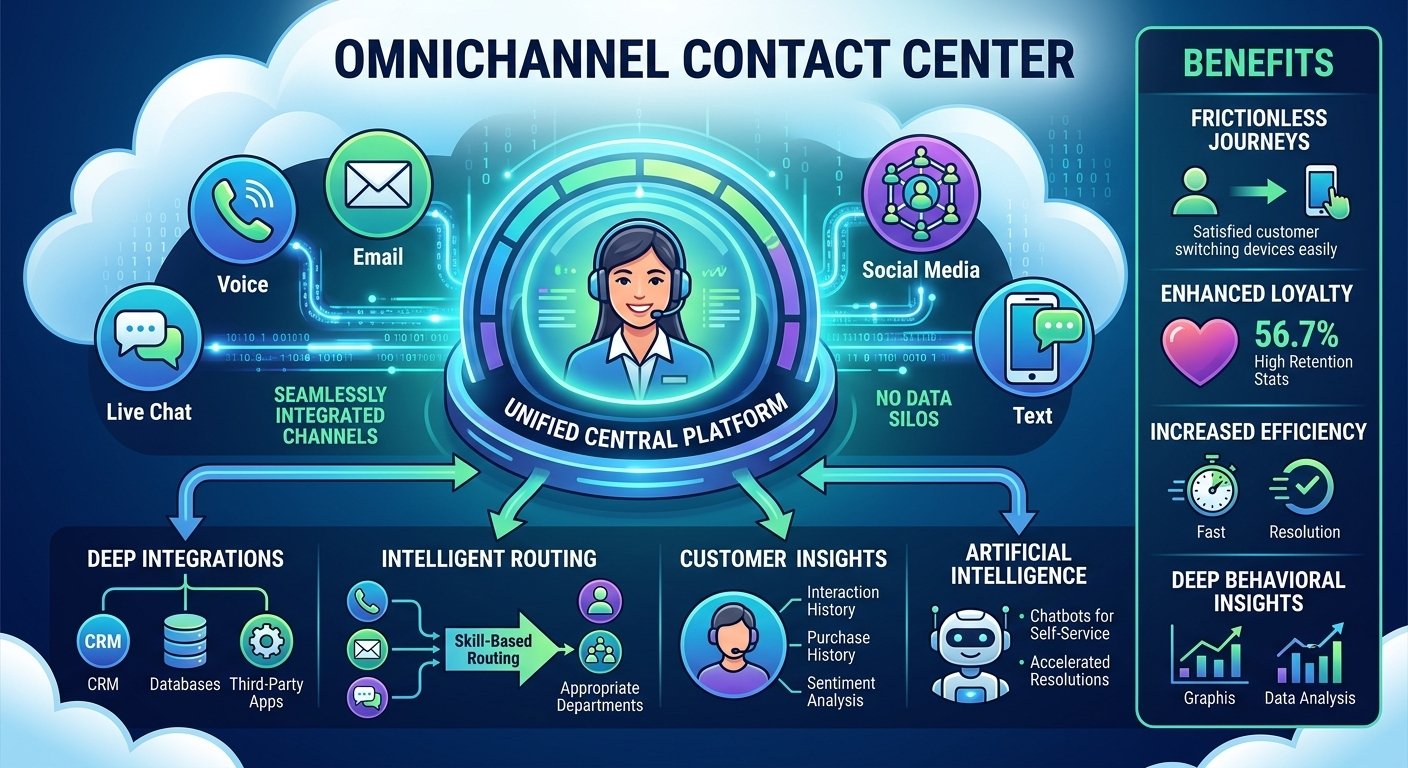
An omnichannel contact center represents a modern approach to customer service by unifying multiple communication channels into one seamless platform. Consumers expect brands to be available on voice, email, social media, and text without ever losing conversation context. A robust omnichannel contact center solves this communication gap by integrating every touchpoint natively, empowering agents with complete interaction histories. Implementing such advanced systems elevates customer satisfaction while simultaneously boosting agent productivity. This centralized setup ensures that inbound inquiries route intelligently, saving critical time. Transitioning to an omnichannel cloud contact center transforms disorganized communication into a highly efficient, personalized customer journey. What Is an Omnichannel Contact Center? It is a unified customer service solution that integrates various communication platforms like voice, live chat, email, and social networks into a single dashboard. Consumers can smoothly transition between these mediums without having to repeat their issues to different representatives. Unlike separated communication strategies, an omnichannel contact center links every interaction centrally to eliminate isolated data silos. Consolidating interactions across all mediums grants support representatives a comprehensive view of the buyer journey. Providing this holistic perspective enables staff to deliver highly personalized support effortlessly. Agents access the exact context they need instantly, leading to faster resolution times, improved operational workflows, and stronger brand loyalty. Omnichannel customer experience example Imagine a user experiencing a technical glitch who initially attempts self-help but eventually initiates a live web chat. After explaining the situation, they request to transition to a voice call to clarify complex details with a human representative. The receiving representative instantly accesses the entire chat transcript alongside previous purchase histories. According to research from McKinsey, consumers regularly use three to five different mediums to resolve issues, and the vast majority desire effortless transitions between them. This seamless continuation prevents frustration and resolves the technical glitch swiftly. Benefits of Omnichannel Contact Centers Embracing a unified communication strategy yields substantial advantages for both organizations and their clientele. An omnichannel contact center provides the foundation for sustainable business growth. Frictionless journeys: Consumers switch effortlessly between text, email, and voice without reiterating their problems to multiple agents. Enhanced loyalty: Delivering consistent support turns standard interactions into positive experiences. A study by Aberdeen Group reveals that organizations utilizing unified strategies achieve a 91 percent year-over-year increase in client retention. Increased efficiency: Having a comprehensive interaction history readily available allows staff to resolve support tickets rapidly. Deep behavioral insights: Consolidated platforms capture valuable behavioral analytics across every digital medium for better decision-making. Controlled operational costs: Deploying self-help tools deflects routine inquiries, allowing staff to focus on complex tasks and reducing overhead. Key Features of Omnichannel Contact Center Software Cloud-powered platforms simplify intricate customer interactions by funneling them into a single centralized hub. Evaluating omnichannel contact center solutions requires looking for highly specific technical capabilities. 1) Cloud-based with a unified interface A successful strategy requires staff to move fluidly between mediums while retaining complete conversational context. Your chosen software needs an intuitive dashboard that delivers real-time data directly to the workforce. Agents should never struggle to locate historical records during a live interaction. Centralizing these records in a cloud-hosted environment facilitates remote work and ensures immediate access to previous interactions without relying on clunky third-party middleware. 2) Seamless integration between channels Consumer preferences shift rapidly, requiring businesses to adopt new platforms without disrupting daily workflows. Any capable call center omnichannel software must smoothly connect with existing business tools. This connectivity includes natively linking with existing databases, predictive dialers, and social media platforms. Consolidating reporting metrics across these integrated mediums ensures managers accurately forecast demand and pinpoint critical areas for workflow optimization. 3) Customer insights render personalized experiences Personalization plays a vital role in cultivating long-term brand loyalty among your consumer base. Providing relevant historical context helps staff tailor their responses to individual needs seamlessly. Agents require immediate visibility into past purchases, open support tickets, and recent product usage. Leveraging an ai omnichannel contact center solution further enhances this by conducting sentiment analysis during live conversations. 4) Intelligent routing of inbound requests Managing multiple inbound mediums demands sophisticated routing capabilities to maintain swift response times. Automatic call distribution directs inquiries based on availability, priority, and historical context. Deep crm omnichannel integration ensures that highly specific requests go straight to the most qualified department. Factoring in language fluency and technical certifications guarantees a precise match between the consumer and the representative. 5) Where does your CX strategy stand with AI? Artificial intelligence transforms standard support environments into proactive, highly efficient hubs. Assessing your current automation maturity highlights areas where machine learning could accelerate ticket resolution. Implementing conversational bots handles routine inquiries instantly, reserving human representatives for nuanced situations. This strategic deployment of automation directly improves the overall client experience while optimizing agent workload. 6) Integrated data across the customer journey Delivering a genuinely cohesive experience requires absolute visibility into every single digital touchpoint. Journey mapping allows managers to trace the exact path a user took before initiating contact. Tracking the complete pipeline from the initial marketing touchpoint to the final resolution builds a deeper understanding of consumer behavior. Connecting a dedicated data platform aggregates these diverse data points into one highly actionable profile. 7) Self-service options Empowering consumers to resolve minor issues independently boosts overall satisfaction while significantly reducing inbound ticket volume. A robust self-help portal forms the foundation of any modern support ecosystem. Providing access to comprehensive knowledge bases, frequently asked questions, and intelligent bots gives users immediate answers. Deflecting these basic requests allows skilled representatives to dedicate their time to high-value interactions. 8) Performance management and reporting Consolidated analytics supply management teams with actionable insights regarding workforce performance. Tracking historical trends highlights operational bottlenecks and opportunities for targeted coaching. Customizable dashboards display the exact metrics that align with overarching corporate objectives. Providing staff with access to their own performance data encourages continuous self-improvement and accountability. Top 5 Omnichannel Contact Center Software Selecting the ideal omni channel contact center software depends entirely on your specific organizational requirements and budget constraints. Nextiva: A unified communications provider offering an easy-to-use and scalable cloud-based omnichannel contact center solution. It is suitable for businesses of all sizes and provides complete features to manage customer interactions across multiple channels, including phone, email, chat, social media, and SMS. Genesys Cloud CX: A comprehensive and scalable cloud-based contact center platform. It is an excellent option for businesses looking for a wide range of features, including omnichannel routing, self-service options, automation, and analytics. Five9: A powerful, cloud-based contact center platform designed specifically for the enterprise market. Like Genesys, it offers a robust suite of features including omnichannel routing, self-service, automation, and analytics for businesses needing a highly scalable solution. Zendesk Sunshine: A customer relationship management (CRM) platform that seamlessly integrates with various contact center solutions. It helps businesses improve their customer service by providing a unified, single view of all customer interactions. Freshdesk Contact Center: An affordable and user-friendly cloud-based contact center solution tailored for small and medium-sized businesses (SMBs). It provides essential features such as omnichannel routing, self-service, automation, and analytics. Comparison of top omnichannel contact center software Solution Who It’s Best For Key Features Pricing Nextiva Businesses seeking an easy-to-use, all-in-one solution • Call recording • CRM integration • Live chat • Email management • Social media integration • Advanced reporting & analytics Starts at $75 per user per month Genesys Cloud CX Businesses needing a comprehensive and highly scalable contact center with advanced features • Workforce management • Skills-based routing • AI-powered self-service • Speech analytics • Customizable dashboards Starts at $75 (can be expensive for smaller businesses) Five9 Large enterprises requiring a powerful, customizable solution • WFO integrations • CTI integrations Starts at $175 monthly (excludes Voice on the digital-only and includes only Voice on the base plans) Zendesk Sunshine Businesses prioritizing a unified customer view across channels and leveraging existing CRM integrations • CRM data integration • Agent workspace • Multi-channel ticketing • Reporting & analytics Starts around $69/user/month (custom integrations may add cost) Freshdesk Contact Center Small and medium businesses seeking an affordable and user-friendly contact center solution • Ticketing system • Live chat • Call routing • Reporting & Analytics Starts at around $59/user/month Omnichannel vs. Multichannel Contact Centers Multichannel setups support diverse communication methods, but these platforms operate in isolated data silos. Consumers must repeatedly explain their situations whenever they switch from an email thread to a voice conversation. Conversely, a unified omnichannel contact center blends all data into one centralized dashboard. This modern structure empowers a single representative to manage inquiries across every available medium effortlessly, creating a vastly superior user experience. Functionality Multichannel contact center Omnichannel contact center Supports multiple channels ✔ ✔ Seamlessly switch between communication channels ✗ ✔ CRM integration for relevant customer data ✗ ✔ Real-time insights on customer activity ✗ ✔ One team can handle requests across all channels ✗ ✔ Call Center vs. Omnichannel Contact Center Traditional call centers rely exclusively on an omnichannel phone system to handle consumer inquiries. Support representatives spend their entire shifts answering phones and resolving issues verbally, entirely ignoring digital mediums. Modernized contact facilities encompass a much broader spectrum of digital communication pathways. A true omnichannel contact center facilitates interactions through text, video, live chat, and social applications, accommodating diverse consumer preferences efficiently. Implementing an Omnichannel Contact Center Executing this technological transition involves careful planning and structured deployment strategies to ensure absolute success. 1. Assess business needs and goals Begin by analyzing current interaction volumes across all existing communication mediums and identifying specific operational bottlenecks that are causing delays in your current support pipeline. Furthermore, determine the exact service levels required to meet your overarching corporate objectives. 2. Evaluate technology and integration requirements You must audit your current technological infrastructure to identify necessary API connections and verify that prospective software flawlessly syncs with your established ERP systems. Additionally, it is essential to confirm that the platform supports every digital medium your target demographic prefers. 3. Develop an omnichannel strategy Start by mapping out the ideal consumer journey from initial contact to final resolution, and then define strict protocols for routing inquiries between different specialized departments. Finally, establish clear guidelines to maintain brand voice consistency across all digital platforms. 4. Plan for agent training and workforce management Be sure to design comprehensive educational modules that thoroughly cover the new unified interface, and train your representatives on effective communication techniques for text-based interactions. Alongside this training, implement advanced scheduling algorithms to ensure adequate staffing during peak traffic hours. 5. Consider budget and ROI Carefully calculate the total cost of software licensing, initial deployment, and ongoing maintenance. Once these costs are established, estimate the potential financial savings generated by deflecting routine inquiries through automation, and project the revenue increase associated with higher client retention and improved satisfaction scores. 6. Develop a phased implementation plan To minimize operational disruption, prioritize launching the most critical communication mediums first and gather extensive feedback from both staff and consumers during this initial rollout phase. Once the core system stabilizes, you can gradually introduce advanced features like sentiment analysis. 7. Continuously monitor and optimize Track key performance metrics on a daily basis to ensure the new system meets expectations, and continually solicit feedback from end-users to rapidly identify any minor usability issues. As conditions change, adjust your routing algorithms regularly to reflect shifting consumer demands and seasonal traffic spikes. Omnichannel Contact Center Best Practices Establishing a highly effective omnichannel contact center strategy requires consolidating behavioral data into a singular view. Accessing this holistic profile allows representatives to anticipate needs before the consumer even explains them. Monitoring shifting consumer preferences ensures your organization adapts rapidly to emerging digital platforms. Maintaining a careful balance between automated bots and empathetic human representatives guarantees consistently high-quality resolutions across your entire support network. The Future of Customer Support Is Omnichannel Forcing clientele through a single point of contact limits growth and frustrates active users. Equipping staff with a multi channel call centre alternative that actively syncs data sets a new standard for excellence in service delivery. Gradually introducing new digital pathways allows your organization to scale operations gracefully without overwhelming your workforce. Adopting this unified philosophy guarantees your brand remains competitive in a rapidly evolving digital landscape. Read More: Best Free Conference Call Services Compared (2026) Final words Upgrading to a sophisticated omnichannel call center solution represents a necessary evolution for modern businesses. Providing frictionless, highly personalized interactions directly boosts long-term revenue and brand advocacy among your core demographic. Organizations prioritizing seamless communication will inevitably outperform competitors relying on disjointed, legacy systems. Investing in a robust omnichannel contact center today secures operational efficiency, reduces overhead costs, and guarantees elevated customer satisfaction for years to come. Faqs What makes the best omnichannel contact center essential for mastering customer support? It is essential because it completely unifies all communication pathways, allowing organizations to deliver personalized, frictionless support that elevates overall user satisfaction. What is omnichannel customer support? This refers to a unified approach to service where every communication platform integrates seamlessly, allowing consumers to switch mediums without losing conversational context. What does “omnichannel” mean? It signifies an integrated methodology where all individual platforms, channels, and devices operate collaboratively to provide a singular, consistent user experience. What is an omni channel service? It is a business strategy that connects disparate communication touchpoints into one cohesive environment, empowering representatives to access complete interaction histories instantly. What is an example of an omnichannel? A user initiates a support request via social media, later transitions to a web chat, and finally calls a representative who immediately possesses the full history of the previous two interactions. What is an omnichannel call center? It is an upgraded support facility that handles inbound and outbound communications across voice, email, text, and chat from a single centralized software dashboard. How does omnichannel contact center software improve efficiency? It improves efficiency by eliminating the need for staff to toggle between different applications, automatically routing tickets, and providing complete contextual data immediately. What is the difference between an omnichannel and a multichannel contact center? A multichannel setup offers various contact methods that operate entirely independent of one another, whereas a unified setup syncs all data seamlessly across every available medium. How does AI impact an omnichannel cloud contact center? Artificial intelligence accelerates issue resolution by powering intelligent bots for self-service, conducting real-time sentiment analysis, and automatically routing complex tickets to the most qualified staff.

Read More
Inbound Call Center

Inbound Call Center: A Complete Guide

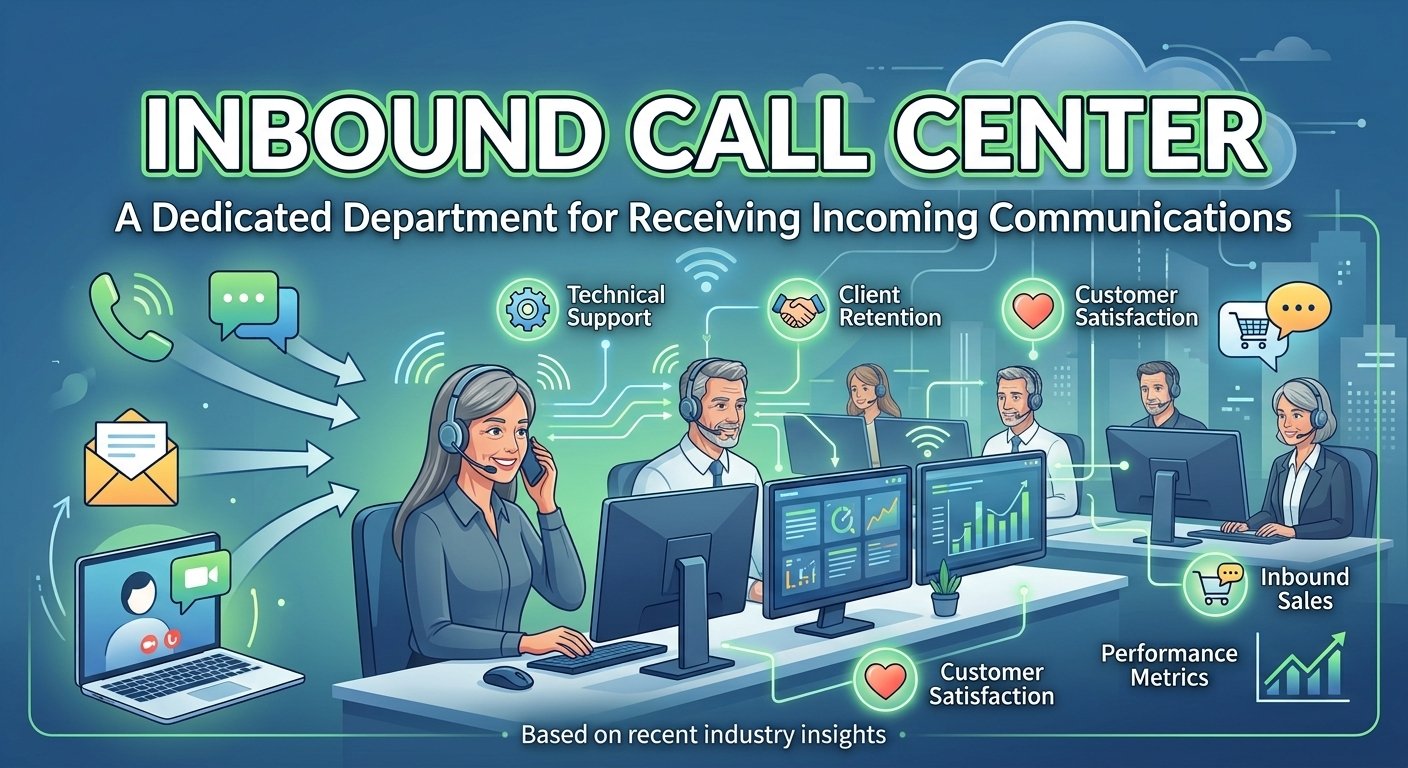
An inbound call center is a specialized hub designed to handle incoming communications from clients seeking assistance, technical support, or product inquiries. Establishing a highly efficient inbound call center is fundamental to delivering exceptional service and ensuring long-term client retention. When buyers reach out, they expect swift, accurate, and empathetic responses. By optimizing your internal operations and equipping agents with cutting-edge tools, organizations can transform standard interactions into meaningful brand-building opportunities. Mastering these conversations reduces wait times, skyrockets satisfaction rates, and creates a seamless experience. The strategies outlined here will elevate your entire customer care approach effortlessly. What is an inbound call center? A dedicated department focused strictly on receiving incoming communications defines the core inbound call meaning perfectly. Modern consumer demands require businesses to maintain a highly responsive inbound contact center capable of addressing inquiries across various channels simultaneously. Agents working in this environment act as the primary point of contact for resolving complaints, guiding users through complex software, and providing detailed product information. This ecosystem often relies on robust inbound call center systems to efficiently route incoming traffic to the most qualified representatives available. According to the Zendesk Customer Experience Trends Report 2026, seventy percent of consumers believe there is a clear gap between companies that leverage intelligent technology effectively in support environments and those that fail to adapt. Utilizing top-tier software call center inbound tools allows your team to meet these rising expectations seamlessly. Integrating advanced routing capabilities ensures that every inbound call service request reaches an expert capable of delivering an immediate resolution. Inbound vs. outbound call center: What’s the difference? Feature / Characteristic Inbound Call Center Outbound Call Center Origin of Communication Initiated directly by the consumer. Initiated by the call center agent. Approach Reactive: Agents receive incoming messages and calls to assist. Proactive: Agents reach out to target prospects and customers. Primary Function Customer support, answering questions, and problem-solving. Telemarketing, lead generation, and market research. Main Objectives Promptly addressing user concerns and ensuring high satisfaction scores. Driving new revenue streams through aggressive outreach. Business Impact Focuses on client retention and building brand loyalty. Focuses on acquiring new customers and expanding sales. Inbound call center services: What do businesses use inbound call centers for? Companies across all industries leverage an integrated contact center to streamline their daily communication workflows efficiently. Deploying an effective inbound call management system allows enterprises to segment incoming traffic into specific functional departments based on the caller’s distinct needs. This logical division of labor significantly enhances overall operational efficiency. Customer service Handling general inquiries remains the most recognized function of any global inbound service operation today. Buyers expecting rapid assistance frequently dial the customer service inbound hotline to report damaged goods, modify existing orders, or request refunds. A well-equipped inbound customer contact center empowers representatives to resolve these daily challenges swiftly while maintaining a positive brand image. Industry research emphasizes the importance of resolving issues on the very first attempt to maximize satisfaction. A study by the SQM Group revealed that for every one percent improvement in first contact resolution rates, businesses experience an identical one percent increase in overall client satisfaction scores. Equipping your inbound call center agent with comprehensive knowledge bases directly contributes to achieving these critical performance metrics. Marketing and inbound sales (people responding to your marketing) Promotional campaigns frequently generate a massive influx of potential buyers eager to learn more about advertised products. Whenever television commercials or online advertisements prompt viewers to contact a business directly, a specialized inbound call solutions team stands ready to process those inquiries. These representatives expertly transition curious callers into paying clients by answering specific product questions. Organizations utilizing inbound call center services often train their staff to cross-sell complementary items during these interactions organically. By leveraging an intuitive inbound call center platform, marketing directors can seamlessly track which specific advertisements generate the highest volume of profitable incoming traffic. This collaborative approach aligns promotional spending directly with verifiable conversion rates. IT help desk Technical troubleshooting represents a critical function for companies offering complex software platforms or electronic devices. When users encounter system failures or require assistance configuring new applications, they depend on an inbound customer service call center to provide immediate technical relief. To deliver superior technical assistance consistently, organizations implement specific structural methodologies: Tiered support levels to categorize technical requests based on complexity and required expertise. Screen sharing applications allowing representatives to diagnose software glitches in real time. Automated ticketing platforms that track ongoing issues until a definitive resolution is achieved. Feedback Gathering actionable insights from active users allows companies to continuously refine their operational strategies and product offerings. An established inbound contact centre frequently processes calls from individuals eager to share their recent experiences, whether exceptionally positive or notably negative. Capturing this qualitative data requires agents possessing strong active listening skills and genuine empathy. Advanced inbound call center technology simplifies the process of cataloging this feedback systematically for future analysis. Supervisors often review these recorded inbound calls to identify recurring product flaws or pinpoint areas requiring immediate procedural improvements. This ongoing feedback loop proves essential for businesses striving to maintain a competitive advantage in crowded consumer markets. Finance Billing discrepancies and payment processing errors inevitably prompt users to contact the appropriate financial department for clarification. Implementing dedicated call center services inbound guarantees that sensitive monetary inquiries receive the focused attention they demand. Representatives handling these specific channels must strictly adhere to compliance regulations while explaining complex invoice structures clearly. Clients contacting the finance department typically experience heightened anxiety regarding their personal funds or account statuses. A reliable inbound contact center solution ensures these highly sensitive interactions remain secure, private, and fully compliant with international data protection standards. Resolving financial disputes efficiently prevents minor misunderstandings from escalating into severe customer churn. How to choose the right inbound call center solution Selecting the perfect technological infrastructure requires a comprehensive evaluation of your current operational bottlenecks and anticipated future growth. Decision-makers must prioritize software offering exceptional scalability, allowing the communication framework to expand seamlessly alongside the company. A premium inbound cloud contact center eliminates the need for expensive physical hardware while granting staff the flexibility to work remotely. Evaluating potential vendors demands a structured approach to guarantee maximum return on technological investments: To ensure the chosen platform meets all your operational needs, you must analyze your anticipated traffic volume to prevent crashes during peak seasonal spikes, confirm flawless synchronization with your existing customer relationship management tools, investigate available AI enhancements like conversational analytics and automated transcription, and verify the provider’s technical support guarantees for comprehensive assistance during unexpected outages. Inbound customer service and sales: Hints and tips to get it right Optimizing daily performance requires a strategic blend of technological innovation and continuous workforce development. Implementing these refined management techniques will significantly boost your overall productivity levels. 1. Monitor your metrics regularly Maintaining absolute visibility over your daily operations is critical for identifying hidden inefficiencies before they escalate. An advanced inbound call center system continuously tracks essential key performance indicators like average handle time and abandonment rates. Leadership teams must review these statistics daily to adjust staffing schedules and optimize internal routing protocols accordingly. Consistent metric monitoring reveals profound insights into individual workforce performance and broader consumer trends. When supervisors utilize a sophisticated inbound calling solution, they can easily identify which specific team members require additional training resources. This proactive approach to workforce management dramatically improves overall service quality and boosts team morale. 2. Deflect calls where you can Reducing the burden on live representatives involves implementing intelligent self-service pathways for highly repetitive inquiries. Providing a comprehensive knowledge base or deploying interactive voice response menus allows users to resolve minor issues independently. This strategic deflection significantly lowers the total volume of routine inbound calls flooding your communication channels daily. Deflection strategies ensure that your highly skilled workforce remains completely focused on resolving complex challenges requiring human empathy. Whenever an organization partners with an outsource inbound call center services provider, implementing these self-service barriers maximizes the efficiency of every billable minute. Empowering clients to find their own answers ultimately yields faster resolutions and higher satisfaction scores. 3. Automate live coaching Real-time guidance technology revolutionizes how supervisors develop their staff during active client interactions. Artificial intelligence tools monitor ongoing conversations and instantly display relevant troubleshooting steps directly onto the representative’s screen. This immediate support mechanism prevents newly hired personnel from struggling when confronted with unfamiliar product inquiries. Automated coaching tools dramatically reduce the time required to onboard new team members effectively. Instead of memorizing dense product manuals, agents receive contextual assistance precisely when the conversation demands specific technical knowledge. Leveraging this cutting-edge inbound contact center technology guarantees that every interaction remains professional, accurate, and highly efficient. Read More: Is Google Phone Number Free? How to Get a Free Google Phone Number with Google Voice Final Words Establishing a world-class support environment requires significant dedication, continuous technological investment, and a profound understanding of modern consumer expectations. Optimizing your entire communication infrastructure ensures that every client interaction reinforces long-term brand loyalty and trust. The strategic integration of automated routing, real-time coaching, and comprehensive metric analysis transforms ordinary support departments into powerful revenue-generating assets. Organizations must continually adapt their operational frameworks to meet the ever-changing demands of the global marketplace. Whether you manage an internal team or utilize specialized inbound call center outsourcing, maintaining a relentless focus on rapid problem resolution remains non-negotiable. Embracing these advanced methodologies guarantees your business will consistently deliver extraordinary experiences that easily outshine industry competitors. FAQs What makes an inbound call center different from an outbound one? Handling client-initiated contact defines the primary function of this environment, focusing entirely on resolving active inquiries or technical issues. Conversely, outbound facilities rely on representatives proactively dialing out to generate new leads, conduct extensive market research, or close pending sales. What features are essential for effective inbound call center operations? Implementing intelligent routing protocols, automated call distribution, and comprehensive analytical dashboards guarantees smooth daily operations. Additionally, seamless integration with existing customer relationship management software ensures representatives possess immediate access to vital historical account data. How should I structure call flows to reduce wait times and improve resolution rates? Deploying interactive voice response menus allows users to select their specific issue category before speaking with anyone. This preliminary categorization ensures the system routes the individual directly to the most appropriate departmental expert immediately. How can AI help inbound agents provide a better customer experience? Artificial intelligence analyzes spoken conversations in real time to automatically display relevant product documentation directly on the representative’s monitor. This instant guidance drastically reduces hold times and prevents agents from transferring frustrated users multiple times. What is an inbound call center? A centralized department specifically configured to receive and process incoming communications from buyers requiring immediate assistance. These facilities manage various digital channels simultaneously to ensure every user receives prompt and accurate support. How to answer an inbound call? Representatives must consistently greet the individual warmly while immediately stating their name and the company title clearly. Maintaining an empathetic tone while actively listening to the presented issue ensures the interaction begins on a highly positive note. What skills are needed for inbound calls? Active listening, profound patience, and exceptional problem-solving capabilities remain absolutely vital for anyone working in this demanding field. The ability to navigate complex software swiftly while maintaining a friendly conversational tone also dictates long-term professional success. Why is first contact resolution crucial for inbound operations? Resolving an issue during the initial interaction prevents frustrated users from repeatedly clogging the communication queue with identical complaints. Achieving high resolution rates drastically lowers operational costs while simultaneously skyrocketing overall brand loyalty. What is incontact? A cloud-based communication platform designed to streamline incoming traffic routing and enhance overall workforce management capabilities seamlessly. Organizations utilize this specific software to unify their various digital messaging channels into one easily manageable interface.

Read More
automated phone system

Automated Phone System: Key Benefits and Examples

An automated telephone system is a highly advanced digital communications tool that manages inbound and outbound calls seamlessly without human intervention. By utilizing predefined routing rules, interactive voice response, and artificial intelligence, this setup answers callers, plays pre-recorded messages, and directs individuals to the correct department immediately. Implementing an automated telephone system helps modern businesses reduce long wait times, lower daily operational costs, and boost overall workforce productivity significantly. Rather than relying heavily on live agents for repetitive administrative tasks, companies use an automatic phone system to ensure continuous, reliable customer support. This technology eliminates common communication bottlenecks and provides meticulously organized call management for organizations of any size. What Is an Automated Phone System (ATS)? An automated telephone system serves as an intelligent virtual receptionist capable of processing and directing customer inquiries efficiently. This platform relies on advanced software algorithms, speech recognition, and natural language processing to determine caller intent accurately. Understanding what is an automated system involves recognizing its unique ability to minimize live agent workloads during initial conversational interactions. Many enterprises deploy a cloud-based automated system phone network to maintain stable performance across entirely distributed remote work environments. According to recent economic studies published by industry researchers, outdated communication infrastructures cause United States businesses to lose up to 1.8 trillion dollars annually in productivity due to repetitive manual tasks. Outdated legacy technology heavily drains corporate resources and dramatically decreases core employee efficiency.Replacing these obsolete frameworks with a modern automated phone system for business prevents this massive financial waste. A reliable phone automation system allows staff members to focus on complex problem-solving rather than basic call routing. Key Features of an Automated Telephone System Selecting the best auto attendant phone system requires evaluating several core functionalities designed specifically to streamline daily operations. These built-in tools handle large caller capacities effortlessly and maintain a highly professional auditory image for your growing brand. 1. Auto-attendant and conversational IVR A virtual receptionist instantly greets incoming callers and provides a structured auditory menu to navigate various internal departments smoothly. Utilizing conversational artificial intelligence enables this voice automated system to comprehend spoken requests naturally and accurately. These advanced software capabilities ensure direct callers connect with appropriate resources quickly without requiring immediate human assistance. 2. Automated call routing Directing individuals to the exact right destination forms the absolute backbone of any automated phone calling service. The software analyzes touch-tone keypad inputs or speech commands to forward the active connection perfectly. This critical automated call routing system prevents callers from experiencing frustrating transfer loops between incorrect organizational departments. 3. Call queuing Managing extreme traffic volumes effectively requires an organized digital method to place individuals on a virtual waitlist. A robust automated voice call system updates waiting customers regarding their exact estimated hold times automatically. Many contemporary setups offer intelligent callback features so people can retain their exact queue position without staying actively on the line. 4. Self-service options Empowering customers to resolve routine daily tasks independently drastically reduces the heavy burden on your dedicated support staff. Callers easily check account balances or process payments through secure encrypted pathways within the automatic call system. These convenient automated telephone service alternatives improve overall resolution speeds across multiple global communication channels. 5. Voicemail management Capturing detailed messages accurately remains absolutely vital when representatives are temporarily unavailable to accept incoming network connections. Modern business phone systems with auto attendant transcribe audio recordings into readable text formats instantly. This specific functionality guarantees that critical caller details reach the intended recipient seamlessly for rapid outbound follow-up. 6. After-hours routing Maintaining communication workflows outside of standard operating times prevents missed revenue opportunities and heavily frustrated clients. Custom rules configured within your auto attendant phone systems direct night-time inquiries to specialized voicemails or external answering services. This after-hours feature provides a continuous safety net for global organizations handling diverse international time zones. 7. Call analytics and reporting Tracking specific operational performance metrics provides invaluable empirical insights into daily communication strengths and hidden weaknesses. Supervisors monitor interaction durations, caller abandonment rates, and menu usage trends through the automated telecom software dashboard. Analyzing this quantitative data highlights exact workflow areas where management teams must improve their overarching communication strategies. Top 5 Business Benefits of an Automated Telephone System Integrating these communication platforms transforms exactly how growing organizations interact with their consumer base daily. Improved efficiency: Automating routine administrative duties completely frees your human staff to handle highly complex customer support issues effectively. Deploying an automated phone answering system eliminates the constant tedious need for manual call transfers across different departments. Reduced costs: Lowering the reliance on physical receptionists significantly cuts down on fundamental overhead expenses related to continuous live staffing. Exploring automated outbound calling benefits for businesses allows marketing teams to execute large telemarketing campaigns affordably. 24/7 availability: Offering continuous system support ensures that international clients always receive prompt assistance regardless of their specific geographic location. Implementing a reliable automated phone messaging system effortlessly captures urgent leads generated well outside of standard working hours. Improved customer satisfaction: Decreasing initial wait durations thoroughly prevents caller frustration and sets a highly positive tone for the entire conversation. Intelligent automated call services can independently resolve a vast majority of basic inquiries without demanding human intervention. Data-backed customer insights: Evaluating detailed interaction logs helps network administrators identify exactly where callers experience friction within the automated line. Monitoring frequent conversational topics processed by the automated voice system allows product development teams to spot emerging market trends quickly. Use Cases for an Automated Phone System Busy medical practices utilize an automatic telephone answering system to manage secure appointment bookings and send proactive visit reminders automatically. Large online retailers deploy a dedicated automated phone calling system to handle massive order status inquiries during peak holiday shopping seasons. Software development companies rely on a sophisticated automated answering system to rapidly triage technical support tickets based on absolute urgency levels. Financial banking institutions implement highly encrypted attendant auto phone systems to process sensitive customer bill payments completely safely. Charitable nonprofit organizations execute massive donor outreach programs using automated calling technologies to connect with widespread global networks seamlessly. 4 Examples of Automated Phone System Providers Provider Key Features Best For Nextiva Multi-level directories, advanced analytics, unified communications Small to medium enterprises needing a highly reliable automated operator. RingCentral Video integrations, robust CRM syncing, conversational intelligence Larger corporations seeking comprehensive automated phone systems for small business expansion. Grasshopper Custom professional greetings, virtual numbering, straightforward voicemail transcription Solopreneurs requiring a very simple yet professional auto call system. Aircall Power dialers, real-time coaching tools, deep helpdesk application connections Sales teams needing an aggressive auto calling system to heavily boost conversions. How To Choose the Right Automated Telephone System Selecting the perfect telecommunications architecture requires a methodical evaluation of your current operational status and future business objectives. 1. Conduct a communication audit Calculate your average daily incoming call volume to deeply understand the exact network capacity requirements for automated phone calls for business. Identify specific recurring workflow bottlenecks to determine exactly what do you call the automated phone system features you genuinely need most. 2. Set your must-have capabilities Document absolutely vital technical requirements like artificial intelligence virtual agents, real-time sentiment tracking, and specialized automated phone answering tools. Prioritize specific functionalities that directly resolve the exact pain points identified during your initial organizational communication review. 3. Review your network infrastructure Test your existing broadband internet connection thoroughly to ensure it easily supports a cloud-based phone system for call center without noticeable audio latency. Configure your local office routers to prioritize voice traffic, completely preventing dropped connections during unusually busy operational periods. 4. Check integrations and ease of use Verify that the prospective automated telephone calling system syncs perfectly with your current customer relationship management software database. Request a live software demonstration to completely confirm your staff can easily navigate and modify the automated phone tree independently. 5. Calculate Total Cost of Ownership Evaluate the complete vendor pricing structure, including monthly licensing fees, hidden software onboarding costs, and premium system feature upgrades. Factor in the potential financial savings generated by massively improved workforce productivity when assessing the overall return on investment. 6. Plan for future scalability Choose a software provider that readily allows network administrators to add or remove user seats instantly based on fluctuating seasonal staffing demands. Ensure the chosen automated call systems inherently support international virtual numbers to effortlessly accommodate eventual global market expansion. Read More: Is Google Phone Number Free? How to Get a Free Google Phone Number with Google Voice Final Words Transitioning to a sophisticated digital communication platform represents a critically crucial step toward achieving lasting organizational excellence. The strategic deployment of an automated telephone system entirely eliminates traditional communication bottlenecks and guarantees every single caller receives immediate, professional attention. Embracing this massive digital transformation comprehensively empowers your entire workforce to operate efficiently while delivering exceptional consumer service experiences consistently. Companies that thoughtfully upgrade their underlying telecommunications infrastructure inevitably secure a formidable, highly profitable competitive advantage in today’s rapidly evolving corporate landscape. Automated Telephone Systems FAQs What are the top benefits of an automated telephone system? The primary advantages include significantly improved operational efficiency, heavily reduced labor costs, and reliable around-the-clock availability for incoming inquiries. Implementing this specific technology ensures customers always receive immediate assistance, which drastically boosts overall brand satisfaction and long-term loyalty. How much does an automated telephone system cost? Software pricing varies widely depending on specific premium features and active user counts, typically ranging from fifteen to fifty dollars per user monthly. Advanced enterprise packages requiring extensive customized integrations will naturally command significantly higher recurring subscription fees. How do I automate my phone? You begin by selecting a highly reputable cloud-based telecommunications provider offering built-in intelligent routing and interactive voice response capabilities. Administrators can then map out communication workflows, record professional greetings, and establish specific distribution rules through an intuitive online dashboard. How to get past automated phone systems? Frustrated callers frequently press the zero key repeatedly or explicitly speak the word representative to bypass digital menus instantly. Certain network configurations also detect prolonged background silence, which automatically triggers a default transfer directly to the primary human support queue. Can you automate phone calls? Organizations routinely utilize dedicated outbound software to pre-record detailed voice messages and dispatch them to specific contact lists automatically. This highly proactive outreach method proves incredibly effective for delivering urgent global notifications, automated appointment reminders, and promotional updates simultaneously. What is the main difference between an auto attendant and IVR? An auto attendant functions primarily as a basic digital directory that transfers individuals based strictly on simple touch-tone keypad inputs. Interactive voice response dynamically engages with users by actively accessing external databases to resolve complex queries without needing live staff intervention. Do small businesses genuinely need automated telecom setups? Small enterprises benefit immensely from these digital setups because the technology clearly projects a highly professional corporate image regardless of actual staff size. The software completely prevents missed revenue opportunities by capturing critical inquiries and directing valuable leads even when business owners are completely unavailable. How secure is a modern automated call routing system? Leading telecom vendors actively implement rigorous end-to-end encryption protocols and maintain strict legal compliance with global data privacy regulations to protect sensitive information. Regular third-party security audits strictly ensure internal communication channels remain entirely safe from unauthorized external access or malicious hacking attempts. What equipment is required to run automated phone services? Modern cloud-based solutions require absolutely minimal physical hardware since the core digital processing occurs entirely on the vendor servers via stable internet connections. Employees can securely access the entire network using standard desktop computers, dedicated internet protocol phones, or integrated mobile smartphone applications.

Read More
COSMOS RPC PROVIDERS

5 Best Cosmos RPC Node Providers in 2026

Developer Infrastructure Guide · 2026 Best Cosmos RPC Providers Compared Building on Cosmos does not necessarily mean maintaining your own node. Managed RPC providers give wallets, applications, exchanges and developer tools a practical way to query chain data, broadcast transactions and connect to Cosmos Hub without handling the full node infrastructure themselves. This guide compares five Cosmos RPC providers and the differences developers should check before choosing one. Updated for 2026 · Provider features and limits may change over time. What is a Cosmos RPC node provider? A Cosmos RPC node provider gives an application access to Cosmos Hub through hosted endpoints. Developers can use those endpoints to retrieve blockchain data, query accounts and balances, inspect blocks and transactions, or submit transactions without running and maintaining their own Cosmos node. The important part is not simply finding a provider that lists Cosmos among its supported networks. Developers should look at the actual Cosmos Hub implementation: available APIs, archive depth, WebSocket or gRPC support, rate limits, reliability, pricing and the way requests are routed. This becomes especially important for production applications. The same infrastructure principles that matter for high-availability cloud services also apply here. Redundancy, monitoring, capacity planning and a sensible failover strategy can matter just as much as headline performance numbers. In This Guide How we compared providers Quick comparison 1. NOWNodes 2. QuickNode 3. GetBlock 4. dRPC 5. BlockPI How to choose Provider use cases Cosmos RPC FAQs How We Compared Cosmos RPC Node Providers A useful comparison needs to go beyond the number of blockchains shown on a provider’s homepage. For this guide, the focus is Cosmos Hub and the infrastructure features that can make a practical difference when an application moves from testing to real traffic. 1 Network & API Access We looked at Cosmos Hub availability, HTTP/JSON-RPC, WebSocket, gRPC, archive access and the distinction between shared and dedicated infrastructure where applicable. 2 Reliability & Limits Published uptime information, request or compute limits, endpoint architecture and production-oriented features were considered rather than relying on speed claims alone. 3 Cost & Practical Fit Free access, paid-plan structure, scaling options and support were considered to understand which type of project each service may suit. Pricing, quotas and supported features change frequently. Always verify current terms with the provider before making an infrastructure decision. Cosmos RPC Providers at a Glance There is no single specification that makes an RPC provider suitable for every application. This comparison provides a quick starting point before looking at each provider in more detail. Provider Access Model Archive WebSocket gRPC Free Access Useful For NOWNodes Shared / dedicated options Available Yes Yes Available Multi-chain applications QuickNode Managed endpoints Yes* Yes Yes Trial / entry access Production developer tooling GetBlock Shared / dedicated options Available on applicable plans Yes Available Available Shared and dedicated access dRPC Distributed / aggregated RPC Check current coverage Yes Check current support Available Distributed RPC / secondary endpoint BlockPI Public / private RPC Paid private RPC Yes Coming soon* 50M RUs/month* Testing and prototyping *Provider features shown here reflect information available during this 2026 review. Always check current specifications before deploying. Provider 01 NOWNodes Best suited to: multi-chain teams that want Cosmos alongside other networks NOWNodes is worth considering when Cosmos is only one part of a wider blockchain stack. Rather than maintaining separate infrastructure relationships for every network, a development team can work with multiple chains through one provider. Its Cosmos Hub documentation includes access to the gRPC API for chain state, accounts, balances, staking, governance, transactions and IBC. That makes the service relevant to applications that need more than a basic block-query endpoint. For developers researching hosted Cosmos infrastructure, Cosmos RPC access through NOWNodes can be considered alongside the other providers in this guide, particularly when a project also works across several blockchain networks. Network Access Cosmos Hub access with multiple API options, including documented gRPC functionality. Infrastructure Fit Particularly relevant to wallets, explorers and services working across Cosmos and other chains. Before Choosing Confirm current plan limits, archive requirements, available regions and commercial terms for your expected traffic. Provider 02 QuickNode Best suited to: developers who want established managed RPC tooling QuickNode provides managed Cosmos Hub endpoints and documents support for Tendermint JSON-RPC, Cosmos REST and Cosmos gRPC. Its documentation identifies the production network as cosmoshub-4 and provides HTTP and WebSocket connectivity. One detail deserves attention if your application performs historical queries. QuickNode documents Cosmos archive availability from block height 5,200,791. Applications that require data from earlier Cosmos Hub chain versions should therefore check historical coverage carefully before development begins. API Coverage Tendermint JSON-RPC, REST and gRPC are documented for Cosmos. Archive Consideration Historical availability begins from a documented block height on cosmoshub-4. Good Fit Applications that value a managed developer platform and established endpoint tooling. Provider 03 GetBlock Best suited to: teams that want a path from shared RPC access to dedicated infrastructure GetBlock takes a relatively straightforward infrastructure approach. Developers can begin with shared RPC access and evaluate more isolated infrastructure as their requirements increase. This can make it easier to test an application before committing to a larger server arrangement. That progression can be useful when request volume is still uncertain. A new wallet, analytics application or Web3 product may not know its eventual traffic pattern during development, so starting smaller and monitoring real usage can be more sensible than provisioning around optimistic forecasts. Access Model Shared access is available, with dedicated infrastructure options for projects that need them. Scaling Approach Suitable for teams that want to test on a lower tier before considering a larger deployment. Check Carefully Compare current compute limits, supported protocols and dedicated-node pricing against your expected request pattern. Provider 04 dRPC Best suited to: applications considering a distributed RPC layer or secondary endpoint dRPC approaches blockchain infrastructure differently from a conventional single-provider node setup. Its service distributes RPC traffic through a wider provider network, while Cosmos Hub endpoints are available for common blockchain queries. This model can be interesting for teams designing redundancy into an application. Instead of treating an RPC endpoint as something that can never fail, developers can design the application to tolerate provider or regional problems and route requests appropriately. The principle is similar to resilient communications architecture. Whether you’re designing blockchain RPC access or internet-based communications , relying on one component without monitoring or fallback planning can create an avoidable point of failure. Architecture Distributed RPC routing rather than relying solely on a traditional single node-fleet model. Cosmos Support Cosmos Hub methods are available for common blockchain queries. Potential Role Worth evaluating as part of a redundant or multi-provider RPC strategy. Provider 05 BlockPI Best suited to: prototyping and teams comparing public and private RPC access BlockPI provides both a public Cosmos endpoint and private authenticated RPC access. That separation can be useful during development. A team can experiment with the network first and move toward authenticated access as an application becomes more serious. At the time of this 2026 review, BlockPI’s Cosmos information lists HTTPS and WebSocket support and offers a free monthly request-unit allowance. Cosmos gRPC is currently listed as coming soon, so teams that specifically require gRPC should verify its current status. Private RPC plans can provide additional functionality for more demanding applications. As with any RPC service, developers should confirm current limits and protocol availability before deploying production workloads. Endpoint Options Public and private Cosmos RPC endpoints are available. Protocols HTTPS and WebSocket are available; check current gRPC status if needed. Development Fit Free access can make initial testing easier before moving into private RPC infrastructure. How to Choose a Cosmos RPC Node Provider Provider comparisons become much easier once you start with your own workload instead of the provider’s feature list. A high RPS limit is not particularly valuable if your application makes only a few requests per second, while a generous free allowance may be irrelevant to an application that needs deep archive data. Measure expected request volume. Estimate normal traffic as well as short spikes. If possible, use staging data rather than guessing from monthly user numbers. Decide which APIs you actually need. Check JSON-RPC, REST, WebSocket and gRPC requirements before building tightly around one provider. Check archive depth, not only the word “archive.” Historical access can begin at different points. If your application queries old blocks, confirm the exact coverage. Understand how limits are calculated. Providers may charge or throttle according to requests, request units, compute units, credits or RPS. These models are not directly interchangeable. Plan for RPC failure. Production applications should decide what happens when the primary endpoint becomes slow or unavailable. A secondary endpoint can be more valuable than simply buying a larger primary plan. Test before committing. Send production-like traffic through shortlisted endpoints and monitor latency, errors and consistency from the regions where your users are located. Which Cosmos RPC Provider Fits Your Use Case? Rather than treating the five services as interchangeable, it is more useful to match their infrastructure approach to the type of application you’re building. NOWNodes Consider it when Cosmos is one of several chains your application needs and you want broad network coverage through one infrastructure provider. QuickNode Consider it when you want established managed endpoint tooling and documented Cosmos JSON-RPC, REST and gRPC support. GetBlock Consider it when you want to begin with shared access while keeping dedicated-node infrastructure as a possible next step. dRPC Consider it when distributed routing or using a secondary RPC provider forms part of your reliability strategy. BlockPI Consider it for testing and applications that benefit from a public-to-private RPC progression. Check current gRPC availability if that protocol is required. For business-critical applications, it can make sense to test two providers rather than selecting one from specifications alone. Latency, error rates and request consistency under your own traffic are ultimately more useful than a generic benchmark. Frequently Asked Questions About Cosmos RPC Providers What does a Cosmos RPC provider do? A Cosmos RPC provider gives applications hosted access to Cosmos Hub. Developers can use an endpoint to retrieve blocks, transactions, balances and other chain data and, depending on the API, submit transactions. Do I need to run my own Cosmos node? Not necessarily. A managed RPC provider can handle the underlying node infrastructure while your application connects through an endpoint. Running your own node may still make sense when you need greater infrastructure control. What is the difference between HTTP RPC and WebSocket? HTTP is commonly used when an application sends an individual request and waits for a response. WebSocket maintains a persistent connection, making it useful when an application needs subscriptions or near-real-time updates. Why does gRPC support matter for Cosmos? Cosmos SDK applications expose gRPC services that can be used for structured queries across modules such as accounts, staking, governance and transactions. Whether you need it depends on how your application is built. What is an archive Cosmos RPC node? Archive access is useful for applications that need historical blockchain data that may no longer be retained by a pruned node. Providers can differ in how far their historical coverage goes, so archive depth should be checked directly. Should a production app use more than one RPC provider? It can be useful when RPC availability is critical. A secondary endpoint gives developers another route when the primary provider becomes unavailable or performs poorly. Appropriate health checks and failover logic are still required. How should I compare Cosmos RPC pricing? Compare costs using your actual request pattern. Providers may bill using requests, credits, compute units or request units, so headline prices are not always directly comparable. Final Thoughts Choosing a Cosmos RPC provider is less about finding the longest feature list and more about understanding what your application will actually ask the infrastructure to do. A wallet that needs live balances has different requirements from an analytics platform running historical queries, and both differ from a multi-chain application handling traffic across several networks. Start with the APIs you need, estimate realistic request volume, check historical-data requirements and then test the endpoints with traffic that resembles production. For important applications, think about redundancy from the beginning rather than waiting for the first outage. That makes it easier to choose infrastructure based on real technical requirements instead of marketing numbers. Editorial note: RPC features, free allowances, pricing, supported protocols and service limits can change. Verify current specifications with each provider before deploying a production application.

Read More
free phone number lookup

Free Phone Number Lookup: How to Search a Phone Number? 2026 Guide

A free phone number lookup lets you search an unknown telephone number for available information such as its country or area code, possible carrier, line type and publicly associated business or spam reports. The information available depends on the lookup service and number. A lookup cannot guarantee the caller’s identity because phone numbers and caller ID information can be spoofed. A free phone number lookup tool is a powerful digital tool that can help you gain immediate insight into the source and authenticity of incoming calls. With spam and unsolicited calls becoming more prevalent in today’s world, these sites enable users and businesses to determine the carrier, line type and geographical area of a mystery caller. Users can check if the contact is a real person or a potential security threat by cross-referencing with the global numbering databases and real-time data. By using this technology, you can control your communication, block unwanted distractions and have a safe digital life in your day-to-day life. What Information Does a Free Phone Number Lookup Show? The information returned by a phone number lookup depends on the service, country, number type and data sources available. A basic lookup may provide technical information about the number, while reverse-lookup services may also search public or user-contributed records. Common results can include: Country or calling code: Identifies the country associated with the number’s international dialing code. Area or numbering region: For some fixed-line and North American numbers, the area code can indicate the numbering region originally associated with the number. Carrier information: Some lookup services can identify the carrier or network associated with a number, although number portability can complicate carrier data. Line type: A service may classify a number as mobile, landline, VoIP, toll-free or another supported category. Number format: Lookup or validation tools can determine whether a number follows the expected numbering format for a particular country. Public business information: A reverse search may find a company name when the number appears in public business listings. Spam or scam reports: Community-based databases may show whether other users have reported calls from that number. Possible caller information: Some reverse-lookup databases may return a person or organization associated with a number, but availability and accuracy vary considerably. Important: A phone number lookup does not prove who is physically making a call. Caller ID information can be spoofed, reassigned numbers can contain outdated information, and mobile number portability can affect location or carrier assumptions. How to Look Up a Phone Number for Free? It doesn’t take a lot of technical expertise to gain insight into an unknown contact, most platforms focus on user experience and speed. Follow these steps to get the information you need from any mystery digits. You can perform a basic phone number search in a few steps: Enter the complete phone number. Use a reputable phone lookup or reverse-search service and enter the full number. For international numbers, include the country code. Run the search. The service checks its available numbering, carrier, public, business, spam-reporting or other databases. Review the available information. Depending on the service, you may see the country, region, line type, possible carrier, business listing or community spam reports. Cross-check important information. Don’t rely on a single lookup result to determine whether a caller is trustworthy. Search the number separately and check official business contact information when appropriate. Block or report suspicious calls. If the call appears unwanted or fraudulent, use your phone’s blocking features or report it through the appropriate carrier or consumer-protection channel. Best Free Phone Number Lookup Websites Truecaller for caller/spam identification, NumLookup for reverse lookup, IPQualityScore for number validation/risk information, FreeCarrierLookup for carrier/line-type checks, and Google Search for finding publicly indexed business or directory references. The key is to distinguish what is actually free. Some services advertise a free lookup but put owner names, addresses, or detailed reports behind payment. Also, different tools solve different problems: a reverse lookup tries to associate a number with public information, a carrier lookup identifies network/line type, and a spam lookup relies on reputation or community reports. A useful comparison table would be: Tool Best For Free Lookup Name Lookup Carrier/Line Type Spam Reports Truecaller Unknown caller & spam checks Yes Sometimes Limited/varies Yes NumLookup Reverse number searches Yes/basic Sometimes Varies Varies IPQualityScore Validation & fraud signals Limited free use No/limited Yes Risk signals FreeCarrierLookup Carrier identification Yes No Yes No Google Search Public business/number searches Yes Only if publicly indexed No Search-result dependent Can You Find Someone’s Name With a Free Phone Number Lookup? Sometimes, but not always. A reverse phone lookup may display a name when the number is associated with a publicly available business listing, directory entry or another database accessible to the lookup provider. Finding the owner of a personal mobile number is generally more difficult. Privacy restrictions, number reassignment, unlisted numbers and incomplete databases can prevent an accurate name from appearing. Free services also commonly provide less information than paid reverse-lookup reports. Most importantly, a displayed name should not be treated as proof of the caller’s identity. Caller ID can be spoofed, and numbers can be reassigned to new users. Why Use a Free Phone Number Lookup? A dependable verification instrument can be beneficial to your digital way of life in concrete methods for personal boundaries and efficiency. These services make your communication life easier and more secure in the following ways: Screen unknown callers: Avoid answering persistent robocalls or suspicious numbers by identifying them before the device even starts ringing in your hand. Verify a contact is real: Ensure that new business leads, online marketplace buyers, or potential acquaintances are using authentic, traceable mobile numbers. Avoid fraud: Protect yourself from sophisticated phishing attempts by identifying numbers linked to known scam networks or non-geographic virtual lines. Clean your contact lists: Organizations can significantly improve their outreach strategies by removing disconnected, invalid, or obsolete phone numbers from their customer databases. Respect communication boundaries: By checking the caller’s time zone, you ensure that your outbound messages or calls are delivered at reasonable hours, fostering better professional relationships. How Does a Phone Number Lookup Work? Phone number lookup services combine different data sources to provide information about a telephone number. The exact sources depend on the provider and the type of lookup being performed. A basic number-validation service may analyze the country code, area code, numbering format and line type using telecommunications numbering data. More advanced reverse-lookup services may compare the number against public directories, business listings, carrier information, licensed databases and community-generated spam reports. The lookup result can therefore differ from one service to another. One platform might identify only the country and line type, while another may find a public business name or previous spam reports. Phone number portability and reassignment can also make some information outdated. For this reason, lookup results should be treated as useful indicators rather than guaranteed real-time information about the person currently using a number. Why Use a Free Phone Number Lookup? Phone verification technology is a valuable tool in many industries and situations, and its versatility makes it an essential tool for businesses. These tools can be used for various purposes, such as professional workflows or securing home life. Sales and SDR Teams: Sales professionals utilize these tools to verify the quality of their incoming leads instantly, ensuring they focus their energy on prospects with legitimate, active contact details. Support Teams: Customer service departments benefit from identifying the origin of incoming calls, allowing them to route inquiries to the correct language departments or regional teams. Small Business Owners: Local enterprises rely on these services to manage regional inventory requests and verify that incoming inquiries are from genuine local customers. Individuals Screening Calls: Everyday people use these platforms to effectively manage their personal time, filtering out nuisance calls and ensuring they only spend energy on communication that is relevant. Phone Number Lookup vs Reverse Phone Lookup Although the terms are often used interchangeably, they can refer to slightly different searches. A phone number lookup commonly checks technical information about a number, such as its country, format, carrier or line type. A reverse phone lookup starts with a telephone number and searches for publicly available information that may be associated with it, such as a business name, directory entry or spam reports. For example, if you want to know whether a number is mobile or VoIP, a number-validation or carrier-lookup tool may be sufficient. If you’re trying to determine what business may have called you, a reverse phone search is more appropriate. How Accurate Is a Free Phone Number Lookup? The accuracy of a lookup is highly dependent on the source of the data and the kind of number being looked up. The information on the country, region and carrier is very accurate since it is derived from fixed national numbering-plan rules that are very seldom deviated from the standard registry. But fields that depend on public records like the exact identity of the owner are subject to privacy laws, and differ from jurisdiction to jurisdiction. For example, it offers strong data for professional and commercial uses. Always make sure you use these results in accordance with legal frameworks like GDPR or CCPA, ensuring ethical data practices. Can a Phone Number Lookup Detect a VoIP Number? Some number-validation and carrier-lookup services can classify a telephone number as VoIP, mobile, landline or another line type. This can be useful for businesses validating contact information or investigating unfamiliar numbers. However, a VoIP classification does not mean a number is fraudulent. Millions of legitimate businesses and individuals use VoIP phone numbers every day. Similarly, a mobile or landline classification does not prove that a caller is trustworthy. Line type should be considered one piece of information rather than a fraud verdict. Read More: What’s the Difference Between ACD and IVR? A 2026 Guide Final Thought A free phone number lookup can help you learn more about an unfamiliar number before deciding whether to answer or return a call. Depending on the service, you may find its country, numbering region, carrier, line type, public business information or previous spam reports. However, no lookup result should be treated as proof of a caller’s identity. Numbers can be spoofed, ported or reassigned, and database information can become outdated. If a suspicious caller claims to represent a bank, government agency or business, contact that organization independently using its official contact information. FAQ’s How do I accurately identify a phone number? The best way is to use a trusted online verification service that checks your number against the databases of the world’s carriers and live numbering plans, delivering instant, accurate data. Can I discover the owner’s name without paying? Simple technical information, such as carrier and region, is usually available without charge, but the personal identifying names are usually limited due to privacy laws and may need to be purchased. Are international searches supported? Most sophisticated lookup services also support international formats, so that you can find out what country the number is from, for nearly any number in the world, by using the correct E.164 syntax. Is the lookup process anonymous? Yes, the search process is completely private and anonymous, so the owner of the phone number will never be informed that his or her contact information was requested. Does this tool effectively filter spam? You can recognize the different kinds of lines, including VoIP or known scam-reporting registries, and easily differentiate between the two. Is using this tool legally safe? Trustworthy providers adhere to international privacy regulations, such as GDPR and CCPA, guaranteeing that data is used in an ethical and legal way for all users. Is this tool designed for commercial use? Yes, these tools are employed by businesses to verify contact information, stop fraudulent registrations, and maintain a clean and professional outreach. Why would a number appear as invalid? Numbers that are marked as invalid are probably disconnected, inactive or not yet registered in the numbering plan and are not safe or reliable contacts.

Read More
A free Google phone number serves as a versatile virtual solution for maintaining digital privacy, managing professional communications, or verifying online accounts without revealing your primary mobile identity. By leveraging the Google Voice platform, users gain access to a dedicated US-based line that facilitates calls, texts, and voicemail directly through an intuitive app or browser interface. This service acts as a powerful buffer, allowing you to shield your personal details from marketers, unknown platforms, and potential security risks. Mastering the setup process ensures you can enjoy seamless connectivity while keeping your primary contact information strictly guarded and secure. Quick answer: how to get a free Google phone number right now Acquiring a free Google phone number involves a straightforward registration process via the official Google Voice portal. You must possess an active Google account and a secondary phone number to complete the initial verification requirements set by the provider. The process is simple: visit the official voice.google.com website or download the mobile application, sign in with your Gmail credentials, and select the personal use option. Once you browse the available area codes to find a number that suits your preferences, you must verify your identity by linking an existing physical SIM card or landline to complete the final setup. What is a “free Google phone number” and what can you do with it? A free Google phone number is a virtual telephone identity provided through the Google Voice ecosystem, allowing for cost-effective communication within the United States. It functions independently of your hardware, meaning you can access your messages and call logs from any internet-enabled device, including tablets, laptops, and smartphones. The primary utility of this service lies in its ability to offer a secondary contact point for various activities. It is highly valued for securing online sign-ups, managing separate lines for business projects, filtering incoming calls through automated screening, and consolidating voicemail messages into your email inbox for easy archival. Research indicates that users who utilize virtual numbers for online registrations experience a significantly lower volume of unsolicited marketing calls compared to those who provide their primary mobile numbers. By offloading your public-facing contact information to this virtual tool, you gain better control over who reaches your personal device and when they are permitted to do so. Requirements and limitations for getting a free Google Voice number in 2026 Accessing these services in 2026 requires adherence to specific guidelines and eligibility criteria. Google maintains a robust security framework to prevent abuse, which means your account must be in good standing before you can successfully claim a new virtual identity. To qualify, you must possess a verified Google account that has not been flagged for suspicious behavior and maintain a valid, non-VoIP physical phone number that can receive a one-time verification code. Additionally, you must operate from a supported geographic region, as the free version of the service is currently restricted to users based in the United States. These numbers are not permanent assets. If your account remains inactive for an extended period, the system may reclaim the number and release it back into the public pool. To maintain ownership, you must interact with the service periodically, such as sending a quick text message or making a brief outbound call to keep the line active. Step‑by‑step: create a free Google phone number with Google Voice The configuration process varies slightly depending on whether you are using a desktop computer or a mobile device. Each method is designed for efficiency, ensuring you can secure your virtual line within minutes by following these structured phases. For desktop users, navigate to the voice settings panel after logging into your account and select the Get a Number button. After inputting your preferred city or area code, confirm your choice and link a forwarding destination by entering the verification code sent to your physical device. For mobile users, download the official Voice application from the relevant app store and authorize the necessary permissions. Follow the on-screen prompts to select your new virtual identity and complete the verification link using your existing mobile number to establish the final connection. Using free Google numbers for account verification and multi‑accounting Professional users often utilize these virtual lines to manage multiple digital identities across social media platforms and marketplaces. This practice allows for effective segmentation of different brand projects, ensuring that client communications remain distinct from one another. When managing multiple accounts, the human element of your browsing behavior is just as critical as the technical setup. Maintaining a natural pace of interaction and avoiding the simultaneous creation of dozens of accounts helps ensure that your virtual numbers remain functional and trusted by the service providers you are verifying against. Privacy, security, and traceability of free Google numbers While these services offer a shield for your personal identity, they are not completely invisible. Every call, text, and voice recording is routed through Google’s infrastructure, meaning the company retains access to these records in accordance with their privacy policies and legal obligations. To enhance your personal security, avoid using your virtual line for highly sensitive, private conversations. Additionally, always enable two-factor authentication on your main account to prevent unauthorized access and review your data privacy settings regularly to manage what information is shared or tracked. A study on digital privacy habits reveals that users who rotate their secondary contact information periodically are better protected against long-term data profiling. While the service provides a layer of anonymity from other users, always treat your virtual line as a professional or temporary tool rather than a substitute for encrypted communication channels. Benefits of a Gmail account without a phone number Benefit Description Enhanced Security Reduces your vulnerability to SIM-swapping attacks and unauthorized account recovery. Data Privacy Eliminates unnecessary data sharing with large service providers, reducing your digital footprint. Account Management Simplifies the process of maintaining multiple accounts for different projects or personal needs. Spam Prevention Keeps your private mobile number out of third-party databases, reducing unsolicited marketing calls. Identity Protection Prevents the linkage of various online activities to your primary, real-world identity. Email account management for privacy-focused users For those who prioritize data sovereignty, managing an inbox securely is an ongoing process. Relying on strong, unique credentials and robust authentication methods ensures your digital communication remains safe even if you choose to bypass traditional phone verification. Utilize a reputable password manager to generate complex, non-repetitive credentials. Implement app-based authentication or physical security keys for account access. Configure recovery emails using secondary, equally secure services to maintain access without needing a phone. By treating every digital connection as a potential data point, you can build a more resilient online presence. This systematic approach to account management reduces the risk of credential stuffing and unauthorized entry, keeping your personal correspondence protected from malicious actors. Alternatives to free Google phone numbers (and when Google Voice isn’t enough) Sometimes, the limitations of free virtual services, such as US-only availability or VoIP detection on specific platforms, necessitate exploring other solutions. Understanding when to shift to alternative tools is crucial for maintaining seamless operations. Paid virtual number providers offer greater customization and international coverage for global projects, while dedicated physical SIM cards are often required for platforms that strictly block VoIP traffic. Deciding between these options depends on the specific needs of your project and the level of trust required by the platform you are verifying against. Alternative email services for anonymous communication Beyond the standard offerings, several dedicated privacy services cater to users seeking maximum anonymity. These platforms are designed from the ground up to minimize data retention and protect the privacy of their users. ProtonMail provides end-to-end encrypted email with a focus on Swiss-based privacy laws. Tutanota offers secure, encrypted calendars and inboxes that are entirely disconnected from standard tracking networks. Temp-mail services allow for the generation of instant, disposable inboxes for one-time verification needs. Choosing the right service allows you to tailor your communication strategy to your specific risk tolerance. Whether you need a secure, long-term alias or a fleeting address for a quick sign-up, these platforms provide the necessary tools to keep your primary inbox uncluttered and your digital identity shielded from unnecessary surveillance. Final thought Obtaining a free Google phone number is a highly effective way to balance convenience with privacy in an increasingly tracked digital landscape. By following the established steps, you can create a secure secondary line that allows you to engage with online services safely and efficiently. Remember that while this tool provides significant benefits, it is most effective when integrated into a broader strategy of operational security. Use strong passwords, enable hardware-based authentication, and manage your accounts with care. With these practices in place, you can enjoy a more controlled, private, and secure online experience that puts you in the driver’s seat of your digital life. Faqs Can I get a Google phone number for free? Yes, you can secure a virtual number for personal use through the Google Voice platform at no cost. Is Google phone number still free? The service remains free for domestic calling and texting within the United States for personal account holders. Does Google give a free phone number? Google provides this service as part of its communication suite, allowing users to register a virtual line tied to their account. Can you google a phone number for free? You can easily sign up for a virtual identity on the official platform after performing a search for available numbers in your area. How do I get a free Google Voice number? Register by visiting the official website, selecting your preferred number, and verifying your identity with a secondary phone. Does a Google Voice number hide my identity? It acts as a mask for your primary contact details but remains tied to your overall account information. Can I use a Google Voice number for WhatsApp? While some platforms accept virtual lines, success depends on the specific verification protocols used by the target application. Do I need a real phone to get a Google number? Yes, a valid physical phone number is required during the initial setup to complete the mandatory security verification.

Is Google Phone Number Free? How to Get a Free Google Phone Number with Google Voice

Yes, Google offers a free phone number through Google Voice for eligible personal users in the United States. Google’s Basic individual plan costs $0 per month and includes one phone number for calling and texting across supported devices. You need an existing mobile number to sign up. Business Google Voice plans and some international calls or features cost extra. A free Google phone number is a virtual alternative that allows you to keep your privacy online, handle professional calls and messages, or confirm online accounts without giving away your real mobile number. Users can access a dedicated line in the United States via the Google Voice platform, which allows them to make calls, send texts, and use voicemail via an easy-to-use app or browser. This service is a strong protection barrier, and you can protect your personal information from marketers, unknown platforms, and possible security dangers. Understanding how to set up will help you to enjoy a seamless connection while maintaining the confidentiality and security of your main contact details. Quick answer: How to Get a Free Google Phone Number Right Now The process of getting a free Google phone number is simple and requires users to register through the official Google Voice website. The provider has some initial verification requirements, which include an active Google account and a secondary phone number. Sign in to your Google Account. Open Google Voice on the web or through the Google Voice mobile app. Search for an available number by entering a city or area code. Select the Google Voice number you want. Enter your existing eligible mobile number when requested. Complete Google’s verification process. Finish setup and start using your Google Voice number for supported calls, texts and voicemail. Google’s help documentation confirms that available numbers can be searched using a city or area/ZIP code and then selected. It is very easy to do: go to the official voice.google.com site or download the voice.google.com app, log in with your Gmail account, and choose the personal use option. After you have scrolled through the options and selected an area code that you like, you will have to confirm your identity by connecting an existing physical SIM card or landline to finish the setup. What is a “Free Google phone number” and what can you do with it? A free Google phone number is a virtual phone number that you can use to communicate cost-effectively in the United States through the Google Voice ecosystem. It works without any hardware, so you can view your messages and call log from any internet connected device, such as a tablet, laptop, or smartphone. The main value of this service is to provide a second point of contact for a range of activities. It is highly appreciated for its ability to sign up online, manage multiple lines for business projects, screen incoming calls with an automated system and archive voicemail messages into your email inbox. Studies have shown that customers who use virtual numbers for online registration receive much fewer unwanted marketing calls than customers who enter their main mobile numbers. You can remove your public contact details from your device and manage who can access them and when. Requirements and limitations for getting a free Google Voice number in 2026 In 2026, there are certain guidelines and eligibility requirements that must be met to access these services. Google has a strong security system that prevents abuse, and you will need to have a good account standing before you can be successful in claiming a new virtual identity. You need to have a verified Google account with no suspicious activity and a valid physical phone number (not VoIP) that can receive a one-time verification code. Also, you need to be in a supported geographic location: the free version of the service is currently only available for users in the United States. Requirement Details Google Account Required Location Free Basic service is available in the U.S. Existing Mobile Number Required Available Google Voice Number Choose from numbers Google makes available Internet Connection Needed for web/app-based Voice use Monthly Fee $0 for the Basic individual plan Google currently lists the Basic individual option as $0/month and available in the U.S., with an existing mobile number required.   Step‑by‑Step: Create a Free Google Phone Number with Google Voice There are slight differences in the configuration process between desktop computers and mobile devices. Each method is optimized for speed, giving you the ability to secure your virtual line in a matter of minutes, following these structured phases. If you’re on a desktop, log in to your account and click the Get a Number button on the voice settings panel. Once you enter your desired city or area code, verify and connect a forwarding destination by entering the verification code sent to your physical device. If you’re using a mobile device, download the official Voice app from the app store of your device and grant the required permissions. Click on the on-screen instructions to choose your new virtual identity and then click on the verification link with your existing mobile number to make the final connection. Privacy, Security, and Benefits of Free Google numbers These services provide you with a cover for your personal identity but they are not entirely invisible. All calls, text messages and voice messages are sent through Google’s infrastructure, which means that Google has access to these records as per its privacy policies and legal requirements. For personal security, do not have very private or sensitive conversations on your virtual line. Also, make sure to always use two-factor authentication on your primary account to avoid unauthorized access, and regularly review your data privacy settings to control what data is shared or monitored. The study indicates that those who change their secondary contact details regularly are more likely to be protected from long-term data profiling. The service offers a degree of anonymity from other users, but remember that your virtual line should be used like a professional or temporary communication channel, not as an alternative to encrypted communication channels. Benefit Description Enhanced Security Reduces your vulnerability to SIM-swapping attacks and unauthorized account recovery. Data Privacy Eliminates unnecessary data sharing with large service providers, reducing your digital footprint. Account Management Simplifies the process of maintaining multiple accounts for different projects or personal needs. Spam Prevention Keeps your private mobile number out of third-party databases, reducing unsolicited marketing calls. Identity Protection Prevents the linkage of various online activities to your primary, real-world identity. Free vs Paid Google Voice Comparison Google’s current U.S. page lists Basic at $0/month, Starter at $10/month, Standard at $20/month, and Premier at $30/month, although promotions can temporarily change displayed prices. Google Voice Option Price Best For Basic $0/month Personal calling and texting Starter $10/month Individuals needing professional features Standard $20/month* Advanced business calling Premier $30/month Advanced/global business requirements Alternatives To Free Google Phone Numbers:  Google Voice is a strong option for eligible U.S. users who want a second number without a monthly fee. Google’s current Basic individual plan is $0/month and includes a single number plus unlimited domestic calling and texting, subject to its terms. However, it isn’t the best choice for everyone. If you need a different type of number, international availability, a full business phone system, or cellular service independent of an internet connection, consider the following alternatives. 1. TextNow — Best Free Alternative to Google Voice TextNow is one of the closest alternatives to Google Voice for someone specifically looking for a free phone number. Its free service provides a phone number plus unlimited calling and texting across North America over Wi-Fi or an existing data connection. It works through Android, iOS and a desktop browser, although the free version is supported by advertising. TextNow also offers wireless/SIM options in the U.S., which makes it somewhat different from a purely virtual-number service. Its geographic availability is more limited than a global VoIP provider; TextNow currently says registration and use are available within North America. Best for: People who want a free second number for everyday calls and texts. Main advantages: Free number, free North American calling/texting, mobile and browser access. Main limitations: Ads on the free service, geographic restrictions, and additional charges/features for some international or premium usage. 2. Microsoft Teams Phone — Best for Microsoft 365 Businesses Microsoft Teams Phone shouldn’t be presented as another free-number service. It is better positioned as a business alternative for companies already using Microsoft Teams or Microsoft 365. Teams Phone turns Teams into a cloud-based business phone system. Businesses can make and receive PSTN calls, transfer calls between devices, use existing numbers, and obtain Microsoft-provided phone numbers with eligible Calling Plans. As of September 2026, Microsoft lists Teams Phone Standard at $10 per user/month when paid yearly. That base phone-system option doesn’t itself include Microsoft’s PSTN Calling Plan. In the U.S., Microsoft currently lists a pay-as-you-go calling package at $13/user/month and a domestic Calling Plan package at $17/user/month, subject to licensing requirements and availability. Best for: Companies already working within Microsoft 365. Main advantages: Business phone features, PSTN integration, number portability and deep Teams integration. Main limitation: It’s paid and requires appropriate Teams/Microsoft licensing, so it isn’t a direct replacement if the reader simply wants a free personal number. 3. Paid Virtual Phone Number Providers — Best for More Number Choices A paid virtual phone number is worth considering when Google Voice or another free service doesn’t offer the location, number type or features you need. Depending on the provider, virtual-number services can offer local, mobile, toll-free and international numbers. Because calls are managed over the internet, users can often answer the same business number from a smartphone, computer or web application. Paid virtual numbers are particularly useful when you need a specific country or area code, want to maintain a number for professional use, or require features that aren’t available with a basic free service. Best for: Freelancers, remote workers, international users and small businesses that need more flexibility than a free number provides. Main advantages: Wider number selection, international options and more professional calling features. Main limitation: Monthly number rental and usage charges may apply. 4. Business VoIP Providers — Best for Companies and Teams If the number will primarily be used for business, a full business VoIP phone system is usually a more appropriate alternative than repeatedly relying on free virtual numbers. Business VoIP services can provide each employee with a business number or extension while adding features such as call routing, call queues, IVR/auto attendants, voicemail, call recording, analytics, business hours and CRM integrations. This makes business VoIP fundamentally different from a free Google Voice number. Google Voice Basic is useful for a single person’s everyday calling and texting, while a business VoIP system is designed to manage communications across a team. Best for: Small businesses, sales teams, support teams and companies handling larger call volumes. Main advantages: Multiple users, advanced call management, analytics, integrations and business administration. Main limitation: Monthly per-user or per-number costs are common. This section also gives you a very natural internal-link opportunity to your business VoIP/provider pages rather than forcing links from unrelated words. 5. Physical SIM or eSIM — Best When You Need a Real Mobile Line A physical SIM or eSIM can be a better choice when you need an actual mobile service rather than an internet-based virtual number. Unlike a typical VoIP number, a SIM/eSIM number is issued as part of a cellular service. It can therefore be preferable when you need conventional mobile calling, SMS and mobile-network access. An eSIM performs essentially the same subscriber-identification role without requiring a removable physical card on compatible devices. Some phones also support multiple SIM/eSIM lines, making it possible to keep personal and work numbers on the same device. Best for: People who need a conventional mobile number and cellular connectivity. Main advantages: Cellular service, standard SMS/calling and less dependence on a VoIP application. Main limitations: Usually requires a mobile plan, and pricing depends on the carrier and country. Google Voice Alternatives Compared I would definitely add this table after those explanations: Option Free Option Best For Number Type Calling Method Business Features Google Voice ✅ Yes, eligible U.S. personal users Free second U.S. number Virtual/VoIP Internet + supported calling Limited on Basic; more on paid plans TextNow ✅ Yes Free calls and texts Virtual number Wi-Fi/data; U.S. wireless options Limited Microsoft Teams Phone ❌ Paid Microsoft 365 businesses Business/PSTN Internet + PSTN ✅ Extensive Paid Virtual Number Provider Usually ❌ Flexible/international numbers Virtual/VoIP Internet Varies Business VoIP Provider Usually ❌ Businesses and teams Business VoIP Internet/PSTN connectivity ✅ Extensive Physical SIM/eSIM Usually ❌ Standard mobile service Mobile/cellular Cellular network Carrier-dependent Read More: Toll-Free Numbers with VoIP and How to Get One? Final thought Google Voice remains an easy way for eligible U.S. users to get a second phone number without a monthly fee. Google’s Basic plan costs $0 per month, but you’ll need an existing mobile number to get started. If you need multiple users, advanced call management, guaranteed number retention or business features, compare Google’s paid Voice plans before deciding which option is right for you. FAQ’s Can I get a Google phone number for free? Yes, you can get a virtual number for personal use for free using Google Voice. Does Google give a Free phone number? Google offers this service as part of its communication package, and users can register a virtual line that is linked to their account. Is a Free Google Voice Number Private? A Google Voice number can help keep your primary mobile number separate from everyday calls and texts, but it doesn’t make you anonymous. Your Voice number is connected to your Google account, and Google processes service data according to its privacy policies. Use normal account-security practices such as a strong password and two-step verification. What Is Free With a Google Voice Number? Then explain that Google’s current Basic plan includes a separate number and domestic calling/texting under its applicable terms, while international calls and premium/business features can cost extra. Can you google a phone number for free? After conducting a search for available numbers in your area, you can easily sign up for a virtual identity on the official platform. How do I get a free Google Voice number? Sign up on the official website, choose your desired number, and confirm with a secondary phone. Does a Google Voice number hide my identity? It serves as a screen or cover for your main contact information, but is still linked to your account information. Can I use a Google Voice number for WhatsApp? Some platforms support virtual lines, but the success will depend on the verification protocols that the target application supports. Do I need a real phone to get a Google number? Yes, a valid physical phone number is needed at setup to complete the required security verification. Can I Get a Free Google Voice Number Outside the US? Google’s free Basic Google Voice plan is currently listed as available in the United States. Google also offers paid Voice services in additional countries for eligible business/Workspace customers, but that does not mean the free U.S. personal number is globally available.

Read More
free conference call

Best Free Conference Call Services Compared (2026)

Free conference call services let you host audio or video meetings without paying for a traditional conference bridge. Popular options include Zoom, Google Meet, Microsoft Teams Free and FreeConferenceCall.com. However, free plans can limit meeting length, participant numbers, recording, dial-in access and advanced business features. This guide explains what you can get for free and how to choose the right service. With the right free conference call service, you can maintain your team’s productivity and keep everyone on the same page, even when you’re not in the same room. With digital transformation taking place at a rapid pace, businesses of all sizes are turning to a free conference call to connect with remote workers and offices around the world. With the right tools, you can make sure that every meeting, from an internal update to a client presentation, runs smoothly and effectively. To understand the modern telecommunications landscape, it is important to know what these ubiquitous platforms can do and what they can’t. Are Free Conference Call Services Really Free? Yes, some conference call services offer genuinely free plans, particularly for internet-based meetings. However, “free” doesn’t always mean every feature or connection method costs nothing. Telephone dial-in numbers may be subject to normal carrier charges, while toll-free numbers, recording, longer meetings, larger participant limits and advanced administration features may require a paid plan. Also, these services are frequently freemium. This includes access to essential features like team messaging, file sharing, and interactive whiteboards, but also may have limitations on: Meeting duration: Many platforms impose time limits on calls. Participant limits: There is often a cap on how many individuals can join simultaneously. Bandwidth and connectivity: Heavy usage might lead to throttled connection quality. Data privacy: Some free tools may collect user metadata or browsing history to offset operational costs. What Features Are Often Limited on Free Conference Call Plans? While a free conference call app is a great way to get started with a small team, it may not have the depth of structure needed for a more advanced business operation. With a free tier, you often have to sacrifice the advanced infrastructure that eliminates information silos. For example, enterprise-grade analytics are essential for monitoring meeting performance or ROI, and are not typically available in free versions. You may also miss out on automated AI transcription services, which are vital for maintaining accurate meeting minutes. In addition, weak security measures like no end-to-end encryption or administrative access controls can be problematic when discussing proprietary information. The feature set grows considerably when moving to a professional plan, and a simple bridge becomes a full communications center. New AI-powered suites provide post-meeting summaries, closed captioning, and effortless CRM integration, which automatically records interactions. Feature Why It Can Be Useful Call Recording Lets authorized users review meetings later AI Transcription Creates searchable meeting transcripts Meeting Summaries Highlights key points and action items Screen Sharing Helps with presentations and demonstrations Host Controls Lets hosts mute or manage participants CRM Integration Connects meeting activity with customer records Calendar Integration Simplifies scheduling and invitations Research indicates that teams utilizing integrated collaboration tools experience a notable reduction in communication latency. With custom app development options through API integration or enhanced dashboard analytics, businesses can shape their environment to align with their workflows, allowing technology to support the team, not dictate it. How To Set up and Host A Free Conference Call? Starting a meeting is now very easy. The majority of modern providers enable users to run sessions straight from a web browser without any software downloads. This is important for making sure that external guests or clients can attend your conference calls online without any technical difficulties.  To start a free conference call, choose a conferencing service, create a meeting, copy the meeting link or dial-in details, and send the invitation to participants. At the scheduled time, open the meeting and admit participants if required. Some services also let guests join from a browser without installing an app. Choose a service – Select a platform based on meeting size and features. Create a meeting – Start an instant meeting or schedule one. Copy the invitation – Get the meeting URL, ID or dial-in information. Invite participants – Send the details by email, calendar or messaging app. Test your equipment – Check your microphone, speakers and camera. Start the conference – Join as host and manage participants. Best Free Conference Call Services in 2026 The best free conference call service depends on your needs. Google Meet is a strong choice for simple browser meetings, Zoom is widely used for video conferencing, Microsoft Teams Free works well for team collaboration, Webex Free offers business-focused meeting tools, while FreeConferenceCall.com is particularly suitable for traditional conference calling and large free meetings. Always check current limits before hosting an important meeting, as free-plan features can change. What constitutes the best service depends on your specific business needs. For some businesses, a basic interface for ad hoc calls is the most important feature, while others may need high-definition audio and uptime for regular client presentations. To gauge user satisfaction with connection reliability and technical support responsiveness, experts recommend reviewing independent software review sites. A good provider should provide consistent service, no matter where the user is located, which can disrupt the professional flow of events. Quick Review: Summary Google Meet – best for easy browser meetings Zoom – best for familiar business video conferencing Microsoft Teams Free – best for Microsoft users/team collaboration FreeConferenceCall.com – best for traditional conference-call functionality Cisco Webex – strong business meeting option Jitsi Meet – useful for simple open-source/browser-based meetings 1. Google Meet: Personal/free accounts support up to 100 participants. Group meetings with three or more people are limited to 60 minutes, while one-to-one meetings can last up to 24 hours. Browser joining is supported. Telephone dial-in is associated with meetings organized through eligible Google Workspace setups, and Google’s native meeting recording requires eligible Workspace/Google One plans rather than the standard free personal tier. 2. Microsoft Teams Free: Microsoft currently specifies 100 participants and 60-minute group meetings. Participants can join through a supported browser without installing Teams. Microsoft’s own plan comparison says meeting recording is not included in Teams Free. 3. Webex Free: Cisco currently lists up to 100 attendees, 40-minute meetings and local recording on its free plan. 4. FreeConferenceCall.com: This one is particularly relevant to your article because it’s actually centered on conference calling rather than just video meetings. Its current site advertises up to 1,000 participants, no group-meeting time restriction, browser-based conferencing, dial-in access and recording. Comparison Table for Free Conference Call Services Service Best For Free Meeting Limit Participants Browser Join Dial-In Recording Google Meet Simple browser meetings 60 min for 3+ people; up to 24 hrs 1-to-1 100 ✅ Yes ⚠️ Workspace-hosted meetings ❌ Not on standard personal free plan Zoom Basic General business/video meetings 40 min 100 ✅ Yes* ⚠️ Availability varies ✅ Local recording on supported desktop setup Microsoft Teams Free Team collaboration 60 min group meetings 100 ✅ Yes ⚠️ Depends on meeting/plan ❌ No Webex Free Business meetings 40 min 100 ✅ Yes ⚠️ Plan/region dependent ✅ Local recording FreeConferenceCall.com Large free audio/video conferences No stated group-meeting time limit Up to 1,000 ✅ Yes ✅ Yes ✅ Yes, including recording features Jitsi Meet Quick, no-account browser meetings No standard fixed meeting limit Varies by deployment/server capacity ✅ Yes ⚠️ Deployment dependent ⚠️ Deployment dependent How Does International Conference Calling Work? When working with teams around the world, you’ll face the problem of different telecommunication standards. It’s important to have a service that offers local dial-in numbers in various countries to avoid any unforeseen expenses for your remote participants. This will allow a person in London or Tokyo to join by conference call line, either local or toll-free, instead of an international connection. When communicating via video, the process is easier. Video data is sent via the internet, so any participant in any country can join via a central link. The geographical distance is not a problem as long as they have a stable internet connection, and a truly unified global workspace can be achieved. How to Choose An Online Conference Call Service for Your Business Partner selection is a strategic investment. While a conference call free number is essential, you also need to think about the platform’s scalability in the long run. Consider whether the provider can accommodate your expanding team and whether they can provide any particular modules for webinars and virtual events. Security protocols: Prioritize platforms that utilize TLS encryption and SRTP to safeguard your data. Integration ecosystem: Ensure the tool syncs with your existing calendar, email, and CRM software. Ease of use: Avoid platforms that force guests to download heavy, complex software. Support availability: Look for 24/7 customer support options to address technical issues before they affect your business continuity. Read More: 0371 Numbers: Cost, Benefits & Usage Final words A dependable conference call service is not just a convenience, but a must-have for effective collaboration in today’s business world. Free tiers are great for smaller teams, but knowing when to upgrade to more professional features can significantly boost your productivity and security. When selecting a solution, consider features, security, and usability to ensure your team remains connected, efficient, and professional, regardless of their location. Conference call services FAQs How many people can join a conference call? There are a number of free services that will accommodate between 10 and 100 people for your conference call, depending on the provider and the plan you select. How much do conference call services cost? There are many basic options available, but professional services can cost anywhere from $15 to $50 per user per month, depending on the advanced features. What are the benefits of a conference call service? The main advantages are that it saves on travel costs, enhances team communication, and allows for the capture of conversations for later review. What is the best free conference call app? While the best app is always subjective, many industry leaders consistently rate RingCentral and other dedicated providers as being stable and of good quality. Conference Call vs Video Conference: What’s the Difference? A conference call traditionally refers to an audio conversation involving three or more participants, often using telephone dial-in numbers. A video conference adds live video and usually operates through an internet-based app or browser. Modern platforms often combine audio calling, video meetings, screen sharing and messaging in a single service. Do You Need Internet for a Conference Call? Not always. Traditional audio conference calls can be joined by dialing a telephone number and entering a meeting code, so an internet connection may not be required. However, browser-based audio, video conferencing, screen sharing and online meeting features require an internet connection. Whether telephone dial-in is available depends on the conference call provider and plan. Can I Join a Conference Call Without Downloading an App? Yes, many modern conference services allow participants to join through a web browser without installing desktop software. Traditional audio conferences may also allow participants to dial a phone number and enter an access code. Browser and dial-in availability varies by provider, so check the meeting invitation before joining. Can I Host a Free Conference Call Without a Phone Number? Explain that internet-based meetings can often be created/joined using accounts or meeting links, whereas traditional PSTN conference calling uses telephone numbers. What is the difference between teleconferencing and video conferencing? Teleconferencing is mainly audio based, using telephone lines, while video conferencing adds visual elements with the use of cameras. How do participants join an audio-only teleconference call? The participants are usually called up by calling a designated phone number and entering an access code given by the meeting host. What are the rules for virtual meeting etiquette? Some important rules to follow are to keep your microphone muted when not speaking, to be on time, and to be in a quiet, distraction-free environment. Are Free Conference Calls Secure? Free conference calls can be secure, but protection varies by platform and meeting configuration. Look for encrypted connections, meeting passcodes, waiting rooms, host controls and the ability to remove unwanted participants. For confidential business meetings, also review the provider’s privacy policy, recording controls and data-retention practices. Avoid sharing private meeting links publicly and keep your conferencing software updated.

Read More
Scroll to Top