Latest News

The Blog

voip blogs
Best VoIP for Remote Teams in 2026

Best VoIP for Remote Teams in 2026: A Complete Guide

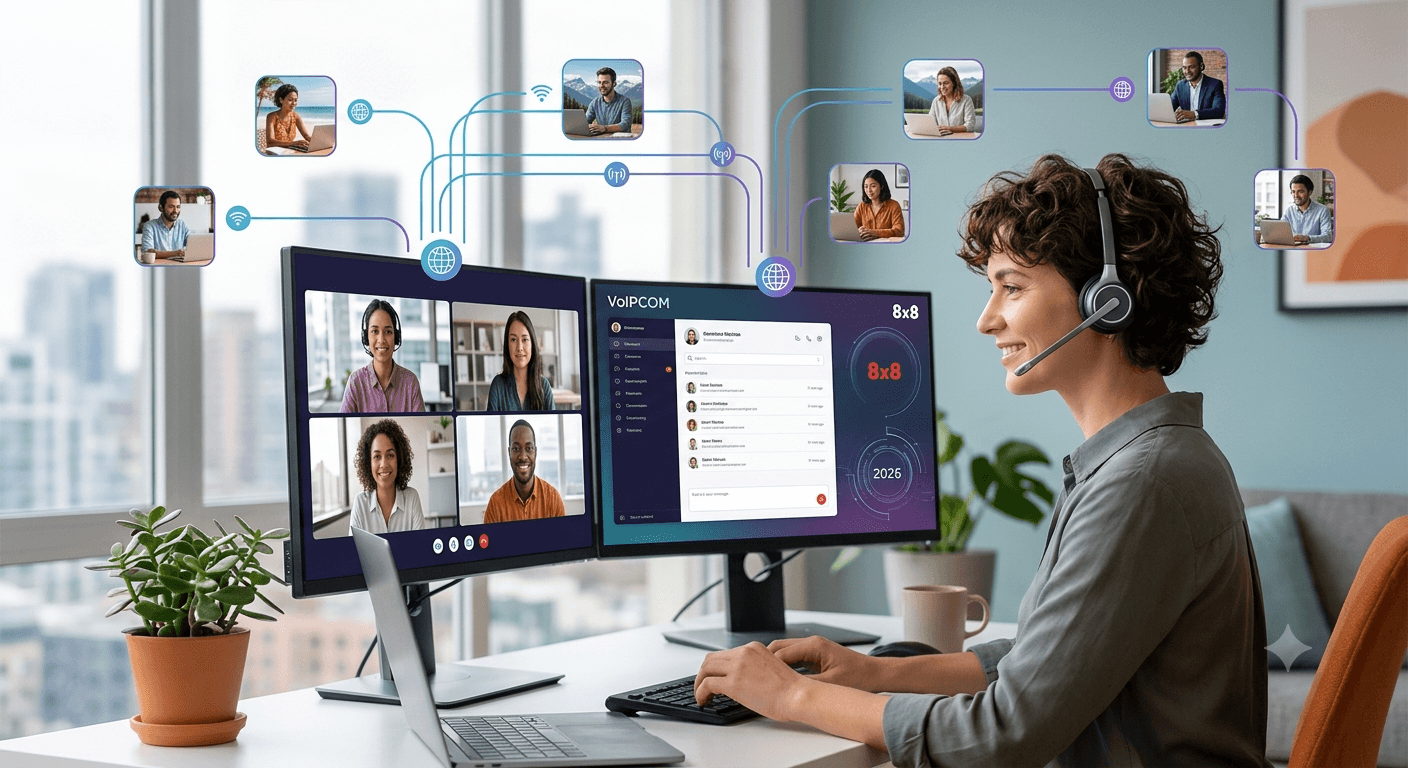
The Best VoIP for Remote Teams in 2026 provides a comprehensive communication framework that transcends geographical boundaries, allowing businesses to maintain high productivity levels regardless of where their employees are located. By utilizing cloud-based technology, these systems offer features like video conferencing, instant messaging, and seamless call routing that traditional landlines cannot match. Modern remote workforce business phone systems prioritize security and reliability, ensuring that sensitive data remains protected while providing crystal-clear audio quality. Choosing the right provider allows organizations to scale efficiently, reduce overhead costs, and foster a collaborative environment for every remote worker. Best VoIP for Remote Teams in 2026 The landscape of modern business has shifted permanently toward flexibility, making the selection of the best VoIP for remote teams a critical decision for any forward-thinking organization. In 2026, the demand for a reliable remote worker phone system has reached an all-time high as companies abandon traditional office setups for hybrid or fully distributed models. These advanced communication platforms do more than just facilitate voice calls; they integrate various digital tools into a single interface to streamline workflows and improve employee engagement. According to a recent study by Global Workplace Analytics, businesses can save an average of $11,000 per year per half-time remote worker, primarily through reduced real estate costs and increased productivity facilitated by efficient communication tools. This economic incentive, combined with the need for constant connectivity, makes finding the right phone systems for remote working an essential task for management. 1. Voipcom At a Glance Voipcom has emerged as a leading contender in the telecommunications space by offering specialized phone options for remote employees that prioritize simplicity and high-definition audio. Their platform is built on a resilient infrastructure designed to handle high call volumes without compromising on the quality of service. It serves as a comprehensive hub for all business interactions, making it an excellent choice for companies looking for voip remote working solutions that are easy to deploy across various regions. Core Features Advanced Auto-Attendant: Automatically routes callers to the correct department or individual, ensuring a professional image even for small teams. Mobile and Desktop Apps: Provides a consistent experience across all devices, allowing employees to take business calls on their personal smartphones without revealing their private numbers. Unified Messaging: Consolidates voicemail, email, and SMS into a single inbox for better organization and faster response times. Integration Capabilities: Connects seamlessly with popular CRM tools and productivity suites like Salesforce and Microsoft 365. Pros The platform is widely praised for its exceptional uptime and dedicated customer support, which is vital for any phone system to work from home effectively. Users often highlight the intuitive nature of the administrative dashboard, which allows for quick changes to call routing and user permissions without needing deep technical expertise. Additionally, the voice quality remains consistent even on lower bandwidth connections, which is a major advantage for a voip phone for home office use. Who It’s For This service is ideally suited for small to medium-sized businesses that require a scalable voip work from home solution without the complexity of enterprise-level hardware. It is perfect for teams that are rapidly growing and need to add new users or lines with just a few clicks. If your organization prioritizes ease of use and rapid deployment, this is one of the most effective phone systems for remote workers available today. Unique Value Proposition What sets this provider apart is its commitment to “Zero-Touch Provisioning,” which means hardware can be shipped directly to a remote employee and will work instantly once plugged into an internet connection. This eliminates the need for on-site IT support, making it a premier remote phone service for companies with a global footprint. The focus on reducing technical friction allows employees to focus on their core tasks rather than troubleshooting their equipment. Real World Use Case A digital marketing agency with thirty employees spread across three different time zones implemented this remote phone service to centralize their client communications. Before the switch, they struggled with missed calls and inconsistent client experiences because everyone used different tools. After adopting this remote employee phone system, they saw a 40% increase in lead response time because every call was tracked and routed to the available specialist instantly. Pricing Pricing models are structured to be transparent and affordable, usually starting with a basic tier for startups and moving toward more feature-rich plans for established firms. Most plans are billed per user per month, which helps businesses maintain a predictable budget while managing their remote office phone system costs. Bulk discounts are often available for organizations that commit to larger numbers of licenses. 2. 8×8 At a Glance 8×8 is a global powerhouse known for providing a highly stable remote phone system that caters to both small businesses and large enterprises. Their platform is recognized for its “Experience Communications as a Service” (XCaaS) model, which blends cloud-based telephony, video meetings, and contact center capabilities into one unified solution. This makes it a top choice for those seeking voip technology reliability for remote work collaboration on a global scale. Core Features Global Reach: Offers local phone numbers in over 100 countries, making it easier for remote office phone systems to maintain a local presence internationally. HD Video Conferencing: Supports large-scale virtual meetings with screen sharing, recording, and transcriptions included. Team Chat: A built-in messaging platform that reduces the need for third-party apps like Slack or Discord. Robust Analytics: Provides deep insights into call patterns, wait times, and employee performance through a centralized data portal. Pros The biggest advantage of using 8×8 for a remote work phone system is the sheer breadth of its feature set combined with military-grade security. It holds multiple compliance certifications, including HIPAA and FISMA, which is a crucial factor for businesses in regulated industries. The platform also offers unlimited calling to numerous international destinations, which significantly reduces costs for companies with overseas clients or partners. Cons While the feature set is extensive, some users may find the interface slightly overwhelming due to the number of options available. The initial setup process can be more time-consuming compared to simpler providers, requiring a bit more planning to ensure all call flows are configured correctly. Additionally, the mobile app can occasionally be resource-intensive on older smartphone models. Who It’s For This is one of the best cloud-based phone systems for remote teams 2025 and 2026 for organizations that operate internationally or have complex call-handling requirements. It is an excellent fit for healthcare providers, law firms, and financial institutions that must adhere to strict data privacy regulations. Large remote workforces that need a unified platform for all types of communication will find 8×8 to be an indispensable tool. Unique Value Proposition 8×8 stands out because of its financially backed 99.999% uptime SLA (Service Level Agreement), which ensures that your remote workforce phone system is always available. This level of reliability is rarely matched in the industry and provides peace of mind for businesses where every missed call represents lost revenue. Their integrated approach means that data flows smoothly between the phone system and the contact center module. Real World Use Case An international logistics company utilized 8×8 to connect their remote working phone users across Europe and North America. By using the integrated video and chat features, they reduced their reliance on multiple subscription services, saving nearly 25% on their monthly software spend. The analytics tools also allowed them to identify peak calling hours, helping them schedule their remote staff more effectively to cover high-demand periods. Pricing The pricing is tiered based on the specific needs of the business, with the X Series plans being the most popular for remote teams. While it may be slightly more expensive than entry-level providers, the inclusion of international calling and advanced security often results in a lower total cost of ownership. Dedicated account management is often provided for larger installations to ensure a smooth transition. 3. Comcast Business At a Glance Comcast Business offers a robust suite of voip for remote workers that leverages its massive network infrastructure to provide high-speed connectivity and clear voice services. Known primarily for internet services, their VoiceEdge platform is a cloud-based solution specifically designed to support the modern, distributed workforce. It provides a bridge between traditional office reliability and the flexibility required for the best business phone systems for remote teams 2025. Core Features VoiceEdge Desktop App: A powerful softphone that allows users to manage calls, check voicemails, and start video meetings from their computer. Be Anywhere Feature: Allows users to bridge calls from their desk phone to any other device seamlessly, which is perfect for a phone system for remote workers. Automated Attendant: A virtual receptionist that can be customized with different greetings for business hours and holidays. Smart Office Integration: Works well with other Comcast services to provide a holistic technology stack for small business owners. Pros The main benefit of choosing Comcast for a telephone system for remote working is the reliability of the underlying network. Because they own much of the infrastructure, they can often offer better troubleshooting and faster resolution times than resellers. The system is also highly adaptable, allowing users to switch between devices mid-call without any interruption, which is a major plus for busy professionals. Cons One drawback is that Comcast’s services are primarily focused on the United States, which may be a limitation for companies with a significant number of international remote employees. Some customers have also noted that their pricing can be less flexible than pure-play VoIP providers, often requiring long-term contracts to get the best rates. Who It’s For This provider is ideal for U.S.-based businesses that already use Comcast for their internet services and want to consolidate their bills. It is a strong choice for retail businesses, local service providers, and professional offices that are transitioning to a hybrid model. If your team is mostly domestic and you value having a single point of contact for both internet and phone services, this is a top contender. Unique Value Proposition The unique selling point for Comcast Business is its “Connection Pro” redundancy feature, which provides an automatic 4G LTE backup if the primary internet connection fails. This ensures that your remote office phone systems remain operational even during a local power outage or internet disruption. This level of hardware-level redundancy is a significant advantage for businesses that cannot afford any downtime. Real World Use Case A regional accounting firm moved its entire operations to a remote model during a renovation and decided to stick with it permanently. They used Comcast VoiceEdge to ensure that their “remote phone service” was indistinguishable from their old office setup. Clients never realized the accountants were working from home because the call quality and professional greeting remained identical to their previous in-office experience. Pricing Pricing is usually quote-based and depends heavily on whether the phone service is bundled with internet or security packages. While the standalone VoIP price is competitive, the real value comes from the bundles which often include high-speed data. They frequently offer promotional rates for new customers that can significantly lower the initial cost of setup. 4. Cox Residential Services At a Glance While Cox is widely known for residential internet, their offerings for remote workers have evolved to include specific phone options for remote employees who need business-grade features at home. For many individuals, a telephone system for remote working starts with a reliable home connection that can support high-quality voice and video. Cox provides the foundational technology that allows other VoIP services to function optimally while offering their own voice solutions for home-based professionals. Core Features High-Speed Fiber Internet: Provides the necessary bandwidth to support multiple voip remote working devices simultaneously without lag. Cox Voice Premier: A residential phone service that includes features like caller ID, call waiting, and three-way calling which are essential for basic remote tasks. Malware Protection: Integrated security features that protect the home network from cyber threats, which is vital for remote workforce business phone systems. Wifi Hotspot Access: Gives remote workers the ability to stay connected even when they are away from their home office. Pros The biggest pro of using Cox is the widespread availability and high speeds they offer in their service areas. For a remote worker phone system to function correctly, the “last mile” of connectivity must be stable, and Cox excels at providing this. Their customer service for residential users is generally responsive, and they offer various self-service tools for managing the network via a mobile app. Cons The primary limitation is that residential services may lack some of the advanced PBX features like call queuing or complex hunt groups found in dedicated business VoIP plans. Furthermore, residential agreements may have different terms regarding uptime guarantees compared to business-grade contracts. Users might need to upgrade to a business account if they require more sophisticated call-routing features. Who It’s For This solution is best for individual remote employees or small businesses where the owner operates primarily from a home office. It is the perfect starting point for building a voip phone for home office setup that is both cost-effective and reliable. If you are a freelancer or a solo practitioner who needs a solid foundation for your communication needs, Cox offers a practical path forward. Unique Value Proposition Cox distinguishes itself by offering a specialized “Elite Gamer” feature and high-performance tiers that, while marketed for entertainment, provide the ultra-low latency required for high-definition video calls. This makes their network one of the best for voip technology reliability for remote work collaboration where timing and synchronization are paramount. Their focus on the “connected home” ensures that your work tools don’t compete with other household devices for bandwidth. Real World Use Case A freelance graphic designer used Cox’s high-speed internet and voice services to manage a roster of national clients. By utilizing the reliable bandwidth, she was able to hold video consultations while simultaneously uploading large design files. The stability of the connection meant she never had to worry about dropped calls or choppy video during critical client presentations, proving that residential infrastructure can support professional remote working phone needs. Pricing Pricing for residential services is generally more affordable than enterprise-level plans, making it an attractive option for those on a budget. Plans are often available month-to-month, providing the flexibility that many remote workers desire. Bundling voice with internet and television can lead to further savings, allowing the home office to stay connected for a single monthly fee. Business Communication Solutions Comparison Feature Voipcom 8×8 Comcast Business Cox Residential Best For Growing SMBs International Enterprises US-Based Hybrid Teams Solo Remote Workers Key Advantage Ease of Use Global Reach Network Redundancy High Speed/Low Cost Mobile App Excellent Highly Featured Professional Grade Basic Scalability High Very High Moderate Limited Setup Time Instant Moderate Professional Needed Fast When evaluating these options, it is clear that there is no one-size-fits-all solution. The best cloud-based phone systems for remote teams 2025 will depend on the specific size of your team and your geographical requirements. While Voipcom offers the fastest setup, 8×8 provides the most comprehensive global features. Meanwhile, Comcast and Cox provide the reliable infrastructure that serves as the backbone for any remote worker phone system. How to choose the best VoIP for remote workers Selecting the right provider requires a strategic approach that balances technical requirements with the human needs of your team. The best VoIP for remote teams should simplify communication, not add another layer of technical frustration to the workday. To make an informed decision, you must look beyond the marketing slogans and analyze how each feature will impact your daily operations. 1. Seamless Collaboration Communication is the heartbeat of any remote team, and your chosen system must facilitate this without barriers. Look for features such as softphone compatibility, video conferencing, instant messaging, and call forwarding/transfer. These VoIP features ensure your remote team stays connected and productive, regardless of their physical location. A system that allows a user to start a conversation as a chat and escalate it to a video call with a single click will save countless hours of transition time over a year. Research from the Harvard Business Review suggests that “high-quality digital interactions can boost remote employee engagement by up to 20%.” Therefore, investing in a system that offers crystal-clear audio and reliable video is not just a technical choice, but a strategic investment in your team’s morale. Ensure that the platform you choose supports a wide range of devices, including tablets and laptops, to give your employees true mobility. 2. Pricing Budgetary constraints are always a reality, so it is important to narrow down services offering flexible plans that can adjust with your team’s size. Pay-as-you-go options are ideal for growing teams, as they prevent you from paying for unused capacity. Conversely, larger teams can benefit the most from volume discounts and annual contracts that lock in lower rates. Be sure to check for hidden costs such as activation fees, international roaming charges, or extra fees for premium features like call recording. 3. Ease of Use A user-friendly interface and dashboard are vital elements for your business’s smooth adoption. If a system is too difficult to navigate, employees will likely revert to using personal apps, which can lead to security risks and fragmented data. VoIP providers like Acefone, Nextiva, and Zoom Phone ensure that professionals from non-technical backgrounds can effortlessly use VoIP solutions. Look for platforms that offer comprehensive training resources and a clean, modern design that mimics the apps people use in their personal lives. 4. Data Security In an era of increasing cyber threats, data security and end-to-end encryption are critical for protecting your business’s sensitive communication information. Remote teams are particularly vulnerable because they often connect via various home networks. Ensure your provider offers features like Multi-Factor Authentication (MFA), secure voice protocols (SRTP), and compliance with industry-standard regulations. A breach of client information through a compromised phone system can lead to severe legal and reputational consequences. Read More: Call Deflection: Proven Strategies to Improve Customer Experience Final Words Choosing the best VoIP for remote teams in 2026 is a decision that will define how your organization communicates for years to come. Whether you opt for the enterprise-grade power of 8×8, the simplicity of Voipcom, or the solid infrastructure of Comcast and Cox, the goal remains the same: creating a unified, efficient, and secure environment for your employees. By prioritizing ease of use, scalability, and robust security, you can ensure that your remote workforce remains as connected and productive as they would be in a traditional office setting. The right technology doesn’t just bridge the gap between locations; it builds a foundation for long-term business success in a digital-first world. FAQs What is the best VoIP for remote teams to ensure clear call quality? The best VoIP for remote teams depends on your internet stability, but providers like 8×8 and Voipcom are known for their high-definition audio and low-latency networks. These services use advanced codecs that optimize voice data even when bandwidth is limited, ensuring that conversations remain clear and professional regardless of where the remote worker is located. What are the key features to look for in VoIP solutions for remote teams? When evaluating options, you should prioritize mobile and desktop applications, automated attendants, and CRM integrations. Additionally, features like visual voicemail, team chat, and easy call forwarding are essential for maintaining a professional workflow while working from home. How do VoIP solutions improve collaboration among remote workers? VoIP platforms improve collaboration by centralizing all communication channels into one app. This allows team members to switch between voice calls, video meetings, and instant messaging instantly. Features like presence indicators also let colleagues know who is available, reducing the “ping-pong” effect of trying to find someone for a quick question. How can I ensure a smooth transition to a VoIP solution for my remote team? A smooth transition starts with a phased rollout and thorough training for all employees. It is also important to verify that every remote worker’s home internet connection meets the minimum requirements for the new system. Many providers offer dedicated onboarding specialists to help configure call flows and port existing numbers without downtime. What cost factors should I consider when choosing a VoIP solution for remote teams? Beyond the monthly subscription fee, consider costs for hardware (if needed), international calling rates, and any add-on features like call recording or advanced analytics. Many businesses find that they save money overall by eliminating the need for traditional phone lines and reducing their IT maintenance costs. How can compliance and security features of VoIP solutions benefit remote teams? Compliance features like HIPAA or GDPR readiness ensure that your business meets legal standards for data handling. Security measures such as end-to-end encryption and multi-factor authentication protect your company from eavesdropping and unauthorized access, which is especially important when employees are using various home and public networks. Can I customize my VoIP solution to fit my remote team’s specific needs? Yes, most modern VoIP systems are highly customizable. You can set unique ring groups, design custom IVR menus, and integrate specific software tools that your team uses daily. This flexibility allows you to tailor the communication environment to match your specific business processes and culture. Is a special phone required for a remote employee phone system? No, most remote workers prefer using “softphones,” which are applications installed on their existing computers or smartphones. However, if a physical desk phone is preferred, many VoIP providers offer “plug-and-play” IP phones that only require an internet connection to function exactly like an office extension. How does voip technology reliability for remote work collaboration compare to traditional phones? Modern VoIP technology is often more reliable than traditional landlines because it is cloud-based. If one data center goes down, the system can automatically reroute traffic to another. This level of redundancy ensures that your business stays online even during local outages, which is a significant advantage for a distributed workforce.
Read More
VoIP for Nonprofits low Cost Communication

VoIP for Nonprofits: Low-Cost Communication

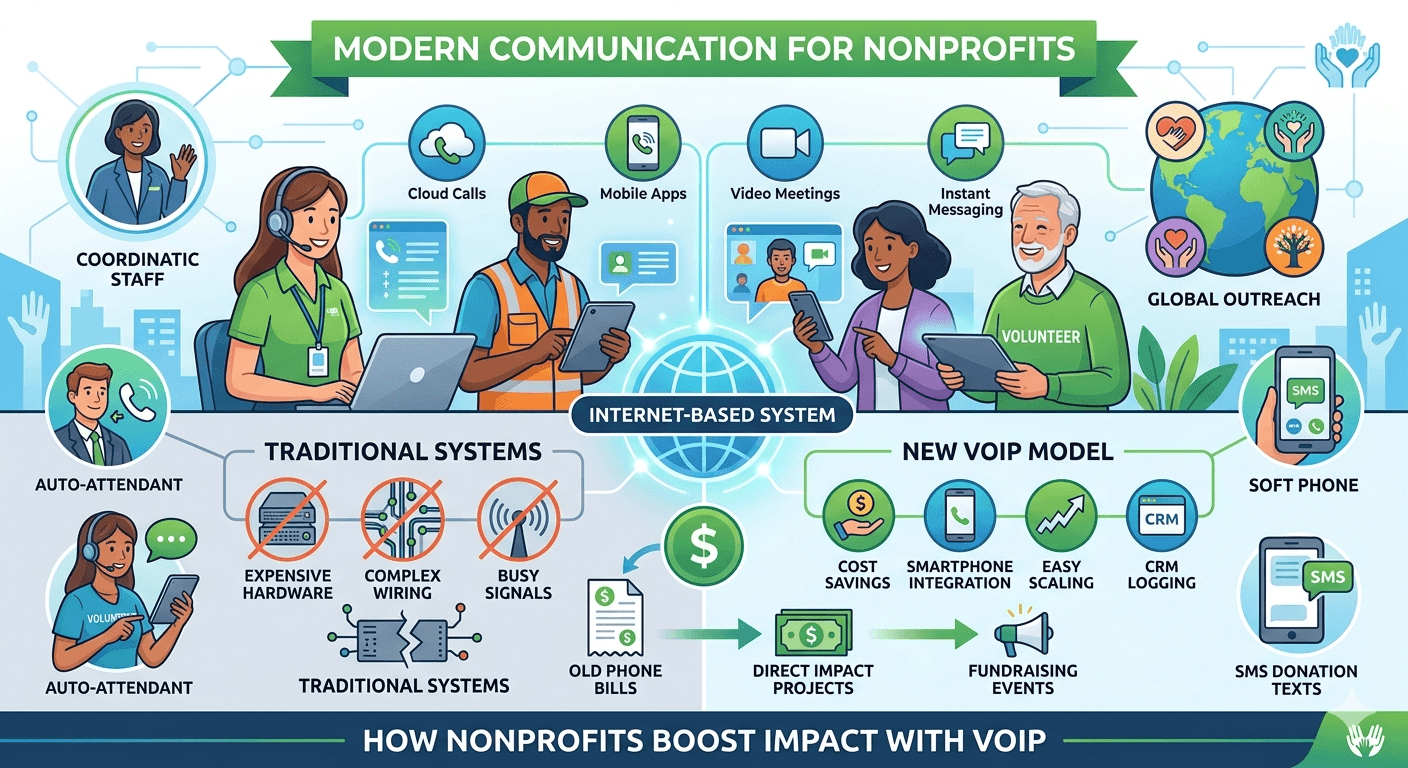
VoIP for nonprofits provides a modern solution for organizations looking to reduce overhead while maximizing community impact. By using the internet to make and receive calls, these organizations bypass the expensive hardware and maintenance associated with legacy landlines. This technology offers a wide range of features such as automated routing, video conferencing, and mobile integration, allowing staff to stay connected from any location. Implementing VoIP for nonprofits ensures that every dollar saved on telecommunications can be redirected toward core missions, fostering better donor relationships and improving operational efficiency across the entire charitable sector. Why Are Nonprofits Ditching Their Traditional Phone Systems? The transition from traditional landlines to digital solutions is driven by the need for more efficient resource allocation. Traditional systems are often rigid and expensive, making them a poor fit for the dynamic nature of modern charitable work. As organizations seek to modernize, they find that old-fashioned hardware simply cannot keep up with the demands of a mobile, tech-savvy workforce. Many charities are realizing that maintaining on-premise PBX hardware requires specialized technicians and frequent parts replacements. These hidden costs quickly add up, draining funds that could be used for community outreach or program development. By moving to the cloud, organizations eliminate the physical constraints of wires and switchboards. 1. High operating costs Traditional phone systems require significant upfront investments in hardware and ongoing maintenance fees. Nonprofits often struggle with high long-distance charges and per-minute rates that fluctuate based on call volume. This unpredictability makes it difficult to manage tight annual budgets effectively. A study by Blueface indicates that organizations transitioning to cloud-based systems can save up to 30% on their monthly telecommunication bills. These savings come from: Elimination of physical line rental fees. Lower international and long-distance calling rates. Reduced need for in-house IT support for phone repairs. Bundled services that include voice, video, and messaging. 2. Lack of flexibility & scalability Legacy systems are tied to a physical location, meaning staff must be at their desks to answer calls. When a nonprofit grows or adds seasonal volunteers, adding new lines to a traditional system is a slow and expensive process involving technicians and wiring. VoIP allows for near-instant scalability, enabling administrators to add or remove users via a web dashboard. This flexibility is vital for organizations that experience seasonal peaks in activity, such as holiday food drives or annual fundraising galas. Staff can take their extensions with them on their smartphones, ensuring no important donor call is ever missed. 3. Limited call handling capacity Old-school phone systems often have a limited number of lines, leading to busy signals during high-traffic periods. If multiple donors try to call at once during a televised fundraiser, a traditional system might crash or leave callers waiting indefinitely. Digital systems handle high call volumes by utilizing the bandwidth of the internet. Features like virtual queues and automated attendants ensure that every caller is acknowledged and directed to the right department. This professional handling of calls helps build trust with supporters who expect a seamless interaction when they reach out to offer help. 4. Poor integration with CRMs Traditional phones operate in a silo, meaning they do not communicate with the software used to track donor data. When a supporter calls, staff members have to manually search for their records, leading to slow response times and a disjointed experience. Modern nonprofit phone system options integrate directly with popular Customer Relationship Management (CRM) tools. This integration allows for: Automatic call logging within donor profiles. Screen pops that display caller information before the agent picks up. Click-to-dial functionality from within the database. Better data accuracy for future fundraising campaigns. 5. Security concerns Physical phone lines are susceptible to wiretapping and are often built on aging infrastructure that lacks modern encryption. For nonprofits handling sensitive donor information or working with vulnerable populations, this lack of security is a major liability. Cloud-based providers prioritize security by implementing end-to-end encryption and multi-factor authentication. Regular software updates ensure that the system is protected against the latest cyber threats. This level of protection is essential for maintaining the confidentiality and integrity of organizational data. 6. Limited reporting & analytics Without detailed data, it is nearly impossible for a nonprofit to measure the effectiveness of its communication strategy. Traditional systems rarely provide insights into call duration, peak hours, or geographic locations of callers. VoIP service for non profit organizations offers robust analytics dashboards that track every interaction. Administrators can see which campaigns are driving the most calls and how long volunteers are spending on the phone. These insights allow for data-driven decisions that can significantly improve the return on investment for marketing efforts. VoIP Benefits for Nonprofit Organizations The shift to digital communication offers a plethora of advantages that extend far beyond simple cost savings. It empowers staff to work more effectively while providing a professional image to the public. By leveraging the power of the cloud, charities can compete with much larger entities in terms of technological sophistication. Research from Statista highlights that the global VoIP market is expected to grow significantly as organizations prioritize digital transformation. This trend is especially beneficial for the social sector, where agility and efficiency are paramount. Transitioning to a non profit phone service allows for a level of connectivity that was previously out of reach for smaller groups. 1. Affordable communication One of the most immediate benefits is the drastic reduction in monthly expenses. Most providers offer flat-rate monthly plans that include unlimited domestic calling, which provides the budget certainty that financial officers crave. Low monthly subscription fees per user. No need for expensive desk phones; software can be used on existing computers. Significant discounts often available specifically for 501(c)(3) organizations. Reduced infrastructure costs as the service provider handles all hardware maintenance. 2. Remote-ready phones Modern nonprofit work often happens in the field, at event venues, or from the homes of volunteers. VoIP for nonprofits enables a truly mobile workforce by allowing users to access their professional phone system from any device with an internet connection. This remote capability ensures that the organization remains operational even during emergencies or office closures. Whether a staff member is at a conference or working from a coffee shop, they can use the organization’s official caller ID. This maintains a professional appearance and keeps personal cell phone numbers private. 3. Improved donor engagement Building strong relationships with donors is the lifeblood of any successful charity. VoIP systems help personalize these interactions by providing staff with the context they need before they even say hello. When the phone system is connected to a donor database, the staff member can see the history of the caller’s contributions and previous conversations. This allows for a more personalized “thank you” and a more informed discussion about future goals. High-quality audio also ensures that every conversation is clear, reducing misunderstandings during important negotiations. 4. Added SMS messaging capabilities In today’s digital age, many donors and volunteers prefer text messaging over voice calls. A nonprofit phone system often includes business SMS features, allowing the organization to send updates, reminders, and alerts via text. Using a professional system for SMS is much better than having staff use their personal devices. It allows the organization to keep a record of all text communications and ensures that the branding remains consistent. Texting is an incredibly effective way to coordinate volunteer shifts or send quick links to donation pages. 5. Enhanced team collaboration Internal communication is just as important as external outreach. VoIP platforms often include integrated tools for team chat, file sharing, and video conferencing. This all-in-one approach reduces the need for multiple expensive software subscriptions. Instant messaging for quick internal queries. Easy-to-launch video meetings for board presentations. Shared presence indicators to see who is available or busy. Centralized document sharing during active calls. Top 10 Essential VoIP Features for Nonprofits To get the most out of a digital phone system, organizations should look for specific features that cater to their unique workflows. Not all services are created equal, and some offer specialized tools that are particularly helpful for managing volunteers and large-scale donation drives. Evaluating the telecommunications company get voip on plans & providers is a great way to compare these features side-by-side. The right feature set can transform a simple phone line into a comprehensive communication hub that drives organizational growth and community impact. 1. Auto-attendant An auto-attendant acts as a virtual receptionist, greeting callers and providing them with a menu of options. This ensures that every call is answered professionally, even if the main office is closed or the staff is busy with other tasks. For a charity, this might include options for “Press 1 to make a donation,” “Press 2 for volunteer opportunities,” or “Press 3 for media inquiries.” This self-service model saves time for administrative staff and helps callers get the information they need quickly. It also gives a smaller organization the appearance of being much larger and more established. 2. Call routing Call routing ensures that incoming calls are directed to the right person based on predefined rules. This is particularly useful for organizations with multiple departments or those that utilize remote volunteers. Time-based routing: Direct calls to an after-hours service or voicemail at night. Skill-based routing: Send callers to the staff member most qualified to help them. Simultaneous ring: Ring multiple phones at once so the first available person can answer. Sequential ring: Try one staff member, then move to the next if they don’t pick up. 3. Conference calls & video meetings Nonprofits frequently need to host board meetings, committee sessions, or community town halls. Built-in video conferencing eliminates the need for a separate Zoom or Teams subscription, saving the organization more money. These tools allow for screen sharing, which is essential for presenting financial reports or project updates. High-definition video helps build a sense of community among remote team members and provides a more personal way to connect with major donors who may live in different cities. 4. Mobile & desktop softphones A softphone is an application that allows a computer or smartphone to function as a full-featured desk phone. This is a game-changer for voip volunteerism, as it allows temporary help to use their own devices without the organization having to purchase new hardware. Softphones provide access to the full company directory, call transfer capabilities, and voicemail management. This ensures that even when staff are out in the field, they have the same tools at their fingertips as they would in the office. It creates a seamless communication experience across all devices. 5. Voicemail to email Checking voicemail can be a tedious task, especially if a staff member is constantly on the move. Voicemail to email automatically transcribes messages and sends them to the user’s inbox as an audio file or text. This feature allows staff to quickly scan their messages during meetings or while traveling. It also makes it much easier to archive important messages or forward them to the appropriate colleague for follow-up. This ensures that donor requests are handled promptly, even if the intended recipient is busy. 6. SMS communications Integrating SMS into the phone system allows for automated reminders and quick updates. For example, a church phone system can use SMS to send out weekly service reminders or emergency weather closures to the congregation. Automated appointment reminders for service recipients. Quick coordination of volunteer schedules. Mass alerts for urgent fundraising needs. Interactive text-to-donate links. 7. Interactive voice response (IVR) IVR is a more advanced version of an auto-attendant that can interact with callers through voice or keypad inputs to gather information. This can be used to process simple donations or provide specific program information without human intervention. An IVR system can be programmed to answer common questions about office hours, event locations, or tax-deductible status. This frees up human staff to focus on more complex tasks that require a personal touch. It is an excellent way to provide 24/7 service to the community. 8. Call analytics and reporting Data-driven decision-making is essential for modern nonprofits. Analytics allow managers to see how many calls were missed, the average wait time for callers, and the peak times for incoming inquiries. Tracking the success of specific marketing campaigns. Monitoring volunteer performance and call quality. Identifying staffing needs based on call volume trends. Providing transparent reports for board members and grant providers. 9. CRM integration Connecting the phone system to a CRM like Salesforce or HubSpot is one of the most powerful things a nonprofit can do. It ensures that every interaction is captured and that the entire team has a 360-degree view of the donor relationship. This integration reduces manual data entry and helps prevent donors from being contacted multiple times by different people with the same request. It streamlines the workflow and ensures that the organization’s data remains clean and actionable. Many best cell phone plans for nonprofit organizations now include some level of software integration. 10. Call recording and transcription Recording calls can be incredibly useful for training purposes or for keeping accurate records of verbal agreements. Transcriptions allow staff to quickly search through past conversations for specific details or keywords. For nonprofits involved in advocacy or legal work, having a record of conversations can be a vital part of their documentation. It also allows managers to review how volunteers are handling donor objections, providing a valuable tool for coaching and improving communication skills. Top-Rated VoIP Providers for Nonprofits Choosing the right partner is just as important as choosing the right features. Several companies specialize in providing voip phone services for non-profit organizations, often offering significant discounts or specialized support teams. When looking for an internet service for nonprofit organizations, it is helpful to look for providers that understand the unique challenges of the sector. The following providers are well-regarded for their reliability, feature sets, and commitment to social causes. 1. Nextiva Nextiva is a leader in the unified communications space, offering a robust platform that combines voice, video, and messaging. They are known for their “Amazing Service” and have a dedicated team to help nonprofits set up and optimize their systems. Their platform is highly scalable, making it a great choice for growing organizations. Nextiva also offers deep integrations with popular business tools, ensuring that your communication system works in harmony with your other software. Their mobile app is particularly well-reviewed for its ease of use. 2. KrispCall KrispCall is an excellent option for organizations looking for a modern, cloud-based solution that is easy to set up. They offer a variety of international numbers, which is perfect for nonprofits that operate in multiple countries. Their interface is intuitive, allowing administrators to manage users and settings without a background in IT. KrispCall also offers affordable pricing tiers, making it accessible for even the smallest community groups. Their focus on high-quality audio ensures clear communication regardless of location. 3. Telzio Telzio is often cited as a top choice for nonprofits because of its transparent pricing and feature-rich platform. Unlike many providers that charge per user, Telzio offers usage-based pricing which can be much cheaper for organizations with many volunteers who only make occasional calls. No long-term contracts, providing maximum flexibility. All features included in every plan. Easy-to-use web interface for managing call flows. Exceptional customer support that is highly responsive. 4. Vonage Vonage is a household name in the VoIP industry and offers a comprehensive suite of communication tools. They provide a high degree of customization, allowing organizations to build a system that fits their specific needs. Through the Vonage for Nonprofits program, eligible organizations can access special pricing and support. Their App Center allows for easy integration with a wide variety of third-party applications, making it a very versatile choice for tech-forward organizations. 5. 8×8 8×8 offers a global communication platform that is ideal for nonprofits with an international presence. Their system is built on a highly secure and reliable infrastructure, ensuring uptime even in challenging conditions. They provide advanced analytics and reporting tools that give deep insights into organizational performance. 8×8 also emphasizes security and compliance, which is a key consideration for nonprofits handling sensitive health or financial data. Their all-in-one solution simplifies the technology stack for busy administrators. Read More: Cheap VoIP For Restaurants USA : A Comprehensive Guide Final Words Adopting VoIP for nonprofits is a strategic move that enables organizations to communicate more effectively while significantly reducing costs. The transition from legacy systems to the cloud opens up a world of possibilities, from remote work flexibility to advanced donor data integration. By choosing a provider that offers the right balance of features and affordability, a charity can ensure that its communication infrastructure supports its mission rather than draining its resources. In an era where every donation counts, leveraging modern technology is no longer optional; it is a vital component of sustainable success and community impact. FAQs What is VoIP for nonprofits? VoIP for nonprofits is a cloud-based communication technology that allows charitable organizations to make and receive phone calls over the internet rather than through traditional landlines. This system provides access to advanced features like video conferencing, SMS, and auto-attendants at a fraction of the cost of legacy PBX systems, helping organizations stay connected with donors and volunteers more efficiently. What is the least expensive VoIP service? The least expensive service depends on your usage, but providers like Telzio or Google Voice for Workspace are often cited for their low entry costs. Many organizations find that usage-based pricing is cheaper than per-user pricing if they have a high number of staff who only make occasional calls. Always check for specific nonprofit discounts which can further lower the price. Which VoIP provider is the cheapest? There is no single “cheapest” provider as it depends on the number of users and required features. However, KrispCall and Nextiva are frequently mentioned for their competitive nonprofit rates. Organizations should compare the total cost of ownership, including any hardware needs and international calling rates, to determine which fits their budget best. Is there a totally free VoIP for nonprofits? While some services offer free versions, such as Google Voice or basic Skype, they usually lack the professional features and security required by an established organization. Some non-profit isp options may offer bundled credits, but a fully-featured business VoIP system typically requires a small monthly subscription to ensure reliability and support. What is the alternative to VoIP? The main alternative is the traditional Public Switched Telephone Network (PSTN), also known as landlines. Another alternative is using standard mobile cellular plans, but these often lack the centralized management, professional routing, and CRM integration features that a dedicated nonprofit phone system provides. Can I keep my existing phone number when switching? Yes, most providers support a process called “porting,” which allows you to move your current landline or mobile numbers to the new digital system. This ensures that your donors and partners can still reach you at the same number they have used for years without any service interruption. How does a nonprofit switch to VoIP? The process typically involves choosing a provider, selecting a plan, and then porting existing numbers. Once the account is active, you can install softphone apps on computers and smartphones or connect VoIP-compatible desk phones to your internet router. Most providers offer step-by-step onboarding to help with the transition. Is VoIP secure for donor information? Yes, reputable providers use high-level encryption and secure data centers to protect all voice and text communications. When integrated with a CRM, these systems often provide better security and data tracking than traditional paper-based or unintegrated phone systems, helping you comply with data privacy regulations. What hardware is needed for nonprofit VoIP? In many cases, no new hardware is required at all. Staff and volunteers can use their existing smartphones, tablets, or laptop computers via specialized apps. If you prefer physical desk phones, you can purchase IP-enabled phones that plug directly into your ethernet ports or use adapters for existing analog phones.

Read More
VoIP for Real Estate Agents

VoIP for Real Estate Agents: Boosts Sales and Efficiency

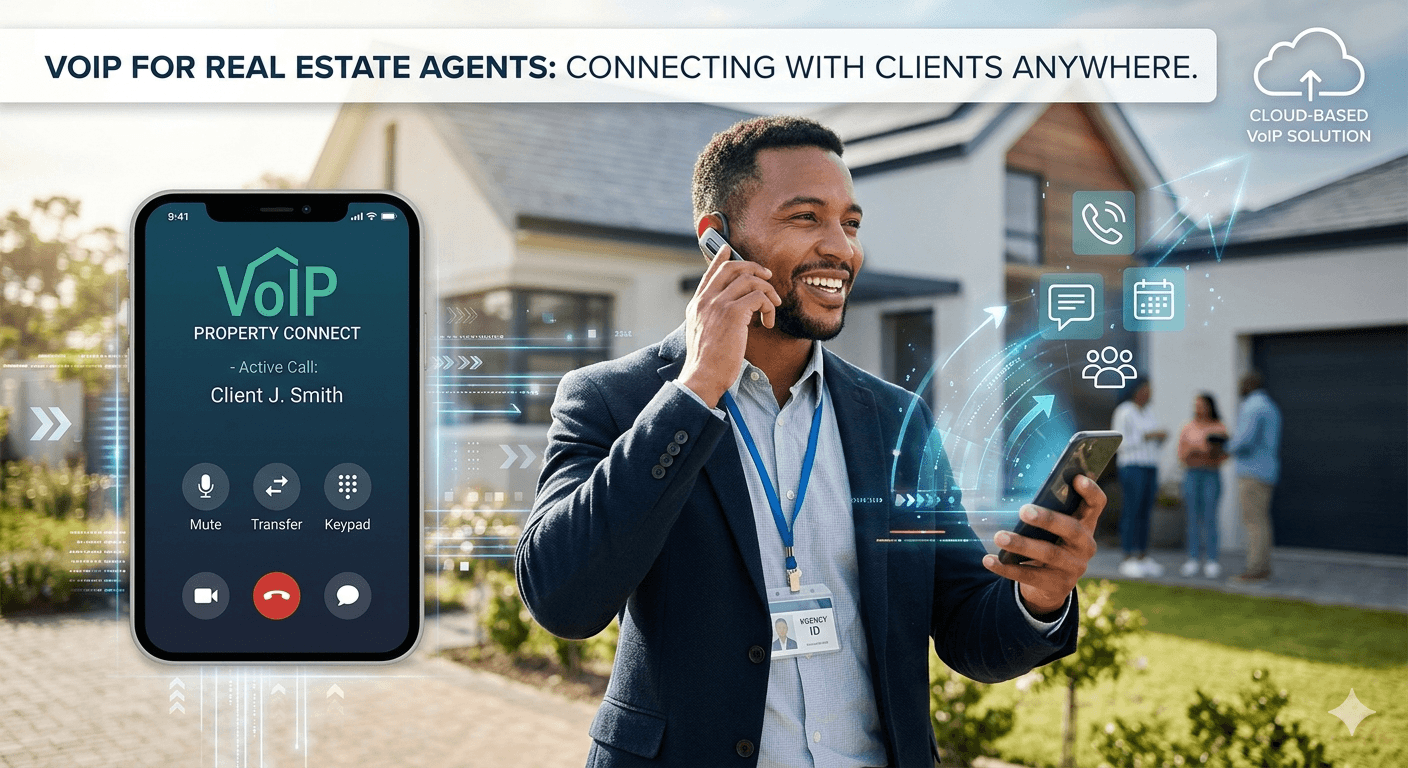
VoIP for Real Estate Agents is a cloud-based communication solution that enables realtors to manage property inquiries and client relationships through the internet rather than traditional landlines. This technology offers essential mobility, allowing agents to take their office extension anywhere, ensuring no valuation or lead is ever missed. By integrating voice, video, and messaging into one platform, real estate professionals can streamline their operations and provide a seamless customer experience. Implementing VoIP for Real Estate Agents reduces overhead costs while providing advanced tools like CRM integration and automated call routing, which are vital for competing in today’s fast-paced property market. Common Communication Problems in Estate Agencies Estate agencies deal with high-intent, time-sensitive enquiries where every second counts for a potential sale. When communication breaks down, it usually results in lost instructions rather than minor delays, as clients often move on to the next available agent immediately. Traditional real estate phone system setups often fail to meet these demands, leading to missed opportunities and frustrated potential buyers. Many agencies struggle with managing a high volume of calls during peak property seasons or after a new listing goes live. If the staff is already on the phone or out for a viewing, a legacy system simply rings until the caller hangs up or goes to a generic voicemail. This lack of responsiveness can damage the agency’s reputation and lead to a significant loss in revenue over time. High enquiry volumes lead to missed valuation calls when lines are busy. Calls are manually transferred between branches, which significantly slows down response times and creates a disjointed experience. Missed enquiries often lack visibility, meaning there is no clear record for follow-up by the sales team. Offices often operate as separate islands without shared communication, making it difficult to coordinate multi-branch listings. Mobile agents frequently miss calls while they are on viewings or traveling off-site, leading to delayed communication. How VoIP Improves Customer Experience in Real Estate Agencies ? 1. Faster Response Times and Reduced Call Failures In the real estate industry, the speed of response is often the determining factor between closing a deal and losing it to a competitor. VoIP for Real Estate Agents addresses this by ensuring that calls are never left unanswered, regardless of where the agent is located. With features like find-me/follow-me, an incoming call can ring an office desk phone, a laptop, and a mobile device simultaneously. This technology eliminates the bottleneck of traditional hardware that only allows a certain number of concurrent calls. By moving to the cloud, agencies can handle an unlimited number of simultaneous enquiries, placing callers into organized queues during busy periods. This ensures that every lead is acknowledged and eventually connected to a professional, rather than hearing a busy signal. Immediate lead notification through mobile app alerts. Intelligent call queuing that keeps buyers engaged with music or property updates while they wait. Auto-attendants that direct callers to the right department without human intervention. Seamless transition between office and mobile devices without dropping the call. 2. Unified Communication on the Go The modern realtor is rarely tied to a desk, spending a significant portion of their day at property viewings, inspections, or meetings. A traditional realtor phone system often leaves these agents disconnected from the main office hub. VoIP solves this by providing a unified communication experience across all devices, ensuring that the agent has access to their full suite of tools on their smartphone. This mobility allows agents to maintain a professional appearance by using their business number for all outbound calls, even when using a personal cell phone. It also allows for instant internal messaging among team members, which is critical for checking the status of a listing or confirming a viewing time on the fly. According to the National Association of Realtors, over 90% of realtors use their smartphones for business frequently, making integrated voip for real estate a necessity. 3. Better Call Routing and Team Collaboration Effective call routing is the backbone of a successful real estate office phone systems setup. Instead of relying on a receptionist to manually transfer every call, VoIP systems use automated rules to send callers to the most appropriate person. For example, a call regarding a specific luxury listing can be routed directly to the listing agent, while a general enquiry goes to the front desk. Collaboration is further improved through shared presence indicators, which show team members who is currently available, on a call, or out at a viewing. This prevents the frustration of transferring a client to an agent who isn’t there to answer. When everyone is on the same system, coordinating between the sales, lettings, and administrative teams becomes an effortless process. Skills-based routing directs high-value clients to senior agents automatically. Shared call parking allows one agent to take a call and another to pick it up once they have the file ready. Conference calling capabilities enable agents to quickly bring mortgage brokers or legal advisors into a conversation. Internal chat groups foster quick communication regarding new listings or price changes. 4. Enhanced Client Trust Through Call Quality The professional image of an agency is often built on the quality of its communication. Dropped calls, static, or background noise during a high-stakes negotiation can erode client trust. High-definition (HD) voice quality is a standard feature when you evaluate the telecommunications company get voip on real estate, ensuring that every word is heard clearly, which is essential for building rapport. Professionalism is also enhanced through customized on-hold messaging and greeting systems. Instead of silence or generic radio music, agencies can use their hold time to inform clients about new market trends, current listings, or community events. This keeps the client engaged and demonstrates that the agency is organized and professional in all aspects of its business. 5. Data Insights That Improve Service Traditional phone systems offer very little data regarding how communication is handled within an agency. In contrast, digital systems provide deep analytics that allow managers to track call volumes, peak times, and agent performance. This data is invaluable for staffing decisions, especially during busy spring or autumn markets. By analyzing call logs, an agency can identify if certain branches are overwhelmed or if specific agents are spending an excessive amount of time on initial enquiries. These insights allow for continuous improvement in customer service. For instance, if data shows a high volume of missed calls at 6 PM, the agency might decide to extend its phone coverage or implement a specialized after-hours routing service. Detailed reports on average call duration and response times. Heat maps showing the times of day with the highest enquiry volume. Tracking of outbound call activity to monitor lead generation efforts. Comparison of performance metrics across different office branches. 6. Integration with Other Business Tools One of the most significant advantages of modern communication is the ability to link the phone system with other essential software. A real estate phone system that integrates with a CRM like Salesforce, Zillow, or HubSpot can automatically log every interaction with a client. This ensures that the agent always has the most up-to-date information when a buyer or seller calls. When a call comes in, a “screen pop” can display the caller’s property history, previous offers, and notes from other agents. This level of preparedness allows for a highly personalized service that impresses clients and speeds up the transaction process. Furthermore, click-to-dial features within the CRM save time and reduce the errors associated with manual dialing. 7. Increased Availability Beyond Office Hours The real estate market does not stop at 5:00 PM. Many buyers and sellers do their research and make enquiries in the evenings or on weekends. A legacy system usually routes these calls to a generic voicemail that might not be checked until the next business day. VoIP for Real Estate Agents allows for much more flexible after-hours handling. Agents can set schedules that route calls to an on-call mobile device or an external answering service during the evenings. Alternatively, the system can provide the caller with an IVR menu that answers common questions about office hours or directs them to a website for property details. This increased availability ensures that the agency is always open for business, even when the physical office is closed. 8. Scalable Communication for Growing Teams As a real estate agency grows, adding new staff or opening new branches can be a logistical challenge with traditional hardware. VoIP systems are inherently scalable, allowing for the addition of new users or lines with just a few clicks in a web-based dashboard. There is no need for a technician to visit the office or for expensive wiring projects. This scalability is also useful for temporary situations, such as hiring extra support during a massive new development launch. Once the peak period is over, the agency can easily scale back its user count to save costs. This “pay-as-you-grow” model is ideal for agencies of all sizes, from boutique local shops to large national franchises. Add or remove extensions instantly through an online portal. Easily integrate remote workers or independent contractors into the main phone system. Open new branch locations without the need for on-site phone servers. Uniform communication features across all offices regardless of geography. 9. Call Recording for Quality Assurance and Training Call recording is a powerful tool for real estate agencies for both legal protection and staff development. In a field where verbal agreements and specific instructions are common, having a recorded record of a conversation can prevent disputes and clarify misunderstandings. It provides a safety net for both the agent and the agency. From a training perspective, managers can review recordings to help junior agents improve their sales techniques and lead-handling skills. Listening to successful negotiations or identifying where a lead went cold provides practical, real-world examples for team meetings. This leads to a more consistent and high-quality customer experience across the entire organization. 10. Enhanced Privacy and Security Measures Privacy is a major concern when realtors use personal devices for work. VoIP for Real Estate Agents protects an agent’s personal number by masking it with the agency’s official business caller ID. This maintains a clear boundary between work and personal life while ensuring that the client always associates the call with the professional brand. Security is also built into the infrastructure of modern cloud communication. Data is encrypted, and providers implement rigorous security protocols to protect against unauthorized access. This is vital for maintaining the confidentiality of client financial data and personal information. A study by IBM recently noted that the average cost of a data breach in the service sector has risen, making secure communication a top priority for modern businesses. How to Choose the Right VoIP System for Your Agency Choosing the right communication partner depends on how your agency handles enquiries and operates on a day-to-day basis. Not every system is the right fit for every agency, and it is important to select a solution that solves your specific pain points. The following steps will guide you through the selection process to ensure you find a reliable and efficient realtor phone system. It is also important to consider the reputation and support levels of the provider. Since real estate is a 24/7 business, you need a partner that offers excellent customer service and high uptime guarantees. Evaluate the telecommunications company get voip on real estate by looking at their specialized features for property professionals. Step 1: Assess enquiry volume High-volume agencies need strong call handling and queuing capabilities to ensure no caller is left waiting indefinitely. If your agency receives dozens of calls every hour, look for a system that offers advanced IVR and automated distribution. For smaller agencies with lower volumes, a simpler setup focusing on mobile flexibility might be more appropriate. Step 2: Match your branch structure Single-office setups can remain relatively simple, focusing on local connectivity and mobile apps. However, multi-branch agencies need centralized real estate office phone systems that allow for free inter-branch calling and unified reporting. The ability to see the status of an agent in a different city is a major advantage for larger organizations. Step 3: Decide between managed vs configurable Managed services reduce the operational burden on your staff because the provider handles all the setup and maintenance. This is often best for agencies without a dedicated IT department. Configurable systems offer more control over call flows and integrations, which may be preferred by larger agencies with specific, complex requirements. Step 4: Focus on solving your main issue Choose a system that directly addresses your biggest communication challenge. If your main problem is missed calls while agents are out on viewings, prioritize a provider with a top-tier mobile application. If your issue is a lack of client data, focus on a system that offers deep CRM integration and automated logging features. Read More: VoIP Phone System for Schools and Education: Features and Benefits Final Words Transitioning to VoIP for Real Estate Agents is no longer just a technical upgrade; it is a fundamental business strategy for staying competitive in a digital-first market. By solving common communication bottlenecks and providing agents with the mobility they need, these systems ensure that every property lead is nurtured and every client feels valued. Whether you are a solo realtor or managing a large franchise, the benefits of HD call quality, CRM integration, and intelligent routing cannot be overstated. Embracing a modern real estate phone system allows you to focus on what you do best—closing deals and building lasting relationships—while the technology handles the complex task of keeping everyone connected. FAQs What is the best VoIP phone system for estate agents? The best system is one that offers seamless mobile integration, CRM connectivity, and high reliability. Providers like RingCentral, Nextiva, and 8×8 are popular choices because they offer specialized features for the real estate industry, such as advanced call routing and mobile apps that allow agents to stay connected while on property viewings. Always look for a provider that offers 24/7 support and a high uptime guarantee to ensure your business stays online. Is VoIP reliable for estate agencies? Yes, VoIP is highly reliable as long as you have a stable internet connection. Modern providers use geographically redundant data centers to ensure that service remains active even if one server goes down. Furthermore, if your office internet fails, calls can be automatically rerouted to mobile devices or other branch locations, often making it more reliable than traditional landlines which are susceptible to physical wire damage. Can VoIP handle multiple enquiries at once? Absolutely. One of the primary benefits of this technology is its ability to handle an unlimited number of concurrent calls. Unlike traditional phone lines that may provide a busy signal if more than two people call, a digital system can place callers into an intelligent queue, play music or announcements, or route them to available agents across multiple locations, ensuring no lead is ever lost. How long does it take to switch to VoIP? The switch can often be completed in a matter of days. Most providers allow you to set up your virtual environment and start making calls from your computer or mobile app almost immediately. The longest part of the process is usually “porting” your existing phone numbers from your old carrier to the new one, which typically takes between 7 to 14 business days depending on the providers involved. Do estate agents need technical knowledge to use VoIP? No, modern systems are designed to be user-friendly and intuitive. Most agents only need to know how to use a standard smartphone app or a simple desktop interface. Administrators can manage the entire system through a visual web dashboard that does not require coding or advanced IT skills. Providers also offer onboarding and training sessions to help your team get up to speed quickly. Will My Client’s Information Be Secure With VoIP? VoIP is a very safe method of running your company and communicating with clients. Leading providers use end-to-end encryption for calls and messages, as well as multi-factor authentication to protect account access. Maintaining this security, however, should be a part of your overall cybersecurity strategy rather than being a one-time task. This includes using strong passwords and ensuring your office Wi-Fi is secure. Can I use my existing desk phones? In many cases, you can use your existing analog phones by using a small adapter called an ATA. However, to get the full benefit of HD voice and advanced features, most agencies choose to upgrade to IP-enabled desk phones or simply use “softphones” on their existing computers and mobile devices. Using softphones is often the most cost-effective and flexible option for modern real estate teams. How does VoIP improve the buyer’s experience? It improves the experience by reducing wait times and ensuring buyers are connected to the right expert quickly. Features like auto-attendants and smart routing mean buyers don’t have to repeat their information to multiple people. Furthermore, integration with CRMs allows agents to greet callers by name and have their property preferences ready, creating a personalized and professional interaction from the first second.

Read More
How AI is Transforming VoIP Calling

How AI is Transforming VoIP Calling? AI in VoIP

The integration of AI in VoIP is fundamentally changing how businesses communicate by blending voice over internet protocol with advanced machine learning algorithms. This transformation allows systems to go beyond simple voice transmission, offering intelligent features like automated sentiment analysis, real-time language translation, and predictive network adjustments. As we move into 2026, ai voip technology is no longer an optional luxury but a core component for companies seeking to optimize their workflows and enhance customer engagement through smarter, data-driven interactions. By leveraging these intelligent tools, organizations can ensure higher call clarity and more efficient resource management. 1. Enhanced Call Quality and Reliability The implementation of AI in VoIP has addressed one of the most persistent challenges in internet-based telephony: maintaining consistent audio quality across varying network conditions. Advanced algorithms now analyze data packets in real-time to identify potential disruptions before they impact the user experience. By predicting network congestion and adjusting settings instantaneously, these systems provide a level of reliability that previously rivaled traditional landlines but now surpasses them in many technical aspects. According to a report by Mordor Intelligence, the AI in telecommunications market is expected to reach $14.99 billion by 2029, growing at a CAGR of 28.46%. This massive growth is a testament to the value that these technologies provide.  Modern telecommunications rely heavily on the stability of the internet connection, and ai voip solutions are designed to mitigate the inherent instability of public networks. These systems use packet loss concealment techniques that use machine learning to “fill in” the gaps when data is lost during transmission, ensuring the listener hears a continuous stream of sound. This level of technical sophistication is a primary reason why many experts consider voip the future of telecommunications for global enterprises. AI-Driven Noise Reduction AI-driven noise reduction is a breakthrough feature that identifies and isolates human voices from background sounds during a call. By training on millions of audio samples, the system can distinguish between a speaker’s voice and distracting elements like keyboard typing, barking dogs, or traffic noise, effectively muting the latter. AI-powered VoIP optimizes remote and office communication by using intelligent noise isolation, echo cancellation, and dynamic gain control to eliminate background distractions and feedback. Additionally, it enhances voice frequency response and reconstructs audio in low-bandwidth situations, ensuring crystal-clear, natural-sounding conversations regardless of the environment. Adaptive Bandwidth Management Adaptive bandwidth management allows the system to monitor the available internet speed and adjust the codec bitrate accordingly without dropping the call. This ensures that even if the network slows down, the AI in VoIP system prioritizes voice data over other types of traffic to maintain a clear connection. AI-driven VoIP optimizes call quality by continuously analyzing throughput, prioritizing voice packets over background data, and dynamically adjusting buffers to eliminate jitter. It also ensures seamless Wi-Fi-to-cellular handoffs and automatically switches codecs or reduces data usage during silence to maintain clear, efficient connections. Real-Time Quality Monitoring Real-time quality monitoring provides administrators with detailed insights into the health of their communication infrastructure. These tools track metrics like Mean Opinion Score (MOS), jitter, and latency, allowing the system to automatically reroute traffic if a specific network path is underperforming. AI-driven VoIP monitoring provides IT administrators with instant quality alerts, automated troubleshooting suggestions, and clean dashboard visualizations of global performance. By tracking historical data across locations and integrating with existing IT tools, it allows teams to quickly pinpoint recurring bottlenecks and manage network health from a single platform. 2. Smart Call Routing Smart call routing represents a significant leap forward from traditional “press one for sales” menus. By utilizing AI in VoIP, systems can now evaluate the intent of a caller through natural language processing and route them to the most qualified agent based on historical data and current skill sets. This reduces wait times and ensures that customers are connected to someone who can actually resolve their specific issue on the first attempt. The use of predictive modeling in routing helps businesses manage peak call volumes more effectively by anticipating when surges will occur. This component of voip ai news highlights how companies are moving toward a proactive communication model rather than a reactive one. By analyzing past calling patterns, the system can suggest staffing adjustments or activate automated overflow protocols to maintain high service levels. Automated Call Distribution Automated call distribution has evolved into a highly intelligent process that considers more than just agent availability. The AI in VoIP system can look at the caller’s history, the complexity of their previous tickets, and even the sentiment of their voice to decide which department is best suited for the interaction. AI-driven routing optimizes the customer experience by using CRM data to identify callers instantly, sending high-value accounts to priority queues, and matching individuals with specialized experts. It also balances call volume by using automated callbacks to eliminate hold times, adjusting routing based on time zones, and seamlessly shifting overflow to external centers during peak hours. Predictive Analytics Predictive analytics within cloud systems allow businesses to forecast future communication needs with remarkable accuracy. By examining trends in call duration and frequency, the AI in VoIP engine can provide insights into customer behavior that were previously hidden in vast amounts of raw data. AI-driven predictive analytics forecast call volumes based on marketing campaigns to optimize agent schedules, identify the best times to reach leads, and flag potential churn from communication drops. It also uncovers emerging regional inquiry trends and analyzes escalation patterns to directly improve employee training. Personalized Customer Experiences Personalized customer experiences are achieved by feeding real-time data to agents as they answer the phone. The AI in VoIP system can pull up a customer’s recent purchases, past complaints, and even their preferred communication style, allowing for a tailored interaction that builds stronger brand loyalty. AI-powered agent assistance provides screen pops of customer history, real-time cross-selling suggestions, and sentiment tracking to alert agents if a caller is frustrated. It also personalizes the experience using native language matching, tailored greetings, and dynamic IVR menus that adapt to the caller’s recent activity. 3. Smart Voicemail Management Voicemail management has been completely reimagined through the application of AI in VoIP, turning a static audio storage system into a dynamic information hub. Instead of listening to long messages, users can receive concise summaries and action items delivered directly to their inbox or chat applications. This saves significant time for busy professionals who might otherwise spend hours each week checking and responding to voicemails. These systems also help in decluttering the inbox by automatically filtering out spam or telemarketing messages. The integration of voip ai into voicemail systems ensures that important messages from key stakeholders are highlighted, while low-priority notifications are archived for later review. This intelligent sorting is essential for maintaining productivity in a fast-paced corporate environment. AI-Driven Voicemail Transcription AI-driven voicemail transcription uses advanced speech-to-text technology to convert audio into highly accurate text. The AI in VoIP software can distinguish between different speakers and even capture technical jargon or industry-specific terminology with high precision. AI-driven transcription instantly delivers readable, formatted text via email or SMS with multi-language support and searchable archives for easy information retrieval. It automatically pulls key dates, action items, and caller contact details from the conversation for seamless entry directly into your CRM. Prioritization of Voicemails Prioritization of voicemails involves the system analyzing the content of a message to determine its urgency. If the AI in VoIP identifies words like “urgent,” “emergency,” or “contract,” it can move that message to the top of the user’s queue or send an immediate push notification to their mobile device. AI visual voicemail organizes messages using keyword categorization, customizable handling rules, and automated spam filtering to save user time. It tracks missed calls by matching calendar data, clusters related voicemails for context, and uses visual sentiment indicators to show if a caller is happy or upset before you listen. Integration with Communication Platforms Integration with communication platforms ensures that voicemail data is not siloed within the phone system. By connecting AI in VoIP with tools like Slack, Microsoft Teams, or Salesforce, businesses can ensure that the right information reaches the right people immediately, regardless of the platform they are currently using. AI-driven integration automatically syncs voicemail statuses across devices and routes transcripts directly to team channels, CRM client records, or new support tickets. It also allows employees to reply via text or chat from a single interface while centralizing all communication logs for effortless compliance management. 4. Enhanced Security Features Security is a paramount concern for any digital communication platform, and AI in VoIP is playing a critical role in defending against increasingly sophisticated cyber threats. Traditional security measures often rely on static rules, but AI-powered systems can learn from new attack patterns and adapt their defenses in real-time. This proactive approach is vital for protecting sensitive corporate data and preventing unauthorized access to the communication network. According to research from Deloitte, approximately 63% of technology companies are now utilizing AI to improve their network security and reliability. This trend is particularly evident in the VoIP sector, where AI is used to monitor for anomalies such as SIP toll fraud or unauthorized international calling. By identifying these issues as they happen, the AI in VoIP system can shut down compromised accounts before significant financial damage occurs. Fraud Detection Algorithms Fraud detection algorithms analyze calling patterns to identify behavior that deviates from the norm. If an account suddenly starts making hundreds of international calls to high-cost destinations, the AI in VoIP system will flag this as potential toll fraud and temporarily suspend the service while alerting the administrator. AI secures networks by blocking robocall patterns and automated fraud scripts while using geofencing to restrict access from high-risk regions. It also uses voice biometrics to detect vishing and flags account takeovers by monitoring for unauthorized administrative access, unusual login locations, or unfamiliar devices. Real-Time Threat Monitoring Real-time threat monitoring involves a constant scan of the network for signs of malicious activity. By using machine learning, the AI in VoIP system can distinguish between a spike in legitimate traffic and a Distributed Denial of Service (DDoS) attack, allowing it to mitigate the threat without interrupting service for regular users. AI network security continuously scans for malware signatures and zero-day vulnerabilities, instantly encrypting voice data and monitoring API calls for unauthorized extraction. If a threat is detected, it automatically isolates the compromised endpoint to stop lateral movement and alerts the IT security team immediately. Data Encryption Enhancements Data encryption enhancements use AI to manage and rotate encryption keys more effectively, ensuring that voice data remains secure even if part of the network is compromised. The AI in VoIP system can also analyze the strength of the encryption in use and suggest upgrades if it detects that the current standards are becoming vulnerable to modern decryption techniques. AI-driven data protection automates TLS certificate management, dynamically encrypts data based on sensitivity, and shields metadata from traffic analysis. It ensures secure call storage via multi-factor authentication, verifies identities through voice fingerprinting, and maintains strict compliance with GDPR and HIPAA regulations. 5. Improved Customer Support Automation The role of customer support has been transformed by AI in VoIP, allowing businesses to provide high-quality assistance without the need for a massive staff. Virtual assistants and intelligent chatbots can now handle a wide range of common inquiries, from billing questions to technical troubleshooting. This frees up human agents to focus on more complex and emotionally nuanced tasks that require a personal touch. In the context of voip providers ai-powered call analytics 2026, these automated systems are becoming much better at understanding context and nuance. Instead of just looking for keywords, they can understand the intent behind a customer’s question and provide a relevant, helpful response. This improvement in natural language understanding is a key reason why more businesses are comfortable letting AI handle the first line of customer interaction. AI-Powered Chatbots AI-powered chatbots integrated into VoIP systems provide a seamless transition between text-based and voice-based support. A customer might start a conversation with a bot on a website and then be transitioned to a voice call with the same bot, or a human agent, without having to repeat their information. AI virtual assistants use natural language processing to understand complex queries and access knowledge bases to handle multiple customer conversations simultaneously. They gather information before human transfers, perform automated tasks like resetting passwords or checking order statuses, and continuously learn from every interaction to improve performance. 24/7 Availability One of the greatest benefits of AI in VoIP is the ability to offer 24/7 support without the cost of a night shift. Customers can get answers to their questions at any time of the day or night, which is particularly important for global companies operating across multiple time zones. Providing no-wait support for routine issues during off-peak hours reduces operational costs and scales effortlessly during sudden spikes in volume. This ensures consistent service quality around the clock, automatically scheduling follow-ups for human agents and boosting customer satisfaction through immediate responsiveness. Seamless Integration with VoIP Systems Seamless integration ensures that the AI doesn’t feel like a separate layer but is a natural part of the communication experience. When a call is placed through an AI in VoIP system, the automation tools have full access to the telephony features, such as placing callers on hold, transferring calls, or initiating a conference. A unified interface connects voice and SMS under a single number, enabling seamless, context-rich handoffs from bots to human agents. It automatically logs all conversation transcripts, centralizes performance reporting, and allows easy configuration of bot personalities to match the brand. Benefits of Artificial Intelligence in VOIP Systems The primary benefit of integrating AI in VoIP is the massive increase in operational efficiency. Organizations no longer need to manually sort through call logs or listen to hours of recordings to find valuable insights. Instead, ai-powered call analytics features in cloud voip systems can automatically highlight trends, such as which products are being mentioned most frequently or which regions are experiencing the most technical issues. Increased productivity by automating routine communication tasks. Lower operational costs through reduced staffing needs for basic support. Improved call clarity and reliability through automated network management. Enhanced security and fraud protection using real-time monitoring. Better data-driven decision-making through advanced call analytics. Higher customer satisfaction via personalized and faster service. Scalability to grow with the business without significant infrastructure investment. Furthermore, the ability to compare ai-powered call analytics features in cloud voip systems allows businesses to choose the specific tools that align with their goals. Whether the focus is on improving sales conversion rates or decreasing support resolution times, there is an AI tool designed to optimize that specific metric. This level of customization ensures that the technology provides a direct return on investment. Read More: How to Find Owner of Phone Number? Proven Methods Final Thought The integration of AI in VoIP is not merely a trend but a fundamental shift in how we perceive and use telecommunications. By automating the mundane, securing the vulnerable, and enhancing the quality of every interaction, AI is making communication more human-centric and efficient than ever before. As these technologies continue to evolve, the businesses that embrace them will find themselves better equipped to handle the complexities of the modern digital landscape, while those who wait may struggle to keep up with the pace of innovation. Frequently Asked Questions (FAQs) What exactly is AI in VoIP and how does it work? AI in VoIP refers to the integration of machine learning and artificial intelligence into voice over internet protocol systems. It works by analyzing audio data and network traffic in real-time to perform tasks like noise cancellation, automated call routing, and transcription. By learning from large datasets, the system can predict network issues and understand human speech patterns to improve the overall communication experience. How does AI improve the clarity of my phone calls? AI improves call quality primarily through advanced noise suppression and bandwidth management. It can identify and filter out background sounds like wind or office chatter while prioritizing voice data packets on your network. This ensures that even if your internet connection is unstable, the voice remains clear and free of the robotic artifacts common in older digital phone systems. Can AI in VoIP help protect my business from fraud? Yes, AI is highly effective at detecting fraud by monitoring for unusual calling patterns. For instance, if your account suddenly makes dozens of calls to high-cost international numbers at 3 AM, the system will recognize this as an anomaly and block the calls immediately. It also uses voice biometrics to help verify that the person on the other end of the line is who they claim to be. Will using AI in VoIP save my company money? While there may be an initial cost for AI-enabled features, most companies see significant long-term savings. This comes from automating routine customer support tasks, reducing the need for manual call monitoring, and preventing expensive toll fraud. Additionally, by optimizing bandwidth usage, businesses can often avoid costly infrastructure upgrades while still supporting more users. What are AI-powered call analytics? AI-powered call analytics involve the use of machine learning to extract deep insights from every phone conversation. Unlike basic logs, these analytics can tell you the sentiment of the caller, the most frequently discussed topics, and the performance of your sales team. This data allows management to make informed decisions about training, marketing, and product development based on actual customer feedback. How does AI make call routing smarter than traditional systems? Traditional routing is usually based on simple menus or agent availability. AI in VoIP makes it smarter by considering the caller’s history, the sentiment of their voice, and the specific expertise of available agents. This means a frustrated customer can be automatically sent to a senior manager, or a caller with a specific technical issue can be routed directly to the engineer best suited to help them. Does the AI actually transcribe and summarize my voicemails? Yes, modern systems can transcribe audio into text with high accuracy and even provide a summary of the key points. This allows you to read your voicemails in your email or chat app rather than listening to them. The AI can also identify action items, such as a requested callback time or a specific phone number, and highlight them for you to see at a glance. What is the future of AI in the telecommunications industry? The future involves even deeper integration, with AI handling real-time language translation, more human-like virtual assistants, and autonomous network healing. We will likely see AI becoming the primary interface for most initial business communications, with human intervention reserved for complex problem-solving and relationship building. As data processing power increases, these systems will become even more seamless and indistinguishable from natural human interaction.

Read More
Cheap VoIP for restaurants USA

Cheap VoIP For Restaurants USA : A Comprehensive Guide

A cheap VoIP for restaurants USA is a digital communication solution that allows dining establishments to manage their phone calls over the internet rather than through traditional copper wires. By using an internet-based restaurant phone system, owners can handle multiple incoming orders simultaneously, ensuring that no customer ever receives a busy signal during the peak dinner rush. These systems offer essential features like automated attendants, call routing, and mobile integration at a fraction of the cost of legacy landlines. Implementing cheap VoIP for restaurants USA helps businesses streamline their operations, capture more takeout orders, and provide a professional experience for every caller. Why Traditional Phone Lines Fail Food Service Operators Legacy telephone infrastructure relies on physical copper wires running into your building, which naturally restricts your incoming call capacity to the exact number of physical lines you pay for monthly. When a front-of-house team member is processing a reservation on a legacy landline, the next customer who calls immediately hears a frustrating busy signal, prompting them to contact a nearby competitor instead. Relying on outdated hardware introduces an immediate operational bottleneck that limits your weekly sales pipeline during critical dinner rushes when order volume spikes. A structured investigation published by Fortune Business Insights indicates that modern organizations migrating away from classic telephone networks achieve an immediate 50% to 60% reduction in their ongoing telecommunication operational expenditures. This financial relief occurs because internet-based communication routes traffic through the cloud, allowing a single softphone application to manage dozens of simultaneous incoming calls. Instead of paying local telecom providers for individual physical lines, a restaurant can run an entire multi-line host desk configuration through a unified internet router setup. Furthermore, cloud-hosted options avoid vulnerability by allowing managers to instantly redirect incoming customer traffic to backup devices. The Best Cheap Restaurant VoIP Systems 1. Zoom Phone Zoom Phone offers an ultra-affordable, pay-as-you-go solution designed specifically for budget-conscious food trucks and small, single-location cafes. Starting Price: $10 per user/month Best For: Ultra-low-budget cafes, food trucks, and single-location diners. Key Features: Auto-attendant, visual voicemail, mobile and desktop apps, SMS messaging, and call logs. Pro: Cheapest pay-as-you-go outbound calling plan on the market. Con: Toll-free numbers and unlimited outbound minutes cost extra. 2. Nextiva High-volume pizzerias and full-service restaurants often turn to Nextiva for its industry-leading customer support and exceptional call clarity. Starting Price: $18 – $20 per user/month Best For: High-volume pizzerias and full-service restaurants needing strong customer service tools. Key Features: Multi-level auto-attendant, unlimited calling across North America, voicemail-to-email, and mobile management. Pro: Industry-leading 24/7 customer support and exceptional call clarity. Con: Cheapest pricing requires an annual contract and a higher user count. 3. Dialpad Fast-casual spots can leverage the advanced AI features and automated transcriptions built natively into the Dialpad platform to streamline their operations. Starting Price: $15 per user/month Best For: Fast-casual spots looking to leverage automated AI features. Key Features: Built-in AI call transcriptions, automated text replies for missed calls, and custom call routing. Pro: Outstanding AI features included natively in the base tier. Con: Multi-location call routing requires an upgrade to higher tiers. 4. RingCentral For growing restaurant franchises that require deep software connectivity and scalability, RingCentral provides an extensive marketplace of app integrations and real-time analytics. Starting Price: $20 per user/month Best For: Growing restaurant groups and franchises requiring deep software integrations. Key Features: Interactive Voice Response (IVR), real-time analytics, SMS capabilities, and integrations with CRM platforms. Pro: Highly scalable platform with an extensive app marketplace. Con: Interface can feel complex for small operations with basic needs. 5. Ooma Office Ooma Office provides a straightforward, plug-and-play experience for traditional restaurants that prefer using their existing analog hardware without a long-term contract. Starting Price: $19.95 per user/month Best For: Traditional restaurants wanting a straightforward, plug-and-play setup. Key Features: Virtual receptionist, hold music, ring groups, and call blocking for spam. Pro: No contract required and works flawlessly with standard analog phones via an adapter. Con: Lacks advanced integration options with modern Point of Sale (POS) systems. 6. Phone.com Budget-conscious diners that primarily receive inbound calls will find Phone.com to be an extremely cost-effective choice for handling basic communication needs. Starting Price: $15.00 per user/month Best For: Low-volume diners or cafes that do not need unlimited calling minutes. Key Features: 500 pooled minutes, 1,000 text messages, call forwarding, and an auto-attendant. Pro: Extremely cost-effective for locations that mostly receive inbound calls. Con: Exceeding the 500-minute threshold requires a plan upgrade. Learn more on the Phone.com Official Website. 7. Vonage Business Communications Restaurants seeking a fully tailored communication system can use Vonage Business Communications to build a custom suite of features through its flexible a la carte model. Starting Price: $19.99 per line/month Best For: Restaurants wanting a fully customized a la carte system. Key Features: Mobile and desktop apps, text messaging, and a virtual receptionist menu. Pro: Add-on features allow you to buy exactly what your restaurant needs. Con: Advanced features like on-demand call recording require expensive add-on subscriptions. Learn more on the Vonage Business Website. 8. Grasshopper Grasshopper is the ideal hardware-free solution for mobile catering businesses and food trucks that want to manage professional calls directly through their existing smartphones. Starting Price: $14.00 – $15.00 per user/month Best For: Small setups, food trucks, or mobile catering businesses. Key Features: Call forwarding to personal mobile phones, voicemail transcription, and automated text responses. Pro: Requires zero upfront hardware purchases since staff use their existing mobile devices. Con: Completely reliant on your cell phone carrier network for voice quality. Learn more on the Grasshopper Home Page. Core Features of VOIP Phone Systems for Restaurants Modern communication tools are designed to handle the fast-paced environment of a professional kitchen and busy front-of-house. A cheap VoIP for restaurants USA provides a suite of advanced features that were previously only available to large corporations with massive budgets. These tools help maintain order during chaotic shifts and ensure that every staff member can stay focused on providing excellent food and service. By utilizing these digital features, you can automate routine tasks that usually take up a host’s time. Instead of answering the phone just to state your operating hours or address, the system can do it for you. This allows your team to focus on the guests sitting in front of them while still providing excellent service to those calling from home. 1. IVR / Auto-Attendant The Interactive Voice Response (IVR) or Auto-Attendant acts as a virtual receptionist for your business. When a customer calls your restaurant, they are greeted by a professional recording that directs them to the right place. For example, the message might say, “Press 1 for hours and location, Press 2 for takeout orders, or Press 3 to speak with a manager.” This feature is essential for a voip phone service for restaurants because it filters out simple questions that don’t require human interaction. By letting the system handle basic inquiries, your staff can spend more time packing orders or seating guests. It also ensures that callers get the information they need immediately without being placed on hold. 2. Ring Groups / Call Hunt In a busy environment, a single phone ringing at the host stand might not be heard over the noise of the crowd. Ring groups allow the system to ring all front-of-house phones simultaneously or in a specific sequence. This ensures that if the host is busy, the phone in the back office or at the bar will ring next, so no carryout order gets missed. Simultaneous Ring: All designated phones ring at the same time. Sequential Ring: The system tries the host stand first, then the bar, then the office. Time-Based Routing: Phones ring differently during lunch versus dinner shifts. No-Answer Failover: Calls automatically move to a backup line if no one picks up. Priority Queuing: VIP customers or regular callers can be moved to the front of the line. 3. Mobile App Integration Restaurant managers are rarely sitting at a desk; they are usually on the floor or in the kitchen. Mobile app integration allows managers to adjust operations or check voicemails on their phones right from the kitchen or even while away from the building. This flexibility is a key benefit of voip for restaurants. Using a mobile app, you can change your outgoing greeting if you have an unexpected closure or update your menu options on the fly. It also allows you to make outbound calls using the restaurant’s phone number, keeping your personal number private while staying connected to vendors and staff. 4. Crystal-Clear HD Voice Communication in a loud kitchen or a bustling dining room can be difficult if the audio quality is poor. High-definition (HD) voice technology ensures that every conversation is crisp and clear, reducing the chance of order errors caused by miscommunication. This superior sound quality is a standard feature in the best phone system for restaurants. HD voice uses a wider frequency range than traditional landlines, which helps eliminate background noise and static. When your staff can clearly hear a customer’s specific dietary requests or complex order details, the overall efficiency of your kitchen increases and customer satisfaction improves. 5. Multi-Line Call Handling With a traditional phone system, you are limited by the number of physical lines you have installed. Cheap VoIP for restaurants USA removes this limitation by allowing virtually unlimited simultaneous calls. This means you can have three people on hold, two people talking to the host, and another person leaving a voicemail, all at once. This multi-line capacity is vital during peak hours when everyone wants to place an order at the same time. Instead of the “busy” signal that drives customers away, callers are placed in a professional queue where they can listen to specials or music while they wait for the next available staff member. 6. Custom Call Routing & Auto Attendants Custom call routing allows you to define exactly where calls go based on the time of day or the day of the week. For example, during closed hours, calls can be routed to a recording that states your opening times or redirected to a manager’s mobile phone for emergency inquiries. This level of control is a major advantage of modern restaurant telephone systems. Holiday Routing: Automatically play special messages on Thanksgiving or Christmas. Lunch vs. Dinner: Route calls to different stations depending on the shift. Overflow Routing: Send calls to a secondary location if the primary line is too busy. Direct Dial: Give specific vendors a direct line to the kitchen manager. Language Options: Offer menus in different languages for diverse communities. 7. Wireless Failover Internet outages can happen, but they shouldn’t stop your restaurant from taking orders. Wireless failover is a safety feature where the system automatically switches to a cellular data connection if your main internet line goes down. This keeps your cheap VoIP for restaurants USA active and ensures you never lose revenue due to technical issues. This feature provides peace of mind for operators who worry about the reliability of cloud-based systems. By having a secondary connection ready to go, you maintain a 100% uptime environment that keeps your digital ordering system and phone lines running smoothly at all times. 8. AI Ordering Ready As technology evolves, many restaurants are looking toward artificial intelligence to handle routine phone orders. While this is often an optional add-on, many voip for restaurants platforms are built to be “AI-ready.” This means you can eventually integrate automated voice bots that can take orders and input them directly into your POS system. AI ordering can significantly reduce labor costs and eliminate human error in the ordering process. Even if you aren’t ready for AI today, choosing a system that supports this future technology ensures that your restaurant remains competitive as the industry shifts toward more automation. 9. Built-In Call Recording Call recording is an invaluable tool for training and resolving disputes. If there is a misunderstanding about a large catering order or a complaint about a staff member’s phone etiquette, you can review the recorded call to see exactly what happened. Most affordable voip service providers include this feature as part of their standard package. Reviewing calls periodically can also help you identify areas where your staff might need more training. You can listen for how effectively they upsell appetizers or how they handle difficult customers, allowing you to provide constructive feedback that improves the overall guest experience. 10. Cloud-Based Management Managing a restaurant phone system shouldn’t require a degree in IT. Cloud-based management allows you to log into a simple website and make changes to your system from anywhere. Whether you need to add a new extension for a seasonal patio or change your voicemail password, it can be done in seconds. This centralized control is especially helpful for owners of multiple locations. You can manage the phone settings for all your restaurants from one dashboard, ensuring consistency in how calls are handled across your entire brand. It simplifies administrative tasks and reduces the need for expensive on-site technicians. 11. Mobile App Calling Staff members often need to call customers back to clarify an order or notify them that their table is ready. Mobile app calling allows them to use their own smartphones to make these calls while displaying the restaurant’s business number on the caller ID. This is a crucial feature for the best restaurant phone system. This protects the privacy of your employees and maintains a professional image for your business. It also means you don’t have to invest in expensive cordless handsets that often get dropped or lost in a busy kitchen environment. Staff can simply use the devices they already have in their pockets. How a cheap VoIP service can help your business Switching to an affordable VoIP service can provide small businesses and startups especially with significant advantages—both in cost savings and operational efficiency. Many restaurant owners find that the monthly savings alone are enough to justify the switch, but the operational benefits are equally impactful. When you use cheap VoIP for restaurants USA, you are investing in a tool that grows with your business. The flexibility of cloud communication means you are no longer tethered to a physical location. If you open a food truck or a pop-up shop, your phone system can follow you there. This adaptability is essential in the modern food service industry where agility can be the difference between success and failure. Lower costs by replacing expensive PBX hardware and maintenance with a predictable subscription. Consolidates all calls, messages, and video meetings into a single app. Reduces the need for multiple tools and complex IT overhead. Provides remote-friendly flexibility for managers on the move. Includes advanced productivity tools like real-time transcription and call summaries. Offers native integrations with CRMs and helpdesk business apps. Beyond the technical benefits, these systems improve the quality of life for your staff. By reducing the number of repetitive phone calls they have to answer, you reduce their stress levels during busy shifts. A more relaxed and focused team leads to better food quality and a more pleasant atmosphere for your guests. How to Choose & Set Up Your System Choosing the right cheap VoIP for restaurants USA requires a quick look at your current technology and your future needs. You don’t need to be a tech expert to get started, but a little bit of preparation goes a long way. The setup process is generally much faster than installing traditional landlines, often taking only a few minutes once your hardware arrives. The goal is to create a seamless transition that doesn’t interrupt your daily operations. Most providers offer guided setup tools and customer support to help you through the process. By following a few simple steps, you can move your restaurant into the digital age with minimal hassle. Audit Your Internet VoIP relies completely on a stable, high-speed internet connection. Before making the switch, ensure your network can handle voice packets alongside your POS system and guest Wi-Fi. A slow connection can lead to dropped calls or poor audio quality, which can frustrate both your staff and your customers. According to research by BroadbandNow, most business-grade internet connections in the USA are more than capable of handling VoIP traffic. However, it is always a good idea to check your upload and download speeds. If your internet is struggling, you may need to upgrade your plan or install a separate router specifically for your phone system to ensure consistent performance. Decide on Hardware You can save money by avoiding physical desk phones entirely. Simply run softphone apps on a tablet at the host stand or on the smartphones your staff already use. This is often the cheapest voip business phone service strategy because it eliminates the need for any upfront hardware investment. If you prefer physical phones, look for providers that support standard pre-configured SIP phones. These are rugged devices designed for high-volume use. Many restaurant owners choose a mix of hardware: a physical phone for the host stand and softphones for the managers and kitchen staff. This hybrid approach provides the best of both worlds in terms of reliability and flexibility. Port Your Existing Number Do not change your phone number. Your customers likely have your current number saved in their phones or have seen it on your menus and signage for years. Make sure the provider offers free local number porting so regulars can continue using the exact same number they already know. Porting is a standard industry practice, but it can take a few days to complete. Most cheap VoIP for restaurants USA providers will give you a temporary number to use while the transfer happens. Once the port is successful, all calls to your old number will automatically ring on your new VoIP system, ensuring a seamless transition for your loyal customer base. Implementation Checklist A smooth rollout is key to getting the most out of your new system. Before you go live, take the time to test everything and train your staff on the new features. A little bit of preparation ensures that your first “VoIP-powered” shift goes off without a hitch and that you start seeing the benefits of your cheap VoIP for restaurants USA immediately. Use this checklist to ensure you haven’t missed any critical steps. It is better to find and fix a small issue during a slow Tuesday morning than to deal with it during a crowded Friday night. Test your internet: Run a speed test to ensure your network can handle voice traffic without jitter. Choose hardware: Use standard analog telephone adapters (ATAs) to keep legacy kitchen/bar phones or purchase dedicated IP desk phones. Set up failover routing: Configure your system to instantly forward calls to a manager’s mobile number if your physical internet router goes offline. Record your greetings: Ensure your IVR and voicemail messages are professional and up-to-date. Train the team: Show the host and managers how to transfer calls, check voicemails, and use the mobile app. By following these steps, you create a robust communication environment that is ready for anything. The ability to failover to mobile devices is particularly important for maintaining service during unexpected local events or utility issues. The Human Bottleneck Warning While VoIP keeps monthly bills incredibly low, remember that standard VoIP does not take orders automatically. If your host is tied up seating a table during rush hour, calls will still get sent to a hold queue or voicemail. The technology provides the “pipes” for the calls, but someone—or something—still needs to handle the interaction. If you are looking to fully automate phone orders, you may eventually want to budget for specialized AI-ordering add-ons. However, even without AI, a cheap VoIP for restaurants USA significantly reduces the human workload by using the Auto-Attendant to answer common questions. This ensures that the only calls your staff has to answer are the ones that actually result in a sale or a high-value reservation. Read More: Does VoIP Work Without Internet: 10 Crucial Facts Final Thoughts: Is Your Restaurant Ready for the Cloud? Adopting a cheap VoIP for restaurants USA is one of the smartest investments a modern food service operator can make. It solves the age-old problem of missed calls and busy signals while significantly lowering your monthly overhead. In an industry where margins are notoriously thin, saving 50% on your phone bill while simultaneously improving your order capacity is a win-win scenario. The transition from legacy landlines to cloud-based systems is not just a trend; it is a necessary evolution for any restaurant that wants to thrive in a competitive market. By focusing on features like IVR, ring groups, and mobile integration, you empower your staff to work more efficiently and provide a better experience for your guests. Whether you are running a small local diner or a busy urban bistro, the right phone system ensures that you are always open for business. The future of restaurant communication is digital, flexible, and affordable. Don’t let an outdated copper wire be the bottleneck that holds your business back. Frequently Asked Questions How Much Do VoIP Phone Services Cost? VoIP phone services are significantly cheaper than traditional landlines, typically starting as low as $15 to $25 per user per month. Most providers offer flat-rate pricing that includes unlimited local and long-distance calling within the USA. This predictable monthly cost helps restaurant owners budget more effectively without worrying about hidden fees or per-minute charges. What Makes VoIP More Cost-Effective Than Traditional Telephony? VoIP is more cost-effective because it uses your existing internet connection rather than requiring a separate physical phone network. This eliminates the need for expensive hardware installations, on-site maintenance, and the high monthly taxes associated with legacy telecom. Additionally, features like Auto-Attendant reduce the labor hours needed to answer routine questions. What’s the Difference Between VoIP and UCaaS? VoIP stands for Voice over Internet Protocol and primarily focuses on phone calls. UCaaS, or Unified Communications as a Service, is a broader platform that includes VoIP plus video conferencing, team messaging, and advanced integrations. For most restaurants, a standard VoIP plan with basic features is sufficient, though larger groups may prefer the expanded tools of UCaaS. What’s Best if You Have a Remote or Hybrid Team, a VoIP Phone Service or a UCaaS platform? If you have a remote management team or multiple locations that need to coordinate closely, a UCaaS platform is often the better choice. It allows for video meetings and internal messaging which can help in training and management. However, for a single-location restaurant primarily focused on taking orders, a cheap VoIP service is usually the most efficient and affordable option. How Easy is it to Switch From a Legacy System to VoIP? Switching is remarkably easy and can often be done in less than an hour of actual setup time. Once you choose a provider, you simply plug your new IP phones into your internet router or install the app on your mobile devices. The most time-consuming part is usually waiting for your old phone number to port over, but your provider handles most of that work for you. What makes your VOIP phone service for restaurants different from a regular business phone system? A restaurant-specific setup focuses on high-volume call handling, rugged hardware that can withstand kitchen environments, and features like “Call Hunt” to ensure orders are picked up by the first available staff member. Regular business systems might focus more on conference calling or internal extensions that aren’t as vital for a food service environment. Are your phone systems for restaurants scalable enough for smaller restaurants? Yes, one of the best things about cloud-based VoIP is its perfect scalability. A small café can start with just one line and a mobile app, while a large restaurant can have ten different extensions across the bar, kitchen, and host stand. You only pay for the “seats” you need, and you can add or remove them instantly as your business grows. What should I look for when choosing the best VOIP for restaurants? Look for a provider that offers high reliability (99.9% uptime), 24/7 customer support, and essential features like IVR and mobile app integration. It is also important to ensure they offer free number porting and have experience working with the unique needs of the hospitality industry. What’s the best phone system for restaurants that also supports AI ordering? The best systems are those with open APIs or built-in integrations for AI voice bots. When evaluating providers, ask specifically about their ability to integrate with third-party ordering platforms or if they have their own proprietary AI tools. This ensures your system is future-proof as you move toward more automation.

Read More
VoIP phone system for Schools and Education

VoIP Phone System for Schools and Education: Features and Benefits

A VoIP phone system for Schools and Education is a modern communication solution that replaces traditional landlines with internet-based calling. These systems allow K-12 schools and higher education institutions to manage voice calls, video conferencing, and messaging through a single digital platform. By leveraging cloud technology, educational facilities can reduce operational costs, enhance campus security, and improve collaboration between teachers, parents, and administrators. This technology offers advanced features like automated attendants, mobile app integration, and emergency broadcasting, ensuring that school districts remain connected and responsive while simplifying the management of their entire telecommunications infrastructure. What Is VoIP for Education? Voice over Internet Protocol, commonly known as VoIP, is a technology that allows users to make voice calls using a broadband internet connection instead of a regular phone line. For educational environments, this means that the school phone system no longer relies on heavy copper wiring or expensive hardware on-site. Instead, all communication data is transmitted digitally via the cloud, allowing staff to access their phone extensions from desk phones, computers, or mobile devices. This transition to telecom for educational institutions represents a significant shift toward digital transformation in the classroom and administrative offices. Implementing a private school cloud phone system provides a unified communication platform that supports the diverse needs of modern learning environments. Whether it is a small preschool or a large university campus, this technology bridges the gap between different departments and remote locations. It allows for seamless data sharing and voice communication, ensuring that every member of the academic community has access to reliable tools. As schools continue to adopt more digital tools, integrated voice solutions become the backbone of their daily operations and long-term strategic planning. Why Schools Are Replacing Traditional Phone Systems Traditional analog phone systems are becoming increasingly obsolete due to high maintenance costs and limited functionality. Many school districts find that their legacy hardware is difficult to repair because parts are no longer manufactured, leading to frequent downtime. By switching to voip for schools, administrators can eliminate the need for expensive service contracts and specialized technicians required for on-premise PBX systems. This modernization ensures that the school stays current with technological standards while providing a more robust platform for daily communication. Furthermore, traditional systems lack the flexibility required for modern education models, such as remote learning or hybrid administrative work. Old-fashioned telephone systems for schools do not easily support call forwarding to mobile devices or remote voicemail access, which can hinder productivity. Cloud-based solutions solve these issues by providing a centralized management portal where updates can be deployed instantly across multiple campuses. The shift is driven by the need for better reliability, lower overhead, and the ability to integrate voice services with other digital educational tools. Key Benefits of VoIP for Schools and Educational Institutions Modernizing your infrastructure with a dedicated VoIP phone system for Schools and Education offers numerous advantages that extend beyond simple voice calls. These systems are designed to handle the high-volume traffic typical of school offices, especially during registration periods or emergency situations. By centralizing communication, schools can ensure that no call goes unanswered and that every parent or staff member receives the information they need promptly. Educational institutions also benefit from the professional image that advanced telephony provides. Features such as customized greetings and professional hold music enhance the experience for callers. Additionally, the ability to manage the entire system from a single web-based dashboard allows IT staff to focus on more critical tasks rather than troubleshooting individual phone lines. This streamlined approach to school phone systems makes it easier to maintain high standards of communication across the entire district. 1. Lower Communication Costs One of the most significant advantages of adopting voip for educational institutions is the immediate reduction in monthly expenses. Traditional phone companies charge per line and often include high fees for long-distance calls and system maintenance. In contrast, cloud-based providers typically offer flat-rate monthly pricing per user, which includes unlimited local and long-distance calling. Research indicates that educational organizations can save up to 50% on their telecommunications bills by moving to a hosted VoIP solution. Reduction in initial hardware investment and installation fees. Lower monthly subscription costs compared to analog service providers. Elimination of maintenance contracts for on-site PBX hardware. Free calling between different campus locations or district offices. Minimal costs for adding new features or software updates. Beyond the direct savings on bills, schools also save money through reduced power consumption and less physical space required for equipment. Since the service is hosted in the cloud, there is no need for a dedicated, climate-controlled server room for phone lines. These reclaimed funds can be redirected toward classroom resources, technology upgrades for students, or extracurricular programs. The financial sustainability of voip for private schools makes it an attractive option for boards looking to maximize their budgets. 2. More Flexibility for Staff Staff members in educational settings are rarely tied to a single desk throughout the day. Teachers move between classrooms, and administrators often travel between different buildings or attend off-site meetings. A VoIP phone system for Schools and Education allows staff to take their extensions with them wherever they go via mobile apps or laptop software. This ensures that important calls from parents or colleagues are never missed, regardless of the physical location of the staff member. This flexibility is particularly beneficial for schools that have adopted hybrid work models for administrative staff. With a private school cloud phone system, an employee working from home can answer calls exactly as if they were sitting in the main office. This level of connectivity supports a better work-life balance and ensures that the school remains operational during inclement weather or other disruptions. The ability to switch between devices during an active call also adds a layer of convenience that traditional systems cannot match. 3. Easier Scalability As a school grows or as new departments are created, the communication system must be able to expand without significant delays or costs. Best phone systems for schools offer instant scalability, allowing administrators to add or remove users with just a few clicks in the management portal. There is no need to wait for a technician to come on-site and run new wires or install additional hardware cards. This agility is crucial for institutions that experience seasonal fluctuations in staff or student enrollment. Add new extensions for temporary staff during peak enrollment periods. Easily integrate new satellite campuses into the main network. Remove unused lines instantly to save on monthly subscription costs. Upgrade feature sets for specific departments without affecting the whole school. Deploy softphones to new employees without purchasing physical hardware. The cloud-based nature of these systems means that the infrastructure grows with the institution. Whether the school is adding a single classroom or an entire new wing, the phone system remains a constant and reliable resource. This “pay-as-you-grow” model ensures that schools only pay for the capacity they actually need, preventing the waste of resources on unused technology. 4. Better Call Management Managing a high volume of incoming calls is a daily challenge for school secretaries and front-office staff. Advanced phone systems for education institutions provide sophisticated call management tools that streamline this process. Features such as visual voicemail, call waiting, and detailed call logs help staff prioritize urgent matters and ensure that every inquiry is documented. This level of organization reduces the stress on administrative personnel and improves the overall efficiency of the office. With these tools, administrators can also gain insights into call patterns through detailed analytics. For instance, they can see when call volumes are highest and adjust staffing levels accordingly. This data-driven approach to management helps in optimizing the performance of the front desk and improving the service provided to the school community. Better call management directly correlates to a more organized and professional educational environment. 5. Improved Parent and Staff Communication Clear and consistent communication is the foundation of a strong school community. A VoIP phone system for Schools and Education facilitates better interaction between parents and teachers by providing direct lines of contact that are easy to manage. Teachers can set specific hours for receiving calls or use the “do not disturb” feature during instruction time, while still allowing parents to leave messages that are delivered directly to their email. This respectful balance between accessibility and privacy fosters a more collaborative relationship. Quickly broadcast announcements to all staff members simultaneously. Send automated SMS alerts to parents for school closures or events. Enable direct-dial extensions to bypass the main office for specific queries. Facilitate conference calls for IEP meetings or parent-teacher associations. Improve response times with voicemail-to-text features for busy administrators. In times of crisis or emergency, the ability to communicate instantly across multiple channels is vital. Modern voip solutions for schools often include mass notification features that can send alerts to every phone in the building or to parent mobile devices at once. This capability ensures that safety protocols are followed and that everyone remains informed during critical events, significantly enhancing the security posture of the institution. Essential VoIP Features for Education When selecting a VoIP phone system for Schools and Education, it is important to look for specific features that cater to the unique needs of an academic setting. Unlike standard corporate environments, schools require tools that support both high-volume administrative tasks and specialized classroom needs. The right combination of features can transform how a school functions on a day-to-day basis, making it more responsive to its students and stakeholders. These features are not just about making calls; they are about creating an integrated communication ecosystem. By utilizing digital tools, schools can automate repetitive tasks, such as directing callers to the right department or providing recorded information about school hours. This automation frees up staff to focus on more complex student-facing responsibilities, ultimately improving the quality of service provided by the institution. 1. Auto Attendant and IVR The Auto Attendant serves as a virtual receptionist that greets every caller with a professional message and provides a menu of options. This is an essential feature for school phone systems, as it allows callers to quickly navigate to the attendance office, the nurse, or specific grade-level departments without human intervention. Interactive Voice Response (IVR) takes this a step further by allowing callers to input data, such as a student ID, to receive automated updates. Using an Auto Attendant ensures that the front office is not overwhelmed by routine inquiries, such as “What time does school start?” or “When is the next break?” By providing these answers through a recorded menu, the system allows office staff to handle more sensitive or complicated calls that require personal attention. It also ensures that callers are greeted immediately, even during lunch breaks or after school hours, which maintains a high level of professional responsiveness. 2. Call Routing Call routing ensures that every incoming call is directed to the most appropriate person or department based on predefined rules. In a school setting, this might mean routing calls based on the time of day or the specific needs of the caller. For example, calls to the sports department can be automatically redirected to the athletic director’s mobile phone if they are out on the field. This ensures that the institution remains accessible even when staff members are not at their desks. Advanced routing can also include “find me/follow me” features, where a call rings the desk phone first, then the mobile app, and finally goes to voicemail. This is particularly useful for administrators who are constantly on the move. By ensuring that calls reach the intended recipient on the first try, the school reduces the number of missed opportunities and improves the speed of decision-making and communication. 3. Call Queues During busy times, such as the first week of school or during a major event, call volumes can spike dramatically. Call queues manage these spikes by placing callers in a professional “waiting line” while they wait for the next available staff member. This prevents callers from receiving a busy signal, which can be frustrating for parents. While in the queue, callers can listen to important school updates or soothing music, making the wait more tolerable. Distributes calls evenly among available office staff. Provides estimated wait times to callers for better transparency. Allows staff to log in and out of queues based on their availability. Generates reports on wait times and abandoned calls to help with staffing. Enables “call back” options so parents don’t have to stay on hold. Implementing call queues helps maintain order during chaotic periods and ensures that every caller is handled in the order they were received. This systematic approach to handling high call volumes is a hallmark of the best phone systems for schools. It demonstrates that the school values the time of its parents and community members, leading to higher satisfaction levels. 4. Voicemail to Email The voicemail to email feature is a game-changer for teachers and administrators who are often away from their phones. When a message is left on the school phone system, it is automatically converted into an audio file or a text transcript and sent directly to the recipient’s email inbox. This allows staff to “read” their voicemails during a break or listen to them via their computer without having to dial into a traditional voicemail system. This feature ensures that important messages are archived alongside other digital communications, making it easier to keep track of parent requests or administrative instructions. It also allows for easier sharing; a teacher can forward a parent’s voicemail to a principal or counselor if a situation requires additional attention. The integration of voice and email streamlines the workflow and ensures that no message is lost in a cluttered voicemail box. 5. Call Recording Call recording is a vital tool for training, quality assurance, and security within educational institutions. By recording interactions, schools can ensure that staff are following proper protocols and providing accurate information to the public. In some cases, recordings can also serve as a record of conversations in case of disputes or for documenting verbal reports of incidents. Many voip solutions for schools offer easy-to-manage recording settings that can be toggled on or off as needed. It is important to note that schools must adhere to local and federal privacy laws regarding call recording. Most modern VoIP platforms provide built-in compliance tools, such as automated notifications that inform callers they are being recorded. When used responsibly, call recording provides a layer of accountability and a valuable resource for staff development and conflict resolution. 6. Softphone and Mobile App A softphone is a software application that allows users to make and receive calls over the internet using their computer or smartphone. This is a core component of a VoIP phone system for Schools and Education, as it provides staff with a virtual desk phone. The mobile app version is particularly popular among coaches, maintenance crews, and administrators who spend a lot of time outside the main office. It allows them to use the school’s caller ID even when calling from a personal device, protecting their private numbers. The use of mobile apps ensures that the school’s communication network remains intact regardless of where the staff is located. This is especially useful for schools with multiple buildings or large outdoor campuses. As long as there is a Wi-Fi or cellular data connection, staff can stay connected to the central system, making it easier to coordinate activities and respond to immediate needs across the entire educational facility. 7. AI Receptionist Artificial Intelligence is increasingly being integrated into telecom for educational institutions to provide smarter call handling. An AI receptionist can understand natural language, allowing callers to simply state who they are looking for rather than navigating a complex menu. This feature can handle basic tasks like scheduling appointments, providing school lunch menus, or directing callers to the correct department based on a brief description of their needs. Provides 24/7 support for basic inquiries without human intervention. Reduces the workload on front-desk staff by filtering routine calls. Offers multilingual support to assist diverse parent populations. Learns and improves over time based on common caller requests. Integrates with school calendars to provide real-time event information. The AI receptionist acts as a first point of contact that is always polite, never tired, and consistently accurate. For schools with limited administrative staff, this feature provides a massive boost in operational capacity. It ensures that the school remains accessible and helpful at all times, even during holidays or late at night. Common Use Cases of VoIP in Schools A VoIP phone system for Schools and Education is utilized in various ways to support the daily functions of an academic institution. One common use case is for attendance tracking. Parents can call a dedicated line, and the system can automatically record the reason for a student’s absence and notify the relevant teachers. This automation reduces the manual data entry required by office staff and ensures that attendance records are updated in real-time. Another important use case is for campus-wide paging and intercom services. Modern VoIP systems can integrate with existing overhead speakers, allowing administrators to make announcements from any phone in the building. This is essential for morning announcements, paging specific students to the office, or initiating emergency drills. The flexibility to page individual rooms, specific zones, or the entire campus at once provides a level of control that is indispensable for effective school management. What to Consider Before Choosing a VoIP School Phone System Choosing the right communication platform requires a careful evaluation of your institution’s specific needs and existing infrastructure. Not all providers are created equal, and some may offer specialized features that are more beneficial for K-12 schools than others. When you evaluate the telecommunications company ringcentral on k-12 education, for example, you might find different integration options compared to other major providers. It is important to look beyond just the price and consider the long-term reliability and support the provider offers. The transition to a new system should be a well-planned process that involves input from IT staff, administrators, and teachers. Understanding how each group will use the phone system will help you select the right hardware and software configurations. Additionally, schools must ensure that any new technology complies with safety regulations and data privacy standards relevant to the education sector. Internet Reliability Since VoIP relies entirely on your internet connection, having a stable and high-speed network is the most critical requirement. Schools must assess their current bandwidth to ensure it can handle both the data needs of students and the voice traffic of the new phone system. Many schools implement a dedicated “Voice VLAN” to prioritize phone traffic over other internet activities, ensuring crystal-clear call quality even when the network is busy. It is also wise to have a backup internet connection in place. In the event of a primary ISP failure, a secondary connection can keep the phone system operational. Many modern routers can automatically switch to a cellular data backup if the main line goes down. Ensuring internet reliability is the first step in guaranteeing that your VoIP phone system for Schools and Education remains a dependable resource for your entire community. Number of Users and Departments Before implementation, you must have a clear count of how many desk phones, softphones, and common area phones (like those in hallways or teacher lounges) are needed. Phone systems for schools are often priced per user, so having an accurate count helps in budgeting. You should also consider the different needs of various departments; the billing office may need more advanced call handling features than a standard classroom. Identify the number of full-time and part-time staff members. Determine which areas require physical desk phones vs. softphones. Map out the specific needs of specialized departments like Admissions or Athletics. Account for seasonal staff or student workers who may need temporary access. Plan for “common area” phones that are used by multiple people. By mapping out your users and departments, you can customize the system to fit the workflow of your school. This ensures that you are not overpaying for features that won’t be used, while also ensuring that high-demand areas have all the tools they need to be successful. Admin Control and Ease of Management One of the main reasons to choose a private school cloud phone system is the ease with which it can be managed. Administrators should look for a system with an intuitive web-based portal that allows them to make changes instantly. Whether it is updating the holiday greeting, adding a new teacher to the directory, or checking call logs, these tasks should be simple enough for non-technical staff to handle if necessary. Centralized management is particularly important for large school districts with multiple campuses. Instead of visiting each site to update phone settings, an IT manager can push updates to the entire district from a single location. This level of control saves time, reduces travel costs, and ensures that all schools in the district are following the same communication protocols. Emergency Calling Requirements Safety is the top priority for any educational institution. When choosing a VoIP phone system for Schools and Education, it must be fully compliant with laws like Kari’s Law and Ray Baum’s Act. These regulations require that any phone in the building can dial 911 directly without a prefix (like dialing ‘9’ first) and that the system provides the exact location (down to the room number) to emergency dispatchers. According to the Federal Communications Commission (FCC), multi-line telephone systems must ensure that emergency responders can find the caller quickly in large buildings. Modern VoIP systems use Enhanced 911 (E911) technology to transmit this precise location data automatically. Ensuring your system meets these legal requirements is not just about compliance; it is about protecting the lives of students and staff. Security and Call Recording Policy Protecting the privacy of students and staff is a legal and ethical obligation. Schools must ensure that their VoIP provider uses encryption to protect voice data from being intercepted. Furthermore, if the school decides to use call recording, there must be clear policies in place regarding who can access those recordings and how long they are stored. Security should be a primary concern when you evaluate the telecommunications company get voip on k-12 education. Ensure the provider offers end-to-end encryption for all calls. Verify that the system complies with FERPA and other privacy regulations. Establish strict access controls for administrative portals and call logs. Regularly update passwords and use multi-factor authentication (MFA). Define a clear data retention policy for voicemails and recordings. A secure communication system builds trust within the school community. Parents need to know that their conversations with teachers are private, and staff need to feel secure in their daily communications. By prioritizing security features and establishing clear usage policies, schools can mitigate risks and focus on their core mission of education. Integrations with Existing Tools To maximize efficiency, a school phone system should integrate with the software your staff already uses. Many VoIP platforms can connect with Student Information Systems (SIS), Customer Relationship Management (CRM) tools, and productivity suites like Google Workspace or Microsoft 365. For example, when a parent calls, a pop-up on the staff member’s screen could display the student’s record, allowing for a more informed and efficient conversation. These integrations reduce the need for staff to switch between different applications, saving time and reducing errors. They also allow for better data tracking, as call logs can be automatically attached to student or parent files. When selecting a system, ask providers about their API capabilities and pre-built integrations to ensure the new phone system will work harmoniously with your current digital ecosystem. Support and Service Reliability When a school’s phone system goes down, it can create a major disruption and potential safety hazard. Therefore, choosing a provider with a proven track record of reliability is essential. Look for companies that offer a 99.999% uptime guarantee (often called “five-nines”). This ensures that the service is available almost all the time, even during peak usage hours. Additionally, evaluate the quality of the technical support provided. Schools need a partner who understands the urgency of educational environments and can provide quick resolutions to any issues. Check for 24/7 support options, dedicated account managers, and online resources such as training videos and user manuals. Reliable support ensures that your VoIP phone system for Schools and Education remains an asset rather than a source of frustration. Scalability for Future Growth Educational institutions are not static; they evolve over time. Whether your school is planning to expand its physical footprint or increase its enrollment, your communication system must be able to keep pace. Choosing a cloud-based solution ensures that you have the “room to grow” without needing a complete system overhaul in a few years. Scalability should be a key factor in your long-term telecommunications strategy. The best phone systems for schools allow you to start with what you need today and add more capacity as your budget and requirements grow. This flexibility protects your investment and ensures that you always have access to the latest communication technology. As education continues to change, a scalable phone system provides the foundation for future innovations, such as advanced AI tools or new collaboration platforms. Read More: What Does Cancelled Call Mean? Guide for iPhone and Android Final Thoughts: Is VoIP Right for Your Educational Institution? Transitioning to a VoIP phone system for Schools and Education is a strategic move that addresses the modern challenges of academic communication. By moving away from costly and inflexible legacy hardware, schools can enjoy a more reliable, feature-rich, and cost-effective way to stay connected. The benefits range from immediate financial savings to improved campus safety and better parent-teacher collaboration. In an era where digital connectivity is paramount, having a robust cloud-based communication platform is no longer a luxury—it is a necessity for any forward-thinking institution. Ultimately, the decision to implement VoIP should be based on a thorough assessment of your school’s unique needs and goals. Whether you are a small private school looking to improve professionalism or a large district aiming to centralize management, there is a VoIP solution tailored for you. By carefully considering factors like internet reliability, security, and integration, you can choose a system that will serve your educational community for years to come. The future of school communication is in the cloud, and the time to make the switch is now. FAQs Is a VoIP phone system for Schools and Education reliable? Yes, modern VoIP systems are highly reliable, often providing 99.999% uptime. As long as the school has a stable and high-speed internet connection, the call quality and system availability are typically superior to traditional analog lines. Many schools also use backup internet connections to ensure the phone system remains operational even if the primary service is interrupted. Can we keep our existing school phone numbers? Absolutely. Most VoIP providers offer a process called “porting,” which allows you to transfer your current phone numbers from your old provider to the new cloud system. This ensures that there is no disruption for parents or the community who already have your contact information. How does VoIP improve school safety during emergencies? VoIP systems improve safety by providing campus-wide paging, instant SMS alerts to parents, and direct 911 dialing that transmits the exact room location to emergency responders. These systems can also be integrated with security cameras and door access controls for a comprehensive safety network. Do teachers need to have physical desk phones in every classroom? Not necessarily. While some schools prefer desk phones for their ease of use, many are moving toward “softphones.” These are apps installed on classroom computers or teacher laptops, allowing them to make and receive calls without the need for additional hardware. What happens if the school’s internet goes down? If the internet goes down, most VoIP systems can automatically redirect incoming calls to a backup number, such as a mobile phone or another campus. Additionally, staff can continue to use the mobile app on their smartphones using cellular data, ensuring communication is never completely severed. Is it difficult to train staff on a new VoIP system? Most VoIP platforms are designed to be very user-friendly. The interfaces for both the physical desk phones and the mobile apps are usually intuitive. Most providers also offer training videos, webinars, and documentation to help staff get up to speed quickly. Can a VoIP system handle multiple campus locations? Yes, this is one of the greatest strengths of a cloud-based system. All campuses can be managed under a single account, allowing for free calling between buildings and a centralized directory. This makes communication across a large school district much more seamless and organized. Are there any specific hardware requirements for school VoIP? The primary requirement is a stable internet connection and a modern network router. For the phones themselves, you can choose to purchase IP desk phones, or simply use existing computers and mobile devices with softphone applications. Many schools choose a hybrid approach based on the needs of each department. How does a VoIP system help with parent-teacher communication? It provides teachers with a professional way to communicate with parents without giving out their personal cell phone numbers. Features like voicemail-to-email also allow teachers to stay updated on parent inquiries during their planning periods without being interrupted by a ringing phone during class time.

Read More
Call Deflection

Call Deflection: Proven Strategies to Improve Customer Experience

Call deflection is a customer service technique used to reroute incoming phone inquiries to alternative, lower-cost digital channels such as chatbots, self-service portals, or messaging apps. By providing customers with faster ways to solve their problems without waiting for a human agent, organizations can reduce operational costs and improve satisfaction scores. Successful call deflection does not mean avoiding customers but rather empowering them with resources that offer immediate resolutions. Implementing these strategies effectively allows contact centers to manage high call volumes while ensuring that complex issues receive the dedicated attention of live representatives. What is Call Deflection? The call deflection meaning involves the strategic shift of customer interactions from traditional voice calls to digital self-service or assisted-service channels. This process is essential for businesses that face fluctuating call volumes and want to maintain a high level of service without exponentially increasing their headcount. When a customer reaches out, the system identifies the nature of their query and offers a more efficient path, such as an SMS link to a troubleshooting guide or a live chat option. This ensures that the telephone line remains open for urgent or highly sensitive matters that truly require human empathy and complex decision-making. In the broader context of customer support, what is call deflection remains a core question for managers looking to optimize efficiency. It integrates various digital touchpoints to create a seamless ecosystem where the customer finds the path of least resistance to a valid solution. A common misconception is that this practice is intended to hide from customers or make support inaccessible. In reality, modern customer case deflection is about providing choice and speed, as nearly 70% of customers prefer using self-service channels for simple inquiries rather than waiting on hold to speak with a human representative. How to Measure Call Deflection Rate Understanding your call deflection rate is vital for evaluating the success of your digital transformation efforts. This metric measures the percentage of customer inquiries that were successfully resolved through alternative channels compared to the total number of attempted contacts. To find the deflection rate meaning in a practical sense, you need to track how many users started a journey toward a call but were satisfied by a knowledge base article or a chatbot interaction instead. A rising rate typically suggests that your self-service tools are becoming more intuitive and helpful for the average user. Calculating this metric accurately requires a deep dive into data from multiple touchpoints across the contact center. You must compare the volume of calls handled by agents against the number of unique visitors to your FAQ pages and the number of successfully closed chatbot sessions. If your chatbot deflection rate is high, it indicates that your automated scripts are effectively addressing common pain points. However, it is important to monitor the “bounce” rate as well, where a customer tried a digital channel but eventually ended up calling anyway because they could not find the answer they needed. Common Reasons Call Deflection Strategies Fail Many organizations struggle because their call deflection strategies are poorly designed or focus too much on cost reduction at the expense of usability. One major pitfall is offering deflection without a valuable destination; for example, if an IVR suggests a customer visit the website for help, but the website is difficult to navigate or lacks the necessary information, the customer will simply call back frustrated. This creates a loop that increases the workload rather than reducing it. A successful strategy must ensure that every alternative channel is fully equipped to handle the specific inquiries it is meant to resolve. Another failure point involves treating automated systems as a static layer on top of existing processes rather than an integrated part of the journey. If your AI agents cannot access real-time customer data, such as order status or billing history, they will inevitably fail to provide personalized assistance. This forces the customer to repeat their information multiple times when they finally reach a live agent. To avoid this, businesses must ensure that their digital tools are deeply connected to their CRM and backend databases, allowing for a truly intelligent and helpful automated interaction. 1. Callbacks Rearrange Work Rather than Reduce It Using callbacks is often mistaken for a deflection success, but it frequently just moves the labor to a different time of day. While it improves the customer experience by preventing long hold times, it does not actually reduce the number of tickets your agents must handle. True call deflection occurs when the customer is empowered to solve the issue independently, removing the task from the agent’s queue entirely. Relying solely on callbacks can lead to a backlog that overwhelms staff during low-volume hours. To solve this, contact centers should integrate ai-powered ticket deflection that resolves the query during the initial contact. This ensures that the workforce remains focused on high-priority tasks rather than playing catch-up with a long list of outbound calls that could have been handled by a bot or an FAQ page. 2. Deflection Without a Destination Fails Customers A common mistake in customer service is sending a caller to a generic homepage instead of a specific solution. When voice deflection meaning is interpreted as just getting the caller off the line, the brand reputation suffers. Customers expect that the link they receive via SMS or the suggestion made by an IVR will lead them directly to the answer they are seeking without further searching. Ensure links sent via SMS lead to specific, mobile-optimized help articles. Provide a clear path to return to a live agent if the digital destination is unhelpful. Use deep-linking to take users directly to their specific account or order page. Regularly audit the destination pages to ensure they are updated with the latest service information. 3. Treating AI as a Layer on Top of Existing Systems Many companies try to implement AI as a separate silo, which prevents the system from being truly effective. For case deflection types to work, the AI must have the same level of access to data as a human agent. If the bot is just a search interface for the website, it will only be able to answer the most basic questions, leading to a high rate of escalation and customer frustration. Modern leading platforms for voice ai in call deflection require deep integration with existing software stacks. This allows the AI to perform actions like processing a refund or updating a shipping address. When the AI is a core part of the system rather than an added layer, it can provide resolutions that genuinely deflect the need for a human conversation. How AI Agents are Changing Call Deflection The introduction of Generative AI and advanced Natural Language Processing has fundamentally changed what we expect from automated support. In the past, chatbots were often limited to simple keyword matching and rigid decision trees, leading to a low chatbot deflection rate because they could not understand nuance. Today, AI agents can engage in complex, multi-turn conversations that feel almost human. These systems are capable of understanding intent and sentiment, allowing them to provide much more accurate and helpful responses. These AI-driven systems are particularly effective at handling high-volume, predictable inquiries like password resets and delivery tracking. By deploying ai-powered ticket deflection, businesses can automate the most repetitive tasks, freeing up human staff to deal with more creative and empathetic work. As AI continues to learn from every interaction, the accuracy and efficiency of these tools only increase over time, making them the most productive members of the support team. Call Deflection Best Practices To optimize your contact center, you must start by analyzing your current call data to identify which inquiries are the best candidates for automation. Not every call should be deflected; complex emotional issues or high-value sales inquiries often benefit from a human touch. Use your contact center software to categorize calls by intent and focus your deflection efforts on high-volume, low-complexity tasks that are easy to resolve through a digital portal or bot. Analyze call transcripts to find the most common repetitive questions. Build a comprehensive knowledge base that addresses these specific pain points. Make the transition from voice to digital as smooth as possible with clear instructions. Gather feedback after every deflected session to measure actual resolution success. Understand Why Customers are Calling Before Deflecting Them Blindly deflecting every caller is a recipe for disaster and will likely result in poor CSAT scores. You must use predictive analytics to understand what is call deflection meant to solve for each specific user. For example, if a customer has already visited your website three times in the last hour, they likely already tried self-service. In this case, deflecting them back to the website will only increase their anger. By identifying the caller’s intent through their phone number or recent activity, you can provide a more tailored experience. If the system knows they are calling about a known outage, it can provide an automated status update. If they are calling about a complex billing dispute, the system should prioritize getting them to a human agent rather than attempting a deflection that is doomed to fail. Build Deflection at Every Stage of the Customer Journey True call deflection starts long before the customer dials your number. It involves placing help resources at every digital touchpoint, from your mobile app to your social media profiles. This proactive approach ensures that the customer finds the answer they need while they are still in the digital environment. When support is contextual and easily accessible, the urge to pick up the phone naturally diminishes. Embed a searchable help center within your mobile application. Use proactive push notifications to update users on order statuses. Place FAQ links prominently on checkout and account management pages. Encourage users to use community forums for peer-to-peer troubleshooting. Configure Your IVR to Answer, Not Just Route Modern IVR systems should be more than just a digital switchboard; they should be capable of solving problems. Through ivr deflection, you can use voice recognition to allow customers to perform simple tasks like checking an account balance or activating a card without ever speaking to an agent. This transforms the IVR from a hurdle into a valuable self-service tool that respects the customer’s time. When the IVR can provide a direct answer, the need for routing vanishes. For instance, if a customer asks for store hours, the IVR can simply provide the information and ask if there is anything else they need. This is a perfect example of how voice deflection meaning can be expanded to include voice-based automated resolutions that keep the phone line free for more complex human-to-human interactions. Effective Call Deflection Strategies for Success To achieve a balanced support ecosystem, you must implement both proactive and reactive strategies. Proactive call deflection strategies focus on preventing the need for a call before it even happens by reaching out to the customer with necessary information. This might involve sending an automated alert about a service delay or a reminder about an upcoming appointment. By being one step ahead of the customer’s needs, you build trust and significantly reduce the incoming volume of simple queries. Reactive strategies occur once the customer has already initiated contact and are designed to provide a faster alternative to waiting on hold. For example, your system might offer a “text-to-chat” option where the caller receives a link to continue the conversation in a messaging app. This is highly effective for customers who are on the go and do not have the time to sit on hold. According to research from Genesys, these multi-channel approaches are essential for managing modern consumer expectations and high-volume traffic. Call Deflection Examples The health insurance industry provides some of the most compelling call deflection examples. In one instance, a healthcare provider found that their agents were overwhelmed by calls regarding claim statuses. By implementing a series of automated yes/no questions via voice recognition, the IVR was able to provide an overview of the claim, its status, and expected resolution dates. This allowed the provider to highlight additional resources like the healthcare portal or app, reducing the need for live agent intervention for general enquiries. In the telecommunications sector, operators often use chatbots to handle data plan top-ups. A customer might connect with a chatbot on the app to ask how to increase their data. The chatbot asks security questions and then provides options to top up via a video guide or a direct text command. In both cases, the customer is given the option to resolve their issue before speaking to an agent, supporting the process of reactive deflection and maintaining high efficiency. NHS Cambridge University Hospitals Success NHS Cambridge University Hospitals implemented a conversational reminder text system to handle appointment cancellations and rebookings. Previously, staff had to call patients individually, which was a time-consuming and disjointed process. The new system allowed patients to confirm or change their appointments directly through the text message, significantly reducing the administrative burden on the hospital staff. This strategy resulted in a 27% decrease in missed appointments, giving the Trust one of the lowest “Did Not Attend” rates in the country. By providing an easy, digital way to manage appointments, the hospital effectively deflected thousands of calls that would have otherwise gone to busy receptionists. This example shows that call deflection can have a direct and positive impact on public health services and operational outcomes. Centrica Utility Provider Success Centrica, a leading utility provider, receives over 9 million customer calls every year and struggled with long queue times during peak hours. To address this, they implemented a contact centre deflection strategy using WhatsApp and SMS channels. When a customer calls, the IVR offers them the choice to switch the interaction to a digital messaging platform instead of waiting for a live agent. This shift allowed customers to send photos of their meters and receive updates on their accounts in a format that suited their lifestyle. The company saw a significant improvement in their chatbot deflection rate and overall customer satisfaction. By giving customers the choice to move to a digital channel, Centrica managed to maintain high service levels despite the massive volume of incoming voice traffic. Best Practices for Voice Deflection Meaningful Impact When focusing on voice deflection meaning, it is important to ensure that your resource center is easy to find and use. A well-organized knowledge base acts as the foundation for all your deflection efforts. If customers can find high-quality troubleshooting guides and videos on their own, they are far less likely to call for help. Regularly updating this content based on common agent feedback ensures that the information remains relevant and helpful for the current user base. Resource Center: Build a searchable hub with diverse content types like FAQs and video guides. Proactive Notifications: Alert customers to issues before they feel the need to pick up the phone. Troubleshooting: Provide interactive step-by-step guides for common technical problems. Agent Training: Ensure staff can guide customers toward digital tools during live calls. Analyze KPIs: Regularly review your deflection metrics to identify areas for improvement. Using leading platforms for voice ai in call deflection allows you to integrate these best practices into a single, cohesive system. These platforms provide the analytics necessary to see which digital paths are successful and which cause customers to drop out. By constantly refining these journeys, you can ensure that your deflection strategy remains effective as customer behaviors change. Ultimately, the goal is to create a support environment where the customer feels supported and valued, regardless of the channel they choose. Read More: How To Bypass DND? Tips and Tricks Final Thought Mastering call deflection is a transformative journey for any contact center aiming to balance efficiency with excellence. It is not merely about reducing the number of phone calls, but about re-imagining the customer journey to favor speed, accuracy, and user empowerment. By leveraging AI-powered tools, proactive communication, and robust self-service portals, organizations can ensure that their human agents are reserved for the moments that truly matter. As digital channels continue to evolve, the most successful companies will be those that view call deflection as a way to enhance, rather than limit, the support they provide to their valued customers. FAQs  What is a call deflection? Call deflection is a strategy used by customer service centers to redirect incoming phone calls to digital self-service channels. This might include sending a caller an SMS link to an FAQ page, directing them to a chatbot, or offering a web-based portal. The goal is to resolve the customer’s query faster while reducing the workload on live agents. What is the call deflection rate? The call deflection rate is a KPI that measures the percentage of customer inquiries resolved through self-service or digital channels compared to the total number of attempted contacts. A high deflection rate indicates that your digital resources, like chatbots and knowledge bases, are successfully helping customers without the need for a phone conversation. What do you mean by deflection? In a contact center context, deflection means guiding a customer away from a high-effort channel, like a voice call, toward a lower-effort digital channel. It is a way of managing traffic by providing the most efficient resolution path for the specific problem at hand, often using automated or AI-driven tools to assist the user. What is a contact deflection? Contact deflection is a broader term that encompasses all efforts to prevent a customer from needing to reach out for support in the first place. This includes proactive notifications, clear product manuals, and intuitive user interfaces that answer the customer’s questions before they feel the need to start a formal support session. Can I mass-block calls to improve deflection? No, deflection is about providing alternative help, not blocking access. Mass-blocking callers would severely damage customer trust and brand reputation. Instead, use an IVR to offer the choice of a digital channel, ensuring that those who truly need to speak to a person are still able to do so after a reasonable wait. Why does my number show up as a spam risk during deflection? If your automated system is making outbound calls or sending texts that are frequently ignored or reported, carriers may flag your number. To avoid this, ensure your communications are highly relevant and that you are using verified caller ID services to maintain the integrity of your outbound support efforts. Are call deflection strategies the same as robocalls? No, call deflection is a legitimate support tactic requested or initiated by the customer during their journey. Robocalls are typically unsolicited and unwanted automated messages. Deflection is a tool for customer empowerment and service efficiency, whereas robocalls are generally used for mass marketing or scams. Does call deflection save money? Yes, call deflection is highly cost-effective because the cost of an automated chatbot or a self-service page view is a tiny fraction of the cost of a live agent’s time. By shifting high-volume, simple queries to these digital channels, companies can significantly reduce their operational expenses while maintaining or improving service levels.

Read More
free venezuela phone number for verification

How to Get Free Venezuela Phone Number For Verification ?

Finding a free venezuela phone number for verification is a challenging yet essential task for many users trying to access regional services or protect their digital privacy. These virtual numbers allow individuals to receive SMS codes without revealing their actual contact details, providing a layer of security against spam and identity theft. While the Venezuelan telecommunications landscape is strictly regulated, certain digital tools and platforms still offer methods to obtain a temporary line. By using a free venezuela phone number for verification, you can bypass geographical restrictions on apps like WhatsApp, Telegram, or local banking platforms that require a +58 country code for registration. Venezuelan Mobile Number For SMS Verification (Free) The demand for a free venezuela phone number for verification has surged as more platforms implement regional locks to prevent fraudulent activities. A Venezuelan mobile number is identifiable by its +58 prefix, followed by a specific carrier code such as 412, 414, or 424. These numbers are traditionally linked to physical SIM cards provided by major local carriers like Movistar, Digitel, or Movilnet. However, in the digital era, virtual versions of these numbers have become available for those who need to complete a quick phone number for verification process without being physically present in the country. Using a virtual line for SMS purposes involves a cloud-based system that intercepts incoming text messages and displays them on a web dashboard. This is particularly useful for expatriates or international business owners who need to maintain a presence within the Venezuelan digital ecosystem. Accessing a free venezuela phone number for verification allows users to receive one-time passwords (OTPs) that are critical for account activation. It acts as a gateway, ensuring that the platform perceives the user as a local resident, which is often a requirement for accessing localized content or financial services within the region. However, the availability of these free lines is often limited due to the high cost of maintaining Venezuelan infrastructure. Many public SMS websites struggle to keep their Venezuelan numbers active because of the country’s unique economic situation and strict oversight by the National Commission of Telecommunications (CONATEL). Despite these hurdles, persistent users can find windows of opportunity where new numbers are added to public repositories. When you secure a free venezuela phone number for verification, it is important to use it immediately, as public numbers are often rotated or deactivated within a few hours to maintain system integrity. Why You Should Choose a Venezuela Virtual Phone Number Venezuela has a growing consumer class, making it an ideal option for businesses looking to expand to the region. With a virtual Venezuela phone number, you easily connect with your local customer base without needing to establish a physical in-country presence. As such, you can enter the Venezuela market at a fraction of the cost compared to opening a physical office. This digital approach allows entrepreneurs to test the market demand and build trust with local clients through a familiar local number. Cost-effective market entry for international startups. Instant local presence without legal residency requirements. Ability to manage customer inquiries through a centralized system. Improved trust levels as customers prefer dialing local area codes. By selecting a specific phone number for verification that features a Caracas or Maracaibo area code, businesses can target specific demographic zones. This localized strategy is essential for marketing campaigns that rely on SMS outreach or local customer support. Furthermore, having a free venezuela phone number for verification during the initial setup phase can help a business verify its social media profiles on platforms that require regional phone numbers to run localized advertisements. It bridges the gap between global operations and local consumer expectations. The Technical Reality of Free Venezuelan SMS Numbers When you search for free Venezuelan SMS numbers, you are interacting with a complex network of VoIP and GSM gateways. These systems are designed to offer real-time messaging capabilities to users worldwide. One of the primary advantages of these services is their commitment to user confidentiality. Unlike traditional phone lines that require a contract and personal identification, a free venezuela phone number for verification can often be used anonymously for basic account activations. This ensures that your personal data remains shielded from third-party advertisers. The technology behind these numbers relies on high-speed internet protocols that translate cellular signals into digital text data. When a service like Google or Facebook sends an SMS to a Venezuelan number, the gateway receives the signal and instantly pushes it to the user’s browser. This speed is crucial because most verification codes expire within sixty seconds. If the system is well-optimized, getting a free venezuela phone number for verification becomes a seamless experience that feels no different from receiving a text on a physical smartphone. Secure transmission of sensitive OTP data. No physical hardware or SIM cards required. Support for international character sets in messages. Cloud-based storage for message history in premium versions. According to a report by the Open Observatory of Network Interference (OONI), internet and telecommunication services in Venezuela frequently experience localized blocks, which can affect the reliability of virtual numbers. This is why finding a working free venezuela phone number for verification is often seen as a significant win for privacy advocates. The scarcity of these numbers is a direct result of the technical hurdles required to maintain a stable connection through the Venezuelan national firewall. Step-by-Step Guide: How to Buy a Venezuela Virtual Phone Number Online Buying a Venezuela virtual phone number online is easy, even though the country has specific regulations. While free options are great for a quick phone number for verification, long-term business or personal needs often require a paid, stable line. Most providers require you to submit certain documents when registering to comply with international “Know Your Customer” (KYC) laws. This process ensures that the number is not used for illicit activities and remains active for your exclusive use. Choose your desired number type and minute plan – choose whether you want a national, toll-free, or local number and select a monthly or annual minute plan that meets your needs. Verify your account by email and provide additional documents – Venezuela requires you to provide proof of identity and address, as well as business registrations for businesses. Wait for carrier approval – Once you’ve provided the correct documentation, the service provider handles the setup with local Venezuelan carriers to ensure the line is properly provisioned. Manage your new virtual number in the Online Control Center – add, edit, or remove a forwarding line in minutes to ensure you never miss a call or text. Once the setup is complete, you can use the dashboard to monitor all incoming communications. If you are using the line for a free venezuela phone number for verification process, you can simply watch the logs for the incoming SMS. This professional approach is much more reliable than using public lists, as the number belongs solely to you. It prevents others from using the same number to recover your accounts or access your private messages, which is a common risk with free, shared public numbers found on the internet. Essential Features for Your Venezuela Virtual Phone Number All professional Venezuela phone numbers come standard with a wide range of features that empower your customer service offering. These tools are designed to make a virtual number behave exactly like a sophisticated corporate phone system. Even if you are just using it as a phone number for verification, having these features ensures that you can scale your operations as your needs grow. From automated menus to digital recordings, the flexibility offered by modern virtual number providers is unmatched by traditional landlines. Interactive Voice Recording (IVR) – Automatically guide callers using custom voice menus so they reach the right team without delays. Time/Day Schedule – Route calls based on your working hours to ensure you are only reached when you are available. VoiceMail2MyEmail – Receive voicemail messages directly in your email so you never miss an important call when you are offline. Fax2MyEmail – Receive incoming faxes as email attachments with no physical fax machine required, which is still common in Venezuelan legal circles. Real-Time Reporting – View live call data and activity reports to monitor usage and performance at any time from your dashboard. These features are particularly useful for those who want to use a free venezuela phone number for verification for more than just a single text. For example, if you are setting up a local customer support line, the IVR can greet callers in Spanish and direct them to the appropriate department. This professional touch helps in building a solid reputation in the Venezuelan market. Furthermore, the ability to forward calls to any mobile or landline worldwide ensures that you can stay connected to your Venezuelan audience regardless of your actual physical location. Why Your Phone Number for Verification Might Fail for OTPs It is extremely difficult to find a 100% free, working public Venezuelan (+58) phone number for SMS verification online. One common reason for failure is the “VoIP block” implemented by many high-security platforms. Services like WhatsApp or bank-level security systems can often detect if a number is virtual or tied to a physical SIM card. If they detect a virtual gateway, they may refuse to send the code. This is why many people who find a free venezuela phone number for verification on public websites often see a “this number is invalid” error message. Another major hurdle is the high risk of fraud associated with the region. Because of economic instability, Venezuelan numbers are often used by bad actors to create bot accounts. Consequently, global platforms have blacklisted many public Venezuelan number ranges. If you are using a phone number for verification that has been used by hundreds of people before you, the platform will recognize the pattern and block the request. To avoid this, it is essential to look for services that offer fresh, private numbers rather than recycled public ones that are visible to everyone. Check if the service supports short-code SMS delivery. Ensure your IP address matches the country of the phone number. Avoid numbers that have been listed on public sites for more than 24 hours. Verify that the number is designated as “Mobile” rather than “Landline” in the carrier database. To improve your success rate when using a free venezuela phone number for verification, always use a VPN. Most security systems track the location of the device making the request. If you use a Venezuelan phone number but your IP address shows you are in Europe or the US, the request will often be blocked as suspicious. Setting your VPN to a Venezuelan server creates a consistent digital profile that is much more likely to be accepted by security filters. This simple trick can be the difference between a successful account activation and a permanent block. Best Workarounds to Get a Working Number Immediately If public lists fail you, there are specialized virtual number services that offer free trial credits to get a private, working Venezuelan number. These workarounds are often the most reliable way to secure a free venezuela phone number for verification without spending a significant amount of money. Services like SMSCodes.io often provide new users with a small amount of credit upon registration, which is usually enough to buy a single-use number for an OTP. This gives you a private line that hasn’t been burned by thousands of other users.   Another excellent option is SMSPool, which maintains a “Free Verification Hub” that is periodically updated with fresh numbers. While the Venezuelan numbers are rare, they do appear, and they are usually of a higher quality than those found on generic SMS sites. For those who need a more robust solution, VeePN also offers temporary country numbers that can be used for registration bypasses. These services act as a middle ground between the unreliable free public sites and the expensive long-term corporate contracts. SMSCodes.io: Offers free trial credits for new users to purchase a one-time Venezuelan SMS. SMSPool: Features a rotating list of free numbers and low-cost private options for specific apps. VeePN: Provides an online SMS utility that sometimes includes Latin American nodes for verification. Telfon: A specialized app that manages Venezuelan virtual numbers directly on your smartphone. For those requiring a long-term or highly reliable virtual number for business or recurring SMS, free tools will not work. In these cases, it is better to look at premium providers like Hottelecom or Telfon. These companies offer specific area codes for cities like Caracas (+58 212) or Maracaibo (+58 261). While they require a setup fee and documentation, they provide the stability needed for professional operations. Using a free venezuela phone number for verification is a great start, but migrating to a private, paid service is the best way to ensure continued access to your important accounts. Strategic Tips for Successful Verification in Venezuela Success in obtaining a free venezuela phone number for verification often depends on your timing and the tools you use alongside the number. As mentioned previously, the use of a VPN is non-negotiable. Furthermore, you should clear your browser cookies and cache before attempting a verification. This prevents the platform from recognizing your previous failed attempts or your true location through stored tracking data. A clean digital environment significantly increases the trust score assigned to your registration attempt. You should also be aware of the “Real-Time Reporting” features of the SMS site you are using. If the site has a slow refresh rate, your OTP might expire before you even see it. Choose platforms that offer an “Auto-Refresh” toggle or a live log that updates every few seconds. When you are looking for a phone number for verification, speed is your greatest ally. If a number doesn’t work on the first try, don’t keep spamming the “Resend Code” button, as this will lead to a temporary IP ban. Instead, switch to a different number or wait a few hours for a new batch of numbers to be released. Use a mobile browser or a dedicated app for a more authentic fingerprint. Select numbers that were added to the site within the last 15 minutes. Check the “Last Received” messages on the site to see if others are successfully getting codes. Match the language settings of your browser to Spanish to further blend in. Finally, remember that a free venezuela phone number for verification is a temporary bridge. Once you have successfully verified your account, immediately set up an alternative form of security. Most modern apps allow you to use an authenticator app (like Google Authenticator) once the initial phone verification is complete. This allows you to bypass the need for an SMS code in the future. By moving your security to an app-based system, you protect yourself from the risk of losing access if the virtual number you used is eventually reassigned to another user or deactivated by the provider. Read More: What is Call Handling? Benefits of Call Handling Final Thought Securing a free venezuela phone number for verification is a vital step for anyone looking to navigate the digital landscape of Venezuela with privacy and ease. While the process can be complicated by regional regulations and technical filters, the availability of virtual gateways and temporary SMS services provides a functional workaround. Whether you are a business looking to tap into a new market or an individual trying to maintain your privacy, these tools offer the flexibility needed in a connected world. By combining the use of virtual numbers with strategic tools like VPNs and authenticator apps, you can ensure a successful and secure verification process. As technology continues to evolve, the methods for obtaining a phone number for verification will likely become more sophisticated, continuing to support global connectivity and digital freedom. FAQs  How much does a Venezuela phone number cost? While you can find a free venezuela phone number for verification on public sites, these are often unreliable. Premium virtual numbers usually involve a setup fee ranging from $15 to $50, depending on the provider and the specific area code. Monthly plans can start as low as $5, providing a dedicated line for those who need consistent access to SMS and calls. Can I use a free venezuela phone number for verification on WhatsApp? Yes, but it is difficult. WhatsApp has strict filters against VoIP numbers. To succeed, you usually need a “Non-VoIP” or private virtual number from a service like SMSCodes.io rather than a public shared number. Using a VPN with a Venezuelan IP address during the setup is also essential for the code to be delivered and accepted. Where can I forward calls made to my Venezuela phone number? You can forward calls to any phone number worldwide, including mobile phones, landlines, or even call centers. Most virtual number providers offer a “Ring-to Number” feature that allows you to manage forwarding settings through an online control panel, ensuring you can answer Venezuelan calls from anywhere in the world. How do I call a Venezuelan number from abroad? To call Venezuela, you must dial your international access code (e.g., 011 for the US), followed by the Venezuelan country code (+58), then the area or carrier code, and finally the seven-digit subscriber number. Using a virtual phone number for verification can sometimes provide cheaper outbound calling rates through specialized apps. Are free Venezuelan SMS numbers safe to use? Publicly available free numbers are safe for non-sensitive account activations, but they are not recommended for banking or personal accounts. Since the messages are visible to everyone visiting the website, your verification codes can be seen by others. Always switch to a more secure 2FA method like an authenticator app immediately after the initial verification. Why are there so few free Venezuelan numbers available? The shortage is due to strict telecommunications regulations by CONATEL and the high operational costs within the country. Many international providers find it difficult to maintain stable connections with Venezuelan carriers, making a free venezuela phone number for verification a rare find on the open web. What documents are needed for a private Venezuelan virtual number? To comply with local laws, you generally need to provide a copy of your national ID or passport, proof of address, and sometimes a business registration if you are a corporate user. This documentation is handled securely by the service provider to ensure the line is legally provisioned and stays active for your use. Does a Venezuela virtual number support IVR? Yes, premium virtual numbers come with Interactive Voice Response (IVR) features. This allows you to set up automated voice menus to greet callers in Spanish and route them to different departments, which is a powerful tool for businesses using a phone number for verification to establish a local presence. What is the difference between a toll-free and a local Venezuelan number? A local number has a specific area code (like 212 for Caracas) and is charged at local rates for the caller. A toll-free number allows callers within Venezuela to reach you for free, which is an excellent way for businesses to encourage customer inquiries, though these numbers often have higher monthly costs for the owner.

Read More
websites for free twitch text verification

7 Best Websites For Free Twitch Text Verification

Finding functional websites for free twitch text verification is the primary solution for users who want to access streaming features without compromising their personal data. Twitch uses phone verification to prevent botting and ensure account authenticity, but many users lack a mobile line or prefer not to share their private number with large corporations. By using a temporary phone number from a reputable online service, you can receive the required six-digit SMS code to unlock your account. These platforms provide public or private numbers that act as a bridge, allowing you to bypass strict filters and enjoy the full functionality of the platform immediately. Why Twitch Requires Phone Verification for New Accounts Twitch has implemented rigorous security measures to maintain the integrity of its community and prevent automated systems from overwhelming the platform. The primary reason for requiring a phone number for verification is to stop bot networks from creating thousands of accounts for the purpose of follow-botting or spamming chat rooms. In 2021 alone, Twitch reported a significant crackdown where they removed over 7.5 million bot accounts that were used to artificially inflate view counts and engagement metrics. By tying an account to a unique mobile number, the platform adds a layer of accountability that is much harder for scripts to replicate than simple email verification. Beyond bot prevention, phone verification is a core component of the two-factor authentication system. This security protocol ensures that even if someone manages to steal your password, they cannot gain access to your account without the secondary code sent to your mobile device. This is particularly important for streamers who handle financial transactions or have built a significant following. However, the requirement often creates a barrier for legitimate users who use Voice-over-IP services or those living in regions where mobile plans are prohibitively expensive. This is where websites for free twitch text verification become an essential tool for digital inclusion and privacy. The platform also uses phone verification to enforce bans across its ecosystem. If a user is banned for violating terms of service, Twitch can blacklist the associated phone number to prevent that individual from simply creating a new profile. While this helps keep the community safe, it can sometimes catch innocent users in the crossfire, such as those who have inherited a recycled phone number that was previously used by a banned user. Understanding these motivations helps users see why the platform is so aggressive about blocking certain types of numbers and why finding a high-quality temporary contact number is necessary for a smooth registration process. The Difference Between VoIP and Non-VoIP Numbers When searching for a fake phone number for verification, it is crucial to understand the technical distinction between VoIP and non-VoIP lines. Most free services offer VoIP numbers, which are routed over the internet rather than traditional cellular towers. Twitch uses a sophisticated database to check the registration type of every number entered into their system. If a number is flagged as a virtual or internet-based line, the platform will often display an error message stating that the number is invalid. This is because VoIP numbers are easily generated in bulk, making them a favorite tool for spammers and bot operators. Non-VoIP numbers, on the other hand, are tied to physical SIM cards and major cellular providers like AT&T, Verizon, or Vodafone. These are considered “real” numbers by security filters and have a much higher success rate. Many websites for free twitch text verification struggle because they rely on low-quality virtual gateways that are already blacklisted. To successfully verify an account, you often need a temporary phone number that originates from a legitimate mobile carrier. This ensures that the SMS short-code sent by Twitch is actually delivered and accepted by the account creation interface. The challenge for many users is finding a free phone number for verification that isn’t already “burned.” A burned number is one that has been used by hundreds of other people to verify accounts on the same platform. Once a number hits a certain threshold of associated accounts, Twitch will stop accepting it. Therefore, the best strategy is to look for platforms that frequently rotate their inventory. By using a fresh temporary number for verification, you increase the likelihood that the security filters will view the connection as a standard, unique mobile user rather than an automated bot. Top Web Platforms for Free Twitch Text Verification If you are looking for a quick way to receive sms online free, several web-based platforms offer public numbers specifically for this purpose. These sites are ideal because they require no registration and display incoming messages in real-time. You simply pick a number, enter it into the Twitch security settings, and wait for the code to appear on the website’s dashboard. This method is highly effective for personal users who need a one-time bypass to join a specific stream or chat. Receive-SMSS (receive-smss.com): This site is a giant in the temporary number space, offering a wide array of countries including the USA, UK, and Canada. Their interface is simple, and they provide timestamps for every incoming message, so you know exactly when your Twitch code arrives. Quackr (quackr.io): Known for its rapid rotation of numbers, Quackr is a favorite for those who find other sites blocked. They offer “pro” features but maintain a robust list of free numbers that are updated daily to keep up with platform security changes. AnonymSMS (anonymsms.com): This platform prides itself on a clean, ad-light experience. It allows you to view the message logs of various numbers, helping you verify that the line is currently active and capable of receiving short-code texts from major tech companies. Receive SMS Online (receive-sms.com): One of the oldest services in the industry, this site provides a reliable set of public numbers. While they are often busy, their numbers are frequently refreshed, making them a solid backup option for Twitch users. Using these websites for free twitch text verification requires a bit of patience. Since these are public numbers, you might find that some are already linked to existing accounts. If you encounter an error, simply move to the next available number or try a different country. The key is to act quickly as soon as a new number is posted to the site. Many users find that numbers from European countries like Sweden or the Netherlands sometimes have better success rates than heavily targeted US-based lines. How to Get Verified on Twitch Using Mobile Applications If web-based repositories are not working, the next best alternative is to use a dedicated mobile application that provides a private virtual number. These apps are often more effective because the number is assigned specifically to you, meaning it hasn’t been shared with thousands of other people. Most of these applications offer a free tier supported by ads, giving you a functional phone number for verification without any out-of-pocket costs. This is a great way to maintain privacy while still satisfying the platform’s security requirements. Talkatone: This app is widely recommended for its ability to receive automated short-code messages. It provides a free US number that acts very much like a standard mobile line, making it highly compatible with Twitch’s verification system. TextFree: By Pinger, this app allows you to choose a specific area code for your number. A common trick among users is to enable email notifications; sometimes, even if the app’s internal inbox is slow, the verification code will be pushed directly to your linked email address. TextNow: This service operates its own wireless network and provides a free number that can be used for texting over Wi-Fi. While some of their numbers are flagged as VoIP, many users report success by trying a few different area codes within the app. Dingtone: This app offers numbers from multiple countries and uses a credit system. You can earn credits by watching short videos, which you can then use to “buy” a private temporary phone no. for a few days, ensuring a high success rate. When using an app for websites for free twitch text verification, it is important to keep the app active until you have completed the process. Some free apps will reclaim your number if it remains inactive for more than a few days. Once you have received your SMS code and verified your account, it is a good idea to immediately set up an alternative form of security, such as an authenticator app. This ensures you won’t lose access to your Twitch account if the temporary mobile number is eventually reassigned to someone else. High-Success Solutions Using Temporary Non-VoIP Numbers For those who are tired of trial and error with public sites, there are specialized “micro-payment” services that provide guaranteed results. These are often referred to as fake number and verify code services that utilize real SIM cards. While not strictly “free,” these platforms often charge as little as $0.10 to $0.50 per successful verification. For many, this small cost is worth the time saved from cycling through dozens of blocked public numbers. These services are the gold standard for anyone who needs a 100% success rate on the first attempt. One of the most popular choices is SMSPool, which allows you to specifically select “Twitch” from a dropdown menu of services. The platform then provides a number that is known to work with Twitch’s specific filters. Another reliable option is MobileSMS.io, which provides temporary numbers that are indistinguishable from a standard consumer mobile phone. These platforms are particularly useful for business users or professional streamers who are setting up multiple “alt” accounts and need a reliable workflow that doesn’t trigger security flags. The benefit of these paid temporary phone number for verification services is that they use residential and mobile proxies. According to cybersecurity research, using a number that is geolocated in the same region as your IP address significantly reduces the chances of an account being flagged for “suspicious activity.” If you are using a VPN to access Twitch from a different country, matching your temporary number’s country to your VPN’s location is a professional tactic used to bypass modern fraud detection systems. This level of detail is why these specialized sites are so successful compared to generic free alternatives. Step-by-Step Guide to Twitch SMS Verification Using websites for free twitch text verification is a straightforward process, but following a specific order can prevent your account from being flagged. First, ensure that you are using a clean browser window or incognito mode. This prevents Twitch from linking your new account to any previous sessions where you might have encountered errors. Once you have your Twitch registration page open, navigate to one of the recommended SMS sites to find an active number. Step 1: Open the Twitch “Security and Privacy” settings or the account creation page. Step 2: Select the country code that matches the temporary number you have chosen from your chosen website. Step 3: Enter the phone number and click “Next” or “Verify.” Step 4: Return to the SMS website or app and refresh the page to see the incoming message logs. Step 5: Copy the six-digit code that appears and paste it into the Twitch verification box. Step 6: Once the “Success” message appears, your account is now fully verified and ready for use. It is highly recommended that after you gain access, you immediately go to your settings and enable Two-Factor Authentication (2FA) via an app like Google Authenticator or Authy. This allows you to remove the temporary phone no from your profile. Since public numbers are recycled, leaving a temporary number as your primary security method is a risk. If someone else uses that same number in the future, they might be able to initiate an account recovery. Transitioning to an authenticator app provides a permanent, secure link that doesn’t depend on an SMS provider. Troubleshooting the “Invalid Phone Number” Error Even when using the best websites for free twitch text verification, you may occasionally run into the dreaded “invalid phone number” or “this number is already in use” error. This is usually the result of Twitch’s internal blacklist. If this happens, don’t panic; it simply means that the specific number you chose has been flagged as a virtual line or has been used too many times. The most effective way to troubleshoot this is to change your virtual location or switch to a number from a different country. Sometimes, the issue isn’t the number itself but the metadata associated with your connection. Twitch’s security system looks at your IP address, browser cookies, and even your hardware ID. If you have tried to verify multiple accounts in a short period, they may temporarily block all verification attempts from your network. In this case, wait at least 24 hours before trying again, or use a mobile data connection instead of your home Wi-Fi. This resets the “trust” level of your connection and often makes the verification process much smoother. Another common reason for failure is the use of public “receive-sms-online” sites that don’t support short-codes. Short-codes are five or six-digit numbers used by major corporations to send automated texts. Many basic free SMS services are only designed to receive standard ten-digit mobile numbers. If you are not seeing the code appear within two minutes, it is likely that the provider’s gateway is filtering out the short-code. Switching to a more robust app like Talkatone or a specialized service like VeePN online SMS can often solve this technical hurdle immediately. Why Twitch Verification is Different in Other Countries The strictness of Twitch’s filters can vary significantly depending on which country’s number you are using. In the United States, security is at its peak because it is the largest market for bot operators. Consequently, many US-based websites for free twitch text verification are quickly blacklisted. If you are struggling with a US number, consider trying a number from the United Kingdom, Germany, or the Netherlands. These regions often have different telecommunication standards, and their numbers may not be as heavily monitored by Twitch’s US-centric security databases. In Germany, for instance, strict privacy laws influence how mobile numbers are registered and tracked. Using a temporary number from a European provider can sometimes slip through the cracks of filters designed for North American patterns. Similarly, numbers from the United Kingdom are often routed through different gateways that might not be flagged as VoIP as easily as their American counterparts. Experimenting with international numbers is a pro-tip for anyone who wants to avoid the constant frustration of blocked US burner lines. For users in these regions, it is also worth noting that local carriers might have specific restrictions on receiving international SMS. If you are using a temporary cell number from a foreign country, make sure the service explicitly states it can receive messages from US-based companies. Most major websites for free twitch text verification handle this automatically, but it is always good to verify the “last received” logs on the site to see if other users are successfully getting codes from platforms like Google, Twitch, or Facebook. Securing Your Account After Using a Temporary Number The most critical step in using a fake phone number for verification is ensuring your account remains yours in the long term. Temporary numbers are precisely that—temporary. Most public sites will delete the messages and rotate the numbers within 24 to 48 hours. If you ever get logged out and Twitch requires an SMS code to let you back in, you will be stuck if you don’t have access to that original number. This is why you must treat the temporary number as a one-time bridge rather than a permanent solution. Immediately after verifying your phone number, navigate to the “Security and Privacy” tab in your Twitch settings. Look for the option to enable an Authenticator App. By linking an app like Microsoft Authenticator, you generate codes locally on your smartphone. This completely removes the need for SMS verification in the future. Once the app is linked, you can safely remove the temporary phone number from your Twitch profile. This ensures that your account is anchored to your physical device rather than a public website that someone else could access. Additionally, make sure you have a verified email address attached to the account. This provides a secondary recovery method if you ever lose your phone or delete your authenticator app. Twitch allows for “additional account creation” using the same phone number if you enable it in your settings, but this is only recommended if you are using a number you actually own. For those using websites for free twitch text verification, the “verify and then switch to an app” strategy is the only way to guarantee the long-term safety of your channel and your community. Read More: How To Turn Off RCS Messages? Android/iPhone Guide Final Thought Successfully navigating Twitch’s security requires a smart approach to using websites for free twitch text verification and an understanding of how digital filters work. While the platform’s aggressive stance against bots is understandable, it shouldn’t prevent privacy-conscious users from joining the community. By utilizing public web repositories, private mobile applications, or specialized non-VoIP services, you can easily bypass the phone number requirement. Always remember that these temporary numbers are a tool for initial access; once you are inside, securing your account with an authenticator app is the best way to ensure your streaming experience remains stress-free and permanent. With the right resources, you can maintain your digital anonymity while enjoying everything the world’s leading streaming platform has to offer. Frequently Asked Questions (FAQ) What website lets you receive verification codes for free? The most reliable websites for receiving free verification codes include Receive-SMSS, Quackr, and AnonymSMS. These platforms provide a list of public mobile numbers from various countries that display incoming text messages directly in your web browser, allowing you to catch the 6-digit code sent by Twitch without using your own phone. How to get a Twitch verification code without a phone? To get a Twitch verification code without a physical phone, you can use a virtual phone app like Talkatone or a web-based SMS service. Simply enter the virtual number into the Twitch security prompt, wait for the SMS to arrive on the digital dashboard of the service you are using, and then copy the code back into Twitch to complete the process. Does TextFree get verification codes for Twitch? TextFree can receive verification codes, but it is sometimes hit-or-miss because Twitch blocks many VoIP (Voice over Internet Protocol) numbers. To increase your chances, try enabling “Email Alerts” in the TextFree settings, as the code may sometimes bypass the app’s inbox and be delivered directly to your email address. Why did I receive a random Twitch verification code? If you received a code you didn’t request, it usually means someone entered your number by mistake or is attempting to access your account. If you already have a Twitch account, this is a sign to immediately update your password and ensure that Two-Factor Authentication (2FA) is enabled using an authenticator app for better security. Can I use a temporary non-VoIP number for multiple Twitch accounts? While possible, it is not recommended. Twitch typically allows one account per phone number. If you use a public temporary number that has already been linked to another account, you will receive an error. For multiple accounts, you must enable the “Enable additional account creation” toggle in your main account’s security settings. Why does Twitch block VoIP numbers for verification? Twitch blocks VoIP numbers because they are easy to generate in bulk using automated software, which makes them a primary tool for bot creators. By requiring a non-VoIP or “real” cellular number, Twitch ensures that every account is linked to a unique, accountable individual, thereby reducing spam and chat manipulation. How long does it take to receive an OTP with a temporary number? On most high-quality websites for free twitch text verification, the One-Time Password (OTP) arrives within 30 seconds to two minutes. If you do not see the code after refreshing the page a few times, the number might be blocked or the service may be experiencing a delay, and you should try a different number. Is it safe to use public SMS websites for Twitch? It is safe for the initial verification step, but it is not safe for long-term account recovery. Since these numbers are public, anyone can see the messages sent to them. Always switch your security method to a private authenticator app immediately after the initial verification to prevent others from accessing your account. What is a “Non-VoIP” number and why is it better? A non-VoIP number is a real mobile line tied to a physical SIM card and a major telecommunications carrier. These numbers are superior for Twitch verification because they are not flagged as “virtual” or “internet-based,” meaning they have nearly a 100% success rate compared to standard free texting apps.

Read More
Scroll to Top