
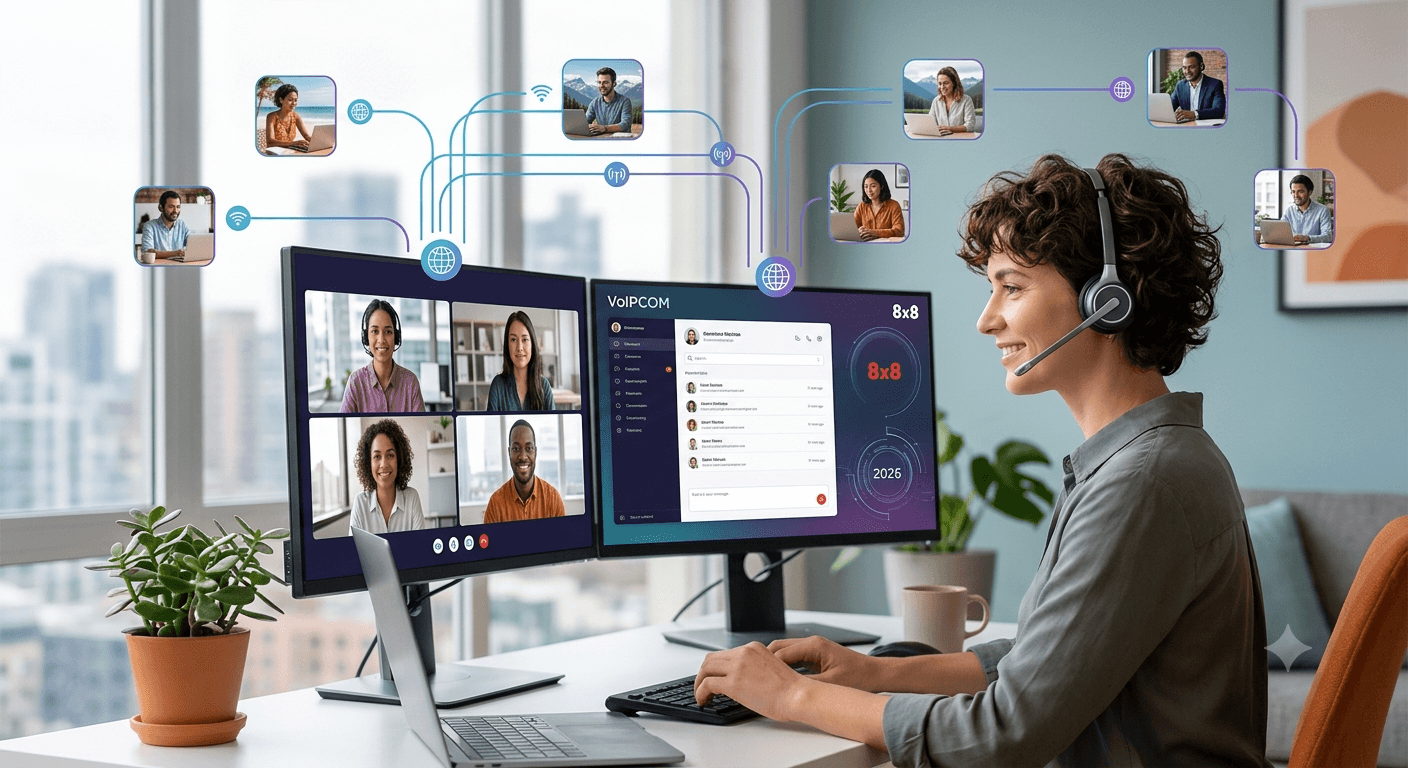
The Best VoIP for Remote Teams in 2026 provides a comprehensive communication framework that transcends geographical boundaries, allowing businesses to maintain high productivity levels regardless of where their employees are located. By utilizing cloud-based technology, these systems offer features like video conferencing, instant messaging, and seamless call routing that traditional landlines cannot match. Modern remote workforce business phone systems prioritize security and reliability, ensuring that sensitive data remains protected while providing crystal-clear audio quality. Choosing the right provider allows organizations to scale efficiently, reduce overhead costs, and foster a collaborative environment for every remote worker.
Best VoIP for Remote Teams in 2026
The landscape of modern business has shifted permanently toward flexibility, making the selection of the best VoIP for remote teams a critical decision for any forward-thinking organization. In 2026, the demand for a reliable remote worker phone system has reached an all-time high as companies abandon traditional office setups for hybrid or fully distributed models. These advanced communication platforms do more than just facilitate voice calls; they integrate various digital tools into a single interface to streamline workflows and improve employee engagement.
According to a recent study by Global Workplace Analytics, businesses can save an average of $11,000 per year per half-time remote worker, primarily through reduced real estate costs and increased productivity facilitated by efficient communication tools.
This economic incentive, combined with the need for constant connectivity, makes finding the right phone systems for remote working an essential task for management.
1. Voipcom
At a Glance
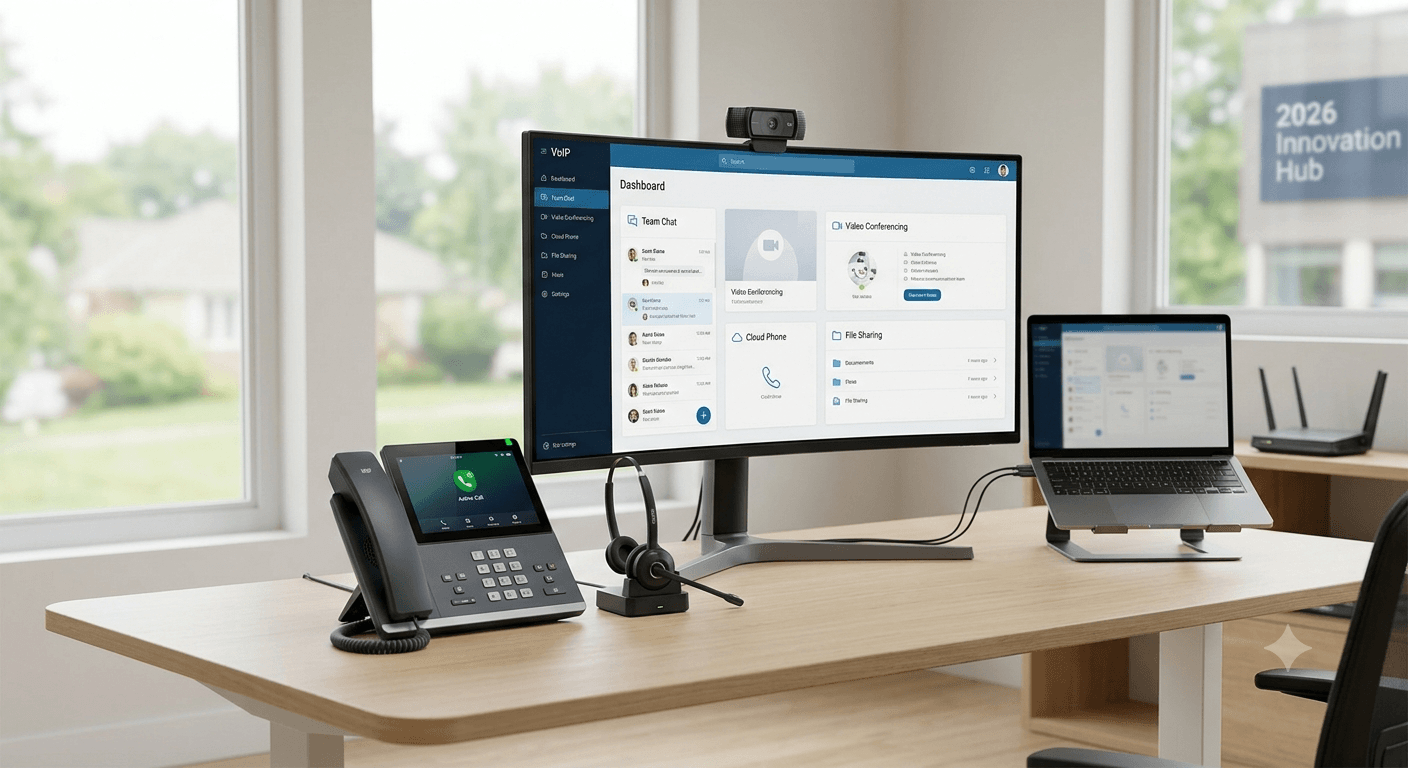
Voipcom has emerged as a leading contender in the telecommunications space by offering specialized phone options for remote employees that prioritize simplicity and high-definition audio. Their platform is built on a resilient infrastructure designed to handle high call volumes without compromising on the quality of service. It serves as a comprehensive hub for all business interactions, making it an excellent choice for companies looking for voip remote working solutions that are easy to deploy across various regions.
Core Features
- Advanced Auto-Attendant: Automatically routes callers to the correct department or individual, ensuring a professional image even for small teams.
- Mobile and Desktop Apps: Provides a consistent experience across all devices, allowing employees to take business calls on their personal smartphones without revealing their private numbers.
- Unified Messaging: Consolidates voicemail, email, and SMS into a single inbox for better organization and faster response times.
- Integration Capabilities: Connects seamlessly with popular CRM tools and productivity suites like Salesforce and Microsoft 365.
Pros
The platform is widely praised for its exceptional uptime and dedicated customer support, which is vital for any phone system to work from home effectively. Users often highlight the intuitive nature of the administrative dashboard, which allows for quick changes to call routing and user permissions without needing deep technical expertise. Additionally, the voice quality remains consistent even on lower bandwidth connections, which is a major advantage for a voip phone for home office use.
Who It’s For
This service is ideally suited for small to medium-sized businesses that require a scalable voip work from home solution without the complexity of enterprise-level hardware. It is perfect for teams that are rapidly growing and need to add new users or lines with just a few clicks. If your organization prioritizes ease of use and rapid deployment, this is one of the most effective phone systems for remote workers available today.
Unique Value Proposition
What sets this provider apart is its commitment to “Zero-Touch Provisioning,” which means hardware can be shipped directly to a remote employee and will work instantly once plugged into an internet connection. This eliminates the need for on-site IT support, making it a premier remote phone service for companies with a global footprint. The focus on reducing technical friction allows employees to focus on their core tasks rather than troubleshooting their equipment.
Real World Use Case
A digital marketing agency with thirty employees spread across three different time zones implemented this remote phone service to centralize their client communications. Before the switch, they struggled with missed calls and inconsistent client experiences because everyone used different tools. After adopting this remote employee phone system, they saw a 40% increase in lead response time because every call was tracked and routed to the available specialist instantly.
Pricing
Pricing models are structured to be transparent and affordable, usually starting with a basic tier for startups and moving toward more feature-rich plans for established firms. Most plans are billed per user per month, which helps businesses maintain a predictable budget while managing their remote office phone system costs. Bulk discounts are often available for organizations that commit to larger numbers of licenses.
2. 8×8
At a Glance
8×8 is a global powerhouse known for providing a highly stable remote phone system that caters to both small businesses and large enterprises. Their platform is recognized for its “Experience Communications as a Service” (XCaaS) model, which blends cloud-based telephony, video meetings, and contact center capabilities into one unified solution. This makes it a top choice for those seeking voip technology reliability for remote work collaboration on a global scale.
Core Features
Global Reach: Offers local phone numbers in over 100 countries, making it easier for remote office phone systems to maintain a local presence internationally.
HD Video Conferencing: Supports large-scale virtual meetings with screen sharing, recording, and transcriptions included.
Team Chat: A built-in messaging platform that reduces the need for third-party apps like Slack or Discord.
Robust Analytics: Provides deep insights into call patterns, wait times, and employee performance through a centralized data portal.
Pros
The biggest advantage of using 8×8 for a remote work phone system is the sheer breadth of its feature set combined with military-grade security. It holds multiple compliance certifications, including HIPAA and FISMA, which is a crucial factor for businesses in regulated industries. The platform also offers unlimited calling to numerous international destinations, which significantly reduces costs for companies with overseas clients or partners.
Cons
While the feature set is extensive, some users may find the interface slightly overwhelming due to the number of options available. The initial setup process can be more time-consuming compared to simpler providers, requiring a bit more planning to ensure all call flows are configured correctly. Additionally, the mobile app can occasionally be resource-intensive on older smartphone models.
Who It’s For
This is one of the best cloud-based phone systems for remote teams 2025 and 2026 for organizations that operate internationally or have complex call-handling requirements. It is an excellent fit for healthcare providers, law firms, and financial institutions that must adhere to strict data privacy regulations. Large remote workforces that need a unified platform for all types of communication will find 8×8 to be an indispensable tool.
Unique Value Proposition
8×8 stands out because of its financially backed 99.999% uptime SLA (Service Level Agreement), which ensures that your remote workforce phone system is always available. This level of reliability is rarely matched in the industry and provides peace of mind for businesses where every missed call represents lost revenue. Their integrated approach means that data flows smoothly between the phone system and the contact center module.
Real World Use Case
An international logistics company utilized 8×8 to connect their remote working phone users across Europe and North America. By using the integrated video and chat features, they reduced their reliance on multiple subscription services, saving nearly 25% on their monthly software spend. The analytics tools also allowed them to identify peak calling hours, helping them schedule their remote staff more effectively to cover high-demand periods.
Pricing
The pricing is tiered based on the specific needs of the business, with the X Series plans being the most popular for remote teams. While it may be slightly more expensive than entry-level providers, the inclusion of international calling and advanced security often results in a lower total cost of ownership. Dedicated account management is often provided for larger installations to ensure a smooth transition.
3. Comcast Business
At a Glance
Comcast Business offers a robust suite of voip for remote workers that leverages its massive network infrastructure to provide high-speed connectivity and clear voice services. Known primarily for internet services, their VoiceEdge platform is a cloud-based solution specifically designed to support the modern, distributed workforce. It provides a bridge between traditional office reliability and the flexibility required for the best business phone systems for remote teams 2025.
Core Features
VoiceEdge Desktop App: A powerful softphone that allows users to manage calls, check voicemails, and start video meetings from their computer.
Be Anywhere Feature: Allows users to bridge calls from their desk phone to any other device seamlessly, which is perfect for a phone system for remote workers.
Automated Attendant: A virtual receptionist that can be customized with different greetings for business hours and holidays.
Smart Office Integration: Works well with other Comcast services to provide a holistic technology stack for small business owners.
Pros
The main benefit of choosing Comcast for a telephone system for remote working is the reliability of the underlying network. Because they own much of the infrastructure, they can often offer better troubleshooting and faster resolution times than resellers. The system is also highly adaptable, allowing users to switch between devices mid-call without any interruption, which is a major plus for busy professionals.
Cons
One drawback is that Comcast’s services are primarily focused on the United States, which may be a limitation for companies with a significant number of international remote employees. Some customers have also noted that their pricing can be less flexible than pure-play VoIP providers, often requiring long-term contracts to get the best rates.
Who It’s For
This provider is ideal for U.S.-based businesses that already use Comcast for their internet services and want to consolidate their bills. It is a strong choice for retail businesses, local service providers, and professional offices that are transitioning to a hybrid model. If your team is mostly domestic and you value having a single point of contact for both internet and phone services, this is a top contender.
Unique Value Proposition
The unique selling point for Comcast Business is its “Connection Pro” redundancy feature, which provides an automatic 4G LTE backup if the primary internet connection fails. This ensures that your remote office phone systems remain operational even during a local power outage or internet disruption. This level of hardware-level redundancy is a significant advantage for businesses that cannot afford any downtime.
Real World Use Case
A regional accounting firm moved its entire operations to a remote model during a renovation and decided to stick with it permanently. They used Comcast VoiceEdge to ensure that their “remote phone service” was indistinguishable from their old office setup. Clients never realized the accountants were working from home because the call quality and professional greeting remained identical to their previous in-office experience.
Pricing
Pricing is usually quote-based and depends heavily on whether the phone service is bundled with internet or security packages. While the standalone VoIP price is competitive, the real value comes from the bundles which often include high-speed data. They frequently offer promotional rates for new customers that can significantly lower the initial cost of setup.
4. Cox Residential Services
At a Glance
While Cox is widely known for residential internet, their offerings for remote workers have evolved to include specific phone options for remote employees who need business-grade features at home. For many individuals, a telephone system for remote working starts with a reliable home connection that can support high-quality voice and video. Cox provides the foundational technology that allows other VoIP services to function optimally while offering their own voice solutions for home-based professionals.
Core Features
High-Speed Fiber Internet: Provides the necessary bandwidth to support multiple voip remote working devices simultaneously without lag.
Cox Voice Premier: A residential phone service that includes features like caller ID, call waiting, and three-way calling which are essential for basic remote tasks.
Malware Protection: Integrated security features that protect the home network from cyber threats, which is vital for remote workforce business phone systems.
Wifi Hotspot Access: Gives remote workers the ability to stay connected even when they are away from their home office.
Pros
The biggest pro of using Cox is the widespread availability and high speeds they offer in their service areas. For a remote worker phone system to function correctly, the “last mile” of connectivity must be stable, and Cox excels at providing this. Their customer service for residential users is generally responsive, and they offer various self-service tools for managing the network via a mobile app.
Cons
The primary limitation is that residential services may lack some of the advanced PBX features like call queuing or complex hunt groups found in dedicated business VoIP plans. Furthermore, residential agreements may have different terms regarding uptime guarantees compared to business-grade contracts. Users might need to upgrade to a business account if they require more sophisticated call-routing features.
Who It’s For
This solution is best for individual remote employees or small businesses where the owner operates primarily from a home office. It is the perfect starting point for building a voip phone for home office setup that is both cost-effective and reliable. If you are a freelancer or a solo practitioner who needs a solid foundation for your communication needs, Cox offers a practical path forward.
Unique Value Proposition
Cox distinguishes itself by offering a specialized “Elite Gamer” feature and high-performance tiers that, while marketed for entertainment, provide the ultra-low latency required for high-definition video calls. This makes their network one of the best for voip technology reliability for remote work collaboration where timing and synchronization are paramount. Their focus on the “connected home” ensures that your work tools don’t compete with other household devices for bandwidth.
Real World Use Case
A freelance graphic designer used Cox’s high-speed internet and voice services to manage a roster of national clients. By utilizing the reliable bandwidth, she was able to hold video consultations while simultaneously uploading large design files. The stability of the connection meant she never had to worry about dropped calls or choppy video during critical client presentations, proving that residential infrastructure can support professional remote working phone needs.
Pricing
Pricing for residential services is generally more affordable than enterprise-level plans, making it an attractive option for those on a budget. Plans are often available month-to-month, providing the flexibility that many remote workers desire. Bundling voice with internet and television can lead to further savings, allowing the home office to stay connected for a single monthly fee.
Business Communication Solutions Comparison
| Feature | Voipcom | 8×8 | Comcast Business | Cox Residential |
| Best For | Growing SMBs | International Enterprises | US-Based Hybrid Teams | Solo Remote Workers |
| Key Advantage | Ease of Use | Global Reach | Network Redundancy | High Speed/Low Cost |
| Mobile App | Excellent | Highly Featured | Professional Grade | Basic |
| Scalability | High | Very High | Moderate | Limited |
| Setup Time | Instant | Moderate | Professional Needed | Fast |
When evaluating these options, it is clear that there is no one-size-fits-all solution. The best cloud-based phone systems for remote teams 2025 will depend on the specific size of your team and your geographical requirements. While Voipcom offers the fastest setup, 8×8 provides the most comprehensive global features. Meanwhile, Comcast and Cox provide the reliable infrastructure that serves as the backbone for any remote worker phone system.
How to choose the best VoIP for remote workers
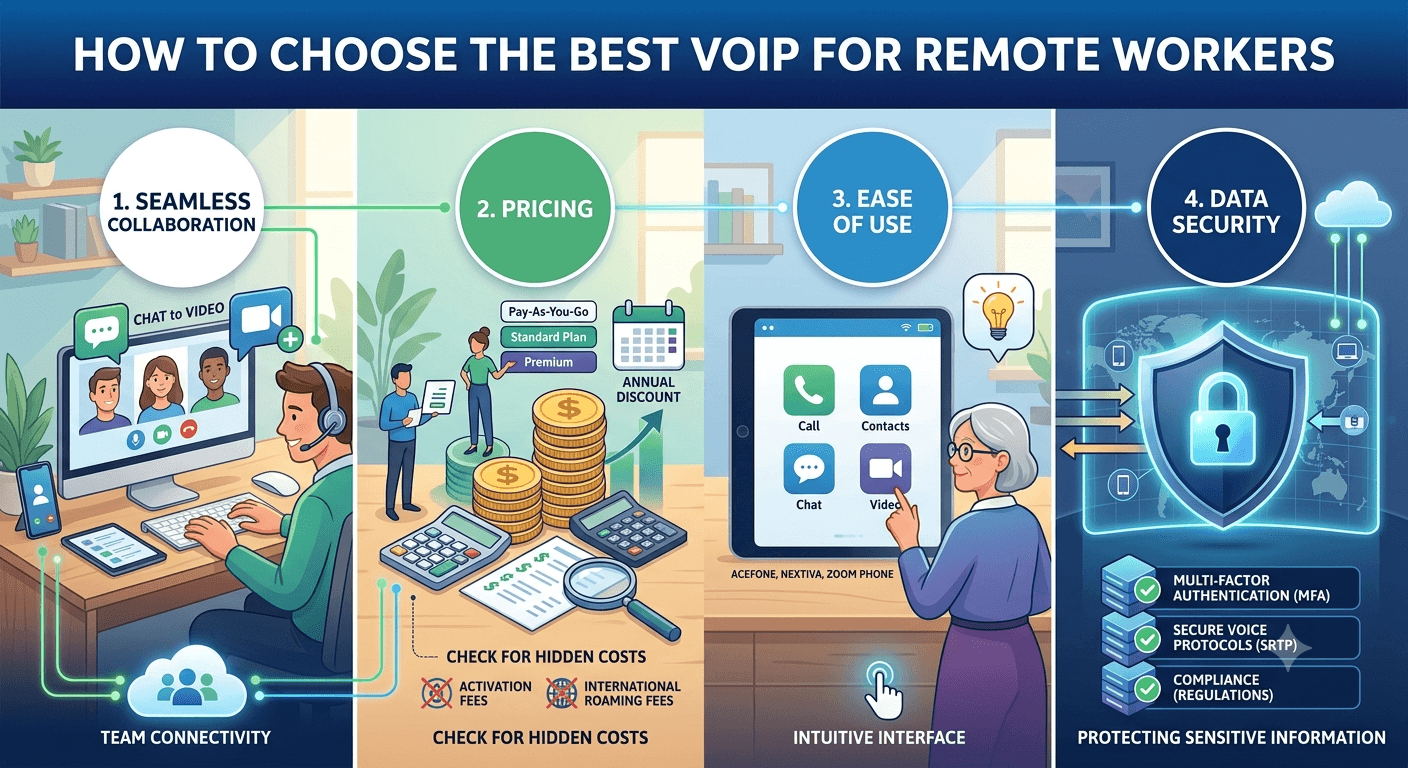
Selecting the right provider requires a strategic approach that balances technical requirements with the human needs of your team. The best VoIP for remote teams should simplify communication, not add another layer of technical frustration to the workday. To make an informed decision, you must look beyond the marketing slogans and analyze how each feature will impact your daily operations.
1. Seamless Collaboration
Communication is the heartbeat of any remote team, and your chosen system must facilitate this without barriers. Look for features such as softphone compatibility, video conferencing, instant messaging, and call forwarding/transfer. These VoIP features ensure your remote team stays connected and productive, regardless of their physical location. A system that allows a user to start a conversation as a chat and escalate it to a video call with a single click will save countless hours of transition time over a year.
Research from the Harvard Business Review suggests that “high-quality digital interactions can boost remote employee engagement by up to 20%.” Therefore, investing in a system that offers crystal-clear audio and reliable video is not just a technical choice, but a strategic investment in your team’s morale. Ensure that the platform you choose supports a wide range of devices, including tablets and laptops, to give your employees true mobility.
2. Pricing
Budgetary constraints are always a reality, so it is important to narrow down services offering flexible plans that can adjust with your team’s size. Pay-as-you-go options are ideal for growing teams, as they prevent you from paying for unused capacity. Conversely, larger teams can benefit the most from volume discounts and annual contracts that lock in lower rates. Be sure to check for hidden costs such as activation fees, international roaming charges, or extra fees for premium features like call recording.
3. Ease of Use
A user-friendly interface and dashboard are vital elements for your business’s smooth adoption. If a system is too difficult to navigate, employees will likely revert to using personal apps, which can lead to security risks and fragmented data. VoIP providers like Acefone, Nextiva, and Zoom Phone ensure that professionals from non-technical backgrounds can effortlessly use VoIP solutions. Look for platforms that offer comprehensive training resources and a clean, modern design that mimics the apps people use in their personal lives.
4. Data Security
In an era of increasing cyber threats, data security and end-to-end encryption are critical for protecting your business’s sensitive communication information. Remote teams are particularly vulnerable because they often connect via various home networks. Ensure your provider offers features like Multi-Factor Authentication (MFA), secure voice protocols (SRTP), and compliance with industry-standard regulations. A breach of client information through a compromised phone system can lead to severe legal and reputational consequences.
Read More: Call Deflection: Proven Strategies to Improve Customer Experience
Final Words
Choosing the best VoIP for remote teams in 2026 is a decision that will define how your organization communicates for years to come. Whether you opt for the enterprise-grade power of 8×8, the simplicity of Voipcom, or the solid infrastructure of Comcast and Cox, the goal remains the same: creating a unified, efficient, and secure environment for your employees. By prioritizing ease of use, scalability, and robust security, you can ensure that your remote workforce remains as connected and productive as they would be in a traditional office setting. The right technology doesn’t just bridge the gap between locations; it builds a foundation for long-term business success in a digital-first world.
FAQs
What is the best VoIP for remote teams to ensure clear call quality?
The best VoIP for remote teams depends on your internet stability, but providers like 8×8 and Voipcom are known for their high-definition audio and low-latency networks. These services use advanced codecs that optimize voice data even when bandwidth is limited, ensuring that conversations remain clear and professional regardless of where the remote worker is located.
What are the key features to look for in VoIP solutions for remote teams?
When evaluating options, you should prioritize mobile and desktop applications, automated attendants, and CRM integrations. Additionally, features like visual voicemail, team chat, and easy call forwarding are essential for maintaining a professional workflow while working from home.
How do VoIP solutions improve collaboration among remote workers?
VoIP platforms improve collaboration by centralizing all communication channels into one app. This allows team members to switch between voice calls, video meetings, and instant messaging instantly. Features like presence indicators also let colleagues know who is available, reducing the “ping-pong” effect of trying to find someone for a quick question.
How can I ensure a smooth transition to a VoIP solution for my remote team?
A smooth transition starts with a phased rollout and thorough training for all employees. It is also important to verify that every remote worker’s home internet connection meets the minimum requirements for the new system. Many providers offer dedicated onboarding specialists to help configure call flows and port existing numbers without downtime.
What cost factors should I consider when choosing a VoIP solution for remote teams?
Beyond the monthly subscription fee, consider costs for hardware (if needed), international calling rates, and any add-on features like call recording or advanced analytics. Many businesses find that they save money overall by eliminating the need for traditional phone lines and reducing their IT maintenance costs.
How can compliance and security features of VoIP solutions benefit remote teams?
Compliance features like HIPAA or GDPR readiness ensure that your business meets legal standards for data handling. Security measures such as end-to-end encryption and multi-factor authentication protect your company from eavesdropping and unauthorized access, which is especially important when employees are using various home and public networks.
Can I customize my VoIP solution to fit my remote team’s specific needs?
Yes, most modern VoIP systems are highly customizable. You can set unique ring groups, design custom IVR menus, and integrate specific software tools that your team uses daily. This flexibility allows you to tailor the communication environment to match your specific business processes and culture.
Is a special phone required for a remote employee phone system?
No, most remote workers prefer using “softphones,” which are applications installed on their existing computers or smartphones. However, if a physical desk phone is preferred, many VoIP providers offer “plug-and-play” IP phones that only require an internet connection to function exactly like an office extension.
How does voip technology reliability for remote work collaboration compare to traditional phones?
Modern VoIP technology is often more reliable than traditional landlines because it is cloud-based. If one data center goes down, the system can automatically reroute traffic to another. This level of redundancy ensures that your business stays online even during local outages, which is a significant advantage for a distributed workforce.


