Latest News

The Blog

voip blogs
Spam Risk Meaning

Spam Risk Meaning: A Comprehensive Guide

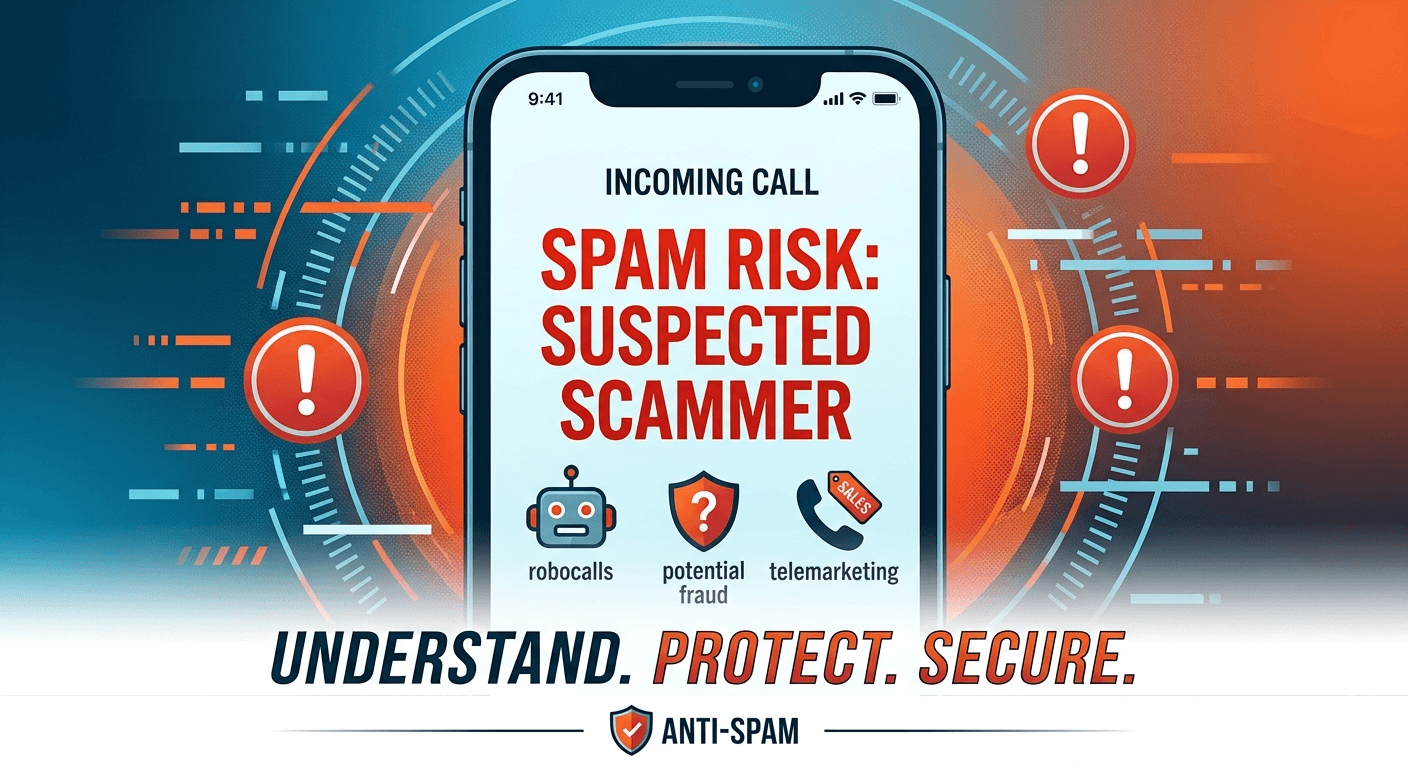
Understanding the spam risk meaning is essential for protecting your personal information and maintaining peace of mind in a digital world. When your phone displays a spam risk label, it indicates that your mobile carrier has identified the incoming call as potentially fraudulent, a telemarketing pitch, or a robocall. This identification is based on historical data, calling patterns, and databases of known scam numbers. By recognizing what is spam risk, you can make informed decisions about whether to answer or block the communication. Taking proactive steps to manage these calls helps prevent identity theft and reduces daily digital interruptions. What is Spam Risk and What Does the Label Mean? The spam risk meaning refers to a notification system used by telecommunication providers to alert users about suspicious incoming calls. When a call is flagged, your smartphone uses real-time analytics to compare the incoming number against a massive database of reported scammers and telemarketers. This system is designed to act as a first line of defense, helping you identify what is spam risk before you even pick up the device. If the calling number has been reported multiple times by other users or exhibits behavior typical of an automated dialer, the carrier attaches a warning label to the caller ID. This label can appear in various forms depending on your service provider and device type. You might see terms like potential spam, scam likely, or suspected spam caller. These warnings are generated through sophisticated algorithms that track the volume of calls coming from a single source. For instance, if one number makes thousands of calls in a single hour, it is immediately categorized under the spam risk meaning framework. This helps users distinguish between a legitimate contact and a generic call scammer trying to reach a wide audience. Essentially, the label is a signal that the call does not originate from a verified or trusted source. It serves as a digital gatekeeper, allowing you to ignore calls that are likely to be intrusive or dangerous. Understanding what does spam risk mean helps you realize that you are not being singled out; rather, you are part of a broad target list used by automated systems. These labels are part of a larger effort by the industry to restore trust in voice communications as the volume of fraudulent activity continues to rise globally. How Mobile Carriers Detect Potential Spam Mobile carriers use a combination of technologies to determine the spam risk meaning for every incoming call. One of the primary methods is through the implementation of the STIR/SHAKEN framework. This is a set of technical standards and protocols that allow carriers to verify that the caller ID information matches the actual origin of the call. According to the Federal Communications Commission, this technology is vital in reducing the effectiveness of caller ID spoofing, where scammers hide their identity behind a familiar or local number to trick recipients. Another layer of detection involves analyzing the digital “fingerprint” of a call. Carriers look at the route the call takes through various international and domestic gateways. If a call originates from a known high-risk region but appears as a local number, the system will likely trigger a spam suspected caller id warning. This multi-layered approach ensures that the spam risk meaning is applied accurately, though no system is entirely perfect. The goal is to provide a safety net that filters out the majority of high-risk interactions before they reach the consumer. Why You Suddenly Receive Tons of Spam Calls Many people wonder why they experience a sudden and random increase in spam calls. Often, this happens because your phone number has been included in a new lead list sold on the dark web or shared between marketing firms. If you recently entered your number into a contest, signed up for a new loyalty program, or provided your contact details on an unsecured website, your information may have been harvested. Once a single spammer has your number, they often sell it to others, leading to tons of spam calls all of a sudden. Data breaches are another significant factor in why you keep getting spam risk calls. When a major retailer or social media platform experiences a security leak, millions of phone numbers are exposed. Scammers use automated software to dial these numbers in bulk to see which ones are active. If you answer, even for a second, your number is marked as a “live” line, which can lead to an even greater influx of calls. This cycle explains why have spam calls increased for so many people simultaneously across different regions. Furthermore, the rise of Voice over Internet Protocol technology has made it incredibly cheap for scammers to make thousands of calls from anywhere in the world. They use software to cycle through number combinations, a process known as “wardialing.” This technology allows them to bypass traditional long-distance costs and operate at a massive scale. When combined with automated scripts, this leads to the constant spam phone calls that many mobile users find so frustrating. The sheer volume of these attempts is why is there an increase in spam calls globally. The Common Sources of Spam Risk Calls Identifying who is spam risk often leads to several common categories of callers. The most frequent source is telemarketers who work for legitimate but aggressive companies trying to sell insurance, solar panels, or extended car warranties. While these calls are annoying, they are generally not illegal. However, because they use automated dialing systems to reach thousands of people, they fall under the spam risk meaning category and are flagged by carriers to protect consumer privacy. Another major source is the “robocaller,” which is an automated machine that plays a pre-recorded message once the call is answered. These are frequently used for political campaigning, charity solicitations, or public service announcements. However, scammers also use this technology for fraudulent purposes, such as the “IRS scam” or “Social Security scam,” where they attempt to frighten people into giving up personal financial data. These types of interactions are the primary reason why people seek ways to avoid spam calls and protect their identity. The most dangerous source is the professional scammer who uses social engineering to manipulate victims. These individuals often use a local area code to appear more trustworthy, a tactic known as neighbor spoofing. They might pretend to be from your bank or a delivery service. Research by security firms suggests that the average person loses hundreds of dollars if they fall for these sophisticated phone call scam tactics. Understanding the spam risk meaning helps you realize that even if a number looks local, the underlying intent could be highly malicious. What Happens if You Answer a Spam Risk Call? One of the biggest concerns for users is what happens when you answer a spam call. The immediate consequence is that you confirm your phone number is active and monitored by a real person. This simple act makes your number more valuable to scammers, who will then add you to “high-value” lists that are sold at a premium. Once you answer, you are likely to see a significant spike in the number of calls you receive because the automated systems now know there is a human on the other end. In some cases, answering a call can lead to more direct threats. Scammers may use voice recording technology to capture your responses. For example, they might ask, “Can you hear me?” If you respond with “Yes,” they can record that snippet and use it to authorize fraudulent charges or access accounts that use voice recognition for security. This is a common tactic in call scams that target individuals who are polite or unsuspecting. It is always safer to let a flagged call go to voicemail rather than risk providing a voice sample. Additionally, interacting with a scammer opens the door for high-pressure sales tactics or emotional manipulation. These callers are trained to keep you on the line and extract as much information as possible. Even if you don’t give them a credit card number, you might inadvertently reveal your address, your birth date, or the name of your bank. This information can then be used for targeted phishing attacks later on. The spam risk meaning serves as a warning to avoid these interactions entirely to maintain your digital security. Should You Answer or Ignore These Calls? The general consensus among security experts is that you should never answer a call labeled with a spam risk meaning. If the call is truly important and from a legitimate source, the caller will leave a voicemail. Most automated spam systems are not designed to leave detailed messages, so checking your voicemail is an easy way to filter out the noise. Ignoring these calls is the most effective way to signal to automated dialers that your number is not a productive target. If you are expecting a call from an unknown number, such as a doctor’s office or a delivery service, it is still better to let it go to voicemail and call them back on their official, verified number. This prevents you from falling victim to spoofing where a scammer mimics a trusted entity. Staying disciplined and not answering is the best strategy for those who find themselves asking how to stop scam likely calls. How to Tell if a Number is a Potential Spam Caller There are several red flags that help you identify what is a spam risk call even if your carrier doesn’t label it. One common sign is the “one-ring” scam, where a number calls and hangs up almost immediately. The goal is to get you to call back, which often connects you to a high-toll international number that charges you significant fees. If you see a missed call from an unfamiliar international or out-of-state number, it is likely a scam and should be ignored. Another sign is the use of a robotic or unnatural voice when you do happen to pick up. If there is a long pause after you say “hello” before someone starts speaking, that is a clear indicator that an automated dialer is connecting you to a live agent. This delay is a hallmark of telemarketing setups. Furthermore, if the caller immediately asks for personal information or uses threatening language regarding your legal status or bank accounts, you are dealing with a phone call scam. You can also use online reverse phone lookup tools to check if a number is a spam caller. Many websites maintain community-driven lists where people report the specific scripts used by certain numbers. If you search for a number and find hundreds of complaints, you can be certain of its spam status. Learning how to detect robocalls through these behavioral and digital clues is a vital skill in the modern age where spam risk meaning is a part of our daily digital environment. Comprehensive Guide to Stop Spam Risk Calls Stopping these interruptions requires a multi-faceted approach involving device settings and third-party tools. Most modern smartphones have built-in features designed to manage calls that fall under the spam risk meaning category. By taking the time to configure these settings, you can drastically reduce the number of times your phone rings with unwanted solicitations. The goal is to create a barrier that only allows verified contacts or legitimate callers to reach you. Block Spam Calls on iPhone Apple provides a powerful feature called “Silence Unknown Callers” which is a great way to handle what is a spam risk call. To enable this, go to Settings, then Phone, and toggle on the Silence Unknown Callers option. This feature will automatically silence calls from numbers that are not in your contacts, recent outgoing calls, or Siri Suggestions. The calls are sent directly to voicemail and appear in your Recents list, allowing you to review them at your convenience without being interrupted. Block Spam Calls on Android Android users have access to a robust “See caller and spam ID” feature. In the Phone app, you can go to settings and enable “Spam and Call Screen.” This allows Google to identify what does spam risk mean for each call and even filter them out before your phone rings. Some Android devices also offer a “Call Screen” feature where Google Assistant answers the call for you and asks the caller why they are calling, providing you with a real-time transcript so you can decide if you want to take over. Block Spam Calls on a Landline For those using landlines, stopping spam can be more challenging but not impossible. Many modern landline phones come with a dedicated “Call Block” button. Additionally, you can contact your service provider to see if they offer a digital call screening service. There are also physical call-blocking devices that you can plug into your phone line which maintain a database of known spam numbers and block them automatically. These steps are essential for anyone wondering how to block potential spam on a traditional home phone. What to Do if You Accidentally Answer a Spam Risk Call? If you accidentally answer a call that carries a spam risk meaning, the most important thing to do is hang up immediately. Do not engage with the caller, even if they seem polite or use your name. The longer you stay on the line, the more information they can gather about your habits and your voice. Do not press any buttons if prompted, as this often leads to more calls rather than removing you from their list. Once you have ended the call, you should take a moment to block the number on your device. This prevents that specific source from reaching you again. It is also wise to avoid saying the word “Yes” or providing any personal details if you did speak for a moment. If you believe you gave away sensitive information like a password or a Social Security number, you should immediately contact your bank and consider placing a fraud alert on your credit report. How to Report Spam Risk Calls Reporting these calls is a vital step in helping the community and improving carrier detection. You can report spam calls to the Federal Trade Commission through their official website. This data is used to track trends and take legal action against illegal telemarketers. Additionally, you can report the number to your carrier by forwarding the spam number to 7726 (which spells SPAM on a keypad). This helps your provider improve the accuracy of the spam risk meaning labels for everyone on the network. Preventing Future Spam and Keeping Data Private Prevention is often the best cure when it comes to managing the spam risk meaning in your life. One of the most effective steps is to register your number on the National Do Not Call Registry. While this won’t stop illegal scammers who ignore the law, it will stop legitimate telemarketers from contacting you, which reduces the overall volume of calls. It typically takes about 31 days for your registration to become effective across all industry lists. Be extremely cautious about where you share your phone number online. Avoid putting your number on social media profiles or using it for unnecessary sign-ups. When you do have to provide a number, check the privacy policy to ensure they do not sell your data to third parties. Using a secondary “burner” number or a Google Voice number for online forms can also help keep your primary line clean. This is a key strategy for those looking to avoid spam calls in the long term. Regularly auditing your app permissions is another great way to prevent your number from being harvested. Some apps request access to your contacts or your phone dialer even when they don’t need it. By limiting these permissions, you reduce the risk of your data being leaked or shared with marketing aggregates. Staying vigilant about your digital footprint is the most sustainable way to address the question of why do I get so many spam calls. Why Your Own Number Might Show as Spam It can be a major problem when your own number starts showing up with a spam risk meaning to others. This usually happens because a scammer has “spoofed” your number, making it appear on other people’s caller ID when they make their fraudulent calls. When those people report the call as spam, your number gets flagged in the carrier databases. This is a common issue and can lead to you receiving angry callbacks from people you never actually dialed. To fix this, you should first check with your service provider to see if they have a process for clearing your number’s reputation. Some carriers work with third-party analytics companies that manage these labels. You can also register your number with sites like Free Caller Registry, which allows you to verify your identity with major analytics providers used by wireless carriers. This can help remove the “Scam Likely” or “Spam Risk” tag from your outgoing calls. If the problem persists, you might need to wait it out, as scammers typically rotate through spoofed numbers quickly. Once they stop using your number, the reports will cease, and the label will eventually fall off. However, if your business depends on your phone number, taking proactive steps to verify your caller ID is essential. Understanding why is my number showing up as spam is the first step in reclaiming your digital identity and ensuring your calls are actually answered. Read More: How To Get a Burner Phone Number For Ultimate Privacy Final Thought Navigating the world of modern telecommunications requires a clear understanding of the spam risk meaning to stay safe and productive. These labels are not just minor annoyances; they are critical warnings designed to protect you from sophisticated fraud and persistent telemarketing. By utilizing the tools built into your smartphone, reporting suspicious numbers, and being mindful of where you share your contact information, you can significantly reduce the impact of these calls. Remember that the best defense is often silence—letting unknown calls go to voicemail ensures that you remain in control of your digital space. As technology evolves, so do the methods of scammers, but staying informed remains your most powerful asset in the ongoing fight against unwanted spam. FAQs  What does spam risk meaning stand for on my phone? The label stands for a warning generated by your mobile carrier indicating that an incoming call matches patterns associated with telemarketing, robocalls, or known fraudulent activity. It is a protective measure based on community reports and call-pattern analytics to help you avoid answering potentially harmful or annoying calls. What happens if I answer a spam risk call? Answering the call confirms to the scammer that your number is active and monitored by a human. This can lead to your number being added to more frequent calling lists, and you may experience an increase in spam attempts. There is also a risk of voice recording or being pressured into providing personal information. How do I get rid of spam risk calls for good? While it is difficult to eliminate them 100%, you can drastically reduce them by enabling “Silence Unknown Callers” on iPhone or “Spam and Call Screen” on Android. Registering your number on the National Do Not Call Registry and using third-party apps like Hiya or RoboKiller also helps filter out the majority of these calls. Can spam risk calls be legitimate businesses? Yes, sometimes legitimate businesses that use automated dialing systems or high-volume outbound calling can accidentally be flagged. This is why it is important to check voicemails, as a legitimate business will almost always leave a message explaining the purpose of their call. Why does my number show up as a spam risk when I call people? This usually occurs if your number has been spoofed by a scammer to make fraudulent calls. Recipients then report your number as spam, causing it to be flagged in carrier databases. You can often resolve this by contacting your carrier or registering with a caller ID reputation service. What does spam risk 1111111111 mean? This is a common tactic where scammers use a clearly fake or repetitive number sequence to hide their actual identity. It is a form of spoofing designed to bypass basic filters, but most modern carrier algorithms recognize these patterns and label them with a spam risk meaning immediately. Can I mass-block spam calls on my device? Yes, by using the built-in “Silence Unknown Callers” feature on iOS or the “Filter Spam Calls” setting on Android, you are essentially mass-blocking all numbers not in your contacts. This is the most efficient way to stop a large volume of unwanted calls at once. Why am I still getting spam calls even after blocking them? Scammers constantly change the numbers they use through a process called neighbor spoofing. Even if you block one number, they can call back using a slightly different one. This is why automated filtering systems are more effective than manually blocking individual numbers. Are spam calls increasing due to AI technology? Yes, AI allows scammers to create more convincing voices and automate the process of finding active numbers more efficiently. This technology has led to a recent global increase in the volume and sophistication of spam risk calls, making protective labels more important than ever.
Read More
How to Secure Your VoIP Calls

How to Secure Your VoIP Calls: The Ultimate 2026 Protection Guide

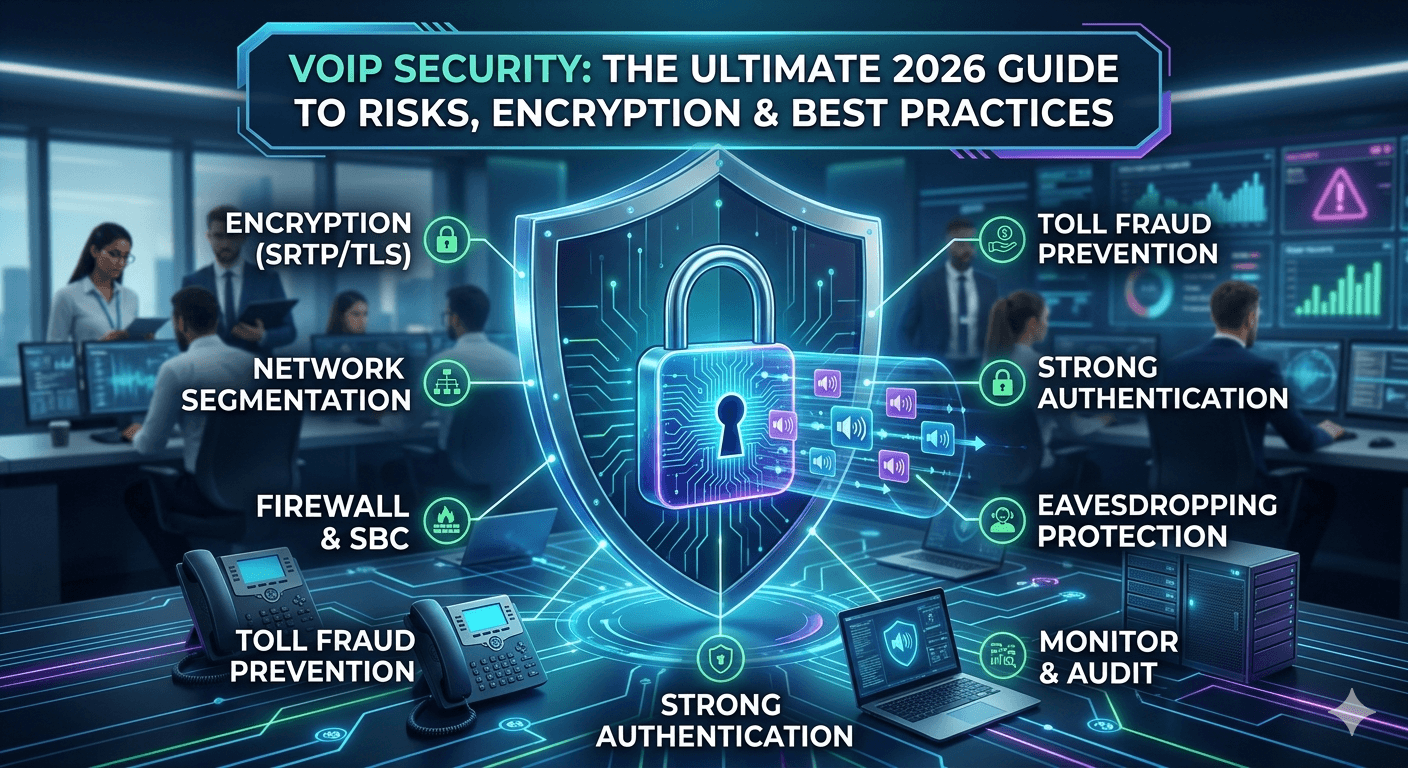
Learning how to secure your VoIP calls is essential for any modern business relying on digital communication systems. Voice over Internet Protocol technology transmits voice data over the internet, which exposes it to common cyber threats such as eavesdropping, spoofing, and unauthorized access. To effectively secure your VoIP calls, you must implement robust encryption protocols like SRTP and TLS, utilize specialized firewalls, and enforce strict authentication measures. By following industry best practices and monitoring your network traffic, you can ensure that your voice-over-internet-protocol communications remain private, compliant, and protected from sophisticated hackers and malicious attacks. Top Cybersecurity Threats & Trends In 2026 The year 2026 has introduced a new era of sophisticated cyber attacks targeting voiceover ip systems through the use of generative AI and automated exploitation tools. Hackers are now using synthetic voice technology to bypass biometric authentication, making voip security issues more complex than ever before. Recent reports from cybersecurity analysts indicate a 45% increase in automated voip attack attempts targeting mid-sized enterprises that lack dedicated voice over ip security protocols. These trends suggest that simply having a password is no longer enough to protect sensitive business conversations and proprietary data shared over the phone. Current voip security news today highlights the rise of “vishing” as a service, where criminals use compromised ip phone security to launch massive social engineering campaigns. To combat these trends, many businesses are turning to advanced voip security solutions that incorporate behavioral analytics to detect unusual calling patterns in real-time. Staying ahead of these threats requires a deep understanding of how voiceprotocol vulnerabilities are exploited and a commitment to maintaining an encrypted voip service. Organizations are also focusing more on voip pci compliance to ensure that any financial data handled over the phone meets strict international security standards. MPLS Meaning in Networking: Benefits & How It Works Multi-Protocol Label Switching, commonly known as MPLS, is a routing technique that directs data from one node to the next based on short path labels rather than long network addresses. In the context of voice over ip security, MPLS creates a private network environment that is physically separated from the public internet, significantly reducing the surface area for a potential voip attack. By using this technology, businesses can ensure that their voice and data network security providers can prioritize voice packets, resulting in higher call quality and lower latency. This dedicated path makes it much harder for external parties to intercept calls compared to standard internet-based routing. MPLS provides enhanced security by keeping voice traffic off the public internet where most voip attacks originate. It allows for Quality of Service (QoS) tagging, ensuring that call telephone traffic receives the highest priority on the network. The technology simplifies the management of complex networks by using labels to switch packets instead of looking up complex routing tables. Businesses using MPLS often see a reduction in packet loss, which is critical for maintaining a clear and reliable telophony experience. Is VoIP Secure? The question of whether voiceoverip is inherently secure depends entirely on the implementation and the specific voip security best practices used by the provider. While a basic vioip setup might be vulnerable to simple exploits, a professionally managed encrypted voip service is often more secure than a traditional analog phone line. Traditional phones are susceptible to physical wiretapping, whereas modern voip encryption makes it virtually impossible for someone to listen to your calls without the proper digital keys. Therefore, the security of your communication is a direct reflection of the ip phone security measures you choose to put in place. Many users wonder if are voip phones secure when they are used in a remote or home office setting without a corporate firewall. The reality is that voice over ip security is a shared responsibility between the service provider and the end-user. When you use a reputable provider like vonage voice over ip, you benefit from their massive investment in infrastructure protection and voip sip security news monitoring. However, if the user does not change default passwords or fails to use a secure voip connection, even the best systems can be compromised. Ultimately, is voip secure is a question that is answered by the strength of your encryption and the diligence of your network administration. Common VoIP Security Risks Understanding the various voip risks is the first step toward building a resilient communication network for your business. Because voice packets travel over the same channels as your emails and web browsing, they are subject to the same types of digital interference and malicious activity. A single vulnerability in your voiceprotocol can lead to a massive data breach or significant financial loss if not addressed by modern voip security solutions. These risks are not just theoretical; they are daily challenges faced by IT departments managing large-scale voice and data network security providers. Common vulnerabilities often stem from misconfigured hardware or outdated software that creates an opening for a voip attack. For instance, many businesses forget to update the firmware on their ip phones, leaving them open to known exploits that hackers can find easily online. Additionally, the use of a vertual phone number without proper backend security can lead to unauthorized access to your company’s internal directory. By identifying these common voip security issues early, you can implement the necessary safeguards to protect your phone calls and maintain the integrity of your business communications. 1. Eavesdropping Eavesdropping is one of the most prevalent voip security issues where an unauthorized party intercepts and listens to your private conversations. In an unencrypted environment, voice data is sent as plain text packets that can be captured using simple network sniffing tools like voipmonitor. This type of attack is particularly dangerous because it often goes undetected for long periods, allowing criminals to gather sensitive corporate intelligence or personal information. To prevent this, an encrypted voip service is mandatory, as it scrambles the data so that even if it is intercepted, it remains unreadable. 2. Call Hijacking Call hijacking involves an attacker taking control of a signaling session to redirect a call to a different destination or to insert themselves into the conversation. This is a significant concern for those managing voice over ip security because it can lead to the theft of service or the dissemination of false information. Attackers typically exploit vulnerabilities in the SIP protocol to gain control over the call session. Implementing strong voip sip security news updates and using authenticated signaling can prevent these types of unauthorized redirections from occurring on your network. 3. Distributed Denial of Service (DDoS) Attacks A DDoS attack on a voip system involves flooding the network with a massive volume of requests, effectively crashing the service and preventing legitimate phone calls. This is one of the more aggressive voip attacks that can paralyze a business’s ability to communicate with customers and partners. According to a study by the Cybersecurity & Infrastructure Security Agency (CISA), DDoS attacks against communication providers have increased in complexity, often using botnets to overwhelm even robust voip security solutions. Protecting against this requires high-capacity bandwidth and specialized filtering equipment. 4. Toll Fraud Toll fraud is a lucrative criminal enterprise where attackers gain access to your voip system to make expensive international calls at your expense. This specific voip attack can result in thousands of dollars in charges over a single weekend if the breach is not detected quickly. Criminals often target businesses with weak password policies or those that have not restricted their international calling capabilities. Monitoring call logs and setting up automated alerts for unusual calling patterns are essential voip security best practices to mitigate the risk of financial loss from toll fraud. 5. Caller ID Spoofing Caller ID spoofing occurs when an attacker manipulates the information displayed on the recipient’s phone to make it appear as though the call is coming from a trusted source. This technique is frequently used in vishing attacks to trick employees into revealing sensitive information or transferring funds. While it is difficult to stop spoofing entirely due to how the global telophony network operates, using advanced ip phone security and educating staff can reduce the impact. Evaluating the messagewhiz company vonage on otp services can also provide insights into how to better verify the identity of callers and message senders. 6. Man-in-the-Middle (MitM) Attacks In a Man-in-the-Middle attack, a hacker inserts themselves between two communicating parties to secretly relay and possibly alter the communication. This is a severe threat to voice over ip security because the attacker can record conversations, inject their own audio, or steal authentication credentials. MitM attacks often happen on unsecured public Wi-Fi networks where the hacker can easily intercept voio traffic. Using a secure voip connection with end-to-end encryption is the most effective way to ensure that your voice packets cannot be tampered with by an intermediary. VoIP Encryption: How It Works & Why It Matters Encryption is the cornerstone of any effective voip security system, providing the necessary shield against unauthorized data access. When you use an encrypted voip service, your voice data is converted into a complex code using mathematical algorithms before it ever leaves your device. This process ensures that only the intended recipient, who possesses the correct decryption key, can hear the audio. Without encryption, your voice-over-internet-protocol traffic is as vulnerable as an open postcard sent through the mail, visible to anyone who handles it along the way. There are two primary components to voice over ip security encryption: signaling encryption and media encryption. Signaling encryption, usually handled via Transport Layer Security (TLS), protects the setup information of the call, such as who is calling whom. Media encryption, typically handled by the Secure Real-time Transport Protocol (SRTP), protects the actual voice data being exchanged. Research from the International Journal of Cyber Security has shown that implementing both TLS and SRTP can reduce the risk of successful packet interception by over 99%, making it a non-negotiable standard for modern business communication. The voice signal is digitized and compressed into small data packets by the ip phone security software. Each packet is then encrypted using a strong algorithm like AES-256, which is the current industry standard for high-level security. The encrypted packets are transmitted over the network using the secure voip protocol. Upon reaching the destination, the receiving device uses a private key to decrypt the packets and convert them back into audible sound. 8 VoIP Security Best Practices For Businesses Implementing a comprehensive set of voip security best practices is the best defense against the evolving landscape of digital threats. It is not enough to simply buy a secure phone; you must also manage the environment in which that phone operates. This involves a combination of technical configurations, employee training, and constant network vigilance. By taking a layered approach to your voip security solutions, you can create a robust defense that protects your company’s reputation and financial assets from malicious actors who target voiceoverip systems. A well-secured network not only prevents attacks but also improves the overall performance and reliability of your communications. When you eliminate unauthorized traffic and protect your bandwidth, your legitimate phone calls will have better clarity and fewer interruptions. Furthermore, following these practices helps in maintaining voip pci compliance, which is essential if your business handles credit card information over the phone. Let’s explore the eight critical steps every business should take to secure their voice and data network security providers. 1. Use Encrypted VoIP Protocols The most fundamental step in securing your communications is to ensure that you are using encrypted voip protocols for all transmissions. This means moving away from standard SIP and RTP to their secure counterparts, SIPS and SRTP. These protocols provide the necessary framework for authentication and data integrity, ensuring that your voice packets have not been altered during transit. Most modern voip security solutions support these protocols out of the box, but they often need to be manually enabled and configured by your IT department to be effective. 2. Segment VoIP Traffic Network segmentation involves creating a separate Virtual Local Area Network (VLAN) specifically for your voiceover ip traffic. By isolating voice data from your regular data traffic, you limit the ability of a hacker who has compromised a computer on your network to reach your phone system. This separation also allows you to apply more stringent security rules and Quality of Service policies specifically to your voice calls. Segmenting your network is a core component of ip phone security that prevents lateral movement by attackers and reduces the overall risk of a wide-scale breach. 3. Implement Strong Authentication Unauthorized access to your voip system can be prevented by enforcing strong authentication policies across all devices and user accounts. This includes using complex passwords, changing them regularly, and implementing Multi-Factor Authentication (MFA) whenever possible. Many voip security issues arise because employees use easily guessable passwords or leave default credentials on their desk phones. By requiring a second form of verification, such as a code sent to a mobile device, you add a critical layer of protection that is much harder for a remote attacker to bypass. 4. Deploy Firewalls & SBCs A standard network firewall is often not enough to handle the specific requirements of voice over ip security. Businesses should deploy a Session Border Controller (SBC), which acts as a specialized firewall designed specifically for voip traffic. An SBC can detect and block voip attacks, handle NAT traversal, and ensure that only authorized signaling reaches your internal network. These devices are essential for protecting the edge of your network and are a staple in the offerings of top-tier voice and data network security providers like netlink voice. 5. Monitor Call Logs & Set Alerts Continuous monitoring of your call logs is essential for the early detection of fraudulent activity such as toll fraud or call hijacking. You should establish a baseline of normal calling behavior and then configure your voip security system to send alerts when it detects anomalies. For example, if your business suddenly starts making hundreds of international calls at 3:00 AM, your system should automatically flag this and potentially block the calls until they can be verified. Proactive monitoring is a key part of voip security best practices that can save your business from massive unexpected expenses. 6. Keep Systems & Firmware Updated Hardware and software manufacturers frequently release updates to patch vulnerabilities that could be exploited in a voip attack. Failing to keep your ip phone security firmware and your PBX software up to date is one of the most common mistakes businesses make. You should have a regular schedule for checking for updates and applying them across your entire infrastructure. This practice ensures that you are protected against the latest known threats discussed in voip security news today and maintains the overall health of your communication network. 7. Limit International Calling One of the simplest yet most effective ways to prevent toll fraud is to limit or disable international calling for users who do not require it. Most voip security solutions allow you to set granular permissions, ensuring that only specific employees can make long-distance calls. By restricting these capabilities, you significantly reduce the potential financial impact of a compromised account. This is a practical step in managing your voiceover ip system that requires very little technical effort but provides a high level of protection against one of the most common types of fraud. 8. Conduct Regular Security Audits Regular security audits involve a comprehensive review of your entire voip infrastructure to identify any new vulnerabilities or configuration errors. This should include testing your encryption, reviewing access logs, and even conducting simulated voip attacks to see how your system responds. An audit provides a clear picture of your current security posture and helps you prioritize improvements. Many companies choose to partner with specialized voice and data network security providers to perform these audits, ensuring an objective and expert evaluation of their secure voip phone environment. Read More: How to Get UK Number Free: Your Ultimate Global Guide Final Thought Securing your VoIP calls is an ongoing process that requires constant attention to the latest threats and a commitment to using the best available technology. As voice-over-internet-protocol continues to evolve, so too will the methods used by cybercriminals to exploit it. By implementing a combination of strong encryption, network segmentation, and proactive monitoring, you can create a communication environment that is both efficient and highly secure. Remember that the goal is not just to prevent one type of attack, but to build a resilient system that can withstand a variety of challenges while maintaining the privacy and integrity of every conversation. FAQs How secure are VoIP phone calls? VoIP phone calls are highly secure when implemented with modern encryption and security protocols like SRTP and TLS. While they travel over the internet, which is a public medium, the use of these technologies ensures that the voice data is scrambled and protected from unauthorized interception. However, the level of security depends on the specific voip security best practices followed by both the service provider and the organization using the technology. A properly configured system is generally more secure than traditional analog lines. Can VoIP calls be monitored? Yes, VoIP calls can be monitored if they are not properly encrypted, as the data packets can be captured by hackers using network sniffing tools. Without an encrypted voip service, your voice traffic is sent in a format that can be reconstructed and listened to by anyone with access to the network path. This is why using voice over ip security measures like encryption and secure gateways is critical for any business that discusses sensitive or proprietary information over the phone. How do I protect my VoIP against eavesdropping? The most effective way to protect your system against eavesdropping is to enable end-to-end encryption using Secure Real-time Transport Protocol (SRTP). This ensures that the audio data is encrypted from the moment it leaves the sender’s device until it reaches the recipient. Additionally, you should use Transport Layer Security (TLS) for call signaling to prevent attackers from seeing who is participating in the call. Implementing these voip security solutions creates a digital tunnel that keeps your conversations private and away from prying eyes. Can VoIP be encrypted? VoIP can and should be encrypted to ensure the privacy and security of digital communications. Most professional-grade voiceover ip services offer built-in encryption features that protect both the signaling and the media portions of a call. By using a secure voip connection, businesses can meet various regulatory requirements and protect themselves from data breaches. Encryption is considered the gold standard in voip security best practices and is a fundamental component of any modern communication strategy. What is the biggest threat to VoIP security? The biggest threat to VoIP security is often a lack of proper configuration and weak authentication, which leads to unauthorized access and toll fraud. When systems are left with default passwords or unpatched software, they become easy targets for automated voip attacks. Another significant threat is social engineering, where attackers use spoofed caller IDs to trick employees into giving up sensitive information. Addressing these human and technical vulnerabilities is essential for maintaining a secure voip phone system. Does a VPN improve VoIP security? A VPN can significantly improve VoIP security by creating an encrypted tunnel for all your internet traffic, including your voice calls. This is particularly useful for remote workers who may be using unsecured public Wi-Fi networks where the risk of a voip attack is much higher. By using a VPN in conjunction with an encrypted voip service, you add an extra layer of defense that makes it even harder for attackers to intercept or manipulate your communications. What is toll fraud in VoIP? Toll fraud is a type of cybercrime where an attacker gains unauthorized access to a business’s VoIP system to make expensive international calls. The criminals often sell these calling services to others or use them for their own purposes, leaving the victimized business with a massive phone bill. This is one of the most common voip security issues because it directly results in immediate financial gain for the attacker. Preventing toll fraud requires strict access controls and continuous monitoring of call patterns. Why is an SBC important for VoIP security? A Session Border Controller (SBC) is important because it acts as a specialized security gateway that manages and protects the flow of voice traffic into and out of your network. Unlike a standard firewall, an SBC understands the specific protocols used in voiceoverip and can detect threats that a normal firewall might miss. It provides essential functions like hide-topology, DDoS protection, and protocol normalization, making it a critical component of high-level voice over ip security for enterprises.

Read More
VoIP for Law Firms Key Benefits

VoIP for Law Firms: Key Benefits in 2026

Implementing a high-quality voip for law firms allows legal professionals to streamline client communications, enhance data security, and reduce overhead costs significantly. Unlike traditional landlines, a legal voip system operates over the internet, providing features such as automated call recording, advanced encryption, and seamless integration with practice management software. By adopting a modern law office phone system, firms can ensure their attorneys remain accessible whether they are in the courtroom, at home, or in the office. This flexibility, combined with professional features like interactive voice response and multi-site connectivity, makes voip solutions for law firms the superior choice for modern practice. How VoIP Improves Law Firms’ Communication The legal industry has traditionally relied on legacy hardware that often lacks the flexibility required for today’s fast-paced environment. By transitioning to a voip for law firms, partners and associates can enjoy a unified communication platform that bridges the gap between different office locations. This digital transformation ensures that every client call is handled with the highest level of professionalism, regardless of the physical location of the staff member answering the phone. Modern systems allow for a centralized management interface where administrators can oversee all communication channels from a single dashboard. Communication in a law firm is not just about making calls; it is about managing information and maintaining accessibility. Using a law firm phone system ensures that missed calls are a thing of the past, as intelligent routing can send calls to multiple devices simultaneously. This means a lawyer can answer a critical inquiry on their mobile device while traveling between meetings, maintaining a consistent professional presence. Furthermore, the ability to transition from a voice call to a video conference or a secure chat session within the same platform enhances the collaborative capabilities of the entire legal team. What is VoIP Telephony? VoIP, or Voice over Internet Protocol, is a technology that allows you to make voice calls using a broadband internet connection instead of a regular phone line. For lawyers, this means that their law office phone system is no longer tied to a desk; it is tied to their digital identity. This technology supports various devices, including specialized IP phones, computers, and mobile applications, all functioning under a single business number. It simplifies the infrastructure of the office by using the same network for both data and voice, reducing the complexity of managing separate service providers. Specific Benefits of VoIP PBX for Law Firms The implementation of a Private Branch Exchange (PBX) hosted in the cloud offers several advantages that are specifically beneficial for legal environments. One of the primary benefits is the ability to maintain a professional image through custom greetings and automated attendants that guide callers to the right department or attorney. This ensures that even small firms can appear as established and organized as their larger counterparts. Additionally, the cloud-based nature of these systems means that they are naturally resilient to local power outages or physical disasters that might take an on-site system offline. 1. Improved Operational Efficiency Operational efficiency is greatly enhanced when a legal voip system is integrated with other business applications. For instance, when a call comes in, the system can automatically pull up the client’s file in the practice management software, allowing the attorney to have all relevant case details at their fingertips. This reduces the time spent searching for information and allows the legal team to provide immediate and accurate updates to their clients. Streamlining these small interactions throughout the day leads to significant cumulative time savings for the entire firm. 2. Increased Security and Compliance Security is a non-negotiable aspect of any law practice, and modern voip for lawyers includes advanced encryption protocols to protect sensitive conversations. These systems are often built to meet or exceed industry standards for data protection, ensuring that attorney-client privilege is maintained even in a digital environment. Features like encrypted call recording and secure access controls help firms stay compliant with local and national regulations regarding data privacy. According to a report by Deloitte, professional services firms moving to cloud communications can see a productivity boost of nearly 20% due to streamlined and secure workflows. 3. Integration with Digital Tools The ability to link a law firm voip phone system with tools like Microsoft Outlook, Slack, or specialized legal software is a game-changer. This integration allows for automated logging of call times, which simplifies the billing process and ensures that every billable minute is accounted for. Instead of manually entering call durations into a ledger, the system can sync the data directly to the client’s billing account. This not only reduces human error but also ensures that the firm is compensated fairly for all the time spent on client communications. Benefits of Using VoIP Phone Systems for Your Law Practice One of the most immediate benefits that partners notice after switching to voip for law firms is the significant reduction in monthly expenses. Traditional phone companies often charge high fees for long-distance calls, maintenance, and per-line rentals that can add up quickly. A legal voip system typically operates on a subscription-based model with flat rates, including unlimited local and long-distance calling. This predictable cost structure makes it much easier for firms to manage their monthly budgets and forecast future growth without worrying about fluctuating communication bills. Beyond cost, the scalability offered by a law firm phone system is unparalleled in the world of telecommunications. As a firm grows, adding a new user is as simple as creating a new account in a web portal and plugging in a headset or IP phone. There is no need for a technician to come to the office to run new wires or configure complex hardware. This flexibility allows firms to adapt to changes in their workforce, such as bringing on summer associates or expanding into a new branch office, with minimal effort and zero downtime. VoIP PBX Features that Enhance Communication for Law Firms The features provided by a modern legal phone system are specifically tailored to meet the rigorous communication needs of a busy practice. These tools go beyond simple calling and provide a comprehensive platform for managing all client interactions. By utilizing these features, firms can improve their responsiveness and ensure that every communication is documented and accessible. This level of organization is crucial for managing complex cases that involve multiple parties and high volumes of information. Research indicates that 67% of law firms have increased their budget for cloud-based tools to support remote litigation and hybrid client consultations over the last two years. This trend highlights the growing importance of having a robust communication infrastructure that can support diverse working styles. By leveraging these features, firms can stay ahead of the curve and provide a level of service that matches the digital expectations of modern clients. 1. Efficient Call Management Call management in a legal setting involves more than just answering the phone; it requires precise routing to ensure that the right person handles the right inquiry. With a legal voip system, you can set up advanced routing rules based on the time of day, the caller’s ID, or the department they wish to reach. For example, calls regarding a specific case can be routed directly to the paralegal assigned to that matter, while general inquiries go to the front desk. This ensures that clients are connected to the most helpful resource as quickly as possible. 2. IVR (Interactive Voice Response) An IVR system acts as an automated receptionist that can greet callers and offer them a menu of options. This is a vital feature for voip for lawyers because it helps filter calls before they ever reach a staff member. A firm can set up an IVR that allows callers to hear office hours, get directions to the office, or select a specific practice area like family law or criminal defense. This not only improves the caller’s experience by providing immediate information but also frees up the administrative staff to focus on more complex tasks. 3. Call Recording Call recording is an essential feature for many law firms, providing a reliable record of client instructions and legal discussions. A voip system for law firms allows for automatic or on-demand recording that is stored securely in the cloud. These recordings can be used for training purposes, to resolve disputes regarding what was said during a call, or as a reference for complex legal details. It is important to ensure that call recording is done in compliance with local privacy laws, and modern VoIP systems provide the necessary tools to play disclosures or seek consent as required. 4. Call Forwarding and Mobility Mobility is a key requirement for modern attorneys who spend significant time out of the office. The call forwarding and mobile app features of a law office phone system allow users to take their office extension with them on their smartphones. This means that when a client calls the office number, the attorney’s mobile phone rings, allowing them to maintain a professional appearance without giving out their private cell number. This separation of personal and professional life is highly valued by many legal professionals. 5. Voicemail-to-Email Voicemail-to-email is a simple but powerful feature that sends a recording and often a transcript of a voicemail directly to an attorney’s email address. This allows for quicker review of messages, as reading a transcript is often faster than listening to a recording. It also makes it easier to archive messages by saving them directly into a client’s digital folder. This feature ensures that even if an attorney is in court all day, they can quickly scan their emails during a break to see if any urgent matters require their attention. 6. Multi-Site Connectivity For firms with multiple offices, a legal phone system can unite all locations under a single, cohesive network. This allows for free internal calling between offices, regardless of where they are located geographically. It also enables a centralized receptionist to manage calls for all locations, which can lead to significant cost savings by reducing the need for administrative staff at every site. Multi-site connectivity ensures that the firm functions as a single entity, providing a consistent experience for both employees and clients. Specific VoIP Use Cases for Law Firms Different types of law practices have unique needs when it comes to their communication systems. A solo practitioner requires a system that makes them look established and ensures they never miss a lead, while a large international firm needs a system that can handle thousands of simultaneous calls across various time zones. Understanding what are the voip solutions helpful for law firms depends largely on the scale and scope of the practice. Fortunately, the inherent flexibility of VoIP technology means it can be customized to fit any of these scenarios perfectly. Small and Mid-Size Law Firms For smaller firms, the primary goal is often professional branding and cost control. Using voip for lawyers allows a small team to have features like music-on-hold, professional greetings, and extension-to-extension dialing that make them appear larger and more organized. The low entry cost of a cloud-based legal phone system is particularly attractive for firms that want high-end features without a massive upfront investment. It allows them to compete with larger firms on a more level playing field by providing a seamless and professional client intake process. Large Firms with Multiple Offices Large firms require a law firm phone system that is robust, reliable, and capable of high-volume traffic. In these environments, the focus shifts toward advanced management tools and disaster recovery. A centralized administration portal allows the IT department to manage thousands of users and monitor system health in real-time. Additionally, the ability to quickly reroute calls in the event of an office closure ensures business continuity. Large firms also benefit from the deep analytics provided by these systems, which help in auditing communications for compliance and quality control. International Law Firms International law firms face the challenge of coordinating across different countries, languages, and time zones. A law office phone system for an international practice can provide local phone numbers in various countries, allowing international clients to call a local number to reach their legal team. This significantly lowers the barrier for global clients and enhances the firm’s international presence. Furthermore, the use of a unified voip system for law firms ensures that internal communications remain secure and cost-effective, regardless of the distance between offices. Implementing a Legal VoIP System in Your Practice The process of implementing a new legal phone system is more straightforward than most people expect. Because the system is largely software-based, there is no need for invasive construction or extensive rewiring of the office. Most law firms can transition to their new system over a weekend, ensuring that there is no disruption to their regular business operations. The key to a successful implementation is working with a provider that understands the specific needs of the legal industry and can guide you through the configuration of your new system. Evaluate your current internet bandwidth to ensure it can handle the additional voice traffic without compromising speed. Select the hardware that best fits your needs, whether it is physical IP desk phones, headsets for computers, or mobile apps. Design your call flow, including your IVR menus, ring groups, and voicemail configurations. Port your existing phone numbers to the new legal voip system to maintain continuity for your clients. Train your staff on the new features, such as call recording, conference calling, and integration with legal software. Easy Integration Without Expensive Hardware One of the best aspects of modern voip for law firms is the ability to use your existing infrastructure. If you already have high-quality computers and a reliable network, you may only need to purchase a few headsets to get started. Many firms choose to use “softphones,” which are software applications that turn a computer or tablet into a fully functional phone. This eliminates the need for expensive physical hardware and allows for a more flexible and modern workspace. For those who prefer the feel of a traditional phone, IP-enabled desk phones are available at a wide range of price points. The Importance of a Robust Internet Connection Since a legal phone system relies entirely on your internet connection, having a stable and fast broadband service is essential. It is often recommended that firms have a dedicated internet line for their voice traffic or use routers that support Quality of Service (QoS). QoS allows the router to prioritize voice packets over other types of data, like large file downloads or web browsing, ensuring that your calls are always clear and free of jitter. Investing in a high-quality internet connection is a small price to pay for the reliability and features that VoIP provides. Utilize Your Existing Hardware with ATA Adapters If your firm has invested heavily in traditional analog phones and you are not ready to replace them, you can use Analog Telephone Adapters (ATA). These small devices plug into your internet connection and allow your old analog phones to function on a voip for law firms network. This can be a great way to transition to a newer system while spreading out the cost of hardware upgrades over time. While you may not get all the advanced display features of a modern IP phone, the core benefits of a legal voip system will still be accessible to your team. No Extensive Training Required for Law Firm Staff Modern voip solutions for law firms are designed to be intuitive and user-friendly. Most attorneys and administrative staff can learn the basic functions of the system within a few minutes. The interfaces for making calls, checking voicemails, and setting up conference calls are often similar to the apps people use every day on their personal smartphones. Providing a brief training session or a simple “quick start” guide is usually all that is needed to ensure that everyone in the firm is comfortable and productive with the new legal phone system. Economic and Security Advantages of Modern Legal Phone Systems The financial benefits of adopting a voip for law firms extend beyond just lower monthly bills. The reduction in maintenance costs is significant, as there are no on-site servers to maintain or specialized technicians to hire for every minor change. Most updates and troubleshooting can be handled remotely by the service provider, which is often included in the monthly subscription fee. This allows law firms to reallocate their IT budget toward other strategic initiatives, such as cybersecurity or legal research tools, rather than just maintaining a phone line. Security remains a top priority, and a high-quality law firm phone system provides multiple layers of protection. Data centers used by top-tier VoIP providers are equipped with physical security, redundant power supplies, and advanced firewalls to prevent downtime and data breaches. Furthermore, the use of Transport Layer Security (TLS) and Secure Real-time Transport Protocol (SRTP) ensures that your calls are encrypted from end to end. This level of protection is essential for maintaining client trust and adhering to the ethical obligations of the legal profession. ROI of Implementing a Law Firm VoIP Phone System When evaluating the return on investment (ROI) for a legal voip system, it is important to look at both direct and indirect savings. Direct savings include lower call rates, reduced hardware costs, and the elimination of separate long-distance charges. Indirect savings come from increased productivity, as staff spend less time on administrative phone tasks and more time on billable work. Additionally, the ability to support remote work can lead to savings on office space and utilities, as well as improved employee retention by offering a better work-life balance. Direct cost reduction on monthly telecommunication bills by up to 50% in many cases. Reduced need for dedicated on-site IT staff to manage telephony hardware. Lower hardware acquisition costs compared to traditional PBX systems. Increased billable hours through automated call logging and tracking integrations. Read More: Best Free Messaging Apps Without Phone Number for Ultimate Privacy Final Thought Transitioning to a dedicated voip for law firms is one of the most impactful upgrades a practice can make in 2026. By combining cost-efficiency with high-end features like call recording, seamless mobility, and robust security, these systems provide a complete communication solution for the modern legal professional. Whether you are a solo attorney or part of a global firm, a legal voip system ensures that you remain connected, compliant, and professional at all times. Ultimately, the right technology allows your firm to focus on what matters most: providing exceptional legal representation to your clients. Frequently Asked Questions Do lawyers use VoIP? Lawyers across the globe have widely adopted VoIP technology because it meets their unique needs for mobility, security, and integration. A voip for law firms provides the necessary tools for remote depositions, secure client consultations, and automated billing that traditional phone systems simply cannot offer. As more legal work moves to digital and hybrid models, the use of a legal voip system has become the industry standard for maintaining professional and reliable communication channels. What is the main advantage of VoIP? The main advantage of a legal voip system is its incredible flexibility and cost-effectiveness compared to traditional landlines. It allows law firms to access a wide range of advanced features like IVR, call recording, and CRM integration without a massive upfront investment in hardware. Additionally, it provides attorneys with the mobility to work from anywhere while still appearing to be at their office desk, which is crucial for modern practice management and client satisfaction. What is a legal voip system? A legal voip system is a specialized communication platform designed to handle the specific security, privacy, and billing requirements of the legal profession. These systems often include advanced encryption to protect attorney-client privilege and integrate directly with legal practice management software to track billable time. By choosing a system tailored for lawyers, firms can ensure they stay compliant with industry regulations while enjoying the benefits of modern cloud-based telephony. Is it safe to use VoIP for confidential communications? Yes, using voip for law firms is very safe as long as the provider uses strong encryption protocols such as SRTP and TLS. These technologies scramble the voice data packets, making it virtually impossible for unauthorized parties to intercept or listen to your calls. Most reputable providers of a law firm voip phone system prioritize security and compliance, offering a level of protection that often exceeds what is available through traditional, unencrypted analog phone lines. How can VoIP improve customer service in a law firm? A legal phone system improves customer service by ensuring that clients can always reach someone who can help them. Features like automated attendants, ring groups, and find me/follow me ensure that calls are directed to the right person quickly. Additionally, the integration with client files allows attorneys to be better prepared for every call, providing a more personalized and efficient experience for the client. This responsiveness is key to building strong, long-lasting client relationships. What happens if the internet goes down? If your internet connection fails, most modern voip solutions for law firms have built-in disaster recovery features that automatically reroute calls to a mobile device or a secondary location. This ensures that your law firm phone system remains operational even if your physical office experiences a network outage. Many firms also choose to have a secondary, low-cost internet connection as a backup to ensure total continuity for their communication needs. Why is everyone switching to VoIP? Businesses and law firms are switching to VoIP because it offers more features for less money while supporting the modern need for remote and flexible work. The ability to integrate a law office phone system with other digital tools like email and billing software provides a level of efficiency that traditional phones cannot match. Furthermore, the sunsetting of old copper-wire telephone networks by many major telecommunications providers is making the transition to digital systems a necessity for all modern organizations. Can I keep my current phone numbers? Yes, you can almost always keep your existing phone numbers when you switch to a legal voip system through a process called number porting. Your new provider will work with your old carrier to transfer your numbers to the new platform, ensuring that there is no interruption in service for your clients. This allows you to maintain your established brand and contact information while upgrading your underlying technology to a more modern and capable law firm phone system.

Read More
spy dailer

What is Spy Dialer: A Comprehensive Guide

Spy Dialer is a popular web-based tool designed to help users identify the owners of mysterious phone numbers, email addresses, and physical locations. By tapping into billions of public records and using unique audio-capture technology, it allows individuals to hear a caller’s voicemail greeting without the person knowing they were searched. This platform is frequently used by people trying to avoid telemarketers or verify the identity of a missed call before responding. Because it offers a free entry point for reverse lookup services, it has become a go-to resource for those who want quick information without committing to a paid subscription or account creation. When you land on the homepage of this platform, the first thing you see is a search bar. This interface is the gateway to identifying unknown callers. You can toggle between searching for digits, names, or addresses. The system is built to handle thousands of requests per hour, making it a robust engine for those in need of immediate digital identification. The results page usually displays the name of the owner, the geographic location associated with the area code, and the type of line, such as landline or mobile. This initial search is the most critical step for anyone trying to determine if a call is worth their time or if it should be permanently ignored. What is Spy Dialer? Spy Dialer is a digital investigative tool that functions as a reverse phone book for the modern era. Unlike traditional directories that require you to have a name to find a number, this platform works in the opposite direction. It collects data from social media, public records, and commercial databases to create a comprehensive map of who owns which digits. The service is primarily web-based, which means you do not need to download an application to your smartphone to use it. This makes it a discreet choice for people who want to look up a number on a shared device. It was created to bridge the gap between expensive private investigator tools and the common person’s need for basic caller identification. The platform prides itself on being a “no-cost” option in an industry filled with paywalls. While many sites claim to be free only to ask for a credit card at the end, this service provides a significant amount of data without a mandatory payment. It has carved out a niche as a reliable first stop for verifying callers from all over the United States. How does it work? The technical process behind the scenes is quite sophisticated. When you enter a number into the search bar, the system initiates a query across multiple data streams. It looks for mentions of that number in public directories, professional listings, and even social media profiles where users have made their contact information public. One of its most unique features is the “Spy” function. When this is activated, the system calls the number in question using its own servers. It records the outgoing voicemail greeting and plays it back for you. This allows you to hear the person’s voice or business name without your own number ever appearing on their caller ID or call logs. This method bypasses the need for traditional database updates. Even if the owner of a number has recently changed, the voicemail greeting is a real-time indicator of who is currently using the line. It is a form of digital reconnaissance that provides a layer of certainty that static records often lack. Accuracy rate  Accuracy is the most debated aspect of any reverse lookup tool. Because phone numbers are recycled every few months, keeping a database 100% accurate is an impossible task. However, the combination of data scraping and audio recording gives this platform a unique edge in the market compared to competitors. The accuracy often depends on how long the person has owned the number. If a number was recently purchased, the public records might still point to the previous owner, while the voicemail feature will likely reveal the new one. This dual-verification system is what helps maintain a higher success rate for active users. The platform is quite transparent about its limitations. They state that while they have access to billions of records, they cannot guarantee a match for every single search. They emphasize that unlisted numbers or those protected by strict privacy settings may not yield a name or address. They also mention that their “Spy” feature depends on the recipient having a functioning voicemail box. If the person has not set up their voicemail or if the line is a temporary burner number, the audio capture will fail. They position themselves as a tool for “best effort” identification rather than a definitive legal resource. Independent user reviews, such as those found on SourceForge, suggest a mixed but generally positive experience. Many users report that the tool successfully identified scammers and local businesses that were calling them incessantly. The voicemail feature is frequently cited as the most reliable part of the service. However, some users have noted that the address information can sometimes be outdated. This is a common issue across the industry, as people move frequently without updating public directories. According to a study on telecommunications data, nearly 20% of residential phone records contain some form of outdated information. Users are encouraged to cross-reference the data found here with other sources. Privacy risks, legality concerns, and ethical issues  Using a tool that “spies” on a voicemail naturally raises questions about ethics and privacy. While the tool is designed for convenience, it touches on sensitive areas of digital communication. It is important for users to understand that while they are gaining information, they are also participating in a system that aggregates personal data. The ethical debate often centers on whether someone has a right to know who is calling them versus the caller’s right to privacy. In the age of massive robocall campaigns, the consensus has shifted toward empowering the recipient. However, the potential for misuse in personal disputes or stalking situations remains a concern for privacy advocates. The primary privacy risk is for the person being searched. If their information is in the database, it means their data has been collected from various sources without their explicit consent for this specific use. For the user of the site, there is the risk of their search history being logged or their IP address being tracked by the platform. There is also the risk that the information provided is incorrect, which could lead to a user confronting the wrong person. Privacy experts recommend that users of these tools should be cautious about how they use the results. Information obtained through a free reverse lookup should not be used for harassment or illegal activities. In most jurisdictions within the United States, reverse phone lookup services are legal as they utilize publicly available information. Accessing a voicemail that is intended for the public to hear is generally not considered “wiretapping” because no private conversation is being intercepted. The service operates within the boundaries of the Fair Credit Reporting Act (FCRA) by stating that its data cannot be used for employment or housing screening. However, users must be aware of state-specific laws regarding recording. While the service does the recording for you, using that audio for malicious purposes could land a user in legal trouble. As long as the tool is used for personal identification and to avoid spam, it remains a legal and helpful resource for the general public. Positives and Negatives of Spy Dialer Every digital tool has its strengths and weaknesses. Spy Dialer is no exception. Its popularity stems from its accessibility, but its limitations are apparent to those who use it for professional or high-stakes investigations. Understanding both sides of the coin helps users set realistic expectations when they hit the search button. On the positive side, the speed of the service is unmatched. You can get a name and hear a voicemail in under sixty seconds. On the negative side, the reliance on public data means that some results will inevitably be missing or incorrect. Here is a more detailed breakdown of what to expect. The interface is incredibly user-friendly and requires no technical expertise. You do not have to create an account or provide an email to see basic results. The voicemail playback feature provides a layer of proof that text-based data cannot match. It covers landlines, mobile phones, and even some VoIP numbers. The service is completely free for a standard number of daily searches. The data is pulled from a vast array of sources, increasing the chances of a match. One of the most recurring complaints is the presence of advertisements on the site. Since the service is free, they rely on ad revenue to keep the servers running. These ads can sometimes be intrusive or lead to other sites that look like lookup tools but require payment. Another common negative pattern is the “no result” return. For very new numbers or those that are strictly unlisted, the platform often comes up empty. This can be frustrating for users who are being harassed by a sophisticated caller using ghost numbers. Some users also find the audio quality of the voicemail recordings to be low depending on the connection. Is SpyDialer legitimate or misleading? The legitimacy of this platform is often questioned because of its name. The word “spy” can imply something nefarious, but in reality, the service is a standard data aggregator. It is legitimate in the sense that it provides the service it promises: a way to look up information and hear voicemails for free. It is not misleading as long as the user understands what they are getting. It does not provide private text messages or GPS locations. It only provides what is legally accessible in the public domain. When compared to “scam” sites that promise the world and deliver nothing, this platform stands out as a functional and honest tool for the average consumer. What are common problems of users of Spy Dialer? One of the most frequent issues users face is a mismatch between the search result and the actual caller. This happens because the database might not have updated to show a recently transferred number. Another problem is the frequency of “busy” signals when trying to use the voicemail feature, which occurs if the platform’s servers are overloaded with requests. Users also struggle with geographic confusion. A number might show up as being from a specific city, but the caller is actually thousands of miles away using a spoofed number. This is a limitation of the phone system itself rather than the tool. Finally, some users find it difficult to remove their own information from the site, which can be a point of frustration for privacy-conscious individuals. Best FREE Spy Dialer alternatives If you find that this specific tool isn’t meeting your needs, there are several other free options available. Each of these alternatives has a slightly different database or set of features. It is often a good idea to check a number across multiple platforms to ensure the data you are getting is consistent and accurate. Using a combination of these tools can provide a 360-degree view of an unknown caller. While one might have a better name database, another might be superior at flagging spam or identifying the specific mobile carrier. Diversity in your search strategy is the key to successful identification. 1. NumLooker NumLooker is a highly rated alternative that focuses on providing a clean, ad-free experience. It aggregates data from government records and social media to provide a comprehensive report on the caller. It is particularly good at identifying the city and state of the caller, which helps in filtering out international spam. 2. WhoCallMe WhoCallMe is a community-driven site where users leave comments about specific numbers. This is incredibly helpful for identifying telemarketers. If a number has called hundreds of people, you will see a list of complaints detailing exactly what the caller was trying to sell or scam. 3. TheNumberLookup TheNumberLookup offers a very fast search engine that is optimized for mobile browsers. It is a great choice if you are on the go and need to check a number quickly before answering. It provides basic identity information and is known for having a very high uptime, rarely suffering from server lag. 4. TrueCaller TrueCaller is perhaps the most famous alternative, functioning as a global community of users who share their contact lists. This creates a massive, live directory. It is excellent for real-time caller ID and blocking, though it does require you to download an app and share your own contact list to get the full benefits. Other PAID Spy Dialer alternatives If you are a professional or someone who needs a deep dive into a person’s background, paid services are the way to go. These platforms pay for access to “premium” data that free sites cannot afford. This includes things like criminal records, property ownership, and even deep-web mentions of a phone number. Paid services also tend to have better customer support and higher security standards. If you are using these tools for legal or business purposes, the small investment is often worth the peace of mind and the depth of the report you receive. 1. CocoFinder CocoFinder is a premium service that provides one of the most detailed background checks in the industry. Beyond just a name, it can link a phone number to family members, past addresses, and even social media accounts that aren’t publicly listed. It is a powerful tool for those who need more than just a surface-level identification. 2. Spokeo Spokeo is a well-known name in the world of people search. It uses a proprietary algorithm to merge data from online and offline sources. It is particularly useful for finding the social media footprint of a caller, allowing you to see their photos and posts to confirm their identity. 3. WhatIsThisNumber WhatIsThisNumber focuses heavily on the business side of phone lookups. It is excellent at identifying if a number belongs to a specific corporate department or a small business. Their reports are concise and designed for professionals who need to verify business contacts quickly. 4. WhoseNumber WhoseNumber provides a streamlined paid experience that is very affordable. It is a middle-ground option for those who want better data than a free site but don’t want to pay for a full-scale background check. Their interface is simple, and they provide results almost instantly. 5. Intelius Intelius is a veteran in the industry, offering some of the most comprehensive reports available. They have access to billions of public records and are often used by professionals for due diligence. If a number is out there, Intelius will likely find it, along with a wealth of supporting biographical data. Reverse number lookup apps for your mobile phone For many, a web-based search is not enough. Having an app that identifies callers in real-time as the phone rings is the ultimate convenience. Mobile apps integrate directly with your phone’s operating system, allowing them to provide instant alerts and automatic blocking of known scam numbers. These apps are essential in the modern era where “neighbor spoofing” makes every call look like it is coming from your own town. By using a database of millions of flagged numbers, these apps can warn you before you even pick up the handset. 1. Real Caller: Caller ID Real Caller provides a robust identification service that works globally. It is particularly popular for its ability to identify international numbers, which are often the source of sophisticated scams. The app is lightweight and does not drain your battery like some of the more complex alternatives. 2. Reverse Lookup: Free Phone Number Lookup This app is a straightforward tool that does exactly what it says. It provides a simple search interface for looking up numbers in your call log. It is a great choice for people who want a dedicated app without the social networking features of something like Truecaller. 3. Truecaller: Caller ID & Block As mentioned, Truecaller is the gold standard for mobile caller ID. It not only identifies callers but also has a powerful “spam blocking” feature that automatically silences calls from known telemarketers. It is a comprehensive communication suite that replaces your standard dialer app. 4. Hiya: Spam Blocker & Caller ID Hiya is known for its clean interface and high-quality data. It is a preferred choice for many because it does not have as many ads as its competitors. It provides a “reputation” score for every caller, helping you decide at a glance if you should answer or ignore the incoming call. Is it legal to use reverse phone number lookup? Yes, it is entirely legal to use these services for personal information. Most of the data provided by these platforms is part of the public record, which anyone can access if they have the time to look. These services simply automate the process of searching through thousands of databases on your behalf. However, there are legal restrictions on how you use that information. For example, you cannot use a reverse lookup to screen potential employees or tenants under the Fair Credit Reporting Act. You also cannot use the information to stalk or harass someone. As long as your intent is to identify a caller or verify a business, you are within your legal rights. Enhance your call center operations For businesses that run call centers, reverse lookup technology is a game-changer. It allows agents to see the name and history of a caller before they even answer the phone. This results in more personalized service and faster resolution times. When a customer feels recognized, their satisfaction with the company increases significantly. Integrating these tools into your CRM (Customer Relationship Management) system can also help in identifying fraudulent leads. By automatically verifying the name and location of every incoming call, you can ensure that your team is spending their time on legitimate prospects rather than automated bots or fake inquiries. Read More: Does Star 67 Still Work For Private Calls in 2026? A Complete Guide Final Thought Spy Dialer remains a unique and valuable tool in the landscape of digital identification. Its combination of public data scraping and the innovative voicemail capture feature provides a level of service that is hard to find for free elsewhere. While it has its limitations in terms of data freshness and ad presence, it serves as an excellent first line of defense against the rising tide of unknown callers and spam. By using it wisely and cross-referencing its findings with other platforms, you can navigate the digital world with much greater confidence and security. Frequently asked questions How does Spy Dialer work? Spy Dialer works by aggregating public records and using a specialized server to call a number and record its voicemail greeting. This process allows the system to gather both digital data and audio verification of a caller’s identity without alerting the person being searched. The tool essentially acts as a bridge between various public databases and your search query. How do you use Spy Dialer? You use the tool by visiting the website, selecting the search type (phone, name, address), and entering the digits into the search bar. Once you click search, the system will process the request and display any available names, locations, and line types. You can then choose to listen to the voicemail greeting for further confirmation. How do you remove yourself from Spy Dialer? To remove your information, you must visit the privacy or “Opt-Out” section of the website and submit a formal request. The platform is required by various privacy laws to allow individuals to hide their data from public searches. Once the request is processed, your name and address will no longer appear in their search results. Is there a completely free reverse phone lookup? Yes, Spy Dialer is one of the few services that offers a functional reverse lookup without requiring a paid subscription. While it may have advertisements and daily limits, it provides actual names and locations at no cost. Other sites often promise a free search but hide the results behind a paywall. How can I find the best reverse number lookup service? The best way to find a reliable service is to read user reviews on independent platforms and test the service with numbers you already know. A high-quality service should provide consistent results and be transparent about where its data comes from. Look for services that have a high rating for accuracy and data privacy. Are reverse number lookup services accurate? Most services have an accuracy rate between 60% and 80% because phone data changes so frequently. While they are generally reliable for established landlines, they may struggle with mobile numbers that have recently been reassigned. Using multiple tools is the best way to ensure the information you receive is correct. How do I find a number on Spy Dialer? Simply enter the full ten-digit phone number into the search bar on the homepage and hit enter. The system will immediately begin scanning its database for matches. If a match is found, you will be taken to a report page containing all the public information associated with those digits. Is it safe to check who called me? Yes, it is perfectly safe to use a reverse lookup tool to identify a caller. Searching for a number does not notify the owner, and it protects you from interacting with potential scammers. It is a proactive step in maintaining your digital security and privacy. Are there any mobile apps available for reverse number lookup? Yes, there are several highly-rated apps like Truecaller, Hiya, and Real Caller that provide these services on your smartphone. These apps offer the added benefit of real-time caller ID and automatic spam blocking, making them more convenient than web-based searches for everyday use.

Read More
what does nfs mean on wizz

What Does Nfs Mean On Wizz Today? Surprising Truths

Understanding what does NFS mean on Wizz is essential for navigating the fast-paced social environment of this popular discovery app. Generally, NFS stands for No Funny Sh*t, which acts as a boundary-setting acronym used by users to signal they are looking for genuine, platonic friendships rather than flirtatious or inappropriate interactions. Alternatively, it can mean Not For Sale, often used by creators or collectors to indicate that an item or an account is not available for purchase. Recognizing these nuances ensures that your communication remains respectful and aligned with the expectations of the community. Understanding Wizz: A Brief Overview Wizz has rapidly grown as a leading platform for teenagers and young adults to expand their social circles. It functions similarly to dating apps but focuses primarily on finding new friends through a swiping mechanism. Users create profiles with photos and short bios to showcase their personality. Because the app caters to a younger demographic, a unique lexicon of slang has developed to help users communicate quickly and efficiently. The platform emphasizes safe interactions by implementing various moderation tools. However, the culture of the app is largely driven by its users, who often use shorthand like NFS to set the tone of their conversations. According to a 2023 study by the Pew Research Center, nearly 60% of teens use social discovery apps to meet people outside of their immediate school environment, making the understanding of digital slang more important than ever for social success. Navigating Wizz requires a mix of digital literacy and an awareness of social cues. Since the app is designed for quick interactions, users often rely on acronyms to filter their matches. This creates a high-speed social market where knowing the right terms can be the difference between a great new friendship and a confusing misunderstanding. What Does NFS Mean on Wizz? When users ask what does NFS mean on Wizz, they are usually encountering one of two primary meanings. The most frequent usage is No Funny Sh*t. In this context, the user is explicitly stating that they are not interested in sexualized messages, “creepy” behavior, or anything that deviates from a standard friendly conversation. It serves as a protective barrier, especially for female users who may receive unsolicited advances. The second most common definition is Not For Sale. While Wizz is not a marketplace, some users show off rare digital items, usernames, or even their fashion sense. By placing this acronym in their bio, they inform others that they are not looking to trade or sell anything. This helps in reducing spam from “flippers” or people looking to buy high-value accounts or handles. Beyond these two, some might use it to mean Need For Speed if they are discussing gaming, or No Filter Sunday during weekend photo shares. However, these are less common on the Wizz interface itself. The primary goal of using this slang is to establish intent. By using three simple letters, a user can convey a complex social boundary that would otherwise take several sentences to explain. How to Use NFS on Wizz Incorporating this slang into your profile or messages can streamline your interactions. If you are looking for a straightforward friendship and want to avoid any weird vibes, placing the term in your bio is a smart move. It acts as a filter, discouraging people who might have different intentions from sliding into your direct messages. Add it to your bio to set clear boundaries from the start. Use it in a chat if a conversation starts moving in a direction you dislike. Combine it with other interests so people know your personality and your limits. Place it on specific photos if you want to clarify that the content is just for show. When you use the term in a message, it should be done naturally. For example, if someone asks what you are looking for on the app, replying with “Just looking for new people to talk to, NFS” is a polite but firm way to establish the ground rules. It shows that you are experienced with the app’s culture and that you value clear communication. Using what does NFS mean on Wizz correctly helps in maintaining a positive reputation on the platform. It prevents you from being seen as someone who doesn’t understand social norms. By being direct, you actually attract like-minded individuals who are also there for genuine social discovery rather than anything complicated. NFS Meanings Across Different Platforms The beauty of internet slang is its versatility, but this can also lead to confusion. While on Wizz it usually relates to social boundaries, other platforms have different priorities. On Instagram, for instance, it frequently stands for No Filter Sunday. Users post raw, unedited photos of themselves to promote body positivity and authenticity. On Snapchat, the term might be used in a similar way to Wizz, but it also frequently pops up in the context of “New Friends Snapping.” This variation is used when someone wants to increase their snap score or find new people to maintain streaks with. It is important to look at the context of the platform to determine which version is being used. Instagram: No Filter Sunday or Not For Sale (for artists). Snapchat: No Funny Sh*t or New Friends Snapping. TikTok: Need For Speed (often related to car culture or gaming). Twitter (X): Not Following Some (less common but used in niche groups). Digital communication is fluid, and a term can migrate from one app to another while picking up new meanings. A research report from the Smithsonian Institution highlights that digital slang evolves faster than traditional language because of the high frequency of interaction in online spaces. This means staying updated on what does NFS mean on Wizz is part of a larger effort to remain digitally fluent. The Evolution of NFS in Online Communication The term NFS has been around since the early days of internet forums and instant messaging. Originally, it was almost exclusively used in car enthusiast circles to refer to the popular video game franchise Need For Speed. As the internet expanded into social media, the acronym began to be repurposed by different subcultures to suit their specific needs. In the mid-2010s, the rise of “hypebeast” culture and online reselling on platforms like eBay and Grailed gave “Not For Sale” a massive boost in popularity. Collectors would post their items just to show them off, adding the tag to prevent an influx of offers. This usage eventually bled into social apps like Wizz where personal style is a big part of one’s digital identity. The “No Funny Sh*t” iteration is the most recent evolution, gaining traction alongside the rise of Gen Z-dominated apps. It reflects a growing desire for transparency and safety in digital spaces. As young people became more vocal about their boundaries, they needed a shorthand to communicate those boundaries instantly. What started as gaming jargon has now become a tool for social safety and identity expression. NFS Etiquette: Best Practices for Usage Even though slang is informal, there is still a right and wrong way to use it. When you are figuring out what does NFS mean on Wizz, you should also consider the etiquette surrounding it. Using it too aggressively can make you seem unapproachable or hostile, which might defeat the purpose of being on a social discovery app. Don’t use it in every single sentence; once in the bio or once in a chat is enough. Make sure the context is clear so people don’t think you’re talking about a video game. Respect others when they have it in their profile by not pushing their boundaries. Keep your tone light unless someone is being genuinely disrespectful. If you see someone with NFS in their bio, the best approach is to lead with a common interest. Avoid making comments about their appearance right away, as this can sometimes trigger the “No Funny Sh*t” boundary. Instead, ask about their favorite music, a hobby mentioned in their profile, or a funny prompt they have answered. Understanding the social nuances of what does NFS mean on Wizz allows you to build better connections. It shows that you respect the “unspoken rules” of the community. When everyone follows these small etiquette points, the app becomes a much safer and more enjoyable place for everyone involved. Responding to NFS Messages on Wizz If someone sends you a message containing this acronym, or if you see it in a chat, don’t panic. Usually, it is not a personal attack but rather a clarification of terms. If a girl says “I’m just here for friends, NFS,” the best response is to acknowledge it and move on with a friendly topic. You could say, “Totally get that! I’m just looking for people to game with anyway.” Responding correctly shows that you are a high-value user who understands consent and boundaries. If you ignore the tag and continue to be flirtatious, you will likely be blocked or reported. Wizz takes user safety seriously, and repetitive boundary-crossing can lead to account bans. Acknowledge the boundary immediately to show you understand. Shift the conversation to a neutral or shared interest. Do not ask “what does that mean?” in a defensive way; if you don’t know, look it up. Maintain a polite and respectful tone throughout the interaction. Sometimes, a user might use it in a joking way. If you’ve been chatting for a while and things are going well, they might say “NFS but your music taste is actually good.” In this case, they are using it to emphasize that they are being serious or “no cap” about their compliment. Reading the room is vital when interpreting what does NFS mean on Wizz in a live conversation. Common Misconceptions About NFS One of the biggest mistakes people make is assuming that NFS always refers to the video game. While many Wizz users do play games, it is rarely the primary meaning in a social context. Another misconception is that people who use “No Funny Sh*t” are “boring” or don’t have a sense of humor. In reality, they are usually just protecting themselves from the overwhelming amount of weirdness that can happen on anonymous apps. Some also confuse NFS with NSFW (Not Safe For Work). These are very different terms. While NSFW refers to explicit content, NFS on Wizz is often the exact opposite—a request for the conversation to stay clean and appropriate. Getting these two mixed up can lead to very awkward situations. Another myth is that only girls use this acronym. While it is true that many female users use it to deter creeps, many guys use it too. They might use it to mean “Not For Sale” regarding their outfit or “No Funny Sh*t” because they genuinely just want to find a group to play sports or games with. Slang on Wizz is gender-neutral and serves the same purpose of clarity for everyone. Alternatives to NFS on Wizz If you find that the term doesn’t quite fit your style, there are plenty of other ways to say the same thing. The goal is to be understood, so using more common language can sometimes be even more effective. Depending on which meaning of what does NFS mean on Wizz you are trying to convey, you might choose one of these alternatives. “Friends only” – Very clear and leaves no room for interpretation. “Platonic vibes” – A bit more modern and trendy. “No creeps” – Direct, though a bit more aggressive. “Not trading” – Use this if you mean “Not For Sale.” “Serious inquiries only” – Used if you are looking for specific types of friends or collaborators. Using alternatives can help you stand out if your bio is starting to look like everyone else’s. However, the reason NFS is so popular is because it is a “trigger word” that the brain processes quickly while swiping. If you want to ensure your boundary is seen at a glance, the acronym is usually the way to go. Regardless of the specific words you choose, the underlying principle remains the same: successful social discovery requires clear intentions. In the digital age, where we often communicate with strangers through a screen, these tiny linguistic markers act as the “body language” of the internet. They tell people how to approach us without us ever having to say a word out loud. The Impact of NFS on Digital Communication The widespread use of terms like these marks a shift in how we handle social interactions online. We are moving toward a more “modular” form of communication where we can toggle different social modes using slang. By understanding what does NFS mean on Wizz, we are participating in a global culture that values efficiency and safety. Linguists have noted that the use of “gatekeeping” slang like this helps create a sense of belonging within an app’s community. It separates the “insiders” who know the culture from the “outsiders” who might be there for the wrong reasons. This self-policing mechanism is one of the ways digital communities stay healthy without constant heavy-handed moderation from the app developers themselves. Ultimately, the impact is positive. It allows users to express their needs and boundaries in a way that is culturally relevant. It reduces friction in conversations and helps people find what they are looking for faster. As we continue to spend more time in digital spaces, the evolution of these terms will likely continue, further refining how we connect with one another across the globe. Read More: Proven Ways to Fix What is Message Blocking Active for Reliable Texting Final Thought Navigating the world of Wizz can be a fun and rewarding experience if you know the language of the land. Understanding what does NFS mean on Wizz is just the first step in becoming a savvy user. Whether you are using it to keep things “No Funny Sh*t” or to let people know your cool sneakers are “Not For Sale,” you are using a powerful tool for clear communication. Remember to always be respectful of others’ boundaries, stay updated on the latest slang, and use the platform to build genuine connections. By mastering these small details, you ensure that your time on the app is safe, productive, and filled with great new friendships. Frequently Asked Questions What does NFS mean in text wizz? In the context of the Wizz app, NFS most commonly stands for No Funny Sh*t. This means the user is looking for a platonic friendship and wants to avoid any inappropriate, sexual, or “weird” messages. It is a way for users to set a clear boundary right from the start of a conversation. Less frequently, it can also mean Not For Sale, especially if a user is showing off a specific item or account handle that they aren’t willing to trade. What does NFS mean for a girl? When a girl uses NFS on her profile or in a chat, she is almost always saying No Funny Sh*t. It serves as a warning to other users to keep the conversation respectful and non-flirtatious. Given that many people use discovery apps for dating, girls use this acronym to filter out those who aren’t interested in a simple, platonic friendship. It is an essential tool for maintaining personal safety and comfort on the app. How is NFS used in Wizz conversations? It is typically used in a user’s bio to set an overarching rule for anyone who matches with them. However, it can also be used during a chat if the other person starts becoming too forward. For example, if a conversation turns sexual, a user might reply with “NFS” to shut down that line of talk and steer the conversation back to a friendly territory. What does NSF mean in Wizz? While NFS is common, some users might accidentally type NSF, which usually stands for Not So Fast or Not Sufficient Funds. In most cases on Wizz, if you see NSF, it is likely a typo for NFS. However, it is always best to look at the context of the sentence to see if they are trying to tell you to slow down the pace of the conversation. What does NFS mean on Instagram? On Instagram, NFS usually stands for No Filter Sunday. This is a trend where users post photos without any editing or beauty filters to show their natural selves. It can also mean Not For Sale in the captions of artists, photographers, or fashion collectors who want to show off their work without being bombarded with purchase offers from followers. What Does NFS Mean on Snapchat? On Snapchat, NFS can have a few meanings depending on the group. It often means No Funny Sh*t, similar to Wizz, but it is also widely used for New Friends Snapping. This is used when someone wants to add new people to their friend list to increase their activity or snap streaks. Always check the user’s “Story” context to see which one they mean. What does NFS mean, UK slang? In the UK, NFS follows the global digital trend of meaning No Funny Sh*t. However, in some niche UK car communities, it still strongly refers to the Need For Speed video game series. In general urban slang across London and other major cities, it is used to emphasize that someone is being serious or truthful about a situation, similar to saying “on my life” or “no cap.” What does NF mean in text? NF usually stands for No Fear or Not Following. In some contexts, it can also refer to the popular rapper NF, known for his emotional and clean lyrics. On Wizz, if someone uses NF instead of NFS, they might be saying they aren’t following the “vibe” or they have “no fear” regarding a certain topic. It is much less common than NFS on the platform.

Read More
what does nfs mean on wizz today

What Does Send As Text Message Mean For Your Privacy? Critical Insights

Understanding what does send as text message mean is vital for anyone using a modern smartphone to communicate across different networks. Essentially, when a device prompts you to send a message this way, it indicates that the primary internet-based messaging service, such as iMessage or RCS, is currently unavailable or failed to deliver. The phone then offers to revert to the traditional Short Message Service (SMS) protocol provided by your cellular carrier. This fallback ensures your communication reaches the recipient via cellular signal rather than a data connection, though it may lack features like read receipts or high-quality media. What Does “Sent as SMS” Mean? The phrase sent as sms refers to the transmission of a text message through the standard cellular network rather than over an internet data connection. In the early days of mobile phones, all text message text was sent this way. Today, most smartphones prefer internet-based protocols because they are faster and offer more features. When a notification appears stating a message was sent as an sms mean, it usually implies that the data-rich alternative failed for some reason. This could be due to a poor internet connection, the recipient’s phone being offline, or a mismatch in device types. SMS uses a specific part of the cellular network that was originally designed for signaling rather than data. Because of this, it is highly reliable even in areas with very weak signal. When you encounter what does send as text message mean, you are essentially seeing the phone’s backup plan in action. While modern apps like WhatsApp or Telegram handle their own delivery, native apps on iPhone and Android are designed to switch between internet and cellular protocols seamlessly. This ensures that the message sent as sms reaches its destination even if the internet fails. A significant distinction exists between internet messaging and cellular messaging regarding costs and limits. Many cellular plans offer unlimited sms messages text messages, but some may still charge per message, especially for international communication. Understanding what is sent as sms helps users avoid unexpected charges on their monthly bill. Furthermore, sms or text message delivery lacks the end-to-end encryption found in modern data protocols, meaning it is technically less secure than an encrypted iMessage or RCS thread. What “Sent as SMS” Mean on iPhone For iPhone users, the distinction between blue and green bubbles is a constant topic of conversation. When an imessage sending as text occurs, the bubble color changes from blue to green. This shift happens because iMessage requires both the sender and the receiver to have an active internet connection and a registered Apple device. If these conditions aren’t met, the device will ask what does send as text message mean or simply perform the fallback automatically. This transition ensures the text message text message is delivered regardless of the recipient’s device type. There are several technical reasons why an iphone to iphone sent as text message might happen. If the recipient has their phone turned off or is in an area with no data coverage, the Apple servers cannot route the message through iMessage. In this scenario, the sender’s phone will wait for a short period before deciding to resend the content. If the setting for “Send as SMS” is enabled in the iOS settings, the phone will push the message through the carrier’s network, resulting in the green bubble. This is what is meant by sent as sms on iphone. The recipient does not have an Apple device. The sender or receiver has a weak or non-existent data connection. The iMessage server is experiencing a temporary outage. The recipient has disabled iMessage in their device settings. Research from organizations like Juniper Research indicates that despite the rise of over-the-top (OTT) messaging apps like WhatsApp, the volume of carrier-based SMS remains massive, partly due to these automated fallback mechanisms. When an imessage sent as text message occurs, it demonstrates the resilience of the SMS protocol. Even if the sophisticated Apple infrastructure fails, the 30-year-old SMS system remains as a reliable backbone for global communication. This explains why does my text message say sms even when both parties are using high-end smartphones. What “Sent as SMS” Mean on Android Android devices have recently moved toward a standard called Rich Communication Services (RCS). Similar to iMessage, RCS allows for typing indicators, high-resolution photos, and read receipts. However, when an android user sees what does send as text message mean, it often points to a breakdown in the RCS connection. This could happen if the person they are texting is using a legacy device or if the carrier does not fully support the RCS standard yet. The message then reverts to a standard text send text format. On Android, the status might appear as sms via server or simply show a small icon indicating the message was delivered via the carrier. This often happens in group chats where one member might not have RCS enabled, forcing the entire conversation to downgrade to the lowest common denominator. Understanding what is send as sms on Android is important for troubleshooting why certain features, like reacting to messages with emojis, might suddenly stop working. When the protocol switches, the level of interaction allowed by the software changes significantly. Check the “Chat features” or “RCS” settings in the Google Messages app. Observe the status icon next to the message timestamp. Verify if the recipient is using a device that supports modern messaging standards. Ensure that cellular data or Wi-Fi is active and stable. The transition to sms text messaging texting on Android is a frequent occurrence in regions with inconsistent 4G or 5G coverage. According to a report by the GSMA, while RCS adoption is growing, billions of people still rely on standard SMS for daily tasks. When a user wonders what does it mean sent as sms, they are often experiencing the device’s attempt to prioritize delivery over rich features. This ensures that a critical text sent as sms meaning is not lost just because the data signal dipped for a moment. How to Manage SMS Fallback on Your Phone Most users prefer to have control over how their messages are delivered. If you find yourself asking what does send as text message mean and wanting to prevent it, you can adjust your settings. On an iPhone, navigating to Settings, then Messages, allows you to toggle the “Send as SMS” switch. If you turn off sms messaging fallback, your phone will only attempt to send iMessages. If the internet is down, the message will simply fail to send rather than switching to the cellular carrier. Managing this setting is crucial for users who have limited text messaging plans or those who frequently communicate with people in different countries. An accidental resent as sms meaning could lead to international texting fees if not handled correctly. By knowing what does send as sms mean on iphone, users can make informed decisions about whether the cost of the message is worth the convenience of instant delivery. Some users prefer to leave it on so that they are never “out of reach,” while others turn it off to save money. Navigate to the settings menu of your native messaging app. Look for “Fallback” or “SMS” options within the advanced settings. Decide if you want the phone to automatically resend failed data messages. Monitor your message history to see how often the protocol switches. When you understand what is send as sms, you realize it is a tool for reliability. However, it can also lead to fragmented conversations. For instance, if you send a message that was sent as a text message on iphone, it won’t sync with your other Apple devices like an iPad or Mac as seamlessly as an iMessage would. This is because standard SMS is tied to the phone’s SIM card rather than a cloud-based account. Keeping these settings optimized ensures a smoother user experience across all your digital touchpoints. High-Volume Texting Calls for a Purpose-Built Messaging Platform While personal phones handle what does send as text message mean on an individual basis, businesses face a different set of challenges. Sending thousands of messages to customers requires a more robust system than a standard smartphone. Personal phones are not designed for high-volume text sent as sms meaning, and carriers often flag high-frequency messaging from personal numbers as spam. This can lead to your number being blocked or messages never reaching their intended audience. A purpose-built messaging platform handles the complexities of sms was sent statuses and delivery reports on a massive scale. For a business, understanding what does it mean sent as text message is the difference between a successful marketing campaign and a total failure. These platforms use short codes or verified long codes to ensure that messages bypass the standard spam filters that individual phones are subject to. This ensures a much higher delivery rate for critical alerts, appointments, and promotional offers. Furthermore, these platforms provide analytics that personal phones simply cannot offer. Instead of wondering what is sent as sms, a business owner can see exactly how many people opened the message, clicked a link, or opted out. This level of data is essential for modern commerce. As consumer behavior shifts toward mobile-first interactions, the reliance on professional SMS infrastructure has grown. Businesses that try to run operations through a standard “text message text” approach often find themselves overwhelmed by technical limitations and compliance issues. Switch From Phone-Based Texting to Better SMS Delivery With Textellent For those who have outgrown the limitations of their personal device and are tired of questioning why does text say sent as sms, professional services offer a streamlined solution. Platforms like Textellent allow users to manage their messaging from a desktop interface, providing much better visibility into the communication chain. This transition removes the guesswork of what is sms in text messages and replaces it with a reliable, searchable, and professional communication hub. By moving away from phone-based limitations, you gain access to features like automation, templates, and integration with customer relationship management (CRM) systems. When a message sent as text message leaves a professional platform, it is tracked through every step of the process. You no longer have to worry about why does my text send as sms; instead, you focus on the content and the timing of your outreach. This professionalization of texting is a trend that continues to gain momentum as businesses prioritize mobile engagement. Consolidate all customer communications into a single, organized dashboard. Use automated triggers to send messages based on customer actions. Maintain a history of every sms text messaging texting interaction for better service. Scale your messaging efforts without risking carrier blocks or spam filters. The shift to these platforms also addresses security and compliance. Unlike a standard text send text, business platforms often include built-in tools for managing opt-ins and opt-outs, ensuring that the company remains compliant with laws like the TCPA. When you stop asking what does ‘sent as sms’ mean and start using a dedicated tool, you take a significant step toward professionalizing your brand’s digital presence. Technical Reasons for SMS Protocol Dominance Despite the ubiquity of high-speed internet, the SMS protocol remains dominant for several technical reasons. One primary factor is its ability to operate on the “control channel” of cellular networks. This means that even if a cell tower is congested with thousands of users trying to stream video, a small text message text message can still slip through the signal noise. This inherent priority makes it the perfect choice for emergency alerts and two-factor authentication (2FA) codes. Another reason for the longevity of the sent as sms means status is its universal compatibility. Unlike proprietary systems like iMessage, which only work on Apple hardware, or WhatsApp, which requires a specific app installation, SMS works on every single mobile phone ever manufactured. Whether you are using a $1,500 smartphone or a $20 “burner” phone, you can receive an SMS. This universal reach is why most organizations still use it for their most important notifications. A 2022 study by the CTIA found that wireless providers in the United States alone handled over 2 trillion SMS and MMS messages. This staggering number highlights that while the internet is the future, the SMS protocol is the present. When someone asks what does it mean sent as sms, the answer is often a testament to a technology that has stood the test of time, adapting to every new generation of mobile connectivity from 2G to 5G. The Security Implications of SMS vs. Data Messaging When a message is sent as a text message, it travels across the cellular network in a way that is not end-to-end encrypted. This means that while it is difficult for a random person to intercept your text, the carrier and potentially government agencies have the technical ability to read the message content. This is a major point of contrast with services like iMessage or Signal, where the messages are scrambled in a way that only the sender and receiver can decode. For this reason, experts often suggest that sensitive information should not be shared via a standard sms mean connection. If you see your conversation has turned green on an iPhone, it is a visual indicator that your level of privacy has shifted. While it is perfectly fine for casual conversations about dinner plans, it is not the ideal medium for sharing passwords or financial details. Understanding what does send as text message mean from a security perspective is a key component of modern digital literacy. Standard SMS lacks end-to-end encryption. Messages can be stored on carrier servers for a period of time. SMS can be susceptible to “SIM swapping” attacks. Internet-based apps offer more robust privacy settings. Despite these concerns, the convenience of the sent sms remains unmatched. For the average user, the trade-off between absolute security and the guarantee of delivery is usually worth it. However, as cyber threats become more sophisticated, the industry is pushing for wider adoption of RCS, which aims to bring iMessage-like security to the Android world. This would eventually eliminate many of the privacy concerns currently associated with what is sent as sms. Read More: How to See Blocked Messages on iPhone? 7 Simple Steps Final Thought Understanding the mechanics behind what does send as text message mean empowers you to navigate your digital social life with greater clarity. Whether you are dealing with a green bubble on an iPhone, a protocol switch on an Android, or a high-volume business campaign, the transition to SMS is a sign of a system trying to stay connected. While it may lack the bells and whistles of modern data-based apps, the humble text message remains the most reliable and universal way to reach someone across the globe. By keeping an eye on your settings and recognizing when a message has been sent as a text message, you can ensure that your communication is as secure, cost-effective, and successful as possible. FAQs  Does “sent as SMS” mean I’m blocked? Generally, no. If a message is sent as an SMS, it usually means the internet-based service is unavailable. However, if your messages were always blue (iMessage) and suddenly they always go green and stay that way, it could be a sign of being blocked, but it is not a definitive proof. Usually, it is just a network issue or the other person has changed their device. Does “sent as SMS” mean their phone is off? Yes, this is a very common reason. When an iPhone cannot reach another iPhone via Apple’s servers because the recipient’s phone is powered down or has no data, it will often attempt to send as text message to ensure delivery once the phone is turned back on or enters a cell-service area. Does “sent as SMS” mean it’s been delivered? Not necessarily. “Sent” means the message has left your device and reached the carrier’s network. It does not confirm that the recipient has received it on their handset. Unlike iMessage or RCS, standard SMS does not always provide a “Delivered” or “Read” receipt unless specifically supported and enabled by both carriers. Why are my messages being sent as SMS? This happens when your phone cannot establish a data connection with the messaging server or the recipient. Common causes include poor Wi-Fi, disabled cellular data, the recipient using a non-Apple/non-RCS device, or temporary outages in the messaging service’s infrastructure. What does it mean when a text says “send as text message”? It means your phone tried to send the message using a data-based service (like iMessage or RCS) and failed. It is now asking for your permission—or informing you—that it will use the traditional cellular SMS protocol to get the message through instead. Should I turn on send as text message? For most people, yes. Keeping this setting on ensures that your messages are delivered even when you or your recipient have poor internet. However, if you have an expensive per-text plan or are texting someone internationally, you might want to keep it off to avoid unexpected charges. Am I blocked if it goes green? Going from blue to green does not automatically mean you are blocked. It more frequently indicates that the recipient has no internet connection, has turned off iMessage, or has switched to an Android device. If you are blocked, the message might go green, but it will never show a “Delivered” status. Does a text go through if it says sent as SMS? Yes, the purpose of sending as an SMS is to ensure the text actually goes through. It is the backup method designed to be more reliable than internet messaging in low-signal areas. As long as you have at least one bar of cellular service, the message should eventually reach the recipient.

Read More
how to find owner of phone number

How to Find Owner of Phone Number? Proven Methods

Learning how to find owner of phone number is a crucial skill in an era where unknown calls and persistent telemarketers are a daily occurrence. To identify the person behind a mystery call, you can utilize reverse phone lookup tools, search engines, or social media platforms. By entering the digits into a reliable database or using a search engine like Google, you can often reveal the caller’s name, location, and even their service provider. This process helps in distinguishing between legitimate business inquiries and potential fraudulent activities, ensuring you stay protected while maintaining clear communication. Essential Steps to Find a Phone Number Owner Starting your search for a mysterious caller does not have to be a complicated ordeal. The first step involves gathering the full digit string, including the area code, such as a 213 phone number which often originates from the Los Angeles area. Once you have the complete number, the initial phase of identification begins with broad digital searches that require zero financial investment and very little time. Taking the right sequence of actions ensures that you do not waste time on dead-end leads. Many people jump straight to paid services, but the most effective strategy is to start with open-source intelligence. This means looking at what is already available on the public web before diving into specialized databases that might charge a fee or require a subscription for more detailed reports. 1. Google Search: Easy Wins The most straightforward way to find phone owner by phone number is to use a standard search engine. By typing the number directly into the search bar, you can quickly see if the digits are associated with a business, a public figure, or a known scammer. Search engines index millions of pages, including forums and complaint boards where users often report suspicious activity. If the search results return links to platforms like Yelp, LinkedIn, or a company staff page, you have likely found your answer. However, if the results point toward various “Who Called Me” websites, it is a sign that the number might be used for mass marketing. This simple step serves as a filter to separate professional contacts from automated robocalls. 2. Social Media Check: Fast Clues Social media platforms have become massive directories for personal information. To know the owner of phone number, you can try entering the digits into the search bars of platforms like Facebook or LinkedIn. Many users link their mobile contacts to their profiles, and if their privacy settings are not strictly configured, their profile might appear in the search results. Another option is Socialprofiler. If you want to See who owns this phone number, you can enter a full 10-digit US phone number to search for possible social media profiles connected to it. Socialprofiler checks across platforms such as Facebook, Instagram, TikTok, and X, helping you connect a phone number with a person’s broader public social media presence. This method is particularly effective for identifying acquaintances or professional contacts whose names you might have forgotten. LinkedIn is especially useful for verifying if a call is coming from a recruiter or a business associate. If a profile pops up, you can see their full name, professional title, and sometimes even their current location, providing instant clarity. 3. Messaging Apps: Instant ID Global messaging applications such as WhatsApp or Viber offer a unique way to find phone number owner. These apps often require users to register with their real digits and upload a profile picture. By saving the unknown number to your contacts and then refreshing your contact list within the app, you may see a name and a photo associated with that specific account. This hack is one of the most reliable ways to find out phone number owner without paying for a service. Because the profile information is provided by the user themselves, the accuracy is generally higher than third-party scrapers. Seeing a face or a specific status message can immediately tell you if the caller is a friend, a relative, or someone you should continue to ignore. 4. Carrier & Database Check: Final Confirmation When basic web searches fail, looking into carrier databases or specialized lookup tools provides a more technical approach. You can often check phone number owner information by using tools that analyze the routing of the call. These tools can identify whether the line is a landline, a mobile device, or a virtual VoIP number, which is essential for understanding the caller’s origin. Some carriers offer their own internal lookup features or caller ID services that provide real-time names on your screen. If you are dealing with a 663 phone number or other specific area codes, these databases can verify the geographic region and the original service provider. This final layer of verification helps confirm the data you gathered from social media or search engines. What Does “Finding a Phone Number Owner” Mean? The process of finding out who owns a phone number involves retrieving the registered identity associated with a specific set of telecommunication digits. This data typically includes the individual’s full name, their current or last known address, and sometimes their email or social media links. It is a form of digital footprinting that relies on the records kept by telecommunication companies and public directories. In a broader sense, how to find the owner of a phone number refers to the use of reverse lookup technology. This technology flips the traditional directory model; instead of looking for a number using a name, you use the digits to work backward to the identity. This is essential for safety, as it allows individuals to verify callers before engaging in conversations that could lead to financial or personal risk. To effectively search identity by phone number, you need a systematic approach that covers all digital bases. Start by documenting the exact time and frequency of the calls to see if there is a pattern. Once you have the information ready, follow these specific steps to uncover the identity of the person or entity trying to reach you. 1. Use a Reverse Phone Lookup Tool A dedicated reverse phone book service is often the most comprehensive resource. These platforms aggregate data from public records, utility bills, and commercial databases to provide a detailed report. By using a find white pages phone book tool, you can often get more than just a name; you can get a history of where that number has been used and if it has a high spam rating. These tools are specifically designed to look up owner of phone number by scanning millions of records in seconds. While some might offer a free trial, the most detailed reports often come with a small cost. However, for a one-time search, many people look for a totally free reverse number lookup to get basic details like city and state without opening their wallets. 2. Search the Number on Google The power of a simple search cannot be overstated when you want to find who owns a phone number free. When you put the number in the search bar, use different formats, such as (XXX) XXX-XXXX and XXXXXXXXXX. This ensures the search engine catches every possible mention of the number across the web, including old classified ads or public documents. According to a report by the Federal Trade Commission (FTC), millions of consumers report fraudulent calls every year. Often, these numbers are already flagged on public forums. If your search results show the number on sites like “800notes” or “WhoCallsMe,” you are likely looking at a telemarketing or scam operation rather than a personal caller. 3. Check Social Media Platforms If you are trying to find owners of phone numbers who might be private individuals, social media is your best bet. Platforms like Instagram and X (formerly Twitter) occasionally have phone numbers listed in bios or contact buttons. Even if the number isn’t explicitly visible, some apps allow you to “Find Friends” by syncing your contacts, which will highlight profiles connected to the mystery digits. This method is a great way to find out who telephone number belongs to if the caller is part of your extended social circle. It bypasses the need for official records and goes straight to the source of the person’s digital identity. Just remember that many people are now hiding this information, so it may not work for every single number you encounter. 4. Check Business Directories If the call is coming from a professional entity, searching a business directory is highly effective. Websites like Yelp, Yellow Pages, or the Better Business Bureau maintain extensive lists of contact information for companies. This is a reliable way to find phone owner by phone number if the caller is a local contractor, a doctor’s office, or a retail store. Business directories are updated more frequently than general public records, making them a primary source for accurate telephone number owner name data. If the number belongs to a legitimate business, it will usually be tied to a physical address and an official website. This gives you the peace of mind that the call is professional rather than a solicitation or a prank. 5. Look Up the Number Through Your Carrier Your own mobile service provider can often help you how to find the owner of a phone number. Most major carriers offer an enhanced caller ID service, sometimes for a small monthly fee, that displays the name of the caller even if they are not in your contact list. This service uses the carrier’s vast internal network to identify the incoming signal’s source. Furthermore, if the calls become a form of harassment, carriers can provide more detailed tracking or assist law enforcement in identifying the caller. This is the most official way to check a telephone number when other methods fail. Carriers have access to the “Source of Truth” in the telecom world, which is the direct registration data for the SIM card or landline associated with the call. Common Mistakes to Avoid When Trying to Identify a Caller When people start searching for how to find owner of phone number, they often fall into traps that lead to misinformation. One of the biggest mistakes is trusting every site that claims to offer a “free” service. Often, these sites are just lead-generation tools that will lead you through several pages of ads only to ask for a credit card at the very end of the process. Another mistake is rushing to call the number back immediately without any research. This can alert scammers that your line is active, leading to an increase in the number of spam calls you receive. It is always better to perform a reverse phone nimber search first to determine the nature of the caller before making any direct contact or responding to text messages. 1. Assuming Free Lookup Tools are Always Reliable While many want to check phone number owner name online free, these tools often have outdated or incomplete information. Databases for free services are not updated as frequently as paid ones. You might find a name that belonged to the number two years ago, but since phone numbers are frequently recycled, that person may no longer be the current owner. It is important to cross-reference any information you find on a free site with other sources. Relying on a single free mobile lookup might give you the wrong identity, leading to awkward situations if you decide to call the person back. Always look for consistency across at least two different platforms before concluding who the owner is. 2. Ignoring the Simple Search Bar Many people skip the most basic step of using a search engine and go straight to complex apps. This is a missed opportunity because Google often indexes small business websites or personal blogs that specialized lookup tools might miss. A simple google reverse number lookup free can often solve the mystery in seconds without any sign-ups or downloads. When you ignore the search bar, you miss out on user-generated comments on scam-reporting sites. These comments often provide context that a simple name search won’t, such as “This caller claimed to be from the IRS” or “They are offering fake insurance.” This context is just as valuable as the name of the owner itself. 3. Relying Only on Basic Caller ID Standard caller ID on most smartphones often only shows the location or the area code, such as Los Angeles for a 213 phone number. Relying solely on this can be misleading because scammers often use “spoofing” technology to make it look like they are calling from a local area. They might even spoof your own area code to trick you into answering. Basic caller ID is easily manipulated, so it should only be used as a starting point. To truly know how to search a phone number for free and get accurate results, you must look beyond what appears on your screen during the incoming call. Deep-diving into the digits themselves is the only way to bypass the mask of a spoofed caller ID. 4. Forgetting to Utilize Carrier Lookup Features Many users forget that their service provider has tools built into their network to help finding owner of phone number. Whether it is through an app or a setting on your account, carriers can filter out known “scam likely” callers. If you bypass these features, you are doing more work than necessary to identify callers that your carrier could have blocked automatically. Carriers have a vested interest in keeping their networks clean from fraud. By utilizing their lookup features, you are using data that is verified at the network level. This is far more secure than using a random third-party app that might be tracking your own data while you are trying to find someone else’s. Pro Tips & Hacks for Accurate Phone Number Identification To excel at finding out who owns a phone number, you can use several advanced techniques that the average user might not know. These “hacks” involve using existing platforms in creative ways to extract information that isn’t immediately visible. By combining different tools, you can build a complete profile of the unknown caller with high accuracy. One effective hack is to use the “forgot password” feature on certain platforms, though this should be done with caution and respect for privacy laws. If you enter a phone number into a login screen, the system might show a partial email or a hint that confirms the person’s identity. This should only be used for legitimate reasons, such as identifying a caller who is persistently reaching out to you. 1. Cross-Reference Search Results Immediately Whenever you find a name through a free call reverse lookup, don’t stop there. Take that name and search for it on social media or search engines alongside the phone number. If the results match, you have a high-confidence identification. Consistency across different platforms is the hallmark of accurate digital investigation. Cross-referencing also helps you identify if a number has been recently reassigned. If a reverse phone book shows one name but a Facebook search shows another, the Facebook result is likely more current since social profiles are updated by the users themselves. This step ensures that your information is fresh and relevant. 2. Leverage Truecaller Users and Community Data Truecaller is one of the largest community-based caller ID services in the world. It works by crowdsourcing contact lists from its millions of users. When you use this to find phone number owner, you are accessing a massive, living directory. If several users have labeled a number as “Scam” or “Telemarketer,” that information will be visible to you instantly. The power of community data is that it catches new spam numbers faster than official databases. According to recent tech statistics, Truecaller identifies over 30 billion spam calls a year globally. Using such a platform allows you to see how other people have saved the number in their phones, which often includes the actual name of the person or the department they work for. 3. Use the Search Bar with Quotation Marks When you use a search engine to how to look up owner of phone number, always put the digits in quotation marks, like “213-555-0199”. This tells the search engine to find that exact string of numbers in that specific order. Without quotes, the search engine might show you results that contain those numbers in any order, which is not helpful. This technique is a great way to find the owner of a phone number because it forces the search engine to look for specific mentions in PDF documents, news articles, or official government filings. It is a simple but powerful “power user” trick that significantly narrows down the search results to only the most relevant pages. 4. Check on Messaging Apps and Social Media As mentioned earlier, apps like WhatsApp are goldmines for identification. A specific tip is to check the “About” or “Status” section of the profile. Sometimes people include their business name or their alternative contact methods there. This is a very effective way to find owners of phone numbers who use their mobile for both personal and professional business. On social media, you can also search for the phone number in “Posts” rather than just “People.” Someone might have posted their number in a public group or on a community page looking for work or selling an item. This provides context on what the person does and why they might be calling you in the first place. 5. Utilize Carrier Lookup for Technical Details If you need to know the technical origin of a call, use a carrier lookup tool. This will tell you if the number is hosted by a major provider like Verizon or a smaller VoIP service. If a 663 phone number is coming from a non-fixed VoIP provider, it is a major red flag for a potential scam, as these numbers are easy to generate and discard. Knowing the carrier can also help you if you need to file an official complaint. You can report the specific number to their carrier’s abuse department. This technical layer of finding out who owns a phone number is essential for those who want to take action against persistent harassers rather than just identifying them. Is finding the owner of a VoIP phone number different? Identifying the owner of a VoIP (Voice over Internet Protocol) number is significantly more challenging than a traditional landline or mobile number. VoIP numbers are not tied to a physical location or a specific SIM card. Instead, they are generated through the internet, allowing users to choose almost any area code they want, which makes the reverse phone numbers lookup at no cost less effective. Because VoIP services allow for easy anonymity, they are the preferred tool for scammers and telemarketers. Traditional methods often return the name of the service provider (like Google Voice or Skype) rather than the individual user. This lack of a direct link to a person’s identity is why VoIP numbers are so frequently used in fraudulent schemes. The Challenge of VoIP Numbers The main challenge is that VoIP providers often do not publish a public directory of their users. When you try to how to find owner of phone number and the result comes back as a “Landline/VoIP” number, you may hit a wall. These numbers can be created and deleted in minutes, making it hard for databases to keep up with who currently “owns” the line. Additionally, many VoIP services allow for “spoofing,” where the caller can display any number they want on your caller ID. This means the number you see might not even be the one they are calling from. This layer of abstraction makes it very difficult to find out phone number owner through traditional white pages or search engines. Why Standard Lookups Fail Standard lookups rely on “CNAM” (Caller Name) databases which are populated by traditional telecommunications companies. VoIP providers often do not contribute to these databases. Consequently, when you use a free call reverse lookup on a VoIP number, the name field often remains blank or simply says “Wireless” or “VoIP.” Another reason they fail is the geographic mismatch. A person in a different country could easily get a 213 phone number through a VoIP service to look like they are calling from Los Angeles. Traditional lookup tools that focus on geographic registration will give you the location of the area code, not the location of the actual caller. Special Tools You Can Try (Hacks) To get around the VoIP hurdle, you can use specialized tools that identify the specific VoIP service provider. Once you know the provider, you can check their specific forums or use search terms like “[Provider Name] scam numbers.” Some advanced lookup tools can also detect if a number is “Fixed” or “Non-Fixed” VoIP, with non-fixed being a higher risk for fraud. Another hack is to use a partial phone number lookup on specialized developer tools. These tools can sometimes reveal the “Gateway” through which the call was routed. While this won’t give you a name, it can confirm if the call is coming from a known “robocall farm” or a legitimate business VoIP system used by a call center. The Single Best Action to Take The best action when dealing with a mysterious VoIP number is to let it go to voicemail. Legitimate callers will leave a detailed message, while automated bots often hang up or leave a few seconds of dead air. Listening to the voicemail can sometimes give you the owner’s name or company if they have a recorded greeting. If the number is persistently calling without leaving a message, the best move is to block it. Since VoIP numbers are so hard to track, spending hours trying to how to find the owner of a phone number might be a waste of time. Focus on protection rather than identification when the technical hurdles are too high. The Result of the Difficulty The difficulty in tracking VoIP numbers has led to a rise in call-blocking apps that focus on behavior rather than identity. These apps look for patterns—such as a number making 1,000 calls in an hour—and block them automatically. This shift from “Who is this?” to “How is this number behaving?” is the new frontier in phone safety. Ultimately, if a lookup tool cannot find a name for a number, it is a strong indicator that the caller is using a virtual service to remain anonymous. In the world of finding owner of phone number, a “no result” is often a result in itself, signaling that you should proceed with extreme caution or simply ignore the call. Why You Should Verify Unknown Numbers? Verifying unknown numbers is not just about curiosity; it is a fundamental part of digital hygiene. In an age where a single click or a single “Yes” over the phone can lead to identity theft, knowing exactly who is on the other end is vital. Verifying the identity of a caller allows you to control your communication channels and protect your mental well-being from the stress of unknown intrusions. Beyond personal safety, verifying numbers helps you stay organized. You don’t want to miss a call from a delivery driver, a doctor’s office, or a potential employer just because you didn’t recognize the digits. By learning how to check a telephone number, you ensure that important opportunities aren’t ignored while the junk is filtered out. 1. Stopping Spam and Scam Attempts The primary reason to find out phone number owner is to avoid falling victim to scams. Scammers often use “social engineering” to trick people into giving away sensitive info. By looking up the number before you engage, you can see if others have reported it for “The Grandparent Scam,” “The IRS Scam,” or fake lottery winnings. 2. Ensuring Personal Safety For individuals who may be dealing with stalkers or unwanted ex-partners, knowing how to find owner of phone number is a matter of safety. Identifying the person behind a restricted or unknown number allows you to take the necessary legal steps, such as filing for a restraining order or reporting harassment to the police with evidence. 3. Avoiding Hidden Charges Some unknown numbers are “premium rate” lines. If you call them back out of curiosity, you might be charged an exorbitant fee on your next phone bill. Verifying the owner of a number through a search identity by phone number tool can tell you if the digits are associated with high-cost international or service lines. 4. Identifying Important Calls Sometimes a call from an unknown 213 phone number is actually a legitimate business you’ve worked with before. By identifying the owner, you can save the number to your contacts for future use. This prevents you from accidentally blocking a service you actually need, like a bank verification call or a pharmacy notification. 5. Effective Call Blocking You can’t block what you don’t know. By finding the owner of a phone number, you can decide whether to just ignore the call or to block it permanently. Many modern phones allow you to block entire ranges of numbers if you find they all belong to the same aggressive telemarketing firm. 6. Protecting Your Privacy When you answer a call from a scammer, they mark your number as “active,” which means they will sell your data to other scammers. By verifying the number first and choosing not to answer, you protect your privacy and keep your number off the “high-value target” lists used by data brokers. What to Do If the Number Is Spam or Fraud? Once you have used your skills to find out phone number owner and confirmed it is a spam or fraud attempt, you must take action. Simply hanging up is often not enough to stop the calls. You need to use the tools provided by your phone and your government to ensure that the caller is penalized and that you are protected from future attempts. Taking a proactive stance helps not just you, but everyone else in the network. Every time a number is reported and blocked, it becomes easier for the next person to identify that number as a threat. Here is the best sequence of steps to follow once you’ve identified a fraudulent caller. 1. Report the Number to Official Channels In the United States, you should report scam calls to the FTC at ReportFraud.ftc.gov. This helps federal agencies track trends and take down large-scale scam operations. Providing the digits you found through your how to find the owner of a phone number search is the most helpful piece of evidence you can give them. 2. Block the Number Everywhere Use the built-in blocking features on your iPhone or Android device. Additionally, if the number contacted you via a messaging app, block them there as well. This prevents the owner from trying different methods to reach you once they realize their primary phone calls are being ignored. 3. Clear the Caller from Logs Scammers sometimes use “one-ring” scams, hoping you will see a missed call and call them back. Once you have identified the number as spam, delete it from your call history. This removes the temptation to call it back later when you might have forgotten that you already identified it as a threat. 4. Alert Your Phone Provider Most major carriers have a way for you to report spam via text. For many, you can forward a spam text to the number 7726 (which spells SPAM). This alerts the carrier’s security team to the suspicious activity, allowing them to investigate the owner of that line and potentially shut it down. Safety Tips Before Calling Back or Responding If you are still unsure after your search for how to find owner of phone number, you might be tempted to call back. Before you do, there are several safety protocols you should follow. These tips are designed to give you the upper hand and ensure that you do not accidentally expose your personal information to a malicious actor. Never call back an unknown number using your primary phone if you suspect it might be a scam. Your primary number is linked to your bank accounts, social media, and digital identity. If you must call back, use a “burner” number or a secondary VoIP service that is not tied to your personal data. 1. Wait for a Voicemail A legitimate caller who really needs to speak with you will almost always leave a voicemail. If the caller hangs up without leaving a message, it is a high-probability sign that the call was automated. Waiting for a voicemail is the simplest and most effective filter for unknown callers. 2. Never Give Personal Answers If you do decide to answer, never say the word “Yes” immediately, as some scammers record this to use as a “voice signature” for fraudulent purchases. Be skeptical of anyone asking for your name, address, or social security number. A legitimate business will already have your information and will not ask for it over an unsolicited call. 3. Use a Trusted, Separate Number If you need to call a business back, do not use the number provided in a text or a voicemail. Instead, look up the official company name on a search engine and call the number listed on their verified website. This ensures you are actually speaking to the company and not a scammer posing as them. 4. Check the Area Code First Be wary of international area codes that look like domestic ones. For example, some Caribbean area codes look like US codes but result in massive international calling fees. Always check where an area code originates before hitting the “call” button to avoid unexpected charges. 5. Research the Company Name If a caller claims to be from a specific company, use your finding out who owns a phone number skills to see if that company actually exists. Scammers often use names that sound

Read More
‘2300 Mauritius’ Incoming Text Mean

‘2300 Mauritius’ Incoming Text Mean: What You Need to Know

The ‘2300 Mauritius’ Incoming Text Mean usually refers to a specific system-generated message or a notification related to T-Mobile services, specifically visual voicemail or account synchronization. While the number 2300 is a legitimate short code used by T-Mobile to manage background data for voicemail features, the Mauritius label often appears due to a glitch in how certain smartphones interpret the country code +230. However, if the message contains suspicious links or requests personal details, it may be a phishing attempt. Always verify through your official carrier app before clicking any links in an unexpected text 2300. What Does the “2300 Mauritius” Incoming Text Mean? The “2300 Mauritius” notification is an automated system message, typically sent by T-Mobile or its subsidiaries, used to synchronize a device’s visual voicemail with the network server. These alerts utilize a short code—a condensed telephone number—to send OMTP (Open Mobile Terminal Platform) signals that update mailbox statuses or notify the phone of new recordings. Because these messages are intended for the device’s internal software rather than the user, they often appear as blank texts or garbled strings of characters. The confusing “Mauritius” label occurs because of a geographic database error within the phone’s operating system. Since the international country code for Mauritius is +230, some devices misinterpret the “2300” short code as an incoming international communication from that region. Despite the strange labeling, these messages are harmless infrastructure updates and do not result in international roaming charges or security threats. Why are You Receiving 2300 Mauritius Incoming Text? The most common reason for receiving a 2300 text message is related to your mobile carrier’s internal administrative and syncing services. Here are the specific triggers: T-Mobile Visual Voicemail Sync: This is the #1 reason. T-Mobile uses the 2300 short code to “talk” to the Visual Voicemail app on your device. When someone leaves you a voicemail, the server sends a coded text to your phone to trigger the notification and download the audio. Base64 Encoded Data: If you actually open a 2300 text, you might see a jumble of random letters and numbers. This is “Base64” data—it isn’t meant for human eyes, but rather for your phone’s software to read. Account Management Alerts: T-Mobile uses this code to send automated notifications regarding data usage thresholds, plan changes, or security alerts. System Handshakes: If you have a 2300 text message Android or 2300 text message iPhone notification after a software update, it’s likely a “handshake” where the phone verifies its identity with the carrier network. International Roaming Verification: If you have recently traveled or have international features active, the carrier may use this code to ping your device and ensure the correct roaming rates are applied. Is 2300 Mauritius Legitimate or a Scam? In the vast majority of cases, a text from 2300 is a legitimate system message from T-Mobile. It is a machine-to-machine communication rather than a person attempting to reach you. However, stay vigilant for these “Red Flags”: Suspicious Links: If the text contains a link that does not lead to a .t-mobile.com domain, do not click it. Requests for Personal Info: T-Mobile will never ask for your Social Security number, password, or credit card details via a 2300 short code. Urgency: Scammers often use “urgent” language (e.g., “Your account will be suspended in 1 hour”). Legitimate carrier texts are usually informational. How to Check the Legitimacy and Safety of the 2300 Mauritius Text? If you are wondering what is a 2300 text message and whether it is safe, you should start by examining your phone bill. Log into your T-Mobile account online or via the app and look for the “Usage” section. If the 2300 number appears under your text history but shows zero cost, it is almost certainly a legitimate system sync. If you see charges associated with it, or if it is labeled as a “Premium” service you didn’t subscribe to, further investigation is needed. Analyze the Content: If the message is a string of gibberish, it’s a safe, automated system sync. Check Your Bill: Log into your official T-Mobile account. If you see 2300 incoming text T-Mobile on your bill under “SMS usage,” but no charges are attached, it confirms it was an internal carrier process. Verify Short Code Registries: You can check official short code directories; 2300 is well-documented as a carrier-internal code. Contact Support: Dial 611 from your mobile phone to speak with a T-Mobile representative. They can look at your message logs and confirm if the system sent an automated ping at that time. How to Stop Receiving “2300 Mauritius” Scam Messages? If you have determined that the messages you are receiving are not legitimate system updates but are instead persistent spam, there are several ways to stop them. For many users, the 2300 text becomes a nuisance when it arrives multiple times an hour. This often happens because the phone is failing to send a “receipt” back to the carrier, causing the system to retry the message indefinitely. To manage these notifications on an 2300 iphone or Android device, follow these steps: Block the Number: On iPhone, tap the number at the top, select “info,” and tap “Block this Caller.” On Android, long-press the conversation and select “Block/Report Spam.” Update Your Carrier Settings: Sometimes these texts appear because your carrier settings are outdated. Go to Settings > General > About (on iPhone) and wait for a prompt to update. Reset Visual Voicemail: If the texts are constant, your Visual Voicemail may be “stuck.” Try calling your voicemail manually, listening to all messages, and then restarting your phone. Report to SPAM (7726):If the message looks like a phishing attempt, forward it to 7726. This helps the carrier block the sender across their entire network. You can also use external tools to protect your device. There are many reputable security apps that can filter out messages based on known phishing patterns. According to a report by CTIA, the wireless industry’s trade association, carriers block billions of spam texts every year, but some still slip through. Using a combination of carrier-side reporting and device-side filtering is the most effective way to handle a persistent incoming text from 2300 that you suspect is fraudulent. Read More: What Are The Steps For VoIP Setup Guide For Home? Conclusion The ‘2300 Mauritius’ Incoming Text Mean is a complex intersection of mobile networking protocols and user interface quirks. In the vast majority of cases, it is a harmless background signal from T-Mobile designed to keep your visual voicemail synchronized and functional. The “Mauritius” label is simply a geographical misidentification by your phone’s software, confusing the short code 2300 with an international country code. While the technical nature of these messages can be confusing, they are a vital part of your mobile service’s infrastructure. However, as with any digital communication, vigilance is necessary. If a message from 2300 deviates from its usual technical format and starts requesting personal information or directing you to external websites, treat it as a potential scam. By understanding what is 2300 text and how to verify its legitimacy through your carrier’s official channels, you can ensure your device remains secure. Stay informed, keep your device software updated, and always report suspicious activity to your service provider to maintain a safe mobile experience. Frequently Asked Questions What is 2300 incoming text message? It is a system-generated short code used by T-Mobile and its subsidiaries to sync Visual Voicemail and send administrative account updates. What is 2300 message blocking active? If you receive a message saying “2300 message blocking is active,” it means your account has a “Short Code Block” enabled. This prevents the carrier from sending you automated alerts or syncing your Visual Voicemail app properly. What does 2300 mean on t-mobile bill reddit? According to various Reddit threads in the T-Mobile community, the 2300 code appearing on a bill indicates a background data exchange. Users report that it often appears after upgrading a phone or changing a SIM card as the network “registers” the new device. What is the number 2300? The phone number 2300 is a short code. Unlike standard 10-digit numbers, short codes are used for automated, high-volume messaging (A2P – Application to Person). Is “2300 Mauritius incoming text” a scam? Usually, no. It is a legitimate T-Mobile service code. However, if the message includes a link to an external website or asks for a payment, it could be a “spoofing” attempt and should be deleted. Is “2300 Mauritius incoming text” specific to T-Mobile? Yes, the 2300 short code is primarily used by T-Mobile and Metro by T-Mobile. Users on Verizon or AT&T will typically see different short codes for their system updates.

Read More
how to see blocked messages on iphone

How to See Blocked Messages on iPhone? 7 Simple Steps

To see blocked messages on iPhone, it is important to understand that Apple does not provide a native folder where these messages are stored once a contact is blocked. When you block a number, the device automatically rejects incoming SMS and iMessages from that sender without notifying you. However, you can check blocked messages on iPhone by restoring an older iCloud or iTunes backup made before the block was implemented, or by using third-party data recovery software. Additionally, checking the Filtered Senders folder in your message settings might reveal messages from unknown contacts that were mistakenly hidden rather than fully blocked. How do you find blocked messages on your iPhone? Finding messages from a contact you have restricted can be a complex task because of how the iOS ecosystem prioritizes user privacy and security. When a user asks how to see blocked messages on iphone, they are often looking for a hidden archive or a trash bin where these texts might reside. Unfortunately, the architecture of the iPhone is designed to discard these communications at the network or software level before they ever reach your visible inbox. This means that for the average user, the messages sent during the period a person was blocked are effectively invisible. The process of locating these elusive communications requires a bit of detective work involving your device settings and account backups. Many people confuse blocked messages with filtered messages. If your settings are configured to filter unknown senders, those texts are not actually blocked; they are simply moved to a different tab within the Messages app. This is the first place anyone should look when they suspect they are missing important communications from someone not in their contact list. Another avenue to explore is your secondary Apple devices. Sometimes, if an iMessage is sent to your Apple ID, it might appear on a Mac or iPad even if the iPhone has restricted the sender, depending on when the block was synced across the iCloud network. While this is not a guaranteed method, it highlights the importance of checking all synced hardware within the Apple ecosystem when trying to retrieve lost information. Step 1: Understand How Blocking Works on iPhone Before diving into recovery methods, it is vital to grasp the technical mechanism of the iOS blocking system. When you navigate to a contact and select the block option, you are instructing your phone to ignore any data packets associated with that specific phone number or email address. For iMessages, the Apple servers see the block status and do not deliver the message to your specific device ID. For standard SMS, the carrier may deliver the message to the phone, but the iOS software intercepts and deletes it before it triggers a notification or appears in the database. A key research finding from mobile security analysts indicates that Apple uses end-to-end encryption for iMessage, which means once a message is rejected at the device level, it cannot be recovered from Apple’s servers because they do not store the unencrypted content. This design choice is great for privacy but makes it nearly impossible to see blocked messages on iphone after the fact. The sender will see the message as delivered in some cases of SMS, but for iMessage, the status remains blank, providing no confirmation to the person on the other end. It is also worth noting that blocking is a local setting that syncs via iCloud to your other devices. If you block someone on your phone, the instruction usually travels to your MacBook and iPad within seconds. This synchronization is why many users find it difficult to find any trace of the interaction across their various platforms. Understanding this silent rejection helps manage expectations regarding what can and cannot be recovered through standard software settings. Step 2: Access the Blocked Messages Folder As previously mentioned, there is no official folder labeled as blocked messages in the iOS interface. However, the closest equivalent is the Filtered Senders list. If you have enabled the Filter Unknown Senders feature in your settings, the Messages app creates a separate organizational structure. You can access this by opening the Messages app and tapping on the Filters link in the top left corner. This will reveal categories like All Messages, Known Senders, and Unknown Senders. Checking this area is a crucial step for anyone trying to view blocked messages on iphone because a contact might have been filtered rather than fully blocked. If a person is not in your contact list and you have filtering active, their messages will land in the Unknown Senders tab without triggering a standard notification. This often leads users to believe they have blocked the person when, in reality, the messages are just tucked away in a sub-folder waiting to be read. To ensure you are not missing messages due to these settings, follow these steps: Open the Settings app on your iPhone and scroll down to the Messages section. Locate the Message Filtering header and tap on the Unknown & Spam option. Ensure that Filter Unknown Senders is toggled on if you want to see that specific folder in your app. Return to the Messages app and check the Unknown Senders tab for any missing texts. Step 3: Unblock a Contact to Retrieve Messages A common misconception is that if you unblock a contact, all the messages they sent while they were blocked will suddenly appear in your inbox. Unfortunately, this is not how the iOS database functions. Unblocking a contact only allows future messages to be received. Any texts sent during the duration of the block are lost to the digital ether because they were never stored on the device’s internal memory. However, unblocking is a necessary step if you intend to use a backup to recover information. If you have an iCloud backup that was created a week ago, and you blocked the person yesterday, you could technically restore your entire phone to that previous state to see blocked messages on iphone that were present before the block was initiated. This is a drastic measure, as it will revert your phone to an older state, potentially deleting newer photos, apps, and other data acquired since the backup was made. Before performing a restore, you should always verify the date of your last successful backup. You can do this by going to Settings, tapping your name at the top, selecting iCloud, and then choosing iCloud Backup. Here, you will see the timestamp of the last time your phone saved its data to the cloud. If that date precedes the time you deleted or blocked the messages, a restore might be your only viable path to seeing that content again without using risky third-party software. Step 4: Checking Filtered Messages Filtered messages are often the source of confusion for those trying to see blocked messages on iphone. Apple provides a layer of protection against spam called Silence Junk Senders or Filter Unknown Senders. When this is active, your phone does not ring or vibrate for texts from people not in your contacts. These messages are stored, unlike truly blocked messages which are discarded. This feature is particularly useful for managing a cluttered inbox, but it can hide legitimate messages from new acquaintances or service providers. To manage your filtered messages effectively, you should periodically audit your Unknown Senders folder. Many automated services, such as appointment reminders or two-factor authentication codes, come from short-code numbers that your phone might not recognize as a known contact. If you are expecting a message and it hasn’t arrived, it is highly likely it is sitting in this filtered area. This is the most common way to see blocked messages on iphone that weren’t actually blocked but were simply categorized as potential spam. If you find that important messages are constantly being filtered, you should add those specific numbers to your contacts list. This tells the iOS software that the sender is trusted, and their future communications will bypass the filter and appear in your main Known Senders inbox. This proactive management of your contact list is the best way to ensure that the line between spam and important communication remains clear and that you never have to go hunting for a missing text again. Step 5: Checking Carrier Logs When you are unable to find the content of a message on the device itself, your next step should be to look at your cellular service provider’s records. While carriers generally do not store the actual text content of SMS or iMessages due to privacy laws and storage limitations, they do maintain detailed logs of metadata. These logs include the date, time, and phone number of every text message sent or received by your device. By logging into your carrier’s online portal (such as Verizon, AT&T, or T-Mobile), you can view your detailed billing statement or usage logs. This will allow you to confirm if a blocked number has attempted to contact you. If you see an entry from the blocked number at a specific time, you know they sent a message, even if you cannot see the actual words. This can be helpful for legal purposes or simply for personal peace of mind. According to a report by the Cellular Telecommunications and Internet Association, carriers keep these metadata logs for varying periods, usually ranging from 90 days to several years depending on the company’s policy. To access this information: Navigate to your carrier’s official website and log in to your account. Look for a section labeled Usage, Billing, or My Plan. Select the option to view call and text logs. Download the PDF or spreadsheet for the current or previous billing cycle to analyze the incoming numbers. Step 6: Use Third-Party Apps (Optional) There is a whole market of software dedicated to recovering deleted or blocked data from iPhones. Programs like iMyFone D-Back, Dr.Fone, and Enigma Recovery claim to be able to scan your iPhone’s database or your iTunes backups to find fragments of messages that haven’t been overwritten yet. If you are desperate to see blocked messages on iphone, these tools might offer a glimmer of hope, but they come with significant caveats. First, these apps often require you to connect your iPhone to a computer and grant the software deep access to your file system. This can be a security risk if the software is not from a reputable source. Second, there is no guarantee of success. If the iOS software truly discarded the message upon receipt, no amount of scanning will bring it back because the data never existed on the phone’s storage. These apps are most effective at recovering messages that were received and then deleted, rather than messages that were blocked from the start. If you decide to go this route, always use a reputable service and read recent reviews. Be prepared to pay a subscription or a one-time fee, as the free versions of these tools usually only show you a preview of what they found without allowing you to actually read or export the messages. Furthermore, make sure to back up your current phone data before using any recovery tool, as the process of scanning can sometimes cause stability issues with the mobile operating system. Step 7: Prevent Future Blocked Messages If you find yourself frequently checking for blocked messages, it might be time to re-evaluate your communication strategy or your phone’s security settings. One of the most effective ways to manage unwanted communication without needing to see blocked messages on iphone is to use the Focus modes introduced in recent iOS updates. Focus allows you to silence notifications from specific people or apps during certain times of the day without fully blocking them. This way, the messages are still in your inbox if you need to see them later, but they won’t disturb your peace. Another preventative measure is to use the Report Junk feature. When you receive a text from an unknown sender that is clearly spam, do not just block them. Tap the Report Junk link under the message. This sends the message and the sender’s info to Apple and your carrier, helping to improve the global filters for everyone. Over time, this reduces the amount of noise in your inbox and minimizes the need to use the block function for anything other than extreme circumstances. Finally, consider using a secondary phone number for online sign-ups or public listings. Services like Google Voice or various “burner” apps provide a buffer between your private number and the rest of the world. By keeping your primary iPhone number private, you drastically reduce the chances of receiving messages that would require blocking in the first place. This proactive approach to digital privacy is often more effective than trying to manage a long list of blocked contacts and wondering what they might be saying. Read More: Voip Setup Requirements: A Complete Guide Conclusion Determining how to see blocked messages on iphone reveals a significant truth about the Apple ecosystem: it is built to protect your boundaries. While it can be frustrating when you need to retrieve a specific piece of information from a blocked contact, the system’s design ensures that when you say “no” to a sender, the phone takes that command seriously. There is no simple button to reveal these texts because, in the eyes of the iOS software, those texts do not exist on your device. The most reliable methods for viewing this lost data involve preventative backups and careful management of the Filtered Senders folder. Whether you are checking carrier logs for timestamps or attempting a full system restore from iCloud, the process is an arduous one. Moving forward, utilizing features like Focus mode or temporary numbers can provide the control you desire without the permanent data loss associated with the traditional block feature. By understanding these technical limitations, you can better navigate your digital relationships and keep your inbox organized on your own terms. Frequently Asked Questions Can you check blocked messages on an iPhone? No, there is no native “Blocked” folder on an iPhone where you can view messages sent after a contact was blocked. The iOS system is designed to intercept and discard these messages before they are stored in the device’s memory. To see any trace of them, you would need to have an old backup that contains the messages from before the block was put in place, or check your carrier’s usage logs for a record of the incoming text’s timestamp and sender number. Can I see text messages from someone I blocked? You can only see text messages from someone you blocked if those messages were received before you initiated the block. Any messages they attempt to send while the block is active will not be delivered to your phone and will not be stored in any hidden location. If you unblock the person later, the messages they sent during the blocked period will not retroactively appear in your inbox; you will only start receiving their new messages from that point forward. How do I see a blocked message? To see a blocked message that was sent before the block, you can look through your regular message history or search for the contact’s name. If the message was deleted, you must restore your iPhone from a backup that was created when the message still existed on the phone. If you are looking for messages sent while the block was active, your only option is to check with your cellular provider for a log of the activity, though they will not be able to show you the content of the text itself. Can you see if a blocked number has tried to text you on an iPhone? You cannot see if a blocked number has tried to text you directly within the Messages app, as the phone suppresses all notifications and records of the attempt. However, you can often find this information by checking your wireless carrier’s website. Most carriers provide a detailed log of all incoming and outgoing SMS activity. By looking at these logs, you can see if the blocked number appears in the list of incoming texts, which confirms they tried to reach out. Can I see if a blocked number tries to text me on my iPhone? To track or verify these incoming messages, you can start by logging into your mobile carrier’s online portal to review detailed logs of incoming numbers and timestamps. If the information is not visible on the handset, checking automated computer backups or utilizing third-party recovery software may help uncover “ghost” data, though recovery software is often less successful for messages blocked upon arrival. Additionally, it is worth checking secondary synced devices like a Mac or iPad, as these may occasionally display notifications if a block has not synchronized correctly across your entire account. Can you see blocked messages after unblocking? No, unblocking a contact does not reveal the messages they sent while they were blocked. Those messages were never officially received by your device’s message database. The communication link is only restored for future interactions. If you need to see what was said during the block, the sender would have to resend those messages once you have removed them from your blocked contacts list in the phone settings. Can I see messages from someone I blocked on iMessage? iMessage handles blocking at the server level once the instruction is synced from your device. This means that if you block someone on iMessage, Apple’s servers will not even attempt to push the message to your phone. Because of the end-to-end encryption used by Apple, there is no way for the company to retrieve these blocked messages for you. Once the block is active, those specific iMessages are essentially non-existent as far as your hardware and account are concerned. Why do some blocked messages show up in the Filtered tab? If a message shows up in your Filtered tab, it means the sender was not actually blocked. Instead, your iPhone is likely using the “Filter Unknown Senders” feature. This feature moves messages from people not in your contacts to a separate list to reduce clutter and noise. If you want to see these messages in your main inbox, you need to add the sender to your contacts or disable the filtering option in your Messages settings under the “Unknown & Spam” category. Is it possible to recover blocked messages using iCloud? You can recover messages using iCloud only if they were present on your phone during the last backup. If a message was sent and blocked between two backup cycles, it was never saved to the cloud and cannot be recovered. Restoring from iCloud is an “all-or-nothing” process, meaning you will have to erase your current phone data to roll back to the version that contains the messages you are looking for, which may result in losing more recent data.

Read More
Scroll to Top