Latest News

The Blog

voip blogs
business voicemail greeting

How to Perfect Your Business Voicemail Greeting for Success?

A business voicemail greeting is a recorded message that plays when a caller is unable to reach a person or department directly. It serves as a vital touchpoint in professional communication, acting as a digital receptionist that informs, reassures, and directs callers on what to do next. Unlike personal messages, a company voicemail greeting must strike a balance between being approachable and maintaining a high level of professionalism. It is often the first impression a potential client or partner has of your brand, making it essential to convey competence and reliability through your business voice mail setup even when you are not available to pick up the phone. What is a Business Voicemail and Why It Matters A business voicemail is an automated system designed to handle incoming calls during off-hours, when lines are busy, or when staff members are away from their desks. It is more than just a place to leave a recording; it is a component of a comprehensive business voicemail service that helps manage lead flow and customer service expectations. When a caller hears a clear and professional business phone message greeting, they are more likely to leave their contact details rather than hanging up and calling a competitor. This system ensures that no communication opportunities are lost, providing a reliable way for clients to reach out and for businesses to respond in a timely manner. The importance of this tool cannot be overstated in the modern corporate landscape. Statistics from various customer service studies indicate that approximately 80 percent of callers will not leave a message if they encounter an unprofessional or generic greeting. Furthermore, research from the Harvard Business Review suggests that the speed and quality of a company’s response to an inquiry can significantly impact conversion rates. A well-structured business voicemail script ensures that the information provided is concise, helpful, and reflective of the brand values, which helps in maintaining a professional image even during periods of unavailability. Professional Voicemail Greeting: Simple Ways to Improve Improving your professional voicemail greeting for business does not require expensive equipment or a professional voice actor. The most effective way to enhance your message is to focus on clarity and the information provided. Start by stating your name, the name of your company, and a brief explanation for why you cannot take the call. This immediately validates to the caller that they have reached the right place. Additionally, providing an estimated timeframe for a callback helps manage expectations and reduces caller frustration. A script that is practiced and recorded in a quiet environment will always sound more professional than an impromptu recording made in a noisy office. Another simple improvement is to offer alternative contact methods within the greeting. This might include a website address, an email for general inquiries, or an extension for another department that might be available. By providing these options, you are actively solving the caller’s problem even without speaking to them. Using a business voicemail script that is updated regularly to reflect holiday hours or temporary absences also shows a high level of attention to detail. These small adjustments transform a basic message into a helpful resource that enhances the overall customer experience and reinforces the credibility of your business phone greeting script. Advantages of a Personalized Business Voicemail A personalized business voicemail offers several advantages over the standard, pre-installed recordings provided by phone carriers. Firstly, it builds trust by letting the caller know exactly who they are dealing with and that their message is going to the correct person. This personal touch is particularly important for small businesses where the owner is the primary point of contact. Using small business voicemail greeting examples that include the owner’s name and a warm opening can make a significant difference in how clients perceive the company’s accessibility and friendliness. Secondly, a customized message allows you to control the narrative of your brand. You can use specific language that matches your company culture, whether that is formal and corporate or casual and creative. This consistency across all communication channels, including your business voice mail, strengthens brand identity. Moreover, personalized greetings can be used to filter calls. By asking for specific information in the message, such as an account number or the reason for the call, you can prioritize your responses and be better prepared when you eventually return the call. This level of organization is a hallmark of a professional business voicemail setup. How to Use Your Voicemail Message to Serve Your Customers Using your voicemail message for business as a customer service tool involves anticipating what the caller needs when they reach out to you. If your business receives many calls about office hours or location, including that information directly in the greeting can save the caller time and eliminate the need for them to even leave a message. This proactive approach shows that you value their time and understand their common concerns. For customer service departments, a specific greeting can direct callers to an online FAQ page or a help desk portal for faster resolution of common issues. To effectively serve customers through your voicemail, consider the following strategies: Clearly state your name and organization so the caller knows they have reached the intended destination without any doubt. Mention your standard business hours and any upcoming holiday closures to explain your current unavailability and set clear expectations for a return call. Provide a specific call to action, such as asking the caller to leave their phone number, the best time to call them back, and a brief description of their inquiry. Offer an emergency contact number or an alternative staff member’s extension for urgent matters that cannot wait until the next business day. Keep the entire message under thirty seconds to ensure the caller remains engaged and does not hang up before they reach the tone. A Winning Business Voicemail Greeting for Success Creating a winning business voicemail greeting involves a combination of tone, content, and delivery. The tone should be upbeat and helpful, reflecting a positive attitude that makes the caller feel welcome. Even if you are having a busy day, taking a moment to smile while recording your business voicemail greetings examples can actually be heard in your voice, making the message sound more pleasant. The content should be strictly professional, avoiding any unnecessary fluff or long-winded explanations. A concise message respects the caller’s time and demonstrates that your business is efficient and organized. A successful greeting also needs to be easy to follow. Use simple language and avoid industry jargon that might confuse the caller. If you are providing a phone number or a website URL, speak slowly and repeat the information to ensure the caller has time to write it down. Testing your greeting by calling it from a different phone is a great way to hear exactly what your customers hear and make necessary adjustments to volume or pacing. When you combine these elements, you create an example of business voicemail greeting that not only captures messages but also enhances your professional reputation. Small Business Voicemail Greeting Examples and Scripts Small businesses often need to sound larger or more established than they are, and a professional phone messages for business strategy can help achieve this. Here are a few scripts that can be adapted for various needs: Standard Business Hours Script: Hello, you have reached the office of Company Name. We are currently assisting other clients or are away from the desk. Please leave your name, number, and a brief message after the tone, and a member of our team will return your call within one business day. For more information about our services, please visit our website at Website Address. After-Hours Script: Thank you for calling Company Name. Our office is currently closed. Our standard business hours are Monday through Friday, 9 AM to 5 PM. Please leave your contact details and the reason for your call, and we will get back to you as soon as we return. Thank you for reaching out. Direct Extension Script: You have reached the voicemail of Name at Company Name. I am currently away from my desk or on another line. Your call is very important to me, so please leave a detailed message and your phone number, and I will call you back as soon as possible. If you require immediate assistance, please press zero to speak with our receptionist. These scripts provide a solid foundation for any small business voicemail greeting examples you might need. They are direct, professional, and provide all the necessary information without being overly long. By using these as a template, you can ensure that your voicemail for business remains consistent and helpful. Short and Effective Business Voicemail Greetings In a fast-paced world, many callers prefer a short and direct voicemail message business format. A brief greeting tells the caller that you are a person of action who values efficiency. This type of greeting is especially useful for mobile phones or individual extensions where callers might be reaching out for quick updates or simple questions. A short greeting should still contain the essentials: who you are and when you will call back. It avoids any mention of your website or alternative numbers, focusing purely on the immediate interaction. For those who want to keep it brief, consider these best business voicemail greetings: Hi, you have reached Name at Company Name. I am sorry I missed your call. Please leave your name and number, and I will get back to you shortly. Thank you for calling Company Name. No one is available to take your call right now. Please leave a message after the tone. Hello, this is Name. I am currently in a meeting. Please leave your details and I will call you back by the end of the day. You have reached the general inbox for Company Name. Please leave your name, number, and a brief message so we can route your call to the correct department. Customer Service and Departmental Voicemail Messages When a caller reaches a specific department, such as sales or technical support, the voicemail greeting should reflect that department’s specific function. For example, a sales department greeting might include a mention of current promotions or a link to a product catalog. A technical support greeting, on the other hand, might ask for a ticket number or direct the caller to an online knowledge base. These targeted message greetings for business help streamline the process and ensure that the person returning the call has the right information to help the client. Departmental greetings also help in managing high call volumes. If a specific team is experiencing delays, mentioning this in the voicemail can help reduce customer frustration. A message like “We are currently experiencing a high volume of inquiries and may take longer than usual to return your call” provides context and shows transparency. This is a key part of using voicemail greeting for business examples to improve operational efficiency. By tailoring the message to the department, you provide a more relevant and helpful experience for the caller, which is essential for maintaining high customer satisfaction levels. Industry-Specific Voicemail Greeting for Business Examples Different industries require different approaches to their business phone greeting script. A law firm or medical office will likely need a more formal and serious tone compared to a creative agency or a retail store. In professional services, it is also common to include a disclaimer or specific instructions regarding confidentiality or emergency situations. For instance, a medical office should always include a prompt for callers to dial 911 if they are experiencing a medical emergency. This ensures that the voicemail is not only a communication tool but also a safety measure. In contrast, a retail or hospitality business might use their greeting to highlight an upcoming event or a seasonal sale. This turns the voicemail into a passive marketing tool. A greeting for a boutique could say, “Thanks for calling our shop! We are currently busy helping customers find the perfect outfit, but we would love to talk to you. Please leave a message, and don’t forget to ask about our upcoming spring collection when we call you back.” This approach makes the business feel more dynamic and engaged with its customers, which is a great example of how to use best voicemail greetings for business to drive brand engagement. Tips for Recording the Best Business Voicemail Greetings The quality of the recording is just as important as the script itself. To ensure your business voicemail greetings examples sound professional, you should record in a space that is free from background noise, such as traffic, fans, or other people talking. Using a high-quality microphone can also make a significant difference, although most modern smartphones have excellent built-in microphones that are sufficient if used correctly. Before you record, take a few deep breaths and sit or stand with good posture to ensure your voice sounds clear and confident. When recording, follow these steps for the best results: Write out your business voicemail script beforehand and read it aloud several times to ensure it flows naturally and does not contain any tongue-twisters. Speak at a moderate pace, slightly slower than you would in a normal conversation, to ensure that every word is easily understood by the caller. Inflect your voice to sound warm and welcoming, avoiding a monotone delivery that can make your business sound robotic or uncaring. Listen to your recording immediately after finishing and re-record it if you notice any stumbles, heavy breathing, or distracting background sounds. Check the volume level to ensure it is not too quiet or so loud that it distorts, as this can be jarring for a caller who has their phone held to their ear. The Impact of Professionalism on Company Voicemail Messages Professionalism in your company voicemail message is a reflection of your company’s overall standards. When a caller hears a well-articulated and informative message, they associate that level of quality with your products or services. Conversely, a sloppy or outdated greeting can lead to doubts about your company’s reliability. It is a good practice to audit all company voicemails once a quarter to ensure that the information is still accurate and that the tone remains consistent with any changes in your branding strategy. Research by the industry leader RingCentral suggests that clear communication through automated systems can increase customer retention by providing a sense of stability. When customers feel that they can always get the information they need, even if they can’t talk to a human immediately, they are more likely to remain loyal to that brand. This is why investing time into professional business voicemail management is not just a clerical task, but a strategic move that supports long-term growth and customer satisfaction. Read More: How to Choose the Best Internet Business Phone Service for Reliable Internet Business Phone Systems? Final Thought A well-crafted business voicemail greeting is a fundamental tool for any organization looking to maintain a professional image and provide excellent customer service. By taking the time to write a clear business voicemail script and recording it with care, you turn a simple missed call into a positive brand experience. Whether you are a small startup or a large corporation, your voicemail messages serve as a bridge between you and your clients, ensuring that every interaction is handled with professionalism and respect. Business Voicemail Greeting FAQs What is the best greeting for a voicemail? The best greeting is one that is professional, concise, and informative. It should include your name, company name, a brief explanation of why you are unavailable, and a clear instruction for the caller to leave their contact details and the reason for their call. It should also provide a realistic timeframe for when the caller can expect a response, which helps in managing expectations and building trust with the customer or client. What is a good business greeting? A good business greeting sounds welcoming and helpful while remaining formal enough to represent a corporate environment. It should be free of background noise and spoken with a clear, confident voice that reflects the brand’s personality. Including an alternative way to get help, such as an email address or a website URL, is also a hallmark of a good greeting as it provides the caller with immediate options to resolve their inquiry. What is the basic voicemail greeting? A basic greeting is a short message that identifies the person or company being called and asks the caller to leave a message. For example: “You have reached Company Name. We are sorry we cannot take your call. Please leave a message after the tone.” While basic, these greetings are much better than the default system messages provided by carriers, as they at least confirm to the caller that they have dialed the correct number. What is a creative voicemail greeting? A creative greeting uses humor or a unique brand voice to stand out from the competition. This is often used by marketing agencies, design firms, or fun retail brands to showcase their creativity and make a memorable impression. For example: “You’ve reached the creative minds at Design Co. We’re currently busy turning coffee into cool logos. Leave a message, and we’ll get back to you as soon as the caffeine kicks in!”

Read More
internet business phone

How to Choose the Best Internet Business Phone Service for Reliable Internet Business Phone Systems?

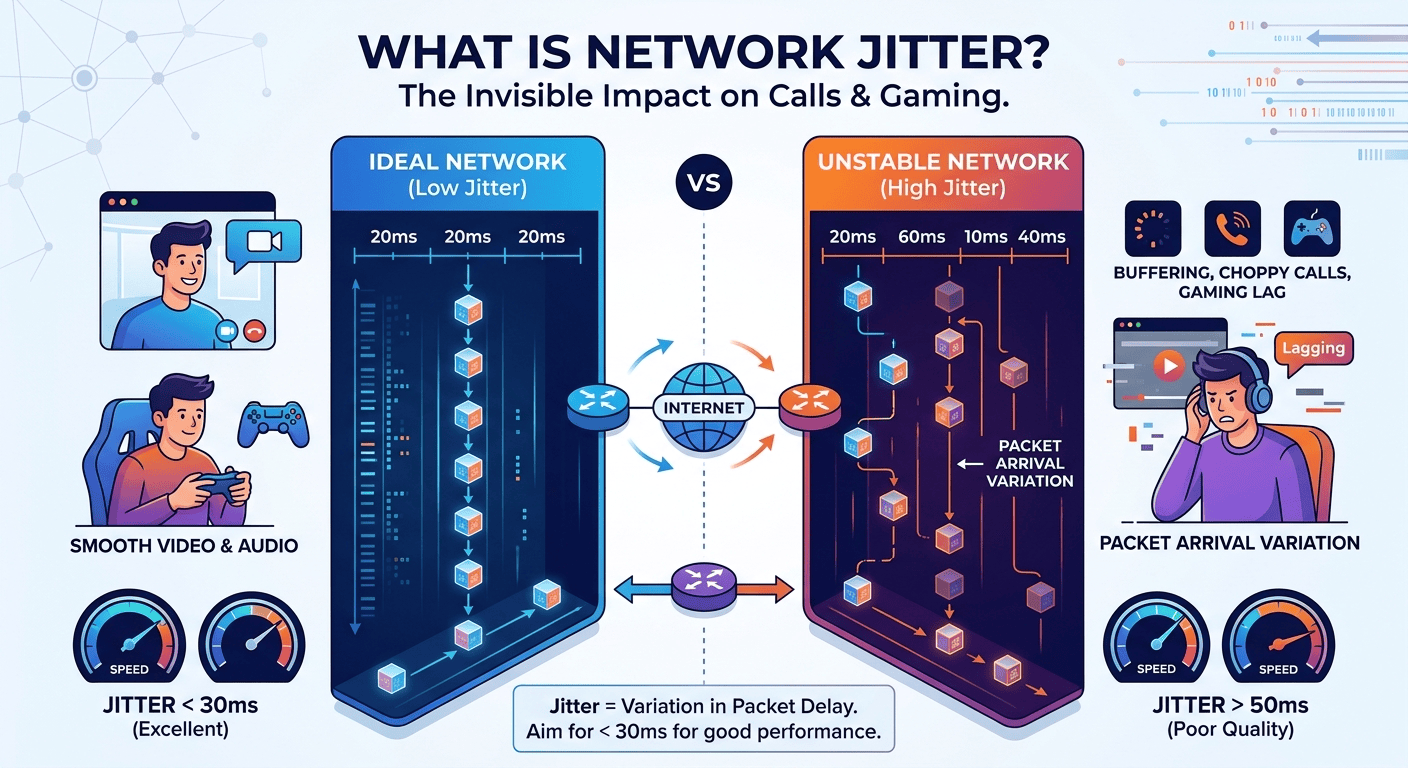
An internet business phone service uses Voice over Internet Protocol (VoIP) to transmit calls via the web instead of traditional copper wires. This modern communication tool allows businesses to manage calls through computers, specialized desk phones, or mobile applications. By utilizing a high-speed connection, companies gain access to advanced features like video conferencing, automated attendants, and voicemail-to-email. It offers a scalable and cost-effective alternative to traditional landlines, enabling team members to stay connected from any location with internet access, which is essential for remote work environments and growing enterprises looking for flexibility. Internet business phone technology has fundamentally changed how modern enterprises interact with clients and internal team members. By converting voice signals into digital data packets, these systems allow for a level of flexibility that traditional analog telephony simply cannot match. This shift is not just about moving from a physical wire to a digital stream; it represents a comprehensive upgrade in communication capabilities. Organizations no longer need to be tethered to a physical desk, as the system follows the user wherever an active web connection exists. This adaptability has become a cornerstone for businesses transitioning to remote or hybrid work models, ensuring that professional presence remains consistent regardless of geographic location. Research into telecommunications trends has shown significant financial benefits for companies making the switch. For example, a report by IT World indicates that small businesses switching to an internet-based system can reduce their local call costs by up to forty percent and their international call costs by as much as ninety percent. This drastic reduction in overhead allows companies to reinvest capital into other growth areas. Furthermore, the Journal of Business Communication has highlighted that unified communication systems, which often accompany these digital services, can save employees up to thirty minutes of search time daily by integrating various communication channels into a single manageable interface. The underlying infrastructure of an internet business phone relies on robust servers and cloud technology rather than local switches. When a call is initiated, the voice data is compressed and sent over the network to the service provider’s gateway. From there, it is routed to the recipient, whether they are on a mobile device, a computer, or a traditional landline. This process happens in milliseconds, providing high-definition audio that often exceeds the clarity of traditional calls. As long as the bandwidth is sufficient, the system can handle multiple simultaneous calls without the need for expensive physical line installations or additional hardware. Essential Components of a Reliable Internet Business Phone Service Implementing an internet business phone service requires a few critical pieces of infrastructure to ensure high-quality communication and reliability. The most important requirement is a stable, high-speed connection that can handle the data load of voice traffic. Since voice data is sensitive to delays, having a router that supports Quality of Service settings is beneficial. These settings allow the network to prioritize voice traffic over other data-heavy activities like large file downloads or video streaming. This prioritization helps prevent issues like jitter or dropped calls, ensuring that client interactions remain professional and uninterrupted. In addition to the network requirements, businesses must decide on the hardware that best fits their operational style. Some organizations prefer physical desk units that resemble traditional phones but connect via ethernet cables. Others opt for a completely softphone-based approach, where employees use headsets paired with software on their laptops or mobile devices. This choice often depends on the specific needs of the workforce. For instance, a call center might benefit from specialized hardware, while a mobile sales team would find more value in a versatile mobile application that keeps them connected on the go. Verify that your current internet bandwidth can support the number of concurrent users expected during peak hours to avoid latency. Select a service provider that offers a comprehensive suite of features, including auto-attendants, call forwarding, and integrated video conferencing tools. Ensure that all hardware, such as headsets and desk phones, is compatible with the selected provider’s software platform to prevent technical glitches. Establish a backup plan, such as automated routing to mobile phones, to maintain communication during unexpected local network outages. Train your staff on the advanced features of the system, such as call transfer protocols and using the digital dashboard for managing personal settings. Evaluating the Best Internet Business Phone Internet Business Phone Service for Growth Choosing the best internet business phone internet business phone service involves looking beyond the monthly subscription price to see the long-term value provided. A system that is easy to scale is vital for growing companies. Traditional systems required a technician to come on-site to add new lines, which was both time-consuming and expensive. With modern digital services, adding a new user is often as simple as clicking a few buttons in an administrative dashboard. This allows businesses to expand their communication capacity instantly as they hire new staff or open new branch locations. Reliability and uptime are also major factors when evaluating different options in the market. The leading providers maintain multiple data centers across different geographic regions to ensure that if one facility experiences an issue, traffic is automatically rerouted to another. This redundancy is what allows modern systems to boast ninety-nine percent uptime. When comparing services, it is helpful to look for those that provide real-time status updates and have a proven track record of maintaining connectivity even during high-traffic periods or maintenance windows. Assess the integration capabilities of the service, specifically how well it connects with existing tools like customer relationship management software and email platforms. Look for a provider that offers twenty-four-hour technical support to resolve any issues quickly and minimize potential downtime for your business operations. Evaluate the mobile application’s performance, ensuring it provides a seamless transition from the desktop environment to a mobile workspace for remote employees. Compare the security protocols offered by different providers, such as end-to-end encryption for calls and multi-factor authentication for account access. Consider the international calling rates and the availability of local numbers in different countries if your business operates on a global scale. Strategies for Implementing Internet Business Phone Service Free Options and Trials Exploring an internet business phone internet business phone service free trial is an excellent way for organizations to test the waters before committing to a long-term contract. Many top-tier providers offer a limited-time period where companies can use the full suite of features without any initial investment. This trial period allows the IT team to assess the voice quality on the existing network and see how well the staff adapts to the new interface. It is a risk-free method to identify any potential hurdles, such as bandwidth limitations or hardware incompatibilities, that might need to be addressed before a full rollout. While some platforms offer completely free tiers, these are often restricted in terms of the number of users or the features available. For a small startup, these free versions might be sufficient for basic communication needs. However, as the company grows, the limitations of free services usually become apparent. These limitations might include a lack of professional greetings, limited call duration, or the absence of advanced analytics. Using the free version as a stepping stone is a strategic move, but businesses should have a clear roadmap for when they will need to upgrade to a paid tier to unlock more robust professional capabilities. Small business owners should be wary of services that are entirely free without a clear business model, as this can sometimes lead to issues with data privacy or poor call quality. It is often better to invest in a low-cost, professional-grade service than to rely on a consumer-grade free app for business-critical communications. High-quality communication builds trust with clients, and a dropped call or poor audio quality can reflect negatively on the brand. Therefore, the goal of using a trial should be to verify the value of the paid service rather than trying to find a permanent zero-cost solution. Managing Large Teams Through the Phone Com Admin Login Portal Efficiently managing a distributed workforce requires a centralized control center, which is where the phone com admin login becomes an essential tool for administrators. This portal provides a high-level overview of the entire communication network, allowing managers to monitor call volumes, manage user permissions, and adjust system-wide settings from any location. Through this interface, an administrator can set up complex call routing rules, such as directing after-hours calls to a specific voicemail box or forwarding urgent inquiries to an on-call technician’s mobile device. The data provided within these administrative portals is invaluable for making informed business decisions. Managers can view detailed reports on call duration, wait times, and peak call hours. This information can be used to optimize staffing levels, ensuring that there are enough representatives available during the busiest times of the day to minimize customer hold times. Furthermore, the ability to record calls for training and quality assurance purposes is often managed directly through this dashboard. This ensures that the team maintains a high standard of service and provides a way to resolve any disputes that may arise from client interactions. Use the administrative dashboard to create specific user roles, ensuring that each employee has access only to the features and data necessary for their job. Monitor real-time call analytics to identify any bottlenecks in customer service and adjust routing rules to improve the caller experience. Set up automated alerts for unusual activity, such as a high volume of international calls, to protect the account from potential toll fraud. Regularly update the system-wide directory through the portal to ensure that callers are always directed to the correct extensions and departments. Manage billing and subscription details in one place, making it easy to track expenses and adjust the service level as the business grows. Finding Top Business Phone Service Providers for Small Business Success The search for business phone service providers for small business needs often leads to a comparison of specialized features designed for efficiency. For small teams, every missed call can represent a lost opportunity. Therefore, features like a professional auto-attendant that can route calls to the right department are highly valued. This gives even a one-person operation the professional appearance of a larger corporation. Many providers now offer tiered plans that allow small businesses to start with a basic set of tools and add more advanced features, like call recording or CRM integration, as their budget and needs expand. In recent years, the market has seen an influx of providers specifically catering to the needs of the small business sector. These companies focus on providing a user-friendly experience that does not require a dedicated IT staff to manage. The setup process is designed to be plug-and-play, with intuitive interfaces that anyone can navigate. This democratization of high-end communication technology has allowed small businesses to compete on a level playing field with much larger competitors, as they now have access to the same professional tools at a fraction of the cost. Identify providers that offer transparent pricing models without hidden fees for setup or hardware maintenance to help manage your monthly budget effectively. Read customer reviews specifically from other small business owners to see how the provider handles support requests and technical issues. Check if the provider allows you to keep your existing business phone number, as porting your number is essential for maintaining brand continuity. Look for flexible contract options that do not lock you into long-term commitments, providing you the freedom to change services if your needs evolve. Assess the quality of the provider’s onboarding materials, such as video tutorials and documentation, to ensure a smooth transition for your team. Exploring the Cheapest Business Landline Phone Service Alternatives Many traditional companies are currently searching for the cheapest business landline phone service alternatives as they realize that physical lines are no longer the most cost-effective option. While a traditional landline might seem reliable, the maintenance costs and the lack of modern features make it an expensive choice in the long run. Digital alternatives provide much more than just a dial tone; they offer a complete suite of communication tools that can replace several different services. By combining voice, video, and messaging into one platform, businesses can often eliminate multiple monthly bills, leading to significant overall savings. The transition from a landline to a digital system is often motivated by the desire to eliminate expensive long-distance charges. In a traditional setup, calling across the country or internationally involves per-minute fees that can quickly add up. With an internet-based system, these calls are often included in a flat monthly rate or offered at drastically reduced prices. For businesses that deal with a global supply chain or have clients in different time zones, this change can result in hundreds or even thousands of dollars in savings every year. When looking for business phone service providers in my area, it is important to remember that digital services are not limited by geography. Unlike traditional phone companies that have a monopoly on a specific local region, digital providers can serve a business regardless of where its physical office is located. This competition in the marketplace is what keeps prices low and drives innovation. It allows a business in a small town to access the same high-end communication infrastructure as a major corporation in a large metropolitan city, further breaking down the barriers to growth for smaller enterprises. Read More: Guide to Business Communication: Definition, Importance, and Modern Strategies Final Thought Transitioning to an internet-based communication system is more than just a technical upgrade; it is a strategic move that prepares a business for the future. By moving away from traditional lines and embracing the flexibility of the web, organizations can reduce costs, improve productivity, and provide a better experience for both employees and clients. Whether you are a small startup looking for a free trial or a large corporation managing a complex network of users, the right digital phone service provides the foundation for clear and reliable communication. As the world becomes increasingly connected, having a robust and scalable phone system is essential for staying competitive in a rapidly changing marketplace. Faqs What do I need to set up a business VoIP system? To successfully set up a professional VoIP communication system over the internet, the most critical requirement is a stable and reliable high-speed internet connection. This foundation ensures that voice data can be transmitted clearly without interruptions or quality degradation. In addition to a strong connection, you will need compatible devices such as specialized desk phones, or you can opt for a software-based approach using computers with headsets and smartphones equipped with a dedicated application. Finally, selecting a reputable service provider and a plan that aligns with your specific operational needs is essential for a smooth and successful implementation. Can I use my existing phone number? Most service providers offer a streamlined process known as number porting, which allows you to transfer your existing business phone number to the new digital system. While the process is generally straightforward, it is highly recommended to keep your current service active until the porting is completely finalized and confirmed by your new provider. This prevents any potential downtime or missed calls during the transition period, allowing you to maintain a professional and consistent presence for your callers throughout the entire setup process. Will my service work during an internet outage? Because these communication systems rely on a web connection, a local internet outage will typically prevent physical desk phones in the office from making or receiving calls.  You can configure the system to automatically forward all incoming calls to your mobile phone or another designated location if the primary network goes offline. This ensures that your customers can still reach a representative or leave a message, maintaining your professional responsiveness even during unexpected local technical issues. These failover systems provide peace of mind and ensure that your business remains accessible at all times. What are the primary differences between VoIP and traditional landlines? The primary difference between these two systems is the method of transmission, with digital systems using an internet connection to send voice data and traditional landlines relying on a physical network of copper wires. This fundamental change in technology makes internet-based systems much more cost-effective, particularly for organizations that frequently make long-distance or international calls. Additionally, These modern tools allow for a more flexible and unified communication experience that can be accessed from any location, whereas landlines are restricted to a single physical address. Are VoIP calls secure? Modern communication providers prioritize security by implementing several layers of protection, including end-to-end encryption for all voice data transmitted across the network. This ensures that your private business conversations are shielded from interception and unauthorized access. Beyond the provider’s measures, businesses can further secure their accounts by using strong, unique passwords and enabling multi-factor authentication for their administrative portals. Regular software updates are also provided by the service company to protect the system against emerging security vulnerabilities.

Read More
HD Voice Quality: What It Means

The Guide to Voicemail: Setting Up Your Voicemail Number and Managing Voicemail Messages

The concept of voicemail has undergone a massive transformation since its inception, evolving from simple tape-recording machines to sophisticated cloud-based systems that integrate seamlessly with our digital lives. At its core, this technology functions as a centralized system for storing and delivering electronic voice messages, acting as a personal digital receptionist that operates twenty-four hours a day. When a caller is unable to reach a recipient, the system intercepts the call and provides a recorded greeting, allowing the caller to leave a verbal message that the recipient can retrieve at their convenience. This asynchronous communication method remains a cornerstone of professional and personal interactions, ensuring that vital information is captured even when a direct conversation is not possible. The technical architecture behind modern voice messaging relies on a combination of telephony hardware and software storage. Originally, these systems were integrated into physical Private Branch Exchange units within offices, but modern iterations typically reside in the cloud or on carrier-level servers. When a call goes unanswered, the network triggers a redirection protocol that routes the audio stream to a storage server. Here, the audio is digitized, compressed, and saved as a data file, often in formats like MP3 or WAV. This transition from analog to digital has enabled features like remote access, message forwarding, and long-term archiving that were previously impossible with traditional answering machines. Understanding the Evolution and Practical Utility of Voicemail The history of automated voice recording for telecommunications is rooted in the late 1970s and early 1980s, primarily credited to the work of Gordon Matthews. Matthews, who held the patent for the first commercialized voice mail system, envisioned a way to eliminate the frustration of back-and-forth missed calls often referred to as telephone tag. His invention, the Voice Storage and Retrieval system, revolutionized the corporate world by allowing employees to communicate across different time zones without requiring both parties to be present simultaneously. Today, this technology has expanded beyond the corporate boardroom to become a standard feature on every personal mobile device, integrated directly into the operating systems we use daily. Research conducted by various telecommunications industry analysts suggests that while text-based communication has surged, voice-based messaging still holds significant weight in professional environments. For instance, studies on business communication trends indicate that approximately 65 percent of customers feel a higher level of trust when they can leave a detailed voice message compared to a generic automated text response. This is because the human voice conveys nuance, tone, and urgency that text often lacks. Furthermore, historical data from the early 2000s shows that the transition from physical answering machines to network-based storage reduced hardware maintenance costs for small businesses by nearly 40 percent, marking a significant shift in how communication infrastructure is managed. Modern systems are now integrated with Artificial Intelligence to provide transcription services and sentiment analysis. These advancements allow users to read their messages as text, which is particularly useful in environments where listening to audio is not feasible. The integration of voice-to-text technology has significantly improved accessibility for the hearing impaired, ensuring that the benefits of voice communication are inclusive. As we move further into the era of Voice over Internet Protocol, the lines between traditional phone calls and data-driven messaging continue to blur, making these systems more flexible and powerful than ever before. Configuration and Management of Voicemail on Android and iPhone Setting up the communication features on a new smartphone is a priority for most users to ensure they never miss an important update. The process of configuring voicemail on android involves navigating to the phone application, which is usually represented by a handset icon on the home screen. Within this app, users typically find a dialer where they can press and hold the number one key, which is a universal shortcut for reaching the automated setup menu. Once the connection is established, the system prompts the user to create a security passcode and record a personalized greeting. This personalized touch is essential for professional contexts, as it confirms to the caller that they have reached the correct person. For those using Apple devices, the integration of voicemail iphone features is handled through a dedicated tab within the native phone application. Unlike older systems that required a phone call to a server, the iOS environment often utilizes a visual interface that allows users to see a list of their messages without dialing any numbers. Setting this up requires the user to tap the set up now button, which initiates a series of prompts for password creation and greeting recording. Apple users have the choice between using a standard system greeting or recording a custom message that reflects their personality or business brand. This deep integration into the operating system ensures that notifications are timely and message management is intuitive. Open the default phone application on your mobile device and locate the keypad or the specific tab labeled for messages. Follow the audio instructions provided by the service provider to establish a unique identification number for security purposes. Record a clear and concise greeting that informs callers of your name and when they might expect a return call from you. Verify that the notification settings are enabled within your device settings to ensure that an icon appears whenever a new message is received. Test the system by calling your own number from a different phone to ensure the recording and storage process is functioning as expected. Procedures to Efficiently Access and Check Voicemail Messages The ability to check voicemail is a fundamental skill for managing one’s digital presence and ensuring timely responses to inquiries. Most carriers provide multiple avenues for accessing these recordings, whether the user is holding their primary device or calling from a remote landline. On a mobile device, the most common method is through the notification shade, where a tape-reel icon usually signifies a pending message. Tapping this notification will either trigger a call to the carrier’s server or open a visual list of recordings. In cases where the notification does not appear, manually dialing the user’s own phone number or a specific access code provided by the service provider will grant entry to the mailbox. When dealing with a high volume of voicemail messages, organization becomes key to maintaining an efficient workflow. Modern interfaces allow users to play, pause, delete, or archive messages with a single tap, which is a significant upgrade from the old system of pressing specific numbers on a keypad to navigate menus. It is considered a best practice to clear out old messages regularly to prevent the mailbox from reaching its storage capacity. When a mailbox is full, new callers are often met with a system error stating that no further recordings can be accepted, which can lead to missed opportunities in a business setting. Access your messages by pressing and holding the number one key on your phone dialer or by clicking the dedicated message icon. Listen carefully to the date and time stamps provided by the system to prioritize which calls require the most immediate attention. Utilize the visual interface if available to skip through less important recordings and focus on critical communications. Save important messages that contain specific instructions or contact details that you may need to reference at a later date. Ensure that you delete any spam or telemarketing messages immediately to keep your storage space available for legitimate callers. Utilizing a Voicemail App for Enhanced Visual Communication The introduction of the voicemail app has revolutionized how we interact with audio recordings on our smartphones. Instead of listening to a long string of messages in the order they were received, these applications provide a graphical user interface that displays a list of all callers, the duration of their messages, and sometimes a text transcription. This visual approach allows for random access, meaning a user can listen to the third message in their list before the first one. This functionality is particularly beneficial for busy professionals who need to skim through their communications to identify urgent matters without wasting time on automated system prompts. Many third-party developers and telecommunications companies offer specialized applications that go beyond the basic features provided by the phone’s operating system. These apps often include advanced features such as auto-reply via text, the ability to forward voice messages to an email address, and even integration with customer relationship management software. By using a dedicated application, users can manage multiple phone lines from a single interface, making it an ideal solution for entrepreneurs who use their personal devices for business purposes. The cloud synchronization offered by these apps ensures that even if a phone is lost or damaged, the valuable audio recordings remain safe and accessible from other devices. Integration with other productivity tools is another significant advantage of using a modern application for voice management. Some apps can automatically sync with digital calendars to set reminders for call-backs based on the content of a message. Others provide advanced filtering options that can automatically route known spam callers to a silent folder, ensuring that the user is only notified of genuine messages. This level of customization transforms a simple recording tool into a comprehensive communication hub that enhances daily efficiency and reduces the cognitive load of managing numerous incoming calls. Clarifying the Meaning of Voicemail Number and System Routing A common point of confusion for many users is the meaning of voicemail number as it relates to their personal phone service. This number is not typically the user’s personal cell phone number, but rather a specific access number assigned by the carrier that routes calls to the message storage server. When a call is forwarded because of a busy signal or no answer, the network sends the caller to this internal number. Understanding this distinction is important because it explains why users sometimes see a different number in their call logs or why they might need to input a specific access code when setting up their service for the first time. The technical routing that occurs behind the scenes is a complex dance of network protocols. When you dial your own number to access your messages, the carrier recognizes the originating device and automatically prompts for your security code. However, if you were to call your voicemail number from a different device, the system would require you to enter your full ten-digit phone number followed by your password. This architecture ensures that messages are kept private and can only be accessed by the authorized owner of the account. It also allows carriers to manage millions of individual mailboxes across a unified server infrastructure, optimizing storage and performance for all subscribers on the network. In some enterprise environments, the concept of a shared mailbox is used, where a single number is designated for an entire department. In this scenario, multiple employees might have access to the same set of recordings, allowing for a collaborative approach to customer service. This setup requires careful management of access permissions and a clear understanding of how the routing affects the caller’s experience. Whether it is a personal line or a corporate department, the underlying logic remains the same: a dedicated destination on the network is reserved for capturing audio when a live human is unavailable to take the call. Strategies for Optimizing the Voicemail on My Phone for Business Ensuring that the voicemail on my phone is optimized for professional use involves more than just turning the feature on. The greeting is often the first impression a potential client or partner has of your business, making it a critical touchpoint. A professional greeting should be clear, concise, and informative, usually including your name, your company name, and an estimated timeframe for a response. It is also helpful to provide alternative contact methods, such as an email address or an assistant’s extension, for those who have an urgent matter that cannot wait for a return call. Regularly updating this greeting to reflect out-of-office status or holiday hours is a hallmark of good professional etiquette. Another aspect of optimization is the use of the voicemail to email feature, which many modern service providers offer. This allows the system to send an audio file or a transcription directly to your inbox, ensuring that you can keep track of messages alongside your other digital correspondence. This creates a unified communication stream and makes it easier to archive important conversations. Furthermore, businesses should consider the security implications of their voice messaging systems. Using a strong, non-sequential passcode and being wary of social engineering attempts where callers try to gain access to the mailbox is essential for protecting sensitive information that might be left in a recording. Maintain a professional tone in your greeting by speaking at a moderate pace and ensuring there is no background noise during the recording process. Update your message frequently to inform callers of your current availability, especially if you are traveling or on extended leave. Enable the transcription feature to quickly scan the contents of a message during meetings where listening to audio would be inappropriate. Organize your messages into folders if your device supports it, separating personal inquiries from business leads for better follow-up. Periodically review your security settings to ensure that your passcode is updated and that unauthorized access is prevented. The Importance of Security and Privacy in Voice Messaging Security is a paramount concern in the digital age, and voice messaging systems are not exempt from potential vulnerabilities. One of the most common threats is unauthorized access through weak passwords or default pins that users fail to change during the initial setup. Hackers can sometimes exploit these weaknesses to listen to private conversations or, in more extreme cases, use the system to make unauthorized long-distance calls. To combat this, it is highly recommended to use a unique identification number that is not easily guessed, such as a birthday or a simple sequence like 1234. Most modern carriers now require a minimum of six to eight digits for a security code to enhance protection. Privacy is another critical factor, particularly regarding how messages are stored and shared. When you use a cloud-based application, your voice data is stored on external servers. It is important to review the privacy policy of your service provider to understand how this data is handled and who has access to it. Encryption is becoming a standard feature for many high-end communication services, ensuring that even if data is intercepted during transmission, it cannot be understood by unauthorized parties. Users should also be mindful of the information they leave in messages for others, as once a recording is sent, the sender no longer has control over how that audio file is stored or if it is forwarded to others. Facts regarding telecommunications security indicate that approximately 20 percent of small businesses have experienced some form of unauthorized access to their communication systems. This highlights the need for robust security protocols. Additionally, research into data privacy shows that consumers are increasingly concerned about how their voice biometrics are used by technology companies. As voice recognition technology improves, the audio recordings stored in these systems become valuable data points for training machine learning models. Therefore, choosing a provider that prioritizes user privacy and provides clear opt-out options for data collection is a vital step in maintaining personal and professional digital security. Read More: What is Cloud Calling? A Complete Guide to Cloud Telephony Final Thought In a world where communication is instantaneous and multifaceted, the humble voice message remains a vital tool for ensuring that no connection is lost. From its early days as a revolutionary corporate tool to its current state as a highly integrated, AI-enhanced feature of our smartphones, this technology has proven its enduring value. By understanding how to effectively set up, manage, and secure your voice messaging system, you can ensure that you remain accessible and professional in every interaction. As technology continues to advance, we can expect even more seamless integrations and features that will continue to bridge the gap between missed calls and meaningful conversations. Faqs What is basic voicemail? Basic voicemail is the standard service provided by telecommunications carriers that allows callers to record an audio message when a user is unavailable. It typically involves a simple greeting and a digital storage space that can be accessed by dialing into a specific server via the phone keypad. This version of the service usually does not include advanced features like text transcription or a visual list of messages, relying instead on audio prompts to guide the user through their inbox. How much does basic voicemail cost? The cost of basic voicemail varies significantly depending on the service provider and the specific mobile or landline plan chosen by the consumer. In many modern cellular contracts, this feature is included as a standard part of the monthly service fee at no additional charge. However, some prepaid plans or international roaming packages may charge a small fee per message or a monthly add-on price ranging from three to five dollars. How do I get basic voicemail? Getting basic voicemail is usually an automatic process when you activate a new phone line with a service provider. Once the SIM card is active, the network assigns a mailbox to your number, and you can initiate the setup by holding the number one key on your phone’s dialer. If the service is not active by default, you may need to contact your carrier’s customer service department or log into your online account portal to add the feature to your plan. How do I know my voicemail is secure? You can ensure your voicemail is secure by creating a complex and unique passcode during the initial setup process. Most providers offer security settings that require this code every time you access your messages, even from your own device. Additionally, checking for any unusual activity in your call logs and avoiding the use of common sequences for your pin will significantly reduce the risk of unauthorized access or spoofing. How is basic voicemail different from Visual Voicemail or Voicemail to Text for iPhone? The primary difference lies in the user interface and the method of message delivery. Basic voicemail requires the user to call a system and listen to messages chronologically, whereas Visual Voicemail provides a graphical list of messages directly on the screen. Voicemail to Text is an even more advanced feature that uses speech recognition technology to transcribe audio into a readable format, allowing users to consume their messages as they would a standard text or email. Who is eligible for basic voicemail? Almost any individual with a standard mobile or landline telephone subscription is eligible for basic voicemail services. It is a nearly universal offering across the telecommunications industry, available to both post-paid and pre-paid customers. Some specialized data-only plans for tablets or hotspots may not include the feature, but for traditional voice-capable lines, it remains a standard service provided to all subscribers regardless of their device type.

Read More
warm transfer vs cold transfer

Difference Between Warm Transfer vs Cold Transfer

The warm transfer meaning refers to a collaborative approach where the initial agent speaks with the receiving party before the caller is connected. This process ensures that all relevant data is shared, preventing the customer from having to repeat their situation. On the other hand, the cold transfer represents a more direct route where the call is immediately moved to a new queue or agent without an introductory conversation. In the ongoing debate of warm transfer vs cold transfer, both strategies have their place in a high-functioning communication ecosystem, but they serve different purposes depending on the complexity of the inquiry and the desired speed of resolution. Call management stands as a cornerstone of modern customer service, determining how efficiently a business handles its daily influx of inquiries. At the heart of this process is the call transfer, a technical maneuver that moves a live conversation from one agent or department to another. While the action seems simple on the surface, the methodology used can significantly alter the customer journey. Businesses generally rely on two distinct methods to handle these transitions, each offering different levels of engagement and operational efficiency. Choosing between these methods requires a deep understanding of organizational goals and customer expectations. In a professional setting, the choice of movement between departments reflects the brand identity of a company. High-touch industries often prefer a more guided experience to maintain a sense of continuity and care. Conversely, high-volume service centers might lean toward faster methods to keep wait times low. Understanding the technical and psychological nuances of these transfers allows managers to optimize their workflows, improve agent performance, and ultimately drive higher levels of satisfaction across the customer base. Warm Transfer Meaning and Operational Benefits The warm transfer meaning encompasses a high-touch communication strategy designed to provide a seamless transition for callers. In this scenario, when an agent determines that a caller needs specialized assistance, they do not immediately hand off the line. Instead, they place the caller on a brief hold, dial the intended department or specialist, and provide a summary of the ongoing interaction. This summary typically includes the name of the caller, the reason for the inquiry, and any steps already taken to resolve the issue. Once the receiving agent is fully briefed, the original agent brings the caller back onto the line, introduces the new party, and then exits the conversation. This method is highly valued in environments like a warm transfer call center because it prioritizes the human element of service by ensuring the next representative is prepared, the business eliminates the common frustration of information loss. From a technical standpoint, this requires a phone system that supports multi-party conferencing and internal messaging. The primary goal is to make the customer feel valued and heard, rather than feeling like a piece of data being shuffled through a machine. This approach is particularly effective for complex troubleshooting, high-stakes sales leads, or sensitive customer support issues where context is everything. Implementing this strategy often leads to a noticeable improvement in First Call Resolution (FCR) rates. When the second agent receives a detailed brief, they can begin the resolution process immediately upon greeting the caller. This reduces the total time the customer spends explaining their problem, which is a major factor in overall satisfaction scores. While this method may increase the average handle time for the initial agent, the long-term benefits of a resolved issue and a happy customer far outweigh the extra minutes spent on the handoff. Examining the Cold Transfer Process in High Volume Environments A cold transfer occurs when an agent sends a call to another person or department without first speaking to the recipient. This is often referred to as a blind transfer because the receiving party has no prior knowledge of who is calling or why. The process is remarkably fast; the agent simply inputs the extension or selects the department and hits the transfer button, immediately disconnecting themselves from the line. The caller is then placed back into a ringing state or a queue until the next person picks up. While often viewed as less personal, the cold transfer is a highly efficient tool for certain types of interactions. For example, if a caller reaches the wrong department by mistake, such as calling billing when they meant to reach technical support, a quick transition is often the most logical step. In these cases, the caller usually understands that they are in the wrong place and expects a quick redirect rather than a lengthy introduction. It is also beneficial in large organizations where agents handle hundreds of calls an hour and the inquiries are simple enough that no context is required for the next person to assist. The efficiency of this method allows call centers to maintain lower average handle times and handle a higher volume of calls with fewer resources. However, it places a higher burden on the caller, who must re-explain their situation to the new representative. If a caller is transferred multiple times using this method, it can lead to significant frustration. Therefore, businesses must train their staff to recognize when a quick move is appropriate and when a more detailed handoff is necessary to preserve the quality of the customer experience. Primary Differences Found in Warm vs Cold Transfer Strategies The debate of warm vs cold transfer often centers on the balance between speed and quality. The most significant difference lies in the customer experience. In a warm scenario, the customer experiences a guided transition that feels like a professional handoff. They are introduced to the new agent, and they hear a summary of their problem, which confirms that the first agent was listening. In a cold scenario, the customer is suddenly moved to a new line, often encountering a new set of hold music or a different ringing tone, which can feel jarring and impersonal. From an agent’s perspective, the two methods require different skill sets and time commitments. A warm transition requires the agent to be proficient in internal communication and brief reporting. They must be able to summarize complex issues quickly and accurately to their colleagues. A cold transition requires less communication skill but demands a high level of accuracy in knowing exactly where to send the call. Sending a cold call to the wrong department is much more damaging than a warm one, as the caller will have to start the entire process over again without any support. Technical requirements also differ between the two. A standard cold transfer vs warm transfer analysis shows that warm transfers require more robust telephony features, such as the ability to hold one line while active on another and then merge all three. Some legacy systems may struggle with these complex maneuvers, making cold transfers the default. However, modern cloud-based VOIP solutions have made the warm process much simpler, allowing agents to see the status of their colleagues before even attempting to move the call. Choosing the Best Call Transfer Method for Business Success Deciding which method to implement depends heavily on the specific needs of the business and the nature of the customer inquiries. For sales-driven organizations, warm transfer leads are often the preferred choice. In this context, a front-end agent or a lead qualifier gathers initial information before handing the prospect over to a senior sales executive. This introduction builds trust and ensures the executive has all the data needed to close the deal. The professional atmosphere created by a warm handoff can significantly increase conversion rates by making the prospect feel like a priority. In contrast, technical support departments might use a mix of both. If a customer needs a simple password reset, a cold transfer to the automated system or a specialized desk is efficient. But if the customer is reporting a complex system failure that they have already spent twenty minutes describing, a warm transition is essential. Businesses should establish clear guidelines on when to use each method based on the “tier” of the issue or the “value” of the customer. High-value clients should almost always receive a warm handoff to maintain the relationship. Operational costs also play a role in this decision. Because warm transfers take more time, they technically cost the company more in terms of agent labor. However, this must be weighed against the cost of customer churn. According to a study by the Harvard Business Review, one of the top reasons customers leave a brand is the effort required to get an issue resolved. Reducing that effort through better call management can lead to higher lifetime value, which far outweighs the few extra cents spent on a longer call duration. Strategic Impact of Cold vs Warm Transfer on Customer Retention The choice of cold vs warm transfer has a direct impact on customer loyalty and brand perception. Customer retention is often tied to the “Customer Effort Score,” a metric that measures how hard a customer has to work to resolve their problem. When a business utilizes warm transitions, it takes the burden of information transfer off the customer and places it on the organization. This proactive service model is highly effective at building long-term loyalty because it demonstrates respect for the customer’s time and emotional state. Research from Zendesk indicates that nearly 70% of customers feel frustrated when they are transferred to another department and have to repeat their information. This repetition is a hallmark of the cold transfer. When a customer is already upset about a product failure or a billing error, being forced to explain the situation for a second or third time can be the breaking point that leads them to a competitor. By implementing a warm transfer strategy, companies can mitigate this frustration and turn a potentially negative experience into a positive demonstration of professional coordination. Furthermore, the data collected during a warm handoff can be integrated into the CRM more effectively. As the two agents speak, they can ensure that the notes being entered into the system are accurate and comprehensive. This internal synergy ensures that the business maintains a high standard of data integrity. When the organization operates as a cohesive unit rather than a collection of siloed departments, the customer feels a sense of security and trust that is difficult to achieve through automated or disconnected processes. Technical Implementation and Best Practices for a Call Transfer To successfully execute a call transfer, businesses must equip their teams with the right tools and training. Modern VOIP systems are designed to make these transitions seamless. Features like “Presence” allow agents to see who is available, busy, or away before they even attempt a transfer. This prevents the “dead-end” transfer where a caller is moved to a person who isn’t even at their desk. Integrating the phone system with a CRM also allows the data gathered by the first agent to pop up on the second agent’s screen automatically, which can sometimes provide a “digital” warm transfer experience even if the agents don’t speak. Training is equally important. Agents should be taught a specific script for warm transitions. This usually involves asking the caller for permission to place them on a brief hold, speaking to the recipient to provide the context, and then performing the introduction. For cold transfers, agents should be trained to provide the caller with the direct extension or phone number of the department they are being moved to. This acts as a safety net; if the call is disconnected during the move, the customer has the information they need to call back directly without going through the main menu again. Identify the caller’s needs early in the conversation to determine if a transfer is necessary. Check the availability of the receiving agent using the internal presence indicators. For a warm handoff, summarize the caller’s name, account number, and specific problem. Introduce the caller to the new agent by name to create a personal connection. Wait for the new agent to acknowledge the information before disconnecting. For a cold handoff, inform the customer exactly where they are going and why. Provide the direct dial number in case the connection is lost. Analyzing the Role of Warm Transfer in Sales and Lead Management In the world of sales, the warm transfer is a powerful tool for maintaining momentum. When a lead is generated, the initial contact is often with a junior representative or a lead qualification team. If that lead is “hot,” meaning they are ready to buy, the goal is to get them to a senior salesperson as quickly as possible without losing the rapport that has been built. A warm transfer meaning in this context is the bridge that keeps the prospect engaged while the specialized closer enters the conversation. This method prevents the “lead decay” that happens when a prospect is told they will receive a callback later. In the time it takes for a callback to occur, the prospect may lose interest or be contacted by a competitor. By using a warm handoff, the business capitalizes on the prospect’s current interest. The initial agent can say, “I have our specialist, Sarah, on the line who handles exactly the type of equipment you are looking for. I’ve already told her about your requirements.” This validates the prospect’s needs and makes the transition to the sales pitch feel like a natural progression rather than a restart. Furthermore, statistics show that immediate transfers significantly increase the likelihood of a sale. According to research on lead response times, the odds of connecting with a lead decrease by over 10 times if the contact happens more than an hour after the initial inquiry. By using warm transfers to move qualified leads to closers in real-time, organizations can maximize their marketing spend and improve the overall efficiency of their sales funnel. The Psychological Effect of Call Transfer on the Agent Experience While much of the focus is on the customer, the type of call transfer used also affects the employees. Agents who are forced to use cold transfers for complex issues often face the brunt of customer frustration. When a customer has been moved blindly and has to repeat themselves, they are often angry by the time they reach the second agent. This creates a stressful work environment and can lead to agent burnout. Providing the tools and time for warm transfers can actually improve employee morale by allowing them to be more helpful and professional. On the flip side, the receiving agent in a warm transfer scenario feels more empowered. They enter the conversation with the information they need to succeed, which boosts their confidence and reduces their “start-up” time on each call. This collaborative environment fosters a sense of teamwork between departments. Instead of feeling like they are “dumping” calls on each other, agents feel like they are working together to solve problems. This internal culture of support eventually translates into a better external experience for the customer. Standardize the information shared during the “warm” phase to include account ID and issue summary. Use internal chat tools to supplement the voice introduction if the system allows. Monitor the “transfer success rate” as a KPI for agent performance. Encourage agents to stay on the line until the customer and the new agent have successfully engaged. Provide clear guidelines on which departments accept cold moves and which require warm introductions. Comparing Cold Transfer vs Warm Transfer Technical Workflows From a technical architecture standpoint, the cold transfer vs warm transfer distinction involves different signaling protocols within a PBX or VOIP system. In a cold transfer, the SIP (Session Initiation Protocol) message tells the server to move the media stream directly to a new endpoint. The originating agent’s session is terminated as soon as the command is sent. This is technically simple and puts very little strain on the network or the hardware, which is why it was the standard for many decades in the early days of telephony. A warm transfer is more complex. It involves creating a second “leg” of the call while the first leg remains active but on hold. The agent manages two separate media streams simultaneously. When the agent decides to complete the move, the system must bridge the two legs and then remove the agent’s endpoint from the bridge without dropping the remaining two. Modern cloud platforms handle this via sophisticated back-end orchestration, but it still requires more bandwidth and processing power than a simple redirect. Understanding these technicalities is important for IT managers when selecting a communication platform. A system that makes warm transfers difficult or clunky will inevitably lead to agents taking the “easy” route and performing cold moves, even when a warm one is warranted. The user interface must be intuitive, allowing for “one-click” toggling between callers and easy conferencing. When the technology supports the desired behavior, the staff is much more likely to follow the best practices laid out by management. Fact-Based Research on Transfer Methods and Customer Satisfaction Research consistently highlights the importance of the human touch in digital-first communication environments. A study by the Call Centre Management Association (CCMA) found that “being passed between agents” is one of the top three frustrations for UK consumers. The study noted that the frustration isn’t necessarily the transfer itself, but the loss of context that often accompanies it. This directly supports the implementation of warm transfers as a primary strategy for increasing customer satisfaction (CSAT) scores. Another significant piece of data comes from the “State of Service” report by Salesforce, which indicates that 80% of customers expect a consistent experience across different departments. However, 68% say it feels like they are communicating with separate departments rather than one company. The cold transfer contributes heavily to this “siloed” feeling. By contrast, organizations that prioritize warm transfers are more likely to be perceived as a single, cohesive entity that is focused on the customer’s needs rather than its own internal convenience. Fact 1: 70% of customers report frustration when repeating information to multiple agents during a single service interaction. Fact 2: Organizations using warm transfers for complex issues see a 15% higher First Call Resolution (FCR) rate compared to those using cold methods. Managing the Call Transfer in Niche Industries: Healthcare and Legal In high-stakes industries like healthcare or legal services, the warm transfer is often the only acceptable method. In a healthcare setting, a patient may be calling in a state of distress or sharing sensitive medical information. A cold transfer in this situation is not just unprofessional; it can be perceived as negligent. A nurse or administrative assistant should always use a warm handoff to a doctor or specialist to ensure that the patient feels cared for and that critical details are not missed. Similarly, in legal services, the details of a case are often complex and confidential. When a potential client calls a law firm, they are often looking for reassurance as much as legal advice. A warm transfer from the intake specialist to the attorney allows the specialist to relay the basic facts of the case, allowing the attorney to enter the conversation with a position of authority and preparation. This builds immediate trust, which is vital in a profession where the relationship between the client and the firm is based on confidence. In these sectors, the “warm transfer meaning” extends beyond just a business process; it becomes a part of the professional ethics of the organization. It ensures that the chain of information remains unbroken and that the client or patient is never left “hanging” in a queue without a clear understanding of who they are talking to next. For these businesses, the extra time invested in the transfer is a direct investment in the professional reputation of the firm or practice. Read More: Is WIFI Calling Free? A Deep Dive into wifi calling Technology Final Thought The choice between a warm vs cold transfer is more than a technical decision; it is a strategic one that defines the quality of a business’s customer service. While the cold transfer offers speed and efficiency for simple redirects, the warm transfer provides the context, professionalism, and care required for complex and high-value interactions. By understanding the nuances of cold transfer vs warm transfer, businesses can tailor their communication strategies to meet the specific needs of their callers. Ultimately, a balanced approach that prioritizes the customer’s experience while maintaining operational efficiency will lead to higher satisfaction, better retention, and a more cohesive internal culture. Investing in the right technology and training to support these transfers is a fundamental step toward building a world-class service organization. Frequently Asked Questions What is warm transfer vs cold transfer? A warm transfer involves the agent speaking to the person receiving the call before handing it over, ensuring all information is shared. A cold transfer is a direct move where the agent disconnects immediately, leaving the caller to explain their situation again to the next person. What is a warm transfer vs a cold transfer in terms of customer experience? A warm transfer creates a seamless, professional experience where the customer feels supported and understood. A cold transfer is faster but can be frustrating for the customer because it often requires them to repeat information and wait in a new queue without an introduction. Is a warm transfer better than a cold transfer? In most cases involving complex issues or high-value customers, a warm transfer is superior because it improves satisfaction and resolution rates. However, a cold transfer is better for very simple redirects where speed is the primary concern for both the agent and the caller. Are attended transfers, soft transfers, and warm transfers the same thing? Yes, these terms are often used interchangeably in the telecommunications industry. They all refer to the process of an agent staying on the line to introduce the caller to the next representative before completing the transfer. When should a business use a cold transfer? A business should use a cold transfer for routine inquiries, such as moving a caller to a general billing department, an automated system, or a directory. It is most effective when the caller is in the wrong department and just needs a quick route to the correct one without needing to share a detailed history.

Read More
what is call flow

What is Call Flow: Understanding Call Flow Meaning, Benefits and Setup

Understanding the call flow meaning is essential for any organization that relies on telecommunications to interact with its audience. At its core, this concept represents the entire journey a phone call takes from the moment the connection is established until the interaction concludes. It is a dual-layered system that combines technical routing with human communication strategies. The technical side focuses on how the hardware and software handle the signal, while the procedural side dictates how an agent manages the conversation to achieve a specific outcome. By mapping out this journey, businesses can identify bottlenecks, improve efficiency, and ensure that every caller receives a consistent level of service regardless of which department they reach. Modern communication systems have evolved far beyond simple point-to-point connections. Today, what is call flow involves complex layers of automation, data integration, and decision-making algorithms. When a customer dials a number, the system must decide where to send that call based on factors like time of day, caller ID, and previous interaction history. This initial phase of the call flows is critical because it sets the tone for the entire experience. If the routing is too complex, the caller becomes frustrated before they even speak to a human. If it is too simple, the call may end up with an agent who lacks the necessary skills to resolve the issue, leading to unnecessary transfers and delays. A well-designed call flow process acts as a blueprint for success in a high-pressure environment. It provides agents with a structured roadmap, allowing them to focus on empathy and problem-solving rather than wondering what steps to take next. In a call center, these flows are often visualized using diagrams that show every possible turn a conversation might take. From the initial greeting to the final closing, every step is scrutinized to ensure it adds value to the customer journey. Understanding this call flow meaning allows managers to create a more resilient and scalable operation that can adapt to changing customer needs and technological advancements. What is Call Flow and How Does it Define Customer Experience? The term call flow meaning refers to the comprehensive path a call takes through a telephony system and the subsequent conversation between the caller and the representative. It is the architectural design of a communication session. From a technical perspective, it involves the Automatic Call Distributor (ACD) and Interactive Voice Response (IVR) systems that categorize and route incoming signals. From a service perspective, it outlines the standard operating procedures that an agent follows to identify, troubleshoot, and resolve a customer inquiry. When these two elements work in harmony, the result is a seamless interaction that feels natural to the caller while remaining highly efficient for the business. A clear call flow process 6 steps often forms the backbone of training programs for new staff. These steps generally include the opening greeting, customer identification, discovery or questioning, the solution phase, the confirmation of resolution, and the professional closing. By breaking down the interaction into these segments, a call flow call center can monitor performance at a granular level. For example, if data shows that calls are stalling during the discovery phase, management can provide targeted coaching on how to ask better probing questions. This level of detail is what separates a professional service operation from one that is disorganized and reactive. Furthermore, the call flow meaning extends into the realm of data collection and analytics. Every transition in the flow is a data point that can be measured. How long did the caller spend in the IVR? How many times were they transferred? Did the agent follow the prescribed sequence of troubleshooting steps? By analyzing these metrics, organizations can refine their what is a call flow strategy to reduce friction. In the digital age, customers expect immediate and accurate responses, and a robust flow is the only way to meet these expectations at scale. It ensures that the collective knowledge of the organization is available to every agent, regardless of their individual experience level. What are the Benefits of a Call Flow System for Modern Businesses? Implementing a structured call flow system offers a wide range of operational advantages that directly impact the bottom line. One of the most significant benefits is the reduction in average handle time without sacrificing service quality. When agents have a clear call flow for customer service to follow, they spend less time navigating internal systems and more time helping the caller. This consistency also leads to higher First Call Resolution (FCR) rates, as the flow ensures that the most qualified agent handles the inquiry from the start. A streamlined process minimizes the need for multiple follow-ups, which is a major driver of customer satisfaction and operational cost reduction. The call flow meaning also includes the ability to maintain brand consistency across large teams. In a globalized world where agents might be located in different time zones or countries, a standardized call flow in call center environments ensures that every customer receives the same experience. This uniformity builds trust and reinforces the professional image of the brand. Moreover, a structured system makes it much easier to onboard new employees. Instead of relying on intuition or vague guidelines, new hires have a concrete call flow process to follow, which reduces their time to proficiency and minimizes early-career errors that could alienate customers. Standardized flows ensure that all legal and regulatory compliance requirements are met during every interaction. Clear roadmaps reduce the cognitive load on agents, leading to lower stress levels and decreased employee turnover. Automated routing within the flow allows for better resource allocation, ensuring high-priority callers are handled first. Data gathered from optimized flows provides deep insights into common customer pain points and product issues. Scalability becomes easier as the organization can replicate successful flow models across new departments or locations. The use of call flow software allows for real-time adjustments based on current call volumes and agent availability. Research published by the International Customer Management Institute (ICMI) suggests that companies with highly defined call center call flow procedures see a 20 percent higher efficiency rating than those with informal processes. This efficiency stems from the elimination of redundant steps and the optimization of the handoff between automated systems and live agents. By treating the call flow meaning as a living document that is constantly updated based on feedback and data, businesses can stay ahead of customer expectations. This proactive approach to communication management is a key differentiator in competitive markets where service quality is often the primary factor in consumer choice. Streamline Call Flow with an Intelligent IVR and Automation Beyond the technical architecture, the success of a modern call flow depends on maintaining a consistent brand persona and real-time adaptability. Ensuring the automated voice reflects the company’s unique character fosters a sense of continuity, while regularly updating IVR prompts to address seasonal shifts or system outages provides immediate clarity to the caller. This proactive communication reduces frustration by keeping customers informed the moment they connect, preventing them from being trapped in loops that could otherwise damage the brand’s reputation for reliability. The shift toward AI-driven discovery also fundamentally redefines the agent’s workspace, turning the call center into a hub of specialized solution providers rather than data entry points. With AI-driven bots gathering essential details before the live interaction starts, the agent can step into a “solution provider” role immediately, armed with a comprehensive customer history. This blend of automated preparation and human empathy not only handles high volume spikes with ease but also creates a superior, high-tech experience that respects the time of both the customer and the professional. Call Flow as a Customer Service Roadmap for Agent Excellence For a representative, the call flow meaning is that of a supportive roadmap that guides them through the complexities of customer psychology and technical troubleshooting. A well-constructed call flow for customer service doesn’t just tell an agent what to say; it tells them how to think through a problem. It provides a logical progression that starts with building rapport and ends with ensuring the customer is satisfied. Without this structure, interactions can become aimless, leading to longer call times and missed opportunities to resolve the underlying issue. The flow acts as a safety net, ensuring that even under pressure, the agent remembers to follow all necessary steps, such as verifying the account or offering an upsell. The psychological aspect of the call flow process is just as important as the technical one. A good flow incorporates moments for empathy and active listening. For instance, after the customer explains their problem, the flow might prompt the agent to paraphrase the issue back to them. This simple step, embedded in the customer service call flow, validates the customer’s feelings and ensures both parties are on the same page. This prevents the common frustration where a customer feels that the agent is just reading from a script without truly understanding their situation. In this way, the call flow meaning is about creating a human connection within a structured framework. The greeting sets the tone and establishes professional authority while remaining welcoming and helpful. The verification phase ensures security and builds trust by protecting the customer’s sensitive information. Probing questions allow the agent to dig deeper into the call flow meaning of the customer’s actual problem. The empathy statement acknowledges the customer’s perspective and de-escalates potential conflict. The solution phase presents the fix in a way that is easy for the customer to understand and follow. The recap ensures that there are no lingering questions and that the customer knows exactly what the next steps are. The closing leaves a lasting positive impression, reinforcing the brand’s commitment to service excellence. To truly excel, organizations must treat their call flows as dynamic tools. High-performing teams often hold regular workshops to review call flow examples and discuss what is working on the front lines. Agents who are using the flow every day often have the best insights into where it could be improved. By involving them in the design of the call flow in call center operations, management not only gets a better process but also gains higher buy-in from the staff. When agents see that the flow actually makes their jobs easier and leads to better customer feedback, they are more likely to adhere to it consistently. Setting up an Omnichannel Call Flow for a Unified Strategy In the modern landscape, the call flow meaning has expanded beyond voice calls to include chat, email, and social media messaging. An omnichannel call flow ensures that a customer can switch between these channels without having to restart their journey. For example, a customer might start an interaction with a chatbot on a website, but then decide they need to speak to a person. An integrated call flow process will pass all the chat history to the phone agent, allowing the conversation to continue seamlessly. This level of integration is what defines a modern, customer-centric organization. It requires a unified software platform that can track a single “ticket” across multiple communication mediums. Developing an omnichannel flow requires a deep understanding of how different channels complement each other. Voice calls are often preferred for complex or emotional issues, while chat is ideal for quick technical questions or status updates. The call flow meaning in an omnichannel context involves creating rules for when and how to transition a customer between these channels. If an agent on a chat session realizes the issue is too complex for text, they should have a button that allows them to immediately call the customer, maintaining the flow of the interaction. This reduces the effort required from the customer and demonstrates a high level of technical sophistication. Ensure that customer data is synchronized in real-time across all platforms to prevent information silos. Maintain a consistent tone of voice and brand personality whether the customer is calling, chatting, or emailing. Use call flow software that provides agents with a 360-degree view of the customer’s previous interactions across all channels. Implement “intelligent escalation” rules that move high-priority issues from automated chat to live voice agents based on keywords. Track metrics like the “Customer Effort Score” to see how well the omnichannel transitions are working within the flow. The ultimate goal of an omnichannel call flow meaning is to provide a “frictionless” experience. According to a report by Gartner, 96% of customers who experience a high-effort interaction become disloyal, compared to only 9% who have a low-effort experience. By using a call flow for call center operations that bridges the gap between different communication tools, businesses can significantly lower the effort required for a customer to get an answer. This holistic approach to the call flow meaning recognizes that the customer doesn’t see “departments” or “channels”—they see one brand, and they expect that brand to know who they are and what they need, regardless of how they choose to get in touch. Creating a Script for Customer Service Within the Flow The evolution of modern customer service has transformed the traditional understanding of a call flow from a rigid, robotic script into a dynamic architectural framework. A common misconception persists that these two concepts are synonymous; however, a script is merely a localized tool within a broader strategic flow. In a high-performing environment, the most effective call flow strategies prioritize “flexible scripting” or “talking points” over verbatim recitation. This distinction is critical because it empowers agents to maintain a natural human cadence, adapting their tone to match the caller’s unique personality and pace. While the call flow dictates the structural “what” and “when” of an interaction—such as the mandatory timing of a loyalty offer—the agent is responsible for the “how,” using their emotional intelligence to choose phrasing that aligns with the conversation’s mood. To achieve this balance, the language used within scripts must intentionally avoid corporate jargon and stifling formality. The primary objective is to facilitate a connection between two humans rather than a transaction between a user and a machine. Well-designed scripts act as a safety net, specifically engineered to navigate common objections and difficult questions. This preparation gives agents the confidence to remain composed and professional even when a call becomes challenging. Furthermore, by embedding these responsive scripts directly into call flow software, organizations ensure that the necessary information appears on the agent’s screen at the exact moment of relevance. This technological integration is vital for eliminating “dead air” and maintaining a brisk, professional pace that respects the customer’s time. Effective scripting also leans heavily into the psychology of “positive language,” which focuses on what an agent can accomplish for a customer rather than highlighting limitations. In sales or retention contexts, the inclusion of “rebuttal sections” provides agents with pre-vetted strategies to handle hesitations effectively without sounding combative. Structurally, these scripts should be short and impactful—particularly during greetings and closings—and should utilize “branching” logic, where the agent’s prompts change dynamically based on the customer’s specific answers. This prevents the agent from asking redundant questions and keeps the interaction focused on the customer’s immediate needs. Continuous improvement is the final pillar of a successful call flow. Organizations should regularly record and analyze high-performing calls to identify organic, successful phrases used by top agents, which can then be institutionalized into official talking points. The ultimate success of a script is measured by its utility in reaching a resolution; a script that is overly dense will likely be ignored or result in a robotic delivery, while one that is too vague offers no support. Through constant testing and the analysis of call center data, managers can determine which specific iterations lead to the highest conversion and satisfaction rates. This data-driven approach ensures the call flow remains a functional asset to the agent, fostering a communication environment that is both efficient and authentically human. Helpful Call Flow Tips for Continuous Improvement Maintaining a high-quality call flow meaning requires a commitment to continuous improvement. One of the most helpful tips is to regularly perform “mystery shopping” on your own phone lines. By calling in as a customer, managers can experience the flow firsthand and identify areas where the IVR is confusing or where the hold times are too long. This outside-in perspective is invaluable for spotting issues that might not show up in traditional data reports. It also helps in understanding the emotional journey of the customer, which is a critical part of the overall call flow meaning. Another tip is to lean heavily on the feedback of the agents who are on the front lines every day. They are the first to know when a part of the call flow process is outdated or when customers are consistently asking questions that the flow doesn’t cover. Implementing a simple feedback loop where agents can flag issues with the call flow software or the procedural steps can lead to rapid improvements. This also empowers agents, making them feel like partners in the business’s success rather than just cogs in a machine. A culture of feedback ensures that the call flow customer service remains agile and responsive to the real-world needs of the market. Review your call flows at least once a quarter to ensure they still align with your business goals and product offerings. Use heatmaps or pathing reports in your call flow software to see where customers most frequently drop off or ask for a human. A/B test different greetings or IVR structures to see which ones lead to better customer sentiment scores. Ensure your call flow meaning includes specific paths for “worst-case scenarios,” such as system failures or natural disasters. Train agents not just on the flow itself, but on the logic behind the flow so they understand why each step is necessary. Finally, remember that the call flow meaning is ultimately about people. While technology and data are essential, they should serve to enhance the human interaction, not replace it. The most successful call flow call center operations are those that use automation to handle the mundane tasks, allowing their human talent to shine where it matters most: in building relationships and solving complex problems with empathy. By keeping the human element at the center of your what is call flow strategy, you create a service environment that is both highly efficient and deeply satisfying for your customers and your employees alike. Read More: What is Call Disposition: Call Disposition Meaning, and examples Final Thought The call flow meaning is a fundamental pillar of modern organizational communication, bridging the gap between technical infrastructure and human interaction. A well-designed call flow not only optimizes internal operations by reducing handle times and improving accuracy but also significantly enhances the customer journey by providing a structured, reliable, and empathetic experience. Whether through an intelligent IVR, an omnichannel strategy, or flexible agent scripting, the goal remains the same: to move a caller from a state of inquiry to a state of resolution with as little friction as possible. As technology continues to evolve, businesses that prioritize a deep and data-driven understanding of their call flows will be best positioned to build lasting loyalty and achieve sustainable growth. By treating the call flow as a dynamic roadmap rather than a static document, companies can ensure they are always meeting the ever-rising expectations of the modern consumer. Frequently Asked Questions What is a call flow and why is it important? A call flow is the structured roadmap that a phone call follows from the initial dial to the final disconnection. It is important because it ensures consistency, reduces wait times, and provides agents with the tools they need to resolve customer issues efficiently, leading to higher satisfaction and lower operational costs. How does a call flow work in a technical sense? Technically, a call flow works by using an Automatic Call Distributor (ACD) and Interactive Voice Response (IVR) to route signals based on pre-defined rules. These rules consider the caller’s input, the time of day, and agent availability to direct the call to the most appropriate destination. What are the 6 steps of a call flow process? The 6 steps typically include the initial greeting, customer identification and verification, discovery through probing questions, the resolution or solution phase, a final recap to ensure satisfaction, and a professional closing to end the interaction on a positive note. What is the difference between a call flow and a script? A call flow is the overall strategy and sequence of an interaction, while a script is the specific language or talking points used within that flow. Think of the call flow as the map and the script as the specific turn-by-turn directions that an agent can follow or adapt. How can a business quickly update its call flows? Businesses can quickly update their call flows by using modern call flow software that offers a drag-and-drop interface for changing IVR menus and routing rules. This allows managers to respond in real-time to high call volumes, technical issues, or changes in business strategy without needing extensive IT support.

Read More
predictive dialer vs progressive dialer

What is Predictive Dialer vs Progressive Dialer Technology?

A predictive dialer is an automated system in contact centers that dramatically increases agent productivity by initiating multiple calls simultaneously before an agent is free. Using mathematical algorithms, it forecasts agent availability and answer probabilities, connecting only live respondents to agents. In contrast, a progressive dialer is another type of automated dialer that initiates calls one by one only when an agent becomes available. This ensures a smoother connection and is often used when the ratio of agents to calls needs to be precisely managed. Modern outbound systems are categorized based on how they initiate calls and distribute them to available representatives. At the heart of this technological shift are automated tools that can dial thousands of numbers simultaneously, filtering out unproductive calls before they even reach a human ear. This advancement has allowed organizations to scale their operations without necessarily increasing their headcount. However, the specific method used to reach out to leads can vary greatly depending on the goals of the campaign, the quality of the lead list, and the regulatory environment of the region where the calls are being placed. Understanding the mechanics behind predictive dialer vs progressive dialer tools is essential for any business leader looking to optimize their communication infrastructure. Whether the goal is high-volume telemarketing, personalized debt collection, or intricate business-to-business sales, the technology powering the calls acts as the engine of the entire operation. By removing the manual labor from the dialing process, companies can ensure that their staff remains focused on the most critical part of their job: building relationships and closing deals. Exploring the Mechanics of What is Predictive Dialer and Its Core Functions A sophisticated automated solution known as a predictive dialer uses complex mathematical algorithms to forecast when an agent will be free to take the next call. Unlike simpler systems, this technology does not wait for an agent to become available before it starts dialing. Instead, it analyzes historical data, such as average call duration and the time of day, to predict when a conversation is likely to end. This allows the system to begin dialing the next set of numbers in advance, ensuring that a live person is on the line the moment the representative finishes their previous interaction. The primary objective of this predictive dialing system is to eliminate the idle time that typically occurs between calls. In a manual environment, an agent might spend up to forty seconds of every minute navigating through busy signals, no-answers, and disconnected lines. With this automated approach, the software handles those obstacles in the background. It only routes a call to the agent when it detects a human voice on the other end. This leads to a massive increase in talk time per hour, often moving from fifteen minutes of actual conversation to upwards of fifty minutes per hour in a highly optimized setting. According to research by the Direct Marketing Association, automated systems can increase agent productivity by as much as 200 to 300 percent compared to manual dialing. This is particularly beneficial for large-scale campaigns where the volume of leads is high and the conversion margin is thin. By maximizing the number of interactions, a company can ensure that every lead is contacted multiple times if necessary, without placing an undue burden on the staff. The intelligence of the system lies in its ability to adjust the dialing rate dynamically, slowing down when there are fewer agents available and speeding up when the team is ready for more volume. How Does a Predictive Dialer Work in a High Volume Contact Center To truly grasp how does a predictive dialer work, one must look at the intersection of statistical modeling and real-time telephony management. The software continuously monitors the status of every agent in the queue. It takes into account the number of agents currently talking, those who are wrapping up their notes, and those who are waiting for a call. Simultaneously, the system calculates the probability of a call being answered based on the time of day and the specific demographics of the lead list. If the probability of an answer is low, the system will dial multiple numbers for every single available agent to ensure someone eventually picks up. One of the most impressive features of this predictive dialing technology is its ability to filter out non-human responses. The software uses sophisticated voice detection to distinguish between a live person saying “hello” and an automated answering machine or a carrier message. If the system detects an answering machine, it can be programmed to either hang up immediately or leave a pre-recorded message, all without ever bothering the agent. This ensures that the representative only ever deals with live prospects who are ready to engage in a conversation, which significantly improves morale and reduces burnout. However, the speed of these systems must be balanced against the risk of dropped calls. A dropped call occurs when the dialer reaches a live person but no agent is available to take the call because the system predicted an agent would be free sooner than they actually were. Regulatory bodies, such as the Federal Communications Commission in the United States, have strict rules regarding abandonment rates, typically mandating that they remain below three percent. High-quality predictive dialers are designed with these regulations in mind, automatically slowing their pace if the abandonment rate begins to approach the legal limit. Defining Progressive Dialer Software and Its Operational Advantages While predictive systems focus on high-speed volume through mathematical forecasting, the progressive dialer software follows a more controlled and linear approach to outbound calling. In this model, the system only dials one number for every available agent. It waits until the representative indicates they are ready for a new call before it initiates the next dial. This creates a 1:1 ratio that completely eliminates the risk of call abandonment. Since the system never dials more numbers than it has agents to handle, every person who answers the phone is guaranteed to be greeted by a live professional immediately. The mechanics of progressive dialing are designed to maintain a steady flow of work without the aggressive pacing of predictive systems. When an agent finishes a call and completes their post-call documentation, they hit a button or the system detects their idle status and immediately dials the next number on the list. This removes the need for manual number entry and searching through a database, which still provides a significant efficiency boost over manual methods. It strikes a balance between the speed of automation and the reliability of human-centric pacing. This approach is particularly valuable for businesses that prioritize the customer experience over sheer volume. In industries like luxury goods, high-end real estate, or complex financial services, having a “silent pause” at the beginning of a call can be detrimental to the brand image. Because a progressive system ensures the agent is already on the line the moment the customer answers, the interaction feels more natural and less like a telemarketing blast. This immediate connection helps in building rapport right from the first second of the conversation, which is critical for high-stakes sales environments. Detailed Comparison: Predictive vs Progressive Dialer for Business Success When evaluating a predictive vs progressive dialer, the decision usually boils down to the volume of leads and the desired quality of the interaction. Predictive systems are the heavy hitters of the outbound world, designed to churn through thousands of leads with maximum efficiency. They are best suited for campaigns where the list of contacts is massive and the likelihood of any single lead answering is relatively low. In these cases, the sheer volume of calls handled by the predictive dialers ensures that even if only a small percentage of people pick up, the agents remain busy and the campaign goals are met. On the other hand, the progressive dialer is built for stability and consistency. It is the preferred choice for teams that have a moderate volume of leads that are considered “warm” or “qualified.” Since these leads are more likely to answer and more valuable to the business, the company cannot afford to risk dropping a call or frustrating the lead with a delay. The progressive method ensures that the agent is always there to say hello the moment the phone is picked up, preserving the integrity of the lead and the professional reputation of the organization. The difference in agent experience is also a significant factor in the predictive vs progressive dialer debate. Agents working on a predictive system often feel more pressure because the calls come in rapid succession with very little downtime. This can lead to faster exhaustion if not managed with proper break schedules. In contrast, those using a progressive or preview system often feel they have more agency over their workflow. They can take a moment to breathe between calls or review notes, which can lead to a more satisfied workforce and lower turnover rates in the long run. Choosing the Right Predictive Dialers for Large Scale Operations Selecting the best predictive dialers for a large enterprise requires a deep dive into the software’s ability to manage data and comply with local laws. A high-quality system must be able to integrate with existing databases to ensure that Do Not Call lists are respected in real-time. If a number is added to a restricted list, the dialer should automatically scrub it from the active campaign to prevent legal repercussions. This level of automation is vital for protecting the company from the heavy fines associated with telemarketing violations. Furthermore, a top-tier predictive dialing system should provide detailed analytics and reporting features. Managers need to be able to see the average wait time for agents, the abandonment rate of the dialer, and the conversion rates for different lead lists. These insights allow for the fine-tracking of campaign performance and the ability to make data-driven adjustments on the fly. If one lead source is performing poorly, the system should allow the manager to reallocate resources to a more productive list without shutting down the entire operation. Scalability is another critical component when looking at what is predictive dialer technology in the modern cloud-based era. Traditional on-premise systems were limited by hardware constraints and the number of physical phone lines available. Modern cloud dialers, however, can scale up or down in minutes. A company can add fifty new agents for a seasonal promotion and then scale back down once the rush is over. This flexibility ensures that the business only pays for what it uses, making high-powered dialing technology accessible to organizations of various sizes and budgets. Identifying Key Scenarios for Implementing a Predictive Dialing System The implementation of a predictive dialing system is most effective in industries where speed and volume are the primary drivers of revenue. For example, in the insurance industry, agents often need to follow up on hundreds of internet leads every day. Since these leads can go “cold” very quickly, the ability to reach out to them within minutes of their inquiry is paramount. A predictive system can ensure that every lead is called immediately, maximizing the chances of catching the prospect while their interest is still high. Debt collection is another field where this technology shines. Collection agencies often deal with large databases of contact numbers that have low answer rates. By using a predictive dialer, these agencies can ensure that their agents are only spending time on calls where a debtor has actually answered the phone. This significantly increases the amount of debt recovered per hour and allows the agency to manage its large caseload more effectively. The system’s ability to automatically handle busy signals and disconnected lines is especially useful in this context, where lead data quality can be inconsistent. Large-scale political or non-profit fundraising also benefits immensely from this approach. When an organization needs to reach out to thousands of donors in a short period, the efficiency of predictive systems is unmatched. These campaigns often rely on reaching a specific “quota” of contacts, and the high-speed nature of the dialer makes it possible to hit those targets even with a relatively small team of volunteers or staff members. The ability to play pre-recorded messages to answering machines also helps in spreading the message without taking up valuable human interaction time. How Progressive Dialing Enhances Sales Quality in B2B Environments In the world of business-to-business sales, the focus shifts from quantity to the quality of the conversation, making progressive dialing the superior choice. In B2B scenarios, the prospects are often busy professionals who value their time and expect a high degree of professionalism. If a B2B lead answers the phone and hears nothing for several seconds, they are likely to hang up and may even form a negative opinion of the calling company. The progressive dialer removes this risk by ensuring the salesperson is ready and waiting the moment the connection is established. Another advantage for B2B teams is the integration of progressive dialer software with CRM platforms like Salesforce or HubSpot. When the system dials a number, it can simultaneously pull up the prospect’s LinkedIn profile, company website, and recent news articles. This allows the salesperson to open the call with a personalized comment or a reference to a recent company achievement. This level of sophistication is what separates a standard cold call from a strategic outreach effort, and it is made much easier when the dialing system supports a steady, controlled pace. Research published in the Journal of Business Research highlights that the “human touch” and the perceived effort in a sales call are direct predictors of customer trust. By using a system that prioritizes a seamless connection, businesses signal that they value the customer’s time. This subtle psychological cue can be the difference between a prospect staying on the line to hear a pitch or hanging up immediately. For high-ticket items where a single sale can represent thousands of dollars in revenue, the investment in a progressive system pays for itself through improved conversion rates and better brand perception. Understanding the Legal Landscape and Predictive Dialing Regulations Navigating the legalities of outbound calling is one of the most challenging aspects of managing a contact center. In many jurisdictions, there are strict limitations on how automated systems can be used. For example, the Telephone Consumer Protection Act (TCPA) in the United States sets clear guidelines on calling hours, the use of automated voices, and the maintenance of internal Do Not Call lists. A robust predictive dialer system must have built-in features that help the organization stay within these legal boundaries, such as time-zone protection that prevents calls from being made too early or too late in the recipient’s local area. One specific area of concern is the “abandonment rate.” Because predictive systems dial more numbers than there are available agents, they occasionally “abandon” a call if no one is free to take it. Regulations typically require that the abandonment rate be tracked and kept under a specific threshold. Advanced dialers provide real-time monitoring of this metric, allowing managers to see exactly how many calls are being dropped. If the rate starts to climb, the manager can adjust the dialer’s aggressiveness or add more agents to the queue to balance the load. In the European Union, the General Data Protection Regulation (GDPR) adds another layer of complexity. Organizations must ensure that they have a legal basis for processing the personal data of the people they are calling. This often means that lead lists must be carefully vetted for consent before they are loaded into the dialer software. High-quality dialing systems provide data management tools that help companies track the source of their leads and the consent status of each contact, providing an audit trail that can be used to demonstrate compliance in the event of an inquiry from a regulatory body. The Role of Training and Agent Management in Dialer Success While the technology is a powerful tool, the success of an outbound campaign ultimately depends on the people using the system. Proper training is essential for agents working with predictive or progressive dialers. They need to understand how the system works and what to expect when a call is connected. For example, in a predictive environment, agents must be trained to start their greeting immediately upon hearing a voice, as any delay can make the call feel like a “robocall” to the person on the other end. Managers also play a critical role in the success of these operations. They must use the data provided by the predictive dialers to coach their team effectively. By analyzing metrics like average talk time and wrap-up time, managers can identify which agents are excelling and which ones might need more training. If an agent has a very short average talk time, it might indicate that they are struggling with the initial “hook” of the script. Conversely, a very long wrap-up time might suggest that the agent is having trouble with the software or is using the time as an unauthorized break. Burnout is a real concern in high-volume contact centers, especially those using aggressive predictive pacing. To mitigate this, managers should use the dialer’s scheduling features to ensure that agents have regular breaks and that the workload is distributed fairly. Some systems allow for “blended” environments where agents handle both outbound calls and inbound inquiries. This variety can help keep agents engaged and reduce the monotony of a single-task workflow. By focusing on the well-being of the staff, organizations can maintain high levels of productivity and reduce the costs associated with high employee turnover. Technological Evolution: From Hardware to Cloud-Based Dialers The transition from traditional hardware-based systems to modern cloud solutions has revolutionized the accessibility of dialing technology. In the past, implementing a predictive dialing system required a significant upfront investment in servers, phone lines, and IT staff. This often meant that only the largest corporations could afford these powerful tools. Today, however, cloud-based progressive dialer software can be set up in a matter of hours with very little initial cost. This has leveled the playing field, allowing small and medium-sized businesses to compete with much larger organizations. Cloud-based systems also offer superior reliability and disaster recovery capabilities. Since the software is hosted in secure data centers, the business is not at risk of losing its communication capabilities due to a local power outage or equipment failure. Agents can log into the system from anywhere with an internet connection, making remote work a viable option for contact centers. This has been a major advantage for companies looking to tap into a global talent pool or reduce their overhead by closing physical office spaces. Furthermore, cloud dialers are constantly updated with the latest features and security patches. Unlike on-premise hardware that can quickly become obsolete, a cloud-based predictive vs progressive dialer solution evolves over time. Users benefit from the latest advancements in AI-driven voice detection, better integration with third-party apps, and improved user interfaces without having to perform manual upgrades. This “software as a service” model ensures that the business always has access to the most efficient tools available in the market. Future Trends in Outbound Dialing and Artificial Intelligence As we look toward the future, the integration of Artificial Intelligence (AI) and Machine Learning is set to make predictive dialing systems even more effective. Future dialers will likely move beyond simple historical averages and instead use real-time behavioral data to predict the best time to call a specific individual. For example, if a prospect has recently visited the company website or opened a marketing email, the dialer could automatically prioritize that lead for an immediate follow-up. This “intent-based” dialing will significantly increase the relevance and success of outbound outreach. Natural Language Processing (NLP) is another area where we expect to see significant growth. Future systems may be able to “listen” to the initial seconds of a call and provide real-time suggestions to the agent based on the prospect’s tone and keywords. If a customer sounds frustrated, the system could suggest a more empathetic script or even offer a discount code to help de-escalate the situation. This type of “augmented” conversation will help agents be more effective and provide a better experience for the customer. Finally, we are seeing a shift toward omnichannel communication. While the phone remains a critical tool, businesses are increasingly looking for ways to integrate it with SMS, email, and social media messaging. A modern dialer might send an automated text message to a lead a few minutes before calling them, or follow up a voicemail with a personalized email. By coordinating these different channels, companies can increase their overall contact rate and provide a more cohesive brand experience. The dialer of the future will not just be a predictive dialer vs progressive dialer vs progressive dialer tool for making calls; it will be the central hub for all outbound customer engagement. Summary Table: Dialers at a Glance Feature Predictive Dialer Progressive Dialer Preview Dialer Dialing Ratio Many numbers per agent 1 number per agent Agent controlled Pacing Algorithm-based (High) Linear (Medium) Manual (Low) Idle Time Minimal Low High (research time) Abandonment Risk Possible (needs monitoring) Zero Zero Best For High volume, low lead value Warm leads, B2B, support High-value, complex B2B Agent Experience Fast-paced, intense Balanced, steady Research-heavy, controlled CRM Integration Essential Essential Critical This table provides a quick reference for understanding which tool aligns best with specific operational goals. While the predictive dialer system focuses on the math of the connection, the progressive and preview options focus on the depth of the interaction. Choosing between them is a matter of prioritizing the specific outcomes that matter most to your business model. Read More: What is an Escalation Call? Final Thought The decision to implement a specific dialing technology is a strategic choice that affects every level of an organization, from the bottom-line revenue to the daily morale of the staff. Both predictive dialers and progressive dialers offer significant advantages over manual methods, but they serve different purposes within the sales and support ecosystem. A predictive dialing system is a powerhouse for volume, turning a massive list of contacts into a steady stream of conversations for a large team. Conversely, progressive dialer software provides the stability and professionalism needed for high-quality leads and complex business interactions. By carefully analyzing the volume of leads, the value of each conversation, and the regulatory environment, businesses can choose the tool that will best empower their team to succeed in an increasingly competitive marketplace. Frequently Asked Questions What is the main purpose of a predictive dialer? The main purpose of a predictive dialer is to maximize the amount of time an agent spends talking to live customers while minimizing the time spent dialing and waiting. By using statistical algorithms to predict agent availability and answer rates, it ensures that a new call is ready the moment an agent finishes their previous one. This drastically improves the efficiency of high-volume outbound campaigns. Are predictive dialers legal in the United States? Yes, they are legal, but they are subject to strict regulations under the Telephone Consumer Protection Act (TCPA). Businesses must ensure that their abandonment rate (the percentage of calls answered by a person but not connected to an agent) stays below 3%. They must also respect the National Do Not Call Registry and follow specific rules regarding the hours during which they are allowed to place calls. How do preview dialers differ from auto dialers? Preview dialers are a specific type of auto dialer that prioritizes agent preparation. Unlike standard auto dialers that connect the call as soon as it is answered, a preview system shows the agent the lead’s information first. The agent can then review the customer’s history and decide exactly when to initiate the call. This is the opposite of high-speed systems like predictive dialers, focusing on quality and personalization over volume. Can small teams benefit from using progressive dialers? Absolutely. Progressive dialers are often the ideal choice for small teams because they provide a significant productivity boost over manual dialing without requiring a large pool of agents to feed a predictive algorithm. Since the progressive system dials one number for every available agent, even a team of two or three people can use it to maintain a steady workflow without risking dropped calls. What type of campaigns work best with predictive dialers? Predictive dialers are most effective for campaigns that involve a high volume of leads with relatively low individual values. This includes telemarketing, large-scale fundraising, and debt collection. In these scenarios, the goal is to reach as many people as possible as quickly as possible. Because these lists often have lower answer rates, the predictive system’s ability to filter out non-answers is invaluable.

Read More
advantages and disadvantages of whatsapp for business

Advantages and Disadvantages of WhatsApp for Business

WhatsApp for Business offers advantages such as free messaging, direct customer communication, quick replies, product catalogs, and global reach. However, it also has disadvantages, including limited advanced automation in the free app, dependence on internet connectivity, privacy and compliance considerations, and the need for the WhatsApp Business Platform for large-scale customer support and integrations. Organizations that adopt whatsapp business messaging often find that they can resolve customer queries much faster than through traditional channels. The immediacy of the platform matches the expectations of the modern consumer who values quick resolutions and personalized service. By utilizing this specialized tool, companies can manage high volumes of inquiries without losing the personal touch that defines successful customer relationships. This balance of automation and human interaction is one of the defining characteristics of the platform, making it a versatile choice for startups and established enterprises alike. What is a WhatsApp Business Account? To fully grasp the utility of this tool, one must first understand what is a whatsapp business account and how it functions as a digital storefront. Essentially, it is a professional profile that allows a company to display essential information such as their physical address, email, website link, and a brief description of their services. This profile serves as the first point of contact for many customers, providing them with the necessary context before they even initiate a conversation. The transparency offered by a complete profile helps in establishing credibility, which is a significant factor in converting a lead into a loyal customer. One of the most prominent whatsapp for business account features is the ability to create a digital catalog. This feature acts as a mobile showroom where businesses can list their products or services, complete with images, prices, and descriptions. This significantly reduces the friction in the buying process, as customers can browse offerings directly within the chat interface without having to navigate away to a separate website. The convenience of seeing a product and being able to ask a question about it in the same window is a powerful driver for higher conversion rates and improved customer satisfaction. Benefits of WhatsApp Business for Small Companies Free to use: The standard WhatsApp Business app is free, making it an affordable solution for small and medium-sized businesses. Low setup costs: Requires minimal technical expertise and no significant upfront investment. Professional business profile: Helps build credibility and customer trust with branded business information. Rich multimedia support: Share images, videos, documents, and product catalogs to showcase products and services effectively. Improved customer engagement: Direct messaging typically achieves higher open and response rates than email. Familiar user experience: Customers can communicate through an app they already use, eliminating the learning curve. Stronger customer relationships: Enables personalized, real-time conversations that boost satisfaction and loyalty. Wider reach: Connect with billions of WhatsApp users worldwide, making it easier to engage local and international customers. Better brand visibility: Regular interactions keep your business top-of-mind and encourage repeat engagement. Ideal for growing businesses: Offers a scalable communication channel, with the option to upgrade to the WhatsApp Business Platform as customer demand increases. Detailed Analysis of WhatsApp Business Cost and Implementation While the basic app is accessible to many, understanding the whatsapp business cost structure is vital for growing companies. For the standard app available on smartphones, there are generally no subscription fees, making it an ideal choice for local shops and individual consultants. However, as a business scales and requires more advanced features like multi-user access or integration with third-party software, they may need to transition to the API version. The API version involves a different pricing model, which is often based on the number of conversations initiated within a 24-hour window. The financial planning for using business whatsapp requires looking at both direct and indirect costs. Direct costs involve the conversation-based fees associated with the API, which vary depending on whether the business or the customer initiates the chat. Indirect costs might include the time spent by staff managing the messages or the potential investment in a third-party platform to manage the API. Despite these costs, the return on investment is often very high due to the increased efficiency and the higher open rates of messages compared to other communication channels. When considering if the platform is right for a specific budget, companies should weigh the advantages of whatsapp business account tools against the potential expenses. For a small business, the free app provides enough functionality to manage a moderate number of clients effectively. For larger organizations, the cost of the API is justified by the ability to automate thousands of interactions and integrate the data into their existing sales funnels. This scalability ensures that the platform remains a viable solution regardless of the size or growth stage of the organization. Pros and Cons of WhatsApp for Professional Use When deciding whether to adopt this tool, a thorough review of the pros and cons of whatsapp is necessary. On the positive side, the platform offers unparalleled security through end-to-end encryption. This means that sensitive information, such as order details or personal data, remains private between the business and the customer. This level of security is a major selling point for industries that handle confidential information, as it provides peace of mind to both parties involved in the transaction. However, there are certain disadvantages of whatsapp that users must be aware of. One major drawback for the standard business app is the limitation on the number of devices that can be linked to a single account. This can create a bottleneck for growing teams where multiple agents need to respond to messages simultaneously. Without moving to the API, a business may find it difficult to maintain rapid response times as their customer base expands. Additionally, the lack of advanced analytics in the basic app makes it hard to track the long-term success of marketing campaigns. Another point in the pros and cons of whatsapp for business discussion involves the potential for intrusive marketing. While the direct line to a customer is a benefit, overusing it can lead to customers blocking the business. Unlike email, where a person might ignore a message, a notification on a chat app is much more personal and can be seen as an annoyance if sent too frequently or at inappropriate times. Balancing the frequency and relevance of messages is a critical skill that businesses must master to avoid the negative aspects of the platform. Additionally, reports from Meta indicate that over 175 million people message a business account every day, showing a massive and active user base that is already conditioned to interact with brands in this manner. This data underscores the importance of the speed that the platform facilitates.  Major Disadvantages of Using WhatsApp for Business Despite the many strengths, there are clear disadvantages of using whatsapp for business that can impact operational efficiency. One of the primary issues is the lack of a green checkmark or verification for everyone. Obtaining the official business verification is a rigorous process and is usually reserved for large, well-known brands. For smaller businesses, the absence of this badge might make it slightly harder to prove authenticity to a skeptical new customer. While a complete profile helps, the official “verified” status remains an elusive goal for many. The disadvantages of whatsapp business account management also include the risk of account suspension. The platform has very strict policies regarding spam and automated messaging. If a business sends too many unsolicited messages or if several users report the account, the account can be banned without much warning. Recovering a banned account can be a long and tedious process, during which the business loses its primary communication channel with its customers. This high stakes environment requires a disciplined approach to messaging and a deep understanding of the platform’s terms of service. Furthermore, the limited integration with other business tools in the standard app version can be a hindrance. Most modern businesses rely on a variety of software for accounting, inventory, and lead management. The inability of the free app to automatically sync data with these tools means that staff often have to manually enter information, which increases the likelihood of human error. This lack of a unified ecosystem is one of the main reasons why growing companies eventually find themselves needing to upgrade to more robust enterprise solutions. Transitioning to WhatsApp Business API for Large Scale Operations For enterprises that have outgrown the basic app, the transition to the API represents a significant step forward. The API removes many of the limitations found in the standard version, such as the single-user restriction and the lack of deep integrations. By using the API, a company can connect their messaging flow directly into their existing Customer Relationship Management (CRM) software. This allows for a 360-degree view of the customer, where every interaction on the messaging app is recorded alongside their purchase history and previous support tickets. The shift also allows for unlimited message sending to customers who have opted-in to receive updates. This is particularly useful for sending shipping notifications, flight updates, or appointment reminders. Unlike the broadcast lists in the standard app, which have a limit on the number of recipients, the API is built for high-volume communication. This makes it an essential tool for logistics companies, travel agencies, and large e-commerce platforms that need to send thousands of time-sensitive alerts every day. Moreover, the API supports more complex message templates that can include interactive buttons. These buttons allow customers to make choices or confirm actions with a single tap, further simplifying the user experience. For example, a customer could receive an appointment reminder with “Confirm” or “Reschedule” buttons directly in the chat. This interactive element significantly increases engagement and makes the communication feel more like a modern application and less like a static text message. Key Considerations for Global Reach and Accessibility When an organization asks what is a whatsapp and why it matters for global trade, the answer lies in its international ubiquity. In many parts of the world, including Latin America, India, and parts of Europe, the app is the primary method of communication, often surpassing traditional SMS and even email. For a business looking to expand internationally, having a presence on this platform is not just an advantage; it is a necessity. It allows a company to provide local-style support to a global audience without needing a physical office in every country. The benefits of whatsapp business account tools in an international context include the ability to handle multiple languages and time zones through automated routing. Large organizations can set up their API to route messages to different teams based on the language of the incoming query. This ensures that the customer always talks to someone who understands their needs, improving the overall brand perception. The global nature of the platform also means that the cost of reaching an international customer is the same as reaching a local one, which is a major benefit for export-oriented businesses. Furthermore, the platform’s ability to work on low-bandwidth connections is a vital feature for reaching customers in regions with inconsistent internet. The app is optimized to send and receive messages even when the signal is weak, ensuring that the business remains reachable at all times. This reliability is a key factor in its dominance in emerging markets, providing a stable foundation for commerce where other digital tools might fail. Comparison of WhatsApp Normal vs Business Features Feature WhatsApp Normal WhatsApp Business App WhatsApp Business API Target Audience Personal Use Small Businesses Large Enterprises Cost Free Free Conversation-based pricing Profile Type Personal Business Profile Business Profile Automation None Basic (Greetings, Away) Advanced (AI Chatbots) Multi-user access Limited (4 devices) Limited (4 devices) Unlimited via CRM Integrations None Limited Full CRM & Third-party Verification No Possible but rare High chance of Green Tick Catalog No Yes Yes (via API) This comparison highlights that while all versions share the core messaging DNA, the tools layered on top are drastically different. The standard version is purely for social interaction, whereas the business app introduces identity and basic efficiency. The API, however, is a professional infrastructure designed for scale, data integrity, and high-level automation. Choosing the right version depends entirely on the current size of the business and its future growth projections. Read More: What is Cloud Calling? A Complete Guide to Cloud Telephony Final Thought: The decision to integrate this platform into a company’s strategy involves a careful weighing of the advantages and disadvantages of whatsapp for business. It is clear that the platform offers an unparalleled opportunity to connect with a global audience in a personal and secure manner. The ability to automate routine tasks, showcase products in a catalog, and provide instant support are benefits that can lead to significant growth. However, businesses must also be mindful of the limitations, such as the single-user constraints of the app and the strict policies regarding message frequency. Ultimately, the digital economy is moving toward a conversational model where relationships are built through dialogue rather than one-way broadcasting. By understanding the nuances of the various account types and features, an organization can position itself at the forefront of this trend. Whether a small local shop or a multinational corporation, the tools provided by this platform offer a path toward more efficient, trustworthy, and profitable customer interactions. The journey from a standard account to a fully integrated API might be complex, but the potential rewards in customer loyalty and operational speed make it a journey worth taking. Frequently Asked Questions What is the advantage of Whatsapp business for a small company? The primary advantage lies in its ability to create a professional presence for free. Small companies can use the business profile to share their location and website, while features like quick replies and labels help manage customer inquiries more efficiently than a standard personal account. It also allows for the creation of a product catalog, which serves as a mobile-friendly storefront. Is Whatsapp or Whatsapp for business better for professional use? For professional use, the business-specific version is significantly better. It provides essential tools that the personal version lacks, such as automated greetings, away messages, and detailed business profiles. These features help in maintaining a professional image and ensuring that customer inquiries are handled systematically rather than being mixed with personal messages. Do I have to pay for Whatsapp business as my company grows? The basic app version is free to download and use. However, as your company grows and requires the WhatsApp Business API for handling large volumes of messages or integrating with a CRM, you will encounter costs. These costs are typically based on a per-conversation pricing model, meaning you pay for the interactions you have with customers. Can I use the same number for Whatsapp and Whatsapp business simultaneously? No, a single phone number cannot be linked to both a personal and a business account at the same time. If you wish to use both on the same phone, you must have two separate phone numbers (such as a dual-SIM phone). You can, however, migrate your chat history from a personal account to a business account if you decide to switch. What are the limitations of WhatsApp Business for large enterprises? The main limitation for large enterprises using the standard app is the restriction on the number of users who can access the account. The app only allows one primary phone and four linked devices, which is insufficient for large support teams. To overcome this, large enterprises must use the API, which allows for unlimited agents and advanced automation.

Read More
sonetal review

Detailed Sonetel Reviews and Assessing Sonetel Reviews Reliability

Sonetel has established itself as a significant player in the global communication industry by offering virtual telephony services aimed at small and medium-sized businesses worldwide. The core mission of the company is to help entrepreneurs appearing local while operating globally, providing them with the ability to manage international calls without the heavy infrastructure usually associated with traditional telecommunications. This sonetel reviews explores the various facets of the service, from its technical foundations to the actual experience of users who have integrated these virtual numbers into their daily operations. By utilizing Voice over Internet Protocol technology, the platform bridges the gap between different geographic locations, allowing a business owner in one country to have a local presence in another. The service is designed to be highly accessible, offering a web-based dashboard and mobile applications that simplify the management of incoming and outgoing calls. Many businesses use sonetel to establish a foothold in foreign markets where a local phone number can significantly boost consumer trust and conversion rates. Beyond just providing phone numbers, the platform offers an array of tools including global call forwarding, voice response systems, and team collaboration features. Understanding how this service fits into the modern business landscape requires a deep dive into its performance metrics, cost-effectiveness, and the feedback from a diverse global user base. Comprehensive Product Information and Sonetel Virtual Number Reviews The foundation of the platform lies in its extensive inventory of local phone numbers covering over two hundred countries. This vast reach is a primary selling point for users looking for a sonetel virtual number reviews perspective that highlights geographic diversity. The product is not just a simple call forwarding service; it includes an artificial intelligence powered chat widget that can be embedded on websites to handle customer inquiries in real-time. This integration of voice and text communication makes it a versatile tool for digital marketing and customer support teams who need to maintain constant contact with their audience across multiple channels. Technical specifications of the service indicate a strong focus on cloud-based scalability. Businesses can start with a single number and expand to dozens as their international presence grows. The system allows for sophisticated call routing rules, where calls can be directed to different team members based on the time of day or the origin of the call. This level of customization is often cited in sonetel virtual number reviews as a major advantage for businesses that operate across multiple time zones. The software handles the complex background tasks of routing and connectivity, leaving the user with a simple interface to manage their communication flow. According to financial reports and market data, Sonetel is a publicly traded company on the Nasdaq First North Growth Market under the ticker SONE. This corporate transparency provides an extra layer of security for business clients who are often wary of fly-by-night VoIP providers. Furthermore, research into consumer behavior suggests that eighty-six percent of customers are more likely to trust a business that provides a local contact number. This fact underscores the strategic value of the services offered by the platform, as it directly impacts the ability of a small company to compete with larger, locally established competitors in international markets. In-Depth Analysis of Sonetel Reviews G2 and Platform Feedback When examining the reputation of a software service, professional review platforms provide a wealth of information regarding long-term user satisfaction. The sonetel reviews g2 section often highlights the ease of setup as a standout feature. Many users report that they were able to purchase a number and begin receiving calls within minutes, which is a critical factor for startups that need to move quickly. The feedback on these platforms generally categorizes the service as a cost-effective solution for those who do not require a full-scale enterprise PBX system but still want professional-grade features like call recording and automated attendants. The diversity of the user base on G2 reflects the global nature of the service. You will find testimonials from solo freelancers in Europe, tech startups in Asia, and established consulting firms in North America. These sonetel reviews g2 contributors frequently mention the quality of the mobile application, noting that it allows them to maintain a professional appearance even when they are working away from their desks. However, the feedback also suggests that the learning curve can vary depending on the user’s familiarity with VoIP settings and SIP configurations, which are sometimes necessary for more advanced integrations. The user interface is frequently described as intuitive for basic tasks such as purchasing numbers and setting up simple call forwarding to existing mobile lines. Customer support experiences recorded on professional review sites show a mix of responses, with many praising the detailed documentation available in the help center while others seek faster live chat support during peak hours. The international calling rates are often noted as being highly competitive, allowing businesses to make outgoing calls to various countries at a fraction of the cost of traditional roaming or long-distance plans. Integration capabilities with other business tools like Slack or various CRM systems are highlighted as essential features for modern workflows that rely on centralized data management. Assessing Sonetel Reviews Reliability and Technical Uptime Reliability is the most critical factor for any business communication tool, as a missed call can often mean a missed opportunity or a dissatisfied client. In the context of sonetel reviews reliability, many long-term users express satisfaction with the consistency of the call quality. Since the service uses high-quality tier-one carriers to route its traffic, the voice clarity is typically on par with traditional landlines, provided the user has a stable internet connection. The company has invested in redundant server locations to minimize the risk of downtime, ensuring that the virtual numbers remain active and reachable at all times. However, reliability is also a function of the user’s local network conditions. Because VoIP technology relies on data packets, issues like jitter or latency can occasionally affect call quality. Users who focus on sonetel reviews reliability often suggest using a wired internet connection or a high-speed 5G network when using the mobile app to ensure the best possible experience. The platform also provides tools within the dashboard to monitor call logs and identify any patterns of failed calls, which allows business owners to troubleshoot issues before they impact the customer experience. The platform maintains high system uptime and availability to support continuous business operations, particularly for 24/7 support lines. This reliability is bolstered by a fail-safe call forwarding mechanism that automatically routes calls to secondary backup numbers if the primary destination is unreachable. To safeguard these operations, robust security protocols—including two-factor authentication—protect conversation privacy and account integrity. This is supported by a global infrastructure designed for low-latency connections in major markets, though performance may fluctuate in regions with less developed internet frameworks. Understanding Sonetel User Reviews and Feature Functionality When looking at the broader spectrum of sonetel user reviews, the focus often shifts to the specific features that help businesses automate their workflows. One of the most appreciated features is the Cloud PBX functionality, which allows a small team to have internal extensions just like a large corporation. This means a caller can dial one main number and then be directed to sales, support, or a specific employee by pressing a digit. This professional touch is a recurring theme in sonetel user reviews, as it elevates the perceived scale of the company in the eyes of the caller. The ability to send and receive text messages through the virtual number is another highlight. In an era where many customers prefer to text rather than talk, having a business-ready SMS capability is vital. Users often mention in their sonetel user reviews how easy it is to manage these messages through the browser interface, allowing them to keep their personal text messages separate from their professional correspondence. The voice-to-text feature for voicemails also receives positive mentions, as it allows busy professionals to read their messages during meetings or while traveling without having to listen to the audio files. Automated voice response systems can be customized with professional voiceovers or text-to-speech engines to guide callers through a menu of options efficiently. The call recording feature is highly valued for training purposes and for maintaining a record of verbal agreements with clients or vendors. Conference calling capabilities allow multiple participants to join a single line, making it a useful tool for internal team meetings or client consultations. The global chat widget provides an additional layer of interaction, allowing website visitors to engage with the business through text before deciding to make a phone call. Evaluating Sonetel Virtual Phone Number Reviews for Business Growth For entrepreneurs planning to scale, the flexibility of the service is a major factor. In various sonetel virtual phone number reviews, business owners describe how they started with one local number in their home country and eventually added numbers in several other target markets. This allows them to test the waters in new regions without the financial risk of opening physical offices. The sonetel virtual phone number reviews often emphasize that the cost of maintaining these numbers is minimal compared to the potential revenue generated from having a local presence. The management of these numbers is centralized, which is another point often praised in sonetel virtual phone number reviews. An administrator can view all active numbers, see which ones are receiving the most traffic, and adjust the billing settings from a single screen. This oversight is essential for maintaining control over communication expenses. Furthermore, the platform offers a “Global Connect” feature that uses a local dial-in number to make international calls, ensuring that the call quality remains high by bypassing some of the common pitfalls of purely app-based VoIP calling. The platform offers extensive scalability, accommodating the needs of both solo practitioners and large organizations requiring hundreds of individual lines. This flexibility is complemented by a seamless porting process that allows businesses to retain their established contact information by transferring existing numbers into the system. Beyond connectivity, the platform provides data analytics and call reporting to deliver insights into peak calling times and duration, enabling managers to optimize staffing levels effectively. Furthermore, a transparent pricing model for virtual numbers eliminates hidden fees, ensuring predictable budgeting and simplified financial planning. Addressing Sonetel Reviews Complaints and Technical Limitations No service is without its drawbacks, and a balanced look at sonetel reviews complaints is necessary for any potential user. A common theme in the sonetel reviews complaints category involves the account verification process. Because the company must comply with international telecommunications regulations and prevent fraudulent use of their numbers, the sign-up process can sometimes be rigorous. Some users find the requirement to provide identification documents or proof of address frustrating, leading to negative feedback in sonetel reviews complaints when they are unable to activate their numbers immediately. Another area where sonetel reviews complaints occasionally surface is in relation to the technical support response times. While the company offers an extensive knowledge base, those who prefer direct human interaction may find the ticketing system slower than they would like. Additionally, some users have reported challenges with SMS delivery to certain mobile networks, which is often a result of strict filtering by local carriers rather than a fault of the platform itself. Understanding these potential hurdles allows a business to prepare the necessary documentation and set realistic expectations for the setup process. Verification requirements vary significantly by country, with some regions requiring extensive paperwork while others allow for near-instant activation of numbers. The mobile app’s performance can be sensitive to battery optimization settings on certain smartphones, which may lead to missed calls if the app is not properly configured to run in the background. Refund policies are sometimes a point of contention in user feedback, emphasizing the importance of reading the terms of service before committing to a long-term subscription or a large credit purchase. The complexity of SIP trunking and advanced configurations can be daunting for non-technical users, who may require external assistance to fully integrate the service with their existing hardware. Detailed Look at Sonetel Pricing, Features, and Service Structure The pricing structure of the platform is designed to be flexible, offering both a “pay-as-you-go” model and subscription-based plans. For many small businesses, the ability to buy credits as needed is a major advantage, as it avoids fixed monthly costs during periods of low activity. The features included in the free tier are surprisingly robust, often including the website chat widget and some basic call handling capabilities. As a business moves to the paid tiers, they unlock more advanced options like higher quality voice recording, priority support, and discounted calling rates. Features like the “Call Thru” and “Call Back” options are particularly innovative. These allow users to initiate international calls from their mobile phones using local minutes, which can be much more reliable than a data-heavy VoIP call in areas with poor internet coverage. This hybrid approach to telephony is a unique aspect of the service that sets it apart from many competitors. The dashboard also includes a comprehensive contact management system, allowing users to keep their business contacts separate from their personal phone book while still having them accessible during calls. The Premium plan is designed for high-volume users, offering unlimited calling to numerous destinations and a set of local phone numbers for a flat monthly fee. To streamline communication, the Business Messenger tool integrates directly with website chats, enabling team members to respond to inquiries seamlessly from mobile or desktop devices. This global accessibility is further enhanced by support for multiple languages within automated menus, catering to a diverse international clientele. Additionally, the system allows for the export of call logs, providing essential data for businesses to track billable hours or evaluate sales team performance. Comparison of Sonetel with Alternative Virtual Phone Providers When deciding whether to use this service, it is helpful to compare it to other popular options like Google Voice, Skype, or Grasshopper. While Google Voice is excellent for domestic use in the United States, it lacks the global reach and the vast array of international numbers that this platform provides. Skype offers international numbers but often lacks the sophisticated business PBX features like multi-level auto-attendants. Grasshopper is a strong contender for North American businesses, but its pricing can be higher for those who only need a simple international presence. The specific niche filled by this platform is the “global local” market. It is specifically built for the international entrepreneur who needs to be reachable in London, Tokyo, and New York simultaneously. The integration of AI for chat and the focus on a hybrid calling model gives it a technical edge for users who travel frequently or who manage remote teams across different continents. While the setup might be slightly more complex than a consumer-grade app, the professional results and the breadth of features make it a compelling choice for growth-oriented companies. The focus on international regulatory compliance makes it a more reliable choice for businesses that need to ensure their phone lines are legally registered in foreign jurisdictions. The availability of “toll-free” numbers in many different countries allows businesses to provide a cost-free way for their customers to reach them, regardless of where they are located. The platform’s API allows for custom integrations, giving developers the ability to build the telephony service directly into their own proprietary software or websites. The transparent tracking of call costs and credit usage ensures that there are no surprises on the monthly statement, which is a common complaint with traditional telecom providers. Read More: Automatic Speech Recognition: How ASR Transforms Human-Computer Interaction Final Thought The landscape of global business communication has been forever changed by virtual telephony services that prioritize accessibility and geographic flexibility. Sonetel offers a comprehensive suite of tools that allow small businesses to project a professional image and establish a local presence in almost any country. While there are some challenges regarding the verification process and technical configurations, the overall value proposition remains strong. By combining local phone numbers with advanced call routing and AI-driven chat, the platform provides a scalable solution for modern entrepreneurs who refuse to be limited by borders. Frequently Asked Questions Is Sonetel worth it? For businesses that require an international presence without the high costs of physical offices or traditional long-distance plans, the service is generally considered a high-value investment. The ability to project a local image in over two hundred countries can lead to increased customer trust and higher sales conversion rates. While the verification process can be strict, the professional features like call recording and automated attendants make it a robust choice for growing companies. How does Sonetel work? The service works by utilizing Voice over Internet Protocol technology to route calls over the internet rather than traditional phone lines. When someone calls your virtual number, the system follows the rules you have set in your dashboard, such as forwarding the call to your mobile phone, a laptop, or an automated menu. You can also make outgoing calls using the app or the web interface, which will display your virtual number to the recipient, maintaining your professional identity. Who is the owner of Sonetel? The company was founded by Henrik Paulsson, who currently serves as a key figure in the organization. It is a Swedish company based in Stockholm and is publicly traded on the Nasdaq First North Growth Market. This public status means that the company is subject to regular financial audits and reporting requirements, providing a level of transparency and stability that is beneficial for its business clients worldwide. Can I use a Sonetel number on WhatsApp? Yes, it is often possible to use these virtual numbers to verify a WhatsApp Business account. However, success can vary depending on WhatsApp’s current security algorithms and the specific type of number purchased. Generally, numbers that are capable of receiving SMS or voice calls for verification codes are the most likely to work. Using a dedicated business number for WhatsApp allows you to keep your professional and personal messaging entirely separate. Does Sonetel offer a free trial or free numbers? The platform offers a free version of its communication software, which includes the website chat widget and some basic team collaboration tools. While the local phone numbers themselves usually carry a monthly fee and require call credits for forwarding, the company occasionally offers promotional periods or specific “free” number options in certain regions, subject to their terms of service and usage requirements.

Read More
how to get a google number

How to Get a Google Number for Business? Set up Google Voice

To How to Get a Google Number for Business, you must first decide between a personal or professional account. For a free individual line, visit the Google Voice website, sign in with a Google account, and select a number by area code. You must link an existing mobile or landline for verification. For growing teams, the professional route involves a paid Google Workspace subscription. Administrators assign licenses, select geographic numbers, and configure features like ring groups and auto-attendants. While personal accounts are free, the business-grade service offers essential scalability, professional greetings, and centralized management for modern entrepreneurs. The digital landscape has transformed how modern entrepreneurs interact with their clients, making professional communication tools more accessible than ever before. A professional presence often starts with a dedicated phone line that separates personal life from professional obligations. For many startups and solo practitioners, the search for a reliable communication tool often leads to Google Voice, a service that provides a virtual phone number that can be used across multiple devices. This technology allows business owners to manage calls, text messages, and voicemails through a single interface, ensuring that they never miss an important lead while maintaining their personal privacy. Understanding the nuances of these digital tools is essential for anyone looking to scale their operations without incurring massive overhead costs. Understanding of How to Get a Google Number for Business The process of acquiring a professional communication line through Google involves a few specific steps that depend largely on the type of account you intend to use. Most users begin by navigating to the Google Voice website or downloading the application on their mobile devices. You must have an existing Google account to initiate this process. Once logged in, the system prompts you to choose between a personal use account or a business use account. The choice here is critical because it dictates the features you will have access to and whether you will eventually face monthly subscription fees. After selecting the account type, the system allows you to search for available numbers by area code or city, providing a level of local presence that can be vital for regional service providers. Selecting a number is followed by a verification process where you must link an existing mobile or landline number to your new virtual account. This is a security measure to ensure that a real person is operating the account and to provide a destination for forwarded calls. According to research by the technology analysts at Gartner, the adoption of VoIP and virtual telephony services has grown by over fifteen percent annually as businesses move away from traditional hardware-based PBX systems. This shift is driven by the flexibility that virtual numbers offer, allowing team members to answer professional calls from their personal smartphones or laptop computers without exposing their private contact information to the public. Exploring the Benefits of a Free Google Number for Business Small business owners often operate on tight margins, which makes the prospect of a no-cost communication solution highly attractive. The personal version of Google Voice provides a suite of features that can serve as a foundational communication tool for those just starting out. With this service, you can receive calls on your computer or through the mobile app, and you can set up a custom voicemail greeting that sounds professional to your callers. One of the most significant advantages is the ability to screen calls, allowing you to hear the name of the caller before you decide to pick up. This helps in prioritizing urgent client matters over unsolicited sales calls. While exploring is google voice number free for personal use, it is important to note that the free version is technically intended for individuals. However, many freelancers utilize it effectively by directing their business traffic to this secondary line. The service includes free domestic calling within the United States and Canada, as well as the ability to send and receive text messages. The convenience of having transcribed voicemails sent directly to your email inbox allows for quick scanning of messages during busy work hours. This level of integration into the existing Google ecosystem makes it a seamless addition for those who already use Gmail and Google Calendar to manage their daily workflows. Detailed Steps on How to Create a Google Number for Business Setting up a professional line requires a systematic approach to ensure that the configuration aligns with your operational needs. The first step involves choosing a Google Workspace account if you require advanced features like multi-level auto-attendants or desk phone compatibility. After signing into your Workspace admin console, you navigate to the apps section to find the Voice settings. From here, you can assign licenses to different team members and begin the selection of their individual phone numbers. This centralized management makes it easy for administrators to add or remove lines as the company grows, providing a scalable solution that traditional phone companies often struggle to match. The next phase of the setup involves configuring the ring groups and call handling rules. You can determine how calls are routed during business hours versus after-hours, ensuring that your clients always receive a professional response. If you are looking to generate phone number google options for a specific region where you do not have a physical office, the search tool allows you to pick numbers from various geographic locations. Once the numbers are assigned, users must download the app and sign in with their professional credentials. It is a common misconception that a google phone number generator creates random digits; in reality, you are selecting from a pool of legitimate, regulated phone numbers provided by Google’s telecommunications partners. Transitioning to a Paid Google Number for Business Free of Technical Limitations While the initial appeal of a free service is strong, growing companies often find that the personal version of Google Voice lacks certain enterprise-grade features. The paid version, integrated with Google Workspace, offers a more robust platform for teams. This version includes a service level agreement that guarantees uptime, which is critical for businesses that rely on their phone lines for revenue. Furthermore, the paid tier allows for the management of multiple users under one billing account, providing much better oversight for managers. You will not have to worry about the message your account isn’t ready for google voice yet when you are using a properly configured Workspace domain with the correct licensing. Upgrading to a paid plan also opens up the possibility to buy google phone number blocks for an entire department. This is particularly useful for sales teams or support centers that need a cohesive numbering plan. The paid tiers are broken down into Starter, Standard, and Premier levels, each offering progressively more advanced features like e911 support and data residency options. For businesses that have a high volume of international clients, the paid version offers competitive rates for global calling that are often much lower than traditional carrier plans. This transition ensures that as your brand reputation grows, your communication infrastructure is capable of handling the increased demand and complexity. Key Features and Functionality of Google Business Voice Google Voice for Workspace provides a professional-grade communication suite built on the backbone of Google’s cloud infrastructure. Beyond the fundamental transition from traditional copper wires to Voice over Internet Protocol (VoIP), the service offers several layers of utility designed to streamline business operations and enhance professional presence. The following points expand on how these features function in a professional environment: Seamless Cross-Platform Integration The system is designed for mobility and flexibility. Since the number is tied to a Google account rather than a specific physical SIM card or landline, users can answer calls and respond to messages across multiple devices, including smartphones, tablets, and desktop computers. This ensures that a business remains reachable regardless of whether the team is in the office or working remotely. Advanced Transcription and Voicemail Management Google utilizes its advanced AI capabilities to provide high-accuracy voicemail transcriptions. These transcripts are sent directly to the user’s email, allowing for quick scanning of messages without having to listen to audio files. This is particularly useful in meetings or high-noise environments where answering a call or listening to a recording is impractical. Intelligent Call Routing and Multi-Level Auto-Attendants For organizations that require structured call handling, the Standard and Premier tiers allow for the creation of sophisticated “phone trees.” You can program the system to route calls based on the time of day—for example, directing calls to a support desk during business hours and to a specific voicemail or an on-call mobile number during off-hours. Data-Driven Communication via SMS/MMS The ability to text from a business number does more than just meet consumer preferences; it provides a searchable, digital paper trail of client interactions. For businesses using the Workspace version, these communication logs can be vital for maintaining a consistent customer history, ensuring that no details from a text-based agreement are lost between team members. Global Scalability and Centralized Administration Administrators can provision and manage numbers for an entire global team from a single console. This eliminates the need for local hardware in different regions. Whether a business needs a local number in London, New York, or Islamabad, the process remains centralized, allowing for instant activation and simplified billing within the existing Google Workspace ecosystem. Comparing Google Voice for Small Business with Other Providers When deciding on a communication platform, it is helpful to weigh Google’s offerings against other virtual phone providers like Unitel Voice or CloudTalk. Google’s primary advantage is its deep integration with other productivity tools. For example, your contacts in Google People are automatically synced, and your call logs can be archived in a way that is easily searchable. However, some specialized providers offer more advanced CRM integrations or specific call center features that Google might lack. If your business requires highly specific integrations with platforms like Salesforce or HubSpot, you may need to compare the API capabilities of each service provider before making a final commitment. Another consideration is the ease of use. The interface for google business voice is designed with the same simplicity as Gmail, which reduces the learning curve for new employees. This can save significant time and money on training costs. On the other hand, some competitors might offer more “toll-free” number options or vanity numbers that are easier for customers to remember. While you can get a google business phone number that is local, the availability of specialized vanity numbers is sometimes limited compared to providers who focus exclusively on business telephony. Assessing your specific branding needs will help determine if the Google ecosystem is the right fit or if a niche provider is necessary. Overcoming Common Challenges When You Get Google Number for Business New users sometimes encounter hurdles during the initial setup phase. One common issue is the requirement for a physical forwarding number, which can be a challenge for those who have already moved entirely to virtual systems. It is also important to understand the porting process if you already have a business line that you wish to move over to Google. Porting a number involves a set of legal and technical steps to transfer ownership from your current carrier. Google provides a pathway for this, but it requires careful coordination to ensure there is no downtime in your communication during the transition period. Technical errors like your account isn’t ready for google voice yet usually stem from licensing issues within the Google Workspace admin console. Administrators must ensure that the Voice app is turned on for the specific organizational unit and that a license has been correctly assigned to the user. Furthermore, users should be aware of the data privacy settings. While the free business phone number google offers is secure, enterprise users often require the extra layers of compliance and data protection offered by the paid Workspace versions, especially in industries like healthcare or finance where HIPAA or other regulations are in play. The Strategic Importance of a Free Business Phone Number Google Solution Implementing a professional phone system is more than just a technical necessity; it is a strategic move to build brand authority. A dedicated line allows you to set clear boundaries for your work hours, as you can program the app to go into “Do Not Disturb” mode automatically in the evenings. This prevents the burnout that often comes with being a 24/7 entrepreneur. Moreover, having a dedicated google voice business phone number allows you to track where your leads are coming from. By using different numbers for different marketing campaigns, you can see which advertisements are driving the most phone traffic, providing valuable data for your future marketing investments. The flexibility of a virtual system means that your business remains mobile. Whether you are working from a home office, a coffee shop, or traveling abroad, your business number stays with you as long as you have an internet connection. This level of agility is a hallmark of the modern workforce. Research from the International Data Corporation suggests that the mobile worker population in the United States will continue to grow, making cloud-based communication tools like Google Voice a standard requirement rather than a luxury. By securing a google free number early in your journey, you are preparing your business for a future where physical location no longer limits your professional reach. Read More: Guide to International Calling: How To Make Free International Calls Final Thought Choosing the right communication tool is a foundational step in building a successful enterprise. Whether you opt for a free google business phone number to get started or invest in a comprehensive Google Workspace plan, the ability to maintain a professional identity is invaluable. These tools provide the flexibility, scalability, and integration needed to thrive in a competitive market. By following the proper steps to set up and manage your virtual line, you ensure that your business remains accessible, professional, and ready for growth in the digital age. Frequently Asked Questions Are Google business numbers free? The personal version of Google Voice provides a phone number for free, which many solo entrepreneurs use for their business needs. However, the official Google Voice for Business, which is part of Google Workspace, requires a monthly subscription fee starting at ten dollars per user. This paid version includes professional features like an auto-attendant and managed desk phone support that are not available in the free personal version. Can I get a Google number for my business? Yes, you can obtain a number by either signing up for a personal Google Voice account or by adding Google Voice to a Google Workspace account. For a professional setting, the Workspace version is recommended as it allows for better administrative control and team collaboration. You will need to verify your account with an existing phone number and then select a new virtual number from Google’s available inventory based on your preferred area code. Is Google phone number still free? The personal version of Google Voice remains free for users in the United States, providing a single number for calls and texts. While domestic calls are free, international calls usually incur a small per-minute charge. For those using the service specifically for a registered business entity within Google Workspace, there is no longer a completely free tier, as it is bundled with the paid productivity suite. How much does it cost to get a Google number? Acquiring a personal number is free of charge, though you must already have an active mobile or landline service to link to it. For business-specific plans, the costs are tiered. The Starter plan is ten dollars per user per month, the Standard plan is twenty dollars per user per month, and the Premier plan is thirty dollars per user per month. Each tier offers different levels of functionality, such as advanced reporting and international location support. Is Google Voice for business free for small teams? While there is a free version for individuals, there is no specific free tier for the business-grade Google Voice service. Small teams are generally encouraged to use the Starter plan under Google Workspace. This ensures that the team has access to technical support and that the business owns the numbers rather than the individual employees, which is vital for maintaining continuity if a team member leaves the company.

Read More
Scroll to Top