Latest News

The Blog

voip blogs
what is wireless caller

Is Wireless Caller Spam? Meaning & Benefits

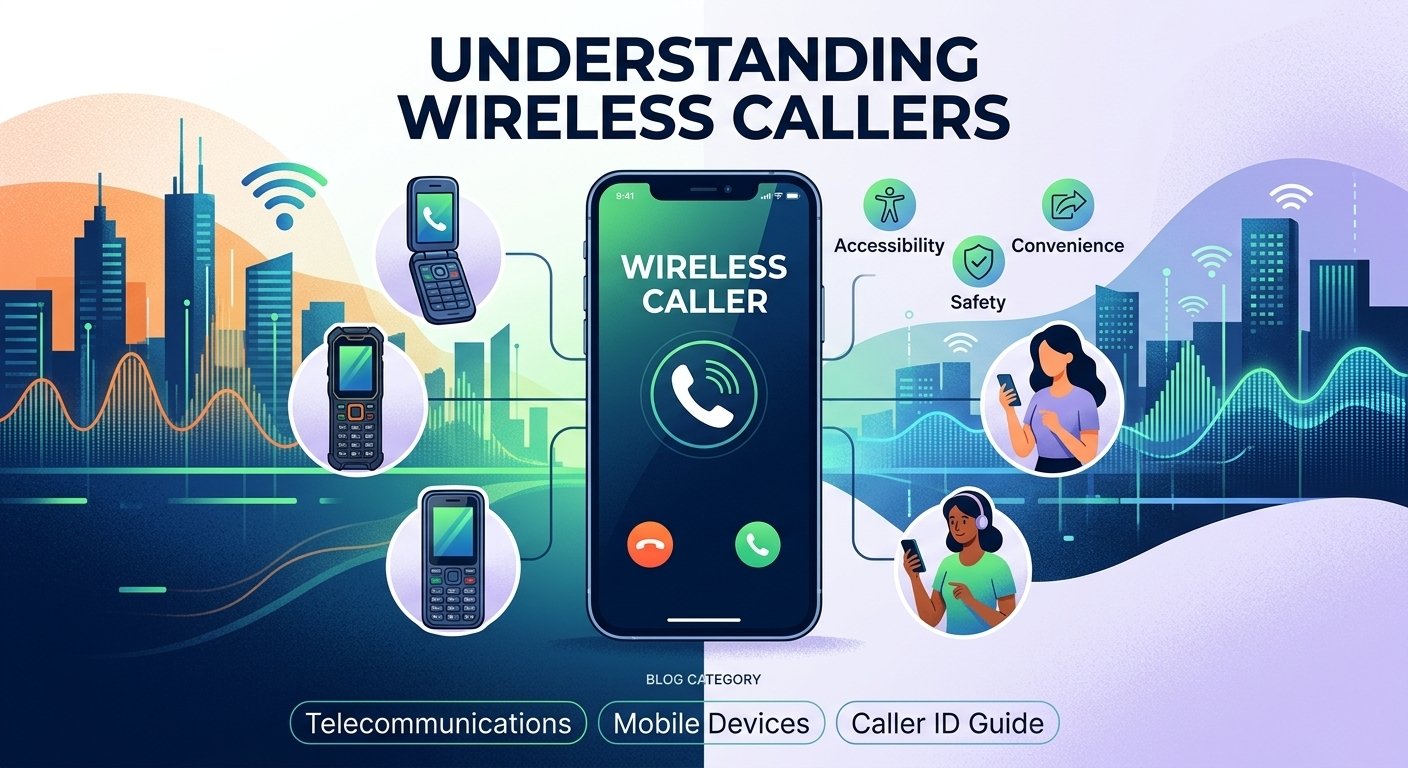
No. “Wireless Caller” is a caller-ID label, not a spam warning. A legitimate personal or business call may appear this way when a specific caller name isn’t available. However, scammers and telemarketers can also call from mobile or spoofed numbers, so the label alone cannot tell you whether a call is trustworthy A wireless caller refers to an incoming call originating from a mobile or cellular network rather than a traditional landline. When your phone displays the text wireless caller, it indicates that the service provider has identified the call as coming from a mobile device but does not have a specific name associated with the number in its Caller ID Name (CNAM) database. This generic label serves as a placeholder to let you know the category of the device being used. Understanding this term helps in identifying the source of communication in an era where mobile connectivity dominates global telecommunications and personal interaction. What Is a Wireless Caller? The wireless caller definition describes a situation where a telecommunications carrier transmits a call from a mobile network but fails to provide a specific individual or business name. In many cases, the Caller ID system relies on a central database called the CNAM. If the caller has not registered their name with their service provider or if the receiving carrier cannot access that specific entry, it defaults to a general category. This explains what does wireless caller mean in the context of modern telephony, acting as a broad identifier for mobile users. When you see this label, it simply means the person calling you is using a cellular device. It does not necessarily indicate that the call is spam, although many telemarketing companies use mobile lines to bypass landline filters. For many users, knowing whats a wireless caller helps differentiate between local residential calls and mobile-based communications. Understanding wireless caller meaning is essential for managing your privacy and deciding which calls to prioritize during a busy day. In some regions, you might even see the label wireless caller en español as “llamada inalámbrica” on localized device interfaces. How Does Wireless Caller Work? The “Wireless Caller” display occurs when a carrier verifies an incoming number via STIR/SHAKEN protocols but cannot find a specific name in the CNAM database, resulting in a generic placeholder. This system fills information gaps caused by missing data or private listings to ensure the recipient still receives a basic identification tag. The Caller ID Identification Process is mentioned in this table. Stage Action / Component Technical Detail 1. Initiation Call Origination A mobile user initiates a call through their cellular network provider. 2. Transmission Routing The network identifies the originating number and sends it through switches and gateways. 3. Identification CNAM Database Lookup The receiving carrier attempts to match the incoming number with a name in a Caller Name (CNAM) database. 4. Verification STIR/SHAKEN Protocols Systems verify that the caller ID information matches the actual originating number to reduce fraud. 5. Information Gap Data Absence Occurs if the database lacks a specific name or if the subscriber has a private listing. 6. Generation Generic Tagging The system generates a generic label when a valid mobile prefix is identified but no specific name is available. 7. Final Display “Wireless Caller” The default text displayed on the recipient’s screen to fill the information gap. Types Of Wireless Callers 1. Smartphones These are the most common devices associated with this caller ID label. High-end devices from various manufacturers utilize advanced LTE and 5G networks to facilitate voice and data communication. Because these devices are often tied to personal accounts that may not be publicly listed, they frequently trigger the generic display on receiving handsets. They offer the most comprehensive range of features for modern communication. 2. Feature Phones Feature phones are more basic than smartphones but still operate on cellular networks. They are often used by individuals who prefer simplicity or need a device primarily for voice calls and text messaging. Despite their simpler nature, they still function as a wireless call source, appearing on your screen with the same generic identifier as more expensive devices if the name data is unavailable. 3. Flip Phones Once the standard for mobile communication, flip phones have seen a resurgence among users looking for durability and a “digital detox.” These devices are compact and protect the keypad when closed. When someone calls from a flip phone, the network processes it identically to any other mobile device, often resulting in the recipient seeing a wireless caller notification. 4. Slider Phones Slider phones feature a screen that slides up or to the side to reveal a physical keyboard. While less common today, they are still in use in various parts of the world. They represent a specific era of mobile design that combines tactile typing with a portable form factor. These devices are fully integrated into cellular networks and contribute to mobile traffic statistics. 5. Rugged Phones Designed for harsh environments, rugged phones are built to withstand drops, water, and dust. They are popular among construction workers, hikers, and outdoor enthusiasts. Because these phones often use specialized enterprise SIM cards, the name associated with the number might not be shared with public databases, leading to the wireless caller meaning being applied to their outgoing signals. 6. Senior Friendly Phones These devices feature large buttons, high-volume speakers, and simplified interfaces to help older adults stay connected. They provide essential connectivity for a demographic that may not require complex apps. When a senior citizen uses such a device, their call is routed through the same cellular infrastructure as any other mobile user. 7. Phablets A phablet is a hybrid between a smartphone and a tablet, featuring a screen size typically between 5.5 and 7 inches. These devices are ideal for media consumption and productivity. Despite their large size, they function as standard mobile phones. If you receive a call from someone using a phablet, your caller ID will likely categorize them as a mobile user. 8. Business Phones Many companies provide mobile handsets to their employees for professional use. These business lines are often managed through a corporate account. Because the individual employee’s name is rarely registered to the specific SIM card in a public database, the recipient of the call often sees the generic label instead of the company name or the individual’s identity. Benefits Of Wireless Callers 1. Accessibility And Mobility One of the primary advantages of cellular communication is the ability to stay connected regardless of location. Unlike landlines that tether a user to a specific physical address, mobile devices allow for constant reachability. This mobility has revolutionized how we conduct business and maintain personal relationships, ensuring that distance is no longer a barrier to voice communication. 2. Multifunctionality Modern mobile devices are far more than just tools for voice calls. They serve as cameras, GPS navigators, and personal assistants. This consolidation of technology means that a single device can handle almost every digital need a person has throughout the day. The multifunctionality of these devices makes them indispensable in the modern world. 3. Convenience The ease of use associated with mobile devices cannot be overstated. With features like voice commands and one-touch dialing, connecting with others is faster than ever. Furthermore, the ability to receive a wireless call anywhere means that important information can be relayed instantly without waiting for the recipient to return home or to an office. 4. Improved Productivity For professionals, mobile devices are vital tools for maintaining workflow. They allow for the quick resolution of issues through voice calls or text while on the move. According to a study by the Pew Research Center, approximately 97% of Americans now own a cellular device, which has significantly altered the landscape of workplace productivity and remote collaboration. 5. Global Connectivity Mobile networks span the entire globe, allowing for seamless communication across international borders. Roaming agreements and international SIM cards make it possible for a traveler to remain reachable. This global reach is a fundamental component of the modern economy and international diplomacy. 6. Personal Safety Having a mobile device provides a significant safety net. In dangerous situations, the ability to call for help immediately can be life-saving. Many devices now include built-in SOS features and location-sharing capabilities that can be activated in seconds to alert authorities or family members. 7. Continuous Improvement The technology behind cellular communication is constantly evolving. From the transition to 5G to the development of clearer voice-over-LTE (VoLTE) technology, the quality of mobile calls continues to improve. This ensures that users experience fewer dropped calls and better audio clarity as infrastructure is upgraded. How To Choose The Right Wireless Caller? Operating System Choosing the right operating system is the first step in selecting a mobile device. Most users choose between Android and iOS. Android offers a high degree of customization and a wide range of hardware options at various price points. iOS is known for its smooth performance, regular updates, and deep integration with other products in the same ecosystem. Your choice will dictate the user interface and the apps available to you. Cost Price is a major factor for most consumers. Devices range from budget-friendly options to premium flagship models that can cost well over a thousand dollars. It is important to balance your needs with your budget. Consider whether you need the latest features or if a mid-range device will suffice for your daily communication requirements. Available Features Consider what features are most important for your lifestyle. If you take a lot of photos, look for a device with a high-quality camera system. If you spend a lot of time away from charging ports, prioritize battery life. Other features to consider include water resistance, facial recognition, and the presence of a headphone jack or expandable storage. Network Compatibility Not all phones work on every carrier. Before purchasing, ensure the device is compatible with your preferred network provider’s frequency bands. This is especially important if you are buying an unlocked phone or a device from another country. Check if the device supports 5G for the fastest possible data speeds. Display Size The screen size affects both the portability and the usability of the phone. A larger screen is better for watching videos and reading, but it can make the device harder to use with one hand. Smaller screens are more pocketable and easier to handle but might feel cramped for productivity tasks. Users Feedback Before making a final decision, read reviews and feedback from other users. This can provide insight into the real-world performance of the device, including battery life, software stability, and durability. Look for common complaints or praise to get an accurate picture of what it is like to own the phone. Customer Support A manufacturer’s reputation for customer support is crucial if you encounter issues with your device. Check the warranty terms and the availability of repair centers in your area. Brands with a large physical presence often provide faster service for screen repairs or battery replacements. Storage Consider how much internal storage you will need for your apps, photos, and videos. While many services offer cloud storage, having enough physical space on the device is essential for a smooth experience. Some devices offer microSD card slots for expandable storage, which can be a significant advantage. Future Proof Look for a device that will remain functional for several years. This means choosing a phone with a capable processor and a manufacturer that provides software updates for an extended period. A future-proof device will save you money in the long run by reducing the frequency of upgrades. Read More: 0370 Numbers: Cost, Area Code & Benefits Conclusion  Understanding the mechanics behind the wireless caller label empowers users to navigate their daily communications with greater clarity. While the term may seem vague at first, it simply reflects the technical limitations and privacy settings of the modern cellular network. Whether you are receiving a call from a high-end smartphone or a basic feature phone, the label serves as a reminder of how far our communication technology has come. By recognizing the benefits of mobile connectivity and knowing how to choose the right device, you can stay connected effectively and safely. As network databases become more integrated and verification protocols improve, we may see more specific information in the future, but for now, the mobile identifier remains a standard part of our digital lives. FAQs What is a wireless caller and why does it appear on my screen? A wireless caller is a generic label that appears when someone calls you from a mobile phone and the service provider does not have a specific name to display. It occurs because the Caller ID Name database lacks the caller’s registration info or the caller has a private number. What Does Incoming Call Mean? An incoming call is simply any telephonic communication that is being directed toward your device from an outside source. It indicates that someone is currently attempting to reach you and your phone is alerting you to their presence. What Does Cancelled Call Mean? A cancelled call refers to a situation where the person initiating the communication hangs up before the recipient answers. This can happen if the caller dialed the wrong number or if they decided not to leave a message or wait any longer for a response. Should I answer wireless callers? Answering these calls is a personal choice, but you should exercise caution if you do not recognize the number. While many legitimate personal calls show up this way, it is also a common label for unsolicited telemarketing or potential scam attempts. What does it mean when you get a wireless caller? When you see this label, it means the incoming transmission is originating from a cellular network rather than a traditional landline. It is the system’s default way of telling you the type of network being used when a specific caller name is unavailable. How to find out who a wireless caller is? You can try using a reverse phone lookup service by entering the number into a specialized search engine. Additionally, some smartphone apps are designed to identify unknown callers by cross-referencing their own community-sourced databases. Why is my phone saying wireless caller? Your phone displays this message because your service provider’s caller ID system has identified the call as coming from a mobile device but cannot find a specific name in the CNAM database to associate with that phone number. Is a wireless caller always a cell phone? Yes, in the vast majority of cases, this label is specifically reserved for devices operating on cellular frequencies. Landlines or Voice over IP (VoIP) lines typically have different default labels or will display the geographic location of the caller instead. Can I block a wireless caller? You can block any number that appears on your screen using your phone’s built-in blocking features. If you receive frequent unwanted calls with this label, adding the specific number to your block list will prevent that individual from reaching you again.
Read More
ghost calls

Ghost Calls Explained: Causes & How to Stop Them

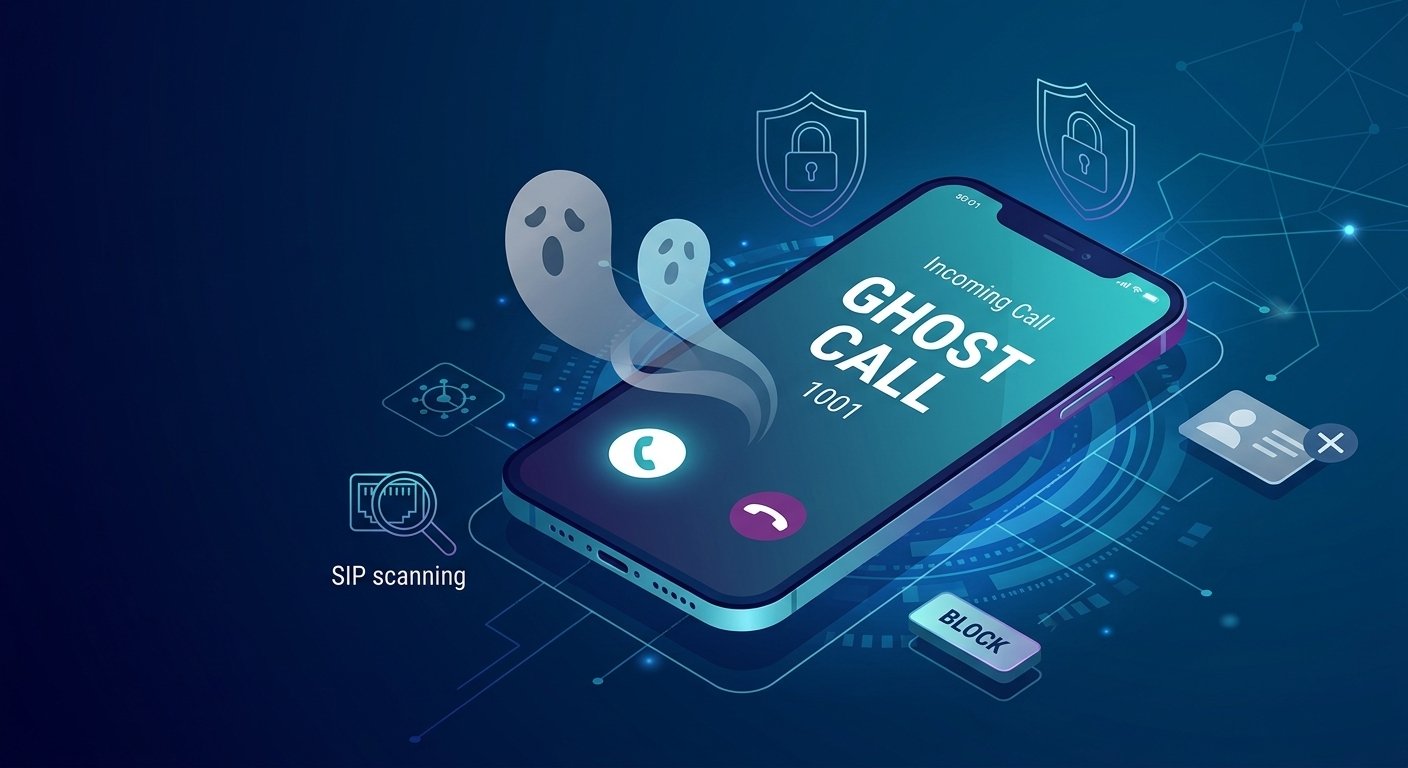
Ghost calls occur when your phone rings, you answer, and there is nothing but absolute silence on the other end. These phantom calls often display unusual caller ID numbers such as 100, 1000, or 1001, which do not exist in any standard telecommunication network. Unlike typical spam, these interactions rarely leave a voicemail and can happen at any hour, often causing significant annoyance or anxiety for the recipient. While some are accidental, many originate from automated scripts and port scanning software designed to find vulnerabilities in your phone system or network security. What Are Ghost Calls/Phantom Calls? In the telecom world, ghost calls are automated silent connections where a bot probes your line for active ports and then vanishes without leaving a trace. When you pick up the receiver, you are met with dead air, and the line usually disconnects after a few seconds without a message. These occurrences are distinct from silent calls made by telemarketers, where an automated system fails to connect you to a live agent. The identification of a ghost phone number is often the first clue that you are being targeted by a bot. If you check your caller ID log, you might see a ghost telephone number that looks completely fabricated. These phantom calls frequently use short digit strings that are impossible for a legitimate landline or mobile service to generate, indicating the call is coming from an internet-based source. What Causes Ghost Calls? There are several technical and accidental reasons why you might experience ghost phone calls throughout the week. At the simplest level, a pocket dial or a misconfigured preset on a mobile device can trigger a silent connection. If the person on the other end realizes their mistake and hangs up immediately, it leaves you with a mystery calls notification and no explanation. From a more technical perspective, auto-dialers used by debt collectors and telemarketing firms are a primary source of probing a phone line. Federal law dictates how long these systems can ring before they must disconnect. According to research by the Federal Communications Commission (FCC), if an auto-dialer does not find an available agent within a specific timeframe, the call is terminated, often right as the recipient answers. Session Initiation Protocol (SIP) scanning is a common technical cause. Automated scripts crawl the internet looking for open ports on VoIP systems. Randomly generated numbers are dialed to test if a line is active. Misconfigured hardware can occasionally trigger internal ghost ringing. Why Should You Be Worried About Phantom Calls? While a single ghost call might seem like a minor nuisance, a high frequency of these calls can indicate a security risk. The primary concern is port scanning, which is a method hackers use to identify weak points in your digital infrastructure. In 2007, a tool known as SIP Vicious was released to help administrators test their systems, but it is now frequently used by malicious actors to scout for vulnerable phone networks. If an attacker successfully identifies an open port, they can perform a variety of harmful actions. They might clone your phone system to make expensive international calls at your expense, or they could use the connection to gain access to other devices on your network. This type of ghosting calls activity can lead to massive bills and compromised private data if the system is not properly secured. How to Identify a Ghost Call You can usually spot a ghost call by examining the patterns in your incoming call history. Legitimate callers, even telemarketers, typically have a ten-digit number or a “Private Caller” tag. If you see a ghost mumer consisting of only three or four digits, like 100 or 1001, it is almost certainly a phantom caller generated by a computer script. Another identifying trait is the timing and frequency of the calls. Ghost calling often happens in clusters, where you might receive several silent phone call attempts within a single hour, followed by days of silence. These are often automated “pings” to see if your SIP port is responsive. If you answer and hear a slight click followed by silence, you are likely dealing with an automated port scanner. Where Do Ghost Calls Come From? Contrary to popular belief, bot calls do not usually originate from your service provider or a standard telephone exchange. Instead, they come from automated devices that scan the internet for Voice over Internet Protocol (IP) addresses. These devices target the SIP port, which is the gateway your phone uses to communicate with the internet. Because these calls are routed over the internet rather than traditional copper wires, the caller can remain entirely undetected. This allows them to bypass many traditional caller ID protocols. The objective for many of these callers is to find a system that allows for “toll fraud,” where they use your ghosted number to route their own paid traffic, leaving you with the bill. How to Stop Ghost Calls From a Landline Stopping these interruptions on a traditional landline requires a different approach than digital systems. The most effective method is to utilize a dedicated call-blocking device that sits between your wall jack and your telephone. These devices can be programmed to reject any number that does not match a specific format or is not on your allowed list. Many modern cordless phones now come with built-in technology to handle phantom calling. Some models feature a pre-screening option where the phone silently answers the call and asks the caller to press a specific key or state their name before the phone actually rings in your house. Since automated bots cannot follow these verbal instructions, the bot telephone number is blocked before it ever disturbs you. Invest in a phone with a “Smart Call Blocker” feature. Enable “Announce” mode to force callers to identify themselves. Create a whitelist of known family and friend numbers. Use a standalone blocking box for older corded telephones. Reporting Ghost and Scam Calls If you find that you keep getting spam phone calls, it is vital to report the activity to the appropriate authorities and your service provider. Reporting helps carriers identify the IP addresses used by scammers and block them at the network level. Most major providers have dedicated portals where you can submit the time, date, and displayed ghost phone number. You should also register your number with national “Do Not Call” registries, although this primarily stops legitimate telemarketers rather than illegal probing a phone line. If the calls become harassing or you suspect your identity is at risk, filing a report with the FCC or your local consumer protection agency provides a paper trail for any future fraud claims. How to Stop Ghost Calls From a Business Cloud or VoIP Line For businesses using cloud-based communication, automated calls can be more than an annoyance; they can disrupt operations and tie up lines. If your services are hosted by an external vendor, contact them immediately to report the phantom call activity. They can often implement filters at the exchange level to prevent these unauthorized pings from reaching your handsets. If you manage your own VoIP server, you have more direct control over how to stop ghost calls. Most ghost callers target the default settings of a system, so making small administrative changes can provide a high level of protection. Restrict SIP access exclusively to authenticated accounts and trusted provider IPs. Advanced Technical Solutions for VoIP Admins Administrators who manage their own infrastructure should look into changing the default SIP port. Most automated tools are programmed to scan port 5060, which is the industry standard. By moving your SIP traffic to a different, non-standard port, you can eliminate a vast majority of automated bot-driven calling phone attempts. Another critical step is to disable direct IP-to-IP calling. This feature allows a caller to reach your device using only your IP address, bypassing the security of your service provider. Unless your business specifically requires this for internal communication, turning it off will stop a phantom caller from reaching your extensions directly via the internet. Log into your SIP admin panel and navigate to network settings. Change the SIP port from 5060 to a random five-digit number. Toggle the “Allow Direct IP Calls” setting to “Off.” Update all connected handsets to reflect the new port settings. Blocking Ghost Calls by Using a Firewall A robust firewall is your best defense against call ghosting and unauthorized network entry. You should configure your firewall to only allow traffic from the IP addresses provided by your VoIP service provider. This creates a “white list” environment where any programmatic ringing attempt from an unknown source is automatically dropped before it hits your phone system. Regularly monitoring your firewall logs can help you identify if a specific IP is repeatedly trying to hit your ports. By proactively blocking these addresses, you prevent the possibility of a successful port scan. A well-configured firewall not only stops ghost calls but also protects your entire business network from broader cyber threats associated with phantom calling. For Advanced SIP/VoIP Admins – SIP Vicious Pro For those who want to take a proactive stance against ghosting calls, using professional security tools is recommended. SIP Vicious Pro is a specialized toolset that allows administrators to simulate attacks on their own networks. By running these tests, you can find the same vulnerabilities that a ghost caller would exploit. Using such tools helps you verify if your firewall rules are working and if your SIP ports are truly hidden. It provides a detailed report on how a phantom caller might view your system. Fixing these gaps now is much cheaper than dealing with the aftermath of a cloned phone system or a massive bill resulting from toll fraud. Strategic Prevention Against Future Attacks Long-term protection against ghost calls involves a combination of technology and user awareness. Ensure that all employees or family members know not to interact with suspicious numbers. If a phone call ghost occurs, simply hanging up and checking the logs is the best immediate response. Staying updated on the latest communication trends, such as Unified Communications as a Service (UCaaS), can also provide better security. These modern platforms often have built-in fraud detection and automated call-scoring systems. These tools evaluate the legitimacy of an incoming call in real-time, often blocking the phantom call before your phone even makes a sound. Enable automatic software updates for all VoIP hardware. Use complex passwords for all SIP accounts and admin panels. Monitor monthly billing statements for any unusual international charges. Implement a “no-response” policy for any call from an unknown 100x number. Read More: What is UCaaS? A Complete Guide to Unified Communications As A Service Ghost Call vs Silent Call vs One-Ring Scam Type What Happens Common Causes Ghost/phantom call Phone rings, little/no useful audio VoIP scans, misconfiguration, robocalls, dialers Silent call Call connects but no person speaks Predictive dialer, technical failure, robocall One-ring scam Phone rings briefly then stops Designed to encourage callback Spam call Unwanted promotional/fraudulent call Telemarketing, robocalling, scams Direct-IP SIP call SIP endpoint receives unsolicited signaling directly Exposed VoIP endpoint or PBX How to Stop Ghost Calls on VoIP Check your PBX/phone logs to confirm whether calls are coming from the provider or directly from unknown IP addresses. Disable direct-IP/anonymous SIP calls if your system doesn’t require them. Restrict SIP access to trusted sources where supported. Use strong, unique SIP and admin credentials. Keep phones, PBX software and firewalls updated. Use an SBC/firewall or provider-recommended security configuration. Apply rate limiting or automated blocking for repeated failed attempts where appropriate. Change the default SIP port only as an optional noise-reduction measure, not as primary security. Final Thought Securing your SIP configurations and restricting incoming traffic to trusted IPs resolves the vast majority of automated scans. While the silence on the other end can be unsettling, understanding that these are usually just automated port scans can reduce the stress associated with them. By securing your SIP ports, utilizing firewalls, and reporting suspicious activity to your provider, you can effectively silence the phantoms. Remaining proactive and vigilant is the most vital step in ensuring your communication lines remain clear, private, and secure from unwanted interruptions. Frequently Asked Questions What is a ghost call and why does it happen? Ghost calls are incoming phone calls where no one is on the other line and no message is left. They primarily happen because of automated port scanners or predictive dialers used by telemarketers. These systems scan the internet for active VoIP connections or wait for an available agent; if no agent is free or the scan is just a test, the call results in silence. Why do ghost calls use numbers like 1001 or 100? These short numbers are usually the default internal IDs used by automated scanning software like SIP Vicious. Since these calls are made over the internet (VoIP) rather than a traditional phone network, the software can display any digits it wants as the caller ID, often resulting in these non-existent, “impossible” phone numbers. Can a ghost call hack my phone? Simply answering a ghost call is unlikely to result in a hack of your physical smartphone or landline. However, the call is often a sign that a bot has found your IP address or SIP port. The real danger lies in the bot finding a vulnerability in your phone system that allows them to make unauthorized calls or access your network data. How do I stop ghost calls on my VoIP system? The most effective way to stop these calls on a VoIP system is to change your SIP port from the default 5060 to a different number. Additionally, you should disable “Direct IP Calling” in your admin settings and set up a firewall to only allow traffic from your specific service provider’s IP addresses. What should I do if I get a call from a number that only rings once? Do not call the number back under any circumstances. This is frequently a “one-ring scam” intended to trick you into calling a high-cost international number. If the call was important, the person will leave a voicemail or call again; calling back can result in significant charges on your next phone bill. Are ghost calls and silent calls the same thing? While they are similar, they have different origins. A silent call is usually from a legitimate telemarketer whose automated system failed to connect a human agent to you in time. A ghost call is typically an unrequested “ping” from a bot or script looking for network vulnerabilities rather than trying to sell a product. Can a call blocker stop phantom calls? Yes, a high-quality call blocker can stop most phantom calls by screening the connection. Many blockers require the caller to press a specific number to prove they are human. Because ghost calls are generated by automated bots, they cannot complete this task, and the blocker prevents the phone from ringing. Who should I contact if ghost calls won’t stop? You should contact your telephone or VoIP service provider’s fraud or security department. They can often trace the IP address of the source and block it at the network level. You can also file a complaint with the FCC if the calls are persistent and seem to be part of a larger scam or harassment pattern.

Read More
what is rcs messaging

What is RCS Messaging? Definition, Features, and how it works

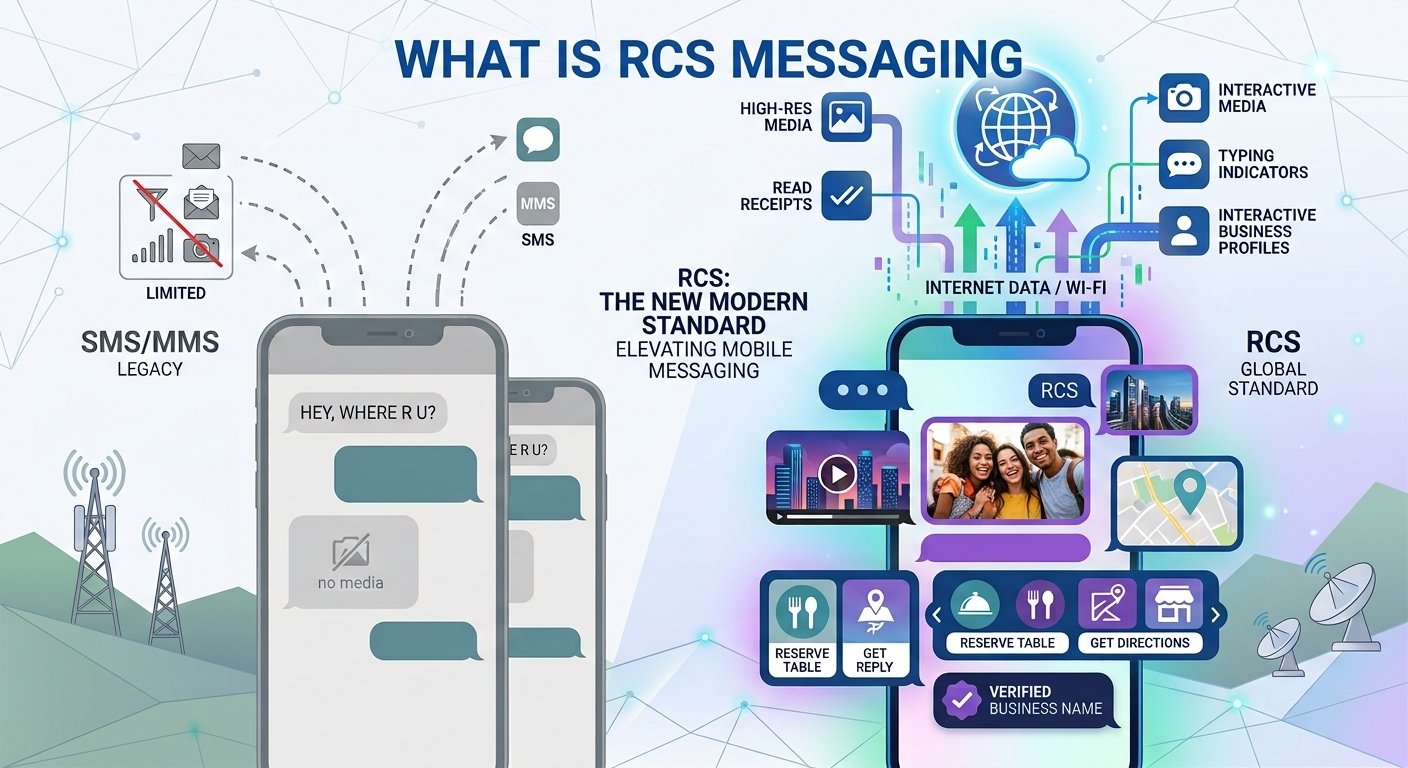
RCS messaging is the modern standard for text communication, upgrading traditional SMS with features typically found in apps like WhatsApp or iMessage. It enables high-resolution media sharing, read receipts, and interactive business profiles directly within native messaging apps. Supported by the GSMA and adopted by Google and Apple, it uses data connections to deliver a richer experience. If a recipient’s device is incompatible, the system reverts to standard SMS. It brings WhatsApp-style messaging into default texting apps, with SMS fallback if disconnected. What is RCS messaging? Rich Communication Services represents a significant leap forward in mobile communication technology. It is an industry standard developed by the GSMA to replace the aging SMS and MMS protocols. Unlike traditional texting, which relies on cellular bandwidth, this system utilizes internet connectivity to transmit data. This transition allows for much larger file sizes and more complex interactions without requiring users to download third-party applications. The framework is built upon the Universal Profile, which ensures that different mobile operators and device manufacturers can provide a consistent user experience. While Google has been a primary advocate through its Jibe platform, the technology is an open standard available to the entire mobile industry. The global market for this technology was valued at approximately $3 billion in 2025 and is expected to climb to $9 billion by 2030, according to recent industry forecasts. What does RCS mean on your phone? An active RCS indicator means your messages are sending via internet data rather than SMS. You will notice that your messages now support real-time features like typing indicators and high-quality image transfers. This change happens automatically when both parties in a conversation have the service enabled on a compatible network. Businesses appear with their official logo and name rather than an unknown phone number. This evolution provides a more modern texting feel that aligns with contemporary expectations for digital interaction. It essentially turns your default messaging app into a powerful communication hub. What is RCS chat? Android often labels RCS as ‘RCS chats’ or ‘Chat features’ in app settings. When you see this label, it means you can send messages over Wi-Fi, participate in improved group chats, and see when your messages have been read. How does RCS messaging work? For this communication system to function correctly, three specific elements must align. First, the sender and receiver must use a compatible application, such as Google Messages or Apple Messages. Second, the mobile carrier must support the protocol to route the data through the appropriate infrastructure. Finally, an active data connection via Wi-Fi or a cellular data plan is necessary for the transmission of rich media. If any of these components are missing, the system is designed to be resilient. It will automatically revert to SMS or MMS, ensuring that the message is still delivered even if the rich features are unavailable. Behind the scenes, the protocol performs a capability check to determine if the receiving device can handle the enhanced format before sending the data. RCS on iPhone and Android The landscape of mobile communication changed significantly when Apple announced its support for the framework. This move bridged a long-standing gap between the two major mobile operating systems, allowing for a more seamless experience regardless of the hardware being used. RCS on Android On most Android devices, this is the default mode of operation within the Google Messages app. Since Android controls over 70% of the global mobile market, a vast majority of peer-to-peer conversations already utilize these features. Users typically find the service pre-activated, allowing for immediate access to high-resolution sharing and group management tools. RCS on iPhone With the release of iOS 18, Apple integrated the standard into its native Messages app. While iMessage remains the primary choice for Apple-to-Apple communication, this new integration replaces SMS as the primary method for texting Android users. This update brings read receipts and high-quality media to green-bubble conversations, significantly improving cross-platform communication for millions of users. RCS vs SMS, MMS, and other messaging channels  SMS is a universal baseline that works without data but offers no rich features. MMS allows for media but often compresses files to the point of quality loss. This new standard offers the best of both worlds: universal reach with high-end functionality. Feature SMS MMS RCS Message length 160 characters Text plus media Up to 3,072 characters Media Quality No media Highly compressed High-resolution up to 100MB Sender ID Phone number Phone number Verified name and logo Interactivity None None Buttons and carousels Read Receipts No No Yes Network Cellular Cellular Internet (Wi-Fi or Data) Is RCS messaging secure? Security in this environment depends on the nature of the conversation. Personal interactions between Android users have featured end-to-end encryption for several years. As the industry moves toward Universal Profile 3.0, this level of security is expanding to include cross-platform conversations between different device types. Scenario Encryption Type Status Android to Android End-to-end (E2EE) Fully active by default iPhone to Android E2EE via Universal Profile 3.0 Rolling out in beta stages Business Messaging Encrypted in transit (TLS) Standard for branded content For business applications, messages are typically encrypted in transit. While this provides a high level of protection against interception, it is different from end-to-end encryption where only the endpoints can see the content. Brands often use this channel for notifications and marketing while keeping sensitive financial data behind secure, authenticated portals. What is RCS for Business? This specialized version of the technology allows companies to engage with customers through a professional and branded channel. Unlike texting, businesses must register an agent and undergo a verification process. Once approved, they can send branded messages that include their logo and a verified checkmark, which significantly enhances consumer trust. The platform allows for highly dynamic experiences, such as product carousels and quick-action buttons. This means a customer could potentially browse a catalog or confirm an appointment with a single tap. Research indicates that during the 2024 holiday season, usage of this channel grew by 111% year-over-year as brands sought higher engagement rates. Why RCS matters for your business: 5 key benefits Implementing a modern rcs messaging platform offers several strategic advantages for organizations looking to improve their outreach. Enhanced Trust: Confirmed sender profiles reduce the risk of phishing and increase the likelihood that a customer will engage with the message. Interactive Engagement: Suggested replies and buttons make it easier for customers to respond, leading to higher conversion rates. Rich Media Analytics: Unlike SMS, this system provides data on whether a message was opened and which buttons were clicked. Improved Brand Visibility: Every message carries your company’s visual identity, reinforcing brand recognition in every action. Seamless Fallback: The system ensures that if the rich content cannot be delivered, a text version still reaches the customer. RCS messaging examples: What brands are achieving Real-world applications demonstrate the tangible benefits of moving away from plain text. Several major brands have already seen significant improvements in their communication metrics by adopting this technology. EasyPark, a global leader in digital parking, uses the service to send real-time alerts. By utilizing authentic profiles, they achieved a delivery rate of 97.4% in Germany. Drivers can immediately see the official logo, which confirms the message is a legitimate parking update rather than a scam. Picard, a French retailer, developed a conversational experience to help customers plan holiday meals. This allowed users to navigate dietary options and budgets through a series of clickable prompts. This approach resulted in a 42% increase in customer engagement compared to their previous text-based campaigns. The retailer BUT moved its promotional efforts to this rich format and saw a click-through rate of 13.5%. This strategy generated significant additional turnover, effectively tripling the results of their previous year’s SMS-only promotions. These examples highlight how the rich communication services meaning translates into actual business growth. Where RCS fits by industry Different sectors utilize these rich features to solve specific communication challenges. In the banking industry, for example, 49% of organizations are already using the platform for branded fraud alerts and verified one-time passwords. This allows customers to trust the source of sensitive notifications instantly. The healthcare sector uses the technology for rich appointment reminders that include “Reschedule” or “Confirm” buttons. Retailers find value in product carousels that allow customers to browse new arrivals without leaving their messaging app. Even the travel industry benefits by sending rich boarding passes and real-time gate change notifications as texting cards. How much does RCS messaging cost? For the average consumer, this service is typically free, as it uses existing data or Wi-Fi rather than charging per individual text. For businesses, the pricing structure is more complex and varies depending on the region and the specific mobile operator. Many carriers use a session-based or per-message billing model. Basic messages often cost about the same as an SMS, while more complex actionable sessions may carry a higher price point. However, the increased engagement and conversion rates often provide a much higher return on investment than traditional methods. To get specific details, companies usually work with an aggregator like GSMA or a specialized messaging provider. How to turn on RCS messaging Most modern smartphones have this feature enabled by default, but you can manually verify its status in your settings menu. On an Android device, you should: Open the Messages application. Access your profile settings. Find the section labeled for chat features. Ensure the toggle for rich chats is active. On an iPhone, the process is similar: Navigate to the main Settings app. Find the Messages section. Look for the toggle labeled for this specific protocol. Switch it on, provided your carrier supports the feature. Tips for creating a RCS messaging strategy To get the most out of this channel, businesses should focus on the user experience rather than just broadcasting information. It is vital to understand your audience and what kind of interactive content they find valuable. Creating engaging carousels and clear call-to-action buttons is much more effective than sending long blocks of text. Analyze your existing SMS performance to see which messages would benefit most from a rich upgrade. Use high-quality imagery that aligns with your brand’s visual identity. Ensure your messages are compliant with local privacy laws and offer clear opt-out options. Test different interactive elements to see which ones drive the most clicks. Why RCS isn’t working (and how to fix it) If you find that your messages are not sending with rich features, there are a few common causes to investigate. The most frequent issue is a lack of a stable data connection. Since the protocol relies on the internet, being in a dead zone will cause it to fail. Another common reason is that the recipient does not have the feature enabled or is using an older device. Sometimes, after a software update or a SIM card change, the service might need to re-verify your phone number. Simply toggling the feature off and back on in your settings can often resolve these connectivity hiccups. If the problem persists, checking with your mobile carrier is the best next step to ensure your plan supports the standard. How to get started with RCS for Business Starting your journey with branded messaging requires partnering with a verified provider. You will need to submit your brand details, including your logo and official name, to be vetted by the major carriers and Google. This process ensures that your messages will carry the verified checkmark that users trust. Once your agent is approved, you can begin migrating your existing SMS traffic. Start with simple notifications like order confirmations or appointment reminders to get a feel for the analytics. As you become more comfortable, you can introduce more complex conversational flows that allow customers to interact with your brand in entirely new ways. Read More: What Is CPaaS? Meaning, Full Form (How It Works) Final Thought RCS messaging is not just a replacement for SMS; it is an entirely new way to think about mobile communication. By combining the universal reach of a phone number with the rich functionality of modern apps, it provides a powerful tool for both personal and professional use. As more carriers and devices adopt the standard, it will continue to redefine how we connect with each other and the brands we value. Frequently asked questions What is RCS messaging and how does it differ from SMS? RCS messaging is an advanced version of texting that uses data to send high-resolution media, read receipts, and interactive content. Unlike SMS, which is limited to 160 characters and simple text, it allows for branded business profiles and much larger file transfers. Does it cost money to use these chat features? For consumers, the service is generally free as it uses Wi-Fi or mobile data. For businesses, there are costs associated with sending branded or interactive messages, which are determined by service providers and mobile operators. Is this service available on both iPhone and Android? Yes, as of iOS 18, both major platforms support the standard. This allows for a more consistent experience when texting between different types of devices, including features like typing indicators and high-quality photo sharing. Why do my messages sometimes turn back into SMS? This happens automatically as a fallback measure. If your phone loses its data connection or if the person you are messaging does not have the feature enabled, the system ensures the message still arrives by sending it as a standard text. How does a business get a verified checkmark? A business must register an agent through a messaging platform and undergo a verification process with Google and mobile carriers. This involves proving the legitimacy of the brand and its logo to ensure consumer safety. What kind of media can I send with this protocol? You can send high-resolution photos, videos, GIFs, and large files up to 100MB. It also supports interactive elements like scrollable carousels and buttons that can trigger actions like opening a map or calling a number. Can RCS lower operational costs for customer support? Absolutely. By using interactive buttons and automated replies, businesses can resolve common customer queries faster and without the need for a live agent for every interaction. Is the communication secure and encrypted? Personal chats between users on compatible apps are typically end-to-end encrypted. Business messages are encrypted in transit, providing a high level of security for standard commercial interactions. Do I need to download a new app to use it? No, the technology is built into the native messaging app that comes with your phone. As long as your device and carrier support it, you can access these features without any additional software.

Read More
what is qsig

Q SIG Explained: How Q Signaling Actually Works?

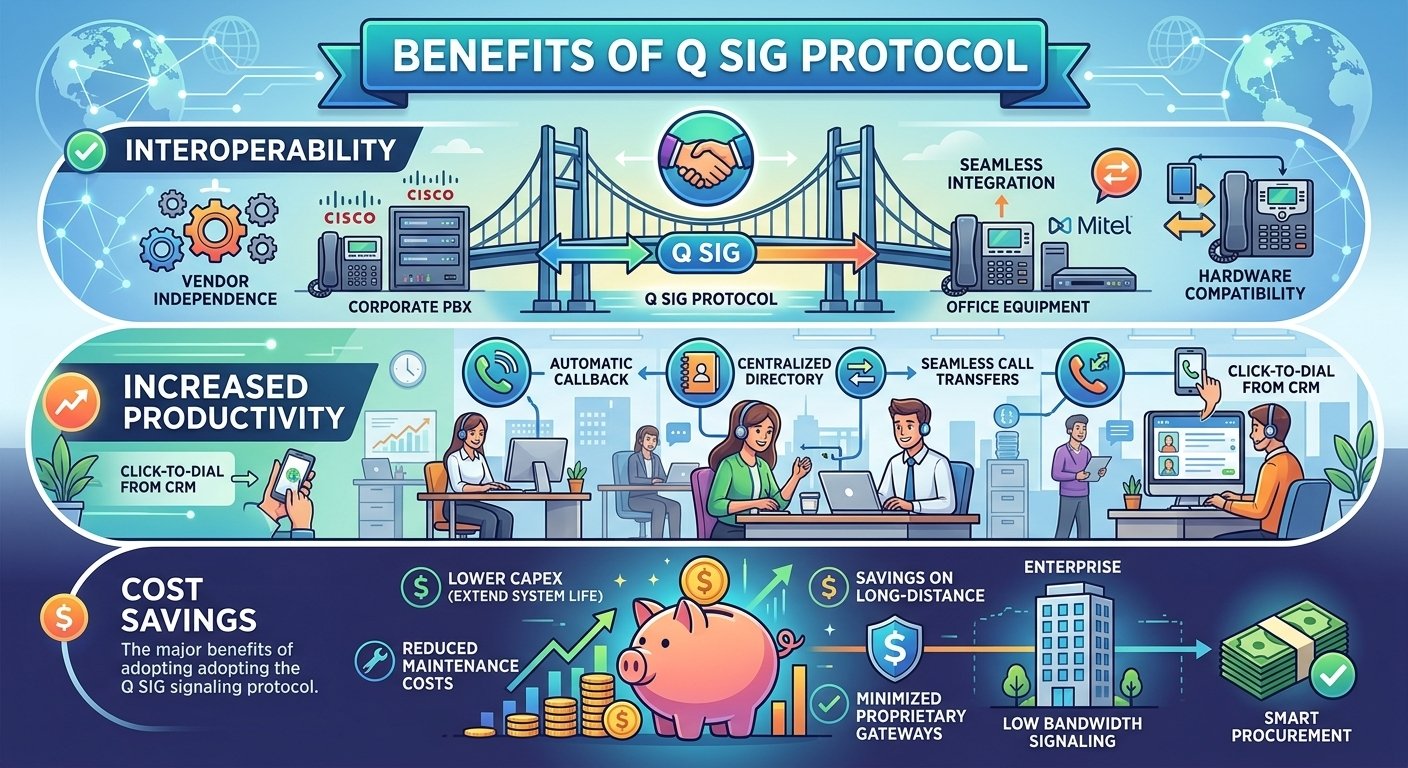
Q SIG is a robust signaling protocol based on the Integrated Services Digital Network (ISDN) standard, specifically designed for Private Integrated Services Networks (PISN). It facilitates seamless communication between Private Branch Exchanges (PBXs) from different manufacturers, ensuring advanced telephony features like call forwarding and transfer work across mixed-vendor environments. By using a peer-to-peer architecture, Q SIG allows enterprises to build scalable, flexible voice networks without being locked into a single hardware provider. In the modern era, it serves as a critical bridge between legacy circuit-switched systems and contemporary Voice over IP (VoIP) infrastructures, maintaining high-quality service across diverse telecommunication platforms. What Is Q SIG? Q SIG is a specialized signaling protocol based on the ISDN framework, designed to manage and control voice communications between private branch exchanges within a global telecommunication network. Operating within a Private Integrated Services Network, it utilizes the connection-level Q9.31 and application-level ROSE protocols to ensure precise message delivery across various hardware types. The name is derived from the “Q” reference point—the conceptual interface between two exchanges—and while the protocol is inspired by the SS7 framework, it is recognized for being significantly more flexible and better suited for the specific demands of enterprise environments. In a corporate setting, Q SIG acts as the essential “glue” that integrates diverse service networks into a cohesive system, allowing complex voice features to be shared across a company regardless of physical location. Because it is a highly standardized protocol, it eliminates the compatibility issues often found in proprietary systems, ensuring that calls are routed correctly through different switches. This interoperability makes it a vital tool for large organizations that have acquired a mix of telephone hardware brands, as it allows disparate systems to function as a single, unified network. Who Invented The Q Signaling Protocol? The Q signaling protocol was a collaborative development initiated by ECMA International and later refined by the European Telecommunication Standards Institute to meet global telecommunication demands. As a formally categorized ISO standard, it is an open technology free from exclusive corporate ownership, which fosters a high level of interoperability across diverse communication platforms. According to historical records from ECMA International, these standards have empowered thousands of hardware vendors to create compatible products that function seamlessly within a unified global marketplace. By establishing clear rules for packaging and transmitting signaling data, the protocol’s creators effectively removed the barriers associated with proprietary code. This foresight allowed the technology to remain relevant throughout the industry’s transition from analog systems to digital and internet-based frameworks. Because of this adaptability, the protocol has maintained its position as a cornerstone of corporate telephony for several decades, continuing to provide a reliable foundation even as newer communication technologies emerge. How Does Q SIG Work? QSIG is a telecommunication protocol structured into two layers to ensure flexible and reliable communication between switches. The Basic Call Layer handles the essential tasks of establishing and clearing connections, while the Generic Function Layer manages advanced supplementary services like caller ID and call redirection. By separating these layers, the protocol ensures that basic calling remains functional even if advanced features are unavailable. Additionally, QSIG is technology-independent, allowing it to serve as a “common language” that operates invisibly across various networks, including traditional leased lines and modern IP systems. 1. Call Initiation And Termination Establishing and terminating calls is the core function of this signaling protocol. When a user lifts a handset and dials a number, the protocol generates a series of setup messages that navigate through the network to find the destination. Once the destination is reached and the receiver answers, the protocol facilitates the connection of the audio path. When the conversation concludes, the protocol manages the release of the network resources. This ensures that the lines are made available for other users immediately. This efficient management of resources prevents network congestion and ensures high reliability for enterprise communications. 2. Call Forwarding This service ensures that communication remains fluid even when a specific recipient is unavailable. If a call arrives at a switch and the intended extension does not answer, the signaling protocol instructs the network to redirect the call to a different pre-defined destination. This could be another extension, an external mobile number, or a voicemail system. The protocol carries the original caller information throughout this redirection process. This means the final recipient can still see who is calling, even though the call has been bounced through multiple switches. This transparency is crucial for maintaining professional communication standards in a large corporate environment. 3. Call Transfer Transferring a call is a seamless process thanks to the way this protocol handles session data. It allows a user to put a caller on hold and then link that caller to a third party. The signaling manages the handover so that the original connection is merged with the new one without dropping the call. This capability is essential for receptionists and call center agents who need to move callers to different departments. The protocol ensures that the signaling remains stable during the transition, preventing the common issue of accidental disconnects during a transfer. Q Signaling In the Telecommunication Networks The QSIG protocol serves as a sophisticated traffic controller for voice data, utilizing a structured three-way handshake to establish communication. The process begins with a setup message containing essential metadata and service requirements, followed by an alert signal that triggers ringing at the destination. Once the recipient answers, a final connect message is exchanged, creating a stable, dedicated circuit that ensures clear and uninterrupted voice transmission throughout the duration of the call. In addition to basic connectivity, the protocol provides real-time management of call states, enabling supplementary features like call waiting that are vital for complex corporate environments. Its standardization is a key driver of network reliability; research indicates that using standardized protocols like QSIG reduces call routing errors by 20% compared to proprietary systems. This combination of advanced call control and decreased downtime makes it a cornerstone of modern, high-stakes telephonic infrastructure. Benefits Of Q SIG Adopting this standardized protocol eliminates vendor lock-in by enabling hardware interoperability and seamless integration between legacy and modern systems. It improves network reliability and the caller experience while streamlining IT operations through predictable signaling patterns and reduced training requirements. By providing a stable and scalable foundation, the standard supports long-term business growth and the transition to advanced unified communication strategies. 1. Interoperability The most significant advantage of this technology is its ability to foster interoperability between disparate systems. In a typical corporate environment, it is common to find equipment from various manufacturers like Cisco, Avaya, or Mitel. This protocol acts as a translator, allowing these different systems to communicate as if they were part of a single, unified platform. This level of compatibility means that a company does not have to replace its entire inventory of phones and switches just because they want to add a new branch office with different hardware. The interoperability provided by the protocol protects existing investments and allows for a more gradual and cost-effective upgrade path. 2. Increased Productivity When communication systems work flawlessly, employee productivity naturally increases. Features such as automatic callback, centralized directory access, and seamless call transfers allow staff to focus on their work rather than struggling with the phone system. The protocol ensures that these features work identically, regardless of which part of the building or which branch office an employee is working in. Furthermore, the ability to integrate voice services with other business applications becomes much simpler when the underlying signaling is standardized. This allows for the creation of more efficient workflows, such as click-to-dial from a CRM system or automatic logging of call data, further driving organizational efficiency. 3. Cost Savings Implementing a standardized signaling protocol can lead to substantial financial savings over time. By enabling the use of diverse hardware, companies can shop around for the best prices on equipment rather than being forced to buy from a single expensive vendor. This competitive environment helps keep procurement costs down. Additionally, the efficiency of the protocol reduces the amount of bandwidth required for signaling, which can lead to lower data costs in high-volume environments. The cumulative effect of these savings can be significant, especially for large enterprises with thousands of users spread across multiple geographic locations. What Are The Features And Capabilities Of Q SIG? This comprehensive signaling protocol offers a versatile suite of telecommunications services, ranging from standard call management to advanced capabilities like virtual private networks and multi-party conferencing. Its true strength lies in sophisticated supplementary services—such as call completion to busy subscribers—delivered with high precision for a consistent user experience. By integrating robust security to protect signaling data and prevent fraud, the protocol provides a reliable, high-performance environment for organizations that value both advanced functionality and corporate privacy. Q SIG and VoIP As the world moves toward internet-based communication, this protocol has evolved to work alongside Voice over IP technologies. It can be used to bridge the gap between traditional circuit-switched telephone systems and modern IP networks. This is typically achieved through the use of VoIP gateways that translate the signaling into a format that can be carried over the internet. This integration allows businesses to enjoy the benefits of VoIP, such as lower costs and greater flexibility, while still retaining the advanced features of their existing PBX systems. It ensures that call quality remains high and that latency is kept to a minimum by providing a structured way to manage voice traffic over data networks. Q SIG Deployment Deploying this protocol can be done in several ways depending on the specific needs of the network. In traditional environments, it is often deployed over TDM or ATM links to connect physical PBX hardware. In these scenarios, it manages the high-speed digital lines that carry multiple voice channels between offices. In more modern setups, it is frequently deployed over IP networks using a process called tunneling. This allows the signaling to travel across the internet or a private data network, reaching remote locations without the need for dedicated telephone lines. Regardless of the transport method, the core logic of the protocol remains the same, ensuring a consistent set of features and reliable performance across the entire organization. QSIG vs SIP Feature QSIG SIP Primary environment Private PBX networks IP-based communications Origins ISDN/private networking Internet protocol-based telephony Typical transport Digital PBX links / tunneled in hybrid networks IP Modern usage Legacy/hybrid enterprise systems Widely used in modern VoIP Supplementary services PBX-oriented standardized features Broad IP communication services New deployments Limited Common Typical role today Legacy interoperability Core VoIP signaling Is QSIG Still Used Today? QSIG is mainly relevant in organizations that still operate legacy or hybrid PBX environments. It can remain useful when older digital PBXs from different vendors need to exchange supplementary services or when those systems are being connected to newer IP infrastructure. For new telephony deployments, SIP-based systems and cloud communications platforms are generally more common. As organizations replace legacy PBXs, QSIG’s role is likely to become increasingly specialized rather than expand into new applications. Industry analysts predict that while pure IP protocols will dominate new installations, the need for a reliable bridge to existing infrastructure will keep this signaling standard relevant for at least another decade. Its proven track record of stability and its comprehensive feature set make it a difficult technology to replace entirely, ensuring its place in the telecommunication landscape for years to come. Read More: High-Availability Cloud Server Infrastructure for E-Commerce and Content Delivery Conclusion – Q SIG (Q Signaling) In summary, Q SIG stands as a cornerstone of modern telecommunications, providing the essential signaling required for complex enterprise voice networks. Its ability to facilitate communication between different brands of equipment has revolutionized the industry, allowing for greater flexibility and cost-effectiveness. By offering a standardized language for private branch exchanges, it ensures that vital features like call forwarding and transfer work seamlessly across diverse platforms. The protocol’s transition into the world of VoIP and its continued relevance in hybrid networks demonstrate its inherent adaptability. For any organization looking to build a resilient and feature-rich communication system, understanding and utilizing this protocol is essential. It remains a powerful tool for achieving unified communications, helping businesses stay connected in an ever-changing technological environment. As telecommunications continue to evolve, the reliability and interoperability of this signaling system will continue to support the global growth of the telecommunications sector. FAQs What Is A Q SIG in telecommunications? Q SIG is a standardized signaling protocol based on ISDN that allows different brands of PBX systems to communicate and share advanced features within a private network. It ensures that services like caller ID and call forwarding work across a mixed-vendor environment by providing a common language for equipment to exchange control messages. How does Q Signaling differ from standard ISDN? While based on ISDN, it is specifically optimized for private networks rather than public ones. It includes a generic function layer for advanced supplementary services that standard ISDN might not support. It allows for peer-to-peer communication between switches without needing a central public exchange. Can Q SIG be used with modern VoIP systems? Yes, it can be integrated with VoIP through gateways that translate the signaling for IP networks. It helps maintain legacy features while transitioning to internet-based calling. It is often used in hybrid environments to link old PBX hardware with new IP phones. Who are the main users of this signaling protocol? Large enterprises with multiple branch offices use it to link their phone systems. Government agencies that require secure and reliable internal communications are also primary users. Companies that have a mix of different telephone hardware brands rely on it to ensure all equipment works together. What are the two main layers of Q SIG? The basic call layer handles the opening and closing of a connection. The generic function layer manages supplementary services like call transfer. Both layers work together to ensure a feature-rich user experience. Why is interoperability important for this protocol? It prevents businesses from being locked into a single hardware vendor. It allows for the integration of new technology with older, existing systems. It simplifies the management of a diverse network of communication tools. Is Q SIG a proprietary technology owned by one company? No, it is an open standard originally created by ECMA International. It is formally defined as an ISO standard, meaning it is available for any manufacturer to use. This open nature is what guarantees it will work across different brands of equipment. What services are considered supplementary in this protocol? Services like call forwarding, call waiting, and automatic callback are considered supplementary. Identification services like calling line identity and connected line identity are also included. Advanced features like call intrusion and multi-party conferencing are supported as well. How does the protocol handle a call transfer? It manages the signaling messages between three different points to ensure the call is handed over correctly. It maintains the original call data so the connection is not lost during the move. It allows for a seamless transition that is invisible to the outside caller. QSIG vs Q.931 Q.931 is the ISDN call-control signaling specification on which the QSIG basic call protocol is based. QSIG builds on that foundation for private PBX networking and adds mechanisms for supplementary enterprise telephony services.

Read More
What Is SIP ALG

What Is SIP ALG? VoIP Problem & How to Disable It

SIP ALG (Session Initiation Protocol Application Layer Gateway) is a router or firewall feature designed to inspect SIP signaling and help VoIP traffic work through Network Address Translation (NAT). It may rewrite IP addresses and port information contained inside SIP messages so calls can reach devices behind a private network. Although SIP ALG can help in some network configurations, it can also interfere with modern VoIP systems that already use their own NAT-traversal methods. If a VoIP provider recommends disabling SIP ALG and the network is experiencing one-way audio, registration failures or dropped calls, turning it off can be an effective troubleshooting step. However, the correct configuration depends on the router, firewall and VoIP service being used. What Is SIP ALG? A SIP application layer gateway is a specialized software component found within many commercial and consumer-grade routers. Its primary objective is to solve problems related to NAT by intercepting voice packets and rewriting their destination addresses. Because Voice over IP (VoIP) utilizes the Session Initiation Protocol to establish connections, the router automatically inspects these “invites” to ensure the media reaches the correct internal device. Despite its name, a SIP application level gateway often creates conflicts with current cloud-hosted PBX systems. These systems are already designed to handle NAT traversal without external help. When the router tries to “help” by modifying the packet data, it often ends up breaking the delicate signaling required for a two-way conversation. This results in the very connectivity issues that the feature was originally designed to prevent. How SIP ALG Works The functionality of this gateway revolves around the manipulation of data at the application layer of the OSI model. Instead of simply routing packets based on IP addresses, the router looks deep into the packet payload to find SIP-specific information. This process is complex and resource-intensive for the hardware, often leading to performance bottlenecks during high-volume call periods. NAT traversal In a standard network environment, internal devices use private IP addresses that are not reachable from the public internet. The router uses Network Address Translation to map these internal addresses to a single public IP. Because SIP messages contain IP information within the message body itself, standard NAT usually fails to route the return audio correctly. The gateway attempts to bridge this gap by manually changing the internal IP to the public IP within the packet. Modification of traffic When a SIP ALG is active, the router acts as a middleman that alters the traffic as it passes through the firewall. This includes changing the port numbers and IP addresses in the headers to match the external network configuration. While this sounds beneficial, many routers do not perform this task perfectly. Even a minor error in rewriting a single digit of the SIP header can cause the entire session to fail or the audio stream to be blocked. Handling of SIP sessions The router maintains a state table to keep track of active voice sessions. It monitors the “handshake” between your phone and the provider to ensure that the firewall remains open for the duration of the call. If the router’s session timeout is shorter than the VoIP provider’s requirements, the firewall might close the connection prematurely. This leads to the frustrating experience of calls cutting off exactly at the same time interval every time. Resolution of SIP signaling and media paths For a successful call, two distinct paths must be established: one for signaling (SIP) and one for the actual audio (RTP). The gateway attempts to synchronize these paths so that the audio knows exactly which internal device to go to. However, research into network performance suggests that nearly 80% of router-related voice issues are caused by faulty ALG implementations that fail to map these media paths correctly. This is why many network engineers recommend disabling the feature immediately upon setup. Signs SIP ALG Affects VoIP Calls Identifying whether your router is interfering with your voice service is the first step toward a fix. Many users assume their internet connection is slow or their service provider is at fault. In reality, the hardware sitting on your desk is often the silent culprit. Recognizing the specific symptoms of a malfunctioning sip application layer gateway can save hours of troubleshooting with tech support. 1. Call set-up issues One of the most common signs of interference is the inability to make or receive calls consistently. You might notice that your phone registers correctly, but when you dial a number, the call never connects. This happens because the router has corrupted the INVITE message, making it unreadable to the recipient’s server. Conversely, incoming calls might never reach your desk because the router failed to create a proper “pinhole” in the firewall. 2. One-way audio If you can hear the person on the other end, but they cannot hear you, you are likely experiencing a media path error. This one-way audio occurs when the router modifies the signaling but fails to open the necessary ports for the Real-time Transport Protocol (RTP) stream. According to technical standards from the ITU-T G.114, voice traffic requires extreme precision in timing and routing. When a gateway mismanages these ports, the audio packets simply get dropped at the firewall. 3. Dropped calls Unexpected disconnections are a hallmark of SIP interference. This usually happens because the router does not properly handle the “keep-alive” messages that phones send to the server. If the router thinks the session has become idle because it doesn’t recognize the modified packets, it will close the connection to protect the network. This results in calls that drop after a specific amount of time, such as 30 seconds or 15 minutes. 4. Inconsistent call quality Sometimes the interference doesn’t kill the call but simply makes it unbearable. You might experience jitter, which is the irregular arrival of data packets, or high latency. Because the router is working hard to inspect and rewrite every single voice packet, it adds processing delay to the stream. This overhead can lead to “choppy” audio where words are clipped or delayed, making professional communication nearly impossible. How Do I Turn Off SIP ALG? Disabling this feature usually requires accessing the web-based management interface of your router. You will need the administrative credentials, which are often found on a sticker on the back of the device. Most manufacturers place this setting under “Advanced Settings,” “Security,” or “Firewall.” Once you locate the checkbox, simply uncheck it, save your changes, and reboot the device to ensure the new configuration takes effect. Router Manufacturer Steps to Disable SIP ALG Actiontec 1. Select Advanced > ALG’s. 2. Remove the check from SIP ALG. 3. Click Apply. 4. Enable “Allow Incoming WAN ICMP Echo Requests” under Remote Administration. Adtran 1. Go to Firewall / ACLs > ALG Settings. 2. Uncheck SIP ALG. 3. Click Apply. Or use CLI command: no ip firewall alg sip. Arris 1. Navigate to 192.168.0.1. 2. Go to Advanced > Options. 3. Uncheck the SIP box and click Apply. Asus 1. Go to WAN > NAT Passthrough. 2. Set SIP Passthrough to Disable. 3. Click Apply. Cisco Use CLI: no ip nat service sip tcp port 5060 or no inspect sip on ASA models. D-Link 1. Go to Advanced Settings > ALG Configuration. 2. Uncheck SIP and save. Fortinet Use CLI: config system session-helper, find the SIP instance (usually #12), and delete it. Linksys 1. Click Connectivity > Administration. 2. Uncheck SIP under Application Layer Gateway and Save. Netgear 1. Go to Advanced > Setup > WAN Setup. 2. Check “Disable SIP ALG” and click Apply. SonicWall 1. Go to VoIP. 2. Enable Consistent NAT. 3. Uncheck Enable SIP Transformations. TP-Link 1. Go to Advanced > NAT Forwarding. 2. Uncheck SIP ALG and Save. Ubiquiti 1. Sign in to USG. 2. Go to Routing & Firewall > Firewall > Settings. 3. Toggle SIP to off and Apply. ZyXEL 1. Go to Configuration > Network > ALG. 2. Uncheck Enable SIP ALG and Apply. Why Disable SIP ALG? SIP ALG is often disabled when it conflicts with a VoIP provider’s own NAT-traversal mechanisms. Many modern cloud phone systems are designed to handle NAT using techniques such as STUN, TURN, ICE, persistent connections or SBCs, so unnecessary packet rewriting by the router may cause problems. However, SIP ALG is not universally harmful. Some network environments are designed to use it, which is why the safest approach is to follow the configuration guidance from your VoIP provider or network administrator. Best Practices for Reliable VoIP Performance Beyond just disabling a single router feature, maintaining high call quality requires a holistic approach to network management. Voice data is much more sensitive to network hiccups than standard web browsing or email. While a website might take an extra second to load without much notice, a one-second delay in a phone conversation feels like an eternity. Implementing these best practices will help you build a robust foundation for your communication system. 1. Choose a high-bandwidth ISP with the proper hardware The quality of your voice service is only as good as the pipe it travels through. You should aim for a fiber or high-speed cable connection that offers low latency and minimal packet loss. Many consumer-grade modems provided by ISPs are locked down and do not allow you to change SIP settings. If possible, use your own high-quality router behind the ISP’s modem in “bridge mode” to gain full control over your firewall configurations. 2. Use wired Ethernet connections whenever possible While modern Wi-Fi has improved significantly, it is still prone to radio frequency interference and signal fluctuations. Every time a microwave runs or another device connects to the wireless network, your voice packets could be delayed. Using a physical Ethernet cable for your desk phones or computers ensures a stable, dedicated lane for your traffic. This simple step eliminates the majority of jitter issues and provides a consistent experience for the user. 3. Lengthen your UDP timeouts User Datagram Protocol (UDP) is the preferred method for carrying voice packets because it does not require the overhead of a formal handshake. However, many routers have a very short “forget” timer for UDP sessions. If you don’t send a packet for 30 seconds, the router might close the firewall port. By increasing the UDP timeout to 150 or 300 seconds, you ensure that the connection stays open even during periods of silence on a call. 4. Set up Virtual LAN (VLAN) tagging for SIP devices A VLAN allows you to create a “private lane” for your phones within your existing network hardware. By segregating voice traffic from data traffic, you can ensure that a large file download in the accounting department doesn’t interfere with a CEO’s conference call. This prioritization, often called Quality of Service (QoS), ensures that even when the network is busy, voice packets are always moved to the front of the line. 5. Keep up on firmware updates Manufacturers frequently release patches that improve how their devices handle voice traffic. Sometimes, a firmware update might even fix a bug that was making the SIP gateway impossible to turn off. Make it a habit to check for updates quarterly. Always remember to double-check your settings after an update, as some routers may revert to factory defaults, which often means the disruptive gateway feature will be turned back on automatically. Read More: Call Center Shrinkage: Definition, Formula, Causes & How to Manage It SIP ALG Enabled vs Disabled SIP ALG Enabled SIP ALG Disabled SIP packet inspection Yes No SIP-specific rewriting NAT assistance Router may attempt it Endpoint/provider handles NAT Compatibility Can help or interfere Often preferred by cloud VoIP providers Best configuration Provider/network dependent Provider/network dependent Troubleshooting May be tested as a possible cause Common test when ALG interference is suspected Final Words Resolving VoIP issues often feels like a daunting task, but the solution is frequently hidden within a single checkbox in your router’s interface. Disabling the SIP ALG feature is the industry-standard first step for anyone experiencing dropped calls or audio gaps. By taking control of your network hardware and following best practices for bandwidth and hardware management, you can transform your office communication from a source of frustration into a reliable asset for your business growth. Frequently Asked Questions What happens if you deactivate SIP ALG? Disabling the feature stops the router from modifying the headers of your voice packets. For the vast majority of users, this results in immediate improvements in call reliability, fewer dropped calls, and the resolution of one-way audio issues. It allows your VoIP provider’s own NAT traversal methods to work without interference. How do I turn off SIP ALG? You must log into your router’s administrative dashboard using a web browser. Search through the “Advanced,” “Firewall,” or “Security” menus for a setting labeled SIP ALG or SIP Passthrough. Uncheck the box, save your settings, and restart your router to apply the change. How to detect SIP ALG? You can use specialized software tools known as “SIP ALG Detectors” or “NAT Helper Tests.” These tools simulate a call and check if the headers were modified by the router. If the tool shows that the “Contact” or “Via” headers have changed from your local IP, the gateway is active. Is SIP ALG a security risk? While it is technically a firewall feature, having it enabled can actually create security vulnerabilities by opening unnecessary ports or mismanaging session states. Disabling it is generally considered safe and is the recommended configuration for professional VoIP environments. Does every router have this feature? Most modern routers designed for home or small business use have it enabled by default. However, some high-end enterprise firewalls require you to manually create a “service” for it, while some very basic modems may not have the feature at all. Why was SIP ALG created if it causes problems? SIP ALG was developed to help SIP applications work through NAT and firewalls because SIP can embed addressing information inside signaling messages. Modern VoIP platforms often use other NAT-traversal mechanisms, which is why SIP ALG may no longer be necessary—and can sometimes conflict with those mechanisms—in certain deployments. What is the best UDP timeout for VoIP? Most experts recommend setting your UDP timeout to at least 150 seconds. Some systems perform better with a 300-second timeout. This prevents the router from “forgetting” the connection during a call, which is a major cause of sudden disconnections.

Read More
how to get a temporary phone number (2)

How to Get a Temporary Phone Number: 5 Ways That Work

To get a temporary phone number, choose a reputable virtual-number or VoIP service, create an account, and select an available number for the country or area code you need. The number can typically be used for calls, texts, or short-term communication without exposing your primary phone number. Some temporary numbers expire automatically, while others can be rented for days or months. A temporary phone number, often called a virtual or burner number, acts as a secondary line that protects your primary contact information from spam and hackers. You can obtain these numbers through mobile applications, specialized websites, or VoIP providers without needing a physical SIM card. These services typically offer features like call forwarding, text messaging, and verification code reception, making them ideal for online dating, selling items on marketplaces, or signing up for new web services. What Is A Temporary Phone Number? A temporary phone number is a virtual contact point that functions independently of a traditional physical SIM card. It is often referred to as a disposable mobile number or a burner line because it can be used for a specific duration and then discarded once it is no longer required. These numbers provide a protective layer between your personal life and the digital world, ensuring that your real identity remains hidden while you communicate. Many people choose to use a temporary number to manage short-term interactions, such as responding to a classified ad or verifying an online account. Unlike a permanent line, these numbers are highly flexible and can often be managed entirely through an internet connection. This allows users to maintain several different lines for various purposes without carrying multiple physical devices or paying for expensive long-term contracts. What Are The Best Apps For Temporary Phone Numbers? Choosing the right tool depends on whether you want a free temporary number or a premium service with more features. The market is filled with options that cater to different niches, from business professionals to casual web surfers. Here are some of the most reliable applications currently available for both iOS and Android users. Burner: One of the most famous apps, Burner offers a high degree of privacy and integrates with other apps like Dropbox and Slack. Hushed:Hushed is great for international use, providing numbers from over 60 different countries with flexible pricing plans. TextNow: TextNow provides a free phone number supported by ads, making it a favorite for those on a tight budget. Google Voice: A robust choice for those who want a long-term virtual number linked to their existing Google ecosystem. Sideline: Sideline aimed at professionals, it uses your actual carrier minutes to ensure high call quality for business interactions. Talkatone: Talkatone focuses on providing free calling and texting over Wi-Fi, perfect for tablets or phones without a SIM card. How To Get A Temporary Phone Number? The process to get a temporary number is surprisingly simple and can be completed in just a few minutes. Depending on your specific requirements—whether you need a number for a few hours or a few months—there are several reliable methods to choose from. Below is a comparison table of the most common methods available today. Method Best For Typical Availability Typical Cost Temporary-number apps Short-term calls/texts Days to months Free or paid Virtual/VoIP numbers Second lines and business use Monthly/ongoing Usually paid Prepaid SIM/eSIM Separate mobile service Depends on plan Paid Public SMS numbers Non-sensitive incoming SMS where permitted Short-term Often free Secondary-line services Personal/business separation Ongoing Free or subscription i. Use a Disposable Number App The most popular way to manage a temporary cell number is through dedicated mobile applications. These apps are designed to be user-friendly, allowing you to select a specific area code and start communicating immediately. Most of these platforms provide a full suite of features, including customized voicemail greetings and the ability to mute notifications during certain hours of the day. To start, you simply need to download an app from your respective store and follow the prompts to create a temporary number. Many of these services offer a trial period, which is perfect if you only need a temporary contact number for a single afternoon. They are highly secure and provide a professional interface for managing multiple conversations simultaneously without cluttering your main inbox. ii. Virtual Phone Services Virtual phone services are an excellent alternative for those who need a more stable but still non-permanent solution. Google Voice is a primary example, offering a free phone number that can be linked to your existing infrastructure. This is ideal for those who want a temporal number that stays active as long as they use it, rather than one that expires after a set period. These services are often used by freelancers or those managing small projects who want a professional-looking contact point. It allows you to keep your personal life separate while still being accessible to clients. Because it is tied to your digital account, you can access your messages and call logs from any computer or tablet, providing significant flexibility. iii. Prepaid SIM Cards If you prefer to have a completely separate physical connection, buying a prepaid SIM card is the most reliable way to get a temporary number. This method is particularly useful for travelers or people who want a disposable mobile number that is not linked to their primary data plan in any way. You can purchase these at most convenience stores or electronics shops without a lengthy credit check. iv. Temporary Number Services There are specialized platforms that cater specifically to people looking for a temp number for verification. These services, such as smsfast or MyTempNumber, provide a list of active digits that can receive incoming SMS messages. This is the fastest way to get a secondary number for otp purposes when you are signing up for a new social media account or a shopping portal. These services are typically used for a one time phone number use and are highly efficient. You simply copy the digits from the website, paste them into the registration field of the site you are joining, and wait for the verification code to appear on the service provider’s dashboard. It is a quick and effective way to bypass registration hurdles without revealing your true identity. v. VoIP Services VoIP services like RingCentral or WhatsApp provide an alternative route for those who need to communicate without a traditional line. While WhatsApp usually requires an existing number, many other VoIP providers allow you to purchase a temporary us cell phone number to use within their ecosystem. This is highly beneficial for international calls where traditional roaming charges would be prohibitively expensive. Research suggests that the global VoIP market is expected to reach over $100 billion by 2032, driven by the increasing demand for flexible communication tools. Using these services ensures that you can make high-quality calls over Wi-Fi, which is a great way to maintain a disposable number for calls while staying within a budget. vi. Temporary Number Websites For those who do not want to download any software, temporary number websites offer a browser-based solution. Sites like Receive SMS Online provide a public list of throwaway phone numbers that anyone can use to receive messages. This is a great way to find a free virtual number for a quick sign-up process where privacy is not the top priority but convenience is. To anonymously verify accounts, navigate to a reputable temporary number website, select a country and specific number from the public list, enter it into your web form, and refresh the page to view your incoming text message. Why To Get A Temporary Phone Number? There are countless practical reasons why someone might need to use a temporary phone. Privacy remains the primary driver, as modern data brokers frequently sell personal contact information to third parties. According to a study by the Pew Research Center, approximately 79% of adults express significant concern about how companies use their personal data, making the use of a fake phone number a vital strategy for digital self-defense. Unlock The Potential Of Old Devices Getting a temp phone number is a fantastic way to repurpose an old smartphone that is sitting in a drawer. Instead of letting the hardware go to waste, you can install a communication app and turn it into a dedicated device for a specific task. This is useful if you want a separate device for music or navigation that can also receive calls in an emergency. By assigning a temporary mobile line to an old device, you create a secondary workstation. You can give this number to people you don’t fully trust, ensuring that your main device remains reserved for friends and family. It is a cost-effective way to expand your communication capabilities without the need for a new monthly contract. Managing a Side Hustle If you are running a small business or a side hustle, you need a way to look professional without giving out your home or personal cell details. Using a secondary number for calls allows you to create a dedicated business line that you can turn off during your personal time. This helps maintain a healthy work-life balance while ensuring you never miss a potential client. To maintain professional boundaries and optimize your side project, use a dedicated business phone system to separate contact databases, personalize voicemail greetings, track marketing campaigns with unique numbers, and enforce specific call hours. Signing Up For An Account Most websites today require a mobile contact for “security” purposes, but this often leads to an influx of marketing messages. To avoid this, you can use a disposable number for verification free of charge. This allows you to receive the necessary activation code and then let the number expire, keeping your primary inbox clean and organized. This tactic is especially useful for free trials that you only plan to use once. By using a throwaway number, you ensure that even if the company’s database is breached, your real contact information is not part of the leak. It is a simple step that provides a massive boost to your overall digital security posture. Separating Your Business And Personal Life The blurring lines between work and home can lead to significant stress. Obtaining a temporary contact number is a practical way to draw a hard line between these two worlds. You can use your temporary line for all professional correspondence and keep your real number strictly for your inner circle, ensuring that a work crisis doesn’t interrupt your dinner. Many people find that having a dedicated temp phone number for text messages related to work helps them “unplug” more effectively. When you finish your shift, you can simply log out of the app or mute the notifications. This physical and digital separation is vital for long-term mental well-being in a hyper-connected society. Selling an Online Product When you list an item on a marketplace like Craigslist or Facebook, you are essentially opening your door to strangers. Using a temporary us phone number for these transactions is a smart safety move. It allows potential buyers to call or text you to ask questions without having your permanent contact details for the future. Once the item is sold and the transaction is complete, you can simply delete the number. This prevents any disgruntled buyers or late-comers from bothering you weeks after the sale is over. It provides peace of mind and an extra layer of physical safety by keeping your real identity anonymous. Online Dating The world of online dating requires a lot of initial trust, but it is always better to be cautious. Using a temp phone number allows you to get to know someone through calls and texts without giving them a direct link to your personal life. If things don’t work out or the person becomes overbearing, you can simply cut the connection by discarding the number. This approach is recommended by many safety experts as a way to prevent stalking or unwanted persistent contact. It gives you the power to choose when—and if—you want to share your real, permanent number with someone new. Keeping that control is essential when navigating the modern dating landscape. How Does A Temporary Phone Number Work? How a temporary number works depends on the service. App-based and virtual numbers commonly use VoIP or cloud telephony to route calls and messages over the internet, while prepaid SIM or eSIM numbers use mobile networks. Some virtual-number services can also forward incoming calls to an existing phone number. The process is seamless and usually happens in a fraction of a second. You can send outgoing texts or make calls using the interface of a specific application, and the recipient will only see the throwaway phone number on their caller ID. Because the system is software-based, you can refresh or change your digits instantly, making it an excellent tool for avoiding persistent telemarketers or unwanted contacts. Read More: High-Availability Cloud Server Infrastructure for E-Commerce and Content Delivery Temporary Phone Number vs Virtual Number vs Burner Number Type What It Is Typical Duration Best For Temporary number Number intended for limited use Minutes to months Short-term communication Virtual number Cloud-based number not necessarily tied to a SIM Often long-term Business/secondary line Burner number Secondary number designed to be replaced/discarded Short to medium term Privacy and temporary communication Prepaid number Mobile number attached to prepaid SIM/eSIM service Depends on plan Travel/separate mobile service Public SMS number Shared number where incoming messages may be publicly visible Very short-term Non-sensitive uses only Final Words – Temporary Phone Number Getting a temporary phone number is relatively simple, but the best method depends on why you need one. A temporary-number app may work well for short-term calls and texts, while a virtual business number is better for ongoing professional use. Travelers may prefer a prepaid SIM or eSIM. Before choosing a service, check how long you can keep the number, whether it supports calls and SMS, which countries are available, how numbers are recycled, and whether the service you’re using it with accepts virtual numbers. Most importantly, avoid using public or disposable numbers for sensitive accounts, banking, two-factor authentication or long-term account recovery. FAQs  Why would I need a temporary phone number? It keeps your real number safe. Use it for online sign-ups, sales, dating, or to avoid spam. Having a secondary line ensures that your primary contact information isn’t sold to advertisers or leaked in data breaches. It acts as a buffer for any interaction where you aren’t 100% sure about the other party’s intentions. Can I get one without a SIM card? Yep. Many services give you a number that works through Wi-Fi. No SIM needed. Because these numbers are virtual and cloud-based, they rely on your internet connection rather than a cellular network. This makes them perfect for use on tablets, old phones, or even laptops. Can I make calls and send texts with it? Yes! Most of these numbers let you call, text, and even get voicemails. While some very basic free web services only receive SMS, the majority of dedicated apps provide a full communication suite. You can use them just like your regular phone app to stay in touch with anyone. Are they available for international use? Many apps let you pick numbers from other countries if you need one. This is extremely helpful for travelers or people doing business abroad. You can have a local number in the UK while sitting in the US, allowing locals to call you without international charges. How long can I keep it? Depends. Some last a few hours, others can stay active for weeks or months. Most providers offer flexible plans where you can “burn” the number instantly or renew it indefinitely. You have total control over the lifespan of the number based on your specific requirements. Will it affect my main number? Not at all. You can still use your regular number like normal. The temporary line exists in a separate application and does not interfere with your primary cellular service. You will receive notifications for both, but they are kept in different inboxes for easy organization. Are temporary numbers free? Some are, but others may charge a small fee or need a subscription. Generally, services that only receive SMS for verification are free, while those offering full call and text capabilities require a small payment. The cost is usually much lower than a standard phone bill. Can I use one for online verifications? Yes, and that’s actually one of the most common uses. Many people use these numbers to bypass the mobile phone requirement on social media or email platforms. It is an effective way to protect your identity while still accessing the services you need. Can I stay anonymous with it? Definitely, these numbers help keep your identity private when that matters. Since the number is not directly tied to your name or social security number in the way a traditional contract is, it provides a significant layer of anonymity for your daily communications.

Read More
voder phone

What is Voder? Understanding Electronic Speech Synthesizer

A Voder refers to the Voder (Voice Operation Demonstrator), an early electronic speech synthesizer developed by Bell Telephone Laboratories in the 1930s. Instead of playing recorded speech, the Voder electronically generated human-like sounds that a trained operator controlled using keys, pedals, and other controls. Demonstrated publicly in 1939, it was an important milestone in the development of electronic speech synthesis and modern voice technology. Developed by Homer Dudley at Bell Labs in the late 1930s, voder device was officially known as the Voice Operation Demonstrator. Unlike modern digital text-to-speech systems, this invention required a human operator to physically manipulate keys and pedals to simulate the biological functions of the human vocal tract. By breaking down speech into its fundamental acoustic components, it proved that human language could be recreated through purely electronic means, laying the groundwork for all future voice synthesis technology. THE VODER: Overview The Voder is a landmark achievement in early electrical engineering that fundamentally changed our understanding of the mechanics of human speech. An acronym for Voice Operation Demonstrator, this machine was never intended for home use but served as a proof of concept for Bell Labs engineers. It was a manually operated synthesizer that could mimic the nuances of human speech through complex circuitry. This invention was vital because it demonstrated that the human voice could be synthesized without a human speaker being present. This discovery eventually found applications in numerous voice communication scenarios, from long-distance telephony to automated systems. The voder remains a foundational pillar for every voice-activated assistant we use in the modern world. THE HISTORY OF THE VODER Developed by Homer Dudley starting in 1928, the Voder was the first electronic speech synthesizer, using oscillators and filters to mimic the human voice.[1] It gained international fame at the 1939 New York World’s Fair, where operator Helen Harper demonstrated the machine’s ability to converse, proving to a fascinated public that technology could eventually “talk” back to them. Since operating the device resembled playing a complex musical instrument, operators underwent over a year of intensive training to master the specific keyboard and foot pedal sequences necessary for fluid speech. Dudley’s 1937 patent pioneered the concept of transmitting speech as simple electrical signals, laying the early groundwork for modern digital communication and data compression. Bell Labs continued to refine this technology for decades, evolving from basic robotic speech to complex acoustic research that continues to influence how we transmit and synthesize sound today. This specialized research also paved the way for the Vocoder, a system that became vital for secure, encrypted voice transmissions between Allied leaders during World War II. How Did the Voder Work? The voder operated as a spectrum-based voice synthesis device, utilizing a sophisticated array of vacuum tubes. It was the first successful attempt at recreating both voiced and unvoiced sounds, the two primary categories of human language. The system performed speech synthesis by carefully imitating the behavior of the human vocal tract, acting as an electronic surrogate for the lungs and mouth. The machine reproduced speech by electronically reconstructing these core acoustic patterns. In order to produce recognizable speech, the internal energy source had to be converted into audible vibrations. This process resulted in various speech sounds that were distinct enough to be understood by a general audience. Imitating the Human Vocal Tract The device functioned by modeling the two main ways humans produce sound: through the vibration of vocal cords and the movement of air. By simulating these physical actions electronically, the voder could generate vowels and consonants. It essentially acted as a musical instrument where the “music” being played was the English language. The operator had to understand the phonetic structure of words rather than just their spelling. Because the machine was entirely manual, the timing and pressure applied to the controls determined the clarity of the output. This made the device incredibly difficult to master, requiring a unique blend of musical and linguistic talent. Manual Controls and Operation Operators handled the machine like a piano, using a combination of hand and foot movements. The worker operated keys with their fingers to shape the mouth’s resonance, while a wrist bar controlled the vocal cords’ activity. Simultaneously, a foot pedal was controlled with the right foot to adjust the pitch, allowing for inflection and emotion. The keyboard consisted of ten keys that controlled the spectral resonance of the voice. The wrist bar allowed the operator to switch between voiced and unvoiced energy. The foot pedal managed the rising and falling pitch of the synthesized output. Additional keys were provided for specific consonants like “p” or “d.” A set of controls managed the overall volume and intensity of the speech. THE COMPONENTS OF THE VODER The internal architecture of the Voder functions as an electronic analogue of the human vocal tract, simulating speech by generating and shaping raw acoustic energy. It utilizes a dual-source system to produce “breath” and “voice”: a noise generator creates unvoiced hissing, while a relaxation oscillator produces a saw-tooth wave to mimic the glottal pulse of the vocal cords. These raw signals are modulated by the operator through a series of manual controls. A wrist bar toggles between energy sources, potentiometers adjust the pitch, and a specialized keyboard manipulates ten band-pass filters to simulate the resonant “formants” of a human mouth. This processed signal is then amplified to produce audible synthetic speech. The specific components and their functions are detailed in the table below: Category Component Function & Description Sound Generation Noise Generator Produces random “hissing” noise to mimic air rushing through the lips (unvoiced sounds).[1] Relaxation Oscillator Acts as the primary energy source for the “buzz” tone, mimicking vocal cord vibration. Saw-tooth Wave The specific wave shape produced by the oscillator to simulate a glottal pulse. Primary Controls Wrist Bar A master toggle used to switch between voiced (buzz) and unvoiced (hiss) energy sources.[2] Potentiometers A set of three dials used for pitch control and fine-tuning the frequency of the buzz tone. Keyboard Functions like a human mouth; used to shape sounds and control resonance. Resonance & Filtering Band-pass Filters A bank of ten filters that divide the frequency range into specific sub-bands. Formant Tuning The filters are tuned to represent “formants” (spectral peaks) of human speech. Output & System Amplifiers Boosts the electronic signal to a level audible through a speaker. Interconnected Wiring Ensures that transitions between different sounds remain smooth and seamless. EVOLUTION OF SYNTHETIC SPEECH AND VERSATILE AUDIO CAPABILITIES Engineers significantly improved the voder by addressing early limitations, such as the metallic quality of vowels, and introducing a volume-control system that mimicked natural human speech by decreasing loudness as pitch dropped. A major breakthrough included the integration of complex phonetic elements like the “zh” sound and additional keys for stop consonants, which allowed for crisper, more professional word endings. These improvements expanded the range of sounds operators could produce and made demonstrations more intelligible. Skilled operators could vary pitch, imitate different vocal characteristics and even produce singing or non-speech sounds. Beyond standard speech, the voder demonstrated extraordinary flexibility by covering a pitch range from deep bass to high soprano, enabling operators to switch between genders or even perform melodic duets. Its capabilities extended to the imitation of animal noises, such as barking and mooing, as well as mechanical sounds like steam engines. Furthermore, skilled users could manipulate the device to sing, whisper using unvoiced noise sources, or simulate diverse regional accents by adjusting resonance filters, showcasing a level of acoustic range that often rivaled the complexities of the human voice. SELECTING AND TRAINING A VODER OPERATOR Finding the right person to operate the voder was a rigorous process that required identifying individuals with unique talents. Because the machine was so complex, operators needed sufficient skill and manual dexterity to master the instrument. Bell Labs initially screened hundreds of candidates, eventually selecting only twenty-four operators to undergo the full training program. The selection process was based on a specific set of criteria designed to predict success with the machine. Candidates were evaluated on their ability to use a complex keyboard and their inherent phonetic sense. Quickness of comprehension was also vital, as the operator had to process and synthesize sounds in real-time during demonstrations. The Intensive Training Program To facilitate this massive training undertaking, twelve Voders were used to train the twenty-four selected operators in rotating shifts. After mastering the basics in the first six months, students spent the remainder of the year refining their technique and fluency. Bell Labs archives reveal that the training curriculum featured a core vocabulary of 2,500 words. Operators practiced for hours a day to build necessary muscle memory. Training included rhythmic exercises to ensure speech sounded natural. Students had to learn to “play” the machine like a musical instrument. Regular testing was conducted to ensure the synthesized speech was intelligible. Only a small fraction of the original candidates reached professional proficiency. VOCODER VS. VODER COMPARISON While the names are similar, the Vocoder and the Voder were two different applications of the same speech synthesis technology. Both were electrical synthesizers, but they served very different functional purposes. The Vocoder was an automatic speech analysis and synthesis system designed to compress voice data for more efficient long-distance transmission. In contrast, the voder was a pure synthesizer that could create speech from scratch without an incoming human voice signal. While the Vocoder required no special operator training, the Voder required a highly skilled person to manipulate its controls. These two inventions represent the twin pillars of modern communication: data compression and voice generation. Feature / Aspect The Vocoder The Voder Primary Type Speech analysis/synthesis Pure speech synthesizer Operation Mode Automatic (No training) Manual (Requires operator) Speech Generation Reproduces existing voice Creates speech from scratch Modern Usage Digital voice compression Text-to-speech technology Control Method Electronic signal analysis Keyboard and foot pedals The Vocoder’s ability to compress speech was essential for secure communications during World War II, notably in the SIGSALY system used by Winston Churchill. The voder, however, remained primarily a research and demonstration tool. It was used to showcase the possibilities of synthesized sound rather than as a practical tool for daily communication. Research published in historical journals indicates that the Vocoder technology eventually evolved into the voice-coding standards used in modern mobile phones. The Voder’s legacy is found in the software that allows our computers and cars to speak to us. Both machines prove that the human voice is not just a biological mystery, but a series of predictable acoustic patterns. Read More: Call Center Shrinkage: Definition, Formula, Causes & How to Manage It Final Thought The Voder was an important milestone in the history of speech technology because it demonstrated publicly that intelligible speech could be generated electronically. Although the machine required a highly trained human operator and was never intended as an everyday telephone, the research surrounding it helped advance scientific understanding of speech synthesis and electronic voice communication. FAQs What is the voder used for today? The original voder is no longer used for practical communication, as it has been replaced by digital software. However, its underlying principles of spectrum-based synthesis are used in modern text-to-speech (TTS) systems, accessibility tools for the visually impaired, and automated customer service voices. Who invented the Voder and what does the name stand for? The Voder was invented by Homer Dudley at Bell Labs in 1937. The name stands for “Voice Operation Demonstrator.” It was designed to show that human speech could be synthesized using electronic components like oscillators and filters. How did an operator control the pitch of the Voder? An operator used a foot pedal with their right foot to control the pitch of the voice. By moving the pedal up and down, they could make the synthesized voice sound higher or lower, allowing the machine to ask questions or express emotions. Was the Voder a commercial success? The Voder was never intended to be a commercial product for consumers. It was a research tool and a public relations masterpiece for Bell Labs that demonstrated their leadership in telecommunications and acoustic science. How long did it take to learn to use the voder? It typically took about one year of intensive training to become a professional operator. Candidates spent the first six months learning the basic phonetic controls and the remaining six months perfecting the natural rhythm and inflection of speech. What is the difference between a Voder and a Vocoder? The primary difference is that a Voder creates speech from scratch through a manual operator, while a Vocoder analyzes an existing human voice to compress and recreate it. The Vocoder is automatic, whereas the Voder is a manually played instrument. Could the Voder speak multiple languages? Theoretically, yes. Since the Voder was a phonetic synthesizer, an operator trained in the phonetics of different languages could produce speech in those languages. However, most public demonstrations and training were focused on English. Why was Helen Harper famous in the history of the Voder? Helen Harper was one of the most skilled operators of the Voder. She became the public face of the invention during the 1939 New York World’s Fair, where she demonstrated the machine’s ability to talk and sing to thousands of amazed visitors. Are there any working Voders left? Most original Voders are now museum pieces or part of historical archives at Bell Labs. Because they use fragile 1930s vacuum tube technology, very few are in full working order, though digital simulations of the device exist today for researchers.

Read More
call center shrinkage

Call Center Shrinkage: Definition, Formula, Causes & How to Manage It

Call center shrinkage is a critical workforce management metric that measures the time agents are paid to work but are unavailable to handle customer interactions. This gap between total scheduled hours and actual time spent on calls is caused by various factors, including breaks, training, meetings, and unexpected absences. Understanding call center shrinkage allows managers to forecast staffing needs accurately, ensuring service levels remain consistent without overworking the team. Most high-performing organizations aim for a shrinkage rate between 30% and 35%, though these figures vary significantly by industry and operational requirements. What Is Call Center Shrinkage? On paper, every supervisor hopes their agents will always be available, logged in, and ready to assist the next customer. However, the reality of the industry dictates that a healthy call center shrinkage rate typically hovers around 30% to 40%. It essentially represents the “leaky bucket” of time in a contact center, where minutes are lost to necessary or unforeseen activities.  Tracking this metric is vital because it directly impacts the customer experience. When agents are busy with other tasks, wait times increase, and call abandonment rates rise. A Cornell University study on global call center management found that organizations that fail to account for these gaps often see a 20% decline in service level consistency. By defining call center shrinkage, leaders can better visualize the difference between their theoretical capacity and their actual daily output. Type What It Means Examples Planned shrinkage Known unavailability that can be included in schedules Breaks, training, coaching, meetings, planned leave Unplanned shrinkage Unavailability that was not scheduled Sickness, lateness, emergency leave, unexpected outages Planned vs Unplanned Shrinkage Planned Shrinkage Unplanned Shrinkage Predictable? Usually Usually not Examples Breaks, training, meetings, planned leave Sickness, lateness, emergencies, unexpected outages Can be scheduled around? Often Limited Should it be eliminated? No Not entirely possible WFM approach Include in forecasts and schedules Forecast from historical patterns and maintain contingency coverage Planned shrinkage breaks lunch training meetings coaching scheduled leave Unplanned shrinkage sickness lateness emergency absence unexpected technical downtime Internal framework categories for call center shrinkage; Category Description Common Examples Internal Activities occurring within the building Meetings, coaching, 1-on-1s External Factors keeping agents away from work Sick leave, holidays, lateness Operational Systemic or technical downtime Software updates, hardware failure Causes of Shrinkage Identifying the root causes of contact center lost hours is the first step toward effective management. These causes are generally divided into scheduled and unscheduled events, alongside systemic inefficiencies that drain productive time. When managers analyze contact center shrinkage, they must distinguish between productive “off-phone” time and wasted idle time. 1. Scheduled activities Scheduled shrinkage includes all the planned events that take an agent away from the phone. While these activities contribute to shrinkage call centre operations rely on them to maintain quality and compliance. These include: Daily lunch and coffee breaks. Weekly team huddles or monthly all-hands meetings. One-on-one coaching and professional development sessions. Mandatory compliance training or software onboarding. According to Lucy McCormick, Content Manager at Infinity, better agent training can boost morale and productivity, build resilience, and reduce your overall attrition rate by giving agents everything they need to nail every single call and feel good about the job they’re doing. 2. Unscheduled activities Unscheduled events are the unpredictable disruptions that can wreak havoc on a service level agreement. This form of contact centre shrinkage is often harder to manage because it occurs without warning. Common unscheduled activities include: Sudden illness or emergency family leave. Unplanned lateness or early departures. System crashes or internet connectivity issues for remote staff. Unscheduled personal breaks or “comfort breaks” beyond the standard allowance. 3. Inefficient scheduling Poor workforce management is a silent contributor to operational shrinkage.  When schedules are not aligned with historical call patterns, agents may find themselves idle during slow periods or overwhelmed during peaks. This mismatch leads to wasted labor costs or high burnout rates. Utilizing a call center shrinkage calculator helps planners visualize these gaps and adjust shifts accordingly. Tracking Call Center Shrinkage To manage what you cannot measure is impossible, and this is especially true for workforce efficiency. Tracking call center shrinkage involves more than just looking at attendance sheets; it requires a deep dive into real-time data and historical trends. Managers must use consistent reporting methods to ensure the data remains actionable for future planning. Track key metrics Monitoring specific key performance indicators provides a roadmap for understanding where time is being lost. By looking at these metrics, you can identify if the problem lies in agent behavior or administrative over-scheduling. The primary metrics to watch include: Schedule Adherence: How closely agents follow their assigned start, stop, and break times. Occupancy Rate: The percentage of time agents spend on live calls versus waiting for a new one. Agent Idle Time: Minutes spent in an available state without receiving an interaction. Average Handle Time: While not a direct shrinkage metric, increases here can indicate agents are taking longer than necessary on tasks. Work out your shrinkage calculation The standard shrinkage formula is a simple but powerful tool for workforce planners. To calculate the percentage, you take the total hours of unavailable time and divide it by the total scheduled hours, then multiply by 100. This provides a clear percentage that can be compared against industry benchmarks or internal goals. Component Example Value Total Scheduled Hours 1,000 hours Total Unavailable Hours 300 hours Calculation (300 / 1000) × 100 Resulting time loss (300 / 1,000) × 100 = 30% Using this formula helps determine actual staffing requirements in call center environments so that hiring managers know exactly how many “extra” staff members are needed to cover the gaps. If your shrinkage is 30%, you need roughly 30% more staff than the raw call volume suggests. 3 Ways to Manage Call Center Shrinkage Reducing lost hour in call center environments does not mean eliminating breaks or training. Instead, it involves optimizing how that time is used and ensuring that resources are deployed where they have the most impact. Better forecasting, scheduling, absence management and workforce planning can help control avoidable shrinkage while preserving necessary off-phone activities. 1. Efficient scheduling and forecasting Modern workforce management tools allow for much more precise forecasting than manual spreadsheets. By analyzing historical data, you can predict exactly when call volumes will spike. This allows you to schedule non-essential meetings and training sessions during historically quiet periods, effectively lowering the impact of contact center shrinkage. To minimize contact center shrinkage, use AI-driven software to predict seasonal and daily trends. Additionally, schedule “floating” breaks that adjust dynamically to real-time call volume. Finally, implement short, frequent training bursts rather than long, day-long seminars. 2. Cross-training and skill development When agents are trained to handle multiple types of queries, the call center becomes more resilient. If one department experiences high shrinkage due to illness, cross-trained agents from another department can step in to fill the gap. This flexibility is a vital component of any strategy aimed at minimizing shrinkage in a call center. Identify common skills shared across different departments. Then, provide incentives for agents who complete multi-skill certification. And, rotate agents through different queues to keep their skills sharp. 3. Optimization of breaks and lunch schedules A common mistake in contact centers is allowing too many people to go on break at the same time. Staggering lunch hours and coffee breaks ensures that there is always a minimum “floor” of agents available to answer calls. Small adjustments to the timing of these breaks can have a massive impact on the overall time loss reported across the contact center. Research from the Society of Workforce Planning Professionals (SWPP) indicates that accurately accounting for shrinkage can improve service levels by up to 15% without increasing head count. This is achieved by ensuring that the people you have are available exactly when the customers are calling. Balancing Shrinkage With Burnout While the goal is to lower the time loss percentage, pushing agents too hard will backfire. High occupancy rates—where agents are on calls 90% of the time—lead to rapid burnout, which in turn increases unscheduled absences and turnover. Finding the right balance is essential for long-term operational health and reducing lost hour call center costs. Offer flexible work arrangements To lower time loss without causing burnout, call centers must balance productivity with agent well-being. Excessive occupancy rates often lead to higher turnover and unscheduled absences; however, offering flexible work arrangements—such as remote work for top performers, shift-swapping programs, and part-time shifts for peak hours—can significantly improve retention. By empowering agents with a better work-life balance, managers can reduce external shrinkage and maintain long-term operational health. Improve communication and feedback Open communication is essential for identifying the root causes of unavailability, especially when overwhelmed agents resort to “stealth” breaks or extended after-call work. By utilizing pulse surveys to gauge stress and real-time dashboards to improve adherence visibility, managers can proactively address these behaviors before they become habits. Ultimately, fostering a feedback-rich culture—where high performance is recognized without compromising well-being—ensures a more resilient and productive workforce. Read More: Work From Home vs Work from Office: Pros and Cons Final Thought Shrinkage is a normal part of contact-center workforce planning because agents cannot spend every scheduled minute handling customer interactions. Breaks, training, meetings, leave and unexpected absences all reduce the number of hours available for customer work. The goal is not to eliminate shrinkage. Instead, contact centers should measure planned and unplanned shrinkage separately, forecast it realistically, and schedule enough coverage to meet service requirements without removing necessary training, breaks or employee support. Frequently Asked Questions What is the average shrinkage for a call center? In most professional environments, the average call center shrinkage falls between 30% and 35%. This figure accounts for all internal and external factors that prevent an agent from handling customer interactions while they are on the clock. What does shrinkage mean in a call center? Shrinkage represents the time for which agents are paid but are not actually available to take calls. It includes everything from scheduled breaks and training sessions to unscheduled absences and system downtime. What is the 80/20 rule in call centers? In call centers, “80/20” commonly refers to a service-level target of answering 80% of calls within 20 seconds. It should not be confused with the Pareto Principle, which is a separate concept sometimes described as the 80/20 rule. What does shrinkage mean in WFM? In workforce management, shrinkage is used to adjust staffing requirements for expected unavailability. For example, if 100 agents must be available and expected shrinkage is 30%, the required scheduled staffing is approximately 143 agents: 100 ÷ 0.70 = 142.86. How much call center shrinkage is acceptable? While it varies by industry, 30% to 35% is generally considered acceptable. Voice-heavy centers with complex training might see up to 40%, whereas chat-focused centers might operate closer to 25%. How does call center shrinkage affect revenue? High shrinkage leads to longer wait times, which results in higher call abandonment. This often leads to lost sales opportunities, decreased customer loyalty, and increased labor costs due to inefficient staffing. Can remote work reduce call center shrinkage? Yes, remote work can often reduce unscheduled shrinkage by lowering lateness due to commuting and decreasing sick leave. However, it requires robust monitoring tools to ensure that “internal” shrinkage doesn’t increase through household distractions. What is the first step to reducing shrinkage? The first step is accurate measurement. You must use a consistent formula to categorize and track where time is going before you can implement targeted strategies to recover those lost minutes.

Read More
High-Availability Cloud Server Infrastructure for E-Commerce and Content Delivery

High-Availability Cloud Server Infrastructure for E-Commerce and Content Delivery

E-commerce stores and content platforms depend on reliable infrastructure to keep websites, checkout systems, databases, and media available to users. High-availability hosting combines adequate server resources with redundancy, monitoring, backups, traffic management, and a recovery plan to reduce the impact of hardware, network, or application failures. Learn how high-availability hosting, NVMe storage, redundancy, backups, and scalable server resources can help e-commerce and content platforms reduce downtime and maintain reliable performance. Ensuring Reliable Uptime for Online Stores Downtime can prevent customers from browsing products, completing purchases, or accessing content. For high-traffic websites, even a short outage during a busy sales period can result in lost transactions and additional support work. A resilient setup should therefore look beyond raw server specifications. Fast NVMe storage and sufficient CPU and memory can improve performance, but availability also depends on network reliability, application architecture, database redundancy, backups, monitoring, failover configuration, and the hosting provider’s infrastructure. Essential Features of High-Availability E-Commerce Hosting High-traffic e-commerce and media platforms require specific technical infrastructure capabilities: Fast NVMe SSD Drives: NVMe storage can reduce storage-related latency and improve I/O performance for databases and applications. Actual WooCommerce, Magento, or custom application performance also depends on CPU, memory, caching, database configuration, and application design. Dedicated CPU and RAM Allocations: Prevent database lag during high-volume sales events and seasonal traffic surges. Automated Daily Snapshots: Maintain regular backups of application files and databases, with retention appropriate to how frequently data changes. Server snapshots can provide convenient recovery points, but critical e-commerce data may require more frequent backups and off-server or off-site copies. Multi-Region Node Mirroring: Build redundant server setups across distinct geographical locations to balance incoming web traffic smoothly. Uptime and Performance Monitoring: Monitor server availability, response times, CPU and memory usage, storage capacity, database health, and application errors. Alerts allow administrators to investigate problems before they develop into longer outages. CDN and Caching: A content delivery network (CDN) can cache static assets closer to users, reducing load on the origin server and improving delivery times across different regions. Application and database caching can further reduce repeated processing on high-traffic websites. Database Resilience: For stores with frequent orders, inventory changes, or account activity, database availability is just as important as web-server uptime. Depending on the scale of the platform, replication, managed database services, frequent backups, and tested recovery procedures can reduce the risk of losing recent transactional data. Network and DDoS Protection: Traffic attacks or abnormal request spikes can make an otherwise healthy server unavailable. Evaluate the provider’s network capacity, DDoS mitigation options, firewall controls, and rate-limiting capabilities according to the risk profile of your website. Choosing Server Locations in Northern Europe Northern Europe has become an important data-center region, with parts of the Nordic market benefiting from strong fiber connectivity, relatively cool climates, and access to renewable or low-carbon electricity. These advantages vary by country, facility, and provider, so server location alone should not be treated as a guarantee of performance or sustainability. For websites serving customers in Scandinavian and European performance can launch a high-speed Sweden VPS to support resource-heavy e-commerce stores. An additional server or caching node in Estonia may also be worth considering for applications serving users in the Baltic region, depending on the provider’s network routes and the geographic distribution of the audience. Server location should generally be selected according to where users are located. Physical distance is only one factor; network peering, routing, CDN configuration, server capacity, and application architecture can have an equally important effect on real-world response times. Choosing Infrastructure for a Growing Online Store When comparing hosting for a growing e-commerce platform, look beyond headline CPU and storage specifications. Consider available memory, storage performance, bandwidth policies, server locations, DDoS protection, backups, monitoring, recovery options, network reliability, and technical support. For critical stores, also consider how the architecture would respond if the primary server, data center, or network route became unavailable. Payment options may matter as well, particularly for international customers or businesses that prefer cryptocurrency. hosting-bitcoin.com provides a way to compare VPS and dedicated-server providers that accept crypto payments, including options across multiple geographic locations. Before choosing a service, compare the actual provider’s infrastructure, resource allocation, backup policy, support terms, network specifications, and service-level commitments. FAQ’s What is high-availability hosting? High-availability hosting uses redundancy, monitoring, failover, backups, and other infrastructure measures to reduce downtime and keep websites and applications accessible when individual components fail. Why is high availability important for e-commerce websites? E-commerce stores depend on continuous access to product pages, customer accounts, databases, and checkout systems. Downtime can interrupt purchases, affect customer experience, and create additional recovery and support work. Does NVMe storage improve e-commerce performance? NVMe storage can improve storage-related performance by providing fast read/write speeds and lower latency. However, overall website performance also depends on CPU, memory, caching, database configuration, network connectivity, and application design. What is server redundancy? Server redundancy involves having additional infrastructure available if a primary server or component fails. Depending on the architecture, this may include secondary servers, replicated databases, multiple locations, load balancing, or automatic failover. What is the difference between server backups and snapshots? A snapshot captures the state of a server or disk at a particular point in time, while a backup is typically a separate copy of important files or databases kept for recovery. Critical e-commerce systems may benefit from using both as part of a broader recovery strategy. Does an e-commerce website need a CDN? Not every store requires one, but a CDN can improve content delivery by caching static assets closer to visitors. It can also reduce demand on the origin server, which can be particularly useful for geographically distributed audiences and high-traffic websites. How does server location affect e-commerce website speed? Hosting closer to your main audience can reduce network latency, but physical distance is only one factor. Network routing, peering, CDN configuration, server resources, and application optimization can also affect real-world performance. Is a VPS suitable for a high-traffic e-commerce store? Yes, VPS has sufficient resources and the overall infrastructure is designed for the store’s workload. As traffic and availability requirements increase, additional servers, load balancing, database replication, caching, or dedicated infrastructure may become necessary.

Read More
Scroll to Top