Latest News

The Blog

voip blogs
what is phone etiquette

What is Phone Etiquette: Developing What is Phone Etiquette Skill

Phone etiquette is the skill of communicating politely, clearly, and professionally during phone conversations. It includes answering calls promptly, introducing yourself properly, using a friendly tone, listening actively, and speaking respectfully. Good phone etiquette also means avoiding interruptions, keeping background noise low, and ending calls courteously. In business and customer service, strong phone etiquette helps build trust, improve customer satisfaction, and create a positive impression of your brand. Developing phone etiquette skills ensures smoother conversations, better problem-solving, and stronger professional relationships, whether you are handling personal calls or important business discussions. Professional communication serves as the primary bridge between a company and its clientele, and at the heart of this bridge lies the telephone interaction. Defining phone etiquette involves looking at the set of professional rules and social norms that govern how individuals represent themselves and their organizations during a voice call. It is not merely about answering a ringing device; it is about creating a space of mutual respect, clarity, and efficiency. The phone etiquette meaning refers to the intersection of manners, technical proficiency, and emotional intelligence. In a world increasingly dominated by digital text, the nuances of a live conversation carry significant weight, often determining whether a lead converts into a long-term partner or seeks a competitor. The foundation of what is a phone etiquette is built upon the concept of providing a seamless and helpful interaction for the caller. This includes everything from the initial greeting to the way a person is placed on hold and how the conversation is concluded. A telephone etiquette definition emphasizes the use of professional language, a controlled tone of voice, and active listening. For businesses, this is a vital component of brand identity. When an employee answers the phone, they are the literal voice of the company. Their ability to handle queries with grace and precision reflects directly on the values and reliability of the entire organization. Mastering what is phone etiquette skill requires a combination of technical knowledge and interpersonal soft skills. It is one of the most essential professional competencies because it influences the customer’s emotional state and their perception of a brand’s competence. A well-executed call can de-escalate a frustrated customer, provide clarity to a confused client, and build a sense of loyalty that written communication often struggles to achieve. By treating every call as a unique opportunity to provide value, professionals can transform a routine task into a powerful tool for relationship management and business development. What is a Phone Etiquette in Professional Settings At its core, a telephone etiquette meaning encompasses the behavioral standards used when communicating via voice technology. In professional settings, this goes beyond simple politeness. It involves understanding the hierarchy of information, managing time effectively, and ensuring that the caller feels heard and respected. Professionals must be able to navigate the fine line between being overly formal and being too casual. The goal is to project an image of approachable expertise. This requires a deep understanding of the telephone etiquette definition, which focuses on the systematic application of courtesy and clarity in every verbal exchange. Scientific research provides interesting insights into why certain aspects of phone etiquette are so effective. One notable concept is the 7-38-55 rule developed by psychology professor Albert Mehrabian. While the specific percentages are often debated in different contexts, the core idea is that in communication, 7% of the message is conveyed through words, 38% through vocal tone, and 55% through body language. On a telephone call, where the 55% of body language is removed, the 38% of vocal tone becomes incredibly influential. This scientific fact supports the industry emphasis on tone, inflection, and the smile through the phone technique as essential parts of a telephone etiquette. The scope of professional phone standards also includes the physical environment of the caller. To define telephone etiquette properly, one must consider the impact of background noise, the quality of the equipment, and the posture of the person speaking. Research has shown that a person’s physical stance can actually influence the sound of their voice; for instance, sitting up straight can lead to a more confident and energetic tone. This holistic approach to communication ensures that the message is not lost due to poor delivery or environmental distractions. Organizations that prioritize these details often see a significant improvement in their overall communication metrics. Developing a consistent standard across a team is essential for maintaining a unified brand voice. When every team member understands what does phone etiquette mean in the context of their specific industry, the business projects an image of stability and professionalism. This involves creating internal scripts or guidelines that help employees navigate difficult situations, such as handling complaints or transferring calls to upper management. A clear define phone etiquette policy serves as a roadmap for employees, giving them the confidence to handle any interaction with poise and professionalism. The Evolution and History of Business Call Etiquette The history of business communication provides context for why certain standards exist today. When Alexander Graham Bell first revolutionized communication, there were no established rules for how to answer a call. In fact, Thomas Edison is credited with popularizing the word hello as a standard greeting, whereas Bell preferred the more nautical ahoy. As the telephone moved from a luxury item to a standard business tool in the early 20th century, the first iterations of phone etiquette tips began to emerge. These early guidelines focused on brevity and the clear enunciation of words, as early telephone lines were often plagued by static and low volume. As switchboard operators became a central part of the telecommunications landscape, the social aspect of the telephone interaction began to formalize. Operators were trained to be the polite gatekeepers of communication, and their mannerisms set the standard for what we now recognize as professional telephone etiquette. The mid-20th century saw the rise of the customer service department, leading to more complex rules regarding how to handle multiple lines, how to use hold buttons effectively, and how to record professional voicemail greetings. This era solidified the idea that the telephone was not just a tool for information exchange, but a primary channel for customer care. Today, the landscape has shifted again with the advent of mobile technology and Voice over Internet Protocol systems. While the tools have changed, the fundamental need for a proper phone etiquette definition remains the same. Modern professionals must now navigate the challenges of video calls and hands-free devices while maintaining the same level of decorum established by their predecessors. The transition from physical desk phones to digital interfaces has made what is phone etiquette skill even more important, as the potential for distractions and technical glitches has increased. Understanding this evolution helps modern workers appreciate the enduring value of professional voice communication. Understanding Proper Phone Etiquette Matters for Business Growth The link between communication quality and business success is supported by extensive psychological and economic data. What is proper phone etiquette serves as a primary driver of customer satisfaction. According to a study by the Harvard Business Review, customers who have a positive emotional experience with a company are significantly more likely to remain loyal than those who merely have their problems solved. Because voice interaction is one of the few ways to convey empathy and tone effectively, it is a critical component of that emotional experience. A friendly, professional voice can turn a potentially negative situation into a positive brand touchpoint. In terms of lead conversion, the initial phone call is often the deciding factor. If a prospective client calls a business and is met with a curt, disorganized, or rude response, they are likely to take their business elsewhere immediately. Conversely, a what is phone etiquette experience that is characterized by helpfulness and efficiency can shorten the sales cycle. When the person answering the phone is knowledgeable and polite, it instills a sense of trust in the prospect. They assume that if the initial contact is this professional, the service or product they are purchasing will be of a similarly high quality. First impressions are formed within the first seven seconds of a call, making the initial greeting the most critical part of the interaction. High-quality communication reduces the need for follow-up calls, as issues are resolved more accurately the first time, saving the company time and money. Professionalism on the phone builds a competitive advantage, especially in industries where automated systems have replaced human interaction. Consistent etiquette standards across a company foster a culture of respect and internal efficiency among staff members. Furthermore, proper phone etiquette includes the ability to manage time effectively for both the employee and the customer. By being direct yet polite, professionals can keep calls on track, ensuring that all necessary information is exchanged without unnecessary delays. This efficiency is a key part of telephone etiquette meaning in a high-paced business environment. When a company is known for respecting its customers’ time, it gains a reputation for being professional and easy to do business with, which is an invaluable asset in any market. Core Competencies of Phone Etiquette Skill To truly excel in professional communication, one must develop a specific set of abilities that comprise what is phone etiquette skill. The first and perhaps most important of these is active listening. This involves more than just hearing the words the caller is saying; it means processing the underlying needs and emotions behind those words. An active listener uses verbal cues like I understand or I see to let the caller know they are being heard. This builds immediate rapport and ensures that the information gathered during the call is accurate, which is essential for providing effective solutions. Another core competency is the management of vocal tone and inflection. Since the caller cannot see the speaker’s body language, the voice must do all the work of conveying attitude and intent. A professional should aim for a tone that is warm, confident, and steady. This is often referred to in the industry as smiling through the phone. Even if the caller cannot see the smile, the physical act of smiling changes the shape of the mouth and the resonance of the voice, making it sound more welcoming. This is a subtle but powerful aspect of what is telephone etiquette that can significantly alter the trajectory of a conversation. Clarity and enunciation are vital to ensure that the caller does not have to ask for information to be repeated, which can lead to frustration. Patience is a necessary virtue, especially when dealing with callers who may be confused, angry, or struggling with a language barrier. Adaptability allows a professional to shift their communication style to match the caller, whether they are a high-level executive or a first-time customer. Problem-solving skills enable the speaker to move beyond a script and offer genuine help that addresses the caller’s specific situation. Finally, the ability to maintain composure under pressure is a hallmark of what is proper phone etiquette. In a busy office or a high-volume call center, it is easy to become overwhelmed. However, a professional must never let their stress be sensed by the caller. This requires a high level of emotional intelligence and the ability to stay focused on the task at hand. By mastering these competencies, an individual becomes a valuable asset to their organization, capable of representing the brand with excellence in any situation. What is Phone Etiquette Experience in High-Volume Call Centers For those working in specialized environments, what is phone etiquette experience takes on a more rigorous definition. In a call center, agents are often required to handle dozens, if not hundreds, of calls per day. In this context, etiquette must be balanced with extreme efficiency. The challenge is to make every caller feel like they are the only person the agent has spoken to all day, despite the repetitive nature of the work. This requires a high degree of mental discipline and a commitment to the standards of phone etiquette definition. A study by the American Management Association found that poor telephone communication is one of the leading causes of lost business in the service sector. The research highlighted that it is often not the product itself that drives customers away, but the feeling of being unappreciated or poorly handled during a call. In these high-volume settings, the use of technology is closely integrated with communication standards. Agents must be proficient at navigating CRM systems and databases while simultaneously maintaining a pleasant conversation. Any delay in finding information can lead to dead air, which is generally discouraged in phone etiquette tips. Dead air can make a caller feel ignored or lead them to believe the call has been disconnected. Professional agents use this time to narrate their actions, saying things like, I am pulling up your account details now, it will just take a moment. This keeps the caller engaged and informed. Additional notes for call center customer service involve the strict adherence to scripts without sounding robotic. The goal is to use the script as a guide rather than a crutch. An experienced agent knows when to deviate slightly from the script to provide a more personalized experience. They also understand the importance of proper call-handling procedures, such as how to introduce a transfer so the caller doesn’t have to repeat their story to the next person. This seamless transition is a primary component of which of the following is proper phone etiquette in a complex organizational structure. Comprehensive Telephone Etiquette Tips for Success Improving your professional presence on the phone involves implementing a series of practical habits. One of the most effective phone etiquette tips is to answer the phone within three rings. This demonstrates that the business is alert, organized, and ready to assist. If a call is answered too quickly, it can startle the caller; if it takes too long, they may feel their time is not valued. The three-ring rule is a widely accepted standard that balances readiness with a comfortable pace for the caller. When the call begins, the greeting should be standardized and professional. A good greeting typically includes a polite opening, the name of the company, the speaker’s name, and an offer of assistance. For example, Good morning, Smith Consulting, this is Jordan speaking, how may I help you? This provides the caller with immediate confirmation that they have reached the right place and knows exactly whom they are speaking with. This level of transparency is a key element of proper phone etiquette includes and sets a positive tone for the rest of the interaction. Always ask for permission before placing a caller on hold and wait for their response before hitting the button. If the hold time is expected to be longer than a minute, offer to call the person back rather than making them wait indefinitely. When taking a message, always repeat the caller’s name and phone number back to them to ensure accuracy. Avoid using industry jargon that the caller might not understand, as this can make them feel alienated or confused. End every call on a positive note by thanking the caller for their time and asking if there is anything else you can assist with. For sales professionals, additional tips are often required to manage the persuasive nature of their calls. In a sales context, phone etiquette meaning includes the ability to lead the conversation without being overbearing. It involves using the caller’s name naturally throughout the conversation to build a personal connection. Salespeople should also be mindful of their speaking pace; talking too fast can make them seem nervous or pushy, while talking too slowly can make them seem disinterested. Finding a rhythmic, conversational pace is essential for keeping the prospect engaged and open to the pitch. Practical Examples of Good and Bad Phone Conversations To truly understand what is proper phone etiquette, it is helpful to look at contrasting examples of daily interactions. Consider a scenario where a customer calls to complain about a delayed shipping order. In a poor etiquette example, the employee might answer with a flat Hello? and then interrupt the customer to say, That’s not my department, you need to call the warehouse. This response lacks a professional greeting, fails to show empathy, and puts the burden of work back on the customer. It creates a barrier rather than a solution, which is the opposite of what does phone etiquette mean in a service-oriented business. Another interesting fact involves the psychological impact of silence. In face-to-face communication, brief silences are natural and often go unnoticed because of visual cues. However, on the phone, a silence of just four seconds can trigger feelings of anxiety or uncertainty in the caller. This is why professional standards emphasize narrating your actions when looking up information. By providing a verbal bridge during these moments, the speaker maintains the connection and prevents the caller from feeling disconnected.  In contrast, a high-quality interaction would involve the employee answering professionally and acknowledging the customer’s frustration. They might say, I apologize for the delay in your shipment; I understand how important it is to receive your items on time. Let me look into the tracking information for you right now. Even if the employee cannot solve the problem immediately, their tone and willingness to help change the customer’s perception. By taking ownership of the issue and providing clear next steps, the employee demonstrates a high level of what is phone etiquette skill, protecting the company’s reputation even during a failure in the supply chain. Another example can be found in how calls are transferred. A bad experience involves a blind transfer where the caller is suddenly met with a new voice or, worse, a voicemail box without any warning. Proper telephone etiquette, however, involves an announced transfer. The employee should tell the caller, I am going to transfer you to Sarah in our billing department, she is the expert on this topic. I will stay on the line until she answers to introduce you. This ensures a warm handoff and makes the customer feel like they are being cared for throughout the entire process, rather than being passed around like a nuisance. Common Mistakes to Avoid During Professional Calls Even seasoned professionals can fall into habits that undermine their phone etiquette experience. One of the most common mistakes is multi-tasking while on a call. With the prevalence of computers, it is tempting to type emails or browse the web while talking. However, the sound of keyboard clicks and the slight delay in response time are often obvious to the caller. This gives the impression that the speaker is not fully present or that the caller is not a priority. True professional etiquette requires giving the person on the other end of the line your undivided attention. Another frequent error is the use of overly casual language or slang. While it is important to be friendly, using terms like yeah, okay, or honey can come across as unprofessional or patronizing. Maintaining a standard of professional vocabulary is essential to define telephone etiquette in a way that commands respect. Similarly, eating, drinking, or chewing gum during a call is a significant breach of protocol. These sounds are amplified by the telephone microphone and are highly distracting and unpleasant for the listener. Interrupting the caller before they have finished their sentence is a sign of poor listening and can lead to misunderstandings. Leaving a caller on hold for extended periods without checking back in can lead to high abandonment rates and customer frustration. Using a speakerphone in a noisy or public area compromises the caller’s privacy and makes the conversation difficult to hear. Forgetting to update your voicemail greeting when you are out of the office leaves callers in the dark about when they can expect a return call. Avoiding these pitfalls is a major part of understanding which of the following is proper phone etiquette. Many of these mistakes stem from a lack of mindfulness or an assumption that the caller cannot tell what is happening on the other side. By remaining disciplined and keeping the caller’s experience at the forefront of every decision, professionals can avoid these common traps and maintain a high standard of communication that reflects well on their personal brand and their organization. Strengthening Professional Communication Through Modern Standards As we look toward the future, the importance of what is phone etiquette will only continue to grow as voice interactions become more specialized. With basic inquiries being handled by AI and automated systems, the calls that actually reach a human are becoming more complex and emotionally charged. This means that the person answering the phone must be more than just a clerk; they must be a high-level communicator capable of handling sophisticated problems. Strengthening your professional communication involves staying updated on new technologies while never losing sight of the human element. Proper phone etiquette includes the ability to integrate digital tools like video conferencing and screen sharing without losing the personal touch of a standard call. As more business is conducted remotely, the voice becomes the primary way we establish presence and authority. Professionals who can master these skills will find themselves at a distinct advantage in the modern job market. Whether you are a business owner setting the standard for your team or an individual looking to improve your career prospects, focusing on your phone mannerisms is a high-impact way to improve your professional trajectory. Regularly review your recorded calls if possible to identify areas for improvement in your tone and clarity. Seek feedback from colleagues on how you handle difficult callers to gain new perspectives on conflict resolution. Stay informed about changes in communication technology to ensure you are using the best tools for the job. Practice mindfulness to stay calm and focused during high-stress calls, ensuring a consistent level of service. The journey to mastering telephone etiquette is one of continuous improvement. It requires a commitment to excellence and a genuine desire to help others. When you view every call as a chance to represent your best self and your organization, the technical rules of etiquette become second nature. By implementing these standards, you create a professional environment where communication is clear, relationships are strong, and business can thrive in an increasingly connected world. Read More: Is WIFI Calling Free? A Deep Dive into wifi calling Technology Final Thought Mastering the nuances of professional phone communication is a transformative skill that bridges the gap between simple interaction and meaningful connection. By understanding the phone etiquette meaning and applying it consistently, professionals can ensure that every voice call serves as a positive reflection of their brand and their values. Whether through active listening, the careful management of vocal tone, or the avoidance of common pitfalls like multi-tasking, the adherence to these standards creates a foundation of trust and efficiency. As communication technology continues to evolve, the core principles of respect, clarity, and helpfulness remain the timeless pillars of business success. Ultimately, a commitment to proper phone etiquette is an investment in the long-term health and reputation of any professional organization. Frequently Asked Questions Why is answering call etiquette necessary? Answering call etiquette is necessary because it sets the tone for the entire customer relationship and serves as the primary way a company demonstrates its professionalism. A structured and polite approach to answering the phone ensures that the caller feels valued from the very first second, which is critical for building trust and brand loyalty. Without established etiquette, communication can become disorganized, leading to misunderstandings, lost leads, and a tarnished reputation for the business. What are the 7 P’s of phone etiquette? The 7 P’s of phone etiquette are a set of principles designed to guide professional interactions: Prepared, Polite, Patient, Personable, Professional, Positive, and Proactive. Being Prepared means having all necessary tools ready before the call; Polite and Patient focus on the treatment of the caller; being Personable involves using the caller’s name; Professional ensures the use of appropriate language; a Positive tone keeps the call constructive; and being Proactive means taking ownership of the caller’s problem until it is resolved. How do you handle customer calls? Handling customer calls effectively requires a systematic approach that begins with a professional greeting and active listening to understand the customer’s needs. You should use the customer’s name, maintain a calm and empathetic tone, and ask clarifying questions to ensure accuracy. If you need to research an issue, explain what you are doing so the caller isn’t left in silence, and always summarize the agreed-upon next steps before ending the call with a polite thank you and an offer for further assistance. What should be avoided during a conference call? During a conference call, you should avoid staying off-mute when you are not speaking, as background noise can be highly distracting for other participants. Avoid multi-tasking, such as checking emails or typing loudly, as this prevents you from fully engaging with the topic and can be sensed by others on the line. Additionally, avoid interrupting other speakers and failing to identify yourself before speaking, as this can lead to confusion in a group setting where visual cues are absent. How does personal phone etiquette contribute to effective communication? Personal phone etiquette contributes to effective communication by reducing barriers such as noise, confusion, and emotional friction. When an individual uses a clear tone, practices active listening, and follows professional protocols, they ensure that the intended message is delivered and received accurately. This discipline prevents the frustration that often arises from poor communication, allowing both parties to reach their objectives more quickly and maintaining a positive professional relationship.

Read More
answering service vs call center

Difference Between an Answering service vs Call Center: Understanding Call Center Solutions

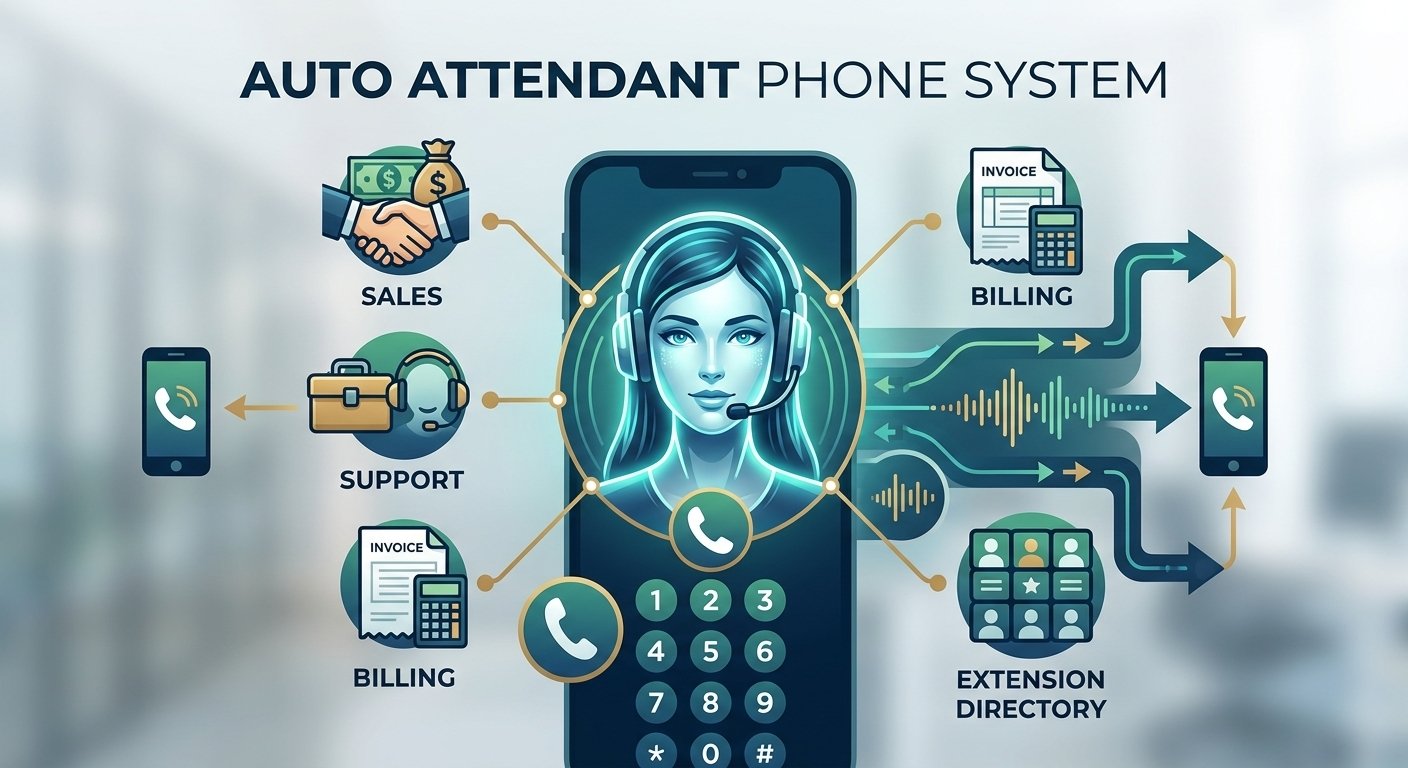
The decision between various communication management models represents a critical juncture for businesses seeking to optimize their customer interactions. While the terms are often used interchangeably in casual conversation, a call center and an answering service serve distinct functions, cater to different operational scales, and utilize varying levels of technical infrastructure. Choosing the wrong model can lead to unnecessary expenses or, conversely, a lack of the robust support required to handle complex consumer inquiries. By examining the fundamental mechanisms of these services, business owners can determine which path aligns with their current growth trajectory, service expectations, and provide better call center solutions. Defining the Role of a Modern Call Center A call center is a centralized office or facility used for receiving or transmitting a large volume of inquiries by telephone. This model is built for scale and complexity, handling both inbound and outbound communications. Inbound operations usually focus on customer support, technical assistance, and order processing, while outbound operations may involve telemarketing, market research, or debt collection. These facilities are staffed by agents who are trained to manage high-traffic periods and provide in-depth information about a company’s products or services. The scope of a call center extends beyond just answering a ringing phone; it involves a holistic approach to customer relationship management. The internal structure of these centers is designed to support long-term engagement. Agents often have access to comprehensive databases and customer history, allowing them to provide personalized experiences. Because they operate on a larger scale, they require significant oversight, including quality assurance teams, shift managers, and technical support staff. This environment is less about just taking a message and more about resolving the issue during the first point of contact. For organizations with a global reach or a high volume of technical support tickets, this centralized hub serves as the backbone of their operational communication strategy. Understanding the Mechanics of an Answering Service A traditional answering service is a more streamlined operation primarily focused on basic communication tasks. At its core, what is an answering service? It is a business that manages incoming calls on behalf of another company, typically during after-hours periods, holidays, or when the main office staff is busy. The primary function here is to screen calls, take accurate messages, and relay information to the business owner or the appropriate department. It acts as a professional gatekeeper, ensuring that no lead or customer inquiry goes ignored simply because the office was closed. Unlike more complex models, these services usually operate based on simple scripts. When a caller reaches an operator, the interaction is brief and focused on gathering specific data points: the caller’s name, their phone number, and a brief description of their needs. This information is then dispatched via email, text, or a specialized portal to the client. This service is highly valued by smaller businesses, medical practices, and service-based professionals like plumbers or attorneys who do not need a full-time support staff but must remain accessible to their clients twenty-four hours a day. Exploring the Functional Value of Call Center Solutions As businesses grow, they often find that simple message-taking is no longer sufficient to meet the demands of a modern consumer base. This is where call center solutions come into play, offering a bridge between basic answering and full-scale enterprise operations. These solutions represent a suite of tools and services designed to manage professional interactions across multiple channels, including voice, email, chat, and social media. The goal is to provide a seamless transition for the customer, regardless of how they choose to reach out to the brand. These solutions are often characterized by their flexibility and ability to integrate with existing business software. For example, when a customer calls, the system might automatically pull up their purchase history from a CRM, allowing the agent to provide immediate and relevant assistance. This level of integration ensures that the communication is not happening in a vacuum but is part of a larger, data-driven strategy to improve customer retention and satisfaction. It moves the conversation from a reactive stance to a proactive one, where the business can anticipate needs based on past behavior. The Evolution of Call Center Technology The landscape of professional communication has been drastically altered by the rapid advancement of call center technology. In the past, managing high call volumes required massive physical spaces and expensive hardware. Today, cloud-based platforms have democratized access to sophisticated tools. These technologies include Interactive Voice Response systems, which guide callers through a menu to the correct department, and Automatic Call Distributors that ensure calls are routed to the most qualified agent available. This reduction in manual routing minimizes wait times and improves the overall efficiency of the communication hub. Beyond routing, modern technology also includes robust analytics and reporting suites. Business owners can now monitor real-time data regarding call duration, abandonment rates, and agent performance. This visibility allows for data-backed decisions concerning staffing levels and training requirements. Furthermore, the shift toward Voice over Internet Protocol systems has enabled teams to operate remotely while maintaining a professional presence. This technological shift has allowed even small enterprises to project the image of a much larger, more established organization by utilizing high-end communication infrastructure. The Impact of Call Center Automation on Efficiency Efficiency is the cornerstone of any successful communication strategy, and call center automation has become the primary driver of this goal. By automating repetitive tasks, businesses can free up their human agents to focus on more complex, high-value interactions. Examples of this include automated appointment reminders, self-service portals for bill payments, and AI-driven chatbots that can handle basic frequently asked questions. When a system can resolve a customer’s query without human intervention, the cost per interaction drops significantly while the speed of service increases. Automation also plays a vital role in data entry and lead management. Instead of an agent manually typing in a customer’s details after every call, automated systems can sync the interaction data directly into a database. This reduces the margin for human error and ensures that every department has access to the most current information. For businesses managing hundreds or thousands of calls daily, the implementation of these automated workflows is not just a luxury but a necessity for maintaining operational integrity and preventing agent burnout. The Benefits of Utilizing a Phone Answering Service For many small to mid-sized businesses, a phone answering service provides the perfect balance between professional representation and cost-effectiveness. One of the greatest advantages is the ability to maintain a local or toll-free presence without having to staff an office around the clock. This is particularly beneficial for businesses that operate in multiple time zones or those that receive urgent calls after standard business hours. The presence of a live human voice rather than an automated voicemail system significantly enhances the customer experience and builds trust. Furthermore, data from Statista shows that the global call center market is projected to continue its significant growth, driven by the increasing demand for enhanced customer experiences and the integration of AI. Businesses that fail to invest in professional call center solutions or answering services risk falling behind their competitors who are more accessible and responsive. Another fact to consider is that 67% of customers hang up in frustration if they cannot reach a live person, according to a report by Consumer Reports. This statistic alone underscores the financial risk of relying solely on automated voicemail systems for lead capture and customer support. Furthermore, these services are highly scalable. A business might only need help during a specific marketing campaign or a seasonal peak. A phone answering service allows for this flexibility without the long-term commitment of hiring permanent employees. It also serves as a professional buffer, filtering out unwanted solicitations and ensuring that only relevant, high-priority calls reach the business owner. This allows the internal team to stay focused on their core responsibilities, such as performing a service or closing a sale, without the constant interruption of a ringing phone. The Rise of the Virtual Answering Service The digital transformation of the workplace has given rise to the virtual answering service. While traditional models might have relied on centralized call floors, the virtual model utilizes remote professionals who use sophisticated software to manage calls from any location. This model often provides a higher level of personalization because the virtual assistants are frequently trained on specific industry nuances. They do not just take a message; they act as a remote extension of the office, often handling basic administrative tasks like scheduling appointments on a shared calendar or processing simple payments. A virtual answering service is particularly attractive to the modern freelancer, consultant, or small agency. It provides the prestige of having a dedicated receptionist at a fraction of the cost of a full-time hire. Because these services are often cloud-based, they integrate seamlessly with other digital tools, such as Slack or project management software. This ensures that the notification of a new call reaches the relevant team member instantly, allowing for a faster response time. The virtual model is the embodiment of the modern, agile business environment where location-independent support is the standard. Optimizing Support with a Call Answering Service When a business seeks a call answering service, they are looking for a reliable way to ensure no opportunity is missed. This service level is often categorized by its reliability and the quality of the interactions. The goal is for the caller to feel as though they are speaking directly with someone in the company’s main office. This requires the service provider to have a deep understanding of the client’s brand voice and specific protocols. Whether it is a customer reporting a broken pipe to a plumbing company or a patient trying to reach a doctor, the tone and accuracy of the call are paramount. The implementation of such a service often includes detailed call patching and escalation procedures. For instance, if a call is deemed an emergency based on a pre-defined set of criteria, the agent can immediately patch the caller through to a specific mobile number. This level of responsiveness is critical in high-stakes industries. By tailoring the service to the specific needs of the business, a call answering service becomes more than just a utility; it becomes a strategic partner in customer service and lead conversion. Key Differences Between Answering Services and Call Center Services Distinguishing between answering services vs call center services requires an analysis of depth and scope. An answering service is typically a reactive model. It waits for the phone to ring and then follows a brief script to collect information. The interaction is usually short-lived and ends with a message being sent. In contrast, call center services are often both reactive and proactive. They are equipped to handle complicated workflows, solve technical problems, and even conduct outbound sales calls. The level of agent training in a call center is generally much higher because they must understand the product or service well enough to provide solutions. Another major difference lies in the cost structure and the technology used. Answering services often charge per call or per minute, making them affordable for low-volume users. Call center services, given their complexity and the call center technology involved, often require more substantial contracts and setup fees. They are designed for high-volume environments where the goal is not just to take a message but to provide a comprehensive customer experience. While an answering center might be the right fit for a local law firm, a multinational e-commerce brand would require the advanced capabilities of a full-scale call center. Answering Service: Specialized Requirements In the healthcare sector, the answering service medical definition takes on a more specialized meaning. Unlike a general business service, a medical answering service must comply with strict legal standards, such as HIPAA in the United States. This means that all communications involving patient data must be encrypted and handled with the highest level of confidentiality. The agents working in this field are trained to distinguish between routine inquiries, such as a request for office hours, and medical emergencies that require immediate physician notification. These services play a vital role in the patient-provider relationship. Patients calling after hours are often in distress or seeking urgent advice. A specialized medical service ensures that these callers are met with empathy and that their information is relayed accurately to the on-call staff. The infrastructure for these services includes secure messaging platforms and detailed audit trails to ensure compliance with healthcare regulations. For a medical practice, choosing a service that understands these specific legal and ethical requirements is not just a matter of convenience but a necessity for risk management and patient care. Comparing Answering Call Center Dynamics The phrase answering call center is sometimes used to describe a hybrid model that attempts to offer the best of both worlds. In this scenario, the service might provide the simple message-taking of a traditional answering service for the majority of calls but have the capability to escalate to a more detailed support agent if the caller requires it. This hybrid approach is gaining popularity as businesses seek more flexibility. It allows a company to keep costs low for routine interactions while still having the infrastructure in place to handle more complex customer needs without requiring the customer to call a different number. This model is particularly useful for growing businesses that are in a transitional phase. They may have outgrown a simple answering service but are not yet ready for the overhead of a dedicated call center. By utilizing an answering call center, they can test the waters of more advanced customer support features, such as CRM integration or basic troubleshooting, without committing to a full enterprise-level contract. It provides a scalable pathway that grows alongside the business, ensuring that the level of support always matches the current demand. Determining If an Outsourced Answering Service Is Right for You Deciding to hire an outsourced answering service involves weighing the costs against the benefits of internal management. For many, the primary driver for outsourcing is the significant reduction in overhead. Hiring internal staff requires not just salary, but also benefits, office space, and equipment. An outsourced provider spreads these costs across many clients, allowing the individual business to pay only for the time they actually use. This is especially advantageous for businesses with fluctuating call volumes that would make it difficult to staff an internal team efficiently. According to a study by Salesforce, 78% of consumers will do business with a company again even after a mistake if the customer service is excellent. This highlights the importance of having a professional communication strategy in place, whether through an answering service or a call center. However, outsourcing requires a high degree of trust. The service provider becomes the voice of the company, and any mistakes they make reflect directly on the brand. This is why thorough vetting is necessary. A business should look for a provider that offers detailed training for their agents and provides transparent reporting. The goal is to find a partner that can seamlessly integrate into the business’s existing operations, providing a level of service that is indistinguishable from an in-house team. When done correctly, an outsourced service can become a powerful asset for growth and customer loyalty. Industry Specifics for Call Centers and Answering Services The suitability of each service often depends on the specific industry and the nature of the customer interaction. Real estate agencies, for example, often benefit from a virtual answering service because agents are frequently out of the office showing properties. Having a professional voice to capture lead information ensures that a potential buyer doesn’t move on to the next listing. On the other hand, software companies or manufacturers typically require call center solutions because their callers need technical support or detailed product information that goes far beyond a simple message. Service-based industries like HVAC or emergency restoration rely heavily on call answering services to manage their dispatch operations. In these cases, the service is not just about taking a name; it is about triage and emergency response. For retail businesses, particularly those with an online presence, a call center is often necessary to manage order tracking, returns, and general customer inquiries. By analyzing the common needs and pain points of their specific industry, business owners can more easily identify which communication model will provide the most value to their clients and their bottom line. The Commonalities Between Both Service Models Despite their differences, answering services and call center services share several core objectives. Both aim to improve customer accessibility and ensure that a business remains responsive to its audience. They both rely on a certain level of telephony infrastructure and require a staff that is trained in professional communication and etiquette. Furthermore, both services are designed to help a business project a professional image, regardless of its actual size or the number of employees physically in the office. Another commonality is the shared goal of increasing operational efficiency. By delegating the task of phone management to a specialized provider, whether it is a simple answering service or a complex call center, the business owner and their core team are freed from the constant distraction of a ringing phone. This allows them to focus on high-level strategy, product development, and other activities that directly drive revenue. Both models are fundamentally about resource management—using external expertise to handle a critical but time-consuming aspect of business operations. Deciding to Outsource or Keep Communications In-House The question of whether to outsource or keep communications in-house is a strategic one that involves more than just a financial calculation. In-house teams offer the highest level of control and brand alignment. The employees are immersed in the company culture and have immediate access to all internal resources. This is often the preferred choice for companies with highly specialized or confidential products where the nuance of the conversation is too great to be handled by an external party. However, the cost and managerial burden of an in-house team can be prohibitive for many. Outsourcing, conversely, offers unparalleled scalability and 24/7 coverage that is difficult to achieve internally. It allows a business to tap into professional infrastructure and expertise that they might not be able to build on their own. For most small to mid-sized businesses, the benefits of outsourcing—such as cost savings and reduced administrative burden—outweigh the desire for total control. The key is to find a middle ground, perhaps by keeping high-level support in-house while outsourcing basic inquiries and after-hours calls to an answering service or call center. Finding the Right Service for Your Business Growth Choosing the right service is not a one-time decision but an ongoing process of evaluation as a business grows. A startup might begin with a basic virtual answering service to handle a handful of calls a day. As their product gains traction and the inquiries become more complex, they might transition to a more robust call answering service that can handle basic troubleshooting. Eventually, as a market leader, they may require the full suite of call center technology and automation to manage a global customer base. The right service acts as a foundation for business growth by ensuring that customer support scales alongside sales. It is about matching the complexity of the service to the complexity of the customer’s needs. If a business finds that its current service is consistently unable to answer caller questions or that messages are missing critical details, it is a clear sign that a move to a more comprehensive call center model is necessary. By staying attuned to customer feedback and operational data, business owners can make informed decisions that enhance their reputation and operational efficiency. Read more: What is Call Disposition: Call Disposition Meaning, and examples Final Thought The distinction between an answering service and a call center is defined by the depth of interaction and the technological framework used to facilitate it. An answering service provides a vital, cost-effective link for simple message-taking and after-hours support, making it an excellent choice for smaller firms and specialized practices. In contrast, a call center offers a comprehensive, data-driven approach to customer relationship management, utilizing advanced call center solutions and automation to handle high volumes of complex interactions. Ultimately, the choice depends on the specific goals of the business, the expectations of the clientele, and the desired balance between cost and service depth. By selecting the model that best fits their current needs while allowing for future scalability, organizations can ensure that every phone call becomes an opportunity for growth and customer satisfaction. Frequently Asked Questions What are the main differences in cost between an answering service and a call center? Answering services are typically much more affordable because they operate on a per-call or per-minute basis and require less agent training and technical setup. They are ideal for businesses with low call volumes who just need a professional to take messages. Call centers often involve higher costs due to the complexity of the work, the advanced call center technology required, and the more extensive training for agents who must resolve issues rather than just relaying messages. Can an answering service handle technical support for my products? Generally, a traditional answering service is not equipped for technical support as its primary function is message-taking and call routing based on a simple script. If your business requires agents to troubleshoot problems or guide customers through complex processes, you would likely need call center solutions. However, some advanced virtual answering services may offer basic level-one support if provided with detailed documentation and training. How does a virtual answering service differ from a traditional one? A virtual answering service often utilizes remote receptionists who can perform more diverse administrative tasks beyond just taking messages, such as scheduling appointments or basic CRM entry. While a traditional service might be more focused on after-hours call center dynamics, a virtual service often acts as a full-time remote extension of your office. They use modern cloud-based technology to integrate more deeply with your daily business operations. Is a medical answering service different from a regular one? Yes, a medical answering service must adhere to strict confidentiality and data security regulations like HIPAA. The agents are specifically trained to handle sensitive patient information and to distinguish between routine administrative calls and urgent medical situations that require immediate doctor notification. This specialized training and the secure communication technology used make it a distinct category within the broader answering service industry. Why would a small business choose call center automation? Small businesses use call center automation to compete with larger companies by providing 24/7 support without the cost of a large staff. Automation tools like IVR menus, automated appointment reminders, and AI chatbots can handle routine tasks, allowing the small business owner to focus on their core work. This increases efficiency and ensures that customers get immediate answers to simple questions, improving the overall professional image of the business.

Read More
voip call forwarding guide

Call Forwarding in VoIP: Master Your VoIP Call Forwarding System and Features

Call forwarding in VoIP is a cloud-based feature that automatically redirects incoming digital signals to secondary destinations, such as mobile devices or remote extensions. Unlike traditional landlines, this technology uses the Session Initiation Protocol (SIP) to manage traffic instantly based on predefined rules like time-of-day or line availability. Implementing a phone forwarding system ensures business continuity, allowing a global workforce to maintain a local presence without missing critical customer connections. By utilizing tools like unconditional or conditional routing, organizations enhance their professional image, improve response times, and ensure every call reaches the right person regardless of physical location. Effective communication management is the backbone of any professional organization, and modern technology provides tools that ensure no customer connection is ever lost. Redirecting incoming traffic to available lines is a fundamental necessity for businesses operating across multiple time zones or managing remote teams. This process allows an organization to maintain a local presence while utilizing a global workforce, ensuring that the distance between the caller and the recipient becomes irrelevant. When a company adopts a sophisticated phone forwarding system, they are investing in reliability and professional image, as every call is treated with priority regardless of the physical location of the staff. Understanding the Basics of VoIP Call Forwarding To define call forwarding in a modern context, one must look at how digital signals are managed within a cloud-based environment. At its core, the feature allows an incoming signal to be rerouted to another destination before the initial connection is established. When someone asks what does call forwarded mean, they are usually referring to a scenario where a desk phone remains silent while a mobile device or a secondary office line rings instead. This seamless transition is handled by the provider’s servers, which follow a set of predefined rules to determine the best path for the data packets. In the world of digital telephony, call forwarding voip has become a standard feature that replaces the clunky manual processes of the old landline era. The forward call meaning has expanded significantly since the early days of telecommunications. In a traditional setting, a user might dial a code to send calls to a neighbor’s house, but today, forwarding calls meaning involves complex logic that can include time-of-day routing and priority filtering. When a business professional sees a notification indicating that a call forwarded means their system is working as intended, they can feel confident that their availability is being managed intelligently. This technology ensures that the forward destination can be changed instantly via a web portal or a smartphone application, providing a level of control that was previously unimaginable for small and medium-sized enterprises. Implementing a call forwarding system requires an understanding of how these virtual rules interact with the hardware. For many businesses, setting up 1 800 call forwarding is a top priority because it allows them to maintain a toll-free presence while directing those calls to a cost-effective call center or a home office. This flexibility is essential for startups that may not have a central office location but want to project the image of an established corporation. By understanding what does forwarding a call mean for their specific operational flow, managers can design a communication strategy that maximizes employee productivity without sacrificing the customer experience. How Modern Technology Powers VoIP Forwarding The technical side of voip forwarding relies on a protocol known as Session Initiation Protocol, which acts as the signaling layer for digital calls. When an incoming request hits the service provider’s network, the system checks the database for any active routing rules associated with that specific number. If a rule is found, the system generates a new request to the secondary destination rather than sending the call to the primary device. This happens in milliseconds, often before the caller even hears the first ring. This speed is what makes the call forwarding voip experience so smooth, as there is no discernible delay for the person initiating the call. In a professional call forwarding phone system, the logic can be quite granular. For instance, a user can set a rule where calls are only forwarded if the primary line is already busy or if there is no answer after a certain number of rings. This ensures that the primary user always has the first opportunity to take the call, with the forwarding acting as a safety net. This is part of what does call forwarded mean in a business environment: a tiered defense against missed opportunities. Furthermore, the voip call transfer feature often works in tandem with forwarding, allowing a staff member to manually move a call to another department after the initial forwarding has brought it to their attention. When considering the technical setup, many organizations look toward industry leaders to see how these features are integrated. For example, nextiva call forwarding is known for its user-friendly interface that allows administrators to drag and drop call flows. This visual representation of how calls travel through the organization makes it easier to understand the call forwarded meaning within the context of a larger team. Whether it is a simple one-to-one redirection or a complex hunt group where multiple phones ring at once, the underlying technology ensures that every data packet is delivered to the correct IP address with minimal latency and high audio fidelity. Step by Step Guide on How to Forward VoIP Calls to Cell Phone One of the most frequent questions from modern workers is how to forward voip calls to cell phone devices. This process has become a standard part of the call forward voip experience, as it allows for a truly mobile workforce. Most providers offer a mobile application that simplifies this, but it can also be done through the administrative dashboard. Typically, the user logs into their portal, navigates to the call handling settings, and enters their ten-digit mobile number as the target destination. This ensures that even when an employee is traveling or working from a coffee shop, they can still receive calls made to their office extension. Log into your business communication portal and select the specific user or extension you wish to modify. Locate the incoming call rules or call handling section within the user settings. Choose the option for unconditional forwarding if you want all calls to go straight to your mobile device. Enter your mobile phone number, ensuring you include the area code and any necessary prefixes. Save the settings and perform a test call from an external line to verify the redirection works. Adjust the settings for conditional forwarding if you only want calls sent to your cell phone when your desk phone is busy. Download the provider’s mobile app to receive calls via data (VoIP) instead of using your cellular minutes, which often provides better integration. Ensure that your cell phone’s voicemail does not pick up before the business system does by adjusting the ring duration settings in the portal. By following these steps, a user can ensure they are always reachable. This setup is a perfect example of a phone forwarding system in action, bridging the gap between traditional office life and the modern remote work era. It also addresses the common confusion regarding what does call forwarded mean on a mobile device, as the incoming call screen will often indicate that the call is being redirected from a professional line. This allows the user to answer with a professional greeting, knowing exactly which line the caller is trying to reach. Different Types of Redirection in a Call Forwarding System There are several variations of this feature that serve different business needs. Unconditional forwarding is the simplest form, where every single call is immediately sent to another number without the original phone ringing at all. This is often used during vacations or when an office is permanently closed. On the other hand, conditional forwarding provides more flexibility. This includes features like Busy Forwarding, which only triggers when the user is already on another call, and No Answer Forwarding, which sends the call to a secondary line only after a certain number of rings. These options help define call forwarding as a versatile tool rather than a one-size-fits-all solution. Selective forwarding is another advanced option found in a high-end call forwarding phone system. This allows users to create a VIP list of phone numbers that are the only ones allowed to be forwarded. For example, an executive might want calls from major clients to reach their cell phone after hours while all other callers are sent to voicemail. This level of customization is what separates basic consumer-grade services from professional voip forwarding solutions. Understanding the specific call forwarded meaning for each of these types allows a business to craft a communication policy that respects employee boundaries while maintaining high levels of customer service. Another important distinction to make is between forwarding and simultaneous ring. While forwarding moves the call from point A to point B, simultaneous ring allows both devices to ring at the same time. This is often part of a larger voip call transfer strategy where the goal is to get the call answered as quickly as possible by whoever is available first. In a busy sales environment, this is preferred over simple forwarding because it reduces wait times. However, for a single user who is simply moving from their desk to their car, the standard call forward voip setting is usually the most efficient way to maintain connectivity. Strategic Benefits of Implementing VoIP Call Forwarding The primary benefit of utilizing this technology is the drastic reduction in missed calls. Research from organizations like the Harvard Business Review has shown that companies that respond to a lead within five minutes are nearly 100 times more likely to have a successful interaction than those who wait even thirty minutes. By using a call forwarding system to reach staff on their mobile devices, a business can achieve these lightning-fast response times. A missed call is often a missed revenue opportunity, and the cost of the technology is negligible compared to the potential loss of a high-value client. Increases accessibility by allowing staff to remain reachable regardless of their physical location or travel schedule. Enhances the professional image of the company by ensuring that callers always reach a person or a structured menu. Reduces overhead costs by allowing for remote working arrangements without losing the centralized office phone structure. Provides disaster recovery options, as calls can be instantly redirected if a physical office becomes inaccessible due to weather or power outages. Improves employee work-life balance through selective forwarding that only allows critical calls during off-hours. Streamlines customer service by routing 1 800 call forwarding traffic to the most qualified available agents in real-time. Offers detailed analytics on where calls are being forwarded, helping managers understand staff mobility and availability patterns. Furthermore, a well-configured phone forwarding system acts as a built-in redundancy plan. In the event of a local internet outage at a primary office, the cloud-based system can automatically detect that the desk phones are offline and begin forwarding all traffic to mobile devices or a secondary branch. This level of business continuity is a major reason why companies are moving away from traditional hardware and embracing call forwarding voip solutions. The ability to pivot instantly in the face of technical difficulties ensures that the brand’s reputation for reliability remains intact even during unforeseen circumstances. Security and Best Practices for Forwarding Calls Meaning While the benefits are clear, businesses must also be aware of security considerations related to voip forwarding. Toll fraud is a significant risk where unauthorized users gain access to a phone system and set up forwarding to expensive international numbers. To prevent this, it is essential to use strong, unique passwords for all administrative and user portals. Additionally, administrators should restrict the types of numbers that calls can be forwarded to, blocking international destinations if the business does not operate globally. This is a critical part of managing a call forwarding system securely. Another best practice involves the management of caller ID. When a call is forwarded to a cell phone, the user needs to know whether the person calling is a personal contact or a business lead. Most professional systems allow for a “prefix” to be added to the caller ID or for the system to show the original business number instead of the caller’s number. This helps clarify the call forwarded meaning for the recipient, allowing them to answer the phone appropriately. Without this feature, an employee might answer a major client with a casual “hello” instead of a professional business greeting, which can negatively impact the brand’s image. Finally, regular audits of the forwarding rules are necessary. In a dynamic business environment, employees change roles or leave the company, and forgotten forwarding rules can lead to calls being sent to the wrong people or even to former employees’ personal devices. A quarterly review of the call forward voip settings across the organization ensures that the routing logic still aligns with the current team structure. This proactive management keeps the phone forwarding system lean and efficient, preventing the “dead ends” that can frustrate customers and lead to lost business. Research and Facts Supporting VoIP Communication The shift toward mobile-integrated communication is supported by significant industry data. A study by NewVoiceMedia revealed that 51% of customers will not repeat business with a company after just one poor service experience, with “not being able to reach a person” cited as a top frustration. This highlights why a call forwarding system is not just a convenience but a requirement for customer retention. By ensuring that every call finds a destination, businesses directly impact their bottom line and long-term viability. Additionally, the rise of the “anywhere office” has been documented by analysts at Gartner, who predict that a significant portion of the global workforce will continue to work in a hybrid or fully remote capacity. This decentralized model relies entirely on technologies like call forwarding voip to maintain a cohesive professional presence. The ability to forward calls meaning that a person’s physical location is irrelevant to their job performance is a cornerstone of modern economic flexibility. Companies that fail to adopt these tools risk falling behind in the competition for talent and market share. Final Thought The evolution of communication has made it possible for businesses to stay connected with their audience more effectively than ever before. By mastering the nuances of VoIP call forwarding, an organization can ensure that every inquiry is met with a professional response, regardless of where its employees are located. This technology bridges the gap between different devices and geographical locations, creating a seamless experience for both the caller and the recipient. As the workplace continues to become more mobile, the importance of a robust, secure, and well-managed forwarding strategy will only continue to grow, making it an essential component of any modern business toolkit. Frequently Asked Questions What is VoIP call forwarding? VoIP call forwarding is a telecommunications feature that allows an incoming internet-based phone call to be redirected to another destination, such as a different office extension, a mobile phone, or a landline. Unlike traditional forwarding, it is managed through software and cloud-based servers, allowing for instant updates and complex routing rules based on conditions like the time of day or the status of the primary line. What is the difference between *71 and *72 call forwarding? These are traditional vertical service codes used primarily on older landline and some cellular networks. Generally, *72 is used to activate unconditional call forwarding, where all calls are sent to another number immediately. *71 is typically used for conditional call forwarding, such as “no answer” or “busy” forwarding, where the call only redirects if the primary line is unavailable or goes unanswered after several rings. How exactly does call forwarding work? When a call is made to a number with forwarding enabled, the service provider’s switch or cloud server intercepts the call request. It checks the user’s settings and, instead of completing the connection to the original device, it initiates a new connection to the forwarded number. The caller is usually unaware of this transition, although they may notice a slight change in the ring tone or a momentary delay as the second connection is established. How do I call forward a VoIP phone? You can usually set up forwarding through your service provider’s mobile app or web-based dashboard. After logging in, navigate to the settings for your specific extension and look for “Call Handling” or “Forwarding.” Enter the number you want to send calls to and select whether you want it to be unconditional or based on specific triggers like a busy signal. Some desk phones also have a physical “Forward” button that allows you to enter a destination number directly on the device. What does *#002# do on a phone? This is a universal MMI (Man-Machine Interface) code used on most GSM mobile phones to deactivate all forms of call forwarding. When dialed, it tells the network to cancel any active redirection settings, including those for when the phone is busy, unreachable, or doesn’t answer. It is a quick way to reset your call routing to its default state if you are experiencing issues with missing calls.

Read More
voip implementation checklist

VoIP Implementation Checklist for Business: Essential Steps and Requirements

A successful VoIP implementation checklist is essential for businesses transitioning to cloud-based communication. To ensure a seamless migration, start by auditing your network bandwidth and upgrading to PoE-enabled switches and Category 5e/6 cabling. Prioritize voice traffic by configuring Quality of Service (QoS) on your router and disabling SIP ALG. Your checklist should also include documenting phone numbers for porting, designing call flows, and selecting hardware like IP phones or headsets. Finally, implement security protocols such as TLS/SRTP encryption and verify E911 settings. Following these structured steps guarantees high audio quality, minimal downtime, and a scalable digital infrastructure. Modern business communication is undergoing a massive transformation as traditional landlines give way to flexible, cloud-based solutions. Transitioning to a digital system requires more than just picking a provider; it demands a structured approach to ensure audio quality remains high and downtime stays at zero. Organizations moving away from legacy hardware must evaluate their existing infrastructure to determine if it can handle the increased data load. This transition is not merely about changing phone sets but about integrating a communication layer into the digital fabric of the company. A well-executed strategy ensures that every department, from customer support to executive leadership, benefits from enhanced features like video conferencing, auto-attendants, and seamless mobile integration. Assessing Network Infrastructure and VoIP System Requirements The foundation of any successful digital communication strategy lies in the strength of the local area network. Before looking at software features, companies must conduct a thorough audit of their internet connectivity to ensure it meets the necessary voip system requirements. Unlike standard web browsing, voice data is extremely sensitive to delays and interruptions. Even a split-second lag can cause jitter or dropped packets, leading to a poor user experience. Businesses should start by calculating their concurrent call volume, which is the maximum number of people who will be on the phone at the same time during peak hours. Network stability is the most critical factor in this phase. Most service providers suggest a minimum of one hundred kilobits per second of both upload and download bandwidth per active call. However, this is a baseline and does not account for other office activities like cloud backups or video streaming. High-quality audio codecs require more room to breathe, so over-provisioning your bandwidth is often a safer bet. Beyond speed, the hardware responsible for routing this data must be capable of prioritizing voice traffic. This brings us to the importance of implementing voice over ip with equipment that supports Quality of Service protocols. A professional network assessment should also look at the age of the cabling within the building. Using Category 5e or Category 6 cables is standard for modern offices to ensure data travels at gigabit speeds without interference. If an office relies on old wiring, the voice quality might suffer regardless of how fast the external internet connection is. Furthermore, it is vital to check for a feature called SIP ALG on existing routers. While it is intended to help voice traffic, it frequently causes issues like one-way audio or dropped calls in a business environment. Disabling this feature is a standard step in most voip setup requirements for modern enterprises. Establishing Hardware Standards and VoIP Phone Requirements Once the network is verified, the focus shifts to the physical tools employees will use to communicate. Determining the specific voip phone requirements depends largely on the roles within the company. For example, a receptionist might need a desk phone with multiple line appearances and sidecars for easy call transferring. In contrast, a remote sales representative might function perfectly well with a high-quality USB headset and a software-based application on their laptop. This flexibility is a core advantage of a diy voip approach where the business chooses the best hardware for each individual user. When selecting physical desk phones, Power over Ethernet is a feature that significantly simplifies the deployment process. PoE allows the phone to receive both power and data through a single ethernet cable, eliminating the need for bulky power bricks at every desk. If the current network switches do not support PoE, the business will need to invest in PoE injectors or upgrade their switches before the rollout. This is a common oversight in a telephone systems implementation that can lead to unexpected costs during the final installation phase. In addition to desk phones, businesses must consider the role of mobile devices. Many modern systems allow employees to take their business extension on the go via smartphone apps. This requires a clear policy on device security and data usage. If employees are expected to build your own voip system experience using personal phones, the IT department must ensure these devices meet the minimum operating system requirements to run the provider’s application smoothly. High-quality headsets are also a worthy investment, especially those with noise-canceling microphones, to maintain professionalism in busy office environments. Step by Step Guide on How to Set up a Small Business VoIP Phone System Starting the journey toward a cloud-based system can seem daunting, but breaking it down into manageable steps makes it attainable for any organization. The first step in how to set up a small business voip phone system is to choose a reputable service provider that aligns with your specific industry needs. Some providers focus on heavy call center features, while others prioritize simple internal collaboration. Once a provider is selected, the administrative portal becomes the command center where users are created, extensions are assigned, and call routing rules are established. The second step involves configuring the auto-attendant and hunt groups. This is where the business defines how an incoming call is handled. A well-designed call flow ensures that customers reach the right department without unnecessary waiting. For instance, you can set up a rule where a call rings the sales team for twenty seconds before overflowing to a general voicemail box. During this stage of setting up voip for small business, it is also essential to record professional greetings. Clear, concise voice prompts improve the brand image and help users navigate the system efficiently. The final part of the initial setup is the actual deployment of devices. This is where the voip requirements checklist becomes indispensable. Each device must be registered to the provider’s servers, usually through a process called provisioning. In most cases, this involves entering a specific URL or MAC address into the phone’s web interface. Once the phone “talks” to the server, it downloads its configuration and becomes active. Testing each extension by making both internal and external calls is a mandatory part of the voip setup for small business to ensure that two-way audio is functioning and that features like call hold and transfer work as expected. Managing VoIP Network Requirements and Security Protocols Security is often overlooked during the initial excitement of a new technology rollout, but it is a vital component of voip network requirements. Because voice calls are now data packets traveling over the internet, they are susceptible to the same threats as email or web traffic. Implementing voip requires a robust firewall configuration that allows voice traffic to pass through while blocking unauthorized access. Using a Virtual Private Network for remote workers is a common way to secure voice data as it travels across public internet connections. Another critical security measure is the implementation of Transport Layer Security and Secure Real-time Transport Protocol. These protocols encrypt the signaling and the actual audio of the phone call, preventing malicious actors from eavesdropping on sensitive business conversations. Many businesses also implement strict password policies for their web portals and desk phones to prevent toll fraud. Toll fraud occurs when an unauthorized user gains access to a system to make expensive international calls, which can result in thousands of dollars in charges overnight. To maintain high performance, the network should be monitored for latency and packet loss. Latency refers to the time it takes for data to travel from the sender to the receiver. For a natural conversation, latency should ideally stay below 150 milliseconds. Jitter, which is the variation in the delay of received packets, should be kept under 30 milliseconds. If these metrics exceed these thresholds, the call quality will degrade, sounding robotic or choppy. According to research by the Telecommunications Industry Association, even a 1% packet loss can significantly impact the MOS (Mean Opinion Score) of a voice call, which is why network health is a non-negotiable part of the implementation voip strategy. Creating a Comprehensive VoIP Implementation Checklist for Business A successful transition is rarely an accident; it is the result of following a detailed plan. A voip implementation checklist for business serves as a roadmap that prevents teams from missing critical deadlines or technical requirements. The checklist should begin with a pre-site survey, where the current internet speeds are tested at different times of the day. Following this, the IT team should document every existing phone number and decide which ones need to be ported to the new provider. Number porting can take anywhere from a few days to several weeks, so starting this early is essential. Verify internet bandwidth and stability using a dedicated stress test tool. Update or replace old network switches with PoE-enabled hardware. Document all existing numbers and gather the latest billing statements for porting. Design the call flow, including ring groups, IVR menus, and time-of-day routing. Inventory all hardware, including desk phones, headsets, and conference units. Configure the firewall to prioritize voice traffic via Quality of Service settings. Set up user profiles and assign extensions in the provider’s dashboard. Train employees on how to use new features and the mobile application. Conduct a pilot test with a small group of users before the full company launch. Finalize the migration by cancelling old landline services only after the new system is live. Using a phone system requirements checklist ensures that nothing is left to chance. This list should be shared among all stakeholders, including management and the IT department. One of the most important entries on the voip hardware requirements list is the emergency 911 configuration. Unlike traditional lines, VoIP phones are not tied to a physical location. Businesses must manually assign an address to each extension so that emergency services know where the caller is located. This is a legal requirement in many regions and a critical safety step in the voip installation checklist. Strategic Benefits of Implementing Voice Over IP The decision to move to a digital phone system often stems from a desire to reduce costs and increase flexibility. Research from various industry analysts shows that businesses can save up to 50% on their monthly communication bills by switching to a cloud-based model. These savings come from the elimination of expensive maintenance contracts for on-premise hardware and the reduction of per-minute long-distance charges. However, the benefits of implementing voice over ip extend far beyond the financial balance sheet. Scalability is a major advantage for growing companies. In a traditional setup, adding a new employee meant calling a technician to run new wires and configure a physical switchboard. With a modern voip business setup, adding a user is as simple as clicking a few buttons in an online portal. This allows companies to scale up or down based on seasonal demand without significant capital expenditure. Furthermore, the integration with other business tools like Customer Relationship Management software allows for features like “click-to-dial” and automatic call logging, which significantly boosts the productivity of sales and support teams. Data and analytics provide another layer of value. Traditional systems offer very little insight into how phones are being used. Modern systems provide detailed reports on call volumes, average wait times, and missed call rates. This information is invaluable for managers looking to optimize staffing levels or improve customer service protocols. When a company follows a strict voip requirements checklist, they are not just installing a phone system; they are installing a data engine that provides actionable insights into the company’s communication habits. Training and Support During a Simple VoIP Migration The technical setup is only half the battle; the human element is just as important. A simple voip migration can quickly become a headache if employees do not know how to use the new tools. Training sessions should be scheduled shortly before the go-live date to familiarize the staff with the new desk phones and software. It is helpful to provide “cheat sheets” that list common functions like transferring calls, setting up voicemail, and starting a three-way conference. Post-launch support is the final piece of the puzzle. Even with the best planning, minor issues are likely to arise in the first few days of a new voip implementation. Having a dedicated support contact from the service provider or an internal IT lead who is an expert on the system can resolve these issues before they impact business operations. Monitoring the system closely during the first week allows the IT team to tweak the QoS settings or call routing rules based on real-world usage patterns. Finally, the decommission of the old system should be handled with care. It is a best practice to keep the old lines active for a few days after the new system is live to ensure that all numbers ported correctly and that there are no gaps in connectivity. Once the new system is confirmed to be stable and the staff is comfortable, the old accounts can be closed. This phased approach reduces the risk of missed calls and ensures a smooth transition for both employees and customers. Final Thought A successful VoIP implementation is the result of careful planning, technical readiness, and clear communication. By following a structured VoIP implementation checklist for business, organizations can navigate the complexities of network requirements, hardware selection, and user training without major disruptions. The transition to a cloud-based system is an investment in the future of the company, offering unparalleled flexibility and a wealth of features that traditional systems simply cannot match. When the network is optimized and the staff is well-trained, the new communication system becomes a powerful asset that drives efficiency and growth. Frequently Asked Questions How to set up VoIP for business? The process begins with evaluating your current internet connection to ensure it can handle voice traffic. Once the network is ready, you select a VoIP provider and choose a service plan that fits your needs. You then configure your call flow, such as your auto-attendant and extensions, in the provider’s online portal. Finally, you connect your hardware, such as desk phones or headsets, and test the system before going live. What is an VoIP implementation checklist? An implementation checklist is a detailed document that outlines every task required to successfully launch a new system. For VoIP, it includes technical steps like network testing and firewall configuration, as well as administrative tasks like number porting and employee training. It serves as a project management tool to ensure no critical steps are missed during the transition from an old system to a new one. What is required for VoIP setup? The primary requirements for a VoIP setup include a high-speed internet connection with sufficient bandwidth and a router that supports Quality of Service (QoS) to prioritize voice data. You will also need VoIP-compatible hardware, such as IP phones, or softphone applications installed on computers and mobile devices. Additionally, a subscription to a VoIP service provider is necessary to manage your calls and provide the phone numbers. How does VoIP work for business? VoIP works by converting voice signals into digital data packets that are sent over the internet rather than traditional copper phone lines. When you speak into a VoIP phone, your voice is digitized, compressed, and routed to the recipient’s device, where it is converted back into sound. This allows for more features than traditional telephony, such as the ability to use your business number on multiple devices simultaneously. What are the hardware requirements for a new VoIP system? Hardware requirements usually consist of IP-enabled desk phones, which often require Power over Ethernet (PoE) switches to operate without individual power adapters. You may also need high-quality headsets for staff who prefer using computer-based softphones. A modern router and high-quality ethernet cabling (Cat5e or better) are also essential to ensure the physical infrastructure can support the voice data without interruption.

Read More
call recording

Guide to Call Recording: Finding the Best Phone Recording System

Call recording is a digital technology that captures and stores the audio of telephonic conversations in a digital file format. For modern enterprises, business call recording serves as a vital tool for quality assurance, training, and legal compliance. By implementing a phone recording system for small business, organizations can monitor interactions between staff and customers, ensuring that service standards are met consistently. These systems typically store recordings in secure cloud environments, allowing authorized personnel to playback, analyze, and share calls for performance reviews or to resolve disputes efficiently across various communication platforms. Comprehensive Call Recording Solution A robust phone recording system should offer more than just a simple audio capture tool. Modern organizations require a sophisticated call recording screen that provides an intuitive interface for managing thousands of hours of audio data. When businesses evaluate what is call recording software, they often look for features like time-stamping, speaker identification, and the ability to add notes to specific parts of the conversation. These tools allow managers to pinpoint exact moments in a call without listening to the entire duration, which significantly improves the efficiency of the review process in a fast-paced call center recording environment. The ability to categorize and tag calls is another essential component of a professional phone recording system for small business. By assigning metadata to each file, such as the agent’s name, the customer’s ID, or the specific department, companies can quickly retrieve relevant data during audits or training sessions. This organizational layer is what differentiates a basic call recording and a professional-grade contact center recording solution. Furthermore, top-tier software often includes advanced search filters that allow users to find recordings based on keywords spoken during the call, thanks to integrated speech-to-text technology that transcribes the audio in real time. Security and data protection are paramount when handling business call recording data. High-quality systems employ end-to-end encryption to ensure that the audio files are protected from unauthorized access while stored in the cloud or during transmission. This is particularly important for industries such as finance and healthcare, where sensitive customer information is frequently discussed over the phone. A reliable call recording service will offer granular permission settings, ensuring that only authorized managers or compliance officers can access the recorded files, thus maintaining a high level of privacy and regulatory adherence for the organization. Understanding Different Types of Business Call Recording for Your Organization When setting up a phone recording system, businesses generally choose between two primary methods: automatic recording and manual recording. Automatic call recording is ideal for high-volume environments where every interaction must be captured for compliance or quality control purposes. This ensures that no conversation is missed due to human error. On the other hand, manual or on-demand recording allows employees to trigger the recording process only when necessary. This is often preferred in settings where sensitive data like credit card numbers are shared, as the agent can pause the recording to maintain data security standards. In the context of a contact center call recording strategy, many organizations opt for a hybrid approach. For example, a company might use automatic recording for all inbound customer service queries but allow manual controls for outbound sales calls. This flexibility helps in balancing the need for comprehensive documentation with the practicalities of daily operations. Many contact centre call recording platforms also offer a feature known as screen capture, which records the agent’s computer screen alongside the audio. This provides a full view of how the agent navigated the software while speaking with the customer, offering invaluable insights for technical training. The choice of a call recording system also depends on the physical or virtual infrastructure of the business. Hosted or cloud-based solutions are increasingly popular because they eliminate the need for expensive on-site servers. These call recording solutions allow for easy scalability, meaning a business can increase its storage capacity as call volumes grow without needing to install new hardware. This is a significant advantage for growing firms that need a reliable phone recording system for small business that can adapt to their changing needs without requiring a massive upfront capital investment in legacy technology. Integrating a Phone Recording System for Small Business Across Multiple Devices In today’s mobile and remote work environment, a business call recording solution must function seamlessly across various devices. Most modern systems are designed to work as a desktop call recorder, allowing office-based employees to manage their calls directly from their computers. This integration often includes a softphone interface where users can start, stop, or pause recordings with a single click. Having the call recording software for small business integrated into the desktop environment ensures that agents can focus on the customer conversation without having to switch between different applications or hardware devices. For teams that are frequently on the move, a call recording for Android or iOS is an essential feature. Mobile applications allow field sales representatives or remote technicians to have their calls recorded just as if they were sitting in a central office. This ensures that the same quality standards and compliance rules apply to every employee, regardless of their physical location. A well-designed phone recording system will automatically sync these mobile recordings with the central database, making them instantly available for review by management. This level of synchronization is a hallmark of the best call recording services available in the market today. Cloud synchronization ensures that calls recorded on a mobile device are immediately accessible on the company’s central dashboard for review and analysis. User-friendly interfaces on mobile apps allow staff to easily manage their recording settings, ensuring they remain compliant with local laws while working outside the office. Cross-platform compatibility means that a business can maintain a consistent phone recording system even if their team uses a mix of different operating systems and hardware. Advanced notification systems can alert managers when a specific type of call is recorded, such as a high-value sales interaction or a customer complaint that requires immediate attention. Strategic Importance of Calls Recorded in Modern Contact Centers The data gathered through a phone recording system for small business provides a wealth of information that can be used to drive strategic business decisions. By analyzing the common themes in customer interactions, management can identify product issues, common pain points, or areas where the sales process could be refined. This is where the true value of business call recording lies; it transforms simple audio files into actionable business intelligence. Companies that regularly review their phone recordings are often better equipped to respond to market trends and improve their overall customer satisfaction scores. Training and development are also significantly enhanced through the use of call recording. Managers can use real-life examples of successful and unsuccessful calls to coach new hires, providing them with a clear understanding of the company’s communication standards. This hands-on approach to training is much more effective than theoretical classroom sessions. By listening to their own recorded calls, agents can also perform self-evaluations, identifying areas where they could improve their tone, clarity, or problem-solving skills. This culture of continuous improvement is vital for maintaining a competitive edge in any service-oriented industry. Quality assurance teams use recorded calls to score agent performance based on standardized metrics, ensuring a high level of service across the entire organization. Dispute resolution becomes much simpler when there is a clear audio record of what was said during a conversation, protecting the business from false claims or misunderstandings. Compliance with industry regulations, such as those in the financial or legal sectors, often requires a detailed log of all phone interactions to be kept for a specific period. Customer feedback can be extracted directly from calls, providing the marketing and product development teams with direct insights into what clients actually want and need. Supporting Research and Facts on Business Communication Research from various industry analysts highlights the growing necessity of call recording in the corporate world. According to a study by the Aberdeen Group, companies that implement formal call recording and coaching programs see an average of 11% year-over-year improvement in customer satisfaction. This data suggests that the simple act of monitoring and reviewing calls leads to better agent behavior and more effective problem resolution. Furthermore, businesses that utilize these tools are able to reduce their average handle time, as they can identify and eliminate inefficient communication patterns that prolong customer interactions unnecessarily. From a legal and compliance perspective, the importance of a phone recording system is even more pronounced. In many jurisdictions, laws like the Dodd-Frank Act or MiFID II require financial institutions to record and archive all conversations related to trading and investment advice. Failure to comply with these regulations can lead to massive fines and legal repercussions. A study by a leading compliance firm found that nearly 60% of regulated firms have increased their investment in recording technology over the last five years to mitigate these risks. This underscores the fact that for many, business call recording is not just a productivity tool but a fundamental requirement for legal operation in the modern economy. Effective Implementation of a Phone Recording System Successfully deploying a phone recording system for small business requires more than just installing software; it involves creating a clear policy for how the data will be used and stored. Businesses must ensure that they are transparent with both employees and customers about the fact that calls are being recorded. This often involves a standard automated message at the beginning of each call. Establishing these ethical and legal boundaries early on helps build trust and ensures that the business remains compliant with privacy laws such as the GDPR or various state-level recording statutes. Once the policy is in place, the focus should shift to the technical setup of the call recording software. Administrators should configure the system to automatically archive older recordings to save storage space while ensuring that important files are backed up in multiple locations. Many call recording solutions offer automated deletion schedules, where recordings are removed after a set period, such as six months or a year, unless they are manually flagged for retention. This helps in managing data costs and ensures that the business does not hold onto sensitive personal information longer than is strictly necessary. Regularly auditing the phone recording system is the final step in a successful implementation. This involves checking that all lines are being recorded correctly and that the audio quality is clear enough for analysis. Managers should also periodically review the access logs to ensure that only authorized individuals are viewing or downloading the recordings. By treating call recording as a continuous process rather than a one-time setup, businesses can ensure they are getting the maximum possible value from their investment while maintaining the highest standards of security and professional integrity. Read More: What is an Escalation Call? Final Thought Implementing a comprehensive phone recording system for small business is an essential step for any organization looking to improve its service quality and maintain strict compliance. By leveraging the power of business call recording, companies can gain deep insights into their customer interactions, provide better training for their staff, and protect themselves from potential legal disputes. As technology continues to evolve, the integration of artificial intelligence and advanced analytics into call recording software will only increase the value of this data. Ultimately, the ability to capture, analyze, and learn from every conversation is a powerful advantage that can drive long-term growth and customer loyalty in any industry. Frequently Asked Questions How do I activate call recording? To activate call recording, you typically need to access the settings menu of your business phone software or mobile app. For automatic systems, an administrator can enable the feature across the entire organization through a central web-based dashboard. For manual recording, you can usually press a dedicated button on your desk phone or click a record icon within your softphone application during an active call. Once activated, the system will often play an audible notification or a pre-recorded message to inform all parties that the conversation is being captured. Where is call recording saved in the phone? In most business systems, call recordings are not stored on the physical phone itself but are uploaded directly to a secure cloud server. If you are using a mobile call recording app, the files might be temporarily stored in the app’s internal storage before being synced to the company database. Administrators and authorized users can access these saved files by logging into a central management portal from any web browser. Storing files in the cloud ensures they do not take up space on individual devices and allows for easier sharing and centralized backup. Can I record my phone calls? Yes, you can record your phone calls using professional business call recording software or specialized mobile applications designed for this purpose. It is important to check the legal requirements in your specific region, as some areas require the consent of all parties involved in the conversation. Most professional systems include built-in features to help you stay compliant, such as automated announcements that inform the caller they are being recorded. Individual users should always follow their company’s internal policies regarding which types of calls are appropriate to record and store. How do I open recorded calls? Recorded calls can be opened by logging into your communication provider’s online portal or through the history tab in your call recording app. Most systems use standard audio formats like MP3 or WAV, allowing you to play the files directly within your web browser or a media player. Advanced platforms may provide a dedicated interface where you can view the recording alongside a text transcript and any notes added by the agent. If you have the proper permissions, you can also download the files to your local computer for offline review or to share with other team members. What is call recording used for in business? Businesses use call recording primarily for quality assurance to ensure that employees are providing accurate and helpful information to customers. It serves as a critical training tool, allowing managers to use real-world examples to teach new staff effective communication techniques. Recording calls provides a verifiable record of transactions and agreements, which is essential for resolving disputes and proving compliance with industry regulations. Additionally, companies analyze recorded conversations to gather market research and identify common customer needs that can lead to product improvements.

Read More
Cloud Based Phone System for Small Business

Why Your Company Needs a Cloud Based Phone System for Small Business?

A cloud based phone system for small business is a communication platform that routes calls through the internet instead of traditional physical hardware like landlines or copper wires. By using a cloud based phone system, organizations can host their entire communication infrastructure on remote servers managed by a third-party provider. This technology converts voice signals into digital data packets, allowing employees to access their business phone lines from any location using smartphones, laptops, or desktop computers. Small businesses often adopt these systems to gain access to enterprise-level features such as automated receptionists and video conferencing without requiring significant upfront capital investments. Understanding the Mechanics of a Cloud Based Phone System The fundamental technology behind a cloud phone system relies on Voice over Internet Protocol, which is frequently referred to as cloud voip. Unlike legacy systems that require a physical private branch exchange located within an office building, a cloud based business phone system exists in a virtual environment. When a user makes a call, the voice signal is digitized and transmitted across the internet to the service provider. The provider then handles the routing to the recipient, whether they are using another digital line or a traditional telephone network. This setup eliminates the need for expensive hardware maintenance and physical wiring throughout an office space. Managing a cloud based pbx phone system is typically done through an online dashboard or a web-based portal. This allows administrators to add new users, change extension numbers, or update call routing rules in real time without needing a technician on-site. The flexibility of cloud phone systems means that as a business grows, the communication infrastructure can expand instantaneously. This scalability is a primary reason why modern enterprises are moving away from on-premise solutions in favor of more agile cloud telephony solutions that adapt to changing market conditions. Security and reliability are central components of a professional cloud based phone service. Most reputable cloud voip providers host their software in geo-redundant data centers. This means that if one server location experiences an outage, your calls are automatically rerouted to another data center to ensure continuous uptime. Additionally, these systems often include advanced encryption protocols to protect sensitive business conversations from external threats. By hosting the phone system in the cloud, businesses can leverage the high-level security measures and maintenance standards that only large-scale data centers can provide. Major Advantages of a Cloud Based Phone System for Small Business One of the most significant benefits of implementing a cloud based phone system for small business is the drastic reduction in operational and capital expenses. Traditional landline setups require heavy investments in hardware, installation fees, and ongoing maintenance contracts with local phone companies. In contrast, cloud phone services operate on a subscription-based model where you only pay for the number of lines or features you actually use. This predictable monthly cost helps small organizations manage their budgets more effectively while avoiding the hidden fees often associated with legacy telephony infrastructure. Another critical advantage is the support for remote and hybrid work environments through a business cloud phone system. In the modern economy, employees are no longer tied to a single desk or office location. Because the communication software is hosted online, staff members can take their office extensions with them wherever they go. Whether an employee is working from home, a coffee shop, or traveling internationally, they can make professional calls that display the company’s caller ID. This mobility ensures that customer service remains consistent and team collaboration is never interrupted by physical distance. Improved scalability allows businesses to add or remove users with a few clicks in an administrative portal. This is particularly useful for seasonal businesses that may need to increase their staff capacity during peak months and scale back during slower periods without being locked into long-term hardware contracts. Access to advanced features such as interactive voice response, call recording, and voicemail-to-email transcription comes standard with most hosted voip solutions. These tools were once only available to large corporations with massive budgets, but now small businesses can project a more professional image to their clients. Integration with other business tools is a hallmark of the best cloud phone system options. These platforms can often sync with customer relationship management software, help desk tools, and productivity suites like Microsoft 365 or Google Workspace. This ensures that caller data is automatically logged and accessible to the team. Exploring Cloud Based Phone System Drawbacks While the transition to a cloud based voip system offers numerous benefits, there are certain challenges that organizations must consider before making the switch. The most prominent dependency of any cloud hosted voip systems is the quality and stability of the internet connection. Since voice data is transmitted over the web, any fluctuations in bandwidth or network congestion can lead to poor call quality, dropped calls, or jitter. Businesses located in areas with unreliable internet service may find it difficult to maintain the high standards of communication required for professional client interactions. Another consideration involves the initial learning curve for employees who are accustomed to traditional desk phones. A phone system in the cloud often introduces new interfaces, mobile applications, and software-based controls that might require a brief period of training. While the interfaces are generally designed to be intuitive, older staff members or those less comfortable with technology may need extra support during the transition. Additionally, because the system is managed by an external provider, the business loses some granular control over the physical infrastructure, meaning they must rely on the provider’s support team for major troubleshooting. Security concerns regarding voip in the cloud are also a point of discussion for many business owners. Even though providers use high-level encryption, transmitting voice data over the public internet theoretically opens up more entry points for cyber threats compared to a closed copper-wire loop. However, most modern cloud based telephone system providers mitigate these risks by implementing multi-factor authentication, regular security audits, and advanced firewalls. It is essential for a business to vet their chosen provider’s security protocols to ensure that company and customer data remains protected at all times. Key Features to Look for in a Cloud Phone System When evaluating various cloud phone system providers, it is important to look beyond just the basic calling capabilities. A comprehensive cloud based telephone service should offer a suite of collaboration tools that enhance productivity. For instance, many platforms now include native video conferencing and team messaging features, allowing teams to communicate through multiple channels within a single application. This unified communications approach reduces the need for multiple software subscriptions and streamlines the workflow for employees who need to switch between voice and text communication. Another vital feature is the ability to manage call flows through a sophisticated auto-attendant or virtual receptionist. This feature allows a cloud business phone system to greet callers with a professional recording and offer a menu of options to direct them to the correct department. This not only improves the customer experience by reducing wait times but also allows small teams to manage high volumes of calls more efficiently. Additionally, features like call queuing and ring groups ensure that incoming inquiries are distributed evenly among available staff members, preventing any single individual from becoming overwhelmed. Global reach and international numbers allow businesses to establish a local presence in different regions without having physical offices there. By using cloud based phone systems, a company in one country can purchase a local number in another, making it easier and cheaper for international clients to get in touch. Detailed analytics and reporting tools provide managers with insights into call volumes, peak calling times, and employee performance. These data points are essential for making informed decisions about staffing levels and identifying areas where customer service can be improved. Emergency service compatibility, often called E911, is a crucial safety feature. Modern cloud based business phone systems are designed to transmit the user’s physical location to emergency responders even when calling from a digital line, ensuring that help can be dispatched accurately during an urgent situation. Tips For Moving Your Phone Service To The Cloud Transitioning your existing infrastructure to a cloud based voip system requires careful planning to ensure a smooth migration. The first step should always be an audit of your current internet bandwidth. Since your voice traffic will now share the same connection as your data traffic, you must ensure that your network can handle the additional load. Many businesses choose to implement Quality of Service settings on their routers, which prioritizes voice traffic over other types of data to prevent call quality degradation during periods of high internet usage. The second tip is to decide whether you want to use physical hardware or rely entirely on softphones. A cloud based phone system for small business is versatile enough to work with specialized IP phones that look like traditional desk phones, or it can function through apps installed on existing computers and mobile devices. If your team prefers the feel of a physical handset, you may need to purchase new hardware that is compatible with your chosen cloud provider. Alternatively, using softphones can save money on hardware and is often the preferred choice for mobile workforces. Finally, consider the process of porting your existing phone numbers to the new cloud phone system. Maintaining the same business phone numbers is vital for brand consistency and ensuring that long-term clients can still reach you. Most cloud phone service providers have a dedicated porting team that handles the legal and technical requirements of transferring numbers from your old carrier. It is advisable to start this process early, as it can sometimes take several days or even weeks to complete, depending on the cooperation of your previous service provider. Research and Facts Regarding Cloud Communication Recent industry data highlights the rapid shift toward internet-based communication. According to research conducted by Grand View Research, the global market for cloud based phone systems is projected to experience a compound annual growth rate of over 13% through the next decade. This growth is largely driven by the increasing demand for flexible work arrangements and the digital transformation of small and medium-sized enterprises. As traditional telephone companies begin to phase out old copper-wire networks, the transition to the cloud is becoming a necessity rather than an optional upgrade for many businesses. Further supporting this trend, a study by Deloitte revealed that companies moving to hosted voip solutions often see an immediate reduction in their communication costs by 30% to 50%. This is attributed to the elimination of maintenance fees for on-site hardware and the lower rates for long-distance and international calling offered by cloud providers. Furthermore, businesses reported a significant increase in productivity, as employees could access their communication tools more easily while working remotely. These statistics underscore the financial and operational logic behind adopting a cloud based phone system in the modern competitive landscape. How to Choose the Best Cloud Phone System Selecting the best cloud phone system involves comparing the specific needs of your business with the offerings of various cloud voip providers. You should start by listing the “must-have” features, such as call recording for compliance or integration with your specific CRM software. Not all providers offer the same level of integration, so verifying compatibility is a crucial step. It is also wise to read reviews and seek testimonials from other small business owners who have used the service to gauge the quality of their customer support and overall system reliability. Price is always a factor, but it should not be the only consideration when choosing a cloud business phone. Some providers may offer a very low base price but charge extra for essential features like mobile apps or voicemail-to-text. Always look for a transparent pricing structure that includes the tools your team needs to function effectively. Additionally, check for the provider’s uptime guarantee; most top-tier services offer a 99.999% uptime service level agreement, which is essential for maintaining professional availability to your clients and partners. Read More: What is Cloud Calling? A Complete Guide to Cloud Telephony Final Thought Transitioning to a cloud based phone system for small business represents a strategic move toward modernity, efficiency, and cost-effectiveness. By moving away from the constraints of traditional hardware, organizations can empower their teams with flexible communication tools that work from anywhere in the world. While there are considerations regarding internet stability and initial setup, the long-term benefits of scalability and advanced features far outweigh the challenges. As the business world continues to embrace digital solutions, a cloud based phone system stands as a foundational component for any company looking to grow and succeed in an increasingly connected global marketplace. Frequently Asked Questions  What are cloud-based phone systems? A cloud based phone system is a virtual telephone network that uses the internet to transmit voice data instead of physical landlines. It is hosted in a secure, remote data center by a service provider, allowing businesses to manage their calls through software rather than on-site hardware. This system provides all the standard features of a traditional office phone but adds the flexibility of being accessible from any location with an internet connection. What is the best cloud-based phone system? The best cloud based phone system depends on the specific requirements of your business, such as the number of users and the need for specific integrations. Popular providers often cited for their reliability and feature sets include RingCentral, Nextiva, and Dialpad. Small businesses should look for a provider that offers a balance of affordable pricing, excellent customer support, and a user-friendly interface that fits their daily workflow. What is a cloud phone used for? A cloud phone is used to make and receive business calls, host video conferences, and send text messages using an internet connection. It allows employees to use their business identity on various devices, such as a desktop computer, a dedicated IP desk phone, or a mobile app. It is especially useful for managing professional communication in remote work environments and providing automated customer service menus. What is a cloud-based device? In the context of communication, a cloud-based device is any hardware or software interface that connects to a cloud service to perform its functions. This could include a specialized IP desk phone that plugs into an internet router or a softphone application installed on a tablet or laptop. These devices rely on the cloud for their intelligence and features rather than having the processing power and software stored locally on the physical unit. How does a cloud phone system handle power outages? If an office experiences a power outage, a cloud based phone system continues to function because the actual server is hosted in a secure data center with its own backup power. Employees can simply switch to using the mobile app on their smartphones or move to a different location with power and internet. This ensures that the business never misses important calls even if the physical office building is temporarily inaccessible.

Read More
call disposition

What is Call Disposition: Call Disposition Meaning, and examples

Call disposition is a label or outcome assigned to a phone call that describes what happened during the interaction. Contact centers and sales teams use call dispositions—such as “Answered,” “No Answer,” “Voicemail,” “Sale Completed,” or “Follow-Up Required”—to track call results, improve reporting, and streamline customer service workflows. Call disposition is a critical component of modern telecommunications and customer relationship management. It refers to the specific label or status assigned to a telephone interaction once the conversation has concluded. This categorization allows businesses to track the outcome of every interaction, whether it was an outbound sales call or an inbound support request.  Industry benchmarks from major CRM providers indicate that implementing automated call labeling can reduce the average post-call work time by 15 to 20 seconds, significantly increasing the daily call capacity of each agent. The systematic use of these labels ensures that every team member understands the current state of a lead or a customer issue. When a representative finishes a call, they might mark it as a successful sale, a request for a callback, or perhaps a wrong number. This immediate classification prevents information from being lost and ensures that follow-up actions are triggered automatically. In a fast-paced environment, having a clear record of what happened during previous encounters is essential for maintaining continuity and providing a high-quality experience for the person on the other end of the line. Defining Call Disposition: Meaning in Modern Communication When delving into call disposition meaning, it is important to recognize how it impacts different levels of an organization. For the individual agent, it provides a structured way to close out a task and move on to the next. For the manager, it offers a high-level view of team performance and campaign progress. For the executive, it provides the data necessary to make long-term investment decisions regarding staffing and technology. This multi-layered significance makes it one of the most valuable data points collected in a call center or sales department. Call disposition is the process of assigning a predefined outcome or status to a phone call after it ends. It summarizes the result of the interaction—such as whether the call was answered, a sale was completed, a follow-up is needed, or no one answered. Businesses use call dispositions to organize customer interactions, improve reporting, measure agent performance, and ensure the next steps are handled efficiently. Importance of the Disposition Call Process A disposition call refers to the final stage of the interaction where the status is officially recorded. This moment is the bridge between the conversation and the database. It is a period of reflection for the agent, allowing them to summarize the key points of the interaction and ensure that the next steps are clearly defined. In many organizations, this is also the time when agents leave detailed notes that provide context to the selected label, such as specific objections raised by the customer or personal details that could be useful in a future conversation. The value of the disposition call process is most evident during team reviews and coaching sessions. Managers can look at the distribution of labels for each agent to identify patterns. If one agent has a disproportionately high number of disconnected numbers, it might suggest an issue with the lead source they are working from. If another agent has a high rate of successful demos, their peers can learn from their techniques. This data-driven approach to management replaces guesswork with objective facts, leading to a more fair and effective evaluation process. Furthermore, the disposition call stage is crucial for maintaining compliance in certain industries. For example, in financial services or healthcare, it may be a legal requirement to document whether certain disclosures were made or if a customer’s privacy preferences were updated. By including these requirements in the post-call workflow, a business can ensure that it is meeting its regulatory obligations with every interaction. This creates a permanent and auditable record that protects both the company and the customer. How Does Call Disposition Work to Streamline Operations? The way call disposition works involves a continuous loop of data collection, analysis, and action. Once an agent selects a code, that data flows into a reporting dashboard where it is aggregated with thousands of other calls. Analysts can then look for trends over time, such as a sudden increase in a specific type of complaint or a drop in successful sales during a certain time of year. This macro-level view allows the company to adjust its tactics on the fly, responding to changes in the market or customer behavior with agility. Another way it works is by triggering automated workflows within the company’s software ecosystem. Modern platforms can be configured so that a specific label initiates a sequence of events without any further input from the agent. If a call is dispositioned as a sale closed, the system can automatically send a welcome email, update the billing records, and notify the implementation team to start the onboarding process. This reduces the administrative burden on sales staff, allowing them to spend more time talking to prospects and less time on manual data entry. In terms of team productivity, the system works by providing a clear structure for the workday. Agents know that every call must be closed out with a status, which helps them maintain a steady pace. It also provides a sense of accomplishment, as they can see their progress through a list of leads or tickets in real-time. This structural benefit is often overlooked but is essential for maintaining morale and focus in a high-pressure communication environment. Using Call Dispositions in Business Operations and Scaling For a business that is looking to scale its operations, implementing a robust call labeling system is not optional. As the team grows, it becomes impossible to manage interactions through memory or informal notes. Standardized labels provide a common language that everyone can understand, regardless of their role or tenure at the company. This consistency is what allows a business to maintain a high level of quality and service even as it doubles or triples its call volume. When scaling, call center disposition codes become the foundation for sophisticated routing and lead management rules. For instance, a company might decide that any lead labeled as high priority by an initial screener should be automatically routed to the most senior sales representative. Or, they might use the data to identify which agents are best at handling difficult support cases and route those specific types of calls to them. This level of optimization is only possible when every interaction is accurately labeled and tracked. The power of one-click call dispositions is particularly relevant for scaling businesses. These are specialized buttons within the call interface that allow an agent to apply a label and move to the next call with a single tap. This minimizes the time spent in the wrap-up state, which is a major bottleneck in many call centers. Research indicates that companies using automated or one-click labeling systems can reduce their average handle time by as much as 15% to 20%. This efficiency gain translates directly into lower operating costs and higher revenue potential. Benefits of Call Dispositions for Sales and Support Teams The benefits of using these labels are numerous and impact every facet of the communication process. One of the most significant advantages is the improvement in data integrity. Because the labeling process is built into the workflow, it ensures that every call is accounted for. This creates a much more accurate picture of the company’s activities than relying on agents to manually update records at the end of the day. Accurate data is the prerequisite for any meaningful business analysis or performance improvement initiative. According to a study by InsideSales, teams that accurately track call outcomes and use that data to optimize their outreach timing see a 341% increase in their total conversion rates. Another major benefit is the ability to conduct more effective training and coaching. By reviewing an agent’s call distribution, a manager can identify specific areas where they might be struggling. If an agent has a high number of calls that result in a not interested status very early in the conversation, the manager can work with them on their opening pitch. If they have trouble closing the sale despite getting deep into the conversation, the coaching can focus on overcoming objections. This targeted approach to development is much more effective than general training. List of Call Disposition Codes for Managing Inbound and Outbound Calls Developing a comprehensive list of call disposition codes requires separate considerations for inbound and outbound interactions. For outbound calls, the focus is often on lead progression and sales outcomes. The list might include: Busy signal Call back later Demo scheduled Left voicemail No answer Not a fit Sale completed Wrong number For inbound calls, the codes are usually centered around issue resolution and customer satisfaction. These might include: Billing inquiry resolved Technical support provided Product information requested Escalated to management Complaint filed Refund processed General inquiry Having these distinct lists allows the system to provide the most relevant options to the agent based on the type of call they are handling. It also allows the business to run separate reports for sales and support, giving each department the specific metrics they need to manage their operations. For example, the sales team will be very interested in the ratio of demo scheduled to total calls, while the support team will focus on the percentage of issues that were resolved during the first interaction. What Challenges are Associated with the Call Disposition List? Despite the many benefits, there are several challenges that organizations face when implementing a labeling system. The most common is agent fatigue or lack of compliance. In a high-pressure environment, agents may feel that the labeling process is a distraction from their primary goal of making calls. To overcome this, it is essential to emphasize the importance of the data and to make the process as easy as possible through technology. When agents see how the data is used to improve their own workflows and lead quality, they are more likely to take the process seriously. Another challenge is inconsistency in how different agents interpret the codes. What one person considers a qualified lead, another might label as just interested. This leads to “dirty data” that can skew reports and lead to poor decision-making. To mitigate this, companies should provide clear definitions for every code and include examples in their training materials. Regular calibration sessions, where the team reviews calls together and discusses the most appropriate label, can also help ensure that everyone is on the same page. Finally, there is the risk of the list becoming outdated. As a company launches new products or enters new markets, the existing codes may no longer capture the full range of outcomes. A static list that was designed two years ago may not be sufficient for today’s operations. This requires a commitment to ongoing maintenance and a willingness to listen to feedback from the agents who use the system every day. They are often the first to notice when a list is no longer meeting the needs of the department. Call Disposition Best Practices for Maximum Efficiency To get the most out of a labeling system, businesses should follow a set of established best practices. First and foremost, keep the labels clear and concise. Each code should be self-explanatory so that an agent can understand it at a glance without having to refer to a manual. Avoid using internal jargon that might be confusing to new hires. The easier the labels are to understand, the more accurate the resulting data will be. Second, integrate the labeling process into the overall performance management system. If agents are only evaluated on the number of calls they make, they will likely rush through the disposition stage. However, if they are also evaluated on the accuracy and detail of their records, they will take the time to do it correctly. This creates a culture of accountability where data quality is seen as a core part of the job rather than an afterthought. Third, use the data to close the feedback loop with other departments. If the sales team is consistently seeing a high number of not interested labels from a specific lead source, that information should be shared with the marketing department immediately. This allows marketing to adjust their campaigns and provide the sales team with higher-quality leads. This level of cross-functional cooperation is one of the most powerful applications of call labeling data and can lead to significant improvements in overall business performance. How Do Call Dispositions Work with Salesforce and Other CRMs? The integration with a CRM like Salesforce is what makes the labeling process truly powerful. When an agent dispositions a call, the system can automatically update the contact record in Salesforce, ensuring that everyone in the company has access to the latest information. This eliminates the need for manual data entry and reduces the risk of errors. Furthermore, the data from the labels can be used to trigger sophisticated automation rules within the CRM. For example, in Salesforce, a call labeled as lead qualified can automatically move that contact to a new stage in the sales pipeline and alert a senior account executive. Or, a call labeled as unhappy customer can trigger an immediate notification to the customer success manager. This ensures that the most important interactions receive the attention they deserve without any delay. The CRM becomes a living, breathing map of all customer interactions, guided by the labels applied during the communication process. Using call dispositions in Salesforce also allows for more advanced reporting. Businesses can combine call data with other information stored in the CRM, such as purchase history or marketing engagement. This provides a 360-degree view of the customer and allows for much more sophisticated analysis. For example, a company could see if customers who have attended a webinar are more likely to result in a sale completed label than those who haven’t. This level of insight is only possible through the tight integration of telephony and CRM systems. Why Is Call Disposition Data Important for Sales Teams? For a sales team, this data is the lifeblood of their operations. It provides the feedback necessary to refine their approach and maximize their revenue potential. Without it, they are essentially flying blind, with no way to know which of their efforts are paying off. The data allows them to focus on the activities that are most likely to lead to a sale, rather than wasting time on unproductive tasks. This increases both the efficiency and the morale of the team, as they can see a direct correlation between their actions and their results. The data also plays a crucial role in lead prioritization. By analyzing previous interactions, a sales team can identify which leads are “hot” and which are “cold.” A lead that has been dispositioned as interested multiple times is clearly a higher priority than one that has never answered the phone. This allows the team to allocate their time more effectively, ensuring that they are always working on the opportunities with the highest probability of closing. Finally, call disposition data is essential for accurate sales forecasting. By looking at the number of leads in each stage of the funnel—as indicated by their labels—a manager can predict with a high degree of accuracy how much revenue the team will generate in the coming months. This information is vital for the overall financial planning of the company and allows for more confident decision-making regarding hiring, expansion, and investment. Read More: Wireless IP Phones vs. Mobile Apps: Deciding What’s Best for Your Remote Workforce Final Thought The effective management of telephone interactions through systematic labeling is a cornerstone of modern business success. By understanding call disposition meaning and implementing clear call disposition codes, organizations can turn every conversation into a valuable data point. This data informs everything from daily agent coaching to long-term strategic planning. Whether through manual selection or the efficiency of one-click systems, the act of dispositioning a call ensures that no opportunity is lost and that every customer interaction is handled with the professionalism and care it deserves. As communication technology continues to evolve, those who master the art and science of call labeling will be best positioned to thrive in an increasingly data-driven world. Frequently Asked Questions What is call disposition in the context of sales? In a sales environment, it is the process of labeling the outcome of an outreach attempt. These labels help track where a prospect is in the sales funnel, whether they need a follow-up, if a meeting was scheduled, or if the lead is not a good fit for the product. It provides the data necessary to measure conversion rates and sales team productivity. Why is call disposition meaning important for managers? Managers rely on these labels to understand the performance of their team at both an individual and a collective level. It allows them to identify which agents are excelling at certain tasks, which lead sources are providing the best value, and where in the sales or support process customers are experiencing the most friction. This information is essential for effective coaching and resource allocation. How do you use call disposition codes in a CRM like Salesforce? Within a CRM, these codes act as triggers for automated workflows. When an agent selects a code after a call, the CRM can automatically update the contact’s status, send out follow-up emails, or assign tasks to other team members. This ensures that the data is always up-to-date across the organization and that no manual data entry is required to keep the sales or support pipeline moving. What are some common call disposition examples for support teams? Support teams often use labels that describe the nature and resolution of an inquiry. Common examples include Issue Resolved, Escalated to Tier 2, Billing Inquiry, Refund Processed, and Pending Customer Info. These labels help the team manage their ticket volume and ensure that every customer’s problem is tracked until it is fully resolved. How many call disposition codes should a team use? While it varies by industry, a best practice is to keep the list between five and twelve options. This range is usually sufficient to capture all major outcomes without overwhelming the agent. If the list is too long, it can slow down the wrap-up process and lead to inconsistent labeling. If it is too short, the data may be too vague for meaningful analysis.

Read More
wifi calling

Is WIFI Calling Free? Complete Guide

Yes, Wi-Fi calling is usually free when calling standard phone numbers, but it depends on your mobile carrier and calling destination. Most carriers do not charge extra for using Wi-Fi calling itself. Domestic calls are often treated the same as regular cellular calls under your existing plan, while international calls may incur standard international rates unless your plan includes them. Data charges from your internet provider may still apply if you’re not on an unlimited internet connection. What is wifi calling? To truly grasp the value of this technology, we must first answer the foundational question: what is wifi calling? In the simplest terms, it is a high-definition voice service that allows you to make and receive calls, as well as send text messages, over a Wi-Fi network rather than a traditional cellular network. When you are in an area with a weak “signal” from your carrier but have access to a strong wireless internet connection, your phone can seamlessly transition your call to the internet. Many people often confuse this feature with third-party applications like WhatsApp or Skype. While those services also use the internet, they are independent platforms. When we discuss what does wifi call mean in the context of your smartphone’s native settings, we are talking about a service provided directly by your mobile carrier. This means your phone number remains the same, your caller ID is unchanged, and you do not need to download any additional software. It is a carrier-grade service designed to supplement the existing cellular infrastructure. The industry term for this technology is Voice over Wi-Fi (VoWiFi). When you ask what is wi-fi calling, you are essentially asking about a protocol that packages your voice into digital data packets, similar to how an email or a web page is sent. These packets travel across the internet to your carrier’s core network, where they are then routed to the recipient. This integration is so seamless that most users don’t even realize they are making a wifi call unless they look at the status bar on their device. Is wifi calling free or are there hidden costs? Yes, its free but the answer is depends largely on your mobile plan and your physical location. In most domestic scenarios—meaning when you are in your home country—wifi calling does not cost extra. It is typically included as a standard feature of modern monthly contracts and prepaid plans. However, it is a common misconception that “free” means it doesn’t use your plan’s resources. When you make a call over Wi-Fi, most carriers still deduct those minutes from your monthly allowance. If you have an unlimited talk and text plan, then for all intents and purposes, it feels like the wifi calling is free. But if you are on a limited minute plan, you are still “paying” with your allocated minutes. This is why people ask does wifi calling cost money—while there is often no additional “service fee,” it is not a bypass for your carrier’s billing system. When we look at international scenarios, the question of are wifi calls free becomes even more complex. If you are traveling abroad and call back to a number in your home country using Wi-Fi, many carriers treat this as a domestic call, potentially saving you a fortune in international roaming fees. But, if you use Wi-Fi to call an international number while abroad (or even while at home), you will likely be charged international rates. Therefore, while the connection itself uses your Wi-Fi, the “routing” is still subject to the carrier’s long-distance pricing tiers. Benefits of wifi calling for Daily Life There are numerous benefits of wifi calling that extend beyond just saving money on roaming. One of the primary advantages is the ability to maintain a clear connection in “dead zones.” Many modern buildings are constructed with materials that block cellular signals, such as thick concrete or metal. In these environments, wifi calling acts as a lifeline, allowing you to use your phone in basements, high-rise offices, or rural homes where towers are miles away. Another benefit is the improvement in audio quality. Because Wi-Fi networks often have higher bandwidth than congested cellular towers, a wifi call often utilizes wideband audio codecs. This results in “HD Voice,” which sounds much more natural and clear than the compressed audio of a standard cellular call. When you consider is wifi calling good, the clarity alone is often enough to convince users to keep the feature enabled at all times. Furthermore, wi-fi calling is a massive benefit for battery life. When your phone is in an area with a weak cellular signal, the modem works overtime, constantly “searching” for a tower, which drains the battery rapidly. By switching the primary connection to Wi-Fi, the cellular modem can enter a lower-power state, significantly extending your phone’s battery life throughout the day. This makes calling on wifi a smart strategic choice for anyone looking to optimize their device’s performance. Disadvantages of wifi calling and Potential Pitfalls Despite the many positives, there are some disadvantages of wifi calling that users should be aware of before relying on it exclusively. The most significant issue is dependency on internet stability. While cellular networks are designed specifically for mobility, Wi-Fi networks can be fickle. If your internet router restarts or if there is a spike in network congestion, your wi fi call may drop or experience significant jitter. Another concern is the “public Wi-Fi” risk. While the connection to your carrier is encrypted, using internet calling on an unsecured public network in a coffee shop or airport can occasionally lead to connectivity issues or firewall blocks. Some public networks are configured to block the specific ports used for voice over wifi to save bandwidth, meaning the feature simply won’t work. Additionally, there are emergency service considerations. When you dial 911 (or your local emergency number) over a cellular network, the tower can triangulate your location with high precision. With wifi calling, the carrier relies on the “Emergency Address” you registered when you turned the feature on. If you are calling from a different location than your registered address and cannot speak to give your location, emergency responders may have difficulty finding you. This is why many people ask should wifi calling be on at all times—it’s important to keep your emergency address updated in your phone’s settings. What’s the difference between wi-fi and wi-fi calling? It is important to clarify what’s the difference between wi-fi and wi-fi calling for those who are new to the concept. Wi-Fi itself is the wireless technology used to connect your devices (laptops, phones, smart TVs) to the internet. It is the “pipe” through which data flows. On the other hand, wifi calling is a specific service or application that uses that “pipe” to transmit voice data. Think of Wi-Fi as a highway. Many different types of vehicles travel on this highway: web browsing, video streaming, and social media. Wi-Fi calling is simply one specific type of vehicle—a specialized voice ambulance—that has been given permission to use that highway to reach the carrier’s network. You can have Wi-Fi without having the calling feature enabled, but you cannot have the calling feature without a Wi-Fi connection. This distinction also helps answer what is a wifi call versus a data call. A data call (like WhatsApp) uses the general internet “highway” to reach another app. A wifi call uses the same highway but connects directly into the traditional telephone system. This is why you can use your phone’s native dialer for a wifi call to reach a landline, whereas you cannot “call” a landline directly from many data-only apps without paying for a specific gateway service. How to make wifi calls on Android and iPhone If you are wondering how to make wifi calls, the process is remarkably simple and only needs to be done once. Most modern smartphones, including almost all iPhones from the iPhone 5c onwards and most Android devices from the last five to seven years, support this feature natively. The steps vary slightly depending on your operating system, but the core requirement is that your carrier must also support the feature. For iPhone Users: Navigate to Settings. Tap on Phone. Look for Wi-Fi Calling. Toggle the switch to On. You may be asked to enter or confirm your emergency address at this stage. For Android Users: Open the Phone app. Tap the three dots (More) in the top corner and select Settings. Look for Calls or Wi-Fi Calling. Toggle the feature to On. Note that on some Android versions, this setting might be found under Settings > Network & Internet > Mobile Network. Once enabled, you don’t have to do anything special to make wifi calls. Your phone will automatically choose the best available connection. If you see a Wi-Fi icon next to the carrier name in your notification bar, you are successfully making a wifi call. If you’re wondering when to use wifi calling, the answer is anytime you have a stable Wi-Fi connection but the cellular bars are low. Is wifi calling safe for private conversations? Security is a paramount concern in the digital age, leading many to ask is wifi calling safe? Generally speaking, it is very safe—often more so than a standard cellular call. As mentioned previously, the connection between your device and the carrier is encrypted using industry-standard protocols. Even if someone were to “sniff” the data packets on your local Wi-Fi network, they would only see encrypted gibberish rather than your actual voice conversation. However, “safe” also refers to the reliability of the connection during emergencies. Because wi-fi calling depends on the local power supply and internet service provider, it is less “resilient” than cellular networks during a wide-scale power outage. Cellular towers often have massive battery backups and generators, whereas your home router will likely go dark as soon as the power cuts out. Therefore, while it is safe for daily privacy, you should not rely on it as your only means of communication in a disaster scenario. For the average user, the security benefits of internet calling outweigh the risks. It provides a consistent layer of encryption that protects your metadata and your voice. If you are concerned about privacy, always ensure your home Wi-Fi is protected with a strong WPA3 or WPA2 password, which adds a second layer of security to your wifi calling sessions. Research and Facts about Wi-Fi Calling Adoption The shift toward Wi-Fi-based voice services is supported by compelling data from the telecommunications industry. According to a report by Strategy Analytics, it is estimated that by the end of 2024, over 5 billion smartphones globally will support wifi calling. This near-universal adoption is driven by carriers who want to offload traffic from their expensive cellular spectrum onto existing residential and business Wi-Fi networks. It is a “win-win” scenario: the user gets better coverage, and the carrier reduces the strain on their towers. Furthermore, research from Openreach highlights that as fiber-to-the-premises (FTTP) broadband becomes more common, the reliability of wi-fi calling is reaching parity with traditional landlines. In rural areas where “small cell” cellular deployment is economically unfeasible, Wi-Fi calling has become the primary method of mobile communication. In fact, some mobile operators have reported that up to 20% of their total voice traffic in high-density urban areas is now handled over Wi-Fi, highlighting just how much we rely on this “invisible” technology. Should I enable wifi calling?  The question of should i enable wifi calling is almost always met with a “yes.” There are very few scenarios where having the feature enabled would negatively impact your experience. Because the phone is designed to prioritize the strongest and most stable connection, it will only use Wi-Fi when it is actually beneficial. If you are in an area with a perfect 5G signal, your phone will likely stay on the cellular network even if Wi-Fi is available. However, you might want to reconsider should i use wifi calling if you are on a very weak or high-latency satellite internet connection (like some older airplane Wi-Fi or remote satellite setups). In these cases, the “lag” can make conversation nearly impossible. But for 99% of users with standard broadband, there is no reason to keep the feature off. If you’re still asking do i need wifi calling on, consider it an “insurance policy” for your signal. You might not need it in your living room, but you’ll be glad it’s on when you’re in a windowless grocery store or a hotel room with thick walls. For those who travel frequently, the question should i turn wifi calling on is even more vital. It can be the difference between a $0 bill and a $100 bill when calling home from overseas. Just remember to put your phone in “Airplane Mode” and then turn Wi-Fi back on to ensure the phone doesn’t accidentally “hop” onto a local cellular tower and trigger roaming charges while you are in the middle of a call. The Future of Voice over WiFi and Internet Calling As we look forward, the technology behind wifi calling is only going to get better. With the rollout of Wi-Fi 6 and Wi-Fi 7, latency will be reduced further, making calls with wifi indistinguishable from being in the same room as the person you are talking to. We are also seeing the rise of “convergance,” where your phone number can ring on your laptop, tablet, and watch simultaneously using the same wi fi call technology. The line between “cellular” and “internet” is blurring. Eventually, we may reach a point where the device simply connects to the most efficient data stream available, and the concept of “minutes” or “cellular signals” becomes a relic of the past. For now, wifi calling remains the most effective tool we have for bridging the gap between our high-tech mobile devices and the physical limitations of radio waves. Read More: What is IP Telephony: How IP Phone Works? Final Thought In summary, wifi calling is an essential feature of modern telecommunication that offers a powerful solution to poor cellular coverage and high roaming costs. While the answer to Is wifi calling free? is generally “yes” in terms of additional service fees, it is important to remember that it still utilizes your carrier’s underlying plan and requires a stable internet connection. By understanding how does wifi calling work and the various benefits of wifi calling, you can make informed decisions about your connectivity. Whether you are looking to improve your call quality at home or stay connected while traveling the globe, this technology ensures that a “no signal” bar is no longer the end of the conversation. Frequently Asked Questions (FAQs) How does a wifi call work? A wifi call works by converting your voice into digital data packets and sending them over a Wi-Fi network to your carrier’s network. It uses a secure internet “tunnel” to ensure your conversation remains private. This allows you to make calls in areas with zero cellular reception as long as you have a wireless internet connection. How to get wifi calling enabled on my phone? To get wifi calling enabled, you need a compatible phone and a carrier that supports the service. On an iPhone, go to Settings > Phone > Wi-Fi Calling and toggle it on. On Android, open the Phone app > Settings > Calls > Wi-Fi Calling. You will usually need to provide an emergency address for 911 services during the setup process. Does wifi calling cost extra money on my bill? In most cases, no. Domestic wifi calling is typically included in your standard monthly plan. However, calls made over Wi-Fi are usually billed as if you were making a regular cellular call. This means if you don’t have unlimited minutes, the call will count against your monthly allowance. International calls made via Wi-Fi may still incur long-distance charges. What is the difference between wifi and wifi calling? Wi-Fi is the general technology that connects your devices to the internet for tasks like browsing and streaming. Wifi calling is a specific service that uses that Wi-Fi internet connection to route traditional phone calls through your mobile carrier. One is the network (Wi-Fi), and the other is a service that runs on that network (wifi calling). Should I turn on wifi calling if I have a good cellular signal? Yes, it is generally recommended to keep wifi calling on. Your phone is programmed to be intelligent; it will only use Wi-Fi if the signal is stable and beneficial. Keeping it enabled ensures that if you move into a part of your house or office where the cellular signal drops, your call can transition smoothly to Wi-Fi without any interruption.

Read More
wifi calling

Why is Wi-Fi calling not working? How To Enable Wifi Calling

The introduction of wireless internet communication has revolutionized the way we handle voice calls, especially in areas where cellular reception is notoriously weak. However, nothing is more frustrating than expecting a clear connection only to find that the feature has failed. If you have ever wondered why is wifi calling not working at a crucial moment, you are not alone. This technology, while sophisticated, relies on a perfect symphony between your smartphone hardware, your mobile carrier’s settings, and the stability of your local internet network. When any of these components fall out of sync, the service drops, leaving you with missed calls and failed messages. Understanding the mechanics behind this service is the first step toward a permanent fix. Whether you are dealing with enabling wifi calling on a brand-new flagship device or an older model, the root cause usually lies within a few common categories: software glitches, network configuration, or carrier-side restrictions. In this extensive guide, we will break down every possible reason for connectivity issues and provide actionable solutions to ensure your device stays connected, regardless of the cellular signal strength in your vicinity. Understanding the Technology Behind wifi calling Before diving into troubleshooting, it is essential to understand what the service actually does. Often referred to as Voice over Wi-Fi (VoWiFi), this feature allows your mobile device to route voice traffic through the internet rather than traditional cell towers. This is particularly useful in “dead zones”—places like basements, high-rise buildings, or rural areas where thick walls or distance from a tower prevent a standard signal from reaching your phone. When the service is active, your phone establishes a secure “tunnel” to your carrier’s core network via your Wi-Fi router. If you find why wont my wifi calling work to be a recurring question, it may be because this tunnel is being blocked or interrupted. Unlike third-party apps, this service is integrated into your phone’s native dialer, meaning your caller ID and phone number remain exactly the same. However, because it is a carrier-integrated service, it requires specific permissions and configurations that standard internet browsing does not. Common Reasons Why is wifi calling not working on Mobile Devices There are several high-level reasons why a device might fail to initiate a call over Wi-Fi. One of the most frequent causes is a simple setting oversight. Many users ask why can’t i turn on enabling wifi calling only to realize that their carrier requires a registered emergency address (E911) before the service can be activated. Carriers are legally required to have an address on file so that emergency services can find you if you call 911 over a Wi-Fi network, as Wi-Fi does not provide the same geographical triangulation as cellular towers. Another common culprit is the “Wi-Fi Calling Preference” setting. Most phones allow you to choose whether to prioritize cellular or Wi-Fi. If your phone is set to “Cellular Preferred” and you have even a sliver of a cellular signal, the phone may ignore the Wi-Fi connection entirely, leading to poor call quality or failed connections. If you find why doesn’t my wifi calling work even with full Wi-Fi bars, check to see if your preference is set to “Wi-Fi Preferred” to force the device to use the internet connection first. Troubleshooting wifi calling not working on Android Systems Android users often face a unique set of challenges due to the variety of manufacturers and software skins. If you are experiencing wifi calling not working android issues, the first step is to check for system updates. Manufacturers like Samsung, Google, and OnePlus frequently release patches that address modem stability and connectivity bugs. A simple “System Update” can often resolve underlying handshake issues between the phone and the router. For specific models, such as those seeing the samsung s21 wifi calling missing error, the problem might be related to the SIM card or the carrier profile. Sometimes, after a software update, the carrier settings need to be refreshed. You can do this by resetting your network settings. This action clears out saved Wi-Fi passwords, Bluetooth pairings, and cellular configurations, providing a clean slate for the phone to re-establish its connection to the carrier’s VoWiFi gateway. If you are using a budget or MVNO carrier and find qlink wifi calling not working, it is possible that the service is not enabled on the carrier’s end for your specific account. Many smaller carriers require you to manually “opt-in” to the service through their web portal or mobile app. Without this backend activation, the phone will never be able to authenticate with the carrier’s servers, regardless of how many times you toggle the switch in your settings. Addressing wifi calling not working on iphone Devices Apple users generally experience a more streamlined process, but they are not immune to technical difficulties. When wifi calling not working on iphone occurs, it is often tied to the “Carrier Settings.” Apple occasionally pushes “Carrier Settings Updates” that are separate from the main iOS updates. To check for this, navigate to Settings > General > About. If an update is available, a prompt will appear automatically. Ignoring these updates can lead to a situation where the phone no longer knows how to talk to the carrier’s Wi-Fi calling servers. Another hidden reason for why won’t my wifi calling work on an iPhone involves the iCloud account. In some instances, the handoff feature between devices (like an iPad or Mac) can cause conflicts. If you have “Calls on Other Devices” turned on, try toggling it off to see if the primary iPhone connection stabilizes. Additionally, ensure that your “Airplane Mode” trick is used carefully; while turning on Airplane Mode and then re-enabling Wi-Fi can force a Wi-Fi call, it can also hide the fact that your phone is having trouble authenticating with the cellular network, which is often a prerequisite for the initial Wi-Fi calling setup. The Role of Network Stability in wifi calling Performance One of the most overlooked factors in enabling wifi calling is the quality of the local network. Just because you can watch a YouTube video or browse Instagram doesn’t mean your network is stable enough for high-definition voice traffic. Voice calls are highly sensitive to “latency” and “jitter.” If your internet connection has frequent micro-drops, the secure tunnel used for the call will collapse, causing the call to fail or the wifi calling icon to disappear from your status bar. Public Wi-Fi networks, such as those in hotels, airports, or coffee shops, are notorious for blocking the specific ports required for this technology. Specifically, the service typically uses UDP ports 500 and 4500. If a network administrator has blocked these ports for security or bandwidth-saving reasons, you will find why won’t my phone connect to wifi calling to be an unfixable problem until you move to a more open network. Using a VPN can also complicate matters, as many carriers block VPN traffic from accessing their voice gateways to prevent fraud and ensure location accuracy. Deep Dive: How to Fix wifi calling not working through Router Settings If you have determined that the problem is not with your phone or your carrier, the issue likely lies within your router’s configuration. Many modern routers include a feature called “SIP ALG” (Application Level Gateway). While this sounds beneficial, it is frequently the cause of wifi calling not working on android and iPhone alike. SIP ALG is intended to help route voice traffic, but it often ends up corrupting the data packets, leading to one-way audio or calls that drop after exactly 30 seconds. To resolve this, you should log into your router’s admin panel and look for “Advanced Settings” or “Firewall Settings” to find and disable SIP ALG. Additionally, ensuring that your router’s firmware is up to date is crucial. Older routers may struggle with the modern encryption standards required by mobile carriers for secure voice tunneling. If you are asking why wont my wifi calling work after moving to a new home or getting a new ISP, checking these internal router protocols should be your top priority. Carrier-Specific Issues: Why won’t my wifi calling work? Sometimes the fault lies entirely with the service provider. Carriers like Verizon, AT&T, and T-Mobile have different requirements for their VoWiFi services. If you have recently switched SIM cards or moved from a physical SIM to an eSIM, the provisioning on your account might be incorrect. This is a common reason for why my wifi calling is not working after a hardware upgrade. The carrier’s system might still think you are on an older device that doesn’t support the feature. In some cases, the “provisioning” needs a manual push from the carrier’s technical support team. You can often identify this if the wifi calling toggle is greyed out or disappears entirely from your menu. If you have tried all the software fixes and the feature remains elusive, a quick call to your carrier to “refresh the line” or “re-provision the VoWiFi flag” is the best course of action. They can see on their backend if your device is successfully hitting their servers or if it’s being rejected due to an account error. The Evolution and Benefits of VoIP in Modern Communication While we often focus on the cellular integration, the underlying technology is a form of Voice over Internet Protocol (VoIP). Understanding the benefits of voip service helps explain why carriers are pushing so hard for Wi-Fi calling adoption. VoIP allows for a much more efficient use of network resources compared to traditional circuit-switched calls. This efficiency leads to lower costs for the provider and higher audio fidelity for the user. A major advantage of this technology is scalability. For businesses, top uses for voip technology include the ability to add hundreds of lines without installing physical wires. For the individual user, it means their phone number is no longer a prisoner of the nearest cell tower. As we look at what makes a great voip provider, reliability and encryption are at the top of the list—the same factors that determine whether your phone’s Wi-Fi calling feature works smoothly or fails. Research and Supporting Facts on wifi calling Reliability Recent industry research highlights the growing importance of this technology. According to data from Cisco’s Annual Internet Report, Wi-Fi traffic is expected to account for more than 50% of total IP traffic globally. This shift means that mobile carriers are increasingly relying on residential Wi-Fi to maintain “network density.” In fact, a study by Strategy Analytics found that over 60% of indoor mobile calls are now handled over Wi-Fi in developed markets. These facts underscore that why is wifi calling not working is not just a minor inconvenience but a significant barrier to modern connectivity. Furthermore, technical analysis shows that the success rate of a Wi-Fi call is directly correlated with the “Signal-to-Noise Ratio” (SNR) of the wireless network. Even if you have “full bars” of Wi-Fi, high levels of interference from other electronics (like microwaves or baby monitors) can cause the call to fail. This is why a “clean” 5GHz Wi-Fi band is always recommended over the more cluttered 2.4GHz band for anyone looking to optimize their wifi calling experience. Step-by-Step Fixes for wifi calling not working If you are currently staring at your phone and wondering how to turn off wifi calling or, more importantly, how to get it to work, follow this prioritized list of fixes: Check Airplane Mode: Toggle Airplane Mode on, wait 10 seconds, and toggle it off. This forces the modem to re-search for all available networks. Verify E911 Address: Go to your phone’s Wi-Fi calling settings and ensure an emergency address is correctly entered. Without this, many carriers will block the service. Reset Network Settings: This is a “nuclear” option that often solves why won’t my phone connect to wifi calling. It clears the cache of all network-related data. Update Carrier Settings: On iPhone, check the “About” section in settings. On Android, check for “Profile Updates” or “PRL Updates” in the system menu. Test on a Different Wi-Fi: Connect to a completely different network (like a neighbor’s or a public hotspot). If it works there, the problem is your home router. Disable VPNs: Virtual Private Networks often interfere with the secure handshake required for carrier voice services. SIM Card Check: If your SIM card is more than a few years old, it may not support the latest VoWiFi protocols. Request a new SIM from your carrier. By systematically going through these steps, you can eliminate the variables and find the exact reason why wont my wifi calling work. Most of the time, the fix is simpler than it seems, involving a refreshed setting or a minor adjustment to your router’s firewall. The Future of wifi calling and 5G Integration As 5G networks continue to expand, the relationship between cellular and Wi-Fi will become even more integrated. The goal of the industry is “seamless handoff,” where the user never knows which network they are on. In the future, the question of why is wifi calling not working may become obsolete as AI-driven modems in our phones automatically switch between the best available data streams in real-time. For now, we remain in a transitional period where manual troubleshooting is sometimes necessary. The transition to “Standalone 5G” (5G SA) will eventually provide a more robust backbone for voice traffic, potentially reducing the reliance on Wi-Fi for indoor coverage. However, given the physical limitations of high-frequency radio waves passing through modern construction materials, wifi calling will remain a vital tool for the foreseeable future. Read More: What is IP Telephony: How IP Phone Works? Final Thought In an era where we depend on our mobile devices for everything from business meetings to emergency contacts, ensuring that your wifi calling is functional is paramount. While the technology is complex, most issues surrounding enabling wifi calling  can be traced back to simple configuration errors or network instability. By understanding the roles of E911 registration, router protocols like SIP ALG, and carrier provisioning, you can take control of your connectivity. Never let a weak cellular signal be the reason you miss an important moment. With the right troubleshooting steps and a bit of technical patience, you can ensure that your device remains a reliable bridge to the world, no matter where you are. Frequently Asked Questions (FAQs) What is Voice over Internet protocol? Voice over Internet Protocol (VoIP) is a technology that allows you to make voice calls using a broadband internet connection instead of a traditional analog phone line. It works by converting your voice into digital data packets and transmitting them over the internet. This is the underlying technology that enables services like wifi calling, Skype, and Zoom to function. What are VoIP calls? VoIP calls are any telephone calls made over the internet. Unlike traditional calls that use circuit switching through a telephone exchange, VoIP calls use packet switching. These calls can be made from a computer, a specialized VoIP phone, or a smartphone via a wifi calling feature or a third-party application. What are the top uses for VoIP technology? The top uses for voip technology include cost-effective long-distance calling, business communication systems (PBX), video conferencing, and enhancing mobile coverage through Wi-Fi. It is also used in unified communications to integrate voice, video, and messaging into a single platform for better workflow and collaboration. What are the Benefits of VoIP service? The benefits of voip service are numerous, including significantly lower costs for international calls, increased mobility since you can take your number anywhere with an internet connection, and access to advanced features like call forwarding, voicemail-to-email, and automated attendants without needing expensive hardware. How can you protect against VoIP scam calls? To protect against VoIP scams, you should use a voip provider that offers robust caller ID authentication (such as STIR/SHAKEN). Additionally, never provide personal information to unsolicited callers, use call-blocking apps, and ensure your router’s firewall is active to prevent unauthorized access to your VoIP network.

Read More
Scroll to Top