
Latest News

The Blog

voip blogs
how to use telegram without phone number

How to Use Telegram Without Phone Number: A Complete Guide

Telegram officially requires a phone number for account verification to prevent automated bot creation and ensure platform security. Therefore, it is raising questions like “how to use telegram without phone number”. However, users can use the platform without their private mobile number by utilizing blockchain-based anonymous numbers from the Fragment platform, which are purchased via Toncoin. Another method involves using virtual phone numbers or VOIP services that provide a secondary number specifically for receiving SMS codes. Once the account is registered, Telegram allows you to set a public username, meaning you can communicate with others without ever revealing your underlying phone number, effectively maintaining complete anonymity during daily usage. Understanding How to Use Telegram Without a Phone Number via Blockchain The most modern and secure way to handle account creation involves using decentralized technology. Telegram has integrated with a platform called Fragment, which allows users to purchase anonymous numbers that are not tied to a physical SIM card. These numbers are essentially non-fungible tokens that exist on the TON blockchain. When you acquire one of these numbers, you use it during the initial sign-up process just like a standard mobile number. The verification code is sent directly to the Fragment website or your linked TON wallet rather than a traditional SMS app. This method provides the highest level of privacy because the number is not linked to your personal identity or a cellular service provider. According to recent platform statistics, Telegram surpassed 900 million active users in early 2024, a growth driven largely by its reputation for security and its flexible approach to user identity. To successfully navigate this process, you must first set up a compatible crypto wallet that supports the Toncoin ecosystem. Once your wallet is funded, you can browse the available anonymous numbers on the Fragment marketplace. These numbers often start with a specific prefix like +888 to distinguish them from standard regional codes. After winning an auction or purchasing a number at a fixed price, you simply enter that number into the Telegram app on your smartphone or desktop. The system will recognize the number and prompt you to enter the verification code, which you will retrieve from your Fragment dashboard. This approach is becoming the gold standard for individuals who value long-term anonymity and want to avoid the limitations of physical SIM cards. Using blockchain-based numbers is a significant shift in how we think about digital identity. Traditional phone numbers are often recycled by carriers, which can lead to security risks if a previous owner tries to regain access to an account. Because these anonymous numbers are owned by the user on the blockchain, they provide a permanent and secure anchor for a Telegram account. Many experts suggest that this decentralized approach will become more common as people look for ways to register telegram without phone number dependencies that are controlled by centralized telecommunications companies. It ensures that your account remains yours regardless of your geographical location or cellular contract status. Effective Strategies for How to Use Telegram Without Phone Number Using Virtual Services For those who do not wish to engage with blockchain technology, virtual number services offer a practical alternative for account registration. Services such as Google Voice, Burner, or various VOIP providers can give you a secondary number that is capable of receiving text messages. These platforms are particularly useful for people who want to keep their primary mobile number private or for those who need to manage multiple accounts for professional and personal use. When you use a virtual number, you simply provide that digit string to Telegram during the registration phase. The app sends a verification code to the virtual service, which you then input to finalize the account setup. Select a reputable virtual number provider that offers SMS capabilities for short-code verification. Install the provider’s app or log into their web portal to secure your new secondary number. Open the Telegram application and enter the virtual number, ensuring you select the correct country code. Monitor your virtual number inbox for the verification code and enter it into the Telegram interface immediately. Set up a strong password and enable two-factor authentication to secure the account further. Many people wonder do you need a phone number for telegram when they are traveling or living in areas with poor cellular coverage. Virtual numbers solve this problem by allowing registration over a Wi-Fi connection. This is a game-changer for international travelers who may not have a local SIM card but need to stay connected with colleagues and family. It is important to choose a service that provides a dedicated number rather than a public “burner” number. Publicly accessible numbers are often blocked by Telegram or may have been used by others in the past, leading to account conflicts. A private virtual number ensures that you are the sole owner of the account history and data. The reliability of virtual services can vary, so it is often helpful to research which ones are currently compatible with Telegram’s security filters. Some high-end VOIP services provide numbers that are indistinguishable from standard mobile lines, making them more likely to work for account verification. If you find that does telegram require phone number verification more than once, having a stable virtual number is essential. This allows you to receive future security codes if you ever need to log in on a new device. Maintaining access to your chosen virtual number is the key to ensuring you never lose access to your chats and media. The Future of Privacy: How to Use Telegram Without Phone Number 2026 As we look toward the near future, the methods for accessing secure messaging are evolving rapidly to meet the demands of a privacy-conscious public. By the time we reach 2026, the reliance on traditional SIM cards will likely have diminished significantly in favor of eSIM technology and decentralized identifiers. Telegram is at the forefront of this movement, continuously updating its protocols to allow for more flexible login methods. The integration of zero-knowledge proofs and advanced encryption might eventually allow for account creation that doesn’t rely on a phone number at all, though currently, the system still requires a numeric identifier for routing purposes. The trend toward absolute privacy is driven by a global increase in data breaches and a growing awareness of digital tracking. Research by the Pew Research Center indicates that over 80% of adults feel that the risks they face from data collection by companies outweigh the benefits. This sentiment is what fuels the demand for ways to use telegram without a phone number. In response, we are seeing more specialized services that offer “privacy-first” numbers designed specifically for app registration. These services often include features like automatic message deletion and advanced firewall protections to ensure that the verification process is as secure as possible. Technological advancements will likely lead to deeper integration between Telegram and hardware-based security keys. The use of decentralized storage will ensure that account data is not tied to a single physical location or phone provider. Enhanced biometric verification may supplement or replace the traditional SMS code system for established accounts. Cross-platform synchronization will become even more seamless, allowing users to move between devices without repeated SMS verification. Furthermore, the expansion of the TON ecosystem suggests that Telegram will continue to leverage blockchain assets to verify user identities. By 2026, we may see a system where a digital passport or a verified blockchain wallet is enough to create an account. This would completely bypass the question of does telegram need a phone number, as the verification would happen through a cryptographic handshake rather than a cellular text message. This level of innovation ensures that the platform remains a top choice for journalists, activists, and privacy enthusiasts who require a secure environment for their communications. Managing Privacy and Contacts Without Sharing Your Real Number Once you have successfully registered your account, the next step is ensuring that your actual identity remains hidden from other users. Many people ask how to use telegram without phone number visibility to prevent strangers from seeing their personal contact details. Telegram offers a robust set of privacy settings that allow you to hide your number from everyone, including people in your contact list. By navigating to the privacy and security menu, you can set “Who can see my phone number” to “Nobody.” This ensures that even if someone has you in their chat list, they will not be able to see the digits associated with your account. To communicate effectively without a number, you should create a unique username. This username acts as your public handle, allowing others to find and message you without knowing your phone line. When you share your username, people can add you to their contacts directly within the app. This is particularly useful for professional networking or joining large public groups where you want to maintain a level of distance. You can also generate a unique QR code or a link that leads directly to your profile, making it easy to connect with others while keeping your underlying registration details completely private. Adding contacts is a seamless process when you understand the username system. Instead of asking for a phone number, you simply ask for a person’s handle. If you are concerned about whether can people find me on telegram if they have my number, you can adjust the “Who can find me by my number” setting. By setting this to “My Contacts” or a more restrictive option, you prevent random people who might have your number in their address book from automatically seeing that you have a Telegram account. These layers of control are what make the platform so appealing compared to other messaging apps that force a more open connection between your phone book and your social profile. Why Does Telegram Require a Phone Number During Setup? It is helpful to understand the architectural reasons behind the initial requirement for a numeric identifier. Telegram uses phone numbers as a primary way to map the social graph and ensure that accounts are unique. This prevents a single user from creating thousands of spam accounts easily, which would degrade the experience for everyone else. While the platform values privacy, it also has a responsibility to maintain a stable and bot-free environment. Using a phone number as a verification anchor is a standard industry practice because it creates a small “cost” or barrier to entry for malicious actors. However, the team behind the app acknowledges that this requirement can be a hurdle for some. This is why they have supported the development of Fragment and other anonymous methods. By providing a path for how to use telegram without a phone number of your own, they are balancing security with the needs of their core user base. Its massive user base proves that the platform’s strategy of offering multiple verification paths is working. Phone numbers serve as a unique identifier to prevent account duplication and system abuse. The verification process ensures that the user has access to a working communication channel. Mapping contacts via phone numbers allows for an easy “sync” feature for users who want to find friends quickly. Standardizing on phone numbers helps the app comply with various international telecommunications regulations. Despite the requirement, the app is designed to decouple the number from the user’s public identity immediately after setup. The shift toward allowing anonymous numbers shows a commitment to evolving with user needs. As the digital landscape becomes more complex, the ability to separate one’s physical device from their digital accounts is becoming a necessity. Telegram’s willingness to experiment with blockchain and virtual identifiers sets it apart from competitors that demand a permanent link to a verified cellular identity. This flexibility ensures that the platform remains accessible even in regions where obtaining a SIM card might be difficult or where government surveillance is a significant concern for the average citizen. Benefits of Maintaining Anonymity on Telegram The advantages of using the platform without a personal number extend far beyond simple privacy. For businesses, it allows for the creation of brand-specific accounts that are not tied to an individual employee’s personal device. This makes it easier to hand off account management to different team members as needed. For individuals, it provides a safeguard against “SIM swapping” attacks, where a hacker takes over a phone number to gain access to linked accounts. By using an anonymous or virtual number, you add a layer of protection that makes it much harder for criminals to compromise your digital life. Furthermore, the ability to have a telegram account without phone number links to your real-world identity is essential for whistleblowers and journalists. In many parts of the world, having a specific app on your phone can be a risk. By using an anonymous registration method and a hidden number, these individuals can communicate safely with their sources. The platform’s secret chat feature, which offers end-to-end encryption and self-destructing messages, works perfectly regardless of how the account was originally verified. This combination of secure registration and encrypted communication creates a powerful tool for free speech. The ease of use on multiple devices is another significant benefit. Once your account is established using a virtual or anonymous number, you can log in on your tablet, PC, or another smartphone without needing the original SIM card to be present in the device. Telegram’s cloud-based architecture syncs your messages across all platforms in real-time. This is a stark contrast to other apps that require a constant connection to a primary phone. As long as you have your recovery information and access to your verification method, your account remains flexible and portable, fitting perfectly into a modern, multi-device lifestyle. Read More: Understanding Call Parking: the Best Practices of On Call Parking Final Thought Navigating the digital world requires a balance between connectivity and privacy. Learning how to use Telegram without a personal phone number empowers you to take control of your digital footprint. Whether you choose the cutting-edge path of blockchain-based anonymous numbers or the practical route of virtual VOIP services, the result is a more secure and private communication experience. As technology continues to advance toward 2026, we can expect even more seamless ways to stay connected without sacrificing our personal data. By staying informed and utilizing the tools available, you can enjoy all the benefits of one of the world’s most powerful messaging platforms while maintaining the anonymity you deserve. Frequently Asked Questions Is it safe to use Telegram without a phone number? Yes, using Telegram without a phone number is safe as long as you take basic online safety precautions. For example, create a strong password and avoid sharing sensitive personal information on the Telegram app. Always ensure you have a way to access your verification method if you need to log in again. Can I recover my Telegram account without a number? If you lose access to your Telegram account created without a personal phone number, recovering it may be more difficult than recovering an account linked to a phone number. To protect your account, be sure to set a strong password and enable two-factor authentication so you can use your recovery email. How do I add someone on Telegram without sharing my number? You can add contacts on Telegram without sharing your cell phone number by using your unique username or by sending an invitation link. Once they add you via your handle, they will only see your name and profile picture, not your registration number. How to receive the Telegram code by email? Telegram doesn’t currently offer the option to receive the verification code by email for the initial sign-up. You must use a phone or virtual number to register and verify your account initially, although email can be used for two-factor authentication recovery codes. Is it possible to create a Telegram account using an email address only? No, it’s not possible to create a Telegram account using only an email address. The Telegram sign up process requires you to provide a primary phone number, an anonymous blockchain number, or a virtual phone number during the registration process to receive the SMS code.
Read More
how to leave voicemail without calling

How To Leave Voicemail Without Calling? A Complete Guide

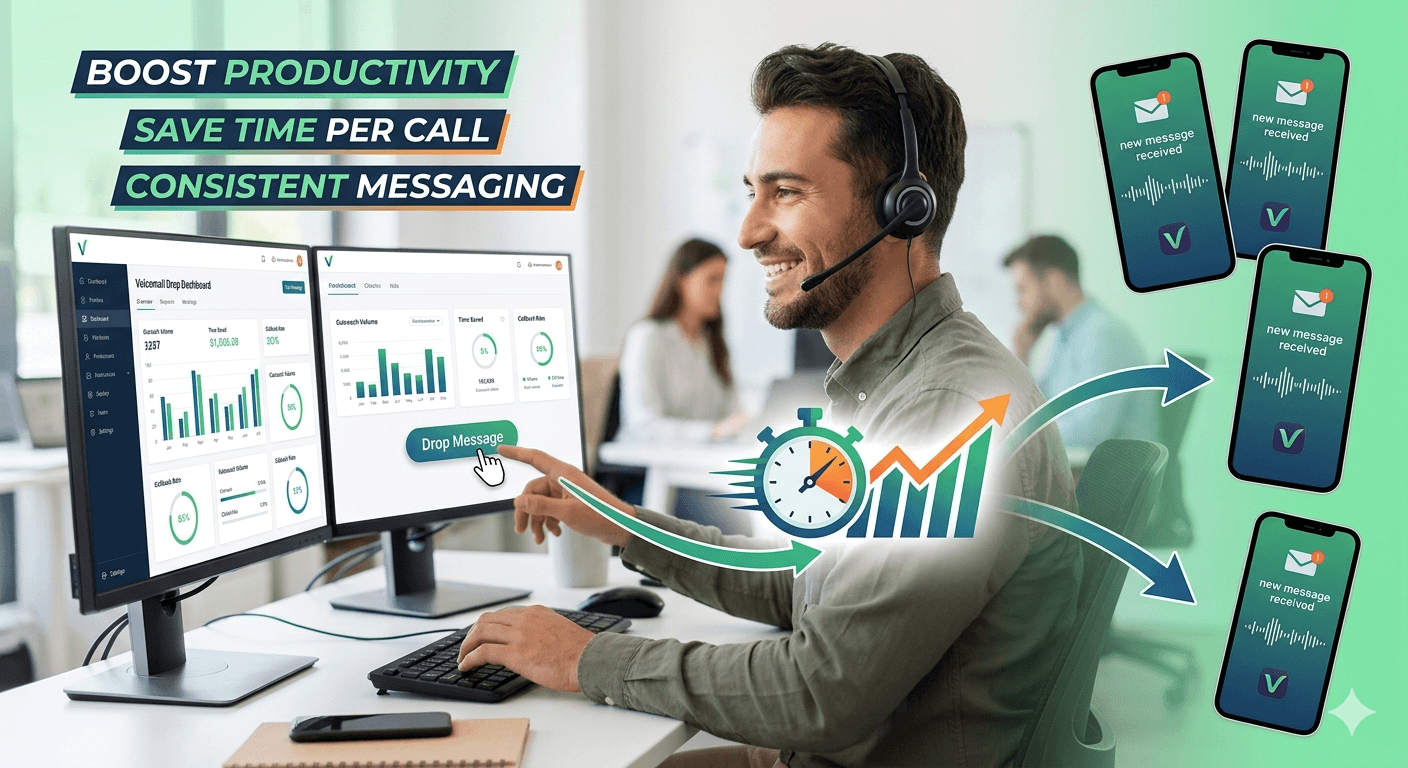
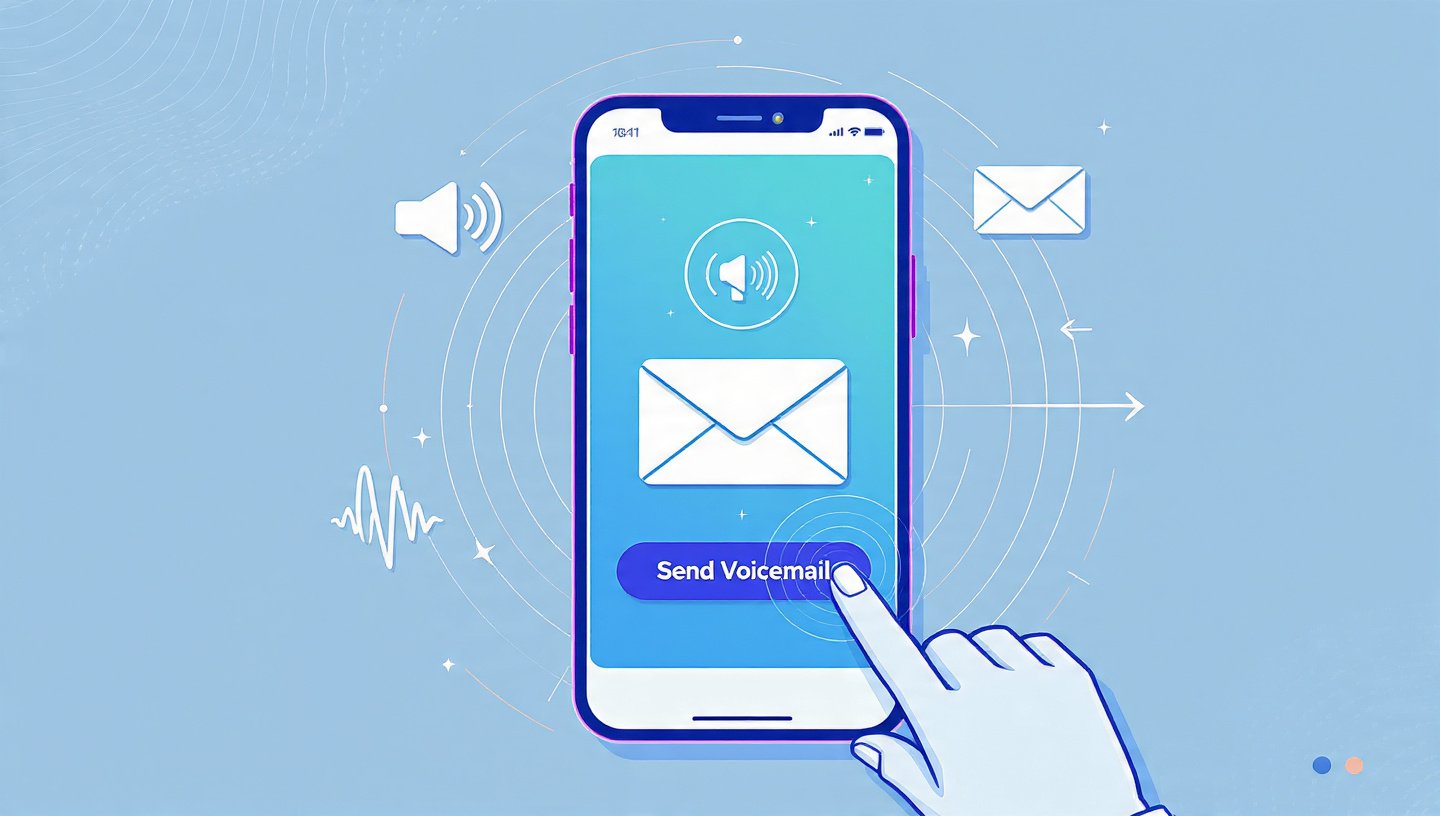
To leave a message without a traditional call, you can use ringless voicemail technology, direct carrier access codes, or specialized third-party applications. This process involves sending an audio file directly to the recipient’s voicemail server rather than initiating a live call that rings the handset. Users can dial their own voicemail system and select options to send a message to another internal subscriber, or use business software to automate the process for larger groups. This method would resolve your question “how to leave voicemail without calling”, ensure your message is delivered discreetly without interrupting the recipient’s day, and making it an efficient tool for both personal and professional communication needs today. Exploring the Process: How to Leave a Voicemail Without Calling In the modern landscape of digital communication, the ability to reach someone without causing a disruption is a highly valued skill. Many individuals and businesses seek ways to deliver information efficiently while respecting the recipient’s time and boundaries. The traditional method of placing a phone call and waiting for it to go to an answering machine is often seen as time-consuming or intrusive. Consequently, understanding how to send a voicemail has become a priority for those who want to maintain a professional yet non-disruptive presence. This technique allows the sender to provide detailed information that the receiver can review at their convenience, effectively bridging the gap between a written text and a live conversation. The primary mechanism behind this capability is known as ringless voicemail technology. Unlike a standard call that uses the public switched telephone network to establish a live connection, this technology creates a direct link to the server where the voicemail data is stored. By bypassing the signaling phase of a call, the recipient’s phone does not ring, and no missed call notification appears in the traditional sense. Instead, the audio file is dropped directly into the inbox. This approach is particularly useful for recruiters, sales teams, and customer service departments who need to deliver consistent messages to a large audience without the overhead of manual dialing. There are several reasons why a person might prefer to leave a message on phone systems rather than speaking live. For one, it eliminates the social pressure of a real-time conversation, allowing the sender to be more concise and articulate. Furthermore, it prevents the awkwardness of catching someone at a bad time. Many people find that when they can listen to a message on their own schedule, they are more likely to process the information thoroughly and respond with a prepared answer. This shift in communication dynamics highlights a growing preference for asynchronous messaging in both personal and professional environments. Technical Strategies on How to Leave Voicemail Without Calling One of the most direct ways to manage this task involves using carrier-specific features. In many cellular networks, users can dial a specific access number to reach the main voicemail system. Once logged in with their own credentials, they can navigate a menu that allows them to record a message and then input the phone number of another subscriber on the same network. This method is highly effective because it uses the internal infrastructure of the carrier to route the audio file. However, its effectiveness is often limited to users on the same network, which can be a drawback if you are attempting to reach someone on a different provider. For those wondering can you leave a voicemail without calling, third-party applications provide a robust solution. Services like Slydial have existed for years, offering a platform that connects you directly to a recipient’s voicemail regardless of their carrier. When you use such a service, you typically dial a dedicated access number first, then enter the target phone number. The system then initiates a connection that routes you straight to the greeting. This is an ideal solution for situations where you need to deliver news or information but do not have the time for a potentially long-winded discussion. Another consideration is the role of automated systems in modern marketing. Many companies now investigate how to automatically leave a voicemail to streamline their outreach programs. These systems allow a user to upload a pre-recorded audio file and a list of contact numbers. The software then handles the delivery process, ensuring that the message reaches each inbox without ever ringing the physical devices. This level of automation is transformative for business productivity, as it allows a single employee to reach hundreds of clients in the time it would take to make just a few manual calls. Advanced Methods of How to Leave Someone a Voicemail Without Calling Them For mobile enthusiasts, specifically those using iOS devices, the search for how to leave voicemail without calling iphone often leads to internal messaging features. While Apple does not have a native button that says send to voicemail, you can utilize the voice memo app to achieve a similar result. By recording a high-quality audio clip in the voice memo application, you can then share that file directly via iMessage. While this technically arrives as a data file rather than a traditional carrier voicemail, it serves the same purpose of providing an audible message that the recipient can play at their leisure without having to answer a call. Furthermore, some digital voice-over-IP services have integrated features that allow you to send a voicemail without calling the physical handset. These platforms often allow you to record a message within their interface and then select a contact to deliver it to. This is a common feature in business-grade communication suites where collaboration is key. It allows team members to leave detailed updates for their colleagues without interrupting ongoing meetings or deep-work sessions. The flexibility of these tools ensures that information flows smoothly across an organization without the bottlenecks associated with synchronous communication. Many people often ask can i leave a voicemail without calling when they are dealing with sensitive topics. Sometimes, delivering information via voice provides a level of nuance and tone that text simply cannot convey. However, the sender may still wish to avoid a direct confrontation or a live emotional exchange. Using a direct-to-voicemail service allows for the delivery of the message with the necessary emotional context while providing the recipient the space to process the information privately. This balance of personal touch and professional distance is a major reason why these methods continue to gain popularity. Benefits of Sending Direct Audio Messages The efficiency of digital audio delivery cannot be overstated, especially when considering how to leave a voice message without calling. In a professional setting, time is often the most valuable resource. Research conducted by communication analysts suggests that the average business call lasts between five and ten minutes, much of which is spent on pleasantries and scheduling. By opting to how to just leave a voicemail, an individual can condense that entire interaction into a focused sixty-second recording. This saves time for both the sender and the receiver, contributing to a more productive workday for everyone involved. Moreover, the psychological impact of a non-intrusive message is generally more positive. When a phone rings unexpectedly, it can cause a spike in stress or interrupt a focused task. In contrast, seeing a new voicemail notification allows the user to choose when they are ready to engage. This sense of control often leads to better listening and more thoughtful responses. Many sales professionals have noted that their conversion rates improve when they send voicemail without calling, as it builds rapport without the aggression often associated with traditional cold calling techniques. When looking at the technical side, one might wonder how to send someone a voicemail while ensuring it actually gets heard. Statistics show that voicemail has a high engagement rate compared to email or physical mail. A study by InsideSales indicates that a well-crafted voicemail can increase callback rates by up to 11% compared to calls where no message is left. This is because a voice message feels more personal and urgent than a standard email, which can easily be lost in a crowded inbox or filtered into a spam folder. The direct delivery to a mobile device ensures that the message is seen quickly. Integrating Voicemail into Business Workflows Businesses are constantly looking for ways to improve their communication strategies, and learning how to send voicemail without calling is a key component of this evolution. Marketing campaigns that utilize ringless technology must be handled with care to ensure compliance with local regulations, such as the Telephone Consumer Protection Act. When done correctly, these campaigns can be incredibly effective. For instance, a retail company might use this method to inform loyal customers about an exclusive flash sale, providing a personal touch that a text message might lack. Additionally, the question of how do you leave a voicemail without calling becomes relevant during large-scale internal updates. If a CEO wants to send a motivational message to their entire staff, using an automated voicemail system ensures that every employee hears the leader’s actual voice. This creates a stronger sense of connection and transparency within the company. Unlike a company-wide email, which might be skimmed or ignored, an audio message captures attention and conveys the intended emphasis and sincerity of the speaker. The question of how do i send a voicemail often arises during the onboarding of new sales staff. Training teams to use these tools effectively involves teaching them how to script their messages for maximum impact. A good voicemail should be clear, concise, and include a specific call to action. By removing the variable of a live conversation during the initial outreach phase, new employees can build confidence and ensure they are hitting all the necessary talking points. This structured approach leads to more consistent results across the entire sales department. Technical Nuances of Delivery Systems It is important to understand the infrastructure that determines does a voicemail automatically send in different scenarios. Most modern systems rely on a server-to-server interaction. When a ringless voicemail is initiated, the software sends a signal to the mobile carrier’s voicemail server indicating that a message is being deposited. Because this signal is distinct from a call request, the carrier does not trigger the handset to ring. This is a delicate technical balance, as it must navigate the complex protocols used by various telecommunications providers to ensure the message is stored in the correct inbox. Users often ask is there a way to just leave a voicemail without the phone showing a missed call. In most cases, ringless technology achieves exactly this. However, some older mobile operating systems or specific carrier configurations might still show a notification that a call was attempted. As technology improves, these instances are becoming rarer. The goal of most service providers is to create a seamless experience where the only indicator of the interaction is the appearance of a new voicemail notification. This level of subtlety is what makes the service so attractive for high-end client management. Another common inquiry is can i send a voicemail without calling from a desktop computer. Many cloud-based communication platforms now offer this feature as part of their standard package. This allows office workers to manage their outbound messages directly from their computer interface, often integrating with their CRM software. When a message is sent this way, it can be logged automatically, providing a clear record of the communication history with that specific contact. This integration is vital for maintaining accurate data and ensuring that no lead is followed up on more than necessary. Exploring Legal and Ethical Considerations While the ability to send audio messages directly is powerful, it must be used responsibly. One must consider is there a way to leave a voicemail without calling without violating privacy or telemarketing laws. In many jurisdictions, sending unsolicited automated messages is heavily regulated. It is essential for businesses to obtain proper consent before adding someone to a ringless voicemail list. This not only keeps the company in good legal standing but also protects the brand’s reputation. Intrusive or excessive messaging can quickly lead to consumer frustration and negative reviews. Ethically, the use of this technology should be focused on providing value. Whether it is a doctor’s office sending an appointment reminder or a non-profit organization reaching out to its donors, the intent should always be to facilitate helpful communication. When the recipient finds the information useful, they are unlikely to be bothered by the method of delivery. The key is to avoid using these tools for deceptive practices or overwhelming people with unwanted content. Respecting the “do not call” registry is a fundamental part of using these advanced communication methods. Furthermore, the question of can you send a voicemail without calling should be viewed through the lens of accessibility. For some individuals with hearing or speech impairments, direct audio messages might be more or less useful depending on the situation. However, many modern smartphones now offer visual voicemail features that transcribe audio into text. This means that when you leave a direct voicemail, the recipient may actually read it rather than listen to it. This added layer of flexibility makes the medium even more robust, as it caters to different user preferences and needs. Optimizing Communication with Modern Tools The journey of learning how to leave voicemail without ringing reveals a broader trend in how we interact with technology. We are moving away from the “always-on” culture of immediate responses and toward a more intentional form of engagement. By choosing to send a message that doesn’t demand instant attention, we are acknowledging that the other person’s time is valuable. This shift fosters a more respectful and sustainable communication environment. As tools continue to evolve, we can expect even more sophisticated ways to manage our digital presence and our connections with others. According to industry data, the open rate for voicemail messages is significantly higher than that of email, with some reports suggesting that 95% of recipients listen to their voicemails within the first few hours of receipt. This staggering statistic underscores why businesses are so keen on finding out how do i leave a voicemail without calling. The high visibility and personal nature of the medium make it one of the most effective ways to ensure your voice is actually heard in an increasingly noisy digital world. Ultimately, whether you are a business owner trying to reach more clients or an individual who wants to leave a quick update for a friend, the ability to bypass the traditional call is a significant advantage. By mastering the various methods available—from carrier shortcuts to specialized apps—you can communicate more effectively and with greater precision. The world of telecommunications is constantly changing, but the need for clear, concise, and respectful communication remains constant. Read More: Set Up VoIP in Your Office: VoIP Setup Guide Final Thought Mastering the art of leaving a voicemail without a call is about more than just avoiding a conversation; it is about choosing the most effective tool for the task at hand. By utilizing ringless voicemail technology, carrier features, or third-party apps, you can ensure your message is delivered efficiently and respectfully. This approach not only saves time but also improves the likelihood of your message being processed and acted upon. As we continue to navigate a world filled with digital noise, these targeted communication strategies will remain essential for both personal success and professional growth. Common Questions About Direct Voicemail Delivery Is there a way to leave a voicemail without calling someone? Yes, there are several ways to accomplish this. You can use services like Slydial, which connect you directly to the voicemail server, or use ringless voicemail software designed for businesses. Additionally, some mobile carriers allow you to log into your own voicemail and send a message to another user on the same network by following the voice prompts. Can I leave a voicemail on my iPhone without calling? While there is no direct button in the Phone app, you can use the Voice Memos app to record a message and send it via iMessage or email. For a traditional voicemail delivery, you would need to use a third-party app or a carrier-specific bypass code. How do I go straight to voicemail without ringing? To go straight to someone’s voicemail without the phone ringing, you typically need to use a ringless voicemail service. These services work by accessing the carrier’s voicemail storage directly rather than initiating a traditional call sequence over the cellular network. Is it possible to get a voicemail without a call? Yes, it is possible for a recipient to receive a voicemail notification without their phone ever ringing. This happens when the sender uses ringless voicemail technology, which drops the audio file directly into the recipient’s inbox on the carrier’s server. How do I send a voicemail to multiple people at once? For businesses, this is done through a ringless voicemail platform where you can upload a contact list and a recorded message. The system then distributes the message to all the numbers on the list simultaneously without making individual calls.

Read More
Set Up VoIP in Your Office

Set Up VoIP in Your Office: VoIP Setup Guide

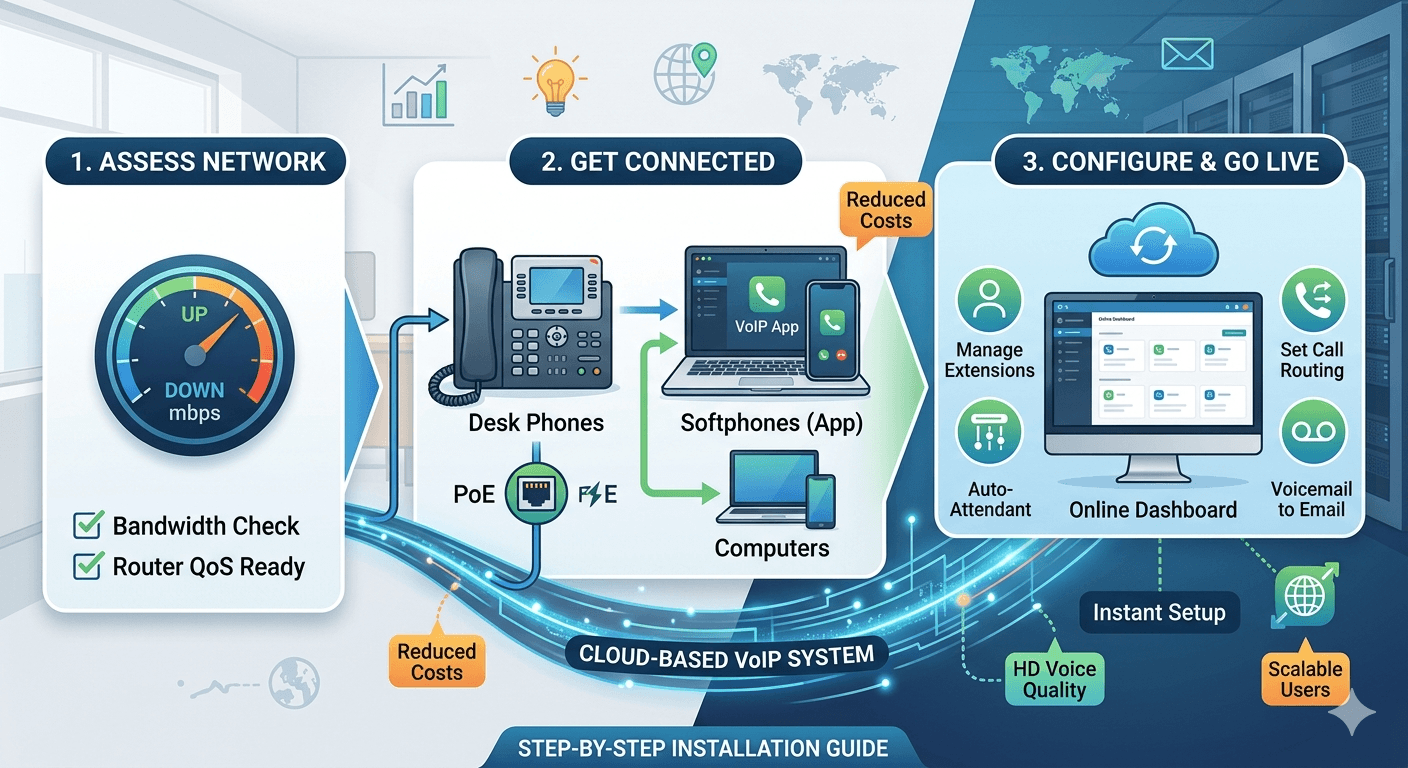
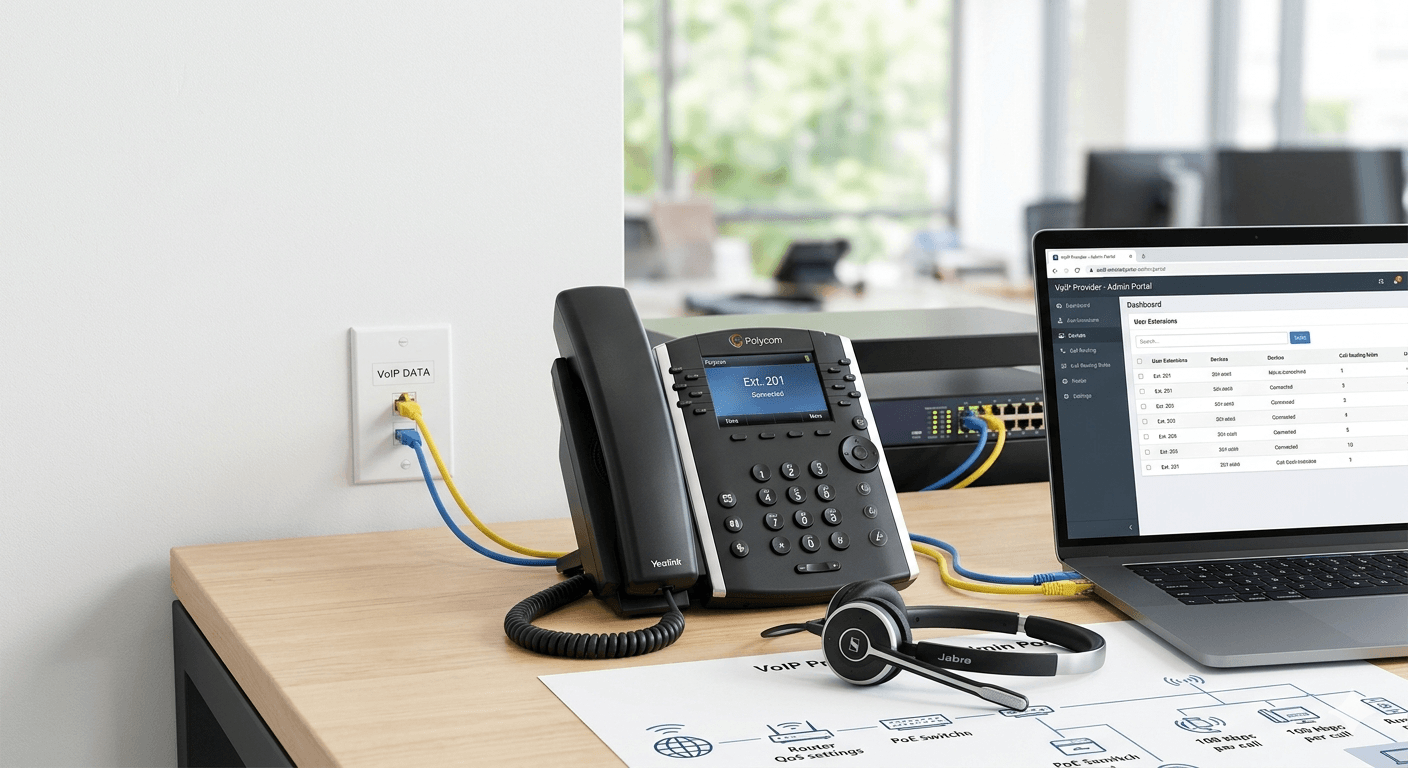
A comprehensive set up VoIP in your office guide focuses on migrating from traditional analog lines to a cloud-hosted digital network. To begin, ensure your office internet bandwidth provides at least 100 kbps per concurrent call to maintain audio clarity. The process involves selecting a service provider, acquiring compatible hardware or software, and connecting devices to your local area network via ethernet. Once the hardware is active, you use a web-based dashboard to assign user extensions and configure call routing rules. This streamlined business phone system installation eliminates complex on-site wiring and allows for immediate professional communication across your entire organization. Strategic Network Assessment for Phone System Setup The foundation of a successful office communication strategy starts with evaluating the existing network infrastructure to ensure it can handle voice data. Unlike standard internet browsing, voice traffic is highly sensitive to delays and packet loss, meaning your router must be capable of handling consistent streams of data. When preparing for voip installation, you should verify that your office switch supports Power over Ethernet, which allows you to power your desk phones through the data cable. This reduces clutter and simplifies the overall physical layout of the workspace. If your current switch does not support this, you will need to plan for individual power adapters for every desk. Bandwidth allocation is a critical component of the initial planning phase. Every active conversation requires a small but consistent amount of data to travel both ways. For an office with twenty employees, a dedicated upload and download speed of at least 5 megabits per second should be reserved exclusively for voice traffic to prevent interference from other online activities like large file transfers or video streaming. Performing a network audit before set up VoIP in your office ensures that you do not encounter frustrating audio issues once the system goes live. This proactive approach saves time and prevents the need for emergency troubleshooting during the first week of operation. Research from Blueface indicates that small businesses can save up to thirty percent on their monthly communication expenses by transitioning to digital platforms. Additionally, a report from Frost & Sullivan suggests that over eighty percent of modern businesses prioritize voice quality and reliability over initial hardware costs. These facts highlight why a thorough network assessment is worth the time, as it ensures the long-term viability of your investment. By establishing a robust network backbone, you provide a stable environment for your team to communicate without the limitations of traditional copper-based telephony. Executing the Physical VoIP Phone System Installation Once the network is ready, the physical deployment of hardware can begin across the office. Most organizations opt for dedicated desk units because they provide a familiar interface for employees while offering advanced digital features. The process of ip phone setup starts by unboxing the units and connecting them to the designated ethernet ports at each workstation. If you are using a hosted service, these phones are often pre-configured by the vendor, meaning they will automatically reach out to the central server to download their profiles as soon as they have an internet connection. This plug-and-play nature is what allows a voip phone system installation to be completed so rapidly. For offices that prefer a more modern or flexible approach, the installation might involve setting up software-based applications on desktop computers. In this scenario, how to setup voip becomes a matter of distributing login credentials and ensuring each computer is equipped with a high-quality USB headset. This method is particularly effective for open-office layouts where desk space is at a premium. The voip phone connection in a software environment relies on the computer’s existing network link, which simplifies the wiring even further. Regardless of whether you choose physical or virtual devices, the goal is to create a unified network where every user has a dedicated point of access. Connect the ethernet cable from the wall jack to the input port on the back of the desk phone. If the phone has a secondary port, connect another cable from the phone to the user’s computer to share the network connection. Wait for the device to initialize and display the assigned extension number on the screen. Perform a test dial to an internal extension to verify that the local network is routing the packets correctly. Step-by-Step VoIP Configuration and User Registration After the hardware is physically connected, the focus shifts to the digital management of the system. This stage involves the voip configuration of each individual account within the provider’s web portal. You will need to create a user profile for every employee, assigning them a unique extension number and a direct inward dialing number if required. During this phase, you also establish the internal directory, which allows staff members to find and call their colleagues using only a few digits. Taking the time to properly organize these settings during the initial setup prevents confusion as the organization scales. The administrative dashboard is the central hub for all voip settings. Here, you can define how the system handles incoming calls through the use of an automated receptionist or IVR. You can record custom greetings that provide callers with options to reach different departments, such as sales or technical support. This level of professional call handling is a major advantage of modern office phone setup. Additionally, you should configure the voicemail-to-email settings for each user, ensuring that missed calls are converted into audio files and sent directly to the employee’s inbox for quick review and response. Access the admin portal using the credentials provided by your service vendor. Navigate to the user management section to add names, emails, and extension numbers. Set up call groups for specific teams so that multiple phones ring simultaneously for department inquiries. Enable security features such as complex PINs for voicemail access and restricted international calling. Mastering VoIP Phone Connection and Network Priority To ensure that your office communication remains crystal clear, you must address the technical priority of voice packets on your network. This is achieved through a process called Quality of Service, which is a standard feature in business-class routers. When you learn how to set up voip phone priority, you are essentially telling your router that voice data is more important than a background software update or a web search. This prevents “jitter,” which is the choppy audio effect that occurs when data packets arrive out of order. Proper voip phone configuration at the router level is the most important step in achieving professional-grade audio quality. In some office environments, you may need to learn how to connect voip phone to wireless network access points if running cables is not feasible. While a wired connection is always the most stable option, modern Wi-Fi 6 routers provide enough stability for high-definition voice. Setting up a dedicated SSID for voice traffic can further isolate these critical data streams from general guest or employee web traffic. This specialized voip set up ensures that even if the main office network is congested, the phone system continues to operate without degradation. Regularly monitoring the performance of these wireless links is part of maintaining a healthy communication environment. The process of setting up a voip phone also involves verifying the local firewall settings. Some security systems may block the specific ports used by digital voice protocols, leading to issues where you can hear the caller but they cannot hear you. Ensuring that your IT team has opened the necessary ports for signaling and media is a fundamental part of the ip phone installation process. Most providers will offer a list of required firewall rules that should be implemented during the initial 30-minute setup window to avoid any connectivity hurdles. Advanced VoIP Settings for Enhanced Office Productivity Beyond the initial connection, a professional voip installation allows for the implementation of advanced features that streamline daily operations. One such feature is the ability to integrate the phone system with the company’s existing CRM software. When a known customer calls the office, a screen pop can appear on the employee’s monitor showing the customer’s name and previous interaction history. This seamless voip configuration step by step integration helps staff provide more personalized service and reduces the time spent looking up account details manually. It turns the phone from a simple communication tool into a powerful productivity asset. Another vital setting for the modern office is the configuration of “find me/follow me” rules. This allows an employee’s extension to ring their desk phone first, and if not answered, automatically forward the call to their mobile application or a secondary number. This ensures that important client calls are never missed, even if the team member is in a meeting or away from their desk. Learning how to setup voip phone forwarding rules like these is a core part of the digital transformation for any small or medium-sized enterprise. These features are usually managed through an intuitive user portal, allowing individual employees to customize their own settings without needing constant IT support. Enable call recording for training purposes and quality assurance checks. Configure the paging system to allow for office-wide announcements through the desk phone speakers. Setup holiday and after-hours schedules to automatically route calls to an emergency on-call rotation. Integrate third-party messaging apps like Slack or Microsoft Teams for unified notifications. Finalizing the IP Phone Setup and Testing Procedures Before considering the installation complete, a rigorous testing phase must be conducted across all departments. This involves more than just making a single call; you should test the system under load to see how it performs when multiple people are talking at once. Checking the voip settings on various devices ensures that everyone has the correct caller ID information and that their voicemail boxes are functioning as expected. During this time, it is also important to test the emergency 911 calling functionality, ensuring that the correct physical office address is transmitted to local dispatchers in the event of an emergency. Training the staff on how to use a voip phone is the final step in the deployment process. While the hardware looks similar to traditional phones, the digital features like call parking, three-way conferencing, and directory searches may require a brief demonstration. Providing a simple one-page cheat sheet at every desk can significantly reduce the number of internal help desk tickets during the first week. Once everyone is comfortable with the new system, you can move forward with porting your old numbers over to the new provider, which officially completes the migration to a modern, local voip phone solution. The long-term success of your hosted voip phone system depends on regular maintenance and staying updated with the latest firmware. Most providers push updates automatically, but your IT administrator should periodically check the dashboard for any alerts or suggested optimizations. By keeping the system updated, you ensure that you are protected against new security threats and that your office has access to the latest communication features as they are released. This ongoing attention to detail ensures that your initial 30-minute setup continues to provide value for years to come. Choosing the Right Hardware for Your Office Layout Selecting the appropriate voip phones for business depends heavily on the specific roles within your company. A receptionist will likely require a high-end model with a large color display and multiple line keys to manage a high volume of incoming calls. In contrast, a standard employee might only need a basic model with a few programmable buttons and high-quality speakerphone capabilities. Understanding the different requirements for various workstations is a key part of the phone system setup process. Some modern offices are even moving away from desk phones entirely in favor of high-performance headsets paired with softphone software. If your office has communal areas like conference rooms or breakrooms, you will need specialized equipment for those spaces. Conference room units are designed with 360-degree microphones to pick up voices from across a large table, which is essential for clear communication during group meetings. During the voip installation, ensure these units are placed centrally and tested for echo cancellation performance. Having the right tool for each specific environment within the office prevents frustration and ensures that every call, whether private or group-based, is handled with the highest possible level of professionalism. Determine the number of lines required for each department to handle peak call times. Evaluate the need for expansion modules (sidecars) for high-traffic workstations. Consider the ergonomics of headsets for staff members who spend several hours a day on the phone. Check for compatibility between the hardware and your chosen service provider’s feature set. Final Thought A successful VoIP setup guide for business in 30 minutes proves that modernizing your office communication does not have to be a multi-day ordeal. By focusing on network readiness, selecting the right hardware, and utilizing intuitive cloud-based management tools, any business can achieve a professional and reliable phone system setup. The transition to a hosted voip phone system provides the flexibility, scalability, and cost-efficiency necessary for a competitive edge in today’s digital landscape. Once the initial voip configuration is complete and the team is trained, the organization will benefit from a robust communication platform that grows in tandem with its success. Read More: Queue Callback: Functions, Benefits and Solutions Frequently Asked Questions   How to setup a VoIP phone at the office? To set up a device at your office, connect the hardware to your internet-connected ethernet jack and a power source if your network does not provide Power over Ethernet. Once the device boots up and displays an extension, use your provider’s administrative dashboard to link the device’s MAC address to a specific user. This process ensures that the phone is correctly registered on your business network and ready to handle professional calls within minutes. What is required for VoIP setup? A complete installation requires a high-speed internet connection, a router with Quality of Service capabilities, and a subscription to a service provider. You will also need the appropriate hardware, such as IP desk phones or computers and smartphones with the provider’s communication software installed. Lastly, a well-organized plan for extension numbers and call routing rules is essential to ensure the system meets your office’s specific operational needs from day one. What equipment is needed for VoIP? The primary equipment includes a modem, a router, and network switches that ideally support PoE to power your devices. For the users, you will need IP phones, headsets, or conference units depending on their specific job functions. If you plan to use computer-based calling, high-quality noise-canceling headsets are highly recommended to ensure clear audio in a busy office environment. For legacy support, an analog telephone adapter may also be required for old fax machines. How do I set up my VoIP phone? Individual setup begins with plugging the device into the network and waiting for it to initialize. Most modern systems use auto-provisioning, meaning the phone will automatically pull its settings from the cloud. Once it is active, you can customize personal settings like ringtones, speed-dial keys, and your voicemail greeting directly from the phone’s menu or a web-based user portal. This allows every employee to tailor their communication tool to their own preferences. Can I use my existing office wiring for a new digital system? In most cases, you can use existing Category 5e or Category 6 ethernet wiring that is already in place for your computers. Because digital phones use the same type of connection as your PCs, you can often plug the phone into the wall and then plug the computer into the back of the phone. This “daisy-chain” method allows you to deploy a new system without the need for expensive new wiring runs or structural changes to your office.

Read More
VoIP setup guide for business in 30 minutes

VoIP Setup Guide For Business in 30 minutes

A VoIP setup guide for business in 30 minutes involves selecting a cloud-based provider, ensuring your internet bandwidth meets the necessary system requirements, and configuring your devices. First, verify your connection speed to ensure it can handle multiple high-definition calls simultaneously. Next, acquire your specific hardware or install software applications on existing computers and smartphones. Finally, log into your provider’s dashboard to assign extensions and set up call routing rules. This streamlined process eliminates the need for complex on-site wiring, allowing small businesses to establish a professional communication network quickly and cost-effectively without requiring specialized technical expertise or lengthy waiting periods for hardware delivery. Understanding VoIP Phones for Business and How They Operate Modern communication has shifted away from traditional copper wires toward internet-based protocols. At its core, voip business systems convert voice signals into digital data packets that travel across the internet rather than traditional telephone lines. This technology allows for much higher flexibility because the system is not tied to a physical location. When you initiate a call, the voice data is compressed and sent to a server, which then routes it to the recipient’s device. This process happens in milliseconds, ensuring that the conversation remains fluid and clear. For a small company, this means you can manage your entire communication stack through a simple web interface. Implementing voip business phones requires a reliable internet connection as the foundation of the network. Unlike older systems that required a dedicated PBX box in a closet, today’s voip business system is often hosted in the cloud. This means the service provider manages the heavy lifting, such as servers and security updates, while the business owner simply manages the user accounts and settings. This shift has democratized high-end features that were once only available to large corporations, such as automated receptionists and detailed call analytics. By using this digital approach, companies can scale their operations up or down by adding or removing users with a few clicks in their administration portal. Research indicates that the shift to digital telephony is not just a trend but a strategic financial move. According to data from Blueface, small businesses switching to these digital solutions can reduce their initial capital expenditure by up to 90 percent while saving nearly 30 percent on their recurring monthly phone bills. This is largely because the hardware requirements are lower and the competitive pricing of internet-based providers often includes unlimited calling plans that are far cheaper than traditional long-distance rates. Furthermore, a study by Frost & Sullivan highlights that high-definition voice quality is the leading feature driving business migration, as digital signals provide much clearer audio than analog lines. Detailed Steps for Business Phone System Installation The initial phase of business phone setup begins with a comprehensive assessment of your current network environment. You must ensure that your router is capable of handling voice traffic and that your internet service provider offers enough upload and download speed to prevent latency. Generally, each active call requires about 100 kbps of bandwidth. If you expect to have ten employees on the phone at the same time, you need at least 1 Mbps of dedicated bandwidth just for voice. Checking these voip system requirements early prevents dropped calls and poor audio quality once the system goes live across the office. Once the network is ready, the next step involves the physical voip installation of desk phones or the deployment of software-based callers. If you are using physical hardware, most devices are plug-and-play. You simply connect an ethernet cable from your router or switch into the back of the phone. Many modern business environments utilize Power over Ethernet (PoE) switches, which provide both data and power through a single cable, eliminating the need for separate power bricks for every desk. For those choosing a more mobile approach, setting up voip for small business can be as simple as downloading an application onto a laptop or smartphone and logging in with employee credentials. After the hardware is connected, you must proceed with the voip configuration via the provider’s online dashboard. This is where you define the architecture of your communications. You will assign phone numbers to specific users, create ring groups for departments like sales or support, and record your initial greeting for the auto-attendant. This stage of the VoIP setup guide for business in 30 minutes allows you to customize how calls flow through your organization. You can set rules for after-hours calls to go straight to voicemail or be forwarded to a mobile device. This level of control ensures that no client inquiry is missed, regardless of where the staff is physically located. Essential Components for Successful VoIP Installation High-Quality Internet Connection: A stable and fast internet connection is the most critical requirement for any voip business phone system. Without sufficient bandwidth, users will experience jitter, echoes, or disconnected calls. It is highly recommended to use a business-class internet service that offers a service level agreement (SLA) for uptime. VoIP Compatible Hardware: You can choose between dedicated desk phones designed specifically for digital protocols or use existing computers. Many companies prefer voip phones for small business that include large screens for directory management and dedicated buttons for transferring calls. Network Switches and Routers: A high-performance router that supports Quality of Service (QoS) is essential. This feature allows you to prioritize voice data over other types of internet traffic, such as large file downloads or video streaming, ensuring that call quality remains high even during peak usage hours. Professional Service Provider: Selecting the right vendor is crucial for long-term success. Look for providers that offer 24/7 support, a high uptime guarantee, and a feature set that matches your specific business needs, such as CRM integration or SMS capabilities. How to Configure VoIP Phone Systems for Optimal Performance Configuring your system correctly is the difference between a frustrating experience and a seamless communication flow. When you begin the voip configuration step by step, start by setting up your user profiles. Each employee should have a unique extension and a personalized voicemail box. This organization makes it easier for internal transfers and helps in tracking call metrics. Many systems allow you to upload a CSV file to bulk-import user data, which can save a significant amount of time during the initial office phone setup. The next part of the VoIP setup guide for business involves setting up your call routing and interactive voice response (IVR) systems. An IVR is the menu callers hear when they dial your number, such as “Press 1 for sales.” Setting this up effectively helps direct customers to the right person quickly, improving the customer experience. You should also configure your emergency calling settings (E911) during this phase. Because voip phone connection is not tied to a specific physical location, you must manually enter the address of your office so that emergency services can find you if a 911 call is placed from a desk phone. Testing is the final and perhaps most important part of the how to install voip phone process. Before fully migrating away from your old system, place several test calls between internal extensions and to external numbers. Check for any delay in the audio and ensure that the caller ID displays the correct business information. If you encounter issues like one-way audio, where one person can hear but the other cannot, you may need to adjust your firewall settings. Modern voip settings often include STUN or TURN server options to help navigate complex firewalls and ensure a reliable connection. Exploring VoIP Phone Features Business Owners Value One of the primary reasons to switch to a voip business phone system is the vast array of features included at no extra cost. For instance, voicemail-to-email allows employees to read their messages as text or listen to audio files directly from their inbox. This is particularly useful for remote teams who may not always be at their desks. Additionally, call recording is a vital tool for training and quality assurance, allowing managers to review interactions and provide feedback to staff. These tools are often managed through a centralized dashboard that requires no advanced technical skills to operate. Another significant advantage is the ability to use a single number across multiple devices. When someone dials an employee’s business number, the desk phone, laptop app, and mobile phone can all ring simultaneously. This ensure that staff members are reachable even when they are traveling or working from home. Furthermore, features like “presence” allow colleagues to see if a teammate is currently on a call, available, or away. This improves internal collaboration and prevents unnecessary interruptions during focused work periods. The integration capabilities of voip business systems also add immense value. Most modern systems can connect directly with popular CRM software like Salesforce or HubSpot. When a customer calls, the system can automatically pull up their record on the employee’s screen, providing immediate context for the conversation. This integration streamlines workflows and ensures that every customer interaction is logged accurately without manual data entry. For a small business, these efficiencies can lead to significant improvements in productivity and customer satisfaction levels. Managing Hardware and Software in a Business Environment Deciding between hardware and software is a major part of the phone system setup. Hardware-based voip business phones provide a familiar experience for employees who prefer a physical handset. These devices are built for heavy daily use and offer superior audio quality through dedicated hardware processing. They are also useful in common areas like breakrooms or lobbies where a computer might not be available. However, purchasing hardware requires an upfront investment, though many providers offer leasing options to spread the cost over several months. On the other hand, software-based solutions, often called softphones, are becoming increasingly popular due to their flexibility and low cost. When learning how to use a voip phone in software form, employees simply use their existing headsets and computers. This approach is ideal for remote work environments where providing physical phones to every home office would be logistically difficult. Softphones offer all the same features as desk phones, including conferencing, transferring, and directory access, but they live entirely within an application on the user’s screen. For those who still rely on legacy equipment, a voip phone installation can still include older analog devices. By using an Analog Telephone Adapter (ATA), you can connect traditional fax machines or older analog phones to your digital network. This allows businesses to transition to the cloud at their own pace without discarding expensive legacy hardware immediately. This hybrid approach is common in industries that still require physical faxing or have specialized analog equipment integrated into their security systems. Selecting the Best Phone System for a Small Business Choosing a provider requires looking beyond just the monthly price. You must evaluate the reliability of their network and the quality of their customer support. A provider like voip phone vonage or similar industry leaders often provides extensive documentation and live support to help with the voip howto aspect of installation. It is also important to consider the scalability of the service. As your business grows, you want a system that allows you to add new lines and features without a complete overhaul of your existing infrastructure. The best small business voip system should also offer a user-friendly interface. Business owners should be able to make changes to their call routing or add new users without needing to call an IT consultant. Look for a system that provides a mobile app for administration, allowing you to manage your office communications from anywhere. Security is another critical factor; ensure the provider uses encryption for voice data and offers multi-factor authentication for account access to protect your business from unauthorized use or eavesdropping. Evaluation of Features: Ensure the provider offers the specific tools your business needs, such as video conferencing, SMS, or international calling plans. Network Reliability: Look for providers with a proven track record of 99.999% uptime to ensure your business remains reachable at all times. Quality of Support: Prioritize companies that offer multiple channels of support, including phone, chat, and detailed online knowledge bases. Pricing Structure: Compare the total cost of ownership, including any hidden fees for activation, number porting, or international surcharges. Common Challenges and Disadvantages of Digital Telephony While the benefits are numerous, there are some challenges to consider when implementing voip. The most significant drawback is the total reliance on an internet connection and power. If your internet goes down or your office loses electricity, your desk phones will stop working. To mitigate this risk, many businesses use mobile apps as a backup or ensure their network hardware is connected to an Uninterruptible Power Supply (UPS). Having a secondary internet connection from a different provider can also provide the redundancy needed for mission-critical communications. Another potential issue is emergency service limitations. Because the system is cloud-based, the location of a caller is not automatically known by emergency dispatchers in the same way it is with a traditional landline. It is the responsibility of the business owner to keep the physical address associated with each phone number updated in the system. Failure to do so can lead to delays in emergency response times. It is also important to educate employees on how to use voip in an emergency and the importance of providing their location to the dispatcher. Lastly, call quality can sometimes be affected by network congestion. If your internal network is not optimized with QoS settings, a large file upload could cause a phone call to break up or drop. This requires a bit more technical oversight during the initial how to configure voip phone phase than a traditional system would. However, once the network is properly tuned, these issues are rare. Most modern routers and switches have built-in presets for voice traffic that make this optimization much simpler than it was in the past. Read More: Understanding Call Parking: the Best Practices of On Call Parking Final Thought on Business Communication Evolution Transitioning to a digital phone system is a transformative step for any small business looking to modernize its operations and reduce costs. The ability to set up a professional, feature-rich communication network in under 30 minutes allows owners to focus on growth rather than technical infrastructure. By understanding the voip system requirements and following a structured installation process, you can ensure high-quality audio and reliable service for both your employees and your customers. As technology continues to evolve, the flexibility offered by cloud-based systems will remain a key competitive advantage for businesses of all sizes. Frequently Asked Questions Do I need to get a brand new phone number for my business? No, you do not need a new number because most providers offer a process called porting. This allows you to transfer your existing landline or mobile business number to your new digital service provider so that your customers experience no disruption. The porting process usually takes a few days to a week to complete, during which time you can use temporary numbers provided by your new service to keep your office running. Can my employees use their personal cell phones for business calls? Yes, employees can use their personal smartphones by installing the provider’s mobile application. This app allows them to make and receive calls using the business phone number rather than their private one, maintaining a professional image. It also keeps their personal and professional lives separate, as they can set “do not disturb” hours within the app to prevent business calls from reaching them outside of working hours. What is the primary difference between cloud-based and on-premise systems? A cloud-based system is hosted by the service provider, meaning they handle all the maintenance, security, and hardware updates in their data centers. An on-premise system requires you to have a physical server located in your office, which gives you total control but requires an IT expert to manage and fix. For most small businesses, the cloud-based option is preferred due to its lower cost and lack of technical maintenance requirements. How can I ensure my calls always sound clear and professional? The best way to ensure call quality is to perform a speed test and implement Quality of Service (QoS) on your office router. QoS tells your router to give priority to voice data packets over other types of internet usage, which prevents audio issues during busy times. Additionally, using a wired ethernet connection for desk phones instead of relying on Wi-Fi will provide a more stable and interference-free experience for your staff. What happens to my old fax machine if I switch to this technology? You can continue to use your traditional fax machine by connecting it to a device known as an Analog Telephone Adapter (ATA). This adapter plugs into your internet router and provides a standard phone jack for the fax machine to use. Alternatively, many digital providers offer “e-fax” services where you can send and receive faxes directly through your email, which often eliminates the need for a physical machine and paper costs entirely.

Read More
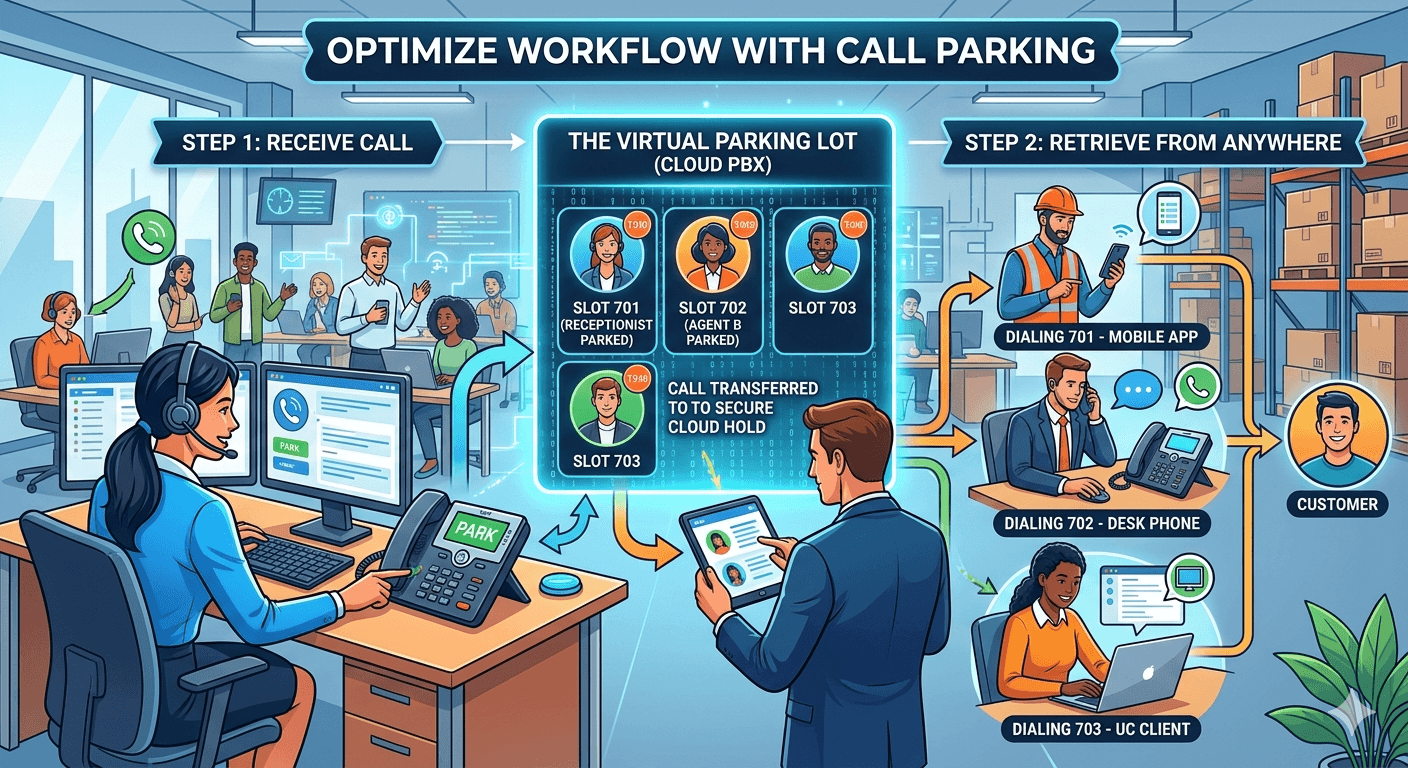
Call Parking

Understanding Call Parking: the Best Practices of On Call Parking

Call parking is a sophisticated telecommunication feature, commonly found in modern Voice over IP systems, that allows a user to place an active call into a virtual holding area known as a parking lot. Unlike a standard hold, which keeps a caller tethered to a specific physical device, a parked call is assigned a temporary extension or slot number. This enables any authorized team member across the entire network to retrieve the call from any desk phone or mobile application by simply dialing the assigned code. It streamlines communication in busy environments by facilitating easy collaboration and team mobility. What Is Call Parking? To grasp the full utility of this technology, it is important to clarify what is call parking in a practical, day-to-day sense. At its core, this feature is a way to place a caller on a universal hold. While a standard hold keeps the caller stuck on the specific line they dialed into, parking a call puts them into a parking lot or a virtual slot. Once the call is in this slot, the person who originally answered can hang up their phone and move to a different task, while the caller remains safely connected to the system. The functionality of a parked call is often described through the lens of a cloud-based PBX system. In these environments, the call is assigned a short code, such as 701 or 802, which serves as its location. This code is then shared with the rest of the team, often through an intercom system, a shared chat application, or a visual indicator on their desk phones. Because the caller is held in the cloud rather than on a physical line, the system can manage multiple parked sessions simultaneously without any loss in audio quality or connection stability. Understanding what is a parked call also involves knowing what happens if no one retrieves it. Most business systems include a failover mechanism where the session will ring back to the original person who parked it after a certain amount of time. This ensures that customers are not forgotten in the virtual parking lot. This safety net is a critical component of professional communication, as it prevents the negative experience of a caller being left in limbo for an extended period. Exploring What Does Park Mean on a Phone and How it Differs from Hold Many users often wonder what does park mean on a phone when they first encounter the button on their new hardware. While the terms hold and park are sometimes used interchangeably in casual conversation, they represent two very different technical processes. When you place a caller on hold, they are tied to your specific device. If you were to walk away or try to answer another line, the caller would still be waiting specifically for you to return to that phone. No one else in the office can grab that call unless you have a complex shared line appearance set up. In contrast, what does parking a call mean involves liberating the session from a single device. It essentially detaches the incoming data stream from your phone and anchors it to the server. This allows for a much higher degree of flexibility. For example, a warehouse manager who answers a call on a desk phone can park it, walk across the facility to verify inventory, and then pick the call back up using a cordless phone or a mobile app. The ability to switch devices mid-conversation without dropping the call is one of the primary reasons businesses choose this tool. When analyzing what does it mean to park a call, one should consider the collaborative aspect. In a busy medical clinic, a receptionist might answer a call for a specific doctor. Instead of trying to find which room the doctor is currently in and transferring the call there, the receptionist can simply park the call and announce it over the internal paging system. The doctor can then pick up the nearest phone, dial the park code, and immediately speak with the patient. This eliminates the need for the receptionist to track the doctor’s exact location. The Operational Workflow and How to Park a Call The process of managing these sessions is designed to be intuitive so that employees can handle high volumes of traffic without making mistakes. While specific buttons may vary between software providers, the general logic of how to park a call remains consistent across the industry. It starts with the initial engagement where the agent identifies the needs of the caller and determines that the call needs to be moved to a different location or person. The first step involves answering the incoming call and confirming that the caller is comfortable being placed in a parking spot for a brief moment. Once confirmed, the agent presses the dedicated park button or enters a specific feature code on their keypad. After the command is initiated, the system will provide a parking slot number. This could be an automated voice announcement heard only by the agent or a visual notification on the screen of the device. This number is the key to retrieving the caller later. The next phase is the notification of the intended recipient. The agent might use an overhead page, a private message, or a group notification to let the team know that there is a caller waiting on a specific extension. Finally, the recipient goes to any phone connected to the system and dials the park slot number. The system immediately connects the two parties, and the parking slot becomes empty and available for the next call. This streamlined approach ensures that everyone on the team is aware of waiting callers without the chaos of multiple ringing lines. In modern VoIP setups, parked calls are often visible on a dashboard or a side panel on a computer screen. This visual representation allows managers to monitor how many callers are currently waiting and how long they have been in the parking lot. This data is invaluable for maintaining high levels of customer service and ensuring that staffing levels are appropriate for the call volume. Comparing Call Park vs Hold in Professional Environments Choosing between call park vs hold depends entirely on the situation and the desired outcome of the interaction. A hold is best suited for quick tasks where the person who answered the call will be the one to finish it. For example, if you need to look up a file or verify a quick piece of information, a standard hold is the fastest and most efficient choice. It keeps the caller on your line and allows you to return to the conversation with a single button press. However, when the call needs to be handled by someone else or when you need to change your physical location, parking a call is the superior option. It provides a level of mobility that a standard hold cannot match. In large organizations, the ability to park calls reduces the complexity of transfers. Transferring a call directly to someone’s extension can sometimes lead to the caller being sent straight to voicemail if the person is busy. By parking the call instead, the recipient can finish their current task and pick up the caller whenever they are ready. From the caller’s perspective, the experience is generally the same. They will typically hear hold music or a pre-recorded message while they are in the parking lot. However, the efficiency of the internal team is much higher when using parking. Research by communication experts suggests that efficient call handling can improve customer satisfaction rates by over 30 percent. By using the right tool for the right situation, businesses can ensure that their communication is both professional and timely, which directly impacts the bottom line and brand reputation. The Technical Infrastructure Supporting Parked Calls The ability to successfully manage parked calls relies on a robust backend infrastructure, usually provided by a VoIP or Hosted PBX provider. When a command is sent to park a call, the server takes over the media stream. It handles the signaling required to keep the caller connected while freeing up the bandwidth and the line on the original device. This is why phone park features are so much more powerful in the digital age than they were in the days of analog lines. In a traditional setup, you were limited by the number of physical lines coming into the building. If you had four lines, you could only have four active calls regardless of whether they were parked or active. With modern VoIP, you can have dozens of parked calls at once, limited only by your service agreement and internet bandwidth. This scalability is essential for growing businesses that might experience sudden spikes in call volume. The system handles the queueing and slot assignment automatically, reducing the technical burden on the office staff. Supporting material from industry studies, such as those conducted by Grand View Research, indicates that the global VoIP market is expanding at a compound annual growth rate of over 10 percent. This growth is driven by the demand for advanced features like call parking that facilitate remote work and mobile collaboration. As more businesses move away from on-premise hardware, the reliance on cloud-based parking features will only increase. These systems are designed to be redundant, meaning that even if one server has an issue, your parked calls can often be moved to another node without the caller ever knowing there was a problem. Best Practices for Managing One Call Parking and Beyond To make the most of your communication system, it is vital to establish clear protocols for how your team interacts with the parking feature. Without a plan, callers can easily get lost or wait too long, leading to frustration. One of the best practices is to use a consistent naming convention for parking slots. If your team always knows that 701 is the primary slot and 702 is the secondary, they will be much faster at retrieving callers. Consistency reduces the cognitive load on your employees and allows them to focus on the conversation. Another important factor is the use of the ringback or failover feature. You should configure your system so that a parked call returns to the original agent if it hasn’t been picked up within 60 to 120 seconds. This prevents customers from feeling abandoned. When a call rings back, the agent can apologize for the wait, offer to take a message, or try to locate the recipient again. This active management of the parking lot is what separates a professional operation from a disorganized one. Always inform the caller before you park them so they understand there will be a brief moment of hold music. Clearly announce the parking slot number to the intended recipient to avoid confusion or the wrong call being picked up. Monitor the visual parking lot on your computer or desk phone to keep track of how long people have been waiting. Set up a fallback destination, such as a general reception desk, for any calls that are not retrieved within the time limit. Train all new staff on the difference between hold and park during their first week of onboarding to ensure system-wide competence. By following these guidelines, you can ensure that your use of park calls enhances your business reputation rather than detracting from it. Communication is not just about the technology you use; it is about the way you use it to serve your clients. A well-executed parking strategy shows that your team is coordinated, professional, and respectful of the caller’s time. This level of service is a competitive advantage in any industry. Why Your Business Needs Advanced Phone Park Capabilities In the modern business landscape, the ability to work from anywhere is no longer a luxury but a requirement. Advanced phone park capabilities allow this flexibility by bridging the gap between different devices and locations. Whether your employees are working in a traditional office, from a home office, or while traveling, they can interact with the same virtual parking lot. This unity ensures that the customer experience remains consistent regardless of where your team is physically located. Furthermore, the data generated by these systems can help you optimize your operations. Many VoIP providers offer analytics that show you how many calls were parked, the average wait time in a parking slot, and how many calls were eventually retrieved versus those that went to voicemail. Analyzing this information allows you to identify bottlenecks in your workflow. For instance, if you notice that callers are frequently waiting more than two minutes in a parking lot, it may be time to hire more staff or reorganize how calls are routed during peak hours. Facts from communication audits often show that businesses lose a significant amount of potential revenue due to mishandled calls. A study by American Express found that a large percentage of consumers will hang up and call a competitor if they are placed on a long, unmanaged hold. Call parking directly addresses this risk by providing a more dynamic and transparent way to manage waiting callers. It allows your team to handle interactions with more precision and ensures that every lead or customer inquiry is treated with the importance it deserves. Read More: How to Perfect Your Business Voicemail Greeting for Success? Final Thought Call parking is more than just a technical feature of a phone system; it is a vital tool for organizational efficiency and customer satisfaction. By moving beyond the limitations of a standard hold and embracing the flexibility of a virtual parking lot, businesses can ensure that their communication is fluid and professional. Whether you are managing a small retail shop or a large corporate call center, the ability to park, track, and retrieve calls from any device provides a level of agility that is essential in today’s fast-paced world. Investing in the right training and technology to support these features will pay dividends in the form of happier customers and a more collaborative workforce. Frequently Asked Questions How Does Call Parking Work? The process begins when an agent answers an incoming call and identifies the need to park it. The agent uses a feature code or a dedicated button to move the call into a virtual parking slot. After it, the system assigns a unique number to that slot and notifies the agent, who then shares this number with the team. Any other user on the system can then dial that specific slot number from their own device to retrieve the caller. If the call is not picked up within a set timeframe, it automatically rings back to the original agent to prevent the caller from being forgotten. What is the main difference between call park and call hold? A call hold is local to a specific phone and can only be resumed from that same device. Call parking is a system-wide hold that allows the call to be retrieved from any phone or application within the organization’s network. Can I park multiple calls at the same time? Yes, most modern VoIP systems allow for multiple parking slots. These are often numbered sequentially, such as 701, 702, and 703, allowing different team members to park and retrieve multiple callers simultaneously without interference. What happens if a parked call is never picked up? If a call remains in a parking slot past the preconfigured time limit, the system will typically initiate a ringback. This sends the call back to the person who originally parked it or to a designated backup like a receptionist or a call queue. Is call parking available on mobile apps? Most leading VoIP and Unified Communications providers include the call park feature in their mobile applications. This allows remote workers or employees on the move to park or retrieve calls just as they would if they were sitting at a traditional desk phone.

Read More
callback queue

Queue Callback: Functions, Benefits and Solutions

Queue callback is a call center feature that lets customers keep their place in a phone queue without waiting on hold. Instead of staying on the line, customers can request a callback, and the system automatically calls them back when an agent becomes available, reducing wait times and improving the overall customer experience. Queue callback is a sophisticated telecommunications feature designed to eliminate the need for customers to wait on hold during periods of high call volume. Instead of remaining on the line while listening to hold music, callers are given the option to hang up and receive a call back from an agent when their turn arrives. This system functions by placing the caller in a virtual callback queue that maintains their original position in the line. By utilizing advanced queue callback software, businesses can significantly improve customer satisfaction, reduce abandonment rates, and optimize agent productivity through automated outbound dialing. Understanding Queue Callback in Call Centers The integration of queue callback technology has fundamentally transformed the way modern contact centers manage incoming traffic. Traditionally, high call volumes meant that customers were forced to wait in a linear fashion, often leading to frustration and high hang-up rates. With the advent of more sophisticated systems, the traditional waiting line has been replaced by a virtual environment where the customer’s presence is represented by data rather than an open phone line. This shift allows the service provider to respect the caller’s time while still maintaining a structured flow of interactions. Implementing this technology requires a robust telecommunications infrastructure that can handle both inbound requests and triggered outbound responses. When a caller enters the system, the software calculates the estimated wait time based on current agent availability and average handling times. If the wait exceeds a certain threshold, the system offers the customer an alternative to staying on the line. This interaction is usually managed through an automated voice prompt that guides the user through the process of requesting a callback. Research indicates that the implementation of these systems has a direct impact on the bottom line of a business. According to a study conducted by Software Advice, approximately sixty-three percent of consumers prefer the option of a callback over waiting on hold for any extended period. This preference highlights a significant shift in consumer expectations, where autonomy and time management are prioritized. By meeting these expectations, companies can foster a more positive brand image and ensure that they do not lose potential leads to long wait times. How Queue Callback Software Functions for Better Operations The operational logic behind queue callback software involves several interconnected steps that ensure a seamless transition from an inbound request to a successful outbound connection. The process begins when the system identifies a high-volume scenario where the number of callers exceeds the number of available agents. At this point, the software triggers a pre-recorded message through the interactive voice response system. This message provides the caller with their estimated wait time and offers the choice to receive a call back without losing their spot. Once the user selects the option to request callback, the software captures the caller’s phone number and stores it within a secure database. This data point is then placed into a virtual sequence that mirrors the physical queue. The software continues to monitor agent activity in real-time. When an agent becomes free and finishes their current task, the system does not immediately route a new inbound call to them. Instead, it prioritizes the oldest request in the virtual line, ensuring that the service is delivered in a fair and chronological order. One of the major advantages of using a dedicated queue callback software is the automation of the outbound dialing process. In many configurations, the system will first call the agent to ensure they are ready and then automatically dial the customer. This prevents any delay and ensures that the agent has all the necessary customer information displayed on their dashboard before the conversation begins. This streamlined approach minimizes the idle time for agents and maximizes the efficiency of the entire contact center operation. The Mechanics Behind a Functional Callback Queue System The internal structure of a callback queue is built upon complex algorithms that balance various metrics to provide accurate wait time predictions. These systems must account for the number of active agents, the average duration of calls, and the frequency of new incoming requests. If the algorithm is inaccurate, it can lead to situations where a customer is called back too early or too late, both of which can negatively affect the user experience. Therefore, high-quality systems use machine learning to constantly refine their predictions based on historical data. In addition to timing, the system must also manage the queue callback logic across different communication channels. In a multi-channel contact center, a customer might start their journey on a website and then transition to a phone call. Advanced software can synchronize these interactions, ensuring that the customer’s place in line is consistent regardless of how they initiated contact. This creates a unified experience that makes the customer feel valued and understood by the organization. Another critical component of the system is the retry logic. If the system attempts a queue call back and the customer does not answer, the software must be programmed to handle the situation appropriately. Most professional systems are configured to attempt the call a specific number of times at set intervals before removing the request from the list. This ensures that the business makes every reasonable effort to reconnect with the customer without wasting excessive agent time on unreachable numbers. Core Benefits of Implementing a Queue Callback Solution The most immediate benefit of utilizing queue callback technology is the drastic improvement in the overall customer experience. When a company offers to call a customer back, they are effectively giving that person their time back. This reduces the stress and irritation associated with long hold times and repetitive music. Customers can go about their daily tasks, such as working or running errands, while they wait for their turn. This level of convenience often results in a more pleasant interaction once the agent and customer finally connect. From a management perspective, these systems provide a wealth of data that can be used to improve staffing and resource allocation. By analyzing the frequency of callback requests, managers can identify peak periods where additional staffing might be necessary. This data-driven approach allows for more precise scheduling, which can reduce operational costs over time. Furthermore, the use of this technology helps in leveling out the spikes in call volume, as the outbound calls can be spread more evenly throughout the day depending on agent availability. Data from industry reports, such as those provided by Contact Center Pipeline, suggest that implementing such technology can lead to a reduction in call abandonment rates by as much as thirty-two percent. This is a vital statistic for sales-oriented organizations where every abandoned call represents a lost opportunity for revenue. By capturing the caller’s information and promising a return call, the business ensures that they maintain the lead and can eventually convert the interaction into a successful outcome. Reducing Call Abandonment Rates Through Strategic Callbacks Call abandonment is a major challenge for any service-oriented business, as it often leads to customer churn and negative reviews. When a caller hangs up due to long wait times, they are likely to seek services from a competitor. However, the introduction of a queue callback option provides an “exit ramp” that keeps the customer engaged with the brand. Instead of feeling neglected, the customer feels that the company is taking proactive steps to address their needs despite the high volume of traffic. To maximize the effectiveness of this strategy, businesses should ensure that the option to request callback is presented early in the interaction. Waiting until a customer has already been on hold for ten minutes to offer a callback can sometimes be too late, as the frustration has already set in. Best practices suggest offering the service within the first sixty to ninety seconds of the wait. This proactive communication demonstrates transparency and respect for the customer’s schedule, which can significantly lower the likelihood of them abandoning the call entirely. Additionally, the use of queue call back services helps in managing the psychological aspects of waiting. Known as the “waits and weights” theory in operations management, the perceived wait time is often more important than the actual wait time. When a customer has the option to hang up, the perceived wait is virtually eliminated because they are no longer actively waiting on the phone. This psychological shift makes the customer more cooperative and less likely to be irate when the agent eventually reaches out to them. Integrating Interactive Voice Response with Callback Systems The Interactive Voice Response system, commonly known as IVR, serves as the primary interface for any callback queue implementation. It acts as the digital receptionist that gathers initial information and routes the caller to the appropriate department. When the IVR is integrated with callback logic, it becomes a powerful tool for self-service. The system can offer the callback option based on the specific department the caller is trying to reach, allowing for a more customized approach to queue management. In a well-designed IVR flow, the system will first verify the caller’s intent and then check the current wait times for that specific service category. If the wait time is high, the IVR will present the queue callback technology as a convenient alternative. The caller can then confirm their current number or enter a different one where they would prefer to be reached. This flexibility is highly valued by users who may be calling from a work phone but would prefer to receive the return call on their mobile device later in the day. Furthermore, the IVR can be used to provide periodic updates if the customer chooses to stay on the line. However, for those who choose the callback, the IVR can send a confirmation SMS once the request is logged. This extra layer of communication provides the customer with peace of mind, knowing that their request has been successfully recorded and that the company will follow through. Such integrations turn a simple phone system into a comprehensive customer relationship management tool that enhances the professional image of the organization. Comparing Call Stack versus Callback Queue In the world of technology and system design, there is often a distinction made between a call stack and a callback queue. While these terms are frequently discussed in the context of computer programming—specifically regarding how engines handle asynchronous tasks—they have significant parallels in the telecommunications world. A call stack represents a linear, immediate sequence of events where each task must be completed before the next one begins. In a call center, this would be equivalent to a standard hold line where every caller must wait for the one ahead of them to finish. Conversely, a callback queue operates on an asynchronous model. Much like how a web browser handles background tasks without freezing the user interface, a callback system allows the “user interface” of the call center to remain open while the actual processing happens in the background. The customer is “pushed” to the queue, and the system continues to function for other users. When the resources become available, the system “pops” the task from the queue and executes the call. This architecture is far more efficient for handling high volumes of data or interactions simultaneously. Understanding this technical difference is crucial for IT managers who are selecting the right queue callback software for their infrastructure. A system built on a truly asynchronous architecture will be more scalable and less likely to experience crashes during extreme traffic spikes. It allows for a more fluid movement of tasks and ensures that no single long-running interaction can block the entire system. By adopting this modern architectural approach, businesses can ensure that their communication systems are resilient, flexible, and capable of meeting the demands of a global customer base. Read More: What is Call Flow: Understanding Call Flow Meaning, Benefits and Setup Final Thought Implementing a comprehensive strategy around queue callback technology is no longer an optional luxury but a necessity for competitive customer service. By allowing customers to choose how they spend their time, businesses can transform a potentially negative experience into a demonstration of efficiency and respect. The use of advanced queue callback software not only reduces the operational strain on agents but also provides valuable insights into customer behavior and call patterns. As technology continues to evolve, the integration of these virtual queuing systems will remain a cornerstone of effective contact center management, ensuring that every customer feels heard without the frustration of the hold line. Frequently Asked Questions How does automatic callback work? Automatic callback is a feature that allows a caller to hang up and receive a call back when an agent becomes available. When a caller chooses this option, the system records their information and maintains their place in the virtual line. Once an agent is free, the software automatically triggers an outbound call to the customer, connecting them to the agent without the need for manual dialing. What is a queue in a call center? A call queue is essentially a virtual waiting room for incoming calls. When all agents are busy, new callers are placed in a sequence where they wait for the next available representative. Managing these queues efficiently is vital to maintaining high service levels and ensuring that customers are not left waiting for excessive periods, which can lead to frustration and abandoned calls. What is a call center IVR? An Interactive Voice Response system is an automated telephony technology that interacts with callers through voice prompts or keypad inputs. Its primary role is to gather information and route calls to the correct department. When integrated with callback features, the IVR can offer callers the choice to receive a call back instead of waiting on hold, thereby improving the overall flow of the contact center. What is the difference between callback and asynchronous? In general terms, a callback is an action where one party returns a call to another after a request has been made. Asynchronous refers to a method of communication or processing where tasks do not happen at the same time or in a constant block. In call centers, callback technology enables asynchronous communication, allowing the customer and the agent to connect at a later time rather than being tied to a simultaneous live hold. What is the difference between the Call Stack and the callback queue? The call stack is a mechanism for keeping track of the current point in a series of tasks, operating on a Last-In-First-Out basis where tasks are handled immediately. A callback queue is a list of tasks that are waiting to be processed once the main stack is clear. In a call center, the stack represents active live calls, while the callback queue holds the requests of customers who are waiting for an agent to become available.

Read More
Voicemail drop technology

What is Voicemail Drop? Maximizing sales

Voicemail drop technology is a powerful automation tool designed to help sales and support teams deliver pre-recorded messages directly to a recipient’s inbox with a single click. Instead of manually repeating the same message hundreds of times a day, professionals use voicemail drop software to detect the tone and instantly leave a high-quality recording. This process allows agents to move on to the next lead immediately, significantly increasing the volume of daily outreach. By integrating a voicemail marketing system, businesses can maintain a consistent brand voice, improve agent morale by removing repetitive tasks, and ensure that every prospect receives a clear and professional communication. Understanding the Fundamentals of Voicemail Drop Technology The concept of a voice mail drop revolves around the automation of the most repetitive part of a sales call. When a sales representative places a call that goes to an answering machine, they typically spend forty-five to sixty seconds reciting a standard pitch. This manual process is not only exhausting but also prone to human error and fatigue. Modern technology solves this by allowing users to drop message files into the recipient’s mailbox the moment they hear the beep. The software handles the delivery in the background, freeing up the agent to handle the next live interaction without waiting for the recording to finish on the other end. A professional voicemail drop service acts as an extension of a company’s communication infrastructure. These services are often integrated directly into a dialer or CRM, providing a seamless experience for the user. When an agent identifies that a call has reached a mailbox, they simply trigger the pre-recorded file. This functionality is essential for high-volume environments where every second saved contributes to the overall success of the campaign. By using these tools, organizations can ensure that their messaging remains consistent and that no lead is left without a professional touchpoint, regardless of how many calls are made in a single shift. The implementation of such technology has seen a massive surge in the telecommunications industry due to its efficiency. Research from various sales productivity studies suggests that the average sales representative spends approximately twenty-five hours per month just leaving manual voicemails. By shifting to an automated system, that time is reclaimed and can be redirected toward live conversations and closing deals. This shift represents a fundamental change in how outbound sales departments operate, moving from a quantity-focused manual labor model to a high-efficiency automated model that prioritizes the human element where it matters most. How Voicemail Drop Software Works in Modern Sales Environments The technical mechanics behind voicemail drop software involve sophisticated signal detection algorithms. When a call is initiated, the software monitors the audio stream for specific frequencies that indicate an answering machine or a carrier-specific greeting. Once the system identifies the end of the greeting and the beginning of the recording window, it initiates the transfer of the audio file. This happens so quickly that the recipient’s system captures a perfectly timed message. The agent on the other end can disconnect their physical line almost immediately after clicking the button, as the server handles the actual data transmission to the destination mailbox. In many advanced setups, a voicemail dialer is used to manage large lists of contacts simultaneously. The dialer manages the connection phase, and the agent only interacts once a connection is established. If the dialer detects a mailbox instead of a live human, the agent can use the drop voicemail feature to leave a pre-recorded message while the dialer continues to prepare the next call. This multitasking capability is what allows top-performing sales teams to reach thousands of prospects in a fraction of the time it would take using traditional manual methods. There are several steps involved in setting up these systems for maximum impact: Recording multiple versions of a message to suit different lead segments or times of the day. Configuring the software to recognize different types of automated greetings across various carriers. Mapping the software to the CRM so that every dropped message is automatically logged as an activity. Testing the audio quality to ensure the recording sounds natural and not like a robotic broadcast. Monitoring the callback rates to adjust the script and delivery timing for better engagement. The Strategic Impact of Voicemail Drops on Sales Productivity The introduction of voicemail drops into a workflow has a measurable impact on the psychological and physical productivity of a sales team. Manual dialing and recording are mentally taxing activities that often lead to burnout. By automating the repetitive elements of the job, agents can stay fresh and focused for the live conversations that actually require their problem-solving skills and emotional intelligence. When an agent knows they don’t have to dread the “please leave a message” prompt, they are more likely to maintain a high pace of outbound activity throughout the entire workday. Furthermore, the data generated by a voicemail drop service provides managers with deep insights into the effectiveness of their outreach. Because every drop is tracked, leadership can see which specific messages are generating the most callbacks. This allows for A/B testing on a massive scale, where different scripts are used across different groups to find the highest-converting language. According to data from InsideSales, the response rate for a well-crafted voicemail can be as high as 4.8%, but only if the message is delivered consistently and professionally. Automated tools ensure that this consistency is never compromised by agent exhaustion. Productivity gains can be categorized into three main areas: Time Savings: Agents save up to a minute per call, which adds up to hours of reclaimed time per week across a team. Message Quality: Every prospect hears a high-energy, perfectly articulated pitch regardless of when the call is placed. Activity Volume: Teams can effectively double or triple their daily touchpoints without increasing their headcount or working hours. Maximizing Results with a Comprehensive Voicemail Marketing System To truly see the benefits of this technology, it should be part of a broader voicemail marketing system. This involves more than just the software; it encompasses the strategy of when to call, what to say, and how to follow up. A robust system will allow for the management of various campaigns, each with its own set of recordings. For example, a “cold outreach” campaign might use a different tone than a “follow-up for an existing lead” campaign. Having these pre-organized within a voice mail marketing system allows agents to toggle between scripts effortlessly, ensuring the right message reaches the right audience every time. Another variation of this technology is the use of ringless voicemail drops. This specific method allows the message to be placed in the recipient’s inbox without the phone ever ringing. While this is a highly efficient way to reach a large audience without interrupting their day, it must be handled with care to comply with various telecommunications regulations. A reputable voicemail blast service will provide the necessary tools to manage opt-out lists and maintain compliance with local laws. This ensures that the marketing efforts remain professional and do not stray into the territory of intrusive or illegal communication practices. When managing a large-scale voicemail marketing system, businesses should focus on these elements: Frequency Management: Ensuring that prospects are not overwhelmed with too many messages in a short period. Compliance Filtering: Automatically scrubbing lists against Do Not Call registries to prevent legal complications. Multi-Channel Integration: Coordinating voicemails with emails and SMS messages to create a unified brand experience. Local Presence: Using a voicemail dialer that displays a local area code to increase the likelihood of the recipient listening. Best Practices for High-Converting Ringless Voicemail Drops The success of ringless voicemail drops depends heavily on the quality of the content and the timing of the delivery. Because the recipient finds the message later rather than being interrupted by a ring, the message needs to be compelling enough to prompt a callback or a website visit. The script should be concise, ideally under thirty seconds, and should clearly state who is calling and why. It is also important to sound natural; the best recordings are those that sound like a person calling a friend or a colleague rather than a scripted advertisement. Using a custom ringless voicemail drops software allows for a higher degree of personalization. Some systems can even insert the recipient’s name or company into the recording using text-to-speech technology, though this requires a very high level of technical integration. For most businesses, the focus should be on creating a strong call to action. Whether it is asking for a callback at a specific number or directing the user to a landing page, the instruction must be clear and easy to follow. This reduces the friction between hearing the message and taking the next step in the sales funnel. To improve conversion rates, consider these tactical tips: Lead with value by mentioning a specific problem you can solve within the first five seconds. Use a warm and professional tone that invites a conversation rather than pushing for a hard sale. Include your phone number twice—once in the middle and once at the very end of the message. Time your drops during standard business hours to ensure the recipient is in a professional mindset when they check their messages. Integrating Voicemail Drops into a Sales Engagement Strategy A voicemail drop should never be a standalone tactic; it works best as a piece of a larger sales engagement strategy. For instance, many successful sales teams use a cadence that begins with a phone call. If the call goes to voicemail, they use the dialpad voicemail drop to leave a message. This is immediately followed by a personalized email that references the voicemail. This multi-touch approach increases the visibility of the salesperson and demonstrates persistence and professionalism. The voicemail serves as the “voice” of the brand, making the subsequent digital interactions feel more personal and human. Using dialpad voicemail features specifically allows for a high level of agility. If an agent notices that a particular prospect has a very specific need, they can choose to record a one-off message or select from a library of niche-specific recordings. This flexibility ensures that the efficiency of the automation does not come at the cost of relevance. When a voicemail drop service is correctly integrated into the daily workflow, it becomes a natural extension of the agent’s communication toolkit, allowing them to scale their efforts without losing the personal touch that is required to build long-term business relationships. Key considerations for strategic integration include: Aligning the voicemail script with the current stage of the customer journey. Using the voicemail as a “pinger” to let the prospect know an important email or physical package is on its way. Training agents on when to use a standard drop versus when to take the time for a manual recording. Reviewing call logs to ensure that the automated drops are being used at the most effective times of the day. Personalization at Scale Using Voice Drop Software One of the biggest challenges in outbound sales is maintaining a sense of personalization while handling a high volume of leads. Voice drop software addresses this by allowing for the creation of targeted libraries. Instead of one generic message for everyone, a team can record fifty different messages tailored to specific industries, job titles, or geographic locations. When the agent sees they are calling a marketing director in Chicago, they can select the “Marketing Director – Midwest” recording. This gives the impression of a highly personalized outreach while still taking advantage of the speed provided by the automation. This level of customization is facilitated by the best voicemail drop service providers who offer easy-to-use interfaces for managing audio assets. If a company is running a holiday special or a limited-time offer, they can quickly upload a new recording and deploy it across the entire team in minutes. This ensures that the messaging is always current and relevant to the market conditions. In the competitive landscape of modern sales, the ability to pivot messaging quickly and deliver it at scale is a significant competitive advantage that can lead to increased market share and higher revenue. To achieve personalization at scale, follow these guidelines: Segment your contact lists based on shared characteristics before starting the dialing session. Create scripts that mention industry-specific challenges to build immediate credibility with the listener. Keep the “personal” parts of the script near the beginning to capture attention quickly. Regularly update your recording library to reflect new product features, awards, or seasonal trends. The Tradeoff Between Efficiency and Effectiveness in Voicemail Marketing While the benefits of using a free voicemail drop or a paid professional service are clear, there is always a balance to be struck between efficiency and effectiveness. The goal is to reach more people, but not at the expense of the relationship. If a prospect feels like they are being spammed by a machine, they are unlikely to respond positively. Therefore, the strategy must prioritize the quality of the lead list and the relevance of the message. Using a voicemail blast service on a low-quality, unvetted list will likely result in low conversion rates and potential damage to the brand’s reputation. Successful organizations use these tools to enhance their human representatives, not replace them. The automation should handle the “heavy lifting” of repetitive recordings, but the representative must be ready to provide a stellar experience when the prospect calls back. This is where the real value is created. By saving time on the outbound side, the team can invest more time in research and preparation for the actual live interactions. This balance ensures that the business remains highly productive while still delivering the high-touch, personalized service that modern customers expect. Read More: Voicemail to Text: Guide for perfect Voicemail Transcription Final Thought Adopting voicemail drop technology is a transformative step for any business looking to optimize its outbound communication. By leveraging the power of voicemail drops and sophisticated voicemail drop software, companies can reclaim thousands of lost hours, improve the consistency of their messaging, and significantly boost their sales productivity. Whether it is through a ringless voicemail drops approach or a traditional dialer integration, the ability to deliver a perfect pitch every time is an invaluable asset. As long as the technology is used ethically and as part of a well-rounded engagement strategy, it remains one of the most effective ways to scale a sales organization in a crowded and competitive marketplace. Frequently Asked Questions How does voicemail drop software benefit sales teams? Voicemail drop software benefits sales teams by automating the process of leaving messages on answering machines, which saves agents significant time. Instead of spending nearly a minute on every call that isn’t answered, agents can leave a pre-recorded, high-quality message with a single click and move immediately to the next prospect. This increases the overall volume of calls an agent can make, reduces vocal strain, and ensures that every message left is professional and consistent with the company’s brand. What are voicemail drops commonly used for? Voicemail drops are commonly used for outbound sales prospecting, appointment reminders, and follow-up sequences. In a sales context, they allow representatives to maintain a persistent presence with a lead without the manual effort of recording individual messages. They are also used by customer service departments to provide updates on service tickets or by marketing teams to announce special promotions to an existing customer base. How do you drop voicemail messages without calling directly? You can drop voicemail messages without calling directly by using ringless voicemail technology. This method utilizes a server-to-server communication process that places the audio file directly into the carrier’s voicemail server for a specific number. Because the system bypasses the traditional telecommunications switch that triggers a ring, the recipient receives a notification of a new voicemail without their phone ever ringing, making it a less intrusive form of communication. Is there a free voicemail drop service available? While there are some providers that offer a free voicemail drop trial or limited free versions of their software, most professional-grade services require a subscription or a per-drop fee. Free versions often come with limitations on the number of recordings you can store or the volume of messages you can send per day. For businesses looking for reliable delivery, CRM integration, and compliance features, investing in a paid professional service is generally recommended. What makes a voicemail drop compliant with regulations? A compliant voicemail drop must adhere to the Telephone Consumer Protection Act (TCPA) and other local regulations regarding automated dialing and telemarketing. This includes maintaining an accurate Do Not Call (DNC) list, providing a clear way for recipients to opt-out of future messages, and ensuring that the content of the message is not deceptive. Professional voicemail drop service providers typically include built-in tools to help businesses stay within these legal boundaries.

Read More
HD Video quality

HD Voice Quality: What It Means

HD voice quality refers to high-definition audio technology that significantly improves the clarity and richness of phone conversations compared to traditional narrowband telephony. While standard phone calls typically operate within a limited frequency range of 300 Hz to 3.4 kHz, high definition voice extends this range to between 50 Hz and 7 kHz or higher. This expansion allows the technology to capture more nuances of the human voice, making callers sound more natural and easier to understand. By doubling the frequency range and increasing the sampling rate, HD calling reduces background noise and minimizes the listener fatigue often associated with muffled or distorted audio over digital networks. Understanding High Definition Voice and HD Calling Technology The transition from traditional landlines to modern digital communication has introduced several advancements in audio fidelity. When people discuss what is hd calling, they are essentially referring to wideband audio technology. Unlike the older public switched telephone network that compressed audio to fit into narrow bandwidths, modern voip virtual receptionist systems and mobile networks utilize wider bands to transmit data. This results in a fuller sound that captures both the lower and higher pitches of a person’s voice. High definition voice is not just about volume; it is about the precision of the audio signal being transmitted across a network. The underlying technology behind an hd call relies on specific audio codecs, most notably the G.722 codec. This codec is designed to handle the increased data required for high fidelity sound without placing an excessive burden on the network. When you initiate an hdcall, the system samples the audio at a much higher frequency than standard calls. Standard calls usually sample at 8,000 times per second, while high definition calling samples at 16,000 times per second or more. This higher sampling rate ensures that the digital representation of the voice is much closer to the original analog sound produced by the speaker. For a business environment, utilizing vonage branded calling or similar high-quality services ensures that every interaction with a client is professional. If a customer cannot hear a representative clearly, it leads to frustration and potential misunderstandings. By implementing hdvoice across a corporate network, companies can ensure that their communication is as clear as an in-person meeting. This is especially important for industries that rely heavily on phone-based consultations, where every detail discussed over the phone carries significant weight and requires absolute clarity. Technical Requirements for Experiencing HD Calling on Your Devices To successfully place an hd call, certain infrastructure requirements must be met by both the sender and the receiver. It is not enough for just one person to have a compatible phone; the entire path of the call must support high definition voice protocols. This means that both the service providers and the hardware on both ends must be capable of processing wideband audio. If you are using a legacy device that does not support hd voice phones, the call will automatically drop back to standard narrowband quality to ensure the connection remains stable, even if the other party has the latest technology. Network compatibility is perhaps the most critical factor in determining what are hd calls in a practical sense. Most modern LTE and 5G networks are designed to support Voice over LTE (VoLTE), which is the standard carrier technology used to deliver high definition calling. When a smartphone displays an hd icon during a conversation, it indicates that the network has successfully negotiated a wideband connection. For those using office systems, a high definition conference call requires a robust internet connection with sufficient bandwidth to handle the increased data packets without jitter or latency. Compatible Hardware: Users must possess hd voice devices such as modern smartphones, IP phones, or certified headsets that contain speakers and microphones capable of handling a wider frequency range. Older handsets often have hardware limitations that prevent them from reproducing the high-frequency sounds associated with high definition audio. Carrier Support: Both the originating and receiving mobile carriers must have an interconnection agreement that supports wideband audio. In many cases, if you call someone on a different network, the call might revert to standard quality unless both carriers have integrated their HD services. Software Settings: On many devices, particularly in the case of android hd calling, users may need to ensure that VoLTE or HD settings are enabled in the cellular network menu. While most modern phones have this turned on by default, some older or specialized enterprise devices might require manual activation. Benefits of Utilizing High Definition Voice for Business Communications The advantages of adopting high definition voice extend far beyond simply hearing someone more clearly. In a professional setting, the quality of a call can directly influence a client’s perception of a company’s competence and attention to detail. When a business uses a voip virtual receptionist that supports HD audio, the initial greeting sounds crisp and welcoming. This reduces the cognitive load on the listener, as they do not have to strain to understand what is being said through static or muffled audio. High definition voice helps in building a more personal connection between parties who may never meet in person. Research conducted by Fraunhofer IIS, the creators of many audio codecs, demonstrates that high definition voice significantly reduces “listener fatigue.” Their studies show that wideband audio (HD Voice) improves word recognition by approximately 20% compared to traditional narrowband calls. This is because the brain has to work less hard to “fill in the gaps” of missing frequencies, leading to clearer communication and less mental strain during long conversations. Another significant benefit is the reduction of background noise interference. The codecs used in hd calling are often paired with advanced noise-cancellation algorithms that can distinguish between the human voice and ambient sounds like traffic, office chatter, or wind. This makes what is an hd call particularly valuable for remote workers or field technicians who may be calling from less-than-ideal environments. By isolating the voice and suppressing unwanted noise, the communication remains focused and productive, preventing the need for repetitive questions or clarifications during the conversation. Enhanced Clarity: The primary benefit is the dramatic improvement in sound quality, making it easier to distinguish between similar-sounding consonants like S and F or M and N. This is vital for accurately recording names, addresses, and technical specifications over the phone. Better Conference Calls: In a high definition conference call, it is much easier to identify who is speaking, even when multiple people are in the same room. The spatial quality of the audio helps the brain process the conversation more naturally, which leads to more effective collaboration. Professional Image: Providing a high-quality audio experience signals that a business invests in its infrastructure and values the time of its clients. It removes the amateur feel of scratchy, low-bitrate calls that often plague older or cheaper communication systems.     Exploring HD Voice Devices and Hardware Compatibility The market for hd voice devices has expanded significantly, moving from high-end executive tools to standard consumer electronics. Most smartphones released in the last several years are inherently hd voice phones, equipped with the necessary hardware and software to support wideband audio. However, the quality of the internal microphone and speaker still plays a role in the final output. For instance, a budget phone might support the hd voice protocol but lack the high-quality acoustic components to truly deliver the full range of sound, leading to a less impressive experience than a flagship device. In an office setting, IP phones have become the standard for businesses seeking the best audio quality. These devices are specifically designed for voip environments where high definition voice is a native feature. Many of these phones come with a dedicated hdvoice logo, indicating they meet specific industry standards for audio fidelity. Furthermore, using a high-quality headset can further enhance the experience. Professional-grade headsets are built with wideband speakers and noise-canceling microphones that complement the capabilities of the phone system, ensuring that both the user and the caller enjoy maximum clarity. According to research by the audio experts at Poly, better audio quality can lead to a 20 percent increase in word recognition and a significant reduction in the listener’s heart rate during long calls. This suggests that high definition audio reduces the physical and mental stress associated with communication. Another study by Frost & Sullivan noted that businesses using high-quality communication tools saw a 15 percent improvement in meeting efficiency because participants spent less time asking for information to be repeated. These findings underscore the tangible business value of investing in high-quality audio solutions. How High Definition Audio Works for Better HD Voice Quality To grasp the full scope of what is hd voice, it is helpful to look at how the audio signal is processed during a transmission. Standard telephony uses a method called Pulse Code Modulation (PCM) which severely limits the amount of data transmitted. When you engage in hd calling, the system uses more advanced compression techniques that preserve more of the original signal. The audio is divided into more frequent and detailed segments during the digital conversion process. This prevents the “tinny” sound that many people associate with traditional phone calls, instead providing a depth of sound that mimics a face-to-face conversation. The concept of what does hd mean on a phone call is similar to the difference between a standard definition television and a 4K display. Just as the 4K display has more pixels to create a sharper image, an HD call has more data points to create a sharper sound. This extra detail is particularly noticeable in the higher frequencies, where the subtle “air” around a voice is captured. For companies utilizing vonage virtual receptionist services, this means that even automated messages sound more human and less like a computer-generated recording. According to an analysis by Frost & Sullivan, businesses that implement high-quality audio solutions, such as HD voice phones and high definition conference calls, see a 15% increase in meeting efficiency. The study found that clear audio reduces the need for participants to repeat information and minimizes misunderstandings, directly impacting the speed of decision-making and overall workplace productivity. The implementation of what is hd calling on android and other platforms often involves the use of Wideband Adaptive Multi-Rate (AMR-WB) technology. This technology allows the network to adjust the bit rate of the call in real-time based on the available signal strength. If the network is congested, the system can slightly reduce the quality to maintain the connection, but when the signal is strong, it pushes the full high definition voice data through. This adaptability ensures that the user gets the best possible audio quality under their current network conditions without risking a dropped call. Comparing Standard Audio and HD Voice Quality Performance When comparing a standard call to an hd call, the difference is most apparent in the frequency response graph. A standard call has a very narrow “hump” where only the middle frequencies of the human voice are transmitted. This is why voices on old phones often sound flat and lacking in character. In contrast, high definition voice covers a much wider spectrum, allowing the rich bass tones and the crisp treble tones to come through. This makes what is a hd call sound “closer” to the listener, as if the person is standing in the same room rather than speaking through a long-distance wire. The shift toward high definition calling has also been driven by the rise of Voice over IP (VoIP) and 5G technology. Older copper-based phone lines were physically limited in the amount of data they could carry, but modern fiber-optic and wireless networks have virtually unlimited capacity for audio data. This has allowed service providers to offer what does hd mean on phone call features as a standard part of their service rather than a premium add-on. As more people move away from traditional landlines, the expectation for crystal-clear audio has become the new industry standard. Frequency Range: Standard calls are limited to 3.4 kHz, whereas HD calls reach up to 7 kHz or 14 kHz in some advanced systems. This extra range captures the sibilance and harmonics that make voices recognizable. Sampling Rate: Standard telephony samples at 8 kHz, while HD systems sample at 16 kHz or higher. This creates a more accurate digital “map” of the sound wave. Noise Suppression: High definition systems are better at filtering out non-voice sounds, which helps in maintaining focus during important business discussions or personal conversations. How to Enable and Use High Definition Calling on Modern Smartphones For many users, the transition to high definition calling happens automatically without any intervention. However, there are times when you might need to check your settings to ensure you are getting the best possible audio. On an iPhone, this is usually managed under the Cellular Data Options menu, where you can enable VoLTE. For those looking for what is hd calling on android, the process is similar. You typically navigate to the Mobile Networks section of your settings and look for a toggle labeled HD Voice, Enhanced Calling, or VoLTE. Ensuring this is active is the first step toward enjoying superior sound quality. If you are using a voip virtual receptionist or a business phone system, the settings are often managed by your IT department or the service provider. In these cases, the system is usually configured to prioritize high definition voice whenever the bandwidth allows. If you find that your calls lack clarity, it could be due to a limitation in your internet connection or a router that is not optimized for VoIP traffic. Many modern routers have a Quality of Service (QoS) setting that allows you to prioritize voice data over other types of internet traffic, ensuring that your hdvoice quality remains consistent even when the network is busy. Another factor to consider is the use of accessories. Even with a perfect network and a high-end phone, using cheap, low-quality headphones can ruin the experience of what is hd voice. To truly appreciate high definition audio, you should use hardware that is specifically rated for wideband frequency response. This includes many Bluetooth headsets that support the HFP 1.6 (Hands-Free Profile) or higher, which is the standard required to transmit HD audio wirelessly between your phone and your ears. Without this compatibility, the audio will be compressed back down to standard quality before it reaches your headset. Common Obstacles to Maintaining HD Voice Quality Despite the widespread availability of this technology, there are still several obstacles that can prevent a user from experiencing high definition voice consistently. The most common issue is the lack of cross-carrier compatibility. If you are on Carrier A and you call someone on Carrier B, the two networks must have a direct HD interconnection to maintain the quality. If they do not, the call will be transcoded into a standard format as it passes between the two networks. While these interconnections are becoming more common, they are still not universal, which explains why some calls sound great while others seem stuck in the past. Signal strength also plays a vital role in what is an hd call experience. High-definition audio requires a stable and relatively strong data connection. If you are in an area with poor LTE or 5G coverage, your phone may switch back to a 3G or older connection, which does not support wideband audio. This results in a noticeable drop in sound quality mid-conversation. Similarly, if your Wi-Fi connection is unstable while using Wi-Fi Calling, the audio may stutter or revert to a lower bitrate to keep the call from dropping entirely. Network Congestion: During peak hours, carriers might limit the bandwidth available for individual calls to ensure that the network remains functional for everyone, which can occasionally impact the richness of the audio. Legacy Equipment: Calling a business that still uses an old analog PBX system will always result in a standard definition call, regardless of how modern your own phone might be. Geographical Limitations: In some rural areas or developing countries, the local infrastructure may not yet support the high-speed data transmission required for reliable high definition calling. Read More: Guide to Advantages and Disadvantages of Whatsapp for business Final Thought High definition voice represents a fundamental shift in how we perceive and conduct voice communication. By breaking free from the narrow frequency limits of the past, hd voice quality brings a level of clarity and emotion to conversations that was previously impossible. For businesses, this technology is a vital tool for improving customer service, increasing productivity, and maintaining a professional image. As 5G networks continue to expand and more devices become compatible, the standard for every phone call will eventually be high definition, making the days of muffled and static-filled conversations a thing of the past. Understanding what is hd voice and ensuring your hardware is ready will help you stay connected in the clearest way possible. FAQs What phones are compatible with HD voice? Most smartphones produced after 2014 are compatible with high definition audio technology. This includes almost all models of the iPhone from the 6 onwards, as well as the majority of Samsung Galaxy, Google Pixel, and other major Android devices. To use this feature, the device must support Voice over LTE (VoLTE) or be used with a compatible VoIP service that provides wideband audio. How do I know if my phone supports HD voice? The easiest way to check is to look for an “HD” icon or logo in the top status bar of your phone during an active call. Additionally, you can check your phone’s cellular settings for options like “VoLTE,” “Enhanced 4G LTE Mode,” or “HD Voice.” If these options are present and can be toggled on, your device supports high definition calling. You can also consult your manufacturer’s specifications for wideband audio support. What is HD Voice? High definition voice is a wideband audio technology that offers at least double the frequency range of a standard phone call. While traditional calls are limited to a frequency of 3.4 kHz, HD voice extends this to 7 kHz or higher. This results in a much clearer, more natural-sounding voice that captures higher and lower pitches, making it easier to understand the caller and reducing background noise. How Does it Work? HD voice works by using advanced audio codecs like G.722 or AMR-WB to sample the human voice more frequently than standard telephony. By increasing the sampling rate from 8,000 to 16,000 times per second, the technology creates a more detailed digital representation of the sound. This extra data allows the speaker’s voice to sound fuller and more lifelike when it is reconstructed on the receiving end. What are the requirements for an HD call? For a call to be in high definition, three things must happen simultaneously: both the caller and the receiver must have HD-compatible devices, both must be on a network that supports wideband audio (like VoLTE or high-speed VoIP), and the service providers must have an agreement that allows HD data to pass between their networks without being downgraded.  

Read More
Top VoIP Features Businesses Should Use

Top VoIP Features Businesses Should Use

VoIP technology transforms traditional business communications by leveraging high-speed internet connectivity to deliver high-definition voice calls and a suite of advanced digital tools. Unlike legacy copper-wire systems, modern top voip features offer unmatched scalability and flexibility, allowing teams to collaborate effectively from any location with an internet connection. By integrating tools such as auto-attendants, call forwarding, and video conferencing into a single unified platform, a voip phone system features suite eliminates the need for expensive on-site hardware and maintenance. This shift toward cloud-based communication empowers modern businesses to manage high call volumes efficiently while maintaining a professional appearance, ultimately driving growth and enhancing the overall customer experience across various competitive industries. Essential Core Features of VoIP for Daily Operations Every modern organization requires a stable foundation for handling daily interactions, and core call handling represents the bedrock of any successful telecommunications strategy. The following list outlines the fundamental voip phone features that ensure your business stays connected and professional at all times: Interactive Auto-Attendant Systems: This tool acts as a virtual receptionist to greet every caller and provide them with a structured menu of options. This ensures that every individual reaching out to the company is directed to the appropriate department without the need for a human operator to manually transfer the call. The systematic distribution of calls reduces wait times and improves the professional image of the organization, regardless of its physical size or the number of employees currently available to answer the phone. Advanced Call Forwarding and Intelligent Routing: This specific set of voip phone features ensures seamless connectivity between physical offices and remote staff. If a primary line is busy or an employee is working out of the office, the call is automatically redirected to a mobile device or a secondary desk phone based on pre-set rules. According to research conducted by Blueface, businesses that transition to internet-based communication systems typically see a reduction in operational costs ranging from thirty to fifty percent. This financial efficiency stems from the elimination of long-distance charges and the reduced need for physical maintenance of complex on-premise wiring. Professional Call Waiting and Queue Management: These functions play a vital role in maintaining a smooth workflow within a busy office environment. When multiple customers attempt to contact a business simultaneously, the system places them in a virtual queue, providing pleasant music or informative messages while they wait for the next available agent. These core voip phone features are specifically designed to prevent dropped calls and ensure that every lead is captured. By utilizing these tools, companies can maintain high levels of accessibility and responsiveness, which is crucial for building trust with a growing client base. Maximizing Customer Service with Advanced VoIP Communication The primary advantages of voip become most apparent when examining how digital voice features can drastically improve the quality of customer service. When a business chooses a robust provider for voip communication, they gain access to tools that automate and enhance every interaction. Interactive Voice Response (IVR): This is a sophisticated tool that allows callers to interact with the phone system through voice commands or keypad inputs to resolve simple inquiries. This level of automation streamlines the user journey and allows human agents to focus on more complex issues that require personalized attention. By leveraging these specific top voip features, businesses can provide 24/7 assistance without the overhead costs associated with a round-the-clock manual call center. It creates a self-service environment that many modern customers prefer for quick tasks like balance checks or appointment confirmations. Call Queuing and Hunt Groups: These are equally important for managing high-volume service environments where every second counts. These voip functions work by distributing incoming calls across a specific group of extensions, ensuring that the workload is balanced among available team members. If one person is already on a call, the system hunts for the next available person in the sequence or rings all phones simultaneously to guarantee a fast response. This collaborative approach to call management ensures that customer frustration is kept to a minimum and that internal resources are utilized to their maximum potential throughout the working day. Detailed Call Recording and Quality Monitoring: This represents another layer of functionality that supports quality assurance and training initiatives. Managers can listen to live calls or review recorded sessions to provide feedback to staff, ensuring that brand standards are consistently met during every interaction. These features of voip also provide a digital trail for compliance purposes, which is particularly important in industries such as finance, healthcare, and legal services. When integrated correctly, these tools serve as a powerful data source for identifying trends in customer behavior and improving internal training protocols over the long term. Implementing voip phone system features for Remote Collaboration Productivity and collaboration are significantly enhanced when a company adopts a comprehensive voip phone system features package that supports mobile and remote work. As the global workforce shifts toward hybrid models, these tools become indispensable for maintaining team cohesion and operational efficiency. Integrated Softphone Applications: These are software applications that allow employees to use their laptops, tablets, or smartphones as a fully functional business phone extension. This means that your professional voip communication is no longer tethered to a physical desk, allowing staff to remain productive while traveling or working from home. These systems ensure that an employee’s business identity remains consistent, as the recipient of the call sees the company number rather than a personal mobile number on their caller ID, maintaining a boundary between personal and professional life. Video Conferencing and Screen Sharing: These are now standard components of a modern communication suite, bridging the gap between geographically dispersed teams. Instead of relying solely on audio, these voip phone features business tools enable face-to-face interactions that foster better relationships and clearer understanding during complex project discussions. The ability to share a screen in real-time allows for collaborative editing of documents and more effective presentations, mimicking the environment of an in-person meeting. This integrated approach reduces the need for multiple third-party subscriptions, as all collaborative tools are housed within a single platform. Presence Indicators and Internal Instant Messaging: These tools bolster internal efficiency by showing the real-time availability of colleagues. Before attempting to transfer a call or start a meeting, an employee can check if a coworker is busy, away, or available for a quick chat. A study by Frost and Sullivan highlighted that businesses utilizing integrated unified communication tools can save an average of thirty-two minutes per employee every day. This cumulative time saving translates into significant productivity gains over a fiscal year, making the technology a wise investment for growth-oriented firms that value time management. Technical voip functions and Software Integrations Advanced call management requires a deep dive into the technical aspects that handle data and integration with other business software. When voip functions are synced with your existing tech stack, the phone system moves from being a simple utility to a powerful business intelligence tool. Customer Relationship Management (CRM) Integration: This is perhaps one of the most powerful voip system features available, as it connects the phone system directly to the company’s database of client information. When a call comes in, the system allows for a screen pop that displays the caller’s history, previous purchases, and open support tickets. This immediate access to context enables the agent to provide a highly personalized experience, greeting the caller by name and resolving issues without asking for repetitive information. It streamlines the workflow by logging calls automatically into the CRM for future reference. Voicemail-to-Email and Text Transcription: These additional features of voip ensure messages are never overlooked or forgotten in an overflowing inbox. When a caller leaves a message, the system automatically transcribes the audio and sends it to the recipient’s email address as a text file or an audio clip. This allows busy professionals to quickly scan the content of a message during a meeting or while on the go, prioritizing urgent responses over routine inquiries. These digital functions eliminate the tedious process of dialing into a central voicemail system and manually navigating through a series of audio prompts. Call Analytics and Comprehensive Reporting: These provide the high-level insights necessary for making informed business decisions regarding staffing and resource allocation. These voip features and benefits include tracking metrics such as average call duration, peak call times, and abandonment rates, giving managers a clear picture of how the communication department is performing. By analyzing this data, leadership can identify if more staff are needed during certain hours or if specific agents require additional training. This data-driven approach ensures that the business remains agile and responsive to the changing needs of its customer base. Legal Considerations and Call Recording Laws in the USA While utilizing recording features as part of your voip phone features business strategy, it is critical to understand the legal landscape in the United States. Federal and state laws dictate how and when you can record conversations, and failure to comply can lead to significant legal repercussions. Federal law, specifically the Electronic Communications Privacy Act, generally follows a one-party consent rule. This means you can record a call if at least one participant consents to the recording. However, many states have implemented stricter “all-party consent” laws. In states like California, Florida, and Illinois, every person on the line must be aware of and agree to the recording. Therefore, a primary question for many managers is: can you record a phone call without consent? In an all-party state, the answer is no, and doing so could be considered a criminal act or lead to civil litigation. The complexity increases when recording phone calls across state lines. Legal precedents often suggest that the stricter state law applies. If an agent in a one-party state records a customer in a two-party state without notification, they may be violating the laws of the customer’s state. To mitigate this risk, businesses should use their voip system features to play an automated disclosure at the beginning of every call. This ensures that regardless of the location, the caller is notified, and their decision to stay on the line constitutes implied consent. Transparency is the best defense against claims of illegal recording. If you are an individual wondering what to do if someone records you without permission, you should first determine if you were in an all-party consent state at the time. If so, you may have grounds for a legal complaint. For businesses, the goal is to avoid this entirely by being upfront. Using voice features to announce that “this call may be recorded for quality and training purposes” is a standard industry practice that satisfies most legal requirements. It is also important to note that you should never attempt to record private conversations where you are not a participant, as this almost always violates wiretapping laws. Advantages of VoIP for Strategic Business Scalability The primary advantages of voip extend beyond simple cost savings, touching upon the strategic flexibility that modern companies need to survive in a competitive marketplace. Because the system is hosted in the cloud, it is inherently disaster-recovery friendly, ensuring that communication can continue even if a physical office becomes inaccessible. Virtual Local and Toll-Free Numbers: These are excellent examples of how digital systems can help a company establish a presence in new markets. By obtaining a local area code for a city where they do not have a physical office, a business can build trust with local customers who prefer dealing with regional providers. These voip functions allow for global reach while maintaining the intimacy of a local business. It is a significant advantage for companies looking to test the waters in new territories without heavy investment in real estate or local hardware. Business SMS and Multimedia Messaging: This represents a modern evolution of professional communication. Many customers now prefer texting over calling for quick updates, appointment reminders, or simple questions. Modern voip phone system features enable teams to send and receive text messages using their professional business numbers, keeping all client interactions within a secure and monitored environment. This meets the communication preferences of a younger demographic while ensuring that business-related texts are not lost on the personal devices of individual employees. Call Flip and Seamless Call Parking: These specialized features provide flexibility during active conversations. Call flip allows a user to move an ongoing call from one device to another, such as from a desk phone to a mobile phone, without the caller ever knowing a transition took place. Call park allows a user to put a call on a virtual hold that can be picked up by any other person in the organization from a different extension. These voice features ensure that communication remains fluid and that the physical location of staff members does not hinder the ability to handle calls professionally. Selecting the Right Infrastructure for VoIP Communication Choosing the right partner for voip communication involves more than just looking at a list of available features; it requires an assessment of reliability, security, and support. A high-quality provider should offer a guaranteed uptime through a Service Level Agreement, ensuring that the business is never left without a way to contact its clients. Security is equally paramount, as voice data traveling over the internet must be encrypted to prevent unauthorized interception or data breaches. When evaluating your options, look for providers that comply with industry standards such as HIPAA or SOC2, depending on your specific regulatory requirements. The quality of service settings on your local network must also be considered to ensure that voip communication remains clear and free from jitter or latency. This often involves configuring your office router to prioritize voice traffic over other types of data. A reputable service provider will offer guidance on network optimization to ensure that the transition to digital voice is successful and that call quality remains indistinguishable from traditional landlines. Customer support from the service provider is the final piece of the puzzle when establishing a reliable communication setup. Since the phone system is a mission-critical tool, having access to 24/7 technical assistance is vital for resolving any issues that may arise. Many providers offer extensive online documentation, video tutorials, and live chat support to help users get the most out of their system. By choosing a provider that offers both a rich feature set and exceptional support, a business can ensure that its communication infrastructure remains a pillar of strength and a driver of ongoing success. Read More: Voicemail to Text: Guide for perfect Voicemail Transcription Final Thought Embracing the full spectrum of modern communication tools is no longer an optional upgrade but a necessity for businesses aiming to stay competitive in a digital world. From the foundational reliability of core call handling to the strategic depth of CRM integrations and real-time analytics, these systems offer a level of control and insight that traditional telephony simply cannot match. By carefully selecting the top voip features that align with their specific operational goals, organizations can enhance their professional image, improve employee productivity, and deliver a superior customer experience. As technology continues to evolve, the businesses that leverage these advanced features will be best positioned to navigate the complexities of the modern global market with confidence and efficiency. FAQs Regarding Business Phone Systems What are the features of a voip phone system? The primary features include auto-attendants for call routing, voicemail-to-email transcription, and mobile app integration for remote work. Advanced systems also offer video conferencing, call recording, and detailed analytics to track performance and customer interactions. What is the most important VoIP feature for small businesses? For most small businesses, call routing and the auto-attendant are the most valuable tools. These features ensure that calls are handled professionally and directed to the right person immediately, which helps a small team appear more established and organized. Can I use VoIP features without new hardware? Yes, one of the main benefits is that most features work on existing devices like laptops, tablets, and smartphones via softphone applications. While physical desk phones are available, they are not a requirement for using the service effectively. How do I know which VoIP features my business needs? It is best to start with essential tools such as call forwarding, mobile access, and voicemail transcription. As your business grows and your needs become more complex, you can integrate advanced features like CRM connectivity and automated call distribution. Is the quality of internet-based calls reliable for business? Modern internet-based calls are highly reliable, often providing better clarity than traditional lines. As long as you have a stable internet connection and a provider that offers high uptime guarantees, the communication quality will meet professional standards.

Read More
Scroll to Top