Latest News

The Blog

voip blogs
why are my calls failing on my phone

Why Are My Calls Failing On My Phone?

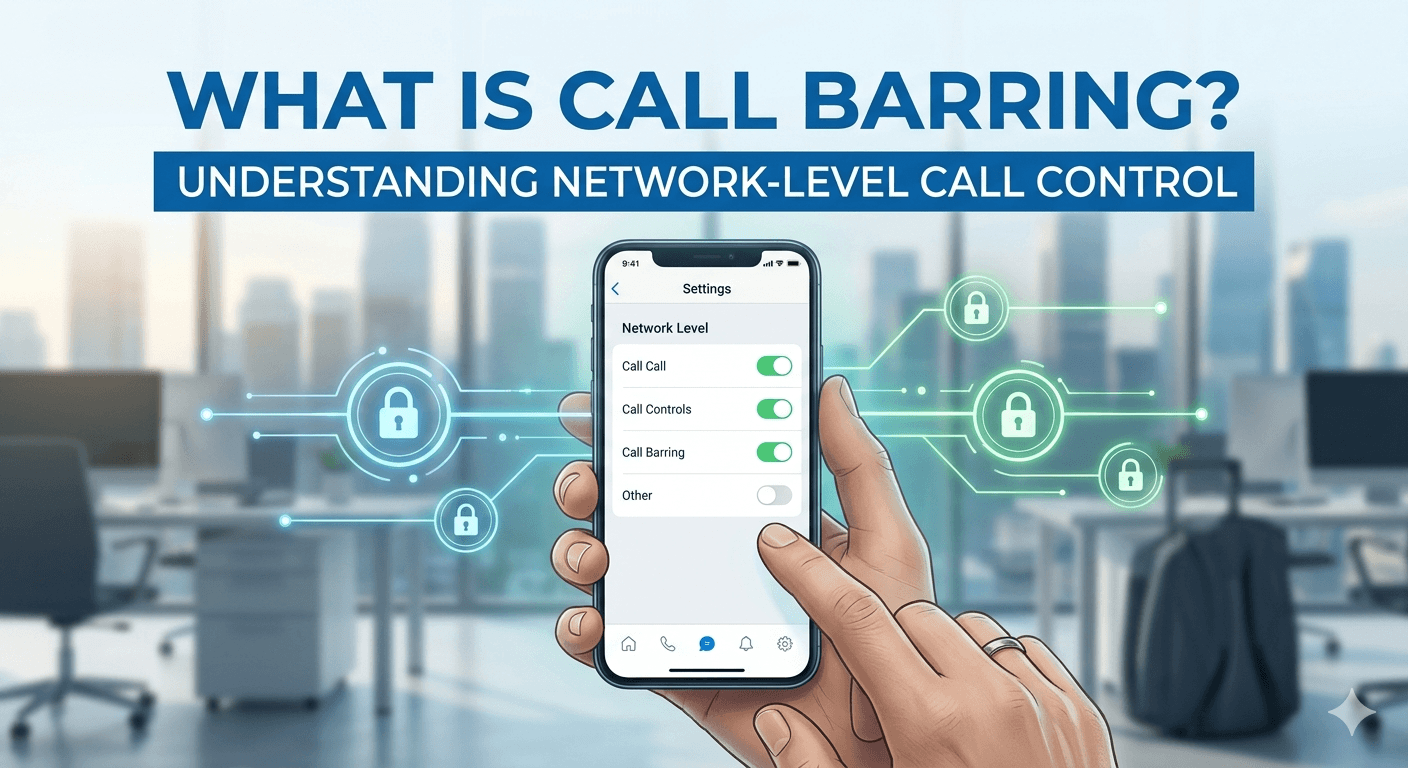
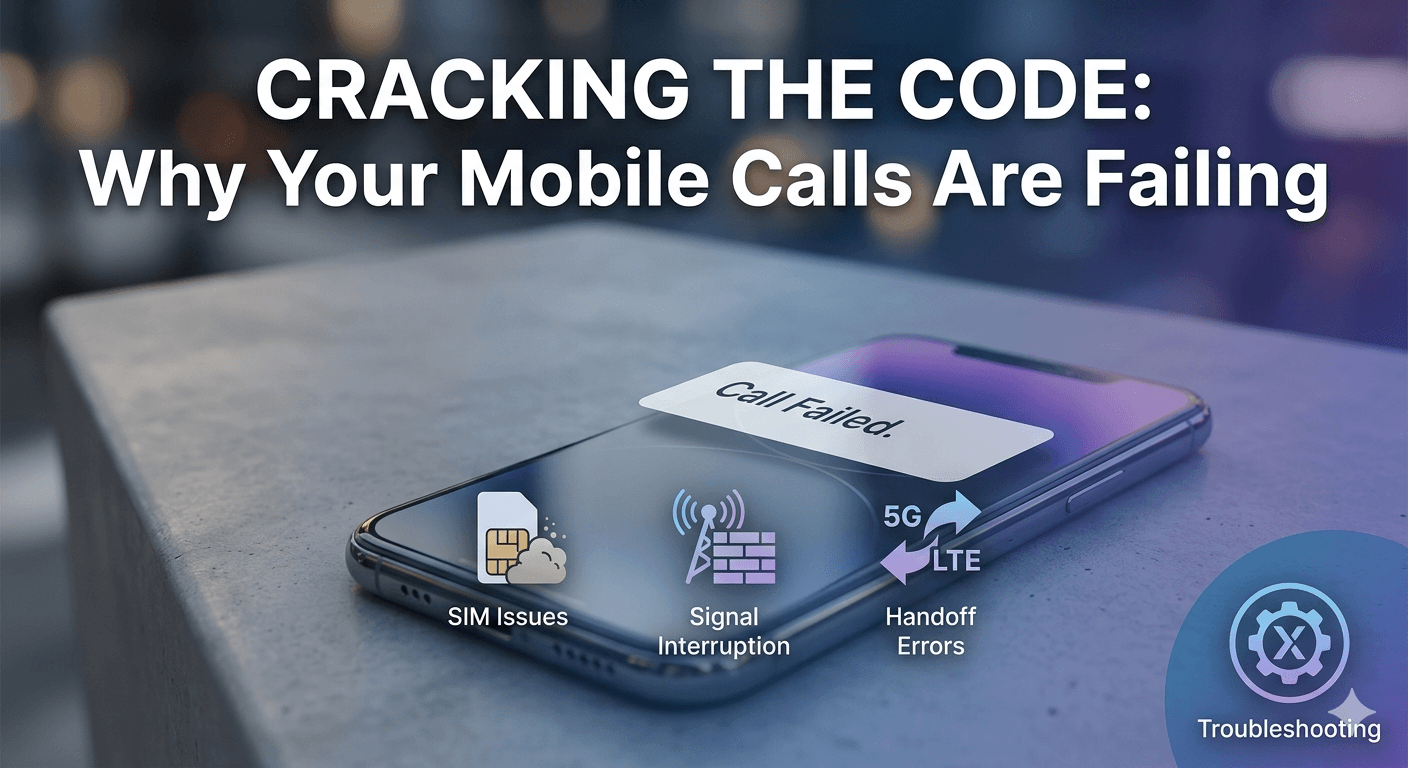
When a mobile user encounters a situation where communication is interrupted, it typically results from a breakdown in the signal path between the smartphone and the local cellular tower. This disruption can occur for various reasons, including environmental interference, hardware malfunctions, or temporary service outages from the carrier. In most cases, the device displays a notification indicating that the attempt to connect has been unsuccessful. This problem affects both traditional cellular lines and Voice over Internet Protocol services, often requiring a systematic approach to identify whether the fault lies within the device settings, the physical SIM card, or the broader network infrastructure. Understanding Why Are All My Calls Failing The experience of a failed communication attempt is often described through the simple on-screen notification that a call could not be completed. From a technical perspective, this means the digital handshake between your device and the switching center of the carrier was never finalized. When you dial a number, your phone sends a request to the network to find the recipient. If the network cannot locate the recipient or if your phone cannot maintain a stable connection to the tower during this request phase, the system terminates the process. This termination is what triggers the error message on your screen, leaving many users wondering why does it say call failed when the signal bars appear to be full. In many instances, the issue is not with the destination but with the originating device’s ability to sustain a broadcast frequency. Cellular networks operate on specific bands, and if there is significant electromagnetic interference or if the device is transitioning between two different towers, the handoff can fail. This is particularly common in high-traffic urban areas where thousands of devices are competing for the same bandwidth. According to a report by RootMetrics, network congestion remains one of the leading causes of dropped and failed connections in major metropolitan hubs, as the infrastructure struggles to manage peak-load demands during business hours. Another layer of this problem involves the authentication process. Every time a call is placed, the network must verify that the user has an active subscription and the rights to use the specific frequency. If there is a delay in this verification or if the carrier’s database is undergoing maintenance, the request will time out. This results in the phone indicating that the connection has been dropped before it even started. Users who frequently travel or move between different network types, such as switching from 5G to LTE, are more likely to encounter these synchronization errors because the device must re-authenticate with the network on a different protocol. Common Reasons Why Calls Keep Failing on Modern Mobile Devices One of the most frequent causes for persistent connection issues is the physical state of the SIM card. The SIM card is responsible for identifying your phone to the carrier, and any microscopic scratch or accumulation of dust on the gold contacts can lead to intermittent failures. If the phone loses contact with the SIM for even a millisecond during the dialing process, the system will immediately abort the attempt. It is often helpful to remove the tray and clean the card with a soft cloth to ensure a secure physical connection. Many people overlook this simple hardware check when trying to figure out why does my phone keep saying call failed during important conversations. Environmental factors also play a massive role in call reliability. Modern building materials, such as reinforced concrete, steel beams, and low-emissivity glass, are highly effective at blocking cellular signals. If you are deep inside a large building or in a basement, your phone might show one or two bars, but it may not have enough power to push a voice signal back to the nearest tower. This imbalance between receiving and sending power is a common reason why a call fails despite the device appearing to have a marginal connection. Moving toward a window or stepping outside often resolves the issue instantly by providing a clear line of sight to the transmission equipment. Signal interference from electronic devices or large physical obstacles frequently disrupts the transmission of voice data packets between the phone and the tower. High network traffic during peak hours can lead to a lack of available channels for your device to initiate a new outgoing request. Damaged or outdated SIM cards may fail to provide the necessary authentication credentials to the carrier in a timely manner. Extreme weather conditions, such as heavy rain or solar flares, can occasionally impact the stability of high-frequency cellular bands used for 5G. Moving at high speeds, such as in a car or train, can cause handoff errors where the network fails to transfer the connection from one tower to the next. Identifying Why Are All of My Calls Failing Due to Carrier and Account Issues Sometimes the problem is not related to the hardware or the environment but is instead linked directly to your service provider or account status. Carriers occasionally experience localized outages due to hardware failure at a specific tower or maintenance on their core switching systems. If you notice that everyone in your immediate vicinity using the same provider is having issues, it is highly likely a network-wide problem. In these scenarios, the only solution is to wait for the carrier to rectify the technical fault. Checking official service status maps or social media updates from the provider can confirm if there is a known outage in your specific geographic area. Account-related restrictions are another significant factor that can cause communication to cease. If there is a billing discrepancy or if a user has exceeded their roaming limit, the carrier may place a temporary hold on outgoing services. This suspension often happens automatically through the carrier’s management software. While you might still be able to use mobile data or receive incoming messages, the voice service is usually the first to be restricted. This leads to a situation where the phone appears to be working normally for internet browsing, but every attempt to dial a number results in an immediate failure notification. Furthermore, international roaming settings can cause significant confusion. If you are traveling and have not enabled the correct roaming permissions on your account, the local towers in the foreign country will reject your device’s connection attempts. Each carrier has specific agreements with international partners, and if your phone tries to connect to a network that is not part of your provider’s partner list, the authentication will fail. Ensuring that your plan supports international dialing and that the roaming toggle is active in your device settings is a crucial step for those wondering why does the call keep failing while they are abroad on business or vacation. Exploring Why Are My Calls Failing on My iPhone Specifically Apple devices have specific software features that, while intended to improve the user experience, can sometimes interfere with standard calling functions. One such feature is the “Silence Unknown Callers” setting, which can sometimes behave erratically if the software is not up to date. Additionally, the way iOS handles the transition between Wi-Fi Calling and cellular data can occasionally lead to a momentary drop in connectivity. If the Wi-Fi signal is weak but the phone still tries to prioritize it over a strong cellular signal, the handover process can stall, causing the system to report a failure. This is a common point of frustration for those seeking to understand why are my calls failing on my iphone during a switch between home and mobile networks. Carrier settings updates are also unique to the iPhone ecosystem. Apple frequently pushes small configuration files that tell the iPhone how to interact with a specific carrier’s network. If these settings become corrupted or are significantly out of date, the device may struggle to maintain a stable link with the tower. These updates are separate from the main iOS updates and are often prompted by a pop-up menu. Ignoring these prompts can eventually lead to a decline in call quality or a complete inability to place outgoing calls. Regularly checking the “About” section in the General settings menu can trigger the device to look for and install these essential network configurations. Outdated iOS versions may contain bugs that affect the cellular radio’s firmware, leading to frequent connection drops. The “Low Data Mode” setting can sometimes restrict background processes that are necessary for maintaining a stable VoLTE connection. Corrupted network settings often require a complete reset to clear out old cache data that might be conflicting with new tower protocols. Incorrect date and time settings on the device can cause security certificate mismatches during the network authentication process. Physical damage to the internal antenna, often caused by dropping the phone, can result in intermittent signal loss that appears as a software failure. Software and Device Configurations Leading to Call Failures The operating system of any smartphone is a complex web of background processes, and occasionally these processes can enter a state of conflict. For example, if a third-party security or caller ID app is poorly optimized, it might intercept an outgoing call and cause it to crash before it leaves the device. This is particularly common on devices with heavily customized software skins. When multiple apps are competing for control over the dialer or the microphone, the system may simply terminate the call request to prevent a system-wide freeze. Identifying and disabling recently installed apps that have permissions to manage phone calls is a standard troubleshooting step. Another often overlooked aspect is the state of the device’s internal storage and RAM. If a phone is completely full of photos and videos, the operating system may struggle to find the temporary space needed to run the communication stack efficiently. While it might seem unrelated, system performance directly impacts the speed at which a phone can process the complex signaling required for modern 5G and VoLTE communication. A device that is overheating will also throttle its cellular radio to protect internal components, which significantly weakens the signal strength and can lead to a situation where the phone keeps saying call failed until it has had a chance to cool down. According to research by the International Journal of Interactive Mobile Technologies, smartphone performance can degrade significantly when the device reaches 95% of its storage capacity, affecting real-time tasks like voice encoding. This research underscores the importance of maintaining digital cleanliness to ensure that the hardware can focus on its primary function of communication. Regularly clearing the cache of the phone app and ensuring that background tasks are limited can provide the necessary system resources for a stable connection. This is especially true for older devices that may have less processing power to handle the demands of modern, data-heavy network protocols. Troubleshooting Why Are Calls Failing on My iPhone and Other Devices The first and most effective step in resolving connection issues is to toggle the connection state by using Airplane Mode. By enabling Airplane Mode for about thirty seconds and then disabling it, you force the device to completely disconnect from all towers and perform a fresh search for the strongest available signal. This action clears the temporary tower cache and often resolves minor synchronization errors. It is a quick and non-invasive way to jumpstart the communication hardware without having to perform a full system reboot, and it effectively addresses the immediate concern of why is my call failing in a specific location. If the simple toggle does not work, the next step involves a reset of the network settings. This is a more comprehensive fix that erases all saved Wi-Fi passwords, Bluetooth pairings, and cellular configurations. It essentially returns the phone’s networking stack to its factory state, which can be incredibly effective if a software glitch has corrupted the way the phone interprets signal data. After performing this reset, the phone will re-download the necessary configuration files from the carrier. This process has a high success rate for users who find that their phone calls keep failing despite having a physically healthy device and an active account. Restarting the device clears the system’s temporary memory and stops any background apps that might be interfering with the phone’s dialing process. Checking for carrier settings updates ensures that your phone is using the most efficient protocols for your specific service provider. Ensuring that the SIM card is properly seated in the tray prevents hardware-based disconnections during high-vibration environments. Disabling VoLTE or Wi-Fi calling temporarily can help identify if the issue is related to specific high-definition voice protocols. Contacting the carrier’s technical support team can reveal if there are specific blocks or outages affecting your individual subscriber line. Using Advanced Tools to Improve Call Reliability For businesses and power users who cannot afford to have their communication interrupted, utilizing specialized platforms can provide an extra layer of stability. Tools like PowerDialer.ai or Talk Home utilize intelligent routing to ensure that calls are placed through the most stable path available. These systems can automatically switch between different carriers or use data-based VoIP if the local cellular signal is too weak to support a traditional voice line. By leveraging multiple paths for data transmission, these services minimize the risk of encounter a failed connection and maximize the success rate of every outgoing dial. These advanced systems also provide real-time monitoring and analytics, allowing users to see exactly when and why a call might have dropped. For instance, if a specific region is experiencing network degradation, an AI-driven dialer can reroute traffic through different gateways to avoid the problem area. This level of redundancy is essential for call centers and sales teams where every missed connection represents a lost opportunity. Understanding that the traditional cellular network is just one of many ways to connect allows users to diversify their communication strategy and move beyond the limitations of a single carrier or a single mobile device. Integrating these tools with existing Customer Relationship Management systems also helps in identifying patterns. If a user consistently sees that calls to a specific area code are failing, the system can flag this for investigation. It might be a routing issue between two major carriers that needs to be addressed at the enterprise level. By moving communication management into a more data-driven environment, users can gain insights into the technical health of their network that would be impossible to see on a standard smartphone interface. This proactive approach to connectivity ensures that the phrase call failed becomes a rarity rather than a daily occurrence. Read More: How to Perfect Your Business Voicemail Greeting for Success? Final Thought Experiencing failed calls is a multifaceted issue that can range from a simple software glitch to a complex network outage. Whether the problem is caused by an improperly seated SIM card, environmental interference, or an outdated iOS version, the key to a resolution lies in a systematic troubleshooting process. By understanding the underlying mechanics of how a mobile device interacts with a carrier, users can quickly identify the source of the trouble and implement a fix. Moving forward, as 5G networks and VoIP technologies continue to merge, staying informed about device settings and network reliability will be the best defense against the frustration of interrupted communication. FAQs Why is my iPhone showing “Call Failed”? An iPhone typically displays this error when there is a sudden loss of signal or a software conflict within the iOS communication stack. Common reasons include outdated carrier settings, a weak connection to the cellular tower, or a glitch in the transition between Wi-Fi and mobile data. To fix this, users should try toggling Airplane Mode, updating to the latest version of iOS, or resetting their network settings to clear any corrupted data that might be blocking the connection. Can VoIP calls fail even with a strong Wi-Fi connection? Yes, VoIP calls can fail if there is a server-side issue with the service provider or if the local network is experiencing high latency or packet loss. Even if your Wi-Fi signal is strong, if the internet connection is unstable or if there is a firewall blocking the necessary communication ports, the call will not be able to connect. Furthermore, some routers have settings like SIP ALG that can interfere with VoIP traffic, leading to frequent failures despite a seemingly healthy internet link. Are blocked numbers reported as “Call Failed”? In most cases, if you try to call a number that has blocked you, the system will not explicitly say the call failed. Instead, you might hear a specific recording or be sent directly to voicemail after a single ring. However, depending on how a specific carrier handles blocked outgoing requests or how your device’s privacy settings are configured, it could potentially show an error message. Usually, a “Call Failed” notification is strictly reserved for technical and connectivity issues rather than social blocking. Why do international calls fail more often than local ones? International communication involves multiple carriers and complex routing gateways across different countries. A failure can occur at any point along this chain, from the initial handshake in your home country to the final delivery in the destination country. Latency, different telecommunication standards, and restrictions on virtual numbers can all contribute to higher failure rates. Using professional dialing services can help mitigate these issues by using optimized international routes. Why does my phone keep saying call failed in the same location? If calls consistently fail in a specific spot, it is almost certainly due to a “dead zone” where cellular signals are blocked by geography or building materials. High concentrations of electronic interference or being at the edge of a cell tower’s range can also cause this. If the issue persists even with different devices, the location may simply have poor infrastructure coverage from your carrier. Utilizing Wi-Fi calling is often the best workaround for staying connected in these problematic areas.
Read More
the person you're trying to reach is unavailable

The Person You Are Trying To Reach is Unavailable: Reasons, and Solutions

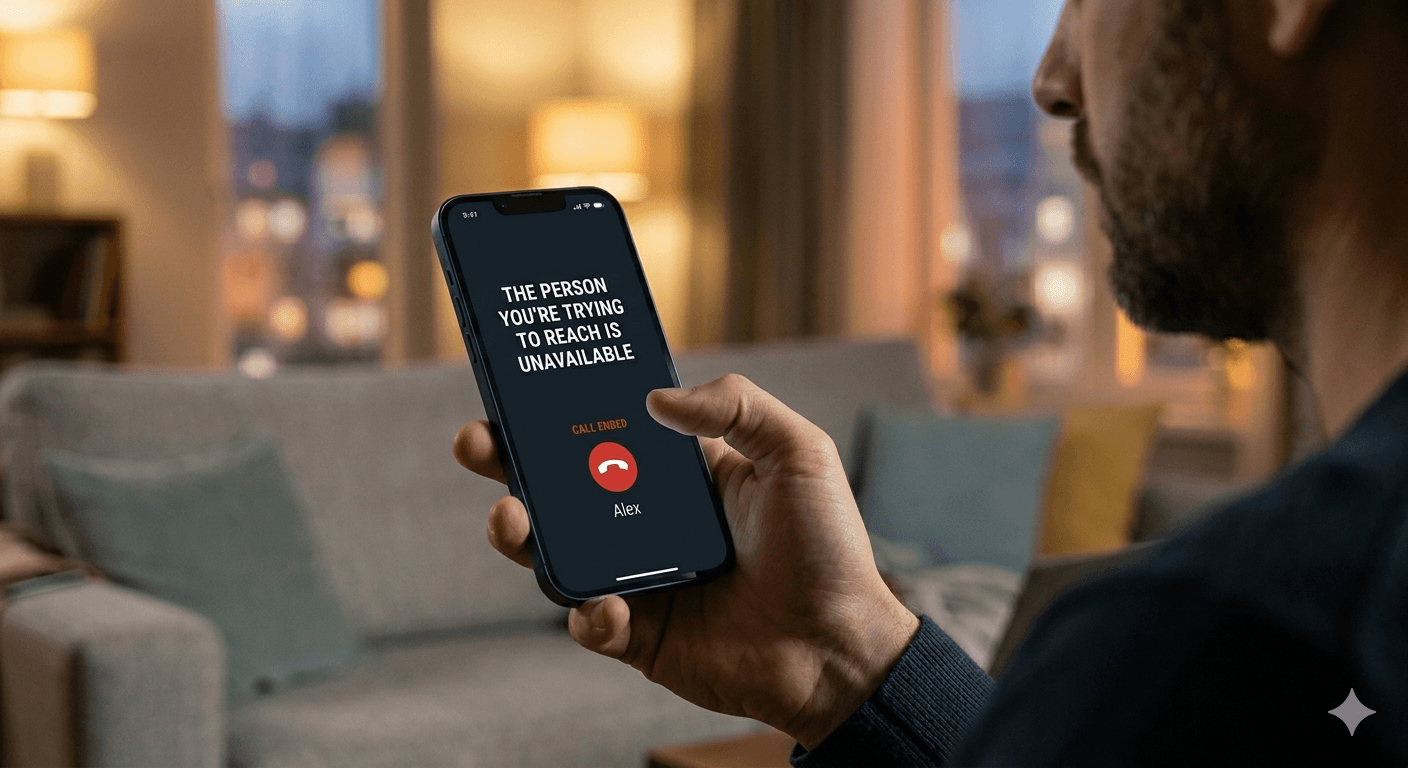
When you encounter an automated recording stating that the person you are trying to reach is unavailable, it usually indicates a failure in the communication link between your device and the recipient. This message often triggers when the target phone is powered off, has an empty battery, or is currently in an area with zero cellular reception. It can also occur if the recipient has enabled Do Not Disturb mode or has manually diverted incoming calls to a non-functional voicemail. Understanding this message helps determine whether the issue is a temporary network glitch, a hardware problem, or a specific setting on the recipient’s smartphone. Why the person you are trying to reach is not available and common technical causes The underlying reason for receiving a notification that the person you are trying to reach is not available often stems from the physical state of the mobile device. Modern cellular networks operate by pinging a device constantly to verify its location relative to the nearest cell tower. If the phone shuts down suddenly due to a depleted battery or a software crash, the network loses this connection. When you attempt to call, the system looks for the device but fails to find an active signal, resulting in the standard recording. In some cases, the user might be traveling through a dead zone where signals are blocked by geographic obstacles or thick building materials, leading the carrier to report the user as temporarily out of reach. Network congestion is another significant factor that results in the message stating the number you are trying to reach is not available. During peak hours or large public events, cell towers can become overwhelmed with traffic, causing them to reject new incoming call requests. This is not a fault of the recipient but rather a limitation of the local infrastructure. Furthermore, if the person you are calling has not paid their monthly service bill, the carrier may suspend their ability to receive calls. In this specific scenario, the system plays a generic recording to inform the caller that the service is inactive, though the exact wording varies depending on the specific service provider. According to a study by the Pew Research Center, nearly 15 percent of rural Americans report frequent issues with digital connectivity and cellular dead zones. This research highlights that environmental factors are often the primary culprit when you hear that the person you’re trying to reach is not available. Another technical aspect involves the Handover process in mobile networking. If a person is moving quickly between two different cell tower zones, the network might momentarily lose track of the device during the transition. If a call is placed at that exact millisecond, the system defaults to the unavailability message because the routing path is temporarily broken. Understanding the wireless customer is not available meaning and carrier specifics If you receive a message stating the wireless customer is not available, it often points toward a specific status within a carrier like AT&T or Verizon. This phrase is a specialized automated response that differentiates mobile users from landline users. It typically signifies that the phone is not currently registered on the network. This could be due to the user putting their phone into airplane mode for a flight or a meeting. When airplane mode is active, the cellular radio is completely disabled, making it impossible for the network to deliver the call, thus triggering the notification that the person you’re trying to reach is unavailable. There is a distinct difference between a busy signal and the notification that the wireless customer is not available. A busy signal means the phone is active and the network is working, but the line is occupied. Conversely, the unavailability message suggests a total lack of connection. If you are wondering about the wireless customer is not available am i blocked scenario, it is important to note that blocking usually behaves differently. When a number is blocked, the call might ring once and go to voicemail, or you might hear a message saying the caller you are trying to reach is unavailable immediately without any ringing. However, the wireless customer message is more frequently associated with technical or service-related outages. The recipient may have moved out of their service coverage area or is roaming in a region where their carrier does not have an active partnership with local towers. The SIM card inside the device could be damaged or improperly seated, preventing the hardware from authenticating with the mobile network. System maintenance performed by the telecommunications provider can occasionally take down local routing servers, leading to the subscriber you are trying to reach is unavailable message. Software updates that require a reboot will take the phone offline for several minutes, during which time any incoming attempts will be met with a recorded unavailability prompt. Decoding the number you are trying to reach is not reachable for international and local calls When the system informs you that the number you are trying to reach is not reachable, the issue might be related to international routing or specific regional constraints. For international calls, your local provider must hand off the signal to a foreign gateway. If there is a failure at this gateway or if the destination country is experiencing infrastructure problems, the call will fail. You might hear that the number you are trying to call is not reachable because the complex digital handshake between two different global carriers could not be completed. This is especially common when calling regions with developing telecommunications systems or during periods of political instability where networks might be restricted. Local issues also play a role in why the person you have called is not available. If the recipient is using a Voice over LTE or Wi-Fi calling service and their internet connection drops, the call routing might fail before it can switch back to standard cellular protocols. This creates a loop where the network thinks the device is online via data, but since the data packet cannot be delivered, it reports that the user is not found. If you find that the number you trying to call is not reachable, it is often helpful to wait a few minutes and try again, as many network routing errors are transient and resolve themselves once the system refreshes its location registry. Telecommunications experts note that the success rate of call completion globally sits around 98 percent, meaning that 2 percent of calls fail due to switching errors. This fact supports the idea that the person you are calling is not available might just be a victim of a minor technical glitch in the global switching fabric. Sometimes, the issue lies with the caller’s own network settings. If your device has a corrupted network profile, it may fail to initiate the outbound path correctly, leading to an error message that sounds like it is coming from the recipient’s end when it is actually an internal error on your own device or service plan. Common solutions to caller unavailable and troubleshooting steps If you are consistently told that the person you trying to reach is not available, there are several troubleshooting steps you can take to identify the source of the problem. First, try sending a text message or an iMessage to the individual. Text messages use a different signaling channel than voice calls and can often get through even when voice capacity is limited. If the text is delivered, it confirms the phone is on and connected, suggesting the voice issue is a temporary network bottleneck. If the text also fails to deliver, it is highly likely the phone is turned off or has no signal whatsoever. Another common solution when the number you’re trying to call is not reachable is to try calling from a different phone number or using a third-party app like WhatsApp or Telegram. If the call goes through on a different platform, the recipient’s cellular service is likely the problem. However, if the call goes through from a different phone number but not your own, it strongly suggests that your number might be restricted or blocked. This is a practical way to diagnose the wireless caller not available meaning without needing technical tools. You should also check if you are dialing the correct area code, as missing a single digit can lead to a message stating this number is not available. Check your own signal strength and ensure you are not in a dead zone that prevents you from making outbound connections effectively. Restart your mobile device to clear any temporary software bugs that might be interfering with the dialer application or the network handshake. Disable your caller ID in settings to see if the call goes through as a private number, which can bypass some basic blocking filters. Verify that your account has sufficient credits or an active plan, as some carriers prevent outbound calls if the billing cycle has ended. Wait for thirty minutes before attempting the call again to allow local network congestion or tower maintenance to conclude. Understanding what does wireless customer not available mean in the context of blocking One of the most frequent questions people ask is what does wireless customer not available mean in regards to their relationship with the recipient. While it is often a technical issue, many modern smartphones allow users to set up custom call rejection rules. If a user adds your number to a block list, the carrier may play a generic recording to protect the privacy of the person you are calling. In this case, the user you are trying to reach is unavailable because their phone is actively rejecting your specific connection attempt. This is designed to prevent the caller from knowing for certain that they have been blocked, providing a layer of social deniability for the recipient. To determine if the person your trying to reach is not available because of a block, look for patterns in the call behavior. If the call always goes to the recording at exactly the same time or after exactly one ring, it is a sign of an automated rejection. If the message varies or if the phone sometimes rings multiple times before the message, it is more likely a signal or battery issue. When the subscriber you are trying to reach is unavailable, it is also worth checking social media status. If the person is active online but their phone is unreachable, they may have silenced their cellular line while remaining on a Wi-Fi connection for apps. Understanding what does it mean when a number is not reachable requires looking at the total communication picture. If you see a blue bubble in your messaging app but the call fails, the recipient has internet access but no cellular signal. This person cannot be reached at the moment via traditional voice, but they can receive data-based communications. This distinction is vital for troubleshooting, as it helps you decide whether to keep trying the phone line or switch to an internet-based calling method to reach the person. The number is not available message is rarely a permanent state and usually clears up once the recipient returns to a stable coverage area. Managing network codes and location tracking for better connectivity There are various network codes that users can enter into their dialer to manage how calls are handled, which can influence whether someone hears the person you are trying to reach is not available message. Codes like *#61# are used to check the status of call forwarding when a call is not answered. If a user has incorrectly configured these settings, every incoming call might be sent to a dead-end number, causing the network to report that the number you are trying to reach is not reachable. Users can reset these settings by using specific MMI codes provided by their carrier to ensure their line is open and functioning as intended. For those trying to track real-time location even if you’re blocked, it is important to realize that traditional cellular calls are not the only way to establish a connection. If you have shared locations through system-level apps, you might still see where the person is even if the caller you are trying to reach is unavailable. This occurs because location sharing often uses a separate data protocol that is not tied to the voice calling status. However, if the phone is completely off or in airplane mode, the location will also stop updating, confirming that the device is totally disconnected from all network services. The code *#21# allows you to see if all your calls and messages are being diverted to another device or number. The code *#31# can be used to manage your outgoing caller ID status, which may help in reaching someone who filters anonymous calls. Checking the SIM status in the phone’s settings menu can reveal if the device is experiencing an internal hardware error. Utilizing find my device features can provide a last-known location, which helps explain why a person might be unavailable if they are in a known low-coverage area. Read More: Interactive Voice Response (IVR) Systems: optimizing Business Communication Final Thought Hearing that the person you’re trying to reach is unavailable can be a frustrating experience, especially when you need to deliver an important message. In the vast majority of cases, this recording is the result of simple technical issues like a dead battery, a lack of signal, or the recipient being in airplane mode. While it can sometimes indicate that a number has been blocked, the automated nature of cellular networks means that glitches and maintenance are just as likely to be the cause. By understanding the different meanings behind carrier recordings and utilizing basic troubleshooting steps, you can better navigate these communication hurdles and find alternative ways to stay connected. Faqs What does *# 61 *# do? This code is used to check the status of call forwarding on your mobile device. Specifically, it shows the number that your calls are forwarded to when you do not answer the phone. It also displays the amount of time the phone rings before the call is diverted to voicemail or another number. How do I know my number is blocked by someone? While there is no definitive way to know, common signs include the call consistently ringing only once before going to voicemail or hearing a repeated message that the person is unavailable. If you call from a different number and it rings normally, your original number is likely blocked. What is the *#21 code used for? The *#21# code is a diagnostic tool that reveals if your calls, faxes, or data are being diverted to another number. It is an all-inclusive forwarding check that helps users ensure their privacy and verify that their incoming communications are not being intercepted or rerouted without their knowledge. What is *# 31 code used for? This code is used to manage your Outgoing Caller ID. By dialing *#31#, you can check whether your number is hidden or visible to others when you call them. You can also use variations of this code to hide your number on a per-call basis, which is useful for maintaining privacy. What does it mean when a number is not available? When a number is reported as not available, it typically means the network cannot find the device on any active cell tower. This happens if the phone is off, the SIM card is inactive, or the user is in a location with absolutely no cellular service, preventing the call from being routed.

Read More
how to record landline phone calls

How To Record Landline Phone Calls? A Complete Guide

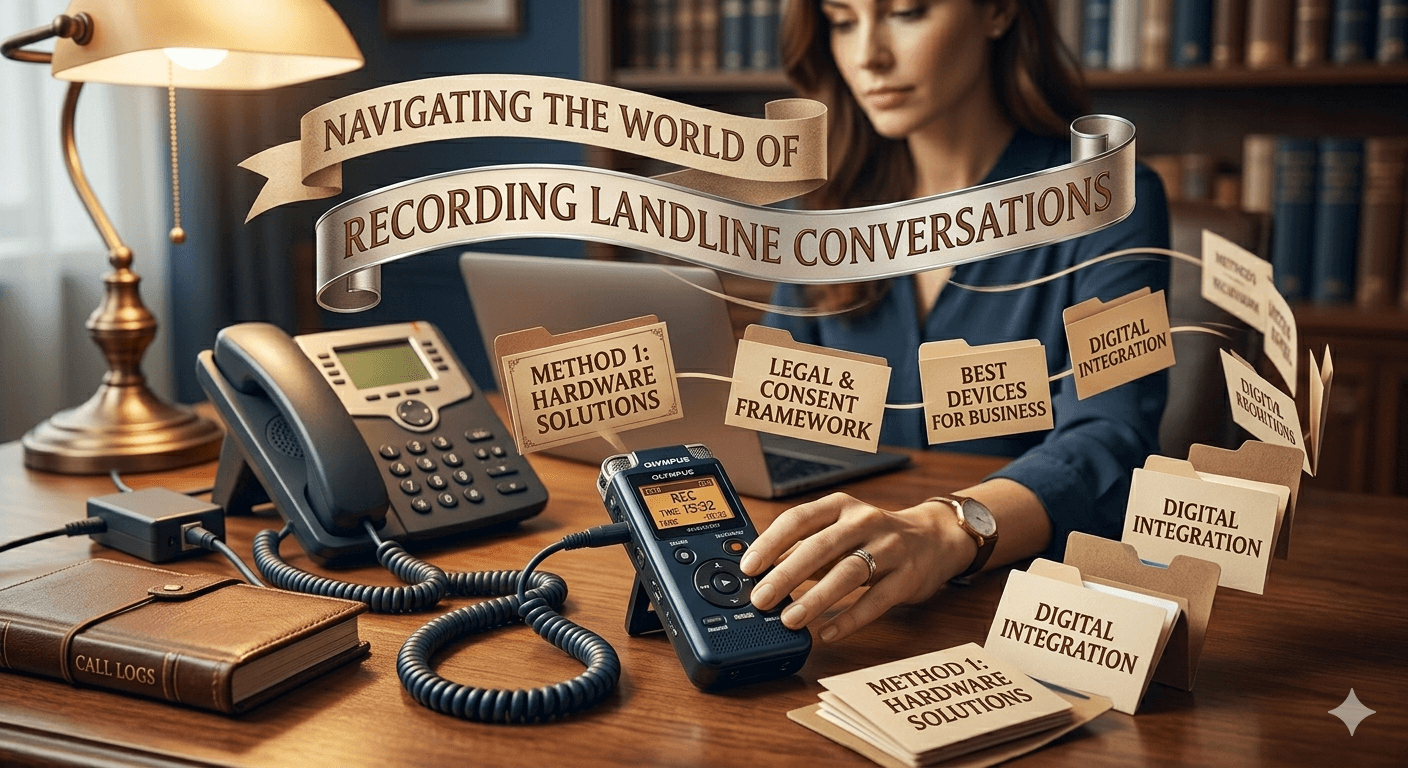
To record landline phone calls, the most common method involves using a dedicated hardware device known as a landline phone call recorder. This device acts as a bridge between your wall jack and the telephone unit, capturing audio signals through the RJ-11 cable connection. You can also utilize an induction coil microphone that attaches to the handset or an adapter that routes the audio to a computer for digital storage. Modern options include digital voice recorders with built-in phone jacks and cloud-based landline services that offer recording features within their interface, providing flexibility for both analog and digital phone systems. Selecting the best hardware for how to record phone calls on landline systems Recording audio from a traditional analog line requires hardware that can intercept the signal without causing interference or line noise. Many users opt for a standalone landline phone call recorder because these devices are specifically designed to handle the voltage fluctuations associated with telephone lines. These recorders typically feature an auto-start function that begins the capture process as soon as the handset is lifted. The audio is usually saved to a removable SD card in MP3 or WAV format, making it easy to transfer the files to other devices for review or storage. When searching for a landline recording device, it is important to consider the storage capacity and the power source. Some units are powered directly by the phone line, while others require a separate power adapter or batteries. A landline telephone voice recorder often includes a built-in speaker and screen, allowing you to listen to recordings directly from the device without needing a computer. This convenience is a primary reason why physical hardware remains the preferred choice for those using traditional copper-wire systems or home office setups that rely on physical handsets. Industry data suggests that while mobile usage has increased, approximately 30 percent of American households still maintain a landline for security or business purposes. This explains the continued market for high-quality audio capture tools. Using a professional landline phone recorder ensures that the signal remains clear and that both sides of the conversation are balanced in the final audio file. Without a proper balancing circuit, the caller’s voice often sounds much louder than the person on the other end, which makes the recording difficult to use for transcription or legal evidence. The technical process to record landline phone calls on computer setups To record landline phone calls on computer workstations, you need an interface that converts the analog telephone signal into a digital format that your sound card can process. This is often achieved using a telephone recording adapter that connects the phone line to the 3.5mm microphone jack on your PC. Once the hardware is connected, you can use various audio software programs to capture the feed. This method is highly effective for businesses that need to store large volumes of data, as the hard drive of a computer offers significantly more space than a standard SD card. Choosing the right software is just as important as the hardware when you want to record a phone conversation. Free or professional-grade audio editors allow you to adjust the levels in real-time and apply filters to remove background hum or static. This setup is particularly beneficial for those who conduct interviews or research over the telephone and require high-fidelity audio for their archives. By routing the audio through a computer, you can also easily name files with dates and contact information, creating an organized database of communications that can be searched and retrieved in seconds. Research from telecommunications analysts indicates that digital audio capture is becoming the standard even for analog systems due to the ease of cloud backups. When you record landline phone calls through a desktop interface, you can sync the output folders with services like Google Drive or Dropbox. This ensures that even if your hardware fails, the communication records remain safe. This multi-layered approach to data security is a major advantage for professionals in the legal, medical, and financial sectors who must adhere to strict record-keeping regulations. Methods for how to secretly record landline phone calls and legal compliance There are specific tools designed for those who need to know how to secretly record landline phone calls for security or monitoring purposes. These include small, inline recorders that are almost invisible and do not emit any beeps or notification sounds during the call. Some digital recorders are built into standard-looking telephone accessories, allowing them to remain discreet. However, the use of such equipment must be balanced with a clear understanding of the laws in your jurisdiction regarding privacy and consent in telecommunications. In the United States, federal law generally allows call recording if at least one person in the conversation consents, known as one-party consent. However, many states have stricter two-party consent laws, requiring everyone on the line to be informed that the session is being recorded. When you use a landline telephone voice recorder, you must ensure that your actions align with local statutes to avoid legal repercussions. Ignorance of these laws is not a defense, so it is vital to research whether you reside in a state that requires explicit notification before you record a phone conversation. Legal experts often recommend playing an automated message or stating at the beginning of the call that the conversation is being recorded for quality or legal purposes. This simple step protects you from privacy claims and ensures that the audio can be used as evidence in a court of law if necessary. While the hardware might allow you to capture audio without the other party knowing, the ethical and legal risks are substantial. Using a landline phone recorder should always be done with a focus on transparency and compliance with the wiretapping laws that govern your specific region. Steps for how to record a phone conversation using modern adapters If you are wondering how do you record a phone call on a traditional corded or cordless system, the process usually involves three main steps. First, you must purchase an adapter that fits your specific phone model, such as a handset tap or an RJ-11 bridge. Second, you connect the adapter between the base of the phone and the wall outlet or between the handset and the base. Finally, you connect the output of that adapter to your recording device, which could be a digital voice recorder or a laptop. This physical link ensures that every audio wave passing through the wire is captured accurately. The quality of the recording depends heavily on the cables used in the setup. Poorly shielded cables can pick up electromagnetic interference from nearby electronics, leading to a loud buzzing sound in the background of your audio files. To achieve a clean result when you record landline phone calls, keep the recording equipment away from routers, microwave ovens, and other wireless transmitters. Using high-quality gold-plated connectors can also improve the signal-to-noise ratio, ensuring that every word of the conversation is audible and distinct. Verify the type of phone system you have, whether it is a standard analog POTS line or a digital PBX system found in many offices. Select an adapter that is compatible with your specific system to avoid damaging the hardware or the phone line itself. Test the recording levels before a critical call to ensure the audio is not clipping or too quiet to understand. Establish a consistent file-naming convention to keep your communication archives organized and accessible for future reference. Regularly back up your audio files to an external drive to prevent data loss due to hardware failure or accidental deletion. Exploring digital options for how to record a conversation on my phone line As technology evolves, many traditional landline users are switching to Voice over IP services which change the way you can record a phone conversation. With these digital services, you do not always need physical hardware to capture audio. Instead, you can often log into an online dashboard and enable a recording feature with a single click. This is a highly efficient way to manage communication because the files are stored directly on the provider’s servers, eliminating the need for local storage devices or complex wiring configurations. If you are using a hybrid system and want to know how can you record a phone call, you might look into software-based recorders that run on your network. These programs monitor the data packets moving through your router and reconstruct the audio files from the digital stream. This is a more technical approach but offers the advantage of being completely non-intrusive. It does not require any physical changes to the phone hardware and can capture multiple lines simultaneously, making it ideal for small businesses with several employees. Modern consumers often ask how do i record a conversation on my phone when they are referring to a landline that has been bridged to a mobile device. Many landline providers now offer apps that allow you to answer your home or office calls on your smartphone. When using these apps, you can use mobile-based recording tools to capture the audio. This creates a bridge between the reliability of a landline number and the technological convenience of a mobile operating system, giving you more options for how to record a conversation in a professional or personal setting. Best practices for managing a landline phone call recorder and its data Maintaining a landline phone call recorder requires periodic checks to ensure that the memory is not full and that the audio quality has not degraded over time. Over months of use, the connections in the phone jack can become oxidized, leading to static. Cleaning the contacts with a bit of isopropyl alcohol can restore the clarity of the line. Furthermore, if you are using an SD card-based landline phone recorder, it is wise to format the card every few months to prevent file system errors that could lead to lost data. Privacy and security are paramount when you manage recorded communications. If the recordings contain sensitive personal or financial information, you should encrypt the folders where they are stored on your computer. Simply leaving audio files on an unencrypted SD card can lead to data breaches if the card is lost or stolen. When you consider how to record phone conversation logs, you must also consider how to protect them. This is especially true for businesses that must comply with data protection acts like GDPR or HIPAA, which mandate strict controls over how personal voice data is handled. Implement a routine to download and archive files from the landline recording device to a secure server at the end of each work week. Label every recording with metadata including the names of the participants and the primary topic discussed during the call. Ensure that all recording hardware is placed in a secure location where unauthorized personnel cannot access the physical storage media. Periodically review your legal notifications to ensure that your verbal consent scripts remain up to date with the latest regulations. Train all employees on the proper use of the landline telephone voice recorder to ensure consistent audio quality and legal compliance across the organization. Read More: What are the Call Recording Benefits and Laws in USA? Final Thought Recording landline phone calls remains a vital practice for many, offering a level of documentation and security that is often necessary in professional environments. Whether you choose to use a standalone landline phone call recorder, an adapter for your computer, or integrated digital services, the key to success lies in choosing the right equipment and understanding the legal landscape. By following established steps for hardware setup and data management, you can create a reliable archive of your communications that serves as an invaluable resource for years to come. FAQS Can you record a call on a landline? Yes, you can record a call on a landline using several different methods. The most common way is through an inline hardware recorder that connects to the phone line. You can also use induction microphones or computer adapters. The method you choose will depend on whether you have a traditional analog line or a digital office phone system. How do I record a phone call on my telephone? To record a phone call on a standard telephone, you need to connect a recording device to the line. You can use a handset tap that goes between the curly cord and the phone base, or a line tap that goes between the phone and the wall. Once the device is connected, you simply press the record button or set it to start automatically when the phone is picked up. How do I activate call recording? Activation depends on the device you are using. For standalone hardware, there is usually a physical switch or a menu setting for “Auto Record.” If you are using a VoIP or digital landline service, you typically activate call recording through the service provider’s web portal or by pressing a specific key combination, such as *1, during an active call. How do I record my husband’s phone calls? Recording anyone’s phone calls without their knowledge can be a violation of federal and state wiretapping laws. Before attempting to record someone else’s conversation, you must check the consent laws in your state. In many places, recording a conversation that you are not a part of or where the participants have not consented is a criminal offense. How do i record a conversation if I have a cordless phone? For cordless phones, you cannot easily use a handset tap because there is no cord. Instead, you must use a line-in recorder that connects to the base station’s wall jack. This device will record any conversation that takes place on any handset registered to that base station, as it captures the audio directly from the incoming phone line.

Read More
how to turn on automatic answer

How To Turn On Automatic Answer? Complete guide

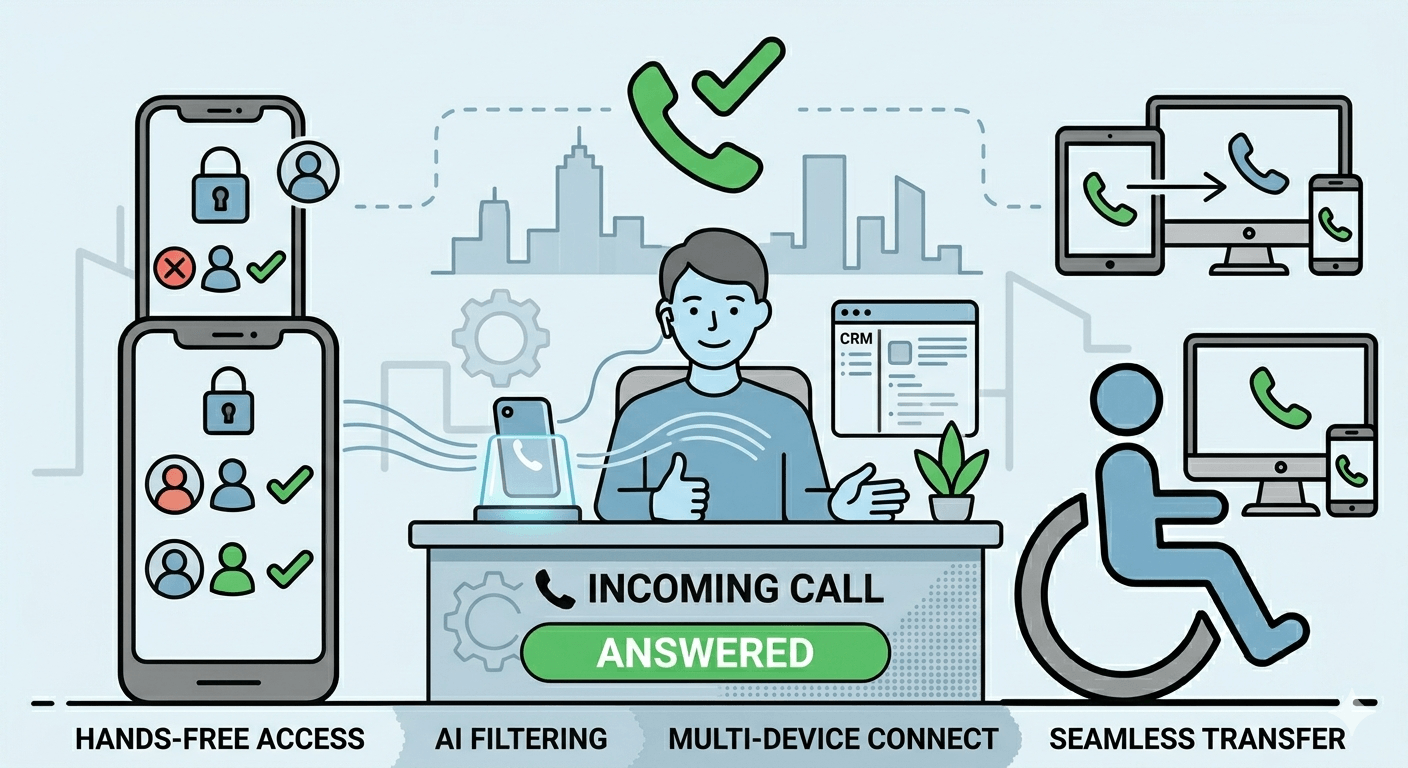
How to turn on automatic answer for your mobile device is a simple process that enhances accessibility and hands-free communication. On an iPhone, you can enable this by navigating to the Settings app, selecting Accessibility, and then tapping on Touch. From there, locate the Call Audio Routing menu and select the option for Auto-Answer Calls. Toggle the switch to the green position and set the desired delay time in seconds. This feature ensures your phone picks up incoming calls without manual interaction, which is particularly useful for drivers, cyclists, or individuals with limited mobility who need to stay connected effortlessly. Understanding How to Turn On Automatic Answer and Its Benefits The ability to manage incoming communication without touching a screen has transformed the way people interact with their mobile technology. When looking at how to turn on automatic answer, it is important to recognize that this feature was primarily designed as an accessibility tool. For individuals who may have difficulty physically swiping or tapping their devices, this setting ensures they never miss a critical call. Beyond accessibility, the feature provides a massive convenience boost for professionals who work with their hands or athletes who are on the move. By understanding the mechanics of how to auto answer calls, users can create a more seamless digital experience that adapts to their lifestyle. Modern smartphones use sophisticated software to handle these interactions. For instance, you can choose the exact duration the phone should ring before it picks up the call. This allows you to see who is calling before the system takes over. Whether you are using a headset, Bluetooth in a car, or the internal speaker, the system intelligently routes the audio based on your current connections. Learning how to turn automatic answer on is the first step toward building a hands-free environment that prioritizes safety and efficiency in daily routines. The utility of this feature extends to specialized environments such as call centers or emergency dispatch situations. In these professional settings, time is of the essence, and removing the manual step of answering a call can save precious seconds. While the general public uses it for convenience, the underlying technology relies on a stable connection between the operating system and the telephony hardware. By mastering how to turn on auto answer on iphone or Android, users gain full control over their reachability without sacrificing their focus on current physical tasks. Step-by-Step Guide on How to Turn On Automatic Answer Calls Configuring your device to handle incoming traffic autonomously requires a few steps through the system settings. To begin the process of how to turn on automatic answer calls, you should first ensure your operating system is updated to the latest version to avoid any software glitches. On most devices, this setting is tucked away within the accessibility or call settings menu rather than the main phone application. This is a common point of confusion for many users who expect to find call-related toggles in the dialer app. For those wondering how to make your phone automatically answer calls, the process generally involves defining the audio output. If you frequently use Bluetooth headphones or a vehicle infotainment system, the phone will prioritize those channels. You can adjust the delay timer, which typically ranges from zero to sixty seconds. A shorter timer is better for urgent professional environments, while a longer timer of five to ten seconds gives you enough time to glance at the screen to identify the caller before the line opens. This flexibility is what makes automatic answering so versatile for different user profiles. Research from the National Safety Council indicates that hands-free devices can significantly reduce cognitive distraction while driving, although they do not eliminate it entirely. By setting up how to turn on auto answer, drivers can keep their eyes on the road and hands on the wheel, avoiding the dangerous habit of reaching for a phone when it rings. This safety aspect is a primary reason why many users seek out these settings. Once enabled, the phone acts as a personal assistant, managing the bridge between the caller and the recipient without any physical intervention required from the user. Troubleshooting How to Turn Off Automatic Answer on iPhone There are instances where a device might start picking up calls unexpectedly, leading users to wonder how to turn off automatic answer on iphone. This often happens after a system update or if someone accidentally toggles the accessibility settings. To disable this feature, you must return to the Accessibility menu under the Touch section. By navigating to Call Audio Routing, you can switch the Auto-Answer Calls toggle to the off position. This immediately restores manual control over all incoming communications, ensuring that you only speak when you are ready to do so. If you find that your phone answers automatically even when the setting is off, it may be due to a connected Bluetooth device or a specific third-party application. Some car systems have their own internal auto-answer settings that override the phone settings. In such cases, checking the vehicle interface or the headset manual is necessary. Knowing how to turn off auto answer is just as important as knowing how to enable it, as it prevents awkward situations where a call is answered while the phone is in a pocket or a quiet environment where you did not intend to speak. Furthermore, some users report that their phone auto answer function triggers only when connected to specific accessories. This is often linked to the call answer settings within specialized apps like RingCentral or Skype. If the system-wide setting is disabled but the behavior persists, it is wise to audit the settings of any communication apps you have installed. Ensuring you know how to turn off automatic answer correctly ensures your privacy and gives you the choice of which calls to accept and which to let go to voicemail. Creative Solutions for How to Turn On Automatic Answer for One Person A frequent request among smartphone users is how to turn on automatic answer for one person specifically. Currently, native mobile operating systems like iOS and Android do not offer a direct toggle to auto-answer a single specific contact while requiring manual input for others. However, there are creative workarounds to achieve a similar result. One method involves using the Focus or Do Not Disturb modes. By setting up a specific profile that only allows calls from one person and combined with the global auto-answer setting, you can effectively filter who gets through, though this still requires the auto-answer to be globally active. For those looking for how to auto answer calls for one person on Android, third-party applications provide more granular control. There are various apps available on the Play Store that allow you to create whitelist rules. These rules can dictate that the phone should automatically pick up if the incoming number matches a specific contact in your address book. This is particularly helpful for families who want to ensure they can always reach an elderly relative or for emergency personnel who need to be reachable by a specific dispatcher at all times. The concept of auto answer call for specific number settings is highly valued in the medical and caregiving fields. According to a study on assistive technology in healthcare, automated communication tools help maintain a sense of security for patients with limited mobility. By configuring a device to automatically answer calls from a designated caregiver, the patient does not need to struggle with the device to communicate. While the tech industry has yet to make this a standard one-click feature, the combination of accessibility settings and contact filtering offers a viable path for those needing to know how to put your phone on auto-answer for one person. Mastering How to Turn Automatic Answer On for Different Devices The process of how to turn automatic answer on varies slightly depending on whether you are using an iPhone or an Android device. On Android, the path often involves opening the Phone app, tapping the three dots for settings, and looking for Calling Accounts or Answering/Ending Calls. Here, you will find the option for automatic answering. Some manufacturers, like Samsung or Google, might place these settings in different sub-menus, but the terminology remains relatively consistent. Users should look for keywords like auto-answer call settings android to find the exact location on their specific model. When investigating how to make calls automatically answer on professional platforms like RingCentral auto answer, the settings are usually found within the desktop or mobile app preferences. These systems are designed for high-volume environments where efficiency is the priority. In these cases, the auto-answer call function is often paired with a headset that signals the user with a beep before the line goes live. This professional-grade automatic answering ensures that no customer is left waiting on a ringing line, improving service metrics and workflow continuity. It is also vital to understand what does auto answer calls mean in the context of different hardware. For some, it means the speakerphone activates immediately. For others, it implies the audio stays within a connected earpiece. If you are wondering why does my phone answer calls automatically, it is likely that a headset is plugged in or a Bluetooth connection is active, triggering a pre-set rule. By diving into the phone auto answer settings, you can customize the behavior to suit your specific environment, whether you are in a loud office or a quiet home setting. Technical Facts and the Future of Automatic Answering Technological advancements have made automatic answering more intelligent than ever before. Modern devices use proximity sensors to determine if the phone is in a pocket or against a face before activating certain features. A fact often overlooked is that the auto answer call for specific number android functionality is increasingly being integrated with AI. AI assistants can now screen calls, asking the caller for their name and purpose before the phone even rings for the user. This is a sophisticated evolution of the basic auto-answer phone calls feature we have used for years. According to research by the International Journal of Mobile Communications, the integration of voice-activated commands and automated responses is a key growth area in mobile UI design. This suggests that the future of how to answer calls automatically will likely involve more voice recognition, where the phone asks the user if they want to pick up, and the user simply says yes or no. This move toward a completely hands-free interface further supports the accessibility goals that originally prompted the creation of these settings. As we look at how to turn on auto answer calls in the future, we can expect more integration with smart home ecosystems. Imagine a scenario where your home speakers automatically pick up a call when they detect you are in the room but not near your phone. This seamless transition of audio is already beginning with features like Handoff on Apple devices. By understanding the current methods for how to turn on automatic answer, users are preparing themselves for a future where communication is fluid, automated, and deeply integrated into the physical environment. Organizing Your Daily Life with Auto-Answer Call Settings Integrating automatic answering into your daily routine requires a bit of trial and error to find the perfect delay time. If the timer is too short, you may find yourself connected to a call before you have mentally prepared to speak. If it is too long, the caller might hang up thinking you are unavailable. Most experts recommend a five-second delay as the sweet spot for how to turn auto answer on. This provides enough time to see the caller ID on your watch or phone screen while still maintaining the convenience of a hands-free experience. For those who are frequently in meetings or quiet spaces, knowing how to turn auto answer off quickly is essential. Many devices allow you to add an accessibility shortcut to the Control Center or the side button. This means you can toggle the automatic answering feature on or off with a triple-click or a quick swipe, rather than digging through the settings menu every time. This level of control makes the phone answers automatically feature a tool rather than a nuisance, allowing it to work for you only when you need it. Ultimately, the goal of learning how to turn on auto-answer on iphone for one person or for all calls is to reduce the friction of technology. Whether you are a busy parent, a professional on the road, or someone utilizing assistive technology, these settings provide a layer of automation that simplifies life. By exploring the call answer options available on your device, you can tailor your communication style to be as active or as passive as your schedule demands. Read More: How to Get a Google Number for Business? Set up Google Voice Final Thought Mastering the various ways to manage your incoming calls through automation provides a significant boost to both productivity and safety. Whether you needed to learn how to turn on automatic answer for professional reasons or were simply looking for how to turn off auto answer to regain manual control, understanding these settings is key to a better smartphone experience. As technology continues to evolve, the boundaries between manual interaction and automated assistance will continue to blur, making these features even more intuitive and essential for users worldwide. FAQs How do I turn on auto reply on the call? To enable auto-reply for calls on an iPhone, navigate to Settings, then Phone, and select Respond with Text. Here you can create custom messages. For Android, open the Phone app settings and look for Quick Responses to set up automated text replies when you cannot take a call. How to set up auto answer on iPhone for one person? There is no native setting for a single person. However, you can go to Settings, then Accessibility, then Touch, and enable Auto-Answer Calls. Then, set up a Focus mode that only allows calls from that specific person. When this Focus is active, only that person will be able to trigger the auto-answer. Can I set an automatic call? Setting an automatic outgoing call usually requires a third-party app or a shortcut on iOS. You can use the Shortcuts app to create a trigger that dials a number at a certain time or when a specific condition is met, effectively automating the calling process. How do I make my phone automatically pick up a call? On iPhone, go to Settings > Accessibility > Touch > Call Audio Routing > Auto-Answer Calls and turn it on. On Android, go to Phone App > Settings > Answering and ending calls > Answer automatically. You can then set the delay timer for how long the phone rings before picking up. Why does my phone answer calls by itself? If your phone is answering by itself, the Auto-Answer Calls setting is likely enabled in your accessibility menu. It could also be caused by a connected Bluetooth device or car system that has its own auto-answer configuration. Check both your phone settings and your connected accessories to resolve this.

Read More
virtual receptionist for small business

Virtual Receptionist for Small Business: Efficiency, Cost-Savings, and Customer Retention.

A virtual receptionist for small business provides a professional interface between a company and its callers without the high overhead of a full-time in-house employee. This service manages incoming calls, schedules appointments, and handles basic customer inquiries using either live agents or advanced automated systems. By utilizing the best virtual receptionist for small business, owners ensure they never miss a lead, even after hours. These virtual receptionist service for small business providers integrate seamlessly with existing phone systems, offering a cost-effective solution that scales with business growth while maintaining a consistent and reliable brand image for every caller. Understanding the Core Functions of a Virtual Receptionist The role of a virtual receptionist has evolved significantly from simple call answering to a comprehensive suite of communication tools. At its core, a virtual reception service acts as the first point of contact for anyone reaching out to your company. These professionals or systems handle call screening, which involves identifying the caller and the purpose of their call before transferring them to the appropriate department. This ensures that business owners and their teams are not interrupted by spam calls or low-priority inquiries, allowing them to focus on high-value tasks. Beyond just answering, a virtual receptionist service often manages complex tasks such as scheduling appointments directly into a business calendar, processing basic orders, and providing information about business hours or location. For many organizations, the implementation of virtual receptionist services replaces the need for a physical front desk. This is particularly beneficial for remote teams or businesses that operate out of coworking spaces. A virtual phone assistant can take messages that are instantly transcribed and sent via email or text, ensuring that no information is lost in transition. Modern technology allows these services to appear as if they are sitting right in your office. When a call comes in, the virtual receptionists see your business name and specific instructions on their screen, allowing them to answer with a customized greeting that reflects your brand identity. The technological backbone of these services often relies on a virtual receptionist phone system or a voip virtual receptionist setup. These systems allow for seamless call routing across different geographical locations. For example, if a small business owner is out in the field, the virtual receptionist for business can patch the call through to their mobile device or take a detailed message if the owner is unavailable. This flexibility is what makes virtual reception a cornerstone of modern business communications, providing a level of professionalism that was once only available to large corporations with massive administrative budgets. Advantages of Using a Virtual Receptionist for Small Business One of the most immediate benefits of adopting a virtual receptionist for small business is the significant reduction in administrative costs. Hiring a full-time, on-site employee requires not only a competitive salary but also benefits, taxes, office space, and equipment. In contrast, a small business virtual receptionist service operates on a subscription or pay-as-you-go model, which allows companies to pay only for the time or calls they actually use. This financial flexibility is crucial for startups and seasonal businesses that may experience fluctuations in call volume throughout the year. According to research conducted by BT Business, nearly 85% of people whose calls go unanswered or reach a generic voicemail will not call back. Instead, they immediately contact a competitor. This data highlights that for a small business, a virtual receptionist serves as a critical revenue-protection tool, ensuring that every lead is captured in real-time. Professionalism is another major factor that drives businesses toward these solutions. Even the smallest one-person operation can sound like an established firm when calls are handled by an expert virtual receptionist. First impressions are vital in the competitive marketplace, and a live virtual receptionist service ensures that every caller hears a friendly, professional voice rather than a generic voicemail greeting. This builds trust with potential clients and reinforces the credibility of the business. Furthermore, many services offer 24/7 coverage, meaning that a virtual receptionist small business can capture leads and assist customers in different time zones or during late-night hours. Improved customer retention is achieved because callers are less likely to hang up when they reach a person. A live virtual receptionist can offer immediate assistance or reassurance that their message will be handled, which prevents them from calling a competitor. Enhanced productivity for the internal team occurs when they are no longer tethered to the phone. By utilizing a virtual receptionist assistant, staff can dedicate their full attention to deep work and project completion without the distraction of constant ringing. Better data management is possible through integrated virtual receptionist software. Most services log every call, providing details on call duration, frequency, and common inquiries, which helps business owners make informed decisions about their marketing and operations. Evaluating the Best Virtual Receptionist for Small Business Choosing the best virtual receptionist for small business requires a careful analysis of your specific needs and the features offered by various providers. Not all services are created equal; some focus purely on automated reception while others provide highly trained live agents. A business virtual receptionist that offers live interaction is often preferred for service-based industries like law firms or medical practices where empathy and detailed intake are necessary. On the other hand, an automated receptionist system might be sufficient for a tech company that primarily needs to route calls to different technical support tiers. When evaluating virtual receptionist companies, it is important to look at their integration capabilities. The most effective systems connect directly with your CRM, calendar apps, and communication platforms like Slack or Microsoft Teams. For instance, a virtual receptionist microsoft teams integration allows your staff to receive notifications about incoming calls directly within their existing workflow. Additionally, consider the geographical location of the service. A virtual receptionist usa based provider might be preferable for businesses with a domestic client base to ensure cultural alignment and lack of language barriers, though many companies now offer multilingual virtual receptionist telephone answering service options to cater to global audiences. Reliability and uptime are also critical factors. An offsite receptionist is only useful if the technology behind the service is robust. High-quality providers use redundant servers and secure connections to ensure that your business stays connected even during local power outages or internet failures. It is also worth looking into virtual receptionist solutions that offer on-camera virtual receptionist features for businesses that want a face-to-face interaction at their physical office lobby via a tablet or kiosk. This digital receptionist approach combines the benefits of remote work with the presence of a traditional front desk. Comparing Virtual Receptionists and Virtual Assistants It is common for business owners to confuse a virtual receptionist with a virtual assistant, but they serve different primary functions. A virtual assistant receptionist might overlap in some areas, but generally, a receptionist is focused on the front-end communication and immediate call handling. Their task is to be the voice of the company and manage the flow of incoming traffic. They are specialized in quick interaction, call routing, and basic administrative tasks related to phone calls. A virtual receptionist system is built for speed and high-volume handling. In contrast, a virtual assistant usually handles a broader range of back-office tasks. This might include social media management, data entry, research, or email marketing. While they may answer phones, it is not their primary specialization. A virtual assistant phone system is often more personalized, where the assistant works closely with one or two clients rather than a whole company. For a small business, a virtual receptionist service for small business is often the first step in outsourcing because it addresses the most immediate pain point: the phone constantly ringing and interrupting the workday. Scope of Work: A virtual receptionist focuses on real-time call management and immediate customer service, whereas a virtual assistant manages long-term projects and varied administrative duties. Availability: Virtual receptionists often work in teams to provide constant coverage, while a virtual assistant typically works set hours and may not be available for every incoming call. Cost Structure: Receptionist services are often billed by the minute or by the call, making them a scalable virtual receptionist service for small business, while assistants are usually paid by the hour. Key Features of a Virtual Receptionist Service for Small Business A comprehensive virtual receptionist service for small business includes features that go far beyond simple call transferring. One of the most sought-after tools is virtual receptionist scheduling. This allows the receptionist to access your calendar in real-time and book appointments for clients without you having to intervene. This feature is particularly useful for field services, medical offices, and consultants. By the time you check your email, your day is already organized with new appointments, and the client has received a confirmation, all handled by the remote receptionist service. Another essential feature is the auto receptionist or automated phone answering system. While live interaction is great, sometimes an automated phone receptionist is better for after-hours or for simple menu navigation. A sophisticated automated reception system uses natural language processing to understand caller intent and direct them to the right place. Some businesses use a hybrid approach where a business auto attendant greets the caller and offers options, but a live virtual receptionist service is available if the caller needs human assistance. This ensures efficiency while maintaining a high level of customer care. Customized greetings allow the business to maintain its unique voice. The virtual receptionist for business will use specific scripts approved by the owner to ensure consistency in branding. Call screening and discovery help in filtering out solicitors. The receptionist virtual can ask specific qualifying questions before passing the call to a sales representative. Message delivery options ensure that staff receive information via their preferred channel, whether it is an online portal, a mobile app, or a direct SMS. The Technological Evolution of Automated Receptionist Systems The landscape of virtual reception has been transformed by artificial intelligence and cloud computing. We are now seeing the rise of the ai-powered virtual receptionist, which can handle complex conversations that were previously only possible for humans. These ai receptionist companies provide systems that can understand accents, intent, and even the sentiment of a caller. An ai-based virtual receptionist round-the-clock support system ensures that even at 3:00 AM, a customer can get answers to basic questions or leave a structured message that is ready for follow-up in the morning. For businesses looking for affordable multilingual ai receptionist options for small businesses, these AI systems are a game-changer. They can switch between languages instantly, providing a seamless experience for a diverse customer base. Furthermore, the integration of conversational virtual receptionist technology means that the interaction feels natural rather than robotic. These systems are constantly learning from interactions, which improves their accuracy and helpfulness over time. The use of an electronic receptionist or a digital receptionist in a physical office space is also becoming more common, where a touch screen greets visitors and notifies employees of their arrival. Research from the Small Business Administration suggests that nearly 60 percent of customers will hang up if they are greeted by a confusing automated machine or a system that does not offer a clear path to help. This highlights the importance of choosing a virtual receptionist system that is user-friendly and efficient. Additionally, a study by the Society for Human Resource Management indicates that the total cost of a single bad hire for an administrative role can exceed several thousand dollars. By utilizing a virtual receptionist service, small businesses mitigate the risk of turnover and the costs associated with training new on-site staff. Cost Considerations for Virtual Receptionist Services When looking for the virtual receptionist service for small business, pricing is often a top priority. Most providers offer tiered plans based on call volume or minutes used. For instance, some companies offer virtual receptionist pay as you go models, which are ideal for very small businesses or those just starting out. This ensures you are not paying for idle time. On the higher end, dedicated virtual receptionist services provide you with a specific person or a small team that learns your business inside and out, which is reflected in a higher monthly retainer. A study published by Small Business Trends indicates that small businesses can save up to 78% on operating costs by switching from an in-house administrative employee to a virtual service provider. These savings are calculated by eliminating expenses related to payroll taxes, healthcare benefits, paid time off, and the overhead of physical office space and equipment. There are many best virtual receptionist services under $300 per month that provide a robust set of features including 24/7 answering and basic scheduling. For trades and field services, affordable virtual receptionist options for trades might focus more on dispatching and emergency call handling. It is also important to consider the hidden costs of not having a service. Every missed call is a missed opportunity, and for many small businesses, a single lost contract could have paid for an entire year of virtual receptionist services. Setup Fees: Some companies charge a one-time fee to program your scripts and integrate your calendars into their virtual receptionist software. Overage Charges: It is important to monitor your usage to avoid high per-minute costs if you exceed your monthly plan. Add-on Features: Specialized tasks like outbound calling, extensive lead qualification, or managing a virtual secretary answering service may come with additional costs. Virtual Receptionist Use Cases Across Different Industries Different industries utilize virtual receptionist for small business in various ways to suit their operational needs. In the legal sector, a confidential virtual receptionist is essential for handling sensitive client information and conducting initial intake interviews. These receptionists are often trained in legal terminology and understand the importance of attorney-client privilege. In the medical field, a virtual receptionist for business helps in managing appointments and providing basic information about insurance and location, allowing medical staff to focus on patient care. Field services, such as plumbing, HVAC, and electrical companies, rely heavily on virtual receptionist for field services. These businesses are often on the move, and answering a phone while on a job site is difficult and unprofessional. A remote receptionist service can take the call, determine the urgency of the issue, and schedule a technician based on their GPS location or existing schedule. This ensures that the business continues to run smoothly even when the owner is physically busy. Tech companies also benefit from specialized virtual receptionists for tech company. These receptionists can handle basic troubleshooting or route technical support calls to the correct department based on the product or service mentioned by the caller. This initial layer of call answering service virtual receptionist helps in managing high volumes of inquiries during product launches or system updates. Even retail and e-commerce businesses use virtual receptionist telephone answering service to handle order tracking inquiries and return requests, providing a human touch to an otherwise digital experience. Enhancing Customer Experience with a Live Virtual Receptionist While automation has its place, the live virtual receptionist service remains the gold standard for customer experience. A conversational receptionist can pick up on social cues and provide a level of empathy that machines still struggle to replicate. When a customer calls with a complaint or an urgent problem, hearing a calm, professional voice can immediately de-escalate the situation. This human connection is a vital part of building a loyal customer base for any small business. The most reliable ai voice for virtual receptionist duties is getting better, but for high-stakes interactions, nothing beats a live person. A live virtual receptionist can also perform outbound tasks, such as calling to confirm appointments or following up on leads that were generated through a website contact form. This proactive approach to customer service turns the receptionist from a passive call-handler into an active member of the sales and retention team. By integrating a live receptionist for small business, companies ensure that their clients feel valued and heard at every point of contact. Selecting the Right Virtual Receptionist Software and Systems The software used to manage your virtual reception desk is just as important as the person answering the phone. Modern virtual receptionist software provides a dashboard where business owners can see call logs in real-time, update their status, and change their call routing rules on the fly. For example, if you are heading into a meeting, you can toggle a switch in the app to tell your virtual telephone receptionist to take messages instead of trying to transfer calls. Choosing between a virtual receptionist vs virtual assistant or a virtual receptionist vs automated phone service depends on the complexity of your workflow. For many, a voip virtual receptionist integrated with a unified communications platform like Nextiva or Vonage provides the best balance of features and reliability. These platforms often include business auto attendant features that work in tandem with live agents. Furthermore, for those looking for specialized integrations, looking into shopware virtual receptionist services or similar niche providers can offer tailored solutions for specific e-commerce or retail platforms. Read More: What is Call Flow: Understanding Call Flow Meaning, Benefits and Setup Final Thought Adopting a virtual receptionist for small business is a strategic move that enhances professional image, improves operational efficiency, and ensures that every customer interaction is handled with care. Whether you choose a live virtual receptionist service or an advanced ai-powered virtual receptionist, the benefits of never missing a call and freeing up your internal team are invaluable. As technology continues to evolve, the best virtual receptionist for small business will be the one that seamlessly integrates with your existing tools while providing a consistent, high-quality experience for your callers. Investing in a virtual receptionist service for small business is not just about answering phones; it is about building a foundation for sustainable growth and superior customer service in an increasingly digital world. FAQs What tasks can a virtual receptionist handle? A virtual receptionist can manage a wide variety of administrative duties centered around communication. Their primary responsibilities include answering incoming calls, screening and routing calls to the correct person, and taking detailed messages. Many services also offer scheduling where the receptionist books appointments directly into the business owner’s calendar. They can also provide basic information to callers, such as business hours, pricing, and directions, and in some cases, they can even process simple orders or qualify leads by asking specific discovery questions. How can Virtual Receptionist improve customer service? By ensuring that every call is answered by a professional, a virtual receptionist eliminates the frustration of reaching a voicemail or hearing a busy signal. This immediate response makes customers feel valued and attended to. Live virtual receptionists can offer a personalized touch, addressing callers by name and providing empathetic responses to their inquiries or concerns. This level of responsiveness builds trust and reliability, which are key components of a positive customer experience and long-term brand loyalty. Can VBC Virtual Receptionist handle multiple languages? Yes, many modern virtual receptionist services, including those integrated with systems like Vonage Business Communications (VBC), offer multilingual support. This is particularly beneficial for businesses operating in diverse areas or those serving a global clientele. These services often have dedicated agents fluent in several languages, or they use advanced AI translation and routing to ensure that the caller is paired with a receptionist who speaks their preferred language, ensuring clear and effective communication. How secure is VBC Virtual Receptionist? Security is a top priority for reputable virtual receptionist providers. They use encrypted communication channels to handle all call data and personal information. Most services are compliant with industry standards such as HIPAA for medical offices or other data protection regulations like GDPR. Access to call logs and messages is typically restricted through secure, password-protected portals, ensuring that sensitive business and client information remains confidential and is only accessible to authorized personnel. Is it difficult to set up a virtual receptionist system? Setting up a virtual receptionist for small business is generally a straightforward process. Most providers offer a cloud-based setup that does not require any new hardware. You simply port your existing business number or get a new one, and then use an online dashboard to create your call-handling scripts and routing rules. Integration with your existing calendars and CRMs is usually done via simple API connections or built-in plugins, and most companies provide support teams to help you through the initial configuration.

Read More
Funny Voicemail Greetings

Funny Voicemail Greetings: Creative Voicemail Greetings for Every Phone

Funny voicemail greetings serve as a digital handshake that sets the tone for your personal or professional brand before you even pick up the phone. In an era where most communication has shifted to text and instant messaging, a voice mail greeting remains a unique opportunity to showcase personality and leave a lasting impression on friends, family, and even colleagues. When a caller reaches your inbox, they are often prepared for a mundane, automated voice telling them you are unavailable. By opting for funny voicemail greetings, you break that expectation and replace a moment of minor frustration with a genuine smile or a laugh. The art of crafting a perfect voicemail greeting lies in the balance between being entertaining and being informative. While the primary goal of any voicemail message is to let the caller know you cannot answer and when you might return the call, humor adds a layer of human connection that standard messages lack. Whether you choose a classic prank, a witty one-liner, or a clever persona, your greeting says a lot about your creativity and approachability. Selecting the right script depends largely on your audience and the type of vibe you want to project to the world. The Importance of Personalizing Your Voicemail Experience Personalizing your voicemail is more than just a fun project; it is a way to ensure your callers feel heard and valued even in your absence. Many people stick with the default system message provided by their service provider, which can feel cold and robotic. Taking the time to record a custom voicemail greeting shows that you are attentive to your personal communication channels. To begin personalizing your experience, consider the context of your calls. If your phone is used primarily for social interactions, you have the freedom to experiment with funny voicemail ideas that might be a bit more daring or eccentric. A well-planned voicemail script helps you avoid the common pitfalls of recording on the fly, such as stuttering or leaving long pauses of dead air. When you prepare what you want to say, you can focus on the delivery, tone, and timing of your joke. Research indicates that the sound of a human voice can significantly impact a person’s mood and perception of the speaker. A study from the University of Kansas by Dr. Jeffrey Hall suggests that shared humor is a critical component of building rapport. By using humor in your greeting, you are essentially initiating a positive social bond with the caller before the actual conversation takes place. To make your recording sound professional and clear, even when being funny, you should find a quiet space away from background noise. Using a high-quality microphone or simply ensuring your phone is at the right distance from your mouth can make a world of difference. Before you hit the record button, practice your lines a few times to get the inflection right. The best voicemail greetings are those that sound natural and spontaneous, even if they have been carefully scripted and rehearsed to perfection. Classic Funny Voicemail Greetings for Everyday Use Classic humor often works best because it relies on situations that everyone can relate to. One of the most popular types of funny voicemail messages is the “fake answer” prank. In this scenario, you start the recording with a simple hello and a few pauses to make the caller think you have actually picked up the phone. After they have started talking, you reveal that it is just a recording. This type of clever voicemail greetings works exceptionally well for close friends who enjoy a bit of lighthearted teasing. The “Wait for it” Approach: Start by saying hello and then stay silent for three seconds. Follow up with a remark about how you can’t hear them, wait another two seconds, and then burst into the actual voicemail message. This creates a moment of confusion that usually ends in a laugh once the caller realizes they have been tricked by an answering machine messages classic. The “Wrong Number” Twist: Pretend to be a local business, such as a pizza parlor or a taxidermy shop, before quickly correcting yourself. For example, you could say, “Thanks for calling Big Al’s Pizza, would you like to try our pepperoni special? Just kidding, you’ve reached my personal line. Leave a message.” The “Instructional” Guide: Provide the caller with overly detailed and ridiculous instructions on how to leave a message. Tell them they must speak in a specific accent or include their favorite color and the name of their first pet to ensure their message is prioritized. These types of funny voicemails are timeless because they play with the medium of the phone call itself. They turn a routine technological interaction into a performance. When choosing one of these ideas, make sure the prank is not so long that it becomes annoying. The goal is to entertain, not to waste the caller’s time. A short funny voicemail greetings script is often more effective than a long, drawn-out joke that takes a minute to reach the punchline. Clever and yet Funny Voicemail Greetings for the Modern Caller In a world filled with digital distractions, being creative with your phone greetings can help you stand out. Creative voicemail greetings often involve pop culture references, parodies of famous movie lines, or even original characters. For instance, you might record your message as if you are a secret agent on a high-stakes mission or a Victorian-era aristocrat who is currently away at a ball. These funny voicemail ideas allow you to express your interests and your sense of humor in a way that is uniquely yours. The “Movie Trailer” Style: Use a deep, dramatic voice to announce that you are currently unavailable in a world where phone calls go unanswered. Describe your absence as if it were an epic blockbuster film coming soon to a theater near them. The “Automated Bot” Parody: Mimic the sound of a glitching AI or a customer service robot that is slowly losing its mind. This is a great way to use cool voicemail greetings that feel contemporary and tech-savvy. The “Celebrity” Cameo: While you might not have a real celebrity to record your message, a good impression can be just as funny. Whether it’s a famous politician or a cartoon character, an unexpected voice on the other end of the line is a sure way to get a reaction. Using a voicemail script for these more complex ideas is highly recommended. It ensures that you don’t miss any of the key details that make the joke work. Additionally, consider the volume and clarity of any sound effects you might use. Background music or sound effects can enhance the experience, but they should never drown out the actual information. Good voicemails are balanced, ensuring that the caller knows who they have reached and that their message will be received. Short and Sweet Funny Voicemail Ideas Sometimes, brevity is the soul of wit. Short voicemail greetings are perfect for people who want to be funny without making their callers wait through a long recording. These messages are often one-liners or quick observations that get straight to the point. If you are a busy professional or someone who receives a high volume of calls, a short funny voicemail greetings option is likely your best bet. It respects the caller’s time while still providing a moment of levity. “I’m currently avoiding someone I don’t like. If I don’t call you back, you know why.” “You have reached the voicemail of someone who is currently looking at their phone and deciding not to answer. Leave a message if you think you can change my mind.” “I can’t come to the phone right now because I’m busy living my best life. Please leave a message after the beep if yours is better.” “If you are a telemarketer, please hang up. If you are my mom, I’ll call you back in five minutes. If you are anyone else, leave a message.” These short voicemail greetings are effective because they are honest and relatable. Everyone has felt the urge to screen a call or has been too busy to pick up, and acknowledging that reality with a joke makes you seem more authentic. When recording these, focus on your vocal delivery. A deadpan or sarcastic tone can often make a simple sentence much funnier than it appears on paper. Good voicemail greetings don’t need to be elaborate to be successful. Cute and Playful Voicemail Greetings for a Personal Touch For those who want to show a softer, more endearing side, cute funny voicemail greetings are an excellent choice. These messages often involve pets, children, or simple, charming observations about life. They are less about pranking the caller and more about sharing a bit of joy. Cute voicemail greetings work well for families or individuals who want their phone presence to feel warm and welcoming. The “Pet Perspective”: Record your message as if your dog or cat is the one answering the phone. They might explain that you are out on a walk or currently busy providing them with treats. The “Toddler Takeover”: If you have children, letting them record a short and sweet message is always a hit. Their natural innocence and unpredictable responses often lead to the most funny voicemail greeting results without even trying. The “Whimsical” Message: Use a lighthearted script about being off on a magical adventure or chasing rainbows. It’s a playful way to say you’re busy that leaves the caller feeling good. According to research by the eVoice platform, nearly 80% of callers are hesitant to leave a message if they encounter a generic carrier greeting. This highlights the importance of having a custom voicemail greeting that feels personal. When you use cute or playful themes, you create an inviting atmosphere that encourages people to actually leave a message rather than hanging up. This is especially important for staying connected with older family members or friends who value voice communication. Professional Yet Clever Voicemail Greetings for Business Navigating the world of humor in a professional setting requires a bit more finesse. You want to show personality without appearing unprofessional or unreliable. Clever voicemail greetings for work should be subtle and sophisticated. They tell your clients and colleagues that you are a person with a sense of humor, but also someone who takes their job seriously. The key is to keep the joke brief and ensure it doesn’t overshadow the essential information, such as when you will be back in the office. “I am currently in a meeting discussing how to avoid more meetings. Please leave your name and number, and I will get back to you when the coffee runs out.” “You’ve reached the office of [Name]. I’m away from my desk trying to figure out where I put my motivation. Leave a message and I’ll call you back once I find it.” “I’m currently out of the office for my own sanity. If this is an emergency, please hang up and dial someone more responsible. Otherwise, leave a message.” In a professional context, voice mail messages should still include your full name and your expected return time. By adding a small touch of humor, you break the ice with potential clients and make yourself more memorable. This can be a significant advantage in industries where personal relationships and rapport are key to success. A funny voicemail message in a business setting shows confidence and a high level of emotional intelligence. Technical Tips for Recording High-Quality Voicemail Messages To ensure your funny voicemail greetings are well-received, the technical quality of the recording must be high. No matter how funny the script is, it won’t matter if the caller can’t understand what you are saying. Before recording your voicemail message, check your surroundings for any hum from air conditioners, traffic noise, or echoes. These sounds can distract from your delivery and make the message hard to follow. When you are ready to record, hold the phone a few inches away from your face to avoid the “popping” sound that happens with certain consonants. Speak clearly and slightly slower than you would in a normal conversation. This ensures that every part of your funny voicemail ideas is captured accurately. If your phone allows for it, listen to the playback before saving the greeting. This gives you a chance to check the tone and timing. Sometimes, what sounds funny in your head doesn’t translate well to audio, and a quick re-record can fix that. Another helpful tip is to update your greeting regularly. A joke that was funny in the summer might feel dated by December. Changing your answer machine messages to reflect the current season or recent events keeps your phone presence fresh and engaging. It also shows your regular callers that you are active and attentive to your communication. Whether you are looking for best voicemail greetings for a specific occasion or just a general change, taking the time to update your recording is always worth the effort. The Psychological Impact of Humor in Phone Greetings The use of humor in funny voice mails has a deeper psychological impact than one might initially think. Humor is a powerful tool for diffusing tension and creating a sense of shared reality. When someone calls you, they are often in a state of “doing”—they have a task to complete or information to share. Hearing a funny voicemail interrupts that task-oriented mindset and brings them into a more relaxed, social state. This can make the eventual follow-up conversation much more pleasant and productive. Supporting research from the Journal of Evolutionary Psychology suggests that humor is often used as a “fitness indicator” in social interactions. It demonstrates intelligence, creativity, and social awareness. By choosing clever voicemail greetings, you are subtly signaling these positive traits to your callers. This is why even a simple joke can have such a profound effect on how you are perceived by others. It transforms a mundane piece of technology into a tool for social signaling and brand building. Furthermore, funny voicemail messages can serve as a stress-reliever. In a high-pressure world, a small moment of laughter can be a significant gift to a caller. It makes your digital presence feel more like a home and less like a sterile office. By investing time into your voicemail greeting examples and finding the right tone, you are contributing to a more positive and connected communication environment for everyone in your circle. Read More:Voicemail to Text: Guide for perfect Voicemail Transcription Final Thought Choosing the right funny voicemail greetings is an easy and effective way to inject a bit of joy into your daily life and the lives of those who call you. Whether you prefer the classic prank of a fake answer, the creative world-building of a movie parody, or the simple wit of a one-liner, your voicemail is a prime piece of digital real estate. By moving away from generic, automated responses and embracing your unique sense of humor, you create a more personal and engaging experience for everyone. Remember to keep it clear, keep it relatively short, and most importantly, keep it true to yourself. A great voicemail doesn’t just record a message; it captures a personality. Frequently Asked Questions How long should a funny voicemail greeting be? Ideally, a funny voicemail should be between 15 and 30 seconds. This provides enough time to deliver a punchline without making the caller wait too long to leave their own message. Long recordings can become tedious, especially for frequent callers. Is it okay to use funny voicemail greetings for a work phone? Yes, but it depends on your workplace culture. If you work in a creative or informal industry, a clever or witty message can be a great way to show personality. However, always ensure you include essential information like your name and when you will return the call. What is the best way to record a clear voicemail message? To get the best sound quality, record in a quiet, carpeted room to minimize echo. Hold the phone a few inches from your mouth and speak clearly at a moderate pace. Always listen to the playback to ensure there is no background noise or distortion. Can I use music in my voicemail greeting? You can use background music, but make sure it doesn’t drown out your voice. The music should complement the tone of your joke or theme. Be mindful of copyright if you are using the greeting for a business line, though personal use is generally fine. How often should I change my voicemail greeting? Changing your greeting every few months keeps it fresh and relevant. If you use seasonal humor or jokes related to current events, you should update it as soon as those events pass to ensure your message doesn’t feel outdated.

Read More
the number you have dialed is unallocated number

The Number You Have Dialed is Unallocated Number: A Complete Guide

An unallocated phone number is a specific sequence of digits that has not yet been assigned to a telecommunications service provider or an individual subscriber by the national numbering authority. When you encounter a voice recording stating the number you have dialed is unallocated number, it indicates that the telephone network is unable to route your call because the destination does not exist in any active subscriber database. This status typically occurs when a number is freshly generated, has been returned to the central pool after a long period of inactivity, or is currently caught in an administrative transition between mobile carriers. Deciphering the unallocated number meaning in modern telecommunications To understand the core unallocated number meaning, one must look at how the global telecommunications infrastructure manages its resources. Every country has a regulatory body, such as the Federal Communications Commission in the United States, which oversees the distribution of phone numbers. These numbers are kept in a massive central registry and released in large blocks to various service providers like AT&T, Verizon, or T-Mobile. A number remains in an unallocated state until it is officially handed over to a provider for public use. If you dial a sequence that hasn’t been released yet, the exchange switches trigger an automated response because there is no path to complete the connection. The lifecycle of a phone number involves several stages, including active, disconnected, and aging. When a user cancels their service, the number does not immediately become unallocated. Instead, it enters an aging phase where it remains inactive to prevent the new owner from receiving calls intended for the previous resident or business. Once this cooling-off period ends, the number is returned to the general pool. If you happen to call during the brief window after it has been scrubbed from the carrier database but before it is reassigned, you will hear the specific message regarding the number that you have dialed is unallocated. Understanding what does unallocated mean requires a distinction between a number that is simply out of service and one that is non-existent in the routing tables. A disconnected number often belongs to a carrier but has no active user, whereas an unallocated phone number might not even belong to a carrier yet. This technical distinction is why the error messages differ; a disconnected number might play a series of three rising tones followed by a specific announcement, while an unallocated one often features a more generic operator recording explaining that the digits do not lead to a valid destination. Common reasons why you hear the number you have dialed is unallocated message The most frequent reason for receiving the number you have dialed is unallocated message is a simple dialing error or a typo in the contact list. Phone numbers are precise strings of data, and missing a single digit or reversing two numbers can lead the network to search for a destination that has never been activated. In many cases, people accidentally add an extra zero or forget the area code, which causes the internal switching system to look for a number block that hasn’t been assigned to any physical hardware or digital line, resulting in the standard error recording. Another significant factor involves the process of number porting between different service providers. When a customer decides to move their service from one company to another while keeping their original digits, a complex data exchange occurs between the two infrastructures. During this transition, there can be a momentary lapse where the old carrier has released the number, but the new carrier has not yet fully integrated it into their active routing directory. If a call is placed during this specific millisecond or hour of transition, the network might report the status as a non allocated number because it is technically in limbo. Administrative updates and network maintenance can also trigger these responses. Telecommunications companies frequently update their internal databases to optimize call routing and integrate new technologies like 5G or Voice over Internet Protocol systems. If a database synchronization error occurs, certain active numbers might temporarily show up as unallocated to the rest of the world. This is usually a short-lived technical glitch that resolves itself once the master registry and the local exchanges finish their handshake protocols and update their records to show the correct ownership of the digits. Identifying the risks of receiving a call from an unallocated phone number It is a common and confusing experience for many people to receive a call, miss it, and then find that the number is unallocated when they try to call back. This phenomenon raises the question of how did i get a call from an unallocated number if it doesn’t officially exist. The answer lies in a practice known as caller ID spoofing, which is frequently used by telemarketers and scammers. These entities use specialized software to mask their real phone number and display a fake one on your screen. Often, they choose random digit combinations that are not currently assigned to any real person, which is why the number is unallocated when you attempt a return call. Receiving a call from an unaligated phone number is a major red flag for potential fraudulent activity. Since legitimate businesses and individuals must have a registered, active account to make outgoing calls, any call appearing to originate from an unallocated source is likely generated by a computer. These automated systems can cycle through thousands of number combinations per minute. If you answer, you might be greeted by a robocall or a person attempting to gather personal information. The fact that the number does not exist in the official registry allows these callers to remain anonymous and avoid being easily tracked by law enforcement or regulatory agencies. To protect yourself from these types of calls, it is important to understand what is an unallocated phone number in the context of digital security. You should avoid sharing sensitive data if the caller ID looks suspicious or if the number looks like a sequence of repetitive digits like 000-000-0000. Many modern smartphones now include features that cross-reference incoming calls with databases of known unallocated or high-risk numbers, automatically flagging them as potential spam. Utilizing these tools can significantly reduce the amount of unwanted communication you receive from sources that have no physical or legal presence on the telecommunications grid. Technical infrastructure and the role of the North American Numbering Plan The management of phone numbers is a massive logistical undertaking supported by strict international standards. According to the North American Numbering Plan Administrator, numbers are distributed in central office codes, which are the three digits following the area code. When a carrier needs more numbers, they request a block. Until that block is assigned and the carrier activates it in their switches, every number within that range is considered unallocated. This structured approach ensures that there are enough numbers for the growing population of mobile devices and internet-connected gadgets while maintaining a logical order for global routing. Research into telecommunications traffic shows that the Numbering Plan Area codes are reaching exhaustion in many urban centers, leading to the creation of overlay codes. When a new overlay is introduced, many of the numbers within it start as unallocated. During the initial rollout, it is common for callers to experience the number you have dialed is unallocated error if they are dialing into the new code before the service providers have finished configuring their local exchanges to recognize the new prefix. This highlights the importance of the backend synchronization that must happen across every carrier worldwide to ensure a call can travel from a small town in one country to a city in another. Another interesting fact is provided by the International Telecommunication Union, which sets the standards for international dialing. Their E.164 recommendation defines the format for global numbers, ensuring that every phone on the planet has a unique identifier. When a number is labeled as unallocated, it means it satisfies the structural requirements of the E.164 standard but lacks a corresponding entry in the global Domain Name System for telephony. Essentially, the address exists on the map, but the house has not been built yet, so the mail carrier has nowhere to deliver the package. Investigating why would someone use an unallocated number for business There are instances where a business might deliberately use an unallocated number for certain internal operations or testing phases. Software developers working on communication apps often use these numbers in a sandbox environment to test how their systems handle error codes and call failures. By simulating a call to a number that is not allocated, they can ensure that their application provides the user with a clear and helpful error message rather than simply crashing. This type of controlled environment is crucial for building robust telecommunications software that can navigate the complexities of global networks. Furthermore, some organizations might hold onto a block of numbers without immediately assigning them to employees. These are essentially unallocated within the company’s internal private branch exchange system. While the carrier might see them as assigned to the company, the internal system sees them as vacant. If an outside caller reaches one of these extensions, the internal switch might return a signal that results in the caller hearing the message that the number is unallocated. This helps the business manage its internal directory and ensures that callers are not accidentally connected to a phantom desk or an unmonitored line. In the world of marketing, some companies use unallocated numbers for tracking the effectiveness of different advertising campaigns. They might lease a specific set of numbers that are activated only for the duration of a specific television or radio ad. Once the campaign ends and the numbers are deactivated, they quickly return to an unallocated state. This allows the company to measure precisely how many calls were generated by a specific advertisement before the numbers are recycled and returned to the carrier’s general pool for future use by other clients or individuals. Troubleshooting steps when your own number shows as unallocated If people trying to reach you report that the number you dialed is unallocated, it suggests a serious configuration error with your service provider. The first step is to restart your device, which forces the phone to re-register with the nearest cell tower and refresh its connection to the network database. Sometimes, a temporary loss of signal can cause a desynchronization between your device and the carrier’s Home Location Register. By rebooting, you prompt the system to re-verify your identity and status, which often resolves the issue where your line appears as unallocated to incoming callers. If the problem persists, you should contact your carrier and inquire about the status of your account. It is possible that a billing error or an administrative mistake resulted in your number being accidentally marked as inactive or returned to the pool of available digits. Provide the customer service representative with the exact wording of the message that callers are hearing. They can check the routing tables to ensure that your specific Mobile Station International Subscriber Directory Number is correctly mapped to your Subscriber Identity Module card. This process involves verifying that the backend switches recognize your number as an active and allocated resource. For those who have recently ported their number from another company, the unallocated status is often a sign that the porting process is incomplete. You may need to reach out to both the old and new service providers to ensure the transfer of the number’s ownership has been finalized in the Number Portability Administration Center. If the data transfer is stuck in a pending state, the number will not be reachable from certain networks, leading callers to hear the unallocated message. Once the synchronization is finished across all national databases, your number will once again appear as a valid and active destination for all callers. Read More: What is Voicemail Drop? Maximizing sales Final Thought Understanding the various layers of the telecommunications system helps demystify the experience of hearing that the number you have dialed is unallocated. Whether it is caused by a simple typo, a scammer using a spoofed identity, or a technical hiccup during a network upgrade, this message serves as a vital signal that the communication path is currently broken. By staying informed about how phone numbers are managed and the risks associated with unallocated numbers, you can better navigate the digital landscape and protect your personal information from unwanted or fraudulent callers. FAQs about unallocated phone numbers What does it mean if it says the number you dialed is unallocated? When you hear this message, it means the phone number is not currently assigned to any active user or service provider. The telecommunications network recognizes the number as a valid combination of digits, but it cannot find a physical or digital destination to route the call to. This usually happens because the number is new, has been recently disconnected and returned to the pool, or was dialed incorrectly by the caller. What is the *#21# code? The *#21# code is a standardized supplementary service code used to check the status of call forwarding on your mobile device. When you dial this code, your phone queries the carrier network to see if your calls, data, or SMS are being diverted to another number. It is a useful tool for troubleshooting connectivity issues or ensuring that your calls are not being intercepted or redirected without your knowledge. What is the *#69 code used for? The *#69 code is a feature known as Last Call Return, which allows you to identify and call back the last person who tried to reach your phone. While it was more common on landline systems, many mobile carriers still support similar variations of this functionality. It provides the caller’s number and, depending on the service, may offer the option to automatically dial that number to return the missed call. What does unallocated mean? In a general sense, unallocated means that a specific resource has not been set aside or assigned for a particular purpose or user. In telecommunications, it specifically refers to a phone number that is sitting in a central database or a carrier’s inventory but is not currently linked to a live account or a functioning device. The resource exists as a possibility but is not currently active in the operational environment. Why do I keep getting calls from unallocated numbers? You are likely receiving these calls because of automated dialing software used by telemarketers or scammers. These systems can generate fake caller ID information, often using unallocated numbers to avoid being blocked by traditional spam filters. Since the numbers are not active, you cannot call them back to ask to be removed from their list, making it an effective, albeit annoying, tactic for high-volume robocalling operations.

Read More
611 phone number

What is 611 Phone Number? The Essential Guide

What is 611 phone number is a question many mobile users ask when they see the shortcode on their device or bill. In North America, 611 is a designated N11 service code used specifically to provide a direct line to a mobile carrier’s customer service department. This three-digit number acts as a universal shortcut, allowing subscribers to reach technical support, billing departments, or plan management without needing to remember a full ten-digit toll-free number. Most wireless providers in the United States and Canada offer this service free of charge, ensuring that customers can access essential account assistance directly from their handsets. Understanding What is 611 Phone Number The telecommunications landscape uses several shortcodes to simplify communication between the user and the service provider. When discussing what is 611, it is fundamentally a reserved utility code. Unlike standard telephone numbers that require an area code and seven digits, this three-digit sequence is recognized by the cellular network’s switching center. Once dialed, the network automatically routes the call to the customer care center of the specific provider associated with the SIM card in use. This means that a person calling from a Verizon phone will reach Verizon, while someone using a T-Mobile device will be connected to T-Mobile. Historical data from the Federal Communications Commission indicates that the N11 architecture was designed to facilitate easy access to public and carrier services. While 911 is the most famous for emergencies, 611 was established to handle the administrative and technical needs of the wireless community. This system ensures that even if a user is in a different state, the network understands that the caller is seeking help from their specific service provider. It serves as a vital bridge for troubleshooting connectivity issues or reporting a lost device immediately. Many users also encounter variations such as what is *611 which is common on older CDMA networks or specific prepaid services. The asterisk essentially serves the same purpose as the standard three-digit code, acting as a trigger for the network to open a line to the support team. Understanding the utility of what is 611 number helps consumers navigate their mobile experience with more confidence. It eliminates the need to search through websites or paper bills for contact information, providing a seamless transition from a technical problem to a professional solution. Specific Carrier Insights into What Phone Number is 611 Different companies utilize the 611 shortcut to provide specialized support tailored to their specific hardware and software offerings. For example, individuals looking for the spectrum tv customer service or general spectrum telephone number might find that dialing these three digits from their mobile device is the fastest route to a human representative. Because these companies often bundle internet, television, and mobile services, the customer care center reached through this code is trained to handle complex inquiries regarding multiple service lines simultaneously. Major national carriers have refined their 611 interfaces to include automated voice menus that can solve simple problems without the need for a live agent. When calling 611 on a large network, you might be greeted by an AI that can provide your current data balance or confirm your last payment. This automation is part of why the 611 hotline is considered a primary tool for account maintenance. It allows for high-volume traffic to be handled efficiently, ensuring that those with more critical technical failures can eventually reach a specialist. The phone number for spectrum and its mobile division is easily accessible via 611, which helps users report outages or activate new SIM cards. Verizon and AT&T utilize this code to offer priority routing for business accounts or those requiring urgent technical interventions. Prepaid carriers like Mint Mobile or Cricket Wireless also support this function, though they may have more limited hours for live support compared to post-paid giants. International travelers should note that while 611 works in North America, it may not connect to your home carrier when roaming on overseas networks. Analyzing Exactly What is 611 Phone Number Used For The primary reason why people search for what is 611 phone number used for is to resolve issues without financial or logistical hurdles. Because the call is usually free and does not count against your monthly minute allowance, it is the ideal method for managing a mobile account. Users often dial this number to change their data plans, add international roaming packages before a trip, or inquire about unexpected charges on their billing statements. It provides a secure environment for discussing sensitive account details because the network verifies the caller’s identity through the phone’s unique hardware signatures. Beyond billing, the technical support aspect is a major component of what is 611 for in the modern era. If a smartphone is failing to connect to 5G or if text messages are not being delivered, the technicians reached through this code can perform remote diagnostics. They can reset the network signal from their end or send update pulses to the device. This immediate interaction is often more effective than standard web chats because the agent can see the real-time status of the device on the cellular tower closest to the user. Billing Inquiries: You can check your current balance, make a payment over the phone, or dispute a charge without navigating a complex website. Technical Troubleshooting: Agents can help with APN settings, network congestion issues, or hardware malfunctions that prevent standard phone use. Plan Upgrades: If you find yourself running low on data, dialing 611 allows for an immediate plan adjustment to avoid overage fees. Reporting Theft: In the event a phone is lost or stolen, calling this number from another device on the same network can help blackball the IMEI. Navigating What is Phone Number 611 and How to Access It Accessing the customer care center is usually a matter of simply entering the digits and pressing the call button. However, many people ask what does dialing 611 do if they are currently in a situation where they have no active service. It is important to distinguish between 611 and emergency codes like 911. While 911 must be connected by any available network regardless of service status, 611 requires a valid connection to your specific carrier. If your service has been disconnected for non-payment, some carriers still allow 611 calls to reach the billing department so that you can settle the account and restore service. When you are dialing 611, the network identifies your account via the SIM card. If you are using a phone without a SIM card, the call will likely fail because the network does not know which carrier to route you to. This is a common point of confusion for users trying to fix a phone that has completely lost its network identity. In these cases, finding an alternative spectrum mobile contact number or a landline to call the 800 number for spectrum would be necessary. The convenience of 611 is tied directly to the presence of a recognized, even if restricted, cellular signal. The concept of whats 611 number also extends to the physical location of the caller. Since the code is programmed into the regional switching centers, it is highly reliable within the domestic borders of the carrier’s home country. For example, the spectrum mobile number and its associated shortcode are designed to work across the United States. If you are near the border and your phone connects to a foreign tower, dialing these three digits might connect you to a foreign carrier instead. Always ensure that your phone display shows your home carrier’s name before initiating the call to ensure you reach the correct support team. Comprehensive Details on What is the Phone Number 611 in North America The North American Numbering Plan Administrator (NANPA) oversees the allocation of these specialized codes. The research suggests that the use of 611 has been standardized to prevent consumer confusion. By keeping the service uniform, regulators ensure that any person, regardless of their technological literacy, can find help by remembering a simple three-digit sequence. This standardization is supported by the CTIA, which represents the wireless communications industry, highlighting that 611 is the most utilized non-emergency shortcode in the mobile sector. When investigating what is the 611 number, one must also consider the role of mobile virtual network operators (MVNOs). Companies like Boost Mobile or Metro by T-Mobile do not own their towers but rent space from major carriers. Despite this, they still utilize 611 to direct their customers to their own proprietary support centers. This ensures that the user experience remains consistent whether they are on a premium plan or a budget-friendly alternative. The underlying technology handles the routing behind the scenes, making the process invisible to the end user. Reliability: 611 is often the only way to reach support when internet access is unavailable, making it a critical fallback for connectivity issues. Cost-Effectiveness: Almost all major providers, including those providing spectrum customer care phone number services, do not charge for 611 calls. Speed: By bypassing the need to dial a full 10-digit number, 611 saves time and reduces the likelihood of dialing an incorrect or fraudulent number. Security: Because the call originates from the device itself, the carrier can often skip several steps of identity verification, as the SIM card serves as a digital ID. Comparing 611 Services with Other Common Service Codes To fully grasp the 611 phone number meaning, it helps to compare it to other N11 codes that serve the public. While 611 is for carrier support, 411 was historically used for directory assistance, and 211 is often used for local community resources and social services. Each of these codes is a part of a broader effort to make the telephone system more than just a tool for peer-to-peer conversation. They turn the phone into an interface for various essential services. Knowing the difference between these helps users avoid unnecessary charges, as some codes like 411 may incur a fee, unlike the generally free 611. For users of specific brands, such as those looking for the phone number for spectrum mobile customer service, the 611 shortcut acts as a gateway to specialized hardware support. If a Spectrum Mobile user has a problem with a specific Android or iPhone setting, the 611 agent can often transfer them directly to a manufacturer-specific technician. This tiered support system is much easier to navigate through a shortcode than by calling a general 800 number and waiting through several minutes of automated prompts. It represents a more modern, streamlined approach to consumer relations. Finally, the question of what 611 phone number is often leads to a discussion about mobile security. Since 611 is a direct line to the company that controls your phone number, it is the primary defense against SIM swapping and other forms of identity theft. If you suspect that your account has been compromised, dialing 611 immediately is the most effective way to lock your account. The speed at which you can reach a representative can be the difference between a minor inconvenience and a major financial loss. This protective aspect is a cornerstone of why the 611 system remains so relevant in an era of digital communication. Read More: Detailed Sonetel Reviews and Assessing Sonetel Reviews Reliability Final Thought Understanding what is 611 phone number empowers consumers to manage their mobile lives with greater ease. Whether you are dealing with a spectrum outage number or simply need to check your balance on a prepaid plan, this three-digit shortcut is a reliable and free resource. By standardizing customer support through the N11 architecture, the telecommunications industry has ensured that help is always just a few taps away. While digital apps and websites are increasingly popular, the direct voice connection provided by 611 remains a vital tool for technical troubleshooting and account security in North America. FAQs What does the phone number 611 do? The 611 phone number connects mobile users directly to their wireless carrier’s customer service department. It is a free shortcode used for billing inquiries, technical support, plan changes, and reporting service issues or stolen devices. What is 611 phone number att? For AT&T customers, 611 is the dedicated shortcut to reach AT&T wireless support. It allows subscribers to manage their accounts, troubleshoot network issues, and speak with a representative regarding their specific AT&T mobile service. What does 611 mean on a phone? On a phone, 611 refers to the N11 service code designated for carrier-specific customer care. It is a universal shortcut across North American mobile networks that identifies the caller’s provider and routes the call to the appropriate help desk. What is *611 on Verizon? *611 is the specific version of the customer service shortcode used by Verizon Wireless. Dialing *611 from a Verizon handset provides access to automated account tools and live agents for assistance with billing, technical problems, or plan management. Can you call 611 without service? Generally, you cannot call 611 if your phone has no signal or is not connected to a mobile network. However, many carriers allow 611 calls even if your service is suspended for non-payment, specifically so you can reach the billing department to restore your account.

Read More
what is call barring

What is Call barring? Comprehensive Guide

Call barring is a professional telecommunications service provided by mobile network operators that allows a subscriber to stop specific types of calls from being made or received on their device. Unlike standard call blocking which usually targets individual phone numbers through the software of the handset, call barring functions at the network level, meaning the instructions are stored with the carrier. This feature is essential for users who want to control their monthly expenses by preventing international calls or for those traveling abroad who wish to avoid expensive roaming charges by stopping incoming calls. To manage these restrictions, users must access specific menus or use network codes protected by a secure four-digit code. What is Call Barring and its Role in Network Security To understand the full scope of cellular management, one must first look at how network providers categorize various communication signals. Call barring meaning refers to the intentional restriction of certain classes of telephone traffic based on the direction of the call or the destination of the digits. This service is part of the Global System for Mobile Communications standard, which was designed to give users more control over their service usage without needing complex software. When a call is restricted, the network identifies the barred status of the account and terminates the connection attempt before it ever reaches the handset, often playing a recording that indicates the service barred meaning to the person trying to initiate the contact. In many corporate environments, call barring is a standard security protocol used to prevent employees from using company-owned mobile devices for personal long-distance communication. By activating outgoing international call barring, a company can ensure that their telecommunications budget remains predictable. This level of control is also vital for parents who provide mobile phones to their children; they can bar outgoing premium rate calls to prevent accidental charges from subscription services or high-cost voting lines. Because these settings are tied to the subscriber identity module, the restrictions remain in place even if the sim card is moved to a different physical phone, providing a layer of security that software-based apps cannot match. The technical implementation of this feature relies on communication between the mobile station and the home location register of the carrier. When a user attempts to dial a number, the network checks the user profile to see if any barring flags are active. If a barred call meaning is identified, the network sends a rejection code back to the device. Research into telecommunications standards shows that these supplementary services are regulated by the 3rd Generation Partnership Project, which ensures that call barring works consistently across different networks and international borders. This standardization is why the same feature works whether you are using a local carrier or roaming on a foreign network. Understanding What is Call Barring Mean for Modern Mobile Users The practical application of barring varies depending on the specific needs of the subscriber. For instance, a person who is frequently bothered by telemarketers while trying to work might choose to bar all incoming calls during specific hours, although this is usually handled by a broad network setting rather than a schedule. More commonly, the feature is used to prevent any calls from being received while roaming. This is particularly useful because many mobile plans charge the recipient for incoming calls when they are outside their home country. By understanding the call barred meaning and how to apply it, travelers can save significant amounts of money on their monthly statements. There are several distinct categories of barring that a user can choose from depending on their current situation. These include barring all outgoing calls, which effectively turns the phone into a receive-only device, and barring all incoming calls, which does the opposite. There is also the option to bar outgoing international calls or outgoing international calls except those directed back to the home country. The latter is a favorite among frequent flyers who need to call home while abroad but want to prevent any other long-distance dialing. Each of these settings helps define the service barred meaning in a way that is tailored to the specific lifestyle and budget of the mobile user. Beyond cost-saving measures, call barring serves as a frontline defense against certain types of mobile fraud. Some malicious actors use automated systems to trick phones into dialing high-cost international numbers. If a user has proactively enabled barring for international calls, these fraudulent attempts will fail immediately. Statistics from telecommunications oversight boards suggest that proactive network-level restrictions can reduce the incidence of unexpected bill shock by over forty percent for users who travel frequently. This highlights the importance of the feature as a tool for financial security rather than just a simple technical setting within a menu. Exploring What is Call Barring Settings on Different Device Interfaces Accessing the control panel for these features requires navigating into the telephony layers of your smartphone. What is call barring settings involves a path through the dialer application rather than the general system settings in many cases. On most modern devices, you can find these options by opening the phone app, tapping the three-dot menu icon, and selecting settings followed by supplementary services or calling accounts. Here, the network will take a moment to read the current status of your account from the carrier servers before displaying the toggles for various barring categories. It is important to note that you must have a stable network connection to view or change these settings as they are not stored locally on the phone. The user interface for these settings usually presents a list of options that can be toggled on or off individually. These options typically include: All Outgoing Calls: This stops every attempt to dial out from the device, which is useful if you are lending your phone to someone else briefly. International Outgoing Calls: This specifically targets numbers with foreign country codes while allowing local and domestic long-distance calls to proceed as normal. International Outgoing Calls when Roaming: This is a specialized setting that only activates when the phone detects it is connected to a foreign network provider. All Incoming Calls: This prevents any phone calls from reaching your device, which can be useful during periods of deep focus or rest. Incoming Calls when Roaming: This ensures that you are not charged for receiving calls while traveling internationally by blocking them at the network source. When you attempt to toggle one of these switches, the device will prompt for a security code. This is where many users get confused about the difference between their lock screen pin and the network-level password. The phone will communicate with the mobile exchange to verify the credentials before the change is accepted. If the network returns a message stating call bearing or service barred, it usually means there is a conflict in the settings or the provider does not support that specific barring type on your current plan. Consulting with your service provider, such as using bt call barring resources, can clarify which specific features are available for your particular subscription level. How to Secure Your Device and What is Call Barring Password Requirements The security of these network settings is maintained through a specific four-digit numeric key. What is call barring password is a question that arises whenever a user tries to modify their restrictions for the first time. By default, most network providers set this password to a simple sequence such as 0000 or 1234. However, it is highly recommended that users change this default code to something more secure to prevent unauthorized parties from lifting the restrictions. This password is the gatekeeper that prevents a thief from taking a stolen phone and immediately making high-cost international calls that would be charged to the original owner. Changing the password can often be done within the same supplementary services menu where the barring options are located. If the menu option is not visible, users can often use standardized MMI codes, which are sequences starting with asterisks and hashes. For example, a common code to change the barring password involves dialing a sequence like star star zero three star old password star new password star new password hash. This sends a direct command to the carrier to update the security credential. Keeping this password separate from your voicemail pin or your device unlock code adds an extra layer of protection to your overall telecommunications account. If you happen to forget your password or enter it incorrectly too many times, the feature may become locked as a security precaution. In this scenario, you will need to contact your mobile operator’s customer service department to have the password reset. They may require you to provide proof of identity or a personal unblocking key associated with your sim card. This rigorous security approach is a primary reason why call barring is considered more robust than local call blocking. It ensures that the integrity of the calling restrictions is maintained at the infrastructure level, protecting both the user and the network provider from potential abuse or fraudulent activity. Step by Step Instructions for What is Call Barring on Android Devices Android smartphones offer a relatively standardized path for managing network features, though the exact naming conventions might vary slightly between manufacturers like Samsung, Google, or OnePlus. To find what is call barring on android, start by launching the primary phone application. From there, look for the settings icon which is often hidden behind a three-dot menu in the upper right corner of the screen. Within the settings menu, look for a section labeled calling accounts or supplementary services. This area contains the advanced features that interact directly with your mobile carrier’s database rather than just the local software on the device. Once you have located the call barring section, the device will perform a brief query of the network. You will see a list of categories such as outgoing calls and incoming calls. To activate a restriction, simply tap the category you wish to change. At this point, the android system will request the call barring password. Enter your four-digit network pin and wait for the confirmation message. If successful, the toggle will move to the on position, and the network will now filter your calls according to the rules you have set. This process is identical for most android skins, making it a universal way to manage your connectivity without needing third-party applications. If you encounter an error during this process, it could be due to several factors: Incorrect Password: Entering the wrong four-digit pin more than three times can temporarily disable the ability to change settings. Network Incompatibility: Some prepaid plans or virtual network operators do not support network-level call barring through the android menu. Sim Card Issues: An older or damaged sim card may fail to properly communicate the MMI codes required to update barring status. Active Call Forwarding: Sometimes, having call forwarding enabled can create a conflict with incoming call barring rules on certain network infrastructures. How to Activate Call Barring on iPhone Devices The process for Apple users is slightly different because the iOS interface tends to simplify or hide some of the more technical network settings. To manage these features on an iPhone, navigate to the main settings app and scroll down to the phone section. Here, you may see an option for call barring, but it is highly dependent on whether your carrier has enabled this menu for the iPhone. If it is not present, iPhone users typically rely on the manual entry of dialer codes to manage their barring status. This involves opening the keypad in the phone app and typing specific strings of characters to communicate with the carrier’s backend. For example, to bar all outgoing calls on an iPhone using network codes, you would dial star thirty-three star followed by your password and the hash symbol. To deactivate this setting later, you would dial hash thirty-three star followed by the password and hash. These codes are part of the universal GSM standard and work across almost all global networks. While not as visual as a toggle switch in a menu, using these codes is a powerful way to manage your account settings directly. It is always a good idea to keep a list of these codes in a secure note on your device if you plan on changing your barring status frequently while traveling. Another aspect of the iPhone experience involves the use of the Do Not Disturb or Focus modes. While these are not technical call barring in the network sense, they provide a similar user experience by silencing incoming calls. However, for true network-level restriction that prevents a caller from even reaching your voicemail or triggering a roaming charge, the dialer codes or the carrier’s official app remain the only effective methods. Understanding how to deactivate call barring via these codes ensures that you can quickly restore full functionality to your device when you return from an international trip or no longer need the restrictions. The Top 5 Benefits of Using Call Barring for Personal and Professional Use Implementing call barring provides several distinct advantages that enhance both the security and the utility of a mobile device. One of the primary benefits is effective budget management. By preventing outgoing international or premium-rate calls, users can avoid the shock of a massive monthly bill. This is especially important for households with multiple users on a single account, where the primary account holder wants to maintain strict control over the total expenditure without constantly monitoring every single call made by family members. A second major benefit is the prevention of unwanted roaming charges. When a user is in a foreign country, even receiving a call can result in significant per-minute fees. Setting up incoming call barring while roaming ensures that the phone remains silent and the account remains free of unexpected international fees. Third, call barring acts as a robust anti-theft measure. If a phone is stolen, the barring password prevents the thief from using the device for expensive fraudulent calls, limiting the financial damage to the owner before they have a chance to report the device as stolen and have the line deactivated. Additional benefits include: Enhanced Privacy: Barring all incoming calls allows a user to use their phone for data-heavy tasks or local apps without being interrupted by ringtones or vibrations. Corporate Compliance: Businesses can ensure that company-issued phones are used strictly for their intended purpose by barring non-essential call types. Fraud Reduction: By disabling outgoing international calls, users protect themselves from malware that might attempt to dial high-cost numbers in the background. Simplified Management: Since settings are stored at the network level, they persist regardless of what handset the user is currently using. Peace of Mind: Knowing that certain types of calls are impossible to make or receive provides a level of digital serenity in an increasingly connected world. Key Limitations to Keep in Mind When Using Network Restrictions While call barring is a powerful tool, it is not without its limitations and potential drawbacks. One significant limitation is that it is an all-or-nothing feature for the categories it covers. For example, if you bar outgoing international calls, you cannot make an exception for a single international number without deactivating the barring entirely. This lack of granularity can be frustrating for users who need to reach one specific person abroad but want to block all other international dialing. For more specific control, software-based blocking apps are often a better supplement to network-level barring. Another consideration is that call barring can sometimes interfere with other network services. For instance, some users find that they cannot receive emergency alerts or certain types of automated system notifications when incoming call barring is active. Furthermore, if you are using a Voice over LTE or Wi-Fi calling service, the way the network handles barring might differ slightly from traditional circuit-switched calls. It is always a good idea to test your settings after making a change to ensure that you can still reach emergency services and that your most important contacts can still find a way to communicate with you through alternative means like SMS or data-based messaging apps. Finally, the availability of call barring is entirely at the discretion of the mobile network operator. Not all carriers support every type of barring, and some may charge a small monthly fee for the privilege of using these features. Prepaid users, in particular, often find that their options are more limited compared to post-paid contract customers. If you find that the settings on your phone are greyed out or return an error, it is likely a restriction placed by the carrier rather than a fault with the device itself. Researching your specific provider’s policy on supplementary services is the best way to understand what is possible with your current plan. Read More: HD Voice Quality: What It Means Final Thought Call barring remains one of the most effective and underutilized features of modern telecommunications. By moving the control of calls from the device software to the network hardware, it provides a level of security and cost-management that is essential in a globalized world. Whether you are a parent looking to protect your child from high-cost scams, a traveler avoiding the pitfalls of roaming fees, or a professional seeking uninterrupted focus, understanding how to navigate barring settings and passwords is a valuable skill. As mobile networks continue to evolve, these core features will remain a foundational part of how we manage our digital identities and financial well-being. FAQs about Call Barring What’s the main difference between call barring and call blocking? Call barring is a service managed by your mobile network that restricts broad categories of calls, such as all international or all incoming calls, before they even reach your device. Call blocking is typically a feature built into your phone’s software or a third-party app that allows you to stop specific, individual phone numbers from ringing your handset. While barring is better for general categories and security, blocking is the preferred method for dealing with specific nuisances like a persistent telemarketer. What is the default PIN for this service? For most mobile network providers, the default call barring password is a simple four-digit code like 0000 or 1234. However, some carriers might use a unique code or require you to set one up through their official website or customer service line before the feature can be used. It is important to check with your specific carrier, such as BT or Verizon, to confirm their default settings. Once you have access, you should change the default pin to a private number to ensure that only you can modify your call restrictions. Does this service also stop text messages (SMS)? In most standard configurations, call barring only applies to voice calls and does not affect the sending or receiving of text messages. If you bar all incoming calls, you will likely still receive SMS messages as they travel through a different signaling channel on the mobile network. However, some advanced network settings and certain carriers may offer separate barring options for SMS, but these are typically distinct from the call barring menu found in your phone’s settings. Can I use this feature to block a single, specific number? No, call barring is designed to restrict entire classes of traffic rather than individual contacts. If you need to stop a specific person or business from calling you, you should use the call blocking feature found in your phone’s contact list or recent calls menu. Call barring is a more “blunt” instrument used for high-level account management, such as stopping all outgoing international calls to prevent bill shock, rather than managing your personal social interactions. How do I remove call barring? To remove call barring, you must return to the supplementary services or calling accounts menu on your device and toggle the active restrictions to the off position. You will be prompted to enter your four-digit call barring password to authorize the change. Alternatively, you can use universal MMI codes; for example, dialing hash thirty-three followed by your password and the hash symbol will typically deactivate all outgoing call barring. If you have forgotten your password, you will need to contact your carrier’s customer support to have the settings reset.

Read More
Scroll to Top