Latest News

The Blog

voip blogs
How to Dial a Phone Number with Letters

How to Dial a Phone Number with Letters Effortlessly?

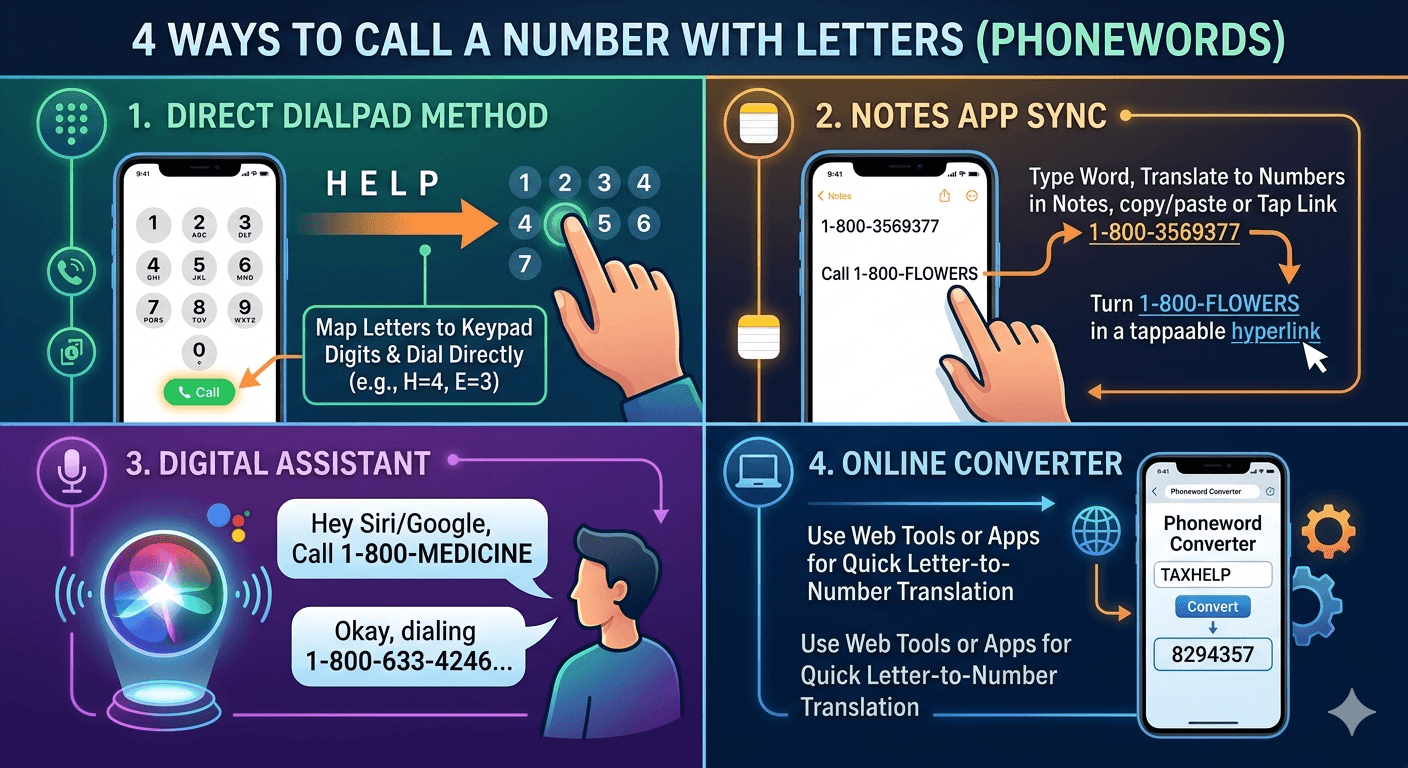
Learning how to dial a phone number with letters is a practical skill for anyone navigating the world of vanity numbers frequently used by major businesses and service providers. Most modern smartphones, including iPhones and Android devices, do not feature a dedicated alphabetic keyboard within the standard phone app dialer. Instead, they rely on the international standard mapping that assigns specific letters to the digits 2 through 9. To dial these alphanumeric strings, you simply press the number corresponding to each letter shown on your screen’s keypad. For instance, the letters A, B, and C map to the number 2, while W, X, Y, and Z map to the number 9. What is a Phone Number with Letters? A phone number with letters, often referred to as a vanity number or a phoneword, is a telephone number that incorporates words or acronyms to make it easier for consumers to remember. Instead of a random string of ten digits, a business might use a combination like 1-800-FLOWERS or 1-800-CONTACTS. These are not just marketing gimmicks; they are functional tools designed to improve brand recall and customer engagement. The concept behind how to dial a phone number with letters relies on a standardized system called the ITU-T E.161. This international standard defines the layout of the basic telephone keypad and dictates which letters are assigned to which numbers. According to research conducted by the Direct Marketing Association, vanity numbers can increase advertisement response rates by up to 33% compared to numeric-only numbers. This is because the human brain is significantly better at remembering words and patterns than long sequences of abstract digits. When you see a word on a billboard, your mind registers the service instantly, making the process of how to call a number with letters a vital bridge between marketing and communication. How to Call a Number with Letters on iPhones? While smartphones are incredibly advanced, their phone applications are designed for speed and simplicity, which often means the letters on the dialpad are small or subtle. Whether you are using the latest iOS version, the underlying logic of how to dial a number with letters remains the same. You are essentially translating an alphabetic string into its numeric equivalent based on the standard keypad layout. 1. Direct Method via Dialpad The most common way to handle this is the direct entry method. When you open your phone app, you will see the standard 3×4 grid of numbers. If you look closely at each number button from 2 to 9, you will see three or four small letters printed underneath or beside the digit. This is your primary tool for how to dial a phone number with letters. To use this method effectively, follow these steps: Open the Phone or Dialer app on your mobile device. Identify the word you need to dial, such as HELP. Look at the keypad: H is on the number 4, E is on the number 3, L is on the number 5, and P is on the number 7. Press the sequence 4-3-5-7 in order. Press the green call button to initiate the connection. 2. Using Notes App If you find it difficult to look back and forth between an advertisement and your dialpad, using the Notes app as a middleman is a great strategy for how to enter letters on phone keypad sequences. This method is particularly helpful if the word is long or if you are worried about making a mistake mid-dial. By typing the word into your Notes app first, you can visualize the number without the pressure of an active dialer screen. Some users prefer to write out the numeric translation directly above the word. For example, if you are trying to figure out how to call letters in a sequence like 1-800-TAX-HELP, you can type it out and then manually convert it to 1-800-829-4357 before copying the digits into your dialer. On many modern smartphones, the device might even recognize the sequence as a clickable link if you format it correctly, allowing you to bypass the manual dialpad entirely. 3. Leverage Your Phone’s Digital Assistant For those who want a truly hands-free experience, your phone’s digital assistant is the most advanced way to manage how to call a number with letters. Both Siri and Google Assistant are programmed to recognize phonewords and can perform the translation for you instantly. This is exceptionally useful while driving or when you are multitasking. To use this feature, simply activate your assistant and say, Call 1-800-FLOWERS. The assistant’s software accesses a database and the standard ITU mapping to convert those letters into the correct digits. It then initiates the call for you. This removes the manual work involved in how to dial a phone number with letters and ensures that you do not accidentally hit the wrong digit while trying to read small letters on a screen. 4. Use an Online Letter-to-Number Converter If you are dealing with a complex vanity number and want to be 100% sure before dialing, you can use an external resource. Numerous websites offer a phone dial with letters converter where you can type in any word and receive the numeric string instantly. This is a common practice for businesses that are setting up their own vanity numbers, but it is also a helpful tool for consumers. An external link to a resource like the ITU-T standards can provide deeper technical insight into why our phones are mapped this way. Using a converter is often the fastest way for people who struggle with the small print on their digital dialpads to understand how to call phone numbers with letters without the frustration of manual translation. Common Mistakes to Avoid While Calling a Number with Letters Even though the process of how to dial a phone number with letters seems straightforward, there are several common pitfalls that can lead to a failed call or a wrong number. One of the most frequent errors is confusing the letters with the numbers they represent. For example, some people accidentally press the number of times a letter appears on a key (similar to old T9 texting) rather than just pressing the key once. Another mistake involves the letters Q and Z. On many older or non-standard keypads, these letters were sometimes omitted or placed in unusual locations. However, on modern smartphones, Q is always on 7 and Z is always on 9. Additionally, ensure you are not trying to dial symbols or spaces. When learning how to dial numbers with letters, remember that only the letters themselves translate to digits; any dashes or spaces used in the branding are purely for visual clarity and should be ignored during the dialing process. Guide on How Dial Letters on Android Android devices offer a variety of ways to interact with the dialer, depending on the manufacturer’s overlay, such as Samsung’s One UI or Google’s Pixel UI. While the core functionality of how to dial a phone number with letters is consistent, some Android-specific features can make the process even more intuitive. Many Android dialers have a smart search feature built directly into the keypad. When you start typing numbers on a phone with an Android operating system, the software often looks through your contacts and suggests names that match the letters associated with those numbers. This same logic can sometimes be used to identify businesses. Understanding how to do letters on phone interfaces for Android requires a quick look at the settings of your specific dialer app, as some allow for enhanced T9 searching which simplifies the task of how to dial a name on phone contact lists. How to dial letters on Android To master how to dial letters on Android, you should first open your default phone application. Most Android dialpads clearly display the letters beneath the numbers. If you are looking at how to call a number with letters in it, you should follow the standard mapping: 2: ABC 3: DEF 4: GHI 5: JKL 6: MNO 7: PQRS 8: TUV 9: WXYZ Simply tap the number that corresponds to the letter you need. Android’s haptic feedback often makes this feel more tactile, helping you keep track of your progress. If you are wondering how to type letters on phone dialers for a contact search, simply use the keypad to “spell” the name, and the contact should appear at the top of the screen. Dialing letters (phonewords) on Android Dialing phonewords on Android is a seamless experience if you use the built-in search bar at the top of the phone app. Instead of using the 10-key dialpad, you can often tap the search bar and use the full QWERTY keyboard to type the name of a business or a contact. If the business has registered its vanity number correctly in Google’s database, the number will appear automatically. However, if you are manually entering a phoneword from a billboard, you must use the dialpad. The trick to how to call a number that has letters is to treat each letter as a single tap on its parent number. Do not double-tap the 2 key to get a ‘B’—just tap it once. The phone network only cares about the final string of digits, not the specific letter you were thinking of when you pressed the button. Dialing numbers on non-smart phones If you are using a feature phone or a “dumb” phone, the process of how to dial a phone number with letters is actually the original way these phones were intended to be used. Before the era of touchscreens, T9 predictive text and manual letter entry were the norms. On these devices, the letters are physically printed on the plastic buttons. The logic remains identical to modern smartphones. Because these devices often have smaller screens, it is even more important to memorize or write down the numeric conversion before you start. Many older users find phone letters to numbers translation easier on these devices because the physical buttons provide a clear, tactile response that touchscreens sometimes lack. Regardless of the device age, the universal mapping of telephone numbers with letters ensures that the system works across all generations of hardware. UK Phone Number and International Variations When dealing with international calls, such as a UK phone number, the rules for how to dial a phone number with letters remain the same, but you must be mindful of the country code. For the UK, this is +44. If you see a British vanity number, you would first enter the international exit code (like 011 in the US), then the country code, and then translate the letters as usual. It is rare to see vanity numbers in the UK compared to the US, but they do exist. Most UK business numbers start with 0800 or 0808. If a UK company uses letters, you apply the same ITU-T E.161 mapping used globally. This consistency is what allows global commerce to function without needing a different how to dial letters on a phone guide for every country you visit. Why Do Letters in Phone Numbers Work? You might wonder how do letters in phone numbers work from a technical perspective. The phone network itself does not “see” letters. Every switch and server in the telecommunications infrastructure only recognizes numeric tones or digital signals representing digits 0-9. The letters are purely a human-interface layer. When you are figuring out how to call letters on phone apps, you are performing a translation that the hardware has simplified for you. Historically, this system was created so that people could remember exchange names (like “PEnnsylvania 6-5000”). Over time, this evolved into the modern vanity numbers we see today. The dialpad with letters is a bridge between human memory and machine processing, making the task of how to call letters a necessary skill in a world where brand names are everything. How to add letters to phone number contacts If you want to save a vanity number in your contacts so you never have to remember how to dial a phone number with letters again, you should save it as the numeric version. While some phone operating systems allow you to type letters into the “Phone” field of a contact card, the dialer may not always recognize them when you hit the call button. The best practice is: Translate the letters to numbers (e.g., 1-800-PICK-UPS to 1-800-742-5877). Open your Contacts app and create a new entry. Enter the numeric string in the phone field. Enter the vanity word version (like PICK-UPS) in the “Notes” or “Company” field for your own reference. This ensures that when you tap the name, the phone dials the correct digits immediately. Numbers with letters on phone marketing strategies Businesses spend millions of dollars securing the perfect vanity number because they know customers struggle with how to dial a phone number with letters less than they struggle with remembering a string of ten random digits. A memorable number like 1-800-BATTERY is a powerful asset. According to a study by ResponseTap, calls to vanity numbers are 50% more likely to result in a conversion than calls to standard numeric lines in certain industries. This is because the caller already has the brand name in mind as they are dialing. Understanding how do phone numbers with letters work from a business perspective helps you appreciate why you see them on almost every television commercial and billboard in the country. How to call with letters using third-party apps If your default dialer is confusing, there are third-party apps designed specifically to help with how to dial a phone number with letters. Apps like “Vanity Dialer” or specialized contact managers can provide a larger interface or an automatic conversion tool. These are particularly useful for individuals with visual impairments who find the standard dialpad letters too small to read. These apps often include a feature where you can type the word using a standard keyboard, and the app instantly places the call to the corresponding numeric sequence. This is the ultimate solution for anyone who frequently finds themselves asking how do you type in letters on a phone number without wanting to do the mental math of translation. Read More: Why Do My Phone Calls Keep Failing? 10 Effective Ways Final Thought Mastering how to dial a phone number with letters is an essential modern skill that simplifies communication with businesses and services. By understanding the universal keypad mapping defined by the ITU-T E.161 standard, you can easily translate any vanity number into its numeric equivalent. Whether you choose to dial directly using the letters on your keypad, use a digital assistant like Siri or Google, or convert the word beforehand in a notes app, the process is designed to be user-friendly. Vanity numbers remain a staple of marketing because they bridge the gap between easy-to-remember words and the numeric requirements of our global telecommunications infrastructure. With the steps and tips provided in this guide, you can confidently call any alphanumeric number on both iPhone and Android devices. Frequently Asked Questions How do I dial the letters in a phone number? To dial the letters in a phone number, you simply use the numbers on your phone’s keypad that correspond to each letter. For example, if you need to dial the letter “A,” you press the number 2. The standard mapping is: 2 (ABC), 3 (DEF), 4 (GHI), 5 (JKL), 6 (MNO), 7 (PQRS), 8 (TUV), and 9 (WXYZ). You only need to press the number once for each letter, regardless of where the letter falls in the group. This is the fundamental way to handle how to dial a phone number with letters. How do you call a number if it has letters? Calling a number with letters involves translating those letters into digits. Look at your phone’s dialpad and find the small letters printed on the number keys. Press the digit that contains the letter you want. For example, to call 1-800-TAXES, you would dial 1-800-829-37. The phone network only recognizes the numbers, so the letters act as a mnemonic device to help you remember the sequence. How do I type a letter in a phone? In the context of dialing a phone number, you don’t actually type the letter itself into the dialer. Instead, you press the number key that represents that letter. If you are trying to search for a contact within your phone app, you can use the dialpad’s T9 functionality by tapping the numbers once for each letter of the person’s name. If you need to type actual letters for a text message, you should switch to your phone’s full QWERTY keyboard. How to dial a number with letters on iPhone? On an iPhone, open the Phone app and select the Keypad tab. You will see letters under each number from 2 to 9. To dial a word, identify which number each letter belongs to and tap those numbers in order. iPhone does not allow you to type letters directly into the dialer field, so you must use the numeric keypad to represent the letters you see in the vanity number. Can I Dial Phone Numbers with Letters in All Phones? Yes, you can dial phone numbers with letters on almost any telephone in the world, including landlines, feature phones, and all modern smartphones. The letter-to-number mapping (ITU-T E.161) is a global standard. While the visual design of the keypad may vary, the association of letters to specific numbers remains consistent, allowing you to use vanity numbers anywhere. How to Dial Letters on an Android Phone? To dial letters on Android, open your Dialer or Phone app. Most Android keypads display the letters clearly under the numbers. Tap the number associated with each letter of the word you are trying to call. Many Android phones also have a “Smart Dial” feature where typing the numbers associated with a contact’s name will automatically bring up that contact’s info, making it even easier to find who you are looking for. How do you dial letters in a phone number if the word is longer than 7 digits? If a vanity number has more than seven letters after the area code (like 1-800-CALL-COLLECT), you usually only need to dial the first seven letters. The telephone system typically ignores any extra digits dialed after the necessary number of digits for a connection is reached. Simply dial the numbers corresponding to the first seven letters, and the call will go through. Why do phone numbers have letters on the keypad? Letters were originally added to keypads to help users remember “exchange” names before all-number dialing became the standard. Today, they are primarily used for vanity numbers (phonewords) which are easier for customers to remember than long strings of digits. This makes the keypad a versatile tool for both technical dialing and human memory. Does dialing letters cost more than dialing numbers? No, dialing a vanity number that contains letters costs exactly the same as dialing a numeric number. The letters are simply a visual representation of numbers. The cost of the call is determined by your service provider and the type of number (such as a toll-free 1-800 number or a standard local number), not by whether you used letters to remember the sequence.
Read More
Can You Use Google Voice in China

Can You Use Google Voice in China? Complete Guide

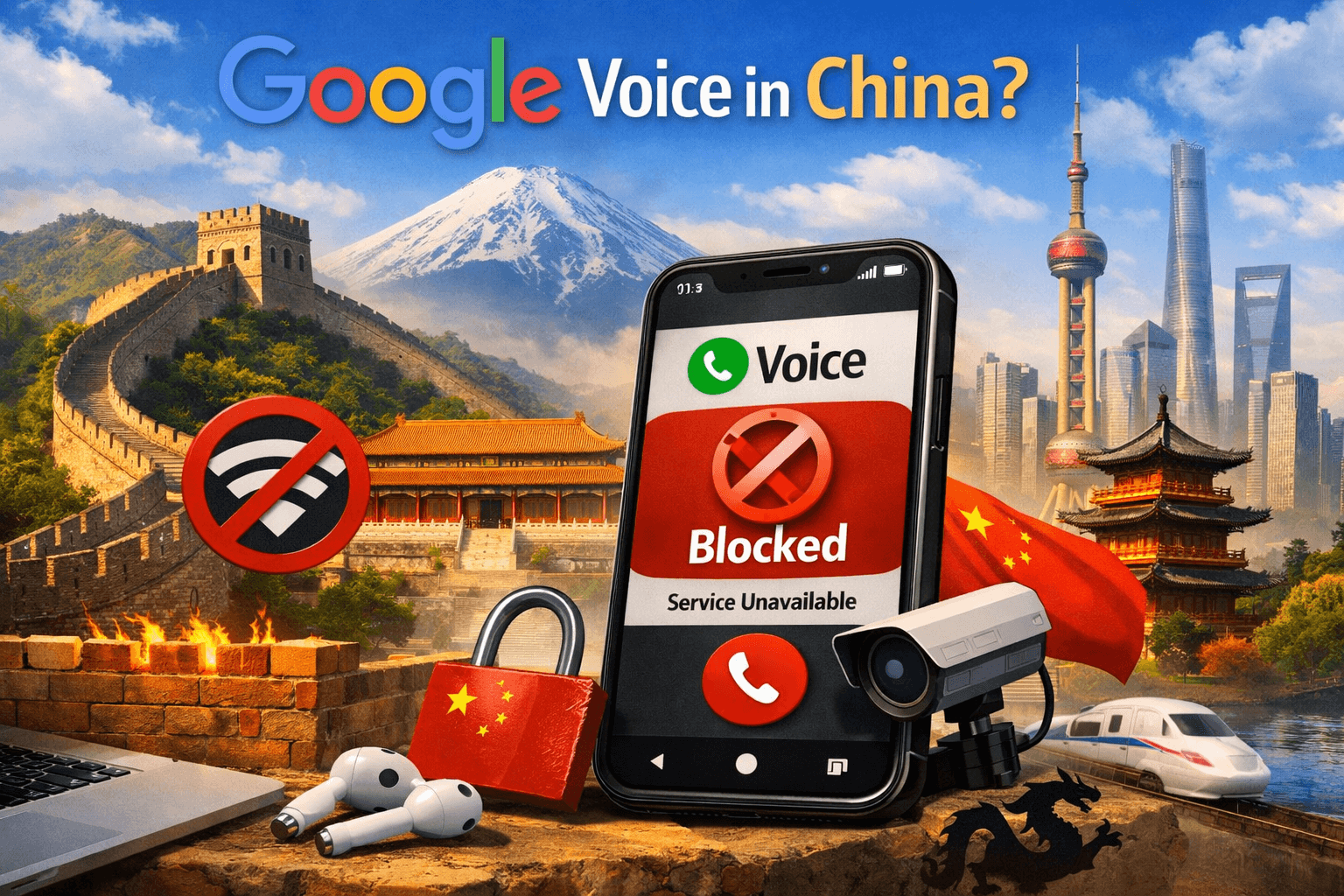
Yes, you can use Google Voice in China, but access is often restricted because many Google services are blocked by China’s internet regulations. Users with existing Google Voice accounts may still access calling and messaging features through certain internet connections or VPN services, though reliability can vary depending on location and network conditions. China has one of the world’s most tightly controlled internet systems, which creates unique challenges for apps and communication platforms commonly used in other countries. Many travelers, students, business professionals, and expats ask the same question before visiting or moving to China: Will Google Voice still work there? The answer is complicated. Google Voice can sometimes work in China, but access is inconsistent because many Google services are restricted under China’s internet filtering system, commonly known as the “Great Firewall.” For users who already have an active Google Voice account, communication may still be possible through: VPN services Certain international networks Roaming connections Specific internet providers However, reliability varies significantly depending on: Location Network type VPN stability Government restrictions Device settings This guide explains everything you need to know about using Google Voice in China, including setup methods, limitations, business usage, alternatives, and practical solutions for travelers and remote workers. What Is Google Voice? Google Voice is a VoIP-based communication platform that allows users to: Make internet calls Send text messages Access voicemail Forward calls across devices Use one number on multiple platforms Instead of relying completely on traditional mobile networks, Google Voice uses internet-based communication technology. It works through: Smartphones Tablets Browsers Computers Wi-Fi networks Google Voice is especially popular among: Remote workers International travelers Small businesses Digital nomads Freelancers because it offers flexible and often lower-cost communication. Is Google Voice Officially Available in China? No. Google Voice is not officially supported in China, and many Google services are partially or fully blocked there. This includes frequent restrictions affecting: Gmail Google Search Google Maps Google Play services Google Voice As a result: Direct access may fail Apps may not connect properly Calls can become unstable SMS synchronization may stop working However, existing users sometimes continue accessing Google Voice through alternative methods. Why Google Services Face Restrictions in China China operates a heavily regulated internet environment designed to: Filter online content Control foreign platforms Manage digital communications This system affects many international platforms, including: Google Meta X WhatsApp Because Google Voice depends heavily on Google’s ecosystem, restrictions often impact functionality. Can Travelers Still Use Google Voice in China? Sometimes yes. Many travelers continue using Google Voice successfully while visiting China, especially if: They already activated the account before arrival They use international roaming They access the internet through VPN services Their hotel or office provides stable international connectivity However, performance can change quickly depending on: Region ISP Time of day Network filtering updates Read More: How to Get a Google Number for Business? Set up Google Voice Does Google Voice Work Without a VPN in China? Usually not reliably. Without a VPN, users commonly experience: Connection failures App loading issues Missing notifications Broken voicemail syncing Some temporary access may occasionally work on: International hotel networks Roaming SIM connections Enterprise business networks But most users relying on Google Voice in China eventually use a VPN for more consistent access. What Is a VPN and Why Is It Important? A VPN (Virtual Private Network) encrypts internet traffic and routes it through servers outside China. This can help users access restricted services including: Google Voice Gmail Google Drive International websites VPNs are commonly used by: Expats International businesses Remote workers Students Travelers However, VPN reliability in China varies significantly. Important Considerations About VPN Usage in China China regulates VPN services heavily. Users should: Research current local laws Understand restrictions may change Avoid assuming all VPNs work consistently Prepare setup before entering China Many travelers discover that VPN installation becomes difficult after arrival because app stores and websites may already be blocked. How People Commonly Use Google Voice in China 1. Existing U.S. Google Voice Accounts Most successful users already created their Google Voice account before entering China. Google Voice typically requires: U.S. verification A U.S. phone number Initial account activation outside China 2. VPN + Wi-Fi Setup This is the most common method. Users: Connect to VPN Open Google Voice app Access calling and messaging features Performance depends on VPN quality and internet speed. 3. International Roaming Some travelers use foreign SIM cards with roaming enabled. This occasionally bypasses local restrictions because traffic routes through international carriers. However: Roaming can become expensive Performance may still vary Common Limitations of Google Voice in China Unstable Connectivity Google Voice may work one day and fail the next due to changing restrictions. Delayed Notifications Push notifications sometimes arrive late or not at all. SMS Issues Text messaging can become inconsistent depending on: VPN stability Network routing Carrier limitations Voicemail Sync Problems Voicemail transcription and syncing may fail if Google servers become inaccessible. Battery Drain VPN usage often increases battery consumption significantly. Google Voice vs Chinese Mobile Carriers Feature Google Voice Chinese Carriers International Number Yes Limited Chinese Number No Yes Works Without VPN Often unreliable Yes International Calling Strong Varies Internet Dependency High Moderate Local Reliability Limited Excellent Business Integration Good Limited Emergency Services Weak Full support Major Mobile Carriers in China Travelers and expats usually combine Google Voice with a local Chinese SIM. Popular carriers include: China Mobile Largest carrier in China with wide national coverage. China Unicom Popular among expats due to international compatibility. China Telecom Known for strong regional service and broadband offerings. Best Alternatives to Google Voice in China Because Google Voice reliability varies in China, many users depend on alternative communication platforms. 1. WeChat The dominant communication app in China. Used for: Messaging Voice calls Video calls Payments Business communication In China, WeChat is almost essential. 2. Skype Still used for international business communication. 3. Zoom Popular for meetings and remote work. 4. WhatsApp Often requires VPN access in China. 5. Telegram Also commonly blocked without VPN access. Google Voice for Expats Living in China Long-term expats often maintain Google Voice for: U.S. banking access International business Family communication Remote work However, most eventually rely on a hybrid communication setup involving: Chinese local SIM WeChat VPN Google Voice Email services This balance helps maintain both local and international connectivity. Using Google Voice for Business in China International companies sometimes use Google Voice for: Overseas customer support U.S. client communication Remote team coordination However, businesses operating inside China heavily depend on local tools because: Google ecosystem reliability varies Chinese clients prefer local platforms WeChat dominates business communication A Common Experience Using Google Voice in China A freelance consultant relocated temporarily to Shanghai while continuing to serve U.S.-based clients. Before arrival: Google Voice was fully configured VPN apps were installed Backup communication methods were prepared Initially: Calls worked smoothly through hotel Wi-Fi Gmail and Google Voice synced correctly Client communication remained stable After several weeks: Some VPN servers became unstable Notifications arrived late Calls occasionally disconnected To maintain reliability, the setup evolved into: Google Voice for international calls WeChat for local networking Chinese SIM for daily life Multiple VPN backups This layered approach became essential for consistent communication. Can You Use Google Voice for Verification Codes in China? Sometimes, but reliability varies. Problems commonly occur because: Many services block VoIP numbers VPN interruptions affect SMS delivery International routing causes delays Critical accounts such as: Banks Government portals Financial apps often work better with traditional mobile numbers. Google Voice for Digital Nomads in China China attracts many remote professionals due to: Large business ecosystem Manufacturing opportunities Fast urban infrastructure Tech industry connections Google Voice can help digital nomads: Keep U.S. numbers active Manage overseas clients Reduce roaming costs However, preparation is extremely important before entering China. Tips for Using Google Voice Successfully in China Set Everything Up Before Arrival This is one of the most important steps. Install: VPN apps Google Voice Backup communication tools before entering China. Keep Multiple Communication Options Do not rely only on Google Voice. Have backups including: Local SIM WeChat Email Secondary messaging apps Use Reliable Wi-Fi Business hotels and international offices often provide more stable internet access. Carry Backup Authentication Methods Authenticator apps work better than SMS in many cases. Security Tips While Using Google Voice in China Enable Two-Factor Authentication Protect Google accounts carefully. Avoid Unknown Public Networks Unsecured Wi-Fi can increase security risks. Monitor Account Login Activity Watch for suspicious sign-in attempts. Keep Recovery Options Updated Account recovery can become difficult abroad. Can Google Voice Replace a Chinese Phone Number? No. For daily life in China, users usually still need: Local SIM cards Chinese numbers WeChat integration Many services require domestic numbers for: Deliveries Banking Transportation apps Verification Google Voice works best as a supplementary communication tool. Best Communication Setup in China A highly practical setup often includes: Chinese SIM Card For: Local services Data access Domestic communication Google Voice For: U.S. contacts International communication Remote business WeChat For: Local messaging Payments Networking VPN For: Accessing Google services International websites Remote work tools This layered system helps users stay flexible and connected. Future of Google Voice in China There is currently no indication that Google Voice will receive full official support in China. Because China prioritizes domestic digital ecosystems, international platforms often remain restricted. Future accessibility will likely continue depending on: Regulatory policies VPN reliability International internet rules Final Thoughts Yes, Google Voice can sometimes be used in China, but it is far less reliable than in many other countries because of internet restrictions and blocked Google services. Travelers and expats who already have active Google Voice accounts may still use the platform successfully through VPNs, roaming data, or international networks. However, users should prepare carefully before arriving in China and avoid depending entirely on Google Voice for essential communication. For most people, the best strategy is combining: Google Voice for international communication A Chinese SIM for local connectivity WeChat for everyday communication Backup VPN solutions for internet access This balanced approach offers the highest reliability while living, working, or traveling in China. Frequently Asked Questions Can Google Voice work in China? Yes, but access is often inconsistent due to China’s internet restrictions on Google services. Do I need a VPN for Google Voice in China? In many cases yes, especially for reliable long-term access. Can I create a Google Voice account in China? Usually no. Most users create and verify the account before entering China. Does Google Voice provide Chinese phone numbers? No, Google Voice does not offer local Chinese phone numbers. Is Google Voice legal in China? Google Voice itself is not illegal, but internet regulations and VPN restrictions vary. Users should understand local laws and regulations. Can I receive calls on Google Voice in China? Yes, if the service is accessible through your internet connection or VPN. Why are my Google Voice notifications delayed? VPN instability, internet filtering, and background app restrictions can affect notifications. What is the best alternative to Google Voice in China? WeChat is the most important local communication platform in China. Can Google Voice replace a Chinese SIM card? No, most residents and travelers still need a local Chinese number for daily services.

Read More
Can You Use Google Voice in Japan

Can You Use Google Voice in Japan? Full Setup and Usage Guide

Yes, you can use Google Voice in Japan if you already have a U.S.-based Google Voice account. While Google Voice is not officially available for direct Japanese signups or Japanese phone numbers, users in Japan can still make calls, send texts, and access voicemail through Wi-Fi or mobile data using the Google Voice app. Japan is known for its advanced mobile networks, fast internet infrastructure, and widespread smartphone adoption. Because of this, many travelers, remote workers, students, and expats wonder whether they can use Google Voice while living in or visiting Japan. The answer is yes — but there are important limitations. Google Voice is mainly designed for users in the United States. It does not officially offer Japanese phone numbers or direct signup support for residents in Japan. However, many people still successfully use Google Voice in Japan through an existing U.S. account and internet-based calling. For digital nomads, freelancers, international students, and business owners, this can be extremely useful for staying connected without paying expensive roaming fees. This guide explains: Whether Google Voice works in Japan How to set it up Common limitations International calling tips Business use cases Best alternatives in Japan Troubleshooting solutions Security and legal considerations What Is Google Voice? Google Voice is a cloud-based communication service that allows users to: Make internet calls Send text messages Receive voicemail Forward calls across devices Manage communications online Instead of relying completely on traditional mobile carriers, Google Voice uses VoIP technology (Voice over Internet Protocol). This means calls can work through: Wi-Fi Mobile data Computers Tablets Smartphones Google Voice is popular because it integrates with: Gmail Google Workspace Android devices Web browsers Is Google Voice Officially Available in Japan? No, Google Voice is not officially available as a full consumer service in Japan. This means: You cannot normally register with a Japanese phone number Japanese Google Voice numbers are unavailable Some local telecom features are unsupported However, existing U.S.-based Google Voice accounts can still function while the user is physically in Japan. That distinction is important. Many people mistakenly think Google Voice becomes blocked abroad, but in reality, it usually continues working through internet connections if the account was already created correctly in the United States. Who Uses Google Voice in Japan? Google Voice is especially popular among: Travelers Tourists visiting Japan often want to: Avoid roaming fees Keep their U.S. number active Receive calls over Wi-Fi Expats People living in Japan long term may use Google Voice for: U.S. banking verification Communication with family Business calls Online accounts International Students Students studying abroad frequently need: Affordable international communication Browser-based calling Flexible texting options Remote Workers Freelancers and remote employees working between countries often rely on cloud-based phone systems instead of traditional SIM cards. How Google Voice Works in Japan Once activated, Google Voice generally works in Japan through: Wi-Fi networks Japanese mobile data VPN connections (sometimes optional) Browsers Mobile apps Users can: Receive calls Place calls Listen to voicemail Access voicemail transcription Send certain SMS messages The quality depends heavily on internet speed and local network conditions. Fortunately, Japan has some of the fastest internet infrastructure in the world, making VoIP calling surprisingly smooth in many areas. Can You Create a Google Voice Account in Japan? Usually no. Google Voice signup generally requires: A U.S. Google account setup A valid U.S. phone number for verification Japanese phone numbers are normally unsupported during the registration process. Because of this, most users: Create the account before arriving in Japan Use an existing U.S. number Verify through an American SIM How People Commonly Set Up Google Voice Before Moving to Japan Step 1: Create a Google Account Users first need a Gmail account. Step 2: Verify With a U.S. Number Google Voice requires a U.S.-based phone number during activation. This often involves: U.S. SIM cards American family numbers Temporary travel numbers Step 3: Choose a Google Voice Number Users select an available American number. Step 4: Install the Google Voice App The app works on: Android iPhone Tablets Step 5: Continue Using It in Japan Once activated, the service usually continues operating through Japanese internet connections. What Works Well With Google Voice in Japan 1. Wi-Fi Calling Japan’s strong public and private internet networks make Wi-Fi calling highly reliable in: Hotels Apartments Universities Cafes Co-working spaces 2. Browser-Based Access Many users appreciate being able to answer calls directly from: Chrome browser Laptop Desktop computer This helps remote workers stay productive without relying solely on mobile devices. 3. Voicemail Transcription Google Voice automatically converts voicemail into text, making it easy to check messages quickly while abroad. 4. Multi-Device Access Users can access the same number across: Phones Tablets Computers This flexibility is useful for people constantly traveling around Japan. Common Limitations of Google Voice in Japan Despite its advantages, Google Voice also has several drawbacks in Japan. 1. No Japanese Phone Numbers Google Voice does not officially provide: Tokyo numbers Osaka area codes Japanese local numbers This is one of the biggest limitations for residents. 2. SMS Restrictions Some services block VoIP numbers for verification purposes. This can affect: Banking apps Security platforms Authentication systems Certain Japanese services may reject Google Voice numbers entirely. 3. Emergency Calling Limitations Google Voice should not replace emergency-capable local mobile service. Traditional Japanese carriers remain more reliable for: Emergency services Local infrastructure Official identification 4. Potential Verification Problems Many users encounter issues with: Two-factor authentication OTP delivery Security text messages A real Japanese SIM often becomes necessary for important services. Google Voice vs Japanese Mobile Carriers Feature Google Voice Japanese Carriers Japanese Number No Yes Internet Calling Yes Limited Roaming Savings High Depends on plan SMS Verification Sometimes unreliable Reliable Emergency Calling Limited Full support Multi-Device Access Excellent Limited Setup Difficulty Moderate Easy locally Cost for International Calls Usually cheaper Often expensive Best Japanese Carrier Options Alongside Google Voice Many long-term residents combine Google Voice with a Japanese SIM. Popular carriers include: 1. NTT Docomo Known for: Excellent coverage Reliable speeds Nationwide service 2. SoftBank Popular among: International residents Smartphone users Urban customers 3. au Strong for: Rural coverage Stable connectivity Mobile plans Best Alternatives to Google Voice in Japan Because Google Voice lacks native Japanese support, many users explore alternatives. Skype Still useful for international calling and online communication. LINE Extremely popular in Japan. Features: Messaging Voice calls Video calls Business communication For local communication, LINE is often essential in Japan. Zoom Phone Useful for: Remote work Team communications International business OpenPhone Good for freelancers and startups needing cloud-based numbers. WhatsApp Widely used internationally, though less dominant than LINE within Japan itself. Using Google Voice During Travel in Japan Travelers often find Google Voice extremely convenient. Benefits include: Avoiding international roaming Accessing U.S. voicemail abroad Receiving calls through hotel Wi-Fi Keeping a permanent U.S. number This becomes especially helpful during: Business trips Long vacations Exchange programs Digital nomad travel A Common Experience Using Google Voice in Japan A remote consultant working with American clients relocated temporarily to Tokyo for several months. Instead of paying international roaming charges daily, they continued using their existing Google Voice number over Japanese Wi-Fi and a local data SIM. The setup worked surprisingly well: Client calls arrived directly on the laptop Voicemails synced instantly Calls could be answered in cafes and co-working spaces International communication costs dropped significantly However, a few issues eventually appeared: Certain U.S. banking texts failed Japanese services required a local number Some SMS messages arrived late Eventually, the most practical solution became: Google Voice for U.S. business communication A Japanese SIM for local life in Japan This hybrid approach is extremely common among expats and remote workers. Can You Use Google Voice for Business in Japan? Yes, especially for international business communication. Google Voice works well for: U.S.-based companies Freelancers Customer support teams International consulting Remote agencies Businesses appreciate: Browser calling Call forwarding Voicemail transcription Centralized communication However, companies operating heavily inside Japan may still need: Local Japanese phone numbers Japanese-language support Native telecom integrations Does Google Voice Work on Japanese Wi-Fi Networks? Yes. Japan’s internet infrastructure is among the best globally, which helps VoIP performance significantly. Google Voice generally performs well on: Fiber internet Home Wi-Fi Hotel networks Public hotspots Poor-quality networks may still cause: Audio lag Dropped calls Delays Is VPN Required for Google Voice in Japan? Usually no. Many users can access Google Voice normally without a VPN. However, some users prefer VPNs for: Privacy Security Access consistency Public Wi-Fi protection A VPN may also help if certain networks block VoIP traffic. Can You Receive Verification Codes in Japan Using Google Voice? Sometimes. Some services still send verification codes successfully, but others reject VoIP numbers entirely. This commonly affects: Financial institutions Government portals Security-focused apps For critical services, using: A real mobile SIM A trusted U.S. cellular number A Japanese carrier is generally more reliable. Google Voice for Digital Nomads in Japan Japan has become increasingly popular among digital nomads due to: Fast internet Safe cities Modern infrastructure Efficient transportation Google Voice fits naturally into this lifestyle because it allows: Flexible communication Cross-device calling Low international costs Remote business management Many nomads combine: Google Voice Local eSIM plans Messaging apps like LINE for maximum flexibility. Security Tips for Using Google Voice Abroad Enable Two-Factor Authentication Protect your Google account carefully. Avoid Public Wi-Fi Without Protection Use trusted networks whenever possible. Keep Backup Recovery Methods Losing access to a Google account abroad can become stressful. Monitor Login Activity Check suspicious sign-in alerts regularly. Tips to Improve Call Quality in Japan Use High-Speed Wi-Fi Fiber internet provides the best stability. Use Headphones or External Microphones This improves voice clarity considerably. Update the Google Voice App Older versions can create bugs or call issues. Avoid Overloaded Public Networks Busy stations or crowded cafes may reduce performance. Should You Use Google Voice in Japan? Google Voice is an excellent option for: U.S. travelers Remote workers Freelancers International students Cross-border businesses But it may not fully replace: Japanese mobile service Local carrier support Emergency-capable communication For most long-term residents, the ideal setup is: Google Voice for international communication Japanese SIM for local daily use Final Thoughts Google Voice can absolutely work in Japan if you already have a properly configured U.S.-based account. It provides an affordable and flexible way to stay connected internationally while avoiding many roaming costs. For travelers, freelancers, and remote workers, the ability to make internet-based calls from laptops, tablets, and phones is incredibly convenient. Japan’s excellent internet infrastructure also makes VoIP calling smoother than in many other countries. However, because Google Voice does not officially support Japanese numbers or direct local registration, it works best as a supplemental communication tool rather than a full replacement for Japanese telecom service. Combining Google Voice with a local Japanese SIM usually delivers the best balance of affordability, reliability, and convenience. Frequently Asked Questions Can I use Google Voice in Japan? Yes, existing Google Voice accounts generally work in Japan through Wi-Fi or mobile data connections. Can I sign up for Google Voice using a Japanese phone number? No, Google Voice usually requires a U.S. phone number during registration. Does Google Voice provide Japanese phone numbers? No, Google Voice does not officially offer Japanese local numbers. Is Google Voice free in Japan? The app itself may be free for some internet-based calls, but international rates and internet costs can still apply. Can Google Voice replace a Japanese SIM card? Not completely. Many local services and verification systems still require a Japanese mobile number. Does Google Voice work on iPhone in Japan? Yes, the Google Voice app works on both iPhone and Android devices in Japan. Why am I not receiving SMS verification codes? Many services block VoIP numbers for security reasons, including some banks and authentication platforms. Is Google Voice good for remote workers in Japan? Yes, especially for people communicating with U.S. clients or managing international businesses. What is the best alternative to Google Voice in Japan? Popular alternatives include: LINE Skype OpenPhone Zoom Phone WhatsApp Do I need a VPN for Google Voice in Japan? Usually no, but some users prefer VPNs for added privacy and connection stability.

Read More
Can You Use Google Voice in Canada

Can You Use Google Voice in Canada? Complete Guide

Yes, you can use Google Voice in Canada, but with limitations. Google Voice is officially available only for U.S. users, meaning Canadian residents cannot directly sign up with a Canadian number. However, people in Canada can still access and use Google Voice through a U.S. number, VPN setup, or while traveling between Canada and the United States. Can You Use Google Voice in Canada? Many Canadians search for affordable international calling solutions, business VoIP systems, and virtual phone numbers. One of the most commonly searched options is Google Voice because of its low cost, voicemail transcription, and integration with Google services. However, the biggest question remains: Does Google Voice officially work in Canada? The short answer is partially. Google Voice is not officially launched as a consumer service in Canada the same way it operates in the United States. Canadians cannot normally create a Google Voice number using a Canadian phone number. Still, many users in Canada access Google Voice through workarounds, business accounts, or U.S.-based numbers. This guide explains everything in detail, including setup methods, limitations, pricing, legality, and the best alternatives available for Canadian users. What Is Google Voice? Google Voice is a cloud-based VoIP (Voice over Internet Protocol) phone service that allows users to: Make and receive calls Send text messages Access voicemail transcription Use one number across multiple devices Forward calls to linked devices Manage business communications It works through: Mobile apps Web browsers Tablets Computers Smartphones Google Voice became popular because it provides inexpensive calling while integrating with: Gmail Google Workspace Google Meet Android devices Is Google Voice Officially Available in Canada? No, Google Voice is not fully available for personal Canadian signups. At the moment: Google Voice numbers are primarily issued for U.S. accounts Canadian phone numbers are generally unsupported for direct registration Some business Workspace accounts may have partial support depending on organization settings This means Canadian residents usually cannot: Claim a Canadian Google Voice number Verify with a Canadian mobile number directly Access all U.S.-exclusive calling features However, using Google Voice while physically located in Canada is still possible if you already have a U.S.-based setup. Why Canadians Want Google Voice There are several reasons Canadians look for Google Voice alternatives or workarounds: Affordable International Calling Many users need low-cost calls between: Canada and the United States Canada and overseas clients Cross-border businesses Remote Work Freelancers and remote workers often want: A second business number Separate work/personal communications Browser-based calling Travel Convenience Travelers prefer avoiding roaming charges while: Using Wi-Fi calling Receiving U.S. calls abroad Accessing voicemail online Online Businesses Digital marketers, agencies, and customer support teams often use VoIP numbers for: Client communications SMS verification Marketing campaigns Team collaboration How People in Canada Use Google Voice Although Canada lacks official support, many users still access Google Voice through several methods. 1. Using an Existing U.S. Google Voice Number This is the most common method. If someone already created a Google Voice account in the U.S., they can continue using it while living or traveling in Canada. The account typically works through: Wi-Fi Mobile data Browser login Google Voice mobile app Calls can still be placed internationally depending on account settings. 2. Registering Through a U.S. Phone Number Some Canadians use: U.S. SIM cards American relatives’ phone numbers Cross-border mobile plans During setup, Google Voice requires verification using a U.S. number. After verification: The service often remains usable in Canada Calls and texts work over internet connections However, policies can change anytime. 3. Using Google Workspace for Business Businesses using Google Workspace may gain access to enterprise Google Voice plans depending on their region and subscription. Business users may benefit from: Multi-user management VoIP routing Business call handling Admin dashboards This setup is more reliable than consumer workarounds. Step-by-Step: How Canadians Usually Set Up Google Voice Step 1: Create a Google Account A Gmail account is required. Step 2: Obtain a U.S. Number Most setups require: U.S. SIM American mobile plan Temporary U.S. verification number Step 3: Access Google Voice Visit the Google Voice platform through: Browser Android app iOS app Step 4: Verify the U.S. Number Google sends a verification code to the U.S. number. Step 5: Select a Google Voice Number Choose an available U.S.-based number. Step 6: Start Calling Through Wi-Fi Once activated: Calls work online Voicemail becomes accessible Messages sync across devices Common Limitations of Google Voice in Canada Before relying on Google Voice, Canadians should understand its limitations. No Official Canadian Numbers You cannot officially: Select a Canadian area code Get a native Canadian Google Voice number This is the biggest drawback. SMS Verification Problems Some platforms reject VoIP numbers for: Banking verification Two-factor authentication Security checks Google Voice numbers sometimes fail for: WhatsApp verification Financial apps Government services Call Quality Depends on Internet Unlike traditional cellular networks, VoIP depends heavily on: Wi-Fi stability Internet speed Data connection quality Poor internet may cause: Delays Echoes Dropped calls Policy Changes Because Google Voice is not officially supported in Canada for consumers: Features may stop working unexpectedly Verification methods may change Some accounts may face restrictions Google Voice Pricing for Canadian Users Google Voice itself is often free for domestic U.S. calls. However, Canadian users may encounter costs such as: U.S. SIM activation International calling fees Business Workspace subscriptions Data or VPN expenses International rates vary by country and destination. Businesses usually pay monthly per user for Google Workspace Voice plans. Google Voice vs Traditional Canadian Carriers Feature Google Voice Canadian Mobile Carriers Monthly Cost Usually lower Often higher Internet Calling Yes Limited Canadian Number No Yes SMS Support Limited sometimes Full support Roaming Flexibility High Depends on plan Device Compatibility Multiple devices Mostly SIM-based Voicemail Transcription Included Sometimes extra Business Features Strong Depends on provider Best Alternatives to Google Voice in Canada Since official support is limited, many Canadians use alternative VoIP services. 1. OpenPhone Popular among startups and remote teams. Features: Canadian numbers Team collaboration SMS support Business integrations Best for: Agencies Customer support Freelancers 2. RingCentral A powerful business VoIP solution. Good for: Enterprises Large teams International communications Includes: Video meetings Team messaging Business call routing 3. Teams Still useful for affordable international calls. Benefits: Easy setup Global calling Subscription plans 4. Zoom Phone Businesses already using Zoom may prefer Zoom Phone. Advantages: Unified communication Team management Cloud-based calling 5. TextNow A common free alternative in Canada. Good for: Casual use Temporary numbers Budget-conscious users Is It Legal to Use Google Voice in Canada? Generally, yes. Using VoIP services is legal in Canada. However: Users must follow local telecom laws Fraudulent activities remain illegal Some verification bypass methods may violate platform terms Using a legitimate U.S. number while traveling or working cross-border is commonly done. Business Use Cases for Google Voice in Canada Cross-Border Companies Companies operating in: Toronto Vancouver Montreal U.S. border cities often need U.S.-accessible phone numbers. Google Voice helps reduce: Roaming costs Hardware requirements International calling expenses Freelancers and Agencies Marketing agencies and SEO professionals frequently use cloud numbers for: Client outreach Support lines Remote work This becomes useful when working with: U.S. customers International clients Digital nomad teams E-commerce Stores Online stores use VoIP systems to: Handle customer service Route calls internationally Manage multiple team members What Happened When Trying Google Voice From Canada A practical experience many users report is surprisingly similar. A remote worker living in Canada needed a U.S. business number to communicate with American clients. Instead of purchasing another expensive mobile line, they used a U.S. SIM card obtained during travel. After verification: Google Voice worked smoothly through Wi-Fi Calls could be answered from a laptop Voicemails appeared instantly in Gmail Business communication became easier while traveling However, some problems appeared later: Certain banking apps rejected the VoIP number SMS delivery occasionally failed Some clients preferred local Canadian numbers Eventually, many users combine: Google Voice for U.S. communications A Canadian carrier for local reliability This hybrid approach remains common among freelancers and online business owners. Can You Use Google Voice for Verification Codes in Canada? Sometimes — but not always. Many services now detect VoIP numbers and block them from receiving authentication messages. Platforms that may reject Google Voice include: Banks Financial institutions Government services Security-sensitive apps For critical accounts, using a real Canadian mobile number is safer. Does Google Voice Work on iPhone and Android in Canada? Yes, if the account is already active. The Google Voice app works on: Android iPhone Tablets Browsers Features usually include: Calling Messaging Voicemail access Notification syncing Performance depends on: Internet quality Device permissions Account configuration Can You Get a Canadian Number With Google Voice? No, not officially. Google Voice currently focuses mostly on: U.S. consumer numbers Supported Workspace regions If you specifically need: Toronto numbers Vancouver area codes Canadian texting support then alternatives like OpenPhone or RingCentral are usually better choices. Google Voice for Travelers Between the U.S. and Canada Frequent travelers often benefit the most from Google Voice. Advantages include: Avoiding roaming fees Receiving calls through Wi-Fi Keeping the same U.S. number Accessing voicemail anywhere This is especially useful for: Truck drivers Consultants Sales teams Snowbirds traveling seasonally Security and Privacy Considerations Whenever using VoIP services: Enable two-factor authentication Use strong passwords Monitor suspicious login attempts Avoid public Wi-Fi without protection Since Google accounts store extensive communication data, account security is extremely important. Tips to Improve Google Voice Call Quality in Canada Use Stable Wi-Fi Fiber or high-speed internet provides the best experience. Enable Wi-Fi Calling This helps improve indoor call reliability. Use a Headset External microphones often improve audio clarity. Avoid Congested Networks Busy coffee shop Wi-Fi may reduce quality. Keep Apps Updated Older versions may create connectivity issues. Should Canadians Use Google Voice? It depends on the purpose. Google Voice works well for: U.S.-focused freelancers Travelers Remote workers Small online businesses But it may not be ideal for: Primary Canadian mobile service Banking verification Emergency communications Users needing Canadian numbers For most Canadians, the best setup is often: Canadian carrier for personal use VoIP service for international or business communications Final Thoughts Google Voice can absolutely be used in Canada, but it comes with important limitations. Since the service is mainly designed for U.S. users, Canadians often rely on workarounds involving U.S. phone numbers or business accounts. For freelancers, remote workers, and businesses dealing with American clients, Google Voice can still be a valuable low-cost communication tool. However, users wanting full Canadian support, reliable SMS verification, and local numbers may find dedicated Canadian VoIP providers more practical long term. Read More: How to Get a Google Number for Business? Set up Google Voice As VoIP technology continues growing, more Canadians are shifting toward internet-based communication systems that reduce costs while improving flexibility across devices and countries. Frequently Asked Questions Is Google Voice free in Canada? Google Voice itself can be free for some U.S. calls, but Canadian users may still pay for: Internet access U.S. SIM cards International calling Business subscriptions Can Canadians sign up for Google Voice directly? Usually no. Google Voice generally requires a U.S. phone number for verification during signup. Can I get a Canadian Google Voice number? No, Google Voice does not officially provide Canadian phone numbers for consumer accounts. Does Google Voice work with Canadian Wi-Fi? Yes. Once activated, Google Voice can operate through Canadian Wi-Fi or mobile data connections. Is Google Voice good for businesses in Canada? Yes, especially for businesses communicating with U.S. customers or operating remotely. Can I use Google Voice while traveling in Canada? Yes. Travelers with existing Google Voice accounts can usually continue using the service in Canada. Why am I not receiving verification codes on Google Voice? Many platforms block VoIP numbers for security reasons. Some banks and apps may reject Google Voice SMS verification. What is the best alternative to Google Voice in Canada? Popular alternatives include: OpenPhone RingCentral Skype Zoom Phone TextNow Can Google Voice replace my Canadian mobile carrier? Not fully. It lacks native Canadian number support and may not work reliably for emergency services or authentication. Does Google Voice support texting in Canada? Texting may work depending on the setup, but delivery reliability can vary with certain services and regions.

Read More
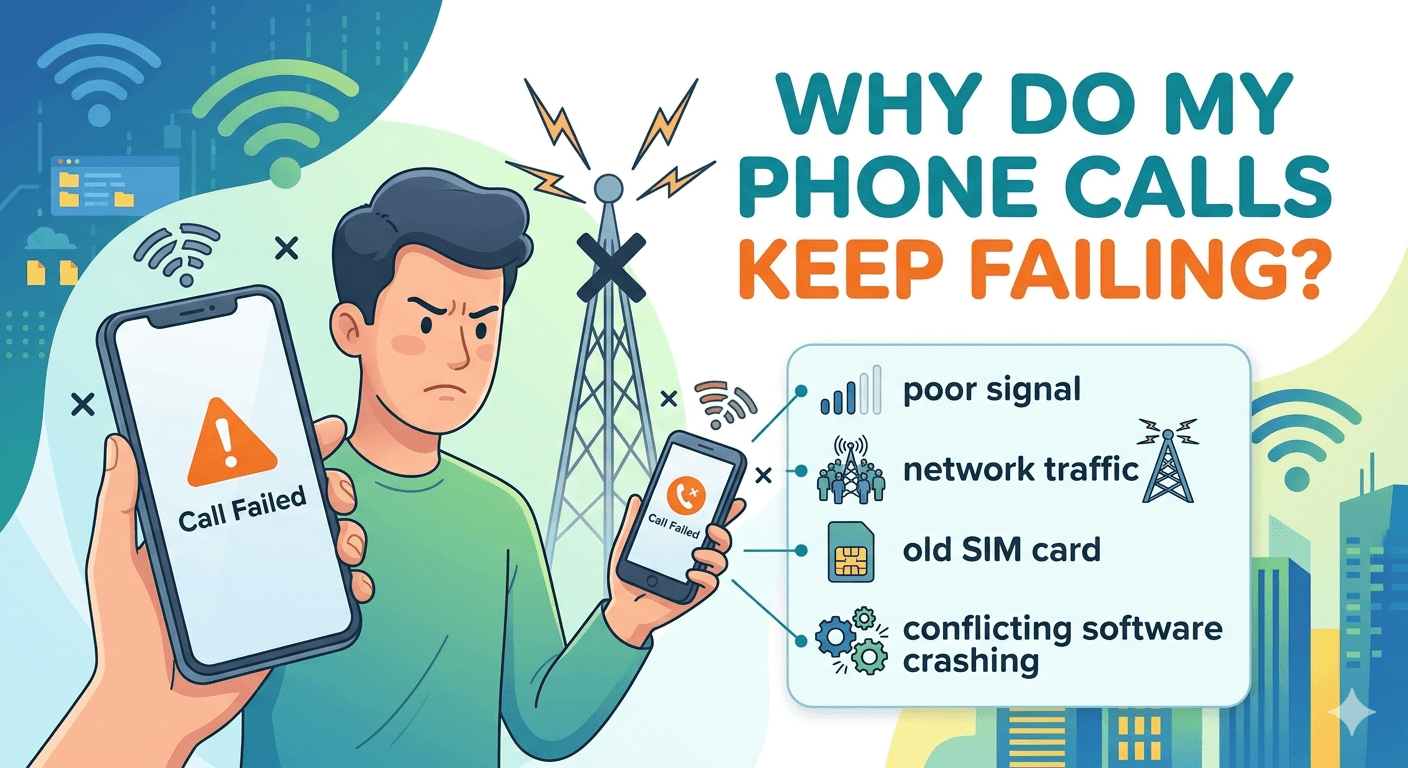
why do my phone calls keep failing

Why Do My Phone Calls Keep Failing? 10 Effective Ways

If you are wondering why do my phone calls keep failing, the issue is typically rooted in either network interference, hardware malfunction, or software configuration errors. Common causes include being in a dead zone with poor signal strength, having an outdated SIM card, or running conflicting software updates. To resolve this, you should first try toggling Airplane Mode, restarting your handset, or resetting your network settings to refresh the connection to the cellular tower. If the problem persists, it may indicate a physical SIM issue or an account-level restriction that requires contacting your service provider directly for more detailed troubleshooting. Communication is the cornerstone of modern life, and experiencing a situation where why does my call keep failing becomes a daily occurrence can be incredibly stressful. When a mobile device attempts to place a call, it sends a specific request to the nearest base station. If that base station is overloaded or if the signal is blocked by environmental factors, the handshake between your device and the network fails. This leads to the frustrating experience of seeing your calls failing immediately after you dial a number. Understanding the mechanics of these connections helps in identifying the specific reason why are all my calls failing. Decoding the Call Failed Notification The notification that appears on your screen is a generic catch-all for several technical errors. When your screen displays that a call failed, it means the cellular radio in your phone could not establish a dedicated voice channel. This is often a result of why is my call failing due to a lack of available spectrum or a momentary lapse in the authentication process between your SIM card and the carrier’s database. It is important to distinguish this from a busy signal or a call that goes straight to voicemail, as those involve the recipient’s status rather than your own connectivity. In many instances, users ask why does it keep saying call failed even when they have several bars of signal. This discrepancy occurs because signal bars often represent data signal strength rather than voice circuit availability. A phone might have a strong 5G data connection but struggle with the VoLTE (Voice over LTE) protocols required for clear audio. This technical gap is often why my calls keep failing in areas that otherwise seem to have excellent internet coverage. Primary Reasons Behind Persistent Call Failures There are several layers to a cellular connection, ranging from the physical hardware in your hand to the invisible radio waves in the air. Each layer presents a potential point of failure. 1. Network Congestion and Coverage Gaps The most common reason for why does my phone keep saying call failed involves the physical limitations of the cellular network. During peak hours, cell towers can become congested with too many users. If a tower is at maximum capacity, it will prioritize emergency services and existing connections, often leading to new call attempts failing. Additionally, being in a remote area or a basement can lead to a call failed meaning your device simply cannot reach the tower with enough power to sustain a two-way conversation. According to a study by J.D. Power, network quality remains the top complaint among mobile users, with rural residents experiencing nearly double the rate of connection issues compared to urban dwellers. This research highlights that geographic location is a significant factor in why does my calls keep failing frequently. Even in cities, the phenomenon of the urban canyon—where high-rise buildings block and reflect signals—can lead to why does the call keep failing. 2. Obsolete Device Software and Firmware Software plays a massive role in how your phone talks to the network. If you have neglected system updates, your phone might be using outdated protocols that are no longer supported by the carrier. This is a common culprit for why does it say call failed when i call someone. Manufacturers regularly release patches that improve the handover process between different towers and network types. Without these updates, the device might lose its connection as it tries to switch from a 4G to a 5G tower, causing why are my calls failing mid-transition. 3. Physical Degradation of the SIM Card The SIM card is a small but vital component that identifies you on the network. Over time, these cards can become worn or slightly shifted in their tray. If the gold contacts on the card are dirty or scratched, the phone will intermittently lose its identity on the network. This results in why do my phone calls keep failing because the network cannot verify that you are a legitimate subscriber. A faulty SIM can also lead to why does my phone say call failed even when you are standing right next to a cell tower. 4. Configuration and Security Settings Sometimes, the issue is not with the hardware or the network, but with the settings on the device. For instance, if you have enabled call barring or have an incorrectly configured firewall app, your outgoing calls will be blocked. This often answers the question of why call failed when the user is otherwise in a high-coverage area. Additionally, if you have manually changed your network selection settings to a provider that does not have a roaming agreement with your main carrier, you will experience why does call keep failing until you revert to automatic selection. Effective Solutions for Why Do My Phone Calls Keep Failing To fix these issues, you need a systematic approach to eliminate variables. Start with the easiest software fixes before moving to hardware inspections. Step 1: Verify the Number and Format Before assuming there is a technical glitch, double-check the digits. If you are calling an international number, ensure you have the correct exit code and country code. An extra digit or a missing zero is a frequent cause for why my phone calls keep failing. You should also verify that the number is still active, as calling a disconnected line sometimes triggers a call failed message instead of a recorded announcement. Step 2: Cycle Airplane Mode One of the fastest ways to fix a call keeps failing error is to toggle Airplane Mode. By turning it on for about ten seconds and then turning it off, you force the phone’s cellular modem to disconnect from all towers and perform a fresh scan for the strongest available signal. This process re-authenticates your device on the network and can clear minor software hang-ups that were causing why do calls keep failing during your previous attempts. Step 3: Check Your Signal Strength and Environment If you are indoors, try moving toward a window or an exterior door. Building materials like concrete, steel, and energy-efficient glass can significantly degrade signal quality. If you find yourself asking why does my call fail only when you are in a specific room, environmental interference is likely the cause. Moving just a few feet can often provide the necessary line-of-sight to a tower to stop why do my calls keep saying call failed. Step 4: Restart Your Mobile Device A simple restart can resolve a multitude of issues related to phone calls keep failing. When you reboot your phone, it clears the cache and terminates any background processes that might be interfering with the phone app. This is a non-invasive way to address why do i keep getting call failed messages that might be caused by a temporary system glitch or a memory leak in the dialer software. Step 5: Check for Recipient Blocks If your calls are failing only when you dial one specific person, there is a chance that your number has been blocked. While it is not always a technical failure on your part, the network response to a blocked call can sometimes appear as a failure notification. If you suspect this is why do my call keep failing, try calling the person from a different number or hiding your caller ID to see if the call goes through. Step 6: Review Call Barring and Roaming Settings Navigate to your phone settings and look for the call or cellular section. Ensure that call barring is disabled and that your roaming settings are configured correctly for your current location. Incorrect settings here are a common reason why is my phone failing calls, especially if you have recently traveled to another state or country. Step 7: Inspect and Reseat Your SIM Card Power down your phone and remove the SIM card. Look for any dust or signs of wear on the gold plate. Use a soft, dry cloth to clean it and then place it back into the tray, ensuring it is perfectly aligned. A loose SIM is a very common reason for why are my calls automatically failing, as the vibrations of the phone can cause it to lose contact with the internal pins. Step 8: Contact Your Service Provider If you have tried all of the above and are still wondering why does my phone call keep failing, there may be an issue with your account. Your carrier might have suspended your service due to a billing error or a technical update on their end. They can also tell you if there is a local tower outage that is causing why do all my calls fail in your specific neighborhood. Step 9: Update Your Phone’s Operating System Check for any pending system updates. Manufacturers often include modem firmware updates in their monthly security patches. These updates are essential for maintaining a stable connection and preventing why are my calls immediately failing. If your phone is several versions behind, it may not be able to handle the handoff between different network technologies effectively. Step 10: Reset Network Settings As a last resort before a factory reset, you can choose to reset network settings. This will wipe your saved Wi-Fi networks and Bluetooth pairings, but it also restores all cellular configurations to their factory defaults. This is often the ultimate solution for why is my phone call failing because it removes any corrupt configuration files that were buried deep in the system. Distinguishing Between Cellular and Cloud Call Issues In the modern workplace, many people use cloud-based systems for their communication. When these phone keeps dropping calls, the troubleshooting steps differ slightly from traditional cellular calls. Cloud calls rely on your internet service provider rather than a cell tower. Therefore, phone dropping calls in a VoIP environment is almost always related to internet stability. If you find that your dropping calls are happening on platforms like Zoom or Microsoft Teams, you should check your jitter and latency. High latency causes a delay in audio, and if the delay becomes too great, the system will drop the connection. This is often the culprit behind cell phone keeps dropping calls when using a data-rich application. You can refer to FCC guidelines on broadband quality to see if your internet speed is sufficient for high-quality voice calls. Physical and Environmental Barriers to Connectivity The environment plays a huge role in why does my call keep ending unexpectedly. Radio waves are easily blocked by dense materials. For example, a 2022 research project on signal propagation found that certain types of insulation and metallic-coated windows could reduce cellular signal strength by up to 20 decibels. This dramatic reduction is often what causes dropped calls in modern, energy-efficient office buildings. If you are experiencing my phone is dropping calls consistently in a specific building, you might need to look into a signal booster. These devices use an external antenna to capture the signal from outside and rebroadcast it inside. This is a highly effective way to stop drop calls in dead zones where the signal is present outside but cannot penetrate the walls. Signs Your Network Issues Require Professional Attention Sometimes the issue of calls dropping is a sign of a larger problem that you cannot ignore. If you are a business owner, these technical failures can have a direct impact on your bottom line. When phone drops calls during a sales pitch, it projects an image of unreliability. You must be proactive in addressing why does my phone drop calls before it affects your professional reputation. If you notice that your team seems less productive or that customers are complaining they cannot reach you, it is time to look beyond simple troubleshooting. These are clear signs that your current communication infrastructure is failing. Whether it is why is my cell phone dropping calls or a wider network failure, staying on top of these issues is essential for maintaining customer relationships. Why Reliable Communication Matters for Your Daily Life Having a phone that works when you need it is not just a luxury; it is a necessity for safety and coordination. When cell phone dropping calls becomes a pattern, it can lead to missed emergencies or miscommunications with family. If calls keep dropping, it creates a sense of digital isolation. By taking the time to understand why does my call keep dropping, you empower yourself to fix the problem and stay connected. Whether the solution is a new SIM card, a software update, or simply moving closer to a window, most causes of phone is dropping calls are within your control. By following a logical path of troubleshooting, you can eliminate the frustration of failed connections and ensure that your voice is always heard. Read More: What is Call Interception? A Complete Guide Final Thoughts Dealing with a phone that won’t make or keep a call is one of the most common tech frustrations of the digital age. However, by systematically checking your network settings, hardware integrity, and environmental factors, you can identify the root cause of why do my phone calls keep failing. Most issues are temporary and can be fixed with a simple restart or a settings adjustment. If the problem persists, never hesitate to reach out to your carrier, as they have the tools to diagnose network-side failures that are invisible to the user. Maintaining a clear line of communication is essential, and with the right knowledge, you can keep your device running smoothly. Frequently Asked Questions Why does my phone keep saying my calls are failing? The reason why do my phone calls keep failing is usually a result of poor signal strength or a lack of network availability in your current area. When the cellular modem in your phone cannot reach a tower with a strong enough signal to authenticate your account, it triggers a call failed message. Other common reasons include having your phone in Airplane Mode, an outdated SIM card that is failing to connect, or a software bug in your phone’s operating system that requires a restart or an update to function correctly. How to resolve call failed issue? To resolve a call failed issue, start by toggling Airplane Mode on and off to force the phone to search for new towers. If that doesn’t work, restart your device to clear out any temporary software glitches. You should also check for any pending carrier settings updates in your phone’s settings menu. If the problem remains, try removing and reinserting your SIM card to ensure it has a solid connection. Resetting your network settings is often the final step needed to clear out corrupt configuration data that might be blocking your calls. Does call failed mean they hung up? No, a call failed notification generally indicates a technical error between your phone and the cellular network rather than an action taken by the person you are calling. If the other person hung up, the call would normally end without a failure message. A failed call means the connection was never fully established or was cut off by the carrier due to a loss of signal or network congestion. Does call failed mean rejected? In most cases, call failed does not mean your call was rejected. If someone rejects your call, you are typically sent straight to voicemail. A call failed message is an indication of a communication error on the network level. However, if you have been blocked by the recipient, some networks may return a failure message instead of a standard ringing tone or voicemail prompt, though this varies by carrier. Does it say call failed when someone’s phone dies? When a person’s phone dies, the network usually directs your call straight to their voicemail because the device is no longer registered on the network. You will typically not see a call failed message on your screen; instead, the call will simply ring once and then move to the voicemail greeting. If you do see a failure message, it is more likely an issue with your own signal or the network’s ability to route the call at that specific moment. Can a protective case cause calls to fail? Yes, certain protective cases, especially those made of metal or thick rugged materials, can interfere with the internal antennas of your smartphone. This can weaken the signal enough to cause calls to fail or drop frequently. If you are experiencing constant connection issues, try making a call with the case removed to see if your signal strength improves. Is a “Call Failed” message common on Wi-Fi calling? While Wi-Fi calling is generally stable, you can still get a call failed message if your internet connection is weak or if your router is experiencing high latency. If your Wi-Fi signal drops for even a second, the call may fail because it cannot hand off back to the cellular network quickly enough. Ensuring you have a stable high-speed internet connection is key to avoiding failures when using Wi-Fi for voice calls.

Read More
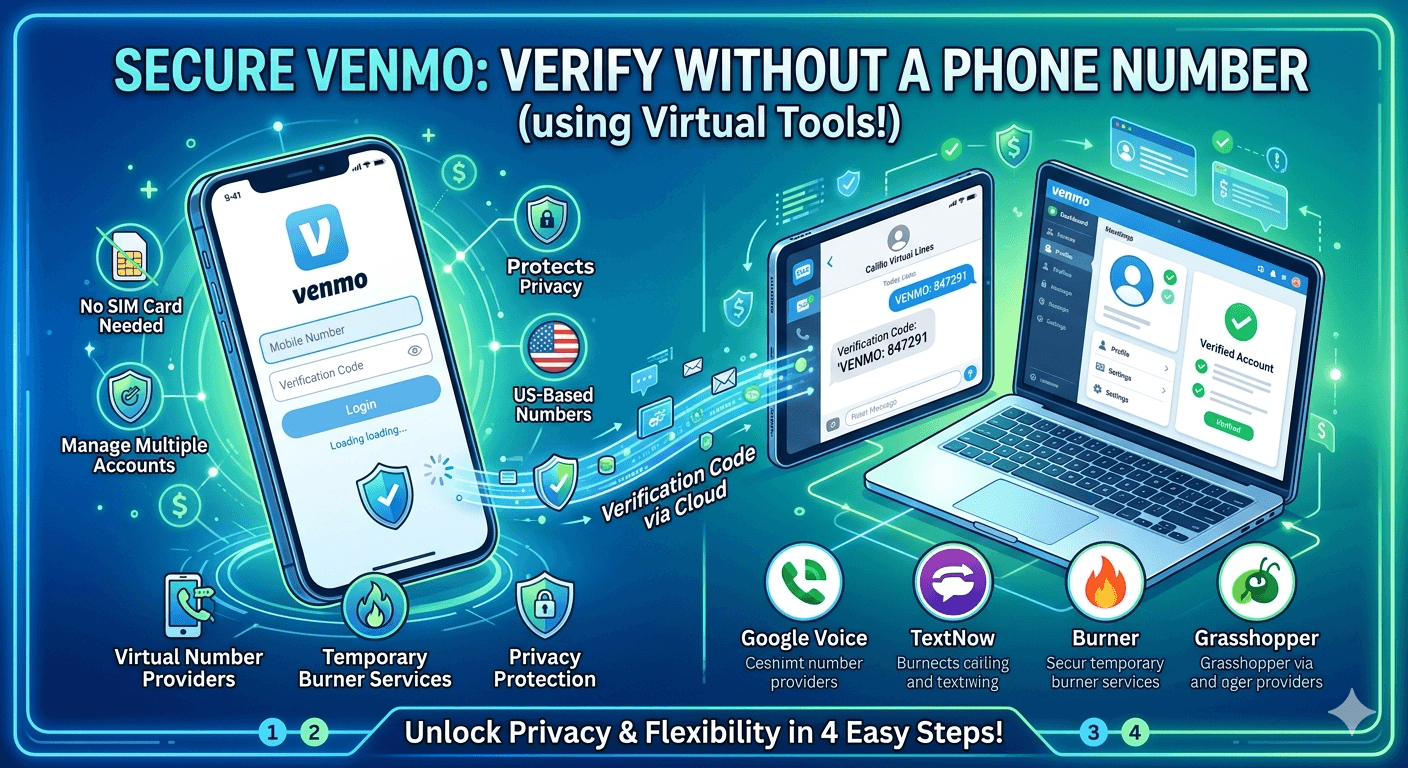
how to verify venmo without phone number

How To Verify Venmo Without Phone Number?

To learn how to verify Venmo without phone number, you must understand that while Venmo requires a mobile number for SMS verification, you can use alternative solutions like virtual phone numbers or temporary burner services. Users often seek to sign up for Venmo without a phone number to protect their personal privacy or manage multiple accounts. By using a reputable US-based virtual number provider such as Calilio or Google Voice, you can successfully receive the necessary Venmo verification code and complete your registration. This method bypasses the need for a physical SIM card while keeping your primary contact details secure and private. Venmo has transformed the way people handle peer-to-peer transactions, making it effortless to split dinner bills or pay rent. However, the platform is built on a foundation of security that strictly requires a valid mobile connection to prevent fraudulent activity. If you find yourself in a situation where you cannot use your own mobile line, knowing how to verify Venmo without phone number becomes essential. This process involves using specialized communication tools that can mimic a standard mobile line, allowing you to satisfy the platform’s security checks without compromising your digital footprint or personal data. Understanding What Venmo Is and Its Security Features Venmo is a mobile payment service owned by PayPal that allows users to transfer funds to others through a mobile phone app. It has become a cultural staple in the United States, particularly among younger demographics who appreciate its social feed and ease of use. However, because Venmo handles sensitive financial data, it employs a rigorous verification process. This system is designed to ensure that every account is linked to a unique individual, which is why the platform usually insists on a mobile phone number for Venmo verification during the initial setup phase. The security infrastructure of the app is quite robust, utilizing data encryption and multi-factor authentication to protect user balances. When you initiate the signup process, the app sends a unique code to the number provided to confirm that the user has physical access to that line. This is the primary hurdle for those asking does Venmo require a phone number. For many, the requirement is an obstacle due to privacy concerns or lack of a traditional mobile plan, leading to the search for alternative ways to establish a verified presence on the platform. Is it Possible to Verify Venmo Without a Phone Number? The short answer is that while you cannot completely skip the requirement for a numeric identifier, you can certainly find ways to use Venmo without a phone number that is personally tied to your SIM card. The system is programmed to look for a valid SMS-capable destination to send a one-time password. If you can provide a destination that the system recognizes as legitimate, you can bypass the traditional mobile requirement. This flexibility allows users who prefer digital-only solutions to maintain their financial autonomy without needing a traditional cellular contract. Leveraging a Reliable Virtual Phone Number for Venmo Using a virtual phone number for Venmo is perhaps the most reliable method available today. These numbers are hosted in the cloud rather than being tied to a physical device or a specific location. When you use a high-quality virtual service, the number appears to Venmo’s servers as a standard mobile line. This allows the verification SMS to be delivered to an online dashboard or a secondary app on your smartphone, enabling you to enter the code into Venmo and proceed with your account creation smoothly. Utilizing Contact Information from Friends or Family If you do not want to use your own line and do not wish to pay for a virtual service, you might consider using a number belonging to a trusted friend or family member. This person must not already have a Venmo account linked to that specific number, as the platform generally enforces a one-number-per-account policy. While this method is effective, it can be inconvenient because you will need that person to be available to relay the verification code to you whenever the app requires a security check or a new login. Implementing a Temporary Phone Number for Venmo A temporary phone number for Venmo, often referred to as a burner number, is a short-term solution for those who only need to pass the initial signup phase. These numbers are typically available through various websites or apps for a small fee or even for free. However, users should be cautious with this approach because if Venmo ever requires you to re-verify your identity or your device, you might lose access to that temporary number, which could lead to you being locked out of your financial account and losing access to your funds. Major Benefits of Using Virtual Numbers for Verification Opting for a virtual solution offers several advantages that go beyond just bypassing a simple signup requirement. For individuals who are conscious of their digital privacy, a virtual line acts as a buffer between their personal life and their financial applications. By choosing this route, you ensure that your primary mobile number is not stored in yet another database that could potentially be targeted by hackers or sold to third-party advertisers for telemarketing purposes. Enhanced Privacy Protection: Using a virtual number keeps your real contact information hidden from the public eye and reduces the risk of SIM-swapping attacks. Accessibility from Multiple Devices: Because virtual numbers are cloud-based, you can access your verification messages from a laptop, tablet, or secondary phone. Geographic Flexibility: You can obtain a US-based number even if you are currently traveling abroad, which is essential since Venmo is restricted to US users. Organizational Clarity: Maintaining a separate line for financial apps helps you keep your business and personal communications strictly segregated. According to a 2023 report by the Identity Theft Resource Center, the number of data breaches in the financial sector has seen a steady increase, making the use of secondary identifiers a smart move for the security-conscious consumer. By not linking your primary mobile line to every app you download, you effectively reduce your surface area for potential identity theft. This strategy is becoming increasingly popular among tech-savvy users who want to learn how to verify Venmo without phone number while maintaining a high level of operational security. Step-by-Step Guide on How to Verify Venmo Account Using Virtual Tools If you have decided that a virtual service is the best path forward, the process is relatively straightforward. You do not need advanced technical skills to complete this, but you do need to be methodical to ensure the app does not flag your attempt as suspicious. Following a structured guide will help you navigate the nuances of the Venmo phone verification system. Step 1: Secure a US Virtual Number for Venmo The first step is to choose a reputable provider that offers numbers capable of receiving short-code SMS. Not all virtual numbers are created equal; some are flagged by Venmo as VoIP (Voice over Internet Protocol) and may be rejected. You should look for providers that specifically state their numbers work for mobile app verification. Once you sign up for a service like Calilio or a similar professional platform, you will be assigned a 10-digit US number that you can use for your registration. Step 2: Enter the Digits into the App Interface After securing your number, open the Venmo app and begin the signup process. When the app prompts you with the message “to use Venmo, we need your mobile phone number,” simply type in the virtual digits you just acquired. Ensure that you have selected the personal account type if that is your intention. The app will then attempt to send a verification code to that number to confirm its validity and your access to it. Step 3: Access the OTP via Your Service Provider Navigate to the dashboard of your virtual number provider. You should see an incoming message almost immediately. This message will contain the Venmo verification code, which is typically a six-digit number. If the code does not appear, check to see if your virtual service has an SMS logs section or if there is a delay in the network. It is important to act quickly, as these codes often expire within a few minutes for security reasons. Step 4: Finalize the Account Setup Process Enter the code into the Venmo app to verify your identity. Once the code is accepted, you will be asked to provide further details, such as your name, email address, and a secure password. At this stage, you have successfully learned how to verify Venmo without phone number from a traditional carrier. You can now proceed to link your bank account or debit card to start sending and receiving payments through the platform. Why You Might Want to Sign Up for Venmo Without a Phone Number The motivation to can you create a Venmo account without a phone number often stems from a desire to maintain anonymity in an increasingly transparent digital world. Some users may be managing a small business and want to keep their professional transactions separate from their personal mobile plans. Others might be individuals who do not own a smartphone with a traditional data plan but still want to participate in the digital economy using a tablet or a computer. Furthermore, some users have reported that their primary numbers were incorrectly flagged or blocked by the platform’s automated systems. In such cases, knowing how to verify Venmo without phone number is the only way to regain access to the service. There is also the issue of “phone number recycling,” where a new user might be assigned a mobile number that was previously linked to someone else’s Venmo account, causing significant login conflicts that can only be resolved by using a fresh, virtual alternative. Best Providers for Virtual Numbers to Enable Successful Verification Choosing the right provider is critical because Venmo’s security algorithms are constantly updated to detect and block low-quality “fake” numbers. If you use a provider that is frequently associated with spam, your account might be flagged before you even finish the setup. Here are some of the most reliable options for those looking for a virtual phone number for Venmo. Calilio for Advanced Business Features Calilio is a premium provider that offers highly reliable virtual numbers specifically designed for business and verification purposes. Their numbers are less likely to be flagged as VoIP, making them an excellent choice for bypassing Venmo phone verification. While it is a paid service, the reliability and additional features like call recording and team collaboration make it a top-tier choice for those who need a long-term solution for their financial accounts. Google Voice for Personal Use Google Voice is a popular choice because it is free for personal use within the United States. It provides a real US number that can send and receive texts. However, it is important to note that many users have asked can I use Google Voice number for Venmo, and the answer is mixed. While it works for some, Venmo has increasingly blocked Google Voice numbers because they are categorized as VoIP. If you already have a Google Voice account, it is worth a try, but have a backup plan ready. Burner for Privacy-Focused Users The Burner app is designed for short-term use, allowing you to create a secondary number and “burn” it when you are finished. This is perfect for those who want to create a Venmo account without a phone number that stays active forever. It offers a layer of separation that is highly valued by privacy advocates. Burner provides real mobile numbers rather than VoIP lines in many cases, which increases the likelihood of a successful Venmo verification. TextNow for Cost-Effective Solutions If you are looking for a free phone number for Venmo verification, TextNow is a frequently mentioned option. It allows users to get a free number by watching ads or subscribing to a small monthly plan. While it is a great budget option, it suffers from the same issues as Google Voice; many of its numbers are flagged as non-mobile. To increase your chances of success with TextNow, you may need to purchase their “lock-in number” feature which often provides a more stable line for SMS short codes. Grasshopper for Small Business Management Grasshopper is primarily aimed at entrepreneurs and small businesses. It allows you to add a professional-sounding line to your existing personal phone. This is an excellent way to set up Venmo without phone number confusion between your work and private life. Because Grasshopper is a paid, professional service, its numbers are generally held in higher regard by financial institutions and are less likely to be rejected by Venmo’s security filters. Exploring Venmo Identity Verification and Personal Data Requirements After you successfully navigate the phone verification phase, you will eventually encounter Venmo identity verification. This is a separate process required by federal law for anyone who wants to hold a balance in their Venmo account or send more than a small amount of money. The platform must comply with “Know Your Customer” (KYC) regulations, which are designed to prevent money laundering and terrorism financing. This means that even if you bypass the phone requirement, you will still need to provide other forms of identification. The Purpose of Requesting Personal Information Venmo asks for your Social Security Number (SSN) or Individual Taxpayer Identification Number (ITIN), along with your legal name and date of birth. This information is used to confirm that you are a real person and to report certain transactions to the IRS if they exceed specific thresholds. If you are wondering how to verify identity on Venmo, you should be prepared to provide these details through the secure “Identity Verification” section in the app’s settings menu. Timeframe for Completing Identity Verification Once you submit your documents, the verification process is usually quite fast. Most users are verified within a few minutes if the information matches public records. However, if there is a discrepancy, it can take up to three business days for a manual review. During this time, you can still receive money, but you might not be able to “pay out” or use your Venmo balance to make purchases until the process is fully completed and your status is updated to a verified Venmo account. Managing Typos and Document Errors During Setup It is remarkably easy to make a mistake when typing in a Social Security Number or a legal name. If you realize you have made a typo, you should contact Venmo support immediately. Do not attempt to create a second account to fix the error, as this can lead to both accounts being permanently banned for suspicious activity. If the app’s automated system cannot verify you due to an error, you may be asked to upload a clear photo of your government-issued ID, such as a driver’s license or a passport. Research from the Federal Trade Commission indicates that digital payment apps are a major target for various scams, which is why these identity checks are so stringent. While it may feel intrusive, providing this data is a necessary step to ensure that the platform remains a safe environment for financial exchange. Users who are reluctant to share their SSN should know that they can still use Venmo for basic transactions by linking a bank account, although their account limits will remain significantly lower than those with a verified identity. Troubleshooting Common Issues with Verification Codes One of the most frequent complaints from users is that the Venmo verification code not received error occurs even when they have a working number. This can happen for several reasons, ranging from network delays to the carrier blocking “short-code” messages. If you are using a virtual service and the code hasn’t arrived after a few minutes, try restarting the app and requesting a new code. Sometimes, the first request gets lost in the digital ether. Another common issue is when the app displays a message saying “this number cannot be used for verification.” This usually means that the number you provided has been flagged as a VoIP line or has already been associated with a banned account. In this case, your only option is to try a different provider or a different number from your current service. This is why it is often better to use a paid provider like Calilio, as they tend to have cleaner pools of numbers that have not been abused by previous users. Safety and Security When Using Alternative Numbers When you explore how to verify Venmo without phone number, you must consider the safety implications of the tools you use. Using a free, public SMS website is highly discouraged. These sites display incoming messages to everyone on the internet, meaning anyone could see your verification code and potentially gain access to your account. Always use a private, password-protected virtual number service to ensure that your financial security is never compromised. Furthermore, ensure that the service you choose has a clear privacy policy and uses encryption for its data storage. If you are using a temporary number, remember that it is only temporary. For an account as important as Venmo, which may hold your hard-earned money, using a permanent virtual number that you own and control is the only responsible way to bypass the standard phone requirement. This long-term approach protects you from being locked out of your account if Venmo decides to perform a random security check in the future. Read More: Weird Phone Numbers to Call: A Comprehensive Guide Final Thoughts  Mastering how to verify Venmo without phone number is a valuable skill for anyone looking to optimize their digital privacy and flexibility. Whether you choose to use a professional virtual line from a provider like Calilio or a temporary burner number for a quick setup, the key is to prioritize security and reliability. While Venmo’s security measures are designed to be strict, they are not insurmountable for those who know which tools to use. By taking control of your verification process, you can enjoy the convenience of modern peer-to-peer payments without feeling like you have sacrificed your personal contact information to a giant corporate database. Always stay informed about the latest platform updates and security best practices to ensure your financial transactions remain smooth, safe, and private. Frequently Asked Questions How to verify Venmo account without phone number? To verify your account without a traditional mobile line, you can use a virtual phone number for Venmo. These numbers are available through online services and can receive the SMS code required by the app. Once you obtain the virtual number, enter it into the Venmo signup screen and retrieve the code from your service provider’s dashboard. This allows you to complete the setup without ever linking your personal SIM card to the platform. How to skip phone number verification on Venmo? Currently, there is no official way to skip the phone number verification step entirely. Venmo’s security protocol requires an SMS-capable number to prevent bot accounts and fraud. However, you can bypass the need for your personal number by using a temporary phone number for Venmo or a virtual line. These alternatives satisfy the app’s requirement while keeping your primary contact details private. Can I make a Venmo with just an email? No, you cannot create a functional Venmo account using only an email address. While an email is required for account communication and password resets, the platform mandates a mobile number for the initial identity verification and SMS security checks. If you try to sign up with just an email, the app will eventually block your progress with a prompt stating that a mobile number is required to continue. How can I verify my phone for Venmo when I can’t receive SMS messages? If you are in an area with poor cellular service or your carrier blocks short-code SMS, you should try using a virtual number service that operates over the internet. Services like Calilio or Google Voice allow you to receive SMS messages through a web browser or a Wi-Fi-connected app. This bypasses the limitations of your physical SIM card and ensures you can receive the Venmo verification code regardless of your cellular signal. Is it possible to bypass Venmo’s verified phone number request? You cannot bypass the request itself, but you can change the way you fulfill it. By using a burner number for Venmo or a reputable virtual number provider, you can provide the system with the numeric identifier it needs without using your real phone. This effectively bypasses the personal privacy intrusion while technically complying with Venmo’s requirement for a verified numeric contact. How do I log in to Venmo without my old phone number? If you no longer have access to the number associated with your account, you will need to contact Venmo customer support for assistance. They may ask you to verify your identity through other means, such as providing your SSN, a government-issued ID, or confirming your linked bank account details. To avoid this in the future, it is best to use a permanent virtual number that you can access from any device. Can I make another Venmo account with the same number? No, Venmo generally restricts users to one account per phone number. If you attempt to create a second account using a number that is already in their system, you will receive an error message. If you need a second account for business or personal reasons, you will need to learn how to verify Venmo without phone number duplication by using a unique virtual line for the new account.

Read More
sent vs delivered

Sent vs Delivered: Differences You Need to Know Today

The primary distinction regarding sent vs delivered lies in the location of the message during its digital journey. When a message is marked as sent, it means the data has successfully left your device and has been received by your service provider’s server or the app’s central infrastructure. However, when a message is marked as delivered, it indicates that the recipient’s device has successfully received the data and acknowledged it back to the network. While a sent status confirms your device and connection are working, the delivered status is the only way to verify that the information has actually reached the intended destination and is waiting to be read. Introduction to Sent vs Delivered Messaging “Sent” means your message has successfully left your device and been submitted to the messaging server or carrier. “Delivered” means the message has reached the recipient’s phone or messaging app successfully. A message can show as sent but not delivered if the recipient’s phone is off, has no internet/network connection, or if you’ve been blocked.  In our hyper-connected era, the nuance between a message leaving your hand and arriving in someone else’s is more than just technical jargon; it is a fundamental part of how we manage our digital relationships. Whether you are using traditional text messaging or modern instant messaging apps like WhatsApp and Telegram, these status indicators serve as the heartbeat of our conversations. For many, seeing a message move from sent to delivered provides a sense of relief, while a message stuck on sent can trigger a variety of anxieties. Interestingly, many people assume that the age of SMS is over, especially among younger generations. However, statistics tell a different story. Recent market research indicates that SMS remains a powerhouse in the communication world, with millennials and Gen Z still heavily utilizing it for two-factor authentication, appointment reminders, and professional interactions. In fact, studies show that SMS open rates are as high as 98 percent, with 90 percent of messages being read within the first three minutes of delivery. This high engagement rate makes understanding the mechanics of sent as sms vs delivered status incredibly important for both personal users and businesses trying to reach their audience effectively. What Does ‘Sent’ Mean in Modern Communication? When you tap the arrow icon to fire off a message, your device begins a complex process of packetizing your text, image, or video. The sent message status is the confirmation that this initial phase is complete. At this point, your phone has successfully uploaded the content to the Short Message Service Center or the application’s cloud server. It is essentially the digital equivalent of dropping a letter into a mailbox; you have fulfilled your part of the interaction, but the journey has only just begun. A sent status does not guarantee that the recipient will ever see the message. It only confirms that there were no errors on your end, such as a lack of data or a service outage from your carrier. In the world of cellular networks, this status is often represented by a single checkmark or a specific text label depending on the operating system you use. For those wondering what does sent mean, it is the verification of a successful departure from the source. It signifies that your message is now in the hands of the intermediary, waiting for the path to the recipient to clear. Why Do Some Messages Get Stuck on ‘Sent’? One of the most common frustrations in digital communication is watching a message remain in the sent state without transitioning to delivered. This limbo state can occur for several reasons, and it often has nothing to do with the sender’s device. Understanding why this happens can save a lot of unnecessary stress and repeated attempts to send the same information. The recipient’s phone is currently powered off or has a dead battery, preventing it from acknowledging the incoming data. The recipient is in a location with no cellular or internet coverage, such as an airplane, a remote rural area, or a shielded building. The recipient has enabled Airplane Mode, which severs all incoming and outgoing wireless connections. The network is experiencing high levels of congestion, causing delays in the delivery of non-essential data packets. The recipient’s phone storage is full, which occasionally prevents certain apps from downloading new incoming messages. In some cases, a message remaining on sent could suggest that your number has been blocked, although most modern apps try to hide this by continuing to show a sent status to the blocked party to maintain privacy. If a message is stuck for more than twenty-four hours, it is usually safe to assume the device on the other end is unavailable for one of the technical reasons listed above. What Does ‘Delivered’ Mean? When you see the delivered message meaning on your screen, it indicates a successful “handshake” between the messaging server and the recipient’s device. This is a critical milestone because it confirms that the message is now physically present on the other person’s phone. It has passed through the airwaves, navigated the various carrier switches, and landed in the recipient’s local database. It is vital to clarify a major point of confusion: delivered does not mean the message has been seen or read. It simply means the notification is likely sitting on their lock screen or waiting in their inbox. For instance, what does delivered mean on a text message? It means the recipient’s phone was on and had enough signal to receive the packet. The recipient might be sleeping, in a meeting, or simply ignoring their phone, but the delivery itself was a technical success. For businesses, this is the most important metric because it proves the reach of their marketing or notification efforts, regardless of whether the user chooses to engage with the content immediately. Sent vs Delivered: The Technical Journey of a Message To truly understand the difference between sent and delivered, we must look at the infrastructure involved in the process. When you send an SMS, it travels to a local cell tower, then to a mobile switching center, and finally to the SMSC. The SMSC acts as a “store and forward” system. If the recipient is not immediately available, the SMSC will hold the message and keep trying to deliver it for a set period, often up to seventy-two hours. During the time the message is held by the SMSC, your phone will show it as sent. Only when the SMSC receives a confirmation signal from the recipient’s handset does it update the status to delivered. This architecture ensures that messages are not lost just because someone is temporarily out of service. For internet-based apps like Messenger or WhatsApp, the process is faster but follows the same logic: Client A to Server, Server to Client B. The transition between these states is the definitive way to track the message through its lifecycle. Sent as SMS vs Delivered: Understanding Carrier Differences The experience of sending a message can change significantly based on whether you are using a proprietary data service or traditional cellular channels. Many iPhone users often see the phrase sent as sms vs delivered when communicating with Android users. This occurs because the iPhone first attempts to send the message via iMessage (Apple’s data-based service). If the data connection fails or the recipient is not on an Apple device, the phone falls back to the older SMS protocol. When a message is sent as sms, the delivery tracking capabilities can vary. Unlike iMessage or WhatsApp, which provide real-time updates, traditional SMS requires specific carrier support for delivery reports. If your carrier doesn’t support it or if the recipient has blocked such reports, you might only see that the message was sent without ever receiving a delivered confirmation. This is why many people prefer data-based messaging apps; they provide a more transparent view of the message’s status. For those asking do sms messages say delivered, the answer depends entirely on your phone settings and your mobile network provider’s specific features. Differences Between Sent, Delivered, Failed, and Not Delivered Understanding the hierarchy of message statuses is essential for troubleshooting communication issues. Each label represents a specific point of failure or success in the digital chain. Sent: The message reached the server successfully. Your internet or cellular connection is fine. Delivered: The message reached the recipient’s hardware. The server has finished its job. Read: The recipient opened the app and viewed the message. This requires read receipts to be enabled. Failed: The message could not leave your phone. This usually points to a lack of signal, no data, or a billing issue with your carrier. Not Delivered: The server tried to reach the recipient but failed repeatedly, or the recipient’s carrier rejected the message (often due to spam filters). Distinguishing between these is particularly important for safety and privacy when sending text messages. For example, a failed status requires immediate action from you, whereas a sent status requires patience for the recipient to come back online. If you are sending time-sensitive information, knowing these differences allows you to decide whether to switch to a phone call or a different app to ensure your message is received. Status and Read Receipts on Different Social Media Apps Every platform has its own visual language for communicating the sent vs delivered vs read statuses. Familiarizing yourself with these can prevent social misunderstandings and help you navigate your digital interactions with more confidence. iMessage (Apple) Apple uses text-based labels. Beneath your blue bubble, you will see “Sent” immediately after the message leaves your phone. Once it reaches the other person, it changes to “Delivered.” If the recipient has read receipts turned on, it will eventually change to “Read” followed by the time they opened it. If the bubble is green, it is being sent as a traditional SMS, and delivery reports may be unavailable. WhatsApp WhatsApp uses a system of checkmarks. A single grey checkmark means the message has been sent to the WhatsApp server. Two grey checkmarks signify that the message has been delivered to the recipient’s phone. When those two checkmarks turn blue, it indicates that the message has been read. This is one of the most intuitive systems available today. Facebook Messenger Messenger uses circles to indicate status. An open blue circle means the message is sending. A blue circle with a checkmark inside means it has been sent. A filled-in blue circle with a checkmark means it has been delivered. Finally, when the recipient reads the message, the circle is replaced by a small version of their profile picture. Instagram On Instagram, the status is usually displayed in the direct message thread. It will say “Sent” and then change to “Seen” once the recipient has viewed the message. Unlike other apps, Instagram often skips a specific “Delivered” text label in the main list view, focusing instead on whether the message has been seen. Signal and Telegram Signal uses circles with checkmarks similar to WhatsApp but with its own aesthetic. Telegram uses a single check for sent and a double check for read, often omitting a specific “delivered but not yet read” icon to keep the interface clean. Why the Difference Between ‘Sent’ and ‘Delivered’ is Important for Businesses For companies utilizing SMS marketing or transactional alerts, the distinction between sent and delivered is a key performance indicator. A “sent” message costs money, but only a “delivered” message has the potential to generate a return on investment. If a business sees a large gap between sent and delivered numbers, it suggests a problem with their contact list, such as old, inactive, or fake phone numbers. Research into business communication shows that companies that monitor delivery rates closely can improve their customer engagement by up to 30 percent. By filtering out non-delivered numbers, businesses save money and ensure that their sensitive data, like password resets or shipping updates, is actually reaching the client. This is where the value of delivery reports becomes clear; they provide the data necessary to prune lists and maintain a high-quality communication channel. You can find more about high-level SMS protocols and business standards at The SMS Works, which provides detailed insights into carrier behavior. The Value of Delivery Reports and Data A delivery report is a digital receipt generated by the recipient’s mobile network. For personal users, it provides peace of mind. For developers and systems administrators, it is a diagnostic tool. In a professional setting, having a record that a message was delivered can be legally significant. For instance, in real estate or legal services, proving that a notice was delivered to a client’s device can be a critical part of a paper trail. Modern CRM systems often integrate these delivery reports to give sales teams a better understanding of their leads. If a salesperson sees that a message was delivered but not read, they might wait before following up. If it wasn’t even delivered, they know the contact information might be wrong and can try reaching out via a different method. This data-driven approach to communication reduces friction and improves the overall efficiency of the interaction. What to Do if Text Messages Are Not Being Delivered If you find that your messages are consistently failing to reach the delivered state, there are several troubleshooting steps you can take to resolve the issue. Most delivery problems are temporary and can be fixed with a few simple adjustments. Check Your Signal: Ensure you have at least two bars of service or a stable Wi-Fi connection if you are using data-based apps. Restart Your Device: This clears the temporary cache and forces the phone to re-establish its connection with the local cell tower or router. Verify the Recipient’s Number: A single wrong digit will prevent delivery. Ensure the country code is included if you are messaging someone internationally. Update Your App: Outdated versions of WhatsApp or Messenger can have bugs that interfere with the delivery acknowledgment process. Contact Your Carrier: If all messages to all people are failing, there may be a service outage or a restriction on your account. In many cases, the issue lies with the recipient. If their service has been disconnected or if they are in a dead zone, there is nothing you can do on your end except wait for them to return to a covered area. Safety and Privacy: Turning Off Read Receipts While the journey from sent to delivered is mostly about technology, the transition from delivered to read is about human behavior. Many people feel a sense of “digital obligation” to reply immediately once a message is marked as read. To combat this pressure, most messaging platforms allow you to turn off read receipts. By disabling read receipts, the sender will see that the message was delivered, but they will never receive the “Read” or “Seen” confirmation. This provides a layer of privacy, allowing you to view messages without the immediate pressure to respond. However, it is a two-way street; in most apps, if you turn off your read receipts, you will also be unable to see when others have read your messages. This balance is a key part of modern digital etiquette, allowing users to control their availability and manage their mental energy in an always-on world. Read More: HD Voice Quality: What It Means Conclusion Understanding the intricate dance between sent vs delivered is essential for navigating the modern communication landscape. The “sent” status confirms your intent and the functionality of your device, while the “delivered” status confirms the successful arrival of your words at their destination. Recognizing that delivery does not equate to being read can help prevent misunderstandings and foster more patient interactions. Whether you are a business tracking customer engagement or an individual checking in on a friend, these status indicators provide the transparency needed to communicate effectively. Ultimately, while the technology behind our messages continues to evolve, the fundamental goal remains the same: ensuring our voices are heard and our connections remain strong across the digital divide. Frequently Asked Questions What is the difference between sent and delivered? The difference lies in the stage of the journey. Sent means the message has successfully left your phone and reached the service provider’s server. Delivered means the server has successfully passed that message onto the recipient’s device. One confirms your connection, while the other confirms the recipient’s device is active and has received the data. Why does it say sent but not delivered? This usually happens because the recipient’s phone is currently unavailable. Common reasons include the phone being turned off, the battery being dead, the device being in Airplane Mode, or the person being in an area with no cellular or internet service. It could also mean the network is congested and hasn’t yet finished the final leg of the delivery. Am I blocked if it says sent? Not necessarily, but it is a possibility. Most messaging apps like iMessage and WhatsApp will still show a “Sent” status even if you are blocked, as a privacy measure for the person who blocked you. However, a message staying on “Sent” for many days, combined with other signs like your calls going straight to voicemail, could indicate a block. How do you know if someone ignored your message? If the status shows “Delivered” but has not changed to “Read” for a long time, the person may be busy or choosing not to open the app. If read receipts are turned off, you will never know for sure if they read it. If the status is “Read” and they haven’t replied, they are likely ignoring the message or waiting for a better time to respond. Does delivered mean read on a text message? No, delivered only means the message has arrived on the device. The recipient might have their phone in their pocket, or it could be sitting on a table across the room. They have not necessarily looked at the screen or opened the messaging app to view the content. What does sent as sms mean on my phone? This indicates that your phone was unable to use a data-based messaging service (like iMessage or RCS) and instead used the traditional cellular network to send the message. This often happens when you message someone with a different type of phone or when you have a poor internet connection. How do messaging systems function in the context of delivery reports? Messaging systems use a “handshake” protocol. When a message arrives, the recipient’s device sends a small packet of data back to the server saying, “I have received this.” The server then updates the status on the sender’s device to “Delivered.” This ensures that both the sender and the server have a record of the successful transfer. Is it possible for a message to be delivered but not sent? No, this is technically impossible. A message must always be “Sent” from the source and received by the server before it can ever be “Delivered” to the destination. The sent status is the prerequisite for the delivery phase. Why is understanding sent vs delivered important for businesses? Businesses need this distinction to track the effectiveness of their communication. If messages are sent but not delivered, it indicates a wasted expense on an inactive number. High delivery rates are essential for ensuring that critical information, like security codes and appointment times, actually reaches the customer.

Read More
your call has been forwarded to voicemail meaning

Your Call Has Been Forwarded to Voicemail: Meaning and Solutions

When you dial a contact and immediately hear an automated recording stating your call has been forwarded to voicemail meaning that your connection has been redirected from a live conversation to a digital recording system. This occurrence typically happens when the recipient is unavailable, their phone is powered off, or they have specific network settings enabled that prevent incoming calls from ringing through. Understanding this process helps callers determine whether they are being ignored, if there is a technical glitch, or if the recipient is simply in a location with poor cellular reception or active restrictions. Understanding Call Forwarding to Voicemail “Your call has been forwarded to voicemail” means the person you’re calling could not answer the phone, so the call was redirected to their voicemail system. This can happen when the phone is busy, switched off, out of coverage, in Do Not Disturb mode, or when the user manually rejects the call. To fix it, try calling again later, send a text message, or ask the person to check their network signal and call forwarding settings. The mechanism behind the phrase your call has been forwarded to voicemail meaning involves a complex interaction between your service provider and the recipient’s carrier. In the telecommunications world, call forwarding is a feature that redirects an incoming call to another destination, which in this case is the recipient’s personal mailbox. This process is generally seamless, but for the caller, it can be a source of confusion. The system is designed to ensure that even if a person cannot answer their phone, the caller still has a way to convey their message through an asynchronous communication channel. When a call is initiated, the network attempts to locate the destination device. If the device does not respond within a specific timeframe or if it sends back a busy signal, the network follows a pre-programmed path to the voicemail server. This redirection is what triggers the automated message. In modern mobile-first communication, this is a standard feature of almost every cellular plan globally, serving as a digital receptionist that handles overflow traffic. Research by the Pew Research Center suggests that while text messaging has become the dominant form of communication, over 60 percent of adults still rely on voice messages for professional or urgent personal matters, highlighting the continued importance of understanding these automated responses. Common Reasons for Calls Being Forwarded to Voicemail There are several technical and personal reasons why a call might be rerouted. Identifying these can help you manage your expectations regarding a callback. 1. Recipient’s Phone is Switched Off or Out of Battery One of the most frequent reasons your call has been forwarded to voicemail is that the recipient’s device is completely powered down. When a phone is off, it cannot register with the nearest cellular tower. Since the network cannot find an active device to ring, it immediately sends the caller to the voicemail system. This often happens without any ringing sounds on the caller’s end, providing an immediate redirection. 2. Manual Call Decline If you hear one or two rings followed by the forwarding message, it is highly likely that the recipient manually declined your call. Most smartphones allow users to swipe or press a button to send an incoming call directly to voicemail. This is a common practice when someone is in a meeting, driving, or otherwise occupied and cannot engage in a conversation at that moment. 3. Do Not Disturb Mode is Active The Do Not Disturb (DND) feature is a powerful tool for managing digital well-being. When this mode is active, the phone will not ring or vibrate for incoming calls. Depending on the user’s settings, the call may be sent to voicemail immediately or after a silent period. On many devices, if you call twice within a few minutes, the second call might break through the DND filter, but the initial attempt will usually result in your call being forwarded. 4. Network Connectivity Issues or Out of Coverage If a user is in a “dead zone” where signal strength is non-existent, the network treats the phone as if it were turned off. This happens frequently in elevators, underground parking lots, or remote rural areas. The carrier’s infrastructure attempts to ping the device, and when no response is received, it triggers the forwarding sequence to ensure the caller can at least leave a recorded message. 5. An Active Call on the Recipient’s Line When a person is already on another call and does not have call waiting enabled, or chooses to ignore the second incoming call, the network redirects the new caller. This prevents the line from sounding “busy” in the traditional sense and instead offers a productive alternative. In business environments, this ensures that no potential lead or client is left without a way to reach the company. 6. Intentional Call Forwarding Settings Some users proactively set up their phones to forward all incoming calls to voicemail. This might be done during a vacation, a dedicated “deep work” session, or when using a secondary line. In these cases, the forwarding is a deliberate choice made within the device settings to manage time and availability effectively. Understanding Call Forwarding to Voicemail on iPhone For users within the Apple ecosystem, the your call has been forwarded to voicemail iphone meaning often relates to specific iOS features. The iPhone integrates its software deeply with carrier services, leading to unique behaviors. For instance, the Silence Unknown Callers feature can automatically send any number not in the user’s contact list straight to voicemail. This is a robust defense against spam, but it can be frustrating for legitimate callers using a new or unlisted number. Furthermore, Apple’s Focus modes allow users to create custom profiles for work, sleep, or personal time. Each profile can be configured to forward calls to voicemail from specific groups of people while allowing others to ring through. If you find your call is being forwarded on an iPhone, it may be due to the recipient having an active Focus filter that excludes your number during certain hours of the day. You can learn more about managing these features on the official Apple Support page. Types of Call Forwarding Settings: Unconditional vs. Conditional Call forwarding is not a monolithic feature; it operates under different logic gates depending on the user’s requirements. Unconditional Call Forwarding: This setting redirects all incoming calls to voicemail or another number without attempting to ring the recipient’s phone first. It is often used when a phone is being repaired or when a user wants a total break from interruptions. Conditional Call Forwarding: This is the more common setup. It only triggers the forwarding mechanism if certain conditions are met, such as the line being busy, the call going unanswered after a set number of rings, or the device being unreachable. Understanding these distinctions helps in diagnosing why your call was forwarded. If the call never rings, it is likely unconditional forwarding or the phone is off. If it rings several times, it is conditional forwarding based on no-answer logic. Does Call Forwarded Mean You’re Being Blocked? A common anxiety among callers is whether being forwarded to voicemail indicates they have been blocked. While it is a possibility, it is rarely the only explanation. When a number is blocked, the experience varies by carrier, but often the call will ring once and then go to voicemail, or it will go straight to voicemail every single time without fail. However, many other factors like “Do Not Disturb” or poor signal produce identical symptoms. A key indicator of being blocked is if your calls to that specific person consistently go to voicemail over several days and at different times of the day, while calls from other numbers might get through. It is important to avoid jumping to conclusions, as technical issues are statistically more likely than a deliberate block in most social and professional contexts. What Does Your Call Has Been Forwarded to an Automatic Voice Message System Mean? You might occasionally hear a slightly different phrasing: “Your call has been forwarded to an automatic voice message system.” This usually indicates that the recipient has not recorded a personalized greeting. Instead, they are using the default system provided by their carrier (such as Verizon, AT&T, or Vodafone). How the Automatic Voice Message System Works: The call hits the carrier’s switch. The switch identifies that the subscriber is unavailable. The system plays a pre-recorded generic message, often reciting the phone number. The system records the caller’s audio and stores it on a remote server. A notification (like a visual voicemail alert or an SMS) is sent to the recipient to inform them of the new message. This system is highly reliable and ensures that even if a user hasn’t set up their mailbox fully, callers can still leave essential information. When Does Your Phone Get Forwarded Without Ringing? There are specific scenarios where the ringing phase is bypassed entirely. This is often referred to as “immediate forwarding.” Airplane Mode: If the recipient is traveling and has Airplane Mode enabled, the phone’s transceivers are off, leading to an immediate voicemail redirect. Network Congestion: In highly crowded areas like stadiums or during emergencies, cellular towers can become overloaded. The network may prioritize emergency calls and push standard voice traffic directly to voicemail systems to conserve bandwidth. Simultaneous Ringing Settings: Some professional VoIP systems are set to ring multiple devices or go to a central voicemail if the primary line is flagged as away. Recent industry data suggests that network latency and congestion account for approximately 5% of all calls being redirected to voicemail in urban centers, demonstrating that the issue is frequently infrastructural rather than personal. Implications of Call Forwarding for Callers and Recipients For the caller, being forwarded can be a minor inconvenience or a major hurdle, especially in time-sensitive situations. It requires a shift from real-time synchronization to a delayed response model. For the recipient, call forwarding serves as a vital gatekeeping tool. It allows for better time management and ensures that they can review messages at a convenient time. In a business context, the your call has been forwarded to voicemail meaning can impact customer satisfaction. If a client constantly reaches a voicemail system instead of a live representative, it may signal that the business is understaffed or unresponsive. Therefore, many companies utilize sophisticated “Find Me/Follow Me” services that attempt to ring multiple numbers before finally settling on a voicemail box. What to Do When Your Call is Forwarded to Voicemail If you find yourself being redirected, following a few professional steps can ensure your message is heard and acted upon. Wait for the Tone: Do not hang up immediately. Wait for the beep to ensure the system is recording. State Your Purpose Clearly: Provide your name, the reason for your call, and your contact information. Keep it Brief: Most voicemail systems have a time limit (often 2-3 minutes). Aim for a concise message of under 60 seconds. Verify the Number: If you suspect a technical error, double-check that you dialed the correct digits. Use Alternative Channels: If the matter is urgent, follow up with a text message or an email, as these are often viewed more quickly than voicemail. Significance of Voice Messages in Modern Business Communication Despite the rise of instant messaging, the nuances of a voice message remain unparalleled. A voice carries tone, urgency, and emotion that text often fails to convey. In high-stakes negotiations or sensitive personal matters, the your call has been forwarded to voicemail meaning represents an opportunity to leave a thoughtful, verbal record of your intent. Effective interaction techniques involve recognizing when to leave a message and when to wait. In professional settings, leaving a voicemail shows persistence and a desire for direct engagement. Furthermore, many modern systems now include “Voicemail to Text” features, which transcribe the audio into a readable format for the recipient. This bridge between audio and text has revitalized the utility of the traditional voicemail system, making it more accessible and easier to manage in a fast-paced work environment. Read More: What is Voicemail Drop? Maximizing sales Conclusion Navigating the nuances of modern telephony requires an understanding of how automated systems handle our connections. Your call has been forwarded to voicemail meaning is essentially a signal that the direct path to your recipient is temporarily closed, but a secondary communication channel is open. Whether the cause is a dead battery, a busy professional in a meeting, or a simple lack of signal, the voicemail system remains a cornerstone of reliable communication. By recognizing the various reasons behind this redirection—from manual declines to network issues—you can better manage your interactions and maintain effective communication regardless of the technical hurdles encountered. Frequently Asked Questions What does it mean when a call is forwarded to voicemail? It indicates that the recipient is unable to take your call at the moment, and the cellular network has redirected your connection to their digital mailbox. This can happen because the phone is off, the line is busy, the user declined the call, or they have a “Do Not Disturb” setting active. It is a standard feature designed to capture messages when live conversation isn’t possible. How do messaging systems function in the context of call forwarding? Messaging systems act as a storage hub. When a call is forwarded, the network routes the audio data to a specific server associated with the recipient’s phone number. Once the caller records their message, the server saves the file and sends a notification to the recipient’s device, allowing them to listen to the audio or read a transcription at their convenience. Why is understanding call forwarding important in today’s mobile-first world? Understanding this process helps manage expectations and reduces anxiety regarding whether a call was intentionally ignored or if there was a technical problem. In a world where immediate response is often expected, knowing that factors like poor signal or “Do Not Disturb” modes are common reasons for forwarding allows for more patient and effective professional and personal relationships. How prevalent is the use of voice messages in communication? While text-based communication is dominant, voice messages remain highly prevalent, particularly in business and among older demographics. Voice messages provide a level of detail and emotional context that text lacks. Many people still prefer leaving a voicemail for complex explanations or urgent matters that require a personal touch. What is the significance of effective interaction techniques in business communication? Effective interaction involves choosing the right medium for the message. Knowing when to leave a voicemail versus sending an email can determine the success of a business relationship. A well-placed voicemail can demonstrate professionalism and urgency, while understanding why a call was forwarded allows a businessperson to time their follow-up attempts more strategically. What does it mean if your call is been forwarded to voicemail? It means the same as “forwarded to voicemail,” simply using a slightly different grammatical structure in the automated prompt. The core meaning remains that the recipient’s device did not or could not accept the live call, triggering the redirection to the automated recording system. How do you know when someone declines your call? You can usually tell a call was declined if it rings only once or twice and then immediately switches to the voicemail greeting. In contrast, a call that goes to voicemail without any ringing typically suggests the phone is off, in airplane mode, or the caller is blocked. How do you know if someone silenced your calls? Silenced calls often behave similarly to those where the user is in “Do Not Disturb” mode. The phone might ring on your end for the full duration before being forwarded, but the recipient’s phone will not make any sound. If they have “Silence Unknown Callers” on, your call will go straight to voicemail if you are not in their contacts. Does forwarded to voicemail mean they declined? Not necessarily. While manual decline is one reason, it could also mean the phone lost signal exactly when you called, the battery died, or an automated “Do Not Disturb” schedule was active. It is impossible to be 100% certain of a manual decline without confirmation from the recipient.

Read More
what is a2p calling

What is a2p Calling? Benefits and Usage of a2p Calling

Application-to-Person (A2P) calling allows software to make automated voice calls to people. Instead of a person manually making each call, a system can automatically call customers when needed. For example, businesses can use A2P calling for appointment reminders, security alerts, delivery updates, payment notifications, and other important messages. This automated calling method uses internet-based technology to send voice messages to many people quickly. It saves businesses time because staff do not need to make every call themselves. A2P calling can also help businesses improve customer communication, send important updates on time, and handle a large number of calls more easily. What is A2P calling? A2P (Application-to-Person) calling is a type of automated voice communication in which a software application places a call to a person. Businesses use A2P calls for appointment reminders, one-time passwords (OTPs), delivery updates, alerts, surveys and other automated notifications. The call may use a prerecorded message, text-to-speech or an interactive voice system. Understanding what is a2p calling requires a deep dive into the evolution of modern telecommunications and the shift toward automated customer interactions. At its core, application-to-person calling is a process where a voice call is initiated by a software application rather than a human caller. This technology is widely used for delivering critical information, verifying identities through voice-based codes, and providing real-time updates regarding services or deliveries. When people ask what is a2p calling meaning, they are generally referring to the ability of a business to scale its voice outreach using cloud-based telephony infrastructures that bypass the traditional limitations of physical hardware and manual dialing processes. A2P calling can be used for high-volume campaigns as well as individual transactional calls triggered by a specific event. In the context of a2p calling iphone users, many individuals see this specific label on their caller ID when a company uses an automated system that has not been fully registered with local carrier name databases. This often leads to questions about a2p calling caller id and whether the call is legitimate. For businesses, implementing this technology means they can reach thousands of customers in seconds, ensuring that time-sensitive information like credit card fraud alerts or school closure notifications are received and acknowledged instantly. Research conducted by industry analysts at Juniper Research indicates that the global market for application-to-person communication is projected to exceed sixty billion dollars by the end of 2025. This growth is driven by the increasing demand for secure two-factor authentication and the integration of voice technology into common consumer apps. Furthermore, the meaning of a2p calling extends to the technical stack involved, which typically includes Voice over Internet Protocol and Session Initiation Protocol to route calls through the internet before they land on a standard mobile or landline network. By utilizing these digital pathways, companies avoid the high costs associated with traditional long-distance calling while maintaining crystal-clear audio quality for their end-users. How A2P calling works The technical architecture behind application-to-person communication is designed to move data from a computer server to a human ear in milliseconds. An A2P call usually begins when an event in an application triggers a request to a voice platform. This could be a user clicking a forgot password button or a scheduling system identifying an upcoming appointment. Once the trigger is activated, the application sends a request to a specialized voice provider through an API. This request contains the destination phone number, the content of the message, and any specific instructions regarding the voice profile or language to be used during the automated interaction. 1. Message creation The first step in the lifecycle of an automated call involves the development of the audio content that the recipient will hear. This can be achieved through two primary methods: pre-recorded audio files or text-to-speech technology. Pre-recorded files are often used for static messages where a professional voice actor provides a warm and human-like experience for the brand. However, text-to-speech is becoming the industry standard for dynamic content because it allows the system to insert specific details like names, dates, or unique codes into a natural-sounding voice stream. Modern text-to-speech engines use artificial intelligence to mimic human intonation and cadence, making the a2p calling =more accessible and professional for global audiences who require diverse language support. 2. Platform integration For a2p calling to function seamlessly, the business application must be tightly integrated with a cloud communications platform. The business application connects to a voice provider through an API. When a call is needed, the application sends the destination number, message instructions and other required information to the provider. Developers write code that allows their servers to communicate with the voice provider, passing along the necessary metadata for each call. This stage is crucial for ensuring that the a2p calling caller id displays correctly on the recipient’s device and that the call is routed through the most efficient digital pathways. Proper integration also allows for the collection of real-time data regarding call status and recipient interaction. 3. Call initiation Once the communication platform receives the instruction from the application, it initiates the call through a process known as SIP trunking. This technology connects the internet-based voice data to the Public Switched Telephone Network which is the global system of interconnected phone lines. During this phase, the system handles complex tasks such as number formatting, international routing, and carrier selection. The goal is to establish a stable connection with the recipient’s mobile device or landline as quickly as possible. This is particularly important for time-sensitive a2p calling iphone notifications where a delay of even a few seconds could result in a failed authentication attempt or a missed emergency warning. 4. Delivery and reporting The final stage occurs when the recipient answers the phone and the audio message is played. However, the work of the automated system does not end there. Advanced platforms provide detailed reporting on the outcome of every call, including metrics such as duration, whether the call was answered by a human or a voicemail system, and any keypad inputs provided by the user. This reporting is essential for businesses to track the effectiveness of their communication strategies and to comply with regulatory requirements. For instance, if a user receives a verification code via a2p calling, the system can confirm that the call was successfully completed before allowing the user to proceed with their login. Use cases for A2P calling The versatility of automated voice technology allows it to be applied across virtually every industry, from healthcare and finance to retail and logistics. One of the most common reasons businesses explore what is a2p calling is to improve the efficiency of their routine communications. Instead of having a staff member call dozens of people to confirm appointments, an automated system can handle the task in a fraction of the time and at a significantly lower cost. This allows human employees to focus on more complex tasks that require emotional intelligence and nuanced problem-solving. 1. Customer notifications and reminders In the healthcare sector, automated calling systems are used to remind patients of upcoming consultations or to notify them that their laboratory results are ready for review. Automated reminders can help reduce missed appointments and save staff from making each reminder call manually. Similarly, in the utility sector, companies use automated calls to notify customers of planned maintenance work or to alert them if a bill is past due. These proactive communications help build trust and prevent service interruptions for the consumer while maintaining steady cash flow for the provider. 2. Two-factor authentication (2FA) Security is perhaps the most critical application for a2p calling meaning in the digital age. While SMS is a popular channel for sending one-time passwords, voice-based codes offer an additional layer of accessibility and security. For users who may have difficulty reading small text on a screen or for those using landline phones, receiving a verification code via an automated voice call is an essential alternative. Voice-based OTPs can provide an alternative when SMS isn’t available or when the user needs to receive the code on a landline. Financial institutions frequently use these calls to verify large transactions or changes to account settings, ensuring that the person attempting the action is in possession of the registered phone device. 3. Emergency alerts When a crisis occurs, speed and reach are the most important factors in any communication strategy. Government agencies and educational institutions utilize automated calling systems to broadcast emergency alerts to thousands of people simultaneously. Whether it is a notification about severe weather, a campus lockdown, or a public health announcement, these systems ensure that the message is delivered even if data networks are congested. The ability to bypass the delays inherent in manual calling makes this technology a literal lifesaver in high-pressure situations where every second counts toward ensuring public safety. 4. Marketing campaigns While marketing often relies on visual media, voice-based outreach can be a powerful tool for personalized engagement. Businesses use automated calling to announce exclusive sales events, invite loyal customers to special events, or provide personalized discount codes based on previous purchase history. To ensure these calls are well-received, companies must adhere to strict regulatory guidelines regarding consent and calling hours. When done correctly, a well-timed voice message can feel more personal than a standard email, leading to higher conversion rates and increased brand loyalty among a diverse customer base. 5. Surveys and feedback collection Gathering customer feedback is essential for continuous improvement, and automated calling provides a convenient way to conduct short surveys. After a customer service interaction or a product delivery, a system can trigger a call asking the user to rate their experience using their phone’s keypad. These Interactive Voice Response surveys allow businesses to collect structured data quickly and analyze it in real-time. Because the calls are automated, they are seen as less intrusive than a live interview, often resulting in more honest feedback from the consumer regarding the quality of the service they received. Benefits of A2P calling The primary advantage of implementing an automated voice system is the unprecedented scalability it offers to modern organizations. A single software application can manage millions of calls per day, a feat that would require a massive and prohibitively expensive call center if handled manually. This scalability ensures that as a business grows, its communication infrastructure can expand alongside it without a corresponding spike in overhead costs. Furthermore, automated calls provide a level of consistency that is impossible to achieve with human staff; the message is always delivered with the same tone, accuracy, and adherence to company scripts, regardless of the time of day. Another significant benefit is the global reach provided by modern cloud communication platforms. Businesses can initiate calls to virtually any country in the world, often with local caller ID numbers that increase the likelihood of the call being answered. This global accessibility is vital for international e-commerce platforms and travel companies that need to communicate with customers across different time zones and languages. Additionally, the integration of advanced analytics allows companies to fine-tune their strategies based on data. By analyzing answer rates and call durations, businesses can determine the best times to reach their audience and identify which types of messages resonate most effectively with their users. In the United States, STIR/SHAKEN helps carriers verify whether caller-ID information has been authenticated as a call moves across supported IP networks. It is designed to reduce caller-ID spoofing, but authentication does not by itself guarantee that a call is trustworthy. According to reports from the Federal Communications Commission, the widespread adoption of these authentication standards has been a cornerstone in the ongoing effort to restore consumer trust in the telephone network. You can learn more about these regulations on the official FCC website. 1. Network reliability and call quality The most important factor in choosing a provider is the stability of their network. Look for a provider with reliable network coverage, clear service-level information and redundancy to minimize outages. High-quality audio is also non-negotiable; if your customers cannot clearly understand the automated message, the entire purpose of the call is defeated. Requesting a trial or a demo to test the latency and clarity of the calls in different geographic regions is a wise step before committing to a long-term contract. 2. Customization and API capabilities A good provider should offer a flexible API that allows your developers to easily integrate voice functionality into your existing workflows. This includes support for various programming languages, detailed documentation, and the ability to customize every aspect of the call experience. You should be able to control things like the caller ID, the use of text-to-speech or recorded audio, and the logic for handling calls that go to voicemail. The more control you have over the technical parameters, the better you can tailor the experience to meet the specific needs of your diverse user base. 3. Security and compliance Because automated calls often carry sensitive information like 2FA codes or personal health reminders, security is a top priority. Depending on your location and industry, consider relevant privacy and telecommunications requirements, such as GDPR in applicable European contexts, HIPAA requirements for covered healthcare use cases in the United States, and rules governing automated calls and consent. Furthermore, they must have tools in place to help you remain compliant with telecommunications regulations like the Telephone Consumer Protection Act. This includes managing opt-out lists and ensuring that your calling patterns do not trigger spam filters. A provider that takes a proactive approach to compliance will save you from potential legal headaches and financial penalties in the future. 4. Cost efficiency While quality is paramount, the cost of the service must align with your business budget. Look for a transparent pricing model that offers volume discounts as your calling needs grow. Some providers charge based on the number of seconds used, while others have flat rates per call. It is also important to account for hidden costs such as setup fees, monthly minimums, or charges for additional features like call recording and transcription. A thorough cost-benefit analysis will help you determine which provider offers the best value for your specific use cases and expected call volume. 5. 24/7 expert support Even with the best technology, issues can occasionally arise. When they do, you need access to a support team that understands the technical nuances of application-to-person communication. A provider that offers 24/7 support with guaranteed response times is essential for businesses that operate around the clock. Check for reviews or case studies that highlight the provider’s responsiveness and their ability to resolve complex routing issues or technical bugs quickly. Having an expert team on your side provides peace of mind and ensures that your critical communication lines remain open at all times. How to choose an A2P calling provider Selecting the right partner for your automated voice needs is a critical decision that impacts the reliability and success of your communication strategy. A provider acts as the gateway between your software and your customers, so their infrastructure must be robust enough to handle high volumes of traffic without failing. When evaluating potential partners, it is important to look beyond just the price per minute and consider the underlying technology and support systems they offer. A cheap provider that suffers from frequent downtime or poor audio quality will ultimately cost your business more in lost customers and damaged reputation. Read More: What is Call barring? Comprehensive Guide Final Thought A2P calling allows software applications to place automated voice calls to people for purposes such as reminders, alerts, verification codes, delivery updates and surveys. The application typically connects to a cloud voice provider through an API, which then places the call and reports the result back to the system. For businesses considering A2P calling, the most important factors are reliable delivery, clear pricing, appropriate caller identification, API capabilities and compliance with the calling and privacy rules that apply to their audience. FAQs What Is A2P Calling? A2P calling stands for Application-to-Person calling, a process where a software application initiates a voice call to a human recipient. It is commonly used for automated reminders, security alerts, and customer notifications, allowing businesses to communicate with large groups of people efficiently without manual effort. What is an example of A2P? A classic example is receiving an automated phone call from your bank to verify a suspicious transaction. Another common example is a dental office’s system calling you 24 hours before your appointment to confirm your attendance and providing options to reschedule using your phone’s keypad. Will this replace my team? No, A2P calling is mainly useful for repetitive tasks such as reminders, alerts and verification calls. Human staff are still needed for conversations that require judgement, problem-solving or personalized support. Is setup hard? Setting up an automated calling system is relatively straightforward for businesses with access to a developer. Most modern providers offer robust APIs and detailed documentation that allow for quick integration into your existing CRM or scheduling software within a few days. What if it says something wrong? Test scripts before launch and make sure dynamic information such as names, dates and codes is pulled from reliable data. Monitoring failed or incorrect calls can help you identify problems quickly. Can I test it on real calls? Most reputable providers offer a sandbox environment or a trial period where you can send test calls to your own device. This allows you to evaluate the audio quality, the latency, and the accuracy of the caller ID before you roll the system out to your entire customer base. What if I need help? Top-tier communication providers offer extensive support resources, including live chat, technical documentation, and dedicated account managers. Choosing a partner with 24/7 support ensures that you have access to experts whenever you encounter technical challenges or routing issues. What does A2P calling mean? A2P calling means Application-to-Person calling. It describes a voice call initiated automatically by a software application and delivered to a person, rather than a call manually placed by another individual. Why Does My iPhone Show “A2P Calling”? When an iPhone displays this label, it typically means the incoming call is from an automated system that the carrier has identified as an application-based source. This is a common way for modern smartphones to help users distinguish between personal calls and automated business notifications.

Read More
Scroll to Top