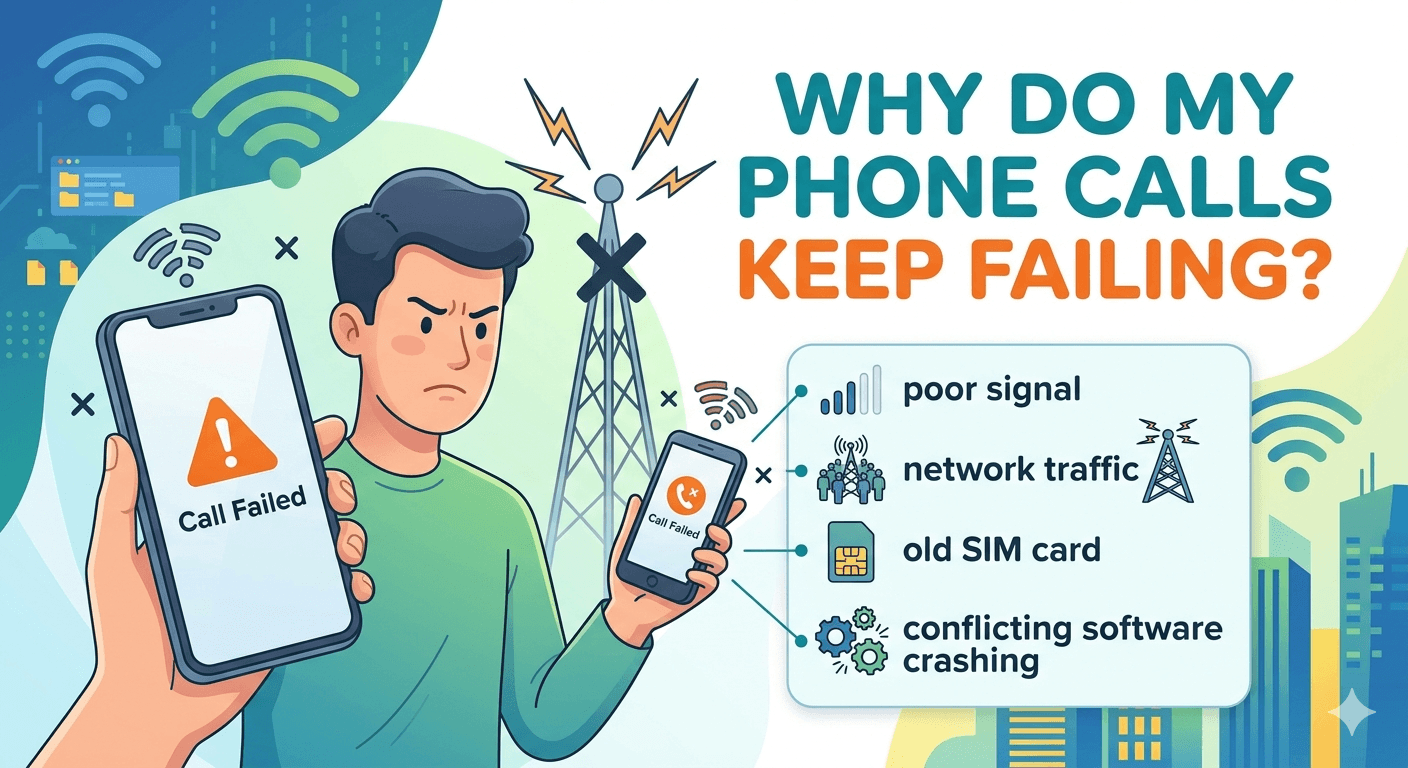
If you are wondering why do my phone calls keep failing, the issue is typically rooted in either network interference, hardware malfunction, or software configuration errors. Common causes include being in a dead zone with poor signal strength, having an outdated SIM card, or running conflicting software updates. To resolve this, you should first try toggling Airplane Mode, restarting your handset, or resetting your network settings to refresh the connection to the cellular tower. If the problem persists, it may indicate a physical SIM issue or an account-level restriction that requires contacting your service provider directly for more detailed troubleshooting.
Communication is the cornerstone of modern life, and experiencing a situation where why does my call keep failing becomes a daily occurrence can be incredibly stressful. When a mobile device attempts to place a call, it sends a specific request to the nearest base station. If that base station is overloaded or if the signal is blocked by environmental factors, the handshake between your device and the network fails. This leads to the frustrating experience of seeing your calls failing immediately after you dial a number. Understanding the mechanics of these connections helps in identifying the specific reason why are all my calls failing.
Decoding the Call Failed Notification
The notification that appears on your screen is a generic catch-all for several technical errors. When your screen displays that a call failed, it means the cellular radio in your phone could not establish a dedicated voice channel. This is often a result of why is my call failing due to a lack of available spectrum or a momentary lapse in the authentication process between your SIM card and the carrier’s database. It is important to distinguish this from a busy signal or a call that goes straight to voicemail, as those involve the recipient’s status rather than your own connectivity.
In many instances, users ask why does it keep saying call failed even when they have several bars of signal. This discrepancy occurs because signal bars often represent data signal strength rather than voice circuit availability. A phone might have a strong 5G data connection but struggle with the VoLTE (Voice over LTE) protocols required for clear audio. This technical gap is often why my calls keep failing in areas that otherwise seem to have excellent internet coverage.
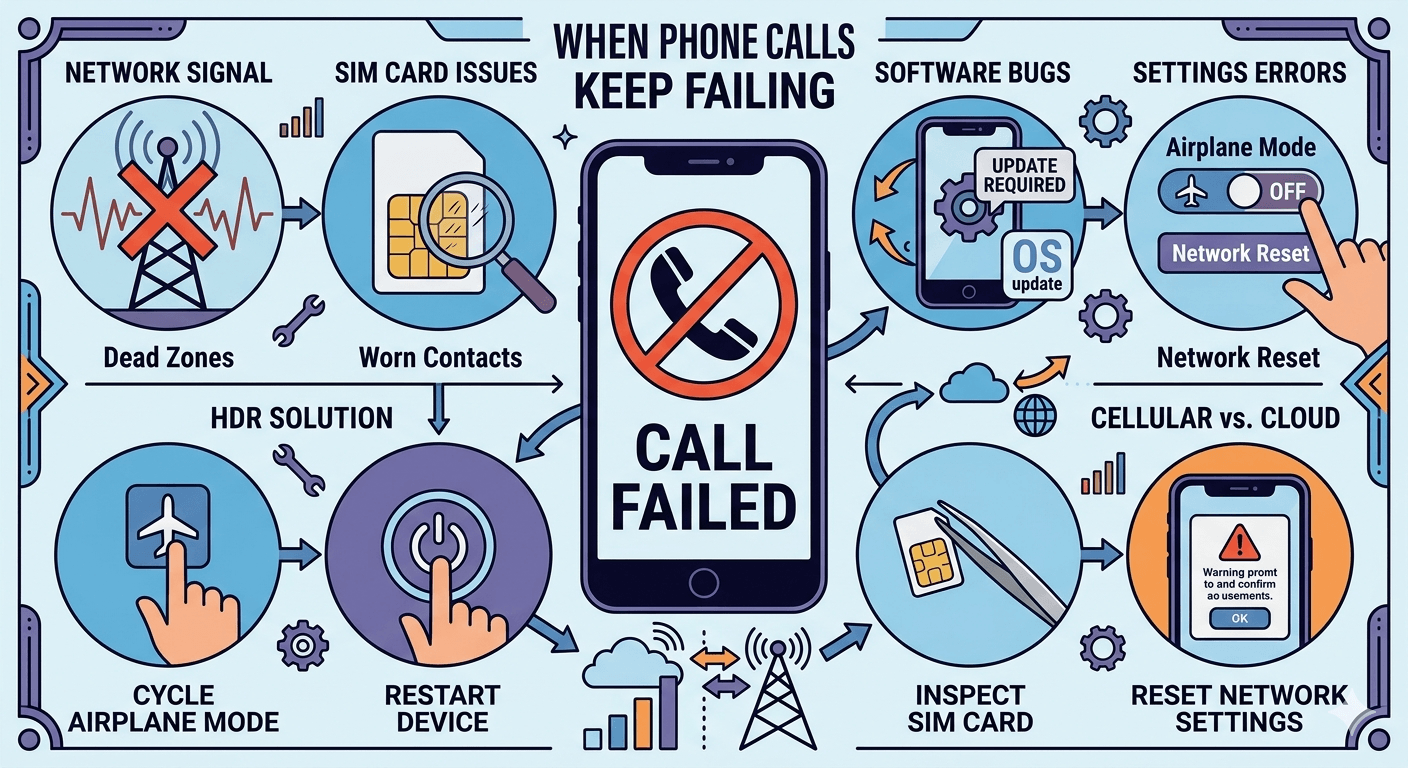
Primary Reasons Behind Persistent Call Failures
There are several layers to a cellular connection, ranging from the physical hardware in your hand to the invisible radio waves in the air. Each layer presents a potential point of failure.
1. Network Congestion and Coverage Gaps
The most common reason for why does my phone keep saying call failed involves the physical limitations of the cellular network. During peak hours, cell towers can become congested with too many users. If a tower is at maximum capacity, it will prioritize emergency services and existing connections, often leading to new call attempts failing. Additionally, being in a remote area or a basement can lead to a call failed meaning your device simply cannot reach the tower with enough power to sustain a two-way conversation.
According to a study by J.D. Power, network quality remains the top complaint among mobile users, with rural residents experiencing nearly double the rate of connection issues compared to urban dwellers. This research highlights that geographic location is a significant factor in why does my calls keep failing frequently. Even in cities, the phenomenon of the urban canyon—where high-rise buildings block and reflect signals—can lead to why does the call keep failing.
2. Obsolete Device Software and Firmware
Software plays a massive role in how your phone talks to the network. If you have neglected system updates, your phone might be using outdated protocols that are no longer supported by the carrier. This is a common culprit for why does it say call failed when i call someone. Manufacturers regularly release patches that improve the handover process between different towers and network types. Without these updates, the device might lose its connection as it tries to switch from a 4G to a 5G tower, causing why are my calls failing mid-transition.
3. Physical Degradation of the SIM Card
The SIM card is a small but vital component that identifies you on the network. Over time, these cards can become worn or slightly shifted in their tray. If the gold contacts on the card are dirty or scratched, the phone will intermittently lose its identity on the network. This results in why do my phone calls keep failing because the network cannot verify that you are a legitimate subscriber. A faulty SIM can also lead to why does my phone say call failed even when you are standing right next to a cell tower.
4. Configuration and Security Settings
Sometimes, the issue is not with the hardware or the network, but with the settings on the device. For instance, if you have enabled call barring or have an incorrectly configured firewall app, your outgoing calls will be blocked. This often answers the question of why call failed when the user is otherwise in a high-coverage area. Additionally, if you have manually changed your network selection settings to a provider that does not have a roaming agreement with your main carrier, you will experience why does call keep failing until you revert to automatic selection.
Effective Solutions for Why Do My Phone Calls Keep Failing
To fix these issues, you need a systematic approach to eliminate variables. Start with the easiest software fixes before moving to hardware inspections.
Step 1: Verify the Number and Format
Before assuming there is a technical glitch, double-check the digits. If you are calling an international number, ensure you have the correct exit code and country code. An extra digit or a missing zero is a frequent cause for why my phone calls keep failing. You should also verify that the number is still active, as calling a disconnected line sometimes triggers a call failed message instead of a recorded announcement.
Step 2: Cycle Airplane Mode
One of the fastest ways to fix a call keeps failing error is to toggle Airplane Mode. By turning it on for about ten seconds and then turning it off, you force the phone’s cellular modem to disconnect from all towers and perform a fresh scan for the strongest available signal. This process re-authenticates your device on the network and can clear minor software hang-ups that were causing why do calls keep failing during your previous attempts.
Step 3: Check Your Signal Strength and Environment
If you are indoors, try moving toward a window or an exterior door. Building materials like concrete, steel, and energy-efficient glass can significantly degrade signal quality. If you find yourself asking why does my call fail only when you are in a specific room, environmental interference is likely the cause. Moving just a few feet can often provide the necessary line-of-sight to a tower to stop why do my calls keep saying call failed.
Step 4: Restart Your Mobile Device
A simple restart can resolve a multitude of issues related to phone calls keep failing. When you reboot your phone, it clears the cache and terminates any background processes that might be interfering with the phone app. This is a non-invasive way to address why do i keep getting call failed messages that might be caused by a temporary system glitch or a memory leak in the dialer software.
Step 5: Check for Recipient Blocks
If your calls are failing only when you dial one specific person, there is a chance that your number has been blocked. While it is not always a technical failure on your part, the network response to a blocked call can sometimes appear as a failure notification. If you suspect this is why do my call keep failing, try calling the person from a different number or hiding your caller ID to see if the call goes through.
Step 6: Review Call Barring and Roaming Settings
Navigate to your phone settings and look for the call or cellular section. Ensure that call barring is disabled and that your roaming settings are configured correctly for your current location. Incorrect settings here are a common reason why is my phone failing calls, especially if you have recently traveled to another state or country.
Step 7: Inspect and Reseat Your SIM Card
Power down your phone and remove the SIM card. Look for any dust or signs of wear on the gold plate. Use a soft, dry cloth to clean it and then place it back into the tray, ensuring it is perfectly aligned. A loose SIM is a very common reason for why are my calls automatically failing, as the vibrations of the phone can cause it to lose contact with the internal pins.
Step 8: Contact Your Service Provider
If you have tried all of the above and are still wondering why does my phone call keep failing, there may be an issue with your account. Your carrier might have suspended your service due to a billing error or a technical update on their end. They can also tell you if there is a local tower outage that is causing why do all my calls fail in your specific neighborhood.
Step 9: Update Your Phone’s Operating System
Check for any pending system updates. Manufacturers often include modem firmware updates in their monthly security patches. These updates are essential for maintaining a stable connection and preventing why are my calls immediately failing. If your phone is several versions behind, it may not be able to handle the handoff between different network technologies effectively.
Step 10: Reset Network Settings
As a last resort before a factory reset, you can choose to reset network settings. This will wipe your saved Wi-Fi networks and Bluetooth pairings, but it also restores all cellular configurations to their factory defaults. This is often the ultimate solution for why is my phone call failing because it removes any corrupt configuration files that were buried deep in the system.
Distinguishing Between Cellular and Cloud Call Issues
In the modern workplace, many people use cloud-based systems for their communication. When these phone keeps dropping calls, the troubleshooting steps differ slightly from traditional cellular calls. Cloud calls rely on your internet service provider rather than a cell tower. Therefore, phone dropping calls in a VoIP environment is almost always related to internet stability.
If you find that your dropping calls are happening on platforms like Zoom or Microsoft Teams, you should check your jitter and latency. High latency causes a delay in audio, and if the delay becomes too great, the system will drop the connection. This is often the culprit behind cell phone keeps dropping calls when using a data-rich application. You can refer to FCC guidelines on broadband quality to see if your internet speed is sufficient for high-quality voice calls.
Physical and Environmental Barriers to Connectivity
The environment plays a huge role in why does my call keep ending unexpectedly. Radio waves are easily blocked by dense materials. For example, a 2022 research project on signal propagation found that certain types of insulation and metallic-coated windows could reduce cellular signal strength by up to 20 decibels. This dramatic reduction is often what causes dropped calls in modern, energy-efficient office buildings.
If you are experiencing my phone is dropping calls consistently in a specific building, you might need to look into a signal booster. These devices use an external antenna to capture the signal from outside and rebroadcast it inside. This is a highly effective way to stop drop calls in dead zones where the signal is present outside but cannot penetrate the walls.
Signs Your Network Issues Require Professional Attention
Sometimes the issue of calls dropping is a sign of a larger problem that you cannot ignore. If you are a business owner, these technical failures can have a direct impact on your bottom line. When phone drops calls during a sales pitch, it projects an image of unreliability. You must be proactive in addressing why does my phone drop calls before it affects your professional reputation.
If you notice that your team seems less productive or that customers are complaining they cannot reach you, it is time to look beyond simple troubleshooting. These are clear signs that your current communication infrastructure is failing. Whether it is why is my cell phone dropping calls or a wider network failure, staying on top of these issues is essential for maintaining customer relationships.
Why Reliable Communication Matters for Your Daily Life
Having a phone that works when you need it is not just a luxury; it is a necessity for safety and coordination. When cell phone dropping calls becomes a pattern, it can lead to missed emergencies or miscommunications with family. If calls keep dropping, it creates a sense of digital isolation. By taking the time to understand why does my call keep dropping, you empower yourself to fix the problem and stay connected.
Whether the solution is a new SIM card, a software update, or simply moving closer to a window, most causes of phone is dropping calls are within your control. By following a logical path of troubleshooting, you can eliminate the frustration of failed connections and ensure that your voice is always heard.
Read More: What is Call Interception? A Complete Guide
Final Thoughts
Dealing with a phone that won’t make or keep a call is one of the most common tech frustrations of the digital age. However, by systematically checking your network settings, hardware integrity, and environmental factors, you can identify the root cause of why do my phone calls keep failing. Most issues are temporary and can be fixed with a simple restart or a settings adjustment. If the problem persists, never hesitate to reach out to your carrier, as they have the tools to diagnose network-side failures that are invisible to the user. Maintaining a clear line of communication is essential, and with the right knowledge, you can keep your device running smoothly.
Frequently Asked Questions
Why does my phone keep saying my calls are failing?
The reason why do my phone calls keep failing is usually a result of poor signal strength or a lack of network availability in your current area. When the cellular modem in your phone cannot reach a tower with a strong enough signal to authenticate your account, it triggers a call failed message. Other common reasons include having your phone in Airplane Mode, an outdated SIM card that is failing to connect, or a software bug in your phone’s operating system that requires a restart or an update to function correctly.
How to resolve call failed issue?
To resolve a call failed issue, start by toggling Airplane Mode on and off to force the phone to search for new towers. If that doesn’t work, restart your device to clear out any temporary software glitches. You should also check for any pending carrier settings updates in your phone’s settings menu. If the problem remains, try removing and reinserting your SIM card to ensure it has a solid connection. Resetting your network settings is often the final step needed to clear out corrupt configuration data that might be blocking your calls.
Does call failed mean they hung up?
No, a call failed notification generally indicates a technical error between your phone and the cellular network rather than an action taken by the person you are calling. If the other person hung up, the call would normally end without a failure message. A failed call means the connection was never fully established or was cut off by the carrier due to a loss of signal or network congestion.
Does call failed mean rejected?
In most cases, call failed does not mean your call was rejected. If someone rejects your call, you are typically sent straight to voicemail. A call failed message is an indication of a communication error on the network level. However, if you have been blocked by the recipient, some networks may return a failure message instead of a standard ringing tone or voicemail prompt, though this varies by carrier.
Does it say call failed when someone’s phone dies?
When a person’s phone dies, the network usually directs your call straight to their voicemail because the device is no longer registered on the network. You will typically not see a call failed message on your screen; instead, the call will simply ring once and then move to the voicemail greeting. If you do see a failure message, it is more likely an issue with your own signal or the network’s ability to route the call at that specific moment.
Can a protective case cause calls to fail?
Yes, certain protective cases, especially those made of metal or thick rugged materials, can interfere with the internal antennas of your smartphone. This can weaken the signal enough to cause calls to fail or drop frequently. If you are experiencing constant connection issues, try making a call with the case removed to see if your signal strength improves.
Is a “Call Failed” message common on Wi-Fi calling?
While Wi-Fi calling is generally stable, you can still get a call failed message if your internet connection is weak or if your router is experiencing high latency. If your Wi-Fi signal drops for even a second, the call may fail because it cannot hand off back to the cellular network quickly enough. Ensuring you have a stable high-speed internet connection is key to avoiding failures when using Wi-Fi for voice calls.