
Signal House, Telnyx, and BulkVS are the best Anveo Direct alternatives to start with for three different needs. Signal House fits a U.S. deployment that needs SIP connectivity and programmable communications in the same account. Telnyx fits a team that wants self-service SIP controls and APIs. BulkVS is worth pricing first for a high volume of U.S. and Canadian inbound calls. For international numbers, put DIDWW on the shortlist. If your reason for choosing Anveo Direct was access to configurable outbound carrier routes, ask each finalist to demonstrate exactly what routing you can control.
The other Anveo Direct competitors in this comparison are Flowroute, VoIP.ms, Twilio Elastic SIP Trunking, and Bandwidth. They solve different problems, from connecting a single PBX to operating a larger multi-market calling service. You can move outbound calling first while keeping existing numbers at Anveo Direct, if your carrier agreements and routing allow it. This gives you a way to test a new provider before committing to a number port.
Compare the Best Anveo Direct Alternatives
The rates below are in U.S. dollars and apply to the specified call direction and route. Inbound origination delivers calls to an existing PBX or application. Outbound termination delivers calls from that system to the destination. Compare the two separately, along with number rental, toll-free rates, channel capacity, emergency calling where applicable, and the time it takes your team to handle a routing incident.
| Provider | Best For | What to Verify | Pricing & Evaluation |
|---|---|---|---|
Signal House  | U.S. PBX connectivity with programmable voice and messaging | Confirm voice-enabled number rental, rounded billable minutes, and your authentication method. | US$0.005/min U.S. inboundU.S. outbound is US$0.012/min in the first 100,000-minute band. Number and usage terms apply.Explore Signal House |
Telnyx  | Self-service SIP trunking and number APIs | Check the destination tariff, channel or usage model, and charges for extra features. | U.S. local inbound from US$0.0032/minUS$0.005/min U.S. outbound list reference. Check the exact destination.See Telnyx SIP Pricing |
BulkVS | Rate-sensitive U.S. and Canadian voice | Qualify local number, usage, toll-free, and service charges separately. | US$0.0003/min inbound referenceUS$0.06 monthly number reference. North America 1+ outbound listed at US$0.004/min.See BulkVS Pricing |
Flowroute  | Inbound numbers with primary and failover routes | Test how quickly your approved backup destination receives calls and which conditions trigger it. | US$0.005/min domestic inboundUS$0.00833/min outbound to the lower 48 U.S. states and Canada. Number charges are separate.View Flowroute Pricing |
DIDWW  | International DIDs and configurable SIP capacity | Check exact country, number type, documentation, porting, and inbound channel options. | Market-Specific RatesNumber, inbound capacity, and outbound charges depend on the service and destination.Compare DIDWW SIP Pricing |
VoIP.ms  | Self-service SIP for smaller PBXs | Confirm local number plans, points of presence, and the rate deck that applies. | Local inbound from US$0.009/minLocal outbound from US$0.005/min on the published page. Confirm route and number fees.See VoIP.ms Pricing |
Twilio Elastic SIP Trunking  | Developer-led trunk setup and related APIs | Use Elastic SIP Trunking rates and verify region, calls per second, and add-ons. | US$0.0034/min U.S. local inboundUS$0.0100/min lower-48 U.S. Zone 1 termination. Other zones and toll-free vary.View Twilio SIP Pricing |
Bandwidth  | Larger carrier, number, and SIP integrations | Ask for exact market coverage, number inventory, porting support, and commitments. | Request a SIP QuoteQuote the trunk scope, usage, numbers, support, and applicable commitments.Explore Bandwidth Pricing |
What You Need to Replace in Anveo Direct
Anveo Direct is the wholesale SIP and number service, with a different buying and configuration model from Anveo’s retail products. Its documentation describes IP authentication and configurable outbound carrier or route selection. Anveo Direct competitors may support IP authentication and still have different policies for choosing underlying carriers. Start by writing down which controls matter to you and which your PBX or session border controller already provides.
| What You Use Today | What to Check With Anveo Direct Competitors | Suggested Test |
|---|---|---|
| Custom outbound routes | Which routing policies you can select, whether the provider reveals the chosen route, and whether you can apply limits. | Send authorized test calls to representative destinations, then compare routing outcomes and records. |
| Inbound DIDs and toll-free numbers | Availability, exact port eligibility, monthly rental, usage, concurrent calls, and messaging options. | Order a test number in each priority market and validate the primary and secondary destination. |
| IP-authenticated trunks | Whether the same authentication, media paths, and multiple PBX or SBC locations are supported. | Verify successful calls at each site and test a permitted failover. |
| Billing and SIP troubleshooting | Call detail fields, rate increments, support escalation, and availability of traces. | Reconcile several calls against your own records, including one failed call and one answered short call. |
| Messaging, fax, and emergency-service dependencies | Supported features by country, number type, and account. | Validate each required service with the responsible provider under an approved test plan. |
When comparing Anveo Direct alternatives, distinguish the routing you control inside your infrastructure from routing a carrier chooses once it accepts a call. For example, your PBX can send one customer’s outbound traffic to carrier A and another customer’s traffic to carrier B. That explains which trunk you selected. If validation requires visibility into downstream paths within a supplier’s network, ask the supplier what its console, rate deck, and support team can show you.
Start the cost comparison with a normal month and a peak month. Pull a sample of durations, caller and called regions, and traffic by customer or site. Include one set of short calls. Give shortlisted Anveo Direct competitors the same traffic mix so differences in destination, billing increments, and number charges become visible before you compare headline prices.
1. Signal House — Best for U.S. SIP and Programmable Communications
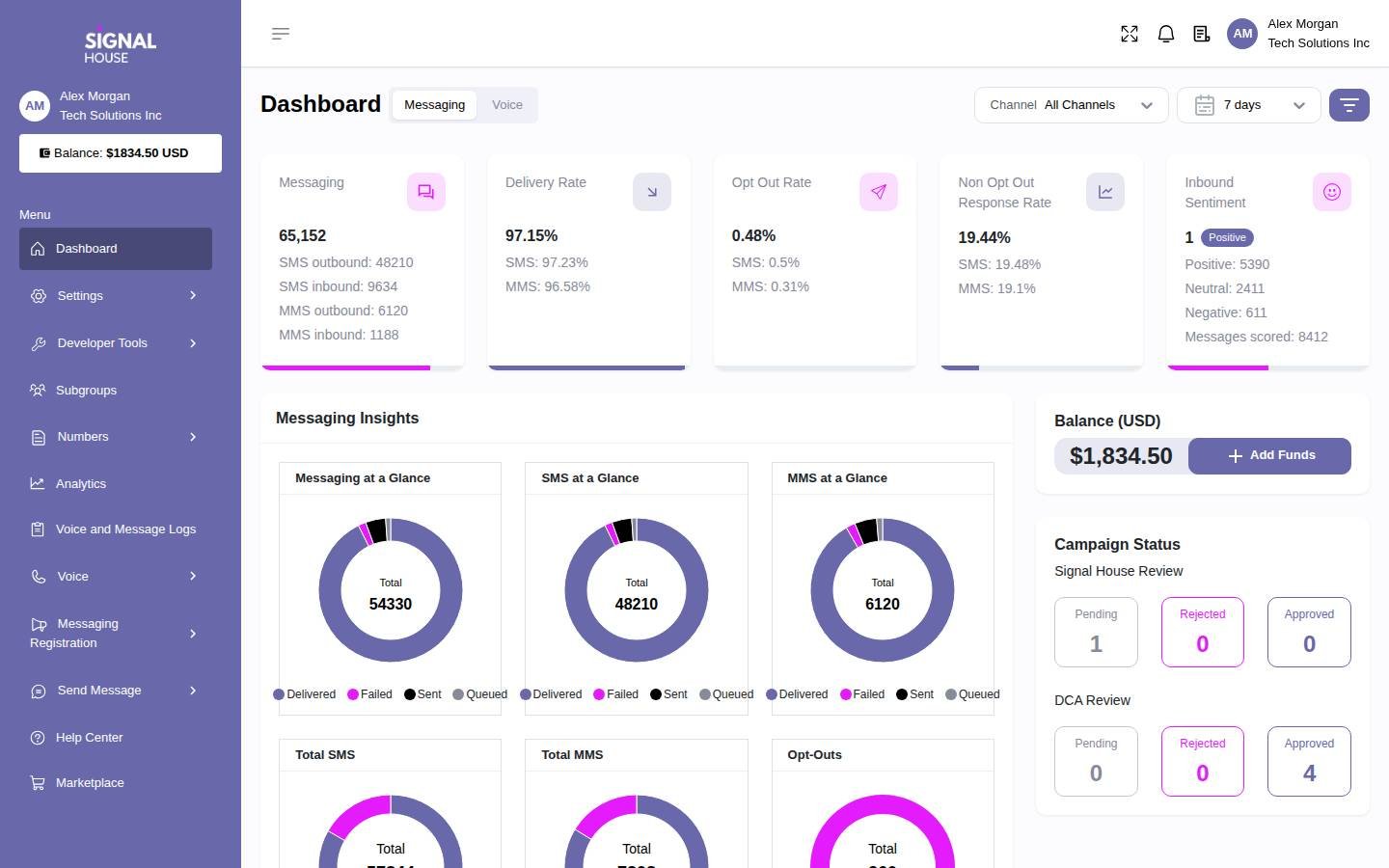
Signal House is one of the Anveo Direct alternatives to consider if your team wants to connect an existing PBX and build calling or messaging into an application. Its documentation describes SIP connectivity by IP allowlisting or registration, as well as programmable voice, WebRTC endpoints, and call analytics. Its published U.S. voice rates are $0.005 per inbound minute and $0.012 per outbound minute for the first 100,000-minute band. Confirm the rates for your agreement and the rental cost for voice-enabled numbers.
Who should shortlist it. Signal House fits an agency, software team, or IT department that needs a PBX connection plus programmable workflows. When comparing Anveo Direct competitors, give the team one inbound number to route and one event that needs to trigger calling or a follow-up message. Ask how the number, call record, and automation are managed. If you use both messaging and voice, validate the exact number type for each.
What to verify. The documented calling charges use a one-minute minimum for answered calls and round up to whole minutes. Compare Anveo Direct alternatives using the durations you actually see, particularly if many calls answer briefly or hit voicemail. Get written confirmation of any routing, regional number, concurrency, and emergency-service requirement. If your procurement depends on choosing between downstream outbound carriers, ask for that control explicitly.
How to pilot it. Keep your current carrier in place while you test a small traffic cohort. Check the inbound route, the chosen PBX authentication, and available call records. Run a busy destination and a no-answer destination. If your application controls a call, observe what happens when it receives a delayed or missing status event, then ask who owns the operational response. Our Signal House review covers the wider platform.
2. Telnyx — Best for Self-Service SIP Trunking and APIs
Telnyx is one of the closest Anveo Direct alternatives for buyers who want to manage SIP trunks, numbers, and integrations in a portal or through APIs. Its pricing page lists U.S. local inbound calls from $0.0032 per minute and shows a $0.005 U.S. outbound list reference. Check the destination rate and channel option applicable to your account. If the project also uses the Voice API, quote that layer separately from SIP trunking.
Who should shortlist it. Telnyx is worth evaluating alongside other Anveo Direct competitors if you operate multiple sites and want policies you can apply consistently. A small ITSP might run an inbound trunk for customer DIDs and a separate outbound configuration by destination or application. Ask whether your proposed account model can report usage and control settings at the level each customer requires.
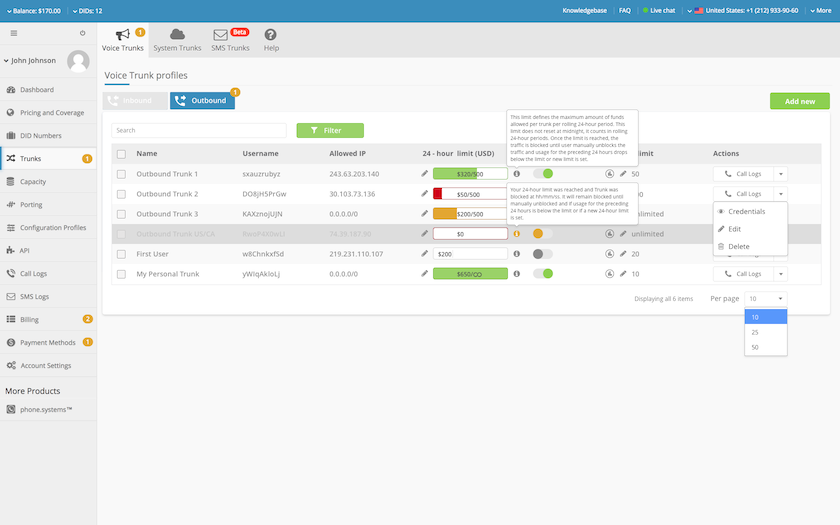
What to verify. Request a demonstration of authentication, inbound destination selection, outbound policy, and usage limits. If call recording or other features are required, put their unit rates in the estimate. Test what happens when an approved destination is temporarily unreachable. Compare the records available in the portal with what your SBC sees during a failed call.
How to pilot it. Use an ordinary number, a high-volume destination group, and one route with uncommon caller ID requirements. Give the same scenarios to other Anveo Direct alternatives and compare which operations can be reproduced from the API, which require a portal change, and how the support team can verify a problematic call. If you are changing both number management and routing, pilot them in separate steps.

3. BulkVS — Best for Low-Cost U.S. and Canadian Voice
BulkVS is one of the lower-priced Anveo Direct alternatives for eligible North American inbound traffic. Its published pricing page, currently labeled AirIP and still linked to the BulkVS portal, lists inbound voice at $0.0003 per minute and a $0.06 monthly recurring number charge for the referenced offering. It lists $0.004 per minute for North American 1+ outbound termination. Confirm number availability, account pricing, usage terms, and which service applies to each traffic class.
Who should shortlist it. A provider with many numbers that receive regular calls can put BulkVS beside other Anveo Direct competitors. A PBX integrator that chiefly needs an inexpensive source of local inbound numbers can compare port availability and support before adding an outbound trunk. Ask Anveo Direct competitors how they handle a bulk number request, an exception in one rate center, or a partial port.
What to verify. Estimate local and toll-free charges separately. BulkVS publishes distinct terms for toll-free usage, lookups, and emergency-service records. If any of these features are essential, ask the provider to confirm them for the exact number type. For fax, test your specific endpoints and document format. A compatible fax feature on paper still needs an end-to-end pilot.
How to pilot it. Evaluate BulkVS and other Anveo Direct alternatives with the same selection of inbound numbers and time windows. Compare caller ID, audio, and how support traces an unanswered call. Run a separate outbound test when that service affects the choice. Verify the billed duration and charges against your own records before assuming the advertised rate applies uniformly.

4. Flowroute — Best for Inbound DID Routing and Failover
Flowroute is one of the Anveo Direct alternatives for teams that want SIP trunking with a documented number-routing workflow. Its API documentation describes assigning primary and failover inbound voice routes to a number. Its public pricing page lists $0.005 per minute for domestic inbound and $0.00833 for outbound calls to the lower 48 U.S. states and Canada. Treat other destinations, toll-free traffic, and number rental as separate items.
Who should shortlist it. Flowroute fits organizations with an existing PBX and at least two destinations where incoming calls can be delivered. Compare it with other Anveo Direct competitors if your main goal is to keep calls reaching the helpdesk during a PBX or network outage. Map which numbers need a secondary SIP target and which can fall back to a different subscriber destination.
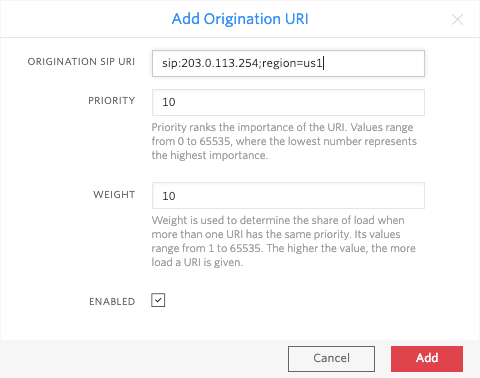
What to verify. A failover address only tells you where a call could go. Ask Anveo Direct competitors what triggers failover, how long the change takes, and what callers experience when the primary system rejects a call or stops responding. A backup that shares the same upstream connection or power can fail at the same time. Evaluate the full delivery path and how operators know it switched.
How to pilot it. Assign a test number to the primary and backup systems, then simulate an approved outage. Verify when calls move and how they return to the primary route. Compare the same sequence across Anveo Direct alternatives and retain the call identifiers. If you rely on fax or messaging, include those dependencies in a separate number audit.

5. DIDWW — Best for International DIDs and SIP Channels
DIDWW is one of the stronger Anveo Direct alternatives if you need local numbers and inbound voice in multiple countries. It publishes number and trunk pricing by product and market, with inbound capacity depending on the number and configuration. Its outbound service distinguishes local from international termination. A buyer comparing tariffs needs to know the originating context and destination, along with the type of number used on inbound calls.
Who should shortlist it. A contact center, ITSP, or global business can put DIDWW alongside Anveo Direct competitors if customers expect local numbers in several markets. Start in the countries where you already have numbers and those where you need new inventory. Identify the city or numbering area, local or toll-free type, and the business documents tied to each request.
What to verify. Ask for available channels, billing rules, the permitted use of caller ID, and the provider’s process for checking port eligibility. Some numbers have dedicated channels or can use a pool, depending on the offer. Decide whether you want predictable capacity for a busy number or usage-based charging for a number that rarely rings. Ask Anveo Direct competitors for separate budget lines in your highest-volume market and a country with a seasonal presence.
How to pilot it. Evaluate international Anveo Direct alternatives with a local caller and a cross-border caller where relevant. Verify number reachability, language or dial plan assumptions, and audio across the real destination path. Ask what the operator can change in the portal and what requires the vendor. If one country needs an exception to the standard configuration, document that before rolling it across all countries.
6. VoIP.ms — Best for Smaller PBX Deployments and Flexible Routing
VoIP.ms is one of the Anveo Direct alternatives for smaller deployments that want a prepaid SIP service with number controls and basic call-handling features. Its U.S. public pricing shows inbound local calling from $0.009 per minute and a value outbound reference from $0.005 per minute. Verify the exact rate deck, number plan, and routing options for your traffic. Canadian destinations, premium routes, and toll-free services may have different terms.
Who should shortlist it. A small office, local MSP, or developer running a modest PBX deployment can compare VoIP.ms with other Anveo Direct competitors. It is relevant if you need basic incoming routing, a subaccount for a customer or location, and portal access for day-to-day changes. Confirm which administrative and reporting controls are appropriate if you operate a service for multiple customers.
What to verify. Compare rate options from Anveo Direct competitors against the locations you actually call. Check whether your PBX registers with credentials or needs another authentication configuration and whether the provider supports that for the proposed setup. Verify which points of presence you can use, how number routing changes when you switch, and how subaccounts appear in the call detail records.
How to pilot it. Create a test account structure that reflects a real customer or office. Route one new number, place outgoing test calls, and check how an authorized technician would investigate a billing question. Run these checks against the other Anveo Direct alternatives you are considering. If your business relies on a carrier-specific route for heavily used destinations, ask whether the service offers equivalent control.

7. Twilio Elastic SIP Trunking — Best for Developer-Led Deployments
Twilio Elastic SIP Trunking is one of the Anveo Direct alternatives for teams that want a programmable communications ecosystem and a dedicated SIP trunking product. Twilio’s U.S. list page shows local origination at $0.0034 per minute and Zone 1 termination for the 48 states at $0.0100 per minute. It prices other U.S. zones and toll-free separately. Use the Elastic SIP Trunking tariff for this comparison and quote Voice API calls separately if your application creates them.
Who should shortlist it. Twilio fits a software or infrastructure team that wants to configure SIP destinations and numbers as part of a documented deployment. Put it beside Anveo Direct competitors if your company already uses Twilio and wants one operational workflow for trunks and related programmable services. Ask developer-focused Anveo Direct competitors how they separate usage and permissions across projects and customers.
What to verify. Check the calls-per-second allowance and the number of active sessions expected at your busiest point. A brief burst of call attempts and a long queue of connected calls affect a network differently. Include any extra capacity, recording, storage, and metrics you need in the quote. Ask how region selection and the available options for SIP signaling and media fit your topology.
How to pilot it. Test primary and backup inbound destinations, caller ID treatment, and short outbound calls against approved destinations. Ask the buying team to trace a sample charge from the bill to the calling record. When comparing these Anveo Direct alternatives, use the same app and PBX scenarios and ensure the team can identify whether the charge came from the trunk, the application, or an add-on.
8. Bandwidth — Best for Carrier Integration and Larger Deployments
Bandwidth is one of the Anveo Direct alternatives to qualify if you need to integrate voice and number services at a larger scale. Its SIP Trunking offering is available through Bandwidth Build, and its broader platform covers numbering and programmable communications. Request an offer for the exact wholesale, SIP, or migration scenario. A generic Voice API tariff does not tell you what the proposed trunk configuration will cost.
Who should shortlist it. Consider Bandwidth with other Anveo Direct competitors if you manage large number inventories, have several deployment markets, or need a defined support and porting relationship. Ask which functions your team can automate, which are handled by an account team, and where the network and service responsibilities differ by market.
What to verify. Request a sample billing export, an inventory and order workflow, and the applicable terms for your calling mix. Ask Anveo Direct competitors to confirm availability and number eligibility by country. Where the model involves a commitment, ask what traffic contributes to it and how new markets or similar numbers are treated during a migration. Request a written escalation path for open port orders and production voice issues.
How to pilot it. Choose a single site or customer group before planning a bulk cutover. Validate ordering, inbound routing, outbound records, and what happens to an order that cannot complete. Give Bandwidth and competing Anveo Direct alternatives the same test data and requirements. Ask which checks you can run in Build and which require your production configuration and written terms.

How to Compare Anveo Direct Competitors on Real Cost
Price the same traffic on each trunk. Use the actual mix of local and toll-free, inbound and outbound, and domestic and international calls. Separate the cost of connecting a call from the fees attached to holding a number, reserving capacity, or using additional services. When comparing Anveo Direct alternatives, built-in features and easy-to-find call records may also save time your team currently spends on administration and support.
| Cost Item | What to Collect | What to Ask the Provider |
|---|---|---|
| Number Rental | Number count by type and country, setup fees, and port requests. | Which recurring fees apply, and which number types require separate agreements? |
| Voice Usage | Call direction, destination, duration, and traffic type. | Which rate and billing increment apply to each call, and how are transfers treated? |
| Capacity | Busy-hour concurrency, peak call attempts, and backup capacity. | What is included, what is capped, and what requires a separate channel or throughput charge? |
| Additional Services | SMS, fax, emergency calling, recording, storage, and lookups where applicable. | Which services can use the same number, and how is each billed? |
| Support and Migration | Porting work, overlap, incident handling, and staff training. | Who owns the cutover and after-hours escalation, and what access is included? |
Work an Example With the Same Call Mix
Suppose a business makes 5,000 billable outbound minutes and receives 10,000 billable inbound minutes in a month, all to or from eligible domestic routes. At the published reference rates, the voice arithmetic is $23 with BulkVS, $57 with Telnyx, $91.65 with Flowroute, $84 with Twilio, and $110 with Signal House. The figures use the lower-48 Zone 1 termination reference for Twilio and the first U.S. outbound band for Signal House. They exclude rental, taxes, add-ons, negotiated rates, and adjustments when the billable minutes differ from the assumed quantities.
Treat those figures as formulas to check against your own quote. An inbound-only deployment will rank options differently from one that places more calls than it receives. A firm that handles inbound calls at overseas locations may face a different combination of number and usage charges. Ask Anveo Direct competitors to price a month with the exact split of regions, billing increments, and destinations. Include the expenses your team will still pay to its current provider during the transition.
If you also price the incumbent, export the rate deck and route settings used by your account. Price the calls that the current routing policy actually accepts. A rate for a route your business excludes cannot serve as the baseline for your comparison.
Account for Rounding, Busy Hours, and Traffic Mix
A thousand answered calls lasting twelve seconds each add up to 200 elapsed minutes. If a rate has a one-minute minimum per answered call, the same traffic generates 1,000 billed minutes. Teams ordering trunks for short notifications, appointment reminders, or frequent transfers can see a large gap between raw duration and billed duration. Ask Anveo Direct alternatives to rate the same sample and show which events and call legs count.
Capacity also changes the economics. An account with 12,000 monthly minutes may still need more capacity than an account with twice that volume if all its customers call in the same short window. Measure the maximum concurrent calls and the maximum starts per second, then verify both against the proposed plan and failover design. Contracting for a backup path at one site can affect both capacity and recurring charges.
How to Test Anveo Direct Alternatives Before Moving Traffic
Decide Who Controls the Route
Build a table of which outbound routes the platform provides and what your internal routing layer controls. Start with three destination categories you care about. These might include common U.S. local calls, international mobile calls, and a specific critical business route. Record the exact call type, selected policy, and outcome. Ask each of the Anveo Direct competitors what is visible in the console or call record and what information a support request can retrieve.
If your current design selects a specific route when a customer needs predictable caller ID or call quality, include that case in every demo. A carrier may have more than one network path and still expose only one routing choice to its customers. Confirm this early so you can decide whether to keep some calls at Anveo Direct or move route selection into your own SBC. Reserve advanced traffic decisions for the operators authorized to manage them.
Use a Failover Test That Reflects an Actual Incident
Test a normal call before testing a failure, and check the outcome across each layer. Callers may receive a rejection, a timeout, or successful ringing with no audio. Those cases may trigger different actions. Ask Anveo Direct alternatives what happens to new calls when a destination is down and what happens to existing calls when the path fails. Keep call timestamps and identifiers so support engineers can trace both cases.
| Test | What You Change | Evidence to Record |
|---|---|---|
| Inbound Primary Failure | Take the approved test endpoint out of service. | Time to reach the backup, caller experience, and whether the carrier retried. |
| Outbound Route Failure | Make the designated test route unavailable. | Fallback trunk selected, caller ID seen, and what logs report. |
| Media and DTMF | Call a test IVR and navigate its menu. | Audio in both directions, digit detection, and any codec mismatch. |
| Billing Reconciliation | Complete short and longer calls in both directions. | Billable duration, rate class, per-call charges, and matching logs. |
| Number-Linked Features | Run approved messaging or fax tests for the actual number type. | Feature reachability, sender behavior, and responsibility for support. |
Compare Support Before You Need It
Give shortlisted Anveo Direct competitors a sanitized record from one difficult ticket your team has seen. Ask what evidence they would request, which team handles the case, and how they escalate a carrier-side problem. For a business that relies on its phones outside office hours, include the actual service hours in the quote. A portal that helps you trace routine calls is useful. An escalation arrangement becomes critical when your own team cannot identify the source.
Ask who can change account-level routes and who only needs to investigate. Test permissions with a sample user from your support team. If one employee covers the network while another handles invoices, make sure both can do the appropriate work without sharing credentials or having unnecessary access to other customers’ details. Include access review and incident communication in the implementation plan.
Record Security and Change Ownership
Before moving production traffic, record which staff can edit trunk destinations, buy numbers, or change call permissions. Ask Anveo Direct competitors to demonstrate role separation and show where account changes appear in the audit trail. For instance, someone investigating a bill may need access to records without needing the power to route outbound traffic. Build that example into the evaluation. Ask how operators regain access when a staff member leaves and what account recovery evidence the provider requires.
Also compare how Anveo Direct alternatives report usage changes. A reseller may need a notification when one tenant uses unusually high capacity, while an office might care most about spend at the account level. Run the notifications against the same traffic window and ask what delay to expect. A threshold that updates after the billing period closes serves a different purpose from a real-time operational alert. Put the expected response and contact on the runbook for your pilot.
How to Migrate From Anveo Direct
Pilot Outbound Separately From Inbound Numbers
It is often practical to keep the inbound numbers with the current provider and route a controlled portion of outbound calls through a new provider. This gives you a way to compare Anveo Direct alternatives on connection, caller ID, and billing before a number port. Get permission to use the intended calling number on the trial trunk, then choose a defined cohort that operators can observe. Record the route change and who can reverse it.
Keep monitoring separate for both trunks during the overlap. Use the same call categories and destinations on each so you can explain differences. Ask Anveo Direct competitors for result codes, trace visibility, and a billing export. Once a pilot passes, decide whether to move all outbound traffic or retain a secondary trunk for specific calls.
Validate Number Eligibility and Dependent Services
Confirm the exact number, type, and account owner before asking the gaining provider to start a port. For each number, review voice routing, toll-free relationships, SMS, and any fax or other service dependency. Ask Anveo Direct competitors to verify the country and number type in writing. A new local number and the ability to port an existing number are separate questions.
If emergency calling applies, confirm requirements with the responsible provider and local authorities. Agree on an approved validation procedure that checks location and routing. Do not treat a normal call as evidence that an emergency-service change works. Include the appropriate owner and acceptance record in the cutover checklist.
Agree on a Cutover and Fallback With Both Providers
Keep current service active through the confirmed transition when switching to Anveo Direct alternatives. Document who can change the relevant routes, who can pause a work order, and what notification the carrier will send when the move is complete. A number port reversal may need separate carrier coordination and may take longer than a change within your PBX. Ask the receiving carrier what recovery options it supports in the specific port scenario.
After activation, make inbound and outbound test calls from authorized networks and verify number features separately. Check the first reporting window for unanswered calls, unexpected rejections, and changes in billable duration. Reconcile the first invoice before expanding to additional numbers. Clear the old services when the agreed tests and records are complete.
Frequently Asked Questions
What Are the Best Anveo Direct Alternatives for an Existing PBX?
Start with Telnyx for self-service SIP trunking and APIs, Signal House for U.S. SIP plus programmable communications, and BulkVS for rate-sensitive North American voice. Flowroute is worth a demo if the main requirement is inbound number routing with priority and failover routes.
Which Anveo Direct Competitors Support International DIDs?
DIDWW is a strong starting point for markets where local number inventory and inbound capacity are the main requirements. Also qualify Telnyx or Bandwidth where their market coverage fits. Ask every provider for the exact number type, documentation, port eligibility, and per-country charges.
Does an Anveo Direct Alternative Need to Support SIP Registration?
It depends on your PBX or SBC. Anveo Direct uses IP authentication and does not support SIP registration according to its FAQ. A new provider may offer credentials, IP authentication, or multiple modes. Ask what the exact trunk supports and test both authorized sites if you use a failover design.
Can I Keep My Anveo Direct DIDs and Change Outbound Carriers?
Yes, in a compatible PBX or SBC design you can keep the inbound numbers and select a different outbound provider. Verify the outbound carrier’s authorization to present your number, its caller ID rules, and how you would revert the route. Read our SIP trunking guide for a closer look at inbound and outbound connectivity.
Which Anveo Direct Competitors Are Usually the Cheapest?
BulkVS has a low published reference for eligible North American inbound voice, and Telnyx has a low reference for U.S. local inbound and outbound traffic. The cheapest provider for your traffic depends on destinations, billable minutes, number rental, optional services, and minimum charges. Price the actual mix before switching.
What If I Need Anveo Direct’s Custom Outbound Carrier Selection?
Ask Anveo Direct competitors whether customers can choose downstream carriers or only configure trunk settings and policies. If direct downstream selection is essential, request a demonstration with your traffic classes. Another approach is to use separate trunks and set your own route policy in your PBX or SBC.
How to Read G2 Ratings and Test-Call Results
The comparison shows the product name covered by each G2 listing for the Anveo Direct competitors. Signal House, Telnyx CPaaS, and Bandwidth scores include their broader platforms. Twilio’s listing covers Elastic SIP Trunking specifically. A platform score can help you ask about usability or support, while route-level questions need test calls and records. For example, if reviews mention billing clarity, ask the provider to reconcile several orders and call legs in a representative bill.
Use a repeatable test with the same dialed regions, the same test users, and the same time windows. Define what a successful call looks like before you begin. Acceptable audio, caller ID, call setup time, and usable records are different outcomes. Capture each one in the record so the team can explain why it shortlisted particular Anveo Direct alternatives.
Affiliate Disclosure. VoIPCalling may earn a commission through the Signal House partner link.