
The best ClickSend alternatives are Textmagic for email-to-SMS and everyday business texting, SimpleTexting for marketing campaigns and replies, and Signal House for teams that want an SMS API with clear US sender pricing. Twilio, Telnyx, and Plivo are worth comparing for application messaging, while Sinch Engage fits teams that want staff to manage campaigns and replies in a browser.
Start by deciding which job you need to replace. ClickSend can act as a campaign tool for a marketing team, a gateway for emails sent by equipment or booking software, or an API that sends product notifications. Some ClickSend competitors focus on one of those jobs. If your business uses all three, ask whether one replacement can handle them under the same account and whether messages, replies, and opt-outs still go to the right people.
Bring your working sender and the reason you use it into every trial of ClickSend alternatives. A campaign can look good in a test account and still require a new sender approval before it reaches customers. A fair pilot includes the approved sending identity, the reply path, and the actual bill.

G2 Customer Ratings
- ClickSend 4.1/5 (49 reviews)
- Signal House 4.9/5 (370 reviews)
- Textmagic 4.4/5 (129 reviews)
- SimpleTexting 4.7/5 (653 reviews)
- Twilio 4.1/5 (569 reviews)
- Telnyx CPaaS 4.7/5 (528 reviews)
- Plivo 4.5/5 (746 reviews)
- Sinch Engage 4.5/5 (68 reviews)
Compare ClickSend Alternatives by Use Case and Price
| Provider | Best Fit | What to Verify | Pricing & Trial |
|---|---|---|---|
| US application messaging and sender management | Price the exact long code, toll-free, or short code route. Check carrier fees, approvals, and GHL integration pricing. | US$0.0065/10DLC SMS partNo-minimum base provider charge. Number rental and carrier fees are separate.US$25 Credit for Eligible New AccountsStart With US$25 Signal House Credit | |
Textmagic  | Email-to-SMS, reminders, and everyday conversations | Confirm sending email addresses, reply routing, country rates, and number rental. | US$0.049/US SMS partPublic US reference. Check the credit bundle and number charges.Free Trial AvailableStart a Textmagic Free Trial |
SimpleTexting  | Bulk SMS campaigns and two-way conversations | Check the message credits your templates use, number rental, carrier fees, and overages. | US$39/month estimatePublished example includes 500 credits and a US$10 number line item. Carrier fees are extra.14-Day Free TrialStart a 14-Day SimpleTexting Free Trial |
Twilio  | Programmable SMS and integrated status events | Price the sender type and destination. Allow for engineering work and any separate inbox. | From US$0.0083/US SMS segmentBase send or receive reference for applicable senders. Carrier and number fees can apply.30-Day Free Trial, With SMS Test LimitsStart a 30-Day Twilio Free Trial |
Telnyx CPaaS  | Usage-based SMS and number operations | Verify carrier fees, messaging profiles, sender scope, and how replies are handled. | US$0.004/outbound SMS partUS long-code base reference, plus carrier fees. Check number rental and inbound traffic.See Telnyx Messaging Prices |
Plivo  | Developer-led SMS and MMS | Compare long code, toll-free, and short code separately. Scope ownership of the integration. | US$0.0077/US long-code SMSPublished base rate in either direction. Carrier fees and number rent are separate.Free Trial Account AvailableStart a Plivo Free Trial |
Sinch Engage  | Multi-user web campaigns and replies | Confirm regional plan, credits, role permissions, sender fees, and email-to-SMS availability. | US$99/month plan referencePublished 3,000-credit US option. Check billing term and messaging add-ons.14-Day Free Trial, Limited Test MessagingStart a 14-Day Sinch Engage Free Trial |

The table uses US-dollar references where a public US rate is available. Rates for APIs are provider charges and may be billed per segment. Compare carrier fees, number rental, verification or registration, and inbound pricing separately. Credit plans have their own rules for how many credits each send consumes. Team sizes below describe potential rollouts and do not imply contractual thresholds.
What ClickSend Competitors Need to Replace
ClickSend provides a web dashboard for sending and managing messages, a programmable SMS API, and email-to-SMS. Its US pricing page ties the displayed outbound SMS rate to the amount topped up. It lists a US$0.0273 reference with a US$20 top-up and a US$0.0194 reference with a US$100 top-up. US carrier fees are an additional cost. Compare the tier you actually buy, especially if your business has old credits or a custom rate.
The separate ClickSend transactional email service and email-to-SMS perform different jobs. A tool that converts an email to a text can fit a legacy alerting system, while an email API sends an email to a mailbox. Write down both sides of the workflow if your account still uses the old email service. Keep the SMS delivery, the incoming emails that start it, and any outbound email service as separate requirements.
Before shortlisting ClickSend alternatives, collect a representative month of SMS, MMS, replies, and status events. Note which sends start in a browser, an email inbox, a CRM, an application, or a scheduled job. Count contacts and segments separately. Include a sample of reminders, promotional sends, and long messages with names, links, or special punctuation. Identify the owner of each template, scheduled send, and suppression list.
Ask shortlisted ClickSend competitors to put the operating model on one page. It should show how a request enters the provider, which approved sender carries it, where replies go, who owns opt-outs, and where finance finds a bill. Your team should be able to work out what happens after a failed send. If the same problem requires three people to check separate systems, set aside time to standardise the workflow during migration.
1. Signal House for US SMS APIs and Sender Management
Best for a SaaS product, agency, or operations team with roughly two to 20 staff managing US messaging. Signal House is one of the best ClickSend alternatives if you want an API-led setup with published rates for US long codes, toll-free, and short codes. Its web console can help operators monitor activity and setup, while customer-facing applications can send and receive through the messaging API.
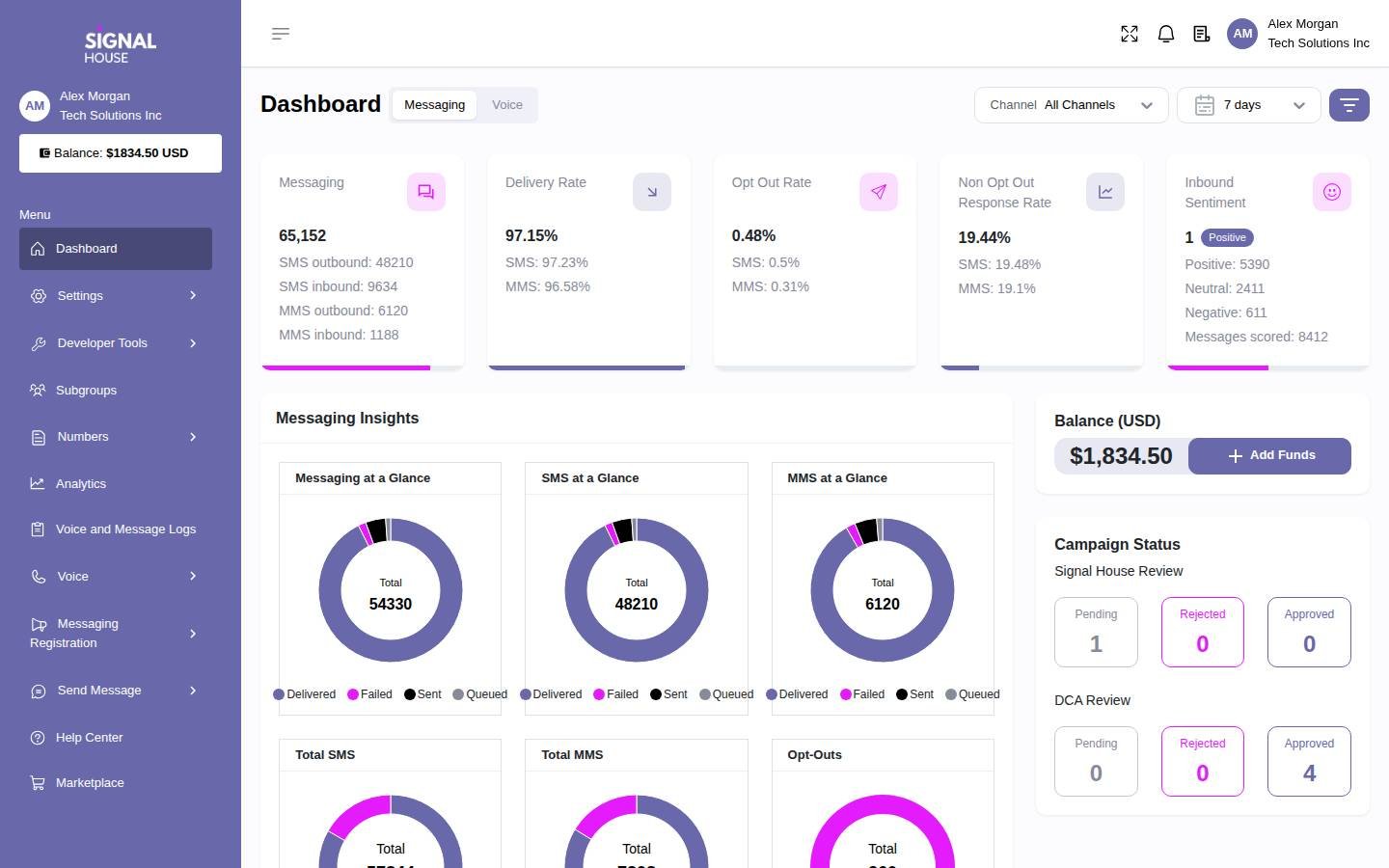
Signal House publishes a pay-as-you-go US$0.0065 provider rate for 10DLC SMS on its no-minimum messaging tier. A US long code approved for business messaging is often called 10DLC. The cost of sending depends on the approved programme, number rental, message parts, and applicable carrier fees. Signal House gives separate pricing for sender types, so use the row that fits your campaign. Its US$25 credit offer is for eligible new accounts.
Start with a use case your team can own. For example, an appointment app may send a confirmation from a customer-facing long code, wait for a reply, and notify the booking team when someone asks to reschedule. Test the outbound request and the inbound reply together. Record which event you use to update the appointment and whether the operator can see what went wrong without opening engineering logs.
When comparing ClickSend competitors for an agency, model each client separately. Ask how to restrict access to a client’s sender and contacts, how to split the invoice, and who owns the registration when the agency relationship ends. Ask the vendor to walk a new operator through sender setup and rejection resolution. For GoHighLevel, confirm the pricing and scope of the applicable integration separately from the main API rate card.
Migration fit. Signal House is a close comparison for US API traffic. If employees also send scheduled bulk texts from a contact list or trigger alerts from email, ask for a demonstration of the equivalent workflow. For a closer look at the provider’s console and pricing, see our Signal House review.
Pilot goal. Test one sender, a status event, a real reply, and a complete opt-out path before moving traffic. Make sure support can follow a failed send from the operator’s report to the relevant provider event. Request a quote that names each recurring and metered charge.
2. Textmagic for Email-to-SMS and Everyday Business Texting
Best for small service and operations teams with roughly two to 25 users who need a web texting workspace or an email-driven sending path. Textmagic is among the closest ClickSend alternatives when employees send alerts, reminders, or routine updates from tools they already know. Its documentation covers sending email-to-SMS and receiving replies in email.
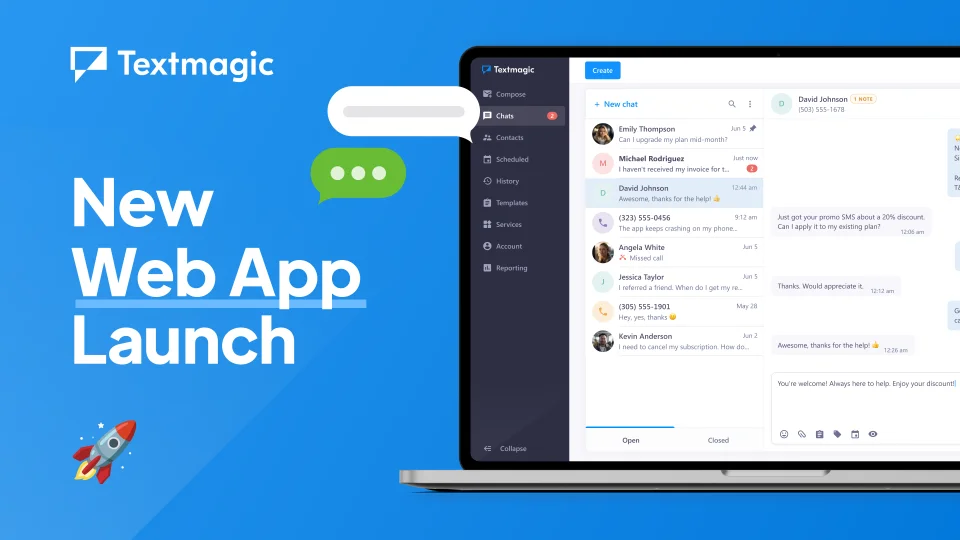
Imagine a maintenance team whose monitoring software can send only email. It currently sends a warning to a ClickSend email address that converts the alert into SMS. To evaluate Textmagic, have the alert source send through an approved account, confirm how the email subject and body are turned into a short text, and then test a reply. Use a realistic alert that contains a long equipment name and a signature so you can see what actually arrives.
Not all ClickSend competitors forward replies the same way. Document who should receive an answer if the first employee is away. Compare separate one-to-one texts with a distribution list for staff alerts. Check role permissions, the sender account you authorize, and how you disable a source if it is retired. For any distribution-list address, ask how it is protected and who can initiate a send by emailing it.
Textmagic lists US$0.049 per SMS part for the US in its public pricing guidance. Confirm your plan, phone-number rental, and all recipient-country fees. The cost may be attractive if staff can maintain the workflow without buying or building an integration. For heavier traffic, calculate the same templates in an API provider’s pricing model and include the cost of the team that maintains it.
Pilot goal. Send from a real approved mailbox, then try a second authorized sender and remove its permission after the test. Check whether replies land in the shared workspace or in email as intended. Run one test outside office hours and ask the on-call role to trace a missed alert on the next shift.
3. SimpleTexting for Bulk SMS Campaigns and Two-Way Replies
Best for a team of roughly two to 30 people that runs marketing campaigns, service announcements, or SMS conversations without a development project. SimpleTexting is one of the ClickSend alternatives to consider if staff mainly upload or maintain lists, schedule sends, and answer replies from a shared number. Its pricing calculator shows a US$39 estimated monthly entry example with 500 credits in the displayed setup, including a US$10 number charge before carrier fees.
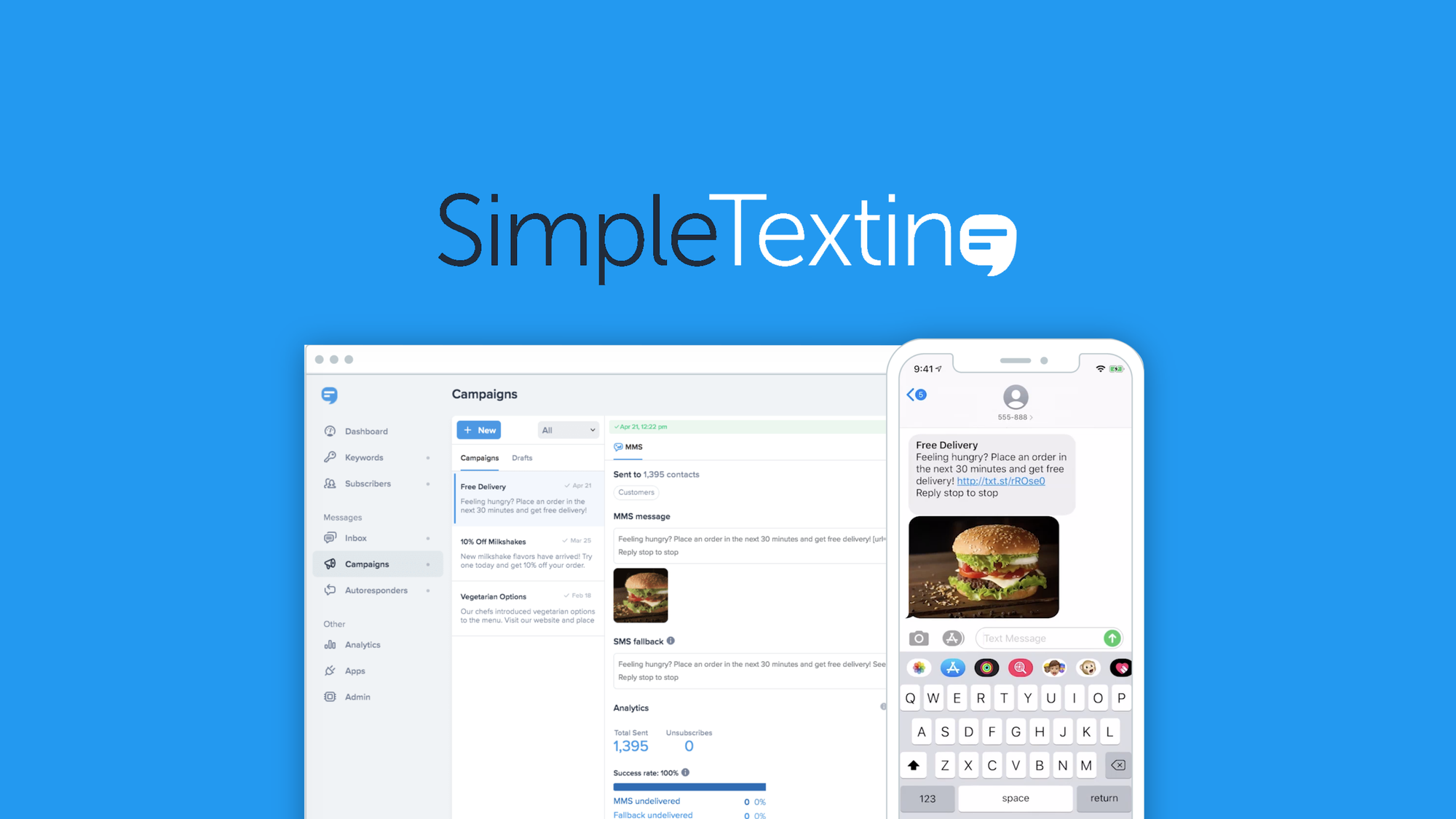
A small retailer may need to send an announcement to opted-in shoppers, answer questions about opening hours, and report engagement by location. During a pilot, import a tagged test list that includes a duplicate and someone who has already opted out. Create a campaign for one region, preview it from a staff account, and check whether the test group and suppression list behave as expected.
Compare ClickSend competitors on the everyday job behind mass texting. A campaign owner needs to schedule and cancel a send, an agent needs to answer replies without editing a list, and an administrator needs to export results. Assign different roles during the demo if the plan supports them. Ask how the inbox handles two employees opening the same conversation and how a customer reaches the right branch after replying.
Check credits, phone number, carrier and one-time charges on the offer you receive. A credit is a billing unit, so ask how many are used by your longest template or by a media message. Check whether inbound SMS, overages, and any other channel are treated differently. Estimate the busiest month and compare the results with the cost of buying a larger package.
Pilot goal. Send one scheduled campaign to approved internal testers, respond in the inbox, and export the history. Include a before-and-after comparison of the opt-out list. Make sure an old CSV import can’t cause a suppressed contact to be selected for another campaign.
4. Twilio for Programmable Messaging Workflows
Best for a development team with an existing application, or a business that can maintain its own integration. Twilio is one of the most relevant ClickSend competitors when SMS is triggered by a product event and needs to be tracked alongside orders, appointments, or support tickets. Programmable Messaging has sender management and status callbacks that can feed those systems.
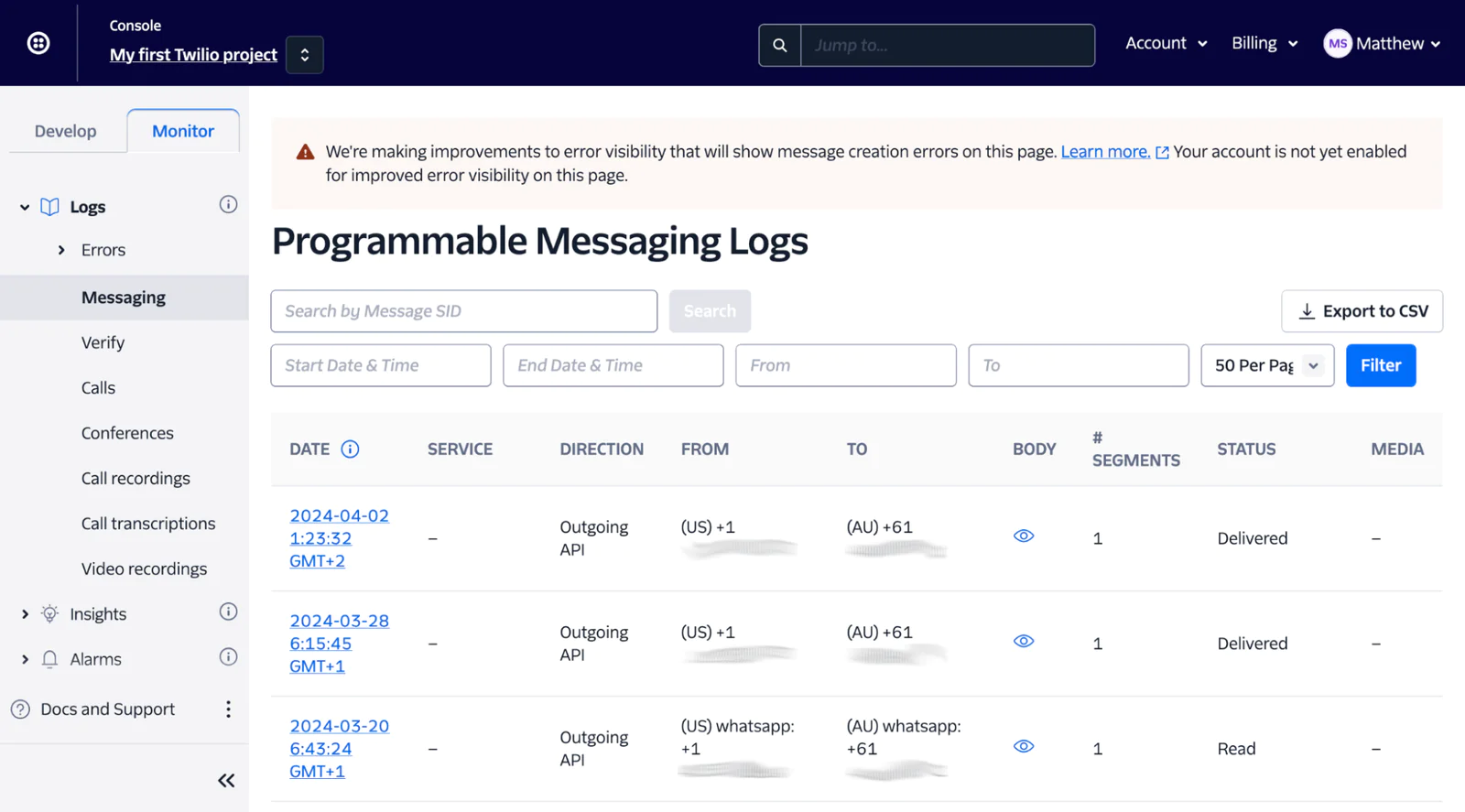
Twilio lists a starting US SMS rate of US$0.0083 per outbound or inbound SMS segment on applicable routes, plus carrier fees. Check the specific sender row and number cost. If your application sends several types of notification, keep volumes by type and product. An appointment reminder that can be sent in one segment has different costs and service requirements from a multisegment update sent after a package exception.
Twilio belongs on a ClickSend alternatives shortlist when its application features match a real need. For example, an ecommerce platform can place the order ID in its own log, then attach the Twilio message identifier so support can see what happened to the notification. Have the developer send a message, record a status change, and show how failed attempts become visible to the business. An API acceptance response alone doesn’t establish delivery.
Ask how nontechnical users will schedule or edit campaigns if they currently do so in ClickSend. Twilio’s tools and integrations can support a new workflow, but an engineering team may need to own the interface and deployment. Write down who reviews templates, handles replies, and makes a change when requirements shift. Include staff time and ongoing maintenance in the estimate.
Pilot goal. Pick two message types that use different templates. Have a tester reply, opt out, and attempt to receive a second scheduled message. Confirm that the application captures and processes the right events in its own records and that a support employee can find the correct message without access to sensitive data.
5. Telnyx for Usage-Based SMS and Number Operations
Best for technical teams that want to evaluate SMS and number management together. Telnyx is among the ClickSend alternatives for a business that already manages its own sender inventory and expects messaging profiles, logs, and a recurring usage bill. Its messaging pricing shows a US$0.004 provider charge per outbound message part for eligible US long-code SMS, with carrier charges separate.
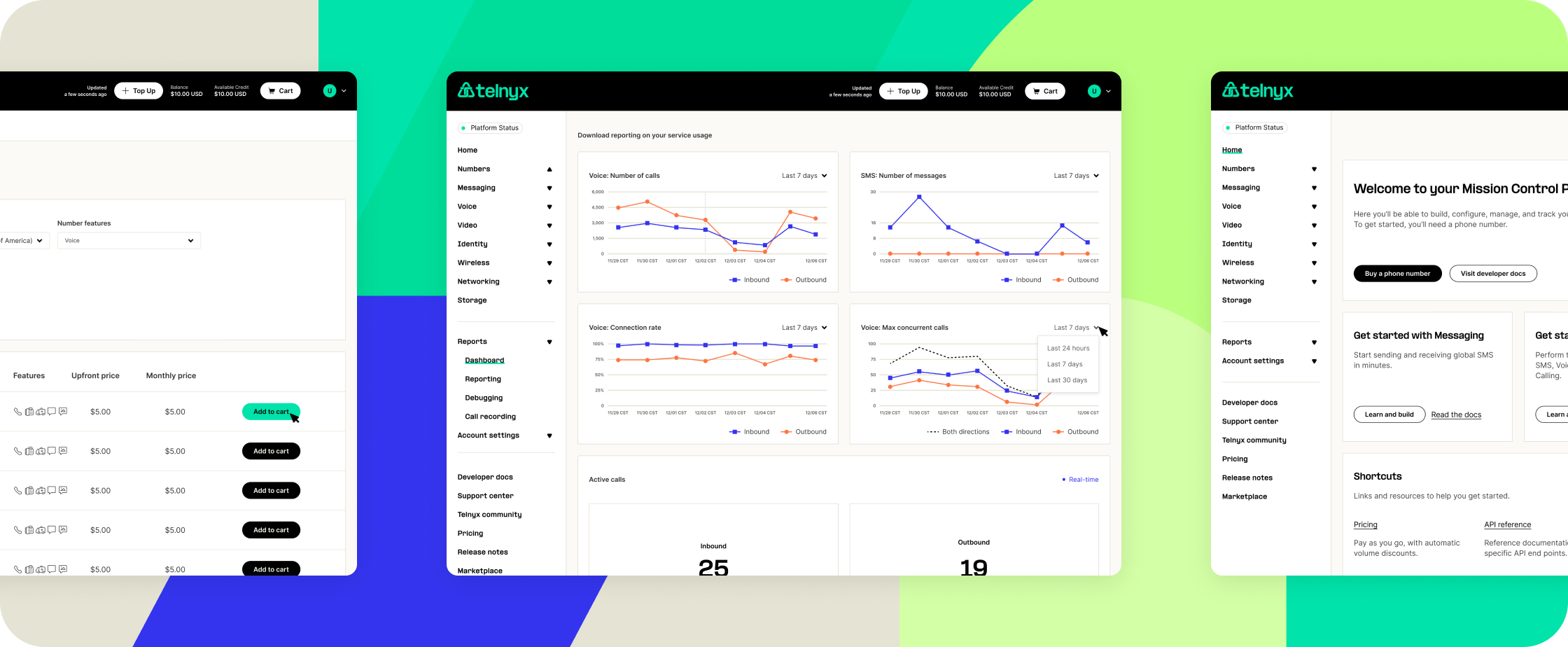
The advertised base rate matters most when you can map it to the route you will actually use. Request a detailed breakdown for long code, toll-free, and any other sender type your business requires. Ask the provider to estimate US carrier fees from the destination mix in your real data. Include incoming traffic and rental in the comparison. Confirm which figures depend on committed volume.
If a team is evaluating ClickSend competitors because it needs control over dozens of numbers, have an admin group those numbers by application or client. Ask who manages assignment to a messaging profile and whether the integrations can distinguish messages from different groups. Test onboarding and removing a number without affecting traffic for unrelated customers. Check the logging and support history that stays available after a number is moved.
A messaging migration can be narrower than a full number port. If the old number also carries voice, get the gaining and losing providers to specify which services will move and which remain with the original provider. If customers use the same identity for both calling and SMS, confirm both capabilities independently during and after the switch. Keep a visible fallback for customer enquiries while the migration is in progress.
Pilot goal. Use one approved sender, collect the delivery and error events, and reconcile them to a usage export. Give an operator two instances of the same problem from different numbers and ask them to identify the correct owner before opening a support ticket.
6. Plivo for Developer-Led SMS and MMS
Best for software and operations teams of about two to 30 people that run alerts, transactional texts, or existing message automations. Plivo is one of the ClickSend alternatives to compare if your team wants much of the workflow driven by its own code and wants a public rate card for US numbers. Its public US page lists US$0.0077 SMS in both directions for long codes before applicable carrier charges.
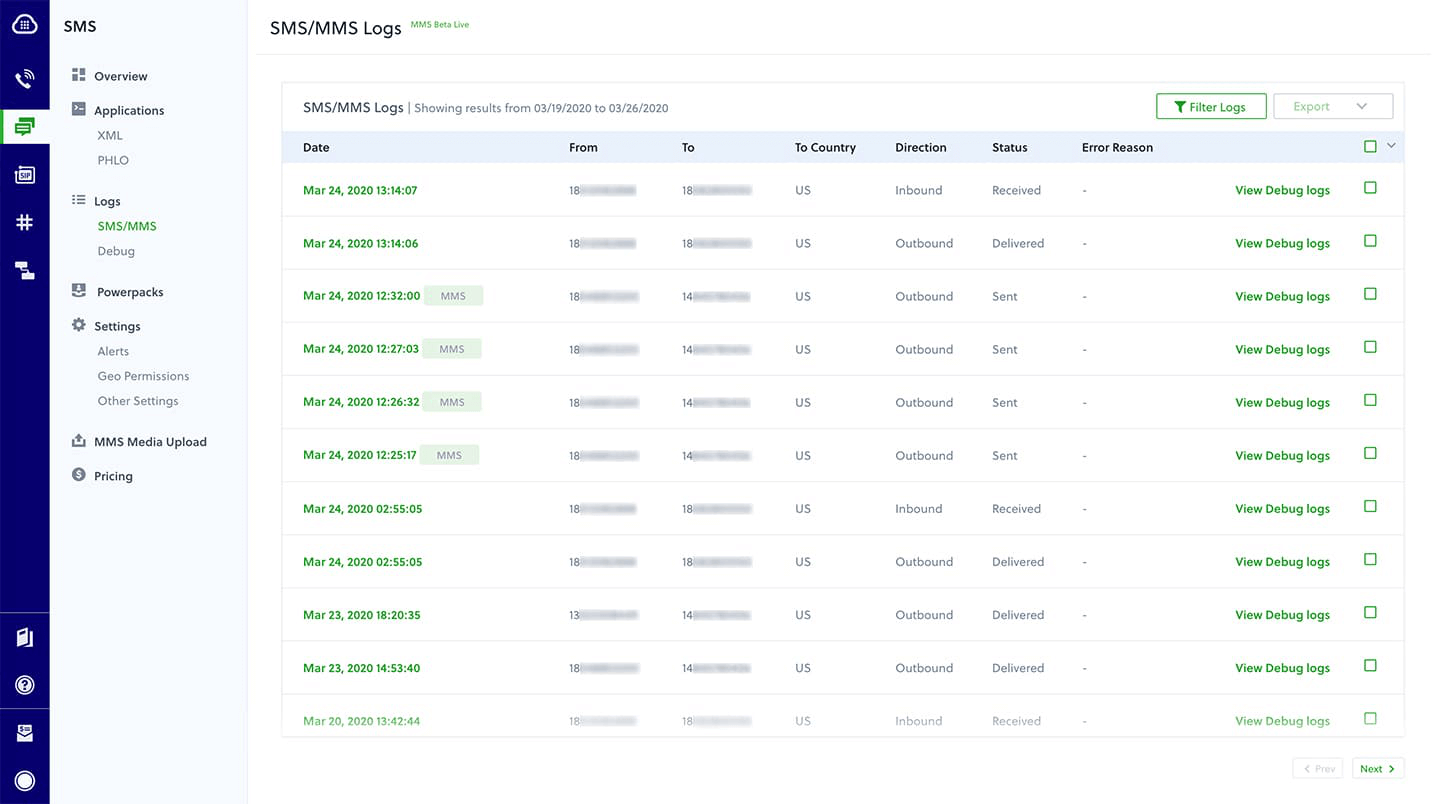
Use a workflow that already has identifiable internal records. For example, a dispatch team can link a shipment ID to an SMS provider message ID. A representative checks the shipment record when a customer asks why they received two similar texts. In the pilot, send a delayed update, submit a normal update, and verify which text should be visible. Review the provider logs and the application’s event history together.
Plivo and other API-focused ClickSend competitors can make it practical to control templates in the application, while adding operational work if marketers need direct access. Ask whether your team can retain the existing dashboard, whether a third-party tool will provide it, and what fields your application needs to store for support. Test whether an employee who lacks developer permissions can answer basic delivery questions.
Separate SMS, MMS, inbound, and outbound in your cost model. Decide what to do when a recipient cannot receive the original format. If a status callback is late, define which cases should wait for another event and which should be reviewed by a human. Repeat one request in a test environment and confirm your application avoids a duplicate customer message after a timeout.
Pilot goal. Prove send and reply, recover a failed message in the console, and match a sample to the billing export. Ask finance and the support desk to locate what they need from the same message identifier. Confirm the staff workflow before making your first production change.
7. Sinch Engage for Multi-User Messaging and Campaigns
Best for a sales, support, or marketing team with roughly five to 60 people that wants a browser workspace and account-level supervision. Sinch Engage, the rebrand of MessageMedia, joins the ClickSend alternatives when teams want to run scheduled sends and manage replies. Compare the Engage product with ClickSend’s dashboard. Sinch also sells developer messaging products under different terms.

For a small chain of training centres, the marketing team might send enrollment reminders while reception handles replies about individual times and locations. Assign one test message to a manager and route the reply to a second employee. Ask which permissions identify a colleague who can view the conversation, run an export, or change the next scheduled campaign. Verify whether a shared customer list is editable by an individual branch.
Sinch Engage documents email-to-SMS using registered senders and replies in both email and the Engage inbox. Confirm the exact plan and country for that workflow, along with sender approval and permitted email identities. Other ClickSend competitors may offer similar capabilities under a different product name. Bring the actual email template or alert and have your team use it before committing.
Check the selected regional package, included messaging credits, extra-message rates, number rental, and activation charges. Sinch Engage’s published paid US tiers include a US$99 monthly option, and its official site offers a limited 14-day free trial for testing. The test offer and the commercial terms serve different needs. Ask who will approve and maintain the production account after your test.
Pilot goal. Have a campaign manager schedule an internal test and a different employee answer the replies. Then send an example of your longest message and check the billed unit. Verify which messages and reports can be exported and how the team can preserve its existing opt-out records.
How to Shortlist ClickSend Alternatives by Workflow
ClickSend Alternatives for Email-to-SMS and Automated Alerts
Start with Textmagic if the current feature is mainly an email gateway. If you’re comparing more ClickSend alternatives, test the upstream application that generates the email. Check allowed sender addresses, header handling, signatures, formatting, and which destination turns into a text. Keep an inventory of every integration so an old alert doesn’t keep sending through an account that has already been closed.
Ask ClickSend competitors what happens when an alert triggers at a time nobody is watching the inbox. Test how the on-call employee acknowledges it and what happens when the original message includes a long event name. For an important operational alert, verify whether there is a separate monitoring or escalation method when text delivery is delayed.
ClickSend Competitors for Scheduled Campaigns and Shared Replies
SimpleTexting and Sinch Engage are natural ClickSend alternatives for browser-based campaigns. If your team sends shorter lists only when needed, add Textmagic to the pilot. Give each platform the same list with test duplicates, tagged segments, and suppressed recipients. Try scheduling in the intended local time and check how to change or cancel the send. Consider whether each business unit should share contacts with the rest of the organisation.
Compare ClickSend competitors based on who can see and answer an incoming message. Find out whether the same phone number can serve several branches, how to take over a conversation, and whether notes or assignments can be passed to a colleague. An employee who rotates into inbox duty should be able to find unresolved replies without asking the campaign manager for a separate export.
ClickSend Alternatives for an SMS API or High-Volume Route
Evaluate Signal House, Twilio, Telnyx, and Plivo using the same message mix and sender types. Check whether you need local numbers in more than one market or mainly US sender coverage. Ask each of these ClickSend alternatives to list the capabilities and requirements for the exact routes your customers use. Confirm number eligibility, actual sending destinations, and two-way support separately.
Ask the ClickSend competitors how they expose delivery and reply events, including examples of carrier filtering or an invalid number. Decide whether you would retry or investigate each type of failure. Test with controlled recipients and view outcome counts in both systems. Build the application around supported event states and keep documented behaviour for any status you don’t recognise.
What ClickSend Competitors Really Cost
Compare at least one regular month and one high-volume month. Model outbound segments, inbound replies, MMS, phone-number fees, relevant carrier and registration charges, plan fees, and additional users. If you need a CRM connector or an inbox outside the SMS API, include those costs. Compare currency and taxes consistently, and ask whether deposits, top-ups, or committed volume change the effective rate.
| Cost Driver | What to Ask ClickSend Competitors | What to Record |
|---|---|---|
| SMS parts | How do templates with long links or Unicode count? | Part count from the actual send preview. |
| Carrier fees | Which fees depend on the destination network? | Inbound and outbound charges by sender type and carrier. |
| Numbers and registrations | Are sender rent or campaign costs recurring? | Setup, monthly fees, and approval conditions. |
| Credits and plan | What does each message type consume? | Credits per send, overages, and expiry or rollover. |
| Operations | What else must the team maintain? | Inbox, scheduled jobs, CRM integration, reporting, and support. |
Suppose an app sends 10,000 single-segment texts through a route with a US$0.0065 provider rate. The usage charge from that rate is US$65. Add a hypothetical US$0.004 average carrier fee and outbound charges reach US$105 before numbers, registration, inbound messages, taxes, and extras. If 20% of those sends become two parts, total billable volume rises to 12,000 segments and the same blended example reaches US$126. Use those figures as an example of the calculation when pricing ClickSend alternatives and replace both rates with your quote.
An SMS written in the common GSM character set typically has up to 160 characters as a single part, or 153 per part after it splits. Text requiring Unicode can drop to 70 for a single part and 67 per part in longer messages. Place your values into the template before measuring. A shortened first name, a trailing signature, or a non-standard apostrophe can affect how many parts each customer receives. Validate with a preview that matches what the chosen provider sends.
If several ClickSend competitors give you a credit package, ask for the bill after a typical month of real messages instead of just dividing the subscription by the credit total. Use the actual media, replies, overages, and numbers. Run a second estimate for a seasonal surge. See whether unused credits expire and whether a high-volume month triggers a different contract. This gives finance a comparable estimate that matches the team’s plan.
How to Verify Senders, Replies, and Opt-Outs
Confirm Who Owns the Sender and Its Approval
Begin with a list of live senders and where customers see them. Label the number as long code, toll-free, short code, or another supported identity. For ClickSend alternatives serving the US, ask which registration or verification steps apply to each sender and whether any campaign approvals need to be created or moved. For other countries, confirm the local rules and whether recipients can reply to that sender type.
Put the registration contact, business details, and template owner in the migration record. Ask the shortlisted ClickSend competitors to name the party responsible for each remaining step. Confirm how the team sees the approval status and who can respond to a request for more information. Keep your old numbers available for customers until you can send, receive, and confirm the new route under the production configuration.
Move Consent and Suppression Records With the Lists
Export your contact preferences along with the contacts, if your systems allow it. Give the new account the information it needs to keep previously opted-out recipients excluded, and test exclusions in each place that can send. Make sure the shared inbox, scheduled campaign, and product notification can follow the rules your organisation has approved. Keep a record of when the data moved and which person signed off.
A shared team should know which system owns the opt-out. If a customer replies to one number and receives messages from another, ask ClickSend competitors how the account handles the specific scenario. Discuss consent, scope, and any applicable rules with the person who owns those decisions at your business. Then test the worker’s ability to find and apply an opt-out across the actual systems in use.
Distinguish Delivery Status From Customer Response
Compare ClickSend alternatives on whether a support employee can trace a missing message and understand its last known state. Use one delivered message, an invalid test destination supported by the provider, and an attempted reply. Save the internal reference and the provider message ID. Ask an operator to find each message and determine whether the next action is to correct data, wait, or contact support.
When testing ClickSend competitors for time-sensitive alerts, log how long a real message takes to reach the device and how long the application takes to record the status. A delay in a webhook can affect what staff see in a support dashboard even when the device already received the SMS. Decide how the receiving system handles a status event that arrives later than an inbound customer reply.
How to Migrate to ClickSend Alternatives in Stages
- Inventory current sends. Collect senders, campaign templates, approved consent records, recurring schedules, service credentials, cost centres, and reply destinations. Map each workflow to a business owner and capture one known-good test from the current service.
- Set up a safe test. Give ClickSend alternatives the smallest representative sender setup you can use to demonstrate the work. Limit the pilot to approved recipients, test replies, then validate the entire event record against your own system.
- Prepare the cutover. Set a clear time when the old schedule stops and the new one takes over. Compare which ClickSend competitors give staff enough visibility to identify a failed handoff. Ask ClickSend competitors to confirm voice routing if it shares the number.
- Check the first production day. Compare planned messages, accepted sends, status events, and actual replies. Confirm billing on a small slice of traffic and check that opt-outs continue to be honoured by every sending path.
- Retire the old path when ready. Export allowed records, review retention, disable retired credentials or schedules, and record the balance on the old account. Ask operations and finance to verify the end of recurring costs.
A spreadsheet tracking real senders and dates can be enough for a small office. For a larger platform, assign separate owners for routing, consent, billing, and first-line support. Test one reversible change first and use the result to decide whether to transfer another sender. The best ClickSend alternatives let the team identify a failure quickly and give customers a clear way to reply during the change.
What to Check Before Approving a Vendor
Compare Reporting Access and Export Scope
Before selecting among ClickSend competitors, ask for a report from a default staff account and another from an administrator. Check whether reporting distinguishes the event that requested a send, the provider that accepted it, and the eventual network status. View the same record from the perspective of finance. Finance may care most about the destination, number, message parts, and billed period while operations needs to investigate why a particular customer didn’t receive an update.
Ask about the retention window for replies, results, message content, and reports. Reviewing ClickSend alternatives for an existing support desk usually means deciding which records the SMS provider keeps and which belong in the CRM. Export a small sample and open it in the software your team already uses. Look for timestamps, status fields, usable number formatting, and identifiers you can match to another report. If the business has more than one account, check who can export which data.
Decide Whether One of the ClickSend Competitors Covers Every Workflow
Split a draft quote into the work employees do and the work applications do. For example, a retailer may need a low-volume shared inbox for customer questions and a higher-volume API route for order status. If two providers fit those jobs better than one, price both and confirm who owns the sender, replies, support escalation, and opt-out records across the two tools. Include any duplicated setup charge and the time employees spend switching tools when you compare this with one integrated platform.
Frequently Asked Questions
What Are the Best ClickSend Alternatives for Small Businesses?
Textmagic fits everyday texting and email-to-SMS. SimpleTexting is a strong option for scheduled campaigns and customer replies. Compare the minimum purchase, phone number, expected volume, and whether staff can manage the tool without a developer.
Which ClickSend Competitors Offer a Messaging API?
Signal House, Twilio, Telnyx, and Plivo all offer messaging APIs. Compare sender types, number availability, delivery status events, inbound replies, and pricing per billable segment. Use your actual destination countries during the pilot.
Which ClickSend Alternatives Support Email-to-SMS?
Textmagic and Sinch Engage both document email-to-SMS and replies through email. Ask for a demonstration of the actual gateway. Verify the approved sender, parts of the message converted to text, and where inbound replies appear.
Are ClickSend Competitors Cheaper for Bulk SMS?
They can be, depending on your destinations, sender, message length, and volume. Multiply the appropriate provider and carrier rates by expected billable segments. Add number rental, fees, and required software before comparing the total price.
Can I Port My Number to ClickSend Alternatives?
Possibly. Ask the new provider to confirm the exact number and whether it supports a full port or a messaging-only move. If your number also receives calls, verify what happens to voice and test both services after the change.
How Do ClickSend Competitors Handle STOP Replies?
Handling depends on the account, sender, and tools you use. Ask the provider what it records and blocks, then verify the opt-out reaches your scheduled campaigns, CRM, and API workflow as required for your business.
Do I Need Developers for ClickSend Alternatives?
You usually don’t need developers for routine texting and campaigns in tools such as Textmagic or SimpleTexting. An API-led replacement generally requires an engineer or a compatible integration to handle sending, replies, and status updates.
Should I Keep ClickSend?
Keep ClickSend if its existing gateway, dashboard, and API already work for your staff and its price is predictable. Compare ClickSend competitors when you can point to a specific cost, sender, campaign, or integration problem and test the improvement.
Which ClickSend Alternatives Should You Try First?
Choose Textmagic for a straightforward email-to-SMS pilot, SimpleTexting for a no-code campaign and inbox, or Signal House when your team wants to evaluate an API with clear US sender pricing. Evaluate Twilio, Telnyx, and Plivo when the application must own messaging, and add Sinch Engage when several employees share campaign and reply work.
Use the same sample messages, recipient markets, and sender types with each of the ClickSend competitors you shortlist. The decision should reflect what your team can send and track on the production route, who answers replies, and how finance will reconcile the invoice.
What Customers Report About ClickSend Competitors
Signal House on G2 · 5/5, November 20, 2026. A reviewer using GoHighLevel said support helped them connect a US number while working outside the US. They also found initial verification confusing. Ask who will guide your team through sender setup and who follows up if information is missing.
Textmagic on G2 · 5/5, June 4, 2026. A reviewer said responsive support helped their team through setup and that billing was easy to understand afterwards. In your pilot, ask a staff member to reach support and have finance reconcile a small sample of messages with the charges.
Affiliate Disclosure. VoIPCalling may earn a commission through partner links. Signal House credit is subject to its eligibility and activation terms.