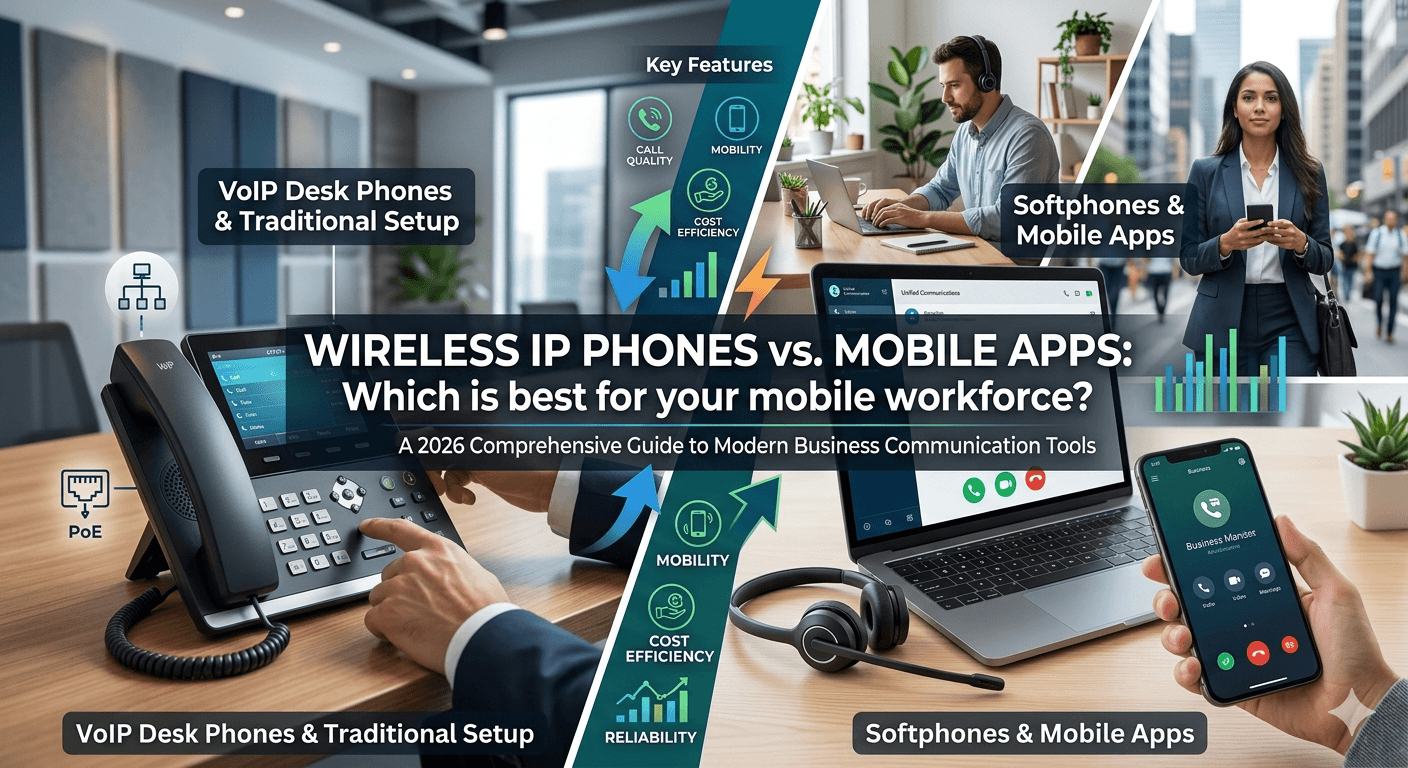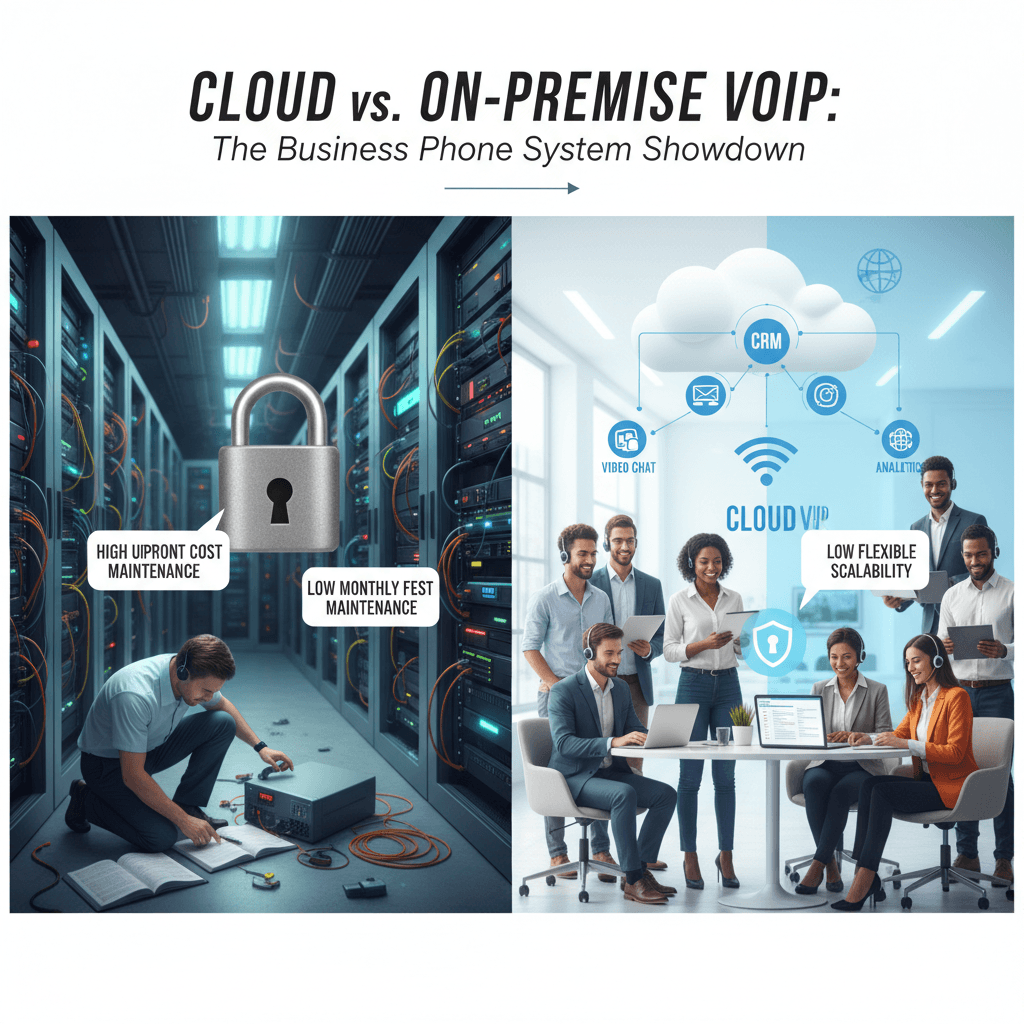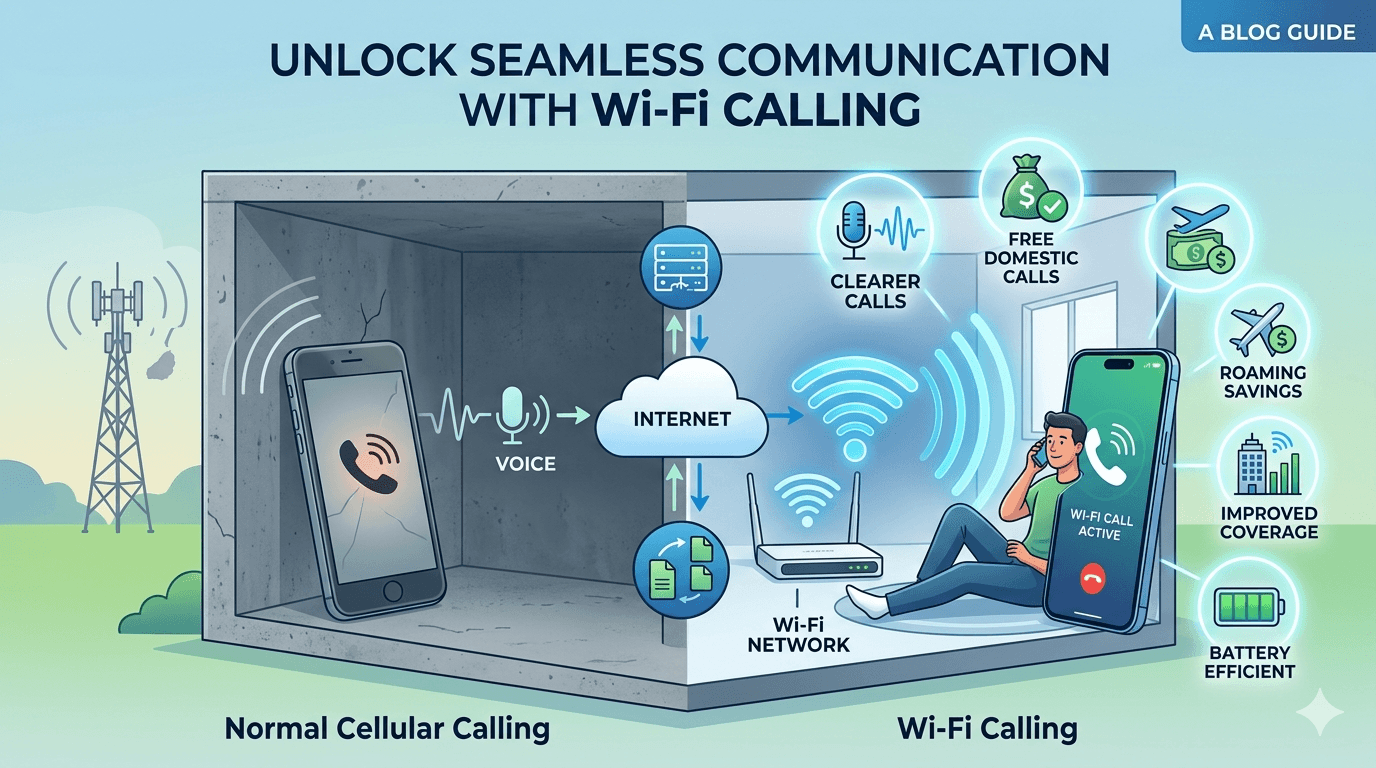
Latest News

The Blog

voip blogs
Visual Voicemail

What is Visual Voicemail? How to Check Voicemail on Android

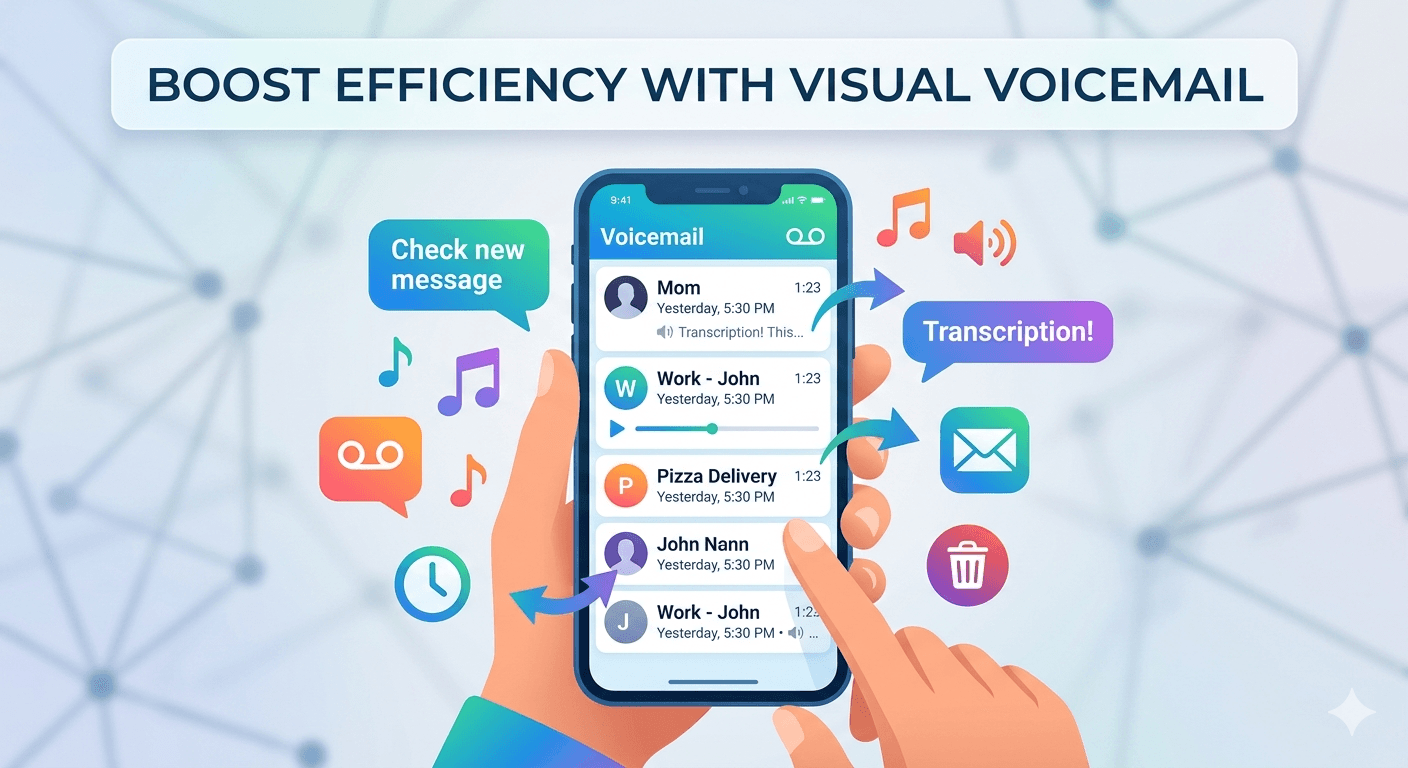
Visual voicemail is a technology that allows smartphone users to view a list of their messages and listen to them in any order they choose, without having to call a traditional voicemail system. This interface presents voice messages much like an email inbox, displaying the callers name, the date and time of the call, and the duration of the message. Instead of listening to a series of voice prompts to save or delete messages, users can simply tap on the screen to play, pause, or remove a specific recording. This modern approach to message management has largely replaced the older method of dialing a number and navigating through a menu with a keypad. The primary convenience of this system is its non-linear nature. In traditional systems, you are forced to listen to messages in the order they were received, which can be incredibly time-consuming if you are searching for a specific piece of information. With this visual interface, you can prioritize urgent messages from important contacts while ignoring or deleting spam calls instantly. Many users find that this method significantly improves their daily productivity, as it eliminates the need to sit through long automated instructions just to hear a simple ten-second message from a colleague or friend. For mobile users, understanding what is visual voicemail android is essential because the experience can vary depending on the manufacturer and the service provider. On most modern devices, the feature is integrated directly into the native dialer app, providing a seamless experience. When you receive a new message, a notification appears on the screen, and you can access the recording immediately by tapping the notification. This integration ensures that you do not have to download third-party software to manage your audio communication, though some carriers still offer their own branded applications for more advanced features. Traditional Voicemail vs. Visual Voicemail: Key Differences The evolution from traditional systems to visual interfaces represents a major shift in how we handle missed calls. Traditional voicemail requires the user to dial a specific access number, enter a password, and then follow audio prompts like press one to listen or press seven to delete. This linear process is slow and often frustrating, especially when you need to re-listen to a specific detail like a phone number. In contrast, the visual version allows you to scrub through the audio file using a playback bar, making it easy to find and repeat specific sections of the recording without starting over. Another major difference is the presence of transcription services. Modern systems often include a feature where the audio is automatically converted into text, allowing you to read your messages instead of listening to them. This is particularly useful in loud environments or during meetings where playing audio would be inappropriate. Traditional systems offer no such text-based overview, meaning you have no way of knowing the content of a message until you have the time and privacy to listen to the entire recording. This transcription feature is a hallmark of what does visual voicemail mean in the context of modern professional communication. Storage management is also handled quite differently between the two systems. Traditional setups often have a strict limit on the number of messages you can store, and older messages are automatically deleted after a certain period. With the visual interface, messages are often stored locally on the device or in the cloud, allowing for much larger storage capacities. You can easily archive important messages for years or export them as audio files to other devices. This level of control is simply not possible with the older, server-side systems that were the standard for decades. What is a Visual Voicemail and How Does it Function? To understand what is a visual voicemail, one must look at the underlying technology that bridges the gap between cellular networks and smartphone operating systems. When someone leaves a message, the audio is recorded on the carrier server. Instead of just notifying you that a message exists, the system pushes the audio data to your phone using a protocol called IMAP or specialized carrier-side signaling. This allows your device to download the file in the background, making it available for immediate playback within your visual inbox without requiring an active call to the voicemail server. The functionality relies heavily on a data connection, either through cellular data or Wi-Fi. Because the phone is downloading an actual audio file, the system needs an active internet connection to update the list of messages. This is why you might notice that your messages do not appear immediately if you are in an area with poor reception. Once the message is on your phone, you have full control over the audio file, including the ability to share it via email, messaging apps, or save it to your local storage for future reference. In terms of the user interface, the visual layout is designed to be intuitive. It usually consists of a list of contacts with timestamps next to them. Tapping on a contact expands the message, revealing a play button, a delete icon, and a call-back option. Some advanced versions also include a feature known as video voicemail, which allows users to leave short video clips instead of just audio. This highlights how far the technology has come from the simple tape-based answering machines of the past, turning missed calls into a rich, multimedia experience. What is Visual Voicemail Android and How to Enable It On the Google-developed operating system, what is visual voicemail android typically refers to the implementation found within the Google Phone app or the custom dialers used by manufacturers like Samsung and OnePlus. For many users, the feature is active by default as part of their cellular service plan. However, to ensure it is working, you usually need to open the phone application and look for a tape-recorder icon or a tab labeled as voicemail. If the tab is visible, the system is ready to display your messages visually rather than requiring a dial-in. If the feature is not active, you may need to go into the settings menu of the phone app. Under the voicemail section, there is usually a toggle for visual message management. Enabling this may require a brief synchronization with your service provider. It is important to note that some older Android devices or budget models might not support this feature natively, in which case you might need to use a dedicated visual voicemail app provided by your carrier. These apps serve the same purpose but exist as separate icons on your home screen rather than being integrated into the main dialer. Research suggests that users who utilize visual interfaces on their mobile devices respond to missed calls approximately thirty percent faster than those using traditional systems. This efficiency is a direct result of being able to see who called and reading a brief summary of the message through transcription. For Android users, the ability to integrate these messages with other Google services, such as Google Assistant, adds another layer of utility, allowing for voice-controlled message management and automated spam filtering that identifies and silences unwanted callers before they even leave a message. How to Check Voicemail on Android Using the Visual Interface Learning how to check voicemail on android via the visual interface is a straightforward process that begins with the phone application. Once you open the app, look at the bottom navigation bar where you will typically see options for favorites, recents, contacts, and a final icon for your messages. Tapping this icon will open a list of all your current recordings. The most recent messages appear at the top, and any unread or unlistened messages will usually be highlighted or marked with a blue dot to indicate their status. To listen to a message, simply tap on the entry in the list. This will expand a small control panel with a play button and a progress bar. You can slide your finger along the progress bar to skip forward or backward, which is extremely helpful if you missed a specific detail like a time or location mentioned by the caller. Beneath the playback controls, you will often see buttons to call the person back, send them a text message, or delete the recording entirely. Some devices also allow you to share the audio file directly to other apps like WhatsApp or Slack. In cases where transcription is enabled, the text version of the message will appear directly under the playback controls. You can scan the text to see if the call requires immediate attention or if it can wait until later. If you find that the visual list is not updating, you can often trigger a refresh by swiping down on the screen. This ensures that the phone checks the carrier server for any new messages that might have arrived while you were offline or in a low-signal area. 6 Benefits of Using Visual Voicemail One of the primary benefits of this technology is the ability to screen calls and prioritize your responses. Instead of spending several minutes listening to every message in the order they were received, you can see exactly who called and decide which ones are worth your time. This is particularly useful for professionals who receive a high volume of calls and need to distinguish between urgent client requests and non-essential internal communication. The visual interface allows for rapid message scanning which saves significant time throughout the day compared to audio menus. Transcription features convert audio into text so you can read your messages in environments where listening is not an option. The ability to skip to specific parts of a message makes it easy to retrieve important information like phone numbers or addresses. Messages can be archived indefinitely on your device or in the cloud rather than being deleted by the carrier after a few days. Users can easily share voice messages as audio files with colleagues or family members through standard sharing menus. Advanced spam filtering is often integrated into visual systems allowing you to block and delete junk messages with a single tap. Another significant advantage is the organized nature of the message list. You can see the caller name from your contacts, the exact duration of the message, and the time it was left. This level of detail helps you manage your follow-ups more effectively. Furthermore, for users with hearing impairments, the text transcription feature provides a level of accessibility that traditional audio systems cannot offer. This ensures that everyone can stay informed and connected regardless of their physical abilities or the environment they are in. Top Features of Visual Voicemail Systems Beyond simple playback, modern visual systems offer a suite of features designed to enhance communication. Voicemail transcription is perhaps the most popular, using artificial intelligence to provide a text-based version of the audio. While not always perfect, these transcriptions are usually accurate enough to convey the main point of the message. This feature is a core component of what’s visual voicemail in the modern era, as it bridges the gap between voice and text-based communication. According to research on mobile communication trends, the implementation of visual interfaces for voice messaging can reduce the time spent on message management by up to 50% compared to traditional audio-only systems. Another key feature is the integration with cloud storage. Many systems allow you to automatically back up your recordings to services like Google Drive or iCloud. This means that even if you lose your phone or switch to a new device, your important messages remain accessible. Additionally, some business-grade systems offer a feature called voicemail to email, where the recording and its transcript are sent directly to your email inbox as an attachment. This allows you to manage all your communications from a single interface, whether it started as a phone call or an email. Personalized greetings are also much easier to manage through a visual interface. Instead of recording a greeting over the phone and hoping it sounds right, you can often record multiple versions on your device, listen to them, and select the one you want to use. Some systems even allow you to set different greetings for different callers or specific times of the day. For example, you could have a professional greeting for business hours and a more casual one for evenings and weekends, all managed through the visual voicemail app. What is Visual Voicemail on Android and How it Differs by Carrier When asking what is visual voicemail on android, it is important to realize that carriers like Verizon, T-Mobile, and AT&T often implement the feature differently. While Google provides a standard framework, carriers often layer their own services on top. Some carriers include basic visual message management for free with every plan, while others might charge a monthly fee for premium features like extended storage or high-accuracy transcription. It is always a good idea to check your specific plan details to see what is included. Certain carriers require the use of their own proprietary applications rather than the standard Android phone app. For instance, if you are a customer of a smaller prepaid carrier, you might find that the visual tab in your phone app is empty. In this case, you would need to visit the Google Play Store and download the official app provided by your network. These branded apps often include extra tools, such as the ability to block specific numbers from leaving messages or setting up a virtual voicemail that works across multiple devices. The underlying technology remains consistent, but the user experience can vary. Some carrier apps offer a simplified view, while others provide a more complex dashboard with integrated call logs and data usage statistics. Regardless of the specific app, the goal is always the same: to give the user a visual representation of their audio messages. If you find that the feature is not working as expected, the issue often lies with the carrier settings on your account rather than the hardware of the phone itself. Visual Voicemail Not Working: Common Fixes and Troubleshooting If you find your visual voicemail not working, the first thing to check is your data connection. Because these systems rely on downloading audio files, they will not update over a standard voice signal alone. Ensure that your mobile data is turned on or that you are connected to a stable Wi-Fi network. Sometimes, simply toggling Airplane Mode on and off can reset your connection and trigger the phone to download any pending messages that have been stuck on the carrier server. Another common issue involves outdated software. Ensure that your phone app and your operating system are updated to the latest versions. Manufacturers frequently release patches that fix bugs related to message synchronization. If your software is up to date and the system still fails, you might need to clear the cache of your phone app. Go to your device settings, find the apps section, select the phone app, and choose the option to clear cache and data. This often resolves glitches where the app interface becomes desynchronized from the actual messages. In some cases, the problem is on the carrier side. If you recently switched plans or moved your SIM card to a new phone, the visual service might not have been provisioned correctly. Contacting your service provider and asking them to reset your voicemail settings can often fix this. They can send a specialized signal to your device that re-authenticates the visual interface. This is a common step for users who find that they can still dial in to hear messages but cannot see them in the visual list on their Android device. How Much Does Visual Voicemail Cost? One of the most frequent questions users have is whether this service comes with an additional cost. For the vast majority of modern smartphone plans, basic visual message management is included for free. Carriers recognize that this is now a standard feature that users expect from their devices. However, there are still instances where premium versions of the service carry a monthly fee. These premium tiers usually offer features like unlimited message storage, voice-to-text transcription for very long messages, and the ability to forward messages to multiple email addresses. The cost can vary significantly between carriers. Some might charge a few dollars a month for a premium visual voicemail app that includes enhanced security or transcription features. Others might include these as part of their top-tier data plans. It is important to read the fine print of your service agreement to ensure you are not being charged for a service you do not need. For most people, the basic version included with their phone is more than enough to handle their daily communication needs without any extra expenditure. In the business world, virtual voicemail systems are often part of a larger communication package. These professional systems might have a per-user cost but offer much more robust features than a standard consumer plan. This includes integration with customer relationship management software and the ability to share a single message inbox across an entire team. While there is a cost associated with these professional tools, the increase in efficiency and better customer service usually provides a high return on investment for the company. How Does Visual Voicemail Work for Business Scaling? For growing businesses, the transition to visual systems is a key step in professionalizing their communication. As a company scales, the volume of missed calls can become overwhelming for a single individual to manage. Visual systems allow for a more collaborative approach. For example, a shared visual inbox allows multiple team members to see and respond to messages, ensuring that no client request goes unanswered. This is a far more effective strategy than having messages trapped in a single person’s traditional audio inbox. The transcription feature is also a massive asset for businesses. It allows managers to quickly scan the content of messages left for their team without having to listen to every recording. This can help in identifying trends, such as common customer complaints or frequently asked questions, which can then be addressed through better training or updated website content. Furthermore, the ability to integrate these messages into a CRM means that every voice interaction is logged alongside emails and texts, providing a complete history of the customer relationship. Another way visual systems help businesses scale is through the use of automated routing. Some advanced systems can analyze the content of a transcribed message and automatically route it to the correct department. If a caller mentions technical support, the message and its transcript can be sent directly to the support queue. This level of automation reduces the manual work required to sort through messages and ensures that customers are connected with the right person as quickly as possible, improving overall satisfaction and retention. Set Yourself Up To Scale With Visual Voicemail If you are looking to future-proof your communication, moving toward a visual-centric system is a must. Start by ensuring that everyone in your organization is using a compatible device and has the feature activated. Training your team on how to check voicemail on android and use the transcription features can lead to immediate improvements in response times. It is also worth investigating third-party applications that offer more advanced features than the standard carrier-provided options, especially if you need to integrate your messages with other business tools. A study on professional efficiency found that 85% of office workers prefer reading voicemail transcriptions over listening to audio recordings when in a meeting or a shared workspace environment. Scaling with these tools also means thinking about how you handle data. Because visual systems make it so easy to save and share recordings, you need to have a policy in place for how long messages are kept and who has access to them. This is particularly important for businesses in regulated industries like healthcare or finance, where the privacy of communication is a legal requirement. By setting up these protocols early, you can enjoy the benefits of modern message management while ensuring that your business remains compliant with data protection laws. Ultimately, the goal is to create a communication system that is as flexible as your business. Whether you are a solo entrepreneur or managing a large team, the ability to see and manage your messages visually gives you a level of control that was once only available to large corporations with expensive PBX systems. Today, anyone with a smartphone can leverage these tools to appear more professional, respond more quickly, and stay better organized in an increasingly fast-paced world. How Safe Is Visual Voicemail? Security is a paramount concern when it comes to any digital communication, and visual message management is no exception. Because your messages are stored as digital files, they are technically susceptible to unauthorized access if your device or your carrier account is compromised. However, most modern systems use strong encryption both while the message is being transmitted to your phone and while it is stored on the device. This makes it very difficult for anyone to intercept your messages without your passcode or biometric data. To enhance the safety of your messages, it is highly recommended to use a strong, unique password for your voicemail account. Many people make the mistake of using a simple code like 1234, which can be easily guessed. Additionally, if your phone supports it, you should enable two-factor authentication for your carrier account. This adds an extra layer of protection, requiring a secondary code sent to your phone or email before any changes can be made to your communication settings. Another safety feature to consider is the ability to remotely wipe your messages if your phone is lost or stolen. Most Android and iOS devices have built-in features that allow you to erase all data on the phone from a remote computer. This includes your visual message inbox, ensuring that your private recordings do not fall into the wrong hands. By following these basic security practices, you can enjoy the convenience of visual message management with peace of mind, knowing that your personal and professional communications are well-protected. What Is a Good Voicemail Greeting for Business? A professional greeting is the first impression a caller has of your business when you are unavailable. It should be concise, clear, and informative. A good greeting usually starts with a polite opening, followed by your name and the name of your company. You should then briefly explain why you are unable to take the call and provide an estimate of when the caller can expect a response. For example, a simple yet effective greeting would be: Hello, you have reached the office of Jane Doe at Acme Consulting. I am currently away from my desk or on another call, but your call is important to me. Please leave your name, number, and a brief message, and I will get back to you within two business hours. Using a visual interface makes it much easier to manage these greetings. You can record several different versions for various situations, such as a standard greeting, one for when you are on vacation, and another for busy periods. Being able to listen to the recording before you set it live ensures that your tone is appropriate and that there is no distracting background noise. This level of quality control is essential for maintaining a professional image and ensuring that your callers feel valued even when they cannot reach you directly. According to industry data, businesses that use professional, well-structured greetings see a twenty percent increase in the number of callers who actually leave a message rather than just hanging up. This highlights the importance of making a good first impression. With a visual system, you can also easily change your greeting as often as needed, allowing you to include timely information such as holiday hours or a secondary contact number for urgent matters, keeping your callers informed and engaged. Why is My Visual Voicemail Not Working on a New Phone? When you upgrade to a new device, it is common to experience a period where your visual messages do not appear correctly. This is often because the new hardware needs to be synchronized with the carrier’s network settings. While your phone might be able to make calls and send texts immediately, the specialized data protocol for visual message management can sometimes take a few hours or even a day to fully activate. If you find the feature is still missing after twenty-four hours, you may need to manually trigger the setup process. On Android, this often involves opening the phone app and navigating to the voicemail tab. The app may prompt you to set up your inbox, which involves choosing a PIN and recording a greeting. Even if you already had these set up on your old phone, the new device might require you to go through the steps again to establish a secure connection with the server. Once this setup is complete, your old messages should begin to download and populate the list on your new screen. If the issue persists, check to see if your new phone requires a specific carrier-branded app. While many newer phones have this feature built into the main dialer, some specific models—especially those purchased directly from a carrier—might expect you to use their dedicated software. Downloading the carrier app from the Play Store and signing in can often resolve the issue, as the app will automatically configure the necessary network settings that the generic phone app might be missing. Read More: Why Hosted PBX Phone System is the New Standard for Businesses? Final Thought Visual voicemail has fundamentally changed the landscape of telecommunications by providing a fast, efficient, and highly organized way to manage missed calls. It moves us away from the frustrations of linear audio menus and into a world where we can read, scan, and prioritize our messages with the same ease as we do our emails. Whether you are using it for personal convenience or as a tool to scale your business, the advantages of having a visual interface are undeniable. By understanding how the technology works and how to troubleshoot common issues, you can ensure that you stay connected and responsive in a world that never stops moving. Frequently Asked Questions Is visual voicemail free to use? For most mobile users, basic visual voicemail is included as a free feature in their standard monthly service plan. However, some carriers may offer a premium version for a small monthly fee that includes extra features such as high-accuracy transcription, longer storage times, and the ability to forward messages to email. It is always best to check your specific plan details with your service provider to see what is included. Do I need a data connection for visual voicemail? Yes, a data connection is required for your phone to download the audio files and transcriptions from the carrier’s server. While you can listen to messages that have already been downloaded without a connection, you will not receive new messages or updates to your inbox until your phone is connected to cellular data or Wi-Fi. This is why you might not see new messages in areas with very poor signal. How accurate is the voicemail transcription feature? Voicemail transcription is generally very accurate when the caller speaks clearly and there is minimal background noise. However, accuracy can drop significantly if the caller has a strong accent, uses technical jargon, or is calling from a noisy environment. While it is a great tool for getting the gist of a message, it is always a good idea to listen to the audio for critical information like phone numbers or dates to ensure you have the correct details. Can visual voicemail work on any smartphone? Most modern smartphones running Android or iOS support visual voicemail natively. However, compatibility can sometimes depend on your specific carrier and the plan you are on. If you have an older device or a budget model, you might need to download a separate app from your carrier to access the feature. If you do not see a voicemail tab in your phone app, contact your carrier to see if your device is supported. What is the difference between visual voicemail and voicemail-to-email? Visual voicemail is an interface on your phone where you can see and play your messages directly. Voicemail-to-email is a service that takes your voice messages and sends them to your email inbox as an audio attachment and sometimes a text transcript. Many business phone systems use both, allowing you to manage your messages on your mobile device while also having a backup copy in your email for easy archiving and sharing.

Read More
voip calling

VoIP Caller Meaning: A Comprehensive Guide to Modern VoIP Calling

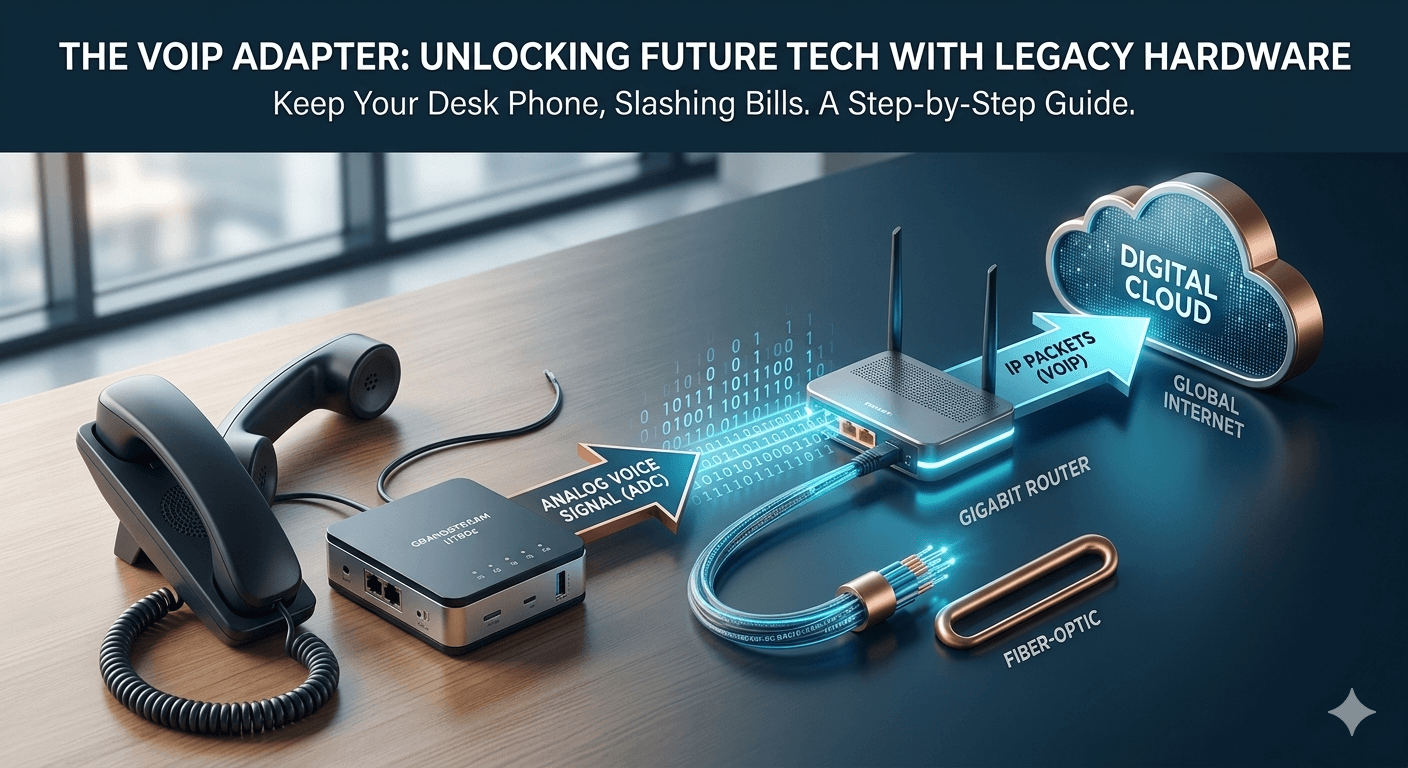
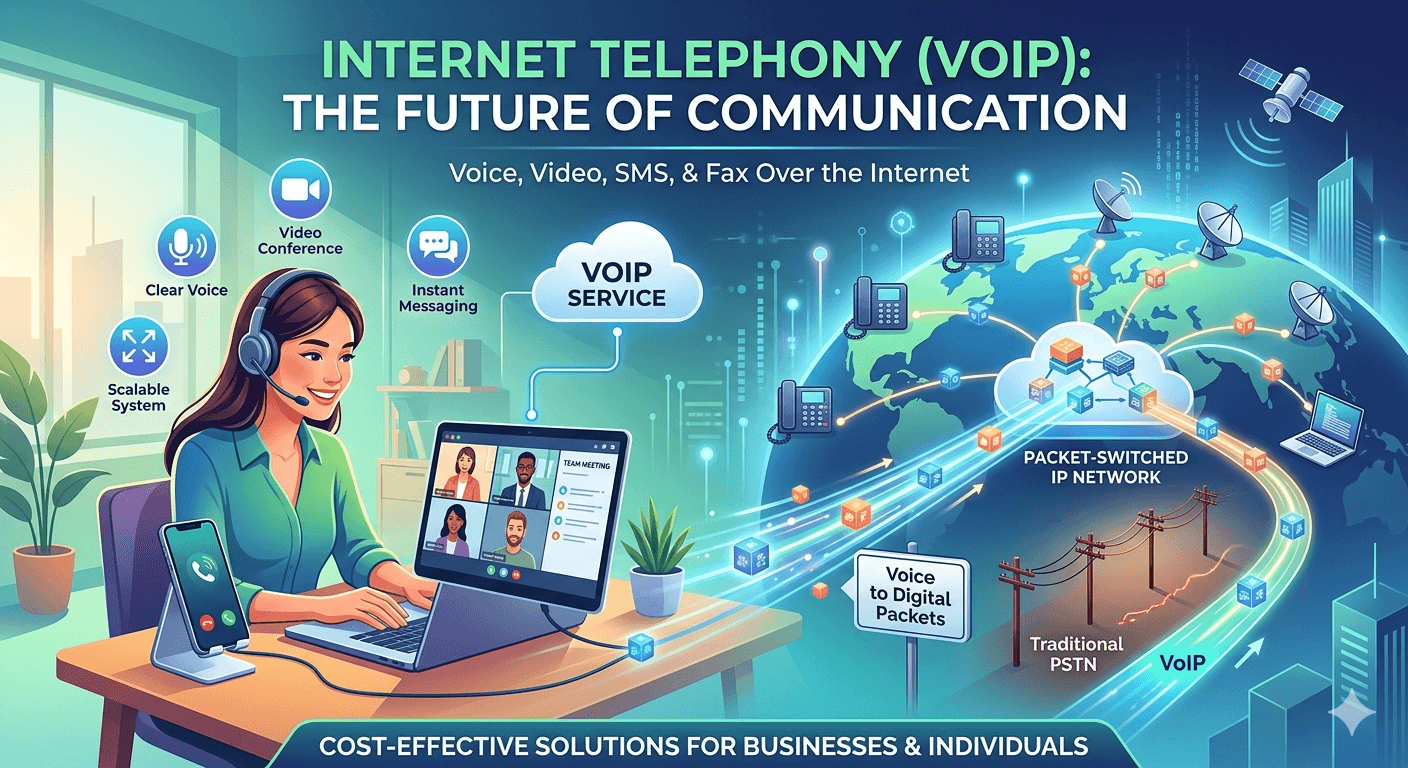
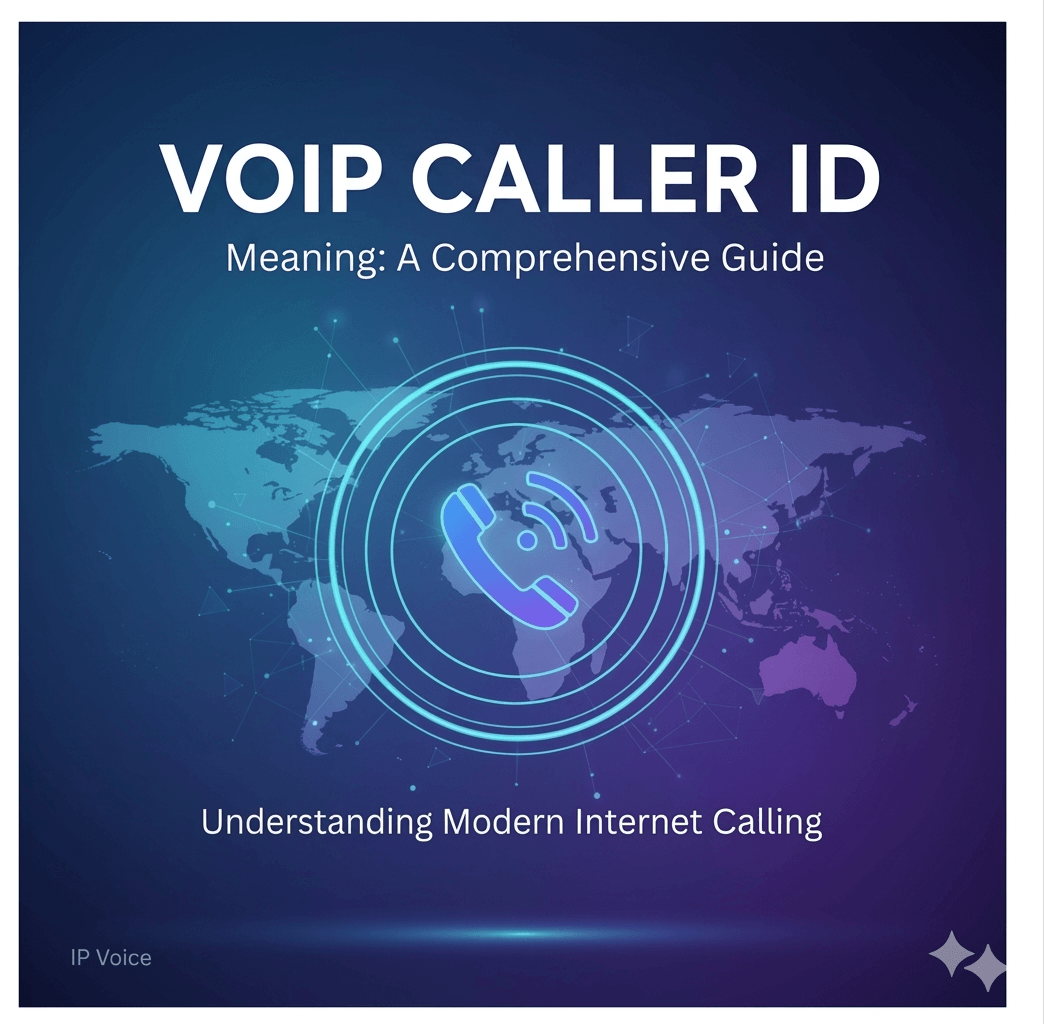
In the rapidly evolving landscape of digital communication, the traditional telephone line is becoming a relic of the past. As businesses and individuals shift toward more flexible, cost-effective solutions, the term “VoIP caller” has become increasingly common. If you have ever looked at your smartphone screen and wondered about a specific voip caller meaning or why an ip voice caller id is appearing on your display, you are not alone. Understanding what is voip caller technology is essential for navigating modern telecommunications, whether you are a business owner looking to streamline operations or a consumer curious about the “IP voice keeps calling” notifications on your device. The shift toward voip calling represents a fundamental change in how voice data is transmitted. Instead of relying on copper wires and physical switchboards, voip phone calls leverage the power of the internet to connect people globally. This transition has birthed a variety of terms and services, from voip calling services to advanced voip call routing systems used by major corporations. In this guide, we will explore the intricate details of what is voip calling, why it is used, and how to identify a call from voip sources. What is a VoIP Caller? To understand the it, we must first break down the acronym. VoIP stands for Voice over Internet Protocol. Therefore, a voip caller is simply an individual or an automated system making a phone call using an internet connection rather than a traditional Public Switched Telephone Network (PSTN) or a standard cellular signal. When you receive a call from voip, the person on the other end is using a device—be it a computer, a specialized IP phone, or a smartphone app—to convert their voice into digital data packets that travel over the web. When people ask about voip caller, they are often referring to the identity that appears on their caller ID. Because these numbers are tied to an IP address rather than a fixed physical location, a voip caller id might look different from a traditional landline. It might display a business name, a location that doesn’t match the caller’s actual area, or simply “IP Voice.” This flexibility is one of the reasons why voip calling has become the standard for modern customer support and remote work environments. The voip line meaning extends beyond just a simple phone number. It represents a virtualized communication portal. Unlike a standard “wireless caller meaning,” which typically refers to a mobile phone user on a cellular network, a voip caller? could be calling from an office in London using a New York area code. This versatility is a hallmark of voip call means in the professional world, allowing for global presence without the need for physical infrastructure in every city. What Does VoIP Stand For and How Does It Work? Voip is the foundational technology known as Voice over Internet Protocol. But knowing what voip stands for is only half the battle; understanding the mechanics of ip calling is where the real insight lies. In a standard voip phone call, your voice is picked up by a microphone and immediately encoded into digital bits. These bits are organized into “packets” and sent over the internet to the receiver. Once they reach the destination, the packets are reassembled into audio that the listener can hear. The process of voip internet calling is incredibly fast, often occurring in milliseconds to ensure there is no noticeable lag. This is why what is voip calling is often equated with high-quality, high-speed communication. For the end-user, the experience of a phone call voip is almost identical to a traditional call, but the backend “voip call routing” is much more complex and efficient. Systems like dialpad voip or ringcentral voip phone manage these routes to ensure the call takes the most efficient path through the global network. When we look at what does voip mean in a practical sense, it means that your phone service is no longer tied to a wall jack. Because voip what does it mean is essentially “data communication,” you can make voip calls from any location with a stable internet connection. This has led to the rise of voip phone calling as the primary method for remote teams to stay connected. Whether you use a voip phone dialer on your laptop or a dedicated hardware device, the voip mean is always centered on internet-based connectivity. The Evolution of Caller ID: Understanding IP Voice Caller ID One of the most frequent questions users have is regarding ip voice caller id. When you receive a notification that ip voice keeps calling, it usually signifies that the caller is using a VoIP service that hasn’t been specifically mapped to a personal name in the national caller ID database. Instead, the system identifies the “type” of network, which is “IP Voice.” This is a common occurrence with voip calls from large corporations or automated systems. The caller id voip system functions differently than landlines. In traditional telephony, the name and number are linked to a specific physical circuit. With voip calling, the caller can often customize their “display name.” This is why a voip caller id can be highly descriptive or intentionally vague. Businesses use this to ensure that when they call from voip, the recipient sees the company name rather than a random string of numbers. However, this same technology is sometimes used by telemarketers, leading people to ask “what is a voip caller mean” when they see unfamiliar names on their screens. Understanding what is a voip caller? also involves recognizing that these numbers can be “virtual.” A voip caller mean can be a person using a “burnable” number for privacy or a professional using a dedicated voip call number for business. If you see “wireless caller” on your screen, it usually indicates a mobile network, but if you see a specific name alongside an “IP” designation, you are dealing with a viop caller (a common misspelling of VoIP). Why Businesses Prefer VoIP Calling Services There is a reason why voip for call center and voip call center operations have become the industry standard. The scalability of voip calling services is unmatched by traditional hardware. In a call center voip environment, adding a new “line” doesn’t require a technician to come and pull wires through a wall. It simply involves creating a new user in a software dashboard like voip ring central or dialpad voip. Cost Efficiency: One of the biggest drivers for voip phone calling is the reduction in cost. Long-distance and international calls are significantly cheaper because they bypass traditional long-distance carriers. Advanced Features: A voip call service offers features that landlines cannot easily match, such as “find me/follow me” routing, automated attendants, and voicemail-to-email transcription. Mobility: Because what is voip number technology is software-based, employees can take their business extension with them on their mobile phones, making voip calls service ideal for the modern hybrid workforce. Integration: Voip calls meaning in a business context often involves integration with CRM (Customer Relationship Management) software, allowing a voip phone dialer to automatically log calls and pull up customer data. When a company asks “why would someone use a voip number”, the answer is almost always related to efficiency and data. By using voip call routing, a company can ensure that a customer calling from California is automatically routed to a representative who is currently online, regardless of whether that representative is in Florida or India. This level of voip calling sophistication is why voip stands for what? is a question every modern IT manager can answer in detail. Identifying the VoIP Caller: Who is Calling Me? If you are receiving frequent calls and wondering “who uses voip numbers”, the answer is: almost everyone. From your local dentist’s office to major tech giants, voip calling is the norm. However, because what are voip numbers can be easily obtained through various apps, they are also popular for personal privacy. Someone might use a voip number to keep their personal cell phone number private when selling items online or dating. However, the question of “what’s a voip caller” often comes up in the context of spam. Because it is easy to generate many voip phone calls at a low cost, some bad actors use this technology for robocalls. This is why you might see ip voice keeps calling on your log. It is important to distinguish between a legitimate call from voip (like your doctor’s office using a voip call service) and an unsolicited one. Most modern smartphones and voip calling services now include “spam protection” that helps identify whether a voip caller mean is a verified business or a potential scam. To verify a voip caller id, you can often use reverse lookup tools, though they are sometimes less effective with voip mean numbers because they can be reassigned quickly. If you are asking “can you call a voip number”, the answer is yes. A voip number functions just like any other phone number. You can dial it from a landline, a cell phone, or another VoIP app. The technology behind what is a voip call is designed to be “interoperable,” meaning it connects seamlessly with all other types of phone networks. The Technical Side: VoIP Call Routing and VoIP Lines When we discuss the voip line meaning, we are talking about a virtual connection. In the old days, a “line” was a physical pair of wires. Today, a voip phone line is a “session” established over the internet. This leads to the concept of voip call routing, which is the process of directing a call to the correct destination. For example, if you use ringcentral voip, their servers act as a giant switchboard, deciding where to send your digital voice packets based on the number you dialed. A voip caller? could be using several different types of hardware: Analog Telephone Adapters (ATA): These allow you to plug a traditional phone into a computer or internet connection to call voip. IP Phones: These look like standard office phones but connect directly to a router via Ethernet. They are built specifically for voip phone calling. Softphones: This is a “software phone,” an app on your computer or smartphone that allows you to make voip calls without any extra hardware. This flexibility is why what is a voip phone line is a difficult question to answer with a single physical description. It is a service, not a piece of hardware. Whether you are looking at voip caller meaning in a residential or commercial setting, the “line” is simply your subscription to a voip calling provider. This is also what determines what is voip calling quality; a faster internet connection leads to a clearer “line.” Common Terms and Variations: From VoIP to IP Calling In the world of technology, it is common for terms to be misspelled or used interchangeably. You might see voip caller or voip meaning in search results; these are simply typos for VoIP. Similarly, ip calling and voip calling refer to the same thing: using the Internet Protocol to transmit voice data. When someone asks “what does voip mean” or “what is voip caller”, they are seeking the same information regarding internet-based telephony. Other terms like wireless caller meaning can sometimes cause confusion. A wireless caller is typically someone on a cellular network (like Verizon or AT&T), whereas a voip caller is someone using an internet-based service (like Skype, WhatsApp, or ringcentral voip phone). However, since many people use VoIP apps on their wireless smartphones, the lines are blurring. When you use FaceTime Audio or WhatsApp to call a friend, you are performing voip internet calling, even if you are on a “wireless” 5G connection. Understanding what is voip mean or whats voip mean is about recognizing that “Voice” has become “Data.” This is the core of voip call means. It is the reason why what voip means is so revolutionary—it has decoupled your identity (your phone number) from your physical location. Whether you are asking “what is a voip caller mean” or “what’s voip caller”, the answer always points back to this digital transformation of the human voice. Choosing a VoIP Provider: Dialpad, Ring Central, and More If you are looking to move away from traditional lines and want to start voip calling, choosing the right provider is key. Companies like Dialpad voip and RingCentral voip are leaders in the industry. They provide the infrastructure that allows businesses to manage voip calls with ease. When you sign up for a ringcentral voip phone service, you aren’t just getting a dial tone; you are getting a suite of tools including video conferencing, SMS, and voip call routing. For smaller users or individuals, what is voip number services often include free or low-cost apps. However, for a professional voip call center, the requirements are higher. They need a voip phone dialer that can handle hundreds of calls simultaneously and a voip calling system that offers 99.99% uptime. This is where voip call service providers earn their reputation, by ensuring that every call from voip is as clear as a face-to-face conversation. When evaluating voip calling services, consider the following: Call Quality: Does the provider offer HD voice? Security: How do they protect your voip caller id and data? Integration: Will it work with your existing tools? Scalability: Can you easily add more voip phone calling users as you grow? Understanding what is a voip caller? in the context of these providers helps you see the “who” behind the technology. These companies are the gatekeepers of the modern ip calling world, ensuring that when you ask “what is voip mean”, the answer is a reliable, high-tech communication experience. The Security Aspect: Is VoIP Calling Safe? With the rise of voip calling, security has become a paramount concern. Because voip calls travel over the public internet, they can be vulnerable to interception if not properly encrypted. This is why top-tier voip calling services use advanced encryption protocols to protect your conversations. When you see a voip caller id that looks suspicious, it is a reminder that while the technology is powerful, it must be used with caution. The question of “what is a voip caller” often leads to discussions about “spoofing.” Spoofing is when a caller manipulates the caller id voip to display a number other than their own. This is a common tactic used by scammers to make it look like a call from voip is coming from a local government agency or a bank. To combat this, the industry has implemented standards like STIR/SHAKEN, which help verify that a voip caller mean is actually who they claim to be. For the average user, the voip caller meaning in terms of security is simple: be as cautious with your internet calls as you are with your emails. If you receive a phone call voip that asks for personal information, verify the source. Legitimate businesses using voip for call center purposes will never ask for your password over the phone. Understanding what is a voip caller mean in a security context helps you stay one step ahead of digital threats. Identifying VoIP Numbers and Their Users Who exactly is a voip caller? As we’ve established, it can be anyone. However, there are specific groups that heavily rely on voip calling. Global Corporations: They use voip call routing to connect offices in different countries without incurring international fees. Small Businesses: They use voip phone calling to appear more professional with “big company” features like hold music and automated menus. Privacy Seekers: Individuals use voip internet calling apps to keep their “real” number private. Remote Workers: They use voip calls to stay connected to their office phone system while working from home or a coffee shop. If you are trying to figure out “what is a voip number” that keeps appearing on your bill or your phone, it is likely one of these groups. The voip line meaning is that the number is hosted in the cloud. This is why what is a voip phone line is often called a “virtual number.” It can be moved, changed, or deleted with the click of a button, which is a major advantage for those who value flexibility. When you ask “what’s a voip caller” or “what is voip caller”, you are looking at the face of modern communication. It is a world where the physical distance between two people no longer dictates the cost or quality of their conversation. Whether through a voip ringcentral setup or a simple voip phone dialer, the way we talk is forever changed. Final Thought on VoIP Calling The journey from understanding the basic voip caller meaning to exploring the complexities of voip call routing reveals just how much our communication systems have evolved. VoIP calling is no longer a niche technology for tech-savvy early adopters; it is the backbone of global business and personal interaction. By leveraging ip calling, we have broken free from the constraints of physical wires, allowing for a more connected and mobile world. Whether you are a business looking to implement a voip call center or an individual wondering “what is a voip caller?” on your smartphone, the key is to embrace the flexibility and efficiency that voip calls offer. As internet speeds continue to increase and security protocols become more robust, the prevalence of the voip caller will only grow. Understanding what does voip mean is the first step in mastering the tools of the digital age, ensuring that every phone call voip you make or receive is clear, secure, and effective. Read More: What is VoIP Adapter: VoIP to POTS Converter Guide Frequently Asked Questions (FAQs) What is the main difference between a VoIP caller and a regular caller? A regular caller uses a traditional landline or a cellular network to transmit voice signals through physical wires or cell towers. A voip caller, on the other hand, uses an internet connection to send voice data as digital packets. The voip caller meaning is tied to this internet-based transmission, which often allows for more features and lower costs than traditional calling. Why does my phone say “IP Voice” or “VoIP Caller” instead of a name? When your caller ID displays ip voice caller id or “IP Voice,” it means the service provider has identified the incoming call as originating from a Voice over Internet Protocol network but does not have a specific name registered in its database for that number. This is common with voip calls from businesses or automated systems that use large blocks of virtual numbers. Can I call a VoIP number from my regular cell phone? Yes, you can. One of the great things about voip calling is that it is fully integrated with the global telephone network. Whether someone is using a voip phone line, a ringcentral voip phone, or a computer app, you can dial their voip call number from any standard phone, and the call will go through just like any other. Are VoIP calls safe from hackers? Most reputable voip calling services, such as Dialpad voip or RingCentral, use encryption to protect voice data as it travels over the internet. While no technology is 100% foolproof, voip phone calling is generally as secure as traditional phone lines, provided you use a trusted provider and a secure internet connection. Understanding what is voip caller security involves looking for providers that offer end-to-end encryption. What does VoIP stand for in simple terms? If you are asking “what does voip stand for”, the answer is Voice over Internet Protocol. In simple terms, it means “sending your voice over the internet.” Instead of your voice traveling through old-fashioned phone wires, it is turned into data (like an email or a YouTube video) and sent over your Wi-Fi or data connection. This is the core voip mean that powers modern digital communication.

Read More
hosted voip

Why Hosted PBX Phone System is the New Standard for Businesses?

A hosted PBX phone system is becoming the new standard because it delivers enterprise-level communication without expensive on-site hardware. It operates in the cloud, offering scalability, remote access, and easy management. Businesses benefit from lower costs, flexibility, and advanced features like call routing, analytics, and integrations. In the rapidly evolving business landscape, traditional phone systems are becoming a relic of the past. Companies, especially those focused on growth, are increasingly turning to a more dynamic, cost-effective, and feature-rich alternative: hosted VoIP for business. This innovative approach, often referred to as a hosted PBX phone system or hosted IP phone system, leverages the internet to deliver superior communication capabilities. Gone are the days of expensive on-premise hardware, complicated installations, and limited functionality. Today, a hosted VoIP system provides businesses of all sizes with an enterprise-grade communication solution that is both powerful and flexible. If you’re wondering why so many businesses are making the switch, and why a hosted IP PBX is considered the new standard for growth, read on. 10 Reason Why Hosted PBX Phone System is the New Standard for Businesses Here are 10 compelling reasons why adopting a hosted VoIP for business solution will empower your company’s expansion and efficiency. 1. Lower Business Phone Costs One of the most immediate and impactful benefits of VoIP for business is the significant reduction in communication expenses. Traditional landlines come with high installation fees, per-minute charges, and costly maintenance. A hosted VoIP phone system drastically cuts these overheads. Instead of investing in expensive PBX hardware, you pay a predictable monthly fee to your provider. This eliminates capital expenditures, reduces long-distance charges (often free within the VoIP network), and slashes maintenance costs, as the provider manages all the infrastructure. For small businesses, these are critical benefits of VoIP for small business, freeing up capital that can be reinvested into growth initiatives. 2. High Call Quality The misconception that internet-based calls are inherently poor quality is outdated. Modern hosted VoIP solutions deliver exceptionally clear and reliable call quality, often surpassing traditional landlines. This is due to advancements in broadband internet, sophisticated audio codecs, and Quality of Service (QoS) protocols that prioritize voice traffic. With a good internet connection, your hosted IP phone system will provide crystal-clear conversations, ensuring every client interaction and team meeting is productive and professional. High call quality is a non-negotiable for effective business communication, and contemporary VoIP systems excel in this regard. 3. Advanced Call Features Without High Costs This is where a hosted PBX phone system truly shines and offers significant advantages of VoIP over traditional systems. Unlike legacy systems where advanced features came with a hefty price tag, a hosted VoIP system includes a comprehensive suite of sophisticated functionalities as standard. Imagine having access to: Auto-Attendant: Professional greetings and call routing. Call Forwarding & Routing: Direct calls to the right person, anywhere. Voicemail-to-Email: Receive voicemails as audio files in your inbox. Conferencing: Easy setup for multi-party calls. Caller ID, Call Waiting, Do Not Disturb: Essential features for daily operations. Call Recording: For training, quality assurance, or compliance. Presence Indicators: See who is available or busy. These are just a few examples of why use VoIP for business. These features enhance productivity, improve customer service, and project a professional image, all included in your hosted PBX pricing. 4. Better Security with the Right Provider Security is a paramount concern for any business, and hosted VoIP solutions offer robust protection when partnered with a reputable provider. Leading hosted VoIP for business providers implement multi-layered security protocols, including: Encryption: Securing voice data during transmission. Firewalls & Intrusion Detection: Protecting the network from un-authorized access. Regular Software Updates: Patching vulnerabilities promptly. Data Redundancy & Backups: Ensuring service continuity and data integrity. While no system is entirely impervious, the security measures employed by professional hosted IP PBX providers are often far more advanced than what a small or medium-sized business could afford or manage on its own with an on-premise system. Choosing a provider that prioritizes security is key to leveraging these advantages of VoIP. 5. Employees Can Work from Anywhere with VoIP The modern workforce is increasingly remote and mobile. One of the standout advantages of VoIP is its inherent flexibility, allowing employees to connect from any location with an internet connection. Whether working from home, a co-working space, or on the road, your team can use their business phone system seamlessly. This means: Remote Work Support: Enable employees to make and receive calls as if they were in the office. Geographic Flexibility: Easily set up new offices or temporary locations without complex installations. Business Continuity: Operations can continue even if the physical office is inaccessible. This capability is a huge benefit of VoIP for business, particularly for companies looking to expand their talent pool beyond local geographic limits. 6. Digital Calls Are Just the Beginning: Unified Communications A hosted VoIP system goes beyond just voice calls. It forms the foundation for a comprehensive Unified Communications (UC) platform. This means integrating various communication channels into a single, cohesive solution. With a hosted IP phone system, you can consolidate: Voice Calls: The core functionality. Video Conferencing: Face-to-face meetings from anywhere. Instant Messaging/Chat: Quick internal communication. Presence Information: See who is available, in a meeting, or away. Screen Sharing: For collaborative work and presentations. This integration streamlines workflows, enhances team collaboration, and minimizes the need for multiple, disparate communication tools. It’s a key reason why use VoIP for business is synonymous with efficiency. 7. Simplified Scalability for Growing Businesses Growth is exciting, but it often brings infrastructure challenges. Traditional phone systems require significant upgrades and investments every time you add new employees or expand offices. This is not the case with a hosted PBX phone system. Scalability is one of the most compelling advantages of VoIP for a growing business. You can: Add or Remove Users Instantly: Simply log into a web portal to provision new extensions or deactivate old ones. Expand Locations Easily: Connect new offices to the same system with minimal setup. Handle Increased Call Volumes: Hosted solutions are designed to manage fluctuating demands without performance degradation. This “pay-as-you-grow” model means your communication system can effortlessly scale with your business without incurring prohibitive costs or downtime. 8. Seamless Integration with Business Tools Modern businesses rely on a suite of applications to manage their operations, from CRM to helpdesk software. A major benefit of VoIP for business is its ability to integrate seamlessly with these essential tools. Imagine: Click-to-Call: Initiate calls directly from your CRM database. Automatic Call Logging: All call activity recorded within your CRM or helpdesk. Screen Pops: Customer information automatically displayed when they call. Call Analytics: Data from calls integrated with sales and support metrics. These integrations enhance productivity, improve customer relationship management, and provide valuable insights into communication patterns. It’s a powerful aspect of why use VoIP for business makes operational sense. 9. Enhanced Mobility with Mobile VoIP Apps For the ultimate in flexibility, hosted VoIP solutions come with dedicated mobile applications. These apps turn any smartphone into an extension of your business phone system. With a mobile VoIP app, your employees can: Make and receive calls using their business number, even from their personal phone. Access business contacts, voicemails, and call history on the go. Participate in conference calls from anywhere. Keep personal and business communications separate on a single device. This enhanced mobility ensures that your team is always connected and professional, whether they’re in the office, at home, or traveling. It’s a massive advantage of VoIP for any business with a mobile workforce. 10. Robust Disaster Recovery Options Business continuity is vital, and a hosted PBX phone system offers superior disaster recovery capabilities compared to on-premise solutions. Since the system is hosted in the cloud, often across multiple data centers, it’s inherently more resilient. In the event of a local disaster (power outage, office closure): Automatic Call Forwarding: Calls can be rerouted instantly to mobile phones or other locations. Geographic Redundancy: Your service continues uninterrupted from another data center. Remote Accessibility: Employees can continue working from anywhere, using softphones or mobile apps. These robust disaster recovery options minimize downtime and ensure your business can continue communicating, safeguarding your operations and customer relationships. This resilience is a compelling reason why use VoIP for business. Predictable Monthly Costs with Subscription Models One of the significant financial advantages of VoIP for business, particularly for small businesses, is the predictable nature of its costs. Moving to a hosted VoIP system transforms what used to be a capital expenditure (CAPEX) into an operational expenditure (OPEX). With hosted PBX pricing, you typically pay a fixed monthly subscription fee per user. This fee usually includes: Access to all the advanced features. Unlimited local and long-distance calling (within North America, for example). Maintenance and upgrades handled by the provider. Scalability for adding or removing users. This predictability helps with budgeting and cash flow management, removing the unexpected costs associated with traditional phone system repairs or hardware replacements. It’s a huge benefit of VoIP for small business trying to manage their finances effectively. Access to Analytics for Smarter Decision-Making A often-overlooked, yet powerful, advantage of VoIP for business is the wealth of data and analytics it can provide. Unlike traditional systems, hosted VoIP solutions track various call metrics, offering insights that can inform business strategy. You can gain access to: Call Volume Trends: Identify peak calling times and staffing needs. Call Duration: Analyze average conversation lengths. Missed Call Rates: Pinpoint areas for customer service improvement. Agent Performance: Monitor individual or team call metrics (for call centers). Call Routing Efficiency: Optimize how calls are directed. These analytics empower you to make data-driven decisions about staffing, customer service, marketing campaigns, and overall operational efficiency. This level of insight is a clear advantage of voice over internet protocol that traditional systems simply cannot offer without expensive add-ons. Unlock the Full Potential of VoIP Today with Intermedia Choosing the right hosted VoIP for business provider is crucial to unlocking these benefits. Intermedia, a leading provider of cloud communications, offers robust hosted PBX solutions designed for growth. With Intermedia, you gain access to a reliable hosted IP phone system that delivers exceptional call quality, a rich feature set, and seamless integration capabilities, all backed by award-winning support. Make the switch and empower your business communication for the future. Read more: VoIP vs PBX: Which Should You Choose for Your Business? Final Thoughts The decision to adopt a hosted VoIP solution is more than a simple hardware upgrade; it is a foundational shift toward a more agile, cost-efficient, and future-proof communication infrastructure. By migrating to the cloud, organizations liberate themselves from the constraints of traditional copper-wire systems, gaining a dynamic platform that scales effortlessly with their ambitions. From significantly lowering monthly overhead and delivering crystal-clear HD voice quality to enabling a truly borderless workforce, the advantages of VoIP are both clear and compelling. These systems do more than just facilitate calls—they serve as a central nervous system for modern operations, integrating seamlessly with CRM platforms and essential productivity tools to turn every interaction into actionable data. For businesses aiming for sustainable growth in an era of rapid digital transformation, investing in a hosted PBX phone system isn’t just a luxury—it’s a strategic imperative. It ensures that your communication remains uninterrupted, your team remains connected, and your professional image remains polished, regardless of where the day’s work happens. Embrace the power of cloud communications today to bridge the gap between your current operations and your business’s future potential. FAQs What is a hosted PBX phone system? A hosted PBX phone system is a business phone system where the PBX (Private Branch Exchange) functionality is delivered as a service over the internet by a third-party provider, rather than being located on your company’s premises. This allows businesses to access advanced features without needing to buy or maintain complex hardware. Is hosted VoIP reliable? Yes, hosted VoIP for business is highly reliable. Reputable providers use robust data centers, redundant systems, and advanced network management to ensure high uptime and call quality. Reliability largely depends on having a stable and sufficient internet connection at your business location. What is the difference between VoIP and a hosted PBX? VoIP (Voice over Internet Protocol) is the technology that allows voice calls over the internet. A hosted PBX is a specific type of VoIP phone system where the core infrastructure (the PBX) is managed and maintained by a third-party provider, offering a comprehensive suite of features as a service. So, a hosted PBX uses VoIP technology. How much does a hosted PBX phone system cost? Hosted PBX pricing typically follows a per-user, per-month subscription model. Costs can vary widely based on the provider, the number of users, and the specific features included in the plan (e.g., basic, standard, premium). Generally, it is more cost-effective than purchasing and maintaining an on-premise PBX system. Can I keep my existing business phone numbers when switching to a hosted VoIP system? Yes, in almost all cases, you can port your existing business phone numbers to your new hosted VoIP phone system. This ensures continuity for your customers and avoids the need to update all your business collateral with new numbers. Your chosen VoIP provider will guide you through the number porting process.

Read More
Wireless IP Phones vs. Mobile Apps

Wireless IP Phones vs. Mobile Apps: Deciding What’s Best for Your Remote Workforce

Wireless IP phones are dedicated devices that offer stable call quality, reliability, and a professional setup for remote teams. Mobile apps, on the other hand, provide flexibility, mobility, and lower costs by turning smartphones into VoIP tools. The best choice depends on your workforce needs—whether you prioritize performance and consistency or convenience and scalability. In today’s dynamic business landscape, where remote work and mobility are no longer exceptions but norms, choosing the right communication tools is paramount. The traditional desk phone has evolved, giving way to a spectrum of options including dedicated wireless IP phones and versatile mobile apps. For businesses aiming to optimize their remote or mobile workforce’s connectivity, the question isn’t just “which is better?” but “which is best for us?” This comprehensive guide delves into the nuances of wireless IP phones vs mobile apps, examining their individual strengths and weaknesses, cost implications, security features, and suitability for various business environments. We’ll help you navigate the complexities to make an informed decision that empowers your team, enhances productivity, and ultimately drives business success. Understanding Your Communication Toolkit: Desk Phones, Web Phones, and Mobile Apps Before we pit wireless IP phones against mobile apps, it’s essential to understand the broader ecosystem of modern business communication tools. These can generally be categorized into three main types, each serving distinct purposes and catering to different user needs. What is a VoIP Phone? – The Office Anchor A VoIP (Voice over Internet Protocol) phone, often referred to as an IP phone or internet phone for business, is a physical device that looks and functions much like a traditional desk phone but connects to your internet network instead of a traditional phone line. These devices convert analog audio into digital packets, transmitting them over the internet. Key Features of a VoIP Phone: Dedicated Hardware: A physical device designed specifically for making and receiving calls. High Call Quality: Often provides excellent audio quality due to dedicated hardware and network optimization. Advanced Features: Supports features like call forwarding, conferencing, voicemail, and directory services. Reliability: Can be very reliable, especially when paired with Power-over-Ethernet (PoE). Great For: Employees who spend most of their day at a fixed desk. Roles requiring constant, high-quality voice communication. Environments where a physical phone presence is preferred or necessary. Businesses prioritizing a professional, established communication setup. What is a Softphone? – The Power User’s Hub A softphone is software that allows you to make and receive calls over the internet using a computer, laptop, or tablet. It essentially transforms your device into a telephone. Softphones are typically part of a larger Unified Communications (UC) platform, integrating voice, video, messaging, and presence features. Key Features of a Softphone: Software-Based: Runs on a computer or laptop, utilizing existing hardware (headset, microphone). Integration Capabilities: Seamlessly integrates with CRM systems, email, and other business applications. Unified Communications: Often part of a broader UC suite, offering chat, video conferencing, and screen sharing. Flexibility: Allows users to work from anywhere with an internet connection, using their primary computing device. Great For: Employees who heavily rely on their computer for daily tasks, such as sales or customer service representatives. Tech-savvy users who appreciate integrated workflows. Businesses looking for a comprehensive UC solution. Remote workers who primarily use a desktop or laptop for their work. What is a Mobile App? – Ultimate Flexibility for the Road Warrior A mobile app, in the context of business communication, is a VoIP application installed on a smartphone or tablet. These apps extend your business phone system to mobile devices, allowing employees to make and receive calls, access voicemails, and manage their business identity using their personal or company-issued smartphone. Key Features of a Mobile App: Ultimate Portability: Allows communication from virtually any location with mobile data or Wi-Fi. BYOD Friendly: Can be easily deployed on employees’ personal smartphones (Bring Your Own Device). Cost-Effective: Leverages existing mobile devices, potentially reducing hardware costs. Consolidated Communication: Keeps business and personal calls separate on the same device. Great For: Field sales teams, technicians, and employees who are constantly on the move. Businesses with a highly mobile or remote workforce. Organizations looking to leverage BYOD policies. Individuals who need to be reachable on their business line wherever they are, without carrying an extra device. Desktop VoIP Phones vs Softphones vs Mobile Apps: A Head-to-Head Comparison for 2026 To truly understand which solution is best, let’s conduct a detailed comparison across several critical business metrics for the year 2026, considering technological advancements and evolving work patterns. Feature / Metric VoIP Desk Phones Softphones Mobile Apps Hardware Dedicated physical device Computer/laptop, headset, microphone Smartphone/tablet Portability Low (fixed location) Medium (requires laptop/internet) High (mobile data/Wi-Fi) Ease of Setup Moderate (network configuration, physical installation) Easy (software installation, peripheral setup) Very Easy (app download, account login) Call Quality Excellent (dedicated hardware, QoS) Very Good (dependent on internet, headset quality) Good (dependent on internet, device, network congestion) Reliability High (dedicated power/Ethernet) Medium (dependent on computer performance, internet) Medium (dependent on mobile network, battery life) Integration Limited (some CRM, directory features) Extensive (CRM, email, UC platforms) Moderate (contacts, some CRM integration) Security High (dedicated, controlled environment) High (software security, network protocols) Moderate (device security, app permissions) Cost (Per User) Higher (hardware purchase + license) Moderate (headset purchase + license) Lower (license only, leverages existing device) Power Dependency Can use PoE (Power-over-Ethernet) for reliability Dependent on laptop/computer power Dependent on smartphone battery Best Use Case Static office workers, call centers Desk-bound remote workers, heavy computer users Field staff, highly mobile employees, BYOD environments Pros and Cons: VoIP Phones vs Softphones vs Mobile Apps Let’s break down the advantages and disadvantages of each option to provide a clearer picture. VoIP Desk Phones Advantages of VoIP for Business (VoIP Desk Phones): Superior Call Quality: Dedicated hardware often leads to crystal-clear audio. Reliability: Less prone to software glitches or conflicts with other applications. PoE provides power redundancy during outages. Professional Image: A physical desk phone can project a more traditional, professional image. Ease of Use: Familiar interface for many users, requiring minimal training. Enhanced Security: Dedicated devices can be more secure as they are less susceptible to malware common on general-purpose computers. Advanced Features: Access to a full suite of business telephony features like hold, transfer, conference, and speed dial buttons. Disadvantages of VoIP (VoIP Desk Phones): Lack of Mobility: Tied to a specific physical location. Not suitable for a mobile workforce. Higher Initial Cost: Requires purchasing dedicated hardware for each user. Physical Space Requirement: Takes up desk space. Installation & Maintenance: Can require more effort for initial setup and ongoing physical maintenance. Power Dependency: While PoE helps, they are still dependent on network infrastructure. Softphones Advantages of VoIP (Softphones): Cost-Effective: Eliminates the need for dedicated desk phone hardware, often only requiring a good headset. High Flexibility & Portability: Users can make and receive calls from any location with an internet-connected computer. Unified Communications (UC) Integration: Seamlessly integrates with other business tools like CRM, email, chat, and video conferencing, offering a comprehensive communication hub. Scalability: Easy to add or remove users as your business needs change. Advanced Features: Access to all VoIP features, often with a more intuitive software interface. Eco-Friendly: Reduces electronic waste compared to physical phones. Disadvantages of VoIP (Softphones): Reliance on Computer Performance: Call quality and performance can be affected by the computer’s resources and other running applications. Peripheral Dependency: Requires a good quality headset and microphone for optimal performance. Internet Dependency: A stable and robust internet connection is crucial for reliable service. Security Concerns: Can be more vulnerable to security threats if the underlying computer system is compromised. User Adoption: Some users may prefer the tactile experience of a physical phone. Mobile Apps Advantages of VoIP (Mobile Apps): Ultimate Mobility: Enables employees to communicate effectively from anywhere, ideal for a highly mobile or remote workforce. BYOD (Bring Your Own Device) Friendly: Leverages existing employee smartphones, reducing hardware costs and allowing personal choice. Cost Savings: Eliminates the need for separate business phones or additional mobile plans for business calls. Separation of Business and Personal: Allows employees to maintain a professional business identity on their personal device. Quick Deployment: Easy to download and set up, enabling rapid scaling of communication capabilities. Accessibility: Ensures employees are always reachable on their business line. Disadvantages of VoIP (Mobile Apps): Call Quality Variability: Highly dependent on the quality of the mobile network (cellular data or Wi-Fi) and device performance. Battery Drain: Constant use of VoIP apps can significantly drain smartphone battery life. Potential for Distraction: Blurring of lines between personal and business use on a single device. Device Security: Business communication is reliant on the security posture of the employee’s personal device. Feature Limitations: While robust, some advanced features or integrations might be less seamless than on a dedicated softphone or desk phone. Dependence on Personal Device: Issues with an employee’s personal phone can impact their ability to perform work. How to Choose a VoIP Setup Based on Your Environment The best phone system for your business isn’t a one-size-fits-all solution. It depends heavily on your specific operational environment, employee roles, and strategic goals. Should You Use Just One? Mixing & Matching is an Option Absolutely not! In fact, for many businesses, a hybrid approach offers the most significant advantages. Mixing and matching different VoIP solutions allows you to tailor communication tools to individual roles and departments, maximizing efficiency and cost-effectiveness. For instance: Customer Service & Sales Teams (Desk-Bound): Primarily VoIP desk phones or softphones for consistent, high-volume communication and CRM integration. Field Technicians & Sales Representatives (On-the-Go): Mobile apps for ultimate flexibility and constant connectivity. Executives & Managers (Hybrid): A softphone on their laptop for office and home use, complemented by a mobile app for when they are traveling or away from their desk. Receptionists: Often benefit most from a dedicated VoIP desk phone with advanced features for call handling. This strategy allows you to leverage the specific benefits of each option while mitigating their disadvantages. Use Cases: VoIP Phones vs Softphones vs Mobile Apps Let’s explore practical scenarios where each solution shines. VoIP Desk Phones Call Centers: Agents benefit from dedicated hardware, consistent call quality, and easy access to features like call hold and transfer. Office Environments with Fixed Workstations: Employees who spend their entire workday at a desk can rely on the stability and clarity of a physical phone. Conference Rooms: Dedicated conference phones (a type of VoIP desk phone) provide superior audio for group meetings. Reception Desks: A physical phone with multiple lines and advanced call handling features is essential for managing incoming calls efficiently. Softphones Remote Workforces (Desk-Bound): Employees working from home can use their laptops as their primary business communication hub, integrating with other applications. Sales and Marketing Teams: Integration with CRM systems allows for seamless call logging, click-to-dial functionality, and improved productivity. Customer Support Teams: Agents can handle calls, chats, and emails from a single interface, enhancing efficiency. Project Teams: Unified communications features (chat, video, screen sharing) within a softphone platform facilitate collaboration. Mobile Apps Field Service Technicians: Can make and receive business calls while on job sites, keeping their personal number private. Traveling Salespeople: Stay connected with clients and the office from anywhere in the world with internet access. Delivery Drivers: Coordinate logistics and communicate with customers using their business line on their smartphone. Real Estate Agents: Manage client calls and inquiries while showing properties. Part-time or Flexible Employees: Easily access business communication tools without needing dedicated hardware. Cost Considerations: What’s the Most Affordable Option? Cost is often a significant factor in business decisions. Let’s examine the financial implications of each VoIP solution. VoIP Desk Phones: Generally have the highest upfront cost due to the purchase of physical hardware for each user. Prices can range from $50 to $300+ per phone, depending on features. However, they typically offer a longer lifespan and potentially lower long-term replacement costs if durable. Softphones: The most cost-effective hardware solution, as they leverage existing computers and typically only require a high-quality headset (ranging from $20 to $100). The primary cost is the software license, which is usually included in your VoIP service plan. Mobile Apps: Similar to softphones, the hardware cost is minimal to non-existent as it utilizes employees’ personal smartphones. The primary cost is the per-user license for the VoIP service that includes mobile app access. This can be very affordable, especially with BYOD policies. Overall Affordability: For businesses with a high percentage of mobile workers or a strong BYOD policy, mobile apps often present the lowest overall cost due to minimal hardware investment. For desk-bound remote workers, softphones offer excellent value by leveraging existing computer hardware. VoIP desk phones represent a higher initial investment but can be justified for roles requiring dedicated, high-quality, and highly reliable physical communication. It’s crucial to consider not just upfront costs but also ongoing subscription fees, maintenance, and potential productivity gains or losses associated with each option. Many VoIP providers offer tiered plans that include softphones and mobile apps as standard features, making the incremental cost minimal for these options. Desk Phones vs. Web Phones vs. Mobile Apps: Call Quality & Security Considerations Beyond cost and flexibility, call quality and security are paramount for business communication. Call Quality VoIP Desk Phones: Generally offer the most consistent and highest call quality. Dedicated hardware, often with built-in Quality of Service (QoS) features on the network, prioritizes voice traffic, minimizing latency, jitter, and packet loss. This leads to clear, uninterrupted conversations. Softphones: Can deliver excellent call quality, especially when paired with a high-quality headset and a stable internet connection. However, performance can be impacted by other applications running on the computer, CPU usage, and network congestion if QoS isn’t fully optimized. Mobile Apps: Call quality is the most variable. It heavily depends on the strength and stability of the mobile data signal (4G/5G) or Wi-Fi connection. During periods of poor coverage or network congestion, call quality can degrade significantly. However, with strong connections, quality can be comparable to traditional calls. Security VoIP Desk Phones: Can be very secure within a controlled network environment. Physical access can be restricted, and dedicated devices are less susceptible to general computer viruses or malware. Security relies on robust network firewalls and VPNs for remote access. Softphones: Security is a major consideration. Since they run on general-purpose computers, they are vulnerable to the same threats as other software (malware, phishing). Strong cybersecurity practices on the host computer (antivirus, firewalls, regular updates) are essential. VoIP providers also employ encryption (SRTP/TLS) to secure calls. Mobile Apps: Introduce unique security challenges due to the use of personal devices and reliance on public networks. Device security (PINs, biometrics), app permissions, and the use of secure Wi-Fi or VPNs are critical. Reputable VoIP providers ensure end-to-end encryption for mobile calls. BYOD policies require careful planning to ensure business data security. The benefits of VoIP for security are substantial, including encrypted calls and robust network defenses, but the implementation choice (desk phone, softphone, or app) influences the specific security posture. Load Shedding and Reliability: The Power-over-Ethernet (PoE) Advantage For businesses operating in regions prone to power outages or simply seeking enhanced reliability, the power source of your communication devices is critical. VoIP Desk Phones (with PoE): This is where desk phones can truly shine. Many modern VoIP desk phones support Power-over-Ethernet (PoE), meaning they receive both power and data through a single Ethernet cable. If your network switches are connected to an Uninterruptible Power Supply (UPS) or a generator, your VoIP desk phones can continue functioning during a power outage, provided your internet connection remains active. This offers a significant reliability advantage over devices that require separate power adapters. Softphones & Mobile Apps: These devices are inherently dependent on their host device’s power source. Laptops and smartphones rely on internal batteries, which have limited lifespans, or external power. During extended power outages, without access to charging, these devices will eventually cease to function. While mobile data can provide internet connectivity during a Wi-Fi outage, the power supply for the phone itself remains a vulnerability. Therefore, for mission-critical roles that must remain contactable even during power disruptions, a PoE-enabled VoIP desk phone, backed by a robust power infrastructure, offers the highest level of reliability. This is a significant advantage of VoIP, specifically for physical IP phones. Are Desk Phones Becoming Obsolete? Not Yet. Despite the rise of softphones and mobile apps, desk phones are far from obsolete. While their role has shifted, they continue to be indispensable in many professional environments. Why are desk phones still relevant? Dedicated Functionality: A physical phone is purpose-built for calls, reducing distractions and ensuring consistent performance. Ergonomics: For employees who spend hours on calls, a comfortable handset or integrated headset port can be more ergonomic than holding a smartphone or relying solely on a computer headset. Familiarity: Many users, especially those less tech-savvy, prefer the tangible buttons and familiar layout of a traditional-looking phone. Reliability & Durability: They are often robust devices, designed for continuous use, and can be more reliable than a general-purpose computer or smartphone for critical calls. Specific Roles: Receptionists, call center agents, and executives often benefit from the advanced features and stability of a dedicated desk phone. The idea that desk phones are obsolete is largely a misconception. Instead, they are evolving, offering advanced VoIP features and integrating into a broader, more flexible communication ecosystem. What’s the Best Phone System for Your Business? Choosing the best phone system for your business involves evaluating your unique needs, workforce characteristics, and strategic priorities. Consider the following: Workforce Mobility: Highly Mobile (Field sales, technicians): Prioritize mobile apps. Desk-Bound Remote Workers: Softphones are an excellent choice. Office-Based, Fixed Workstations: VoIP desk phones or softphones. Budget: Tight Budget, Minimal Hardware: Softphones and mobile apps are more cost-effective. Budget for Dedicated Hardware, Prioritize Reliability: VoIP desk phones. Call Volume & Importance: High-Volume, Critical Calls: VoIP desk phones for superior call quality and reliability. Regular Business Communication, Some Mobility: Softphones offer a good balance. Constant Connectivity, Low to Medium Call Volume: Mobile apps. Integration Needs: Heavy CRM/Business App Integration: Softphones excel here. Basic Contact Integration: Mobile apps. Limited Integration: VoIP desk phones. Security & Compliance: Evaluate your industry’s compliance requirements and choose a solution (and provider) that meets them. All options can be secure with proper implementation, but the specific vulnerabilities differ. IT Infrastructure & Support: Ensure your internet bandwidth can support VoIP traffic for all users. Consider your IT team’s capacity to manage and support various devices. Employee Preference & Training: Involve your employees in the decision-making process. Provide adequate training for whichever system you implement. By carefully assessing these factors, you can determine whether a single solution or a blended approach (mixing desk phones, softphones, and mobile apps) will best serve your organization. Read more: VoIP PBX Phone Systems: Difference Between PBX vs VoIP Final Thoughts: What’s Right for You? The journey to finding the best communication solution for your remote or mobile workforce is a strategic one. It’s not about declaring one technology superior to another but rather understanding how each option – be it the steadfast wireless IP phone, the integrated softphone, or the highly mobile app – can best serve your specific operational needs. By considering the nuances of cost, call quality, security, reliability, and employee workflow, you can architect a communication ecosystem that is both robust and flexible. Embracing a hybrid approach, leveraging the strengths of each platform, is often the most effective path forward, ensuring your team remains connected, productive, and ready to meet the demands of tomorrow’s business landscape. The benefits of VoIP, in all its forms, offer a powerful foundation for modern business communication. FAQs Can I use my personal cell phone as a business phone? Yes, with a VoIP mobile app, you can use your personal cell phone to make and receive business calls using your company’s phone number. This separates your personal and business calls while using a single device, leveraging the advantages of using VoIP. What are the main advantages of using VoIP over a cell phone plan? The advantages of using VoIP over a standard cell phone plan for business include significant cost savings (especially for long-distance and international calls), access to advanced business features (auto-attendant, call routing, conferencing), scalability, unified communications integration, and the ability to maintain a professional business identity across various devices. These are key benefits of VoIP for business. Do I need to buy extra phones or equipment for VoIP? Your chosen setup determines your hardware needs. For softphones or mobile apps, you typically don’t need to buy extra dedicated phones, leveraging your computer/headset or smartphone. For VoIP desk phones, you will need to purchase the physical phone hardware. However, a reliable internet connection and possibly a good quality headset are generally the only essential “extra” equipment. Which phone plan is better for a startup: VoIP or a mobile plan? For most startups, a VoIP plan is significantly better. It offers superior scalability, professional features that traditional mobile plans lack, and often much lower costs per user, especially for teams that communicate frequently internally or with clients across different locations. The flexibility of softphones and mobile apps within a VoIP system makes it ideal for evolving startup needs. Can I still use VoIP if my team works remotely or employees move to new locations? Absolutely. One of the greatest advantages of VoIP is its location independence. As long as your team members have a stable internet connection, they can use their VoIP desk phone (if connected via VPN), softphone, or mobile app from anywhere in the world, making it perfect for remote work and geographically dispersed teams.  

Read More
on premises vs cloud

On-Premise vs. Cloud VoIP: A Critical Comparison between Phone Systems

On-premise VoIP is hosted on local servers, giving businesses full control, customization, and security—but it requires higher upfront costs and maintenance. Cloud VoIP is hosted by a provider, offering scalability, remote access, and lower initial investment with minimal IT management. The choice depends on budget, control needs, and flexibility requirements. In today’s fast-paced business world, effective communication is the backbone of success. As businesses scale, their communication infrastructure must evolve to meet increasing demands, support remote workforces, and integrate seamlessly with other critical systems. The choice between an on-premise and a cloud VoIP phone system is one of the most pivotal decisions a growing company will face. Voice over Internet Protocol (VoIP) has revolutionized business communication, offering advanced features and significant cost savings compared to traditional landlines. However, the fundamental decision remains: should your VoIP solution be housed within your physical office (on-premise) or managed entirely by a third-party provider over the internet (cloud-based)? This comprehensive guide will delve into a critical comparison of on-premise vs. cloud VoIP, exploring their intricacies, advantages, disadvantages, and ultimately helping scaling businesses make an informed decision that aligns with their strategic objectives. Understanding the Fundamentals: On-Premise vs. Cloud VoIP Before we dive into the comparison, let’s establish a clear understanding of each type of VoIP system. 1.What is On-Premise VoIP? An on-premise VoIP system means that all the necessary hardware and software – primarily the Private Branch Exchange (PBX) – are physically located and maintained within your business’s premises. This includes servers, routers, switches, and the actual PBX appliance. Your IT team is responsible for installation, configuration, maintenance, upgrades, and troubleshooting. This model provides a high degree of control and customization, as the entire system is under your direct management. It’s akin to owning and maintaining your own car rather than using a ride-sharing service. 2. What is Cloud VoIP (Hosted VoIP)? Cloud VoIP, also known as hosted VoIP, a phone system in the cloud, or cloud-based telephony, operates entirely over the internet. The PBX hardware and software are owned, managed, and maintained by a third-party service provider in their data centers. Your business accesses the phone system’s features and functionalities through an internet connection, paying a recurring subscription fee (often per user, per month). This model is like using a ride-sharing service – you pay for the service, and all the maintenance, infrastructure, and updates are handled by the provider. It’s increasingly popular for its flexibility and ease of management, representing a significant shift towards VoIP as a Service. Key Comparison Categories: On-Premise vs. Cloud VoIP When evaluating cloud based phone system vs on premise, several critical factors come into play for scaling businesses. 1. Cost Considerations: Initial vs. Long-Term Investment The financial aspect is often a primary driver in this decision. On-Premise VoIP Costs: High Upfront Investment: Requires significant capital expenditure (CapEx) for purchasing all hardware (PBX, servers, phones, wiring) and software licenses. Ongoing Maintenance: Your business is responsible for all maintenance, repairs, and potential replacement of hardware. This includes IT staff salaries, training, and utility costs. Upgrade Expenses: Major software updates or hardware upgrades often require additional investment. Lower Monthly Fees: Once established, monthly operating costs can be lower, primarily consisting of internet service and potentially phone lines if integrated with PSTN. Cloud VoIP Costs: Low Upfront Investment: Minimal CapEx, as you don’t purchase the core infrastructure. You might only need to buy VoIP-compatible phones or use softphones. Predictable Monthly Fees: Operates on an Operating Expenditure (OpEx) model with recurring per-user, per-month subscription fees. This makes budgeting simpler. Included Maintenance & Upgrades: The provider handles all maintenance, software updates, and hardware refreshes, reducing your IT burden and hidden costs. Scalability Costs: Fees increase incrementally as you add more users, but you only pay for what you use. For a scaling business, the low upfront cost and predictable OpEx of a cloud VoIP phone system can be particularly attractive, freeing up capital for other growth initiatives. 2. Scalability and Flexibility: Adapting to Business Growth Scaling businesses need a phone system that can grow with them, without demanding costly or time-consuming overhauls. On-Premise VoIP Scalability: Limited by Hardware: Scaling often involves purchasing and installing additional hardware, which can be expensive and time-consuming. Capacity Planning: Requires careful forecasting of future needs, as over-provisioning is wasteful, and under-provisioning leads to limitations. Less Flexible for Growth Spikes: Adapting to rapid hiring or seasonal demands can be challenging due to physical hardware constraints. Cloud VoIP Scalability: Highly Flexible: Easily scales up or down based on your business needs. You can add or remove users, lines, and features with a few clicks through a web portal. Instant Provisioning: New users can be set up almost instantly, making it ideal for rapid expansion or contraction. Supports Remote Work: Seamlessly integrates remote employees and multiple office locations under a single system, a key cloud telephony advantage. For businesses experiencing rapid growth or fluctuating workforce needs, the unparalleled flexibility of a cloud based telephone system is a significant advantage. 3. Features and Functionality: Enhancing Communication Capabilities Both types of systems offer a rich set of features, but the delivery and integration differ. On-Premise VoIP Features: Full Control: Offers complete control over features and customization. Businesses can integrate with specific legacy systems if needed. Feature-Rich: Modern on-premise PBX systems can support advanced features like IVR, call queues, conferencing, voicemail-to-email, etc. Integration Challenges: Integrating with newer cloud-based CRM or business intelligence tools might require custom development. Cloud VoIP Features: Always Up-to-Date: Providers constantly update their platforms, ensuring access to the latest features and security patches without manual intervention. Rich Feature Set: Offers a comprehensive suite of business communication features, including advanced call routing, auto-attendants, call recording, video conferencing, team messaging, and CRM integrations. Unified Communications as a Service (UCaaS): Many cloud business phone system providers offer UCaaS bundles, combining voice, video, chat, and collaboration tools into a single platform. Remote Work Capabilities: Features like softphones, mobile apps, and presence management are built-in, making business cloud phone systems perfect for distributed teams. A phone cloud system often provides a more robust and continuously updated feature set, particularly for modern collaboration and integration needs. 4. Maintenance and Management: IT Burden and Expertise The operational burden on your IT team is a critical factor. On-Premise VoIP Maintenance: High IT Involvement: Requires dedicated IT staff with expertise in VoIP systems for installation, configuration, troubleshooting, security, and ongoing maintenance. Downtime Responsibility: Your business is solely responsible for resolving issues and managing any downtime. Physical Security: Requires secure physical housing for the hardware. Cloud VoIP Maintenance: Minimal IT Involvement: The provider handles all maintenance, upgrades, security, and hardware management. Your IT team can focus on core business initiatives. 24/7 Support: Providers typically offer round-the-clock support and monitoring. Redundancy: Providers often have robust data centers with built-in redundancy and disaster recovery protocols. For businesses looking to reduce their IT overhead and focus on strategic initiatives, a hosted phone system significantly lightens the management load. 5. Reliability and Security: Protecting Your Communications Both systems can be reliable and secure, but the approaches differ. On-Premise VoIP Reliability & Security: Local Control: Security is entirely within your control. You dictate firewalls, encryption, and access policies. Vulnerable to Local Outages: Susceptible to local power outages, internet failures, or physical damage to your premises. Backup & Recovery: Your business is responsible for implementing and managing disaster recovery and backup solutions. Cloud VoIP Reliability & Security: Provider’s Expertise: Relies on the provider’s robust security measures, including encryption, redundant data centers, and advanced threat detection. Geographic Redundancy: Less susceptible to local outages, as calls can be rerouted through other data centers. High Uptime SLAs: Reputable providers offer Service Level Agreements (SLAs) guaranteeing high uptime. Data Privacy: Ensure the provider complies with relevant data privacy regulations (e.g., GDPR, HIPAA). While on-premise offers complete control, a good cloud calling system provider often has more extensive resources and expertise to ensure higher levels of redundancy and security against a broader range of threats. Real-World Scenarios: Who Benefits from Each? Let’s consider which type of system suits different business contexts. 1. When On-Premise VoIP Might Be Preferred: Strict Regulatory Requirements: Businesses in highly regulated industries (e.g., government, defense) with specific data residency or security mandates that necessitate complete control over their infrastructure. Existing IT Infrastructure: Companies with a strong, established in-house IT team and existing server infrastructure that can easily integrate and manage the system. Desire for Ultimate Customization: Businesses with very unique and complex communication needs that require deep customization that a cloud provider might not offer. Stable Growth & Predictable Needs: Organizations with a very stable number of employees and limited need for rapid scaling. On premise phone system vs cloud for these businesses often boils down to an imperative for complete control. 2. When Cloud VoIP is the Ideal Choice for Scaling Businesses: Rapid Growth: Businesses expecting significant growth or fluctuating employee counts benefit immensely from the scalability of a cloud-based phone system. Distributed or Remote Workforce: Companies with remote employees, multiple offices, or international operations find enterprise cloud phone system solutions perfect for unified communication. Budget-Conscious with Limited CapEx: Startups and small to medium-sized businesses (SMBs) prefer the OpEx model and low upfront costs of a small business cloud phone system. Limited IT Resources: Businesses that want to offload the burden of managing a complex phone system to an expert provider. Need for Advanced Features & UCaaS: Organizations looking for integrated communication tools (voice, video, chat, collaboration) without maintaining multiple systems. Focus on Core Business: Companies that want their IT team to focus on strategic initiatives rather than phone system maintenance. Most scaling businesses will find the agility, cost-effectiveness, and feature richness of a business cloud phone systems to be a more strategic fit. The Cloud Advantage: Why Modern Businesses are Shifting The trend is clear: the vast majority of new VoIP adoptions are cloud-based. Here’s why the cloud call system is gaining overwhelming popularity: Agility and Speed: Businesses can deploy new features or expand services rapidly, reacting quickly to market changes. Disaster Recovery: Built-in redundancy and robust disaster recovery plans from providers ensure business continuity even in the face of local disruptions. Future-Proofing: Continuous updates and innovations from cloud providers mean your system never becomes obsolete. Reduced Overhead: Significant savings in hardware, maintenance, and IT staff time. Enhanced Collaboration: Integrates seamlessly with other cloud-based productivity tools like CRM, ERP, and collaboration platforms. Work-from-Anywhere: Empowers employees to communicate effectively from any location with an internet connection, a non-negotiable in today’s hybrid work environment. Companies like Intermedia Phone Systems are examples of providers leading this charge, offering comprehensive hosted phone systems that cater to the evolving needs of businesses. Cloud vs. Premise-Based Contact Center: A Specialized Comparison The choice between cloud vs premise based contact center is an extension of the broader VoIP decision, but with even greater emphasis on specific functionalities. On-Premise Contact Center: High Control & Customization: Absolute control over every aspect, often preferred by large enterprises with unique, deeply integrated legacy systems. Data Security Concerns: Some businesses with extremely sensitive customer data prefer on-premise to maintain absolute control over data location. Scalability Challenges: Adding agents or expanding features can be a complex and costly endeavor. High Initial Investment: Significant capital outlay for hardware, software, and skilled IT staff. Cloud Contact Center: Rapid Deployment & Scalability: Quickly add or remove agents, perfect for seasonal peaks or rapid business expansion. Omnichannel Capabilities: Often provides seamless integration of voice, email, chat, social media, and more into a single agent interface. Advanced Analytics & AI: Cloud solutions frequently offer more sophisticated reporting, analytics, and AI-driven features (e.g., sentiment analysis, chatbots) as part of their service. Disaster Recovery: Built-in resilience and redundancy ensure agents can work from anywhere, even during outages. Lower TCO (Total Cost of Ownership): OpEx model, reduced IT burden, and continuous updates often lead to lower long-term costs. For most scaling businesses, especially those prioritizing customer experience and operational agility, the on premise vs cloud contact center decision heavily favors the cloud. Read more: Wireless Caller Meaning: What It Is, How It Works & Is It Spam? Conclusion: Making the Right Choice for Your Scaling Business The debate between on-premise vs. cloud VoIP is not about one being inherently “better,” but rather which solution is a better fit for your specific business needs, growth trajectory, and operational philosophy. For the vast majority of scaling businesses today, the agility, cost-effectiveness, advanced features, and reduced IT burden of a cloud based enterprise phone systems make it the more strategic and future-proof choice. It empowers your teams with flexible communication tools, ensures business continuity, and allows your valuable IT resources to focus on innovation rather than infrastructure maintenance. As you plot your business’s future, consider how a modern communication system can serve as a catalyst for growth and efficiency. FAQs  What are the main differences between a cloud-based phone system and an on-premise one? The main differences lie in where the system’s hardware and software are hosted and managed. An on-premise system is physically located and managed within your business, requiring significant upfront investment and in-house IT expertise. A cloud-based system (or hosted phone system) is managed by a third-party provider over the internet, offering lower upfront costs, predictable monthly fees, and managed maintenance and updates. Which is more scalable for a growing business? A cloud-based phone system is significantly more scalable. You can easily add or remove users, lines, and features as your business grows or contracts, typically through a simple web portal. On-premise systems require purchasing and installing additional hardware, which can be costly and time-consuming. Is a cloud phone system more secure than on-premise? Security depends on the specific implementation for both. While an on-premise system gives you full control, you are solely responsible for its security. Reputable cloud providers invest heavily in advanced security measures, redundancy, and continuous monitoring across multiple data centers, often offering a more robust and resilient security posture than many individual businesses can achieve on their own. What are the primary cost advantages of cloud telephony? The primary cost advantages of cloud telephony are lower upfront capital expenditure (CapEx), predictable monthly operating expenses (OpEx), and the inclusion of maintenance, updates, and hardware refreshes in the subscription fee. This helps avoid unexpected costs and allows for easier budgeting compared to the often higher TCO of on-premise systems. Can I integrate a cloud phone system with my existing business software? Yes, most modern cloud business phone systems offer extensive integration capabilities with popular CRM (Customer Relationship Management) platforms, ERP (Enterprise Resource Planning) systems, and other business applications. These integrations can enhance productivity, streamline workflows, and provide a unified view of customer interactions.

Read More
wifi calling

WIFI IP Phone: How to Make Free Calls from Abroad with Wi-Fi Calling

A WiFi IP phone allows you to make and receive calls over a wireless internet connection instead of using traditional cellular networks—making it ideal for international communication. A WiFi IP phone enables free or low-cost calls abroad using Wi-Fi instead of cellular networks. It works by transmitting voice data over the internet through VoIP technology or Wi-Fi calling services. This allows travelers and remote users to stay connected globally without incurring expensive roaming charges. Traveling internationally is an exhilarating experience, but staying connected with loved ones without incurring exorbitant roaming charges can often be a source of stress. Imagine exploring ancient ruins in Rome or hiking through the breathtaking Alps, only to worry about the cost of a simple phone call home. The good news is, there’s a powerful tool in your pocket that can liberate you from these concerns: Wi-Fi calling. This comprehensive guide will unravel the mysteries of Wi-Fi calling, demonstrating how it can be your best friend for free Wi-Fi calling internationally. We’ll cover everything from what it is and how it works, to setting it up on your device and navigating its nuances to ensure you’re always connected, no matter where your adventures take you. The Problem with Traveling Internationally: Staying Connected Without Breaking the Bank Before we dive into the solution, let’s acknowledge the common dilemma faced by international travelers. Traditional international roaming plans can be incredibly expensive. Every call made or received, every text sent, and every megabyte of data used can add up quickly, leading to dreaded bill shock upon your return. This often forces travelers to ration their communication, missing out on spontaneous calls with family or urgent updates from work. The desire for free Wi-Fi calling online and affordable communication solutions while abroad is universal. Fortunately, advancements in mobile technology offer several viable alternatives to traditional roaming, with Wi-Fi calling leading the charge. What is WIFI IP Phone? Your Gateway to Free International Communication At its core, Wi-Fi IP Phone allows you to make and receive calls and send text messages over a Wi-Fi network instead of your cellular network. Think of it as your phone using an internet connection to handle your voice and text communications. When you’re connected to Wi-Fi, your calls are routed through the internet, effectively bypassing traditional cellular towers and, crucially, international roaming charges. This means that whether you’re in a hotel, a café, or even a friend’s house with a strong Wi-Fi connection, you can continue to use your regular phone number to call anyone, anywhere, often for free or at your domestic rates. This is the essence of is Wi-Fi calling free internationally – it leverages your existing Wi-Fi connection to extend your cellular service. The Theory: Wi-Fi Calling as a VOIP VPN To understand how Wi-Fi calling international works its magic, it helps to think of it in terms of Voice over Internet Protocol (VOIP) and a virtual private network (VPN). VOIP (Voice over Internet Protocol): This is the technology that converts your voice into digital packets and sends them over the internet. Services like Skype and WhatsApp calls are built on VOIP. Wi-Fi calling utilizes similar VOIP principles. VPN (Virtual Private Network): While not a true VPN, Wi-Fi calling creates a secure, encrypted tunnel over the internet back to your home carrier’s network. Your phone effectively “tricks” your carrier into thinking you’re still within your home service area, even if you’re thousands of miles away. This is how you can use your domestic plan’s minutes and texts while abroad. This clever tunneling means that when you make Wi-Fi calls, your carrier sees it as a domestic call, leading to significant savings. How to Use International Wi-Fi Calling to Make Free Calls While Traveling The beauty of internet calling is its seamless integration into your phone’s native dialer. Once activated, your phone automatically prioritizes Wi-Fi for calls when a strong signal is available. Here’s a breakdown of how it works in practice: Connect to Wi-Fi: Find a reliable Wi-Fi network in your international destination. This could be at your hotel, a coffee shop, or public Wi-Fi. Automatic Connection: Once connected to Wi-Fi, your phone will automatically detect it and, if Wi-Fi calling is enabled, prioritize it for calls and texts. You might see a small Wi-Fi icon next to your carrier name on your phone’s status bar, indicating that prefer Wi-Fi while roaming is active. Make Calls as Usual: Simply open your phone’s dialer and make calls as you normally would. Your phone will intelligently route the call over Wi-Fi. For calls back to your home country, they will typically be free, as they’re treated as domestic calls. For calls to other international numbers, standard international calling rates from your home plan may apply, but these are often significantly cheaper than roaming rates. This is why understanding is Wi-Fi calling free depends on where you’re calling. Does International Wi-Fi Calling Work Well? The Reality Generally, yes! When you have a strong, stable Wi-Fi connection, does Wi-Fi calling work internationally remarkably well. Call quality is often comparable to, or even better than, traditional cellular calls, thanks to modern VOIP technology. However, the performance is entirely dependent on the quality of your Wi-Fi connection. Strong Wi-Fi: Excellent call quality, clear audio, and minimal lag. Weak/Unstable Wi-Fi: Dropped calls, choppy audio, and delays. It’s crucial to seek out reliable Wi-Fi networks when you plan to make important calls. Which Cell Phone Carriers Use Wi-Fi Calling? Most major carriers worldwide now support Wi-Fi calling. In the US, for example, AT&T, Verizon, T-Mobile, and Sprint (now T-Mobile) all offer this feature. In Canada, providers like Rogers, Bell, and Telus have integrated it. Before you travel, it’s always a good idea to check your specific carrier’s website or contact their customer service to confirm their wireless calling policy and any associated costs, especially regarding international usage. You can often find this information by searching for “should I enable Wi-Fi calling [your carrier name]” online. How to Activate Wi-Fi Calling on iPhone and Android Enabling it is a straightforward process on most modern smartphones. Here’s a general guide for both iPhone and Android devices: 1. iPhone Setup Process Open Settings: Tap the “Settings” app icon. Navigate to Phone: Scroll down and tap “Phone.” Select Wi-Fi Calling: Tap “Wi-Fi Calling.” Toggle On: Toggle the “Wi-Fi Calling on This iPhone” switch to the ON position. Emergency Address: You might be prompted to enter or confirm your emergency address. This is important for emergency services if you were to call 911 (or equivalent) over Wi-Fi. Confirmation: Once enabled, you might see “Wi-Fi” next to your carrier name in the status bar when connected to a Wi-Fi network. 2. Android Setup Process The exact steps might vary slightly depending on your Android device’s manufacturer and Android version, but the general path is similar: Open Settings: Tap the “Settings” app icon. Navigate to Network & Internet/Connections: Look for an option like “Network & Internet,” “Connections,” or “Mobile network.” Select Wi-Fi Calling: You might find “Wi-Fi Calling” directly there, or under a “Call” or “SIM & network” submenu. Toggle On: Enable the “Wi-Fi Calling” switch. Emergency Address: Similar to iPhone, you might need to confirm your emergency address. Confirmation: You should see a “Wi-Fi” icon or indicator next to your carrier name when connected to Wi-Fi and internet calling is active. Once you know how to Wi-Fi call, you’re one step closer to seamless international communication. Cons of Wi-Fi Calling While Wi-Fi calling is a fantastic tool, it does have a few limitations: Reliance on Wi-Fi Quality: As mentioned, a poor Wi-Fi connection means poor call quality. Emergency Calls: While you can make emergency calls over Wi-Fi, your location might not be precisely pinpointed compared to cellular calls. Always be aware of your physical location when making emergency calls abroad. Carrier Dependent: Not all carriers support Wi-Fi calling, and policies can vary for international use. Data Usage (indirectly): While Wi-Fi calling itself doesn’t use your cellular data plan, you need Wi-Fi to use it. If you’re relying on public Wi-Fi, there might be security concerns, or you might need to purchase access. What Does “Calling a Phone from the Internet” Really Mean? “Calling a phone from the internet” is a broad term that encompasses various technologies, with Wi-Fi calling being one prominent example. It essentially means using an internet connection – whether through Wi-Fi or mobile data – to transmit voice (and sometimes video) communications instead of traditional circuit-switched cellular networks. This is the core concept behind internet calling and data call. What are the Different Ways to Call a Phone Using the Internet? Beyond native Wi-Fi calling, there are several other methods for online calling and making internet phone calls: Four Internet-Based Calling Apps (VOIP Apps) These apps utilize your internet connection (Wi-Fi or mobile data) to facilitate calls. They are perfect for free calls via internet to mobile if both parties have the app. Google Voice: Allows you to make calls to phones (both mobile and landline) often for free within the US and Canada, and at very low rates internationally. You get a new number, but it can be linked to your existing one. Viber: Popular for free app-to-app calls and messaging. It also offers “Viber Out” for calling landlines and mobiles at competitive rates. WhatsApp: Primarily a messaging app, but its voice and video call features are incredibly popular for app-to-app communication, offering free Wi-Fi texting and calling to other WhatsApp users worldwide. Skype: One of the original VOIP services, Skype offers free app-to-app calls and affordable rates for calling landlines and mobiles globally. Three Social Media Apps with Voice Call Features Many social media platforms have integrated voice and video calling features, allowing you to connect with friends and family within the app ecosystem. Facebook Messenger: Allows free voice and video calls to Facebook friends. Instagram: Offers direct video and voice calls within the app. Telegram: Provides secure, encrypted voice and video calls to other Telegram users. These apps are fantastic for how to call from internet to mobile if the recipient also uses the app. Using Wi-Fi Calling on Your Phone: The Primary Number Advantage One of the biggest advantages of your phone’s native internet calling feature is that it uses your primary phone number. This means people can call and text your regular number, and you can respond without them needing a specific app or knowing you’re abroad. This is a key differentiator from other internet calling apps. When Wi-Fi calling is enabled and you have a strong Wi-Fi signal, your phone will automatically use it. If you’re away from Wi-Fi but have an international data plan or a local eSIM/SIM with data, some carriers also allow calls over mobile data, essentially treating it like Wi-Fi calling but using your data allowance. This is another form of data call. Can You Keep Your Same Number When Using Internet Calls? Yes, absolutely! This is the primary benefit of your phone. It allows you to continue using your existing mobile number for calls and texts, just as if you were at home. This eliminates the need to notify everyone of a temporary international number. With VOIP apps like Google Voice, you might get a new number, but you can often forward calls from your main number to it. For app-to-app calls (WhatsApp, Viber, etc.), your identity is tied to your phone number within the app, but people can only reach you if they also use that app. Will Internet Calls Work Internationally (and for Free)? Yes, internet calls, including Wi-Fi calling and app-based VOIP, are designed to work internationally. Wi-Fi Calling: When connected to Wi-Fi, calls to your home country are typically free, charged at your domestic plan rates, or deducted from your existing minute allowance. Calls to other international destinations might incur standard international dialing rates from your carrier, which are usually much lower than roaming charges. This answers “is Wi-Fi calling free internationally” with a nuanced “mostly, yes, for calls back home.” App-Based VOIP: Calls between users of the same app (WhatsApp to WhatsApp, Skype to Skype) are generally free worldwide, as long as both parties have an internet connection. Calling traditional phone numbers (landlines or mobiles) via these apps usually involves a small per-minute charge, which is often very competitive. The 3 Traveler Cell Phone Scenarios & Wi-Fi Calling Solutions Let’s look at how different travelers can leverage internet calling and other internet-based solutions. 1. Data-Intensive Services (Maps, Video, Search) For travelers who heavily rely on data for navigation, streaming, and constant browsing, Wi-Fi calling becomes a complementary tool. They might opt for an international eSIM (like Jetpac eSIM mentioned later) or a local SIM card for their data needs. In this scenario: Data: Used for all internet activities via eSIM/local SIM. Calls/Texts: Wi-Fi calling can be enabled to handle calls and texts from your primary number whenever Wi-Fi is available, ensuring free calling for communication back home. When no Wi-Fi is available, they can still use data-based calling apps. 2. The Canadian Local Loophole (aka the US Loophole if you have a US provider like AT&T, Verizon…) This scenario highlights how Wi-Fi calling treats international locations as if you’re still within your home country for calling purposes. If you have a Canadian provider and are traveling in Europe, enabling calling on Wi-Fi means: Calls you make to other Canadian numbers (even if you’re both in Europe, or one of you is in Canada) are treated as domestic calls. Calls you receive from Canada are also domestic. This is where the magic of “prefer Wi-Fi while roaming” truly shines, as it eliminates roaming charges for these specific call types. The same principle applies to US travelers with US providers – calls back to the US are domestic when made over Wi-Fi. 3. Outbound EU Calls (The WhatsApp Save) If you’re traveling within the EU and need to make calls to local numbers (e.g., booking a restaurant, calling a local tour guide),  calling on Wi-Fifrom your home carrier might still charge you international rates (from your home country’s perspective). In these cases, VOIP apps are your saviors: WhatsApp/Viber: If the recipient also uses one of these apps, a free app-to-app call is the best option. Skype/Viber Out/Google Voice: For calling traditional landlines or mobiles within the EU, these services offer highly competitive per-minute rates, often cheaper than what your home carrier would charge via Wi-Fi calling. This helps avoid extra fees when making calls to non-home-country numbers. 4 Simple Tips to Avoid Extra Fees When Calling Over the Internet To maximize your savings and ensure a smooth communication experience: Always Enable Wi-Fi Calling: Make sure “Wi-Fi Calling” is switched on in your phone settings before you leave, and confirm your emergency address. Seek Strong Wi-Fi: Prioritize connecting to reliable Wi-Fi networks in your accommodation, cafes, or public spaces. Use VOIP Apps Judiciously: For app-to-app communication, always default to WhatsApp, Viber, or Messenger for free calls. For calls to landlines/mobiles abroad, compare rates from Skype, Viber Out, or Google Voice. Monitor Your Carrier’s Policy: Reconfirm your carrier’s internet calling policy for international travel, including any charges for calls to non-home-country numbers. Some carriers might offer specific bundles. Do I Need an International Plan for Wi-Fi Calls? Generally, no. The whole point of  calling on Wi-Fi is to bypass the need for an international roaming plan for your primary number’s calls and texts. When enabled, your phone uses Wi-Fi to connect to your home carrier’s network, effectively making it appear as if you’re making a domestic call. So, for calls back to your home country, you use your existing domestic plan. However, for calls to other international numbers (i.e., not your home country), your carrier’s standard international calling rates might still apply, even over Wi-Fi. Should I Get a SIM Card for the Local Cellular Service? This depends on your travel style and needs. If you rely heavily on data for maps, social media, and constant connectivity: Yes, a local SIM card or an eSIM is highly recommended. It provides you with reliable data access when Wi-Fi isn’t available, or for situations where you don’t want to rely on potentially insecure public Wi-Fi. This provides you with constant internet access, which in turn powers your VOIP apps for internet calling. If you primarily need calls and texts, and only use data occasionally via Wi-Fi: You might be able to get by with just online calling and free public Wi-Fi spots, though this requires careful planning. For most international travelers, a combination of an eSIM for data and Wi-Fi calling for primary number calls/texts offers the best balance of connectivity and cost savings. Make Every Internet Call Effortless with Jetpac eSIM For travelers seeking seamless data connectivity, Jetpac eSIM is an excellent companion to Wi-Fi calling. An eSIM allows you to instantly purchase and activate local data plans for various countries without needing a physical SIM card. This means you can have a dedicated data connection for maps, browsing, and messaging apps, while simultaneously using  calling on Wi-Fiover available Wi-Fi for your primary number’s calls. This combination ensures you’re always connected, whether you’re making a free Wi-Fi call or looking up directions. Read more: How VoIP Saves Businesses Money? (Real Examples, Costs, and Smart Savings) Final Thought International travel should be about new experiences, not bill shock. By understanding and utilizing Wi-Fi calling, alongside other internet-based communication tools, you can stay effortlessly connected with your world without breaking the bank. So, enable Wi-Fi calling, embrace local eSIMs for data, and embark on your next adventure with the confidence that a free call home is always just a Wi-Fi connection away. FAQs Can I make phone calls through the internet? Yes, absolutely! You can make phone calls through the internet using various methods, including your phone’s native internet calling feature, or through VOIP apps like WhatsApp, Skype, Viber, and Google Voice. Can I call a phone number through Wi-Fi? Yes, you can call a phone number through Wi-Fi by enabling the  calling on Wi-Fi feature on your smartphone. When connected to Wi-Fi, your calls will be routed over the internet using your regular phone number. How to call someone without service for free? You can call someone without cellular service for free by using internet calling when connected to a Wi-Fi network. Additionally, if both parties have the same app, you can use internet-based calling apps like WhatsApp, Viber, or Facebook Messenger for free calls over Wi-Fi or mobile data. What is the downside of Wi-Fi calling? The main downsides of Wi-Fi calling include its reliance on a strong and stable Wi-Fi connection (poor Wi-Fi means poor call quality), potential limitations with emergency calls’ location accuracy, and carrier-dependent international policies regarding charges for calls to non-home-country numbers. What is required for Internet calling? For internet calling, you typically need a smartphone or computer, a stable internet connection (Wi-Fi or mobile data), and either your phone’s native internet calling feature enabled or an internet-based calling app installed.  

Read More
internet calling

What is Internet Calling: How Internet Calling Works?

While the term “internet calling” broadly refers to any call over IP, Wi-Fi calling is a specific application of VoIP that has gained immense popularity. It essentially allows your smartphone to make and receive calls over a Wi-Fi network rather than your cellular network. This is where internet calling becomes a crucial concept. What is the Difference Between Internet Calling and Normal Calling? The fundamental difference lies in the network used: Normal Calling (Cellular): Your voice travels as an analog or digital signal over your mobile carrier’s cellular towers and network. Internet Calling: Your voice is converted into digital data packets and sent over a Wi-Fi network, which then connects to your carrier’s core network via the internet. For the user, the experience is largely the same – you dial a number and talk. However, the underlying technology and benefits are significantly different. While cellular calls rely on the proximity and strength of physical towers, Wi-Fi calling utilizes Voice over IP (VoIP) protocols to bypass traditional signal barriers. This allows for seamless communication in dead zones or high-density buildings where cellular penetration is often compromised. How Much Does Internet Calling Cost? One of the most attractive aspects of internet calling is its cost-effectiveness. Free for Domestic Calls: Most mobile carriers treat internet calls to domestic numbers the same as regular domestic calls included in your plan. If you have unlimited domestic minutes, Wi-Fi calls won’t cost you extra. International Roaming Savings: This is where internet calling truly shines. If you’re abroad and make a call back to your home country using Wi-Fi, it’s typically charged at your domestic rates, not expensive international roaming rates. This can lead to substantial savings. Data Usage: While the calls themselves might be free, they do use a small amount of Wi-Fi data. For example, a minute of internet calling uses approximately 1 MB of data, which is negligible on most home or public Wi-Fi networks. Advantages of Internet Calling The benefits of enabling internet calling are numerous: Improved Indoor Coverage: Cellular signals often struggle to penetrate thick walls or reach basements. Internet calling bypasses this issue entirely, providing crystal-clear calls even in areas with no cellular reception. Cost Savings on International Calls: As mentioned, it can drastically reduce roaming charges when traveling abroad. Battery Life (Sometimes): In areas with weak cellular signal, your phone expends more power searching for a network. Wi-Fi calling can conserve battery life by relying on a stable Wi-Fi connection. Better Call Quality: A strong Wi-Fi connection can often provide superior audio quality compared to a weak cellular signal. Continuity of Service: If your cellular network goes down, you can still make and receive calls as long as you have a Wi-Fi connection. Access to Advanced Features: Many carrier-based inernet calling services seamlessly integrate with your existing calling plan and features. Which Devices Support Wi-Fi Calling? Most modern smartphones, both Android and iOS, support native Wi-Fi calling. This feature has become standard in devices released in the last few years. iPhones: iPhone 5c and later models typically support Wi-Fi calling. Android Phones: Most Samsung Galaxy, Google Pixel, OnePlus, LG, and other major brand smartphones released recently are compatible. To check if your specific device supports it, simply go into your phone’s settings or visit your carrier’s website. How to Use Internet Calling? Using inernet calling is remarkably simple once enabled. Your phone intelligently switches to Wi-Fi for calls when a stable network is available and cellular signal is poor or absent. You simply dial numbers as you normally would. You’ll often see an indicator on your phone’s status bar (e.g., “Wi-Fi Call,” “VoWiFi,” or a small phone icon with a Wi-Fi symbol) to confirm that the call is being made over Wi-Fi. How to Enable Internet Calling? There are two primary ways to enable internet calling via Wi-Fi: native carrier Wi-Fi calling and app-based Wi-Fi calling. 1. Native Carrier Internet Calling This is the most seamless method as it’s integrated directly with your mobile carrier and phone’s operating system. For iPhone (iOS): Go to Settings. Tap Phone. Tap Wi-Fi Calling. Toggle Wi-Fi Calling on This iPhone to “On.” Follow any on-screen prompts, which may include entering your emergency address for E911 services. For Android: Open the Phone app (the dialer). Tap the three dots (More options) or gear icon (Settings). Look for Wi-Fi Calling, Calls, or Calling Accounts. Toggle Wi-Fi Calling to “On.” You might need to accept terms and conditions or provide an emergency address. Note: The exact menu names and steps may vary slightly depending on your Android phone model and carrier. Important Considerations for Native Wi-Fi Calling: Carrier Support: Your mobile carrier must support Wi-Fi calling. Most major carriers do, but it’s worth checking with yours if you encounter issues. Emergency Services (E911): When enabling Wi-Fi calling, you’ll usually be asked to provide an emergency address. This is crucial because your phone’s location might not be easily determined via Wi-Fi in an emergency, unlike with cellular triangulation. Ensure this address is kept up-to-date. 2. App-Based Wi-Fi Calling As discussed earlier, numerous apps allow you to make calls over Wi-Fi. These include: WhatsApp Skype Zoom Google Meet/Duo Viber To use app-based Wi-Fi calling: Download and install your preferred app from your phone’s app store. Create an account or log in. Ensure your phone is connected to a Wi-Fi network. Open the app and initiate a voice or video call to another user of the same app. These apps are excellent for making free internet calls to other users of the same platform, especially for international communication. Challenges of Wi-Fi Calling and Solutions While Wi-Fi calling offers many advantages, there can be challenges. Being aware of them allows you to implement solutions for a smoother experience. Poor Wi-Fi Connection: The biggest challenge is an unstable or slow Wi-Fi network. Solution: Ensure you have a strong, reliable Wi-Fi signal. Move closer to your router, restart your router, or consider upgrading your internet plan if speeds are consistently low. Handover Issues: Sometimes, a call started on Wi-Fi might not seamlessly transfer to cellular if you move out of Wi-Fi range. Solution: Some carriers and phones offer better handovers than others. If you anticipate moving between Wi-Fi and cellular during a call, consider if app-based calls (which are entirely internet-dependent) might be more stable in that specific scenario. E911 Location Accuracy: As mentioned, your exact location might not be automatically known when calling emergency services via Wi-Fi. Solution: Always keep your emergency address updated in your phone’s Wi-Fi calling settings. If possible, use cellular for emergency calls if you are unsure of your location accuracy via Wi-Fi. Battery Drain (in some cases): While often battery-saving, if your phone is constantly searching for and switching between Wi-Fi and cellular, it can sometimes drain the battery faster. Solution: If you are consistently in an area with stable Wi-Fi, consider keeping cellular data off to prevent unnecessary network searching. Best Practices for Effective Internet Calling To maximize your internet calling experience, especially with Wi-Fi calling, follow these best practices: Ensure a Strong Wi-Fi Signal: This is paramount. A weak Wi-Fi signal will lead to dropped calls and poor audio quality. Prioritize Network Bandwidth: If you’re on a shared Wi-Fi network, avoid heavy streaming or downloads during important calls. Use a Quality Router: An outdated or cheap router can bottleneck your internet speed and affect call quality. Update Your Software: Keep your phone’s operating system and calling apps updated to ensure optimal performance and bug fixes. Consider a VPN (with caution): While VPNs enhance privacy, some can introduce latency, negatively impacting VoIP calls. Test your VPN’s effect on call quality. Test Your Connection: Before an important call, especially for video, do a quick test call to ensure everything is working smoothly. Keep Emergency Address Updated: This cannot be stressed enough for native Wi-Fi calling. Should I Turn On Wi-Fi Calling? In almost all cases, yes, you should turn on Wi-Fi calling. The benefits overwhelmingly outweigh the potential drawbacks. It provides a fantastic backup for poor cellular areas, saves money on international calls, and often delivers clearer audio. It seamlessly integrates into your existing phone experience and costs nothing extra if included in your plan. Unlock seamless communication with Wi-Fi calling and experience the true power of internet telephony. VoIP Fits into Everyday Home Life For individuals and families, VoIP services can significantly simplify communication and reduce costs. Eliminate Landlines: Many households are cutting the cord on traditional landlines, saving monthly subscription fees by relying solely on VoIP or mobile phones with Wi-Fi calling. International Family Calls: Staying connected with relatives abroad becomes incredibly affordable, often free, with app-to-app internet calls. Flexible Phone Numbers: Get a second virtual phone number for online registrations or business, keeping your personal number private. Home Office Integration: For those working from home, a dedicated VoIP line can provide a professional touch with features like voicemail, call forwarding, and separate business hours. VoIP for beginners in a home setting means unlocking a world of communication possibilities without breaking the bank. VoIP Feels Easy Even for Beginners Despite the underlying technology, using VoIP for everyday calling is incredibly intuitive. The user interfaces of popular apps and the seamless integration of native Wi-Fi calling mean that you don’t need to be a tech expert. If you can use a smartphone, you can use VoIP. The learning curve is minimal, and the rewards – in terms of cost savings, features, and reliability – are substantial. This ease of use is a testament to the mature development of the internet telephony system. VoIP Is the New Era of Connection Looking ahead to free internet calls 2026 and beyond, the dominance of VoIP is undeniable. As internet speeds increase, 5G networks become more widespread, and smart devices proliferate, internet calling will continue to evolve. We can expect even higher audio and video quality, more sophisticated AI-powered features (like real-time translation), and even greater integration across all aspects of our digital lives. The shift to internet telephony VoIP isn’t just a trend; it’s the fundamental way we connect, personally and professionally, in the modern world. Embracing it means embracing the future of communication. Final Thoughts The journey into VoIP for beginners reveals a powerful and accessible world of communication. From understanding how internet calling works to leveraging the incredible advantages of Wi-Fi calling, it’s clear that internet telephony is not just an alternative but the preferred method for making calls in the 21st century. With the promise of free internet calls 2026 becoming an even more widespread reality, there has never been a better time to embrace this transformative technology and unlock seamless, affordable, and feature-rich communication. Read more: VoIP vs PBX: Which Should You Choose for Your Business? Frequently Asked Questions (FAQs)  Is Internet calling truly free? For domestic calls within your plan’s included minutes, yes, it’s typically free. For international calls made over Wi-Fi back to your home country, it’s usually charged at your domestic rates, which can be significantly cheaper than international roaming. App-to-app calls (e.g., WhatsApp to WhatsApp) are free globally, using your Wi-Fi data. Do I need a special app to use Internet calling? No, for native carrier Wi-Fi calling, it’s a built-in feature on most modern smartphones that you enable in your phone’s settings. You just use your regular phone dialer. For “app-based” internet calling (like Whats App or Skype), you do need to download those specific apps. What happens if I move out of Wi-Fi range during a Wi-Fi call? Ideally, your phone should seamlessly hand off the call to your cellular network without interruption. However, the quality of this handover can vary by carrier and device. If the cellular signal is also weak, the call might drop. Does Wi-Fi calling use up my mobile data plan? No, if you are connected to a Wi-Fi network, Wi-Fi calling uses that Wi-Fi data, not your mobile data plan. This is particularly useful if you have limited mobile data. Is the call quality better with Internet calling? Often, yes. If you have a strong, stable Wi-Fi connection, Wi-Fi calling can provide clearer audio quality than a weak or congested cellular signal, especially in areas with poor indoor cellular reception.

Read More
voip adaptor

What is VoIP Adapter: VoIP to POTS Converter Guide

A VoIP adapter (ATA) is a device that converts traditional analog phone (POTS) signals into digital VoIP data—and back—allowing old landline phones to work over the internet. In an era where digital transformation is no longer a luxury but a necessity, many businesses and homeowners feel pressured to abandon their reliable hardware for the latest “smart” gadgets. But what if you could keep the tactile comfort of your favorite desk phone while slashing your monthly bills? Enter the VoIP adapter, the unsung hero of modern telecommunications. Whether you call it a voIP to analog converter or an analog telephone adapter (ATA), this small device is the key to bringing legacy hardware into the fiber-optic age. What is a VoIP Adapter? The Digital Bridge At its core, a VoIP adapter (Voice over Internet Protocol) is a hardware device that acts as a translator. Imagine your old analog phone speaks “Old English” while your fiber-optic internet speaks “Binary Code.” The VoIP telephone adapter acts as the interpreter. By bridging this communication gap, it allows you to retain your existing hardware while upgrading to modern, cost-effective communication standards. This eliminates the need to invest in expensive digital-only handsets or complex infrastructure. Technically known as an analog telephone adapter (ATA), VoIP device allows you to connect a standard analog telephone to a digital internet connection. It functions as a digital to analog phone line converter, taking the analog voice signals from your handset and converting them into digital data packets for transmission over the web. This conversion process is virtually instantaneous, ensuring that call quality remains clear and lag-free even during high-bandwidth activities. Furthermore, many of these adapters support advanced features like caller ID and call waiting that were previously limited to traditional landline services. How a VoIP to POTS Converter Transforms Your Voice A VoIP to POTS converter (ATA) lets you connect a traditional analog phone to a VoIP network. It converts analog voice signals into digital data for internet transmission and vice versa. This enables you to use existing landline phones with modern VoIP services without replacing hardware. Have you ever wondered how a tiny box can take a 1990s rotary or desk phone and make it work on a 2026 fiber-optic network? The process of analog to VoIP conversion is a marvel of modern engineering. Understanding the journey of a voice packet helps you appreciate why a high-quality VoIP telephone adapter is essential for crystal-clear communication. This small piece of hardware effectively future-proofs legacy equipment, allowing cherished vintage hardware to operate on cutting-edge infrastructure. It serves as a vital link that preserves the tactile experience of traditional telephony while leveraging the immense speed of fiber optics. Here is the step-by-step breakdown of how a VoIP to analog converter bridges the gap between old-school copper wires and the digital cloud. The device first samples your continuous voice wave thousands of times per second to create a precise digital map of the sound. These digital segments are then compressed into efficient packets, tagged with destination data, and launched across the network in milliseconds to be reassembled at the other end. Step 1: The Analog Input (The Sound Wave) The process begins at your handset. When you speak into an analog phone, your voice creates acoustic sound waves. The microphone in the phone’s receiver converts these waves into a continuous electrical signal—this is “Analog” data. In a traditional setup, this signal would travel over copper POTS (Plain Old Telephone Service) lines, losing quality over long distances. Step 2: Digital Conversion (The ADC Process) Once that electrical signal hits your analog telephone adapter for voip, the “magic” happens. The device contains a chip called an Analog-to-Digital Converter (ADC). The voip converter samples your analog voice thousands of times per second. It converts these samples into a string of “0s and 1s” (binary code). During this phase, the voip analog adapter applies a voice codec (like G.711 or G.729) to compress the data, ensuring it’s small enough to travel quickly but high-quality enough to sound natural. Step 3: Packetization and Transmission Now that your voice is digital, the internet calling wraps this data into “IP Packets.” Think of these as digital envelopes. Each packet is labeled with a destination address and a sequence number. The packets are sent from the voip to pots device to your router. The router shoots these packets across the vast expanse of the internet via the most efficient path available. Step 4: Jitter Buffering and Reassembly Internet traffic can be unpredictable. Sometimes packets arrive out of order or with slight delays (known as jitter). A high-end voip phone adapter uses a “Jitter Buffer” to collect these packets, put them back in the correct order, and ensure there are no gaps in the conversation. This is why a quality voip adaptor prevents that “robotic” sound often heard on poor connections. Step 5: Reception and DAC (The Final Translation) When the packets reach the recipient’s digital to analog phone converter, the process reverses. The voip to analog adapter uses a Digital-to-Analog Converter (DAC) to turn the binary code back into an electrical signal. This signal travels to the speaker of the receiving phone, vibrating the diaphragm to recreate the original sound of your voice. Why the Hardware Matters? Using a cheap pots to voip device can result in “latency” (delay). If the conversion takes too long, you’ll end up talking over each other. By choosing a robust adapter for landline phone, like the ones from Cisco or Grandstream, you ensure the convert analog phone to voip process happens in milliseconds—so fast that the human ear can’t detect the transition. This rapid processing is crucial for maintaining the natural flow of conversation, as even a fraction of a second in delay can disrupt the psychological rhythm of a standard verbal exchange. Why Use One? The Unbeatable Benefits Why invest in a pots to voip converter instead of just buying new IP phones? Massive Cost Savings: Transitioning to an IP system usually requires expensive new hardware. With a voip adapter for landline phone, you keep the equipment you already own. Plug-and-Play Simplicity: Most modern internet  calling require zero technical expertise. Global Portability: These devices are tiny. You can pack your voip adapter for home phone in a suitcase, plug it into an internet port in London or Tokyo, and keep your local phone number. E-Fax Support: Many voip phone adapters support T.38 protocols, allowing you to use your traditional fax machine over a digital line. Eco-Friendly: By using a voip to pots solution, you keep electronic waste out of landfills. The Different Types of VoIP Adapters Choosing the right voip to analog adapter depends on how many lines and what type of connection you need. Single Port FXS Adapters If you only need to IP-enable a single end-point, a single FXS telephone adapter is the most affordable voip to pots converter. These devices are specifically engineered for home offices or solo workstations where a single reliable connection is paramount. Despite their small size, they pack the power of a full-scale voip converter, ensuring that your analog phone performs with the same clarity as a high-end digital system. Patton SmartNode SN200/1JS: The product offers secure, high-quality voice communication for a single workstation, featuring 3-way conferencing, a compact design under 4 inches, and a robust web interface. Port FXS Adapters: A dual FXS analog telephone adapter connects two analog telephony devices, such as phones or fax machines, to your IP network, providing a solution for those needing to connect multiple devices to their VoIP service. The Best Dual FXS Adapters In the world of telecommunications, a dual FXS analog telephone adapter is widely considered the “sweet spot” for both residential power users and small businesses. Unlike a single-port device, this voip telephone adapter allows for a voip to analog connection for two devices simultaneously, effectively turning one internet drop into two functional phone lines. Cisco SPA112: A legend in the industry. It provides world-class QoS (Quality of Service) and reliable faxing. Obihai OBi202: This is the “Swiss Army Knife” of voip phone adapters. It supports up to four SIP accounts and is famously compatible with Google Voice. Grandstream HT802: Known for its “failover” server support, ensuring your analog phone to voip converter stays online even if one server goes down. FXS/FXO & ISDN BRI Adapters For businesses with mission-critical communication needs, a standard voip to pots converter may not be enough. This is where FXS/FXO hybrid adapters come into play. These specialized units act as a dual-purpose bridge: Patton SmartNode SN4140: A high-end voip analog telephone adapter that offers fallback phone service if your SIP trunk fails. Patton SmartNode Digital Terminal (SN-DTA): Designed for ISDN BRI interfaces, supporting advanced services like CLIP and COLP. VoIP Adapters with Built-In Routers If you have a limited number of Ethernet ports at your workstation, or if you don’t have a dedicated router for your VoIP setup, you need an ip phone adapter that includes a built-in NAT router. This type of voip telephone adapter serves as a dual-purpose hub, allowing you to connect your analog phone to the internet while also providing an extra “Pass-Through” port for your computer or other IP devices. Obihai OBi302: Includes an integrated 2-port router and supports voip phone wireless adapter add-ons via USB. Cisco SPA122: A powerful digital to analog phone converter that handles data and voice simultaneously without lag. Grandstream HT814: Features four FXS ports and a Gigabit NAT router for high-speed environments. Technical Specs: Protocols and Codecs While a voip telephone adapter often feels like a “set it and forget it” device, the software running inside it is what determines whether your call sounds like a face-to-face conversation or a crackly radio broadcast from 1920. In 2026, the industry has standardized several “languages” (protocols) and “shorthand” (codecs) to make analog to voip conversion possible. VoIP Protocols A protocol is the “rulebook” for how data moves. SIP (Session Initiation Protocol): The universal standard. Most landline to voip adapters use this. SCCP (Skinny): Proprietary to Cisco. H.323/MGCP: Older standards rarely seen in 2026 but still supported by some old telephone conversion kit setups. Voice Codecs (The Compression) Codecs determine the balance between audio quality and data usage. Codec Bandwidth Quality G.711 64 Kbps High (Uncompressed) G.729 8 Kbps Low (High Compression) iLBC 15 Kbps Robust against packet loss Why Businesses Love VoIP Adapters? A voip adapter for analog phone isn’t just a budget tool; it’s a productivity booster. By transforming your legacy hardware into an internet-enabled node, you unlock a suite of enterprise-grade features that were previously reserved for giant corporations with massive IT budgets. In 2026, these adapters serve as the foundation for Unified Communications (UC), streamlining how you interact with customers and colleagues. Online Faxing: Use a voip fax adapter to send unlimited faxes without a dedicated phone line. Automated Systems: Use an ip to analog converter to link your old shop phone to an Auto-Attendant (“Press 1 for Sales”). Call Queuing: Manage high volumes of calls efficiently by routing them through a digital queue before they hit your analog handset. Essential Accessories To truly master your communication setup in 2026, you need more than just the base unit. The right accessories transform a simple voip telephone adapter into a robust, high-performance workstation that remains functional even when your hardware—or your floor plan—presents a challenge. 1. VoIP Adapter Power Supply: Your Business Lifeline Never underestimate the importance of a high-quality adapter power supply. Because these devices are meant to run 24/7, the power brick is often the first component to fail due to heat or power surges. 2. Bluetooth/WiFi USB Adapters: Cutting the Cord If your desk isn’t near an Ethernet jack, or if you prefer the mobility of a headset, a USB-equipped voip phone adapter (like the Obihai OBi202 or OBi302) is your best friend. Read more: Internet Telephony: The Future of VoIP Telephony or IP Telephony Is it Right for You? (The Verdict) Choosing a voip adapter for beginner for analog phone is a strategic decision that balances nostalgia with cutting-edge utility. You should use a voip adapter if you are deeply attached to your current hardware, operating on a strict budget, or require a portable home phone that keeps your local number active anywhere in the world. It is the ultimate voip to pots converter for those who value the tactile reliability of a traditional desk phone without the high overhead of a full digital overhaul. However, you should skip the adapter and opt for a native IP phone if your workflow demands built-in video conferencing, high-resolution touchscreen apps, or deep, real-time CRM integration directly on the handset itself. While a voip telephone adapter is a powerful productivity booster and an excellent analog to digital phone converter, it serves as a bridge to the future rather than a replacement for high-end, feature-rich smart hardware. Frequently Asked Questions (FAQs)   What is a VoIP adapter? A VoIP adapter is a small hardware device that connects a standard analog phone to the internet, allowing for digital calling. It functions as a bridge by converting the analog sound signals from your handset into digital data packets for transmission over the web. Is VoIP legal in Pakistan? Yes, VoIP is legal in Pakistan for business and personal use, provided it is through PTA-authorized service providers. Using unauthorized gateways or “grey traffic” for international calling is strictly prohibited and can lead to legal penalties under telecommunication laws. Can I plug a VoIP phone into my router? A native VoIP phone plugs directly into a router; however, an analog phone requires a VoIP phone adapter to make that connection. Most modern routers also feature dedicated “Phone” ports (RJ-11) that act as built-in adapters for direct analog connection. How to use a VoIP adapter? Connect the adapter to your router via Ethernet, plug your phone into the adapter’s phone port, and activate it through your service provider. Once the status lights indicate a stable connection, you can pick up the receiver to hear a standard dial tone, confirming it is ready for use.

Read More
Internet Telephony

Internet Telephony: The Future of VoIP Telephony or IP Telephony

Internet telephony, also known as IP telephony or VoIP telephony, revolutionizes how we communicate by transmitting voice calls, SMS, and faxes over the internet instead of traditional phone lines. Discover why businesses and individuals are switching to this cost-effective telephony solution. What is Internet Telephony? Internet telephony refers to the technology that enables voice calls, video conferencing, SMS, and fax services by converting audio into digital data packets sent over the internet using Internet Protocol (IP). Unlike traditional telephony systems that rely on circuit-switched public switched telephone networks (PSTN), internet telephony leverages packet-switched networks for efficient data transmission. This telephony service, often interchangeable with terms like IP telephony and internet telephone, allows users to make crystal-clear internet calls from anywhere with a stable broadband connection. Imagine ditching clunky desk phones for apps on your laptop or smartphone— that’s the magic of internet telephony in action. VoIP Telephony Explained: What is VoIP and How Does It Work? VoIP stands for Voice over Internet Protocol, the core technology powering most internet telephony systems. For businesses seeking telephony solutions, internet telephony offers scalability without the hefty infrastructure costs of legacy telephony systems. VoIP telephony is a subset of internet telephony where voice data is digitized, compressed, and packaged into IP packets for transmission over the internet. What is VoIP and how does it work? It starts with an analog-to-digital converter (ADC) that samples your voice at high speeds, encodes it, and sends it via protocols like Session Initiation Protocol (SIP) for call setup and Real-time Transport Protocol (RTP) for media streaming. In a typical internet telephony system, your device (phone, computer, or app) connects to a VoIP provider’s server. The server routes packets to the recipient, who reassembles them into audible sound using a digital-to-analog converter (DAC). This process ensures low-latency internet phone systems, even for international calls. Comparison Table: VoIP Telephony vs. Traditional Telephony This table highlights why telephony as a service (TaaS) like VoIP is overtaking outdated telephony systems. Feature VoIP Telephony (Internet Telephony)  Traditional Telephony (PSTN) ​ Transmission Method Packet-switched IP networks Circuit-switched copper lines Cost for Long-Distance Low or free with data plans High per-minute charges Hardware Needs Softphones, IP phones, ATA Analog phones, landlines Scalability Unlimited extensions, cloud-based Fixed lines, hardware expansions Features Video, SMS, CRM integration Basic voice only What Are the Key Differences Between Internet Telephony and Traditional Phone Calls? The key difference between internet-based and traditional phone calls lies in infrastructure. Traditional telephony systems dedicate a full circuit per call, wasting bandwidth during silence, while internet telephony shares bandwidth dynamically via packet switching. Internet calls shine in flexibility—port your number anywhere with internet access—versus landlines tied to physical locations. Security in internet telephony handles data via encryption, contrasting PSTN’s vulnerability to eavesdropping on open lines. For telephony solutions, internet telephony wins with features like call forwarding, voicemail-to-email, and AI transcription absent in basic telephony services. How Does an Internet Phone System Work? An internet phone system transforms your voice into digital magic, sending it across the internet as data packets rather than through old-school phone lines. ​It all starts smoothly when hardware like a microphone or headset captures your analog voice signals, converting them into electrical waves. These waves hit an analog-to-digital converter (ADC), which samples the sound at around 8kHz—chopping it into tiny digital snapshots—and quantizes them into binary code for easy handling. Next, clever software codecs like G.711 or Opus step in to compress this data efficiently, shrinking file sizes without losing quality so it zips over the internet faster. From there, the digitized audio gets packetized using protocols like Real-time Transport Protocol (RTP), which wraps it into neat IP packets complete with headers for routing, timestamps, and sequence numbers to keep everything in order. These packets then ride UDP/IP across your broadband connection, with smart jitter buffers on both ends smoothing out any network hiccups like delays or out-of-order arrivals. If you’re calling a regular phone, gateways bridge the gap by translating VoIP packets into traditional PSTN signals. Finally, at the recipient’s end, a digital-to-analog converter (DAC) reassembles the packets in real-time, turning binary back into audible sound through their speaker. This entire telephony system ensures high-quality internet telephony VoIP even on mobile data, making it perfect for remote teams who need reliable internet calls without interruptions. No wonder businesses love how this IP telephony flow scales effortlessly for global communication. What are the types of Telephony Systems? Telephony comes in various forms, from legacy to cutting-edge: Circuit-Switched Telephony: Traditional PSTN—reliable but expensive. Packet-Switched Telephony: Internet telephony and IP telephony—efficient and feature-rich. Cloud Telephony (Telephony as a Service): Hosted VoIP like Cloudya or KrispCall—zero upfront hardware. Mobile Telephony: Cellular networks with VoIP overlays (e.g., WhatsApp calls). Enterprise Telephony Solutions: PBX (Private Branch Exchange) vs. hosted IP-PBX. Internet telephony examples include Skype, Zoom Phone, and Google Voice, showcasing diverse telephony solutions. What Hardware Do You Need for Internet Telephony? Minimal hardware unlocks full internet telephony potential. Essentials include: IP Phones: Desk devices with built-in VoIP support (e.g., Yealink models). Analog Telephone Adapter (ATA): Converts conventional phones to VoIP—plug in your old phone! Softphones: Apps like Zoiper or Linphone on PCs/smartphones. Headsets: USB or Bluetooth for clear audio. Routers/Gateways: QoS-enabled for prioritizing voice packets. For businesses, SIP trunks connect your telephony system to providers without physical lines. The examples of some hardwares are mentioned in the following table. Device Type Use Case Cost Range VoIP Compatibility ​ IP Phone Office desks $50-200 Native SIP/RTP ATA Adapter Legacy phone conversion $20-50 Converts FXS ports Softphone App Mobile/Remote work Free Multi-platform Headset Calls & conferences $30-150 Noise-canceling essential How Internet Phone Data is Handled Securely? Secure internet telephony uses protocols like SRTP (Secure RTP) for encrypted media and TLS for signaling. Providers implement firewalls, DDoS protection, and VPNs to safeguard VoIP telephony traffic. End-to-end encryption (E2EE) in apps like Signal prevents interception, vital as cyber threats rise. Best practices: Enable two-factor authentication, use strong passwords, and monitor for anomalies. Unlike PSTN’s physical taps, IP telephony vulnerabilities like SIP hacking are mitigated via regular firmware updates. Can You Call External Numbers with VoIP—and How Does It Work? Can you call external numbers or regular phones with VoIP? Absolutely! VoIP gateways or SIP trunks terminate calls to PSTN networks. Your internet telephony provider handles the conversion, charging minimal DID (Direct Inward Dial) rates. How does this work? Packets route to a carrier’s media gateway, which translates to analog signals for landlines. Services like Twilio or Vonage excel here, blending internet calls with global reach.  What VoIP Options Exist and How Do You Convert Conventional Phones to VoIP? VoIP opens a treasure chest of deployment flavors, from hands-off cloud services to DIY control, letting you pick the perfect fit for solo hustlers or sprawling enterprises—while simple adapters breathe new life into dusty analog phones without tossing your trusted handsets. VoIP Options abound across hosted ease, self-hosted power, and mobile freedom, each unlocking internet telephony superpowers like unlimited calling and CRM syncs. Following are the details of  VoIP Options: Hosted VoIP (Provider-Managed): Services like RingCentral or Nextiva host your PBX in the cloud—no servers, instant scalability, and 24/7 support; ideal for SMBs adding lines on-demand with auto-attendants and analytics dashboards [ prior context]. Self-Hosted PBX (On-Premise): Open-source like Asterisk or 3CX on your hardware; full customization for privacy-focused teams, but demands IT savvy for maintenance and SIP trunk setup. Mobile Apps (Free/Consumer Tiers): WhatsApp Business, Signal, or FaceTime for casual internet calls; pro versions like Zoom Phone add SIP trunking for business-grade encryption and call recording. Hybrid PBX-VoIP: Blend legacy PBX with SIP trunks (e.g., via gateways) for gradual migration—keep internal analog calls while routing externals over IP. SIP Trunking Only: Bolt VoIP lines onto existing PBX phone systems; cost-effective for enterprises with hefty hardware investments. Convert a conventional phone to VoIP with an ATA: Connect your analog phone to the ATA’s FXS port, link ATA to your router via Ethernet, configure SIP credentials from your provider. Instant upgrade! What Are the Top Business Use Cases for Internet Phone Systems? Internet phone systems supercharge operations across industries, turning VoIP telephony into a Swiss Army knife for communication—whether rallying global teams or wowing customers with smart routing that feels downright futuristic. By 2030, 80% of businesses will embrace cloud telephony systems, ditching hardware for always-on, auto-scaling platforms. Graph Placeholder: Telephony Adoption Trends Typical business use cases of an internet phone system unlock efficiency like never before, blending cost savings with powerhouse features. Remote Work: Global teams connect via softphones on laptops or mobiles, with presence indicators showing “available” from Bali beaches—eliminating “you’re on mute” chaos in hybrid setups. Customer Support: IVR greets callers (“Press 1 for sales”), smart queues prioritize VIPs, and call recording ensures compliance while training reps with real playback. Sales Teams: Click-to-call from CRMs like Salesforce pops client histories mid-dial, boosting close rates by 30% with seamless internet calling. Multinational Ops: Virtual numbers from 100+ countries create local presence (e.g., +44 UK for EU clients), dodging hefty roaming fees for borderless expansion. Healthcare Telemedicine: HIPAA-compliant VoIP PBX links doctors to patients via video consults, with queues managing appointments and transcriptions feeding EHRs. Retail & E-commerce: Post-purchase SMS via SIP trunks confirms orders, while abandoned cart calls recover sales—spiking conversions effortlessly. Telephony systems like these cut costs by 50-70% for SMBs. What Are the Key Advantages of Internet Phone Systems for Businesses? Internet phone systems deliver game-changing advantages that obliterate legacy telephony limitations, handing businesses a cost-crushing, feature-packed communication arsenal that scales with ambition and syncs seamlessly into daily workflows. It will offer the following advantages, transforming operations with unmatched efficiency and innovation. Cost Savings: No per-minute fees; flat subscriptions slash bills by 60%, freeing budgets from long-distance gouging while bundling voice, video, and SMS. Scalability: Add lines instantly via cloud dashboards—no technicians or wiring—perfect for seasonal surges or hiring sprees without capital outlay. Features: Auto-attendants greet callers 24/7, analytics track peak hours and agent performance, SMS blasts nurture leads—all in one VoIP PBX powerhouse. Mobility: Work from anywhere with softphones on mobiles; presence syncs across devices, ensuring “Do Not Disturb” respects home-office boundaries. Integration: Sync with HubSpot, Salesforce, or Slack for screen pops with customer histories, automating workflows and skyrocketing productivity. Reliability & Uptime: 99.99% SLA with auto-failover to mobile during outages, plus AI noise cancellation for pristine calls from bustling cafes. How Do You Migrate from Traditional Phone Systems to VoIP? Migrating from traditional phone systems to VoIP unleashes cost savings and modern features without the chaos of rip-and-replace, following a proven roadmap that minimizes downtime and maximizes ROI for seamless internet telephony adoption. The migration involves the following steps, each battle-tested for businesses ditching copper lines. Assess Needs: Count extensions, features like IVR or CRM integration; audit call volumes and forecast growth to right-size your VoIP PBX plan. Choose Provider: Evaluate telephony solutions like RingCentral or Nextiva for pricing, uptime SLAs, and global reach; request demos to test SIP trunking. Port Numbers: Transfer existing DIDs with E911 compliance for emergencies; providers handle paperwork, typically 3-7 days with minimal service gaps. Test Parallel Run: Run dual systems for 2 weeks—route select calls via VoIP while keeping landlines live; monitor quality and gather team feedback. Train Staff: Demo softphone setup on mobiles/desktops, covering speed dials and presence; hands-on sessions boost adoption by 80%. Go Live: Cut landlines post-testing, activate full VoIP failover; celebrate with analytics dashboards tracking your first month’s savings. Its downtime is near-zero with cloud telephony as a service. What is the Future of Telephony? The future of telephony hurtles toward an AI-powered revolution, where internet telephony evolves into intelligent, seamless communication that anticipates your needs, spans languages effortlessly, and thrives on next-gen networks—leaving clunky landlines as museum relics. Predictive dialing auto-connects sales reps to hot leads milliseconds after hangups, while real-time translation breaks language barriers during global VoIP calls (imagine pitching in Mandarin to a Tokyo client, heard in perfect English). WebRTC enables browser-based video without downloads, powering instant collaboration in Chrome or Safari.5G/6G supercharges IP telephony with sub-1ms latency for lag-free holograms and AR meetings, while blockchain fortifies decentralized VoIP PBX against hacks via tamper-proof ledgers.  Quantum-secure encryption will render eavesdropping obsolete, and ambient computing—think earbuds auto-joining calls via voice commands—blurs phones into invisibility. SIP phones morph into neural interfaces, with edge AI filtering spam mid-sentence. Ultimately, telephony becomes ubiquitous intelligence: proactive, borderless, and woven into daily life, slashing costs 70% further while boosting human connection in a hyper-connected world. Read More: How To Call China From UK FAQs   What is meant by internet telephony? Internet telephony is voice communication over the internet using IP protocols, enabling cheap calls via VoIP telephony. It bypasses traditional copper wire networks by converting sound into digital data packets that travel across the web. This technology supports not just voice, but also integrated video and messaging, creating a unified digital communication environment. Which is better, PBX or VoIP? VoIP (cloud-based) is better for scalability and cost; traditional PBX suits on-premise control but lacks flexibility. While traditional PBX offers total physical ownership of the hardware, it requires significant space and a dedicated IT staff for any manual updates. VoIP is generally the winner for modern businesses because it enables remote work and includes advanced features like AI-analytics without additional hardware investments. What is an example of internet telephony? Skype or Zoom Phone exemplify internet telephony, allowing internet calls to regular phones. These platforms use a cloud infrastructure to bridge the gap between computers, mobile apps, and the global public switched telephone network. Other common examples include WhatsApp Calling and enterprise-grade systems like Ring Central or Microsoft Teams, which provide a complete business phone setup without physical lines. What is the difference between VoIP and telephony? Telephony is broad communication tech; VoIP is internet-based telephony using packet-switched networks. Traditional telephony relies on the “circuit-switching” of the PSTN (Public Switched Telephone Network) to maintain a dedicated connection for the duration of a call. In contrast, VoIP is a specific subset of telephony that treats voice like any other data—such as email or web traffic—making it far more efficient and versatile.  

Read More
Scroll to Top