
The best VoIP for remote workers lets employees use a business number from home or another supported location while keeping customer conversations visible to the right colleagues. A mobile app alone does not solve missed calls, duplicated replies or a handoff between shifts. The service also needs clear routing, shared context and manageable permissions.
RingCentral is our first shortlist for remote businesses needing calling, meetings and centralized administration. Nextiva suits distributed customer-facing offices, while Zoom Phone fits teams already using Zoom. Quo is a strong option for shared calls and texts; JustCall suits CRM-based sales teams, and Dialpad merits a look for AI call notes. Choose by workflow, total cost and supported work locations.
This guide compares 12 VoIP services for remote teams, focusing on mobile and desktop usability, shared call handling, international access and managing distributed employees. It covers freelancers, work-from-home employees, hybrid offices and distributed sales or support teams. Recommendations are based on published capabilities and practical buying criteria; they are not the result of an independent test of every home network or app.
Best VoIP For Remote Workers Compared
Compare the phone service around the work employees actually do: answer customer calls, transfer to an available colleague, return a missed call and find the conversation later. RingCentral, Nextiva and Zoom offer broader communications workflows; Quo, KrispCall and Calilio suit different shared-number needs; JustCall and Ringover deserve CRM-based calling pilots.
Prices are US-dollar base references, not complete remote-team bills. Annual rates are monthly equivalents on the stated commitment. Suggested team sizes describe fit, not maximum capacity. Expert ratings are our editorial assessments of published remote-work fit, weighted by app access (30%), customer handoffs (30%), administration (20%) and value (20%). They are not G2 customer scores or measured reliability results. Confirm country support, number rental, calling/SMS usage, taxes and required tiers.
| Provider | Best Fit | Three Remote-Work Checks | Base Pricing & Trial |
|---|---|---|---|
 1. RingCentral |
|
| Request Current RingEX QuoteStart 14-Day Free Trial |
 2. Nextiva |
|
| Core: $15/user/month annuallyStart 14-Day Free Trial |
 3. Zoom Phone |
|
| US & CA Unlimited: $16/user/month annuallyStart Free Trial (1–50 Users) |
 4. KrispCall |
|
| Starter: $12/user/month annuallyCheck Pricing |
 5. JustCall |
|
| Team: $29/user/month annually; two-user minimumStart 14-Day Free Trial |
 6. Dialpad |
|
| Connect Standard: $15/user/month annuallyStart 14-Day Free Trial |
 7. CallHippo |
|
| Starter: displayed $18/user/month; confirm termStart 10-Day Free Trial |
 8. Ringover |
|
| Talk: $19/user/month with 12-month commitment; three-user minimumStart 7-Day Free Trial |
 9. Calilio |
|
| Standard: $12/user/month annuallyCheck Pricing |
 10. Grasshopper |
|
| Advertised From $14/month; confirm plan and termStart 7-Day Free Trial |
 11. Quo |
|
| Starter: $15/user/month annuallyStart 7-Day Free Trial |
 12. Talkroute |
|
| Basic: $19/month; one user includedStart 7-Day Free Trial |
A number available in one country, app access from another country and outbound calls to a third country are separate capabilities. Talkroute, for example, officially supports use in the US and Canada; its desktop/web apps may work elsewhere, but that does not establish supported international deployment.
How Does VoIP Work For Remote Employees?
VoIP sends business calls over an internet connection. Remote employees use a supported computer, smartphone or IP phone to place and receive calls through the provider. The business controls numbers, routing and access centrally, so staff can use a company identity while working away from the office.
A customer usually calls an ordinary business phone number and does not need the same app. The provider connects that call to the employee or team destination. A shared number can reach several licensed users, while business hours and availability rules determine where unanswered calls go.
Remote Calling Is More Than Call Forwarding
Forwarding sends a call to another telephone number. An app-based service can also preserve business caller ID, conversation history, voicemail and team access. Those benefits depend on the product and plan. Confirm how outbound calls are placed: a native mobile dialer can follow a different path from an internet calling app.
VoIP Vs A Personal Mobile Number
A personal number can be convenient for one person, but customer contact remains tied to that employee’s device and account. A business-controlled number makes it easier to reassign access when roles change. It does not make the employee’s phone company-managed; permissions, device security and notification behavior still need attention.
VoIP Vs UCaaS For Remote Teams
Choose a broader communications platform when staff also need meetings and team messaging in the same environment. Read our VoIP vs UCaaS comparison for the difference in scope. A specialist customer-phone platform can be preferable when the important work is shared calls, SMS and CRM follow-up.
RingCentral — Best For A Broad Remote Communications Platform
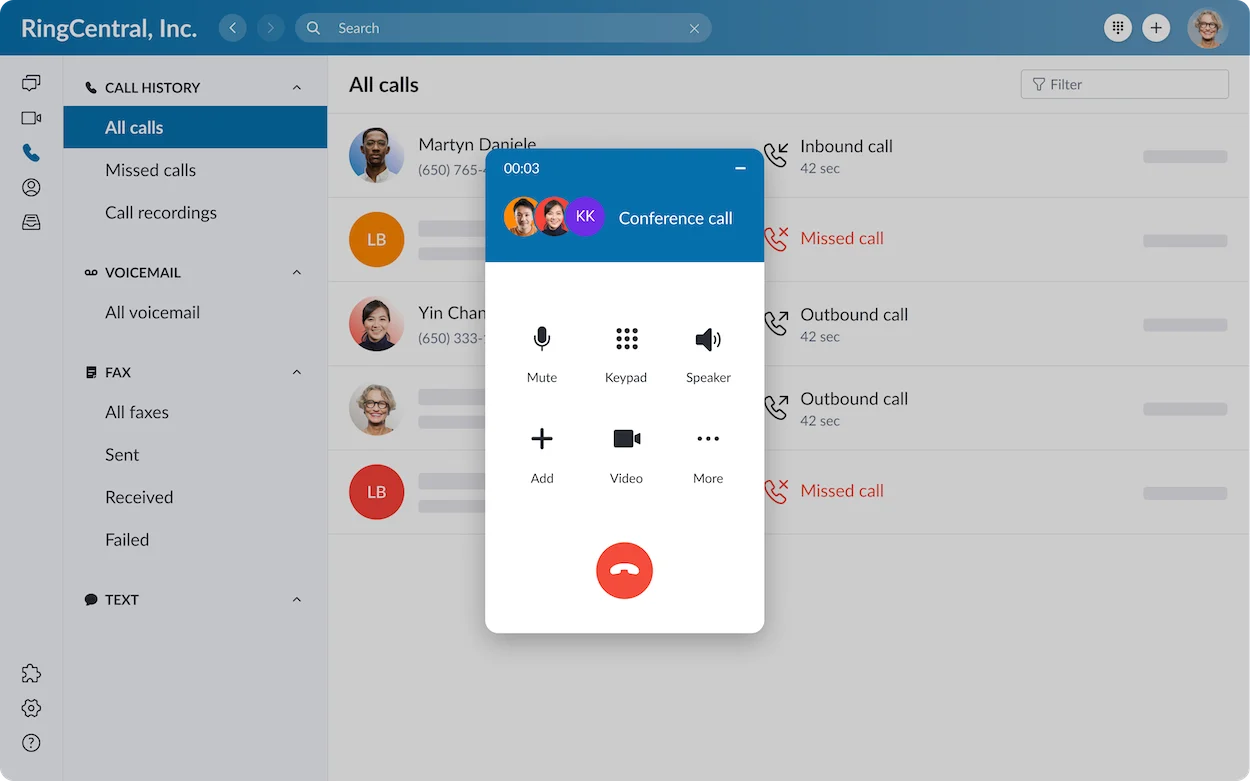
RingCentral RingEX is our first shortlist for a business coordinating remote workers, office employees and multiple departments. Its calling, messaging and meeting tools can reduce the need to manage a different account for each type of conversation. The value is strongest when someone owns administration and the required tier matches the organization’s workflow.
- Best Fit: Growing remote/hybrid organizations. Suggested fit: 5–100+ users.
- Key Features: Supported desktop, web and mobile access; business call routing; centralized user and device management.
- Pros: A remote colleague can use the company calling identity while the business retains control of numbers and access.
- Cons: Advanced integrations, administration and customer-engagement tools can change the required tier or add-on bill.
Remote-Work Pilot: Ask a home-based employee to answer the main number, transfer to another location and find the call record. Then have the administrator remove that employee’s access and reassign the route.
Pricing And Trial: Request a current RingEX quote. The published trial is 14 days for eligible new subscribers; verify any SMS and hardware restrictions before treating it as a complete rollout test.
Start 14-Day Free TrialNextiva — Best For Distributed Customer-Facing Offices
Nextiva deserves a comparison for agencies, service businesses and offices coordinating customer enquiries across locations. Core lists voice, business SMS, routing, mobile access and team communication. The next buying question is which product and app the company will actually receive, because Nextiva’s phone and customer-experience offerings have different scopes.
- Best Fit: Distributed customer-facing offices. Suggested fit: 5–50 users.
- Key Features: Business voice and texts; call routing; desktop/mobile access in the supplied application.
- Pros: A business can organize customer communication across home and office employees rather than forwarding everything to an owner.
- Cons: Do not assume every Nextiva edition has identical mobile collaboration, shared messaging or reporting. Confirm the exact application and tier.
Remote-Work Pilot: Demonstrate a call to a remote worker, a transfer to a colleague and a customer text needing follow-up. Ask who can see and own that reply.
Pricing And Trial: Core is $15/user/month annually or $23 monthly. Confirm eligibility and access for the advertised 14-day trial of the relevant customer-communications product.
Start 14-Day Free TrialZoom Phone — Best For Teams Already Working In Zoom
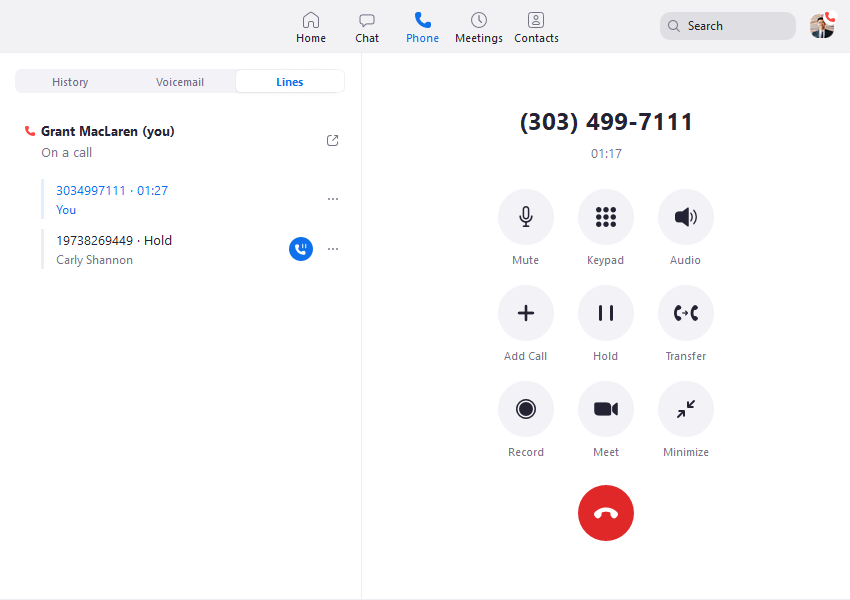
Zoom Phone is a practical shortlist when remote employees already spend much of their working day in Zoom. It adds business telephony to a familiar environment, with phone administration, numbers, auto receptionists and queues. Familiarity can help onboarding, but a Zoom Meetings account alone does not supply the required phone license.
- Best Fit: Teams already using Zoom. Suggested fit: 2–100+ users.
- Key Features: Calling through supported Zoom clients; queues and auto receptionists; call recording and voicemail tools.
- Pros: The team can evaluate phone work within an existing Zoom environment.
- Cons: Regional licenses, domestic number coverage and international usage affect the purchase. Some capabilities require add-ons.
Remote-Work Pilot: Test a real phone call, a transfer and a voicemail from a home network. Confirm that the employee can distinguish telephone calls from meeting activity and select the intended caller ID.
Pricing And Trial: US & CA Unlimited is $16/user/month annually or $18 monthly. International calling is metered. Ask which Phone trial is available to the account.
Start Free Trial (1–50 Users)For a larger deployment, check Zoom Phone options for 50+ users. The trial link above is for the small-business route.
KrispCall — Best For Small App-Based Teams Needing Virtual Numbers
KrispCall is relevant when a small distributed business needs virtual numbers and a shared view of customer conversations. Its Unified Callbox brings calling and message context into a common workspace. Browser and mobile access deserve the main pilot; the official downloads page currently lists native Windows and macOS apps as coming soon.
- Best Fit: Small teams buying virtual numbers. Starter: up to five users.
- Key Features: Web app plus iOS/Android access; shared customer context; country-specific virtual numbers.
- Pros: A small team can compare a low base subscription with the actual numbers and destinations it needs.
- Cons: Starter is limited to five users. Recording and transfers require a tier check; number documents and usage add to the purchase.
Remote-Work Pilot: Open the web app on the employee’s real browser, make a mobile call and inspect the shared history. Test browser microphone and notification permissions.
Pricing And Trial: Starter is $12/user/month annually or $15 monthly. Additional numbers and usage can cost extra. The advertised 14-day subscription refund policy is not a free trial.
Check PricingJustCall — Best For Remote Sales And Support Using A CRM
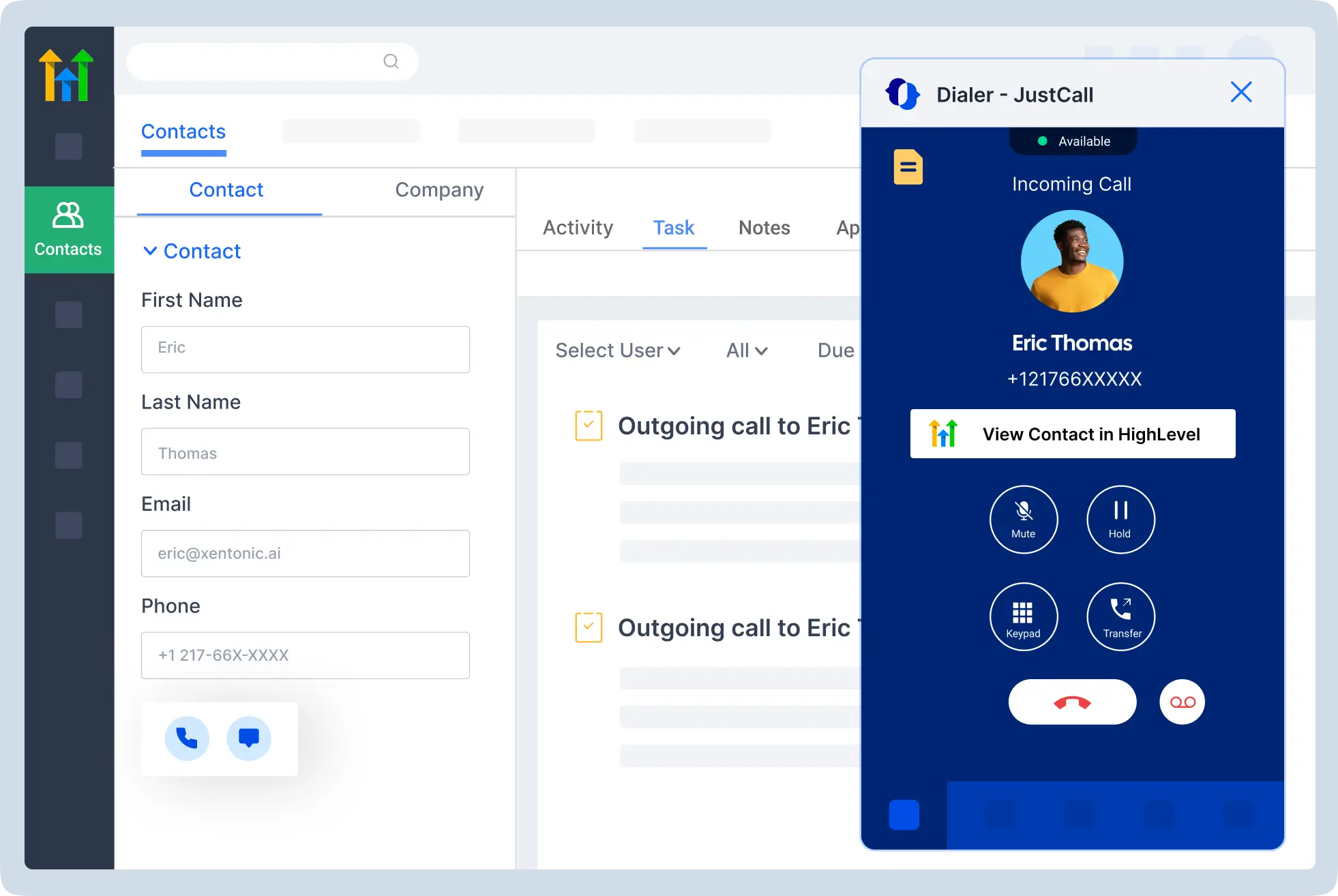
JustCall fits a remote team whose customer calling needs to appear in the CRM. The buying priority is not only access from a mobile phone: it is whether the right contact, call outcome and next action are available to the next employee. Compare the phone plan with separate dialer and AI products before evaluating a trial.
- Best Fit: Remote sales/support working in a CRM. Minimum: two paid users.
- Key Features: CRM-connected calls and texts; call-handling workflows; mobile access and customer interaction history.
- Pros: Remote sales or support staff can evaluate a workflow that connects calls with customer records.
- Cons: Minimum seats, regional usage allowances and product-specific AI or dialer features can increase cost.
Remote-Work Pilot: Call a known CRM contact, add an outcome, transfer the customer and inspect the record from a second user. Check permissions and duplicate-contact behavior.
Pricing And Trial: Team starts at $29/user/month annually with a two-user minimum. A 14-day trial is advertised; verify which trial tools remain in the paid plan.
Start 14-Day Free TrialDialpad — Best For AI Notes And Remote Conversation Catch-Up
Dialpad Connect is worth shortlisting when remote workers need calling and conversation notes within a broader communications app. Transcriptions and recaps can help someone who was not on a call understand the follow-up. Their usefulness depends on language support, audio quality, access permissions and the accuracy of the resulting record.
- Best Fit: Workers needing AI call notes. Suggested fit: 2–50 users.
- Key Features: Calling, messaging and meetings; AI transcription and recaps; supported device access.
- Pros: Distributed staff can evaluate call notes for asynchronous handoffs.
- Cons: CRM integrations and advanced functions depend on tier. Connect, Sell and Support are separate product evaluations.
Remote-Work Pilot: Run a call using the accents and terminology of the team. Check the summary, correct important errors and confirm that only the right employees can see it.
Pricing And Trial: Connect Standard starts at $15/user/month on annual billing. Dialpad advertises a 14-day trial. Confirm current monthly pricing and feature access in the quote.
Start 14-Day Free TrialCallHippo — Best For Distributed Teams Comparing Calling And Dialer Workflows
CallHippo deserves a pilot when a distributed sales or support team needs business calling, team routing and a path to more specialized outbound workflows. Evaluate the Office Phone System and relevant dialer offering separately. Marketing references to global coverage do not prove that every number supports the same voice and SMS capabilities.
- Best Fit: Distributed customer-calling teams. Suggested fit: 3–25 users.
- Key Features: Team call handling and forwarding; recording on higher tiers; IVR and dialer functions by product.
- Pros: The business can compare customer-phone and outbound-workflow requirements in one vendor shortlist.
- Cons: The plan, country, number type and calling exclusions need a careful quote. Higher features are not automatically included in Starter.
Remote-Work Pilot: Ask two remote users to handle one customer enquiry, including a missed call and transfer. Check the route when the first team is busy.
Pricing And Trial: Starter is displayed at $18/user/month; confirm the billing term. Professional is displayed at $30. Check the current trial scope and allowances before moving numbers.
Start 10-Day Free TrialRingover — Best For Remote Sales And Recruitment Teams
Ringover merits a comparison for remote recruiters and customer-calling teams that need recorded interactions, routing and business integrations. Its entry Talk plan and Business plan have different scopes. A team that requires CRM or ATS workflows should evaluate the relevant Business tier rather than treating the lowest advertised price as its complete budget.
- Best Fit: Remote sales and recruitment. Minimum: three paid users.
- Key Features: Calling applications; IVR and recordings; Business integrations, analytics and coaching.
- Pros: A distributed customer-facing team can compare phone activity and business-tool handoffs.
- Cons: The published plans have a three-user minimum. Included calling has origin/destination conditions; Business costs more than Talk.
Remote-Work Pilot: Have a recruiter or sales representative handle a call, find the recording and check the linked customer or candidate record. Verify who can access coaching tools.
Pricing And Trial: Talk is $19/user/month with a 12-month commitment; Business is $49 on that commitment. Both require at least three users. Ringover advertises a 7-day trial.
Start 7-Day Free TrialCalilio — Best For Small Teams Comparing Shared Numbers And Metered Usage
Calilio is a budget shortlist for small distributed teams that need shared business numbers, web/mobile calling and customer history. Standard currently lists number sharing and ring strategies. Price the specific destinations and usage as well as the subscription, particularly when workers handle international customers.
- Best Fit: Small teams sharing customer numbers. Standard: up to ten users.
- Key Features: Shared numbers and ring strategies; web/mobile access; recordings and basic analytics.
- Pros: A small team can compare the lower subscription with a measured calling workload.
- Cons: Standard supports up to ten users. Included US/Canada usage and country-specific number capabilities do not imply unlimited global calls or texting.
Remote-Work Pilot: Test a shared incoming call, a handoff and the chosen number’s SMS capability. Ask support to demonstrate the required integration before buying it for that reason.
Pricing And Trial: Standard is $12/user/month annually or $15 monthly; Premium is $28 annually or $35 monthly. Review usage, recording/storage allowances and refund terms. Do not assume a free trial.
Check PricingGrasshopper — Best For Owners Separating Personal And Business Calls
Grasshopper fits an owner or very small remote business needing a separate business identity, forwarding, extensions and voicemail on existing devices. Its desktop and mobile apps help keep ordinary business contact away from a personal number. Compare it as a straightforward phone workflow, rather than assuming it provides full contact-center management.
- Best Fit: Owners and very small remote teams. Suggested fit: 1–5 users; verify plan.
- Key Features: Desktop/mobile calling; business number and extensions; forwarding, texts and voicemail.
- Pros: A freelancer or small business owner can organize incoming customer calls without starting with a complex platform.
- Cons: Published numbers are US/Canada focused. International outbound calling needs an eligibility and activation check; sophisticated team workflows deserve a separate evaluation.
Remote-Work Pilot: Test a customer call while the mobile screen is locked, then return it with the intended business caller ID. Verify voicemail and text activation.
Pricing And Trial: Pricing is advertised from $14/month; confirm the plan and billing term. A 7-day trial is offered. Check the user, number and extension allowances for the chosen package.
Start 7-Day Free TrialQuo — Best For Small Remote Teams Sharing Calls And Texts
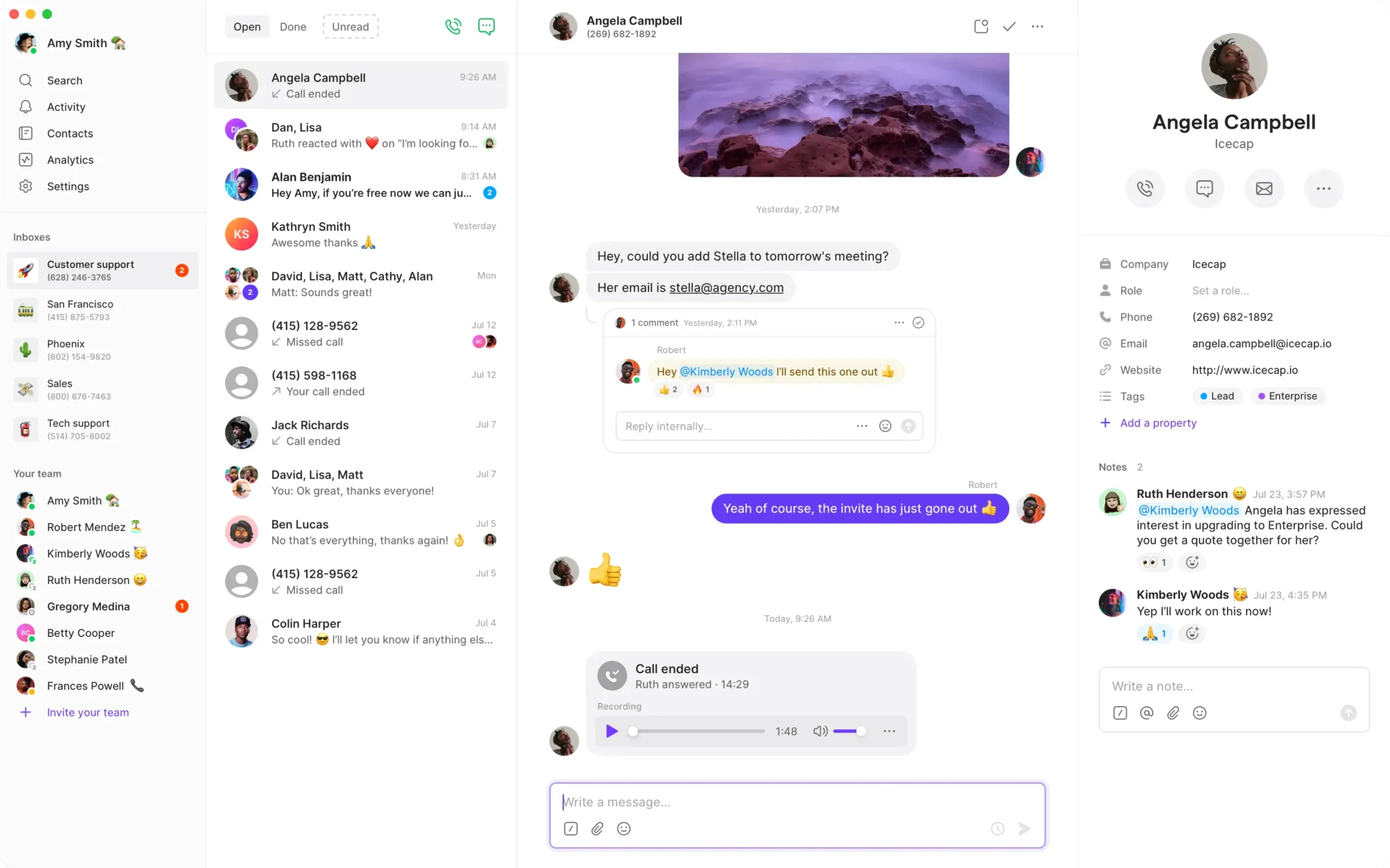
Quo, formerly OpenPhone, is a strong shortlist for a small distributed team sharing customer calls and texts through one business number. The conversation history and shared access are especially relevant when the next person responding was not the person who took the original call. Each teammate still needs an account and the relevant license.
- Best Fit: Small teams sharing calls and texts. Suggested fit: 1–20 users.
- Key Features: Web, desktop and mobile apps; shared numbers; call/text history and voicemail transcripts.
- Pros: Customer context can remain with the business instead of being scattered across employees’ personal phones.
- Cons: Local-number inventory is US/Canada focused. Transfers and CRM requirements can move the purchase to Business, and overseas dialing is charged separately.
Remote-Work Pilot: Let one employee take a call and another continue the follow-up from the shared conversation. Check ownership, notifications and the tier needed to transfer.
Pricing And Trial: Starter is $15/user/month annually or $19 monthly. Business is $23 annually or $33 monthly. Quo advertises a 7-day trial; verify paid usage and messaging activation limits.
Start 7-Day Free TrialTalkroute — Best For US/Canada Teams Comparing Bundled Users
Talkroute is relevant to a domestic remote team that wants routing, apps and an account-based price with a defined number of included users. Basic covers one user, Plus three and Pro ten. This can make its bill different from a flat per-user comparison, but the required menus, transfers and recording still determine the plan.
- Best Fit: US/Canada teams comparing bundled users. Basic: one; Plus: three; Pro: ten users.
- Key Features: Desktop/web applications and mobile workflow; routing and voicemail; higher-tier menus and transfers.
- Pros: A US/Canada business can evaluate a straightforward account-based calling setup.
- Cons: Official supported use is within the US and Canada. Apps may work elsewhere, but outbound destinations through the platform remain US/Canada only.
Remote-Work Pilot: Test the exact desktop, web and mobile call paths, including business caller ID and the response when a user is unavailable. Confirm the work locations with support.
Pricing And Trial: Basic is $19/month, Plus $39 and Pro $59; additional users are $5/month. A 7-day trial is advertised. Check user, mailbox and number allowances separately.
Start 7-Day Free TrialRemote Work Phone Systems: Three Practical Scenarios
A Freelancer Working From Home
A freelance designer needs a virtual business number on a personal phone, business hours and voicemail, without buying a desk phone. Start with the solo options below and test outgoing caller ID, missed-call notifications and a client callback. The best VoIP for freelancers separates work and personal calls while keeping number ownership with the business. Check monthly plans, international usage and texting costs before committing.
A Five-Person Remote Team Sharing Customer Calls
A remote startup has two employees answering calls, two handling follow-ups and an owner covering absences. Give each worker an individual account, route the shared business number to a ring group, and assign responsibility for every missed call. Test whether colleagues can see notes and avoid duplicate replies. The best VoIP for a 5-person remote team must fit that workflow on the purchased tier, including transfers and shared history.
A Larger Business With Distributed Departments
A business with 50 remote employees needs department routing, local schedules, controlled international dialing and repeatable onboarding. Shortlist cloud phone systems for remote teams that offer the required administrative controls, reporting and integrations. Pilot with one department before expanding. Specialist sales dialers or contact-center queues can require separate licenses; a business phone subscription is not automatically a complete contact-center system.
Mobile, Desktop And Browser Usability For Remote Teams
The best softphone for remote workers is the one that handles their daily calls reliably on supported devices. Compare the mobile app, desktop app and browser-based business phone system separately: providers may offer different transfer, recording, headset or notification capabilities in each interface.
- Mobile workers: Test a locked-screen incoming call, Bluetooth audio, work caller ID and moving between Wi-Fi and cellular data. A connection change may interrupt an active call.
- Home-office employees: Test headset controls, microphone permissions, hold and transfer, and notifications while another application is open.
- Browser users: Confirm supported browsers, background behavior and what happens when the tab closes or the computer sleeps.
- Shared call handling: Demonstrate ring groups, missed-call ownership, conversation history and an absent colleague’s fallback route.
Check CRM, Microsoft Teams And Slack Workflows
For VoIP with CRM integration for remote teams, test the exact action: matching a caller, opening a record, logging a call or saving notes. A Slack notification is different from calling inside Slack, and a Microsoft Teams integration may require extra licenses or a separate telephony configuration. Confirm the provider, paid tier and integration permissions before including these workflows in the budget.
Unified communications for remote teams can combine business calling, team messaging and video meetings, but inclusions vary. Keep an existing meeting app if the phone plan does not replace its capacity or features.
Top VoIP Picks By Remote-Work Need
The best remote phone system depends on how calls are handled, not simply where the employee sits. Start with the three options that match the workflow, then test the same devices, routes and handoffs before comparing the total quote.
Best VoIP For Work-From-Home Employees
For everyday home-based business calling, compare simple access, routing and the tools already in use.
- RingCentral: Broad calling, messaging and meeting workflows.
- Nextiva: Distributed service offices coordinating customer calls.
- Zoom Phone: Phone work within a Zoom environment.
Best VoIP For Small Remote Teams
Shared customer context matters when a small team handles one public business number.
- Quo: Shared calls and texts with customer history.
- KrispCall: Virtual numbers and a common Callbox, with tier checks.
- Calilio: Number sharing and usage-based cost comparison.
Best VoIP For Remote Sales Teams
CRM records and the next follow-up matter as much as the call itself.
- JustCall: CRM-focused calls and texts; compare dialer products.
- Ringover: Business integrations for sales and recruitment.
- CallHippo: Phone-system versus specialized outbound workflow comparison.
Best VoIP For Remote Workers Needing AI Notes
AI can help staff catch up, but check language support, errors and access to recordings.
- Dialpad: Connect transcription and recaps.
- RingCentral: RingEX AI and conversation tools by tier/add-on.
- Zoom Phone: Phone summaries and voicemail tools in the selected package.
Best Affordable VoIP For Remote Workers
Low base prices can suit light usage; compare complete bills and feature upgrades.
- Calilio: Standard starts at $12/user/month annually.
- KrispCall: Starter starts at $12 annually, with a five-user limit.
- Quo: Starter starts at $15 annually; price Business if transfers are required.
Best VoIP For Freelancers And Solo Remote Workers
Begin with the customer-contact workflow and avoid unnecessary team administration.
- Grasshopper: Simple business identity and forwarding.
- Quo: Calls and texts kept in one business conversation history.
- Talkroute: US/Canada account-based calling; Basic includes one user.
Best VoIP For International Remote Teams
Employee location, number inventory, outbound routes and emergency service must be checked separately.
- RingCentral: Country-specific global-office and inbound-number options.
- Zoom Phone: Regional telephony and partner connectivity options.
- KrispCall: Country-specific virtual numbers and browser/mobile access.
Three Buying Priorities For Remote Phone Service
1. Reliable Calling And Reachable Employees
Check the actual devices and networks employees use. The app should ring when the laptop is busy or the mobile screen is locked, and an unavailable user should lead to an agreed overflow destination. A service that works in a sales demonstration still needs a home-network pilot.
- Verify operating system, browser and headset support.
- Test notifications, do-not-disturb and background restrictions.
- Ask how transfers, call flipping and external forwarding work on the chosen device.
- Identify the fallback when home broadband or local power fails.
2. Shared Context And Clear Call Ownership
A shared number is useful only if the team knows who is responding. Compare call history, internal notes, missed-call visibility, voicemail ownership and CRM logging where required. Shared access does not necessarily include assignments or every integration.
For example, a sales representative takes a call at home and a support colleague returns it later. The second person needs the customer context and a clear next action. Test that transition with a known contact instead of relying on a feature name.
3. Routing And Administration Across Locations
Set working hours, availability, queues or ring groups and a backup destination. Confirm whether the schedule belongs to the main number, user or site. Give administrators the access to change routes and remove departing staff without sharing a master password.
When employees need integrated meetings and messaging, include those licenses in the comparison. When customer service needs live monitoring, workforce management or omnichannel queues, ask whether a contact-center product is required. A general business phone subscription may not contain those tools.
Is VoIP Reliable For Home And Hybrid Workers?
VoIP can support remote business calling when the provider, device and internet path work reliably together. Test each worker’s actual setup, especially upload congestion, Wi-Fi coverage, audio devices and notifications. A provider uptime figure does not measure every home network, handset or mobile carrier.
Check Upload And Call Quality During Busy Hours
Use the provider’s current bandwidth and quality guidance. Zoom documents roughly 60–100 kbps for a Phone call; this is a voice reference, not a recommendation for the entire home connection. Video meetings, file uploads, other household users and overhead need additional capacity. Look at jitter, packet loss and delay as well as a headline speed test.
How To Improve Poor Remote VoIP Call Quality
Try Ethernet or move closer to the Wi-Fi access point, pause large uploads and test another headset. Update the supported app, check microphone settings and compare a different internet connection. Record the time and affected call details for support; ask for latency, jitter and packet-loss diagnostics. More bandwidth alone will not fix a faulty headset, weak Wi-Fi or an overloaded route.
Use A Practical Equipment Plan
A supported headset and a suitable computer or smartphone can be enough for an app-based worker. Prefer a wired comparison when diagnosing Wi-Fi problems. If staff want a desk phone, confirm the exact model, provisioning and power arrangement before buying. Not every shared-number service accepts SIP handsets.
Plan A Fallback Before The First Outage
Test an alternate internet connection or the provider’s forwarding route. Cloud forwarding can differ from answering inside the mobile app and may create usage charges. Backup power helps only the equipment it powers; it cannot repair an upstream outage.
For services with emergency calling, confirm availability and location registration for the country and employee. Update the location when required and keep an appropriate alternate way to reach emergency services. Do not treat a foreign business number or app access abroad as proof of local emergency support.
Remote Work Abroad: Four Different Coverage Questions
“Use anywhere” needs a country-by-country check. Ask the provider to confirm all four requirements for the employee’s intended location, not just whether the app opens.
- Access: Is app use officially supported from the employee’s location?
- Numbers: Can the business obtain or port the required local or toll-free number?
- Calling: Which inbound and outbound routes are supported and charged?
- Local Services: What emergency-calling, messaging and identity requirements apply?
Quo’s published number proposition focuses on the US and Canada even though its apps can be used remotely. Grasshopper likewise has a North American number focus. Talkroute’s support states that official use support is US/Canada; desktop/web access elsewhere may work, but outbound platform calls are still limited to US/Canada destinations.
RingCentral and Zoom have different local-office and inbound-number arrangements, while KrispCall, JustCall, Ringover and Calilio advertise broader country number options. Confirm inventory, documents, caller ID and SMS for the exact number. Broad country counts do not guarantee every feature in every market.
How Much Does VoIP Cost For Remote Workers?
Remote-worker VoIP cost combines subscriptions, numbers, calling and messaging usage, equipment, integrations and optional tools. Several providers display annual base prices around $12–$16 per user per month, but advanced transfers, CRM workflows, recording or international usage can make the complete bill higher.
Treat annual prices as a commitment, not a month-to-month rate. Compare the same users, destination mix and required features. JustCall and Ringover have minimum-seat requirements; Talkroute and Grasshopper use different account-plan structures.
A Five-User Budget Example
At an illustrative $15 per user per month, five users cost $75 monthly for subscriptions. On annual billing that component is $900 per year. Five assumed $40 headsets add a one-time $200. Numbers, taxes, messaging, paid integrations and calling usage would be additional. These are planning calculations, not a provider quote.
Price The Plan That Supports The Handoff
Quo Starter can be a low-cost starting point for calls and texts, but the Business tier is relevant when transfers or CRM requirements demand it. KrispCall’s Starter price is not the recording/transfer budget if a higher plan is needed. Ringover’s Talk entry price is different from a Business CRM/coaching proposal.
Costs That A Remote-Team Quote Should Explain
- Minimum users, monthly-versus-annual terms and renewal dates.
- Extra business numbers and international number rental.
- International and forwarded call charges.
- SMS allowances, registration and verification costs.
- Recording, storage, AI credits and optional analytics.
- CRM licensing, integration access and contact-center tools.
- Old-carrier overlap while numbers are ported.
Avoid buying one shared login to reduce user fees. It weakens ownership and access control and may conflict with the service’s licensing. Price each required employee or device correctly, then remove unused licenses and numbers when roles change.
A Remote-Worker VoIP Trial Checklist
Use a trial to test the home network, supported devices, incoming notifications, business caller ID, transfers, shared history and missed-call ownership. Compare the paid plan with the trial configuration, and test porting or SMS activation separately when the trial does not include them.
| Test | Scenario | What To Confirm |
|---|---|---|
| Incoming Notification | Call the employee with the mobile screen locked and laptop busy | The intended device rings without a hidden permission problem |
| Customer Identity | Return an outside call from each supported device | The authorized business number is selected |
| Shared Number | Two users handle different customer conversations | History is visible without confusing ownership |
| Transfer / Overflow | Transfer to another worker; repeat with nobody available | The correct person or fallback receives the call |
| Home Network | Call during realistic household or office traffic | Usable two-way audio and acceptable quality diagnostics |
| Time Zones | Test open, closed and holiday periods | Schedules match the intended business hours |
| CRM / Notes | Call a known contact and inspect the result from another user | Records and access match the workflow |
| Fallback | Use the agreed alternate connection or route | Employees know which functions and charges change |
Include the person who administers the account and one employee who is less comfortable with new software. Ask both to complete ordinary tasks without coaching. The goal is to identify support needs before customers rely on the new number.
Record call IDs, time zones, device versions and the affected network when a test fails. Try one controlled change at a time. Keep the main customer number on the current service until the new configuration and porting arrangements are ready.
How To Set Up VoIP For A Remote Team
- Define the workflow: Decide who answers, which number is published and who owns callbacks.
- Check work locations: Verify provider support, country services and the number requirements.
- Choose the plan: Include required users, transfers, recording, CRM and usage.
- Add accounts and permissions: Use individual access, a business-controlled owner and a backup administrator.
- Install supported apps: Check audio, notifications and device permissions.
- Assign numbers and schedules: Configure shared access, availability and an unanswered-call destination.
- Activate related services: Complete applicable SMS, emergency-location and recording settings.
- Pilot on a temporary number: Test the real networks, devices and customer handoffs.
- Port when ready: Keep the old service active until transfer completes and external calls pass.
- Review the first week: Check missed calls, unexpected charges and employee feedback.
For voicemail follow-up, our voicemail-to-email guide explains notification options. Assign a person to the mailbox: delivery to an email inbox is not the same as completing a callback.
Secure VoIP For Remote Teams: Joining, Leaving And Device Access
Use business-controlled account ownership, individual user access and multifactor authentication where available. Restrict administrative and international-calling privileges to the people who need them. Device lock, supported software and a process for lost devices belong in the rollout plan.
Define who can see customer messages, recordings and AI transcripts, and how long those records are retained. Confirm applicable notice and permission requirements before enabling recording. Choose an approved way to share customer context rather than exporting it into personal messaging accounts.
When employees join, assign the minimum required role, shared numbers and calling permissions, enable supported multi-factor authentication and test their schedule and fallback route. Review these settings when their role changes.
When an employee leaves, remove access, review shared-number membership, reassign routes and check authorized devices or integration credentials. A strong provider security claim does not replace the business’s own account and device administration.
Our Verdict: Choose By Remote Workflow
Start with RingCentral when calling needs to sit within a broader managed communications platform. Compare Nextiva for distributed customer-facing offices and Zoom Phone for a Zoom-based workplace. For a smaller shared customer-number workflow, shortlist Quo, KrispCall and Calilio; for CRM-driven sales or recruitment, compare JustCall and Ringover.
Dialpad is relevant when AI call notes are a priority, CallHippo when the team needs to compare phone and outbound products, and Grasshopper or Talkroute for simpler business-number needs within their scope. The final choice should pass the same home-network, device and customer-handoff tests on the plan the business will actually buy.
Frequently Asked Questions
What Is The Best VoIP Service For Remote Workers?
Choose by workflow: compare RingCentral for broader communications, Zoom Phone for a Zoom-based team, Quo for shared calls and texts, and JustCall for CRM-focused sales. There is no universal winner; test supported devices, work locations and the features on your chosen tier.
How Does VoIP Work For Employees Working From Home?
A supported app or IP phone connects over the internet to the provider’s cloud phone system. Employees use a business number while administrators manage routing, hours and permissions centrally. Home Wi-Fi or Ethernet quality affects the call.
How Much Does A VoIP Phone System Cost For A Remote Team?
Calculate paid users or account-plan charges, then add numbers, usage, taxes, integrations and equipment. For illustration, five users at $15 each cost $75 per month before extras, or $900 in annual subscription charges. This is a planning example, not a provider quote.
Can Remote Employees Use Their Existing Smartphones For Business Calls?
Usually, if the provider supports the phone and operating system. A business app can keep work caller ID and conversation history separate from personal calls. Check device security, microphone permissions, notifications and cellular-data charges.
Can Multiple Remote Workers Share One Business Phone Number?
Yes, with a plan supporting shared numbers or team routing. Each person may still need a paid user account. Check simultaneous calling, transfers, shared history and callback ownership rather than sharing one login.
Do Remote Workers Need Desk Phones Or Just An App?
Many employees can use a supported mobile, desktop or browser app with a suitable headset. Desk phones are optional for those workflows; verify compatible models and provisioning if hardware is required.
What Internet Speed Is Needed For Reliable VoIP Calls?
Use the provider’s requirements. Zoom Phone documents approximately 60–100 kbps for a voice call; the whole connection needs additional headroom for other applications and users. Stable latency, low jitter and low packet loss also matter.
How Can Remote Workers Improve Poor VoIP Call Quality?
Compare Ethernet with Wi-Fi, pause uploads, check the headset and update the app. Test another connection to isolate the issue. Give support affected call times and diagnostic results; a faster subscription alone may not solve it.
Which VoIP Features Are Most Useful For Distributed Teams?
Prioritize mobile and desktop access, shared numbers, ring groups, transfers, business-hour routing, monitored voicemail and clear conversation ownership. CRM logging, team messaging, reporting and individual access controls can help as the team grows.
Can Employees Make And Receive Business Calls From Other Countries?
Only where the provider supports that use and applicable local requirements are met. Confirm employee location, number availability, calling destinations, charges and emergency-service coverage separately. International calling does not automatically mean employees may use the app in every country.
How Can Businesses Manage Access When Remote Employees Join Or Leave?
Use individual accounts, appropriate roles and supported multi-factor authentication. Assign shared numbers and schedules when onboarding. On departure, revoke sessions and access, reassign routes and review devices, integrations, records and licenses according to company policy.
What Happens To Business Calls If A Remote Worker Loses Internet Access?
Their app may stop receiving calls or an active call may drop. Configured cloud routing can send new calls to another worker, voicemail or an eligible external number. A separate cellular-data connection may help, but forwarding charges and provider outages must be considered. Test the fallback before relying on it.
Customer Feedback: Remote-Work Questions To Test
RingEX: Keep Routing Simple And Check AI Notes
A G2 RingEX reviewer dated October 2, 2026 rated the product 3.5/5 and described improved department routing after simplifying an overcomplicated menu. Another reviewer dated September 26, 2026 rated it 4.5/5 and valued call summaries while noting that background noise could introduce errors. These are individual reports; use them to test menu depth and summary accuracy with your workers.
JustCall: Validate CRM And Mobile Handoffs
A G2 JustCall review dated April 27, 2026, rated 4.5/5, praised CRM logging and local-number workflows but reported mobile notification syncing delays and a desire for more analytics filters. This is one user’s experience, not a reliability result for every device. Include notification timing and a second user’s CRM view in your pilot.
The table’s expert scores assess published remote-work fit; the individual customer ratings discussed here are separate G2 feedback. Neither proves the performance of your home network or that the entry plan contains every required feature. Use feedback to shape acceptance tests, then compare the results and complete quotes.
Affiliate Disclosure: VoIPCalling.com may earn a commission if you purchase through links in this article, at no extra cost to you. Recommendations consider published capabilities, pricing, geographic scope and intended remote-work use.