RingCentral RingCX, Genesys Cloud CX, Talkdesk, and Five9 are the best 8x8 Contact Center alternatives for teams that need dedicated agent queues, supervisor tools, and contact-center reporting. RingCX is a good first demo for teams that want voice and digital channels in one package. Genesys suits operations that need forecasting and scheduling. Talkdesk is worth bringing in when CRM workflows will decide the purchase, and Five9 belongs on a shortlist where outbound campaigns matter as much as inbound support.
If your team mainly uses 8x8 for shared business calls and CRM follow-up, start with KrispCall or Calilio. Aircall and CloudTalk are additional options for CRM-led calling. The 8x8 Contact Center competitors in the comparison below cover both dedicated agent platforms and simpler phone systems. The right shortlist depends on which queues, channels, and reports you use today, as well as whether you plan to keep 8x8 Work for employee calling.
Compare 8x8 Contact Center Alternatives at a Glance
The prices below are public starting references. When budgeting for an 8x8 Contact Center replacement, compare the same billing terms and plan scope. Contact-center licenses, calling usage, regional numbers, CRM integrations, workforce tools, and implementation can each affect the quote. Team sizes in this guide are suggestions for building a shortlist. Use your peak staffing and licensing requirements when sizing a deployment. We compared vendor pricing and documentation against four common replacement needs: core routing, channel coverage, supervisor workflows, and the ability to retain existing business systems.
| Provider | Best For | What to Verify | Pricing & Trial |
|---|---|---|---|
| An 8x8 Contact Center replacement for shared calling | Starter is capped at five users. Verify live queues, recording, usage, and CRM entitlements. | US$12/user/monthStarter on annual billing. Advance: US$32 annually per user per month.7-Day Free Trial for VoIPCalling CustomersStart a 7-Day KrispCall Free Trial | |
| IVR and live call supervision | Evaluate Premium for supervision. Test dial plans, coaching permissions, and CRM handoffs when comparing phone-first 8x8 Contact Center alternatives. | US$28/user/monthPremium on annual billing. Standard starts at US$12 annually per user per month.Demo AvailableRequest a Calilio Demo | |
RingCentral RingCX  | An 8x8 Contact Center replacement for voice and digital queues | Standard includes voice and digital channels. Price higher tiers for quality and workforce features. | US$65/user/monthStandard on annual billing. US$75/user/month with monthly billing.Demo AvailableView RingCX Plans |
Genesys Cloud CX  | Complex routing and workforce planning | CX 1 targets voice. Compare CX 2 for digital channels and CX 3 for full workforce engagement. | US$75/user/monthCX 1, named annual rate. CX 2: US$115. CX 3: US$155. Usage may apply.Compare Genesys Cloud CX Plans |
Talkdesk  | CRM-centered agent workflows | Ask 8x8 Contact Center competitors to demonstrate the same case and call actions. Price voice plus digital where required. | US$105/user/monthVoice Essentials. Digital Essentials is US$85/user/month. Confirm commitments and telephony.See Talkdesk Plans |
Five9  | Blended inbound and outbound | For a blended 8x8 Contact Center replacement, verify dialer mode, queue priorities, outbound controls, and campaign reporting. | US$159/seat/monthCore includes voice. Digital is listed at US$119/seat/month. Confirm terms and usage.See Five9 Bundles |
Aircall  | Helpdesk and CRM calling | Essentials has a three-license minimum. Compare CRM logging, queue handling, and reporting with other phone-first 8x8 Contact Center alternatives. | US$30/license/monthEssentials on annual billing. Professional: US$50/license/month annually.7-Day Free Trial · Usage Limits ApplyStart a 7-Day Aircall Free Trial |
CloudTalk  | International and CRM-based calling | Use your actual numbers and CRM tier when comparing dialer costs across 8x8 Contact Center alternatives. Check port eligibility by market. | €25/user/monthStarter euro reference. Region, billing term, numbers, minutes, and add-ons affect cost.14-Day Free Trial on ExpertStart a 14-Day CloudTalk Free Trial |


 Review counts. 8x8 Contact Center 262; KrispCall 393; Calilio 94; RingCentral RingCX 152; Genesys Cloud CX 1,589; Talkdesk 2,611; Five9 687; Aircall 1,705; CloudTalk 2,073. G2 ratings and counts can change.
What Do You Need From an 8x8 Contact Center Replacement?
8x8 Contact Center supports customer-facing work such as routing, inbound and outbound communications, agent workspaces, and contact-center analytics. The exact features available to a team depend on its package and deployment. The public 8x8 plans page directs contact-center buyers to request a quote. Use your current contract or renewal quote as the baseline for an 8x8 Contact Center replacement. 8x8 Work covers employee communications. If your project also includes office phones and collaboration, use our broader comparison of 8x8 alternatives for that part of the purchase.
Before you shortlist 8x8 Contact Center alternatives, pull two documents. The first is your 8x8 order form, with the lines for agent seats, supervisors, usage, support, and add-ons. The second is a recent activity report that shows which queues, phone numbers, channels, and supervisor reports people actually use. Ask every supervisor to name one workflow that would cause a missed service target if it broke. This exercise often reveals a dependency the order form cannot show, such as a shared mailbox that generates callbacks or a report finance uses to reconcile a service contract.
Map each workflow before you decide which 8x8 Contact Center alternatives meet your requirements. Customer conversations may live in the contact center, in a helpdesk, or across both. An existing CRM may already own the customer record and case history. Your workforce team may schedule across multiple departments using a separate system. Specify which system should own each record and which fields have to pass between products. This helps the implementation team plan integration work and gives you concrete acceptance criteria for a demo.
Make a separate list of what people want to improve. If the complaint is long queues, distinguish an understaffed interval from poor menu design or slow transfers. If case history is scattered, identify which handoff drops context. Ask 8x8 Contact Center competitors to show how they would address each problem and compare the results against a baseline from 8x8.
When to Renew Instead of Choosing an 8x8 Contact Center Replacement
Keep the renewal on the shortlist if your current queues, channel coverage, and reporting already work and the main problem is an expiring discount or a feature you haven’t enabled. Use the same requirements sheet for the renewal and for bids from 8x8 Contact Center competitors. Ask what you would pay to retain the current configuration, what it would cost to change the plan, and who will make any changes. This gives you a way to compare the work of fixing the current deployment with the work of migrating.
Check whether customer calls regularly cross between the contact center and the rest of the business. A retailer, for example, might run national support queues while sending some callers to staff at local stores for stock checks. If those stores stay on 8x8 Work, an otherwise suitable 8x8 Contact Center replacement still needs to preserve the transfer path and give the support team enough information to follow up. Add that scenario to both bids and estimate how often it happens. A frequent handoff deserves more weight than an integration used by one team twice a month.
For a measurable comparison, agree on three outcomes before pricing comes in. A service team might choose the percentage of calls answered within its target, the number of cases that lose context on transfer, and the time it takes a supervisor to reconcile a weekly report. Record the current baseline. Pilot your leading 8x8 Contact Center alternatives to see which feedback is about a missing capability and which is about a configuration change or clearer agent training. If the new platform reduces work only after you buy an additional module, compare the whole configuration against the 8x8 renewal.
1. KrispCall — Best for Small Teams With Shared Calling
KrispCall is among the phone-first 8x8 Contact Center alternatives for a small support or sales team that handles customer conversations through shared numbers, calls, and SMS. Its Unified Callbox brings calling and message history together, and its pricing page lists phone trees, call analytics, and CRM integrations. It fits a team that wants to keep a straightforward phone workflow and manage its customer records separately.
Who should shortlist it. Start here if the 8x8 Contact Center replacement needs to cover one or two shared numbers and show who handled the previous call. Starter is capped at five users. For a larger group, evaluate Advance and check the specific CRM, reporting, and recording capabilities in the tier you intend to buy. Usage allowances apply to eligible routes and number types.
What to test. When testing phone-first 8x8 Contact Center alternatives, set up separate support and sales lines. Make a sample call through the IVR and have the first person take it, add context, and transfer it. Ask a second person to find the conversation afterward and continue the follow-up from the proper shared number. Repeat with an unanswered call and an incoming text. KrispCall’s public feature matrix marks call queuing and ring strategy as coming soon. If your team requires a live queue or specific ring strategy, ask the vendor to demonstrate it in the exact plan and region before you buy.
Where the fit changes. If 8x8 handles a large inbound queue alongside chat and email, confirm which channels and reports your 8x8 Contact Center replacement would need to keep in another system. For example, a CRM-based support team can use a shared phone workspace for calls while keeping case ownership and digital channels in its helpdesk. That setup works when agents have a dependable way to find and update the right case.

2. Calilio — Best for IVR and Live Call Supervision
Calilio is a cloud phone system for teams that want to route inbound calls by business hours, manage shared numbers, and give supervisors visibility into active calls. Compare it with other phone-first 8x8 Contact Center alternatives when your support department wants more call supervision while retaining its CRM or ticket system for other channels.
Who should shortlist it. If your 8x8 Contact Center replacement will serve roughly five to 30 phone users, compare Standard and Premium depending on how many agents need seats and which supervision features are mandatory. Standard has a ten-user limit. Premium is the tier to evaluate for the IVR, routing, and monitoring scenario in this guide. Quote calling, messaging, and number charges for your actual geography.
What to test. Give a supervisor and an agent different privileges when testing live coaching in 8x8 Contact Center competitors. Run an after-hours call, a transfer during business hours, and a supervisor coaching exercise. Verify who can listen, whisper, or barge, and whether agents can access the right call history when they return to the conversation. For a CRM workflow, ask an agent to handle two calls from a customer with an open case and confirm how each call is associated and what information remains available afterward.
Where the fit changes. A call monitoring feature answers whether a supervisor can help during a call. Your operations team may also need formal evaluations, scorecard review, scheduling, and historical service-level reports. Use those requirements to decide which 8x8 Contact Center alternatives can support your supervisors. Give the vendor a real call flow with an overflow path and confirm what agents and supervisors can verify about missed and transferred calls.
3. RingCentral RingCX — Best for Voice and Digital Channels in One Plan
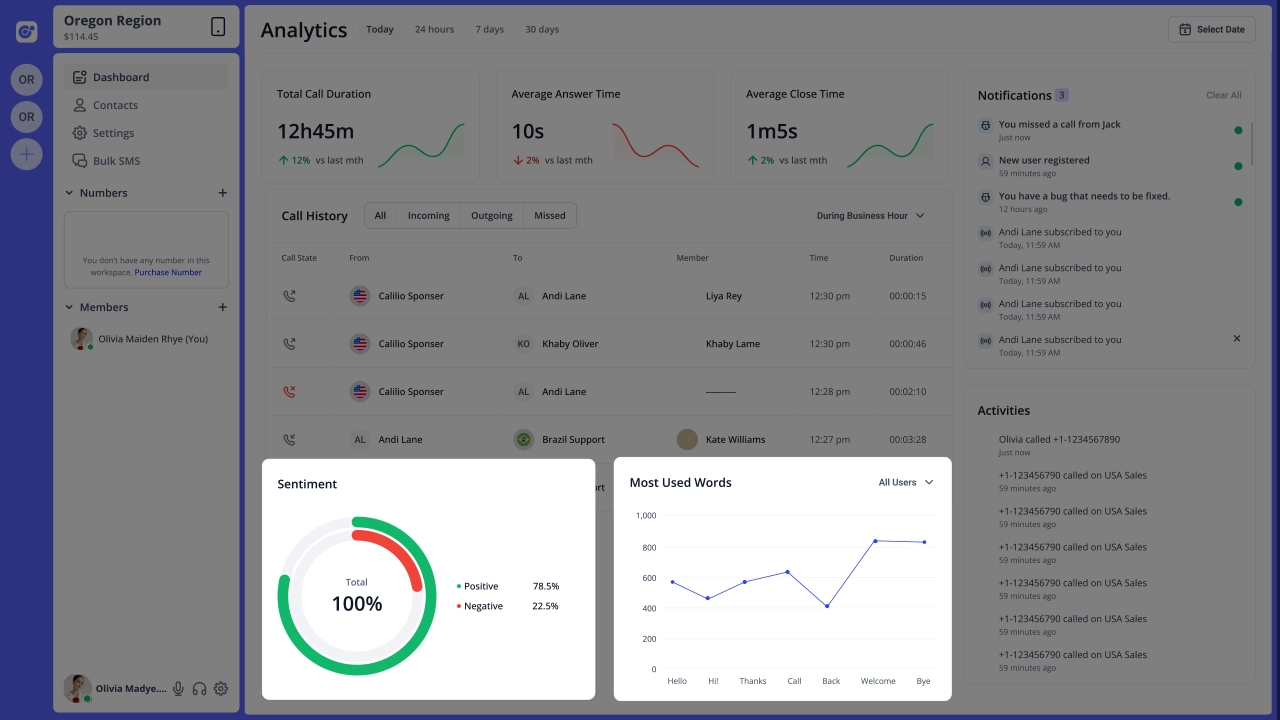
RingCentral RingCX is one of the most direct 8x8 Contact Center alternatives for teams that want dedicated routing for calls and digital interactions. RingCX Standard includes voice, digital channels, automatic call distribution, IVR, skills-based routing, and agent screen recording. Professional adds AI quality management and agent assistance. Elite adds AI workforce management, interaction analytics, and supervisor assistance.
Who should shortlist it. Teams of roughly 15 to 150 agents can compare RingCX with other 8x8 Contact Center competitors if they need multiple channels and a published entry price. Ask about jurisdiction, telephony terms, and implementation. If you also plan to replace employee phone service, price RingEX separately and verify which transfers and directories work across the two products. For example, a support agent may need to send a customer to a billing specialist who has an employee seat and spends little time in the agent application.
What to test. To test a handoff in an 8x8 Contact Center replacement, start with a chat that the agent escalates to a phone call. Check whether the conversation, customer identity, and case data stay available after the change. Then add a high-priority customer to two queues and verify who gets the interaction first, how overflow behaves, and whether the supervisor can explain the decision using a report. RingCentral lists many digital channels, but the ones you use need the specific routing, staffing, authentication, and retention rules your organization expects.
Where the fit changes. If you’re comparing voice-and-chat 8x8 Contact Center alternatives and need only basic quality management, Standard may be enough to pilot. For a center with formal evaluation quotas or workforce forecasts, ask for the Professional and Elite splits in writing. An attractive Standard license price can understate the project if your supervisors need capabilities priced further up the product line.

4. Genesys Cloud CX — Best for Complex Routing and Workforce Planning
Genesys Cloud CX is one of the strongest 8x8 Contact Center competitors for teams combining complex routing with workforce engagement management. CX 1 is the voice-oriented entry plan. CX 2 adds digital channels and quality assurance capabilities. CX 3 is the named plan to model if forecasting, scheduling, and workforce management are required. Genesys also describes concurrent and hourly licensing options.
Who should shortlist it. If the 8x8 Contact Center replacement will cover multiple queues, teams, or time zones, put Genesys on the shortlist. A 50-agent operation running multilingual service and formal staffing forecasts can have a stronger business case for Genesys than a larger voice-only desk with simple schedules. Include your workforce planner, reporting owner, and IT admin in the evaluation. They will see different parts of the impact.
What to test. Use the same week of anonymized interval data to test staffing forecasts across 8x8 Contact Center alternatives. Ask how the platform would handle a forecast with a holiday, an unusual spike, or a new queue with little history. Build a shift schedule, make a same-day staffing change, and check how the result shows up in the supervisor view. In the routing demo, test bilingual overflow when all specialists are busy, then compare a supervisor queue report against your current definition of an answered interaction.
Where the fit changes. Ask 8x8 Contact Center competitors to scope routing, permissions, test data, integrations, and reporting before implementation. Ask which features draw on Genesys Cloud Experience Units and request an estimate for your volume. If you have part-time or seasonal staff, compare named and concurrent licensing against your maximum simultaneous logins. Include supervisors and other users in that exercise according to the written quote.
5. Talkdesk — Best for CRM-Centered Contact Centers
Shortlist Talkdesk among 8x8 Contact Center competitors if the quality of the agent’s CRM workflow will decide the purchase. Talkdesk publishes separate Digital Essentials and Voice Essentials entry plans, plus higher bundles. Start your comparison at Voice Essentials if the team needs agent voice. Ask for a combined scope if you need to handle voice and digital interactions together.
Who should shortlist it. Talkdesk is worth a demo for groups of about 25 to 250 agents if the 8x8 Contact Center replacement must keep a CRM record or helpdesk ticket central to every interaction. Buyers should bring the people who configure permissions and fields in that system. A standard connector demonstration can hide the amount of work needed to support your custom case types, identity matching, or sandbox layout.
What to test. Give CRM-focused 8x8 Contact Center competitors the same three cases: a known caller with a current ticket, two customers sharing a phone number, and a transfer to an agent with a different permissions profile. Ask the vendor to show the screen pop, case selection, call disposition, recording link, and permissions. Then interrupt the CRM connection in a test environment and check what happens when it returns. If an agent retries a failed save, see whether it creates a duplicate activity.
Where the fit changes. When comparing 8x8 Contact Center alternatives, determine which changes your team can make after launch, such as editing the IVR during a holiday or adding a disposition field. Quote any workflow design and connector support separately. If you rely on a particular integration for every call, get a written description of which fields, objects, and actions are in the scope of the implementation.

6. Five9 — Best for Blended Inbound and Outbound Campaigns
Five9 stands out among 8x8 Contact Center competitors when inbound queues and outbound dialing share agents. Its pricing page lists a Digital bundle and a higher-priced Core bundle. Compare Core or a scoped quote when the project needs voice. Include the outbound campaign capabilities, reporting, and operating rules that matter to your team in the request.
Who should shortlist it. For roughly 25 or more agents, consider Five9 as an 8x8 Contact Center replacement if the team runs scheduled outreach, callbacks, or longer-running campaigns. It is especially relevant when a single agent has to switch between available inbound work and outbound lists during the same shift. A smaller operation that mainly calls back customers one by one may have simpler requirements.
What to test. Test how 8x8 Contact Center alternatives prioritize inbound calls by running a campaign with synthetic records and simulating an inbound traffic spike. Watch when the system stops assigning outbound work and how it returns to the campaign afterward. Have agents record different outcomes, such as a scheduled callback or an invalid number, then review how the supervisor report counts them. Include suppression lists, caller ID, time zones, and consent handling in the procurement scope for every jurisdiction where you plan to dial.
Where the fit changes. Get itemized quotes from 8x8 Contact Center competitors, since the bundle and add-ons both affect pricing. Ask for line items for telephony, licenses, dialing tools, CRM integration, analytics, quality management, and implementation. If most of your cost comes from a seasonal campaign, model busy-month and quiet-month spend and check how quickly your licensing commitment can change. This can matter more to the budget than the advertised entry rate.

7. Aircall — Best for Helpdesk and CRM Calling
Aircall suits teams that want an 8x8 Contact Center replacement for calls in an existing CRM or helpdesk. For more options in that category, see our Aircall alternatives comparison. Essentials includes features such as IVR and call recording. Professional adds more advanced analytics and calling tools, including its Power Dialer. Both plans have a three-license minimum on the public pricing page.
Who should shortlist it. Include Aircall among the 8x8 Contact Center alternatives for support or sales groups of about three to 50 users when the CRM or helpdesk already owns the ticket, conversation history, and follow-up work. A three-person team can model the Essentials license floor at $90 a month on annual billing before extras. If users require Professional to get the reporting or dialer workflow, model at least $150 on the same basis.
What to test. To compare call logging across 8x8 Contact Center competitors, use a test customer with mobile and work numbers and a ticket visible to two users. Have one user answer and transfer the call. Let the second person complete follow-up in the CRM and verify where the recording, disposition, and call timestamp appear. Run the same check on a missed call that turns into a voicemail. Also test how the connector handles a phone number with two matching customer records.
Where the fit changes. Helpdesk-centric buyers can often keep their digital work in that system and use Aircall for phone interactions. If the 8x8 Contact Center replacement has to forecast staffing and route voice, chat, and email with shared service levels, compare a dedicated contact center. Ask whether the team can measure its service targets across the tools it expects to use.

8. CloudTalk — Best for International Calling and CRM-Based Sales
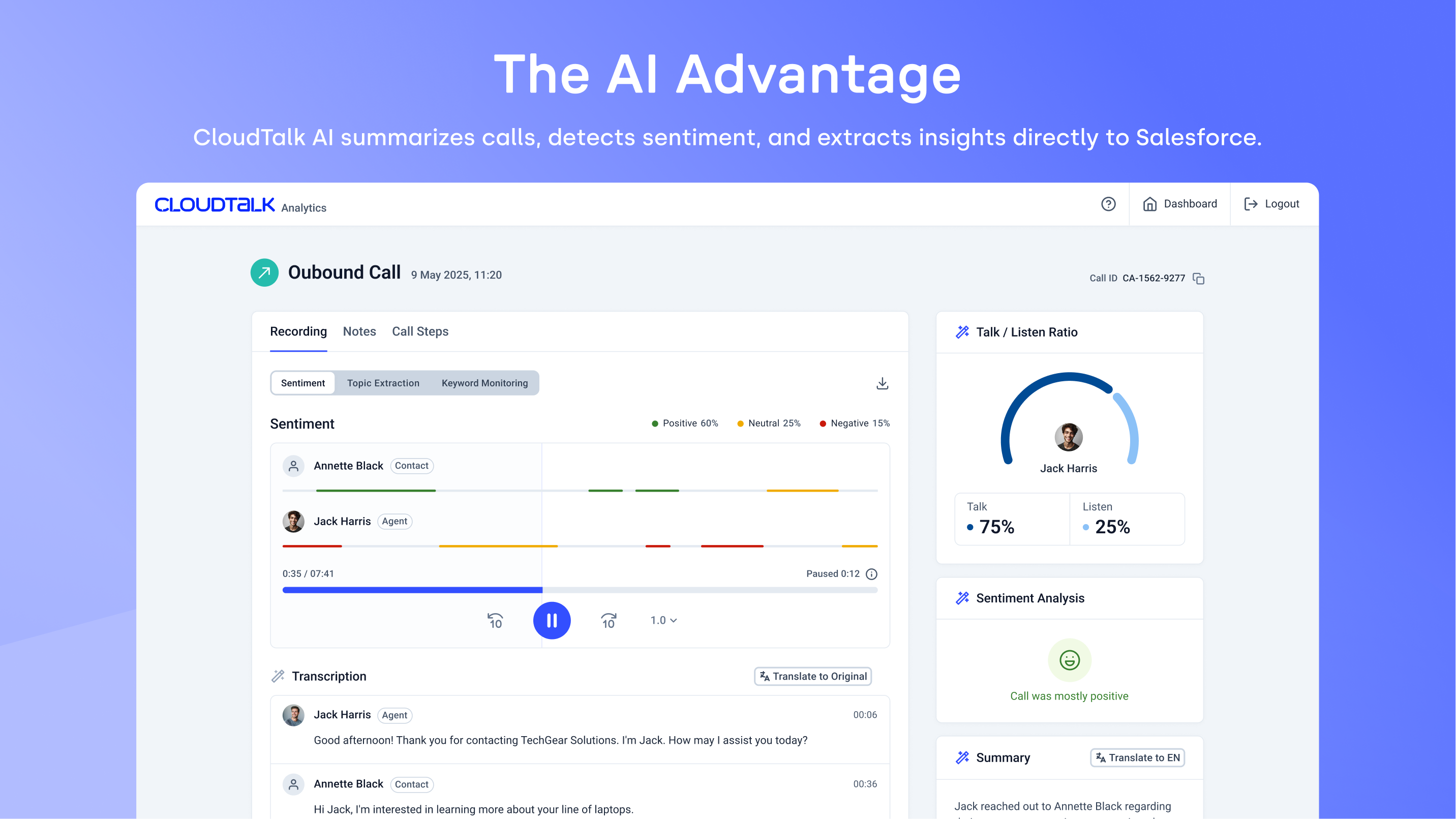
Compare CloudTalk with other phone-first 8x8 Contact Center alternatives if you need CRM-linked calling, multiple regional numbers, and outbound tools. See our comparison of CloudTalk alternatives for more phone-first options. Its current public pricing presents Starter, Essential, and Expert tiers. CRM and helpdesk integration coverage depends on the plan. Salesforce is listed on Expert, and the provider separates certain dialer and conversation-intelligence features into their own pricing lines.
Who should shortlist it. A sales or support team of roughly five to 75 users can evaluate CloudTalk when agents need to answer or place calls across a handful of markets. To compare number coverage across 8x8 Contact Center competitors, list your current numbers, the country each serves, and whether customers call a local, toll-free, or mobile number. For a team that shifts a number between offices or campaigns, add caller ID behavior and SMS availability to the evaluation.
What to test. Test your 8x8 Contact Center replacement in the country with the most restrictive number requirements first. Ask whether your exact number type can port, which documents are required, whether inbound SMS is supported on it, and what caller ID appears on outbound calls. Run a CRM task list with several agents and verify how outcomes get written back. Test the dialer mode you intend to fund, since power and parallel dialing follow different packaging.
Where the fit changes. Compare usage and add-ons alongside the seat price when evaluating 8x8 Contact Center alternatives for international calling. Model outbound minutes, incoming toll-free traffic, number rental, SMS, porting, and any dialer add-ons for the routes you use. If only some reps need advanced features, ask whether those features can be licensed for just those seats. For native scheduling and multichannel service-level management, keep a full-contact-center finalist in the evaluation.
How to Compare 8x8 Contact Center Alternatives on Price
To price an 8x8 Contact Center replacement, build your cost model around a representative month of work. Count every person who needs to log in, along with peak simultaneous access. Break the count into agents, supervisors, administrators, and occasional users. If a quote allows different seat types, request prices for them. Include the employee calling platform if your project is replacing 8x8 Work at the same time.
| Buyer Scenario | Published License Arithmetic | What to Include in the Written Quote |
|---|---|---|
| Five users sharing a support line | KrispCall Starter is $60 per month on annual billing. Advance is $160 at five seats. | For phone-first 8x8 Contact Center alternatives, price recording, CRM integration, queues, numbers, and calling usage. |
| 25 agents serving calls and digital channels | RingCX Standard is $1,625 per month on annual billing. Genesys Cloud CX 2 is $2,875 at the published named rate. | Give 8x8 Contact Center competitors the same channel list and volumes, and include supervisor access, coaching, recording storage, telephony, and deployment. |
| 50 agents who need forecasting and scheduling | Genesys Cloud CX 3 is $7,750 per month at the published annual named rate. RingCX Elite is $7,250 at its annual rate. | Ask 8x8 Contact Center competitors to itemize workforce tools, AI usage, support, retention, integrations, license minimums, and professional services. |
These examples compare arithmetic on published rates. They leave out items such as discounts, taxes, mandatory minimums, add-ons, and region-specific costs. Ask 8x8 Contact Center competitors to price the same workflows in writing. For example, a Standard plan with a separate workforce tool can be a valid configuration if the combined cost and administrative workload work for you. Include the time a manager spends moving data, changing schedules, and reconciling results across systems.
Calculate first-year and ongoing costs separately for each 8x8 Contact Center replacement you’re considering. The first year can include agent training, redesigning call flows, number ports, a period of overlapping services, historical export, and technical integration. Ongoing costs include storage, upgrades to preserve necessary capabilities, new number orders, support, and seasonal or long-term seat commitments. Ask whether any promotional price, call bundle, or quoted discount changes at renewal, and whether reductions in seats change the effective per-seat rate.
When comparing quotes from 8x8 Contact Center competitors, check which edition each quote actually names. A price for employee calling does not tell you the cost of a dedicated agent seat. A digital entry package may also have a lower advertised price than the voice package you need. Put the exact edition name next to every figure in your comparison spreadsheet so procurement can reconcile the estimate with a final order form.
How to Evaluate 8x8 Contact Center Competitors in a Demo
Ask two or three 8x8 Contact Center alternatives to run the same demo brief. Include your busiest queue, a digital channel if you use one, and a real exception such as a VIP caller who needs an after-hours callback. Use test records and ask the vendors to run it in the offered package. Have people who will use the platform daily perform some of the steps themselves.
| Workflow | What the Vendor Should Show | Evidence to Record |
|---|---|---|
| Inbound overflow | Show how the 8x8 Contact Center replacement routes unanswered calls using your existing hours and overflow rules. | Compare wait time, caller experience, and ownership of callbacks across 8x8 Contact Center competitors. |
| Customer history | Have 8x8 Contact Center competitors transfer a call attached to an existing case and show what the receiving agent can see. | Correct case and customer, visible notes, and permissions for any recording link. |
| Supervisor work | Compare how 8x8 Contact Center alternatives let supervisors flag an interaction, coach an agent, open a recording, and export an evaluation. | Identify which supervisor licenses and recording permissions the 8x8 Contact Center alternatives require. Check access logs and retention rules. |
| Digital or outbound exception | Handle a digital reply after a transfer or suppress an outbound record that cannot be contacted. | Check whether 8x8 Contact Center competitors retain the full history and apply the same handling rules in each region. |
| Reporting | Recreate an 8x8 report in the proposed 8x8 Contact Center replacement with a small test dataset. | Compare report formulas, time zones, intervals, results, and export formats across 8x8 Contact Center competitors. |
Agree on service-level definitions before the demo. Ask 8x8 Contact Center competitors how they count short abandons, callbacks, transferred calls, and interactions that move between two queues. A report with the same heading can produce a different result because the measurement rules differ. That difference can affect dashboards, staffing decisions, and historical trend lines.
Set a pass condition for each required workflow. For example, a transferred call should retain its case association, or a supervisor export should reproduce your export and retention requirements. Ask providers of the shortlisted 8x8 Contact Center alternatives to tag each test as included in the quoted plan, available with an add-on, delivered through an integration, or pending verification. Send the agreed scope to the implementation team as part of the handoff.
How to Migrate From 8x8 Contact Center
Inventory Numbers and Porting Dependencies
Before configuring the 8x8 Contact Center replacement, document each customer-facing number and where it routes today. Include main support numbers, regional numbers, toll-free lines, SMS-enabled numbers, disaster recovery destinations, and lines embedded in printed materials or authentication workflows. For every number, identify who owns the account, what the gaining carrier needs, and whether SMS or other services have separate migration requirements.
Ask 8x8 Contact Center competitors to confirm port eligibility in writing. Include the exact numbers and number types. Confirm the port date, commercial consequences of overlapping contracts, and whether temporary forwarding is permitted. Keep the losing service active through the agreed transition and confirm completion before canceling anything. Some lines have relationships you can discover only when you trace a call from a customer’s perspective.
Rebuild Call Flows and Preserve Required History
Recreate your hours, languages, messages, queues, fallback paths, and agent permissions in the 8x8 Contact Center replacement. Consider building the busiest service line first and using it as the pattern for other queues. A single diagram can help the support manager and new provider agree on what happens when a queue is full, a supervisor is unavailable, or the office closes early.
Ask 8x8 Contact Center competitors which records they can import, then decide which records can stay in a searchable archive. Recordings, transcripts, disposition history, evaluation forms, and dashboard exports can have different export rights and retention requirements. Have the people responsible for those records verify who can access them and find a real example using a date, case reference, or interaction ID. Use a documented retention schedule and validate the export before the old subscription ends.
Pilot One Queue Before Moving the Main Number
Pilot the 8x8 Contact Center replacement on a manageable queue or temporary number. Include a supervisor and enough agents to test transfers, warm handoffs, missed calls, recording, reports, and any CRM writes. Monitor the results from both the caller and agent perspectives. If you’re retaining 8x8 Work, add at least one test that transfers a customer to an employee who still uses Work.
For the 8x8 Contact Center replacement, agree on cutover ownership with both carriers and the implementation team. During the switch, use callers from different networks to test routing, toll-free access, and caller ID. If messaging is part of the cutover, verify delivery separately. Keep a temporary number or alternate route for emergencies when feasible and confirm the circumstances in which your carrier can use it. A port reversal has its own timing, so define a fallback independently of any reversal.
Validate the First Week of Reporting
Expect a period of reconciliation while agents learn the 8x8 Contact Center replacement and both systems’ numbers are still familiar. Check key metrics, sample call records, and compare a few shift reports. If you see a gap, investigate whether it comes from routing, report definitions, permission changes, or agent behavior. Check historical continuity with the people who use those reports to make staffing or performance decisions.
Track open support questions for the 8x8 Contact Center replacement. Record when a problem appears, the affected queue and roles, and a reproducible test with personal data removed. This speeds up diagnosis and helps distinguish a training issue from configuration or a product limitation. After the team signs off on calls, messaging, reporting, and archive access, close the old service lines according to the migration plan.
Frequently Asked Questions
What Is the Best Direct Alternative to 8x8 Contact Center?
Among direct 8x8 Contact Center alternatives, RingCentral RingCX is a strong first demo for a midmarket team that needs voice and digital channels in one agent platform. Genesys Cloud CX is a stronger fit when advanced workforce scheduling and complex routing drive the purchase. Compare Five9 if blended outbound and inbound campaigns are central to daily operations.
What Is a Lower-Cost 8x8 Contact Center Alternative for a Small Team?
KrispCall Starter and Calilio Standard both list an annual starting rate of $12 per user per month. These 8x8 Contact Center alternatives suit teams whose customer service is mainly phone-based. Verify the plan limits and add-ons before comparing them with a full contact center. KrispCall caps Starter at five users, while Calilio caps Standard at ten.
Which 8x8 Contact Center Competitors Support Voice and Digital Channels?
RingCX Standard, Genesys Cloud CX 2, and Five9 Core all cover voice and digital channels. Compare the channels your customers actually use and check how each platform handles transfers, conversation history, and reporting across them.
Can I Keep 8x8 Work and Replace 8x8 Contact Center?
Yes, you can keep 8x8 Work alongside an 8x8 Contact Center replacement if contracts, number ownership, and the technical routing support it. Confirm whether you can move or forward the contact-center numbers while keeping employee calling active. Test directory access, caller identification, and transfers to employees using 8x8 Work.
Can I Port My 8x8 Contact Center Phone Numbers?
Often, yes. Portability depends on the country, number type, account ownership, and the gaining provider’s coverage. Ask the provider of your 8x8 Contact Center replacement to confirm eligibility by number and keep 8x8 active until the receiving provider confirms that routing and any required messaging features work.
Which 8x8 Contact Center Alternatives Include Workforce Management?
Genesys Cloud CX 3 lists forecasting, scheduling, and workforce management. RingCX Elite lists AI workforce management. Ask 8x8 Contact Center competitors such as Talkdesk and Five9 for a package that covers your exact needs and show vendors your current forecasting, scheduling, and adherence processes.
How Much Do Voice-Enabled 8x8 Contact Center Alternatives Cost?
For voice-enabled 8x8 Contact Center alternatives, published examples start at $65 per user per month for RingCX Standard on annual billing, $75 for Genesys Cloud CX 1 on annual named billing, and $105 for Talkdesk Voice Essentials. The budget can increase with digital channels, workforce tools, usage, and implementation. Ask for the rate for the exact edition and geography.
Can a Business Phone System Be an 8x8 Contact Center Replacement?
Yes, if your requirements are mainly calls, basic routing, shared numbers, and follow-up in a CRM or helpdesk. A dedicated contact center is a better fit if you use skills-based routing across channels, advanced supervisor tools, and workforce planning as part of daily operations.
How to Compare 8x8 Contact Center Competitors Using G2 Reviews
The scores in the comparison table are product-specific G2 snapshots. They reflect different reviewer populations and sample sizes. When reading reviews of 8x8 Contact Center competitors, look for teams with similar staffing, geography, and channels. A small sales team discussing a calling app and a supervisor managing multiple digital queues are evaluating different jobs, even if their ratings match.
Before choosing an 8x8 Contact Center replacement, read reviews from admins, agents, and supervisors. Look for concrete examples of queue configuration, CRM reliability, reporting, support escalations, and how a team handled changes after go-live. Check when the experience took place and whether it concerns the edition you plan to buy. Use any recurring concern to write a specific demo or contract question. For example, if several users found it difficult to trace transfers in reporting, ask to see two consecutive transfers and reconcile them against a controlled test report.
Affiliate Disclosure. VoIPCalling may earn a commission through the KrispCall and Calilio links. The 7-day KrispCall free trial is a VoIPCalling partner offer.