The introduction of wireless internet communication has revolutionized the way we handle voice calls, especially in areas where cellular reception is notoriously weak. However, nothing is more frustrating than expecting a clear connection only to find that the feature has failed. If you have ever wondered why is wifi calling not working at a crucial moment, you are not alone. This technology, while sophisticated, relies on a perfect symphony between your smartphone hardware, your mobile carrier’s settings, and the stability of your local internet network. When any of these components fall out of sync, the service drops, leaving you with missed calls and failed messages.
Understanding the mechanics behind this service is the first step toward a permanent fix. Whether you are dealing with enabling wifi calling on a brand-new flagship device or an older model, the root cause usually lies within a few common categories: software glitches, network configuration, or carrier-side restrictions. In this extensive guide, we will break down every possible reason for connectivity issues and provide actionable solutions to ensure your device stays connected, regardless of the cellular signal strength in your vicinity.
Understanding the Technology Behind wifi calling
Before diving into troubleshooting, it is essential to understand what the service actually does. Often referred to as Voice over Wi-Fi (VoWiFi), this feature allows your mobile device to route voice traffic through the internet rather than traditional cell towers. This is particularly useful in “dead zones”—places like basements, high-rise buildings, or rural areas where thick walls or distance from a tower prevent a standard signal from reaching your phone.
When the service is active, your phone establishes a secure “tunnel” to your carrier’s core network via your Wi-Fi router. If you find why wont my wifi calling work to be a recurring question, it may be because this tunnel is being blocked or interrupted. Unlike third-party apps, this service is integrated into your phone’s native dialer, meaning your caller ID and phone number remain exactly the same. However, because it is a carrier-integrated service, it requires specific permissions and configurations that standard internet browsing does not.
Common Reasons Why is wifi calling not working on Mobile Devices
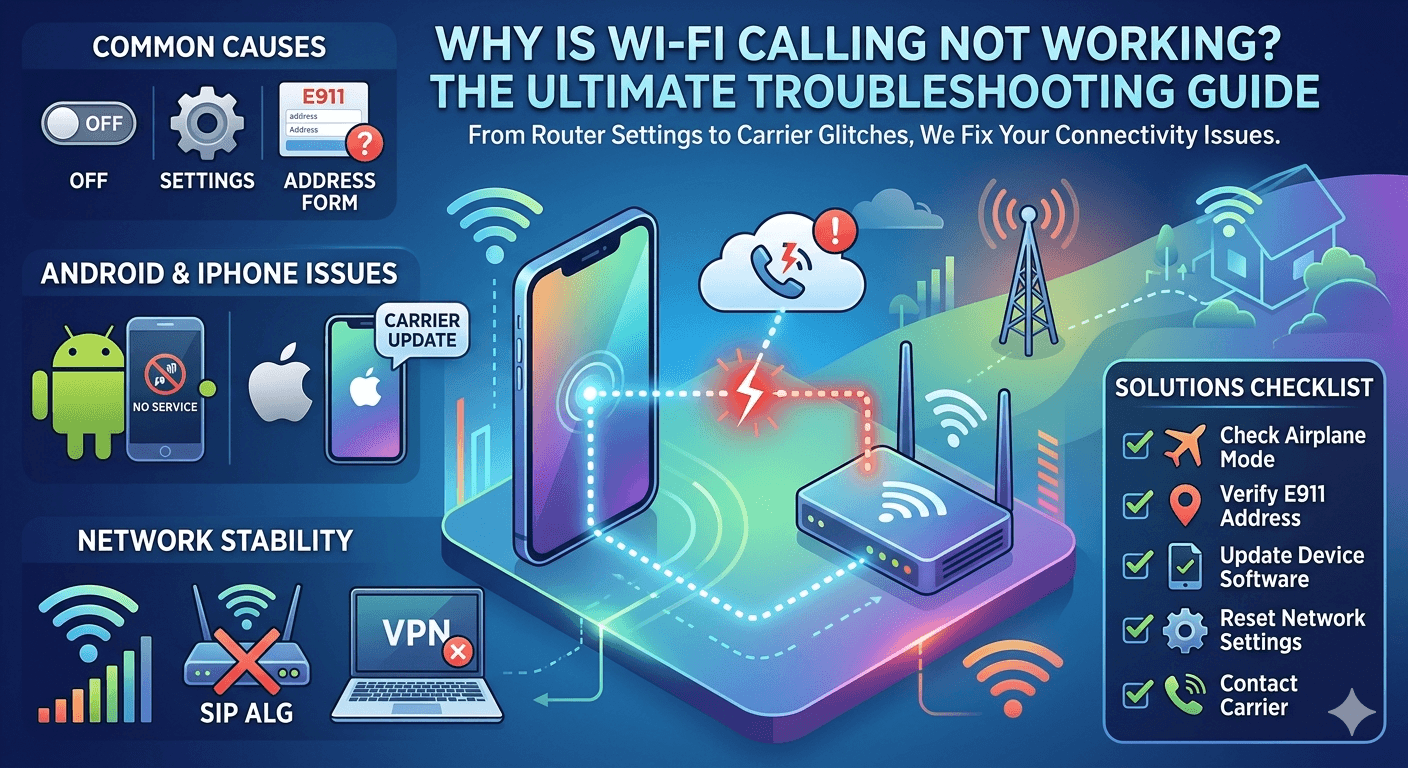
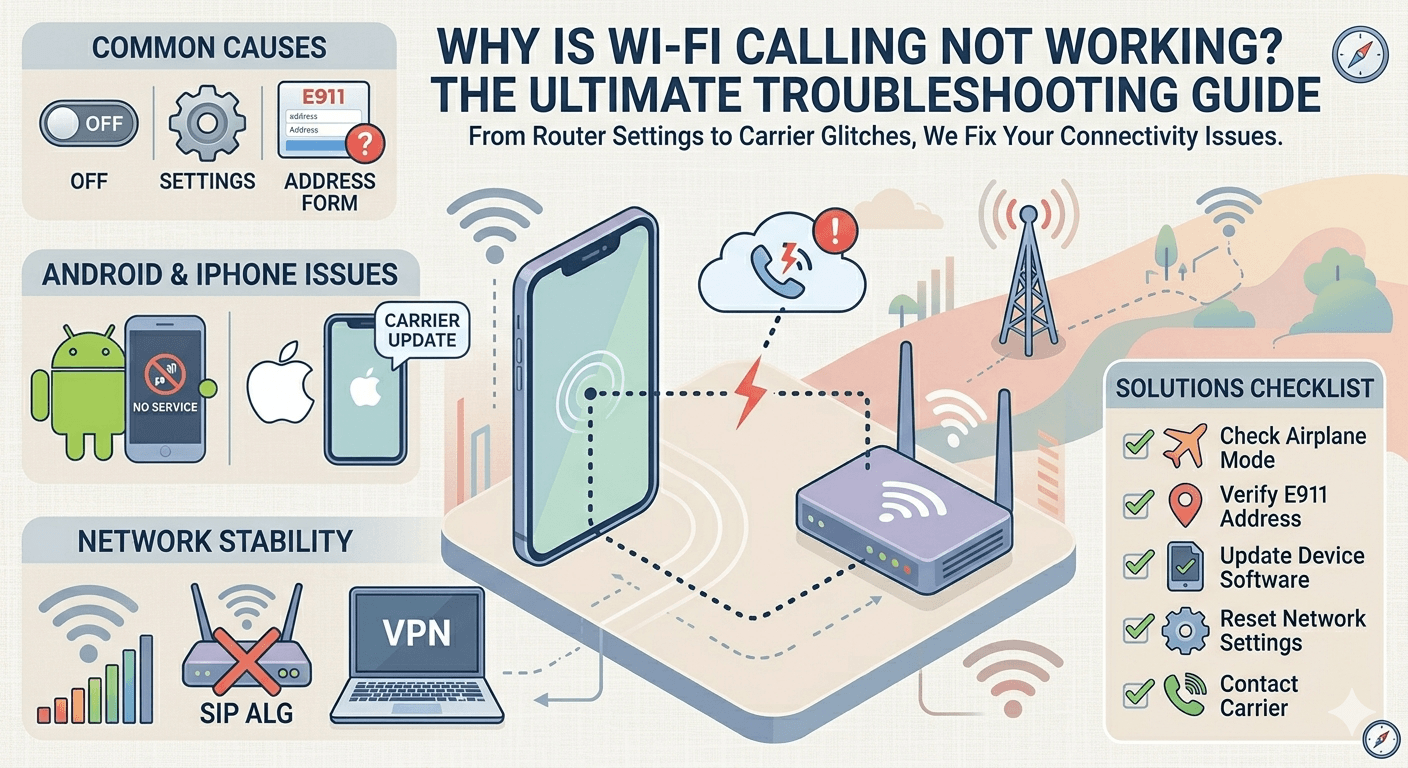
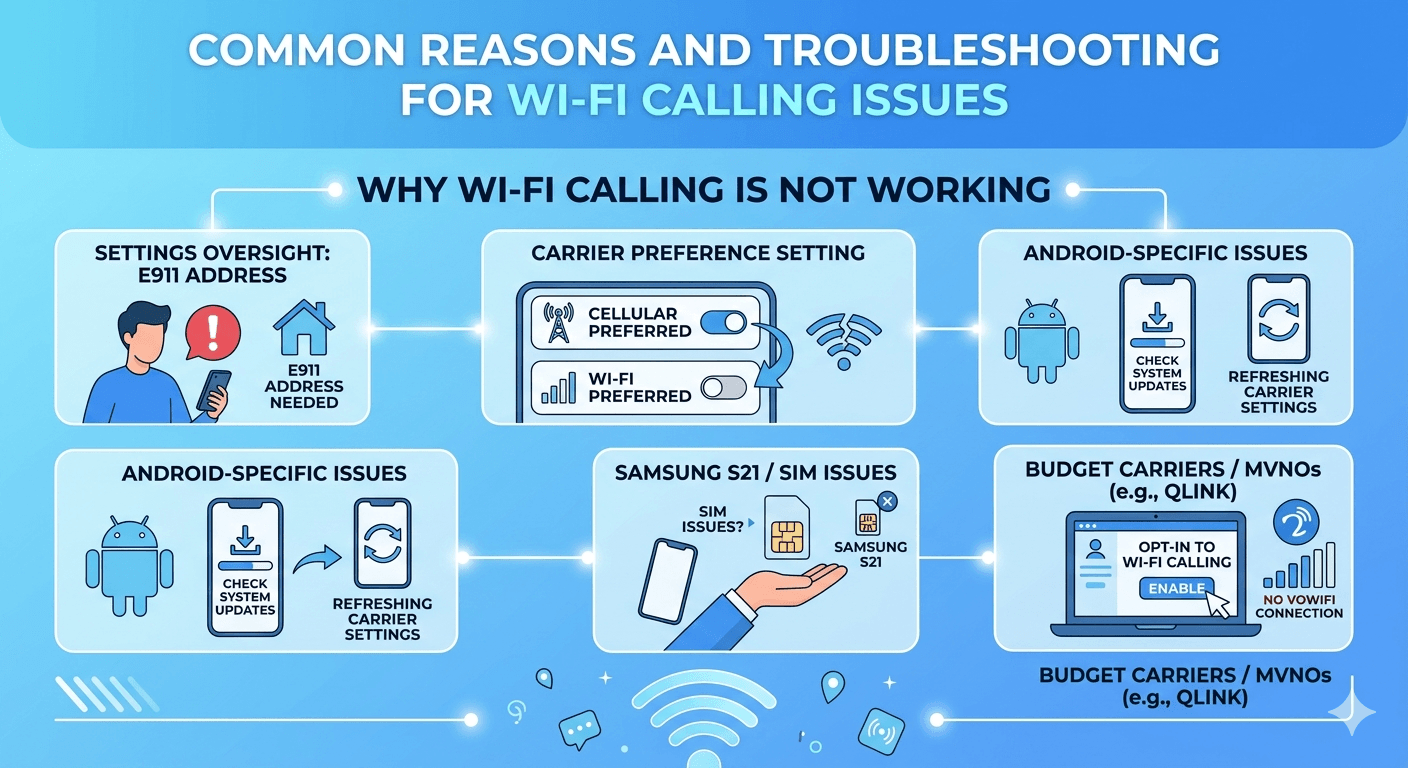
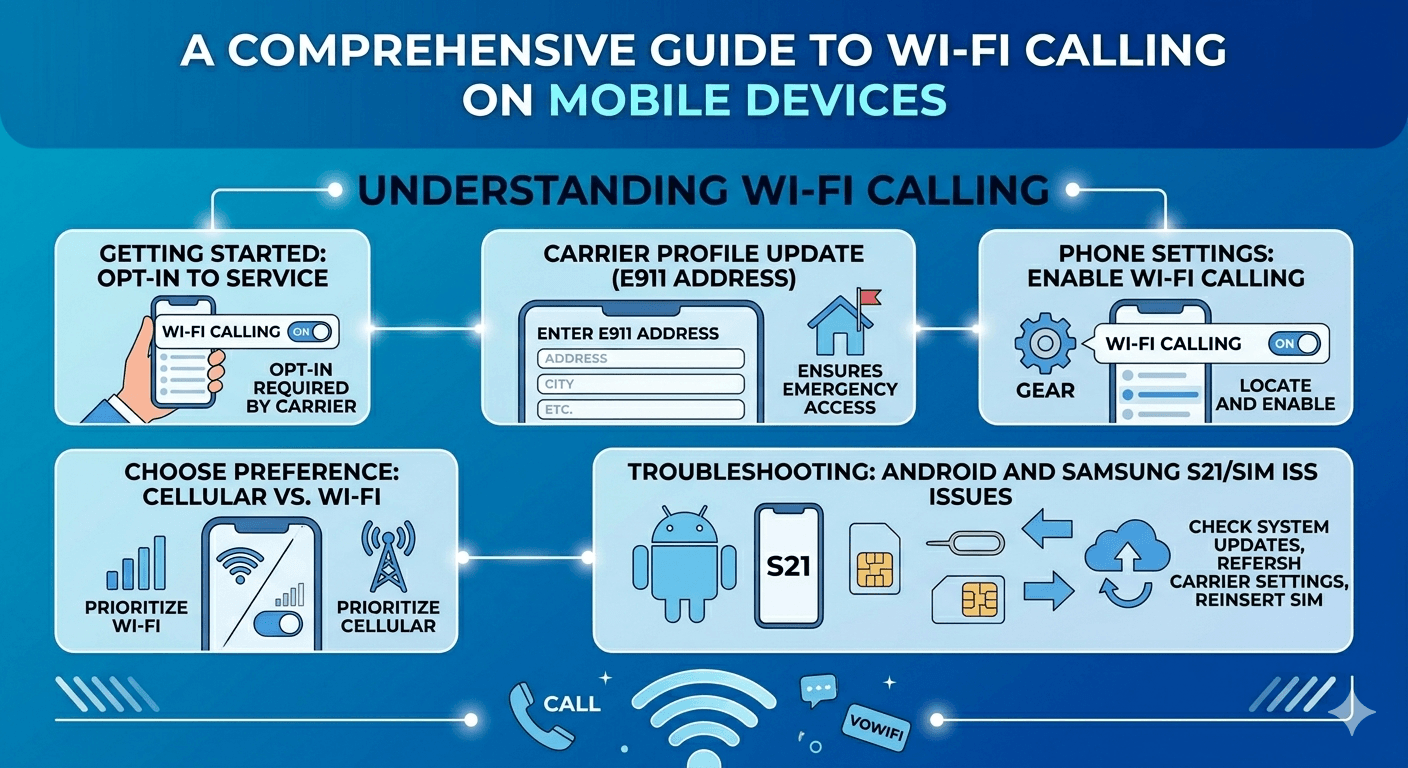
There are several high-level reasons why a device might fail to initiate a call over Wi-Fi. One of the most frequent causes is a simple setting oversight. Many users ask why can’t i turn on enabling wifi calling only to realize that their carrier requires a registered emergency address (E911) before the service can be activated. Carriers are legally required to have an address on file so that emergency services can find you if you call 911 over a Wi-Fi network, as Wi-Fi does not provide the same geographical triangulation as cellular towers.
Another common culprit is the “Wi-Fi Calling Preference” setting. Most phones allow you to choose whether to prioritize cellular or Wi-Fi. If your phone is set to “Cellular Preferred” and you have even a sliver of a cellular signal, the phone may ignore the Wi-Fi connection entirely, leading to poor call quality or failed connections. If you find why doesn’t my wifi calling work even with full Wi-Fi bars, check to see if your preference is set to “Wi-Fi Preferred” to force the device to use the internet connection first.
Troubleshooting wifi calling not working on Android Systems
Android users often face a unique set of challenges due to the variety of manufacturers and software skins. If you are experiencing wifi calling not working android issues, the first step is to check for system updates. Manufacturers like Samsung, Google, and OnePlus frequently release patches that address modem stability and connectivity bugs. A simple “System Update” can often resolve underlying handshake issues between the phone and the router.
For specific models, such as those seeing the samsung s21 wifi calling missing error, the problem might be related to the SIM card or the carrier profile. Sometimes, after a software update, the carrier settings need to be refreshed. You can do this by resetting your network settings. This action clears out saved Wi-Fi passwords, Bluetooth pairings, and cellular configurations, providing a clean slate for the phone to re-establish its connection to the carrier’s VoWiFi gateway.
If you are using a budget or MVNO carrier and find qlink wifi calling not working, it is possible that the service is not enabled on the carrier’s end for your specific account. Many smaller carriers require you to manually “opt-in” to the service through their web portal or mobile app. Without this backend activation, the phone will never be able to authenticate with the carrier’s servers, regardless of how many times you toggle the switch in your settings.
Addressing wifi calling not working on iphone Devices
Apple users generally experience a more streamlined process, but they are not immune to technical difficulties. When wifi calling not working on iphone occurs, it is often tied to the “Carrier Settings.” Apple occasionally pushes “Carrier Settings Updates” that are separate from the main iOS updates. To check for this, navigate to Settings > General > About. If an update is available, a prompt will appear automatically. Ignoring these updates can lead to a situation where the phone no longer knows how to talk to the carrier’s Wi-Fi calling servers.
Another hidden reason for why won’t my wifi calling work on an iPhone involves the iCloud account. In some instances, the handoff feature between devices (like an iPad or Mac) can cause conflicts. If you have “Calls on Other Devices” turned on, try toggling it off to see if the primary iPhone connection stabilizes. Additionally, ensure that your “Airplane Mode” trick is used carefully; while turning on Airplane Mode and then re-enabling Wi-Fi can force a Wi-Fi call, it can also hide the fact that your phone is having trouble authenticating with the cellular network, which is often a prerequisite for the initial Wi-Fi calling setup.
The Role of Network Stability in wifi calling Performance
One of the most overlooked factors in enabling wifi calling is the quality of the local network. Just because you can watch a YouTube video or browse Instagram doesn’t mean your network is stable enough for high-definition voice traffic. Voice calls are highly sensitive to “latency” and “jitter.” If your internet connection has frequent micro-drops, the secure tunnel used for the call will collapse, causing the call to fail or the wifi calling icon to disappear from your status bar.
Public Wi-Fi networks, such as those in hotels, airports, or coffee shops, are notorious for blocking the specific ports required for this technology. Specifically, the service typically uses UDP ports 500 and 4500. If a network administrator has blocked these ports for security or bandwidth-saving reasons, you will find why won’t my phone connect to wifi calling to be an unfixable problem until you move to a more open network. Using a VPN can also complicate matters, as many carriers block VPN traffic from accessing their voice gateways to prevent fraud and ensure location accuracy.
Deep Dive: How to Fix wifi calling not working through Router Settings
If you have determined that the problem is not with your phone or your carrier, the issue likely lies within your router’s configuration. Many modern routers include a feature called “SIP ALG” (Application Level Gateway). While this sounds beneficial, it is frequently the cause of wifi calling not working on android and iPhone alike. SIP ALG is intended to help route voice traffic, but it often ends up corrupting the data packets, leading to one-way audio or calls that drop after exactly 30 seconds.
To resolve this, you should log into your router’s admin panel and look for “Advanced Settings” or “Firewall Settings” to find and disable SIP ALG. Additionally, ensuring that your router’s firmware is up to date is crucial. Older routers may struggle with the modern encryption standards required by mobile carriers for secure voice tunneling. If you are asking why wont my wifi calling work after moving to a new home or getting a new ISP, checking these internal router protocols should be your top priority.
Carrier-Specific Issues: Why won’t my wifi calling work?
Sometimes the fault lies entirely with the service provider. Carriers like Verizon, AT&T, and T-Mobile have different requirements for their VoWiFi services. If you have recently switched SIM cards or moved from a physical SIM to an eSIM, the provisioning on your account might be incorrect. This is a common reason for why my wifi calling is not working after a hardware upgrade. The carrier’s system might still think you are on an older device that doesn’t support the feature.
In some cases, the “provisioning” needs a manual push from the carrier’s technical support team. You can often identify this if the wifi calling toggle is greyed out or disappears entirely from your menu. If you have tried all the software fixes and the feature remains elusive, a quick call to your carrier to “refresh the line” or “re-provision the VoWiFi flag” is the best course of action. They can see on their backend if your device is successfully hitting their servers or if it’s being rejected due to an account error.
The Evolution and Benefits of VoIP in Modern Communication
While we often focus on the cellular integration, the underlying technology is a form of Voice over Internet Protocol (VoIP). Understanding the benefits of voip service helps explain why carriers are pushing so hard for Wi-Fi calling adoption. VoIP allows for a much more efficient use of network resources compared to traditional circuit-switched calls. This efficiency leads to lower costs for the provider and higher audio fidelity for the user.
A major advantage of this technology is scalability. For businesses, top uses for voip technology include the ability to add hundreds of lines without installing physical wires. For the individual user, it means their phone number is no longer a prisoner of the nearest cell tower. As we look at what makes a great voip provider, reliability and encryption are at the top of the list—the same factors that determine whether your phone’s Wi-Fi calling feature works smoothly or fails.
Research and Supporting Facts on wifi calling Reliability
Recent industry research highlights the growing importance of this technology.
According to data from Cisco’s Annual Internet Report, Wi-Fi traffic is expected to account for more than 50% of total IP traffic globally.
This shift means that mobile carriers are increasingly relying on residential Wi-Fi to maintain “network density.” In fact, a study by Strategy Analytics found that over 60% of indoor mobile calls are now handled over Wi-Fi in developed markets. These facts underscore that why is wifi calling not working is not just a minor inconvenience but a significant barrier to modern connectivity.
Furthermore, technical analysis shows that the success rate of a Wi-Fi call is directly correlated with the “Signal-to-Noise Ratio” (SNR) of the wireless network. Even if you have “full bars” of Wi-Fi, high levels of interference from other electronics (like microwaves or baby monitors) can cause the call to fail. This is why a “clean” 5GHz Wi-Fi band is always recommended over the more cluttered 2.4GHz band for anyone looking to optimize their wifi calling experience.
Step-by-Step Fixes for wifi calling not working
If you are currently staring at your phone and wondering how to turn off wifi calling or, more importantly, how to get it to work, follow this prioritized list of fixes:
Check Airplane Mode: Toggle Airplane Mode on, wait 10 seconds, and toggle it off. This forces the modem to re-search for all available networks.
Verify E911 Address: Go to your phone’s Wi-Fi calling settings and ensure an emergency address is correctly entered. Without this, many carriers will block the service.
Reset Network Settings: This is a “nuclear” option that often solves why won’t my phone connect to wifi calling. It clears the cache of all network-related data.
Update Carrier Settings: On iPhone, check the “About” section in settings. On Android, check for “Profile Updates” or “PRL Updates” in the system menu.
Test on a Different Wi-Fi: Connect to a completely different network (like a neighbor’s or a public hotspot). If it works there, the problem is your home router.
Disable VPNs: Virtual Private Networks often interfere with the secure handshake required for carrier voice services.
SIM Card Check: If your SIM card is more than a few years old, it may not support the latest VoWiFi protocols. Request a new SIM from your carrier.
By systematically going through these steps, you can eliminate the variables and find the exact reason why wont my wifi calling work. Most of the time, the fix is simpler than it seems, involving a refreshed setting or a minor adjustment to your router’s firewall.
The Future of wifi calling and 5G Integration
As 5G networks continue to expand, the relationship between cellular and Wi-Fi will become even more integrated. The goal of the industry is “seamless handoff,” where the user never knows which network they are on. In the future, the question of why is wifi calling not working may become obsolete as AI-driven modems in our phones automatically switch between the best available data streams in real-time.
For now, we remain in a transitional period where manual troubleshooting is sometimes necessary. The transition to “Standalone 5G” (5G SA) will eventually provide a more robust backbone for voice traffic, potentially reducing the reliance on Wi-Fi for indoor coverage. However, given the physical limitations of high-frequency radio waves passing through modern construction materials, wifi calling will remain a vital tool for the foreseeable future.
Read More: What is IP Telephony: How IP Phone Works?
Final Thought
In an era where we depend on our mobile devices for everything from business meetings to emergency contacts, ensuring that your wifi calling is functional is paramount. While the technology is complex, most issues surrounding enabling wifi calling can be traced back to simple configuration errors or network instability. By understanding the roles of E911 registration, router protocols like SIP ALG, and carrier provisioning, you can take control of your connectivity. Never let a weak cellular signal be the reason you miss an important moment. With the right troubleshooting steps and a bit of technical patience, you can ensure that your device remains a reliable bridge to the world, no matter where you are.
Frequently Asked Questions (FAQs)
What is Voice over Internet protocol?
Voice over Internet Protocol (VoIP) is a technology that allows you to make voice calls using a broadband internet connection instead of a traditional analog phone line. It works by converting your voice into digital data packets and transmitting them over the internet. This is the underlying technology that enables services like wifi calling, Skype, and Zoom to function.
What are VoIP calls?
VoIP calls are any telephone calls made over the internet. Unlike traditional calls that use circuit switching through a telephone exchange, VoIP calls use packet switching. These calls can be made from a computer, a specialized VoIP phone, or a smartphone via a wifi calling feature or a third-party application.
What are the top uses for VoIP technology?
The top uses for voip technology include cost-effective long-distance calling, business communication systems (PBX), video conferencing, and enhancing mobile coverage through Wi-Fi. It is also used in unified communications to integrate voice, video, and messaging into a single platform for better workflow and collaboration.
What are the Benefits of VoIP service?
The benefits of voip service are numerous, including significantly lower costs for international calls, increased mobility since you can take your number anywhere with an internet connection, and access to advanced features like call forwarding, voicemail-to-email, and automated attendants without needing expensive hardware.
How can you protect against VoIP scam calls?
To protect against VoIP scams, you should use a voip provider that offers robust caller ID authentication (such as STIR/SHAKEN). Additionally, never provide personal information to unsolicited callers, use call-blocking apps, and ensure your router’s firewall is active to prevent unauthorized access to your VoIP network.