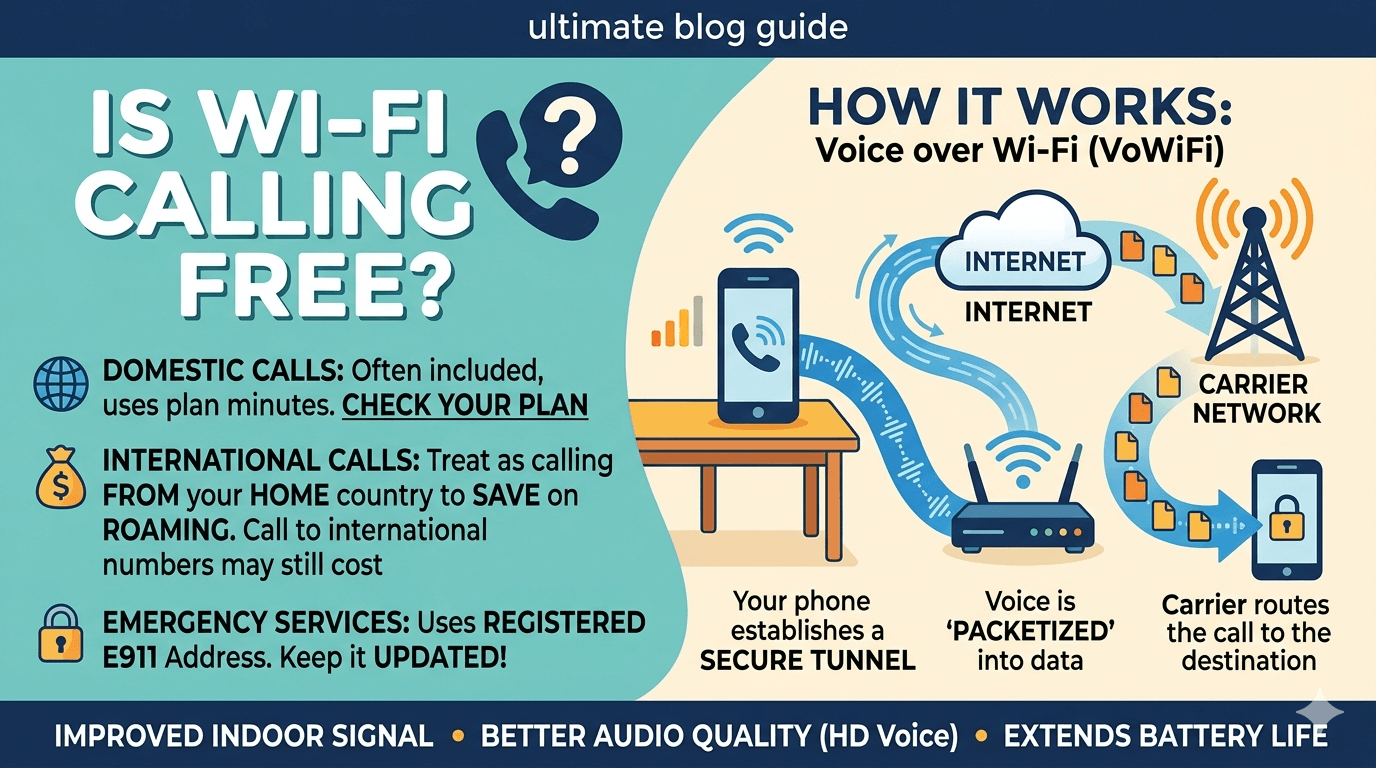
Yes, Wi-Fi calling is usually free when calling standard phone numbers, but it depends on your mobile carrier and calling destination. Most carriers do not charge extra for using Wi-Fi calling itself. Domestic calls are often treated the same as regular cellular calls under your existing plan, while international calls may incur standard international rates unless your plan includes them. Data charges from your internet provider may still apply if you’re not on an unlimited internet connection.
What is wifi calling?
To truly grasp the value of this technology, we must first answer the foundational question: what is wifi calling? In the simplest terms, it is a high-definition voice service that allows you to make and receive calls, as well as send text messages, over a Wi-Fi network rather than a traditional cellular network. When you are in an area with a weak “signal” from your carrier but have access to a strong wireless internet connection, your phone can seamlessly transition your call to the internet.
Many people often confuse this feature with third-party applications like WhatsApp or Skype. While those services also use the internet, they are independent platforms. When we discuss what does wifi call mean in the context of your smartphone’s native settings, we are talking about a service provided directly by your mobile carrier. This means your phone number remains the same, your caller ID is unchanged, and you do not need to download any additional software. It is a carrier-grade service designed to supplement the existing cellular infrastructure.
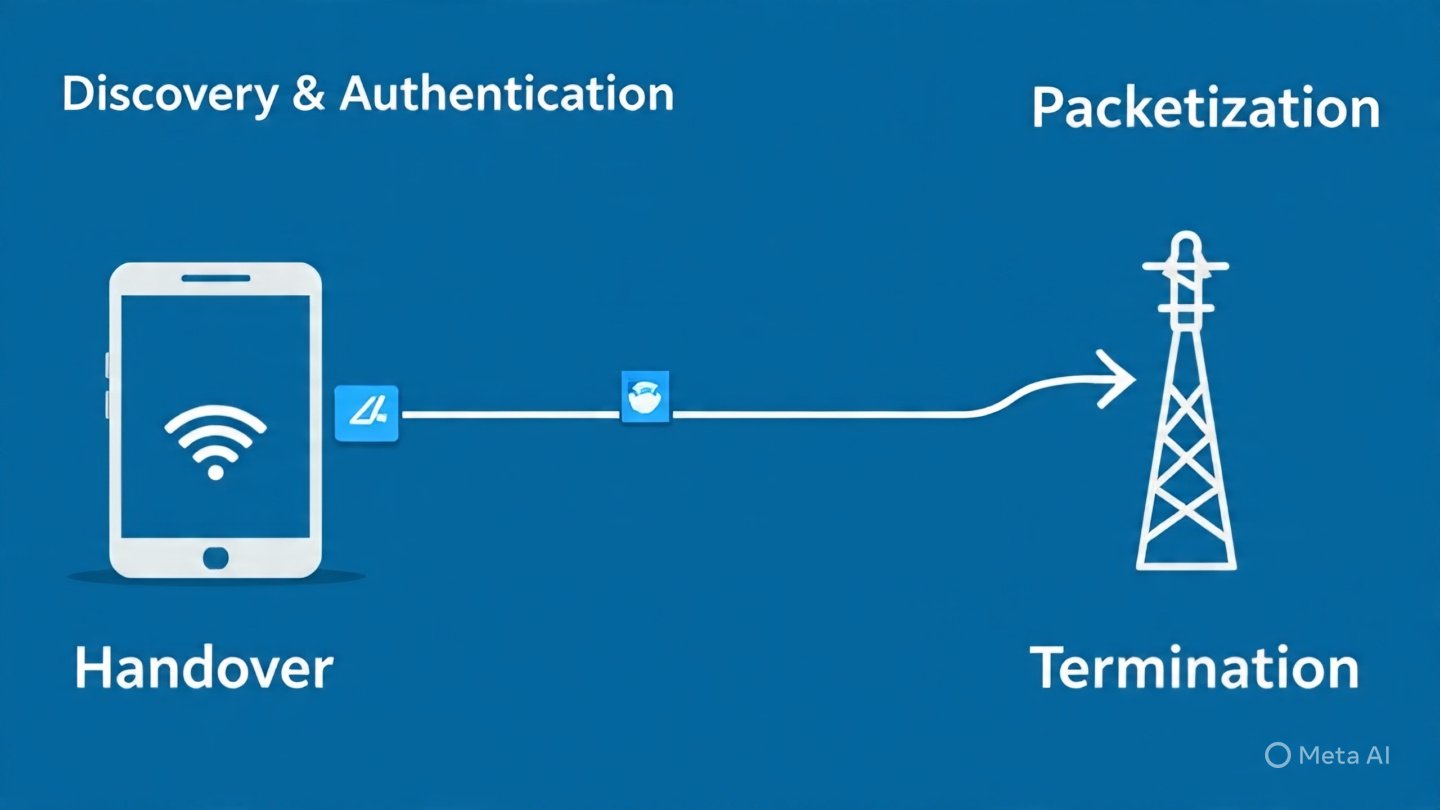
The industry term for this technology is Voice over Wi-Fi (VoWiFi). When you ask what is wi-fi calling, you are essentially asking about a protocol that packages your voice into digital data packets, similar to how an email or a web page is sent. These packets travel across the internet to your carrier’s core network, where they are then routed to the recipient. This integration is so seamless that most users don’t even realize they are making a wifi call unless they look at the status bar on their device.
Is wifi calling free or are there hidden costs?
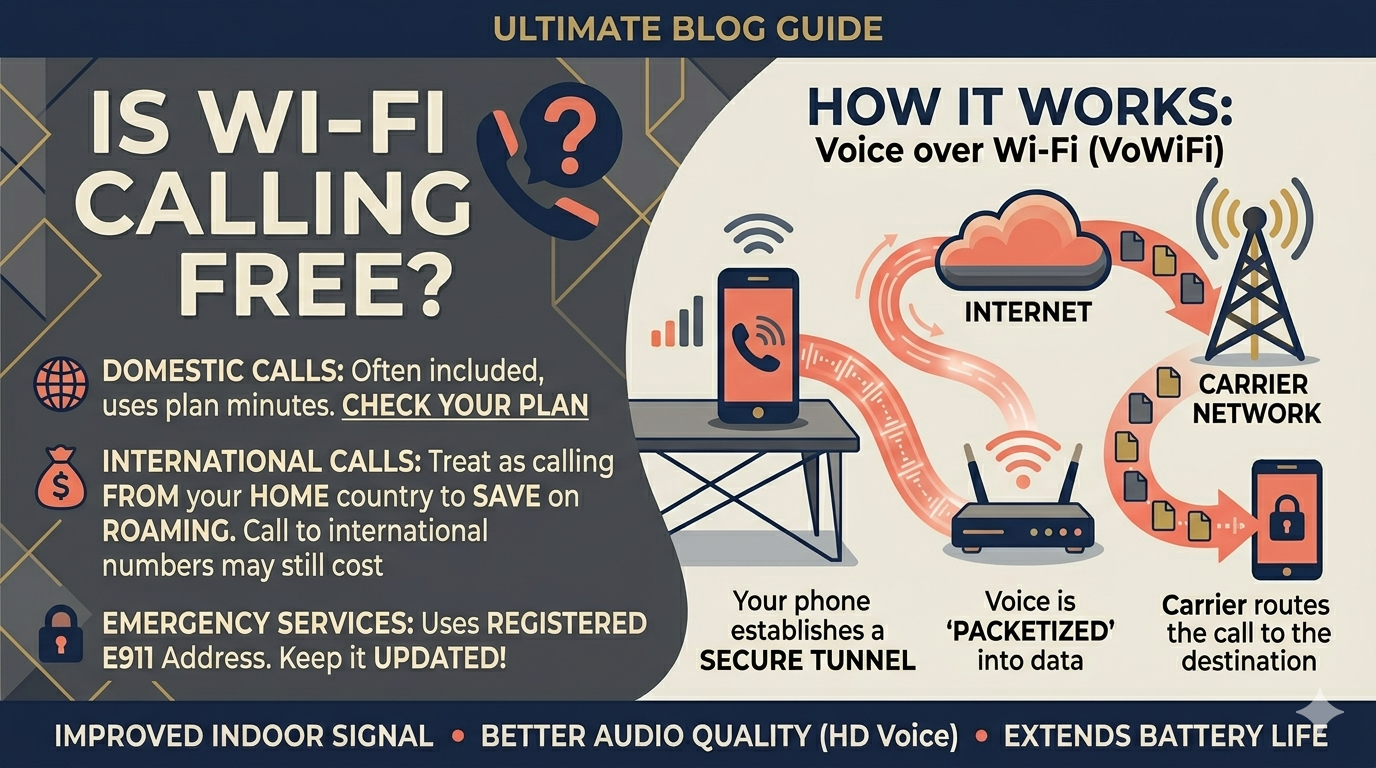
Yes, its free but the answer is depends largely on your mobile plan and your physical location. In most domestic scenarios—meaning when you are in your home country—wifi calling does not cost extra. It is typically included as a standard feature of modern monthly contracts and prepaid plans.
However, it is a common misconception that “free” means it doesn’t use your plan’s resources. When you make a call over Wi-Fi, most carriers still deduct those minutes from your monthly allowance. If you have an unlimited talk and text plan, then for all intents and purposes, it feels like the wifi calling is free. But if you are on a limited minute plan, you are still “paying” with your allocated minutes. This is why people ask does wifi calling cost money—while there is often no additional “service fee,” it is not a bypass for your carrier’s billing system.
When we look at international scenarios, the question of are wifi calls free becomes even more complex. If you are traveling abroad and call back to a number in your home country using Wi-Fi, many carriers treat this as a domestic call, potentially saving you a fortune in international roaming fees. But, if you use Wi-Fi to call an international number while abroad (or even while at home), you will likely be charged international rates. Therefore, while the connection itself uses your Wi-Fi, the “routing” is still subject to the carrier’s long-distance pricing tiers.
Benefits of wifi calling for Daily Life
There are numerous benefits of wifi calling that extend beyond just saving money on roaming. One of the primary advantages is the ability to maintain a clear connection in “dead zones.” Many modern buildings are constructed with materials that block cellular signals, such as thick concrete or metal. In these environments, wifi calling acts as a lifeline, allowing you to use your phone in basements, high-rise offices, or rural homes where towers are miles away.
Another benefit is the improvement in audio quality. Because Wi-Fi networks often have higher bandwidth than congested cellular towers, a wifi call often utilizes wideband audio codecs. This results in “HD Voice,” which sounds much more natural and clear than the compressed audio of a standard cellular call. When you consider is wifi calling good, the clarity alone is often enough to convince users to keep the feature enabled at all times.
Furthermore, wi-fi calling is a massive benefit for battery life. When your phone is in an area with a weak cellular signal, the modem works overtime, constantly “searching” for a tower, which drains the battery rapidly. By switching the primary connection to Wi-Fi, the cellular modem can enter a lower-power state, significantly extending your phone’s battery life throughout the day. This makes calling on wifi a smart strategic choice for anyone looking to optimize their device’s performance.
Disadvantages of wifi calling and Potential Pitfalls
Despite the many positives, there are some disadvantages of wifi calling that users should be aware of before relying on it exclusively. The most significant issue is dependency on internet stability. While cellular networks are designed specifically for mobility, Wi-Fi networks can be fickle. If your internet router restarts or if there is a spike in network congestion, your wi fi call may drop or experience significant jitter.
Another concern is the “public Wi-Fi” risk. While the connection to your carrier is encrypted, using internet calling on an unsecured public network in a coffee shop or airport can occasionally lead to connectivity issues or firewall blocks. Some public networks are configured to block the specific ports used for voice over wifi to save bandwidth, meaning the feature simply won’t work.
Additionally, there are emergency service considerations. When you dial 911 (or your local emergency number) over a cellular network, the tower can triangulate your location with high precision. With wifi calling, the carrier relies on the “Emergency Address” you registered when you turned the feature on. If you are calling from a different location than your registered address and cannot speak to give your location, emergency responders may have difficulty finding you. This is why many people ask should wifi calling be on at all times—it’s important to keep your emergency address updated in your phone’s settings.
What’s the difference between wi-fi and wi-fi calling?
It is important to clarify what’s the difference between wi-fi and wi-fi calling for those who are new to the concept. Wi-Fi itself is the wireless technology used to connect your devices (laptops, phones, smart TVs) to the internet. It is the “pipe” through which data flows. On the other hand, wifi calling is a specific service or application that uses that “pipe” to transmit voice data.
Think of Wi-Fi as a highway. Many different types of vehicles travel on this highway: web browsing, video streaming, and social media. Wi-Fi calling is simply one specific type of vehicle—a specialized voice ambulance—that has been given permission to use that highway to reach the carrier’s network. You can have Wi-Fi without having the calling feature enabled, but you cannot have the calling feature without a Wi-Fi connection.
This distinction also helps answer what is a wifi call versus a data call. A data call (like WhatsApp) uses the general internet “highway” to reach another app. A wifi call uses the same highway but connects directly into the traditional telephone system. This is why you can use your phone’s native dialer for a wifi call to reach a landline, whereas you cannot “call” a landline directly from many data-only apps without paying for a specific gateway service.
How to make wifi calls on Android and iPhone
If you are wondering how to make wifi calls, the process is remarkably simple and only needs to be done once. Most modern smartphones, including almost all iPhones from the iPhone 5c onwards and most Android devices from the last five to seven years, support this feature natively. The steps vary slightly depending on your operating system, but the core requirement is that your carrier must also support the feature.
For iPhone Users:
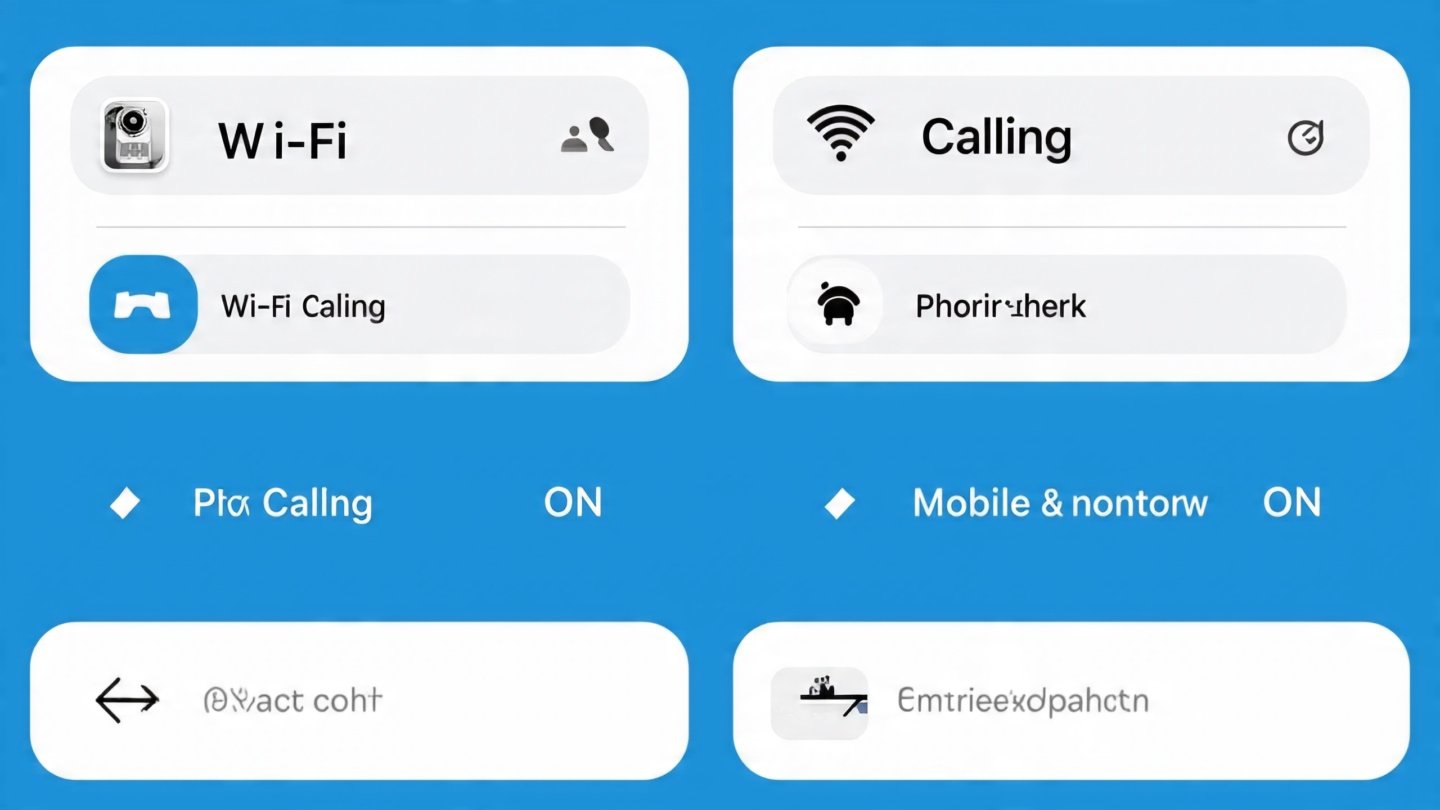
Navigate to Settings.
Tap on Phone.
Look for Wi-Fi Calling.
Toggle the switch to On. You may be asked to enter or confirm your emergency address at this stage.
For Android Users:
Open the Phone app.
Tap the three dots (More) in the top corner and select Settings.
Look for Calls or Wi-Fi Calling.
Toggle the feature to On. Note that on some Android versions, this setting might be found under Settings > Network & Internet > Mobile Network.
Once enabled, you don’t have to do anything special to make wifi calls. Your phone will automatically choose the best available connection. If you see a Wi-Fi icon next to the carrier name in your notification bar, you are successfully making a wifi call. If you’re wondering when to use wifi calling, the answer is anytime you have a stable Wi-Fi connection but the cellular bars are low.
Is wifi calling safe for private conversations?
Security is a paramount concern in the digital age, leading many to ask is wifi calling safe? Generally speaking, it is very safe—often more so than a standard cellular call. As mentioned previously, the connection between your device and the carrier is encrypted using industry-standard protocols. Even if someone were to “sniff” the data packets on your local Wi-Fi network, they would only see encrypted gibberish rather than your actual voice conversation.
However, “safe” also refers to the reliability of the connection during emergencies. Because wi-fi calling depends on the local power supply and internet service provider, it is less “resilient” than cellular networks during a wide-scale power outage. Cellular towers often have massive battery backups and generators, whereas your home router will likely go dark as soon as the power cuts out. Therefore, while it is safe for daily privacy, you should not rely on it as your only means of communication in a disaster scenario.
For the average user, the security benefits of internet calling outweigh the risks. It provides a consistent layer of encryption that protects your metadata and your voice. If you are concerned about privacy, always ensure your home Wi-Fi is protected with a strong WPA3 or WPA2 password, which adds a second layer of security to your wifi calling sessions.
Research and Facts about Wi-Fi Calling Adoption
The shift toward Wi-Fi-based voice services is supported by compelling data from the telecommunications industry.
According to a report by Strategy Analytics, it is estimated that by the end of 2024, over 5 billion smartphones globally will support wifi calling.
This near-universal adoption is driven by carriers who want to offload traffic from their expensive cellular spectrum onto existing residential and business Wi-Fi networks. It is a “win-win” scenario: the user gets better coverage, and the carrier reduces the strain on their towers.
Furthermore, research from Openreach highlights that as fiber-to-the-premises (FTTP) broadband becomes more common, the reliability of wi-fi calling is reaching parity with traditional landlines. In rural areas where “small cell” cellular deployment is economically unfeasible, Wi-Fi calling has become the primary method of mobile communication. In fact, some mobile operators have reported that up to 20% of their total voice traffic in high-density urban areas is now handled over Wi-Fi, highlighting just how much we rely on this “invisible” technology.
Should I enable wifi calling?
The question of should i enable wifi calling is almost always met with a “yes.” There are very few scenarios where having the feature enabled would negatively impact your experience. Because the phone is designed to prioritize the strongest and most stable connection, it will only use Wi-Fi when it is actually beneficial. If you are in an area with a perfect 5G signal, your phone will likely stay on the cellular network even if Wi-Fi is available.
However, you might want to reconsider should i use wifi calling if you are on a very weak or high-latency satellite internet connection (like some older airplane Wi-Fi or remote satellite setups). In these cases, the “lag” can make conversation nearly impossible. But for 99% of users with standard broadband, there is no reason to keep the feature off. If you’re still asking do i need wifi calling on, consider it an “insurance policy” for your signal. You might not need it in your living room, but you’ll be glad it’s on when you’re in a windowless grocery store or a hotel room with thick walls.
For those who travel frequently, the question should i turn wifi calling on is even more vital. It can be the difference between a $0 bill and a $100 bill when calling home from overseas. Just remember to put your phone in “Airplane Mode” and then turn Wi-Fi back on to ensure the phone doesn’t accidentally “hop” onto a local cellular tower and trigger roaming charges while you are in the middle of a call.
The Future of Voice over WiFi and Internet Calling
As we look forward, the technology behind wifi calling is only going to get better. With the rollout of Wi-Fi 6 and Wi-Fi 7, latency will be reduced further, making calls with wifi indistinguishable from being in the same room as the person you are talking to. We are also seeing the rise of “convergance,” where your phone number can ring on your laptop, tablet, and watch simultaneously using the same wi fi call technology.
The line between “cellular” and “internet” is blurring. Eventually, we may reach a point where the device simply connects to the most efficient data stream available, and the concept of “minutes” or “cellular signals” becomes a relic of the past. For now, wifi calling remains the most effective tool we have for bridging the gap between our high-tech mobile devices and the physical limitations of radio waves.
Read More: What is IP Telephony: How IP Phone Works?
Final Thought
In summary, wifi calling is an essential feature of modern telecommunication that offers a powerful solution to poor cellular coverage and high roaming costs. While the answer to Is wifi calling free? is generally “yes” in terms of additional service fees, it is important to remember that it still utilizes your carrier’s underlying plan and requires a stable internet connection. By understanding how does wifi calling work and the various benefits of wifi calling, you can make informed decisions about your connectivity. Whether you are looking to improve your call quality at home or stay connected while traveling the globe, this technology ensures that a “no signal” bar is no longer the end of the conversation.
Frequently Asked Questions (FAQs)
How does a wifi call work?
A wifi call works by converting your voice into digital data packets and sending them over a Wi-Fi network to your carrier’s network. It uses a secure internet “tunnel” to ensure your conversation remains private. This allows you to make calls in areas with zero cellular reception as long as you have a wireless internet connection.
How to get wifi calling enabled on my phone?
To get wifi calling enabled, you need a compatible phone and a carrier that supports the service. On an iPhone, go to Settings > Phone > Wi-Fi Calling and toggle it on. On Android, open the Phone app > Settings > Calls > Wi-Fi Calling. You will usually need to provide an emergency address for 911 services during the setup process.
Does wifi calling cost extra money on my bill?
In most cases, no. Domestic wifi calling is typically included in your standard monthly plan. However, calls made over Wi-Fi are usually billed as if you were making a regular cellular call. This means if you don’t have unlimited minutes, the call will count against your monthly allowance. International calls made via Wi-Fi may still incur long-distance charges.
What is the difference between wifi and wifi calling?
Wi-Fi is the general technology that connects your devices to the internet for tasks like browsing and streaming. Wifi calling is a specific service that uses that Wi-Fi internet connection to route traditional phone calls through your mobile carrier. One is the network (Wi-Fi), and the other is a service that runs on that network (wifi calling).
Should I turn on wifi calling if I have a good cellular signal?
Yes, it is generally recommended to keep wifi calling on. Your phone is programmed to be intelligent; it will only use Wi-Fi if the signal is stable and beneficial. Keeping it enabled ensures that if you move into a part of your house or office where the cellular signal drops, your call can transition smoothly to Wi-Fi without any interruption.