
RingCentral is our first pick for businesses needing a broad communications platform. Nextiva suits customer-facing offices, and Zoom Phone fits teams already using Zoom. For shared customer texting, compare Quo; for CRM-driven calling, shortlist JustCall and Ringover. Choose by total cost, call handling and the countries your team serves.
The best VoIP phone service gives your business a reliable way to answer customers, return enquiries and keep conversations organized across devices. A low subscription price helps, but it means little if the required recording, integration or routing function belongs to another plan. This guide compares 12 services in our recommended order and explains when a different provider deserves your attention.
The focus is business calling, including startups, home offices, distributed teams and larger organizations. Residential buyers can use the technology explanations below, but should compare a household service against household requirements. Recommendations reflect published product information and customer feedback; we do not claim independent hands-on testing of every provider.
Best VoIP Phone Service Providers Compared
RingCentral, Nextiva and Zoom Phone are our starting shortlists for a broader business phone platform. KrispCall, Calilio and Quo suit different small-team requirements, while JustCall and Ringover focus more closely on customer calling workflows. Grasshopper and Talkroute deserve consideration when straightforward business-number handling is the priority.
Prices are US-dollar references. Annual rates are monthly equivalents on the stated commitment. Confirm taxes, numbers, calling destinations, messaging and add-ons. Team-size suggestions describe our assessment, not maximum capacity. Stars show G2 customer ratings for the named phone products; Dialpad refers to Connect and RingCentral to RingEX.
| Provider | Best Fit | Three Buying Priorities | Pricing & Free Trial |
|---|---|---|---|
 1. RingCentral 1. RingCentral |
|
| Request Current RingEX QuoteStart 14-Day Free Trial |
 2. Nextiva 2. Nextiva |
|
| Core: $15/user/month annuallyStart 14-Day Free Trial |
 3. Zoom Phone 3. Zoom Phone |
|
| US & CA Unlimited: $16/user/month annuallyStart Free Trial |
 4. KrispCall 4. KrispCall |
|
| Starter: $12/user/month annuallyCheck Pricing |
 5. JustCall 5. JustCall |
|
| Team: $29/user/month annually; two-user minimumStart 14-Day Free Trial |
 6. Dialpad 6. Dialpad |
|
| Connect Standard: $15/user/month annuallyStart 14-Day Free Trial |
 7. CallHippo 7. CallHippo |
|
| Starter: displayed $18/user/month; confirm termStart 10-Day Free Trial |
 8. Ringover 8. Ringover |
|
| Talk: $19/user/month with 12-month commitment; three-user minimumStart 7-Day Free Trial |
 9. Calilio 9. Calilio |
|
| Standard: $12/user/month annuallyCheck Pricing |
 10. Grasshopper 10. Grasshopper |
|
| Advertised From $14/month; confirm plan and termStart 7-Day Free Trial |
 11. Quo 11. Quo |
|
| Starter: $15/user/month annuallyStart 7-Day Free Trial |
 12. Talkroute 12. Talkroute |
|
| Basic: $19/month; one user includedStart 7-Day Free Trial |
What Is VoIP Phone Service?
VoIP phone service carries voice calls over an internet connection instead of relying entirely on a traditional telephone line. A provider can supply phone numbers, voicemail, routing and calling apps. Employees make and receive business calls through supported desk phones, computers or mobile devices, with features determined by the selected plan.
How Does VoIP Phone Service Work?
Your microphone captures speech, the calling software converts it into digital data, and the network transports that data to the other participant. The provider connects calls to other internet users or telephone networks as required. A customer calling your business number usually does not need to use the same app or know which provider you have chosen.
For a hosted service, the provider operates the core phone platform. Your administrator assigns users and numbers, configures business hours and decides where unanswered calls go. An employee can then answer an office number from a supported app without publishing a personal mobile number. The service, endpoint and internet connection all contribute to the resulting experience.
A Phone Service, A Number And An App Are Different Purchases
A virtual number identifies where callers reach you. The phone service determines what happens next, such as ringing several people, recording an interaction or taking voicemail. The app is an interface staff use to place and receive calls. Evaluate all three together: obtaining an attractive number does not establish that the service supports your queue, texting or customer-record workflow.
The 12 Best VoIP Phone Services: Features, Pricing, Pros And Cons
1. RingCentral — Best For A Broad Business Communications Platform
RingCentral RingEX is our first shortlist when business phone service must support several departments, multiple locations or a mix of desk and remote employees. Its role is broader than adding a second number to a mobile phone: the purchase brings voice, messaging, meetings and administration into a communications platform.
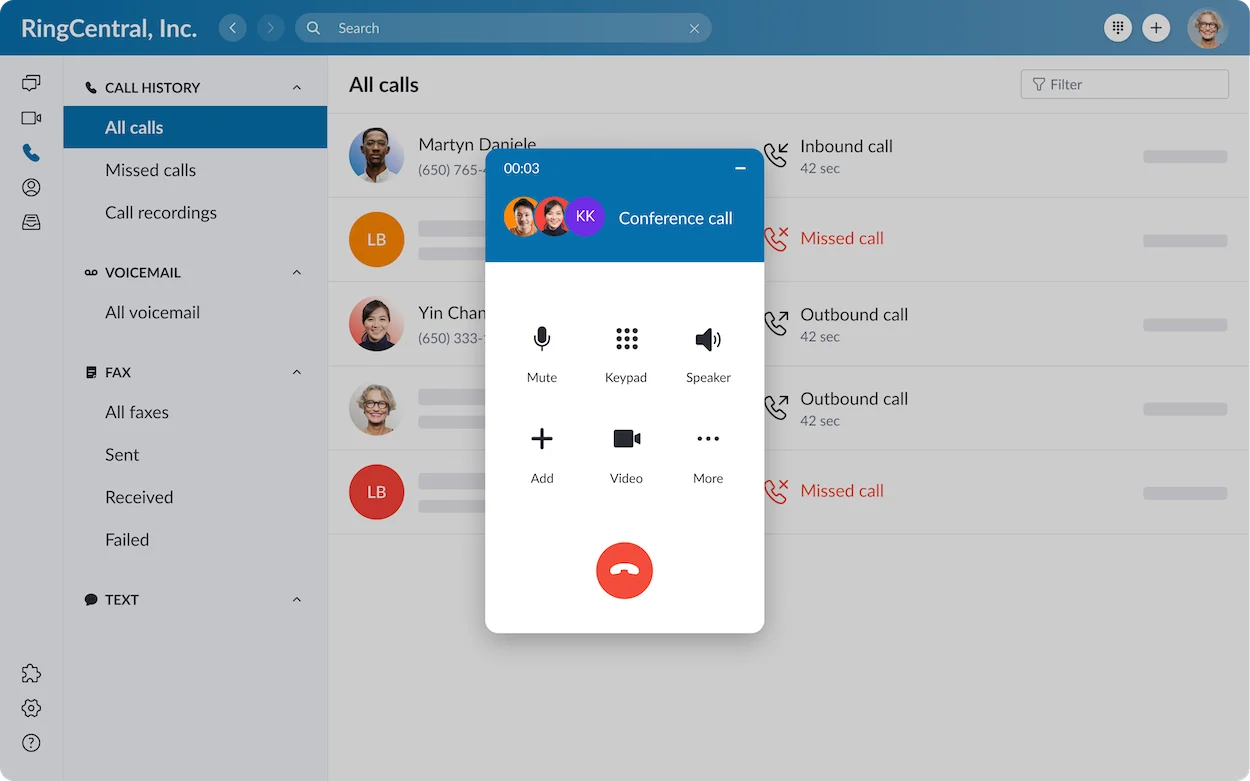
Key Features:
- Voice, auto-attendant, desktop and mobile calling.
- Team messaging and meetings alongside phone service.
- Business integrations and tier-dependent AI and administration.
- Pros: A strong fit when different teams need coordinated communication and an organized path for expansion.
- Cons: The right tier, integrations and optional products determine the bill. A RingCX contact-center proposal is a separate evaluation.
Buying Test: Ask an office manager to route sales and service calls differently, transfer a caller to a remote colleague and find the resulting call record. Then ask the administrator to remove an employee’s access. These ordinary tasks show whether the configuration is manageable after rollout.
Pricing And Evaluation: Request a current RingEX quote for your users, numbers and required functions. RingCentral advertises a 14-day trial for eligible new subscribers, supporting up to 20 lines; SMS is unavailable during the trial. Confirm the trial-to-paid configuration.
2. Nextiva — Best For Customer-Facing Offices
Nextiva is worth comparing when a company wants everyday business calling and a route into more structured customer communication. A service office may begin with voice, SMS and routing, then need shared customer interactions or reporting as demand grows. Compare those stages before choosing a package.
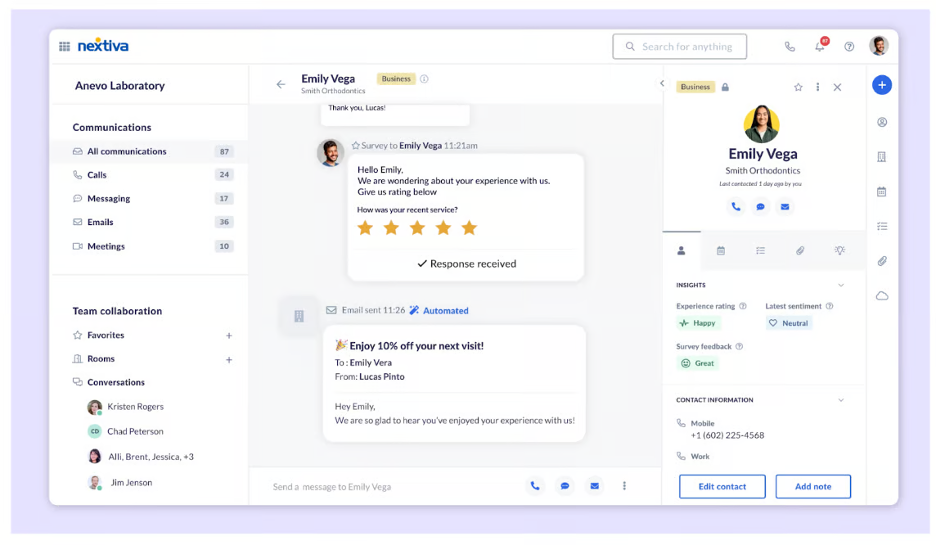
Key Features:
- Core lists voice, business SMS and call routing.
- Mobile access, team chat and video meetings.
- Engage adds customer-to-team SMS and reporting; higher products expand customer workflows.
- Pros: A relevant option for offices coordinating customer enquiries across employees and devices.
- Cons: Core, Engage, Scale and contact-center products have different scopes. AI receptionist and advanced customer-experience requirements can add cost.
Buying Test: Test a returning customer’s call, a transfer to another employee and the follow-up text. Check which employee owns the reply and what a manager can see. An agency or repair business should also demonstrate after-hours handling rather than relying on a daytime demo.
Pricing And Evaluation: Core is displayed at $15/user/month annually or $23 monthly; Engage at $25 annually or $50 monthly. Nextiva advertises a 14-day trial for eligible customer-communications packages. Confirm the chosen product’s trial access and commercial terms.
3. Zoom Phone — Best For Teams Already Using Zoom
Zoom Phone is a natural shortlist when employees already use Zoom for collaboration and want business calling in that environment. The buying advantage is a familiar workspace, but a meeting subscription alone should not be assumed to include a full phone service. Compare the Phone plan and any bundle together.
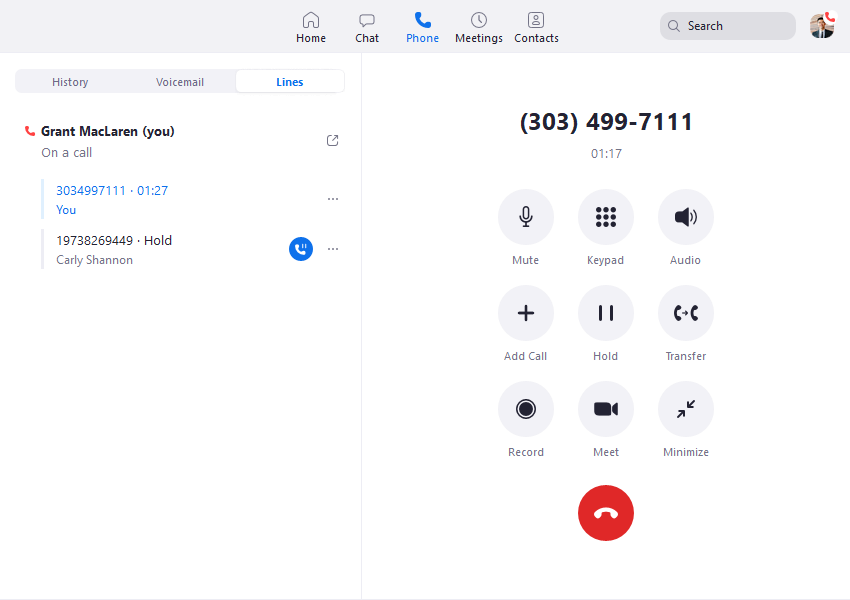
Key Features:
- Multi-device calling and domestic number inclusion on the listed US/Canada package.
- Call recording, voicemail tools and integration options.
- Phone AI functions and Workplace collaboration according to package.
- Pros: A useful choice when calling and existing Zoom work need to sit close together.
- Cons: Regional plans differ. International usage is metered on the listed US/Canada offer, and meeting capabilities depend on the attached Workplace plan.
Buying Test: Have staff answer a business call on a computer, transfer it and repeat the task from a mobile device. Test queues, closed-hours handling and the customer record separately. Include someone who rarely uses the administrator portal so the pilot reveals training needs.
Pricing And Evaluation: US & CA Unlimited with Workplace Basic is listed at $16/user/month annually or $18 monthly. Pro Plus is $20.50 annually or $24 monthly. Zoom advertises a Phone free trial; confirm duration, eligibility and usage at signup. Contact Center is separately priced.
4. KrispCall — Best For Small Teams Comparing Virtual Numbers
KrispCall belongs on the shortlist for a startup or distributed team that wants virtual numbers and shared customer communication. Its Unified Callbox is the central buying angle: colleagues should be able to understand customer activity without passing screenshots between personal phones.
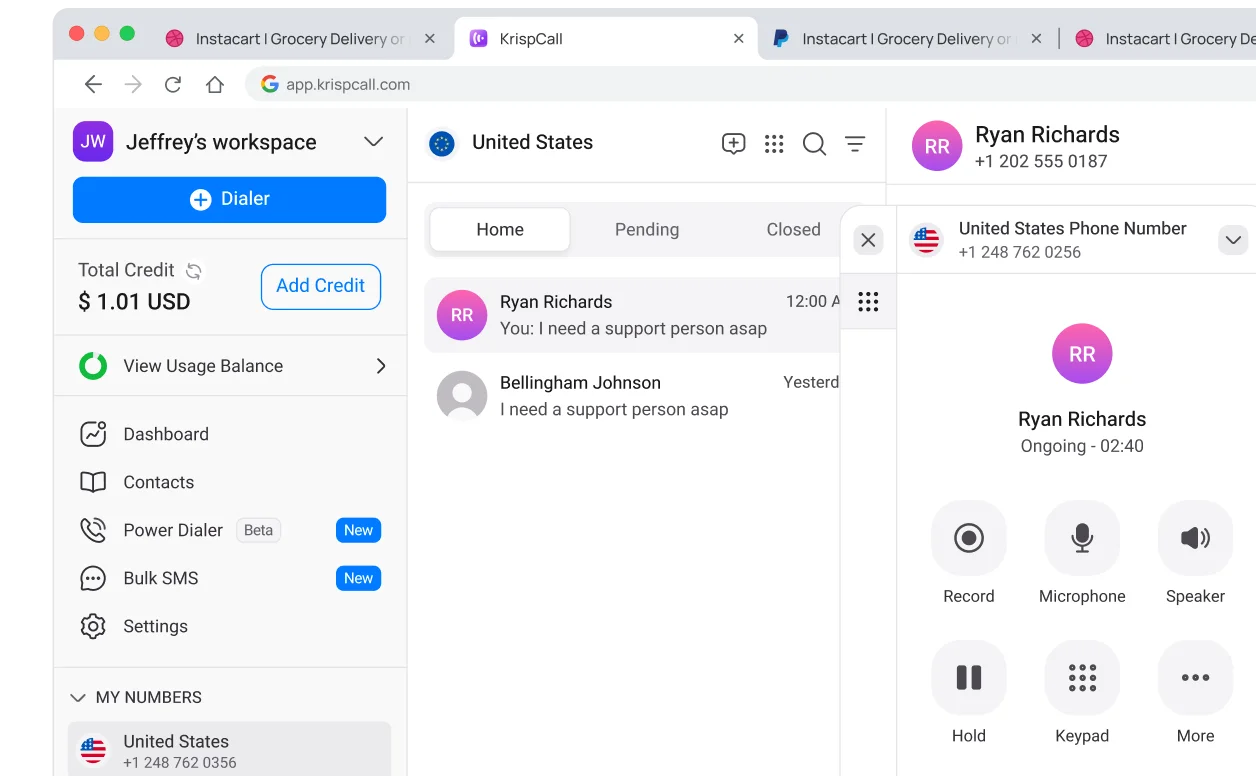
Key Features:
- Unified Callbox and virtual-number options.
- IVR and call-handling capabilities subject to plan.
- Advance adds recording, transfers, power dialing and Salesforce integration.
- Pros: A relevant low-entry-subscription option when shared history and number availability matter.
- Cons: Starter supports up to five users. Higher-tier recording, dialing and AI requirements change the subscription, and eligible allowances do not cover every destination.
Buying Test: Choose the precise country and number type you need, complete verification and test incoming and outgoing calls. Then have a second employee pick up the customer history. This is more useful than judging coverage from a country-count headline.
Pricing And Evaluation: Starter is $12/user/month annually, Advance $32 and Max $48 on annual billing. Confirm monthly rates and usage bundles in your quote. The pricing page describes a 14-day subscription refund window; that is not a verified free trial.
5. JustCall — Best For CRM-Driven Sales And Support
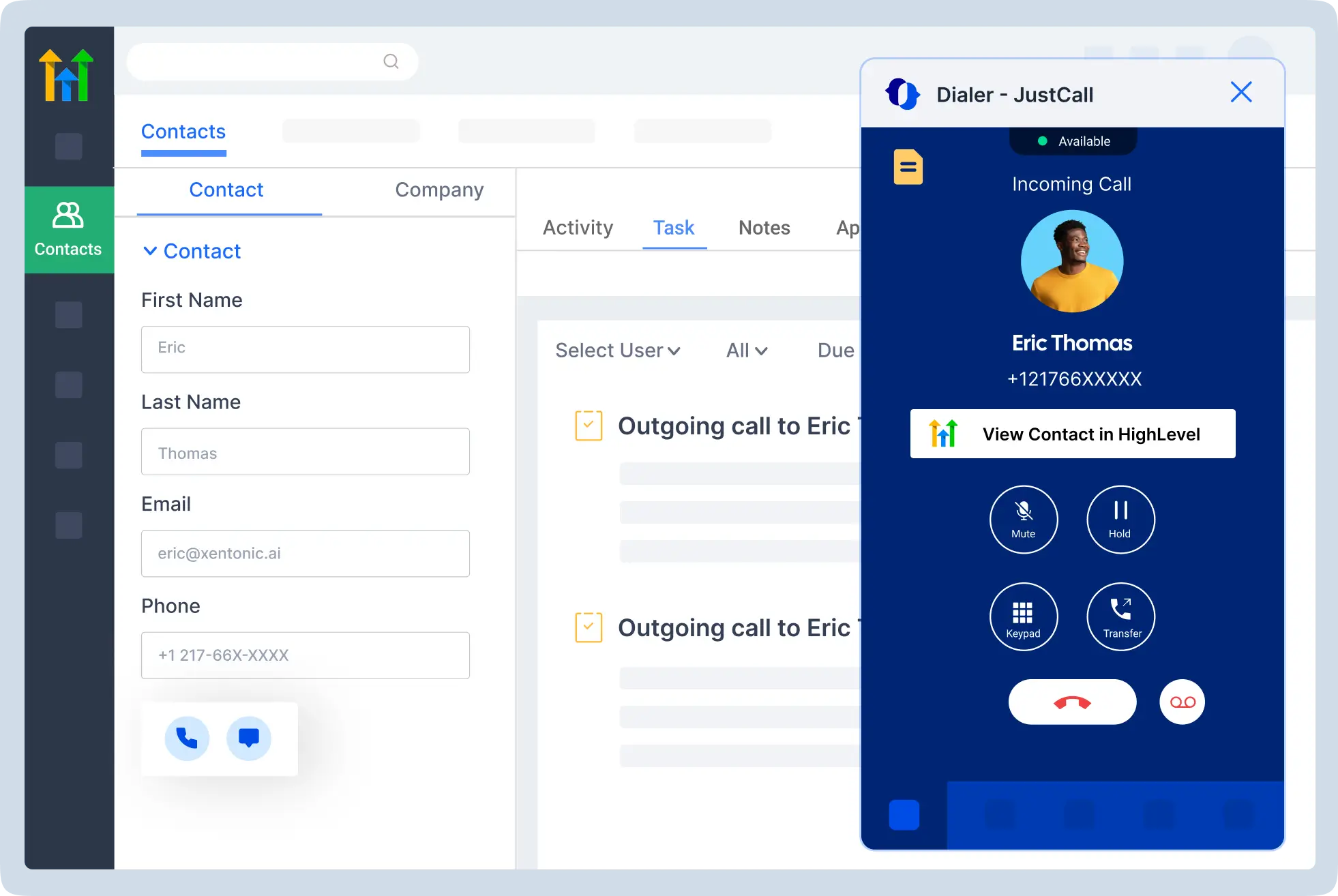
JustCall is a focused shortlist when the work before and after a call matters as much as the conversation. A sales or support employee may need contact lookup, calling, texting, outcome logging and a follow-up task in the CRM. Evaluate that complete workflow in the actual tools your company uses.
Key Features:
- Business calling and CRM-connected communication.
- Regional call and SMS packages.
- Sales dialer and AI capabilities tied to the relevant suite and tier.
- Pros: A useful option when customer interactions should become accurate records and next steps with less manual effort.
- Cons: A two-license minimum changes the entry cost. Team pricing should not be used as a quote for every Sales Suite or advanced AI capability.
Buying Test: Ask an employee to call an existing CRM contact, record the outcome and schedule a follow-up. Test an unknown number and a duplicate record too. A successful integration must handle less tidy cases, not only the demonstration’s perfectly prepared contact.
Pricing And Evaluation: Team starts at $29/user/month billed annually, with two licenses required: $58 monthly equivalent before extras. Pro is $49 and Pro Plus $89 annually. A 14-day trial is advertised; map the tools you use during it to the intended paid package.
6. Dialpad — Best For AI-Assisted Notes And Follow-Ups
Dialpad Connect is worth considering when staff spend time turning customer conversations into notes. AI transcription and recaps can help, but the useful measure is whether the output supports accurate follow-up. Evaluate ordinary conversations with your terminology rather than selecting only clean, short demonstration calls.
Key Features:
- Business calling, messaging and meetings.
- AI transcription and recap capabilities.
- Plan-dependent business integrations and administration.
- Pros: A relevant shortlist when better notes and reduced after-call administration have a measurable value.
- Cons: Connect, Sell and Support are different products. Specialized sales coaching or contact-center needs can require another purchase; integration access must match the quoted tier.
Buying Test: Have a client-facing employee compare the recap with the actual discussion, including names, dates and promised actions. Measure correction time. A summary that looks polished but loses an important commitment can create more work than it saves.
Pricing And Evaluation: Connect Standard is listed at $15/user/month annually or $27 monthly; Pro at $25 annually or $35 monthly. Dialpad offers a 14-day trial. Verify required CRM and AI entitlements before treating the entry price as your final cost.
7. CallHippo — Best For Comparing Phone And Outbound Tools
CallHippo offers business calling alongside more specialized dialer and communication products. That makes it relevant for a small team expecting to add outreach workflows, provided the buying discussion identifies the exact subscription. Begin with the tasks staff need to complete each day.
Key Features:
- Starter calling, forwarding and supported apps.
- Professional call recording and US/Canada calling inclusion.
- Higher-tier multilingual IVR and distribution options.
- Pros: A useful shortlist for a team comparing ordinary phone service with a path into more structured calling.
- Cons: A basic offer and a specialized campaign product are not equivalent. Required recording or supervisory functions may increase the plan cost.
Buying Test: Complete account and business verification during the pilot. Test one incoming call, an outgoing call with the intended caller ID, forwarding and CRM logging. Staff should be able to repeat the workflow without someone from the sales team guiding each step.
Pricing And Evaluation: Starter is displayed at $18/user/month and Professional at $30; confirm billing term and region. Starter lists 1,000 US/Canada minutes, while Professional lists unlimited qualifying US/Canada calling. CallHippo advertises a ten-day free trial.
8. Ringover — Best For Recruitment And Sales Workflows
Ringover is particularly relevant when calls need to fit a CRM or applicant-tracking system. A recruiter evaluating candidates and a sales employee following leads both need useful conversation history, consistent follow-up and manager visibility. Compare the package that performs those tasks.
Key Features:
- Talk includes IVR, forwarding, recordings and AI summaries.
- Business adds power dialing, advanced routing and coaching.
- Business-tool integrations and broader channels on eligible packages.
- Pros: A focused shortlist when calling is a large part of the working day and managers need to support conversations.
- Cons: A three-user minimum applies to the displayed entry plans. Calling inclusions depend on number origin and destination; extra campaign or intelligence products affect the bill.
Buying Test: Follow a candidate or lead from the calling app into the CRM or ATS. Ask a manager to find the conversation and demonstrate a coaching task. Confirm that every required step belongs to the same quoted package.
Pricing And Evaluation: Talk is $19/user/month and Business $49 with a 12-month commitment. Their three-user minimum gives license floors of $57 and $147 monthly equivalent. The seven-day trial lists up to five users and 300 outbound minutes; some functions are limited.
9. Calilio — Best For Shared Numbers With Metered Usage
Calilio is worth comparing for a small team that wants shared numbers, call history and a low entry subscription. Its cost structure combines a seat subscription with usage allowances and charges, so it deserves a traffic-based calculation rather than a comparison of the subscription alone.
Key Features:
- Shared numbers, Unified Callbox and multi-device access.
- Recording and basic analytics with usage limits.
- Premium expands routing, monitoring and AI capabilities.
- Pros: A relevant option for small customer-facing teams wanting shared communication and an explicit usage model.
- Cons: Standard has a ten-user limit. Recording, storage and AI allowances have ceilings; numbers and out-of-bundle usage can add charges.
Buying Test: Model incoming and outgoing minutes separately, then test how several staff answer the same number. Review recording access and the usage dashboard. A quieter team and a busy support desk can reach very different totals on the same seat price.
Pricing And Evaluation: Standard costs $15/user/month monthly or $12 annually; Premium $35 monthly or $28 annually. Standard lists 200 outgoing and 100 incoming US/Canada minutes, plus eligible messaging allowances. Confirm ongoing rates and required numbers. Use current plans rather than assuming an unverified free trial.
10. Grasshopper — Best For A Straightforward Business Number
Grasshopper suits an owner whose immediate need is to separate business calls from personal communication. A professional number, clear greeting, voicemail and forwarding can be enough for an early-stage service business. Check the chosen plan before adding functions intended for a larger office.
Key Features:
- Local, toll-free and vanity-number options.
- Business extensions, forwarding and voicemail.
- Desktop and mobile call and text access.
- Pros: A practical shortlist for owner-operated firms that want a professional phone presence without a complicated rollout.
- Cons: Required recording, integration or advanced distribution should be checked against the current tier. US/Canada number availability does not establish overseas local-number support.
Buying Test: For a tradesperson, test answering during a job, sending an appropriate follow-up and returning a missed call with business caller ID. Repeat the task after hours to confirm the owner’s personal time is protected.
Pricing And Evaluation: Grasshopper advertises pricing from $14/month; confirm plan, included users and billing term. It offers a seven-day free trial. Numbers focus on the US and Canada, while international calling options require a separate check of activation and rates.
11. Quo (Formerly OpenPhone) — Best For Shared Calls And Texts
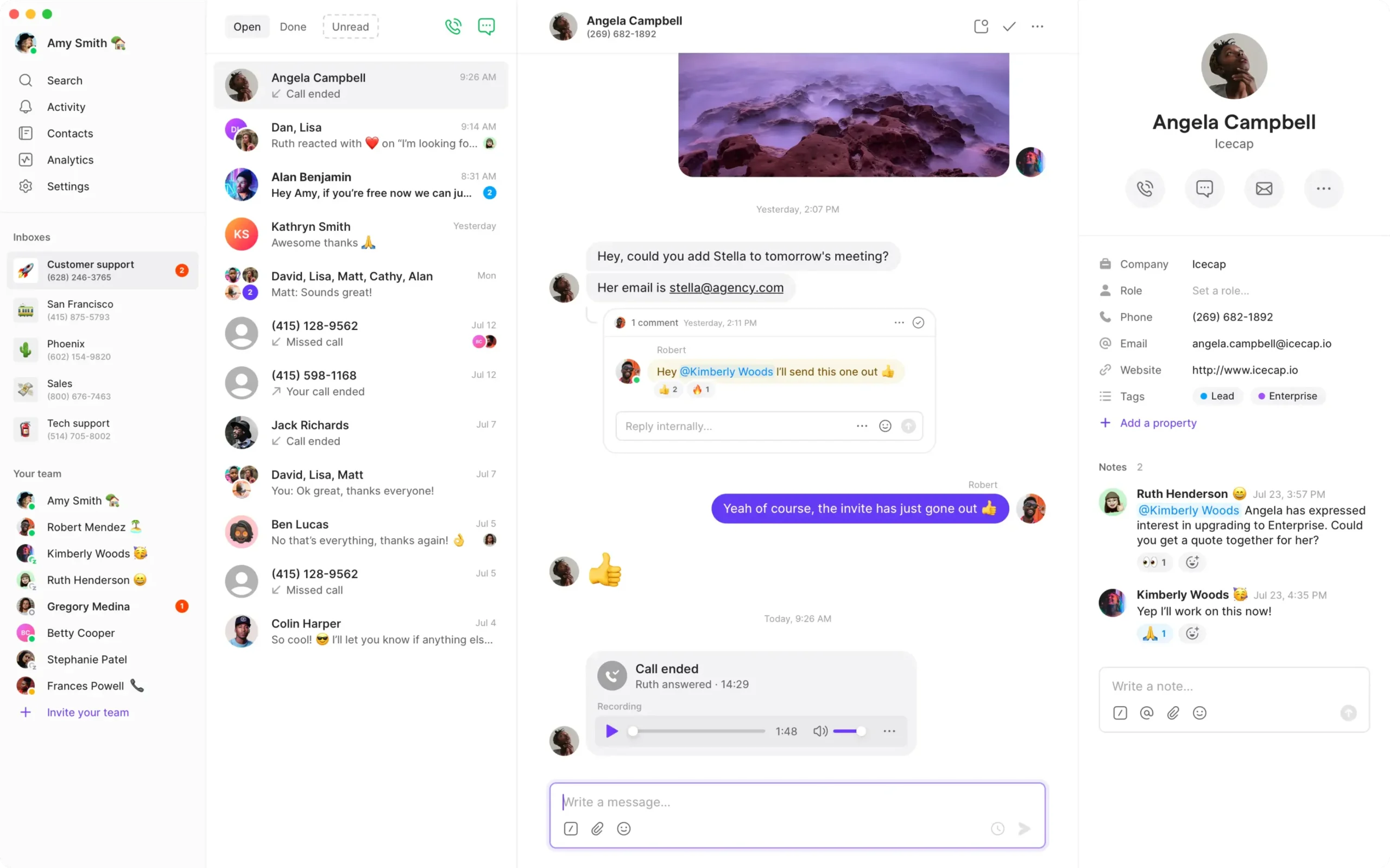
Quo is a strong shortlist when a small team wants customer calls, texts and contact context together. The important outcome is continuity: one employee should understand the previous interaction and respond appropriately without asking a colleague to copy messages from a personal phone.
Key Features:
- Calls and messages to US/Canadian numbers under plan conditions.
- Voicemail transcripts and shared conversation context.
- Business adds transfers, ring orders, CRM integration and automatic recording.
- Pros: A useful option for startups and small teams coordinating customer communication across employees.
- Cons: Starter lacks some higher-tier routing and AI tools. Automation credits, additional usage and messaging registration deserve a separate budget.
Buying Test: Have two employees handle the same enquiry in turn, then test a transfer and follow-up. Review who can see the thread and how colleagues avoid duplicate replies. Also check support access against the package the company will actually purchase.
Pricing And Evaluation: Starter is $15/user/month annually or $19 monthly; Business $23 annually or $33 monthly; Scale $35 annually or $47 monthly. The seven-day trial exposes advanced features that can disappear on a lower paid tier, so confirm the final configuration.
12. Talkroute — Best For Domestic Teams Comparing User Bundles
Talkroute deserves consideration when the business wants central call handling and a plan with bundled users. The relevant package depends on how many people need access, how many numbers the company uses and whether menus, transfers or recording are essential.
Key Features:
- Basic forwarding, routing and a business number.
- Plus menus and transfers.
- Pro recording and reporting; video meetings accompany the phone plans.
- Pros: Bundled users can offer useful license economics for a team whose requirements fit the package.
- Cons: Compare the actual feature tier and supported calling geography. Confirm mobile-device requirements and any international workflow before selecting it.
Buying Test: For a local team, compare a bundled Pro quote with ten separate per-user licenses elsewhere. Then test the desktop, web and mobile paths, including a missed call and a transfer. A low bundle price is only useful if the employees can complete the required work.
Pricing And Evaluation: Basic is $19/month with one user, Plus $39 with three and Pro $59 with ten. Extra users are $5/month. A seven-day trial is offered. Account for texting registration, message allowances and usage conditions; obtain explicit confirmation for international requirements.
Choose The Best VoIP Phone Service By Business Need
Choose the main requirement first, then pilot two or three products. The following shortlists are editorial recommendations based on the capabilities discussed above, not a claim that one provider wins every category.
Best VoIP Phone Service For Small Business
For the best business VoIP phone service, start with routing, daily usability and the total required package. A small business should be able to configure ordinary changes without depending on a specialist for every greeting or user assignment.
- RingCentral: For a growing office needing organized communication and administration.
- Nextiva: For customer-facing teams combining calling with messaging and collaboration.
- Zoom Phone: For businesses already using Zoom and wanting a compatible phone workspace.
Best VoIP Phone Service For Startups
A startup should decide whether it needs a single owner answering enquiries or several employees sharing customer history. Minimum paid users and the next upgrade threshold matter when headcount is still changing.
- Quo: For collaborative customer calls and texts in a small team.
- KrispCall: For virtual-number needs and a manageable starter subscription.
- Grasshopper: For a founder or owner mainly needing a separate business phone identity.
Best VoIP Phone Service For Remote Teams
The best VoIP phone service with a mobile app must do more than receive an occasional call. Test transfers, notifications, caller ID and shared history on staff’s normal devices. Desktop and mobile apps can expose different tools, so verify both.
- Zoom Phone: For employees working in Zoom across supported devices.
- RingCentral: For distributed departments that need central administration.
- Dialpad: For teams wanting AI-assisted notes around client conversations.
Best VoIP Phone Service For Enterprises
Enterprise buyers need a requirements-led proposal covering access control, reporting, rollout, support and regional service. A general business-phone ranking cannot establish that a provider meets every enterprise architecture or industry requirement.
- RingCentral: For broader communications administration, integrations and multi-site requirements.
- Zoom Phone: For a Zoom-based organization assessing Phone and Workplace together.
- Nextiva: For offices whose calling requirements connect to larger customer workflows.
Best VoIP Phone Service For International Calls
Separate overseas local numbers, outbound destinations and employee locations. The best VoIP phone service with international numbers is the provider that supports your precise country, number type and documentation requirements. Obtain rates for mobile and landline destinations separately.
- KrispCall: For a shortlist centered on virtual numbers and destination-specific calling.
- Ringover: For teams comparing number origin, calling inclusions and sales workflows.
- RingCentral: For organizations comparing broader phone administration and international bundles.
Best VoIP Phone Service For Home Office
A home office needs clear audio, dependable notifications and business-hour boundaries. Evaluate power and internet fallback alongside the software. A solo buyer should compare the full minimum commitment, not just a per-user headline.
- Grasshopper: For a simple business number on existing devices.
- Quo: For a home-based team wanting customer calls and texts together.
- Dialpad: For client-facing professionals who value usable call recaps.
Affordable VoIP Phone Service And Plans Under $20
These are low-entry-subscription options, not proof of the cheapest VoIP phone service for small business in every scenario. A VoIP phone service under $20 can exceed that amount after usage or upgrades. Nextiva Core, Dialpad Connect Standard and Zoom’s listed US/Canada annual plan also fall below $20 before extras.
- KrispCall: Starter is $12/user/month annually, with up to five users; higher functions need another tier.
- Calilio: Standard is $12/user/month annually; calculate numbers and out-of-bundle traffic.
- Quo: Starter is $15/user/month annually or $19 monthly; advanced handling needs Business or above.
Best VoIP Phone Service With CRM Integration
Test the actual connector and purchased tier. Click-to-call, caller matching, activity logging and recording access are separate functions; an integration logo alone does not demonstrate that all four work for your company.
- JustCall: For CRM-led sales and support tasks surrounding the conversation.
- Ringover: For recruitment and sales workflows involving CRM or ATS records.
- RingCentral: For teams evaluating broader business integrations within a communications platform.
Best VoIP Phone Service With Call Recording
Confirm recording mode, retention, access and charges. Manual recording, automatic recording and AI transcription are different capabilities. A plan that provides one should not be assumed to include the others.
- Zoom Phone: For phone recording within a Zoom-based workspace.
- JustCall: For customer conversations linked to sales or support activity.
- Quo: For shared communication needing automatic recording on Business.
Best VoIP Phone Service With Virtual Numbers
For VoIP phone service with multiple phone numbers, map each number to its owner, purpose and ringing destination. Verify toll-free numbers separately: availability, incoming charges and messaging support can differ from local numbers.
- KrispCall: For small teams evaluating specific overseas number types.
- Calilio: For shared-number workflows and country-specific pricing.
- RingCentral: For organizations comparing numbers with a broader phone deployment.
Three Features To Prioritize Before Buying
1. Call Routing, Auto Attendant And IVR
A VoIP phone service with auto attendant can greet callers and offer a destination menu. IVR can collect selections or other input to guide the interaction. Call routing decides which employee or group receives it; call forwarding sends it onward to another destination. These functions work together, but should not be treated as interchangeable.
Write a normal and an exception path for each important number. A service enquiry may ring the office, move to an available remote colleague and then reach voicemail if nobody answers. Test closing hours, holidays, busy staff and a caller selecting the wrong option. Simple menus usually serve a small office better than unnecessary layers.
2. Customer Context, Recording And Useful Analytics
A VoIP phone service with call analytics should answer the questions your manager actually asks: which enquiries went unanswered, when demand rose and whether staff followed up. A count of calls is less useful without an agreed definition of missed, transferred and completed interactions. Compare report definitions across shortlisted providers.
For a VoIP phone service with voicemail to email, verify whether the email contains an audio file, transcript or link and who receives it. Check the next step too: a shared message is valuable only when somebody owns the response. Where recordings are required, demonstrate search, playback and access removal for departing employees.
3. Mobility, Messaging And The Right Collaboration Tools
VoIP phone service with desktop and mobile apps can help staff answer a business number from supported devices. Test notification timing, headset behavior, active-call transfer and caller ID. A feature shown in the desktop portal may be unavailable or work differently on the mobile app.
For VoIP phone service with SMS, confirm eligible number types, registration, allowances and shared-inbox behavior. Internal team messaging and customer texting are separate workflows. Likewise, VoIP phone service with video conferencing may attach a meeting tier with its own duration and participant limits. Compare the bundle against tools you already pay for.
VoIP Phone Service With AI Features
Use AI where the output creates a useful next step: an accurate recap, a searchable transcript or a well-routed enquiry. Test the vocabulary, names, numbers and accents that occur in your business. Measure staff correction time alongside any claimed time saving.
If an AI receptionist handles customers, include an unclear request, a wrong assumption and a caller asking for a person. Check where the context goes during escalation and what the usage meter charges. A human fallback and clear ownership matter more than a long list of automation labels.
Compare VoIP Phone Service Cost And Value
How Much Does VoIP Phone Service Cost?
Several entry plans in this comparison start around $12–$19 per user/month or per account on their stated terms. More demanding phone, CRM and supervisory packages cost more. The complete VoIP phone service monthly cost combines licenses, numbers, usage, messaging, storage and add-ons; hardware and setup can create additional one-time costs.
For business VoIP phone service pricing, distinguish a monthly-equivalent annual rate from a cancellable monthly subscription. Also distinguish per-user plans from bundles. Talkroute Pro includes ten users at $59/month, while a ten-person per-user subscription multiplies its seat rate by ten. Those totals should be compared only after checking that the required functions match.
Calculate The Bill At Your Actual Team Size
Use a simple worksheet: required licenses plus number rental, expected calls, messaging, storage and essential add-ons. Prepare both an ordinary month and a busy month. Include minimum seats even if not all are occupied. An entry price that looks attractive for one user can be irrelevant when the contract requires three.
Illustrative Example: Eight seats at a hypothetical $15 each produce $120 in monthly-equivalent license cost. Add $20 in usage and $10 in required extras, and the recurring estimate is $150 before taxes. If billed annually, the $120 license component may create a $1,440 upfront commitment; it does not become a $120 cancel-anytime plan. These assumptions illustrate the calculation, not a provider quote.
The VoIP phone service cost for small business should also include the plan needed for daily work. If all eight staff need a feature available only at $25 per user, the license subtotal is $200, even when the vendor advertises an entry plan at $15. Work backward from the requirement to the correct subscription.
Cheap VoIP Phone Service Vs A Useful Low-Cost Plan
A low-cost business VoIP phone service should remove unnecessary expense without creating more manual work. Compare how staff return missed enquiries, log outcomes and coordinate replies. Saving on the subscription can be poor value if managers spend hours repairing incomplete customer records.
The cheapest VoIP phone service for small business depends on user count, traffic and required features. Calilio’s and KrispCall’s entry subscriptions deserve attention for eligible smaller deployments; Quo can fit shared customer communication; a domestic user bundle can change the calculation again. Use the same workload for every quote.
Monthly Plans, No-Contract Offers And Annual Commitments
Monthly VoIP phone service plans can suit a startup that expects its headcount to change. Ask about the cancellation deadline, final invoice, number release, prepaid amounts and renewal. Paying monthly does not itself establish a one-month contract: a longer agreement can be billed in monthly installments.
For VoIP phone service with no contract, read “no long-term commitment” as a commercial condition to verify, not an absence of service terms. Compare the flexibility premium with the annual saving. A stable team may prefer a lower committed rate; a short project may benefit from easier cancellation.
Pay-As-You-Go VoIP Phone Service And Unlimited Plans
Pay-as-you-go VoIP phone service may meter calls or messages while retaining a fixed seat subscription. Calilio explicitly combines the two. Confirm which allowances recur, which destinations qualify and whether incoming and outgoing traffic have separate charges. A small quiet team and a busy support operation can reach different totals on the same plan.
Unlimited VoIP phone service usually describes eligible traffic under stated conditions, rather than every possible call. International destinations, premium routes, toll-free traffic, forwarding and campaigns can have separate terms. Give the provider a destination-level traffic estimate and ask for the cost of a peak month.
VoIP Phone Service Hidden Fees To Check
- Numbers: Additional local, mobile, vanity or toll-free numbers, and charges when a number is retained without a user.
- Usage: Out-of-bundle calls, forwarding legs, international routes and fair-use exclusions.
- Messaging: Registration, campaign fees, message segments and toll-free messaging conditions.
- Storage And AI: Recording retention, transcription, summaries and automation credits.
- Equipment And Setup: Phones, headsets, shipping, installation and onboarding.
- Commercial Terms: Taxes, required minimum seats, renewal conditions and support packages.
VoIP Phone Service Vs Traditional Phone Cost
Compare the same service outcome over a full year. Include the existing line bill, PBX support, hardware, separate meeting software and staff effort alongside the proposed VoIP subscription. Cloud calling can reduce dependence on local phone infrastructure and combine tools, but a larger bundle is not automatically cheaper.
Avoid claiming savings from comparing a basic old line with a feature-rich new package. List what the company gains and which existing costs actually disappear. If the business keeps its meeting system and buys new desk phones, those amounts still belong in the comparison.
Use A VoIP Phone Service Free Trial To Verify The Plan
A trial should answer whether staff can complete ordinary work in the proposed configuration. Include incoming calls, transfers, voicemail, mobile notifications and one integration. Review account verification early, while there is still time to solve any setup problem.
Trial access can include features above the intended paid tier. Quo explicitly warns that features revert after the trial. RingCentral excludes SMS from its trial, and Ringover caps trial users and outbound minutes. A refund window is a different offer. Check the cancellation date and preserve a list of the functions the final subscription must contain.
VoIP Phone Service Comparisons: What Are You Buying?
These comparisons help separate overlapping product labels from genuinely different buying choices. The right question is which system supplies the calling, administration and customer workflow your business needs.
VoIP Phone Service Vs Landline
A traditional landline typically ties service to a telephone connection; hosted VoIP relies on an internet-connected endpoint and provider platform. Compare business-hour control, mobile access, transfers and outage recovery. Existing equipment and specialized connected devices may need a separate compatibility check.
VoIP Phone Service Vs Cell Phone
A cellular line can be enough for one owner, but a team may need shared numbers, menus, call records and controlled access. VoIP apps can use mobile internet while showing a business identity. A personal mobile subscription and a centrally managed phone service solve different coordination problems.
VoIP Phone Service Vs Cloud Phone System
VoIP describes the calling technology; a cloud phone system describes where much of the phone platform is hosted. The best cloud VoIP phone service and best hosted VoIP phone service are often the same purchase. Evaluate the provider’s routing, administration and support rather than treating the labels as unrelated categories.
VoIP Phone Service Vs PBX
A PBX manages telephone extensions and call handling; it can use VoIP and can be hosted or on-premise. A hosted service may replace local PBX operation, while a company with existing infrastructure may retain parts of it. Identify which equipment and workflows the migration actually changes.
Hosted VoIP Vs On-Premise VoIP
Hosted service places core operation with the provider. On-premise VoIP keeps more infrastructure under the company’s management. Compare updates, maintenance, support, control and recovery responsibilities. Both approaches still require compatible endpoints and a suitable network.
VoIP Phone Service Vs SIP Trunking
SIP trunking connects compatible phone infrastructure to external calling services. A complete hosted phone subscription can include apps, extensions, routing and voicemail in addition to connectivity. If the company already operates a PBX, compare trunking and software requirements before paying to replace the whole system.
VoIP Phone Service Vs UCaaS
UCaaS brings calling together with collaboration such as meetings and messaging in a cloud service. VoIP provides the voice technology. RingEX, Nextiva and Dialpad Connect illustrate broader communications purchases; compare the tools your team needs and the cost of any existing subscriptions they replace.
Business VoIP Vs Residential VoIP
Business services emphasize employees, numbers, customer routing, administration and integrations. Residential service focuses more closely on household calling. A home office using a business number is still a business workflow; the location of the desk does not determine the right product.
VoIP Phone Service Vs Virtual Phone Number
A virtual number is an address for incoming communication. The service determines the routing, apps, messaging and collaboration behind it. Number rental alone does not establish a complete business phone plan. Verify who owns the number and how it can move when the service changes.
VoIP Phone Service Vs Traditional Business Phone System
Compare the workflow rather than only the telephone on the desk. A modern hosted service can move call handling into apps and a web administrator portal, while a traditional system may already meet important requirements. Check transfers, reception, specialized devices and continuity before deciding what to replace.
For a fuller explanation, read our VoIP vs UCaaS guide. If the first two providers are on your shortlist, our Nextiva vs RingCentral comparison covers their different buying considerations.
Setup, Equipment And Number Porting
What Equipment Is Needed For VoIP Phone Service?
Start with a supported device, a suitable internet connection and a microphone or headset. Many services support computer and mobile apps. An IP desk phone can be useful for reception or employees who prefer a handset, but it must appear on the provider’s supported list. An analog telephone may require an adapter and explicit compatibility confirmation.
Inventory existing phones and connected equipment before migration. Do not assume that alarms, door-entry systems, fax devices or payment equipment work unchanged on the new service. Their vendors and the phone provider should confirm the required connection. A mixed deployment can keep a desk phone at reception while other staff use headsets.
How To Set Up VoIP Phone Service
- Define The Work: List users, numbers, customer destinations, business hours, peak calls and required integrations.
- Select Two Or Three Plans: Match must-have functions to the actual product and tier, including minimum users.
- Pilot A Temporary Number: Test account verification, incoming calls, transfers, voicemail, texting and support before moving production numbers.
- Configure Call Handling: Build simple menus and ring groups, then test unavailable agents, closed hours and overflow.
- Set Access And Records: Assign administrator roles, recording access, retention and integration permissions.
- Prepare Equipment And Training: Check device support, headsets, networks and the tasks each employee needs to complete.
- Plan Porting And Recovery: Confirm eligibility, required records, migration timing and an alternative customer contact path.
- Validate After Launch: Check every important number, caller ID, voicemail and integration; compare the first invoice with the proposal.
How To Switch To VoIP Phone Service Without Losing Enquiries
Keep the existing service active until the agreed transfer is complete and incoming traffic has been tested. Porting eligibility and time depend on the number, provider and country. Confirm ownership records and the exact number list rather than assuming every number on the old bill can move.
Choose a migration window with staff available to verify the result. Test calls from more than one outside network, then check forwarding, messages and recordings. Train the team on the new greeting and missed-call process before the number moves. Give customers a backup contact route where appropriate.
Reliability, Security And Common Problems
Is VoIP Phone Service Reliable?
It can be reliable when the provider, network, equipment and call configuration meet the workload. A provider availability promise does not guarantee the quality of an employee’s home Wi-Fi. Test actual call paths at busy times and identify whether a failure comes from the local connection, device, integration or service.
Build a practical recovery plan: who changes routing, how employees contact each other and where customers go if the normal path fails. Check whether forwarding depends on the same service that is unavailable. Confirm support escalation and incident communication as part of the purchase.
What Internet Speed Is Needed For VoIP Phone Service?
Bandwidth requirements vary by provider, codec and simultaneous activity. Zoom’s technical guide gives about 60–100 kbps for a Phone call, but that is a voice-traffic estimate, not a recommendation to buy a connection with no spare capacity. Allow room for multiple calls, uploads, meetings and other work.
Call quality also depends on latency, jitter and packet loss. Use the provider’s diagnostics during a normal busy period. A fast download-speed result can hide an unstable wireless connection or saturated upload path. Where practical, test a wired connection and compare the result.
Is VoIP Phone Service Secure?
Security depends on the provider’s controls and your configuration. Check authentication, administrator roles, account recovery, device management and access to recordings. Remove departed employees promptly and limit exports to people who need them.
Ask which encryption, retention and contractual controls apply to the selected product and devices. Do not treat a broad security claim as proof that every integration or workflow is configured appropriately. For recorded or sensitive conversations, establish the appropriate operating requirements before launch.
Common VoIP Phone Service Problems And Solutions
- Choppy Audio: Check packet loss, network congestion and wireless signal; repeat the test with another connection or wired endpoint.
- Missed Notifications: Review device permissions, background restrictions, availability status and the actual routing schedule.
- Failed Transfers: Verify destination permissions, device support and whether the chosen plan includes the required transfer mode.
- Missing Texts: Check number eligibility, registration status, message allowances and delivery errors.
- Incomplete CRM Logs: Review authentication, field mapping and failed synchronization events.
- Unexpected Charges: Compare destination traffic, number rental, storage and add-ons with the written quote.
Report a specific failed interaction with its time, affected number and call identifier where available. A reproducible example helps support investigate more effectively than a general description that the system “sometimes does not work.”
Advantages And Disadvantages Of VoIP Phone Service
Main Advantages
- Mobility: Supported apps can let employees use a business number away from the office.
- Central Call Handling: Menus, routing, voicemail and customer records can become easier to coordinate.
- Flexible Deployment: A hosted service can reduce dependence on local phone servers.
- Potential Savings: Appropriate bundles can replace some existing lines, tools or maintenance costs.
Main Disadvantages
- Network Dependence: Local connectivity and power can affect access and audio quality.
- Plan Complexity: Useful features may require upgrades, minimum seats or extra products.
- Migration Work: Porting, device checks and training still need planning.
- Usage And Geography Limits: Numbers, destinations, messaging and employee access can have different conditions.
The strongest purchase balances cost savings, mobility and reliability. Avoid choosing a broad package solely for its feature count or rejecting a lighter service solely because it lacks tools the business does not use.
Our Recommendation
Start with RingCentral, Nextiva and Zoom Phone when evaluating a broader business communications system. For startup collaboration, compare Quo and KrispCall; for CRM-driven sales or recruitment, compare JustCall and Ringover. Calilio deserves a traffic-based cost calculation, while Grasshopper and Talkroute suit different straightforward business-number requirements.
The best VoIP phone service is the package your employees can use reliably at a predictable total cost. Write a call-flow specification, compare the same workload across quotes and choose through a focused pilot. Keep advanced contact-center, sales and AI products separate from the basic phone subscription until a requirement justifies them.
Frequently Asked Questions
What Is The Best VoIP Phone Service In 2026?
RingCentral is our first shortlist for a broad business communications platform, Nextiva for customer-facing offices and Zoom Phone for teams already using Zoom. Quo, JustCall, Ringover and the other services fit more specific needs. Choose by required functions, total cost, supported locations and a practical pilot.
How Do I Choose A VoIP Phone Service?
List users, numbers, call volume, destinations and must-have routing or integration functions. Compare the exact plans that meet those requirements, including minimum users and usage charges. Pilot two or three candidates on actual devices before moving important numbers.
Does VoIP Phone Service Need Internet?
Internet-based apps and IP phones need a suitable data connection to reach the service. Some providers also offer forwarding or other carrier-based paths, but those need their own configuration and can incur charges. Establish the intended fallback rather than assuming every endpoint works identically.
Can VoIP Phone Service Work Without Wi-Fi?
Yes. A supported app can use mobile data, and a computer or desk phone can use wired internet. Wi-Fi is one way to access the internet, not a requirement of VoIP itself. Without a working data path, app-based calling needs an alternative route supported by the provider.
Can I Keep My Number With VoIP Phone Service?
Often, through number porting where the provider supports the specific number and country. Confirm eligibility, ownership records, timing and charges before canceling the old service. Keep the existing connection until the transfer is complete and incoming calls have been verified.
Does VoIP Phone Service Work Internationally?
It can, subject to service eligibility, agent location, destination access and rates. Purchasing a local number in one country, calling customers in another and allowing employees to log in from a third are separate questions. Confirm all three against your actual operating locations.
Which VoIP Service Is Cheapest For One User?
Calilio and KrispCall list annual entry subscriptions at $12/user/month, while several other options start below $20 on stated terms. That does not establish the lowest complete bill: numbers, usage and required upgrades can change the result. Avoid multi-user minimums when only one license is needed.
Is A Free VoIP Trial The Same As A Free Plan?
No. A trial gives temporary access under defined conditions; a free plan is an ongoing product with its own limits. Trial capabilities can exceed the selected paid tier. Confirm the eventual package, cancellation date and any number or usage restrictions.
Do I Need A Desk Phone For Every Employee?
Not necessarily. Many services support computers and mobile devices with suitable headsets or microphones. Desk phones can help reception or employees who prefer a handset. Verify hardware support and the required transfer, queue or recording workflow before buying equipment.
Does Unlimited Calling Include International Calls?
Only when the stated plan includes the required destinations and call types. Many packages cover domestic routes while international traffic remains metered. Toll-free calls, forwarding and campaigns can have separate conditions. Request a calculation using your real destination mix.
Are VoIP Phone Service Plans Billed Per User?
Many are, but some include a set of users in an account-level bundle. Minimum seats also matter. Compare the license total for the whole team and the feature tier it needs, rather than multiplying or comparing headline prices without checking their structure.
Can VoIP Replace A Traditional Business Phone System?
It can replace many business calling functions, but evaluate the entire existing setup. Check numbers, reception, transfers, connected devices, hardware and outage recovery. A company with a compatible PBX may also consider SIP trunking instead of replacing all infrastructure.
Is Business VoIP Suitable For A Home Office?
Yes, when a business number, customer routing, voicemail or shared communication is required. Confirm home-network quality, supported devices and business-hour settings. A household calling plan and a home-based business workflow have different requirements.
Can Several Employees Share One VoIP Number?
Where the service supports it, yes. Confirm ringing strategy, simultaneous calls, shared texts and ownership of follow-up. A number that forwards to several devices does not automatically provide a shared customer inbox or complete conversation history.
Customer Feedback: Questions To Include In Your Pilot
These selected G2 customer opinions are paraphrased. Use them to identify pilot questions alongside the plan details, rather than treating individual experiences as guaranteed outcomes.
Talkroute: Simple Setup With A Desktop-App Check
G2, January 18, 2026 — 5/5. A reviewer valued straightforward extensions and greetings, prompt mobile notifications and one business identity across personal devices. They also noted occasional slow desktop loading. Test cold app startup, missed-call follow-up and device notifications during the evaluation.
Quo: Easy Setup With An AI-Credit Question
G2, September 16, 2026 — 5/5. A reviewer praised clear setup guidance, usability and value, while wanting a clearer explanation of Sona credits. Ask the provider to price your expected automated interactions and show how the usage is tracked.
RingEX: Broad Communication With Administration To Test
G2’s RingEX feedback highlights calling and team communication benefits alongside setup and administration concerns. Have the person who will actually administer your service complete a routing change and user-removal task. A successful employee demo does not establish that day-to-day administration will be equally simple.
Affiliate Disclosure: VoIPCalling.com may earn a commission if you purchase through links in this article, at no extra cost to you. Recommendations consider the intended workflow, features, costs and limitations.