
RingCentral RingCX is our first shortlist for a call center combining inbound customer service with outbound work. Nextiva Contact Center suits structured service journeys, while Zoom Contact Center is a strong option for teams already working in Zoom. JustCall and Ringover deserve particular attention for CRM-driven sales and recruitment.
A VoIP call center solution uses internet-based calling alongside tools that distribute interactions, manage queues, record outcomes and help supervisors support agents. The best choice depends on your incoming volume, outbound workflow, customer channels, agent locations and complete operating cost.
When comparing the best cloud call center software, look beyond internet calling: agents also need dependable queues, customer context and supervisor support. This guide compares eight relevant options, including dedicated contact-center products and lighter platforms for smaller sales or support teams. Our recommendations are editorial judgments based on published product information and accessible customer feedback. The comparison does not claim independent hands-on testing of every service.
Best VoIP Call Center Software Compared
RingCentral RingCX is our leading pick for blended inbound and outbound call centers. Nextiva suits structured customer-service journeys, Zoom Contact Center fits teams using Zoom, and Dialpad Support focuses on AI-assisted service. For smaller sales and support teams, compare JustCall, Ringover, KrispCall and CallHippo by routing, CRM integration and total cost.
Suggested agent ranges describe our fit assessment, not product capacity limits. Prices are US-dollar references; annual prices are monthly equivalents on the stated commitment. Match each requirement to the quoted product, tier and usage policy. The star figures refer to the named product’s customer-rating profile on G2; no review-count box is included.
| Provider | Best Fit | Three Buying Priorities | Demo, Trial & Pricing |
|---|---|---|---|
 1. RingCentral 1. RingCentral |
|
| RingCX advertised from $65/user/month; request applicable termsRequest RingCX Demo |
 2. Nextiva 2. Nextiva |
|
| Essential from $75/agent/month; confirm quote and termRequest Contact Center Demo |
 3. Zoom 3. Zoom |
|
| Essentials: $69/user/month billed annuallyRequest Zoom Contact Center Demo |
 4. KrispCall 4. KrispCall |
|
| Advance: $32/user/month billed annuallyCheck Call Center Plans |
 5. JustCall 5. JustCall |
|
| Team: $29/user/month annually; SalesPro is quoted separatelyStart 14-Day Free Trial |
 6. Dialpad 6. Dialpad |
|
| Support Essentials: $80/user/month annuallyRequest Dialpad Support Demo |
 7. CallHippo 7. CallHippo |
|
| Professional displayed at $30/user/month; confirm billing termStart 10-Day Free Trial |
 8. Ringover 8. Ringover |
|
| Business: $49/user/month with 12-month commitmentStart 7-Day Free Trial |
Best Contact Center VoIP Providers: Our Eight Picks
1. RingCentral — RingCX For Blended Customer Service And Outbound Calling
RingCentral RingCX is our first shortlist for a call center combining customer-service queues with outbound work. It brings voice and digital interactions into a contact-center product, with campaign tools and supervisor capabilities. Evaluate RingCX rather than assuming a RingEX business phone subscription contains the same functions.
- Strength: A useful choice when reception, agents and back-office employees need coordinated communication. RingCX integrates with RingEX, but the products serve different roles and need a clear licensing proposal.
- Limitation: Confirm which AI assistance, quality-management and workforce tools belong to your quoted package. A platform demonstration can show capabilities beyond the purchased tier. Do not apply the RingEX 14-day phone trial automatically to RingCX.
Practical Buying Test: For a 25-agent service operation, ask the vendor to route a billing call, transfer it to a specialist and show the interaction to a supervisor. Then demonstrate an outbound follow-up from the customer record. Compare the agent’s steps with the supervisor’s reporting view.
For the product distinction, read our RingCX vs RingEX comparison. Our RingCX review provides additional buying context.
Pricing And Evaluation: RingCX advertises a starting reference of $65 per user/month. Request the applicable billing term, eligible calling destinations, agent and supervisor licensing, implementation charges and AI add-ons. The published starting figure should not be treated as your complete operating cost.
2. Nextiva — Contact Center For Service Journeys And Routing
Nextiva Contact Center suits a service operation that needs to organize customer interactions across routing, automation and follow-up. Its Essential, Professional and Premium packages should be evaluated separately from Core business calling. Start with the customer journey you need to improve, rather than buying the widest package immediately.
- Strength: Essential lists skills-based routing, voice and web chat, journey orchestration, and AI transcription and summaries. These capabilities make it relevant when a team needs more structured handling than a shared office number.
- Limitation: Professional and Premium use contact-sales pricing. Progressive and predictive dialing appear in Professional, while workforce management appears in Premium. Do not budget against Essential while expecting all higher-tier capabilities.
Practical Buying Test: For a support desk with several specialist groups, build one journey from incoming call to resolution. Have the demonstration show what happens when a required skill is unavailable, how a supervisor helps and where the outcome is stored. Ask staff to make a small routing change themselves.
Compare the customer-support workflow as well as the license price: onboarding, administrator training and escalation arrangements can materially affect rollout.
Pricing And Evaluation: Essential is advertised from $75 per agent/month. Obtain a quote for Professional or Premium where their functions are required, and confirm the billing commitment and usage charges. A trial offered for another Nextiva product should not be assumed to cover the complete contact-center deployment.
3. Zoom — Contact Center For Teams Working In Zoom
Zoom Contact Center is a strong shortlist when an organization already uses Zoom and wants customer support across voice and other channels. It is a separate purchase from Zoom Phone or Meetings. Familiarity may help agents adapt, but the contact-center workflow still needs its own pilot and training.
- Strength: Essentials includes an IVR flow editor, real-time transcription and inbound voice, video, chat and SMS. Video and screen-sharing workflows can be valuable when a support conversation needs visual explanation rather than another phone transfer.
- Limitation: Premium adds email, social channels and progressive or preview outbound dialers; Elite adds advanced quality and workforce management. Your required channels and supervisory workflow determine the relevant tier. Telephony rates and storage need their own check.
Practical Buying Test: For a software-support team, demonstrate a voice enquiry, escalation into a visual support session and the resulting customer record. For an outbound team, ask for the Premium dialer workflow rather than evaluating only the Essentials experience.
Use our Zoom Contact Center vs RingCentral comparison when both are on your shortlist.
Pricing And Evaluation: US pricing lists Essentials at $69, Premium at $99 and Elite at $149 per user/month billed annually. Monthly references are $85, $119 and $179 respectively. Confirm telephony usage, storage, add-ons and any named or concurrent licensing options in the proposal.
4. KrispCall — For Smaller Distributed Calling Teams
KrispCall is worth comparing for a smaller call center that needs shared conversations, virtual numbers and a manageable entry subscription. Its Unified Callbox gives a team a place to follow customer communication. For a call-center purchase, evaluate Advance or Max against the workflow rather than choosing Starter solely for its price.
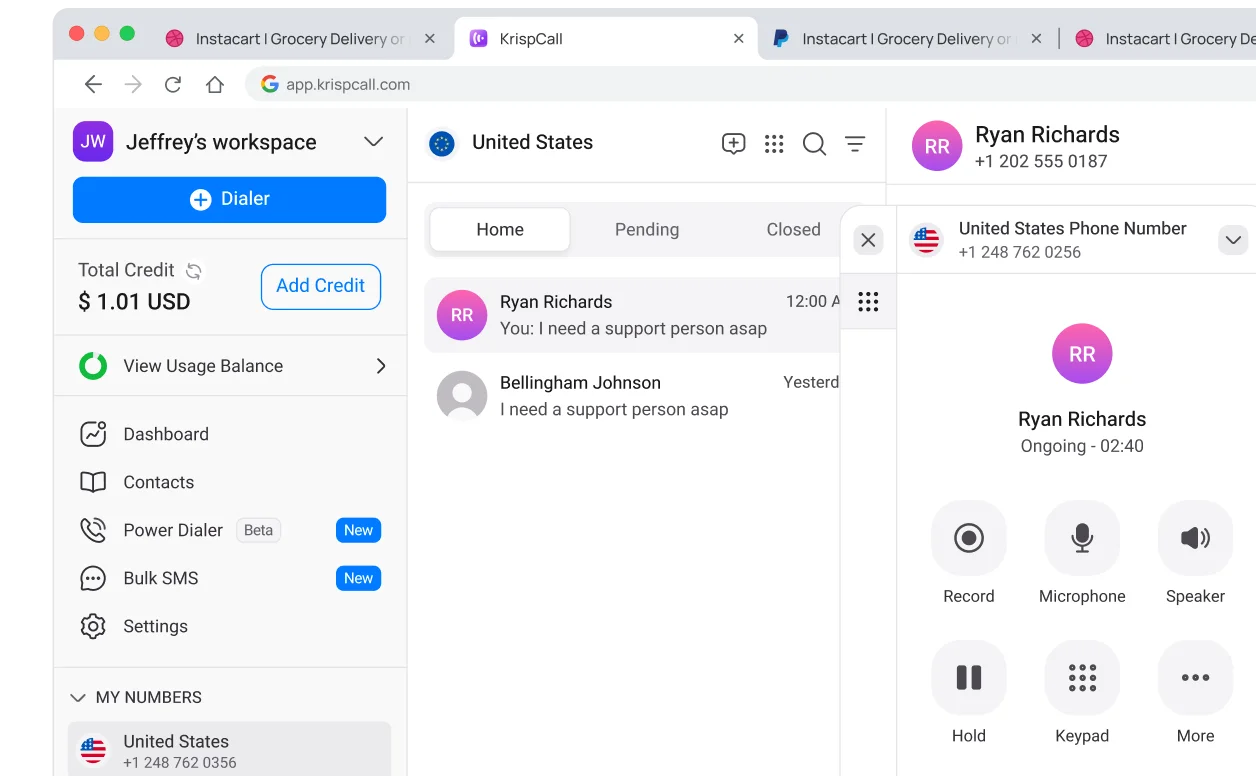
- Strength: A relevant shortlist when agents work across locations and need shared call history, IVR and monitoring. It can also suit a team whose customer markets make local-number availability an important buying requirement.
- Limitation: Check recording, transfer, dialer and AI entitlements on the current plan. Starter has a five-user cap, Advance is positioned for up to 50 users, and some AI functions are add-ons. Calling bundles, number charges and fair-use terms require a destination-specific calculation.
Practical Buying Test: For a ten-agent appointment team, test a shared number, an IVR choice, agent availability and a manager listening to a training call. Have a second agent pick up the customer history, then check the exact number types and verification requirements for your markets.
Ask which daily tasks an administrator can complete without support, particularly updating number assignments, greetings and access for departing staff.
Pricing And Evaluation: Advance is advertised at $32/user/month billed annually; Max at $48 annually. The current pricing page describes eligible call and messaging allowances and limits, so calculate your own destinations and volume. A subscription refund window is different from a free trial.
5. JustCall — For CRM-Based Sales And Support Workflows
JustCall is especially relevant when agent work begins and ends in a CRM. The important buying question is whether calling, messaging and follow-up can happen without staff rebuilding customer records manually. Its AI Communication Suite and Sales Suite should be compared as different packages.
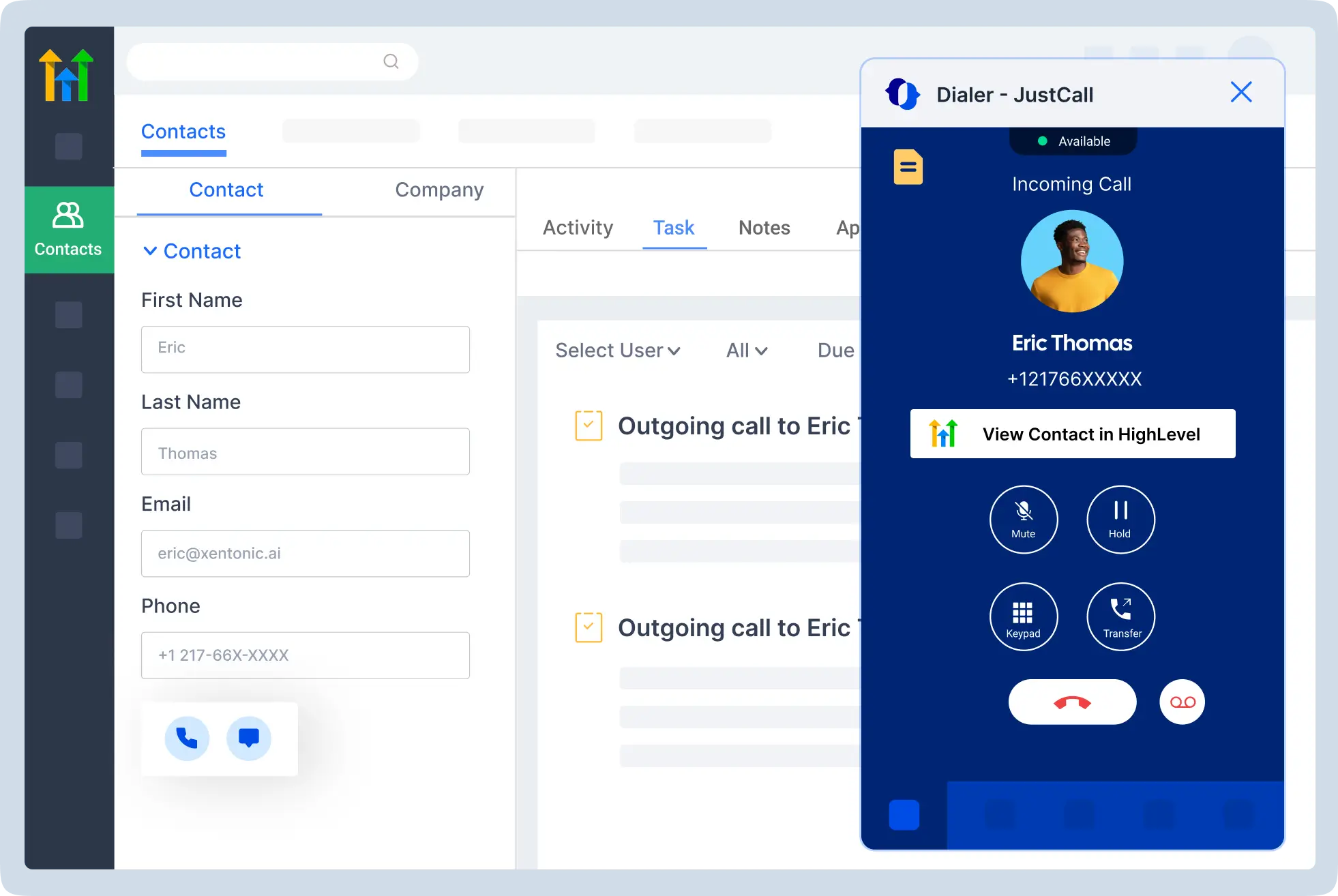
- Strength: A useful shortlist for sales development, appointment booking and support teams where logging the outcome matters as much as placing the call. CRM-connected workflows can help maintain continuity when a different employee handles the next conversation.
- Limitation: A two-license minimum affects the entry budget. Team pricing is not the same as a SalesPro quote, and trial access to higher capabilities does not establish that the eventual lower plan includes them. Review regional calling bundles and excluded routes.
Practical Buying Test: Have an agent call an existing CRM contact, record a disposition, schedule a follow-up and transfer a separate incoming enquiry. Check duplicate contacts, recording access and what happens if a CRM synchronization fails. For campaigns, demonstrate the precise dialer mode your team will use.
The trial should end with a written workflow-to-plan mapping, so staff do not train around a tool that disappears after subscription.
Pricing And Evaluation: Team is advertised at $29, Pro at $49 and Pro Plus at $89 per user/month billed annually. SalesPro uses custom pricing. JustCall offers a 14-day trial with SalesPro access; confirm trial usage and the feature set of the package you intend to buy.
6. Dialpad — Support For AI-Assisted Customer Service
Dialpad Support is the appropriate contact-center product for a support operation evaluating Dialpad. Its real-time assistance and summaries make it worth considering when agents spend substantial time finding answers or preparing notes. Dialpad Connect and Dialpad Sell have different purposes and should not be used as interchangeable pricing references.
- Strength: A useful shortlist when managers want to connect live conversations with coaching and post-call work. The strongest pilot measures whether agents find accurate answers faster and whether summaries produce usable next steps.
- Limitation: AI output needs checking against your own vocabulary, accents and knowledge base. Workforce management and other advanced functions may have separate entitlements or charges. For outbound selling, compare Dialpad Sell as its own product.
Practical Buying Test: Use ordinary support calls in the pilot, including a simple enquiry and a difficult escalation. Check the agent’s suggested answer, the supervisor’s intervention and the final summary. Test routing when all agents are busy or unavailable, not only when the queue is empty.
Measure correction time alongside saved note-taking time. A fast summary that staff must substantially rewrite can weaken the expected benefit.
Pricing And Evaluation: Dialpad’s official product overview lists Support Essentials at $80, Advanced at $115 and Premium at $150 per user/month annually. Obtain a current Support quote covering implementation, usage, AI tools and workforce requirements. Do not use the lower Connect business-phone price to estimate Support costs.
7. CallHippo — For Small Teams Comparing Calling And Dialer Options
CallHippo offers business calling alongside specialized outbound and call-center products. That makes it worth comparing for a small team, but the exact subscription matters. Build a checklist for the daily work and ask which product delivers each requirement before comparing advertised entry prices.
- Strength: Professional lists recording, multilingual IVR and cascading call distribution. These are useful starting points for a small support team that needs organized answering rather than a single person returning missed calls.
- Limitation: Advanced supervisor and dialer functions can belong to different products or tiers. Do not assume a business-phone package includes everything shown in a predictive-dialer demonstration. Check storage, integrations and concurrent-call capacity.
Practical Buying Test: Complete signup and verification, then place real incoming and outgoing calls using the intended numbers. Test the multilingual menu, a busy-agent route and the destination CRM. Ask the administrator to find a recording and explain which agents can access it.
A successful pilot should establish both the agent experience and the support response when configuration does not work as expected.
Pricing And Evaluation: The business-phone page displays Professional at $30/user/month and Ultimate at $42. Confirm the selected billing term and regional package. Request separate pricing for any specialized dialer or call-center requirement. CallHippo advertises a ten-day free trial; check the actual trial capacity before scheduling a team-wide evaluation.
8. Ringover — For Recruitment And Sales Teams Needing Coaching
Ringover Business is a relevant shortlist for recruitment and sales teams that need calling to fit a CRM or applicant-tracking workflow. It combines advanced call handling, a power dialer and supervision. Unified adds broader channel handling, so choose around the customer journey rather than the provider name alone.
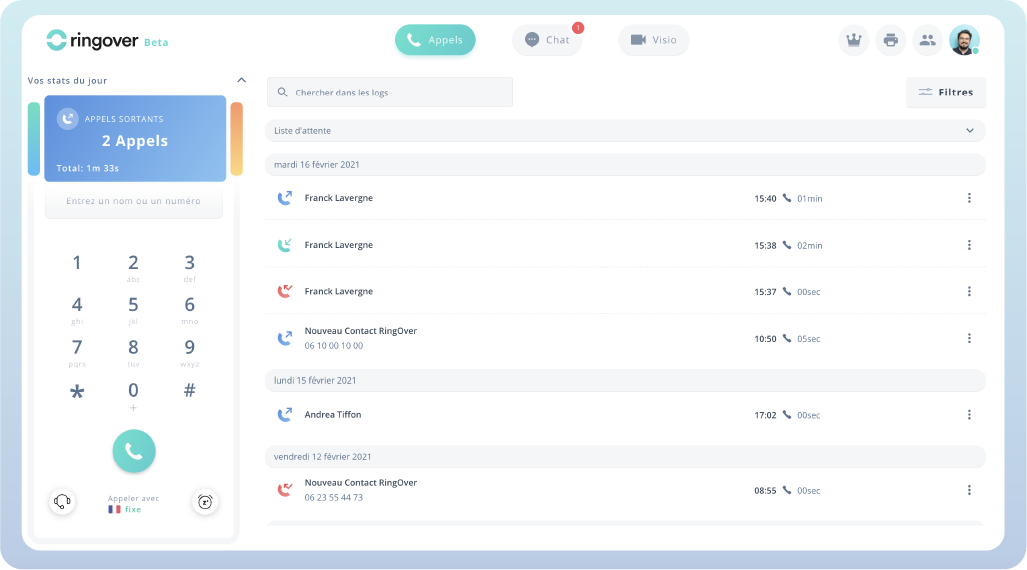
- Strength: Business lists a power dialer, advanced IVR, analytics and coaching capabilities such as monitoring and whispering. These can be useful when a manager needs to improve conversations while maintaining the team’s existing customer records.
- Limitation: Business has a three-user minimum. Calling inclusions depend on number origin and destination, and additional campaign tools can change the bill. Ask about queue capacity and whether the exact omnichannel or workforce requirement needs another tier.
Practical Buying Test: For a recruiting team, import a representative call list, contact a candidate and review how the activity reaches the ATS. Have a manager monitor and coach a call, then test a service queue with several simultaneous incoming callers.
Judge the trial by completed workflows and supervisor visibility, rather than expecting a limited pilot to reproduce a full production campaign.
Pricing And Evaluation: Business is displayed at $49/user/month with a 12-month commitment; Unified at $69 on that commitment. Business’s three-user minimum gives a $147 monthly-equivalent license floor before extras. The seven-day trial lists up to five users and 300 outbound minutes, with some functions restricted.
Cloud Call Center vs On-Premise Call Center
A cloud call center runs its core software on the provider’s infrastructure, with agents accessing the service through supported apps and devices. An on-premise call center places more of that infrastructure under the business’s control. Both can use VoIP; the difference is where the system operates and who maintains it.
Best Hosted Call Center Solutions: What To Compare
Hosted platforms can reduce the need to purchase and maintain local phone servers. They also make it easier to give agents a shared workspace across locations. Compare implementation, administration, support and contract terms alongside the subscription. Moving to cloud software still requires suitable internet access, equipment, account management and a recovery plan.
On-premise infrastructure may deserve consideration when a business has substantial existing equipment, specialized integrations or particular control requirements. Budget for maintenance, upgrades, support and recovery as well as the initial purchase. Compare both approaches over the same period and include the staff time needed to operate them.
Best Virtual Call Center Software For Distributed Teams
A virtual call center describes a team operating across locations rather than sharing one office; cloud software is a common way to support that arrangement. The best virtual call center software for your operation should let supervisors manage availability, access and customer handoffs consistently, wherever agents work.
When evaluating VoIP for distributed call centers, test shift changes between locations. Check that the next agent can see the previous conversation and that customer ownership remains clear. For a five-agent remote team, simple permissions and reliable handoffs may deliver more value than a complex workforce suite. Larger multi-site operations may need more detailed scheduling and administration.
Which VoIP Call Center Solution Fits Your Team?
Best Call Center Software For Small Businesses
Our Top Three Picks:
- KrispCall Advance / Max: For small teams needing shared call history and organized call handling.
- Ringover Business: For small sales or service teams needing a power dialer and coaching tools; Business requires at least three users.
- CallHippo Professional: For smaller teams comparing recording, multilingual IVR and call distribution; confirm any advanced call-center add-ons.
Small business VoIP call center solutions should match the work your agents actually do. For a three- to ten-person support operation, begin with the path of an incoming enquiry. You may need an IVR, a queue, transfers, recording and a shared customer record. KrispCall, CallHippo or Ringover can be sensible comparisons if they cover those needs. Zoom Contact Center, Nextiva or RingCX becomes more relevant when channels, skills or supervision make the work harder to manage.
Do not buy a large workforce package simply because it appears in a demonstration. Conversely, a basic ring group may be inadequate when agents need availability states, callbacks, escalation and meaningful queue reporting. Ask the vendor to reproduce your busiest hour before deciding how much platform you need.
Best VoIP For Inbound Call Centers
Our Top Three Picks:
- RingCentral RingCX: Our first shortlist for inbound service that may also need outbound follow-up.
- Nextiva Contact Center: For skills-based routing and structured customer-service journeys.
- Zoom Contact Center: For incoming voice and digital support, especially in a team already using Zoom.
For inbound call center VoIP solutions, prioritize answer reliability, queue behavior and resolution of the customer’s request. VoIP for customer support teams should preserve the ticket or account history through transfers, so callers do not repeat information to every agent. Nextiva Contact Center, Zoom Contact Center, RingCX and Dialpad Support are relevant dedicated-product shortlists; smaller teams can also test the lighter options in this comparison.
Ask the provider to demonstrate a sudden increase in incoming traffic. Check estimated waiting information where offered, callback ownership, overflow to another team and the handling of an urgent customer. The best fit is the plan that handles these scenarios at your expected volume with reporting your supervisor can use.
Best VoIP For Outbound Call Centers
Our Top Three Picks:
- JustCall Sales Suite: For CRM-driven campaigns; compare the quoted package against the required dialer mode.
- Ringover Business: For focused sales or recruitment outreach using a power dialer and coaching.
- RingCentral RingCX: For outbound campaigns that also need coordinated inbound service.
When comparing VoIP for sales call centers, shortlist JustCall and Ringover alongside dedicated contact-center options. Outbound call center VoIP software should connect the campaign, customer record and follow-up task in one manageable workflow. Write down the required dialing mode, campaign ownership, contact-list source and follow-up process. A power dialer that works through a list is a different purchase from predictive dialing that tries to anticipate agent availability.
The right evaluation follows a lead from import to call outcome to next task. Test duplicate detection, suppression of contacts who should not be called, local-time rules and the way dispositions update the CRM. More dialing activity does not automatically mean more qualified conversations or better customer outcomes.
VoIP For Blended Inbound And Outbound Operations
Our Top Three Picks:
- RingCentral RingCX: Our first pick to evaluate when customer-service queues and campaigns share an operation.
- Nextiva Contact Center Professional: For structured service journeys with higher-tier outbound dialing requirements.
- Zoom Contact Center Premium: For voice and digital support alongside preview or progressive outbound dialing.
A blended center needs to prevent outbound work from overwhelming incoming service. RingCX is our first comparison here, with Nextiva and Zoom’s appropriate tiers also relevant. Ask how inbound demand changes an agent’s campaign availability and whether supervisors can see both types of work in the same report.
For example, an agent following up on yesterday’s enquiry should still receive priority service work under your chosen rules. Have the vendor show the interruption and resumption process. A list of inbound and outbound features does not prove that the two workflows are coordinated.
VoIP For Remote Call Center Agents
Our Top Three Picks:
- KrispCall Advance / Max: For smaller distributed teams sharing customer conversations and call history.
- JustCall: For remote sales and support teams whose daily work centers on a CRM.
- Zoom Contact Center: For distributed support teams that want a Zoom-based customer-service workspace.
Confirm agent-location eligibility, number availability and destination charges for your markets before choosing from this shortlist.
Distributed teams need more than an app that launches successfully. Confirm the countries where employees can use the service, the numbers the business can purchase and the destinations customers can be called. These are separate availability questions. Request a pilot from each intended agent location.
Check caller ID, audio quality, approved equipment, authentication and recording access. A centrally managed customer number can preserve business identity, but it does not remove the need for dependable connections and a support process across time zones. Keep an alternative contact route for an agent whose normal connection fails.
VoIP For International Call Centers
Our Top Three Picks:
- KrispCall Advance / Max: A shortlist when virtual-number availability and shared customer history matter across markets.
- Ringover Business / Unified: A shortlist for sales and service teams comparing destination-specific calling inclusions.
- RingCentral RingCX: A shortlist for a more structured cross-market service operation needing coordinated queues and campaigns.
Confirm agent-location eligibility, number availability and destination charges for your markets before choosing from this shortlist.
Compare international calling through three separate questions: where your agents work, where the business can obtain numbers and which customer destinations the plan covers. A provider offering numbers in a country does not automatically establish support for agents based there or an inclusive outbound calling rate.
Give vendors a destination-level traffic estimate, including mobile, landline and toll-free calls. Confirm caller-ID presentation, number verification, language support and support hours. Pilot calls from each agent location to your main customer markets, including busy periods. The value of a lower international rate disappears quickly if agents cannot complete clear, reliable conversations.
Enterprise VoIP Call Center Solutions
Our Top Three Picks:
- RingCentral RingCX: For larger blended voice and digital operations evaluating campaign and supervisor tools.
- Nextiva Contact Center Premium: For complex customer journeys and higher-tier workforce requirements.
- Zoom Contact Center Elite: For teams evaluating broader channels, advanced quality management and workforce tools.
For a larger operation, shortlist by operational requirements rather than assuming any provider in a general VoIP roundup is sufficient. RingCX, Nextiva Contact Center, Zoom Contact Center and Dialpad Support are the dedicated contact-center products discussed here. Ask about simultaneous sessions, skills, queues, multi-site administration and supervisor capacity in the quoted configuration.
If your mandatory workforce, industry, carrier or integration requirements are unmet, widen the evaluation to enterprise CCaaS vendors such as Genesys, NICE, Five9 or Talkdesk. Those products are outside this eight-provider comparison; their presence in the market does not make them an automatic fit or establish a price advantage.
Power Dialer vs Predictive Dialer
A VoIP auto dialer for call centers automates part of the dialing process, but “auto dialer” does not identify one specific mode. Compare how the software starts calls, assigns answered conversations and handles agent preparation. Provider terminology can differ, so ask for a demonstration of the exact campaign behavior.
When A Power Dialer Makes Sense
A sequential power dialer moves through a contact list, usually placing the next call when the agent is ready. It can suit focused follow-ups and smaller sales teams that need time to review records or prepare a useful conversation. Check whether the agent can pause, skip a contact, add notes and complete the next task before dialing continues.
When To Consider A VoIP Predictive Dialer For Call Centers
Predictive dialing aims to reduce waiting between conversations by placing calls ahead of agent availability; implementations can use multiple simultaneous calls. It can suit larger outbound campaigns, but the configuration must manage what happens when more people answer than agents can handle. Test connection delay, unanswered-call handling and the campaign’s abandonment reporting.
JustCall documents separate power and predictive campaign modes, with predictive access tied to SalesPro in its campaign guide. Confirm current entitlement in your quote. A standard phone subscription, a power-dialer feature and a predictive campaign package should each be evaluated against the actual workflow.
Preview And Progressive Dialing
Preview dialing gives the agent a customer record to review before initiating the call. Progressive dialing generally places the next call once an agent becomes available. These modes can be useful when preparation and immediate agent availability matter more than maximizing simultaneous dialing. Ask vendors to show their implementation, because labels alone do not establish pacing or campaign controls.
Measure completed conversations and useful follow-ups alongside dialing volume. Include contact suppression, retry settings, local-time controls and campaign permissions in the pilot. A faster dialer is only valuable if agents receive manageable conversations and customer records remain accurate.
Three Features To Prioritize Before Buying
1. Call Center VoIP With IVR, Queues And Routing
Automatic call distribution, or ACD, sends interactions to an agent or group according to configured rules. IVR collects a caller’s selection or other information before routing. For your purchase, the important question is what happens after the first attempt fails: nobody answers, the specialist is busy, the queue reaches its limit or the office closes.
Evaluate VoIP call queue software by how it manages waiting, agent availability and overflow. VoIP call routing for call centers should then send the interaction to the right team using the rules your operation needs. Write a short routing specification with a normal path and an exception path. Include language or skill requirements only where they matter. Ask the demonstration to show waiting messages, timeout behavior, callbacks where available and escalation. Avoid a complicated menu when a simple choice would reach the right person sooner.
2. VoIP Call Center With CRM Integration
Integration should save agents work and help the next employee understand the conversation. Demonstrate contact matching, click-to-call, recording access, outcome logging and ticket updates in the actual system your company uses. An integration logo does not explain which records synchronize, which permissions are required or whether the workflow needs an upgraded plan.
Test a customer with an existing record, an unknown caller and two contacts sharing a number. Then disconnect the integration temporarily and review what happens to unsynchronized work. Ask who receives an error notice, how failed updates are retried and how staff avoid duplicate entries.
3. VoIP Call Monitoring Software And Analytics
VoIP call center analytics should help a supervisor understand current demand, identify a struggling agent and review outcomes. Ask for the exact live dashboard, recording search, monitoring, whispering or intervention functions available in your plan. These functions differ; listening to a recording afterward is not the same as helping during a call.
Build a simple quality scorecard around accuracy, clarity and the agreed next step. If AI scoring is proposed, compare its assessment with a manager’s review of the same interactions. Decide who can override a score and how disputed evaluations are handled. The objective is better customer service, not simply producing more scores.
VoIP Call Center With Omnichannel Support
Workforce management can become useful when scheduling and demand forecasting exceed what managers can handle reliably with simple tools. Ask whether the product covers the schedule, forecasts, adherence and exceptions you need. A workforce dashboard and a complete planning workflow are not necessarily the same thing.
Omnichannel support is useful when customers move between voice, messaging and other channels while agents retain relevant context. Test an actual transition, such as a customer starting in chat and requesting a call. Check ownership and reporting rather than counting how many channels appear in the sales brochure.
VoIP Call Center With WhatsApp Integration
WhatsApp integration should give agents an assigned conversation and relevant customer context, rather than simply adding another inbox. Test inbound messages, a transfer to a colleague, CRM updates and the move from messaging to a voice conversation. Confirm which channels and supervisor tools belong to your purchased tier.
Zoom’s technical guide lists WhatsApp social messaging for Contact Center Premium or Elite and describes WhatsApp Business account and integration requirements. That capability should not be assumed to come with every Zoom Phone or Contact Center plan. For any vendor, confirm account setup, number eligibility, messaging charges and ownership of the business account before migration.
Evaluate Cost Savings, Mobility And Reliability Together
Compare VoIP Call Center Pricing By Total Cost
Keep a distinction between agent licenses and the complete service bill. Your estimate should cover supervisor accounts, phone numbers, inbound and outbound usage, toll-free traffic, international routes, recording retention, AI usage, required integrations, headsets and implementation. Ask which charges are fixed and which depend on volume.
Illustrative Budget: Twenty agent licenses at a hypothetical $75 each create a $1,500 monthly license subtotal. Add $200 for usage and $100 for required add-ons, and the recurring estimate becomes $1,800 before taxes and any other charges. If implementation costs $1,200 once, a first-year budget also needs that amount. These are illustrative assumptions, not a provider quotation.
Request named and concurrent licensing options where offered. Named licenses follow identified users; a concurrent arrangement can be based on simultaneous use under its specific contract rules. A team of 40 employees on different shifts should not assume it needs only 20 licenses without a written agreement covering how those employees access the system.
When choosing the best affordable VoIP call center software, give each vendor the same traffic mix and required workflow. A cheap business-phone plan and a contact-center plan with supervisor tools are not equivalent substitutes. Model the bill at ordinary volume and at a busy month, and check any annual commitment before treating a monthly-equivalent number as a flexible monthly subscription.
Pay-As-You-Go Call Center VoIP
Pay-as-you-go can refer to metered calling, flexible agent licensing or both. Ask which part of the bill follows actual usage: a plan can charge per minute while still requiring an annual seat commitment. None of the subscriptions in this comparison should be treated as a fully usage-based contact-center package without confirming its commercial terms.
Compare a quiet month, an ordinary month and a peak campaign month. Metered service may suit irregular traffic, while an eligible calling allowance can make steady usage easier to budget. Include minimum charges, number rental, rounding rules and required platform licenses. Model the cost of your busiest realistic period before choosing based on a low per-minute figure.
Cheap VoIP For Call Centers: Where Savings Matter
For a cheap call center solution, compare these three lighter platforms against the features your team needs. Their entry subscriptions can cost less than dedicated contact-center packages, but advanced dialing, AI or supervision may require a higher tier.
- JustCall — Affordable CRM-Based Calling: Team starts at $29/user/month billed annually, with a two-user minimum. A useful budget shortlist for sales and support workflows; price the required dialer and AI features separately.
- CallHippo — Low-Cost Call Handling: Professional is displayed at $30/user/month, with the billing term to confirm. Compare its recording, multilingual IVR and distribution features before adding specialized call-center or dialer products.
- KrispCall — Budget Calling For Small Distributed Teams: Advance is advertised at $32/user/month billed annually. Compare shared history and call handling, then include destination charges, numbers and any required AI add-ons in the total.
Start by removing features your team does not need, rather than removing the queue, integration or support capability that keeps customer service working. A lower seat price can become more expensive if agents spend extra time logging calls or managers must reconstruct reports manually. Compare the subscription saving with those recurring tasks.
For a small team, begin with essential call handling and the CRM workflow, then add advanced quality or workforce tools when a measured need justifies them. Confirm that the entry tier supports the required number of users and simultaneous calls. An affordable platform should leave room for growth without forcing an immediate move to an unrelated product.
Choosing The Best AI-Powered Call Center Software
For AI-powered call center software, shortlist these three products by the work you want to improve: live agent assistance, transcription or customer-journey automation.
- Dialpad Support — AI-Assisted Customer Service: A relevant pick for real-time agent assistance and call summaries. Measure answer accuracy and the time agents spend correcting notes in your pilot.
- Zoom Contact Center — Transcription And Quality Workflows: Essentials includes real-time transcription, while Elite adds advanced quality-management tools. Choose the tier around the actual agent and supervisor workflow.
- Nextiva Contact Center — AI Transcription And Service Journeys: Essential lists AI transcription and summaries alongside routing and journey tools. Test how the output reaches the customer record and supports the next interaction.
A VoIP call center with AI transcription can make conversations easier to search and review. Call summaries, suggested responses and automated scoring can help agents, but a useful pilot should measure correction as well as speed. Choose a sample of calls containing your normal terminology, names, numbers and customer objections. Compare the output with what actually happened and record how long staff spend fixing it.
If a virtual agent answers customers, test its escalation path. Give it an unknown request, an ambiguous instruction and a customer asking for a person. The human agent should receive relevant context when the interaction transfers. Confirm the usage meter, access controls and which information the automation can retrieve or change.
Test The Network At Peak Workload
Call quality depends on the service and the network path used by each agent. Test calls while normal business applications are active, including uploads, meetings and remote access. Use the provider’s diagnostics to review latency, packet loss and jitter rather than relying only on the internet connection’s advertised speed.
For a remote rollout, test the agent’s usual room, headset and connection. Check whether a wired connection is practical and whether microphone permissions or background notifications interfere with work. Give staff a way to report a failed call with its time and relevant call identifier so support can investigate a specific event.
Separate Local Failures From Provider Outages
An office internet failure, a laptop problem and a service-wide outage require different recovery steps. Document who can change routing, how supervisors contact agents and where customers are redirected. Confirm whether the fallback depends on the same platform that is unavailable.
Ask for the service agreement’s scope, support escalation path and incident communication process. A headline availability figure does not establish the performance of your agent’s home network, integration or equipment. Run a controlled fallback test before the center depends on the new configuration.
VoIP Call Center With Call Recording
For VoIP call center software with call recording, compare these three providers against your review, coaching and customer-record workflows.
- JustCall — Recording For CRM-Based Sales And Support: A relevant shortlist when agents and managers need to review a conversation alongside the customer record. Test recording access from your CRM and confirm the purchased plan’s retention and storage limits.
- Ringover Business — Recording And Agent Coaching: Compare recording review alongside monitoring and whispering for sales or recruitment teams. Confirm which recordings managers can access and whether the required analysis tools need another package.
- CallHippo Professional — Recording For Smaller Teams: Professional lists call recording, making it a practical shortlist for a small operation documenting conversations. Test recording search, playback and access permissions, then confirm storage and any download restrictions.
Agree who can listen to, export and delete recordings. Confirm retention settings, storage charges and access removal when an employee leaves. Ask how sensitive information is redacted or excluded and how payment handling works in the specific purchased configuration.
Recording consent, outbound contact rules and other obligations depend on location and activity. Get the appropriate guidance for your operation and configure announcements, suppression lists and access policies accordingly. A vendor’s compliance statement does not itself establish that your company’s particular workflow is compliant.
How To Set Up A VoIP Call Center
Choose two or three candidates and run the same tests with representative agents and a supervisor. A pilot should end with evidence of completed workflows and a quote that matches them. Keep important production numbers on the existing service until the agreed migration process is ready.
- Document The Work: List agent roles, customer markets, numbers, peak simultaneous calls, channels, integrations and supervisor tasks. Include the exception paths that currently cause customer frustration.
- Build A Small Evaluation Group: Include a new agent, an experienced agent, a manager and the intended administrator. Use a temporary number where available before changing the main service.
- Test Inbound Handling: Place calls from several networks. Check IVR choices, queue waiting, transfers, unavailable agents, voicemail and the agreed overflow route.
- Test Outbound Work: Use a permitted contact list. Check the dialing mode, caller ID, dispositions, follow-up ownership and relevant contact suppression controls.
- Verify The Integration: Follow an interaction through contact matching, call logging, notes, recording access and ticket updates. Test an integration failure and recovery.
- Verify Management: Find the same interaction in the supervisor dashboard, export an agreed report and compare what the manager sees with the agent’s record.
- Approve The Commercial Scope: Match each required function to the product and tier. Confirm licenses, usage, term, onboarding, support and renewal conditions in writing.
- Prepare Porting And Training: Confirm number eligibility, required records and the migration window. Train agents using the actual purchased configuration, including the recovery process.
- Validate After Migration: Check incoming calls, caller ID, messages and recordings. Review the first invoice against the proposal and investigate unexpected usage promptly.
Measure A Few Outcomes Consistently
For inbound work, track answer time, abandoned calls, transfers and whether the issue is resolved without another contact. For outbound work, track useful connections, accurate dispositions and completed next steps. Use consistent definitions across vendors so a reporting difference is not mistaken for a performance improvement.
Include agent correction time and supervisor effort in the assessment. A workflow that reduces manual dialing but creates missing CRM records may move work elsewhere rather than remove it. Agree in advance which problems would prevent launch, such as unreliable incoming calls or incomplete customer records.
Our Recommendation
Start with RingCX for blended service and outbound operations, Nextiva Contact Center for structured customer journeys, Zoom Contact Center for a Zoom-based team and Dialpad Support when AI-assisted support is the main requirement. For smaller CRM-led sales or support teams, compare JustCall, Ringover, KrispCall and CallHippo against the exact workflow.
The best VoIP solution for your call center is the least complicated package that meets your routing, customer-record and supervision requirements under real workload. Choose through a shared pilot and a complete quote, then plan the migration around customer continuity.
Frequently Asked Questions
What Is The Best VoIP For Call Centers In 2026?
RingCentral RingCX is our first shortlist for blended inbound support and outbound operations. Nextiva Contact Center, Zoom Contact Center and Dialpad Support suit different routing, channel and AI needs. For smaller sales or support teams, JustCall, Ringover, KrispCall and CallHippo are worth testing against the required workflow.
How Do I Choose The Best VoIP Phone System For Call Centers?
It can be enough for a simple team answering a shared number, if the plan provides suitable routing and reporting. A center needing skills-based queues, advanced supervision, campaign dialing or workforce management should evaluate the appropriate contact-center product instead of assuming those functions are in a standard phone plan.
What Is The Difference Between A Call Center And A Contact Center?
A call center focuses on telephone conversations. A contact center can combine voice with channels such as chat, email or messaging. Evaluate whether agents retain customer context across those channels; simply having several separate tools does not establish a coordinated omnichannel workflow.
Which VoIP Software Suits Sales Call Centers?
JustCall and Ringover are useful shortlists for CRM-driven sales teams. RingCX and higher-tier contact-center packages also support outbound requirements. Compare the exact dialer mode, permitted destinations, campaign controls and CRM workflow rather than choosing by the lowest entry phone price.
Can Remote Agents Use A VoIP Call Center?
Yes, where the product supports their locations and intended devices. Pilot the actual connection and headset, confirm business caller ID and access permissions, and define a fallback. Number availability, calling destinations and employee service eligibility are separate checks.
Do I Need A Desk Phone For Every Agent?
Not necessarily. Many cloud systems support computer-based calling with headsets. Ask which endpoints support your queue, recording and supervision workflows. A device suitable for basic calling may not provide every function the contact-center agent requires.
Does Unlimited Calling Cover All Call Center Traffic?
Only within the plan’s stated destinations, call types and usage policy. Toll-free traffic, international routes, forwarding and campaigns can have separate conditions. Give the vendor your actual traffic mix and request a written cost calculation.
Can I Keep My Existing Call Center Numbers?
Porting may be available, subject to the provider, country and specific number. Confirm eligibility and migration requirements before canceling the old service. Test incoming traffic after the transfer and retain the agreed fallback during the change.
Is A SIP Trunk The Same As Call Center Software?
No. A SIP trunk connects compatible telephone infrastructure to external calling services. Call-center software provides operational functions such as queues, agent workspaces and supervisor tools. If you already run a PBX, evaluate its software and trunking requirements separately.
How Much Does VoIP Call Center Software Cost?
The dedicated contact-center starting references in this guide include RingCX from $65/user/month, Zoom Contact Center Essentials at $69/user/month billed annually, Nextiva Essential from $75/agent/month and Dialpad Support Essentials at $80/user/month annually. Lighter calling platforms have lower starting references, but may need additional tiers or products for the same workflow. Add usage, numbers, recording storage, AI, integrations and implementation to estimate the complete bill.
How Should I Compare Demo And Free-Trial Offers?
A demonstration shows a configured workflow; a trial lets your team test within the provider’s limits. Confirm agents, minutes, numbers, integrations and allowed tools. A regular business-phone trial should not be assumed to cover a different contact-center product or every paid feature.
What Customer Feedback Suggests You Should Test
These selected G2 examples are paraphrased customer opinions. They highlight practical pilot questions rather than establishing a result for every deployment.
RingCX: Shared Context Versus A Crowded Agent Screen
G2, October 6, 2026 — 4.5/5. A reviewer valued voice and digital interactions in one place, visible history and live queue information. The same review described a crowded screen across channels, extra steps to see personal statistics and occasional digital-side slowdowns. Test the busiest agent workflow and the reports each role needs.
JustCall: CRM Logging And Opportunities To Improve Reporting
G2, June 12, 2026 — 5/5. A reviewer praised straightforward calling, automatic HubSpot activity logging and useful summaries. They reported no major problems in their early use, while suggesting continued expansion of AI and reporting. Ask agents to complete a full CRM task and managers to produce their required report.
Dialpad Support: Helpful Support With A Human Escalation Question
G2, September 10, 2026 — 5/5. A reviewer described quick help for billing and system problems and useful instructions from AI support. They also noted the need to pass through AI before reaching a person. Include the support escalation path in your evaluation, especially when a production queue is affected.
Affiliate Disclosure: VoIPCalling.com may earn a commission if you purchase through links in this article, at no extra cost to you. Recommendations consider the intended workflow, features, costs and limitations.