
AT&T Business Fiber is our starting recommendation for a permanent commercial office that needs symmetrical uploads and flexible internet-contract terms. Xfinity can be a price-led home-office option when its residential service is suitable and permitted for the intended use. For a commercial Comcast proposal, compare Comcast Business rather than substituting Xfinity home pricing.
This AT&T vs Xfinity comparison covers AT&T Business Fiber and Xfinity residential internet for office-related needs. These are different service categories: compare permitted use, uploads, support and total cost before treating their prices as interchangeable. For an equivalent commercial-service comparison, read our AT&T vs Comcast Business internet comparison. Recommendations assess published offers and service fit; we have not conducted firsthand network tests.
Affiliate notice: VoIPCalling.com may earn a commission through qualifying referral links, at no additional cost to you.
AT&T vs Xfinity: Quick Overview
Readers searching for AT&T vs Xfinity business internet should first identify the service category. Xfinity is Comcast’s residential internet brand; Comcast Business supplies separate business products and agreements.
| Buying factor | AT&T Business Fiber | Xfinity residential internet |
|---|---|---|
| Best setting | Eligible offices requiring a business service. | Homes and home offices where the agreement permits the intended use. |
| Upload capacity | Advertised symmetrical fiber tiers. | Check the address-specific upstream profile; download speed alone is insufficient. |
| Price comparison | Business rates and optional business features. | Residential rates with different service terms. |
| Equipment | Included gateway; additional office networking may cost extra. | Current cited offers include Wi-Fi equipment. |
| Contract | Advertises no annual internet contract. | Cited offer advertises no annual contract and a five-year base-rate guarantee. |
| Commercial premises | Check exact address eligibility. | Request a separate Comcast Business proposal for commercial service. |
The best internet for business offices depends on the premises, simultaneous users, outgoing traffic and recovery needs. There is no universal winner based only on the brand name.
AT&T vs Xfinity: Customer Rating Snapshot

Individual AT&T example: 5/5 on G2. Belinda C., Practice Administrator, May 1, 2026, described dependable internet and phone service.
This is an individual customer example, not a Business Fiber aggregate or a matched comparison score against Xfinity. Reviews later in this guide are used to frame practical questions rather than establish local performance.
Xfinity Home-Office Prices: Keep Them Separate
| Xfinity home tier | Published monthly reference | Buying check |
|---|---|---|
| 300 Mbps | $45 with five-year price guarantee. | Confirm address, billing conditions and permitted use. |
| 500 Mbps | $60 with five-year price guarantee. | Check upload capacity and actual working-hour results. |
| 1 Gig | $70 with five-year price guarantee. | Do not assume business support or a static IP is included. |
The cited Xfinity page includes unlimited data and Wi-Fi equipment, advertises no annual contract, and requires applicable offer conditions including bank-account AutoPay and paperless billing. Taxes and fees are extra. See the current residential offer.
Xfinity is a reasonable price-led candidate for a suitable home office. It is not an equivalent commercial-service quote. A home worker with ordinary meetings has a different purchasing problem from an office that needs inbound services, special addressing or managed recovery.
Before buying, ask whether the agreement allows the intended activity and whether the available uploads meet the workload. Residential pricing should not be copied into a commercial-office comparison as if the products had identical support and features.
AT&T vs Xfinity Pricing: Home-Office Cost vs Business Service
The table below compares selected AT&T business and Xfinity home prices to explain the home-office decision. These are different service categories, not equivalent commercial quotes.
| Download tier | AT&T Business Fiber | Xfinity residential |
|---|---|---|
| 300 Mbps | $60 | $45 |
| 500 Mbps | $100 | $60 |
| 1 Gig | $140 | $70 |
AT&T figures come from its Business Fiber offer page. The Xfinity figures are the residential five-year base-rate offer above, with eligible bank-account AutoPay and paperless billing. AT&T mobile-bundle discounts are separate and require paid qualifying wireless service. Prices and eligibility must be confirmed for the address.
For AT&T vs Xfinity pricing, include installation, optional networking equipment, taxes, add-ons and any required mobile subscription. A cheaper residential line is useful only when its permitted use, uploads and support meet the requirement.
Compare the complete bill
Calculate internet plus recurring equipment and features, then add applicable taxes and fees. For a first-year budget, add one-time setup costs and any service overlap during migration. Check payment-discount conditions and the rate after a promotion or guarantee ends; a reward card is not a permanent monthly discount.
Commercial-office pricing, Comcast Business packages and business phone bundles are covered in our AT&T vs Comcast Business internet comparison.
AT&T vs Xfinity Speeds: Fiber, Cable and Upload Capacity
AT&T Business Fiber advertises equal upload and download speeds. The cited Xfinity home offer describes a fiber-powered network connected to the premises by coaxial cable. Check the exact technology and upload speed available at your address.
In an AT&T vs Xfinity upload speeds comparison, use the ordered upstream rate rather than assuming gigabit download means gigabit upload. Local network upgrades and equipment can change the available profile, so avoid treating every Xfinity connection as identical.
Cloud backups, large file sharing and simultaneous video meetings make upload capacity important. A suitable symmetrical fiber tier is a useful starting point when the alternative’s upload rate is insufficient. If both meet the workload, compare total cost and local service experience.
AT&T vs Xfinity speeds measured over Wi-Fi also depend on the router, device, room and interference. Test over Ethernet first. Multi-gig service requires compatible ports, cabling and client equipment; faster service cannot remove a slower local-network bottleneck.
AT&T vs Xfinity: Calling, Meetings and Internal Wi-Fi
Both suppliers can serve office calling and cloud applications when their actual connection meets the workload. Run calls, a video meeting and a representative upload together during normal hours. Observe latency, jitter, packet loss and interrupted sessions.
Start with an Ethernet-connected device. If it performs well but one room has poor Wi-Fi, review access-point coverage, router placement and interference. Changing the internet provider may not solve an internal coverage problem.
Keep guest traffic separate from essential work. Schedule nonurgent backups where practical and review traffic management with the network administrator. Unlimited data does not remove contention inside the office network.
A business internet subscription also does not automatically include a complete phone system or contact centre. Calling licences, numbers, routing, recording and software integrations need their own comparison. Confirm requirements with the telephony provider before migration.
Fixed Wireless vs Portable Access from AT&T
Internet Air uses a hub receiving tower-fed internet instead of a new physical fiber or cable access line. Use it only at its approved service address; it cannot travel with the business. It is a fixed wireless office option, subject to local reception and performance.
Air can make sense when installing a suitable wired service is impractical. Test uploads, meetings and essential transactions at the intended gateway position. See Internet Air inquiry and our dedicated Internet Air overview.
Which is more reliable: Fiber or Internet Air?
Start with suitable Fiber for a permanent, upload-heavy office. Its access connection avoids dependence on indoor cellular reception and tower capacity. This is an access-type recommendation rather than a guarantee against outages.
Portable connectivity is a separate purchase
AT&T Wireless Broadband is portable. Appropriate hotspot/router use can serve on-the-go work, temporary pop-up sites and emergency needs. It offers unlimited data in up-to-25, 50 or 100 Mbps maximum speed tiers, subject to coverage, congestion and permitted uses.
Published restrictions exclude public or guest Wi-Fi and certain continuous-streaming or hosting activity. Confirm the intended application through the Business Wireless inquiry route. A fixed Xfinity or Comcast gateway, and a backup feature, should not be assumed to permit portable primary use.
AT&T vs Xfinity Reliability and Backup Internet
Eligible AT&T Business Fiber plans advertise integrated cellular backup, subject to gateway, coverage and power requirements. Confirm addressing and calling limitations for the exact order. An included backup feature should be tested with essential applications.
For an AT&T vs Xfinity reliability comparison, ask what recovery options the specific home plan supports and what they cost. Comcast Business Wireless Connect is a separate business product; it is not an included Xfinity residential feature.
Evaluate power protection for the gateway, switches and required devices. A backup connection may change the public IP address, interrupt existing calls or require a VPN to reconnect. Neither provider’s download headline establishes local outage frequency or repair time.
Business backup packages and contractual commitments are discussed in our AT&T vs Comcast Business internet comparison.
AT&T vs Xfinity: Contracts, Guarantees and Complete Cost
AT&T Business Fiber advertises no annual internet contract. Xfinity’s cited residential offer also advertises no annual contract and a five-year base-rate guarantee. These are separate agreements: flexibility to cancel and protection against rate changes are different benefits.
For AT&T vs Xfinity installation fees, ask whether the property is ready for self-installation or requires a technician, new wiring or building permission. Obtain the activation and installation charges before ordering; do not assume one provider can connect every location faster.
Ask about equipment returns, relocation, optional services and the rate after promotional pricing ends. Xfinity’s base-rate guarantee does not freeze every tax or fee. AT&T’s no-annual-contract claim does not guarantee the price will never change.
AT&T vs Xfinity Support, Static IPs and Business Requirements
For AT&T vs Xfinity customer support, identify who handles the access line, supplied gateway and your own router or office network. Ask about escalation and fault reporting. A support channel’s opening hours are not a guaranteed repair deadline.
A home internet offer should not be assumed to include business static IPs or an uptime SLA. If a VPN allowlist, hosted service or customer system needs a fixed public address, obtain a written business-service quote with addressing charges and compatibility details.
Shared business fiber is also distinct from dedicated internet. Offices needing contractual bandwidth or uptime commitments should compare dedicated proposals, including measurement rules, exclusions and credits. The business-to-business comparison is covered in our AT&T vs Comcast Business internet comparison.
AT&T vs Xfinity: Pros and Cons Compared
| Service | Advantages | Limitations |
|---|---|---|
| AT&T Business Fiber | Symmetrical uploads; business-service options; eligible backup. | Address eligibility; business pricing; additional features and backup restrictions. |
| Xfinity residential | Lower cited home-service prices; included Wi-Fi equipment in cited offers; base-rate guarantee. | Residential agreement; address-specific upload profile; do not assume business static IPs or an SLA. |
AT&T vs Xfinity: Which Fits Your Office?
| Requirement | Starting choice | What to confirm |
|---|---|---|
| Home office with ordinary remote work | Evaluate either eligible service. | Permitted use, uploads and full monthly bill. |
| Heavy simultaneous uploads | A suitable symmetrical fiber tier. | Actual upstream capacity and compatible equipment. |
| Lowest listed home-office price | Xfinity among the references shown. | Residential eligibility and billing conditions. |
| Commercial office with several employees | An appropriate business service. | Compare AT&T with Comcast Business separately. |
| Contractual performance commitments | Dedicated service proposals. | SLA scope, remedies, support and redundancy. |
For an office with 10–20 employees, count concurrent meetings, calls, file transfers and guest devices. Staff count alone cannot select a speed tier. Measure busy-hour traffic and allow headroom in both directions.
Request an AT&T Quote for the Correct Product
Use the inquiry route that matches the connection you need. Give your full service address, essential applications, current service and preferred start date. For mobile internet, explicitly request the appropriate portable broadband service.
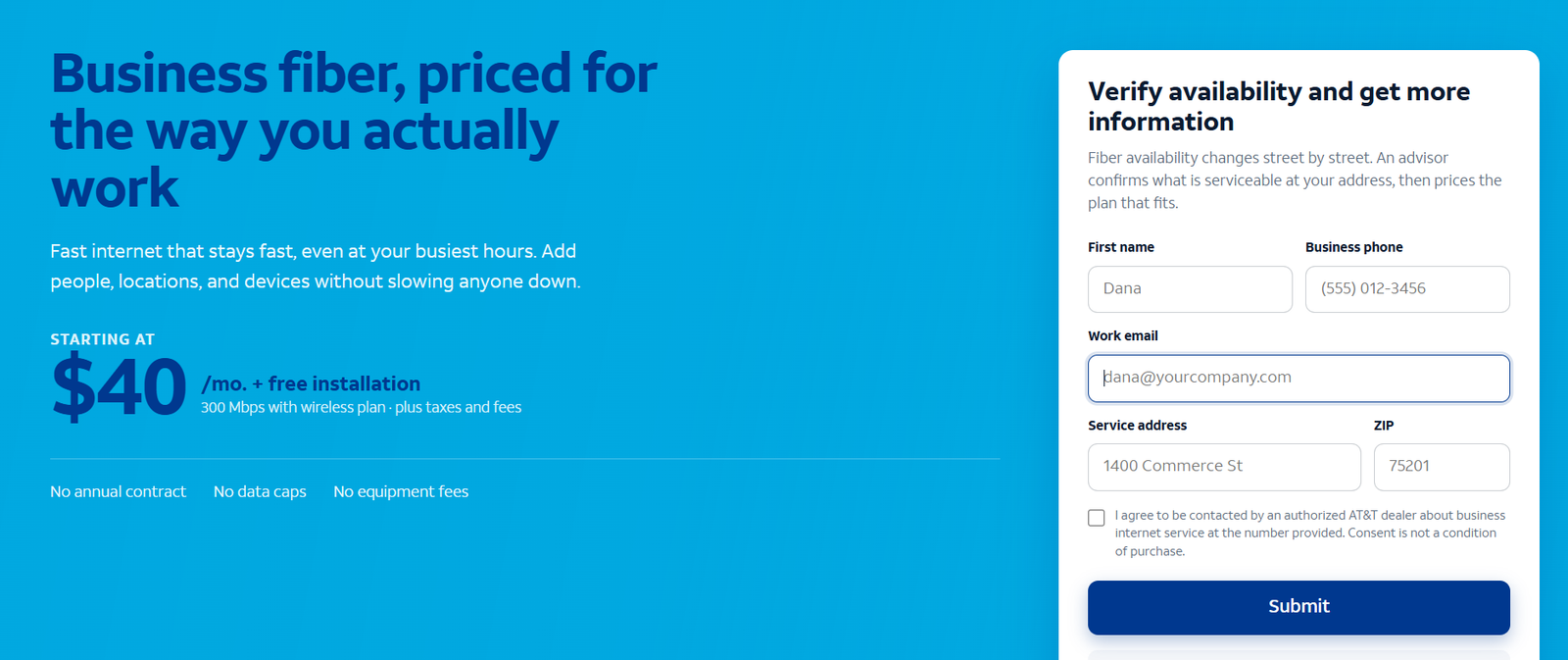
Typical response expectation: 24–48 business hours after submission through the supplied referral route. This is an expectation, not a guaranteed installation or response deadline. The screenshot above is a sample; use the linked product page to submit your inquiry.
Dedicated AT&T Reviews
Read the relevant product page: AT&T Business Fiber review, Internet Air for Business overview and Business Wireless review. Request a comparable Comcast Business quote for a commercial office.
Customer Reviews: What the Evidence Can Tell You
Positive AT&T example: Belinda C., 5/5 on G2, May 1, 2026. She reported dependable internet and phone service and no particular dissatisfaction. The listing does not identify which of the AT&T products discussed here she uses.
The same general G2 listing also contains older critical feedback about customer support. Neither a positive review nor a broad carrier complaint establishes the performance of a new circuit in your building.
For a more useful local assessment, ask nearby businesses using the same access service about installation, busy-hour uploads, outage follow-up and unexpected bill changes. Match the product and location before using a review to make a purchase decision.
AT&T vs Xfinity FAQs
Is AT&T or Xfinity better for office internet?
Xfinity can suit permitted home-office use, while AT&T Business Fiber is worth evaluating for a business-service agreement and symmetrical uploads. For commercial service from Comcast, compare Comcast Business separately.
What is the difference between Xfinity and Comcast Business?
They are separate residential and business offerings from Comcast. Their pricing, agreements, features and support should not be treated as interchangeable.
Is this an AT&T residential Fiber comparison?
No. The AT&T pricing and business features on this page refer to AT&T Business Fiber. If you want residential service from both providers, obtain an AT&T residential quote for your address rather than using these business prices.
Which is cheaper: AT&T or Xfinity?
Xfinity has lower residential monthly references at the matching download tiers shown here. These are different service categories. Compare permitted use, upload speeds, equipment, taxes and additional features before choosing.
Which offers better upload speeds?
AT&T Business Fiber advertises symmetrical speeds. Check the exact Xfinity upload profile at your address and compare it with the AT&T tier you would order. Download speed alone does not establish upload capacity.
Which is better for VoIP and video meetings?
Either suitable connection can support calls and meetings. Test simultaneous calls and uploads during working hours, checking latency, jitter and packet loss. Adequate upstream headroom and a stable local network matter.
Which plan suits an office with 10–20 employees?
Choose from measured concurrent demand rather than headcount alone. Account for video meetings, cloud backups, file transfers and guest devices. A commercial office should evaluate an appropriate business-service agreement.
Do AT&T and Xfinity include Wi-Fi equipment?
AT&T Business Fiber advertises included gateway equipment, and the cited Xfinity home offers include Wi-Fi equipment. Confirm the model and any charges for extra access points or optional networking services.
How do installation fees and contract terms compare?
Both cited services advertise no annual internet contract. Installation and activation depend on the exact offer and premises. Request technician, wiring, equipment-return and relocation conditions in writing.
Do both services include static IP addresses and backup internet?
Do not assume so. Request static-IP pricing on the business service and check exact backup eligibility and application limitations. Comcast Business backup products are separate from Xfinity residential service.
How much does service cost after promotional pricing ends?
Ask for the later rate in the address-specific order. Xfinity’s cited guarantee covers the base internet rate for five years, with conditions and exclusions. AT&T pricing also depends on its accepted offer and any qualifying discounts.
Can I use residential internet for a business office?
Check the residential agreement and address eligibility for the intended activity. Remote work at home and a commercial office are different situations; do not assume a home plan permits every business use or includes required business features.
How can I check AT&T vs Xfinity availability?
Enter the complete service address with each provider and confirm the product, download and upload rates, equipment and installation requirements. A general coverage map does not establish service inside your building.
Should I read the Comcast Business comparison instead?
Yes, if you need an equivalent business-service comparison for commercial premises, business support, static addressing or dedicated-service requirements. This page focuses on the AT&T vs Xfinity home-office and service-category decision.
Final Recommendation
For AT&T vs Xfinity, choose around the type of office first. Xfinity can be a cost-conscious home-office option where permitted use and actual uploads fit the workload. AT&T Business Fiber is worth evaluating when symmetrical uploads and a business-service agreement matter.
For commercial premises, compare equivalent business services in our AT&T vs Comcast Business internet comparison. Confirm availability, full costs and working-hour call performance before switching.
AT&T, Xfinity and Comcast are trademarks of their respective owners. VoIPCalling.com is an independent publisher.
Affiliate disclosure: VoIPCalling.com may earn a commission if you purchase through it, at no additional cost to you.