
AT&T Business Fiber is our starting choice for an eligible office that needs symmetrical uploads and no annual internet contract. Comcast Business is worth comparing when its address-specific connection, security package and price-lock options better match your requirements. The best service is the one you can order at your premises with the right upload profile, complete bill and recovery plan.
This AT&T vs Comcast Business internet comparison evaluates upload capacity, office performance, support and total costs. When comparing AT&T business internet vs Comcast Business, match the specific services available at your address. This guide compares business internet, not residential AT&T or Xfinity plans. It covers wired office access, AT&T Internet Air at a fixed approved address, portable wireless needs and the separate dedicated services that medium and enterprise buyers may require.
Affiliate notice: VoIPCalling.com may earn a commission through it, at no additional cost to you.
AT&T vs Comcast Business: Quick Overview

| Buying factor | AT&T business options | Comcast Business |
|---|---|---|
| Wired office internet | Business Fiber: fiber to the premises with symmetrical tiers. | Business Internet commonly uses hybrid fiber-coax; selected services/areas also offer symmetrical speeds. |
| Entry price reference | Fiber 300: $60/month, or $40 with eligible Business wireless + taxes. | Standard 300: starting at $70/month under the cited one-year pricing + taxes; billing conditions apply. |
| Rate predictability | No equivalent five-year price lock is assumed here. | Five-year price lock on qualifying internet packages; a one-year contract is required. |
| Fixed wireless access | Internet Air: tower-fed gateway; approved service address only. | Wireless Connect is a backup addition to Business Internet, not the same type of primary service. |
| Portable access | Separate Wireless Broadband: portable hotspot/router internet with up-to-speed tiers. | Business Mobile is separate mobile service; do not assume the office backup device is portable. |
| Backup | Integrated Fiber backup on eligible 1 GIG and higher plans. | Wireless Connect adds multi-network backup and battery support for additional charges. |
| Next step | Check AT&T Fiber · Check Internet Air | Check Comcast Business plans |
Quick decision: start with AT&T Fiber for upload-heavy office work. Evaluate Comcast when its local speed profile and complete package offer better value, especially if a qualifying price lock or its backup design is important. Neither provider wins every address.
G2 Customer Review Snapshot

AT&T customer example: 5/5 — Belinda C., Practice Administrator, May 1, 2026. Comcast Business customer example: 5/5 — Jody H., Business Owner, April 22, 2026.
These are individual G2 review scores, not aggregate ratings for the plans in this comparison. The customer comments and relevant limitations appear near the end.
AT&T vs Comcast Business Internet Pricing and Plans
| Fiber tier | Without eligible wireless bundle | With eligible Business wireless |
|---|---|---|
| 300 Mbps | $60 + taxes | $40 + taxes |
| 500 Mbps | $100 + taxes | $60 + taxes |
| 1 GIG | $140 + taxes | $90 + taxes |
| 2 GIG | $185 + taxes | $135 + taxes |
| 5 GIG | $285 + taxes | $235 + taxes |
These Fiber references are subject to address eligibility, current ordering offers and qualifying wireless service. The wireless subscription has its own bill. Open current Fiber offers before requesting a written quote.
| Business Internet tier | One-year pricing: starting at | Five-year price-lock reference |
|---|---|---|
| Standard: up to 300 Mbps | $70 + taxes | $110 + taxes |
| Performance: up to 500 Mbps | $100 + taxes | $140 + taxes |
| Gigabit Extra: up to 1.25 Gbps | $150 + taxes | $190 + taxes |
| 2 Gigabit: up to 2 Gbps | $180 + taxes | $220 + taxes |
The cited Comcast page includes SecurityEdge and a $10 monthly discount for paperless billing and bank-account AutoPay. Qualifying added services can reduce the internet charge but have their own costs. The five-year rate guarantee applies to the qualifying service charge, excluding taxes and fees, and requires a one-year contract.
Who wins the entry-price comparison?
AT&T Fiber 300 has the lower listed entry charge in the two cited plan tables: $60 against Comcast Standard 300 starting at $70. This is not a claim that AT&T is cheaper than every Comcast promotion. Compare your actual quote, its inclusions and the complete bill.
At 500 Mbps downloads, the listed internet references are both $100 before applicable extras; AT&T’s qualifying wireless bundle lowers its internet charge to $60. That does not make the bundle free or establish identical upload speeds.
Do not compare AT&T’s discounted bundle with Comcast’s undiscounted package and call the difference a standalone saving. Ask each provider for the same set of services. Promotions and regional offers may differ from the national page.
Compare Total Monthly Costs, Equipment and Contract Terms
AT&T vs Comcast business internet total cost depends on the complete order, not just its advertised internet rate. Compare standalone plans first, then price any internet and phone bundles or mobile additions separately.
| Cost item | What to request from both providers |
|---|---|
| Monthly service | The introductory charge, its expiry date and the regular price after the promotion. |
| Equipment and Wi-Fi | Gateway rental or inclusion, extra access points, managed Wi-Fi and replacement or return conditions. |
| Installation | Activation, professional installation, construction and any conditional fee waiver. |
| Static IP and backup | Address-block price, backup subscription, hardware and power-protection costs. |
| Bundles and billing discounts | Required phone or mobile subscriptions, payment method and the cost if a qualifying service is removed. |
| Contract and cancellation | Minimum commitment, early termination formula, notice period and unreturned equipment fees. |
Effective monthly cost = (all recurring charges over your comparison period + one-time charges − confirmed credits) ÷ months. Include taxes and fees where quoted. Obtain prices for both the first year and later years; do not assume a five-year service-rate lock freezes every invoice item.
Comcast’s current package page specifies included equipment for gig-speed packages; confirm charges on lower tiers. Check the AT&T gateway inclusion and any separately ordered Wi-Fi services in your quote. See the Comcast Business package conditions and AT&T Business Fiber details.
Which Plan Suits an Office with 10–20 Employees?
For AT&T vs Comcast small business internet, size the connection around simultaneous activity. Twenty employees checking email have a different demand from ten employees running video calls while uploading project files.
Estimate busy-hour demand
Add the published bandwidth requirements for concurrent calls and meetings, then allow capacity for cloud applications and file transfers. Check download and upload requirements separately, and leave headroom rather than planning to use all available capacity continuously.
A 300 or 500 Mbps download tier can be a starting point to evaluate for routine office work, not a guaranteed employee allowance. Upload-heavy teams should compare symmetrical Fiber with Comcast’s quoted upstream speed. Gigabit service is worth evaluating for large shared transfers, provided the firewall, switches and endpoints can use it.
Test latency and call quality under load
Compare AT&T vs Comcast business internet latency using wired tests during normal office hours. Record jitter, packet loss and call quality while uploads run. A higher download tier alone does not prove lower latency or better VoIP performance.
Static IP, Data Limits and Business Internet SLAs
For AT&T vs Comcast Business static IP pricing, request the required address block and its recurring charge in writing. Confirm VPN compatibility, inbound access and whether the public address changes during failover. Do not assume static addresses are included in the advertised internet price.
Comcast’s Business Internet page lists no data caps. Evaluate data policies for each AT&T service separately: wired Fiber, Internet Air and wireless backup are different products. Unlimited usage does not establish dedicated capacity, unrestricted wireless priority or guaranteed speeds.
Shared business broadband and dedicated internet require separate comparisons. A fiber connection does not automatically provide exclusive bandwidth or a dedicated-service SLA. For an AT&T vs Comcast business internet SLA comparison, request the applicable document and check uptime measurement, latency commitments, exclusions, claim deadlines and service credits. Ask about repair targets separately from support opening hours.
If contractual performance commitments are essential, compare AT&T Dedicated Internet with Comcast Dedicated Internet proposals. Do not apply those terms to ordinary shared business plans or treat a service credit as a guarantee that calls will remain connected.
The Five-Year Price Lock: Useful, but Check the Arithmetic
A rate lock can help a business budget beyond the first promotional year. Comcast’s quoted lock references are higher than its listed one-year starting rates, so the decision depends on later charges, services you keep and the period you expect to remain at the premises.
Illustrative first-year calculation: Standard at $70 totals $840 over twelve months; a $110 rate totals $1,320. The $480 difference excludes taxes and extras. It compares the published package charges only and does not establish which costs less over five years.
For a five-year comparison, request the charge for every year under both options. Include equipment, required add-ons, promotion expiry, service changes and cancellation terms. A locked internet rate is not necessarily a locked total invoice.
If a qualifying security, backup or mobile addition creates a discount, compare the addition’s own price with the saving it unlocks. Buying an unwanted service can increase the bill even while the internet line becomes cheaper.
AT&T’s no-annual-contract structure can be useful when a location or workload may change. It does not promise that a current offer will remain unchanged indefinitely or remove a separate equipment-financing obligation.
AT&T Business Fiber vs Comcast Business Internet: Connection Types
AT&T Business Fiber delivers a fiber access line to the premises. Comcast’s network-management disclosure describes DOCSIS hybrid fiber-coax access for its conventional Business Internet offerings. Fiber-powered is therefore not enough information to identify the final connection at your office.
Comcast also markets symmetrical Business Internet in selected areas and tiers, and separately offers Dedicated Internet. Avoid treating every Comcast order as the same cable product. Ask for the access technology, downstream speed and upstream speed on the proposed service.
For ordinary office use, either suitable wired connection can support browsing, payments and cloud applications. For frequent uploads, the upstream profile deserves more attention. For strict service commitments, compare equivalent dedicated proposals.
A simple purchasing rule is to request three lines in the quote: connection technology, download tier and upload tier. If any is missing, resolve it before approving a migration.
Upload Speeds: Why AT&T Fiber Is Our Starting Choice
Fiber’s symmetrical tiers mean its advertised upload and download capacities match. That makes AT&T Fiber a straightforward option to evaluate when work generates substantial outgoing traffic.
Comcast’s network-management page describes conventional HFC uploads ranging up to 25–300 Mbps depending on the service. Its measurement tables use a May 2024 purchase baseline, so they should not be treated as a complete 2026 availability list. Its enterprise page confirms symmetrical speeds in selected areas and tiers.
AT&T Fiber wins as the clear starting recommendation for symmetrical office capacity. If Comcast can quote equivalent uploads at your address, compare that actual service and price rather than an older nationwide cable-speed assumption.
Compare the upstream job, not just downloads
A design studio uploading project files and a retailer mainly receiving cloud records may need different capacity even with similar staff numbers. List outgoing backups, live video meetings and file transfers during the busiest hour.
As an illustration, a 2 GB file contains roughly 16 gigabits. At a sustained 100 Mbps, its theoretical transfer time is about 160 seconds; at 500 Mbps, about 32 seconds. These are bandwidth calculations, not tested AT&T or Comcast results. Real transfers include overhead and other limits.
A faster circuit will not fix an old switch or a poorly positioned Wi-Fi access point. Check local equipment before upgrading, and assess wired and wireless endpoints separately.
AT&T vs Comcast Internet for VoIP, Video Meetings and Cloud Work
Both providers can carry internet-based calling and collaboration when the local connection is suitable. Call quality depends on latency, jitter, packet loss and competing traffic, not just the highest download number.
For an office with frequent meetings, evaluate Fiber’s upload headroom first. Comcast may meet the same workload with the right local tier. Internet Air needs an address-specific reception and busy-hour assessment.
A practical acceptance test is to run normal payments, meetings and uploads together. Record whether audio breaks up, whether transactions time out and whether a large transfer disrupts other work. Repeat during the busiest period rather than relying on a quiet-hour result.
A business internet plan and a complete phone system are separate services. Confirm numbers, call handling, subscription charges and backup compatibility. Neither an internet discount nor a provider’s voice catalogue proves that every calling feature is included.
AT&T vs Comcast Business Security, Wi-Fi and Business Tools
Comcast’s foundational SecurityEdge focuses on DNS-based threat blocking and web filtering. Its SecurityEdge Preferred service adds broader firewall functions, including IP-based blocking, intrusion detection and application controls. Those are different service levels, so check what the package includes.
AT&T’s security offering depends on the service and location. Do not assume a standard internet gateway includes every specialist security function the business needs.
Ask whether the service supports your existing firewall, DNS settings and remote-access design. Confirm how the security function behaves during backup rather than assuming protection remains identical on a different access route.
For office Wi-Fi, separate staff and guest traffic where appropriate and assess coverage throughout the workspace. Network security tools complement endpoint updates, authentication and account administration; they do not replace them.
An online account portal is useful for billing and support. If your IT team needs monitoring, configuration access or reporting across sites, request a demonstration of the actual management service proposed.
AT&T vs Comcast Business Internet Reliability and Backup
No universal uptime winner can be established for your premises from provider marketing alone. Compare local access, power, backup paths and the applications that must survive an interruption.
| Option | What is offered | What to verify |
|---|---|---|
| AT&T Fiber integrated backup | Eligible 1 GIG and higher plans with the required gateway and coverage. | No included battery; static IP and AT&T VoIP do not fail over to this backup. |
| Comcast Wireless Connect | Paid backup with dual cellular networks and Wi-Fi hotspots; compatible leased router and professional installation. | Published battery figures vary by setup; confirm device, service level and application behaviour. |
| Separate internet backup | A second suitable circuit or portable broadband connection. | Power, carrier diversity, router configuration and recovery procedures. |
Comcast’s Wireless Connect page highlights up to eight hours of connectivity, while its FAQ and terms describe up to 8–16 hours depending on the level of service and connected devices. Treat the figure as conditional and obtain the specification for the ordered setup. It advertises no data caps, overage charges or throttling on that backup service.
Wireless Connect is a different offer from Connection Pro. Do not carry over a Connection Pro specification to a Wireless Connect quote without confirmation.
AT&T’s integrated backup is tier-specific and has data restrictions; the provider FAQ identifies static-IP and AT&T VoIP limitations. Its outage-credit guarantee has separate qualifying conditions. A credit is different from keeping an application online.
Battery support is only one part of continuity
A backup device’s battery does not necessarily power the router, switch, payment terminal or workstation attached to it. List the complete path needed for a transaction or call, then check power for every part.
Test a primary-link interruption and restoration before relying on backup. Verify whether an active call survives, a payment can complete and a remote-access session reconnects. Do not assume automatic switching preserves every session.
Internet Air and Portable Wireless: Different Requirements
AT&T Internet Air supplies fixed business internet through a device receiving 4G LTE/5G/5G+ tower signals. The hub must remain at the approved service address and cannot be taken on the road. It avoids a new cable or fiber access line but still needs usable reception.
Current public references show Standard at $50/month or $30 with eligible wireless, and Premium at $80 or $60 with eligible wireless, + taxes. Billing and promotional conditions apply; the device is sold separately. Check the live Internet Air offer.
Premium advertises faster uploads than Standard and a 250GB priority allowance. Unlimited data does not mean unlimited priority or guaranteed speed. For an office comparing Air with wired Comcast, test actual busy-hour applications before choosing the wireless gateway.
Portable internet is a separate need. AT&T Wireless Broadband offers unlimited data with maximum tiers of up to 25, 50 or 100 Mbps through a suitable hotspot/router. It can serve mobile work, temporary pop-up locations and emergency access, subject to coverage and allowed use.
Business Wireless smartphone plans have their own line pricing and hotspot allowances. Comcast Business Mobile is also separate from office internet and Wireless Connect backup. Request the exact portable or phone service rather than assuming every wireless device does the same job.
Request AT&T Business Wireless details and specify Wireless Broadband if you need a portable router connection. Confirm that the referral route supports that separate service.
AT&T vs Comcast Business Availability, Installation and Customer Support
The availability winner is the provider that can deliver the required connection to your exact address and suite. Check both companies before comparing products you cannot order.
Ask for installation dates, building-access requirements, landlord permissions and any construction work. Keep the existing connection until the replacement has passed application tests. A quoted speed does not establish an installation deadline.
For Air, confirm the approved premises and device setup. For Comcast backup, confirm the installation and compatible leased router specified in the order. For any service, retain the ticket number and escalation process.
Comcast advertises 24/7 business support; AT&T also provides business support. Ask how the provider distinguishes a local equipment issue from an access fault and how urgent cases are handled. Support availability does not guarantee a particular restoration time.
This article uses eligible U.S. domestic offers. International networking requirements need a separate assessment and custom pricing; U.S. business internet prices should not be applied to an overseas installation.
AT&T vs Comcast Business Pros and Cons Compared
| Service | Strengths | Limitations |
|---|---|---|
| AT&T Business Fiber | Symmetrical capacity; no annual internet contract; eligible wireless savings. | Fiber address eligibility; total bundle cost; backup exclusions. |
| AT&T Internet Air | Fixed-location access without a new wired access line. | Must stay at approved address; variable cellular experience; device charge. |
| Comcast Business Internet | Security-inclusive packages; qualifying price lock; local tier choice. | Offer-specific contracts and charges; verify upload capacity and regular rates. |
| Comcast Wireless Connect | Multi-network backup and battery support. | Additional price, compatible equipment and conditional battery runtime. |
AT&T Fiber is a strong fit for routine uploads at a permanent office. Comcast can be competitive where its local connection and complete package solve more of the business’s requirements. Neither a bundle nor a faster headline speed is valuable if it adds services you do not use.
Clear Winners by Business Need
| Overall requirement | Recommended starting choice | Reason |
|---|---|---|
| Symmetrical uploads at a permanent office | AT&T Business Fiber | A clear symmetrical-tier proposition where available. |
| Lower listed 300 Mbps entry charge in the cited tables | AT&T Fiber 300 | $60 versus Comcast Standard starting at $70; local promotions can differ. |
| Qualifying five-year internet rate lock | Comcast Business | A stated lock option with a one-year contract; compare the total charge. |
| Fixed internet through a tower-fed gateway | AT&T Internet Air | Evaluate approved-address wireless reception and performance. |
| Portable hotspot/router internet | AT&T Wireless Broadband to evaluate | Choose the separate portable service and suitable tier. |
| Multi-network backup with battery support | Comcast Wireless Connect to evaluate | Confirm ordered runtime, equipment and application recovery. |
| Medium business with multiple offices | Compare per-site proposals | Availability, upload requirements and management vary by location. |
| Enterprise or strict service-level requirements | Equivalent dedicated-service comparison | Evaluate capacity, SLAs and recovery rather than entry SMB prices. |
These recommendations follow the connection and operational need. They are not employee-count limits. For a medium business, inventory every site and the workloads it serves. For an enterprise, request a service design with consistent support ownership and reporting.
Comcast offers separately quoted Dedicated Internet with symmetrical capacity and service commitments. Compare it with a suitable AT&T dedicated proposal, not with a shared Fiber or ordinary cable plan’s introductory price.
Request Comparable Quotes
Provide the same requirements to both companies: address and suite, access type, upload target, essential applications, static-IP needs, backup requirements and desired activation date. Ask for the complete invoice and contract terms, including the charge after any promotion.
Request Comcast Business plans and availability. For more detail, read our AT&T Business Fiber review or Business Wireless review.
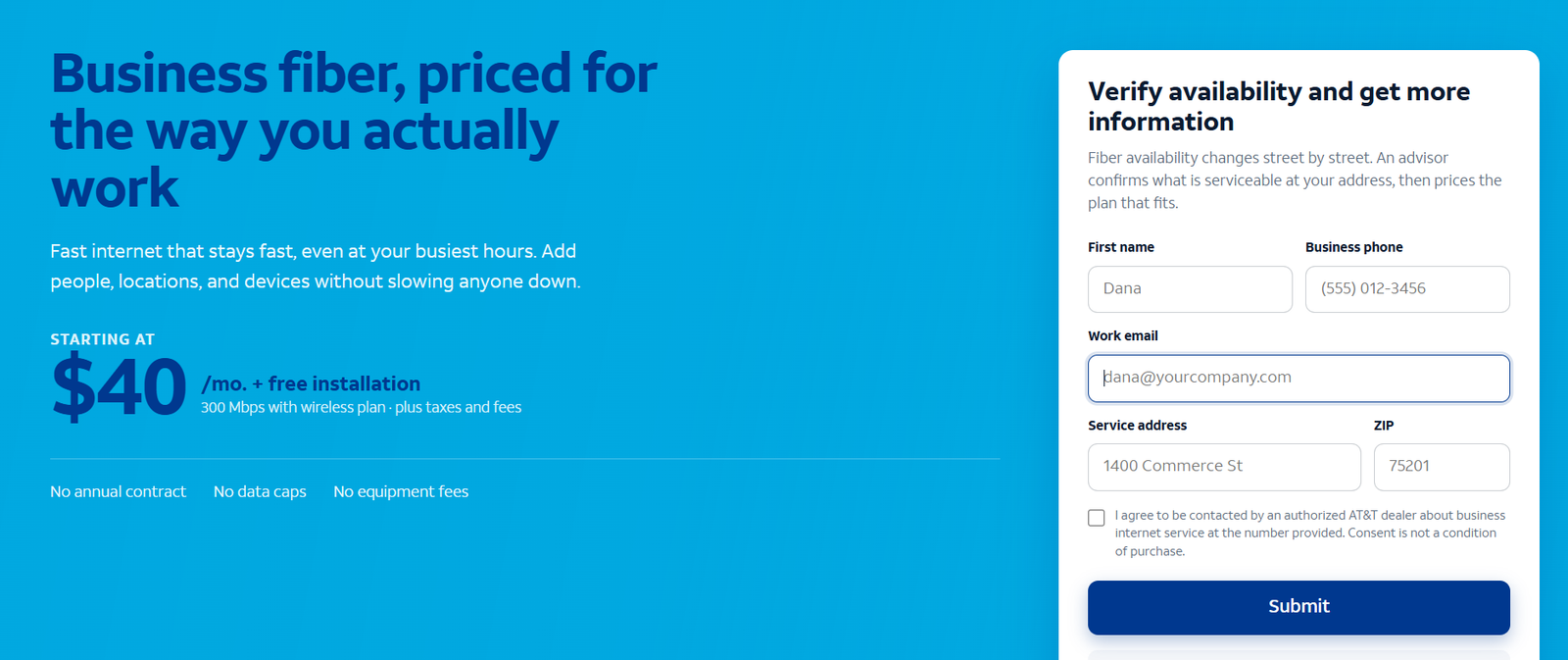
The screenshot shows the inquiry route and is not an interactive form. The supplied AT&T referral route typically expects a response within 24–48 business hours; this is not a guaranteed response or installation deadline.
AT&T vs Comcast Business Internet: FAQs
Is AT&T or Comcast Business better for business internet?
AT&T Business Fiber is a strong starting option for upload-heavy offices where available. Comcast Business may offer a better local package, price-lock arrangement or backup solution. Compare the actual connection, complete bill and support terms at your premises.
How does AT&T Business Fiber compare with Comcast Business internet?
AT&T Business Fiber offers symmetrical fiber tiers. Conventional Comcast Business cable service can have different upload and download speeds, while selected Comcast services offer symmetrical capacity. Confirm the access technology and upstream tier in each quote.
Which provider is cheaper for a small office?
The listed standalone 300 Mbps references start at $60 for AT&T and $70 for Comcast before applicable extras. Local promotions, equipment and bundle requirements can change the result. Compare the complete cost over the same period.
Which offers better upload speeds and lower latency?
AT&T Fiber’s symmetrical tiers provide clear upload capacity. Comcast’s upload profile depends on the location and product. Neither provider has universally lower latency at every office; test busy-hour latency, jitter and packet loss.
Is AT&T or Comcast more reliable for VoIP and video meetings?
Either can support calls when capacity and connection quality meet the application requirements. Evaluate upload headroom, local outages, power and backup compatibility. A download-speed claim alone cannot establish call reliability.
Which plans suit an office with 10–20 employees?
Choose by simultaneous calls, meetings, cloud work and file transfers rather than employee count alone. Evaluate 300 or 500 Mbps tiers for routine workloads and higher capacity for heavier transfers, while confirming adequate upload bandwidth.
Do their business internet plans include Wi-Fi equipment?
Check the exact package. Comcast’s public page specifies equipment included for gig-speed packages. Confirm AT&T gateway inclusion, lower-tier Comcast equipment charges, extra access points and managed Wi-Fi costs in the written order.
How do promotional rates compare with regular monthly prices?
An introductory price may expire or depend on billing and bundle conditions. Obtain the regular rate and discount expiry dates. Comcast’s qualifying five-year lock covers the specified service charge, not every tax or fee.
How do installation fees and contract terms compare?
Installation depends on the premises, existing wiring and applicable offers. AT&T Business Fiber advertises no annual internet contract; Comcast’s cited five-year price-lock offer requires a one-year contract. Confirm construction, cancellation and equipment obligations separately.
Do both providers offer static IP addresses and backup internet?
Ask for service-specific static-IP and backup options, eligibility and prices. AT&T’s integrated Fiber backup has static-IP and AT&T VoIP exclusions. Confirm how Comcast’s proposed backup handles your addresses, VPN and calling applications before ordering.
Which plans include an uptime guarantee?
Read the service-specific terms rather than assuming every business plan has the same guarantee. Dedicated internet proposals may include contractual service levels. Shared broadband credits, outage guarantees and dedicated SLAs are different commitments with their own exclusions.
How can I check availability at my business address?
Submit the full street address, suite and building details to both providers. Request the available access technology, download and upload tiers, construction requirements and installation timeline before comparing quotes.
Is Comcast Business the same as Xfinity?
Xfinity is Comcast’s residential service brand. This article compares Comcast Business packages and business terms with AT&T business services. Residential Xfinity prices and conditions should not be substituted into this comparison.
Does a five-year price lock require a five-year contract?
The Comcast offer cited here requires a one-year contract. The rate-lock duration and minimum service commitment are different. Check eligibility, exclusions and the effect of changing or cancelling qualifying services.
Final Recommendation
Choose AT&T Business Fiber first when symmetrical uploads and a flexible office internet subscription are priorities. Compare Comcast Business closely when its local access, security-inclusive package or five-year rate lock better fits the business. Internet Air serves a fixed approved location; portable work needs a separately suitable wireless service.
Before ordering, compare equivalent written quotes, confirm uploads and test recovery for essential applications. The strongest choice is the service that meets your daily work and continuity requirements at a complete cost you understand.
AT&T vs Comcast Business Customer Reviews: Positive Experiences and Limits
AT&T: dependable service
Belinda C., Practice Administrator — 5/5 on G2, May 1, 2026. She described internet and phone service as dependable and reported no particular downside. This general AT&T review does not identify Business Fiber or Internet Air.
Comcast Business: consistent speed for the workload
Jody H., Business Owner — 5/5 on G2, April 22, 2026. Jody reported consistent speed and service that fit their requirements and budget, without a complaint at the time of the review.
Comcast Business: support access does not resolve every outage
T B., Director of Administration — 4/5 on G2, June 4, 2025. The reviewer said support could be reached by phone, but described disruptive outages and dissatisfaction with credits. G2 marks the review as incentivized.
These examples describe individual customer experiences. They do not establish performance at your address. Use them to ask about support escalation, continuity and billing, then verify the proposed service for your own workload.
Research sources: current AT&T Business Fiber, Internet Air and Wireless Broadband pages; the supplied AT&T partner briefing; Comcast Business Internet pricing and network-management disclosures; Wireless Connect, SecurityEdge and enterprise connectivity documentation; and the relevant G2 reviews.
AT&T, Comcast Business and their product names are trademarks of their respective owners. VoIPCalling.com is an independent publisher. Offers, pricing, availability and terms may change.
Affiliate disclosure: VoIPCalling.com may earn a commission if you purchase through it, at no additional cost to you. Qualifying referrals under the supplied programme are limited to eligible U.S. business and government customers.