
AT&T Business Fiber is our first choice for businesses that need strong upload capacity, while Spectrum Business is worth comparing for its current download-focused introductory offer and availability at your address. The winner depends on the exact connection, upload speed, complete bill and backup arrangement you can actually buy.
This AT&T vs Spectrum business internet comparison focuses on office requirements, total costs and upload performance. When evaluating AT&T Business Fiber vs Spectrum Business Internet, compare the exact connection and package available at your premises. This guide concerns business services rather than residential plans. It covers AT&T Business Fiber, fixed-location Internet Air and portable wireless options alongside Spectrum’s small-business internet. Dedicated enterprise fiber is a separate buying decision.
Affiliate notice: VoIPCalling.com may earn a commission through it, at no additional cost to you.
AT&T vs Spectrum Business Internet: Quick Overview

| Decision factor | AT&T business options | Spectrum Business |
|---|---|---|
| Primary wired connection | Business Fiber: fiber to the premises, symmetrical speed tiers. | Small-business Fiber-Powered Internet: the current page describes coaxial access to the premises. |
| Starting price reference | Fiber 300: $60/month, or $40 with eligible Business wireless + taxes. | 500 Mbps: $50/month for one year, online-only, no bundle required + applicable taxes. |
| Uploads | Fiber’s advertised upload tier matches its download tier. | Upload capacity depends on the plan and local network; confirm it in the quote. |
| Fixed wireless device | Internet Air: gateway receives cellular tower internet; approved address only. | Spectrum’s cited backup services are fixed-address outage products, not a travel hub. |
| Portable internet | Separate Wireless Broadband offers unlimited data at up-to-25/50/100 Mbps tiers. | Do not assume a Business Internet backup device supplies portable primary internet. |
| Contracts and data | No annual internet contract on Fiber/Air; Fiber has no data caps. | Advertises no long-term small-business internet contracts and unlimited data. |
| Next step | Check Fiber availability Explore Internet Air | Check Spectrum Business availability |
Quick winner: choose AT&T Fiber when symmetrical uploads are important and its address-specific quote fits. Consider Spectrum’s 500 Mbps offer when the priority is a lower introductory price for downloads and everyday office use. Compare post-promotion rates before choosing either.
AT&T vs Spectrum: Customer Review Snapshot

AT&T customer example: 5/5 on G2 — Belinda C., Practice Administrator, May 1, 2026. Charter Spectrum customer example: 5/5 on G2 — Janna J., Data Processing Specialist, May 9, 2026.
These are individual customer review scores from broader provider listings, not aggregate ratings for the specific business plans in this comparison. Their positive comments and limitations appear near the end.
AT&T vs Spectrum Business Internet Pricing: Introductory vs Regular Costs
| Product or plan | Without a qualifying bundle | With eligible bundle / condition |
|---|---|---|
| AT&T Fiber 300 Mbps | $60 + taxes | $40 + taxes with eligible Business wireless |
| AT&T Fiber 500 Mbps | $100 + taxes | $60 + taxes with eligible Business wireless |
| AT&T Fiber 1 GIG | $140 + taxes | $90 + taxes with eligible Business wireless |
| AT&T Internet Air Standard | $50 + taxes | $30 + taxes with eligible Business wireless |
| AT&T Internet Air Premium | $80 + taxes | $60 + taxes with eligible Business wireless |
| Spectrum Business Internet 500 | $50 + applicable taxes | One-year online offer; no bundle required |
| Spectrum Business Internet 750 | $95 + applicable taxes | Ask for available bundle and price-guarantee terms |
| Spectrum Business Internet 1 Gig | $115 + applicable taxes | $90 reference when bundled; qualifying terms apply |
AT&T’s displayed Fiber prices have eligibility and ordering conditions. Air promotions include billing discounts and a 36-month credit; the device is sold separately. Spectrum’s promotional rates change after their stated period unless another eligible price guarantee applies. Equipment, installation and other applicable charges need confirmation in either quote.
See current AT&T Fiber offers · See Internet Air offers · See Spectrum’s current business plans
Who wins on starting price?
Spectrum wins the displayed introductory-price comparison for a 500 Mbps download tier without a wireless bundle: $50 versus AT&T Fiber 500 at $100. Compare actual download and upload performance at your premises before choosing. This comparison says nothing about equal upload capacity or the bill after Spectrum’s first year.
At the entry level, AT&T Fiber 300 at $60 is a different speed tier from Spectrum 500 at $50. With eligible wireless, Fiber 300 drops to $40, but the wireless subscription has its own cost. Do not treat the bundled price as a standalone offer.
A useful first-year calculation
Using only the stated internet charges, Spectrum 500 at $50 totals $600 over twelve months; AT&T Fiber 300 at $60 totals $720. The $120 difference excludes taxes, equipment and other charges, and compares different download and upload profiles. It is an illustrative calculation, not a complete quote.
Ask both providers for a 24-month cost schedule. Include the first bill, regular bill, promotion expiry, required bundle, device instalments and cancellation obligations. This usually produces a more useful comparison than selecting the lowest number on an offer card.
AT&T Business Fiber vs Spectrum Business Internet: Fiber vs Cable
AT&T Business Fiber uses a fiber access connection to the premises. Spectrum’s current small-business page calls its service Fiber-Powered Internet and explicitly describes a coaxial connection to the premises. Fiber in a provider’s wider network is not the same as fiber reaching your office.
That does not make every Spectrum service identical. Spectrum separately offers Dedicated Fiber Internet for enterprise requirements, and its network upgrades can change available upload speeds by market. Ask which technology and speed profile serve your particular suite.
Internet Air is a third connection type: a gateway receives internet from AT&T’s 4G LTE/5G/5G+ towers, without a new cable or fiber access line. It must stay at the approved address. It is neither a business smartphone plan nor a hub you can carry between sites.
Compare the service you can order, not just the provider’s brand. An address with Spectrum wired access and no AT&T Fiber requires a different decision from an office where both wired products are available.
AT&T vs Spectrum Business Upload and Download Speeds
AT&T Fiber advertises symmetrical tiers from 300 Mbps through 5 GIG. Spectrum’s business planning guide lists common configurations of 500/20 Mbps, 750/35 Mbps and 1 GIG/50 Mbps, plus 2 GIG/1 GIG in select markets. These Spectrum examples are not universal limits for every upgraded location.
AT&T Fiber wins for predictable symmetrical capacity in this comparison. Before deciding, ask Spectrum for the actual upload speed on your address-specific plan. A local upgraded service may change the comparison.
Why uploads matter
An office sends data when employees join video meetings, share large files or back up documents. More download capacity cannot remove an upstream bottleneck. A connection can download a document quickly while struggling to send a large project during meetings.
For illustration, a 1 GB upload contains roughly 8 gigabits. At an ideal sustained 20 Mbps, that takes about 6 minutes 40 seconds; at 300 Mbps, about 27 seconds. Real transfers take longer because of overhead, competing traffic and destination limits. This calculation illustrates bandwidth, not measured results from either provider.
Do not choose by employee count alone. A compact video-production studio can have greater upload needs than a large office primarily browsing and emailing. Record simultaneous activities, then select capacity and equipment for those workloads.
AT&T’s highest tier also requires suitable hardware; its public page qualifies 5 GIG with a 4.7 Gbps single-device wired maximum. Neither provider’s headline speed promises the same performance over every laptop’s Wi-Fi.
AT&T vs Spectrum for VoIP, Video Conferencing and Cloud Applications
Either suitable connection can carry internet-based business calling and cloud software. The deciding factors include upload headroom, latency, jitter and packet loss during the busiest working period. A successful download speed test does not establish call quality.
For an office relying heavily on calls and meetings, we would start with available Fiber and a tested backup route. Spectrum may still fit well where its actual upload profile meets the workload. For Air, test reception and busy-hour behaviour at the approved premises.
Network access and a phone subscription are separate purchases. Confirm the calling service, business numbers, features and charges rather than assuming they arrive with an internet plan. Also confirm what happens to the voice service during failover.
Use wired connections for critical endpoints where practical, avoid scheduling large backups during peak calls, and check local Wi-Fi coverage before paying for a faster internet tier. These are network-design choices rather than exclusive provider features.
AT&T vs Spectrum Business Wi-Fi, Equipment and Security
Spectrum offers Advanced WiFi and its newer Invincible WiFi option, with availability and compatibility conditions. AT&T supplies a Fiber gateway and offers security capabilities depending on the service and location. Confirm included features and paid additions in the written order.
Neither an advertised security feature nor a supplied gateway replaces sensible office network administration. Separate guest traffic from business systems, maintain device updates, use strong account authentication and decide who can change router settings.
For a larger workspace, map coverage where people actually work. A single gateway placed near the access line may not provide good reception in meeting rooms or behind dense walls. Obtain a Wi-Fi design if the premises needs additional access points.
If your IT provider requires a static IP, a specific firewall or inbound access, demonstrate that configuration before migrating. Primary-service compatibility and backup compatibility are separate questions.
AT&T vs Spectrum Business Internet Reliability and Backup
For a permanent office, wired Fiber is generally more predictable than a connection dependent on indoor cellular signal and tower load. Between two wired services, local network conditions, the equipment and recovery process still matter. We cannot establish a universal uptime winner from headline marketing claims.
| Backup option | Published scope | Important limitation |
|---|---|---|
| AT&T Fiber integrated backup | Eligible 1 GIG and higher plans, required gateway and coverage. | Gateway has no included battery; static IP and AT&T VoIP do not fail over. |
| Spectrum Wireless Internet Backup | Legacy small-business LTE product: up to four devices, up to 10 Mbps download and up to eight-hour battery support. | Static IP and Business WiFi are not supported during this backup mode. |
| Spectrum Invincible WiFi | Compatible business router/plan; automatic 5G backup with up-to-eight-hour battery support. | Service-address outage use; cellular speeds reduce after 100GB/month. |
| Separate portable broadband | Suitable hotspot/router service can provide emergency access. | Requires coverage, power and an actual failover or manual recovery process. |
Do not apply the older Spectrum LTE product’s four-device or 10 Mbps figures automatically to Invincible WiFi. Confirm the exact service name and terms in your quote. Similarly, do not assume every AT&T Fiber tier includes integrated backup.
AT&T’s backup has its own data and application restrictions. Its Business Guarantee provides credits for qualifying outages, with exclusions; a credit is not a substitute for keeping essential work available.
Spectrum’s battery feature can be useful during a local power interruption, but it does not necessarily power your separate switches, desktop PCs or payment equipment. A battery supporting the gateway is only one part of continuity.
What to test before trusting backup
- Identify payments, voice calls and applications that must remain usable.
- Interrupt the primary connection during a controlled test.
- Verify which endpoints retain access and whether active sessions recover.
- Test power support for all essential equipment.
- Restore the primary link and check normal operation.
AT&T vs Spectrum Business Customer Support and Installation
Spectrum advertises U.S.-based support available around the clock for its business service. AT&T also offers business support. Availability of support does not establish how quickly every local fault will be resolved.
Ask each provider who owns the ticket, how urgent cases are escalated and when a technician can be dispatched. Get the installation timetable in writing and keep the old connection active until the replacement passes your application checks.
For Fiber or coaxial installation, clarify building access, landlord permissions and the equipment location. For Air, clarify the approved address, device delivery and setup. Self-setup still depends on activation and usable reception.
When requesting a quote, include the full address and suite number. Coverage nearby is not proof that your premises can order the same service. The winner on availability is the provider that confirms the required connection at your actual location.
Fixed vs Portable: Where AT&T Internet Air and Wireless Fit
Internet Air is fixed business internet delivered through a wireless gateway. You cannot take its hub on the road. Evaluate it when a new wired access line is unavailable or unsuitable and the premises has acceptable reception.
AT&T’s separate Wireless Broadband service supplies portable hotspot/router internet with unlimited data at maximum tiers of up to 25, 50 or 100 Mbps. It can serve mobile work, temporary pop-up sites and emergency needs, subject to coverage and permitted use. Business Wireless phone plans are separately priced mobile-line services.
Spectrum’s cited backup options are designed to protect service at a fixed address during an outage. Do not purchase one expecting a portable primary hotspot. If you need employee mobile service from either provider, request that plan separately.
For AT&T, clearly specify Wireless Broadband when asking about portable internet and confirm that the referral route supports that distinct service. Request Business Wireless details or read our Business Wireless review.
AT&T vs Spectrum Business Internet Pros and Cons
| Provider | Main strengths | Main limitations |
|---|---|---|
| AT&T Business Fiber | Symmetrical capacity; useful upload tiers; eligible wireless bundle savings. | Fiber availability; total bundle cost; integrated-backup eligibility and compatibility. |
| AT&T Internet Air | Fixed-location internet without a new wired access installation. | Approved-address restriction; variable cellular conditions; device charge. |
| Spectrum Business Internet | Current 500 Mbps introductory offer without a bundle; business Wi-Fi and backup options. | Promotion expiry; verify local uploads; backup products have different terms. |
Spectrum’s introductory download pricing can be attractive for ordinary office work. AT&T Fiber’s upload profile can justify a higher bill when sending data is a recurring business task. Pay for the capability the business needs rather than assuming every cheaper or faster plan is better.
Compare Total Costs, Bundles and Billing Conditions
For AT&T vs Spectrum business monthly cost, request matching standalone quotes before adding business internet and phone bundles. A discounted internet line can still produce a larger total invoice when it requires another subscription.
| Cost Category | What to Compare |
|---|---|
| Service rate | Introductory price, offer expiry, standard rate and any price-guarantee exclusions. |
| Bundles and billing | Separate phone or mobile charges, required services, AutoPay and paperless-billing conditions. |
| Equipment and Wi-Fi | Modem or gateway inclusion, router fees, extra access points and managed Wi-Fi. |
| Installation and migration | Activation, cabling or construction, overlapping service and technician charges. |
| Static IP and backup | Address-block fees, backup subscription, hardware and power protection. |
| Cancellation | Notice requirements, any early termination liability, remaining device payments and equipment returns. |
Effective monthly cost = (recurring charges over the comparison period + one-time costs − confirmed credits) ÷ number of months. Use a 24-month comparison that includes the regular rate after the promotion. Do not invent a future price when the quote does not state one.
Spectrum’s published terms include AutoPay and paperless-billing charges, with conditions that differ between offers. Ask which terms apply to your order. Compare AT&T’s billing and bundle requirements on the same basis. A no-contract internet offer does not remove equipment-return duties or guarantee a permanent price.
Check the Spectrum Business plan conditions and AT&T Business Fiber details alongside your written service order.
AT&T vs Spectrum Small Business Internet: Offices with 10–20 Employees
Choose capacity around concurrent activity rather than a fixed employee limit. Ten people joining video meetings while sending project files can place more pressure on uploads than twenty employees mostly using email and browser applications.
For routine office work, evaluate the available 300–500 Mbps download tiers as a starting point, then check upload capacity against the busiest hour. Add the application vendors’ bandwidth requirements for simultaneous meetings and calls, allow for file transfers, and leave headroom. A larger download plan cannot compensate for inadequate uploads.
For AT&T vs Spectrum gigabit business internet, consider whether large transfers justify the higher cost and whether your firewall, switches and computers can use the capacity. Schedule cloud backups outside busy periods where possible.
Compare Peak-Hour Performance
Test AT&T vs Spectrum business internet latency over Ethernet during working hours and while uploads run. Record jitter, packet loss and real call quality as well as download speed. Repeat tests on office Wi-Fi to identify local coverage problems separately from access-line performance. These are suggested checks, not measured results for either provider.
Static IP, Data Limits and Uptime Guarantees
For AT&T vs Spectrum business static IP pricing, specify the number of addresses and ask for the recurring charge. Confirm firewall compatibility, VPN access and whether hosted applications remain reachable during backup. Do not assume that a primary static address transfers to a cellular connection.
Compare AT&T vs Spectrum business internet data limits by product. Their wired small-business offers advertise no data caps, but wireless and backup services have separate usage and network-management conditions. Unlimited wired usage does not establish unlimited high-priority cellular data.
Shared broadband is not dedicated internet. AT&T Business Fiber and Spectrum’s standard small-business cable service should not be assigned the terms of separately sold dedicated services. Fiber to the premises does not itself guarantee exclusive bandwidth.
For an AT&T vs Spectrum business internet SLA comparison, request each proposed service’s agreement. Check uptime measurement, covered faults, exclusions, restoration targets, credit limits and claim deadlines. An outage credit does not keep an application online, and round-the-clock technical support is not a guaranteed repair time. Compare equivalent dedicated proposals if contractual performance commitments are essential.
Switching Between AT&T and Spectrum with Minimal Downtime
Whether switching from Spectrum Business to AT&T or switching from AT&T to Spectrum Business, plan the installation and application migration before cancelling the existing service.
- Confirm the office address and suite: get the connection type, upload tier, construction requirements and installation date in writing.
- Review switching costs: include temporary overlapping subscriptions, installation, device returns and any cancellation obligations.
- Install and test: check payments, VoIP, video meetings, VPN access, cloud applications and backup on the new line.
- Coordinate phone numbers and public IP changes: if also changing phone service, complete number porting before cancelling the old voice account. Update firewall allowlists and DNS where needed.
- Cut over during a quiet period: keep a rollback option, monitor normal working traffic, then cancel and return old equipment with proof of receipt.
A short overlap can cost less than an interrupted working day. Confirm any switching-credit offer before relying on it; eligibility and documentation requirements can affect reimbursement.
Clear Winners by Business Need
| Your overall need | Recommended starting choice | Why |
|---|---|---|
| Upload-heavy permanent office | AT&T Business Fiber | Symmetrical capacity, subject to availability and the written quote. |
| Low introductory cost for 500 Mbps downloads, no wireless bundle | Spectrum Business 500 | Current $50 one-year offer, where eligible; check the later rate. |
| Internet through a gateway at one approved fixed address | AT&T Internet Air | An alternative to installing a new wired access connection. |
| Portable hotspot/router internet | AT&T Wireless Broadband | Evaluate the separate portable service and the right speed tier. |
| Power-supported backup gateway | Spectrum Invincible WiFi to evaluate | Built-in battery support can help; confirm compatibility and endpoint power. |
| Medium business with several offices | Address-specific comparison | Upload profiles, service availability and management vary by location. |
| Enterprise or strict service-level requirements | Dedicated service comparison | Request equivalent AT&T and Spectrum enterprise proposals; no universal winner. |
These recommendations follow the connection requirement rather than team-size thresholds. For enterprise needs, Spectrum Dedicated Fiber Internet includes symmetrical dedicated capacity and an SLA. Compare it with an equivalent dedicated AT&T proposal—not the entry-level shared broadband price.
How to Request the Right Quote
Send both providers the same requirements: complete address, desired wired or wireless access, upload needs, essential applications, static-IP requirement, backup design and preferred start date. Ask for a monthly charge schedule covering the promotional and regular periods.
Request Spectrum Business availability and pricing. For more AT&T detail, use our Business Fiber review and Internet Air for Business overview.
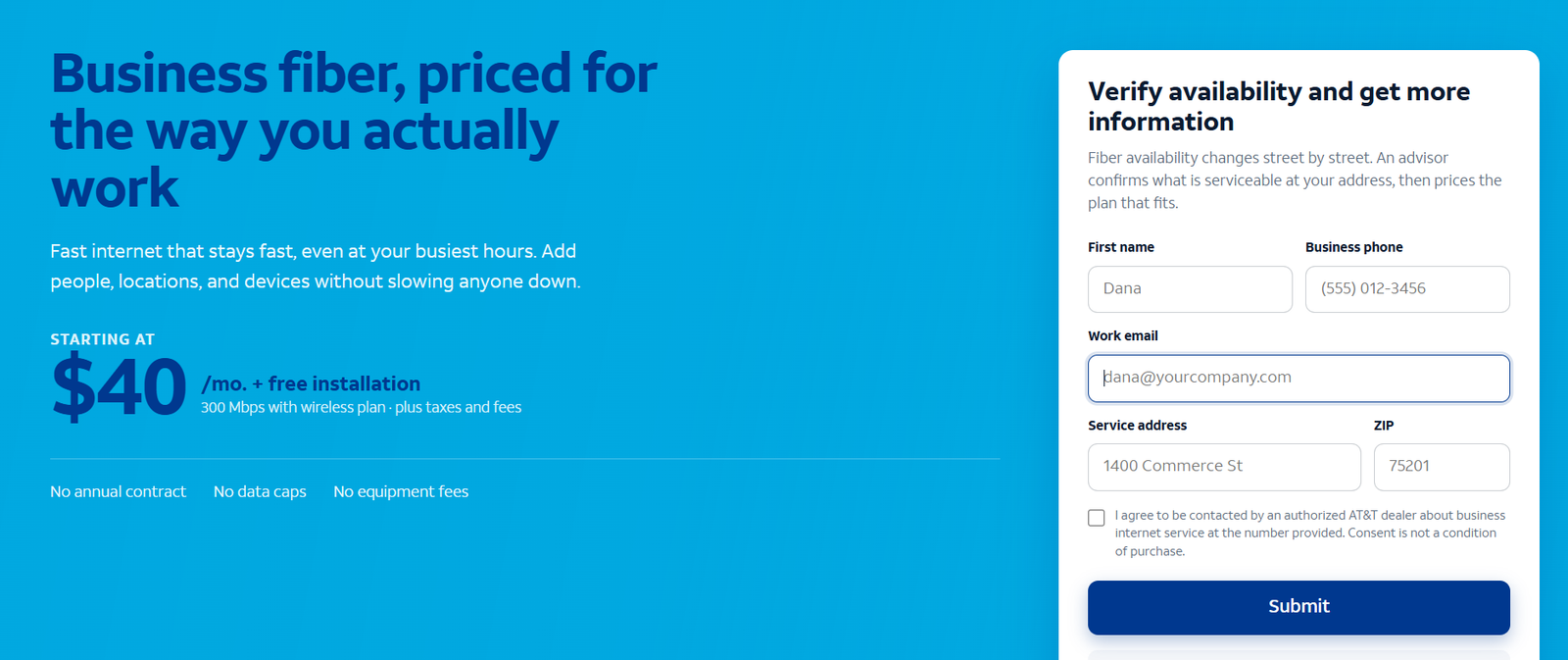
The screenshot is an example of the referral form, not an embedded order form. The supplied AT&T referral route typically expects a response within 24–48 business hours; this is not a guaranteed response or installation deadline.
This comparison uses eligible U.S. domestic offers. International business requirements need a separate location-specific assessment and custom pricing. Do not apply U.S. SMB prices to an international installation.
AT&T vs Spectrum Business Internet: FAQs
Is AT&T or Spectrum better for business internet?
AT&T Business Fiber is a strong option for upload-heavy offices where available. Spectrum can be competitive for download-focused work and introductory pricing. Compare local uploads, full costs, support and backup rather than choosing by brand alone.
How does AT&T Business Fiber compare with Spectrum Business Internet?
AT&T Business Fiber brings fiber to the premises with symmetrical speed tiers. Spectrum’s cited small-business Fiber-Powered Internet uses coaxial access to the premises. Its dedicated enterprise fiber is a separate service. Confirm the exact connection offered at your address.
Which provider is cheaper for a small office?
The cited Spectrum 500 Mbps introductory offer is $50 per month, compared with $100 for AT&T Fiber 500 without qualifying wireless. Those prices do not imply equal uploads or equal long-term costs. Include regular rates, equipment and required subscriptions.
Which offers better upload speeds for business use?
AT&T Business Fiber’s symmetrical tiers offer substantial upload capacity. Spectrum uploads depend on the local network and plan, so request the exact upstream speed. Do not apply an older cable upload profile to every upgraded address.
Is AT&T or Spectrum more reliable for VoIP and video meetings?
Either may work well when its actual capacity and connection quality meet your requirements. Test busy-hour latency, jitter, packet loss and upload headroom. Local outages, office equipment and backup design also affect reliability.
Which internet plan suits an office with 10–20 employees?
Evaluate simultaneous calls, meetings, file transfers and cloud applications. Available 300–500 Mbps download tiers can be a starting point for routine work, but upload demand may justify a different plan. Employee count alone is not a bandwidth requirement.
Do AT&T and Spectrum business plans include Wi-Fi equipment?
AT&T supplies a Fiber gateway, while Spectrum’s equipment and Wi-Fi inclusions depend on the package. Confirm router fees, additional access points, managed Wi-Fi and backup equipment in the service order. A supplied gateway does not guarantee coverage throughout an office.
How much do the plans cost after promotional pricing ends?
There is no single regular price for every address and offer. Ask each provider for the monthly rate after discounts expire and the duration of any price guarantee. Include changes caused by removing a qualifying bundle or billing discount.
How do installation fees and contract terms compare?
Installation costs depend on the premises and applicable offer. AT&T Fiber advertises no annual internet contract, and Spectrum advertises no contracts for its small-business internet. Check construction costs, equipment obligations and separate dedicated-service agreements.
Do both providers offer static IP addresses and backup internet?
Request the exact static-IP and backup options for your service, including prices and eligibility. Backup may not preserve the primary static address. AT&T integrated Fiber backup and Spectrum’s cited legacy LTE backup have specific compatibility limits.
Which business plans include an uptime guarantee?
Read the terms for the exact plan. Dedicated internet services have separate service-level commitments; do not apply them to shared broadband. Compare covered downtime, exclusions, credits and repair targets rather than assuming all business plans have the same SLA.
How can I switch providers with minimal office downtime?
Install and test the new service before cancelling the old one. Verify calls, payments, VPNs and backup, coordinate any number porting or IP changes, and schedule the cutover during a quiet period. Keep a rollback option and document equipment returns.
Do AT&T and Spectrum business internet plans have data caps?
Their wired small-business services advertise no data caps. Internet Air, portable wireless and backup services have their own network-management terms. Check those separately rather than extending a wired plan’s policy to every product.
How can I check AT&T vs Spectrum business internet availability?
Provide both companies with the complete street address and suite number. Ask for access technology, download and upload tiers, installation requirements and the full quote. Nearby coverage does not prove that the same service reaches your office.
Final Recommendation
Choose AT&T Business Fiber first for an eligible permanent office that regularly uploads data. Compare Spectrum carefully when introductory download pricing and available wired service are the main priorities. Internet Air is the fixed wireless option; the appropriate Wireless Broadband plan serves portable needs.
Obtain comparable written quotes, confirm local uploads and test essential work during peak hours. For medium or enterprise requirements, compare all sites and equivalent service commitments. The best business internet is the connection that meets your daily workload and recovery requirements at an acceptable complete cost.
AT&T vs Spectrum Customer Reviews: Positive Feedback and Practical Limits
AT&T: dependable internet and phone service
Belinda C., Practice Administrator — 5/5 on G2, May 1, 2026. She reported dependable internet and phone service and did not identify a downside. Her review is on the general AT&T listing and does not identify Business Fiber or Internet Air.
Spectrum: positive performance, with contact frustrations
Janna J., Data Processing Specialist — 5/5 on G2, May 9, 2026. She praised fast internet, around-the-clock technical support and technician availability, while also describing difficulties reaching an agent and long waits.
Julia R., Accounts Payable Manager — 4/5 on G2, August 6, 2026. She valued having internet, Wi-Fi and phone services together, but wanted faster performance for her applications. G2 marks this review as incentivized.
These examples concern broader provider experiences and are not tests of the plans offered at your address. Use them to ask about support escalation and busy-hour performance, then assess the actual proposed service.
AT&T, Spectrum and their product names are trademarks of their respective owners. VoIPCalling.com is an independent publisher. Pricing, terms, service availability and speeds vary.
Affiliate disclosure: VoIPCalling.com may earn a commission if you purchase through it, at no additional cost to you. Qualifying referrals under the supplied programme are limited to eligible U.S. business and government customers.