AT&T Business Fiber is our starting recommendation for a permanent office that values symmetrical uploads and no annual internet contract. Cox Business deserves a close comparison when its available connection and complete quote fit better—its listed standalone 500 Mbps, 1 Gbps and 2 Gbps prices are lower than AT&T’s corresponding references.
This guide compares business internet for offices, not residential plans. The useful decision is between the specific services available at your building: AT&T Fiber, a suitable Cox wired connection or fixed wireless when wired access is unsuitable. Recommendations assess published features and service fit; we have not conducted firsthand network tests.
Affiliate notice: VoIPCalling.com may earn a commission through it, at no additional cost to you.
2026 Update: Cox Business Is Now Spectrum
Cox’s official transition page now states that Cox Business is Spectrum. It says existing service, equipment, account teams, billing and contractual terms continue, with no action required from customers.
We retain “Cox Business” in this comparison to identify the offers and products on the Cox website. Do not assume an existing Cox agreement automatically changes to a different Spectrum promotion. New buyers should confirm the provider, offer and terms shown on the accepted order.
AT&T vs Cox: Quick Overview

| Buying factor | AT&T Business | Cox Business |
|---|---|---|
| Permanent wired office | Business Fiber. Our starting choice for the combination of upload capacity and flexibility. | Request the actual broadband or fiber service offered at the address. |
| Listed same-tier standalone pricing | Higher at the cited 500 Mbps, 1 GIG and 2 GIG references. | Listed-price winner at those three tiers. Include term and extras. |
| Uploads | Symmetrical Fiber tiers. | Symmetrical fiber is available; ordinary broadband can be asymmetrical. |
| Tower-fed fixed internet | Internet Air uses a hub at its approved service address. | Compare a suitable wired proposal; LTE backup is a recovery feature. |
| Portable or temporary-site access | Wireless Broadband is a separate portable product. | Request a specifically permitted portable service; do not carry a fixed gateway. |
| Backup | Eligible Fiber gateway backup; verify coverage and restrictions. | Net Assurance LTE recovery; verify the tier, battery and price. |
Our overall starting winner for a suitable office: AT&T Fiber. Cox can be the better purchase when its local connection, lower complete quote or support package better meets the requirement. This is not a nationwide performance ranking.
Customer Rating Snapshot

Individual AT&T example: 5/5 on G2. Belinda C., Practice Administrator, May 1, 2026, reported dependable internet and phone service.
This is an individual customer score, not a product-specific aggregate or a matched rating against Cox. Use recent local feedback and the actual quote to assess the circuit being ordered.
Wired Internet Pricing: AT&T Fiber vs Cox
| Tier | AT&T Business Fiber | Cox Business starting reference |
|---|---|---|
| 300 Mbps | $60; $40 with eligible Business wireless. | No corresponding tier in the cited offer table. |
| 500 Mbps | $100; $60 with eligible Business wireless. | $65. |
| 1 Gig | $140; $90 with eligible Business wireless. | $115. |
| 2 Gig | $185; $135 with eligible Business wireless. | $165. |
| 5 Gig | $285; $235 with eligible Business wireless. | No corresponding tier in the cited offer table. |
These are references from AT&T’s business offers and Cox’s current business page. “+ taxes” is table shorthand: obtain fees, equipment and the complete bill. AT&T’s online offers and wireless discounts have eligibility conditions, and wireless is paid separately.
Cox states that its pricing reflects a popular term agreement, requires a minimum service term and can carry an early termination fee. The exact duration and rate can vary. Do not label these Cox references as universally month-to-month offers.
Who wins the price comparison?
Cox wins the cited standalone price at matching 500 Mbps, 1 Gig and 2 Gig tiers. An eligible existing AT&T wireless subscription can change the internet-line comparison. Count the wireless bill if the bundle requires a new service.
AT&T has the lower cited entry charge, but its entry tier is also slower than Cox’s listed entry tier. A price-first office should assess whether adequate capacity is available rather than buying a bigger number automatically.
Compare the same access type and upload profile. A cable broadband quote and a symmetrical fiber quote are not equivalent simply because their download headings match. Ask whether the advertised starting rate applies to the precise circuit you are ordering.
Extras can change the winner
Cox’s current table lists backup as an extra starting at $35 on the lower tiers and included at 2 Gbps. It also lists some bundled security and IT features, while separate trial language describes a paid continuation. Ask which services are permanently included in your order.
Illustratively, a $115 internet line plus a $35 recovery add-on totals $150 before other charges. That differs from comparing only $115 with $140. The example is arithmetic from the listed references, not an address-specific complete quote.
Keep installation, modem/router rental, static IPs, add-ons and renewal rates in the comparison. Treat gift cards as conditional one-time incentives, not a lower recurring bill. Ask for the cost over the planned occupancy period.
Cox Cable vs Cox Fiber: Check the Actual Connection
Cox offers both asymmetrical business broadband and symmetrical business fiber. Its enterprise portfolio distinguishes those products. A “fiber-built” or “fiber-backed” network description does not by itself establish a fiber connection into the office.
For a Cox proposal, ask the salesperson to identify the final connection into the premises, both speed directions and the precise service agreement. Verify whether the service is broadband fiber, hybrid fiber-coax or dedicated internet.
AT&T Business Fiber is an appropriate symmetrical broadband comparison for suitable Cox Business Fiber. AT&T Dedicated Internet and Cox Dedicated Internet Access belong in a separate dedicated-service comparison with their respective contracts and SLAs.
For heavy uploads, prefer a suitable symmetrical offer over an asymmetrical one with insufficient upstream capacity. If both fiber proposals satisfy the workload, compare complete cost, local support and recovery rather than declaring a brand-level speed winner.
A larger download tier will not necessarily solve an upload bottleneck. Backups, video meetings and file transfers compete for outgoing capacity. Ask for a written upstream specification before accepting the order.
AT&T Internet Air: Wireless Access at a Fixed Office
Internet Air receives internet from AT&T’s cellular towers through a hub, rather than a new fiber or cable line to the office. It must remain at its specific approved service address. It is fixed wireless internet; it is not a portable hotspot service.
Current offer references list Standard at $50 and Premium at $80 per month before applicable charges. Eligible Business wireless bundles can reduce the internet line to $30 and $60 respectively. Device costs and offer conditions need separate confirmation.
The cited offers include AutoPay/paperless requirements and a new-customer credit for 36 months. The prevailing rate can change. See the official Internet Air offer and request the complete charge through the Internet Air inquiry route.
Air can be useful when installing wired access is unsuitable, but validate reception and office applications at the approved location. It should not automatically displace a suitable wired connection simply because its entry price is lower.
Which is more reliable: Fiber or Internet Air?
For a permanent upload-heavy office, our starting choice is suitable Fiber. Its access path does not rely on indoor cellular reception and local tower capacity. This is an access-type recommendation, not a guarantee that Fiber never fails. Air can work well where actual working-hour results meet the requirement.
AT&T Wireless Broadband: Portable and Emergency Needs
Portable: AT&T Wireless Broadband is a separate hotspot/router product for on-the-go work, temporary pop-up sites and appropriate emergency connectivity. It is distinct from Internet Air’s address-restricted hub.
It offers unlimited data in maximum speed tiers of up to 25, 50 or 100 Mbps. Actual performance depends on coverage and equipment, and data can be temporarily slowed during congestion. Unlimited data does not mean unlimited speed or unrestricted use.
Published use restrictions exclude public or guest Wi-Fi and certain continuous-streaming or hosting activities. Confirm that the intended application is allowed before purchasing it for a temporary site. See Wireless Broadband specifications.
Use the Business Wireless inquiry route to request portable access explicitly. A Cox office gateway or LTE recovery feature should not be treated as a portable primary service without written permission for that use.
AT&T vs Cox: Uploads, VoIP and Meetings
Both providers can be suitable for a modern office when the proposed access profile and internal network meet the workload. AT&T’s Fiber tiers advertise equal uploads and downloads and no data caps. Cox’s cited business offer table also lists unlimited data.
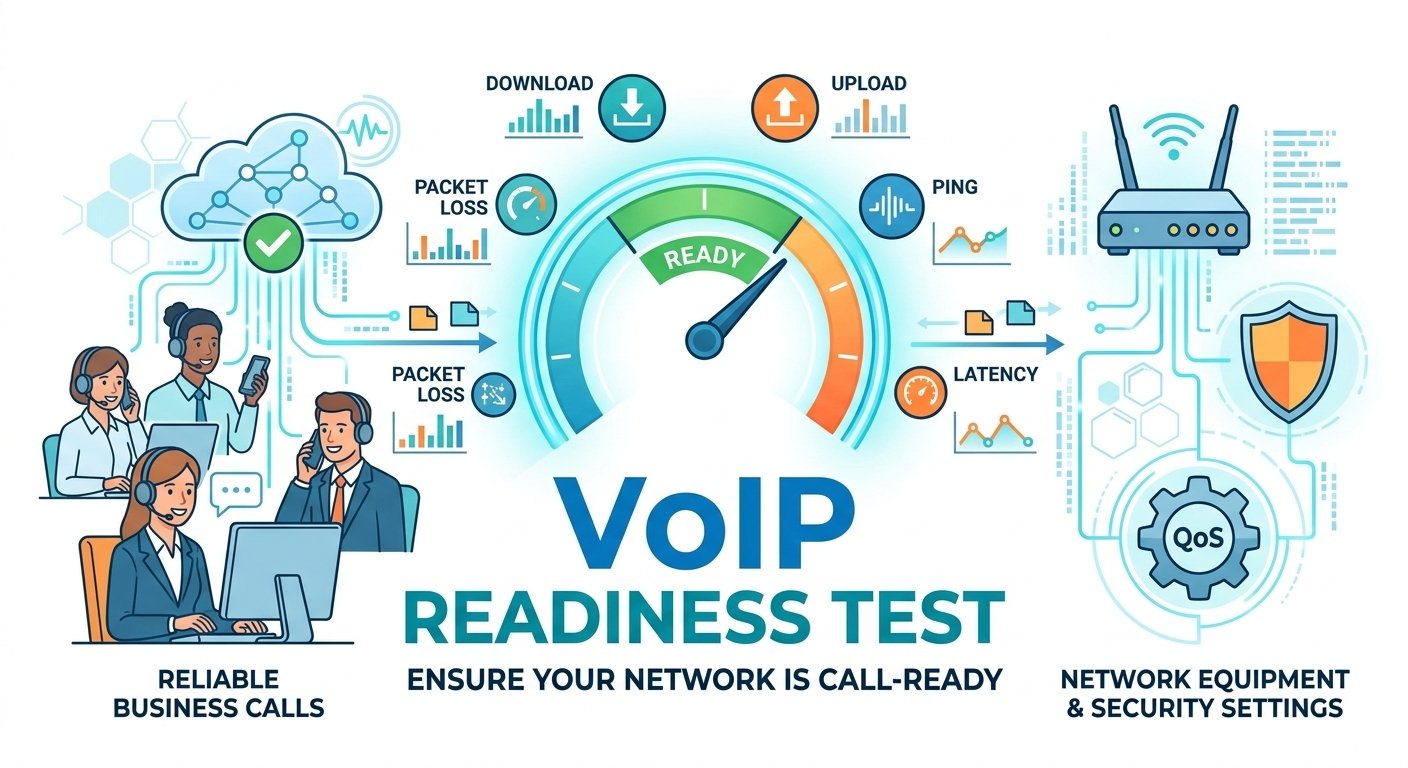
For calls and meetings, watch latency, jitter, packet loss and interruptions as well as throughput. Test a wired device with a meeting, calls and a representative upload running together. Repeat during normal working hours.
An office Wi-Fi problem can affect either provider. Check Ethernet performance, router capacity, access-point placement and client hardware before deciding that a carrier upgrade is needed.
The internet subscription does not automatically include a business phone system, contact centre or CRM integration. Compare telephony licences and features separately, then confirm network requirements with the calling supplier.
AT&T vs Cox Backup and Power: A Practical Difference
Eligible AT&T Fiber 1 GIG-and-higher plans advertise integrated wireless backup using the required gateway and coverage. It needs power. Confirm static-IP and calling compatibility rather than assuming all primary-connection features fail over.
Cox Net Assurance automatically switches eligible service to LTE. Its published guidance describes backup performance up to 10 Mbps download and 2 Mbps upload, guest Wi-Fi being disabled and primary static IPs not carrying over. See Net Assurance’s conditions.
Cox also describes battery arrangements providing up to four hours for specified equipment. Confirm the battery supplied with your proposal, its runtime under the expected load and which devices it actually powers.
Cox is worth evaluating when packaged battery-backed recovery is the deciding need. A battery for the gateway does not automatically keep office switches, access points, computers or payment terminals powered.
Treat reduced backup capacity as a way to preserve selected essential activity. It is not the same as continuing the entire office at the primary speed. Prioritize payments, basic access and essential calling as the design permits.
Test failure and restoration while real applications are active. Record whether calls drop, VPNs reconnect and staff need manual steps. A published backup feature becomes useful when the workflow can recover.
AT&T vs Cox: Contracts, Installation and Support
AT&T Fiber advertises no annual internet contract. This is useful when a lease or business location may change, but it does not mean prices cannot change or that equipment never needs returning.
Cox’s cited offer requires a minimum term. Ask for the duration, renewal process, relocation rules and cancellation calculation. A lower initial monthly charge may be less attractive if the business needs to leave the premises early.
Confirm building permission, the installation path, equipment delivery and acceptance checks for either wired service. Avoid cancelling the old circuit until the new connection and phone system have been validated where overlap is possible.
Cox’s support page lists technical support around the clock. Distinguish access support from an optional IT package covering employee devices or software. See Cox business support and verify the actual support scope in the order.
For either provider, identify the outage contact, escalation route and any written repair commitment. A support channel operating 24/7 is different from a guaranteed onsite response within a specified time.
AT&T vs Cox: Security and Enterprise Requirements
Use suitable firewall rules, secure Wi-Fi, updates and guest isolation for either connection. Included threat-blocking or security products can help, but do not by themselves establish compliance or replace the office’s wider controls.
For enterprise or multiple-site requirements, compare equivalent managed or dedicated proposals. Review SLA definitions, addressing, monitoring, site-to-site routing and escalation. The entry broadband bill cannot represent the cost of a complete enterprise design.
Do not assume ordinary broadband fiber is a dedicated connection. Request contractual commitments explicitly and read the service definition. Select local access per site if one provider cannot supply suitable service everywhere.
AT&T vs Cox: Pros and Cons Compared
| Provider | Strengths | Limitations |
|---|---|---|
| AT&T | Symmetrical Fiber proposition; flexible Fiber internet commitment; separate fixed and portable options. | Address availability; offer eligibility; Air reception and device costs; backup restrictions. |
| Cox | Lower listed matching-tier standalone prices; fiber and broadband options; battery-backed recovery proposition. | Minimum-term offer; access technology needs confirmation; equipment and add-ons; reduced backup capacity. |
AT&T vs Cox: Clear Winners by Business Requirement
| Overall requirement | Winner | Reason |
|---|---|---|
| Permanent office prioritizing uploads and flexibility | AT&T Fiber: our starting choice. | Suitable symmetrical access and no annual internet contract. |
| Matching 500 Mbps, 1 Gig or 2 Gig standalone listed price | Cox on the cited internet price. | Lower references; include the commitment and extras. |
| Lowest cited wired entry charge | AT&T Fiber. | Its entry tier costs less, with a different speed profile. |
| Suitable Cox fiber available but AT&T Fiber unavailable | Cox Fiber. | Choose the suitable available connection. |
| Wireless hub instead of installing a wired line | Internet Air to evaluate. | Fixed wireless at the approved office address. |
| Portable or temporary-site access | A permitted portable service. | AT&T Wireless Broadband is an option; fixed hubs are unsuitable. |
| Packaged backup with specified battery support | Cox Net Assurance to evaluate. | Verify the actual battery, tier and essential applications. |
| Medium business with sustained calls and cloud work | AT&T Fiber as the first shortlist option. | Compare a suitable Cox symmetrical proposal and recovery design. |
| Enterprise needing contractual performance | Equivalent dedicated or managed proposals. | Specify the SLA, routing, security and support scope. |
These are recommendations by connection need, not arbitrary employee-count rules or nationwide reliability rankings. Choose around concurrent traffic, the office location and acceptable recovery time.
Request an AT&T Quote for the Correct Product
Use the inquiry route that matches the connection you need. Give your full service address, essential applications, current service and preferred start date. For mobile internet, explicitly request the appropriate portable broadband service.
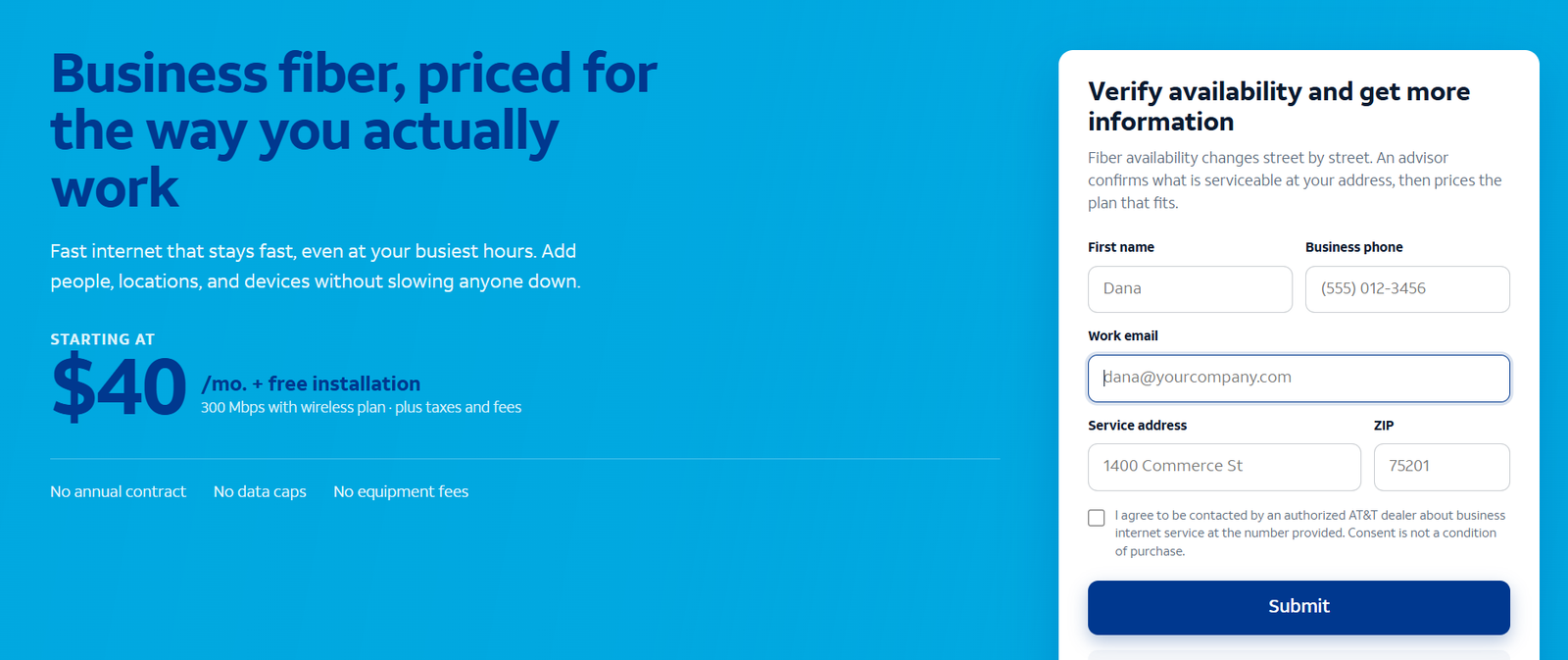
Typical response expectation: 24–48 business hours after submission through the supplied referral route. This is an expectation, not a guaranteed installation or response deadline. The screenshot above is a sample; use the linked product page to submit your inquiry.
Dedicated AT&T Product Reviews
Read the relevant product review before selecting the inquiry route: AT&T Business Fiber review, Internet Air for Business overview and AT&T Business Wireless review.
Customer Reviews: What the Evidence Can Tell You
Positive AT&T example: Belinda C., 5/5 on G2, May 1, 2026. She reported dependable internet and phone service and no particular dissatisfaction. The listing does not identify which of the AT&T products discussed here she uses.
The same general G2 listing also contains older critical feedback about customer support. Neither a positive review nor a broad carrier complaint establishes the performance of a new circuit in your building. See the original customer feedback.
For a more useful local assessment, ask nearby businesses using the same access service about installation, busy-hour uploads, outage follow-up and unexpected bill changes. Match the product and location before using a review to make a purchase decision.
Frequently Asked Questions
Is AT&T or Cox better for an office?
AT&T Fiber is our starting recommendation when suitable symmetrical uploads and contract flexibility matter. Cox can win on its available local service and complete price. Check the actual connection type and agreement.
Is Cox cheaper than AT&T?
Cox’s cited matching-tier standalone references are lower. AT&T has a cheaper entry tier, and eligible bundles can change the internet charge. Extras and commitment determine the full comparison.
Is all Cox Business Internet fiber?
No. Cox’s portfolio distinguishes broadband, symmetrical fiber and dedicated access. Confirm the connection and upstream speed in the proposal.
Is Cox Business now Spectrum?
Cox’s current official transition page says so. It says existing service, billing and contractual terms continue. Follow your account’s official communications for subsequent changes.
Can Internet Air travel with my business?
No. Keep the hub at its approved service address. Request a permitted portable product such as suitable Wireless Broadband for changing locations.
Will LTE backup preserve my full speed and static IP?
Do not assume it. Cox lists reduced recovery speeds and a dynamic LTE address. Verify AT&T’s addressing and calling restrictions for the actual backup arrangement too.
Do I choose speed based on employee count?
Use simultaneous applications and outgoing traffic instead. A small upload-heavy office can need more capacity than a larger office doing basic browsing.
Do these U.S. offers apply internationally?
No. The domestic references concern eligible U.S. premises. International connectivity needs a location-specific assessment and proposal.
Final Recommendation
Start with AT&T Business Fiber for a suitable permanent office where uploads and flexibility drive the decision. Compare Cox closely when its actual access and complete quote offer better value. Cox’s lower listed matching-tier prices deserve consideration.
Choose Internet Air when a suitable fixed wireless hub fits the approved office location. Portable work requires a separate permitted service. Before migration, verify the contract, internal network and recovery behaviour of essential applications.
AT&T, Cox and Spectrum are trademarks of their respective owners. VoIPCalling.com is an independent publisher.
Affiliate disclosure: VoIPCalling.com may earn a commission if you purchase through it, at no additional cost to you.