Frontier Business Fiber is our price-led starting recommendation where both providers offer a suitable connection: its listed standalone prices are lower at the matching tiers checked. AT&T Business Fiber remains a strong alternative when its actual local service, eligible integrated backup or overall proposal better fits the office.
This AT&T Internet vs Frontier guide compares business services for offices, not residential promotions. Both fiber suppliers belong on an upload-heavy office shortlist. The right purchase depends on exact address availability, the complete quote and application recovery requirements. Recommendations assess published information; we have not conducted firsthand network tests.
Affiliate notice: VoIPCalling.com may earn a commission through it, at no additional cost to you.
2026 Update: Frontier Is Part of Verizon
Frontier’s current business website says it is now part of Verizon and advertises an eligible Frontier Fiber plus Verizon Business mobile discount. This guide compares the Frontier business fiber offers themselves.
Do not assume the ownership update makes every Verizon service interchangeable with Frontier Fiber. A mobile bundle, a fixed wireless connection and a fiber circuit have different specifications and eligibility. Verify the exact product and accepted agreement.
AT&T vs Frontier: Quick Overview

| Buying factor | AT&T Business | Frontier Business |
|---|---|---|
| Permanent office fiber | Business Fiber is a strong alternative with eligible backup options. | Our price-led first quote where both services qualify. |
| Listed matching-tier standalone price | Higher in the cited comparison. | Lower in the cited comparison; confirm billing and eligibility. |
| Upload-heavy work | Symmetrical Fiber tiers. | Fiber with strong published upstream profiles; confirm the ordered tier. |
| Contract and price lock | Fiber advertises no annual internet contract. | Advertises no annual commitment and a two-year base-rate price lock. |
| Backup | Eligible integrated wireless backup on 1 GIG-and-higher Fiber. | Separate backup product or a qualifying bundle; optional battery. |
| Fixed wireless or portable needs | Internet Air is fixed; Wireless Broadband is a separate portable product. | Request the specific permitted service; fiber backup is for failover. |
Availability comes first. Compare AT&T Fiber eligibility with Frontier Business Fiber availability for the exact suite. A nearby building having fiber is not proof that your premises can order it.
Customer Rating Snapshot

Individual AT&T customer example: 5/5 on G2. Belinda C., Practice Administrator, May 1, 2026, reported dependable internet and phone service.
This is an individual score, not a product-specific aggregate or a matched rating against Frontier. Frontier’s selected provider-hosted testimonials appear later as qualitative examples; we have not assigned them an invented star rating.
Business Fiber Pricing Compared
| Fiber tier | AT&T Business Fiber | Frontier Business Fiber |
|---|---|---|
| 300 Mbps | $60. | No corresponding tier in the cited offer table. |
| 500 Mbps | $100. | $49.99. |
| 1 Gig | $140. | $69.99. |
| 2 Gig | $185. | $89.99. |
| 5 Gig | $285. | $119.99. |
References are from AT&T’s current Business Fiber offers and Frontier’s current Business Fiber page. Frontier’s listed rates are for 24 months and include a $10 bank-account AutoPay discount. AT&T’s cited online offers have eligibility conditions. “+ taxes” is table shorthand; request fees and the complete bill.
Frontier wins the published standalone price comparison at matching tiers. That is a clear reason to obtain its quote when both connections qualify. It does not establish a nationwide advantage in repair time or actual network performance.
Illustratively, the listed 1 Gig internet-line difference is $70.01 per month, or $840.12 over twelve months before extras and changes. That is a meaningful budgeting difference, but compare backup, addressing and any required add-ons before declaring the complete proposal cheaper.
Frontier’s terms describe possible activation, installation and equipment-return/restocking charges. Its base-rate lock excludes specified extra charges and discounts. AT&T’s listed offer conditions also need confirmation through the actual ordering route.
Ask both suppliers for a written cost over the expected occupancy period, including what applies after the promotional period. Keep reward cards and conditional credits separate from the recurring bill. Do not substitute a residential price for a business quote.
Mobile Bundles: Compare the Existing Services You Need
| Fiber tier | AT&T with qualifying Business wireless | Frontier with qualifying Verizon Business mobile |
|---|---|---|
| 500 Mbps | $60. | $29.99. |
| 1 Gig | $90. | $49.99. |
| 2 Gig | $135. | $69.99. |
| 5 Gig | $235. | $99.99. |
The AT&T references depend on its eligible wireless bundle. Frontier’s Verizon Business joint offer provides an account credit of $20 per month when qualifying services and enrollment conditions are met. It is not a free mobile subscription.
The Frontier discount has new-service or new-line qualification rules. Having two existing bills does not automatically establish eligibility. Confirm the required activation, enrollment and when the credit should appear.
Frontier also has the lower cited eligible internet-line references here. However, the full mobile-and-internet spend, device obligations and staff coverage determine the bundle’s value. Do not change a satisfactory mobile service solely for a small internet discount without calculating the wider cost.
Use a bundle when both components are needed and the accepted terms work for the business. Record what happens to the internet charge if a qualifying mobile service ends or changes.
AT&T vs Frontier: Uploads, Speed and Cloud Work
AT&T advertises equal upload and download speeds. Frontier’s published business speed disclosures show strong two-way fiber profiles, including up-to-tier capacity for 500 Mbps, 2 Gig and 5 Gig. Confirm the actual profile and equipment required by the specific order.
Both are credible fiber candidates for an upload-heavy office. We do not have evidence establishing one as universally faster at a comparable suitable tier. Choose around simultaneous outgoing traffic, not just the download headline.
Cloud backups, meeting video, file synchronization and large transfers share upload capacity. Measure a normal working period when possible and allow for overlapping tasks. Employee count alone cannot size that workload reliably.
A multi-gig subscription requires suitable ports, cabling and client equipment. AT&T’s published 5 GIG single-device wired maximum is 4.7 Gbps. A limited router or older laptop can prevent either service from delivering the improvement you expect.
Test a wired device before diagnosing Wi-Fi performance. If Ethernet is stable but one room struggles, access-point placement or internal equipment may be the issue. A provider change is not automatically the solution.
AT&T vs Frontier: Calls, Meetings and Business Applications
Both connections can support hosted calling, meetings and ordinary cloud tools when the actual access and office network meet the application requirements. Ask the calling supplier to confirm its specifications before migration.
Run calls, a video meeting and a representative upload together during working hours. Watch for packet loss, jitter, interrupted speech or disconnected sessions. A single quiet-hour speed test does not represent the complete office workload.
Schedule nonurgent bulk transfers where practical and review traffic management with the administrator. Keep guest access separate from essential business activity.
An internet subscription does not automatically include a complete business phone system. Frontier markets separate voice and broader bundles; AT&T also offers distinct calling products. Compare routing, numbers, licences and recovery separately from internet access.
A connectivity purchase likewise does not automatically create a CRM integration or contact centre. Specify those software and telephony requirements independently.
Contracts and Frontier’s Two-Year Price Lock
AT&T Fiber advertises no annual internet contract. Frontier’s Fiber page also advertises no annual commitment. Do not describe Frontier’s two-year price lock as a mandatory two-year internet contract based only on that headline. Review the exact order and any separate service terms.
Frontier’s lock concerns the covered base monthly rate. Its terms exclude specified extra charges, discounts, promotions and third-party services from the guarantee. Bank-account AutoPay is part of the quoted rate; a different payment setup can change the charge.
A rate guarantee is useful for budgeting but is not a promise that the total bill cannot change. Additional equipment, services and fees require their own review. Ask for the price after the lock period as well.
For either supplier, request cancellation, equipment return, relocation and renewal rules. Keep the accepted proposal instead of relying only on the promotional page. An office lease can end before every selected service arrangement does.
AT&T vs Frontier Backup and Power: Read the Limits
Eligible AT&T Fiber tiers of 1 GIG and higher advertise integrated wireless backup with the required gateway and local coverage. It needs power. Confirm static-IP and calling compatibility before assuming that all primary functions fail over.
Frontier’s Internet Backup product switches to cellular service when the primary link fails. It requires Frontier internet, is for failover use, and does not support single or multiple static IP addresses. Its published Ethernet design supports up to four critical connected devices.
Frontier describes an optional battery, sold separately, for up to eight hours of backup power. Confirm the actual battery arrangement, load and equipment covered. This is not a promise to power every device in the office.
AT&T is our first quote when eligible integrated backup is the deciding requirement. Frontier’s lower primary price may still leave room for an appropriate separately priced recovery design, so compare the full proposals.
Backup service can have different speed and application restrictions. Reserve it for essential tasks as the design permits. Static-IP allowlists, VPNs, calls and payment sessions need specific checks when connectivity changes.
Test failure and restoration with those applications active. Record interruptions, reconnection steps and power requirements. A marketed backup feature is valuable when the complete office workflow can recover.
AT&T vs Frontier: Reliability and Enterprise Requirements
Frontier’s business page markets 99.9% overall network reliability. Treat that as a published network claim, not proof of a contractual SLA for every ordinary Fiber order or a guarantee that your building never loses access.
AT&T’s Fiber offer promotes its AT&T Guarantee and eligible backup. Compare the exact remedies, exclusions and support terms. We have not established either provider as universally more reliable at every location.
For enterprise needs, ask for equivalent dedicated or managed proposals. Ordinary business broadband does not automatically become a dedicated circuit because the tier is faster. Specify SLA definitions, routing, addressing, monitoring and escalation.
Where uptime is critical, review access diversity and power. Two connections can share a building entry path or unprotected equipment. A second provider is useful when the design addresses common failure points.
Choose local access per site when needed. One corporate provider choice may not produce the best circuit at every office, and an entry price cannot represent a complete multi-site design.
AT&T vs Frontier: Installation, Wi-Fi and Support
Both suppliers need exact address qualification and a workable physical installation. Confirm the suite, building permission, equipment position and appointment. Keep existing service until the new connection and calling arrangement pass acceptance checks where overlap is possible.
Frontier advertises a Wi-Fi 7 router with its current Fiber proposition. The router does not guarantee whole-office coverage. Extra access points, mesh equipment or structured cabling may be needed; ask what the quoted installation includes.
For both providers, identify support responsibility for access, supplied equipment, your firewall and office Wi-Fi. Ask for the outage contact and any written repair or onsite commitment. A sales-response window is different from a restoration guarantee.
Use appropriate firewall controls, updates, strong Wi-Fi credentials and guest isolation. Included security or support services do not by themselves establish compliance or replace the office’s wider controls.
AT&T Internet Air: Wireless Access at a Fixed Office
Internet Air receives internet from AT&T’s cellular towers through a hub, rather than a new fiber or cable line to the office. It must remain at its specific approved service address. It is fixed wireless internet; it is not a portable hotspot service.
Current offer references list Standard at $50 and Premium at $80 per month before applicable charges. Eligible Business wireless bundles can reduce the internet line to $30 and $60 respectively. Device costs and offer conditions need separate confirmation.
The cited offers include AutoPay/paperless requirements and a new-customer credit for 36 months. The prevailing rate can change. See the official Internet Air offer and request the complete charge through the Internet Air inquiry route.
Air can be useful when installing wired access is unsuitable, but validate reception and office applications at the approved location. It should not automatically displace a suitable wired connection simply because its entry price is lower.
Which is more reliable: Fiber or Internet Air?
For a permanent upload-heavy office, our starting choice is suitable Fiber. Its access path does not rely on indoor cellular reception and local tower capacity. This is an access-type recommendation, not a guarantee that Fiber never fails. Air can work well where actual working-hour results meet the requirement.
AT&T Wireless Broadband: Portable and Emergency Needs
Portable: AT&T Wireless Broadband is a separate hotspot/router product for on-the-go work, temporary pop-up sites and appropriate emergency connectivity. It is distinct from Internet Air’s address-restricted hub.
It offers unlimited data in maximum speed tiers of up to 25, 50 or 100 Mbps. Actual performance depends on coverage and equipment, and data can be temporarily slowed during congestion. Unlimited data does not mean unlimited speed or unrestricted use.
Published use restrictions exclude public or guest Wi-Fi and certain continuous-streaming or hosting activities. Confirm that the intended application is allowed before purchasing it for a temporary site. See Wireless Broadband specifications.
Use the Business Wireless inquiry route to request portable access explicitly. A fixed office gateway or LTE recovery feature should not be treated as a portable primary service without written permission for that use.
AT&T vs Frontier: Pros and Cons Compared
| Provider | Strengths | Limitations |
|---|---|---|
| Frontier | Lower cited fiber prices; two-year base-rate lock; eligible Verizon mobile discount; separate recovery options. | Address eligibility; payment/offer conditions; extra fees; backup lacks static-IP support. |
| AT&T | Strong Fiber proposition; eligible integrated backup; separate fixed wireless and portable products. | Higher cited matching-tier standalone prices; address and offer eligibility; backup restrictions. |
AT&T vs Frontier: Clear Winners by Business Requirement
| Requirement | Winner | Reason |
|---|---|---|
| Lower listed standalone Fiber price | Frontier. | Lower references at the matching tiers checked. |
| Eligible Verizon Business mobile bundle | Frontier. | Qualifying joint-offer discount; mobile paid separately. |
| Two-year base-rate price predictability | Frontier. | Its current lock is useful when the terms fit. |
| Eligible integrated backup as a deciding feature | AT&T Fiber to evaluate first. | Confirm gateway, coverage, power and application limits. |
| Suitable fiber for heavy uploads | Either suitable proposal; Frontier first on listed price. | Validate the actual upstream profile and workload. |
| Medium office with sustained calls and cloud work | Frontier as the price-led first quote. | Compare AT&T’s complete service and recovery arrangement. |
| Wireless hub instead of a new wired installation | AT&T Internet Air to evaluate. | Fixed-address wireless service, subject to reception. |
| Portable or temporary-site access | A permitted portable plan. | AT&T Wireless Broadband is an option to qualify. |
| Enterprise needing contractual performance | Equivalent dedicated or managed proposals. | Specify the service scope rather than relying on SMB prices. |
| Only one provider offers suitable fiber at the suite | The suitable available provider. | Availability takes priority over theoretical savings. |
These recommendations follow the connection need, not arbitrary team-size limits or nationwide reliability rankings. Select around concurrent traffic, location, total cost and recovery requirements.
Request an AT&T Quote for the Correct Product
Use the inquiry route that matches the connection you need. Give your full service address, essential applications, current service and preferred start date. For mobile internet, explicitly request the appropriate portable broadband service.
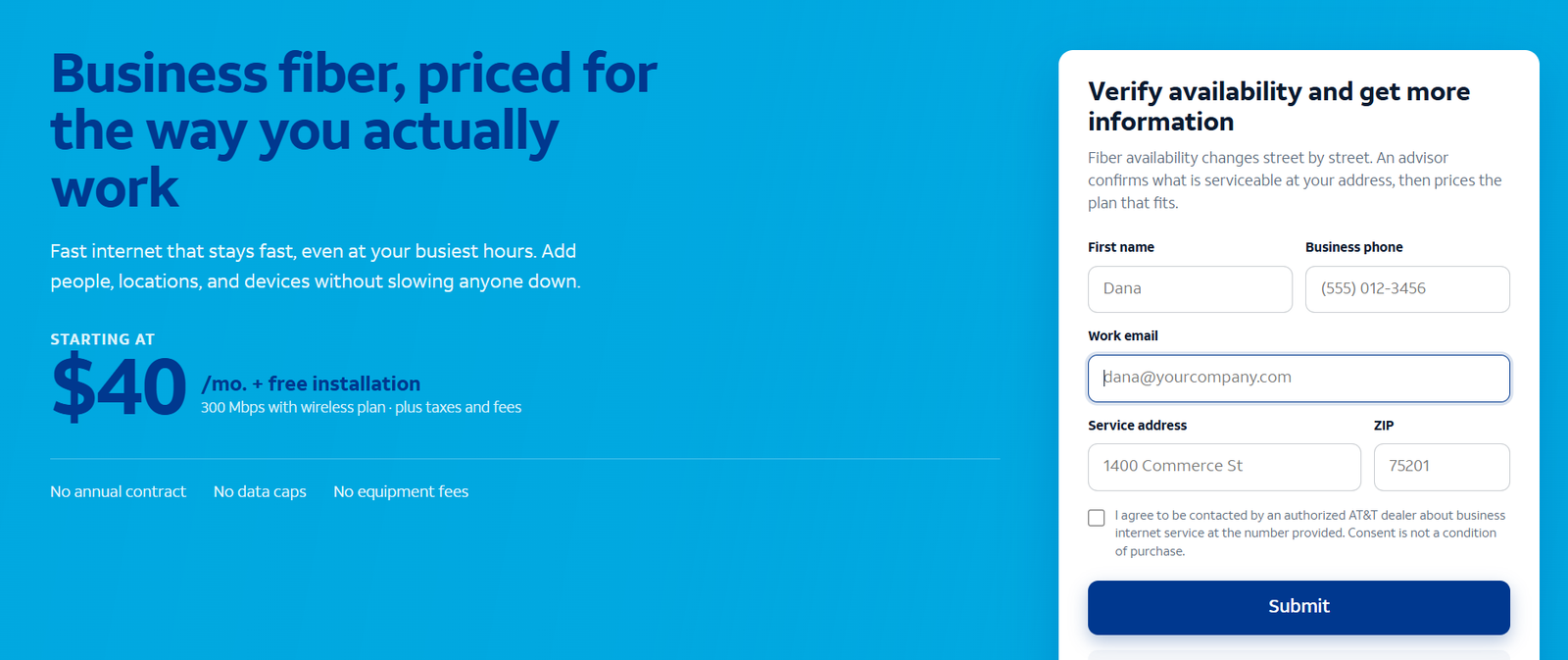
Typical response expectation: 24–48 business hours after submission through the supplied referral route. This is an expectation, not a guaranteed installation or response deadline. The screenshot above is a sample; use the linked product page to submit your inquiry.
Dedicated AT&T Product Reviews
Read the relevant product review before selecting the inquiry route: AT&T Business Fiber review, Internet Air for Business overview and AT&T Business Wireless review.
Customer Reviews and Business Experiences
AT&T: Belinda’s 5/5 G2 example describes dependable internet and phone service, but the listing does not identify Business Fiber. The general score should not become a product-specific performance claim.
Frontier: Its business website publishes positive customer testimonials. Mak Marshal of Lighting Zone describes helpful customer service; Rich Gulbranden of River Crossing Auto Spa describes assistance with billing and plan questions. These are selected provider-hosted examples rather than an independent review sample.
Look for recent feedback from similar premises using the same access service. Ask about installation, working-hour uploads, outage follow-up and bill changes. Reviews should help form questions; the quote and acceptance checks should decide the purchase.
Frequently Asked Questions
Is AT&T or Frontier better for a business office?
Frontier is our price-led first quote where both suitable fiber services qualify. AT&T can be better when its local service, eligible backup or overall proposal fits the requirements more closely.
Is Frontier cheaper than AT&T Business Fiber?
Its current listed standalone prices are lower at the matching tiers checked. Compare billing conditions, fees, backup and the full proposal before choosing.
Is Frontier part of Verizon?
Frontier’s current business website says it is part of Verizon. Confirm the specific Frontier product and joint-offer eligibility rather than assuming every Verizon service has the same terms.
Does Frontier’s two-year lock mean a two-year contract?
Not automatically. Its Fiber page also advertises no annual commitment. Read the accepted order: rate protection and minimum commitment describe different conditions.
Do both providers suit upload-heavy work?
Both fiber proposals can be suitable. Confirm the actual upstream profile and run overlapping calls, meetings and transfers.
Does Frontier backup support static IPs?
Its published backup terms say it does not support single or multiple static IP addresses. Plan addressing-dependent applications accordingly.
Can Internet Air travel to another office?
No. Use it at the approved address. Request a permitted portable product for changing locations.
Which is best for enterprise?
Compare dedicated or managed proposals with the required SLA, routing, support and security scope. An ordinary fiber entry offer does not answer every enterprise requirement.
Do these U.S. prices apply internationally?
No. The domestic references concern eligible U.S. locations. International connectivity requires separate assessment and pricing.
Final Recommendation
Start with Frontier Business Fiber when both services qualify and price is the main deciding factor. Compare AT&T Business Fiber closely when its local connection, integrated backup or complete proposal offers better operational value.
Both deserve consideration for office uploads and calling. Obtain equivalent quotes, review the price-lock and extra charges, and validate recovery. Choose fixed wireless or portable service only when that access method matches the actual requirement.
AT&T, Frontier and Verizon are trademarks of their respective owners. VoIPCalling.com is an independent publisher.
Affiliate disclosure: VoIPCalling.com may earn a commission if you purchase through it, at no additional cost to you.