The best VoIP providers for small businesses make it easier to answer customers, manage shared calls and add employees without creating an unpredictable bill. RingCentral RingEX, Nextiva and Zoom Phone are our first options to evaluate for a broader business phone system. Smaller teams may prefer a different provider when low initial cost, shared texting or a specialist sales workflow matters more.
This guide compares 12 small business VoIP services by practical fit, plan limits and the work each team needs to complete. It also explains how to choose a cloud phone system, budget for the next employee and test the service before moving an established business number.
What Is The Best VoIP For Small Business?
RingCentral RingEX is our first option for a growing small business that wants a broader communications platform. Nextiva deserves comparison for customer-facing offices, while Zoom Phone is a natural starting point for teams already using Zoom. A solo owner, shared-texting team or sales operation may find another provider below a better fit.
Start with the calls you need to handle, the number of people answering and the action that follows each conversation. The best small business phone system is the one that supports that workflow at a manageable total cost.
Best Provider List: Small Business VoIP Services Compared

G2 Customer Ratings
The table identifies the rated products and their scores on a 5-point scale.
| Provider | Best Fit And Team Size | Features & Buying Considerations | Pricing & Trial |
|---|---|---|---|
| Growing offices; suggested 5–50 users |
Buying Consideration: Confirm the tier for recording, integrations and advanced administration. | Core: $20/user/month, billed annually.14-day trial for eligible new subscribers; trial SMS is excluded.Start 14-Day Free Trial | |
| Customer-facing small offices; suggested 2–50 users |
Buying Consideration: Check offer eligibility, usage allowances and separately priced customer-service tools. | NEXT Core: $15/user/month annually; $23 monthly.Confirm the current trial or demonstration offer; annual small-business eligibility applies.View Nextiva Plans | |
| Teams already using Zoom; suggested 2–50 users |
Buying Consideration: Compare the phone license with Workplace bundles and existing subscriptions. | US & CA Unlimited: $16/user/month, billed annually.Confirm Phone-specific trial eligibility and limits.See Zoom Plans: 1–50 Users | |
| Starter: up to 5 users |
Buying Consideration: Price Advance for the listed transfers/recording functions and for more than 5 users. | Starter: $12/user/month annually; $15 monthly.14-day subscription-only refund; this is not a free trial.Compare KrispCall Pricing | |
| CRM-driven sales/support; minimum 2 licenses |
Buying Consideration: Confirm regional bundles and the separate cost of specialist sales or AI products. | Team: $29/user/month annually; minimum 2 licenses.A free trial is advertised; confirm included credits and duration.Start Free Trial | |
| Teams wanting AI call notes; suggested 2–50 users |
Buying Consideration: Pro adds listed integrations and support upgrades; Support and Sell are separate offers. | Standard: $15/user/month, billed annually.A free trial is advertised; verify the selected product.Start Free Trial | |
| Small sales/service teams; confirm minimum seats |
Buying Consideration: Choose the correct region, usage level and feature tier before comparing prices. | Starter displays $18/user/month; confirm region, team size and billing.Confirm a demonstration or trial offer for the selected plan.View CallHippo Plans | |
| Recruitment/sales teams; minimum 3 users |
Buying Consideration: Check the commitment, shared versus individual numbers and required upgrade. | TALK: $19/user/month with a 12-month commitment; minimum 3 users.Check the current demo or trial offer and commitment terms.Compare Ringover Plans | |
| Standard: up to 10 users |
Buying Consideration: Premium lists IVR, business hours and transfers; usage beyond bundles costs extra. | Standard: $12/user/month annually; $15 monthly.Confirm current trial terms, number entitlement and usage charges.View Calilio Pricing | |
| Solo owners and small service teams |
Buying Consideration: Choose the user, number and extension bundle; confirm existing-service requirements. | True Solo: $14/month equivalent annually; $18 monthly.A 7-day free trial is advertised; check eligibility.Start 7-Day Free Trial | |
| Shared calls/texts; suggested 1–20 users |
Buying Consideration: Confirm emergency-calling suitability and the plan required for routing. | Starter: $15/user/month annually; $19 monthly.A 7-day free trial is advertised.Start 7-Day Free Trial | |
| Local service teams; 1, 3 or 10 included users by plan |
Buying Consideration: Compare account bundles with extra users, numbers and mailboxes. | Basic: $19/account/month; Plus: $39; Pro: $59.A free trial is advertised; confirm its current limits.Start Free Trial |












Suggested team sizes describe our editorial fit assessment, not provider limits. Explicit plan caps, included users and minimum licenses are identified separately. Features depend on the selected product, plan and region; verify the written configuration.
1. RingCentral RingEX: Best For A Growing Office
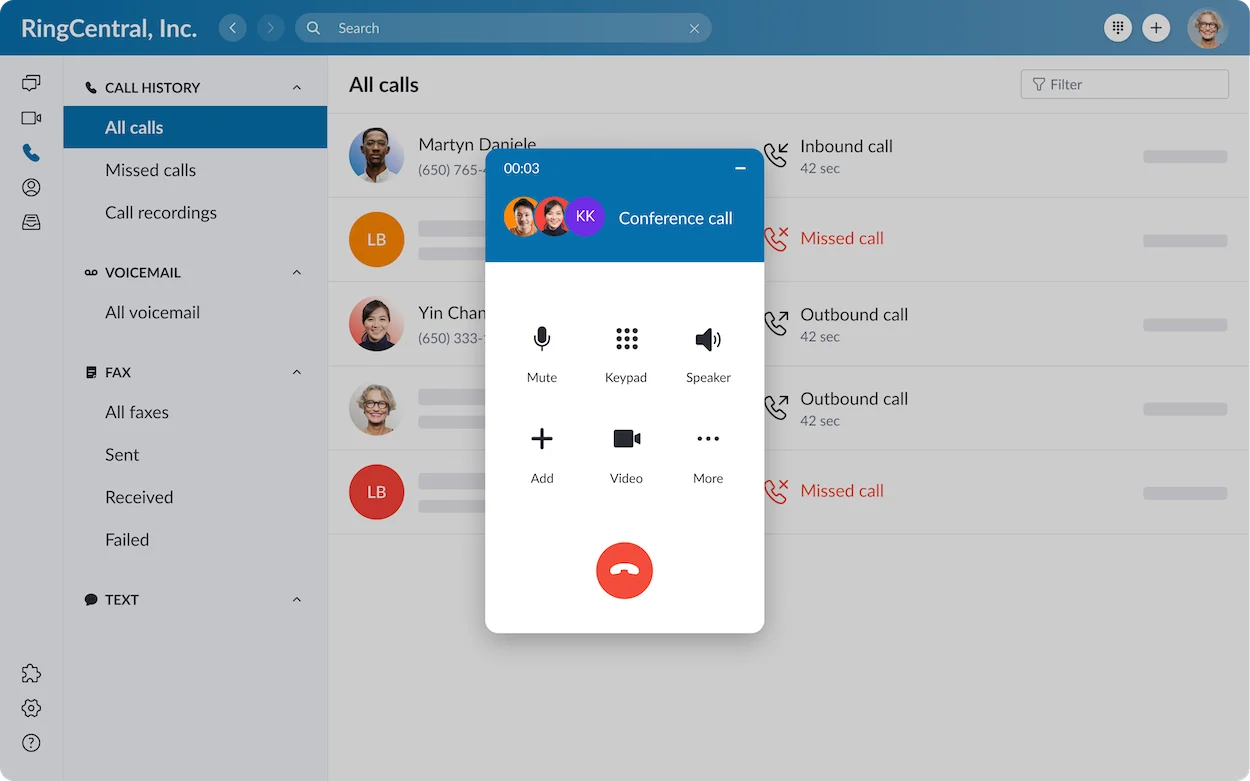
RingCentral is worth evaluating when the team expects to add departments, locations or more structured administration. A small business VoIP phone system should remain manageable as several people become responsible for answering customers.
Best Fit
- An office of roughly 5–50 staff comparing a broader platform.
- A business combining office reception, remote employees and supported desk phones.
Buying Considerations
Check the proposed routing, recording and integration tier. A useful demonstration should show the administrator adding an employee, changing opening hours and redirecting an unanswered call. Compare optional customer-engagement or AI products separately.
Trade-off: a broader platform can require more configuration than a basic number app. RingEX and RingCX solve different requirements; do not assume contact-center capabilities are included in an office phone license.
Read our RingCentral RingEX review for more detail.
Core: $20/user/month, billed annually.
14-day trial for eligible new subscribers; trial SMS is excluded.
2. Nextiva: Best For Customer-Facing Small Offices
Nextiva deserves comparison when a small service office wants calling and customer communication together. Evaluate whether staff can follow an inquiry from the first call to the next reply without losing responsibility for the customer.
Best Fit
- A 2–50-person customer-facing team comparing a wider communication workspace.
- A business considering shared work alongside ordinary employee calling.
Buying Considerations
The current NEXT Core offer lists voice/video, team collaboration, shared and personal inboxes, and 100 SMS/MMS per user monthly. Confirm the exact product, number entitlement and allowances. Add-on and per-unit tools can change the invoice.
Trade-off: the advertised annual small-business pricing applies to eligible new customers with 1–100 employees on a paid 12-month or longer minimum term. Compare renewal, cancellation and usage terms before choosing solely by the introductory rate.
Read our Nextiva review for more detail.
NEXT Core: $15/user/month annually; $23 monthly.
Confirm the current trial or demonstration offer; annual small-business eligibility applies.
3. Zoom Phone: Best For Teams Already Working In Zoom
Zoom Phone is a useful comparison when employees already use Zoom and the business wants telephone calling within that environment. Familiarity can help adoption, but it does not replace a test of real customer calls.
Best Fit
- A hybrid small team already using Zoom Workplace.
- A buyer comparing phone-only licensing with a wider meeting bundle.
Buying Considerations
Compare metered and unlimited regional calling with the destinations staff actually call. Ask what the phone license adds to the existing Workplace subscription and which queue, reporting or engagement functions cost extra.
Trade-off: a free meeting account is not a free business telephone subscription. Verify number availability, international usage and the difference between Zoom Phone and Zoom Contact Center.
Read our Zoom Phone review for more detail.
US & CA Unlimited: $16/user/month, billed annually.
Confirm Phone-specific trial eligibility and limits.
For a larger business, compare the dedicated Zoom option for 50+ users.
4. KrispCall: Best For Small Teams Comparing Entry Costs
KrispCall is worth comparing when a small team can measure its usage and wants a lower entry subscription with shared communication. Overseas number requirements may also make it relevant.
Best Fit
- A team of 1–5 users evaluating Starter.
- A buyer prepared to model included usage and a later plan upgrade.
Buying Considerations
Starter includes an eligible US, Canadian or UK number per user and limited calling/SMS allowances. The current plan list places transferring and recording in Advance. Confirm the tier needed for the complete workflow before using Starter as the budget.
Trade-off: Starter’s 5-user cap makes the next hire a plan decision. The advertised subscription-only refund is different from a free trial, and number or usage charges need separate review.
Read our KrispCall review for more detail.
Starter: $12/user/month annually; $15 monthly.
14-day subscription-only refund; this is not a free trial.
5. JustCall: Best For CRM-Based Sales And Support
JustCall is worth evaluating when the customer record and follow-up process drive the purchase. A small sales team may get more value from completing CRM work correctly than from adding an unused meeting feature.
Best Fit
- A sales or support team that can meet the 2-license minimum.
- Employees who need calls and messages connected to customer records.
Buying Considerations
Team lists integrations, call menus and messaging. Demonstrate contact matching, call logging and the intended follow-up action in your actual CRM. Confirm regional calling eligibility and excluded routes rather than assume every call is included.
Trade-off: specialist dialer and AI-agent requirements can change the product or budget. Price what staff will use and check the minimum order, not only the per-user rate.
Read our JustCall review for more detail.
Team: $29/user/month annually; minimum 2 licenses.
A free trial is advertised; confirm included credits and duration.
6. Dialpad Connect: Best For Teams Prioritizing AI Call Notes
Dialpad Connect deserves consideration when employees spend time turning conversations into notes and next steps. Evaluate whether the transcript and summary make that work easier on realistic calls.
Best Fit
- Client-facing teams comparing built-in call transcription and summaries.
- A small business wanting calling, messaging and meetings in a common app.
Buying Considerations
Standard lists real-time transcripts and instant summaries. Pro adds listed CRM integrations and support upgrades. Check the required tier and ask an employee to find a previous customer commitment using the resulting record.
Trade-off: Connect, Support, Sell and AI Agents are distinct offers. Assistive call notes are different from an autonomous voice agent. Review AI outputs and confirm retention and access settings for customer information.
Read our Dialpad Connect review for more detail.
Standard: $15/user/month, billed annually.
A free trial is advertised; verify the selected product.
7. CallHippo: Best For Comparing Regional Calling Bundles
CallHippo is relevant when a small team has a defined calling region and wants to compare a bundle with a higher-volume plan. Its selected region and team-size settings affect the offer being evaluated.
Best Fit
- A small sales or service team with measurable call volumes.
- A buyer prepared to validate signup, numbers and the required routing tier.
Buying Considerations
Starter lists 1,000 US/Canada minutes, while Professional lists unlimited eligible US/Canada calling and recording. Confirm inbound/outbound treatment, allowance scope, overages and number inclusion for the selected configuration.
Trade-off: the current Basic offer describes a 6-month free period before an upgrade is required. It should not be budgeted as a permanent free business phone service, and number or usage costs may still apply.
Read our CallHippo review for more detail.
Starter displays $18/user/month; confirm region, team size and billing.
Confirm a demonstration or trial offer for the selected plan.
8. Ringover: Best For Small Sales And Recruitment Teams
Ringover deserves comparison when the team’s daily work combines calling with sales or recruitment records. Choose the package that supports the workflow rather than combine every product feature into the entry offer.
Best Fit
- A team able to meet the displayed 3-user minimum.
- Recruiters or sales staff evaluating higher-tier integrations and coaching.
Buying Considerations
TALK lists a shared company number, national calls, recordings, greetings and business hours. BUSINESS lists different number entitlements, integrations, a power dialer and coaching functions. Check whether employees need individual numbers.
Trade-off: the displayed TALK offer has a 12-month commitment. Include the minimum seats, any number add-ons and the required upgrade in the total before treating it as a low-cost option.
Read our Ringover review for more detail.
TALK: $19/user/month with a 12-month commitment; minimum 3 users.
Check the current demo or trial offer and commitment terms.
9. Calilio: Best For Teams That Can Forecast Usage
Calilio is worth evaluating when a small business can estimate calls and texts and compare a lower subscription against usage costs. It can also be relevant when several people need access to customer numbers.
Best Fit
- A team of up to 10 users comparing Standard.
- A business prepared to price the actual calling and routing requirement.
Buying Considerations
Standard lists number sharing, ring strategies, recording, basic analytics and limited eligible US/Canada bundles. Premium lists IVR, business hours and transfers. Confirm the free-number entitlement and allowance scope on the account.
Trade-off: the entry subscription may not cover the required inbound workflow. Include usage beyond allowances, number rental and storage where applicable rather than assuming the base rate buys unlimited calling.
Read our Calilio review for more detail.
Standard: $12/user/month annually; $15 monthly.
Confirm current trial terms, number entitlement and usage charges.
10. Grasshopper: Best For Solo Owners And Small Service Teams
Grasshopper is worth comparing when professional business identity and simple call handling are the main goals. It can help an owner use existing devices while keeping client communication separate from personal calls.
Best Fit
- A sole proprietor comparing a dedicated work number.
- A small service team considering account pricing and shared access.
Buying Considerations
True Solo includes 1 user, 1 number and 1 extension. Solo Plus lists unlimited users with 1 number and 3 extensions; Small Business expands the bundle. Grasshopper offers US/Canadian numbers, while international calling needs a separate availability and cost check.
Trade-off: confirm the existing mobile/landline service arrangement, extension allowance and emergency-calling requirements. Unlimited users do not establish unlimited simultaneous conversations.
Read our Grasshopper vs RingCentral comparison for more detail.
True Solo: $14/month equivalent annually; $18 monthly.
A 7-day free trial is advertised; check eligibility.
11. Quo: Best For Shared Customer Calls And Texts
Quo, formerly OpenPhone, deserves consideration when several people handle the same customer conversations. Judge the service by whether the team can follow up without duplicate replies or missing context.
Best Fit
- A small team sharing US/Canadian business communication.
- A business that values call and text history on supported apps.
Buying Considerations
Starter includes a number per user. Business adds menus, transfers, custom ring orders and listed HubSpot/Salesforce integrations. Test which colleague owns the next action and what number appears on the callback.
Trade-off: price the tier that includes the required routing. Also obtain written clarification of emergency-calling capability before replacing an office line: Quo’s porting guidance says 911 is unavailable, while its billing documentation mentions related fees.
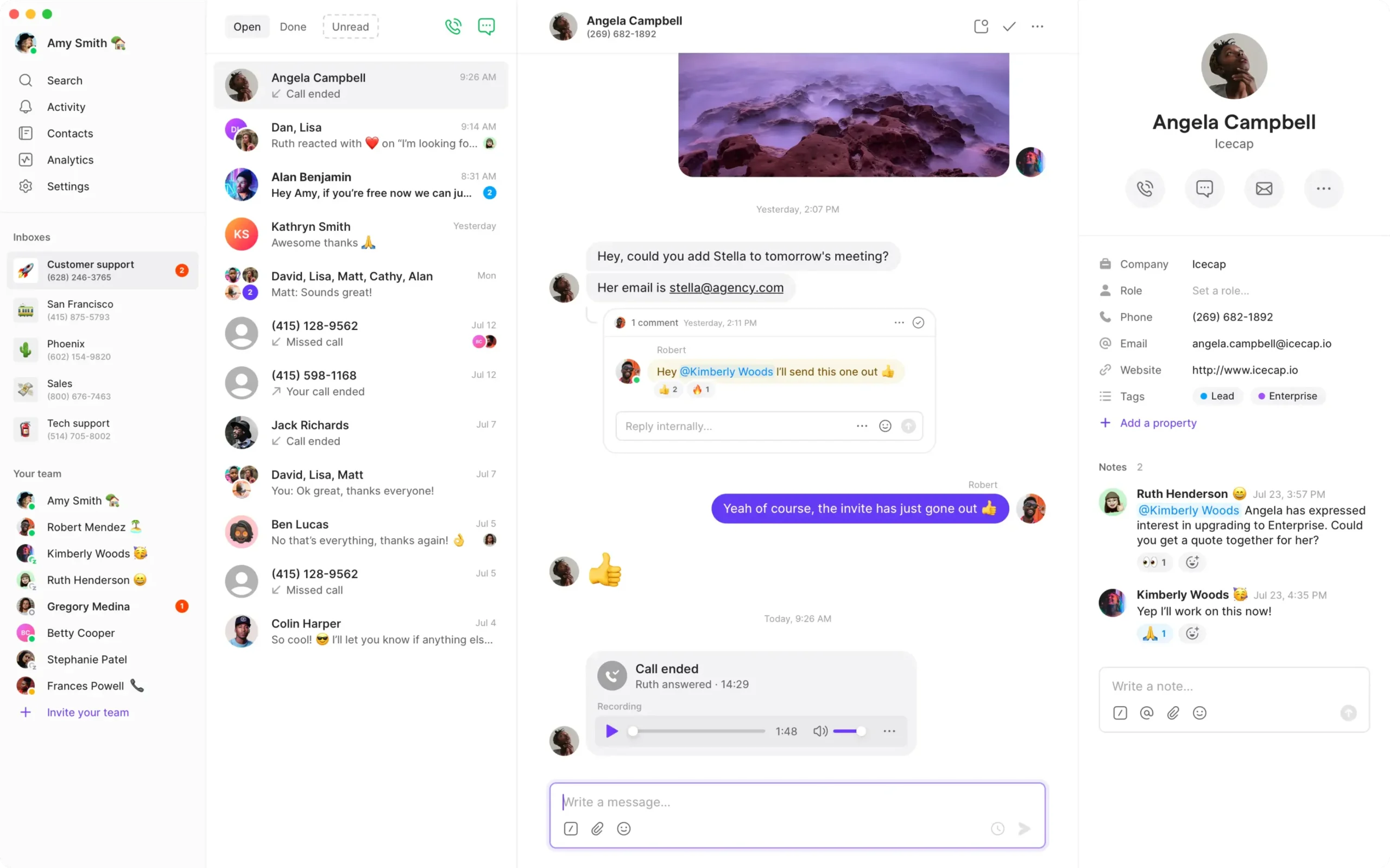
Read our Quo (Formerly OpenPhone) review for more detail.
Starter: $15/user/month annually; $19 monthly.
A 7-day free trial is advertised.
12. Talkroute: Best For Monthly Account Bundles
Talkroute is worth comparing when a small service team wants to calculate account pricing with additional users. Growing headcount does not always make the same per-seat pricing structure the best fit.
Best Fit
- A small local team sharing customer calls.
- An owner comparing monthly bundles with individually priced additions.
Buying Considerations
Basic includes 1 user and 1 number. Plus includes 3 users and 2 numbers with a menu, live transfer and hours. Pro includes 10 users and 3 numbers with recording and reporting. Confirm extra users, numbers and mailboxes.
Trade-off: the lowest account rate may omit the needed handoff features. A user bundle also does not prove the required concurrent-call capacity or support for an existing desk-phone model.
Read our Talkroute review for more detail.
Basic: $19/account/month; Plus: $39; Pro: $59.
A free trial is advertised; confirm its current limits.
Choose A Small Business Phone System By Workflow
A Solo Owner Or Startup
Start with a work number, a professional greeting, voicemail and supported app access. Check whether the service allows the actual number of users you need. A low per-user price with a minimum-seat requirement can be poor value for 1 person. Confirm what is needed to keep the number long term.
A Reception Desk And Several Employees
Prioritize hold, pickup, transfers and the destination for unanswered calls. Ask the vendor to show a receptionist transferring a customer to someone who is already busy. If physical line keys matter, verify supported desk phones and the shared-line configuration.
A Small Sales Or Recruitment Team
Evaluate VoIP with CRM integration by testing contact matching, call logging and the next follow-up action. A basic integration may not perform every task automatically. Add sales dialing or coaching only when the team has a concrete need and the product has been priced.
A Remote Or Hybrid Team
VoIP with a mobile app can keep employees reachable on existing devices. Test locked-screen notifications, caller identity and access to shared history on staff’s normal connections. Confirm country restrictions and forwarding charges before assuming every remote employee can use the same arrangement.
A Team Sharing Customer Messages
Determine who can read and reply, who owns an unanswered inquiry and what customers see when a different employee responds. Shared access should make responsibility clearer. Voice capability does not guarantee texting, WhatsApp support or third-party verification-code compatibility.
For a more detailed requirements worksheet, see our VoIP buying guide for small business.
How To Choose Affordable VoIP Without Outgrowing The Plan
Compare the plan that completes your workflow today and the configuration you will need after the next hire. Affordable VoIP for small business depends on the whole account, including users, numbers, usage and required features.
Calculate Your First-Year Commitment
Use this formula: required subscriptions + extra number rental + expected usage + required add-ons + applicable invoice fees and taxes. Keep equipment and one-time setup costs separate. A $20 annual-rate license for 5 people illustrates $100 monthly equivalent and $1,200 in annual subscriptions before extras.
Monthly billing describes when you pay; it does not by itself establish a no-contract VoIP plan. Check the minimum term, cancellation, renewal and number-transfer conditions. For subscription-plus-usage offers, forecast both incoming and outgoing activity rather than label the plan pure pay-as-you-go.
Price The 6th Employee Before Hiring
| Configuration | 5 Users | 6 Users | What The Difference Means |
|---|---|---|---|
| KrispCall: Starter to Advance | $60/month equivalent annually · Starter | $192/month equivalent annually · Advance | Starter caps at 5 users. The example changes all licenses to the published Advance rate. |
| Calilio Standard | $60/month equivalent annually | $72/month equivalent annually | Standard fits these user counts, but Premium may be required for the workflow. |
| Quo Business | $115/month equivalent annually | $138/month equivalent annually | The example uses Business for the listed menu and transfer requirements. |
| Talkroute Plus | $49/month | $54/month | Plus includes 3 users; the example adds users at $5 each. Extra numbers/mailboxes are separate. |
These are calculations from published structures, not equivalent-feature recommendations or complete quotes. Annual rates require annual billing. Usage, number rental, taxes, fees and account-specific offers can change the result. If your workflow already requires a higher tier, use that tier from the beginning.
Separate Essential Features From Nice-To-Have Tools
Essential features are the ones required to answer and complete customer work: routing, transfers, the right caller identity and ownership of missed calls. Recording, analytics and AI can be valuable, but should have a defined purpose, access policy and budget.
For small business VoIP pricing, the useful question is what the full team must buy. For example, an integration or transfer function on a higher plan can matter more than a small difference in entry subscription rates.
Apps, Headsets And Office Phones: What Equipment Do You Need?
You may be able to start with supported apps and existing computers or smartphones. Physical desk phones are useful when the job needs them, but should be chosen after confirming the service and provisioning.
| Option | Useful For | Before You Buy |
|---|---|---|
| Computer app and headset | Desk-based staff who also update customer records. | App compatibility, a comfortable supported headset, audio and local connection quality. |
| Mobile business-calling app | Owners, home offices and employees moving between locations. | Incoming alerts, battery behavior, business caller ID and access to shared communication. |
| Supported IP desk phone | Reception, counters and staff who prefer physical controls. | Exact model, firmware, provisioning, power, shared keys and the required handoff functions. |
The best office phones for a small business should match its reception and daily calling workflow. Do not choose IP phones only by the number of advertised line keys or SIP accounts; the service determines how those capabilities can be used.
For a VoIP phone in a home office, consider the actual connection, headset comfort and a dependable fallback when internet access fails. Inventory fax, entry and other devices using the old line before changing service, and obtain compatibility guidance individually.
Features Worth Testing Before You Commit
Shared Answering And Unanswered Calls
Give the vendor a real call flow: a customer calls the main number, the first employee is busy and a colleague must take over. Check the busy-period overflow and after-hours destination. A professional greeting does little if customers reach the wrong fallback.
VoIP Call Recording And Customer Information
Check whether recording is included, manual or automatic; who can access it; and how long it is retained. Verify storage and transcript charges. Establish the recording process appropriate to your business and the locations involved rather than assume a software setting resolves every requirement.
Calling Allowances And Number Coverage
Separate the countries where you can rent local numbers, the destinations you can call and the locations where employees may use the service. Unlimited calling normally has a defined scope and fair-use terms. Check toll-free, international and forwarded calls separately.
AI Assistance Versus AI Agents
Transcripts and summaries assist employees. An autonomous voice agent answers or places calls and may use different pricing and administration. Test output accuracy, customer handoff and the specific action the tool is authorized to take before adding it.
Support And Day-To-Day Administration
Ask the person who will manage the account to change hours, add a user and retrieve a missed customer inquiry. Submit a realistic configuration question to support. Confirm the support channels and hours included with the actual plan.
How To Switch A Small Business To VoIP
- Document the calls. List users, numbers, opening hours, peak conversations and what staff must do after a call.
- Confirm service eligibility. Check numbers, regions, staff locations, devices and emergency-calling capability for the proposed product.
- Get a complete quote. Include required tiers, minimum seats, usage, messaging, equipment and invoice fees.
- Pilot with temporary numbers. Build greetings, schedules, routing, voicemail and outgoing identity.
- Test a busy period. Keep the required calls active, place another call and test hold, transfer, an outgoing call and an unavailable employee.
- Check real devices and fallback. Include mobile alerts, normal employee connections and the configured outage route.
- Train staff and move established numbers. Keep existing service until porting finishes and incoming/outgoing calls work. Verify texting separately.
- Review the first invoice. Compare actual usage and fees with the accepted quote and assign ongoing administration.
For the full rollout process, read our guide to setting up VoIP phone service for your business. If number coverage is the main requirement, see our small-business virtual number provider comparison.
How We Compared These Small Business VoIP Providers
We compared published provider plans, user and number models, feature tiers and G2 customer feedback. The recommendations focus on small-team buying decisions: minimum seats, who answers shared calls, the cost of growth and the tools required to complete customer work.
USD offers are reference points, not universal international prices. Country eligibility, regional subscriptions and account-specific terms can differ. We have not performed a standardized call-quality or uptime benchmark across all 12 services. The final decision should follow a written quote and a practical trial of your own configuration.
Frequently Asked Questions
What Is The Best VoIP Provider For A Small Business?
RingCentral RingEX is our first option for a growing office comparing a broader platform. Nextiva and Zoom Phone are useful alternatives for different workflows. A solo owner or shared-texting team may prefer another provider. Choose by required features, full cost and a successful trial.
How Much Do Small Business VoIP Services Cost?
Entry subscriptions in this comparison commonly start around $12–$29 per user monthly equivalent on the stated terms, while account bundles use different pricing. Add minimum seats, required tiers, numbers, usage, equipment and invoice fees. Compare the completed team configuration rather than only the entry rate.
Can A Small Business Use VoIP Without Buying Desk Phones?
Yes, when the selected service supports calling on existing computers or smartphones. Staff may use apps and suitable headsets instead of desk phones. Confirm compatibility, incoming alerts, caller ID and required call-handling functions on the actual devices before moving established numbers.
Which VoIP Service Suits A Solo Business Owner?
Compare single-user offers with the number and features you need. Grasshopper True Solo is designed for 1 user, while other per-user services may also be relevant. Check seat minimums carefully: the displayed JustCall and Ringover offers require multiple paid licenses.
Can Several Employees Share One Business Number?
Yes, with a service that supports the required shared access, routing and call capacity. Verify who can answer, view history, read voicemail and reply to messages. Assign responsibility for missed inquiries so shared access does not create duplicate or forgotten follow-ups.
Is A Monthly VoIP Plan The Same As A No-Contract Plan?
No. Monthly billing can still be attached to a minimum service term. Check the agreement, cancellation conditions, renewal pricing and number-transfer process. Annual monthly equivalents also describe a rate rather than a promise of month-to-month payment.
Can I Keep My Current Business Phone Number?
Potentially, if the receiving provider confirms porting eligibility. Verify account ownership and documentation, then schedule the transfer. Keep the existing service active until porting is complete and calls work. Check texting separately and confirm any effect on other services using the same account.
Are VoIP Services Suitable For Remote And International Teams?
Often, with the right account, app and regional configuration. Confirm number availability, calling destinations and employee access locations separately. Check usage charges, country restrictions and emergency-calling arrangements. A local business number does not establish that staff can use the service from every country.
Customer Feedback: What A Small Team Should Test
G2’s RingEX summary highlights integrated communication and everyday calling, alongside criticism of administration complexity. A G2 review dated October 20, 2026, scored 3.5/5, raised difficulty finding advanced settings and the need to review AI summaries. Let the future administrator perform real tasks during the demo.
Nextiva’s G2 overview describes positive feedback on navigation and mobile/desktop flexibility, with recurring criticism of administration and reporting that can be less intuitive. Check the actual report and support process the owner or manager needs.
Quo’s G2 summary highlights ease of use and customer support, with some reports of connectivity issues. Talkroute feedback also includes straightforward setup alongside slow app behavior and delayed notifications. For a small team, test incoming alerts, shared follow-up and handoffs on the normal employee devices.
Customer reviews describe individual experiences and useful themes; they do not establish how every business will perform. Use them to decide what to verify before transferring a customer-facing number.
Affiliate Disclosure: VoIPCalling.com may earn a commission if you purchase through links on this page, at no extra cost to you. Recommendations reflect our editorial assessment of provider information, costs and suitability.