
Choose Zoom Phone when the priority is department calling, reception queues and a phone service within the Zoom environment. Choose Spruce Health when secure patient conversations and shared follow-up are central. For healthcare, compare the eligible account, BAA, required features and complete cost; the lower calling subscription does not automatically replace a patient communication workspace.
Zoom Phone vs Spruce Health brings two different buying priorities into focus. A practice already using an approved patient portal may mainly need better incoming calls. A therapy group may need a shared place for patient messages, voicemail and staff handoffs. The right choice depends on which of those problems remains unsolved.
This review focuses on US healthcare practices in 2026. Recommendations use published documentation and original editorial purchasing analysis. We do not claim a hands-on clinical deployment, independent security audit or measured reliability test. Suggested team sizes describe purchasing fit rather than service limits.
Zoom Phone Vs Spruce Health: Which Is Better?
Our buying-fit recommendation is Zoom Phone for a practice prioritizing reception calling and Spruce for a practice prioritizing dedicated patient conversations. Both support business calling, but a call queue and a patient inbox answer different operational questions. Demonstrate the required work on the proposed accounts.
| Provider | Best Fit | Buying Considerations | Pricing & Trial |
|---|---|---|---|
 Zoom Phone Zoom Phone |
|
| US/CA Unlimited Reference$15/User/MonthMonthly billing. Confirm healthcare arrangement and required optional services. Start Free Trial |
 Spruce Health Spruce Health |
|
| Basic: Healthcare Reference$24/User/MonthCommunicator: $49/user/month. Confirm required features, fees and practice terms. 14-Day Free Trial Details |
Expert ratings are original editorial assessments, not compliance certifications or customer averages. We weight BAA/coverage clarity at 30%, healthcare workflow fit at 30%, administration at 20% and price/accessibility at 20%. Zoom Phone scores 4, 5, 4 and 4; Spruce scores 5, 5, 4 and 3.5 respectively.
Compare The Required Subscription And Complete Cost
The reference subscriptions are listed above. Spruce Basic is the starting comparison for core patient communication; Communicator matters when the practice needs documented advanced calling or recording functions. Confirm the Zoom account and any additional services needed for the same tasks.
Base Subscription Examples For Small Practices
| Users | Zoom Phone Reference | Spruce Basic | Spruce Communicator |
|---|---|---|---|
| 1 | $15 | $24 | $49 |
| 5 | $75 | $120 | $245 |
| 10 | $150 | $240 | $490 |
| 20 | $300 | $480 | $980 |
For five users, the Basic reference is $45 more per month than the Zoom reference, or $540 across twelve monthly payments. The Communicator difference is $170 per month. These are our base-rate calculations, not savings on equivalent workflows.
Add the cost of any separate patient-message destination, advanced queue analytics, required integrations, devices and implementation. A lower calling bill may coexist with another subscription the practice must retain. Conversely, a combined communication workspace has value only if staff use the functions it includes.
Spruce bills teammates rather than patients. Count clinicians, receptionists and administrative assistants who need access. Confirm organization-wide tier requirements and larger-practice terms rather than pricing only the clinician while leaving support staff out of the budget.
Trial Scope And Evaluation Access
Zoom publishes Phone trial entry points. Confirm the current offer’s eligibility, duration and included functions rather than assuming every general Zoom trial provides the same Phone evaluation. A free Meetings account is not the required paid Phone and healthcare arrangement.
Spruce Health 14-Day Free Trial Details
Spruce advertises fourteen days without a credit card, including a BAA for eligible organizations. Its standard trial provides Basic functions except outbound SMS. SMS evaluation requires paid-plan signup and registration; ask sales about Communicator-feature access.
Use fictional patient journeys until the practice has approved the account, agreement and safeguards. Keep a list of essential tasks that remain untested because of trial limitations. A complete purchasing decision should not rely on functions seen only in a marketing presentation.
Fees And Commitment Checks
Spruce documents a one-time $19.50 SMS registration fee that can apply during trial and is non-refundable. Its invoice guidance lists telecom taxes and related charges, including a recurring business-texting campaign fee. Request a representative invoice.
Spruce generally offers monthly terms, while larger practices may require an annual commitment and onboarding fees. For both vendors, confirm cancellation, renewal, seat changes, international usage and optional services in the actual order.
Zoom Phone Vs Spruce Health Features Compared
Follow the daily patient journey rather than comparing only feature names. One practice may need organized calling; another may need conversation ownership and secure patient access.
| Requirement | Zoom Phone | Spruce Health |
|---|---|---|
| Practice Calling | Phone service within the Zoom environment | Business calling alongside patient conversations |
| Reception Coverage | Documented group call distribution | Demonstrate shared line and required call flow |
| Secure Patient Messages | Review exact proposed patient channel | Invited patient account through app or web |
| Ordinary SMS | Evaluate endpoints and approved information | Separate public-network messaging route |
| Advanced Call Reporting | Queue analytics require an add-on | Demonstrate required report on selected tier |
| Recording | Administrator policies and access controls | Communicator and conversation access |
| Fax | Current native offering; confirm coverage | eFax workflow to evaluate |
| Video Consultation | Separate Meetings licensing and review | Patient video journey to demonstrate |
| AI And Integrations | Specific feature, plan and destination | Specific enabled function and connector |
Three Buying Considerations That Matter Most
- Calling responsibility: Who receives an unanswered call and completes the callback?
- Patient access: Which approved channel will the patient use, and how will they enter it?
- Records and cost: Who can retrieve captured information, and which services are required?
A service that solves the essential work with a clear operating process can be better value than a larger feature list. Define the missing capability first, then compare the necessary plans.
Zoom Phone: Best Fit For Reception Queues And Team Calling
Shortlist Zoom Phone when the practice needs coordinated reception calls and department coverage. Its documented queue functions provide a concrete administration workflow to test.
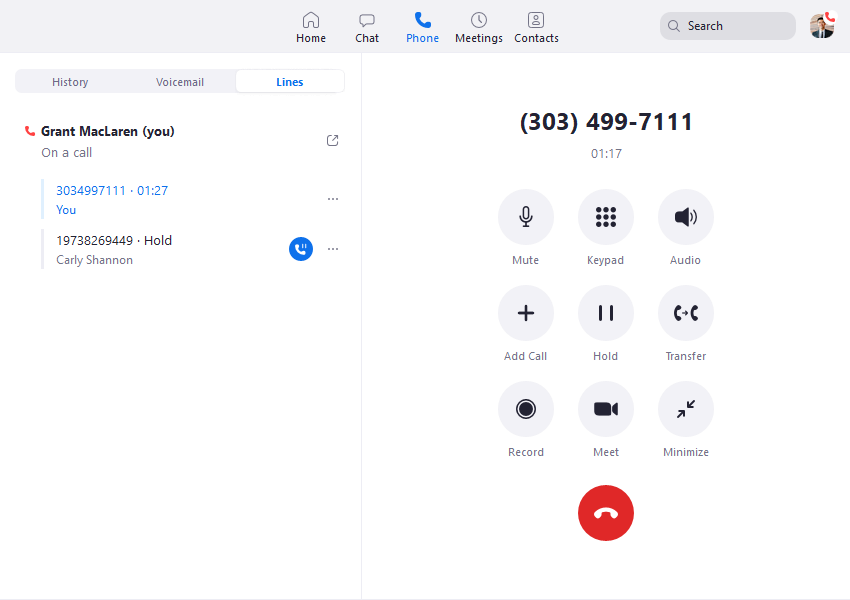
A Reception Team Covering Several Departments
Imagine a clinic where appointment, billing and general enquiries share a main number. Show how the intended team receives each call, who covers a busy employee and what happens when nobody answers. Include a caller who chooses the wrong option.
Keep menu decisions understandable to patients. An organization can have many internal responsibilities without exposing its entire structure in the greeting. The useful outcome is reaching an appropriate person with an acceptable wait.
Existing Zoom Use Is Helpful Context
Staff familiarity can make an evaluation easier, but video-meeting use does not establish Phone entitlement or the applicable healthcare agreement. Ask the vendor to identify the actual Phone license, account and optional services in the proposal.
Zoom Phone As A Spruce Health Alternative
Zoom Phone is a relevant Spruce Health alternative when the main need is coordinated calling and an approved patient portal already handles messages. Include a plan for secure conversations and their history if the practice is replacing an existing patient workspace.
Zoom Phone: Monthly Calling Reference Shown In The Comparison Table
Start Free TrialSpruce Health: Best Fit For Patient Conversations And Follow-Up
Shortlist Spruce when a dedicated patient conversation workspace is central. Include its calling capabilities in the evaluation rather than describing it only as a messaging app.
A Therapy Practice With An Assistant
A therapist may manage clinical conversation while an assistant handles administrative enquiries. Demonstrate each person’s access, the handoff and absence coverage. Staff should not need shared credentials to manage a common practice number.
Use a fictional patient with two ongoing enquiries. Ask staff to locate the right conversation and identify what remains unfinished. A shared workspace is most useful when it makes the next action and owner clear.
Spruce As A Zoom Phone Competitor
Spruce is a meaningful Zoom Phone competitor for healthcare buyers who want a more direct patient communication process. Its current documents cover calling, patient messaging and other clinical communication tasks. Confirm the required plan instead of assuming every reception feature belongs to Basic.
Patient Adoption Is Part Of Product Fit
A secure patient account must also be usable by the people receiving invitations. Test access with someone unfamiliar with the service and establish an approved fallback. A staff-friendly inbox cannot fully solve communication if patients do not know where to reply.
Spruce Health: Compare Basic And Communicator Requirements Above
14-Day Free Trial DetailsHIPAA Compliance And BAA Eligibility
Both publish healthcare arrangements involving a BAA. The comparison should identify the eligible account, covered service and practice workflow instead of making a universal compliance claim.
Zoom Phone Healthcare Account
Zoom’s current BAA guidance identifies eligible paid accounts and sales-assisted arrangements. Eligible US self-service accounts can use the Plan Management additional-products area; other buyers should follow the sales process. Confirm the practice’s Phone service and agreement rather than assuming a Meetings purchase is sufficient.
Spruce Organization And BAA
Spruce’s pricing FAQ says eligible organizations electronically accept its BAA during organization creation, including trial. Retain the applicable agreement and confirm the intended account use. Account creation does not replace the practice’s own approval and safeguards.
Approve Each Information Path
List calls, voicemail, ordinary SMS, secure conversations, fax, recordings, video, AI output and integrations. For each, record the destination, authorized staff and follow-up owner. That inventory helps identify information copied outside the reviewed service.
The practice still needs appropriate access, devices, workspace privacy and record handling. A vendor agreement is part of purchasing; a clear answer about a specific mailbox or connector is more useful than a brand-level badge.
For background, see our guide to VoIP and HIPAA compliance in healthcare. Apply the framework to the actual proposal and staff process.
Call Queues, Auto Attendants And Reception Routing
Zoom Phone documents several distribution methods; Spruce documents advanced call flows on Communicator. Compare the caller route and staff ownership using the same scenarios.
Zoom Phone Call Distribution
Zoom’s queue guide lists simultaneous, sequential, rotating, group-rotating and longest-idle distribution. Managing queues requires the documented account and Phone licensing, administrator access and initial setup. Choose the route that matches staff availability.
Simultaneous ringing may help a small team answer quickly, but it can interrupt several people. Sequential ringing can follow a coverage order, but the practice should inspect waiting time. The best configuration depends on the work and staffing.
Spruce Communicator Call Flows
Its visual call-flow documentation covers menu choices, transfers, voicemail and post-call actions. Scheduled flows can change handling for business hours and holidays. Demonstrate the selected route and fallback before paying for the upgrade.
Coverage Scenarios For Both Providers
| Scenario | Inspect | Useful Result |
|---|---|---|
| Reception At Lunch | Backup route and staff availability | Caller reaches defined coverage |
| Wrong Menu Selection | Recovery from the wrong route | Appropriate person can help |
| No Answer | Final mailbox and callback owner | Enquiry remains assigned |
| Temporary Closure | Greeting and schedule override | Caller receives current guidance |
| Repeat Patient Call | Unresolved work and duplicate effort | Staff understand the next action |
Include a representative busy period. An empty-office demonstration cannot reveal how coverage behaves when several staff members are occupied. A feature-rich setup still needs people who understand how to operate it.
Secure Patient Messaging Vs Ordinary SMS
Spruce documents an invited patient-account channel. Zoom Phone business SMS should not be assumed to provide the same patient experience. Review the proposed route and endpoints.
Spruce Secure Conversations
Its guide describes a Spruce Link, a patient account and app or web access. Secure threads support attachments, read receipts and separate conversations for different topics. The patient must complete the account process; a regular SMS thread is a different channel.
Test an invitation, a first reply and a return visit using fictional information. Ask the tester to describe the next step without coaching. Include a failed invitation and an incorrect contact detail.
Ordinary Carrier Texting
Spruce’s SMS guide describes public-network messaging without the secure patient account and discusses its patient-preference and risk-information process. That route is not protected identically to secure app messaging. Approve its intended use at the practice level.
For Zoom Phone, ask for the exact patient messaging proposal, endpoints and agreement scope. A practice may prefer to keep an approved portal and use the phone system mainly for calls. Internal staff chat and ordinary patient SMS should be evaluated as distinct paths.
Plan For Unexpected Clinical Replies
A patient can answer an administrative reminder with sensitive detail. Decide who monitors the response and how the conversation moves into the intended approved channel. Test wrong numbers and shared family devices before automating outreach.
Carrier registration concerns message delivery requirements. Privacy approval concerns permitted content, access and handling. A registered business number is not evidence that every patient conversation belongs in SMS.
Voicemail And Shared Follow-Up
Compare where a message arrives, who can retrieve it and who completes the callback. Transcription can help review, but it does not assign responsibility.
Zoom Phone Voicemail Evaluation
Demonstrate voicemail retrieval on the proposed application and inspect notification or forwarded-copy destinations. Ask an employee to cover an absent colleague without using a shared login. Verify the required permissions and configuration.
Spruce Conversation-Based Retrieval
Spruce’s FAQ describes voicemail captured in the corresponding patient phone conversation and available through its applications. Demonstrate the intended staff role’s access and callback, including a message that arrives after hours.
Track New And Completed Work
Ask staff to identify which enquiries are new, assigned and resolved. Include a patient who calls again before the first message is answered. The useful workflow prevents both forgotten messages and duplicate callbacks.
Inspect lock-screen previews, email notifications and copied text. A reviewed mailbox is only part of the process if message content moves into another destination. Test the clinician’s actual device rather than relying on an administrator’s ideal demonstration.
Call Recording, Access And Retention
Compare capture controls and access before enabling recording. Spruce’s documented conversation-level access has an important implication for who can hear captured calls.
Zoom Phone Recording Policies
Zoom documents administrator-managed automatic and ad hoc recording settings. Request the required license, announcement behavior, permissions and retrieval demonstration on the proposed account. Verify the capture arrangement under the practice’s agreement.
Spruce Communicator Recording
Spruce’s guide identifies Communicator, per-number administrator settings and recordings in conversation threads. It says anyone with conversation access can access associated recordings, and recordings cannot currently be deleted. Review that documented behavior against the practice’s access and record policy before enabling capture.
Its guide also says Spruce does not automatically notify participants of recording. Plan the required inbound greeting and outbound notification, and address applicable consent requirements for the practice’s actual calls. Do not assume enabling the feature completes the notice process.
Define A Purpose And Review Process
Recording every conversation can add work without improving service. Specify the capture purpose, authorized reviewers and retrieval process. Include an employee who should not have access in the permission test.
Determine the practice’s applicable retention obligations and supported record controls. Do not infer a universal HIPAA archive period from a product feature. Ask what remains accessible after a downgrade, port or cancellation.
Fax And Patient Video Communication
Zoom now publishes native Phone fax, while Spruce publishes eFax and patient video functions. Evaluate each exact service rather than relying on older product assumptions.
Zoom Phone Native Fax
Zoom’s current US/Canada unlimited reference includes 50 inbound/outbound fax pages per user, pooled across the account, with additional usage-based pages. Confirm availability, charges and BAA coverage for the specific fax service. Do not describe Zoom Phone as having no fax.
Spruce eFax Workflow
Its healthcare communication documents include fax. Test retrieval by the intended staff member, an absent recipient and a failed transmission. Assign an exception reviewer so a document does not disappear behind a successful delivery status.
Phone Service And Video Entitlement Differ
Spruce’s FAQ describes provider-initiated patient video through the patient account. Test onboarding and the actual consultation experience. For Zoom, confirm the separate Meetings licensing and healthcare setup required by the proposed video workflow.
A Phone subscription is not itself proof that a particular telehealth meeting or connector is included. Compare the patient journey and the complete order if video is essential to the practice.
Mobile Use, Personal Number Privacy And Reliability
Both should be tested on representative devices and connections. A separate business number supports boundaries, but the complete workflow still needs appropriate access and handling.
Business Calling On Existing Devices
Spruce’s phone guide documents mobile, web, desktop and supported connected desk phones. Confirm plan and device requirements. For Zoom Phone, demonstrate the proposed endpoints and user permissions rather than borrowing assumptions from a Meetings demonstration.
Make an outgoing fictional call and inspect caller identity. Test incoming business calls during a personal call and while the device is unavailable. The final greeting and mailbox should match the intended practice route.
Office And Remote Coverage
Have representative employees complete the same tasks in office and remote workspaces. Inspect understandable audio, notification timing and recovery after interruption. A short ideal-condition call does not establish day-to-day reliability.
A Usable Fallback
Define the backup route if a device or connection becomes unavailable and name the owner of unfinished work. The patient experience depends on local connectivity, staffing and configuration as well as the vendor platform.
Evaluate emergency-location settings and staff understanding for the endpoints the practice actually uses. Keep training close to real tasks so employees know what to do when normal calling fails.
AI, Analytics And Integrations
Evaluate the specific feature and destination. Available AI on a healthcare account is not a reason to approve every output or connector without review.
Zoom Healthcare AI Eligibility
Zoom’s current BAA help permits available AI features with account controls, while noting that some remain unavailable. Avoid a blanket claim that healthcare users must disable all AI. Confirm the proposed Phone function and its permitted handling.
Spruce Transcription And Summaries
Spruce’s current help describes voicemail transcription on both plans and recorded-call or audio-message functions on Communicator. Administrators can manage availability at organization and phone-number levels. Demonstrate the enabled behavior rather than relying on older launch notices.
Review names, dates and instructions before generated text enters a patient record or triggers follow-up. A fluent summary may omit context. Define who checks output and which source material remains available.
Advanced Zoom Queue Reporting
Zoom’s documented real-time queue analytics and related historical reports require Customer Engagement Pack and the relevant roles. Include the add-on in the quote instead of counting that dashboard as a base-price function.
For either service, start with the decision the report should support: additional reception coverage, abandoned calls or unresolved patient work. Information is useful when the practice can act on it.
The Exact Connector Matters
Ask each vendor to demonstrate the integration with the clinical system the practice uses. Identify the required product, connector, fields and receiving-system permissions. An integration catalogue entry does not establish an included deployment.
Follow a fictional record through the proposed connection. Inspect identity matching, transfer failures and authorized access. A successful login is only the beginning of the integration test.
Which Provider Fits Your Practice?
Solo Therapists And Private Practice
Prioritize Spruce when secure patient conversations are the main unmet need. Test onboarding and follow-up. Compare Zoom Phone if an approved portal already handles messages and a calling service is the missing component.
Small Medical Offices With Reception Staff
Pilot both against absence coverage and unresolved callbacks. Zoom Phone merits a queue demonstration; Spruce merits a patient-workspace and required call-flow demonstration. Price the staff access and tier the workflow needs.
Group Mental Health Practices
Evaluate Spruce’s patient access and team responsibilities together. Include advanced calling and recording requirements in the tier decision. Compare Zoom Phone if reception organization is the larger problem.
Multi-Location Clinics
Prioritize the organizational-calling proposal. Zoom Phone’s documented queue administration is relevant, while Spruce may suit a common patient conversation process. Verify permissions, location coverage and the complete cost.
Mobile Clinicians And Remote Teams
Use actual devices and representative connections. Compare caller identity, privacy, interruption recovery and follow-up ownership. App availability alone does not establish effective remote work.
Dedicated Patient-Access Teams
Define the agent operation before selecting a package. Ordinary office queues and a complete contact-center requirement are different buying tasks. Request the necessary escalation, reporting and supervisory demonstration.
Zoom Phone And Spruce Health Pros And Cons
Zoom Phone Pros
- Documented group call distribution for reception.
- Useful candidate for an existing Zoom environment.
- Lower monthly calling reference in this comparison.
- Current native fax offering to evaluate.
- Advanced queue reporting available through a defined add-on.
Zoom Phone Cons And Buying Limits
- Existing video use does not establish Phone or BAA eligibility.
- A secure patient channel needs a separate workflow comparison.
- Advanced queue analytics add to the complete cost.
- Menus and staff permissions need deliberate setup.
- Optional services should be confirmed in the actual order.
Spruce Health Pros
- Dedicated invited patient-account messaging route.
- Calling belongs alongside messaging in the evaluation.
- Shared follow-up and team access deserve demonstration.
- Published healthcare trial and BAA process.
- Fax and patient video functions can be evaluated together.
Spruce Health Cons And Buying Limits
- Higher base reference than the Zoom calling plan.
- Advanced call flows and recording require Communicator.
- Staff seats and fees can increase the total.
- Patient secure access needs onboarding.
- Trial SMS and recorded-call access need careful review.
These are editorial buying considerations, not measured performance guarantees. Use important limitations to define vendor questions and acceptance tests.
How To Switch Between Zoom Phone And Spruce Health
Complete the replacement pilot before ending the previous service. Moving a number, preserving records and changing patient access are separate parts of the transition.
- Inventory numbers, staff, message channels and historical records.
- Confirm eligible services, agreements and the complete order.
- Configure access, greetings, coverage and approved destinations.
- Test fictional calling and secure patient access on representative devices.
- Arrange supported exports or continued historical access.
- Confirm porting requirements and keep the old line active until transfer passes.
- Train staff and explain changed patient messaging steps.
- Review missed calls and unresolved conversations after launch.
Acceptance Checks Before Launch
- External callbacks show the intended business identity.
- Ignored or rejected calls reach the approved mailbox.
- Staff can cover an absent colleague with individual access.
- Patients can enter the intended communication channel.
- Recordings and fax are accessible only to intended roles.
- Historical access is arranged before cancellation.
- Former employees cannot access the replacement account.
If the practice temporarily uses two systems, define which receives new work and who closes unfinished conversations. Avoid an indefinite split between competing inboxes. A new phone service should clarify responsibility rather than add uncertainty.
Frequently Asked Questions
Is Zoom Phone Better Than Spruce Health?
Zoom Phone merits priority for reception calling. Spruce merits priority for dedicated patient conversations. Choose around the practice’s missing workflow.
Is Zoom Phone Cheaper Than Spruce?
Its monthly calling reference is lower than the Spruce references here. Compare the total for the same required tasks before claiming complete-workflow savings.
Do Both Providers Offer A BAA?
Both publish healthcare BAA arrangements. Verify the eligible account, service and intended use before moving patient information.
Does A Free Zoom Meeting Account Include The Required Phone Service?
Do not assume it does. Phone licensing and the healthcare arrangement are separate purchasing checks.
Does Spruce Include A BAA During Trial?
Its pricing FAQ describes a BAA for eligible organizations during account creation, including trial. The practice still needs to approve use.
Does Spruce Basic Include Advanced Call Flows?
The documented advanced call-flow function requires Communicator. Include the upgrade if that task is essential.
Can Spruce Be Used With A Desk Phone?
It documents supported connected desk-phone use. Confirm the required plan, compatible device and complete cost.
Does Zoom Phone Have Fax?
Zoom publishes native Phone fax. Confirm the current allowance, service availability and healthcare coverage.
Does Zoom Include Advanced Queue Analytics In The Base Reference?
The documented advanced queue analytics require Customer Engagement Pack and appropriate roles. Include that option in the cost.
Do Patients Need A Spruce Account For A Standard Call?
No patient account is needed for an ordinary call or SMS. Secure patient conversations use the invited account route.
Is Spruce Recording Included In Basic?
Its current recording guide identifies Communicator. Review access, notice and record-handling behavior before enabling capture.
Does A Number Port Move Patient Message History?
Do not assume it does. Confirm exports or continuing access separately before ending the old account.
What Should A Therapist Test First?
Test business identity, unanswered-call routing, voicemail retrieval and patient access before adding capture or automation.
Customer Feedback And Final Recommendation
Zoom Phone — Nitin V., G2, June 5, 2026: The reviewer valued keeping calls, forwarding, voicemail and messaging together. He also found initial auto-attendant setup confusing and reported occasional quality drops. This supports testing both routing and daily usability, not assuming a universal experience.
Spruce Health — Nathan M., G2, July 1, 2026: The executive director valued flexible team communication, internal notes and a shared practice number. He questioned the growing cost of phone-tree functions. Routing needs and staff count therefore belong in the same purchasing calculation.
Final Recommendation: Choose Zoom Phone when coordinated reception calling and the Zoom environment are central. Choose Spruce when dedicated secure patient conversations and shared follow-up are central. Verify the eligible agreement, real patient access, record controls and complete cost before moving live communication.
Affiliate Disclosure: VoIPCalling.com may earn a commission when you sign up through qualifying links in this article, at no cost to you. This comparison considers published documentation, limitations and practice fit. Confirm current pricing, covered services and the required configuration with the selected provider.