
The best VoIP phone systems for healthcare help patients reach the right team, give staff a clear owner for unanswered calls and keep office communication manageable across devices. The useful comparison is not the longest feature list. It is whether the system supports appointments, billing enquiries, clinical callbacks and after-hours coverage without creating confusing handoffs.
RingCentral is our broad-platform shortlist for multi-location healthcare organizations, Nextiva for voice-first medical offices and Zoom Phone for practices already using Zoom. Dialpad merits a look for smaller teams and approved AI workflows; Quo Business/Scale for shared calling; and JustCall Business for larger patient-contact teams. Choose around call handling, staff access, covered services and the full quote.
This guide focuses on US medical and dental practices, outpatient clinics, behavioral health offices and healthcare groups. It compares six providers with documented healthcare or BAA support from our business-phone shortlist. Suggested staff counts describe editorial fit, not provider capacity or guaranteed plan eligibility. Recommendations are based on published information and workflow analysis, rather than an independent test of every product.
Best Healthcare VoIP Phone Systems Compared
Start with the practice’s call routes, licensed staff and approved communication channels. A small office may need a dependable shared number and simple transfers. A larger clinic group may need site administration, queues and reporting. EHR access and contact-center tools should be priced and approved separately when they are not part of the phone plan.
| Provider | Best Fit | Healthcare Features & Limits | Pricing & Trial |
|---|---|---|---|
 1. RingCentral 1. RingCentral |
|
| RingEXRequest Healthcare QuoteConfirm plan and covered services Start 14-Day Free Trial |
 2. Nextiva 2. Nextiva |
|
| Core: General Plan Reference$15/User/Month AnnuallyHealthcare configuration: confirm quote Start 14-Day Free Trial |
 3. Zoom Phone 3. Zoom Phone |
|
| Zoom PhoneRequest Current QuoteConfirm Phone plan and BAA Start Free Trial1–50 Users |
 4. JustCall 4. JustCall |
|
| BusinessCustom Quote10-license minimum Start 14-Day Free Trial |
 5. Dialpad 5. Dialpad |
|
| Connect Standard$15/User/Month Annually$27/user/month on monthly billing Start 14-Day Free Trial |
 6. Quo 6. Quo |
|
| Business$23/User/Month Annually$33/user/month on monthly billing Start 7-Day Free Trial |
Prices are US-dollar references before taxes, usage, equipment and add-ons. Nextiva’s Core price is a general-plan reference; obtain a quote for the healthcare configuration. Annual figures are monthly equivalents on the stated annual term. A trial is for a usability pilot with fictional patient information until the applicable BAA and settings are approved. Nextiva’s 14-day offer is package-dependent.
Expert Rating Method: Our buying-fit scores weight documented BAA/coverage clarity (30%), practice workflow fit (30%), administration (20%) and price/eligibility accessibility (20%). Each dimension is assessed out of five and combined to one decimal. These editorial judgments are not security audit results or customer-rating averages. Providers follow our usual editorial order; the order is not a score ranking.
What Should A Healthcare Phone System Do?
A healthcare phone system should make patient access easier: answer the main number, route the enquiry, transfer without losing the caller and assign a follow-up when nobody is available. It should also support the practice’s staff access, privacy requirements and continuity plan. Advanced tools matter when they solve a defined operational problem.
Start With Four Everyday Patient Journeys
- Appointments: A caller reaches scheduling, receives an answer or leaves a request with a named owner.
- Billing: Staff transfer the enquiry to the appropriate team without repeatedly sending the patient back to reception.
- Clinical callbacks: The office follows its approved clinical process and response expectations, without implying that voicemail is continuously monitored.
- After-hours contact: The greeting and destination match the actual answering or on-call arrangement.
Phone configuration does not determine clinical urgency. The practice must define who handles a potentially urgent concern and what staff should do when that person is unavailable. A menu option or AI label is not a substitute for a clinical escalation protocol.
Small Office Phone System Vs Healthcare Contact Center
A standard business phone system may be sufficient for a few receptionists and routine transfers. Consider a contact-center product when the operation needs more sophisticated agent management, workload distribution, supervisor tools or reporting across a dedicated contact team. Those capabilities can have different licenses from the everyday staff phone service.
For example, Nextiva’s documented Epic connection requires an active Nextiva Contact Center license and Epic on FHIR. Dialpad Connect and Dialpad Support are separate products. Zoom Phone queues should not be confused with a full Zoom Contact Center implementation. Price the required product rather than borrowing a feature from another part of the vendor’s website.
RingCentral — Best For Multi-Location Healthcare Organizations
RingCentral RingEX is a strong shortlist when several sites or departments need a shared communications administration process. The buying case is broader than a single reception number: the organization wants staff calling identities, department routes and a manageable way to add or remove people across locations.
Healthcare Features And Fit
A mix of desk, computer and mobile calling, with routing and collaboration options that should be demonstrated on the proposed tier. RingEX and separately scoped contact-center products serve different needs.
- Pro: A useful platform to compare when department and location administration matter.
- Con: Broader functionality can bring more setup work, tier decisions and optional-product costs.
A Useful Practice Pilot
Ask reception to transfer a fictional enquiry to another site. Repeat while that site is closed, then have an administrator remove a test employee and show where their calls go.
Privacy And Plan Check: RingCentral documents BAA support for paying covered-entity customers and names RingEX in its HIPAA materials. Confirm the current schedule of covered services and each optional AI, fax or contact-center component.
RingEX: Request A Healthcare Quote
Start 14-Day Free TrialRequest a configured RingEX quote. The advertised 14-day trial can help test ordinary call handling, but patient use needs the appropriate agreement and approved settings.
Nextiva — Best For Voice-First Medical And Dental Offices
Nextiva is relevant to a practice that wants predictable front-desk calling before adding a larger patient-engagement system. Begin with reception coverage, transfer destinations and the approved voicemail process. A standard product demonstration should be compared with the actual healthcare configuration.
Healthcare Features And Fit
Voice, routing and eligible fax/video workflows. Nextiva also documents healthcare integrations, but its Epic integration requires Nextiva Contact Center and an active Epic license on FHIR; it is not automatically included with the Core phone reference.
- Pro: A practical shortlist for an office prioritizing phone-based access and a defined healthcare configuration.
- Con: Published healthcare restrictions can remove conveniences that appear in standard accounts, and EHR integration can change the product required.
A Useful Practice Pilot
Have staff retrieve an invented voicemail, make the callback and confirm ownership. If integration is proposed, demonstrate the exact patient-identification and appointment update workflow using dummy records.
Privacy And Plan Check: Nextiva publishes BAA support and limitations on visual voicemail, voicemail-to-email/text and other functions. Ask for the current feature matrix for the quoted phone, fax, messaging and AI products.
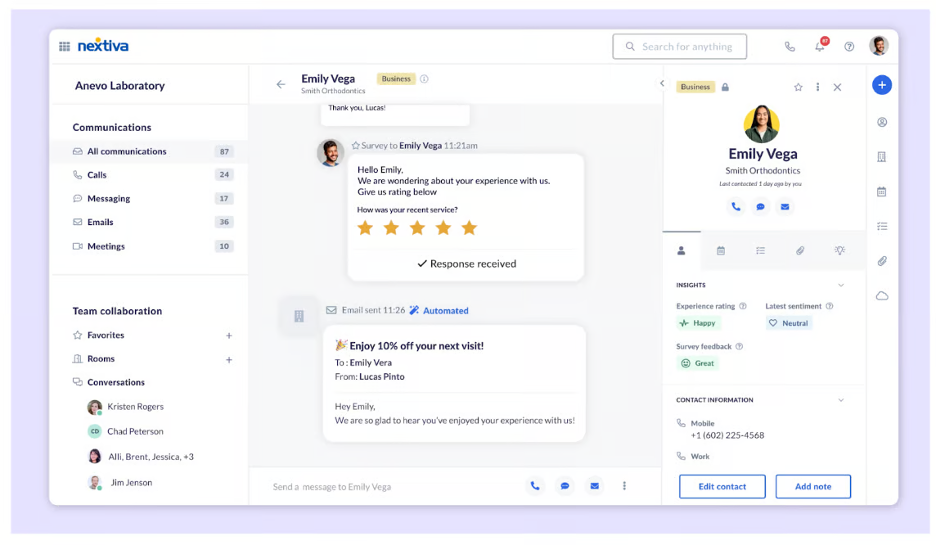
Core Reference: $15/User/Month Annually; Healthcare Configuration: Confirm Quote
Start 14-Day Free TrialCore’s reference is $15/user/month annually, but confirm the eligible healthcare quote. Some packages offer a 14-day trial; ask which product and settings your pilot includes.
Zoom Phone — Best For Clinics Already Working In Zoom
Zoom Phone belongs on the shortlist when a practice already uses Zoom and wants business calls in a familiar environment. The attraction is everyday staff calling and coordinated reception routes. A phone implementation still needs its own licensing and administration; it does not follow automatically from a Meetings account.
Healthcare Features And Fit
Auto receptionists, queues and supported phone applications. Zoom’s current documentation places real-time queue analytics in the Customer Engagement Pack add-on, separate from the ordinary Phone dashboard.
- Pro: Familiarity may simplify adoption for staff already comfortable with Zoom.
- Con: More advanced queue visibility and other optional capabilities can add licenses or setup requirements.
A Useful Practice Pilot
Test a receptionist queue with two fictional callers and a staff member who is unavailable. Check transfer and overflow behavior. If analytics matter, request a demonstration of the licensed add-on rather than a generic dashboard.
Privacy And Plan Check: Zoom offers BAAs on eligible paid accounts. Confirm Phone coverage and each proposed recording, AI and external integration feature. Current support guidance allows some AI with BAAs while noting that particular features may be unavailable.
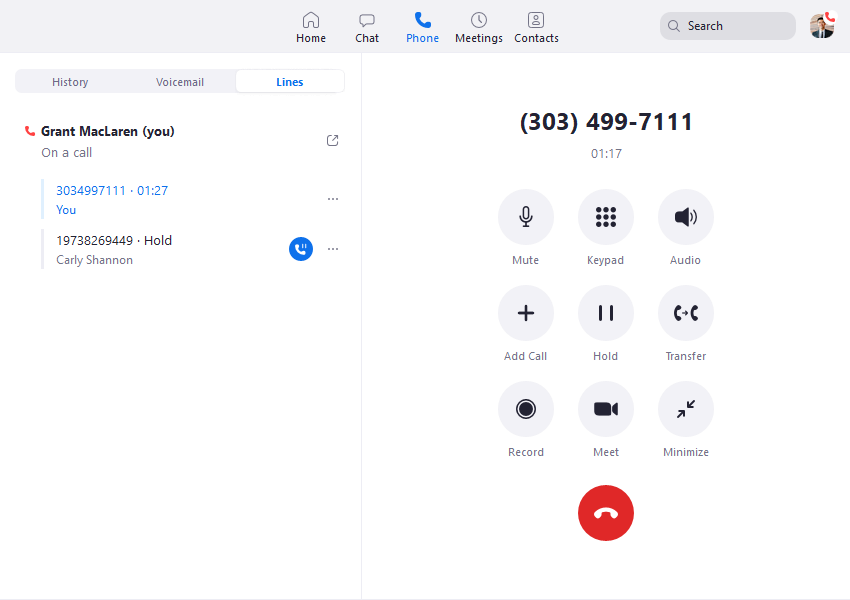
Zoom Phone: Request Current Plan & BAA Pricing
Start Free Trial (1–50 Users)Request current Phone pricing for the required country and features. A Phone trial is advertised; verify duration and eligibility rather than assuming a free Meetings account covers the rollout.
For 50+ users, request the larger-business Zoom option, identifying the healthcare workflow and required products.
JustCall — Best For Larger Patient Intake And Follow-Up Teams
JustCall is relevant where intake, callback requests and patient follow-up are handled by a structured contact team. Its routing documentation covers per-number rules, team destinations, ring groups, menus and fallback choices. The goal should be clear ownership and a practical handoff, rather than importing sales dialing methods into care workflows without review.
Healthcare Features And Fit
Call routing and CRM-oriented contact workflows. Compare the healthcare-eligible plan and any connected systems separately; a general CRM feature does not establish approved handling of patient records.
- Pro: Worth evaluating for a larger group coordinating assigned contact work.
- Con: Published HIPAA compliance sits in custom Business with a ten-license minimum, which can be excessive for a very small office.
A Useful Practice Pilot
Use dummy contacts to test an intake handoff, a missed callback and staff reassignment. Ask what enters the connected CRM and whether anyone outside the intended team can retrieve or export it.
Privacy And Plan Check: The healthcare page describes a signed BAA for eligible teams. Confirm the Business agreement’s exact service and channel scope instead of assuming the lower Team price is the healthcare buying floor.
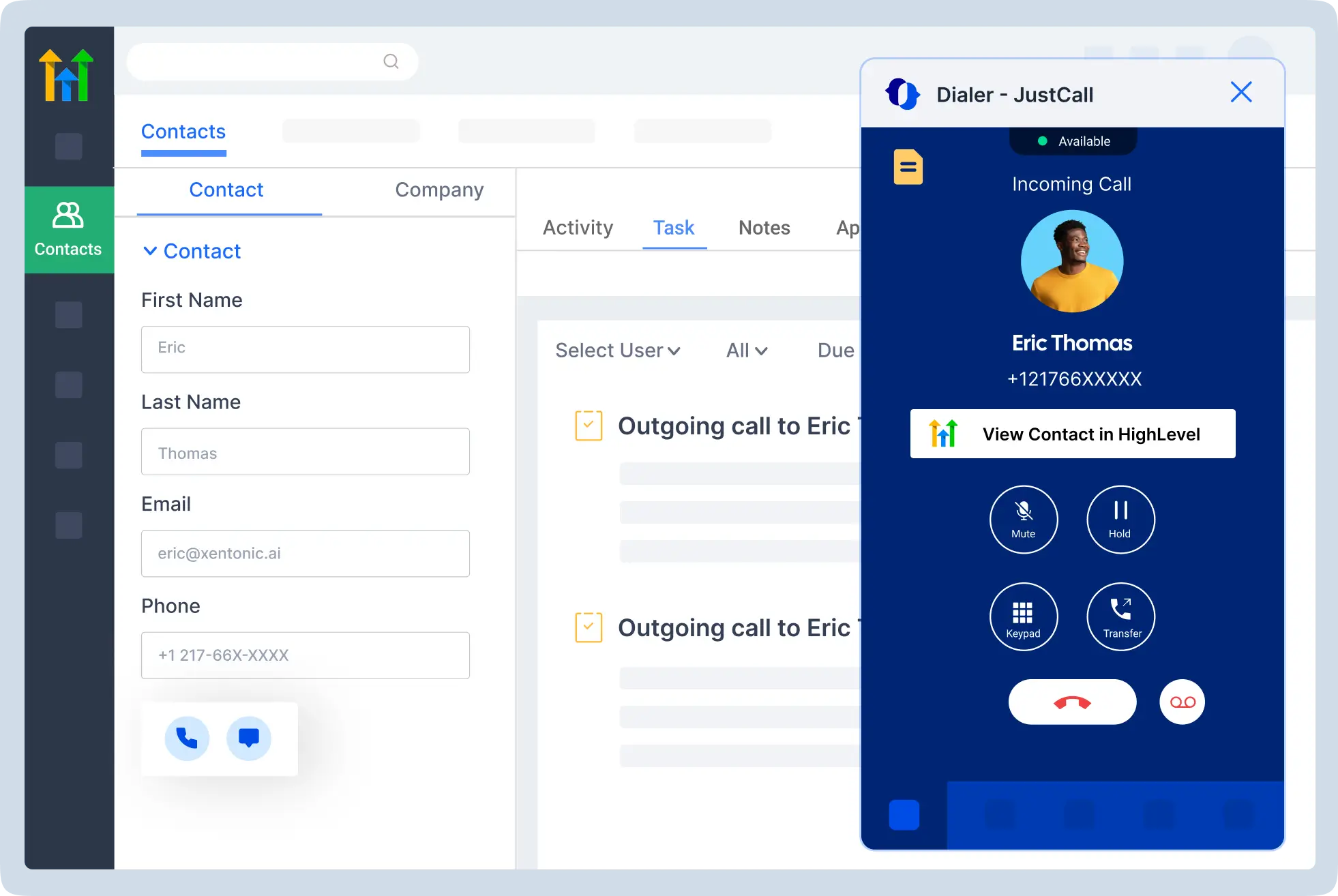
Business: Custom Quote; 10-License Minimum
Start 14-Day Free TrialRequest a Business quote for at least ten licenses. The advertised 14-day trial may use a different product configuration; establish what is approved for the healthcare pilot.
Dialpad — Best For Smaller Practices Evaluating AI Call Notes
Dialpad Connect is worth comparing when a smaller practice wants a manageable paid phone service and a documented BAA process. Main-line and department routing can support reception and staff destinations. Dialpad Support is a separate contact-center product, so choose around actual workloads rather than assuming the Connect subscription includes the entire portfolio.
Healthcare Features And Fit
Calling, main-line routing and AI-oriented communication tools. If AI is used, define the purpose of each note, staff review and retention before enabling it for patient conversations.
- Pro: A relatively accessible paid-account starting point for practices reviewing BAA signing and record controls.
- Con: AI output creates more information to govern, and sophisticated contact-center or integration needs may change the license.
A Useful Practice Pilot
Try the same fictional call with and without AI. Have a staff member identify a deliberately ambiguous name or date in the summary and explain how the correction is handled. Test app notifications and device availability separately.
Privacy And Plan Check: Company administrators can sign a BAA online on paid accounts. Dialpad documents configurable retention and says a company with a BAA does not have its conversation data used for AI training. Confirm the exact product and external destinations.
Connect Standard: $15/User/Month Annually Or $27 Monthly
Start 14-Day Free TrialConnect Standard is listed at $15/user/month annually or $27 monthly, with a 14-day trial. Required upgrades, integrations and usage can change the full cost.
Quo — Best For Small Practices Sharing A Calling Number
Quo, formerly OpenPhone, is a focused shortlist for a small practice where several staff members need visibility into incoming calls and follow-up. Its shared-phone approach is attractive when the problem is an unanswered call changing hands between shifts. Assess calling workflows independently from ordinary text messaging.
Healthcare Features And Fit
Shared calling and conversation access, with Business-tier transfers, menus and custom ring options. The relevant healthcare entry comparison is Business or Scale, not the cheaper Starter plan.
- Pro: Useful for a small team that wants shared responsibility without beginning with a larger contact-center deployment.
- Con: Quo’s BAA excludes SMS/MMS and third-party integrations, so the shared inbox cannot be treated as blanket coverage for every channel.
A Useful Practice Pilot
Give two staff members access to a dummy number and test transfer, missed-call follow-up and removal of one user. Verify that unapproved notifications and external connections remain disabled.
Privacy And Plan Check: BAA availability is documented on Business and Scale. Review the official channel exclusions and the conditions governing AI functions before authorizing patient workflows.
Business: $23/User/Month Annually Or $33 Monthly
Start 7-Day Free TrialBusiness is $23/user/month annually or $33 monthly, with a seven-day product trial. Confirm the agreement and configuration before introducing patient information.
Top Healthcare Phone Systems By Practice Need
Compare three candidates that fit the operational problem. Reception-heavy offices need clear calling and retrieval; larger contact operations need agent and workflow tools; multiple sites need consistent administration. Every selection still depends on an eligible plan, an approved configuration and the actual contract.
Small Medical And Dental Offices
For a few staff, prioritize a short patient menu, useful transfer behavior and clear voicemail ownership.
- Nextiva: Compare a voice-first healthcare configuration.
- Dialpad: Evaluate paid-account BAA signing and the required Connect tier.
- Quo: Compare Business/Scale shared calling with channel restrictions understood.
Multi-Location Clinics And Medical Groups
Confirm who administers the main number, location schedules and staff movement between sites.
- RingCentral: Evaluate department and multi-location administration.
- Zoom Phone: Compare an existing Zoom environment with the appropriate Phone deployment.
- Nextiva: Request a healthcare proposal covering all locations and required products.
Patient Intake And Follow-Up Operations
Define staff ownership of pending contacts and an escalation route for unanswered enquiries.
- JustCall: Business is a relevant candidate for teams meeting the ten-license minimum.
- RingCentral: Compare the staff phone service with a separately scoped contact-center proposal.
- Dialpad: Determine whether Connect is enough or a Support implementation is required.
Telehealth-Oriented Practices
Calling and video consultations are different workflows; assess licensing and permitted use for each.
- Zoom Phone: Compare Phone with the separately approved Zoom consultation environment.
- RingCentral: Assess eligible calling and video services within the proposed platform.
- Nextiva: Compare the quoted voice/video healthcare configuration and its restrictions.
Practices Exploring EHR-Connected Communication
An integration is valuable only when it supports the exact clinical system and task. These are candidates to investigate, not guarantees of compatibility.
- Nextiva: Epic and ModMed are documented; verify licenses and supported workflows.
- RingCentral: Ask for a demonstration of the exact healthcare connector and implementation scope.
- JustCall: Evaluate approved CRM-based intake work; do not treat it as a universal native EHR connector.
Three Features Worth Prioritizing In A Medical Office
1. Queues, Transfers And A Reliable Fallback
The front desk needs a route that works when more than one patient calls. Decide whether callers wait, another staff member rings or an approved callback request is captured. A successful transfer should not require the patient to redial or repeat the entire enquiry.
Compare RingCentral, Nextiva and Zoom Phone for broader routing needs, and include Quo or Dialpad for a smaller shared-calling workflow. Ask each provider to demonstrate the proposed tier. Staff availability, opening hours and the fallback destination matter as much as the menu itself.
2. Controlled Patient Context And An Approved Integration
A team can avoid duplicate follow-up when staff can see what has already happened and who owns the next step. Determine which information belongs in the phone record and which belongs in the clinical system. A shared view should not give everyone unrestricted access to all patient conversations.
Nextiva’s Epic requirements show why the quote needs named products and licenses. An integration page is not proof of inclusion in a cheap phone subscription. Ask about read/write fields, identification, installation, support ownership and where an appointment update actually appears.
3. Visibility Into Missed Work And Staff Coverage
A practice manager needs to know whether unanswered calls receive follow-up and whether the reception route has enough coverage. Request reports that distinguish waiting, abandoned, overflow and answered events where those measures are needed. Define the events before comparing dashboards.
Zoom’s real-time queue dashboard requires its Customer Engagement Pack add-on. Other providers can have tier-dependent reports or separate contact-center products. Basic call history may be enough for a small practice, while an intensive intake operation may justify more detailed reporting. Buy the visibility you will use.
A Practical Call Flow For A Five-Person Clinic
Use one main number, a short menu, a primary reception route and a defined fallback. Separate appointments, billing and the practice’s approved clinical callback process. Configure business hours and holidays, then make sure each mailbox or callback list has an owner. This is an example to adapt, not a clinical triage protocol.
| Patient Enquiry | First Destination | If Unanswered | Responsible Owner |
|---|---|---|---|
| Appointments | Reception team | Approved callback mailbox or overflow team | Scheduling lead |
| Billing | Designated billing staff | Billing callback request | Billing lead |
| Clinical Callback | Practice-approved clinical route | The practice’s documented escalation process | Authorized clinical team |
| After Hours | Approved answering/on-call arrangement | Accurate instructions for the available service | Assigned after-hours owner |
| Wrong Menu Choice | Reception or operator route | General reception callback | Front-desk lead |
Avoid making patients navigate multiple menu levels to ask a simple question. Include an accessible path for someone who does not select an option, cannot use the menu easily or reaches the wrong destination. If language assistance is needed, test how the service is actually reached.
Test The Lunch Break And Holiday, Not Just Monday Morning
A route that works with every employee logged in may fail when the main receptionist takes a break. Use a temporary test number to try reduced staffing, a public holiday and a location with different opening hours. Confirm the greeting matches who is actually available.
Keep After-Hours Promises Accurate
An answering arrangement needs a named service or person, an escalation policy and clarity about who reviews messages. Sending calls to a personal mobile number does not, by itself, establish privacy, record ownership or continuous coverage. Assess that destination separately.
Publish the practice’s approved emergency instructions and response expectations. Do not advertise an unattended mailbox as urgent monitoring, and do not use a generated priority label as a clinical decision. Phone software should support the protocol the healthcare team has adopted.
Cloud VoIP Vs On-Premise PBX Vs A Contact Center
Cloud VoIP is usually attractive when a practice wants centralized phone administration and supported apps without operating its own PBX. An existing on-premise system may still serve specialized equipment or local requirements. A contact-center product is appropriate when the work needs dedicated agent operations and deeper queue supervision.
| Option | When It May Fit | What To Check |
|---|---|---|
| Cloud Business Phone | A practice needs staff calling, menus, shared routes and supported apps | Internet quality, eligible services, licensing and outage plan |
| On-Premise / Hybrid PBX | An existing deployment supports particular devices or local requirements | Maintenance responsibility, backup power and integration support |
| Healthcare Contact Center | A dedicated team handles a substantial intake or follow-up workload | Agent licensing, reporting, integrations and covered-service scope |
| Live Answering Service | The practice needs staffed call handling outside normal reception hours | Service agreement, training, data access and actual response coverage |
A contact center does not supply nurses or clinical decision-making simply because it can route a call. A live answering service does not become your phone system’s covered subcontractor simply because you forward a number to it. Ask who provides each function and which agreement applies.
For the difference between telephony and a broader collaboration platform, read our VoIP vs UCaaS comparison. Decide whether staff meetings and messaging should be part of this purchase or remain with an existing approved system.
HIPAA, Patient Texting And AI: What To Verify
A BAA is important when the phone provider acts as a business associate, but it has a defined scope. Confirm the covered products, approved channels, access controls and retained records. A healthcare label or general encryption claim does not approve every feature, integration or destination.
HHS guidance distinguishes a transmission-only phone conduit from services that create or retain patient information. Cloud voicemail, recordings, transcripts and connected workflows change the assessment. The healthcare organization also remains responsible for appropriate administrative, physical and technical safeguards.
- Voice and voicemail: Check the eligible service, retrieval method and notification destinations.
- Ordinary SMS: Obtain a channel-specific answer. Quo explicitly excludes SMS/MMS from its BAA; other providers’ coverage also needs confirmation.
- Recording and AI: Approve a purpose, applicable notice/permission process, staff review and retention.
- Integrations: Assess external destinations and any required agreements independently.
- Staff devices: Use individual accounts, suitable authentication, screen locks and a lost-device process.
Nextiva’s published healthcare restrictions and Quo’s BAA exclusions can directly change daily staff work. Do not compare a standard trial with the final restricted deployment as if they were identical. Have staff demonstrate the approved configuration, especially voicemail retrieval and patient follow-up.
For a more detailed explanation, see our healthcare VoIP compliance guide. HHS does not certify specific products as HIPAA-compliant. The practice’s designated privacy/security leads should approve the deployment.
Use AI For Defined Administrative Work
An AI receptionist may be useful for practice hours or a controlled appointment workflow, provided the service and configuration are approved. Establish a clear handoff when the caller asks something outside that scope. Do not let the system improvise clinical advice or replace the practice’s escalation procedure.
A transcript or summary is a draft record that can contain mistakes. Ask staff to review ambiguous names, dates and instructions before using it. The phone platform’s summary should not automatically become a clinical note without the practice’s review and record-management process.
How Much Does A Healthcare Phone System Cost?
Price the complete approved workflow: paid users, required plan, numbers, calling usage, equipment, integrations and any contact-center or AI product. Dialpad Connect Standard is listed at $15/user/month annually; Quo’s BAA-eligible Business plan at $23. JustCall Business is custom-priced with ten licenses minimum. Other healthcare configurations require a confirmed quote.
For five users, the Dialpad Standard annual-rate subscription reference is $75 per month in equivalents, or $900 per year. Quo Business’s corresponding reference is $115 per month, or $1,380 per year. These calculations do not establish that either entry configuration satisfies every clinic’s requirements.
A Transparent Savings Example
Assume a practice currently spends $180 monthly. Suppose its approved replacement costs $75 in subscription equivalents plus an assumed $25 monthly for additional services, producing a $100 recurring total. The illustrative recurring saving is $80 monthly, or $960 yearly. If it also buys five assumed $40 headsets, the first-year saving would be $760 before other transition costs.
These are budgeting assumptions, not measured customer results or a provider savings guarantee. Replace every figure with the current bill and configured quote. Staff setup time, carrier overlap, installation and an upgraded reporting or integration license can materially change the comparison.
Questions To Put On The Quote
- Which product and plan does each staff member need?
- Is the BAA available on that exact account and are there additional eligibility requirements?
- Which numbers, calling allowances and approved channels are included?
- Are queue reporting, fax, recording, AI and retention controls included or separate?
- Does the EHR connection require a contact-center license or implementation work?
- What are the monthly-versus-annual commitment, renewal and cancellation terms?
- What happens to charges during number porting and the overlap period?
Cost savings are most useful when the new system also reduces repeat transfers and missed follow-up. A cheaper plan can become expensive if a receptionist needs a workaround for every voicemail. A larger plan can waste money if the practice never uses its advanced functions.
Desk Phones, Headsets, Mobile Apps And Internet
A healthcare office can use supported desk phones, computer applications or mobile apps, depending on the provider and workflow. Buy only equipment the vendor supports for the exact product. Check network performance, device permissions and fallback arrangements before porting the main patient number.
Reception And Shared Workstations
A receptionist may benefit from a supported desk phone or a computer with a good headset. Test the actual process for hold, transfer and retrieving an approved voicemail. If shifts share a workstation, the practice still needs a way to manage individual access and avoid leaving an account open for the next person.
Remote Scheduling Staff
Confirm supported work locations and the employee’s connection. Test the app while the screen is locked or another application is in use, because missed notifications can look like poor reception coverage. Check which calling identity appears when the employee returns an enquiry.
Fax Machines And Other Existing Devices
Inventory fax, door entry, alarms, paging, elevator and other connected equipment before replacing lines. Do not assume every device works through a generic adapter or that an app subscription replaces a specialized line. Confirm compatibility and any separate installation or regulatory requirement with the responsible supplier.
Continuity During A Local Outage
A cloud service can reduce reliance on an on-site PBX, but the clinic’s internet and power still affect local devices. Evaluate wired connectivity, Wi-Fi quality, suitable backup power and an alternative connection or route. Test the fallback using fictional calls and record which features or charges change.
A provider uptime claim is not a guarantee that the practice’s router, electricity, mobile carrier and apps remain available. Keep emergency-call arrangements and registered-location requirements appropriate to the actual deployment.
How To Switch A Medical Office To VoIP
- Inventory numbers and devices: Include main, direct, fax and specialized lines.
- Map the patient journeys: Assign reception, billing, clinical callback and after-hours owners.
- Choose the eligible products: Price users, channels, reports and integrations explicitly.
- Approve contracts and configuration: Retain the applicable BAA and covered-service answers.
- Configure accounts and routes: Set staff permissions, schedules, greetings and fallbacks.
- Pilot on a test number: Use invented information and the real devices/network.
- Train the people who answer: Include shift changes, voicemail and failed-transfer procedures.
- Schedule number porting: Keep the old service active until completion and outside-call verification.
- Review the first week: Inspect unanswered calls, ownership, staff difficulties and usage charges.
- Review after changes: Recheck when adding a location, integration, AI tool or staff group.
A Practical Acceptance Checklist
| Test | Example Scenario | Acceptable Result |
|---|---|---|
| Busy Reception | Several dummy calls arrive together | Callers reach the intended queue or fallback. |
| Wrong Department | A caller selects billing for an appointment | Staff can hand off without losing the caller. |
| Closed Location | Another clinic site has different hours | Schedules and greetings match the intended site. |
| Shift Change | One receptionist leaves and another begins | Pending callbacks have a clear owner. |
| Voicemail | A caller leaves invented callback details | Only the approved destinations receive the record. |
| Integration | Two dummy records have similar names | Identification and data updates follow the approved process. |
| Connection Failure | The normal connection is unavailable in a controlled test | The documented alternate route is usable. |
| Staff Removal | A test employee loses access | Devices and connected access are revoked. |
Ask a staff member who did not build the system to complete these tasks. A successful technical configuration can still produce a difficult daily process. Record the problem and change one setting at a time rather than editing several routes at once.
Measure Patient Access After Launch
Track whether calls reach the intended team and whether follow-up is completed. Start with a few measures the practice can define consistently: unanswered contacts, unresolved callbacks, repeat transfers and availability during busy periods. Reporting should support staffing decisions rather than reward shorter calls at the expense of a useful answer.
| Measure | How To Define It | What It Can Reveal |
|---|---|---|
| Answered Calls | Use the platform’s event definition and specify whether short or internal calls count | Whether reception coverage matches inbound demand |
| Abandoned Calls | Confirm when leaving the queue is classified as abandonment | Waiting or routing friction; interpretation needs context |
| Pending Callbacks | Count requests still open under the practice’s agreed follow-up process | Unowned work or backlog between shifts |
| Repeat Transfers | Inspect a sample of calls moved between departments | An unclear menu or destination ownership |
| Coverage Exceptions | Log holidays, breaks and outages with route changes | Schedule or continuity gaps |
Keep definitions and time windows consistent. Two platforms may label the same event differently, and one call can generate multiple records. Do not compare raw counts without knowing the denominator. A lower average duration does not prove that patients received better help.
Use the first review to simplify a confusing menu, clarify ownership or adjust staff coverage. Only add new software when a documented operational gap requires it.
Healthcare Phone System FAQs
What Is The Best VoIP Phone System For Healthcare?
RingCentral is our broader-platform shortlist, Nextiva fits voice-first offices and Zoom Phone fits existing Zoom teams. Dialpad, Quo Business/Scale and JustCall Business suit different smaller-team or contact-operation needs. Select the eligible product by actual routes, staff access, privacy scope and quote.
What Features Should A Medical Office Prioritize?
Prioritize a short menu, useful queues, transfer and fallback behavior, voicemail ownership and staff access controls. Add integration and detailed reporting when the practice has a defined need. Demonstrate the required features on the proposed healthcare configuration.
Can A Small Dental Office Use A Cloud Phone System?
Yes, if the service fits the office’s devices, number requirements, network and approved communication workflows. Nextiva, Dialpad and Quo are relevant candidates in this shortlist, with different plan and channel limitations.
Does Every Healthcare Team Need A Contact Center?
No. A few receptionists may work effectively with a standard phone service and clear routes. A dedicated intake operation can justify agent and supervisor tools. Check separate product licensing before comparing prices.
Are EHR Integrations Included In Entry Plans?
Do not assume so. Nextiva’s Epic documentation specifies active Epic on FHIR and Nextiva Contact Center licenses. Other connectors also need exact product, implementation and data-flow confirmation.
Can Staff Use A Mobile App Without Sharing Personal Numbers?
A supported business-calling app can present the authorized business identity. Test outbound caller ID and notification behavior. Keep individual accounts and an approved device process; avoid making patient access depend on a departing employee’s personal number.
Can We Keep Our Practice Number?
Often, subject to the provider’s number type and location eligibility. Confirm porting before purchase and keep the old service active until transfer completes. Fax and messaging may need separate activation or changes.
Can We Text Patients Through The Phone System?
Only through a practice-approved workflow with the applicable channel conditions understood. Ordinary SMS has different limitations from a secure portal. Quo’s BAA excludes SMS/MMS, and other providers need a current channel-specific scope check.
Is A Free Trial Safe For Patient Records?
Use fictional information for the initial pilot. Real patient use requires the applicable eligible service, agreement and approved safeguards. A trial may offer different features from the final healthcare configuration.
How Much Does A Five-User Healthcare Phone System Cost?
As subscription references, five Dialpad Standard seats at the annual rate equal $75/month in equivalents, and five Quo Business seats equal $115. The complete approved cost depends on features, usage, add-ons, equipment and taxes.
Can AI Replace A Medical Receptionist?
AI can support approved administrative tasks, but the practice needs defined limits, review and human handoff. Do not treat it as clinical triage or let it improvise medical advice. Confirm feature coverage before patient use.
What Happens If The Clinic Loses Internet?
Local apps and desk phones may be affected even when the provider remains online. Test an alternative connection or approved route and suitable backup power. Document which functions change and who implements the fallback.
What Customer Feedback Suggests Testing
These are attributed business-user experiences, not proof of a healthcare deployment’s compliance or clinical outcomes.
RingEX: A Menu Can Become Too Complicated
On G2, Oliver B., October 2, 2026, rated RingEX 3.5/5. He described fewer misroutes after restructuring department menus, but said an overly deep menu confused callers and needed simplifying. A practice should test the route to a person with someone unfamiliar with its internal departments.
Dialpad Connect: Include Actual App Users
On G2, Vic B., September 24, 2026, rated Dialpad Connect 4/5. He found navigation and administration useful but preferred a different mobile calling experience. Have the reception and remote scheduling staff test the devices they will use, not only an administrator’s browser.
Nextiva: A Healthcare Case Study, With Its Source Identified
Nextiva’s published Idaho Center of Reproductive Medicine case study attributes the clinic’s emphasis on straightforward administration and dependable patient contact to business manager Taryn Nicely. It is a vendor-published account, not independent testing. Its practical relevance is the need for a lean practice to manage reception without constant troubleshooting.
Research Basis: Official provider product, healthcare, routing, pricing and BAA documentation; HHS guidance; the attributed G2 reviews and Nextiva’s identified case study. Expert scores are editorial buying-fit judgments using the method above. No independent hands-on product test, security audit or practice-specific legal determination is claimed.
Affiliate Disclosure: VoIPCalling.com may earn a commission when you sign up through links in this article. Recommendations consider published capabilities, limitations and suitability. Confirm current pricing, covered services and required settings with the provider.