
Google Voice can support HIPAA compliance for managed users under the applicable Google Workspace BAA and appropriate configuration. Its free personal service and paid standalone Gmail plans should not be assumed to have that coverage. For healthcare alternatives, compare RingCentral, Nextiva, Zoom Phone, JustCall Business, Dialpad and Quo Business or Scale by eligible plan and channel scope.
“Is Google Voice HIPAA compliant?” has a conditional answer. Check the account arrangement, agreement and workflow before using it for patient information. A paid subscription, a practice email address or a separate business number does not answer all three questions.
This guide explains the current Google Voice account distinction, a practical verification process and six alternatives from our business-phone shortlist. It focuses on US healthcare practices, therapy offices and patient-contact teams. Recommendations use published documentation and workflow analysis; they are not independent security audits or claims of hands-on testing.
Is Google Voice HIPAA Compliant?
Yes, Google includes Voice for managed users in its HIPAA service scope. A practice needs the applicable BAA and safeguards for the intended use. Do not apply that conclusion to every account carrying the Google Voice name.
Google’s HIPAA service list and implementation guide identify the managed-user arrangement. Its Workspace guidance requires agreement acceptance before PHI is used. Review those requirements together with the practice’s account records, rather than relying on a general product description.
| Account Arrangement | What To Verify | Healthcare Buying Decision |
|---|---|---|
| Free Personal Google Voice | Consumer account; no organizational BAA should be inferred | Do not treat it as the managed healthcare arrangement. |
| Paid Standalone Starter Or Standard | Personal Gmail subscription; payment does not establish managed-user status | Do not assume its plan name places it in the stated HIPAA scope. |
| Managed Voice Workspace Add-On | Licensed organizational user and applicable accepted BAA | Evaluate the configured workflow and permitted features. |
| Legacy Or Unclear Account | Administrator needs to confirm management and licensing | Resolve account status before patient use; a work email alone is insufficient. |
Google’s current subscription documentation distinguishes standalone plans from Workspace add-ons. This is an important 2026 buying detail: “Starter” or “Standard” can describe different account arrangements. Determine which one you have before interpreting a comparison table or sales page.
Does HIPAA Apply To Ordinary Phone Calls?
HHS distinguishes transmission-only telecommunications services from app providers that store or process electronic PHI. Live conversation privacy and stored voicemail, recordings or transcripts need attention, but not every transmission-only carrier has the same business-associate role. Review the actual service rather than using a blanket rule about all phone calls.
For background on provider roles and practice safeguards, see our VoIP and HIPAA guide for healthcare.
How To Check Your Google Voice Account Type
Check management status separately from the plan name. Google’s account-identification help explains that Voice settings can show whether an account is managed by a Workspace administrator or is a standalone subscription. Confirm the result with your administrator and license records.
- Open Voice settings: Inspect the account information in the signed-in account used for practice calling.
- Check who manages billing and users: Distinguish an organizationally managed account from a personal subscription.
- Verify the license: Ask the administrator to confirm the assigned Voice license for each person handling patient information.
- Locate the agreement record: Confirm the applicable BAA acceptance and organization.
- Map stored information: Include voicemail, transcripts, recordings, exports and connected destinations.
Google’s account-type help also notes legacy unmanaged Voice arrangements associated with work accounts. A familiar domain is therefore not enough to prove that management and licensing are correct. If the status is unclear, resolve it before introducing patient information.
A Useful Evidence Record For The Practice
- Account type and organization owner
- Assigned Voice users and licenses
- Applicable BAA acceptance record
- Approved channels, feature settings and receiving systems
- Person responsible for changes and access removal
Keep this record with procurement and account administration documents. When adding a clinician or replacing an administrator, recheck ownership and permissions instead of assuming the original setup still represents the current account.
How To Accept A Google Workspace BAA And Review The Setup
Google’s guidance uses the term Business Associate Amendment. An authorized administrator must review and accept it for the organization. Agreement acceptance is one step; it does not automatically configure Voice or approve every connected service.
Where The Administrator Reviews The BAA
Google’s current instructions direct a super administrator to the Admin console’s Account settings and Legal and compliance area. Under Security and Privacy Additional Terms, review the Google Workspace/Cloud Identity HIPAA Business Associate Amendment and complete the acceptance questions. Retain the acceptance record for the practice.
Use the organization’s authorized administration process. A clinician’s personal login should not be treated as authority to accept an agreement for the whole practice. If the agreement is unavailable, resolve eligibility and administration access rather than assuming acceptance is automatic.
Configuration Review After Acceptance
- Individual access: Use assigned accounts and give staff the permissions their work requires.
- Device exposure: Review lock-screen notifications, shared computers and personal destinations.
- Message copies: Identify where audio, transcripts, notifications and exports are delivered.
- Optional capture: Review recording and AI functions before enabling them for patient use.
- External tools: Assess every connected system and its agreement separately.
Google’s Workspace compliance guidance excludes third-party add-ons from its included functionality. Do not assume an EHR connector, automation service or CRM is covered because it works with Google. Review the information leaving the managed environment and the responsibilities of the receiving service.
A Practical Configuration Test
Use a fictional patient who leaves a callback request. Ask staff to retrieve it, assign its owner and show every resulting record or notification. Then repeat after removing the test employee’s access. This reveals operational gaps that a signed agreement cannot resolve on its own.
Should A Healthcare Practice Keep Google Voice Or Switch?
Keep a properly managed Google Voice setup when it meets the practice’s approved calling, administration and data-handling needs. Compare alternatives when reception routes, staff responsibilities, reporting, integrations or channel requirements exceed the proposed configuration.
| Requirement | Stay With A Managed Setup When… | Compare Alternatives When… |
|---|---|---|
| Account Governance | Management, licensing and the agreement are clear | Ownership or responsibility remains unresolved |
| Reception Calling | The licensed plan handles the required destinations | Staff need different routes, handoffs or administration |
| Patient Messaging | The approved channel meets the practice’s actual needs | Secure client messaging is central to the service |
| Stored Records | Access and destinations match the approved workflow | Records spread into unsuitable accounts or tools |
| Implementation | Staff can use the configuration consistently | Daily tasks remain confusing after a practical pilot |
Compare The Full Subscription, Not Just A Voice Add-On
Google lists Workspace Voice add-ons at $10, $20 and $30 per user per month for Starter, Standard and Premier. These require a paid Workspace subscription. Obtain the total for the organization and required Voice users; do not compare an add-on alone with an alternative’s complete subscription.
Its current plan table places ring groups, auto attendants and queuing in the Workspace Standard/Premier comparison. If reception requires those functions, price the relevant tier rather than assuming the lowest Voice add-on meets the need.
For an illustrative five-user calculation, a $20 Voice add-on rate equals $100/month for those Voice licenses, before Workspace, taxes, usage or extras. An alternative with a different quoted feature set should be compared on the same required tasks. A lower subscription can still require more implementation work.
Switching providers also adds migration work. Count number transfer, staff training, device changes and any approved record export. Start with a documented gap in the existing workflow so the move has a clear purpose.
Best Google Voice Alternatives For Healthcare Compared
RingCentral is our broad-platform shortlist for multi-location groups, Nextiva for reception-led voice workflows and Zoom Phone for existing Zoom practices. Dialpad merits a look for smaller teams, Quo Business/Scale for shared calling and JustCall Business for larger intake operations. Each requires its own plan and channel review.
| Provider | Best Fit | Why Compare It & BAA Limits | Pricing & Trial |
|---|---|---|---|
 1. RingCentral 1. RingCentral |
|
| RingEXRequest Healthcare QuoteConfirm plan and covered services Start 14-Day Free Trial |
 2. Nextiva 2. Nextiva |
|
| Core: General Plan Reference$15/User/Month AnnuallyHealthcare configuration: confirm quote Start 14-Day Free Trial |
 3. Zoom Phone 3. Zoom Phone |
|
| Zoom PhoneRequest Current QuoteConfirm Phone plan and BAA Start Free Trial1–50 Users |
 4. JustCall 4. JustCall |
|
| BusinessCustom Quote10-license minimum Start 14-Day Free Trial |
 5. Dialpad 5. Dialpad |
|
| Connect Standard$15/User/Month Annually$27/user/month on monthly billing Start 14-Day Free Trial |
 6. Quo 6. Quo |
|
| Business$23/User/Month Annually$33/user/month on monthly billing Start 7-Day Free Trial |
Prices are US-dollar references before taxes, usage, equipment and add-ons. Annual figures are monthly equivalents on the stated annual term. Nextiva Core is a general-plan reference; confirm the healthcare configuration and quote. Staff counts describe editorial fit, not provider capacity or guaranteed eligibility. Trial accounts can differ from purchased healthcare plans; use fictional information until the applicable agreement and settings are approved.
Expert Rating Method: Our editorial buying-fit assessments weight documented BAA/coverage clarity (30%), practice workflow fit (30%), administration (20%) and price/eligibility accessibility (20%). Each dimension is assessed out of five and combined to one decimal. These are not customer-rating averages or security-audit results. Providers retain our usual sequence; the order is not a score ranking.
RingCentral — Best For Broader Administration Across Clinic Locations
RingCentral RingEX is relevant when the reason for leaving Google Voice is a broader administration requirement. Several sites may need department destinations, staff calling identities and a repeatable process for adding or removing users. Compare the proposed tier around that workload rather than assuming that more features necessarily help.
Healthcare Coverage And Trade-Offs
RingCentral documents RingEX BAA support for paying covered-entity customers. Obtain the current schedule for optional AI, fax or contact-center services.
- Pro: A useful candidate for centralized location and department administration.
- Con: Tier decisions and optional products can make setup and total cost more complex.
A Useful Google Voice Replacement Test
Have reception transfer a fictional call to another site during different office hours. Remove a test staff member and check both access and call destinations.
RingEX: Request A Healthcare Quote
Start 14-Day Free TrialRequest the eligible healthcare quote. The advertised 14-day trial can test normal calling; confirm the agreement and settings before patient use.
Nextiva — Best For Reception-Led Voice Workflows
Nextiva is a relevant comparison when a practice wants a defined reception process with clear transfers and callback responsibility. Begin with the staff who answer the main number. A standard demo should be checked against the actual healthcare configuration rather than treated as the final feature list.
Healthcare Coverage And Trade-Offs
Nextiva offers a BAA and publishes restrictions on visual voicemail, voicemail playback and delivery to email/text. Get the current product-specific feature matrix.
- Pro: Worth comparing for a voice-first front desk and an explicitly approved configuration.
- Con: Standard voicemail or messaging conveniences may be restricted in the healthcare account.
A Useful Google Voice Replacement Test
Ask reception to retrieve an invented message, assign its owner and show that no unapproved attachment or transcript appears in an outside inbox.
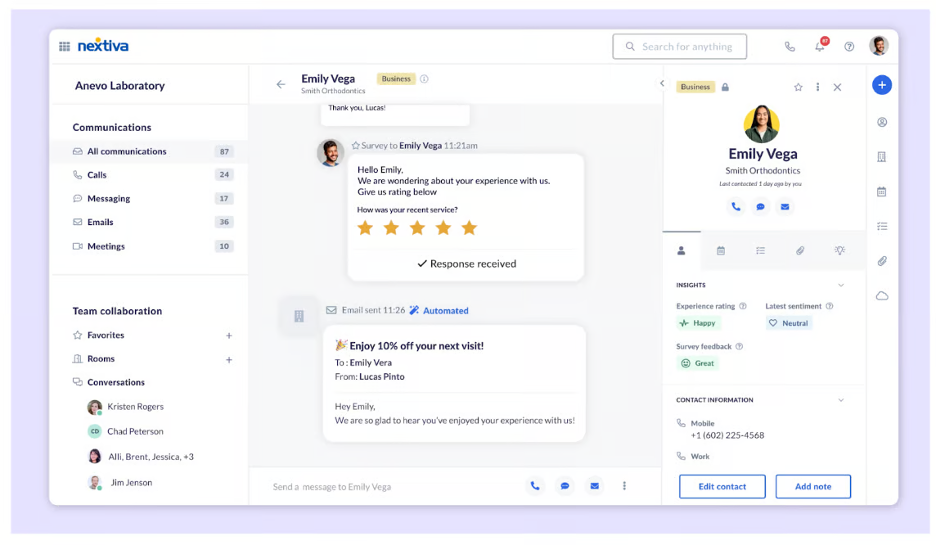
Core Reference: $15/User/Month Annually; Healthcare Configuration: Confirm Quote
Start 14-Day Free TrialCore’s $15 annual-rate reference needs a healthcare quote. The 14-day offer applies to eligible packages; confirm what the proposed pilot includes.
Zoom Phone — Best For Practices Already Using Zoom
Zoom Phone belongs on the shortlist when staff already work in Zoom and want business calling in that environment. Familiarity can be useful, but the practice still needs a Phone license and a reviewed account. A Meetings subscription is not the complete phone deployment.
Healthcare Coverage And Trade-Offs
Zoom documents BAAs on eligible paid accounts. Confirm Phone coverage and the exact recording or AI functions; some AI features may be unavailable with a BAA.
- Pro: A relevant option for staff comparing telephony with their existing Zoom workflow.
- Con: Phone and optional features require separate licensing and scope decisions.
A Useful Google Voice Replacement Test
Test a queue, a warm transfer and an absent staff member’s route. Ask the administrator to demonstrate the licensed configuration intended for the practice.
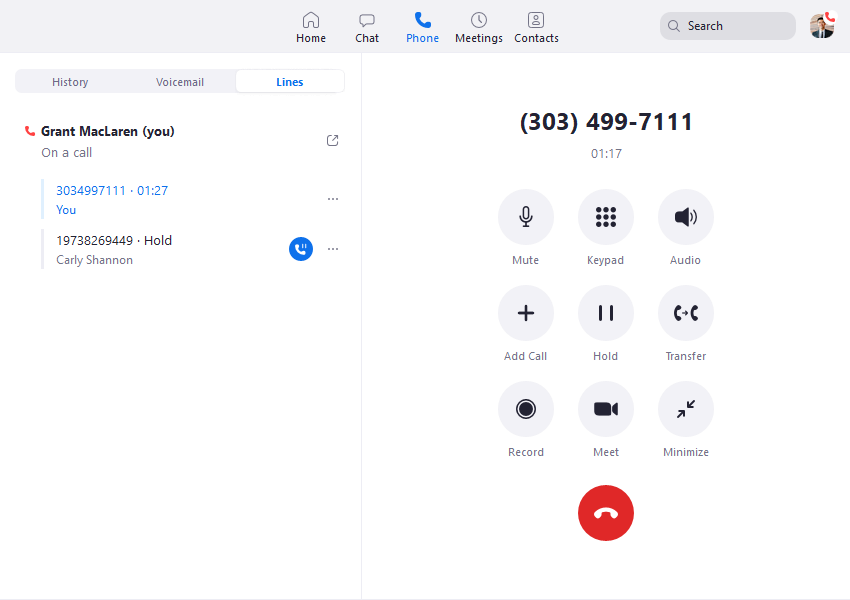
Zoom Phone: Request Current Plan & BAA Pricing
Start Free Trial (1–50 Users)Request current Phone pricing and trial eligibility. Verify duration instead of assuming a free Meetings account provides business calling.
For larger groups: Discuss Zoom Phone For More Than 50 Users.
JustCall — Best For Dedicated Patient Intake Teams
JustCall is a closer fit when the operation has an organized contact team handling intake and follow-up. The potential improvement over a basic calling setup is assigned work and a reviewed contact workflow. It is less compelling for a solo clinician who needs only one manageable line.
Healthcare Coverage And Trade-Offs
Its published Business plan lists healthcare compliance, custom pricing and a ten-license minimum. Confirm the signed BAA and scope of channels and integrations.
- Pro: A candidate for a structured intake operation with enough licensed staff.
- Con: The healthcare comparison has a different buying floor from the lower Team headline.
A Useful Google Voice Replacement Test
Use dummy contacts to reassign a callback and inspect everything copied into a proposed CRM. Check whether reception can see records intended only for clinicians.
Business: Custom Quote; 10-License Minimum
Start 14-Day Free TrialJustCall advertises a 14-day product trial. Confirm the healthcare pilot arrangement rather than assuming the generic trial establishes Business-plan coverage.
Dialpad — Best For Smaller Teams Comparing A Documented BAA Process
Dialpad Connect is worth comparing when a small practice wants a paid phone plan with a clearly documented agreement process. Start with everyday calling, availability and voicemail. Optional AI should have a defined purpose before it becomes part of patient communication.
Healthcare Coverage And Trade-Offs
Dialpad documents company-admin BAA signing on all paid accounts. Review the actual product and connected services; do not infer the same status for an ordinary trial account.
- Pro: An accessible contractual starting point with published Standard pricing.
- Con: Automatic transcripts and summaries can create additional records to govern.
A Useful Google Voice Replacement Test
Compare a fictional callback with capture switched on and off. Inspect permissions, receiving destinations and removal of a test account.
Connect Standard: $15/User/Month Annually Or $27 Monthly
Start 14-Day Free TrialConnect Standard is $15/user/month annually or $27 monthly. The advertised trial is 14 days; use fictional information for the initial evaluation.
Quo — Best For Small Teams Sharing A Practice Number
Quo, formerly OpenPhone, is relevant when colleagues want a shared calling workspace and a clearer way to hand off enquiries. Business or Scale is the appropriate BAA comparison. The service should be considered alongside the practice’s texting and integration rules.
Healthcare Coverage And Trade-Offs
Quo’s BAA is available on Business and Scale. SMS/MMS and third-party integrations are excluded from covered services. AI use has further documented conditions.
- Pro: A focused shared-calling option for a small team with clear channel boundaries.
- Con: Starter is not the BAA-eligible tier, and the shared inbox does not establish coverage for texting.
A Useful Google Voice Replacement Test
Test an unanswered call, a handoff and staff removal. Review the separate messaging workflow before staff begin using texts for patient communication.
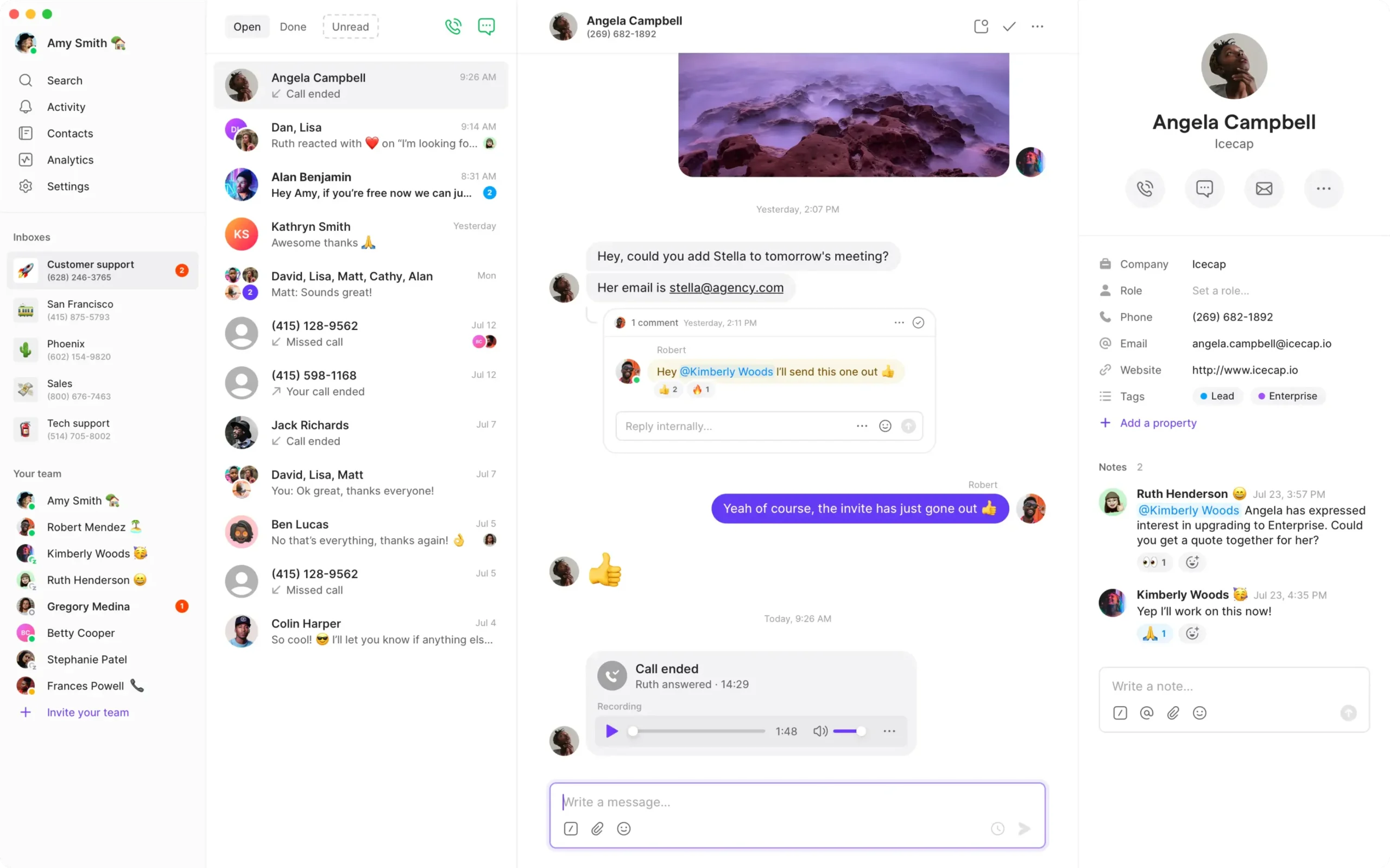
Business: $23/User/Month Annually Or $33 Monthly
Start 7-Day Free TrialBusiness is $23/user/month annually or $33 monthly. A seven-day trial is advertised; confirm the BAA arrangement before entering patient information.
Which Google Voice Alternative Fits Your Healthcare Team?
Solo Therapists And Small Private Practices
Compare Dialpad, Quo Business and Zoom Phone. Dialpad merits a paid-account BAA review, Quo a shared-calling review and Zoom Phone a comparison with existing Zoom use. Test session-hour interruptions, caller ID and message access. Quo’s channel exclusions remain relevant.
Medical And Dental Reception Teams
Compare Nextiva, RingCentral and Zoom Phone. Build the same reception test in each proposed configuration: answer, transfer, handle an unavailable destination and assign the callback. Obtain current healthcare settings before comparing the headline plans.
Larger Behavioral Health Or Intake Operations
Compare RingCentral, JustCall Business and Nextiva. Use real staffing requirements with fictional records. JustCall Business has a ten-license minimum, and any proposed CRM or contact-center component needs its own product and coverage review.
Practices That Need Secure Patient Messaging
Treat messaging as a separate buying decision. A calling alternative is not automatically a secure patient portal. Compare the actual message channel and contract; Quo’s ordinary SMS/MMS is excluded from its BAA, and Nextiva publishes healthcare feature restrictions. A healthcare-specific messaging platform may be a better fit than extending a phone inbox beyond its approved use.
Google Voice And Alternatives: Texting, Voicemail, Recording And AI
Review each channel separately. Inclusion of a managed service in a BAA does not mean a carrier text, forwarded personal mailbox or connected app has the same protections. The practice should approve the actual path from sender to recipient and any stored copies.
| Channel | Why It Needs Review | Practical Check |
|---|---|---|
| Voicemail | Patient details may remain after the live call | Inspect who can retrieve audio or transcripts and where copies go |
| SMS/MMS | Ordinary carrier delivery differs from an authenticated portal | Review service scope, patient preferences, content and delivery risks |
| Call Recording | Capture creates another sensitive record | Define purpose, notice/consent process, access and retention |
| AI Notes | Summaries can be incomplete or inaccurate | Approve feature scope and require the appropriate human review |
| Call Forwarding | The receiving device or mailbox may be outside the account | Test unavailable destinations and voicemail fallback |
| EHR Or CRM Connection | Records move to a different system | Map synchronized fields and review each receiving service |
Do Not Treat An Appointment Reminder As Automatically Non-Sensitive
A short message can reveal that a person has a relationship with a therapy or medical practice. Consider shared devices, notification previews and incorrect recipients. The approved workflow should reflect the actual content and recipient, not simply whether a message contains a diagnosis.
Keep Clinical Decisions With The Practice
A phone route or AI label does not establish clinical urgency. Use the practice’s approved escalation and after-hours processes. Do not let an automated receptionist invent treatment advice or imply continuous monitoring when no one provides it.
Use A Pilot To Discover Unexpected Copies
Trace one fictional contact through every device and destination. Look for voicemail audio, a transcript, a notification, an AI note, an export and an integration event. This simple exercise can reveal records the team did not realize it was creating. Document which copies are needed and disable unapproved paths.
How To Move From Google Voice To A Healthcare Phone Service
Plan account ownership, eligible service scope, number transfer and record handling before the move. Keep the old calling service active until the port is complete and inbound calls have been verified. A phone-number transfer should not be assumed to move message history or healthcare approval.
- Inventory the current account: Identify owners, numbers, users and stored records.
- Define the replacement gap: Specify the routes, access boundaries or workflow that needs improvement.
- Obtain the eligible quote: Include licenses, numbers, optional products and implementation charges.
- Approve the agreement and settings: Confirm the BAA and covered services before patient use.
- Plan old-record handling: Determine what must be retained or exported to an approved destination.
- Pilot on a test number: Use fictional information on the real devices and network.
- Train reception and clinicians: Practice transfers, voicemail ownership and absence handling.
- Arrange number porting: Confirm eligibility and the exact account-specific requirements with both providers.
- Verify outside calls: Check caller ID, routing, voicemail and any separately activated messaging.
- Close the old arrangement deliberately: Revoke access and review remaining records after the transition.
A Minimum Acceptance Checklist
- The public number reaches the intended team
- An unavailable therapist receives the approved fallback
- Reception cannot see clinician-only records
- No message lands in an unapproved personal mailbox
- A removed test user loses access
- The approved network fallback works
- The purchased tier and agreement match the pilot requirements
Local connectivity still matters. A cloud provider can remain online while an office’s internet or power fails. Test an approved alternative connection or route and document who activates it. Record the behavior of desk phones, mobile apps and receiving destinations under that scenario.
Frequently Asked Questions
Is Free Google Voice HIPAA Compliant?
Do not treat the free personal service as Google’s managed-user HIPAA arrangement. Identify the account and applicable agreement before patient use. A separate number or work-related purpose does not establish organizational coverage.
Does Paying For Google Voice Make It HIPAA Compliant?
Payment alone is insufficient. Google currently offers paid standalone Gmail plans as well as Workspace add-ons. Confirm management status, the applicable BAA and the approved configuration rather than relying on the plan name.
Does Google Offer A BAA For Voice?
Google includes Voice for managed users in its HIPAA scope. An eligible organization needs the applicable accepted agreement and licensing. Confirm the arrangement with the administrator before using PHI.
Can A Healthcare Practice Keep Its Google Voice Number?
Possibly, through an eligible managed arrangement or a supported transfer to another provider. Verify the account-specific process first. Number ownership, porting and message history are separate matters.
Is Google Voice Texting A Secure Patient Portal?
No. Ordinary SMS and an authenticated patient portal are different channels. Review the specific service scope, patient preferences and data path. Do not assume all texts are appropriate merely because a managed account has a BAA.
Which Google Voice Alternative Is Best For A Small Practice?
Dialpad merits a look for an accessible paid-account BAA process, Quo Business for shared calling and Nextiva for reception-led voice workflows. The best fit depends on the eligible plan, required features and channel limits.
Can I Use A Personal Phone For Practice Calls?
Potentially, with an approved business calling setup and device safeguards. Test caller ID, notifications and voicemail fallback. The business agreement does not automatically govern personal backups, mailboxes or unrelated apps.
Can We Use AI Call Summaries In Healthcare?
Only through an approved feature and workflow. Confirm scope, notice requirements, access, accuracy review and retention. Do not treat an administrative call summary as automatically suitable clinical documentation.
Does A Free Trial Cover Patient Information?
Do not assume so. Use fictional information for usability testing until the required eligible plan, agreement and settings are approved. Trial features or contractual status can differ from the purchased healthcare account.
Is Google Voice The Cheapest Healthcare Phone Option?
There is no universal answer. Workspace Voice is an add-on to a paid Workspace subscription, while alternatives have different license and feature requirements. Compare the full required configuration, including extras and implementation work.
What Customer Feedback Can Add To Your Decision
Reviews help identify usability questions; they do not establish a BAA or validate healthcare compliance.
Dialpad Connect — G2, Vic B., September 24, 2026, 4/5: This reviewer liked the intuitive layout and administration but preferred a different mobile calling experience. A practice planning to work mainly from mobile devices should therefore include that experience in its own pilot.
This is one user’s experience, not a representative result or a healthcare configuration test. Compare the proposed account on the tasks that reception and clinicians will actually perform.
Affiliate Disclosure: VoIPCalling.com may earn a commission when you sign up through links in this article at no cost to you. Recommendations consider published capabilities, limitations and practice fit. Confirm current pricing, covered services and required settings with the provider.