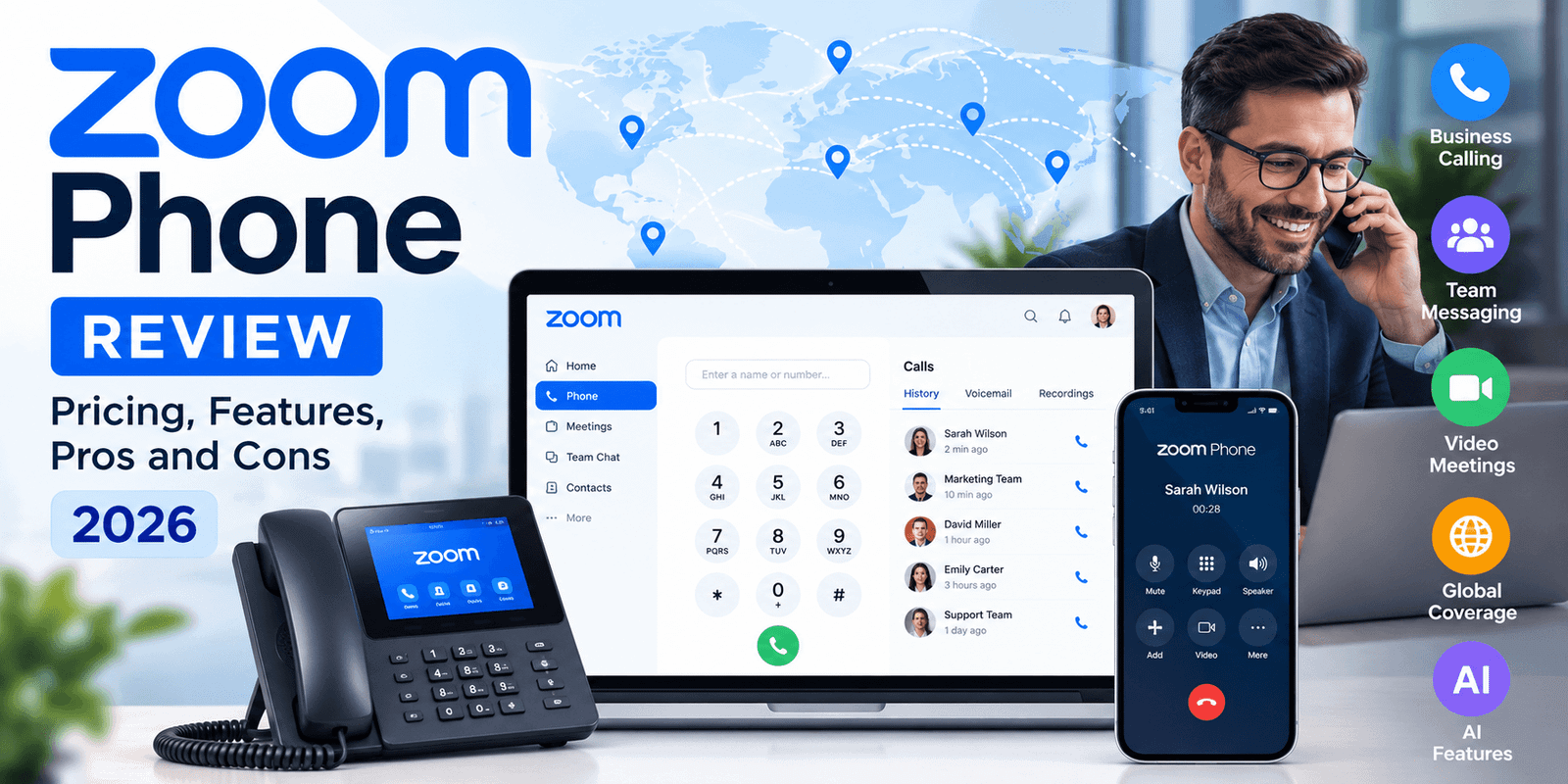
Zoom Phone is a cloud business phone system that brings business calling into the wider Zoom Workplace environment. It supports business phone numbers, desktop and mobile calling, SMS/MMS, voicemail, call recording, auto receptionists, call queues, number porting, integrations and AI-assisted call workflows.
The biggest reason to consider it is not simply that Zoom offers VoIP calling. It is the ability to combine phone, meetings, messaging and collaboration in an environment many employees already know. That can reduce the number of separate communication tools a business has to manage.
What Is Zoom Phone?
Zoom Phone is Zoom's cloud PBX and VoIP business phone service. It replaces or supplements traditional business telephone infrastructure by letting users make and receive calls through the Zoom Workplace app, compatible desk phones, mobile devices and the web.
A Zoom Phone number is not tied to a single physical desk in the same way as a traditional office line. Users can work across supported devices while administrators manage phone users, direct numbers, auto receptionists, call queues and other routing settings centrally. If you are new to internet-based business numbers, our guide to VoIP phone numbers explains how they differ from conventional phone lines.
Zoom Phone should also be distinguished from ordinary Zoom meetings. The phone product is designed for business telephony: public phone numbers, inbound and outbound calls, voicemail, routing, SMS, recording and related administrative functions. When combined with Zoom Meetings and Team Chat, it becomes part of a broader unified communications environment.
Zoom Phone Pricing and Calling Plans in 2026
Zoom Phone is a global cloud phone platform, so there is no single calling plan or price that accurately represents every country. Zoom's native calling-plan structure includes Metered, Regional Unlimited and Global Select options. Availability and pricing depend on the country, calling area and deployment model.
| Calling Model | How It Works | Best Considered By |
|---|---|---|
| Metered | Calling usage is charged according to the applicable rates rather than bundled as unlimited regional calling. | Teams with lighter calling volume or businesses that prefer usage-based calling. |
| Regional Unlimited | Unlimited regional calling is available for supported regional plans, including markets such as the US/Canada, UK/Ireland, Australia/New Zealand and Japan. | Businesses with regular domestic or regional calling in a supported market. |
| Global Select | Designed for multinational deployments, with a local direct-dial number and unlimited domestic calling in supported countries. | Organizations operating across multiple countries that want to consolidate telephony management. |
Metered vs unlimited calling: which makes more sense?
A metered plan can make sense when employees make relatively few external calls or when usage varies substantially between users. An unlimited regional plan can be easier to budget for teams that make frequent calls within the plan's supported calling area. Multinational organizations should also examine Global Select and Provider Exchange rather than assuming a North American regional plan represents Zoom Phone globally.
Regional pricing is still useful as an example
Zoom publishes region-specific pricing and bundles, so buyers may encounter different offers depending on their market. For example, Zoom currently markets specific US/Canada regional plans, but those plans are examples of regional Zoom Phone offers—not the definition of Zoom Phone itself. Businesses in the UK, Europe, Asia-Pacific, Latin America and other supported markets should evaluate the plans and rates available in their own country.
Before buying any business phone service, compare number requirements, calling destinations, integrations and future seat growth. Our guide to choosing the right VoIP provider covers those decision factors in more detail.
Which Zoom Option Should You Use: 1–50 Users or 50+ Users?
VoIPCalling.com uses two separate Zoom destinations so visitors can follow the path that better matches their organization size. This distinction is about routing you to the appropriate Zoom offer through our partner links; it should not be confused with Zoom's published plan license limits shown in the pricing table above.
Use the Small Business path if your organization needs Zoom Phone for between 1 and 50 users.
Explore Zoom for 1–50 UsersUse the larger-business path when your organization has 50 or more users and needs to evaluate Zoom at a larger scale.
Explore Zoom for 50+ UsersZoom Phone Features: What Do You Actually Get?
Business calling across desktop, mobile, web and desk phones
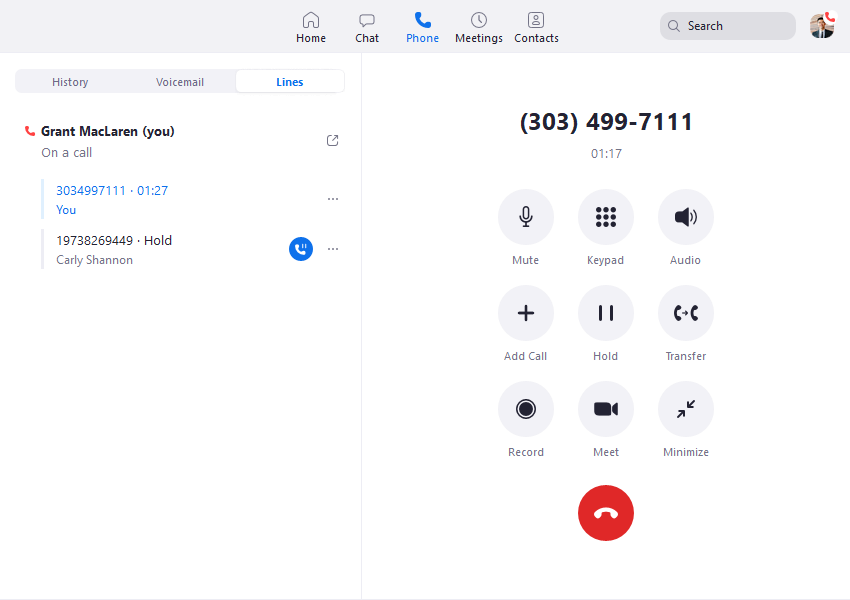
Zoom Phone supports calling across the Zoom Workplace desktop and mobile apps, the Zoom Web App and compatible desk phones. For hybrid organizations, that means an employee's business calling does not have to remain attached to a physical office desk.
Auto receptionists and IVR
Zoom Phone supports auto receptionists that can answer calls and route them to users, call queues, voicemail and other destinations. Administrators can connect an auto receptionist to an IVR menu so callers can choose routing options. Zoom also lists unlimited multi-level auto attendants among its phone features.
Call queues
Call queues distribute inbound calls to groups of phone users. Zoom supports automatic call distribution and queue overflow rules, making this useful for teams such as reception, sales or support where multiple employees may answer the same business line.
SMS and MMS
Zoom Phone supports SMS through desktop and mobile apps, subject to setup and regional requirements. US and Canada business messaging can involve registration requirements such as 10DLC. Team SMS for call queues or auto receptionists has separate requirements and can require the Customer Engagement Pack, so businesses should not assume every shared-number messaging workflow is included in the base license.
Call recording, voicemail and call history
Zoom's current US pricing lists call recording among the phone features. The platform also provides voicemail and call logs, while AI-enabled workflows can add summaries, transcripts and follow-up information where the relevant settings and eligibility requirements are met.
Number porting
Businesses can procure new numbers or migrate eligible numbers from an existing service provider. Keeping an established customer-facing number can make a cloud-phone migration less disruptive, although porting requirements vary by carrier and country.
Global call routing
Zoom provides routing controls for business hours, after-hours operation and follow-the-sun workflows. That can matter for organizations with teams or customers in multiple time zones.
Device management
Administrators can assign, provision and manage supported desk phones through Zoom's administrative environment. Businesses that prefer physical handsets therefore do not have to operate as softphone-only organizations.
Quality dashboards
Zoom provides quality dashboards intended to help administrators monitor and troubleshoot phone call quality and network issues. This is useful because VoIP performance is affected by the quality and stability of the underlying internet connection.
Zoom Phone AI Features in 2026
AI has become a meaningful part of Zoom Phone rather than a separate marketing layer. Zoom's current phone AI capabilities include call summaries, voicemail prioritization and task extraction. Some capabilities have prerequisites, administrator settings or regional limitations, so organizations should confirm the exact feature availability for their account.
Real-time and post-call summaries
Zoom Phone can generate AI-powered call summaries during and after calls. Users can review key points and next steps after a conversation, and supported versions of the app can provide real-time summaries and questions during an active call. This can reduce manual note-taking for employees who spend a significant part of their day on calls.
Voicemail prioritization
Users can define topics or intent that matter to them and have AI prioritize voicemail transcripts accordingly. Instead of treating every voicemail as equally urgent, the feature can help surface messages related to the user's chosen priorities.
Voicemail tasks
Zoom can extract tasks from voicemail transcriptions and present a summarized task list. Some task-creation functions require specific settings to be enabled, and Zoom notes limitations around automatic task generation, so buyers should distinguish the core concept from the exact workflow available to their account.
AI availability is not identical everywhere
Zoom states that some AI features may not be available for certain verticals or regional customers. That is an important buying detail: businesses in regulated industries or specific regions should verify AI eligibility rather than assuming every advertised AI capability will automatically appear after purchasing Zoom Phone.
Zoom Phone International Coverage
Zoom states that Zoom Phone provides local telephony service across 49 countries. It also lists toll-free, ITFS, virtual service numbers, national and shared-cost services in up to 56 countries, with additional coverage available through Zoom Provider Exchange partners.
That sounds broad, but international buyers should look beyond the country count. Availability of local numbers, toll-free numbers, outbound calling and specific service types varies by country. A business should map the countries it actually needs before selecting a plan.
If international calling is a major part of your requirements, compare Zoom's country coverage and usage costs with the options in our guide to international VoIP plans.
Zoom Phone Pros and Cons
Pros
- Combines business phone service with the wider Zoom Workplace environment.
- Supports metered, regional unlimited and multinational calling-plan approaches.
- Supports desktop, mobile, web and compatible desk-phone use.
- Includes mature business-phone functions such as auto attendants, IVR, queues and number porting.
- Built-in AI can summarize calls, prioritize voicemail and extract tasks.
- Local telephony is available across 49 countries according to Zoom.
- Useful fit for businesses already using Zoom Meetings and collaboration tools.
Cons
- International usage and add-ons can make the final cost higher than the base license.
- Some shared SMS/customer-engagement workflows require an additional pack.
- AI availability can vary by region, vertical, settings and feature prerequisites.
- Advanced call routing and administration can require more configuration than a basic phone service.
- Call quality still depends on network conditions because Zoom Phone is internet-based.
- Businesses that only need very simple calling may not benefit much from the broader Zoom ecosystem.
What Do Zoom Phone Users Say?

Rating and review count checked September 30, 2026.
Recent G2 reviews show recurring positive themes around ease of use, having calls and collaboration in one place, device flexibility and integration with the Zoom ecosystem. Reviews also surface limitations: some users describe advanced settings or call routing as initially confusing, and several note that call quality can be affected by weaker internet connections.
That feedback is useful because it separates two different questions. Zoom Phone can be easy for an everyday employee to use while still requiring more thought from the administrator configuring routing, policies and advanced phone settings.
Third-party ratings change as new reviews are added, so the rating above should be rechecked periodically rather than treated as permanent.
Zoom Phone for Small Businesses With 1–50 Users
For a small business, Zoom Phone is particularly interesting when the team already uses Zoom for meetings or wants one application for multiple communication tasks. Employees can handle business calls without relying on personal phone numbers, while administrators gain centralized number and call-flow management.
One important buying decision is whether metered or unlimited regional calling makes more sense. A small company with occasional phone use may prefer a metered structure, while a team making frequent calls within a supported calling area may value the predictability of an unlimited regional plan.
Small businesses should still calculate extra requirements before purchasing: international destinations, additional numbers, desk phones, shared SMS workflows and any customer-engagement features can change the economics.
Explore Zoom Phone for 1–50 Users
Zoom Phone for Businesses With 50+ Users
As the number of users increases, administration matters more than simply making calls. Larger organizations may need structured call queues, multiple sites, number migration, device management, routing policies, reporting and consistent configuration across departments or locations.
Zoom supports deployments ranging from small teams to large organizations. Plan availability, bundles and purchasing routes can vary by market. VoIPCalling.com's 50+ link is specifically the partner route for larger organizations and should not be interpreted as a global Zoom plan limit.
For organizations with 50 or more users, the larger-business route below is the appropriate VoIPCalling partner destination.
Explore Zoom Phone for 50+ Users
How Difficult Is Zoom Phone to Set Up?
The complexity depends heavily on the deployment. A small team can have a relatively straightforward setup, while a multi-site organization porting many numbers and designing complex call flows needs more planning.
A practical deployment normally involves:
- Selecting the required Zoom Phone or Workplace licenses.
- Adding phone users and assigning appropriate permissions.
- Obtaining new numbers or preparing eligible existing numbers for porting.
- Configuring the main company number and auto receptionist.
- Creating call queues, IVR menus, business hours and routing rules where required.
- Provisioning desk phones or deploying the Zoom Workplace app.
- Testing inbound, outbound, emergency and failover workflows before a full migration.
Businesses planning a broader migration can also use our VoIP setup guide for business to review network and device considerations before deployment.
Who Is Zoom Phone Best Suited For?
Zoom Phone is most naturally aligned with businesses that can benefit from combining cloud telephony with Zoom's broader communication environment.
- Existing Zoom users: companies that already rely on Zoom Meetings or Zoom Workplace.
- Hybrid and remote teams: employees who need business calling across computers, mobile devices and offices.
- Growing organizations: teams that want centralized cloud administration rather than maintaining a traditional on-premises PBX.
- Multi-location businesses: organizations that need routing, multiple sites and centralized phone management.
- International organizations: businesses whose required markets align with Zoom's native or partner telephony coverage.
- Teams interested in practical AI: employees who can benefit from call summaries, voicemail prioritization and task extraction.
When Might Zoom Phone Not Be the Right Fit?
Zoom Phone may be less suitable when the main requirement is a very simple, low-cost phone line and the business has little interest in the wider Zoom ecosystem. In that case, paying for a broader communication environment may add less value.
It also deserves closer comparison when a business has unusually heavy international calling, needs a specific country or number type, or requires specialized contact-center functionality beyond standard business telephony. Some organizations may need Zoom Contact Center or another dedicated contact-center platform in addition to their phone system.
Businesses concerned about internet dependency should also assess their network. VoIP quality depends on connectivity, latency, jitter, packet loss and local network configuration. Our guide on VoIP reliability explains the factors that influence real-world call quality.
Zoom Phone vs a Traditional PBX
Zoom Phone moves the core phone system into the cloud. A traditional PBX may rely more heavily on on-site hardware and fixed office infrastructure. For distributed teams, the cloud model can make user provisioning and remote access easier because calling is not limited to a desk inside one building.
The trade-off is dependency on network connectivity and cloud administration. Businesses moving from legacy infrastructure should therefore consider internet resilience, number porting, emergency calling requirements, device compatibility and user training rather than treating migration as only a software purchase.
For a broader technology comparison, see VoIP vs PBX for business.
Is Zoom Phone Worth It in 2026?
Zoom Phone is a credible option when the value comes from consolidation rather than calling alone. Businesses already using Zoom can add business telephony to a familiar environment, while current features cover the core requirements expected from a modern cloud phone system: numbers, routing, queues, auto attendants, recording, messaging, administration, international options and AI-assisted workflows.
The buying decision becomes more nuanced when international usage, customer-engagement add-ons, specialized contact-center requirements or regional availability are important. Those businesses should compare the total deployment cost and exact feature eligibility instead of relying on the base per-user price.
The practical question is therefore not simply, “Does Zoom Phone have enough features?” It is whether putting phone calls, meetings, messaging and AI-assisted communication inside the Zoom environment makes your team's workflow simpler and more manageable than using separate services.
Frequently Asked Questions
How much does Zoom Phone cost in 2026?
Zoom Phone pricing varies by country, calling plan and deployment. Zoom supports metered, regional unlimited and Global Select calling models, while regional bundles and rates differ. Businesses should check the pricing available for their operating country rather than treating one regional price as Zoom Phone's worldwide price.
Does Zoom Phone offer a free trial?
Trial availability can depend on the market and offer presented by Zoom. Check the current signup option available for your country and account rather than assuming the same trial applies globally.
Does Zoom Phone include AI features?
Yes. Zoom Phone supports AI-assisted functions including real-time and post-call summaries, voicemail prioritization and voicemail task extraction. Some capabilities have prerequisites, administrator settings or regional/vertical limitations.
Can I keep my existing business phone number?
Zoom supports number porting for eligible numbers. Porting requirements and availability depend on the existing carrier, number and country, so businesses should confirm eligibility before cancelling their current service.
Does Zoom Phone work internationally?
Yes. Zoom states that local telephony service is available across 49 countries, with several other number-service types available in up to 56 countries and additional coverage through Provider Exchange partners. Exact service availability varies by country.
Can Zoom Phone handle call queues and an IVR?
Yes. Zoom Phone supports call queues, auto receptionists and IVR routing. These features can route callers to users, queues, voicemail and other configured destinations.
Which Zoom link should a business with 1–50 users use?
For a business with 1–50 users, use the VoIPCalling Zoom Small Business path: Zoom Phone for 1–50 users.
Which Zoom link should a business with 50+ users use?
For an organization with 50 or more users, use the VoIPCalling larger-business path: Zoom Phone for 50+ users.