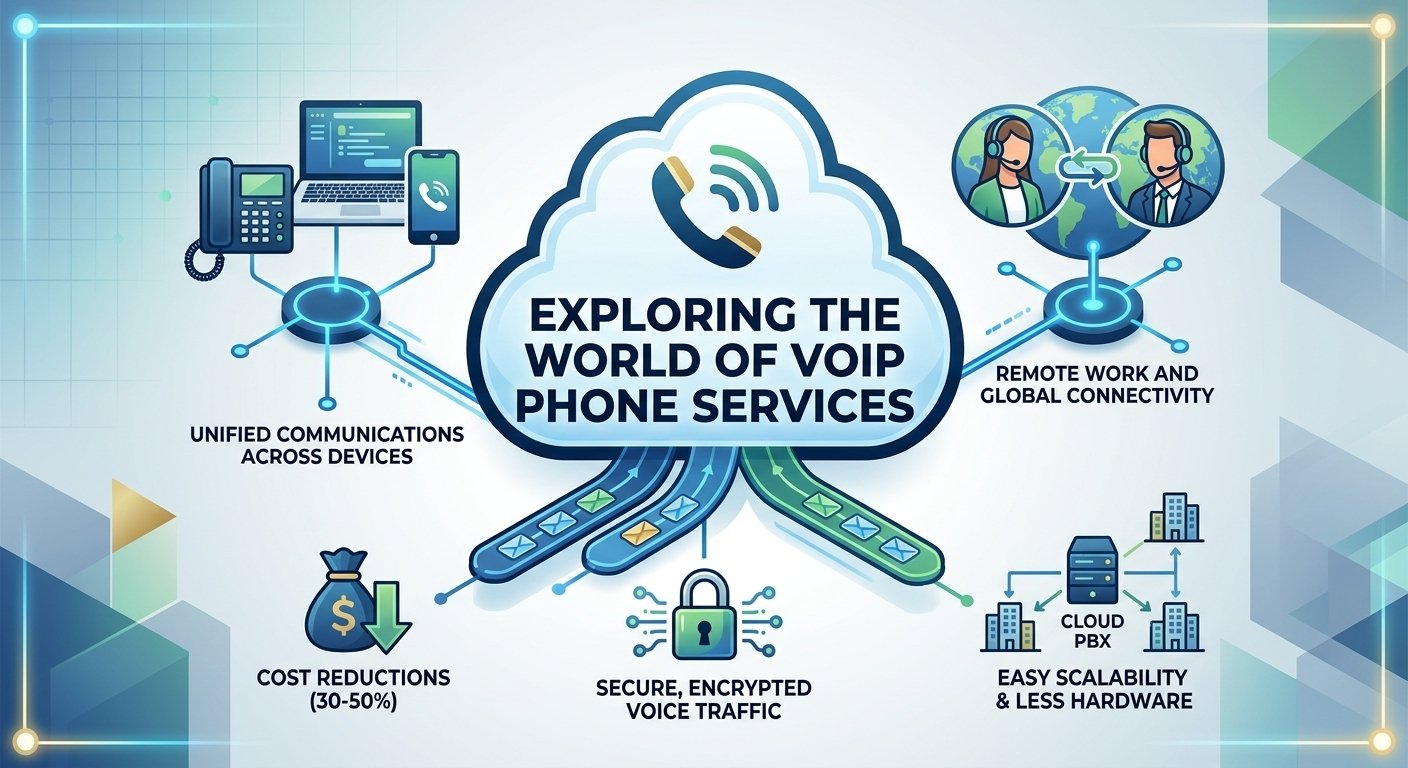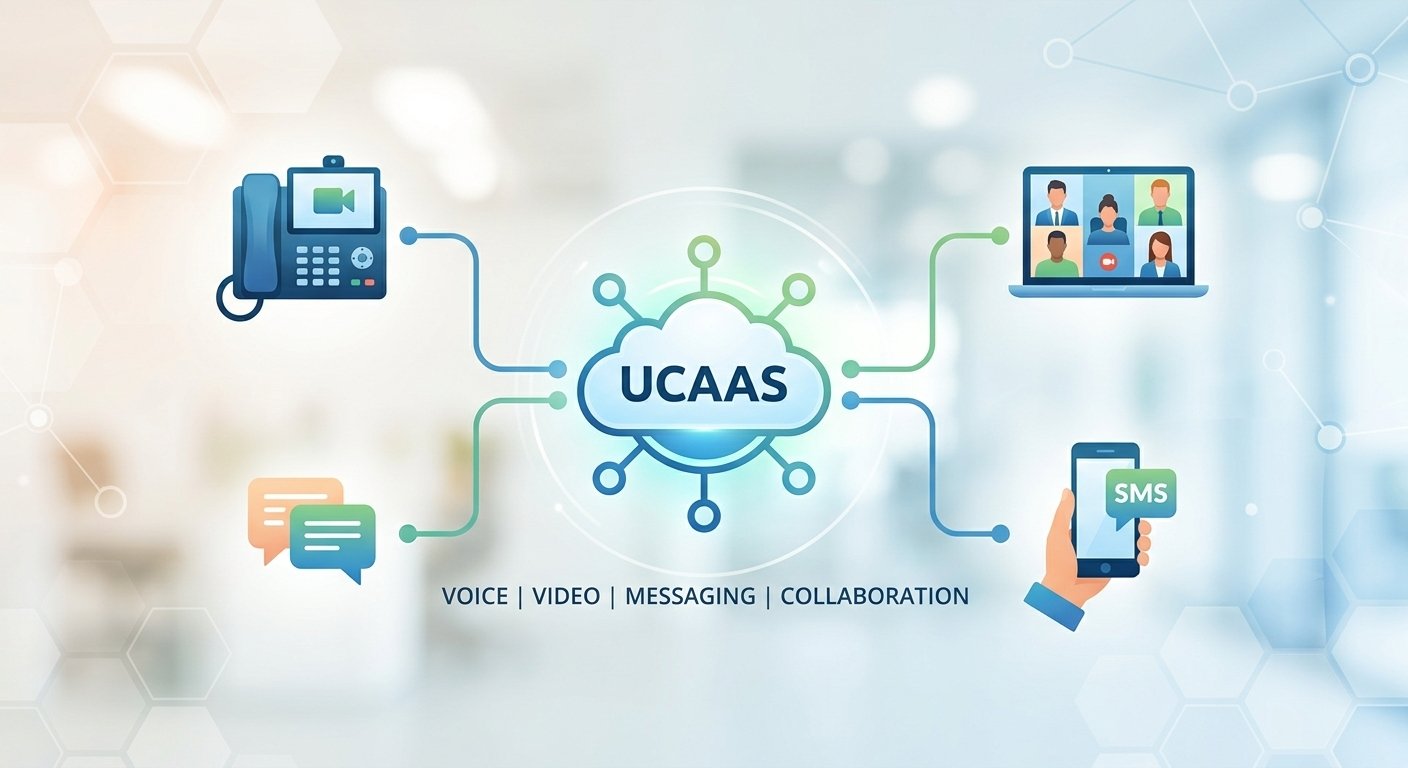
Unified communications as a service UCaaS is a cloud-delivered platform that merges multiple business communication channels into one streamlined interface. This technology integrates voice calling, video conferencing, team messaging, and SMS into a single subscription-based model hosted in the cloud. By centralizing these tools, organizations eliminate the friction of switching between disparate applications, which often leads to lost productivity and data silos. The service provider manages the backend infrastructure, ensuring high availability and security while allowing businesses to scale their communication needs without investing in expensive physical hardware or maintenance.
What is UCaaS?
Unified communications as a service UCaaS represents a significant shift from traditional telephone systems to modern cloud solutions. In the past, companies relied on on-premises private branch exchange systems that required extensive wiring and dedicated server rooms. Today, a ucaas platform moves all those functions to the web, allowing users to access their professional communication tools via any internet-connected device. This transition is fundamental for businesses aiming to maintain agility in a fast-paced global economy.
The ucaas meaning centers on the consolidation of tools. Instead of paying for separate vendors for meetings, chat, and phone calls, a unified communication platform brings everything under one roof. This model provides a consistent user experience whether an employee is working from a headquarters office or a remote home setup. Because the software is delivered over the internet, updates and security patches are applied automatically by the provider, ensuring the system is always running the latest version.
UCaaS vs. CCaaS: Why the distinction matters
UCaaS primarily provides everyday business communications for employees, including phone calls, messaging, meetings, and collaboration. CCaaS is designed specifically for customer-facing contact-center operations and typically adds capabilities such as advanced queues, agent management, workforce tools, omnichannel interactions, and detailed customer-service analytics.
While they share similar technology, unified communications as a service ucaas and contact center as a service solve different organizational problems. The primary purpose of a ucaas solution is to facilitate internal collaboration and general business telephony. It is designed for every employee in a company to talk, message, and meet. In contrast, a contact center platform is specifically built for external customer service roles that require complex call routing, agent queues, and deep customer interaction analytics.
Choosing between these two depends on the primary user base. A ucaas system is optimized for workflow flexibility among teammates, whereas a contact center tool is optimized for managing high volumes of inbound customer requests. Many ucaas providers now offer integrated versions of both to ensure that back-office employees and front-line agents can share the same directory and data. Understanding this difference prevents companies from overspending on features they do not need for their general staff.
How UCaaS works?
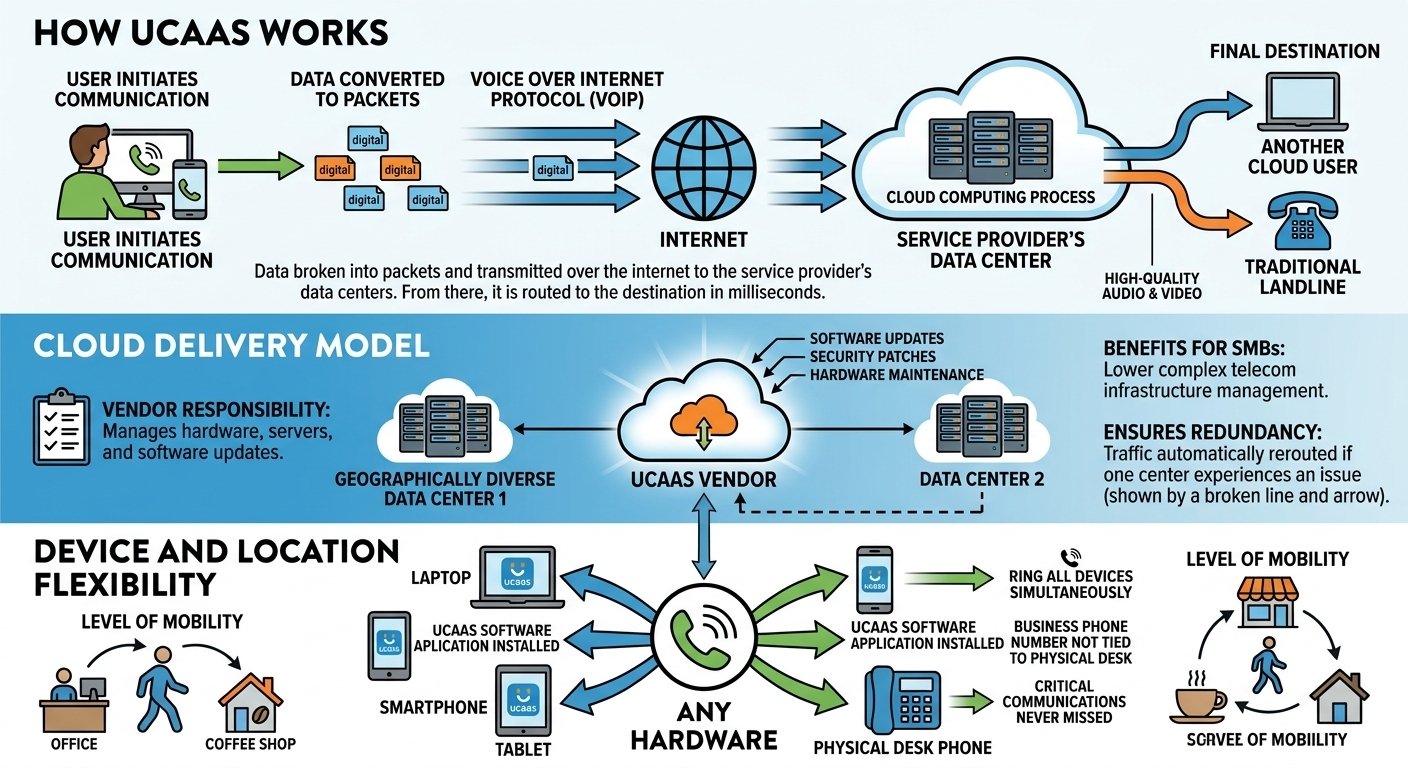
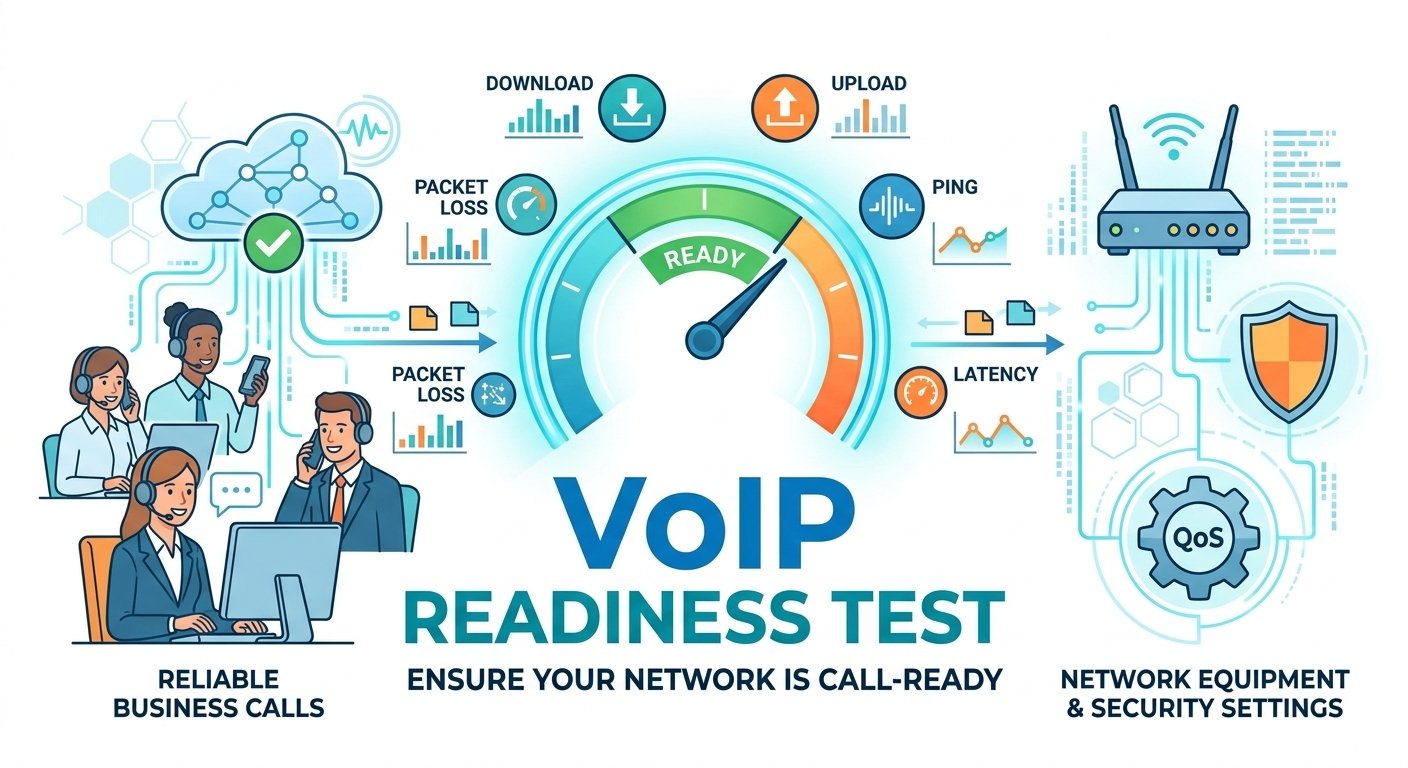
The underlying mechanism of ucaas systems relies on voice over internet protocol technology and cloud computing. When a user makes a call or sends a message, the data is broken into digital packets and transmitted over the internet to the service provider’s data centers. From there, the provider routes the communication to the final destination, whether it is another cloud user or a traditional landline. This process happens in milliseconds, providing high-quality audio and video without the latency issues common in older digital systems.
-
Cloud delivery model
In a cloud based ucaas setup, the vendor takes full responsibility for the hardware, servers, and software updates. This arrangement is beneficial for small to medium businesses that lack a dedicated IT department to manage complex telecom infrastructure. The provider ensures redundancy by hosting the ucaas software across multiple geographically diverse data centers. If one center experiences an issue, the traffic is automatically rerouted to another, maintaining a seamless connection for the end user.
-
Device and location flexibility
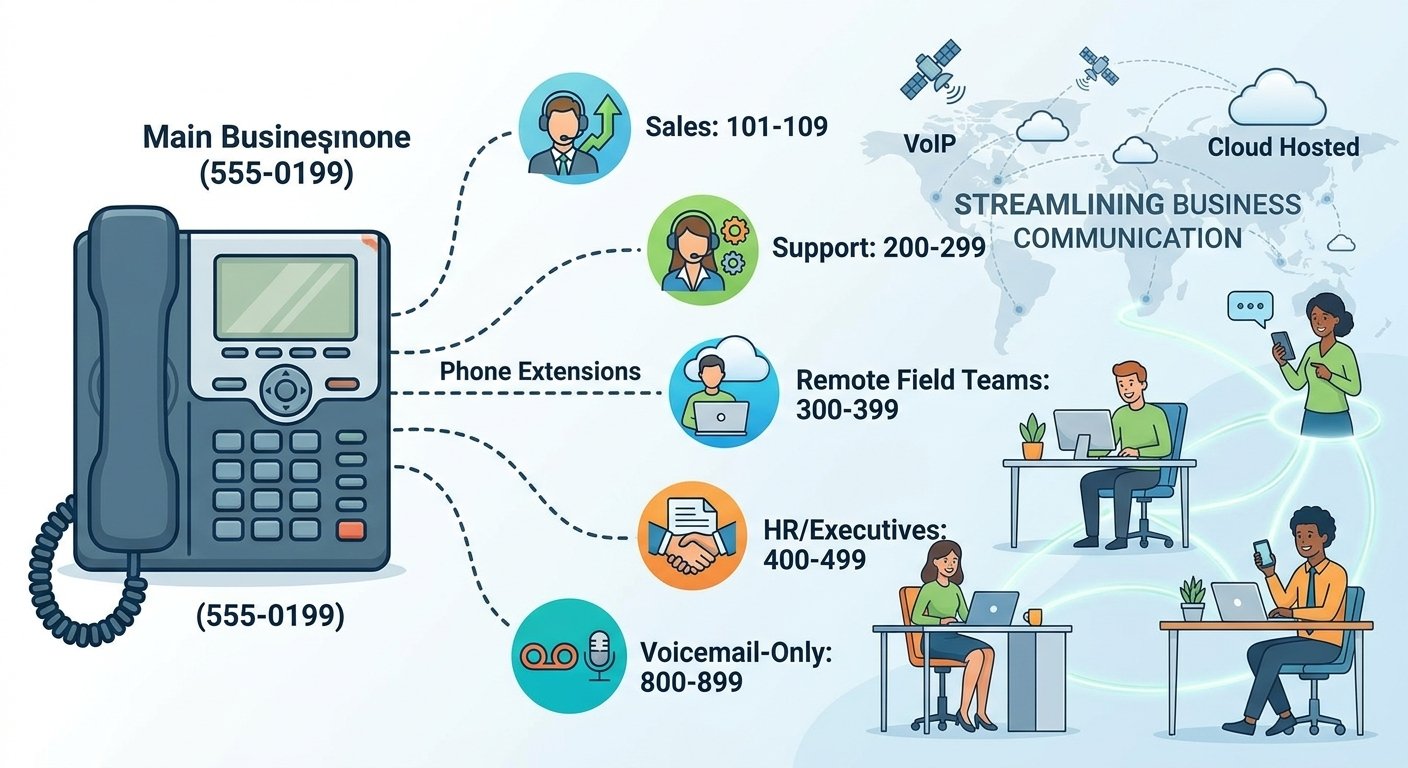
A major advantage of a unified communication service is the ability to use any hardware to stay connected. Employees can install a ucaas software application on their laptops, smartphones, or tablets. This means a business phone number is no longer tied to a physical desk phone. When a call arrives, it can ring all devices simultaneously, ensuring that critical communications are never missed. This level of mobility is a cornerstone of modern enterprise ucaas strategies.
AI features in UCaaS: What to expect in 2026
As we move toward 2026, the role of artificial intelligence in cloud ucaas will become even more prominent. We are seeing a shift from basic automation to predictive intelligence. For instance, smart routing will use AI to analyze a caller’s history and automatically connect them to the person most likely to solve their specific problem. This goes beyond simple menu options and creates a more personalized experience for every caller.
Native AI integrations will also offer real-time translation services during global video calls. This allows participants speaking different languages to communicate effectively without a human translator. According to research on the ucaas market, companies that adopt native AI features report a significant reduction in time spent on administrative tasks. These advancements ensure that a ucaas solution is not just a communication tool but a sophisticated productivity engine that learns and adapts to the organization’s needs.
Benefits of UCaaS for distributed and hybrid teams
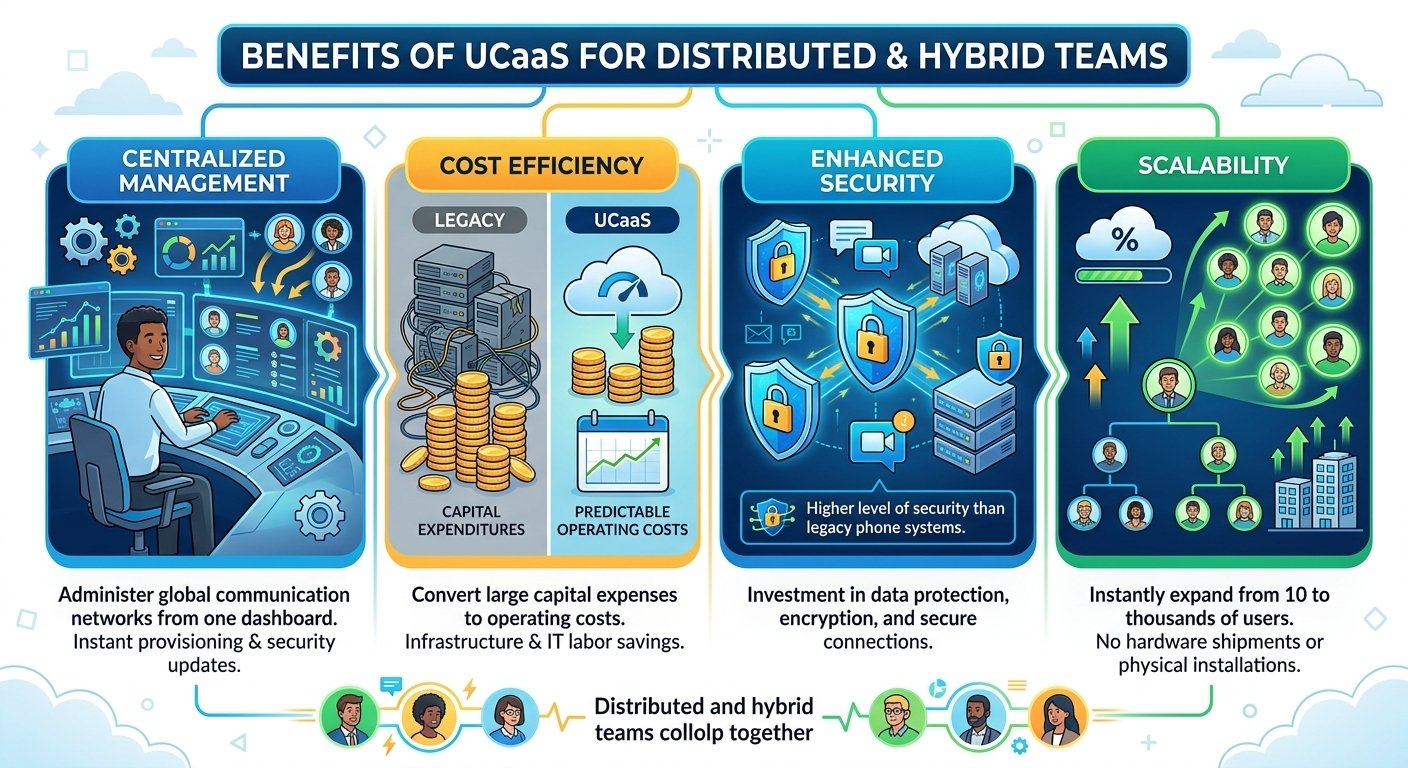
Transitioning to ucaas benefits organizations by removing the physical barriers to communication. When a team is spread across different time zones or cities, having a centralized ucaas provider ensures everyone has access to the same resources. This consistency reduces the confusion that often arises when some employees are in the office while others are remote.
-
Centralized Management: Administrators can manage the entire global communication network from a single dashboard. This allows for instant provisioning of new users and the ability to update security settings across the whole organization simultaneously.
-
Cost Efficiency: By moving to a subscription model, businesses can convert large capital expenditures into predictable monthly operating costs. A Forrester Total Economic Impact study found that organizations switching to a leading ucaas vendor saved millions in infrastructure and IT labor costs over three years.
-
Enhanced Security: Top-tier providers invest heavily in data protection and encryption. This provides a higher level of security than most individual companies could achieve on their own with a legacy phone system.
-
Scalability: Whether a company is hiring ten people or a thousand, the ucaas platform can expand instantly. There is no need to wait for hardware shipments or physical installations to get new employees connected.
UCaaS features to evaluate before choosing a platform
Not all ucaas providers are created equal, and selecting the right one requires a careful look at their specific offerings. One of the most important metrics to check is the uptime service level agreement. A reliable provider should offer at least 99.999% uptime, which equates to less than six minutes of total downtime in an entire year. This level of reliability is critical for businesses that rely on their phone systems for revenue-generating activities.
Integration capabilities are another vital factor. A ucaas platform should easily connect with your existing tools like customer relationship management software, email, and helpdesk applications. For example, when a call comes in, the ucaas integrations should automatically pull up the caller’s profile in the CRM. This saves time and provides the employee with the context needed to provide excellent service. Security certifications like HIPAA or SOC 2 are also necessary for companies in regulated industries like healthcare or finance.
How much does UCaaS cost?
The pricing for unified communications as a service typically follows a tiered structure based on the number of users and the required features. Most providers offer an entry-level tier that includes basic calling and messaging, while higher tiers include advanced analytics, call recording, and AI features. Businesses can expect to pay anywhere from twenty to forty-five dollars per user per month. It is important to look beyond the base price and consider the total value, including the elimination of old phone bills and maintenance contracts.
When calculating the cost of a ucaas migration, remember to account for potential add-ons like international calling or toll-free numbers. However, the consolidation of multiple tools into one often leads to an overall reduction in software licensing fees. Many ucaas leaders offer volume discounts for larger enterprises, making it a sustainable choice as the company grows. Requesting an itemized quote helps in comparing different ucaas solutions and identifying any hidden fees before signing a long-term contract.
How to get started with UCaaS
Moving your entire communication stack to the cloud might seem daunting, but a structured approach makes the transition smooth. The goal is to minimize disruption to your daily operations while ensuring that everyone is trained on the new ucaas technology. Following a clear set of steps will help your IT team manage the change effectively.
Step 1: Audit your current tools
Begin by listing every piece of communication hardware and software your team currently uses. This includes desk phones, mobile plans, video conferencing accounts, and even fax machines. Identifying which tools are redundant will help you determine which ucaas features are most critical. You might find that you are paying for three different messaging apps that can all be replaced by a single ucaas solution.
Step 2: Identify compliance requirements
Before choosing a ucaas vendor, you must understand the legal standards your communication data must meet. If your business is in the medical field, look for ucaas for healthcare compliance to ensure patient data is protected. Similarly, those in the financial sector should look for ucaas for financial services that offer robust archiving and audit trails. Verifying these requirements early prevents costly legal issues or the need to switch platforms later.
Step 3: Run a pilot with a non-technical team
Testing the ucaas platforms with a small group of users provides valuable feedback on the user experience. Choose a department that is not overly technical, such as marketing or sales, to see how intuitive the software really is. Monitor how they use the ucaas voip and messaging features and identify any areas where they might need extra training. This pilot phase allows you to fix configuration issues before rolling the system out to the entire company.
Step 4: Plan for number porting
One of the most technical parts of a ucaas migration is moving your existing phone numbers to the new provider. This process, known as porting, can take several weeks depending on your current carrier. Start this process early to ensure your business numbers are ready to go live when your team is. Most ucaas providers have dedicated teams to help you navigate the paperwork and technical requirements of porting.
UCaaS vs VoIP: What’s the Difference?
VoIP is primarily the technology used to transmit voice calls over IP networks. UCaaS is a broader cloud service that typically uses VoIP for calling while also bringing together messaging, meetings, presence, administration, and other collaboration features.
| Feature | VoIP | UCaaS |
|---|---|---|
| Internet-based voice calling | ✓ | ✓ |
| Business phone features | ✓ | ✓ |
| Team messaging | Sometimes | Common |
| Video meetings | Sometimes | Common |
| Presence/status | Sometimes | Common |
| File collaboration | Limited/varies | Often available |
| Integrations | Varies | Common |
| AI features | Provider-dependent | Increasingly common |
| Primary focus | Internet-based voice | Unified business communications |
Read More: What is Collaboration in the Workplace? Keys to Effective Teamwork
Consolidate your Communication stack
UCaaS can be useful for businesses that want to manage calling, meetings, messaging, and other communication tools through a cloud-based service rather than separate on-premises systems and applications. The right platform depends on your number of users, locations, existing software, security requirements, calling needs, integrations, and budget.
Before choosing a provider, compare its reliability commitments, call quality, number availability, integrations, security controls, support, mobile and desktop applications, migration process, and total cost. A pilot deployment can also help determine whether the platform works well for your employees before you commit to a company-wide rollout.
UCaaS FAQs
-
What does UCaaS stand for?
The acronym stands for unified communications as a service. It describes a cloud-based delivery model where a single provider offers a variety of communication and collaboration applications, such as voice, video, and messaging.
-
What’s the difference between UCaaS and CCaaS?
A ucaas solution is primarily designed for internal employee communication and standard business calls. On the other hand, CCaaS is built for customer service environments, featuring tools for call queues and agent management.
-
Is UCaaS the same as VoIP?
VoIP is the technology that allows you to make voice calls over the internet. While ucaas uses VoIP for its phone features, it is a much broader platform that also includes video, chat, and other collaboration tools.
-
What are the benefits of using UCaaS?
The main benefits include lower costs, better support for remote work, and easier management. It also provides access to advanced features like AI-driven transcriptions and seamless integrations with other business software.
-
How much does UCaaS cost?
Pricing generally ranges from twenty to fifty dollars per user each month. The exact cost depends on the level of features you choose and the number of employees using the system.
-
How do I choose a UCaaS platform?
You should evaluate providers based on their uptime guarantees, security certifications, and how well they integrate with your current software. It is also helpful to read reviews regarding their mobile app performance and customer support.
-
Can I keep my current phone number?
Yes, you can move your existing business numbers to a new ucaas provider through a process called porting. Most vendors will handle the technical details of this move for you during the onboarding process.
-
Do I need special hardware for UCaaS?
No special hardware is required because the software runs on computers and mobile devices. However, many companies still choose to use compatible IP desk phones or headsets for better audio quality in an office setting.
-
Is UCaaS secure for my business?
Reputable ucaas providers use high-level encryption and follow strict security protocols to protect your data. They often have better security resources than individual businesses, making the cloud a very safe option for communication.