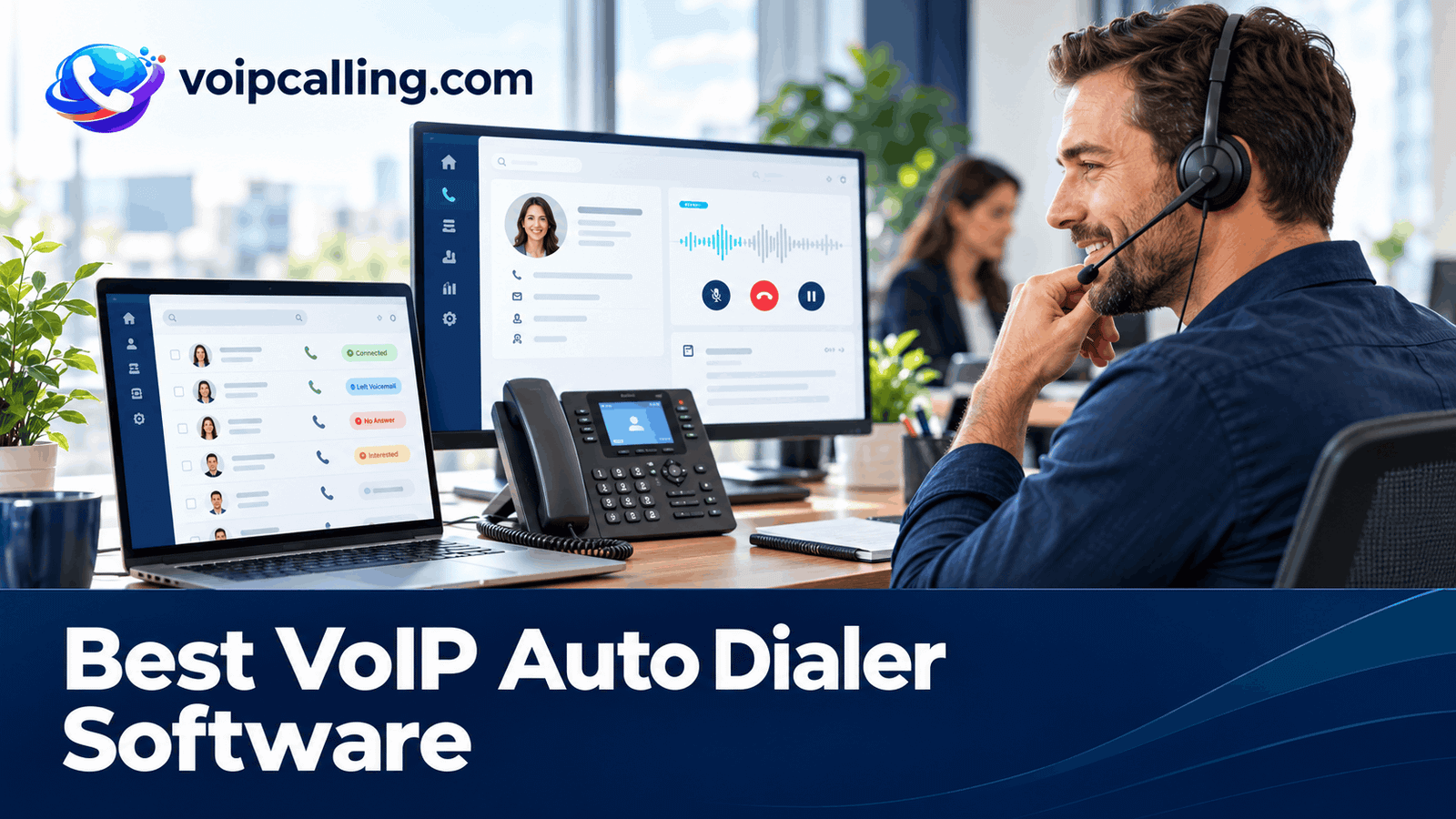
The best VoIP auto dialer software combines internet-based business calling with a dialing workflow your team can control. KrispCall leads this shortlist for teams comparing power dialing and shared calling; Calilio follows for its lower published power-dialer seat price; and RingCentral RingCX is worth evaluating for broader outbound contact-center requirements.
This guide compares six providers for 2026 in this order: KrispCall, Calilio, RingCentral RingCX, JustCall, CallHippo, and Ringover. It covers dialing modes, call quality, business numbers, CRM integration, network preparation, and total costs. The best-fit labels are buying assessments, not a standardized performance ranking.
Best VoIP Auto Dialers: Quick Comparison
Prices are USD. Annual rates below are monthly equivalents; usage, numbers, taxes, and optional services can increase the total. G2 ratings describe the named products overall, rather than a separately rated VoIP-dialer feature.
 Customer Ratings From G2
| Provider | VoIP Team Fit | Dialing Options | Pricing & Trial |
|---|---|---|---|
| Best For Power Dialing And Shared VoIP Calling | Sequential power dialer | $32/user/monthAdvance · Billed annually$40/user with monthly billingDemo; no free trial currently advertisedCheck KrispCall Plans | |
| Best For A Lower Published VoIP Power-Dialer Seat Price | Power dialer with dispositions and live monitoring | $28/user/monthPremium · Billed annually$35/user with monthly billingConfirm evaluation accessCheck Calilio Premium | |
| Best For VoIP Contact-Center Outbound Operations | Manual, preview, progressive, and predictive; voice-broadcast option | Request a RingCX quoteOutbound deploymentRingCX-specific demo; separate from RingEXReview RingCX Options | |
| Best For CRM-Connected VoIP Sales Campaigns | Power; dynamic and predictive on the relevant SalesPro package | $49/user/monthPro · Billed annually · Minimum 2 licenses$69/user with monthly billing14-day trial; confirm enabled dialing modesStart 14-Day Free Trial | |
| Best For Comparing VoIP Dialing Workflows | Power, parallel, and documented Speed to Dial workflow | Request a dialer quoteConfirm region, currency and team sizeConfirm current trial accessCheck CallHippo Plans | |
| Best For VoIP Power Dialing And Coaching | Power dialer; confirm shared-campaign permissions and plan | $49/user/monthBusiness · 12-month commitmentMinimum 3 users7-day trial, with limitsStart 7-Day Free Trial |






RingCentral product distinction: this article evaluates RingCX for auto dialing. RingEX business-phone pricing and a RingEX trial do not establish access to RingCX outbound campaigns.
What Is A VoIP Auto Dialer?
A VoIP auto dialer uses internet-based calling to automate parts of an outbound dialing process. The dialer works from contact records, initiates calls according to its configured mode, and helps agents capture outcomes. Representatives conduct the conversation in a conventional agent-assisted workflow.
VoIP describes the calling technology; auto dialing describes the calling workflow. Cloud or hosted describes where software runs. These terms can describe the same product, but they are not interchangeable categories. A cloud VoIP platform may offer one or several dialing modes.
The recipient can usually answer on an ordinary phone number without using the agent's software. Confirm the destinations and number types supported by the provider. For the broader terminology, see what an auto dialer is and how its main modes work.
How We Evaluated These VoIP Dialers
We reviewed vendor pricing, campaign documentation, integration materials, and selected customer feedback. Our comparison emphasizes dialing control, usable records, return calls, supervision, setup requirements, and the full calling bill. We have not carried out a standardized hands-on benchmark across all six products.
We do not rank audio quality using untested claims. A VoIP call depends on the agent's device and network, the service, and the route to the recipient. Demonstrate the actual destinations and workflow before committing.
1. KrispCall: Best For Power Dialing And Shared VoIP Calling
KrispCall is our first pick to evaluate for a growing team that wants sequential power dialing alongside everyday VoIP calls. Its shared callbox brings communication context together, while Advance includes Power Dialer, recording, and transfers. The buying question is whether that combination supports your actual campaign and CRM workflow.
Useful Cloud Dialer Features
- Sequential power dialing on Advance.
- Shared callbox for team communication context.
- Business calling and plan-dependent CRM connections in one platform.
Best Fit: A small or growing sales team that needs prepared-list calling alongside shared everyday communication.
Buying Considerations: Advance costs $32 per user monthly with annual billing or $40 monthly and is positioned for up to 50 users. Verify calling-bundle eligibility, additional usage, and the exact connector you require. The pricing page states that no free trial is currently offered; a refund policy is a different arrangement.
VoIP Demo Test: Use two agents in different locations. Have one complete a test call and another receive its callback. Inspect the shared history, owner, next action, CRM entry, and exclusions after a reimport.
Read our KrispCall review for more product context.
2. Calilio: Best For A Lower Published VoIP Power-Dialer Seat Price
Calilio ranks second in this shortlist as a lower-subscription-cost candidate for sequential dialing with business calling. Premium combines a power dialer, dispositions, and live monitoring. Evaluate the full calling allowance and integration path rather than comparing the subscription alone.
Useful Cloud Dialer Features
- Power dialing for prepared contact lists.
- Dispositions to record useful outcomes.
- Live monitoring to assess for remote supervision.
Best Fit: A smaller team seeking a lower published seat rate for power dialing and supervisor access, subject to usage and workflow checks.
Buying Considerations: Premium costs $28 per user monthly with annual billing or $35 monthly. Usage and selected number, recording, storage, and AI requirements need separate review. Confirm the exact CRM handoff and automation rather than assuming the phone platform includes every feature of a sales-engagement system. Confirm the destinations and limits of included minutes; a bundle is not universal unlimited calling.
VoIP Demo Test: Run a test list from the agents’ actual work locations. Record interested, callback requested, no answer, and do not call outcomes. Check where the next task appears and how monitoring access is controlled.
Read our Calilio review for more product context.
3. RingCentral RingCX: Best For VoIP Contact-Center Outbound Operations
RingCentral ranks third here through RingCX, the contact-center product to assess for automated outbound campaigns. RingCX offers manual, preview, progressive, and predictive dialing, along with campaign list management and scripts. It is a candidate when requirements extend beyond a simple individual dialer.
Useful Cloud Dialer Features
- Preview, progressive, and predictive outbound modes.
- Campaign lists and scripts for structured agent workflows.
- Contact-center administration to evaluate for a larger distributed operation.
Best Fit: A larger sales or contact-center team with managers responsible for campaigns, staffing, routing, and agent administration.
Buying Considerations: Request a RingCX-specific outbound quote. RingEX business-phone pricing and a RingEX trial do not establish RingCX dialer entitlements. Include implementation, supervision, destinations, integrations, and staffing assumptions in the proposal.
VoIP Demo Test: Demonstrate an outbound campaign while remote agents receive callbacks and change availability. Inspect pacing, live-answer allocation, record updates, and the manager view. Require a RingCX-specific proposal.
Read our RingCentral RingCX review for more product context.
4. JustCall: Best For CRM-Connected VoIP Sales Campaigns
JustCall is worth evaluating when the team wants VoIP calls connected to CRM records and outbound campaigns. Its Sales Dialer documentation distinguishes individual power campaigns from shared dynamic and predictive campaigns. Confirm the mode and permissions in the proposed package before comparing prices.
Useful Cloud Dialer Features
- Power campaigns for an individual representative’s list.
- Shared dynamic and predictive campaigns on the appropriate package.
- Documented sales-dialer integrations and follow-up workflows.
Best Fit: A sales team with at least two licenses that wants cloud calling tied to CRM records and campaign activity.
Buying Considerations: Power Dialer campaigns are assigned to one agent; dynamic and predictive campaigns can be shared. Pro power dialing costs $49 per user monthly with annual billing and at least two licenses. SalesPro requires a quote for advanced campaign requirements. Do not budget a shared predictive workflow using Pro alone.
VoIP Demo Test: Complete a test call from an existing CRM record, request a callback, then change the assigned agent. Check contact matching, activity, task ownership, and the exact shared-campaign rights being demonstrated.
Read our JustCall review for more product context.
5. CallHippo: Best For Comparing VoIP Dialing Workflows
CallHippo is a candidate when the team wants to evaluate several outbound workflows within a business calling platform. Its help center distinguishes power, parallel, and Speed to Dial workflows. Evaluate each against a specific operational need rather than treating every mode as interchangeable.
Useful Cloud Dialer Features
- Power dialing for sequential list calling.
- Parallel dialing to evaluate multiple-attempt behavior.
- CRM-event-based calling in the documented Speed to Dial workflow.
Best Fit: A team comparing outbound prospecting with staffed lead-response automation using a supported CRM.
Buying Considerations: Request a dialer-enabled quote for your region, team size, and required modes. Ask for an itemized quote separating dialer access, usage, and additional licenses. Speed to Dial depends on configuration, CRM support, agent availability, and campaign state; it should not be treated as an unconditional instant-response guarantee.
VoIP Demo Test: Test a prepared campaign and a separate CRM-triggered inquiry. Change agent availability, inspect simultaneous answers, and check retry and campaign-resumption behavior. Confirm that the selected package includes both workflows.
6. Ringover: Best For VoIP Power Dialing And Coaching
Ringover is worth comparing when a team needs sequential prospecting alongside VoIP business calls and manager coaching. Business lists Power Dialer, analytics, monitoring, and whispering. Its campaign guide also describes scripts, shared lists, and assignments, with a license requirement that needs clarification against current packages.
Useful Cloud Dialer Features
- Power dialing within a cloud business phone platform.
- Manager monitoring and coaching on the relevant plan.
- Shared campaign workflows to demonstrate on the quoted subscription.
Best Fit: A team of at least three users that wants scheduled prospecting and manager-led coaching across work locations.
Buying Considerations: Business displays $49 per user monthly with a 12-month commitment and at least three users. The campaign guide names an Advanced license for shared campaigns, so ask how that requirement maps to the current packages. Confirm campaign and import limits, add-ons, and trial access in the written offer. The pricing page also lists an additional $0.08 per minute for calls made via call automation systems. Ask whether that provision applies to your specific dialer workflow.
VoIP Demo Test: Have two agents work the same test list while a manager supervises. Check record assignment, retries, permissions, and campaign reports. Ask the vendor to identify the license and any automated-calling charges used in the demo.
Read our Ringover review for more product context.
How VoIP Auto Dialing Works
- Load eligible contacts: Import a list or connect a supported CRM, preserving numbers, ownership, exclusions, and useful context.
- Configure the campaign: Choose a mode, caller identity, schedule, retry rules, and available agents.
- Initiate attempts: The dialer places calls through the provider's calling service according to the selected behavior.
- Handle the conversation: An available representative speaks with the recipient, with contact information presented in the supported interface.
- Record the result: Store the outcome, notes, owner, and next action in the dialer and the CRM where supported.
These steps describe a general agent-assisted workflow. Products differ in pacing, voicemail detection, routing, and how much CRM work is automated. Ask the supplier to demonstrate the actual sequence rather than assuming that “automatic” means every step is handled without configuration.
Power, Progressive, Parallel, And Predictive VoIP Dialers
Power Dialing For Prepared Lists
A power dialer commonly works through contacts sequentially. It can suit representatives who need time to understand the account and record useful notes. Confirm whether the next attempt starts automatically or waits for wrap-up.
Compare KrispCall Advance and Calilio Premium against the same list workflow. Subscription rate alone does not establish which option costs less for your destinations and calling volume.
Progressive And Predictive Dialing For Team Campaigns
Progressive dialing generally places the next call as an agent becomes available. Predictive dialing uses availability and campaign information to adjust pacing. RingCX documents both modes; JustCall offers advanced campaign options on the appropriate package.
Ask what happens when answer patterns change, representatives take breaks, or several people answer together. Evaluate live-answer connection delay and useful conversations alongside attempted calls.
Parallel Dialing For Simultaneous Attempts
Parallel dialing starts multiple attempts together. Vendor labels can overlap with other forms of pacing. Evaluate CallHippo using controlled numbers to test live-answer allocation and what happens when no agent is available.
Preview Control For Research-Heavy Conversations
Preview dialing presents a record for review before the call. RingCX documents this mode. For other providers, demonstrate preparation and pause controls without assuming that every product has an equivalent named preview dialer.
Can You Add An Auto Dialer To An Existing VoIP Phone System?
Sometimes, but compatibility needs confirmation. Buying a VoIP dialer does not mean it can use any existing phone account, SIP trunk, number, or desk phone. Some platforms expect you to use their calling service and provision or port numbers into it.
Before buying, ask whether the proposal replaces the current phone service, runs beside it, or connects through a supported integration. A CRM connector is not the same thing as a telephony connection. Confirm billing, responsibility for call quality, and who supports faults across the connection.
- Numbers: Confirm porting eligibility, provisioning requirements, caller-ID rules, and callback routing.
- Existing service: Check whether bring-your-own-carrier or SIP connectivity is supported for this product and package, if required.
- Devices: Demonstrate the campaign on the supported browser, desktop app, or other interface. A compatible desk phone does not necessarily expose automated campaign controls.
- Transition: Agree on test numbers, port timing, configuration ownership, and a fallback process before moving live outreach.
For RingCentral, specify whether the discussion concerns RingEX, RingCX, or both. A RingEX account by itself does not establish access to the RingCX outbound deployment covered here.
VoIP Call Quality And Network Checks
Test calls from the agent's actual device and work location to representative destinations. Listen in both directions and include longer conversations, transfers, callbacks, voicemail, and automated menus. A single successful internal call is not enough to establish the outbound experience.
Look Beyond Internet Speed
Call quality can be affected by delay, variation in packet arrival, packet loss, local congestion, and the audio device. Use the provider's supported network guidance and diagnostics rather than applying one universal bandwidth figure to every setup.
Compare a stable wired connection with the normal work environment where practical. If a problem occurs, separate the headset, local network, application, provider, and destination route during troubleshooting. Keep example times and affected numbers available through an appropriate support process.
Test The Interface Agents Will Use
Check microphone permissions, browser support, selected input and output devices, notification settings, and what happens after sleep or a network change. Cloud-hosted does not mean that browser, desktop, mobile, and embedded interfaces provide identical campaign features.
Include Recipient Experience
Measure how long a live answer waits before hearing the representative. Test whether machine detection mistakes a person for voicemail or connects a recorded greeting to an agent. Confirm how those attempts appear in the report before comparing answer rates.
Business Numbers, Caller ID, And International Routes
Number availability, outbound destination coverage, and included minutes are separate questions. A provider may offer a local number in a country without including unlimited calls to that country. Verify the exact number type and route for the campaign.
Use an accurate, reachable business identity and test return calls. A local-looking caller ID does not guarantee an answer or prevent spam labeling. Ask how the provider handles number registration, reputation issues, and legitimate callbacks rather than treating number rotation as a universal fix.
If messaging matters, confirm SMS capability, supported destinations, registration requirements, and charges separately. Do not assume every voice number supports business texting, WhatsApp registration, or verification codes.
Our international calling guide explains the difference between number coverage and calling destinations. Include the actual countries and number types in every quote request.
CRM Integration, Call Logging, And Follow-Up
Test your exact Salesforce, HubSpot, Zoho CRM, Pipedrive, or other connector. These are examples of systems to evaluate, not a claim that every listed provider supports each one. Distinguish native functions from third-party automation, API work, and CSV imports.
- Match contacts: Check duplicates, alternate numbers, and unknown inbound callbacks.
- Preserve ownership: Verify who receives a callback and who owns the next task after a transfer.
- Record useful outcomes: Separate interested, callback requested, no answer, wrong number, and do not call.
- Complete follow-up: Confirm that the agreed time and action reach the correct record, not only the call duration.
- Expose failures: Demonstrate how expired access or rejected updates become visible to the team.
- Maintain exclusions: Reimport a test list and confirm that removed records stay excluded.
JustCall is a candidate for CRM-connected campaigns. For Ringover, confirm shared-campaign licensing alongside the required integration. Evaluate a completed workflow rather than counting connector logos.
Recording, Coaching, And Manager Visibility
Match call monitoring to the management routine. Demonstrate listening, whispering, and any scoring tools on the proposed plan using the agent and supervisor roles your team needs.
For call recording, confirm the applicable requirements for the places involved, plus access, retention, deletion, export, and any extra charges. AI summaries should be checked for incorrect names, dates, and commitments before driving important follow-up.
Reports should distinguish attempted calls, human conversations, completed callbacks, and the agreed business outcome. A larger call count is useful only when the records and recipient experience remain suitable for the campaign.
How Much Does VoIP Auto Dialer Software Cost?
Published annual-billing rates here include KrispCall Advance at $32, Calilio Premium at $28, and JustCall Pro at $49 per user per month. Ringover Business displays $49 with a 12-month commitment. Request an outbound-specific RingCX proposal and a dialer-enabled CallHippo quote for a comparable budget.
At those seat rates, eight users have monthly subscription equivalents of $256 for KrispCall, $224 for Calilio, and $392 for JustCall Pro or Ringover Business. These are not complete invoices. Annual billing may require upfront payment, and minimum licenses matter for smaller teams.
- Separate subscription, dialer access, numbers, call usage, and taxes.
- Confirm destination rates and whether ordinary phone allowances apply to automated campaigns.
- Add CRM requirements, advanced modes, recording, storage, AI, and supervision where separately charged.
- Budget onboarding, porting, integration work, and the internal time needed to manage the platform.
Ringover's pricing page lists an additional $0.08 per minute for calls made via call automation systems; obtain written clarification of its applicability to your workflow. Calilio's included bundles have defined routes and limits. KrispCall's refund policy is different from a free trial. Avoid treating these arrangements as equivalent allowances.
Compare Cost Per Outcome
A hypothetical pilot costing $900 in software and usage and producing 30 attended meetings has a cost of $30 per attended meeting. That excludes staff time, prospect data, advertising, and other acquisition costs. Keep the denominator consistent when comparing proposals.
How To Set Up A VoIP Auto Dialer
- Define one workflow: Identify the eligible contact segment, owner, required mode, and expected next action.
- Prepare the environment: Confirm supported devices, headsets, access roles, and provider network requirements.
- Configure calling: Provision or port numbers, complete verification, and test caller ID, callbacks, and routing.
- Connect the records: Map CRM or import fields and preserve ownership, context, and exclusions.
- Set campaign rules: Configure timing, retries, wrap-up, dispositions, and supervision.
- Run controlled calls: Include live answers, voicemail, transfers, busy agents, and integration failures.
- Pilot before scaling: Reconcile usage, inspect records, and resolve recipient-experience problems.
Our auto dialer setup guide covers the general configuration process. Keep a named implementation owner responsible for the calling service, CRM, and agent rollout.
Review contact eligibility, recipient-local timing, exclusions, messages, and recording requirements for the actual campaign and markets. A VoIP service or a product's “auto dialer” label does not determine permission to contact someone.
Frequently Asked Questions
What Is The Best VoIP Auto Dialer Software?
KrispCall leads this shortlist for power dialing and shared VoIP calling, followed by Calilio for a lower published power-dialer seat price. RingCentral RingCX is a candidate for larger outbound contact-center requirements. Confirm the exact workflow, calling routes, and quote before choosing.
Is A VoIP Dialer The Same As A Cloud Dialer?
No. VoIP describes internet-based calling, while cloud describes hosting. The same product may be both. Neither term establishes which automated dialing modes or interfaces are included.
Do I Need A SIP Trunk For An Auto Dialer?
Not necessarily. Some hosted platforms supply the calling service as part of their offering. If you need to keep an existing carrier or trunk, obtain explicit confirmation of compatibility and support responsibility for the exact deployment.
Can An Auto Dialer Use My Existing Business Number?
Possibly, through supported porting or caller-ID arrangements. Confirm eligibility, verification, callback behavior, and any restrictions before scheduling a move. Do not assume that entering a number establishes ownership or full calling capability.
Does The Recipient Need A VoIP App?
Usually not when the service calls an ordinary supported telephone number. The agent's software and the recipient's phone can be different. Confirm the destinations and number types supported by the provider.
Can Remote Agents Use A VoIP Auto Dialer?
Yes, where the platform supports their environment and access. Test the actual device, headset, connection, callback behavior, and supervisor workflow before expanding the team. Mobile calling access may differ from automated campaign access.
Does A VoIP Phone Plan Include Predictive Dialing?
Not automatically. Predictive campaigns may require a different package or product. JustCall's advanced campaign options need the appropriate entitlement; RingCentral RingCX should be priced separately from an ordinary RingEX phone plan.
Customer Reviews: Practical VoIP Buying Checks
These selected G2 examples are paraphrased customer experiences, not controlled comparisons of VoIP call performance.
KrispCall: Setup And Reporting
A February 4, 2026 review rated 4/5 praised setup, integration options, and value, while mentioning busy-hour lag and limited reporting customization. Demonstrate the manager reports and network conditions relevant to your team.
Calilio: Interface And Number Requirements
A May 12, 2026 review rated 5/5 praised the interface, routing, and analytics. An October 28, 2025 review displayed 0/5 and described a number-capability mismatch and refund dispute. Confirm the required number functions and charges before deployment.
JustCall: CRM Context And Call Quality
A March 12, 2026 review rated 4/5 valued HubSpot integration, recording, SMS, and power dialing, while reporting call-quality and pricing concerns. Test the actual connector, calling routes, and local environment rather than assuming every setup will perform identically.