RingCentral can be a good fit for a small business that needs organized call handling, employee extensions and communication across several locations. Its value depends on how much of that system your team will use. A two-person business handling one shared number may prefer a simpler service; a growing company coordinating reception, sales and support has more reasons to consider RingCentral.
This guide explains what to budget, which features deserve attention and how Quo, KrispCall and Dialpad compare. Prices and product information were checked October 3, 2026. Quotes, regional availability and contract terms can change.
What Does RingCentral Offer a Small Business?
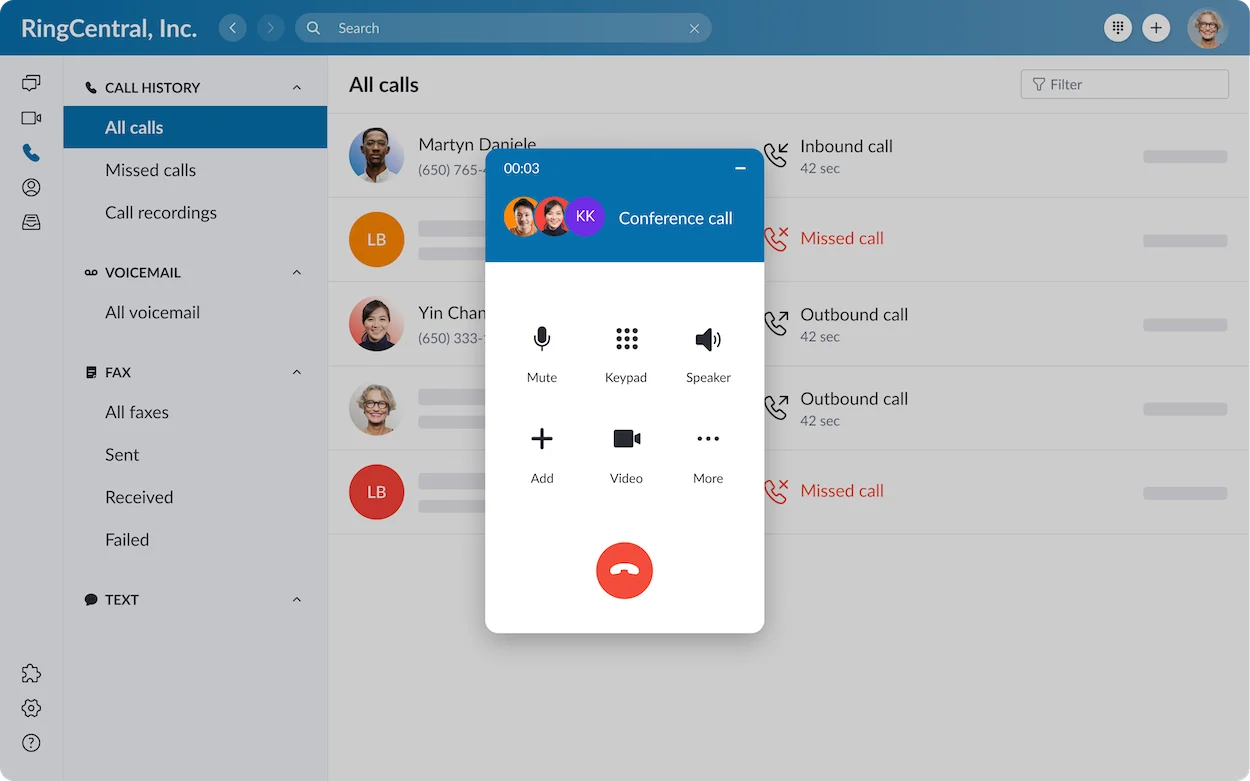
RingEX combines business calling with capabilities such as messaging, video meetings and team collaboration. Employees can work through desktop, mobile and web experiences, while administrators manage users and calling arrangements centrally. Feature eligibility depends on the subscription and region.
For a small business, the practical question is whether these tools solve everyday problems. Can reception reach the correct employee? Can someone returning a missed call identify the customer? Can the owner change holiday handling without rebuilding the entire system?
Example: A ten-person property-management company has staff in the office and on site. It needs one public number, separate employee extensions and a clear path for maintenance enquiries. Build that exact scenario into the demonstration rather than evaluating a long feature list in isolation.
Read our RingCentral review for the broader product overview.
How Much Does RingCentral Cost for a Small Business?
The subscription price is only one part of the budget. Request a quote for your actual headcount, country, billing schedule and required features. Confirm whether the displayed monthly figure requires an annual commitment and whether taxes and regulatory charges are excluded.
We do not present a legacy advertised starting price as a guaranteed current offer. RingCentral’s pricing page varies by market and offer, so your dated quote should be the reference for purchasing.
| Cost item | What to check | Why it matters |
|---|---|---|
| User subscriptions | Number of paid users, selected plan and commitment. | A small per-user difference grows across the team. |
| Numbers and usage | Extra numbers, toll-free allowance and international rates. | Domestic calling inclusions do not cover every destination. |
| Messaging | SMS eligibility, registration, allowance and shared-inbox requirements. | A texting demonstration may involve another bundle. |
| Optional products | AI tools, customer-engagement features and contact-centre licensing. | Separate subscriptions can change the total substantially. |
| Implementation | Phones, headsets, network work, onboarding and any setup charges. | First-year spending includes more than recurring software. |
| Taxes and contract | Fees, renewal, cancellation and seat-reduction terms. | The payable bill and flexibility matter more than the headline. |
A Simple Team Budget Example
Illustration only: Suppose your written quote is $30 per user per month for eight users. The base subscription would be $240 monthly, or $2,880 over twelve months, before additional charges. This is a hypothetical calculation, not RingCentral’s advertised price.
Next, add the costs that apply to your workflow. List recurring charges separately from one-time spending so the first month does not look like the normal monthly bill. Also calculate the cost at twelve users if you expect to hire.
One Optional AI Cost to Understand
RingCentral advertises its AI Receptionist add-on for RingEX at $39 per month with 100 minutes included. Additional usage is advertised at $0.50 per minute, billed in 30-second increments. Confirm eligibility, billing scope and current terms before adding it to your budget.
Do not assume this optional product belongs to every base subscription. Decide what calls it should handle, when a human should take over and who will maintain its business information.
Six Features Worth Evaluating
1. Call Handling That Matches Your Business
RingCentral offers call-routing and administration capabilities. Ask the provider to demonstrate the exact arrangement you need, including business hours and the destination for unanswered calls.
Example: A repair company wants booking enquiries to reach the office during opening hours and a designated person after closing. Test both paths, including what happens when that person cannot answer.
2. Calling Across Desktop, Mobile and Web
A business calling app can help employees use their work identity away from a desk. Check the functions available on each device and the supported browser before deciding how staff will work.
Example: An owner answers on a mobile device while an assistant works at reception. Test caller ID, transfers and notifications in both environments, using the actual devices.
3. Meetings and Team Communication
RingEX brings several communication tools together. That can be useful when staff switch between customer calls and internal discussions, provided the included tools meet the team’s needs.
Example: A consultancy already pays for another meeting service. Compare the required meeting functions before treating consolidation as a saving; duplicate subscriptions reduce that benefit.
4. Business Messaging
RingCentral supports business SMS subject to eligibility and registration requirements. Individual employee texting and a coordinated shared customer inbox are different purchasing requirements; ask which product supports your intended workflow.
Example: Two staff members reply to appointment enquiries. Test conversation ownership, visibility and handover so customers do not receive duplicate or contradictory answers.
5. Integrations With Existing Software
Available integrations can connect communications with business applications. Check the specific connector, subscription requirements and supported actions rather than assuming every CRM integration works identically.
Example: A sales team needs calls associated with the correct customer record. Test an existing contact, a new caller and a duplicate record before counting on automatic logging.
6. Administration as the Team Grows
Central administration becomes more useful as employees and locations increase. During evaluation, ask the person who will run the account to add a user, change permissions and update an opening-hours rule.
Example: A company opens a second location. Work out who owns its routing and voicemail, which numbers it needs and what happens when an employee moves between branches.
RingCentral Pros and Cons for Small Businesses
| Area | Potential benefit | Tradeoff to evaluate |
|---|---|---|
| Communication scope | Calling and collaboration in one product family. | You may pay for capabilities the team rarely uses. |
| Growing operations | Structured administration and call handling. | Someone must maintain the configuration. |
| Flexible working | Staff can work across supported apps and devices. | Network quality and device behavior need a pilot. |
| Product choice | Additional products address more specialized needs. | Bundles and add-ons complicate cost comparisons. |
Our assessment: RingCentral is worth shortlisting when organized calling and broader communications justify the administration and price. If one shared number and straightforward customer conversations cover nearly all your needs, compare simpler alternatives first.
Best RingCentral Alternatives for Small Businesses
These three alternatives address different requirements. The order reflects the use cases below, not a universal ranking.
| Provider | Best reason to compare | Pricing reference |
|---|---|---|
| RingCentral | Structured employee calling and broader communications. | Request a current, itemized RingEX quote. |
| Quo | Shared conversations with US, Canadian or toll-free numbers. | Starter: $19/user/month monthly; $15 with annual billing. |
| KrispCall | Unified Callbox and international-number requirements. | Starter: $15/user/month monthly; $12 with annual billing. |
| Dialpad | AI-assisted calling and conversation follow-up. | Check current Dialpad Connect plans and inclusions. |
Annual rates are monthly equivalents with an annual billing commitment. Prices above are in US dollars; compare taxes, numbers, usage and eligible features before choosing.
1. Quo: Strong for Small-Business Customer Conversations
Quo, formerly OpenPhone, deserves particular attention when your business needs US, Canadian or toll-free numbers. It also supports international calling at destination-based rates; that does not mean it supplies local numbers worldwide.
Starter includes one local or toll-free number per user. Business adds capabilities such as call transfers, menus, group calling and eligible CRM integrations. Quo lists Business at $33 per user monthly or $23 with annual billing, so compare the plan that supports your workflow rather than the cheapest headline.
Best comparison scenario: A small agency wants staff to manage customer calls and messages together. Pilot the handover between two people and check texting registration and international charges. Read our Quo review.
2. KrispCall: Worth Comparing for Numbers and Calling Workflows
KrispCall’s Unified Callbox brings calls, texts, voicemail, notes and contacts together. Its current plans are Starter, Advance, Max and Enterprise. Starter supports one to five users; Advance supports up to fifty.
Advance lists Power Dialer, recording, AI call summaries and CRM connections. Confirm the required plan. Each user receives an eligible US/Canadian local or UK local/mobile number; other countries can involve number fees and verification. International usage has separate rates.
The public pricing page lists a demo and 14-day money-back guarantee, with no free trial. Desktop apps and call queues are marked “coming soon”; do not buy assuming those functions are already available.
Best comparison scenario: A distributed sales team needs specific countries and browser-based calling. Verify number availability and run its real workflow. Read our KrispCall review.
3. Dialpad: Compare for AI-Assisted Follow-Up
Dialpad Connect combines business calling with messaging and meetings, and Dialpad promotes AI transcription and call follow-up capabilities. It is worth evaluating when staff need help reviewing conversations and capturing next steps.
Best comparison scenario: A service business handles detailed discovery calls. Test transcription with its customers’ accents and terminology, then check how staff correct mistakes. Confirm AI eligibility, integrations and support on the proposed plan. Read our Dialpad review.
For more options, see our RingCentral alternatives guide and business VoIP comparison.
How to Choose Without Overbuying
- Write down the essential workflow. Specify callers, numbers, staff, opening hours and unanswered-call handling.
- Separate required features from optional ones. A useful demonstration feature should not become a purchase requirement without a business reason.
- Request like-for-like quotes. Use the same users, countries, messaging needs and commitment for each provider.
- Pilot with representative employees. Include reception, a mobile worker and the person who will administer the account.
- Confirm migration and exit terms. Check number portability, renewal, cancellation and data-export requirements before committing.
RingCentral advertises an eligible 14-day trial for new subscribers, with limits including up to twenty lines and two desk phones; SMS is unavailable during the trial. Confirm eligibility and cancellation terms, and use the pilot to test the functions it actually includes.
For setup planning, use our guide to choosing a VoIP provider. Keep the existing phone service active until the new calling arrangement and number migration are confirmed.
Frequently Asked Questions
Is RingCentral good for a very small business?
It can be, especially when the business needs structured call handling or expects to grow. Compare its total cost and administration with a simpler service when your requirements are limited to one shared number.
Does RingCentral replace a traditional business phone system?
RingEX can serve as the business calling system using supported apps and equipment. Confirm required numbers, devices, network readiness and any specialist equipment before migrating.
Are international calls included?
Do not assume every destination is included. Confirm your region’s calling allowance and obtain rates or bundle terms for the countries you call, including mobile destinations.
Do small businesses need RingCX?
Only when their contact-centre requirements justify it. Write down agent workflows, channels, supervision and reporting needs first. RingEX and RingCX address different requirements and should be priced accordingly.
Which alternative should we evaluate first?
Start with Quo for shared US/Canada-number conversations, KrispCall for specific international-number and calling requirements, or Dialpad for AI-assisted follow-up. Match the plan to the workflow and verify the full bill.
Should Your Small Business Choose RingCentral?
Choose RingCentral when its calling structure, employee communication tools and administration solve identifiable problems for your team. Request a complete quote and test the everyday tasks before signing. Compare the alternatives when simpler conversations, specific numbers or AI follow-up are your main priorities.
Affiliate disclosure: Some links in this article are affiliate links. If you purchase through them, VoIPCalling may earn a commission at no additional cost to you. Compare current terms, features and total costs before making a decision.