

The best Callroute alternatives are VOSS Automate for Teams user and number automation, AudioCodes Live Platform for multi-tenant carrier integration, CallTower for managed calling connectivity, and Microsoft Teams Admin Center with Teams PowerShell for teams that can run provisioning themselves. Start by deciding whether you need to replace Orto, the voice connection, or both.
Callroute provides voice connectivity for Microsoft Teams Phone and Webex Calling. It also offers Orto for Teams administration. These are separate jobs. An enterprise retaining its carrier might only need to replace number inventory and policy automation. A team retaining its Teams management processes might only need a new Direct Routing or Operator Connect arrangement. Compare Callroute competitors against the parts you want them to own.
What Does Callroute Do For Your Business?
Callroute connects calling platforms, SIP carriers and existing phone systems. Orto addresses Microsoft Teams user administration, including number inventory, policies and personas, licence administration and call queue workflows. Its higher tier is positioned for automated provisioning and lifecycle management. Check the Callroute plan details and your own deployment before deciding which Callroute alternatives to evaluate.
Orto For Teams Phone Administration
An administrator may use Orto to see numbers and assign the right settings to new staff. Another organization may use automation based on groups or roles, with delegated administrators handling local changes. Inventory the policies, licences, call queues, number pools and permissions your employees rely on. When you compare Callroute competitors, ask whether each operation is included, must be built, or will stay in Microsoft’s own tools.
Direct Routing And Bring Your Own Carrier
Callroute describes bring-your-own-carrier connectivity for Teams and other connected voice environments. Teams Direct Routing connects a carrier or existing system through a certified session border controller (SBC). Operator Connect uses a participating carrier with a Teams integration. Either model can look similar to an employee making a call. At the service level, confirm who supplies the number, who runs any SBC, and who takes over when calls fail.
Webex And Existing Phone Systems
Callroute describes routing numbers into Webex and connecting existing phone systems through its portal. Its documentation distinguishes Teams synchronization from routing numbers to Webex as a service. When evaluating Callroute alternatives for a mixed estate, verify how users, numbers and call flows are actually administered on each platform. Include any legacy PBX, analogue adapter or contact centre that still depends on the current route.
Callroute Alternatives Comparison
Use the table to shortlist by the job you need to replace. Managed connectivity, provisioning software and administration through Microsoft’s own tools have different staffing and pricing implications. Rating labels identify the reviewed product or company.
| Provider | Best Fit | Buying Consideration | Pricing And Evaluation |
|---|---|---|---|
| Enterprise Teams Provisioning | Verify number and policy automation, delegated access, and implementation scope. | Request A Provisioning QuoteQuote tenants, workflows, integrations and support.Explore VOSS For Microsoft Teams | |
| Carrier And Reseller Integration | Confirm the operator, platform scope and SBC responsibilities. | Request A Partner Platform QuoteInclude carrier integration, implementation and support.Explore AudioCodes Live Platform | |
| Managed Teams And Webex Calling | Confirm number coverage and which provisioning tasks stay with your team. | Request Deployment PricingInclude carrier service, porting and rollout support.Request A CallTower Voice Consultation | |
| In-House Teams Administration | Budget for staff time, automation and a separate PSTN connection. | Teams Phone Standard At US$10/User/MonthU.S. annual billing. Price shown is for the phone entitlement. PSTN service is separate.View Teams Phone Pricing |



VOSS has one review on the broader G2 listing. Gartner Peer Insights rates AudioCodes Mediant, its SBC product. The Microsoft Teams G2 rating covers the overall application. Use those scores to select questions for a demonstration and review the exact product scope yourself.
Best Callroute Competitors By Use Case
1. VOSS Automate For Teams User And Number Automation
VOSS describes Automate as a management layer for Microsoft Teams, existing systems, Direct Routing and supporting components. It offers a web portal, bulk operations and API access. It is one of the closest Callroute alternatives for a larger organization or service provider that wants to replace Orto-style provisioning across users, policies and related voice systems.
Best fit: An enterprise or provider with repeatable hiring, transfer and offboarding processes, particularly where multiple teams or platforms share responsibility. Ask VOSS to confirm the number, policy, licence and delegate workflows available in the proposed deployment. Include a branch with a different administration model if you operate several sites.
What to test: Create a user from your normal onboarding request, assign the correct calling policy and number, then move the user to a different region or role. Ask how the workflow responds if a required entitlement is missing or the number pool is exhausted. Compare the same scenario with the other Callroute competitors on your shortlist.
Buying consideration: Confirm implementation and maintenance costs for your environment. Ask who owns workflow changes, access rules and audit records after rollout. If you need a new carrier, get that connectivity included in the proposal or quote it separately. The broader VOSS rating is based on a very small sample, so ask for references and test the workflow directly.
2. AudioCodes Live Platform For Carrier And Reseller Integration
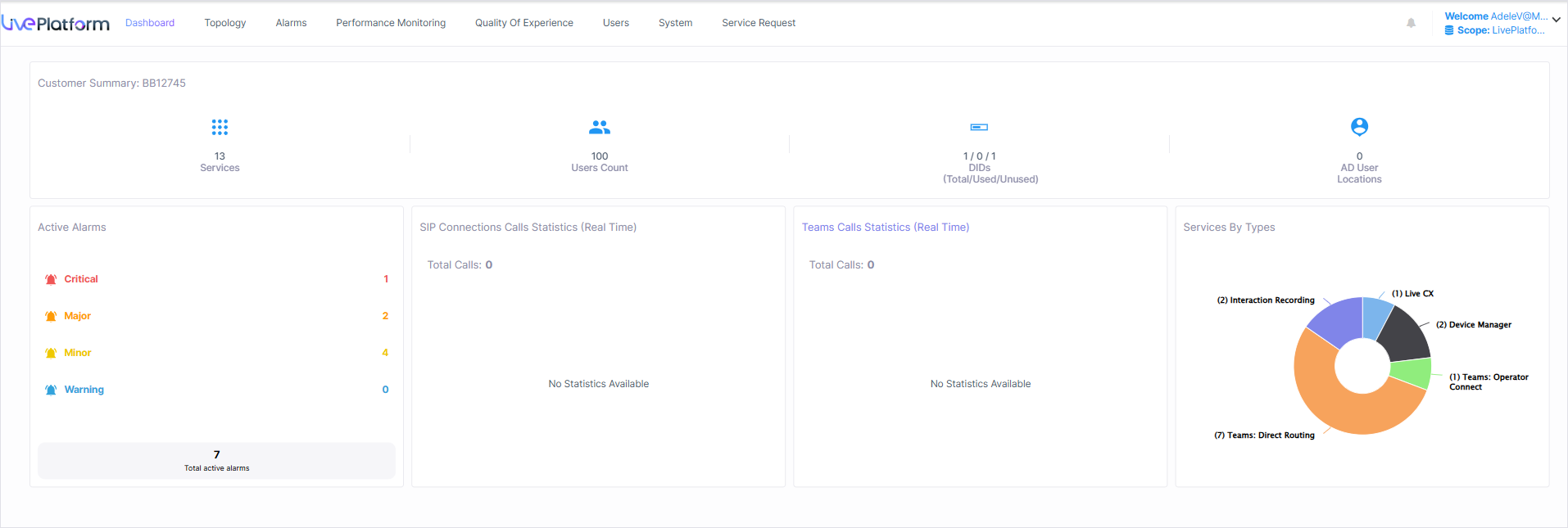
AudioCodes Live Platform advertises multi-tenant voice delivery for service providers and connectivity for Microsoft Teams, Webex Calling and other supported applications. It describes onboarding, automation and lifecycle tools. It is one of the Callroute alternatives to consider when you need to connect carriers or manage several customer tenants under a single service operation.
Best fit: A service provider, partner or enterprise voice team that needs to clarify who operates the carrier, SBC and customer administration. Give AudioCodes a Teams tenant, a Webex location or a retained PBX scenario that represents your estate. Ask which products and support arrangements are included.
What to test: Show how a provider onboards a tenant, assigns a number and resolves a failed request. Set separate administrator roles and see which changes appear in the customer console and provider portal. Ask other Callroute competitors to demonstrate the same order and support ticket.
Buying consideration: Check whether you are buying a managed service, a reseller platform or a combination of integration and software. Evaluate the number inventory, customer roles and Orto-style automation you specifically need. The AudioCodes alternatives guide covers additional SBC and voice options.
3. CallTower For A Managed Calling Rollout
CallTower offers Microsoft Teams Operator Connect and Direct Routing, and Cloud Connect for Webex Calling. It is one of the Callroute alternatives to shortlist if the main goal is managed carrier connectivity, number migration and rollout support. Ask which site-by-site work the provider will take on and which settings should remain with your application administrators.
Best fit: An organization moving multiple offices or one that needs more help with number porting and cutover. Include a Teams user, a front-desk number and a branch with a different connectivity requirement. If your current setup retains a local carrier, verify whether that arrangement is supported in the proposed design.
What to test: Assign a user number, route a main line to a voice application, and open a support case for a failed port or route in the pilot. Ask CallTower to identify who tracks each task and who takes the case after hours. Compare this with other Callroute competitors if you plan to keep a separate management layer.
Buying consideration: Confirm the operator, coverage, porting and support boundaries in writing. If you depend on Orto for group-driven Teams provisioning, include the tooling and staff needed to replace that work in the project plan.
4. Microsoft Teams Admin Center And PowerShell For In-House Administration
Microsoft documents number management in Teams Admin Center and number assignment through Teams PowerShell. This is one of the Callroute alternatives when a team wants to manage Teams Phone with its own administrators. Keep the required Teams Phone entitlement and choose the carrier or calling plan separately. Microsoft lists Teams Phone Standard at US$10 per user per month, paid yearly, on its U.S. product page.
Best fit: A single-tenant organization with a manageable volume of changes and a Microsoft 365 team that can document, maintain and support them. Larger organizations can also evaluate this approach when they already own the identity workflow, reporting and help-desk procedures.
What to test: Assign and remove a user number and verify the associated calling policy and location settings. Try a shared number or resource account using the supported workflow for the relevant connectivity model. Ask the same staff to run an equivalent test with any shortlisted Callroute competitors.
Buying consideration: Price the time spent building and operating any automation, reviewing changes and handling failed assignments. The Microsoft Teams rating describes the wider collaboration product. Ask your own service desk to show how it would manage approvals, reports and escalations for the phone service.
Replace Orto Workflows With A Joiner, Mover, And Leaver Test
Write down where your voice administration requests start. They may come from an identity group, a service-desk form, a branch manager or a scheduled import. Follow each request through licence checks, number allocation, policy assignment and finance reporting. Ask the Callroute alternatives to demonstrate who performs each operation, what evidence appears in the system, and how a failure reaches someone who can act on it.
Check The Policy And Number A New User Receives
Start with the same synthetic user record for each provider. Give the employee a location, manager, department and calling role. Check which event starts the workflow and how the candidate determines the tenant, licence and approved number pool. Ask the Callroute competitors to show what happens when the assigned location is missing, the number pool has been exhausted or the user is waiting for a voice licence.
Verify the intended phone number, policy and settings after the provisioning notification arrives. Record how the service desk sees the status and whether its staff can retry a partially completed order. Ask what happens if the same request arrives twice. Review which user-facing notice is sent and whether it gives the employee the right device and support instructions.
Change Location Or Role While Preserving Service
Have the pilot user transfer to another branch or job. If the user should keep the existing number, verify that it stays associated with the correct account and that the relevant policies change. If a new number is needed, document when it becomes active and how calls to the old number are handled. Ask the Callroute alternatives to show the old and new settings before approving the change.
Also test a user who moves from a standard role to reception or queue work. Review the permissions, device and voice application settings that change. Confirm who handles calling policies and who handles any necessary change to the number or carrier setup. In a shared administration model, give the local manager access only to the operations needed for the site and verify that the central team can still audit the change.
Decide When To Remove Access And Reuse A Number
Follow a departing employee from notice through licence and number removal. Ask shortlisted Callroute competitors how they apply your rules for forwarding, a temporary hold and number reuse. Confirm how administrators can see which numbers are reserved, assigned or available. Where the employee was a queue member or delegate, have the team confirm how it updates the group before closing the request.
Use a recent departure as a billing example with personal details removed. Compare the approved departure, the tenant records and the next applicable carrier or licence invoice. Ask the provider to show which charges ended, which services were kept and which changes require separate approval. A telephone number can outlive an employee account when it still serves customers or another team.
Verify Delegated Access And Bulk Change Controls
Ask the Callroute alternatives to demonstrate a branch technician, a central voice administrator and a billing reviewer. Have each person complete a task in the tenant using the proposed access model. Check that only the intended sites, users and permissions are visible. For MSPs, repeat this with two customer tenants and ask the presenter to show where the partner can review the change history.
Include a bulk change with one valid entry, one missing prerequisite and one entry outside the delegated administrator’s scope. Use a test account and the provider’s supported process. Ask the Callroute competitors how operators review the proposed changes, see partial results and restore a previous setting when a reversal is supported. Document the route for a manual correction if a change cannot be made through the automation.
Choose Between Native Administration And A Provisioning Platform
Compare the number of tenants, the volume of changes and the team that does the work. A small deployment can often use Microsoft’s supported admin workflows with an internal procedure. Large or distributed teams may need a system that applies rules consistently and gives local staff a limited set of tasks. Ask Callroute competitors to demonstrate the tasks you perform most often and the exceptions that take the most time.
What A Small In-House Team Needs To Own
Keep an approved register of numbers, users, service locations and support contacts. Decide where to record the request, who approves it and where the technician verifies the result. For an authenticated Teams administrator, the application’s management tools can cover supported assignments and policies. Before deciding between the native workflow and the other Callroute alternatives, ask who can maintain procedures, scripts or reports when the person who wrote them is away.
Run the procedure with a second technician who has only the documented permissions. Give them one straightforward assignment and one that requires the carrier to finish its work first. Verify that the record does not make a pending number appear available. Ask shortlisted Callroute competitors whether their platforms can replace the specific manual steps from this test.
What A Multi-Tenant Operation Needs From A Vendor
Map which changes can use a shared rule and which require a tenant-specific exception. Ask the Callroute alternatives to provision the same job role in two tenants with different number ranges and service locations. Check whether a shared workflow can preserve the organization-specific settings and how central staff review its output. Ask the provider to demonstrate what happens when a customer switches carrier while another customer runs the same workflow unchanged.
Agree on the staff roles that approve changes and process exceptions. The team that owns an identity rule may be different from the people who own the numbers or calling policy. Have the Callroute competitors show the approval and status views for each role. Confirm who can export the history when a customer needs to review an assignment or end its relationship with your service.
Test The Voice Connection Separately From User Management
Build a location list with the carrier, application, number types and shared services in use. Include Teams users, Webex locations and any retained PBX or contact centre. Give shortlisted Callroute alternatives the actual service addresses and note which carriers might stay. Ask about access to each proposed connection and country independently of where employees can use an app.
Operator Connect And Direct Routing Place Work With Different Parties
For an Operator Connect design, verify that the relevant operator is available to the tenant and can supply and port the required numbers. For Direct Routing, identify the approved SBC, the carrier, and the party that manages route and connection settings. A managed Direct Routing provider can perform agreed SBC operations. Ask the Callroute competitors to show who resolves each part of a fault and what evidence your support team needs to send.
Pick one location where you intend to retain the current carrier and another where you may choose a new one. Ask whether the number can be routed to the new platform with an updated carrier connection or must be transferred. Include any numbers used for messaging, fax or external integrations. Verify availability and responsible teams for those features separately from ordinary voice routing.
Model Moving One Number Across Connected Systems
Pick a public office number that currently sits on an existing PBX, and map when it would reach Teams, Webex or an approved fallback. Ask the shortlisted Callroute competitors to show who updates the routing rules and how the reseller verifies which route is active. Include a case where the number has to remain with the old carrier during the first phase. Decide who runs the change and how the status is shared with the office administrator.
If an after-hours destination is managed by a different system, test it while both platforms are active. Record the user or service expected to answer, the displayed caller ID and whether the destination can be changed without altering the carrier connection. Give the Callroute alternatives the same diagram and ask them to identify all the portals or staff roles needed to maintain it.
Check Teams And Webex Shared Numbers By Location
For a Teams main number, record any resource account, auto attendant, queue, schedules and inbound or outbound caller ID settings. Ask the Callroute alternatives to demonstrate the proposed route and confirm required licences and number types. In a mixed Teams and Webex estate, identify which Webex locations use cloud PSTN and which retain a local gateway. Confirm how the phone number is assigned and who can edit its destination.
Walk through a receptionist transfer, an after-hours call and an unanswered call. Include one case in which the fallback leaves the collaboration platform and goes to another approved destination. Give the Callroute competitors the expected call path and have the people who support the service observe the test. Record what the application, carrier and SBC each show when the call arrives or fails.
Keep Special Equipment On Its Own Test List
For analogue devices, paging, fax or an attached phone system, document the existing connection and the organization that maintains the equipment. Have the proposed provider confirm supported devices and provide an approved way to validate them. Ask about use cases that require a retained route or separate service. Verify emergency calling configuration using the provider’s approved procedure for the relevant sites and connection model.
Compare Connectivity Costs And Administration Time
Use the same licence, number, device and site list for all Callroute alternatives. Separate Microsoft or Webex licences, carrier connectivity, number fees, add-ons, managed SBC charges, technical support and any user-management software. Ask which costs are based on users, tenants, channels or usage. Include the staff time needed to process changes and support the service.
Compare Standalone Administration And A Carrier Bundle
Confirm whether your Microsoft subscription already includes the required Teams Phone entitlement. Microsoft’s published U.S. Teams Phone Standard price describes the phone entitlement, with PSTN service obtained separately under that option. Callroute’s own published prices use different terms by service and market, including separate Orto and calling options. Use the exact market and scope for each part of the proposal before adding them together.
For an organization that keeps its carrier, quote the automation software and any integration work while keeping the existing carrier expense visible. For a device or site rollout, ask the Callroute competitors to price porting, overlap and technical support. If a package includes onboarding, confirm the number of users and sites it covers and which configuration work still sits with your team.
Use A Sample Calculation For Administration Time
Suppose a help desk handles 25 routine voice changes in a month. If manual handling takes eight minutes per change and an automated workflow takes three, the workflow saves 125 minutes. At an illustrative internal cost of US$60 per hour, that is US$125 of staff time. If the illustrative software fee is US$100 and workflow maintenance takes 30 minutes at the same rate, the incremental monthly cost is US$130. In this example the cost and estimated time savings would match at 26 comparable changes. These figures show the method. Use observations from your own pilot.
Repeat the calculation for volume changes, escalations and exceptions. A month with many routine joiners can be different from one with several complex moves. Have each of the Callroute alternatives identify manual tasks that remain even after its platform is configured. Check which work is performed once and which work repeats whenever a branch adds a user or changes a policy.
Quote One New Branch With Shared Endpoints
Ask each bidder to price a branch with regular staff, a receptionist, an external main number and a shared device. Show who pays for the calling plan, who can add numbers, and which licences and services are billed to the customer. Have the bidder state whether any support or automation subscription starts when the branch is ordered or when users go live. Repeat the example with an office that needs to retain its present carrier. It will reveal which components can be reused and which configuration costs the provider charges again.
Ask Who Maintains Policies, Inventory, And Integrations
Confirm who can change a role template or number policy after launch. Ask whether your staff can make the change, whether the vendor has to approve it and how you test it before deploying it broadly. If the workflow connects to an identity platform or a service desk, get an owner for connector updates and failed runs. Include the recurring cost of those responsibilities when comparing Callroute competitors.
Request the term, implementation scope, the process for adding tenants or regions, and export rights. Ask which support cases qualify for coverage and where a team can get help outside business hours. Use the same question for all candidates so an apparent licence saving can be compared with the services it actually covers.
Plan The Migration In Voice And Administration Batches
Record the tenant, users, number pools, assignments, licences, policies, queues, device types, carriers and service addresses. Include the source for each record and any other system that can change it. Give the Callroute alternatives that reach the pilot an approved representative sample. Ask which records can be exported or imported and which settings require manual configuration.
Agree On The Number Plan And Source Of Truth
Identify who controls each number and whether the current carrier stays. If numbers are moving, ask the receiving provider to confirm eligibility and required authorizations for each group. If the carrier stays, confirm how the route changes and which provider can make that change. Ask shortlisted Callroute competitors for the contact responsible for resolving a partial or delayed port.
While old and new tools run together, decide which portal receives new hires, role changes and queue updates. Record changes once and assign someone to apply them in each required place. Decide when staff stop using the old automation and how they find pending changes. Keep the number pool and the displayed customer or tenant assignments consistent before moving another batch.
Run A Voice Pilot And An Administration Pilot
Use a typical employee and a location with a more difficult route. Test calling, transfers, after-hours behavior, caller ID and messaging where applicable. Run the joiner, mover and leaver workflow and verify the results in the relevant application and provider tools. Have the Callroute alternatives identify who corrects the issue if a number reaches the right tenant but still belongs to the wrong user or queue.
Prepare a fallback for the pilot route and assign someone who can pause the next change. Record which settings can be restored immediately and which require action from the carrier. Give the people supporting the move a contact method that works independently of the affected phone service. Use the approved procedure to check service addresses and emergency calling setup before accepting the pilot.
Review The First Week Of Requests After The Move
Keep a record of the first several routine requests and who actually completes them. Include one user licence change and a main-number question. Ask the Callroute competitors how they turn the initial support handoff into normal service. Check who tracks requests left over from the rollout and who makes sure that staff have only the access needed for ordinary work.
Finish The Batch With A Support And Billing Check
Have the help desk run the first production support case and have finance compare the deployed services with the first bill. Ask Callroute competitors to explain unused numbers, licences that remain assigned and any service that is still billed during the overlap. Track each exception with one owner and a deadline. Preserve required reports, invoices and authorized service records before closing the old account under the agreed process.
Frequently Asked Questions About Callroute Alternatives
What Is The Best Callroute Alternative For Orto?
VOSS Automate is worth evaluating for enterprise Teams provisioning and administration. Microsoft Teams Admin Center and PowerShell can suit a team that can run the work itself. Verify number inventory, approvals, delegated access and the way the workflow handles failed changes.
Which Callroute Competitors Support Teams And Webex Connectivity?
CallTower and AudioCodes Live Platform describe connectivity for Teams and Webex Calling. Confirm the proposed operator, connection model, countries and number types. Also ask whether the provider delivers the carrier service or supplies the tools and integration to operate it.
Can You Replace Orto And Keep Your Existing Carrier?
Yes, when the replacement management tools support your Teams configuration and the carrier service can remain in place. Confirm which settings the carrier controls and which belong to the Teams tenant. Pilot an approved number assignment and policy change on the proposed setup.
Does Teams Admin Center Replace Callroute Connectivity?
Teams Admin Center can manage supported tenant and number settings. Teams Phone still needs an applicable PSTN connection to place and receive external calls. Confirm your calling plan, Operator Connect or Direct Routing arrangement, licences and staff responsibilities.
How Much Do Callroute Alternatives Cost?
Compare application licences, carrier fees, number charges and any administration or deployment costs. Request quotes for the same users, sites and support requirements. Include the time needed to run and maintain provisioning, whether a vendor or your own team performs it.
Can You Keep Your Numbers When Leaving Callroute?
Ask who currently controls the numbers. The same carrier may be able to route them into a replacement service. If you are moving carriers, have the receiving provider confirm port eligibility and documentation. Pilot number assignment, messaging and routing before closing related services.
Use Customer Reviews To Set Pilot Priorities
CallTower’s G2 score describes provider experiences. The VOSS and Microsoft Teams G2 listings are broader than the administration tasks in this guide. Gartner Peer Insights rates AudioCodes Mediant, which can inform questions about SBC deployment. Use the product scope and the review count when deciding which experiences apply to your project.
Ask the Callroute competitors that reach your shortlist for a reference with the same carrier model, tenant complexity or support arrangement. Ask how the team handled a user change that failed, a port that was delayed and a billing correction. Then repeat the relevant actions in your own pilot and have the people who will run the service check the results.
Affiliate Disclosure VoIPCalling may earn commissions from qualifying affiliate links on the site.