
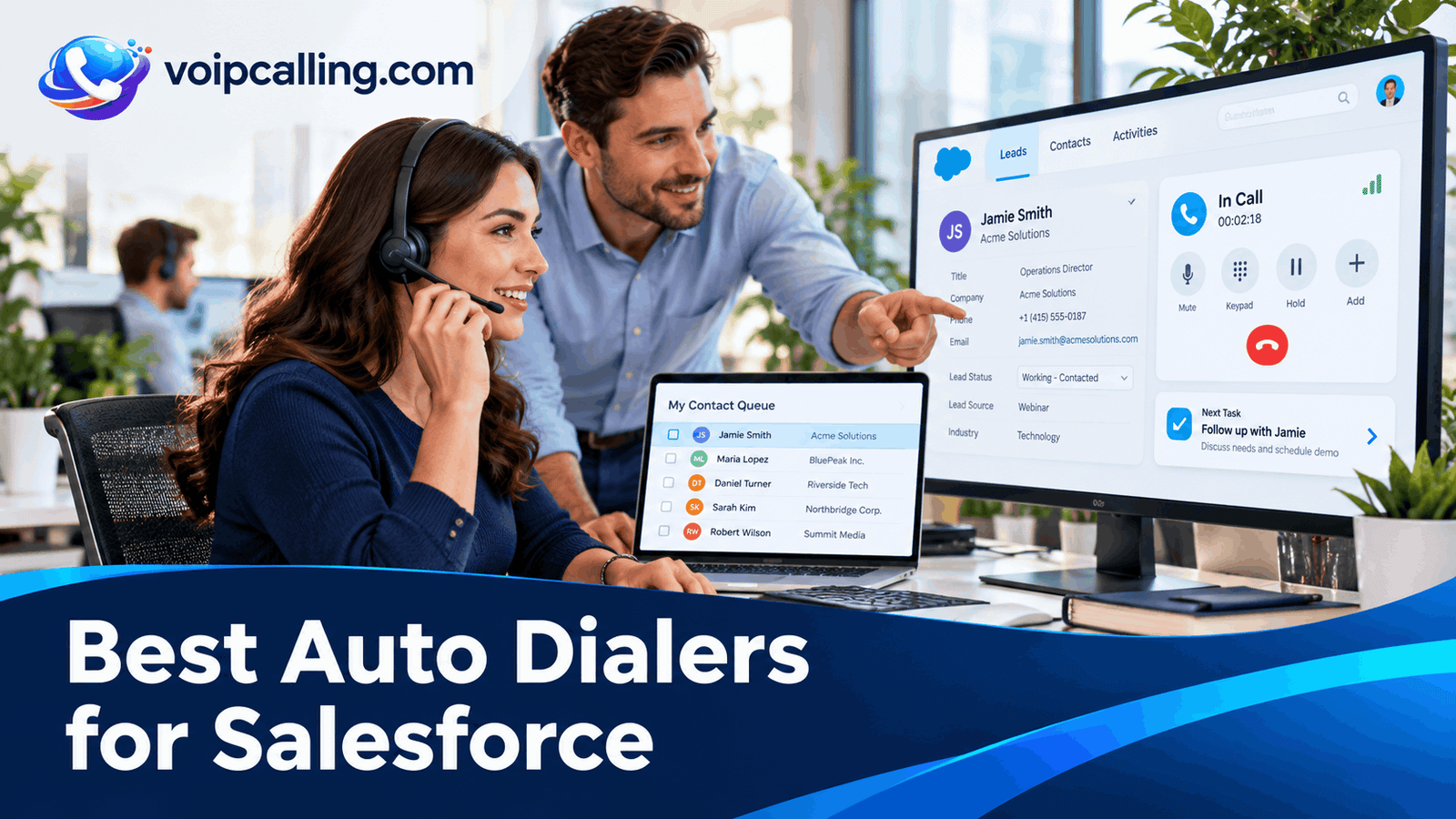
The best auto dialers for Salesforce connect the required calling workflow to accurate CRM records and follow-up. KrispCall leads this shortlist for teams evaluating shared calling and power dialing with Salesforce context; RingCentral RingCX follows for contact-center workflows; and JustCall is worth assessing when Salesforce records need to feed outbound campaigns.
This 2026 comparison covers five supported providers with documented Salesforce connections: KrispCall, RingCentral RingCX, JustCall, CallHippo, and Ringover. It distinguishes embedded calling, activity logging, campaign imports, API access, and automation. Calilio is excluded from the main comparison because its website currently marks Salesforce as coming soon.
Best Salesforce Auto Dialers: Quick Comparison
Prices are USD. Annual rates are monthly equivalents, and calling, Salesforce licenses, API access, integration work, and add-ons may increase the bill. G2 ratings describe the whole products, not a separate Salesforce integration score.
 Customer Ratings From G2
| Provider | Best Fit | Salesforce Connection | Pricing & Trial |
|---|---|---|---|
| Best For Shared Calling With Salesforce Context | Salesforce CTI setup; API access and user mapping required | $32/user/monthAdvance · Billed annually$40/user with monthly billingDemo; no free trial currently advertisedCheck KrispCall Plans | |
| Best For Salesforce Contact-Center Workflows | RingCX for Salesforce voice adapter; specify the deployment | Request a RingCX quoteOutbound deploymentRingCX-specific demo; separate from RingEXReview RingCX Options | |
| Best For Salesforce Records Feeding Dialer Campaigns | Import leads, contacts, and Salesforce Campaign members | $49/user/monthPro · Billed annually · Minimum 2 licenses$69/user with monthly billing14-day trial; confirm enabled dialing modesStart 14-Day Free Trial | |
| Best For Configurable Salesforce Logging And Triggers | Configurable activities, connected numbers, mapping, and triggers | Request a dialer quoteConfirm region, currency and team sizeConfirm current trial accessCheck CallHippo Plans | |
| Best For Salesforce Calling And Manager Visibility | Embedded calling, communication history, and dashboards | $49/user/monthBusiness · 12-month commitmentMinimum 3 users7-day trial, with limitsStart 7-Day Free Trial |





What Is An Auto Dialer For Salesforce?
An auto dialer for Salesforce connects outbound calling automation with Salesforce records. Depending on the product, representatives may import a lead list into another interface, use a phone panel inside Salesforce, log outcomes, or trigger a follow-up workflow.
These are different capabilities. Click-to-call initiates an individual call; an embedded softphone provides call controls inside the CRM; automated campaigns sequence records or apply a pacing model. A connector can support one without supplying every other function.
For category definitions, see how auto dialers and their main modes work. Choose the required mode and Salesforce record behavior together.
How We Evaluated These Salesforce Dialers
We reviewed official setup guides, campaign documentation, integration release notes, plan information, and selected customer feedback. Our assessment prioritizes explicit Salesforce support, campaign behavior, record associations, ownership, logging, and total cost.
We have not run a standardized hands-on benchmark across all five products. Best-fit labels are buying judgments, not guarantees of performance in every Salesforce org. The demonstration checks help identify requirements that a connector logo cannot resolve.
1. KrispCall: Best For Shared Calling With Salesforce Context
KrispCall leads this shortlist for teams evaluating power dialing and shared calling with Salesforce context. Its Salesforce setup guide covers a CTI call-center configuration, user access, and a softphone utility. Demonstrate automated campaigns separately from the embedded phone panel.
Salesforce Features To Evaluate
- Documented Salesforce integration and CTI setup.
- Call and message activity handling to evaluate with mapped users.
- Power Dialer on Advance for the campaign workflow.
Best Fit: A small or growing team that wants shared communication context alongside sequential prospecting.
Integration Requirements: The setup guide requires Salesforce API access, appropriate administrator and account-owner roles, and matching user emails. It identifies Professional edition as needing an API add-on. Confirm the CRM edition, user setup, and actual campaign interface before buying.
Buying Considerations: Advance costs $32 per user monthly with annual billing or $40 monthly and is positioned for up to 50 users. Verify calling-bundle eligibility, additional usage, and the exact connector you require. The pricing page states that no free trial is currently offered; a refund policy is a different arrangement.
Salesforce Demo Test: Assign two test users, complete a controlled power-dialer call, and inspect the Salesforce record. Have the second user receive a callback and verify ownership, activity, notes, and the promised next task.
Read our KrispCall review for more product context.
2. RingCentral RingCX: Best For Salesforce Contact-Center Workflows
RingCentral belongs here through RingCX. Its current Salesforce release notes document voice call-log updates, interaction IDs, script access, and record-linked do not call behavior. Use the exact voice integration and deployment in the demonstration rather than a generic RingCentral app listing.
Salesforce Features To Evaluate
- Voice interaction IDs in call logs for cross-system tracking.
- Voice scripts and call controls in the supported adapter configuration.
- Several RingCX outbound modes to assess with the Salesforce workflow.
Best Fit: A larger sales or contact-center operation with an administrator responsible for routing, campaigns, and Salesforce integration.
Integration Requirements: RingCX for Salesforce, a digital-channel connector, Service Cloud Voice arrangements, and RingEX integrations are distinct offerings. Ask which adapter and entitlements are included. Demonstrate the required outbound mode; an integration listing alone does not prove campaign access.
Buying Considerations: Request a RingCX-specific outbound quote. RingEX business-phone pricing and a RingEX trial do not establish RingCX dialer entitlements. Include implementation, supervision, destinations, integrations, and staffing assumptions in the proposal.
Salesforce Demo Test: Run a test outbound campaign, complete a disposition, and find the related call log and interaction ID. Test a callback, a change in agent availability, and an exclusion on the specifically linked record.
Read our RingCentral RingCX review for more product context.
3. JustCall: Best For Salesforce Records Feeding Dialer Campaigns
JustCall is worth evaluating when Salesforce leads and contacts need to feed Sales Dialer campaigns. Its guide covers filtered record imports, Salesforce Campaigns object imports, field mapping, call logging, and updating supported contact fields during calls.
Salesforce Features To Evaluate
- Salesforce lead and contact imports into Sales Dialer.
- Campaign-object-based imports and mapped calling context.
- Embedded CTI in Lightning, with separate campaign rights to confirm.
Best Fit: A sales team with at least two licenses that wants Salesforce segmentation connected to the required dialing mode.
Integration Requirements: Current setup guidance requires JustCall Pro or above and Salesforce API access. The integration supports Classic and Lightning, while embedded CTI requires Lightning. Confirm individual versus shared campaign rights, field behavior, and the paid tier for advanced modes.
Buying Considerations: Power Dialer campaigns are assigned to one agent; dynamic and predictive campaigns can be shared. Pro power dialing costs $49 per user monthly with annual billing and at least two licenses. SalesPro requires a quote for advanced campaign requirements. Do not budget a shared predictive workflow using Pro alone.
Salesforce Demo Test: Import a filtered test list or Salesforce Campaign, call a contact, update a mapped field, and inspect the record. Change campaign membership and demonstrate what actually updates or requires another import.
Read our JustCall review for more product context.
4. CallHippo: Best For Configurable Salesforce Logging And Triggers
CallHippo is a candidate for teams that want configurable Salesforce activity logging alongside list calling or CRM-event-based outreach. Its guide describes status selection, connected-number controls, field mapping, and fallback assignment for unmatched users.
Salesforce Features To Evaluate
- Configuration of which call statuses and numbers sync.
- Custom-field mapping and fallback user assignment.
- Speed to Dial for a separately configured supported trigger workflow.
Best Fit: A team prepared to configure and test Salesforce outcomes, mapping, and any lead-response trigger.
Integration Requirements: The guide says tags and dispositions sync when entered on the After Call Work screen; later edits from call logs do not push those fields to Salesforce. Existing contacts created before integration are not automatically covered by its new-contact sync behavior. Test these limits against your process.
Buying Considerations: Request a power-dialer-enabled quote for your region, team size, and CRM requirements. Confirm calling allowances, user permissions, campaign limits, and the current trial access. Prices for a basic phone plan do not establish the cost of the required automated workflow.
Salesforce Demo Test: Complete the same test call twice: enter the result during After Call Work in one test and edit it later in another. Inspect Salesforce fields, user assignment, and the numbers configured to log activity.
5. Ringover: Best For Salesforce Calling And Manager Visibility
Ringover is worth comparing for teams that want calling and communication history in Salesforce alongside power dialing and coaching. Its current Salesforce guide describes the calling window, record activity, and dashboards for call statistics.
Salesforce Features To Evaluate
- Calling from the Salesforce interface.
- Call activity and communication history on contact records.
- Ringover dashboards, with additional recording or Empower access to confirm.
Best Fit: A team of at least three users that wants prospecting, coaching, and Salesforce activity visibility.
Integration Requirements: The guide notes that the activity feed may need manual refresh, while recording information can appear later. Confirm recording activation and Empower requirements. Resolve shared-campaign licensing separately from the connector and ask which automated-calling charges apply.
Buying Considerations: Business displays $49 per user monthly with a 12-month commitment and at least three users. The campaign guide names an Advanced license for shared campaigns, so ask how that requirement maps to the current packages. Confirm campaign and import limits, add-ons, and trial access in the written offer. Its pricing page also lists an additional $0.08 per minute for calls made via call automation systems. Ask whether and how that applies to this campaign.
Salesforce Demo Test: Complete a call and inspect the activity after refresh. Test recording access, a callback, duplicate numbers, and the manager dashboard. Ask the vendor to demonstrate the exact power-campaign interface and license.
Read our Ringover review for more product context.
Why Calilio Is Not Ranked As A Salesforce Dialer
Calilio currently labels Salesforce as coming soon on its website. Its power dialer and available HubSpot integration do not establish a working native Salesforce connection.
If Salesforce is mandatory, require written confirmation and a live demonstration of a production connector before choosing it for that workflow. A third-party automation or custom project must be evaluated on its own capabilities and cost. Our Calilio integrations guide explains the availability distinctions.
Salesforce Editions, API Access, And Permissions
Check the requirements for the exact connector rather than assuming all Salesforce subscriptions provide the same access. KrispCall and JustCall's setup guidance explicitly requires API access for integration users and identifies Professional edition as needing an API add-on. Confirm the current entitlement for your Salesforce contract.
Have the administrator list the user licenses, required roles, connected-app access, installed components where applicable, permission sets, and supported interface. An integration working for the administrator does not prove that ordinary representatives can access the same records or logging functions.
Use the current guide for the actual product and release. JustCall's updated connection instructions describe an OAuth flow, while separate embedded CTI setup has its own requirements. Avoid combining steps from older packages or unrelated connector variants.
Keep existing security controls in place and have the administrator configure approved access. Do not treat a connection failure as a reason to disable authentication or broad access restrictions without understanding the connector's requirements.
Embedded Calling Vs An External Sales Dialer
An embedded phone panel can reduce switching between records and calling controls. An external campaign interface may provide different list, pacing, and assignment functions. Either can be appropriate if the records and next steps remain reliable.
Ask the vendor to show where an agent starts the actual automated campaign. Test navigation between Salesforce records, wrap-up, pause, callbacks, and what happens if the browser tab closes. Do not assume a small phone panel contains the entire campaign application.
For RingCentral, specify RingCX voice, RingCX Digital, Service Cloud Voice, or RingEX as applicable. These labels describe different offerings. The quote should name the connector and deployment demonstrated.
Campaign Imports, Membership, And Dialing Modes
A Salesforce Campaign record is a CRM grouping; a dialer's campaign is a calling configuration. Ask how one becomes the other, what fields transfer, and whether membership is refreshed automatically, manually, or through an automation.
JustCall documents Salesforce list and campaign-based imports. For every shortlisted product, test an added lead, a removed contact, a converted lead, and an ownership change. A successful first import does not establish continued synchronization.
Power dialing commonly works sequentially. Progressive pacing generally starts the next attempt as an agent becomes ready. Predictive adjusts pacing using availability and campaign information, while parallel starts multiple attempts together. Vendor labels overlap, so demonstrate actual behavior and the licensed mode.
For shared teams, confirm record reservation and duplicate prevention. JustCall's documentation distinguishes single-agent power campaigns from shared advanced campaigns. A collection of user licenses is not proof of a shared campaign.
Lead, Contact, Activity, And Ownership Checks
- Contact matching: Test duplicate and alternate numbers, country codes, and an unknown incoming caller.
- Record associations: Inspect which lead, contact, account, or other object receives the activity.
- Lead conversion: Confirm how later calls and existing history behave after conversion.
- Ownership: Check the caller, CRM owner, activity assignee, and default user when mapping fails.
- Dispositions: Verify how interested, callback requested, no answer, wrong number, and do not call are stored.
- Next action: Confirm the promised callback time, owner, and task rather than only call duration.
Ask separately about custom objects and fields. Standard contact logging does not establish every custom association. Make the vendor demonstrate your essential object and validation rules using controlled records.
Salesforce Automation And Follow-Up
Define which system owns each next action. A connector might log a call while Salesforce Flow creates a task, another service sends a message, and the dialer manages retries. Each part needs an owner, permission, cost, and failure-handling process.
For CallHippo, evaluate CRM-triggered Speed to Dial separately from ordinary logging. Its setup and availability conditions matter. A lead update should not accidentally create repeated attempts through an automation loop.
Test the full sequence before enabling production triggers. Include a failed field update, a record without an owner, an excluded contact, and a user who lacks access. Confirm how the team identifies and recovers missing events.
How Much Does A Salesforce Auto Dialer Cost?
Published annual-billing references include KrispCall Advance at $32 and JustCall Pro at $49 per user per month. Ringover Business displays $49 with a 12-month commitment. Confirm Salesforce access and campaign rights on each offered plan. Obtain the actual RingCX deployment and CallHippo package quote.
For five users, those seat rates give monthly equivalents of $160 for KrispCall and $245 for JustCall Pro or Ringover Business. They exclude Salesforce seats, API or automation entitlements, usage, numbers, implementation, and optional services. They do not establish equivalent shared predictive access.
- List the calling license, supervisor access, mode, and minimum seats.
- Add Salesforce edition requirements, API access, connector costs, and workflow entitlements.
- Include numbers, destinations, usage, recording, storage, and optional AI.
- Budget field mapping, testing, rollout, monitoring, and ongoing support.
- Confirm billing term, upfront payment, renewal, cancellation, and export.
For Ringover, clarify the automated-calling surcharge provision for the proposed campaign. For international outreach, compare destinations and included routes separately from local-number coverage; our international calling guide explains the difference.
A Salesforce Dialer Pilot Checklist
Use a sandbox or another vendor-supported controlled test environment where available, then a limited eligible production segment after the workflow is approved. The general auto dialer setup guide covers configuration fundamentals.
- Create test leads, contacts, duplicates, a converted lead, and an excluded record.
- Authorize ordinary test users and inspect access separately from admin access.
- Run the actual dialing mode and inspect activity, fields, owner, and next task.
- Add and remove campaign members and demonstrate the update process.
- Change availability, receive a callback, and test a failed handoff.
- Reimport the list and confirm that exclusions stay effective.
- Review failed updates, reporting, and actual billable usage.
Measure record completeness, completed callbacks, useful conversations per staffed hour, and the agreed business outcome. Resolve matching, permission, and task failures before increasing volume.
Recordings, Exclusions, And Data Access
For recordings, confirm whether Salesforce stores content or a link, who can open it, and what happens after deletion or cancellation. Establish the applicable recording requirements, retention, and access controls before enabling the workflow.
For monitoring, test supervisor permissions separately from ordinary record access. Review contact eligibility, recipient-local timing, exclusions, and messaging requirements for the actual campaign and markets.
A CRM do not call field must be connected to the calling process to influence dialing. Test its mapping and effect across imports, retries, and other campaigns. A displayed field alone does not prove that an attempt will be blocked.
Frequently Asked Questions
What Is The Best Auto Dialer For Salesforce?
KrispCall is a candidate for power dialing and shared calling context, RingCX for contact-center workflows, and JustCall for importing Salesforce records into sales campaigns. CallHippo and Ringover are worth comparing for their documented activity and calling workflows. Demonstrate the exact mode and connector before choosing.
Does A Salesforce Integration Mean The Dialer Runs Inside Salesforce?
Not necessarily. The integration may log records while automated campaigns run elsewhere. Ask where the campaign starts and which controls work in the embedded interface.
Do I Need Salesforce Lightning?
It depends on the connector and interface. JustCall's integration guidance distinguishes general Classic and Lightning support from embedded CTI, which requires Lightning. Confirm the requirements for the specific product and deployment.
Will Salesforce Professional Work With An Auto Dialer?
Check the exact connector's API and edition requirements. KrispCall and JustCall's guides identify an API add-on requirement for Professional. Obtain confirmation against your current Salesforce agreement before budgeting.
Can The Dialer Use Salesforce Campaign Members?
Some integrations support campaign-based imports; JustCall documents this route. Test membership changes, field mapping, exclusions, and the need for resync. A one-time import is different from continuous membership synchronization.
Does Calilio Have A Salesforce Integration?
Its website currently marks Salesforce as coming soon. Require production availability and a live demonstration before selecting it for a Salesforce-dependent workflow.
Can A Dialer Automatically Create Follow-Up Tasks?
Possibly through the connector, Salesforce automation, or another service. Demonstrate the task owner, time, and trigger. A logged activity does not by itself establish that a requested callback is scheduled.
Customer Reviews: Salesforce Evidence And Limits
G2 ratings in the table describe the products overall. They do not establish that a specific Salesforce org, object model, or campaign will work without configuration.
A March 12, 2026 JustCall review rated 4/5 valued HubSpot integration, recording, SMS, and power dialing while reporting call-quality and pricing concerns. That paraphrased experience offers general checks, but it is not evidence of Salesforce performance.
A February 4, 2026 KrispCall review rated 4/5 praised setup, integrations, and value while mentioning busy-hour lag and reporting limitations. Validate your own Salesforce records and reports rather than extending that opinion to an untested configuration.


