
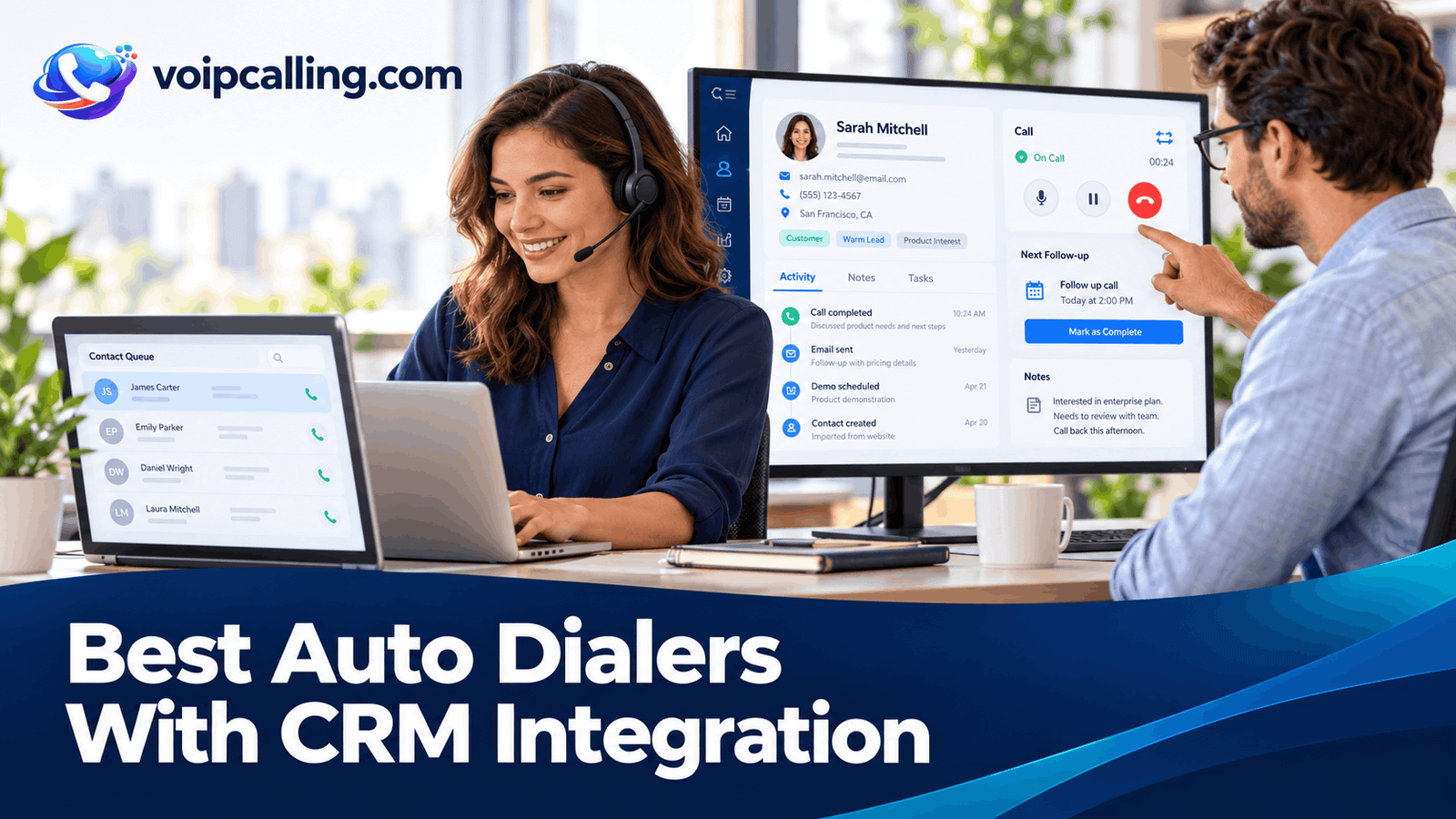
The best auto dialers with CRM integration connect calling activity to the right contact and next action. KrispCall leads this shortlist for teams evaluating shared calling and HubSpot context, Calilio follows as a lower-subscription-cost power-dialer candidate with HubSpot available, and RingCentral RingCX is worth assessing for Salesforce-centered contact-center requirements.
This 2026 guide compares KrispCall, Calilio, RingCentral RingCX, JustCall, CallHippo, and Ringover. It distinguishes contact sync, call logging, embedded calling, campaign imports, and workflow automation so you can evaluate the integration you actually need. Connector availability does not mean every feature works on every plan.
Best CRM-Integrated Auto Dialers: Quick Comparison
Prices are USD. Annual rates are monthly equivalents; usage, CRM subscriptions, add-ons, and implementation can increase the bill. G2 ratings describe the whole products rather than a separately rated integration.
 Customer Ratings From G2
| Provider | Best Fit | Documented CRM Workflow | Pricing & Trial |
|---|---|---|---|
| Best For HubSpot Calling And Shared Contact Context | HubSpot contact and note sync; Salesforce setup guide available | $32/user/monthAdvance · Billed annually$40/user with monthly billingDemo; no free trial currently advertisedCheck KrispCall Plans | |
| Best For Lower-Cost Power Dialing With HubSpot To Evaluate | HubSpot listed available; demonstrate campaign-to-record behavior | $28/user/monthPremium · Billed annually$35/user with monthly billingConfirm evaluation accessCheck Calilio Premium | |
| Best For Salesforce-Centered Contact-Center Operations | RingCX-specific Salesforce connector; confirm outbound workflow | Request a RingCX quoteOutbound deploymentRingCX-specific demo; separate from RingEXReview RingCX Options | |
| Best For CRM Lists Feeding Sales Dialer Campaigns | HubSpot list and sequence imports; Salesforce Sales Dialer guidance | $49/user/monthPro · Billed annually · Minimum 2 licenses$69/user with monthly billing14-day trial; confirm enabled dialing modesStart 14-Day Free Trial | |
| Best For CRM-Triggered Calling To Demonstrate | HubSpot calling and logging; CRM-event-based Speed to Dial | Request a dialer quoteConfirm region, currency and team sizeConfirm current trial accessCheck CallHippo Plans | |
| Best For HubSpot Activity Context And Coaching | HubSpot call activities include notes, tags, and comments | $49/user/monthBusiness · 12-month commitmentMinimum 3 users7-day trial, with limitsStart 7-Day Free Trial |






What Does Auto Dialer CRM Integration Mean?
An auto dialer CRM integration connects calling software with a customer relationship management system. Depending on the connector, it may match contacts, log calls, sync notes, import campaign lists, or trigger a next action. Those are different capabilities to verify.
Click-to-call starts an individual call. An embedded dialer places a calling interface inside the CRM. Neither alone establishes automated list dialing. A supported campaign import also does not prove that every later CRM change reaches the campaign automatically.
For dialing terminology, see what an auto dialer is and how the main modes work. Choose the required calling mode and record workflow together.
How We Evaluated These CRM Dialers
We reviewed official integration guides, product pages, campaign materials, and pricing. The comparison prioritizes documented behavior, correct record matching, ownership, campaign membership, next actions, and operating costs. We have not performed a standardized hands-on test across all six products.
Best-fit labels are buying assessments, not guarantees that every CRM configuration will work without setup. The demonstrations below identify the gaps a connector logo or a general product score cannot resolve.
1. KrispCall: Best For HubSpot Calling And Shared Contact Context
KrispCall leads this shortlist for teams evaluating shared calling with CRM context. Its HubSpot guide describes call and message logging, two-way contact sync, note logging, and an embedded dialer. Power Dialer is included on Advance; demonstrate how that campaign workflow interacts with the required connector.
Documented CRM Capabilities
- HubSpot contact-sync and note-logging controls.
- Calling within HubSpot in the documented integration.
- Salesforce integration guidance, including user mapping and API prerequisites.
Best Fit: A small or growing team that wants communication context in HubSpot or another explicitly supported CRM.
Integration Checks: HubSpot workflow automation in KrispCall’s guide depends on an eligible paid HubSpot plan. Its Salesforce guide requires API access and appropriate setup roles; confirm your CRM edition and the dialer-enabled KrispCall plan together.
Buying Considerations: Advance costs $32 per user monthly with annual billing or $40 monthly and is positioned for up to 50 users. Verify calling-bundle eligibility, additional usage, and the exact connector you require. The pricing page states that no free trial is currently offered; a refund policy is a different arrangement.
CRM Demo Test: Create a test contact, change a note, complete a call, and inspect both systems. Test duplicate numbers and a requested callback. Confirm which interface runs the power campaign and how those calls are logged.
Read our KrispCall review for more product context.
2. Calilio: Best For Lower-Cost Power Dialing With HubSpot To Evaluate
Calilio is a lower-subscription-cost power-dialer candidate with a HubSpot integration now listed as available. Its HubSpot page describes communication logging and conversation information associated with CRM records. Evaluate the exact campaign-to-contact workflow rather than assuming that phone integration means every automation is included.
Documented CRM Capabilities
- HubSpot communication logging described on its integration page.
- Power dialing and dispositions on Premium.
- Pabbly Connect automation offered separately from the native CRM connection.
Best Fit: A smaller team using HubSpot that wants to evaluate power dialing at a lower published seat rate.
Integration Checks: Treat each connector independently. Availability of HubSpot does not establish native Salesforce, Zoho, or other CRM support. If using Pabbly Connect, confirm its events, limitations, costs, and whether the workflow is one-way.
Buying Considerations: Premium costs $28 per user monthly with annual billing or $35 monthly. Usage and selected number, recording, storage, and AI requirements need separate review. Confirm the exact CRM handoff and automation rather than assuming the phone platform includes every feature of a sales-engagement system.
CRM Demo Test: Run a power campaign against controlled HubSpot contacts. Inspect the matched record, disposition, notes, and required next action. Ask which AI data and fields are supported and what their allowances are.
Read our Calilio review for more product context.
3. RingCentral RingCX: Best For Salesforce-Centered Contact-Center Operations
RingCentral appears here through RingCX. Its App Gallery lists a RingCX Salesforce Connector. Pair that product-specific integration discussion with a demonstration of the required preview, progressive, or predictive campaign; a generic RingCentral app listing does not establish equivalent RingCX access.
Documented CRM Capabilities
- A RingCX-specific Salesforce connector in the official gallery.
- Several documented RingCX outbound modes.
- Contact-center workflows to assess within the CRM implementation.
Best Fit: A larger Salesforce-centered sales or contact-center operation with implementation ownership.
Integration Checks: Confirm the exact Salesforce connector and RingCX deployment being quoted. RingEX integrations, phone pricing, and RingEX trials are separate references. Include implementation, CRM requirements, and ongoing integration support.
Buying Considerations: Request a RingCX-specific outbound quote. RingEX business-phone pricing and a RingEX trial do not establish RingCX dialer entitlements. Include implementation, supervision, destinations, integrations, and staffing assumptions in the proposal.
CRM Demo Test: Show the exact RingCX connector, the agent workspace, and an outbound campaign using test Salesforce records. Inspect logging, record associations, field mapping, callbacks, and user permissions.
Read our RingCentral RingCX review for more product context.
4. JustCall: Best For CRM Lists Feeding Sales Dialer Campaigns
JustCall is worth evaluating when CRM records need to feed outbound campaigns. Its help center documents creating Sales Dialer campaigns from HubSpot lists and sequences, alongside Salesforce Sales Dialer integration guidance. Demonstrate how membership changes, outcomes, and follow-up behave in the proposed workflow.
Documented CRM Capabilities
- Documented HubSpot list and sequence campaign imports.
- Salesforce integration and embedded-dialer setup guidance.
- Power, dynamic, and predictive campaign options on the appropriate tiers.
Best Fit: A sales team with at least two licenses that wants to connect CRM segmentation with the required dialing mode.
Integration Checks: HubSpot sequence use and the embedded Salesforce interface have their own setup requirements. JustCall distinguishes individual power campaigns from shared advanced campaigns, so confirm the integration and campaign rights together.
Buying Considerations: Power Dialer campaigns are assigned to one agent; dynamic and predictive campaigns can be shared. Pro power dialing costs $49 per user monthly with annual billing and at least two licenses. SalesPro requires a quote for advanced campaign requirements. Do not budget a shared predictive workflow using Pro alone.
CRM Demo Test: Import a small eligible CRM list, complete a call, change a contact field, and remove a record. Inspect the CRM result and demonstrate how additions and removals reach the campaign.
Read our JustCall review for more product context.
5. CallHippo: Best For CRM-Triggered Calling To Demonstrate
CallHippo is a candidate when a team wants calling from CRM records alongside inquiry-triggered outreach. Its HubSpot guide describes contact calling and communication logging, while Speed to Dial uses supported CRM lead or contact events. These are separate workflows to demonstrate.
Documented CRM Capabilities
- HubSpot calling and activity-logging documentation.
- Speed to Dial triggers for supported CRM events.
- User or team allocation and retry settings in the documented trigger workflow.
Best Fit: A staffed team evaluating new-lead response alongside prepared-list calling.
Integration Checks: Speed to Dial depends on configuration, agent availability, and campaign state. Its guide allows one selected trigger per campaign and describes reactivation after the campaign becomes inactive. Do not assume an unconditional always-on response.
Buying Considerations: Request a power-dialer-enabled quote for your region, team size, and CRM requirements. Confirm calling allowances, user permissions, campaign limits, and the current trial access. Prices for a basic phone plan do not establish the cost of the required automated workflow.
CRM Demo Test: Create one eligible test lead, then test a separate record update. Inspect which trigger fires, whether an available agent receives the call, and where the result appears. Repeat with no agents available.
6. Ringover: Best For HubSpot Activity Context And Coaching
Ringover is worth comparing for teams that want communication history in HubSpot alongside power dialing and coaching. Its current HubSpot user guide describes calling from contact records, logged communication activities, and notes, tags, and comments in the related activity.
Documented CRM Capabilities
- Calling from HubSpot contact records.
- Notes, tags, and comments in the associated call activity.
- Recording playback when activated; Empower transcription links with the required subscription and connection.
Best Fit: A team of at least three users that wants coaching and usable HubSpot conversation records.
Integration Checks: Power-dialer access and shared-campaign rights must be confirmed separately from the HubSpot connector. Recording activation, integration settings, and an Empower subscription affect the additional information shown.
Buying Considerations: Business displays $49 per user monthly with a 12-month commitment and at least three users. The campaign guide names an Advanced license for shared campaigns, so ask how that requirement maps to the current packages. Confirm campaign and import limits, add-ons, and trial access in the written offer. Its pricing page also lists an additional $0.08 per minute for calls made via call automation systems. Ask whether and how that applies to this campaign.
CRM Demo Test: Complete a call, add a tag and note, and inspect the contact activity. Test a duplicate phone number, a disabled integration number, and manager access to the resulting recording.
Read our Ringover review for more product context.
Compare The Integration Level You Need
Contact Sync And Matching
Ask whether sync is one-way or two-way, which fields are included, and what creates a new contact. Test country codes, alternate numbers, shared household or office numbers, and duplicates. Two-way contact sync does not establish two-way sync for every field.
Call Logging And Dispositions
Check whether the CRM receives duration, direction, outcome, notes, and the agent identity. Distinguish a completed call from a human conversation. Verify how wrong number, callback requested, and do not call outcomes are represented.
Campaign Imports And Membership Changes
Demonstrate how a CRM list becomes a campaign and whether new records require a resync. Ask what happens when a contact is removed, ownership changes, or another process completes the follow-up. Importing a list once is different from continuously maintaining membership.
Tasks, Ownership, And Automation
A logged call is useful context; a promised callback also needs an owner and time. Ask whether the connector creates that task, the CRM workflow does it, or the agent enters it manually. Confirm the CRM subscription and permissions required by the automation.
Choosing An Auto Dialer For HubSpot
Start with the workflow rather than treating all HubSpot integrations as equivalent. Compare KrispCall for its documented contact and note settings, JustCall for list and sequence campaign imports, and Ringover for activity context and coaching requirements.
Calilio and CallHippo also publish HubSpot integration materials. Demonstrate the required campaign-to-record path on the offered plan. Calling from a contact record does not prove that an automated campaign runs inside that same interface.
Ask the administrator to identify the contact fields, activity types, automation, and permission scope involved. Check the CRM plan required for each workflow rather than assuming an integration advertised as available makes every HubSpot feature free.
Choosing An Auto Dialer For Salesforce
For a contact-center requirement, assess the RingCX-specific Salesforce connector. For sales campaigns, compare JustCall's Salesforce integration and Sales Dialer guidance. KrispCall also provides a Salesforce setup guide with API-access and mapping prerequisites.
Confirm the exact Salesforce edition, API entitlement, installed package, agent permissions, supported objects, and interface. A generic RingCentral app is not automatically the RingCX connector, and an embedded phone panel is not proof of campaign access.
Test lead conversion, duplicate numbers, record ownership changes, and associations with the objects your team uses. Ask the vendor to demonstrate custom-object behavior if it is essential rather than assuming ordinary contact logging covers it.
Zoho, Pipedrive, And Other CRM Requirements
Use the same evidence standard for Zoho CRM, Pipedrive, Follow Up Boss, and other systems. Check the specific connector, current availability, field support, and campaign behavior. Do not extend one provider's HubSpot capability to a different CRM by assumption.
Separate a native connection from an automation service, webhook, API project, or CSV process. Each can be appropriate, but they have different ownership, costs, error handling, and maintenance requirements. A requested or planned connector should not be budgeted as a working integration.
A Practical CRM Integration Test
- Prepare records: Use controlled phone numbers, duplicates, an existing customer, an unassigned lead, and an excluded contact.
- Test contact creation: Create a record in each system where supported and inspect what syncs.
- Run the actual mode: Demonstrate the intended power, progressive, parallel, or predictive campaign.
- Capture outcomes: Inspect notes, dispositions, timestamps, agent identity, and record associations.
- Request a callback: Verify time, ownership, and the next task after a handoff.
- Change membership: Add, remove, or reassign a contact and inspect the campaign.
- Test exclusion persistence: Reimport the list and confirm that removed contacts stay out.
- Simulate failure: Revoke test access and inspect how missing updates are identified and recovered.
Agree on acceptance criteria before the demo. “The call appeared somewhere in the CRM” is insufficient if the sales process needs a specific owner, activity, task, or reporting field.
Common Integration Problems To Check
Duplicate or misassociated calls: Normalize numbers and demonstrate how matching works when several records share one number. Avoid enabling automatic creation without understanding how the connector identifies existing records.
Conflicting ownership: Decide whether the CRM owner, dialer assignee, or routing rule controls each next action. Test what happens when the original agent is unavailable.
Automation loops: An update generated by one system may qualify for another trigger. Test the full sequence using controlled records and define exit conditions to prevent unwanted repeated actions.
Silent failures: Inspect integration logs, authorization expiry, rejected fields, and recovery procedures. A connected status does not establish that every event has been delivered.
What Does A CRM-Integrated Auto Dialer Cost?
Published annual-billing power-dialer references include Calilio Premium at $28, KrispCall Advance at $32, and JustCall Pro at $49 per user per month. Ringover Business displays $49 with a 12-month commitment. Those rates do not establish identical CRM or shared-campaign rights.
For five users, those seat rates give monthly equivalents of $140, $160, and $245 respectively, with Ringover also $245 at its displayed rate. Request the actual CallHippo package and RingCX deployment. Usage, CRM licensing, implementation, and add-ons can increase the total.
- Confirm the dialer mode and the required integration tier.
- Include CRM seats, workflow or sequence features, API access, and any automation platform.
- Add calling routes, numbers, recording, storage, transcription, and optional AI.
- Price setup, field mapping, testing, monitoring, and ongoing support.
- Review minimum seats, annual payment, renewal, cancellation, and export.
A lower dialer seat price may not be cheaper after CRM upgrades or custom work. Obtain an itemized quote using the same team size and workflow assumptions for every provider.
Permissions, Recordings, And Data Access
Review the requested integration permissions and who can authorize, change, or disconnect the connector. Confirm how departing staff, reassigned contacts, and changes in roles affect access and logging.
For recordings and transcripts, ask whether the CRM stores the content or a link, who can open it, and what happens after deletion or cancellation. Establish the applicable requirements, retention, and access controls before enabling the workflow.
For supervision, keep management permissions distinct from ordinary CRM visibility. Contact eligibility, exclusions, recording, and follow-up messages still require review for the actual campaign and markets.
Our auto dialer setup guide covers the general rollout process. Assign an implementation owner across the dialer, CRM, and any third-party automation.
Frequently Asked Questions
What Is The Best Auto Dialer With CRM Integration?
Choose by the required workflow. KrispCall is a candidate for shared calling and HubSpot context, Calilio for evaluating lower-cost power dialing with HubSpot, and RingCX for Salesforce-centered contact-center operations. JustCall, CallHippo, and Ringover deserve comparison for their documented campaign, trigger, and activity workflows.
Does CRM Integration Include Automatic Call Logging?
It may, but confirm which calls, numbers, users, and fields are covered. Inspect missed calls, outbound campaigns, callbacks, and excluded numbers rather than testing only one answered call.
Can The Dialer Create CRM Follow-Up Tasks?
Possibly, through the connector, a CRM workflow, or another automation. Demonstrate the task owner, due time, and trigger. Call logging alone does not establish automatic task creation.
Is Click-To-Call The Same As Auto Dialing?
No. Click-to-call starts an individual call. Automated campaigns may sequence records or adjust pacing. Verify the actual campaign interface and its integration rather than assuming an embedded phone panel provides list automation.
Can I Use A Free CRM Plan With An Auto Dialer?
Some basic functions may work, but advanced workflows, sequences, or API access can require a paid CRM plan. Confirm both products' entitlements for the complete workflow.
Does Two-Way Contact Sync Include Every Field?
Not necessarily. Confirm supported fields, creation and update directions, conflict handling, and deletion behavior. Contact sync is different from activity, task, or campaign-membership sync.
Can I Change Dialers Without Losing CRM History?
Confirm what is stored in the CRM and what remains only in the calling service. Demonstrate export and inspect access to recordings, links, notes, and historical activity after disconnection or cancellation.
Customer Reviews: CRM Workflow Lessons
These selected G2 examples are paraphrased customer experiences, not controlled comparisons of integration reliability.
KrispCall: Setup And Reporting
A February 4, 2026 review rated 4/5 praised setup, integration options, and value, while mentioning busy-hour lag and limited reporting customization. Demonstrate the manager reports and network conditions relevant to your team.
Calilio: Interface And Number Requirements
A May 12, 2026 review rated 5/5 praised the interface, routing, and analytics. An October 28, 2025 review displayed 0/5 and described a number-capability mismatch and refund dispute. Confirm the required number functions and charges before deployment.
JustCall: CRM Context And Call Quality
A March 12, 2026 review rated 4/5 valued HubSpot integration, recording, SMS, and power dialing, while reporting call-quality and pricing concerns. Test the actual connector, calling routes, and local environment rather than assuming every setup will perform identically.


