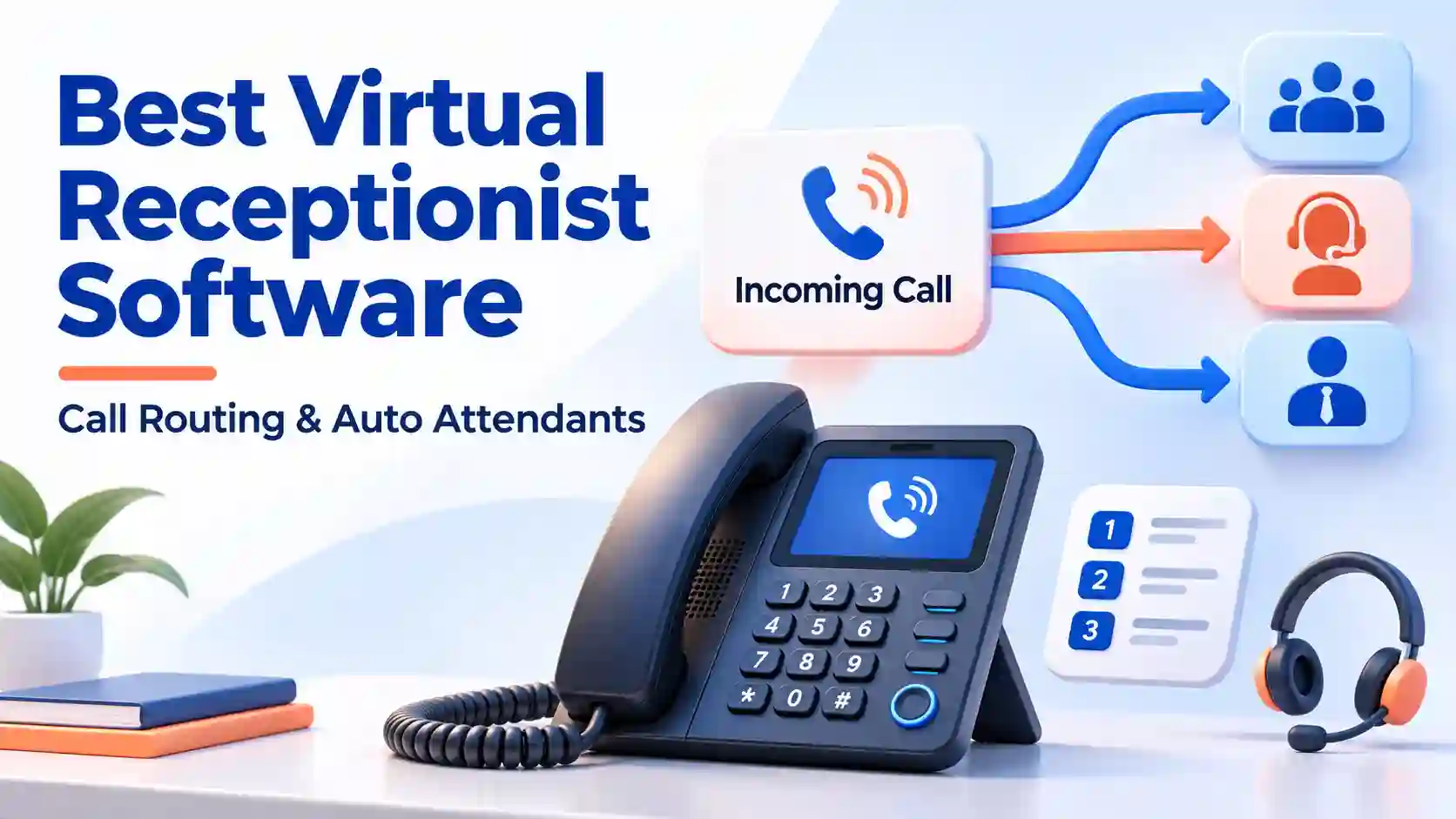
The best virtual receptionist software connects callers to the right person through clear phone menus, business-hours rules and reliable fallback. An auto attendant handles predictable choices, while an AI receptionist can collect details before transferring. Choose the platform that completes your call routing workflow within the plan and budget you actually need.
NextPhone is our #1 shortlist choice for conversational intake before a transfer, followed by Nextiva XBert for reception across calls and digital conversations. Quo, JustCall, Calilio, CallHippo, Zoom Phone, Ringover, Dialpad and GoTo Connect provide different combinations of auto attendant menus, shared numbers and routing controls.
This guide to virtual receptionist software focuses on the call routing outcome: a person, department, queue, voicemail or callback request. It separates traditional menus from AI reception so you can buy the right service without paying for automation that your call flow does not need.
What Is Virtual Receptionist Software?
Virtual receptionist software answers incoming business calls and directs them according to your instructions. A basic call routing configuration plays a greeting and offers department choices. More advanced configurations collect caller information, check schedules or use call routing based on a spoken request before connecting someone to the right destination.
Virtual receptionist software spans several purchasing categories. Some vendors provide a business phone system with menus and queues. Others provide conversational agents that sit in front of an existing line. A staffed answering service supplies people. These approaches can overlap, but they do not have identical costs, permissions or administrative requirements.
Virtual Receptionist Software vs an Auto Attendant
An auto attendant usually presents a defined greeting and menu, such as sales, existing appointments or accounts. Callers choose a destination, commonly with their keypad. Virtual receptionist software may include this function or use a conversational agent to understand the request. The important distinction is the action completed, not the marketing label.
For a business with 3 clear departments, a short menu may be enough. If callers need to explain a repair problem before the team can decide who should respond, conversational intake may help. Keep a direct human option available in your call routing whenever the workflow requires employee judgment.
Auto Attendant, IVR and Live Answering Compared
IVR stands for interactive voice response. Vendors use the term for anything from simple menus to workflows with several branches and connected data. Ask what the proposed IVR actually does. Reading an account balance from an authorized integration is a different requirement from playing opening hours or transferring to a queue.
Live answering uses staff who can clarify unusual requests within their training and authority. Virtual receptionist software automates configured tasks. A hybrid approach can handle routine choices automatically and send exceptions to people. Do not judge either approach solely by whether it answers quickly; assess what happens after the greeting.
Best Virtual Receptionist Software: Quick Comparison
This virtual receptionist software comparison follows the selected provider order. Prices refer to the named configuration, with AI reception separated from ordinary auto attendant licensing. G2 ratings are platform scores except NextPhone’s product rating; Zoom uses Zoom Workplace and Dialpad uses Dialpad Connect. These scores provide context rather than a test of routing accuracy.
| Provider | Best Fit | Buying Considerations | Pricing & Trial |
|---|---|---|---|
Conversational reception
|
| $199/monthPro monthly; Growth $299; Scale $599 for custom call flows.Start 7-Day Free Trial | |
Multichannel handoff
|
| From $100/monthPremium, annual plan; 100 conversations, then $0.99 each up to 1,000/month.Start Free Trial | |
Visual menus and shared numbers
|
| $23/user/monthBusiness, billed annually; $33/user on monthly billing.Start 7-Day Free Trial | |
IVR with CRM workflows
|
| From $29/user/monthTeam, annual billing; Pro $49/user/month annually.Start 14-Day Free Trial | |
Cloud phone routing
|
| $28/user/monthPremium, billed annually; $35/user with monthly billing.See Current Plans | |
Cascading and layered routing
|
| Request Routing QuotePublished Professional and Ultimate tiers have different routing scope.Request a Demo | |
Auto attendants and queues
|
| From $16/user/monthUS & Canada Unlimited, annual billing; $18/user monthly.View Phone Plans | |
Phone menus with CRM handoff
|
| Request Plan PricingConfirm the regional Business configuration and required seats.Request a Demo | |
Scheduled department routing
|
| From $15/user/monthConnect Standard, annual billing; quote advanced routing separately.Start 14-Day Free Trial | |
Visual dial plans
|
| Request a QuotePhone System pricing by quote; AI Receptionist is a separate package option.Request a Demo |










A published virtual receptionist software trial does not automatically include a separate AI agent. Match the evaluation to the configuration shown: ordinary menus, advanced distribution and conversational reception can carry different entitlements. A refund guarantee is also different from a free trial; Calilio publishes a money-back offer rather than an equivalent free evaluation.
10 Virtual Receptionist Software Providers in Detail
1. NextPhone: Conversational Virtual Receptionist Software
NextPhone provides AI-led virtual receptionist software rather than a conventional keypad phone tree. Pro is $199 monthly and includes answering, intake questions and transfers. Growth is $299 monthly with assisted setup and up to 10 transfer destinations. Scale is $599 monthly for custom call flows and more complex routing.
Best fit: Virtual receptionist software for an owner who needs to understand a request before deciding which employee should take it. A caller can explain the service needed instead of guessing the correct department from a long menu.
Buying consideration: Match the subscription to the transfer map. A basic handoff and a custom flow across several locations are different requirements. Ask which tier supports every destination and exception on your list.
Call routing test: Request a specific employee, then describe a problem that could belong to 2 departments. Leave the destination unanswered. Check whether the resulting fallback captures a callback number, purpose and responsible employee.
2. Nextiva XBert: Multichannel Virtual Receptionist Software
XBert provides virtual receptionist software for customer conversations across calls, texts, chat and email. Premium starts at $100 monthly on an annual plan, with 100 included conversations and $0.99 for additional conversations up to 1,000 per month. Its published workflow includes warm handoff and updates to connected business tools.
Best fit: Virtual receptionist software for teams whose customers move between a phone call and digital follow-up. The buying question is whether the receiving employee gets enough context to continue the conversation accurately.
Buying consideration: XBert is not simply the name of a standard Nextiva auto attendant. Confirm the actual handoff destinations, supported hours and required phone connection. Use the dedicated XBert offer rather than an employee-phone entry price.
Call routing test: Call with an existing inquiry, ask for a human and then follow up through another supported channel. Inspect the record, assigned owner and billing definition. Do not assume shared context works identically in every integration.
3. Quo: Virtual Receptionist Software for Shared Numbers
Quo’s virtual receptionist software places phone menus on Business and Scale. Business is $23 per user monthly with annual billing or $33 on monthly billing. Its routing builder can send a menu choice to another menu, a person, a group or Sona. Sona AI allowances are separate from unlimited human-handled menu use.
Best fit: Virtual receptionist software for a small team sharing a business number. Staff can compare a simple menu with an AI branch while keeping everyday calls in a familiar phone workspace.
Buying consideration: Starter is not the correct baseline for a menu-focused comparison. Work out paid seats, required integrations and Sona usage before calculating the bill. Read our Quo review for broader phone-service context.
Call routing test: Configure the auto attendant with 3 clear choices and an invalid-input fallback. Route an after-hours caller to the intended next step, then have a colleague find and complete the resulting callback request without duplicating another employee’s response.
4. JustCall: Virtual Receptionist Software for Customer Teams
For virtual receptionist software with single-level IVR, JustCall Team starts at $29 per user monthly with annual billing and includes single-level IVR. Pro starts at $49 per user monthly annually and adds intelligent routing in the published comparison. Plans require at least 2 seats. The separate AI Voice Agent should not be assumed to be included in those rates.
Best fit: Virtual receptionist software for customer-facing teams that need defined distribution alongside CRM follow-up. Its routing documentation describes destinations including users, groups, voicemail and external numbers.
Buying consideration: Ask whether the requirement is a basic menu, a nested workflow or routing driven by external data. Demonstrate the purchased plan instead of relying on a feature shown in a higher-tier sales demo.
Call routing test: Use the auto attendant to send a new sales inquiry to a group and an existing-customer request to a different destination. Check the no-answer branch, external forwarding cost and whether the employee can identify the caller’s reason without searching multiple records.
5. Calilio: Virtual Receptionist Software With Cloud IVR
Calilio’s virtual receptionist software includes queues, forwarding and simultaneous, sequential and round-robin ring strategies on Standard. Premium adds IVR, business-hours rules and call transfer. Premium is $28 per user monthly with annual billing or $35 with monthly billing. Number and usage charges need separate attention.
Best fit: Virtual receptionist software for a growing team that wants its menus and staff phone service in the same cloud workspace. The Premium boundary matters when callers need department choices and scheduled handling.
Buying consideration: Do not treat the lowest advertised Standard rate as the cost of the IVR workflow. Check bundled minutes, wallet-funded usage and the plan that supports each action in your diagram.
Call routing test: Compare sequential ringing with a shared queue for the same department. Then close the office in the schedule and place another call. Confirm the greeting changes, the intended fallback runs and employees can identify the resulting message.
6. CallHippo: Virtual Receptionist Software With Layered Menus
CallHippo’s virtual receptionist software pricing separates Professional’s multilingual IVR and cascading distribution from Ultimate’s multilevel IVR, Smart DID routing and holiday routing. Request a quote identifying the billing term, minimum seats and exact configuration rather than assuming the entry plan covers the full workflow.
Best fit: Virtual receptionist software for teams moving from a basic department menu to a more structured inbound journey. A multilingual greeting and several nested menu levels solve different problems; demonstrate both when you need them.
Buying consideration: The AI receptionist is a separate evaluation from ordinary phone-menu distribution. Ask for product-specific trial terms instead of transferring an AI offer to an unrelated phone plan.
Call routing test: Make a language selection, enter an incorrect department choice and call during a holiday schedule. Check the resulting destination and how a caller returns to a useful option without repeatedly hearing the full greeting.
7. Zoom Phone: Virtual Receptionist Software With Queues
Zoom Phone’s virtual receptionist software includes unlimited auto attendants and IVR alongside its business calling plans. US & Canada Unlimited starts at $16 per user monthly with annual billing or $18 monthly. This is auto attendant phone-service pricing; Zoom Virtual Agent Receptionist requires its own product and eligibility discussion.
Best fit: Virtual receptionist software for distributed employees who need familiar cloud calling, scheduled menus and queues. The value depends on configuring a clear path from the main number to the available department.
Buying consideration: A phone-menu entitlement does not establish every advanced queue control or a conversational AI allowance. Confirm the licenses, regional numbers and reporting needed for your flow.
Call routing test: Route 1 option to an employee and another to a queue. Let all members become unavailable, then test the fallback and callback ownership. Check the actual phone application staff will use rather than treating a meeting invitation as a phone-system demonstration.
8. Ringover: Virtual Receptionist Software With CRM Workflows
Ringover describes virtual receptionist software with advanced IVR, call groups, queues and smart-routing capabilities within its business-phone range. Request regional plan pricing and a written configuration. AIRO is its conversational AI reception offering, with different usage and commercial terms from an ordinary auto attendant phone package.
Best fit: Virtual receptionist software for teams that want inbound choices to connect with their customer-management work. Define whether a menu choice alone should route the call or whether external data must influence the destination.
Buying consideration: Confirm the plan, required integrations and minimum licenses. A general integration listing does not prove that the purchased tier can read the field needed for a routing decision.
Call routing test: Compare a known contact with an unknown caller. Have both request the same department and inspect the destinations, transferred context and no-answer behavior. Keep a useful call routing fallback when a CRM lookup fails or returns an ambiguous record.
9. Dialpad: Virtual Receptionist Software for Departments
Dialpad’s virtual receptionist software starts with Connect Standard at $15 per user monthly with annual billing. Dialpad describes multilevel menus and schedules for opening hours, after hours and holidays. Advanced contact-center distribution and AI Agents have additional scope; do not assume every capability on its general routing pages belongs to Standard.
Best fit: Virtual receptionist software for small offices and distributed departments that need consistent scheduled handling. An auto attendant should reflect the team’s real availability instead of sending every caller to an unattended extension.
Buying consideration: Separate business-phone menus from skills-based queues, supervisor tools and conversational agents. Ask for the plan and licenses used in each demonstration.
Call routing test: Create a department menu, close the destination temporarily and make a call through the main number. Check what the caller hears, where the call ends and whether an employee receives enough information to act on the next working period.
10. GoTo Connect: Virtual Receptionist Software With Dial Plans
GoTo Connect’s virtual receptionist software includes customizable dial plans, unlimited auto attendants and queues with quote-based pricing. Its Phone System + AI Receptionist package adds conversational answering and 100 AIR credits, with additional credits available to purchase. Those credits are not an unlimited AI allowance.
Best fit: Virtual receptionist software for teams consolidating several destinations into a managed business phone system. A visual dial plan is useful when someone must maintain opening hours, office numbers and fallback paths together.
Buying consideration: Request separate figures for staff calling and any AI reception package. Confirm credit consumption, external transfers and required phone numbers instead of comparing only an introductory employee rate.
Call routing test: Follow the auto attendant from the main number through a department branch, a queue timeout and the closed-office route. Have the administrator change an escalation destination and check that the intended calls follow the new rule without breaking another office’s flow.
Call Routing Features to Prioritize in Virtual Receptionist Software
Call Routing for Business Hours, Holidays and Temporary Closures
Start with the schedule. Call routing should distinguish an open office, a closed office and an exception such as a holiday or staff meeting. Write down the auto attendant time zone for each destination. A remote employee’s local time should not accidentally become the published opening time for the whole business.
Virtual receptionist software needs an owner who can update these rules. Test the next upcoming auto attendant exception before it occurs. The correct closed-office experience may be voicemail, an on-call destination or a callback request; choose the result your team can actually support.
Call Routing With Ring Groups and Queues
Within virtual receptionist software, a ring group alerts several people according to a chosen pattern. A queue holds callers until a suitable employee becomes available. Simultaneous ringing, sequential ringing and round-robin distribution allocate opportunities differently. Choose based on availability and responsibility rather than assuming that every distribution method improves service.
Call routing should define how long each stage lasts and what follows. With virtual receptionist software, test 2 simultaneous callers when only 1 employee is available. Check whether the second caller waits, hears an accurate message or reaches the fallback. Never infer concurrency from the number of paid seats alone.
Call Routing With Invalid Input and Requests for a Person
An auto attendant works best when choices match the caller’s vocabulary. “New appointments” is clearer than an internal department abbreviation. Keep the first menu short and reserve another level for a genuine decision. Record what should happen when the caller enters an unsupported digit or enters nothing.
Virtual receptionist software should also offer an appropriate path for someone who cannot complete the menu. Call routing must not send that person around the same loop. Test a request for a human, an interrupted greeting and an unanswered transfer. The useful call routing outcome is a destination or message your team will handle.
Call Routing With Warm Transfers and Failed Handoffs
In virtual receptionist software, a warm handoff gives the receiving employee useful context before or alongside the call. Ask what is actually delivered: caller name, purpose, collected answers or a transcript. A label in a sales presentation does not establish that the employee sees the information in their everyday phone application.
Virtual receptionist software should distinguish a successful transfer from an attempted transfer. Test a busy employee, rejected call and external voicemail. Set call routing to capture an actionable request when the intended person cannot answer. Decide who owns that request and how colleagues can see it has been completed.
How to Choose Virtual Receptionist Software by Business Need
Solo Owners and Teams of 2–5
A small team benefits from a short auto attendant flow and clear ownership. If everyone handles the same calls, a shared number and fallback may work better than several department menus. Virtual receptionist software should reduce missed inquiries without creating a new administrative task that nobody has time to maintain.
Compare NextPhone for intake before transfer, Quo for shared-number menus and Calilio for an integrated cloud phone workflow. Confirm the relevant plan, required seats and employee destinations. Pick the option that makes the next action obvious rather than the longest feature list.
Sales and Customer Support Teams
Sales and support calls often need different treatment. A new lead might go to a group, while an existing customer may need a known contact or service queue. Call routing should preserve that distinction even when one department is busy or the caller chooses the wrong branch.
Shortlist JustCall, CallHippo and Ringover for demonstrations of the relevant workflow. Virtual receptionist software should leave staff with the right record and a defined follow-up owner. Check integration permissions and plan boundaries before assuming that customer-aware distribution is included.
Distributed Teams and Several Office Locations
For several offices, virtual receptionist software should separate shared company information from location-specific hours and destinations. A central greeting can still offer a local branch. Keep emergency overrides simple enough that an authorized administrator can change a destination when an office loses connectivity or closes unexpectedly.
Evaluate Zoom Phone, Dialpad and GoTo Connect for the proposed office structure. Check call routing across time zones, licensing regions and the destination application. Confirm that each site has a tested fallback instead of assuming the main office can answer every overflow call.
When a Conversational Agent Is Worth the Extra Scope
Use conversational virtual receptionist software when the request needs clarification before transfer. Examples include collecting a service address, distinguishing a new appointment from a change or identifying the responsible team from a description. An auto attendant menu remains useful when callers already know the destination they need.
Compare the AI configuration separately from the phone system. Call routing still needs explicit destinations, availability rules and fallback. A conversational voice does not remove those responsibilities. Ask the provider to demonstrate the difficult request and the failed handoff, not only a routine question with an obvious answer.
Virtual Receptionist Software Pricing and Total Cost
Virtual receptionist software may be charged per employee, per account, per conversation or by usage. Some plans bundle an auto attendant with staff calling; others sell AI reception as an additional product. Compare the complete configuration rather than ranking a flat AI subscription against a phone-seat price as if they covered identical work.
Illustrative Costs for 5, 10 and 20 Users
These virtual receptionist software examples apply published annual-billing unit rates to a simple seat count. They are arithmetic comparisons, not complete quotes. Additional numbers, taxes, usage, AI reception and any required higher tier can change the result. Confirm local availability and commercial terms before relying on a budget.
| Configuration | 5 Users | 10 Users | 20 Users |
|---|---|---|---|
| Quo Business | $115 | $230 | $460 |
| JustCall Team | $145 | $290 | $580 |
| Calilio Premium | $140 | $280 | $560 |
| Zoom Phone US & Canada Unlimited | $80 | $160 | $320 |
| Dialpad Connect Standard | $75 | $150 | $300 |
A flat-price receptionist can behave differently from seat-based virtual receptionist software. For example, NextPhone Pro’s $199 monthly base is not multiplied by the staff counts in this table, but custom call routing may require a higher tier. Compare the workload and supported destinations, not just the resulting subtotal.
Virtual Receptionist Software Costs Beyond the Subscription
- Required seats and higher-tier auto attendant features.
- Additional local or toll-free numbers and external forwarding.
- Calling destinations, usage allowances and conversation overages.
- Integration subscriptions, implementation and administrator time.
- Recording storage, taxes, registration charges and contract renewal terms.
Ask whether a transferred call generates more than 1 billable leg and whether unanswered attempts consume usage. Virtual receptionist software may also require a separate phone connection. A written quote should identify the billing unit for each charge so staff can explain why an invoice changed after a busy period.
Monthly Billing, Annual Commitments and Evaluation
Monthly flexibility can be useful while the team is still changing its call routing. Annual billing may reduce the unit rate but creates a different commitment. Decide after the workflow works, not simply because the annual figure is lower. Include the time required for setup, testing and staff training in the purchase decision.
Evaluate virtual receptionist software using the exact menu, queue and transfer configuration you intend to keep. Confirm which features remain after the trial, what happens to the number and whether any separate AI evaluation has its own allowance. Avoid porting the main business line before you have a reliable fallback.
How to Set Up Virtual Receptionist Software for Call Routing
- Map the reasons behind call routing decisions. Review a representative sample of inquiries and group them by the action required. Use customer language. Separate new business, existing work, billing and requests that need employee judgment.
- Name the call routing destinations and owners. For every branch, list the person, group, queue or message that receives it. Record who handles the fallback and who is responsible for callbacks. Avoid branches with no accountable employee.
- Set call routing schedules and an exception process. Define opening hours, time zones, holidays and temporary closures. Give an authorized administrator a clear way to override the schedule and restore the normal flow afterward.
- Build the shortest useful auto attendant menu. Record a concise greeting and offer only meaningful choices. Configure invalid input, no input and a request for a person. Add another level only when it resolves a real decision.
- Configure call routing timeouts and fallback. Specify ring duration, queue limits and the next destination. Do not send an unsuccessful transfer back to the same unavailable extension. Make the callback request complete enough for staff to act.
- Test call routing before moving the main number. Use a temporary line or controlled forwarding for the auto attendant. Verify caller ID, recordings where enabled, transferred context and the destination application. Check the invoice basis for external transfers and AI usage.
- Launch call routing with ownership and monitoring. Have staff review failed transfers and incomplete messages during the pilot. Fix recurring issues before extending the workflow to more locations or adding conversational actions.
Virtual receptionist software should be tested as a complete journey, not as a greeting played in isolation. For a wider phone-service change, use our VoIP provider selection guide to evaluate the surrounding subscription and migration requirements.
A Practical Auto Attendant Script
Example: “Thanks for calling our team. For a new appointment, press 1. To change an existing appointment, press 2. For accounts, press 3. To leave a callback request, press 0.” Record the real destinations before publishing. Do not promise immediate help when the destination is a message queue.
Adapt the script to your business rather than copying department names that callers do not recognize. Virtual receptionist software should use a different closed-office message when live staff are unavailable. Explain what information to leave and give only a response expectation the team can reliably meet.
10 Call Routing Scenarios to Test
- Correct department choice during opening hours.
- Incorrect keypad input and no keypad input.
- A request for a person or an unsupported service.
- An unanswered employee extension.
- A group with every member unavailable.
- 2 callers arriving when only 1 employee can answer.
- A closed office and a holiday override.
- An external transfer that reaches voicemail.
- An integration lookup that fails.
- A completed auto attendant callback followed by another employee checking the record.
Common Call Routing Problems and How to Fix Them
When callers loop between menus, diagram the call routing destinations and remove the return path to the same failed step. When calls reach the wrong team, review the wording before adding more branches. Virtual receptionist software cannot compensate for a menu choice that means something different to customers than it does to employees.
When nobody follows up, check call routing ownership and visibility before buying more automation. A voicemail notification sent to several people may leave each person assuming someone else has responded. Assign a queue owner, record completion and review unresolved requests. Call routing is only useful when the destination leads to real customer work.
If staff hear a caller’s purpose but cannot find the record, test the transfer and integration together. Verify which number identifies the contact and what happens with duplicates. Virtual receptionist software should preserve enough context to continue the interaction, while employees retain a controlled process for correcting inaccurate details.
Frequently Asked Questions About Virtual Receptionist Software
What Is the Best Virtual Receptionist Software for Small Businesses?
NextPhone is our #1 shortlist choice for conversational intake and transfers, followed by Nextiva XBert for multichannel reception. For menu-first call routing, compare the relevant Quo, Zoom Phone, Dialpad or GoTo Connect configuration. The best fit depends on the actions, plan boundaries and fallback your business needs.
Does Virtual Receptionist Software Include an Auto Attendant?
Some products include an auto attendant within the business phone plan; others focus on conversational reception. Check whether the plan supports keypad menus, scheduled greetings, queue destinations and invalid-input handling. A product name alone does not establish those entitlements.
What Is the Difference Between Call Routing and Call Forwarding?
Call forwarding sends a call to another destination. Call routing selects a destination using rules such as menu input, opening hours or availability. Forwarding can be 1 step inside a larger workflow. Confirm the supported rules and any charges for sending calls outside the platform.
Can Virtual Receptionist Software Route Calls to Mobile Phones?
Often yes, through a provider application or an external telephone destination. Those methods can behave and bill differently. Test call routing, caller ID, transfer context, unanswered calls and personal voicemail before making a mobile number part of the main flow. Confirm the purchased plan supports the intended destination.
How Much Does Virtual Receptionist Software Cost?
The configurations in this guide range from per-user phone plans to flat or conversation-based AI subscriptions. Dialpad Connect starts at $15 per user monthly with annual billing, while NextPhone Pro is $199 monthly. Those prices cover different products; compare the complete routing configuration, usage and required seats.
Can I Keep My Existing Number With Virtual Receptionist Software?
You may be able to use forwarding or port an eligible number. Confirm the number type, country, ownership and required transfer information with the provider. Test call routing and fallback before migration, and keep the existing service active until the transfer completes successfully.
Is an AI Receptionist Better Than a Phone Menu?
An AI receptionist can help when callers need to describe a request before the destination is clear. A phone menu is often sufficient for straightforward department choices. Compare completed outcomes, administration and cost. Keep a human fallback for requests the automated workflow cannot reliably resolve.
How Do I Test Virtual Receptionist Software Before Buying?
Compare virtual receptionist software using the same realistic caller scenarios with each finalist. Include normal menu choices, incorrect input, closed hours, unavailable employees and a failed integration. Check the final call routing destination, customer record and follow-up owner. A successful greeting alone does not prove that the workflow works.
Which Virtual Receptionist Software Should You Shortlist?
Choose 2 or 3 finalists around your real call routing requirement: conversational intake, simple department menus or several offices with shared administration. Keep the shortlist order as a starting point, then compare the same call routing scenarios, complete costs and responsibilities. A larger feature list is useful only when it solves a workflow your team needs.
Virtual receptionist software should make the next step clear for both caller and employee. Select the configuration that handles the unavailable person, incorrect choice and closed office as carefully as the easiest demonstration. Keep ownership of business rules and a practical way to change them when the team grows.
How We Compared: This is a documentation-based virtual receptionist software comparison, not a claim of hands-on testing. We assessed published routing scope, plan entitlements, pricing structure and deployment considerations. The provider order follows the selected shortlist. Broader platform ratings are labeled for context and do not measure a particular receptionist configuration.
Customer Feedback to Consider Before Choosing
G2 feedback about Quo includes praise for managing calls and messages in 1 workspace and for customizable call flows. Other feedback reports transfer-PIN problems during number porting and limited telephone access to support. These are paraphrased customer experiences, not our test results or a prediction of every rollout.
Use that feedback to ask practical questions of any virtual receptionist software provider: who owns porting, which support channel handles an urgent call routing failure and how employees find the next action. A strong platform rating cannot replace a successful test of your specific auto attendant and fallback configuration.
Affiliate Disclosure: VoIPCalling may earn a commission when you purchase through provider links on this page. Verify the product configuration, eligibility and commercial terms before ordering.