
The best virtual front desk software lets visitors register, check in, notify a host and understand what to do next. Look for clear kiosk or QR workflows, accurate visitor records and a reliable fallback when the host is unavailable. Match the plan to your locations, visit volume, security requirements and supported hardware.
Envoy Visitors is a useful starting point for structured workplace arrivals, while Sign In App suits teams comparing site-based visitor and staff sign-in. Vizito, Archie, Eptura Visitor, Sine, Visitly and FacilityOS VisitorOS offer other approaches to visitor check-in, integrations and facility workflows. Choose around the arrival process your staff can reliably operate.
This comparison covers virtual front desk software for people arriving at a physical workplace. Telephone answering and appointment scheduling can support the reception team, but visitor registration, a live on-site list and approved entry workflows need their own evaluation. A pleasant welcome screen is only the beginning of a complete arrival process.
What Is Virtual Front Desk Software for Visitor Check-In?
Virtual front desk software manages the digital reception experience at a physical location. A guest enters information on a kiosk or personal device, selects a host or visit type and follows the configured instructions. The system records the arrival and can trigger host notifications, agreements or other approved actions.
Visitor check-in is 1 part of the workflow. The office also needs virtual front desk software that can help someone without an invitation, notify an available employee, record departure and handle an exception. Virtual front desk software should make those responsibilities visible rather than leaving the visitor waiting after a successful form submission.
Visitor Management, Remote Reception and Phone Answering
Visitor management creates arrival records and supports the on-site process. Remote reception connects a guest with an employee or service agent, sometimes through audio or video. Phone answering handles telephone inquiries. Virtual front desk software can connect these functions, but each requires the right product, devices and operational ownership.
When comparing virtual front desk software, ask which task the proposed package completes. A visitor record does not prove a person is authorized to enter, and a video conversation does not automatically create an accurate departure record. Define the complete journey before comparing subscriptions or replacing a staffed reception point.
How Visitor Check-In Works
- Invitation or arrival. The guest receives instructions or starts at a clearly marked kiosk or QR code.
- Registration. The workflow collects required details and any approved agreements or visit information.
- Host notification. An employee receives host notifications through a configured arrival channel.
- Permission and welcome. The visitor waits for the appropriate approval or follows permitted next steps.
- Departure. The system records check-out so the on-site list remains useful.
Virtual front desk software should identify the exception at each stage. Decide what happens when an invitation cannot be found, a message fails or the host is away. Keep an accessible way to contact a responsible person instead of assuming every visitor has a charged smartphone or can operate the kiosk independently.
Best Virtual Front Desk Software: Quick Comparison
This virtual front desk software shortlist compares dedicated visitor platforms by workflow fit and plan boundaries. Prices use the stated currency and billing basis; they are not a cheapest-first currency comparison. G2 ratings identify the reviewed product or broader platform. Archie, Sign In App and FacilityOS ratings cover their platform listings rather than a separate kiosk configuration.
| Provider | Best Fit | Buying Considerations | Pricing & Details |
|---|---|---|---|
Structured workplace arrivals
|
| Free Basic; Premium $362/location/monthPremium billed annually; Basic has limited features and directory limits.View Features & Pricing | |
Site-based visitor and staff sign-in
|
| From £415/site/yearGBP Core pricing; local currency, hardware and add-ons need confirmation.View Features & Pricing | |
Lower-volume check-in
|
| From €29.95/location/monthEUR Standard price with annual billing; compare volume and SMS allowances.View Features & Pricing | |
Reception within a workplace platform
|
| Request Visitor PricingAsk for the Visitors configuration, required sites and optional workplace modules.View Features & Pricing | |
Approval and access workflows
|
| Request a QuoteConfirm sites, entry points, implementation and the required tier.View Features & Pricing | |
Visitors and contractors
|
| Request Core PricingQuote the site, check-in volume and any Workflows or access add-ons.View Features & Pricing | |
Multi-site visitor records
|
| From $1,000/location/yearUSD Starter, annual billing; monthly billing carries a premium.View Features & Pricing | |
Managed facility reception
|
| From $225/monthPublished starting price; confirm site, hardware, contract and add-ons.View Features & Pricing |
Hardware, SMS allowances, implementation and access-control integrations should be confirmed separately, even when the base subscription includes visitor check-in.
8 Virtual Front Desk Software Providers in Detail
1. Envoy Visitors: Virtual Front Desk Software for Structured Arrivals
Envoy’s virtual front desk software offers a free Basic plan with 100 visitor entries per month. Its Premium plan lists $362 per location monthly with annual billing and includes virtual front desk, badge printing, visitor photos and legal documents. Enterprise adds capabilities such as access-control integrations and ID scanning.
Best fit: Virtual front desk software for offices that want a controlled arrival process across hosts and locations. Match the visitor type to the appropriate workflow instead of asking every guest to complete the same form.
Buying consideration: The free plan is a limited starting point. Confirm directory limits, required integrations and which advanced features belong to Premium or Enterprise. Do not assume the free configuration includes the virtual front desk feature listed on Premium.
Visitor check-in test: Invite a guest, check them in and make the selected host unavailable. Inspect the fallback, badge result and departure record. The employee responsible for reception should be able to find the visitor’s status without asking another team to reconstruct the visit.
2. Sign In App: Virtual Front Desk Software With Site-Based Pricing
Sign In App’s virtual front desk software lists Core at £415 per site per year on its GBP pricing page. Enhanced and Pro add capabilities such as a registration portal, ID scanning and higher-level support; Pro includes SSO, SCIM and unlimited SMS. Site subscriptions include unlimited sign-ins, employees, portal users and connected iPads.
Best fit: Virtual front desk software for teams replacing a paper log while coordinating visitors, staff sign-in and on-site visibility. Compare the practical workflow on the intended device rather than judging only the management portal.
Buying consideration: SwipedOn is now part of Sign In App, and The Receptionist’s site presents its product as Sign In App. Existing customers should ask about migration, hardware and contract terms rather than treating these names as wholly independent purchasing options.
Visitor check-in test: Pre-register a visitor, use an agreed arrival channel and ask a colleague to find the live record. Test host notifications, departure and the relevant evacuation view. Confirm local-currency pricing and any hardware or optional feature costs.
3. Vizito: Virtual Front Desk Software for Lower-Volume Offices
Vizito’s virtual front desk software lists Standard from €29.95 per location monthly with annual billing and 100 visits per month. Pro raises the limit to 300 visits, while Enterprise lists unlimited visits and adds directory-sync and SSO scope. Its published comparison includes kiosks, QR codes, host notifications and visitor records.
Best fit: Virtual front desk software for offices that can estimate arrival volume and want a location-based subscription. A small site can compare the visit allowance against its actual guest and contractor activity before choosing a tier.
Buying consideration: Unlimited configured hosts or kiosks does not mean unlimited visits on every plan. Ask how recurring visitors and multiple registrations count. Confirm SMS allowances and integration requirements alongside the unit price.
Visitor check-in test: Check in an invited guest through a QR flow and an uninvited visitor at the kiosk. Confirm host notifications reach the intended person and that both departures appear correctly. Include an arrival when the host directory contains a similar name.
4. Archie: Virtual Front Desk Software Within a Workplace Platform
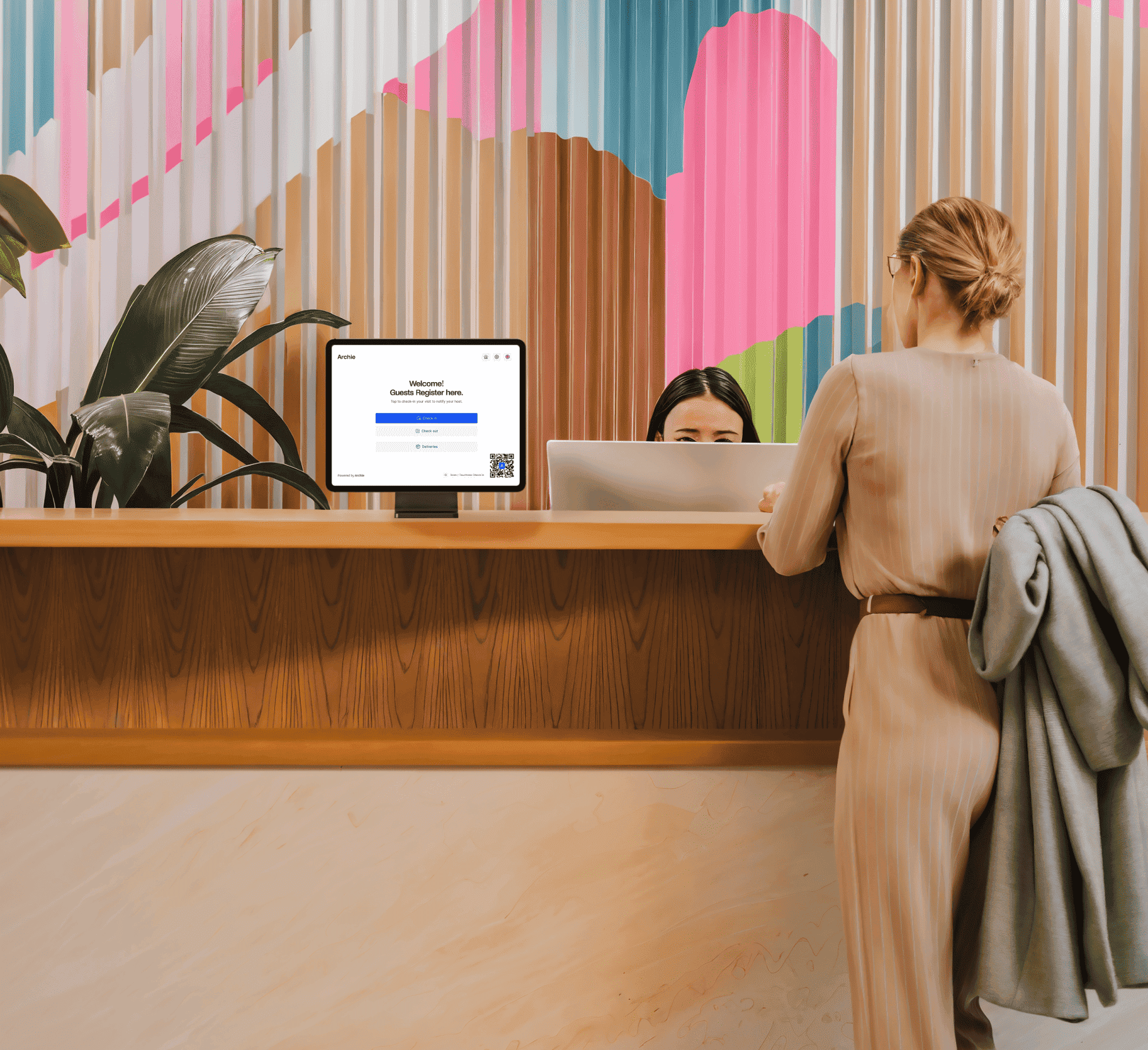
Archie’s virtual front desk software describes kiosk registration, QR retrieval, host notifications, photo capture, badge printing and agreement signing. It also presents visitor logs and emergency workflows. Request pricing for Archie Visitors specifically: the initial desk-booking rates on the general pricing page are not a verified visitor-product starting price.
Best fit: Virtual front desk software for hybrid offices evaluating reception alongside wider workplace tools. A shared vendor can be convenient, but the visitor workflow still needs a defined owner and an appropriate license.
Buying consideration: Confirm the required visitor features, sites and integrations in writing. Separate reception from desk or room booking modules when budgeting. Check whether the proposed evaluation includes the configuration the office intends to buy.
Visitor check-in test: Invite an interview candidate, collect only the approved details and notify a host through the chosen channel. Review the departure record, badge and visitor instructions. Ask the administrator to demonstrate how a changed host or office closure is handled.
5. Eptura Visitor: Virtual Front Desk Software for Controlled Workflows
Eptura’s virtual front desk software includes customized check-in, badges, visitor workflows, scheduled visits and document signatures on Advanced. Power adds capabilities such as access-control integrations, approval workflows, QR or access credentials and API or webhook scope. Pricing is quoted, with visitor subscriptions based on locations.
Best fit: Virtual front desk software for organizations with several sites or a more controlled approval journey. The useful comparison is the complete process from invitation to departure, including the authorized action at each location.
Buying consideration: Confirm which tier supports each integration and approval rule. Ask whether extra entry points, implementation or connected systems change the quote. A badge or completed registration should not automatically be treated as permission to enter a restricted area.
Visitor check-in test: Create 2 visitor types with different requirements. Check that the right approvals and instructions apply, then cancel a visit and inspect what happens to any associated access. Keep the host and security team aligned on who can override the normal workflow.
6. Sine by Honeywell: Virtual Front Desk Software for Visitors and Contractors
Sine Core provides virtual front desk software for visitor, contractor and staff check-in. Its plan descriptions include self-service kiosks, invitations, QR workflows and host notifications, with higher tiers adding identity, directory and integration scope. Sine Workflows requires a Core plan, and access-control capabilities can be paid additions.
Best fit: Virtual front desk software for facilities where guests and contractors need different arrival requirements. A short client meeting and a service contractor’s site visit should be evaluated as separate journeys.
Buying consideration: Request a quote based on site activity and the relevant check-in volume. Confirm what belongs to Core, Workflows and any access package. Do not reuse a legacy public rate without checking the current offer.
Visitor check-in test: Register a guest and a contractor through their appropriate paths. Check host notifications, required information and the on-site view. Test what the coordinator sees when someone forgets to check out, and who can correct the record without deleting useful history.
7. Visitly: Virtual Front Desk Software for Multi-Site Guest Records
Visitly’s virtual front desk software lists Starter at $1,000 per location per year and Business at $2,000, with custom Enterprise contracts. Its comparison separates site and device limits from unlimited visits. Business adds screening and approval capabilities beyond Starter; monthly billing carries a premium over the annual rate.
Best fit: Virtual front desk software for teams comparing a defined initial rollout with future site expansion. Match the subscription to the number of locations, kiosks and security actions rather than treating unlimited visits as the only relevant limit.
Buying consideration: Confirm the devices permitted per site, channels for host notifications and required screening package. Hardware can be brought by the customer or purchased through a bundle, so compare the complete deployment cost.
Visitor check-in test: Process a visitor at 2 different locations and inspect who can see each record. Verify host notifications reach the correct local employee. Ask what happens when an invitation is canceled and whether the original site’s permissions remain appropriately restricted.
8. FacilityOS VisitorOS: Virtual Front Desk Software for Facilities Teams
FacilityOS publishes a virtual front desk software starting price of $225 monthly and offers VisitorOS within its facility-management range. Its materials describe visitor registration, returning-visitor handling, documents, screening and visitor records. Request a quote for the exact VisitorOS configuration and any hardware or related modules required.
Best fit: Virtual front desk software for facilities teams coordinating several operational responsibilities. Visitor registration may connect with a wider safety or access process, but each module and integration should have a clear purpose.
Buying consideration: Confirm site coverage, hardware inclusion, contract term and additional features. The FacilityOS platform rating is broader than the exact VisitorOS package. Do not assume every capability across the vendor’s product range belongs to the entry configuration.
Visitor check-in test: Complete visitor check-in at the intended entrance and have the reception or security team review the record. Inspect the badge, approval and departure steps. Test the handoff between a host and facilities staff when the normal contact cannot respond.
Virtual Front Desk Software Features That Matter
Kiosk and QR Visitor Check-In
In virtual front desk software, a kiosk creates an obvious arrival point, while a QR flow lets a visitor use a personal device. Virtual front desk software should explain what happens next in either case. Test the actual screen, connection and lighting at the entrance rather than assuming a form that works at an administrator’s desk will work equally well in a busy lobby.
Keep visitor check-in available to people without a smartphone, with a flat battery or who need assistance. A visible help option and a responsible employee are part of the process. Review screen height, readable text, language needs and the information displayed after the form is completed.
Visitor Check-In for Walk-Ins and Returning Guests
Pre-registration in virtual front desk software can reduce repeated typing during visitor check-in, but walk-ins still need a safe path. Virtual front desk software should distinguish an expected visitor from someone requesting an unplanned meeting. Decide whether a returning guest must confirm details again and which information should be collected for a new visit.
Test visitor check-in using an invitation with the wrong email address or an old QR code. Confirm whether the office can correct the record and what happens to the original invitation. Avoid showing an unrestricted employee directory simply to make finding a host easier.
Host Notifications and an Unavailable Employee
Host notifications should reach the employee through a channel the organization actually uses. Test email, messaging or SMS in the proposed tier, including any allowance or delivery charge. A message marked as sent is not proof that someone acknowledged the arrival or went to meet the guest.
Virtual front desk software needs a defined escalation when the host is away, in a meeting or has left the organization. Decide who receives the fallback and how long a visitor should wait before requesting help. Prevent repeated host notifications from becoming the only response to an unattended arrival.
Visitor Check-In Badges, Agreements and Approvals
Visitor check-in may include a photo, badge or agreement. Collect only what the organization has a defined reason to use, and separate required information from optional fields. A badge should show the useful identification and visit context without exposing unnecessary personal information to other visitors.
Virtual front desk software should distinguish registration from approval. Printing a badge does not establish that an employee authorized entry. Confirm who may approve a visit, when an agreement is requested and how the team verifies that the correct workflow completed before allowing access.
Visitor Check-In, Departure and the On-Site List
An arrival log in virtual front desk software is useful only when departures are maintained. Visitor check-in software should make check-out simple and help staff review incomplete visits. Decide whether visitors check themselves out, a host confirms departure or an authorized administrator corrects an outstanding record.
Use virtual front desk software as 1 input to the organization’s on-site awareness. Do not treat a list as a guarantee that every person is accounted for. Visitors can forget to check out, enter through another door or leave with a group. Test the real process and define who reconciles discrepancies.
How to Choose Virtual Front Desk Software for Your Workplace
Visitor Check-In for Small Offices
For a small office, prioritize a simple visitor check-in path, reliable host notifications and affordable total ownership. Count actual visits before choosing a plan. A low-volume free tier may be sufficient for a pilot, while a paid site subscription may offer the control the office needs as arrivals grow.
Compare Envoy Basic, Sign In App Core and Vizito Standard around their specific limits and requirements. Virtual front desk software should save the person nearest the entrance from repeatedly abandoning other work, while keeping an assisted path for a guest who needs help.
Visitor Check-In for Hybrid Offices
Hybrid working makes host availability a virtual front desk software requirement. Visitor check-in can be completed correctly while the intended employee is working elsewhere. Connect the invitation process to the office’s expectations and teach employees to update or cancel visits when plans change.
Archie, Envoy and Sign In App are relevant demonstration candidates for this workflow. Ask virtual front desk software to show who receives host notifications, what the guest sees and how reception finds a substitute contact. Compare a valid arrival, a canceled invitation and a host who is unavailable.
Visitor Check-In for Multiple Locations
Across sites, virtual front desk software may use a shared visitor check-in template while preserving local differences. A warehouse entrance, corporate lobby and research site can require different instructions or approvals. Central control should not erase the local responsibility for welcoming and authorizing a guest.
Evaluate Eptura Visitor, FacilityOS VisitorOS, Sine and Visitly around the actual location structure. Virtual front desk software should show which administrators can change rules, view records or override a workflow. Confirm the plan and integration scope at each site before assuming a feature demonstrated centrally applies everywhere.
When a Remote Receptionist Is Also Needed
Some workplaces need virtual front desk software to help a visitor speak with a remote employee after registration. That can require a video or audio endpoint, an available responder and a separate escalation process. Define whether the conversation supplies information, seeks permission or opens a door; each action has a different operational boundary.
Virtual front desk software can support the arrival record while the organization handles the conversation through an approved communications tool. NextPhone or Nextiva XBert may help with telephone reception, but this guide does not establish that they provide a physical visitor check-in kiosk or visitor-management platform.
Virtual Front Desk Software Pricing and Deployment Costs
Most visitor platforms price by site, location, plan or activity rather than multiplying a rate by every employee. Virtual front desk software can also involve tablets, stands, printers, labels, messaging and implementation. Compare the deployment that completes your visitor check-in workflow, including what happens after the initial evaluation ends.
Compare the Same Currency, Term and Visit Volume
A virtual front desk software monthly equivalent on annual billing is different from a flexible monthly contract. Visitor check-in limits may apply even when a plan includes unlimited hosts or connected devices. Record the currency, billing term, locations and expected arrivals before deciding that 1 package is less expensive than another.
For example, Sign In App Core is listed at £415 per site per year on its GBP page, while Vizito Standard lists €29.95 per location per month with annual billing. Those figures are not a direct currency comparison. Ask for a local quote and the tier required for host notifications, records and any advanced controls.
A Practical Budget for 1, 3 and 10 Locations
Budget virtual front desk software using a site-based subscription subtotal and then add deployment costs. At a hypothetical $60 per site monthly, software for 1, 3 and 10 locations would be $60, $180 and $600 per month. These figures are illustrative arithmetic, not provider quotes or a claim that any package includes all needed features.
- Software: required tier, sites, visit allowances and optional modules.
- Hardware: tablet, stand, power, network connection and replacement provision.
- Printing: supported badge printer, labels, consumables and maintenance.
- Communication: SMS allowances, host notifications and integration subscriptions.
- Deployment: configuration, staff training, support, migration and contract renewal.
Virtual front desk software may include hardware in 1 quote and require customer-owned devices in another. Check ownership, repair responsibility and the impact of canceling the service. Count the time a local employee spends replacing labels or restoring a device as part of the operating cost.
Free Plans, Trials and Proof of Fit
Use a virtual front desk software evaluation to test a complete visit rather than only browsing the dashboard. Envoy publishes a limited Basic plan, and Sign In App advertises a 15-day evaluation. Vizito advertises 14 days; Sine’s plans FAQ describes a 30-day Core trial for eligible plans. Confirm the precise terms and configuration before starting.
Virtual front desk software should demonstrate the intended device, required visitor check-in questions, host notifications and departure. Verify which features remain in the selected plan after the evaluation. A polished test environment is less useful if the office cannot reproduce it with the purchased tier and hardware.
How to Set Up Virtual Front Desk Software
- Map the visitor check-in journey. List invited guests, walk-ins, contractors and deliveries. Identify what each group needs to complete and who may authorize the next step.
- Choose the minimum visitor check-in information. Write down the required fields and explain their purpose. Avoid adding identification images, personal questions or sensitive details without a defined need.
- Prepare the visitor check-in host directory. Use accurate names, locations and approved contact channels. Define a fallback contact and remove stale entries before visitors begin using the system.
- Configure visitor check-in flows. Build the intended questions, instructions and approvals for each visit type. Keep the interface clear and provide a visible way to request assistance.
- Set host notifications and escalation. Test host notifications through the selected channel, an unavailable host and a notification failure. Tell the team who is responsible for meeting or assisting the guest.
- Test visitor check-in devices, badges and check-out. Use the real kiosk, network and printer. Process the full visit, inspect the record and test what happens when a device becomes unavailable.
- Launch visitor check-in with an accountable owner. Train reception, hosts and facilities staff. Review incomplete visits and failed host notifications during a limited rollout before expanding to more entrances or sites.
Virtual front desk software should be owned by an operational team, with IT and security supporting the relevant controls. Document who changes the workflow, updates the directory, reviews problems and contacts the vendor. An unattended tablet does not remove those responsibilities.
10 Visitor Check-In Scenarios to Test
- An invited guest with a valid QR code.
- A walk-in with no invitation or smartphone.
- A returning visitor whose contact details changed.
- A visitor who chooses the wrong host.
- An unavailable host and the escalation contact.
- Host notifications that are delayed or fail.
- 2 guests arriving together at a single kiosk.
- An unsupported printer, empty label roll or failed connection.
- A canceled invitation or a guest arriving outside permitted hours.
- A departure that was not recorded and the correction process.
For each test, check what the guest sees and what staff see. Visitor check-in should leave an understandable status and next action. Repeat a failed scenario after changing the configuration, and avoid expanding the rollout until the local team can manage normal exceptions without guesswork.
Privacy, Security and Reliability in Virtual Front Desk Software
Visitor Check-In Permissions, Retention and Records
Visitor records can contain names, contact details, photographs and signed documents. Decide who needs access and how long information should be retained. Virtual front desk software should offer controls appropriate to that policy, with a clear process for export, correction and deletion where supported.
Verify vendor documentation for the exact product and contract. Do not treat a general security badge as proof that every visitor check-in workflow meets your industry or legal obligations. If sensitive information, identity documents or regulated environments are involved, obtain the appropriate internal and specialist review of the configuration.
Device Failures and Assisted Visitor Check-In
A virtual front desk software kiosk may lose power, connectivity or printer access. Virtual front desk software needs a documented operating procedure for those moments. Check whether the vendor supports offline behavior, which actions remain available and how records synchronize afterward. Do not assume offline capability simply because the application is installed locally.
Keep an assisted visitor check-in method that preserves the required approval boundary. Staff should know whom to contact and how to record the arrival during an outage. A temporary process should not silently grant entry or expose the personal details of earlier visitors.
Frequently Asked Questions About Virtual Front Desk Software
What Is the Best Virtual Front Desk Software for Visitor Check-In?
Start with the workplace’s arrival needs. Envoy Visitors and Sign In App are useful initial comparisons for structured office reception; Vizito suits a location-and-volume evaluation, while Eptura Visitor, Sine and FacilityOS deserve consideration for controlled facility workflows. Test the proposed plan, devices, host notifications and departure process before choosing.
Does Virtual Front Desk Software Replace a Receptionist?
It can automate registration, notifications and parts of the arrival record, but employees still handle exceptions, accessibility, visitor assistance and decisions outside the configured workflow. Choose around the work it reliably completes and the staff responsibilities that remain. A self-service screen alone is not a fully staffed reception service.
Can Visitors Check In Without an App?
Many platforms support a shared kiosk or browser-based QR workflow, but the exact process varies. Test an invited visitor, a walk-in and someone without a smartphone. Confirm whether the guest must install anything and what assisted sign-in method remains available when the preferred channel cannot be used.
What Hardware Does Virtual Front Desk Software Need?
A kiosk deployment normally needs a supported tablet or device, secure stand, reliable power and connectivity. Badge printing requires a compatible printer and consumables. Some workflows use personal-device QR sign-in. Verify the visitor check-in hardware list for the exact product and software version before purchasing equipment.
Can Virtual Front Desk Software Notify Hosts in Teams or Slack?
Several products advertise workplace messaging integrations, but availability and configuration depend on the plan. Test host notifications in the actual channel, including the unavailable-host fallback. Confirm administrator permissions, directory synchronization and any additional messaging charges rather than relying only on a familiar integration logo.
Is Visitor Check-In the Same as Door Access Control?
No. Registration records a visit; access control determines entry to a physical space. Some platforms connect the 2 through an approved integration. Confirm who authorizes access, when credentials expire and what happens when a visit is canceled. A printed badge or completed form should not automatically grant unrestricted entry.
How Much Does Virtual Front Desk Software Cost?
The shortlist includes limited free plans, site-based annual subscriptions, location-based monthly equivalents and quoted configurations. Add hardware, printing, messaging, integrations and implementation to the software price. Compare the same currency, term, visit volume and required features before choosing the lowest apparent rate.
Can I Use an AI Phone Receptionist for Visitor Check-In?
An AI phone receptionist can support telephone inquiries or contact staff, but that does not establish kiosk registration, badges, visitor records or an on-site list. Evaluate those requirements through a visitor-management platform and confirm any communications integration separately. Keep a clear responsible person for the arriving guest.
Choosing Virtual Front Desk Software With a Reliable Arrival Process
Shortlist 2 or 3 products around the type of workplace, expected visits and approval requirements. Ask each provider to demonstrate the same visitor check-in scenarios on the intended hardware. Compare host notifications, records, departures and staff effort alongside the complete subscription cost.
Virtual front desk software should give the guest a clear next step and staff an accurate, usable record. Choose the configuration that handles an unavailable host and a failed device as carefully as the normal arrival. Keep an accountable owner and review the process whenever the office, directory or access rules change.
How We Compared: This is a documentation-based buying guide, not a claim of hands-on testing. The selection focuses on physical visitor workflows, verified product scope and purchasing boundaries. Platform ratings provide context and do not measure a particular kiosk configuration.
Customer Feedback to Consider Before Buying
G2 feedback about Sign In App includes praise for a straightforward interface, visitor records and seeing who is on site. A visitor-tracking review also reports occasional synchronization delays and limits around deeper customization or reporting. These are paraphrased customer experiences, not our test results or a prediction of every deployment.
Use this feedback to test virtual front desk software with the people responsible for the entrance. Check how quickly a new arrival appears, how host notifications behave and whether the team can produce the report it needs. Avoid treating older reviews about appointment scheduling as evidence for a specific physical visitor workflow.