

KrispCall and Quo are the best Yodel.io alternatives to try for shared business lines with Slack alerts. Compare RingCentral RingEX, Dialpad Connect or Zoom Phone if staff need to launch calls from Slack. Calilio fits teams that want queues and supervision in a phone app. JustCall is worth testing when the CRM owns the customer record and Slack is where staff watch for activity.
What Happened To Yodel.io?
AppSumo announced in December 2024 that Yodel would be discontinued on January 15, 2025. Yodel was a cloud business phone system known for managing phone calls through Slack. Treat it as a former service when comparing current options. If you still use the same business number, check whether it was already moved to another carrier before assuming it is held by Yodel.
List the parts of the old workflow that mattered. A Slack message might have announced a call, given someone a way to claim it or led to a live conversation. A replacement can reproduce one part without reproducing the others. Ask the vendor to show what happens when an outside caller rings a business number, where the employee answers and what the next person sees.
If you never moved a number before shutdown, gather any account and port records you still have. Ask the gaining provider whether the number can be verified or ported and what proof it needs. Plan for a new number if the old one cannot be recovered. If you already ported it, use the current provider’s records for any further move.
Compare Yodel.io Alternatives And Competitors
All seven options come from the VoIPCalling partner list. Slack alerts and call launch are shown separately where documented. Test inbound answering and any workflow you consider mandatory. Published US-dollar rates are benchmarks. Ask for the plan and number coverage that applies to your team. Suggested team sizes are editorial estimates.
| Provider | Best Fit | Buying Consideration | Pricing & Trial |
|---|---|---|---|
| Shared Lines And Slack Alerts | Confirm supported Slack events and the tier for routing. | US$32/user/monthAdvance, billed annually. US$40 with monthly billing. Up to 50 users. Usage and selected add-ons cost extra.7-Day Free Trial for VoIPCalling CustomersStart a 7-Day KrispCall Free Trial | |
| Queues And Call Supervision In A Phone App | Confirm any required Slack workflow before buying. | US$28/user/monthPremium, billed annually. US$35 with monthly billing. Number and usage charges can apply.Demo AvailableRequest a Calilio Demo | |
| Shared Calls, Texts And Slack Alerts | Confirm eligible numbers, Slack events and plan. | US$23/user/monthBusiness, billed annually. US$33 with monthly billing. Starter is lower-priced but has a different feature set.7-Day Free TrialStart A 7-Day Quo Free Trial | |
| Launch Calls From Slack And Use Desk Phones | US Core is the phone plan benchmark. Verify Canadian terms, desk phone models and integrations. | US$20/user/monthUS Core annual-billing reference. Confirm the Slack setup and regional terms.Free Trial AvailableStart A RingEX Free Trial | |
| Shared-Line Alerts And Click-To-Call | Connect Pro and Enterprise qualify. Check public channel constraints. | US$25/user/monthPro annual-billing reference for the documented Slack integration.14-Day Free TrialStart A 14-Day Dialpad Connect Trial | |
| Start Zoom Phone Calls From Slack | Verify required licences and where the call is handled. | Request Current Phone PricingConfirm the Canadian calling plan, eligible devices and common-area licences.Demo AvailableRequest Zoom Phone Pricing For 1–50 Users | |
| CRM Calling And Slack Activity Alerts | Verify which events, channels and CRM integrations the plan supports. | US$29/user/monthTeam annual-billing reference. Minimum 2 licences. Confirm regional terms.14-Day Free Trial. Confirm Paid-Plan Features.Start A 14-Day JustCall Free Trial |







1. KrispCall — Best For Shared Calls And Slack Alerts
Suggested Team Size. About 2–20 staff sharing incoming calls, missed calls or callbacks.
KrispCall is a starting point when staff want a shared phone workspace and want Slack to alert them to activity. KrispCall documents connecting a workspace and selecting a Slack channel. Ask which events it posts and where an employee answers or returns the call. Test one missed call and have a colleague follow up from the business identity.
Advance lists US$32 per user per month on annual billing or US$40 monthly. Confirm the tier for transfers, menus and the Slack events you need. If staff used to claim a call in Slack, have them show how the new team knows who owns it. Ask whether the Slack alert changes after someone returns the call.
Use the exclusive 7-day VoIPCalling trial on a spare number. Include a desktop user and someone away from their desk. Verify the voicemail alert and who can see customer details.

2. Calilio — Best For Department Queues And Supervision
Suggested Team Size. About 5–30 staff who need separate sales and support routes and a supervisor.
Calilio is a fit when the business mainly wants to rebuild phone menus and queues in a calling app. Recreate a greeting and two departments. Have one caller reach a busy group and another call after hours. Ask a supervisor to trace the outcome and confirm who can review the call.
Premium lists US$28 per user per month annually or US$35 monthly. Verify allowances and the features you need for supervision or recording. If Slack is mandatory, ask Calilio to demonstrate the exact setup before buying. Evaluate its phone app and queue management on their own if you are comfortable moving call handling out of Slack.
Give the supervisor and a normal agent separate roles in the pilot. Test an abandoned call and a callback and compare the report with what actually happened.

3. Quo — Best For Shared Calls, Texts And Slack Notifications
Suggested Team Size. About 2–15 staff sharing a small number of lines and text conversations.
Quo, formerly OpenPhone, documents Slack notifications for calls, texts and voicemails. It is a fit if the channel needs to see customer activity and the team can handle the conversation in the phone workspace. Test a missed call and an incoming text, then ask a second employee to take over and see whether the customer receives a duplicate reply.
Business has a US$23 per-user monthly reference on annual billing. Ask which plan supports the Slack events, menus, transfers and number types you need. Review which call or voicemail details appear in the channel. Decide which roles should get access before installing the integration in production.
Check voice and messaging eligibility separately. If a number was previously moved off Yodel, use the current carrier’s records for the port and verify where customer replies go during the change.
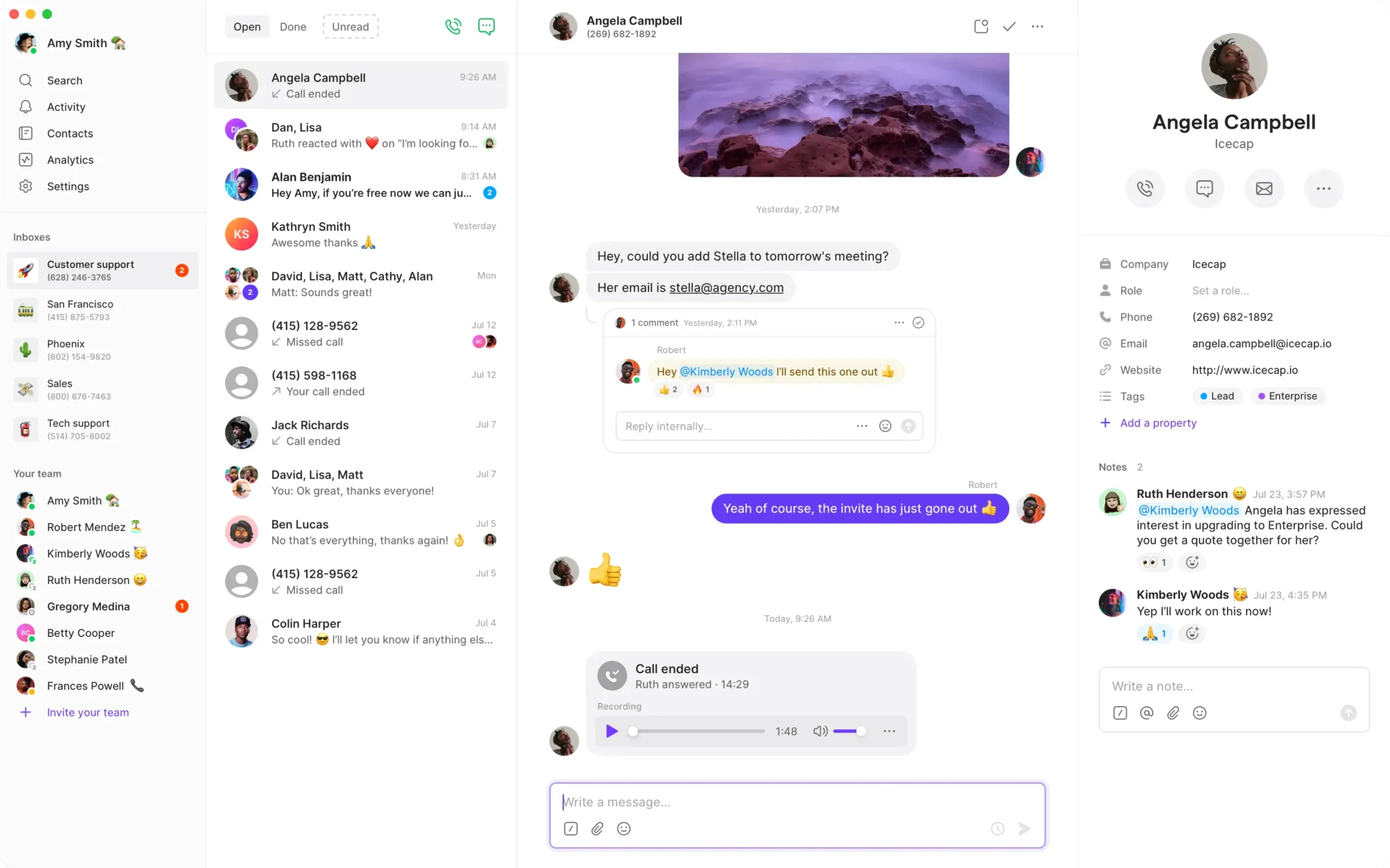
4. RingCentral RingEX — Best For Starting Calls From Slack And Using Desk Phones
Suggested Team Size. About 10–75 staff using Slack alongside a reception desk or physical phones.
RingCentral’s Slack app can initiate calls. Test where the call opens, what the recipient sees and how an employee transfers it. Include an incoming call to a business number so the team can see how the new workflow differs from initiating an outbound call from Slack.
US Core has a US$20 per-user monthly reference on annual billing. Ask for the tier and licences that cover the tested setup, devices and routes. Bring the exact handset and firmware if reception will keep physical phones. Have the provider show call parking and how reception retrieves a call that goes unanswered.
Test the Slack action for an ordinary user and a supervisor. Verify who must install and authorise the integration and which number a user can present on outbound calls.

5. Dialpad Connect — Best For Shared-Line Slack Alerts And Call Follow-Up
Suggested Team Size. About 5–40 staff who review call history and use Slack for shared-line activity.
Dialpad documents shared-line notifications and click-to-call through Slack. Its guide lists Connect Pro and Enterprise as eligible and describes delivery to public Slack channels. Check whether that channel model fits your workspace. Ask which calls, voicemails and transcripts can be posted and how users can access them.
The Pro annual-billing reference is US$25 per user per month. Quote the plan for your country and shared lines. In a pilot, use a test public channel and an approved transcript. Have someone return a call and verify which identity is used and where the outcome is recorded.
Ask which information is visible to people who can read the channel but do not have access to the phone workspace. Test settings with ordinary roles before posting production material.
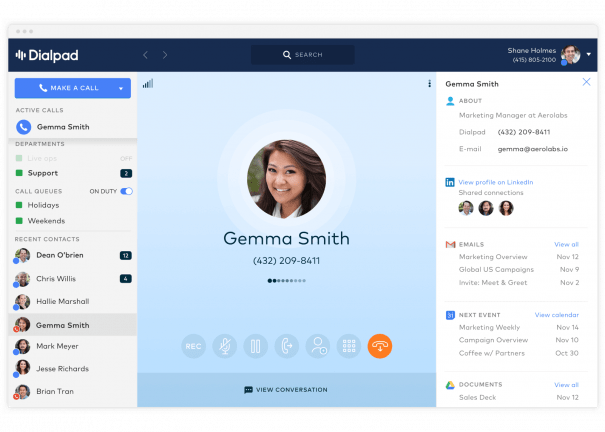
6. Zoom Phone — Best For Starting Zoom Phone Calls From Slack
Suggested Team Size. About 10–100 staff already using Zoom or wanting to launch calls from Slack.
Zoom’s Slack documentation describes slash commands for Zoom Phone calls. Test one command and follow the call into the client the employee will use. Ask the provider to demonstrate an inbound call as a separate step. Starting a call from Slack does not establish that an incoming call can be answered or managed in the channel.
Request the regional Phone plan, number options and licences for shared devices. Confirm which Slack app permissions your administrator needs. If reception still uses a desk phone, test the handset and an employee who is already in a meeting.
Give the vendor a normal transfer, a missed call and an after-hours route to demonstrate. Verify where the employee looks for voicemail and call history.
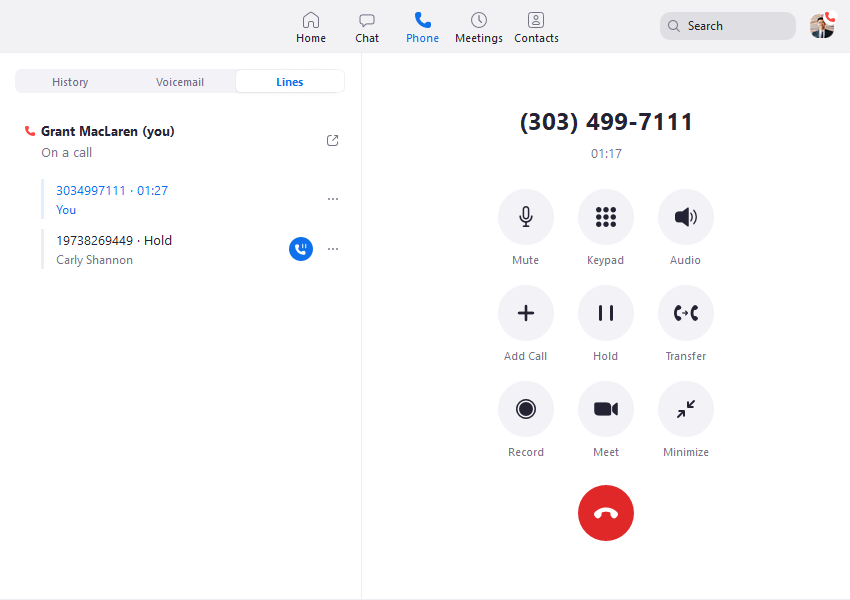
7. JustCall — Best For CRM Calling With Slack Activity Alerts
Suggested Team Size. About 5–40 sales or service staff who work from a CRM and watch Slack for activity.
JustCall documents Slack notifications for calls, SMS and activity. It fits a team that uses the CRM as its customer record and wants Slack to show what needs attention. Test a missed call from a known contact and have a colleague open the intended record. Check whether the callback and note appear in the right place.
Team has a US$29 per-user monthly reference on annual billing with a two-licence minimum. Confirm the CRM and Slack features on the intended tier, plus local number eligibility and usage. If the office uses several teams, ask whether alerts can be split by line or event.
Run the demo with a duplicate contact and a call to a shared number. Have an ordinary employee identify which record should own the call and see which other employees receive the Slack alert.
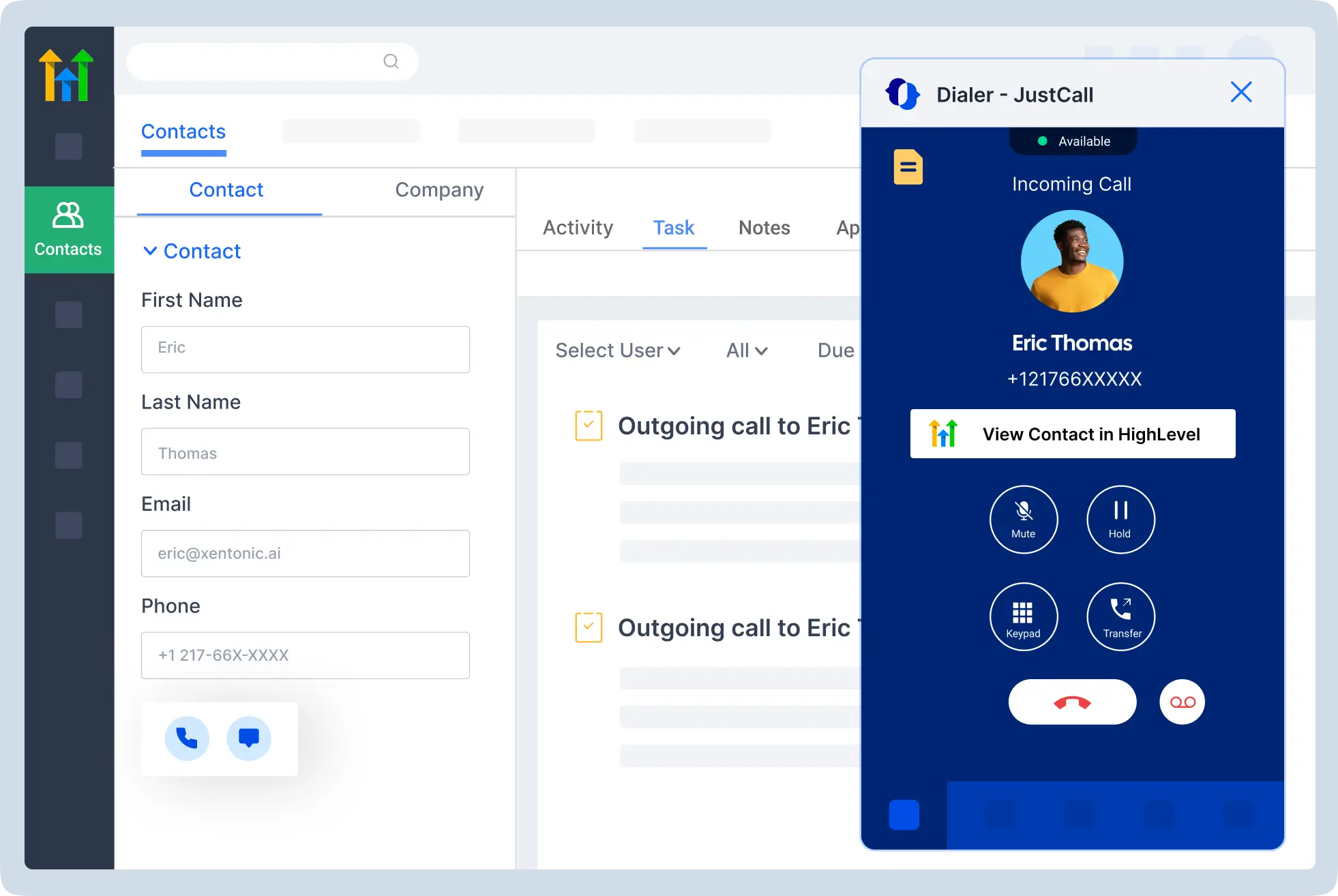
How To Choose A Yodel.io Replacement
Decide Where People Need To Answer
Ask the team to describe the old workflow using one actual call. The customer dials a number, the phone system routes it and an employee takes it. Write down whether Slack merely alerted the team, whether it helped identify the person who would answer or whether the conversation itself happened there. Then identify what the business still requires. If employees can use a separate phone app to speak to a customer, the shortlist is wider than if they must answer inside Slack.
Have each vendor demonstrate a public call to the test number. Ask an employee to accept it using the intended device and then transfer it to another person. Observe every app and channel involved. For an outbound test, start from the place the team normally works and check which business identity the recipient sees. Confirm where the employee can find the call afterwards. Add the outcomes to the written scope.
Identify Who Owns A Missed Call
Slack is useful for drawing attention to a missed call, while the team still needs a way to mark responsibility. Have two people receive the same alert. Ask one to return the call and the other to check whether it has been handled. Look for a clear owner and a record of the attempt. If the update only appears in the phone app, agree that staff will check it before calling back.
Run the same test across a shift change. Let the first employee leave before the customer replies or calls again. Ask the next employee to find the conversation and continue it. Include voicemail if the team uses it and verify who can open it. This is where a shared calling workspace can make a bigger difference than the number of notifications the integration sends.
Scope Queues, Numbers And Equipment Separately
List the numbers you use and the routes customers expect. Record business hours, menu choices and what happens when an employee is busy. If you have several departments, identify which ones need separate reporting and overflow. Include reception, headsets and any physical phones or common-area devices. A Slack app can help employees notice events while the phone system still controls how customers reach them.
Test with an administrator and ordinary user. The administrator should be able to change a schedule without exposing unrelated conversations. The employee should be able to answer, transfer and retrieve messages. If the business serves different countries, check the regional plan, numbers and caller identity. Ask whether the same Slack setup works for users on those plans before buying.
Compare Slack Alerts, Call Launch And Inbound Answering
Channel Notifications
A notification can tell the team that a call, text or voicemail arrived. KrispCall, Quo, Dialpad and JustCall document Slack integrations that can support activity notifications. Ask which events are available and whether the channel is selected per workspace, team or number. A single channel can be convenient for a small business. A larger team may need separate streams for sales and support so staff only see the activity they can handle.
Set up a test channel and place an answered call, a missed call and a voicemail. If texting matters, send a reply to the test line. Record what appears, which identity is shown and where users go to take the next action. Ask whether the integration posts a message only once or updates it when the call is handled. Test who can see links or recordings and whether someone needs a phone account to open them.
Call Launch From Slack
RingCentral, Dialpad and Zoom document ways to start calling from Slack. Test the documented action with the licences and devices you plan to use. Check which app opens, whether the user must sign in and where the audio is handled. Try a known teammate and an external number if both are in scope. Verify which outbound number appears and whether the result is recorded where the team expects.
Start a call while the employee is signed out of the phone client or using a mobile device. Observe whether the Slack action still leads to a successful call and whether staff can recover if it does not. If some employees only need to watch a channel, clarify which people still need paid calling licences. Include the phone subscription and Slack setup in the quote.
Inbound Calls And Live Conversation
If the old team relied on handling live calls in Slack, ask each vendor to prove that specific workflow. Have an outside caller ring your temporary business number while a staff member works in Slack. Check where the alert appears, where the employee clicks and which client carries the audio. Then transfer the call and verify that the next employee can answer. Require the vendor to identify any separate phone app or device involved.
Set the decision rule before the demo. A team that only needs a Slack alert may be happy to answer in another app. A team that wants everything in one place may reject the same result. Check whether people who do not use Slack can still answer or return calls, and how they know someone else has taken responsibility. Include after-hours behaviour in the test.
Workspace Permissions And Sensitive Details
Have your Slack administrator review what the phone app requests and which channels receive information. Use a test call with approved sample data. Check whether the post shows a phone number, a recording link or a transcript. Verify what a person can read when they have Slack access but no phone account. If your organisation already has rules for handling call records, have the relevant owner approve the channel setup before sending production events.
Dialpad’s documentation describes posting shared-line notifications to public channels. Confirm whether that fits your workspace and use the provider’s documented settings for the test. If another integration can only send the whole event to one channel, decide which details the team is willing to share there. Have the administrator disable the test integration and confirm that posting stops before you move it to a production workspace.
Test Notification Volume Before Connecting Production Channels
Run a short test with the events your team sees on a busy day. A single incoming call may produce a ringing event, a missed-call alert, a voicemail and a callback record. Ask staff which of those events they need to see in Slack and which they can review in the phone app. Turn on the intended filters in the test workspace and verify that the most important alert is still easy to find.
Agree on a backup workflow if the integration stops posting. Have one person monitor the shared line directly and ask another to check that the app still records missed calls. After restoring the integration, verify whether old events are posted again or only new events appear. Document who owns that check so staff can continue serving customers when a workspace connection needs attention.
Shortlist Yodel.io Competitors By Team Workflow
A Small Team Sharing Calls And Texts
Start with KrispCall if the main need is answering a shared number and returning missed calls. Compare Quo when staff also coordinate replies to customer texts. Have two people share the line during a realistic shift. Check what they see in Slack and what they need to open in the calling app. Ask who owns the callback when the original person is unavailable.
A Front Desk That Still Uses Phones
Compare RingEX if reception uses desk phones and some staff want to launch calls from Slack. Give the vendor the handset model and test an attended transfer, parking and retrieving an unanswered call. Compare Zoom Phone if the wider team already works in Zoom and wants the documented Slack launch command. Quote shared devices, numbers and installation separately from individual users.
A Service Team With Queues And Transcripts
Consider Calilio if the business wants straightforward phone queues and supervisor visibility. Include Dialpad Connect Pro when the team also wants documented Slack activity for shared lines and call follow-up. Give both vendors an abandoned call and a later callback. Check where those events show up and what a supervisor can see. If transcripts may be sent to Slack, review access with the workspace administrator.
A Sales Or Service Team Working In A CRM
Compare JustCall if the CRM is where employees find the customer and Slack is where they watch for new activity. Test a missed call from a known contact, a call from a new number and a record with a duplicate contact. Verify where the call is logged and which staff get the notification. Ask the vendor which plan supports the exact integration and what the two-licence minimum means for your team.
Compare The Full Cost Of Replacing Yodel.io
Base the comparison on what you need now. If the original service was bought through a promotion or lifetime deal, a current subscription changes the cost structure. Count named users, shared numbers, supported devices and any licences required to turn on the Slack integration. Include outbound destinations, texting, recording and support. Request the actual term and billing currency rather than comparing public starting rates alone.
For illustration, ten KrispCall Advance seats at US$32 per user per month on annual billing would total US$320 in monthly seat charges. Ten Dialpad Connect Pro seats at US$25 would total US$250 on annual billing. Those are seat examples for different products. Quote the same calling, numbers and Slack workflow before deciding which proposal costs less. A lower tier may omit the integration or routing you intend to use.
Separate monthly costs from the cost of getting the team onto the service. Include porting if applicable, replacement devices, integration setup, training and any overlap with a current carrier. Ask whether monthly or annual billing affects the feature or price you tested. If you need fewer accounts than the provider’s minimum, use the minimum in the estimate. If staff share a desk phone, confirm how that device is licensed.
Use free trials to prove a specific workflow. A temporary number lets you check call alerts and transfers without risking the number customers already know. Ask when the trial ends, which features are enabled and which functions require a paid order. Collect test results before the deadline. Use the written quote for the real deployment, including any support required for a workspace or CRM integration.
What To Ask Yodel.io Competitors Before Signing
- Slack Behaviour. Demonstrate the exact alert, call launch or inbound answering workflow. Identify where the conversation takes place.
- Numbers. Verify the current status and eligibility of local, toll-free and messaging numbers individually.
- Roles And Records. Confirm who can see messages, recordings or transcripts and who can edit the integration.
- Routing And Devices. Test the menu, after-hours destination, transfer and any phone or headset the team will use.
- CRM And Support. Confirm where calls are logged, what permissions the integration needs and who investigates a failed event.
- Price And Term. Request the real tier, seat minimums, numbers, usage and setup fees in writing.
Give each vendor the same list and ask which items were demonstrated. Put unverified requirements in the pilot scope with a named owner. If the vendor tested a feature on a different tier, request the right licence and terms. Keep any port or number recovery request separate from the workflow demo so the business knows what has actually been confirmed.
Recover Or Move A Former Yodel.io Number
- Establish The Current Provider. Check your last invoices, port confirmations and any replacement account. If the number moved after Yodel, start with the current carrier.
- Ask For An Eligibility Check. Give the gaining provider the number and available account records. Ask what documentation it can accept and whether the number can be moved.
- Test A Temporary Number. Build the new menu, shared line and Slack integration before depending on a recovered number. Include the mobile and desk users who will answer it.
- Coordinate The Move Or Publish A New Number. If the number is still active and eligible, keep the current service running through validation. If recovery is unavailable, agree who updates listings and customer materials.
- Verify The New Route. Test from several networks. Check caller ID, voicemail, text activation and Slack events separately where applicable. Follow the provider’s approved emergency calling setup and validation process.
When a number cannot be recovered, start with the places customers are most likely to find it. Update your website, support messages, invoices, listings and email signatures as appropriate. Give customer-facing employees the new number and a short explanation they can use consistently. Track any reports that customers still see the old number and update those sources. Test the new line before announcing it.
If you already moved the number to another provider, treat the project as a normal port from that carrier. Keep the original route active until the new one works. Ask which services remain after a partial move and test any number that stays behind. Have one person confirm incoming calls and another check that Slack posts to the intended channel and that staff can make the callback.
FAQs About Yodel.io Alternatives
What Are The Best Alternatives To Yodel.io?
KrispCall and Quo are starting points for shared calls with Slack alerts. Compare RingEX, Dialpad Connect or Zoom Phone if you need to start calls from Slack. Consider Calilio for queues and JustCall for CRM-led calling.
Is Yodel.io Still Available?
AppSumo announced that Yodel would be discontinued on January 15, 2025. Compare current services for new deployments and ask a gaining provider to verify any former Yodel number before planning a port.
Which Yodel.io Competitors Can Start Calls From Slack?
RingCentral, Dialpad and Zoom document Slack actions that can initiate calls. Check the required plan, where the call opens and how inbound calls work. Test the workflow on the devices your staff use.
Can I Recover My Old Yodel.io Number?
Recovery depends on the number’s current status and carrier eligibility. Give the gaining provider the number and any account or port records you have. Plan for a new number if it cannot be recovered.
Which Provider Fits A Shared Text Inbox With Slack Alerts?
Quo is worth testing for shared calls and texts with Slack notifications. Verify the plan, number eligibility and channel settings. Ask a colleague to take over a conversation during the pilot.
How Much Does A Yodel.io Replacement Cost?
Cost depends on seats, numbers, usage and the tier required for the workflow. Include Slack and CRM setup, hardware, porting and support when you compare quotes.
Do Slack Alerts Mean Staff Can Answer Calls In Slack?
A Slack alert tells staff about an event. Inbound answering depends on the integration. Ask each vendor to show where an employee accepts a call and which app carries the audio.
Use Customer Reviews To Set Pilot Tests
Read reviews from teams with a similar calling setup. A shared-line review can help you plan a callback test, while a reception review may suggest questions about parking or devices. Look for comments about the exact integration and tier. Use reviews to inform the pilot and verify the actual result with your own workspace.
Have the Slack administrator and the people who answer calls review the same results. Identify which events are visible, where people respond and how they tell that another person handled a call. Ask finance to confirm the tier and licence count that produced the result before signing.
Affiliate Disclosure. VoIPCalling may earn a commission when you purchase through a partner link.


