
The best IntelePeer alternatives depend on whether you are replacing SIP connectivity, SmartFlows automation or customer self-service. Start with Signal House for programmable voice and SIP. Compare Twilio Studio for visual workflows and Telnyx for a programmable carrier and voice AI stack. If you want a contact center with virtual agents and staffed queues, evaluate Zoom Contact Center with Zoom Virtual Agent or Dialpad Support with Resolve. For basic office calling, start with KrispCall or Calilio.
What Are You Replacing In IntelePeer?
IntelePeer documents SIP trunking, the SmartFlows visual workflow builder and SmartAgent automation. SmartFlows can connect communications to systems such as a CRM, database or billing application. A deployment can also depend on numbers, routing, recording and integrations operated by different teams. Identify which features your organisation uses and who owns them before asking for a replacement quote.
Start with the call or message that reaches a customer. Trace the number, the call path, the automation, the data it looks up and the person or queue that receives an escalation. Then look at the invoice. SmartFlows publishes usage rates for items such as voice, messaging and some API or language-processing actions. Use your order and usage reports to confirm which rates and units apply to your account.
If your business only buys a trunk, the replacement can be a carrier project. If you rely on automation for common service requests, reproduce the workflow and its fallback. If the team also wants new agent software, compare the contact center subscription and AI service together. The same provider need not supply each layer if your team can support the connections.
Compare IntelePeer Alternatives And Competitors
Five options come from the VoIPCalling partner list. Twilio Studio and Telnyx cover visual workflow development and carrier automation gaps. Rates shown apply to the named product and unit. Ask for the cost of the complete deployment. Suggested team sizes are editorial workflow estimates.
| Provider | Best Fit | Buying Consideration | Pricing & Trial |
|---|---|---|---|
| Programmable Voice And SIP | Scope the voice layer and any workflow development separately. | Request A Voice QuoteQuote origination, termination, number rental and billing increments.Demo AvailableRequest A Signal House Demo | |
| Shared Voice Support For A Small Team | Confirm queues and CRM support. Quote complex agent workflows separately. | US$32/user/monthAdvance, billed annually. US$40 with monthly billing. Up to 50 users. usage and selected add-ons cost extra.7-Day Free Trial for VoIPCalling CustomersStart a 7-Day KrispCall Free Trial | |
| Voice Menus And Live Call Supervision | Premium is the comparison tier. Verify digital channels and integration needs separately. | US$28/user/monthPremium, billed annually. US$35 with monthly billing. Number and usage charges can apply.Demo AvailableRequest a Calilio Demo | |
| Contact Center With A Virtual Agent Option | Quote Virtual Agent and deployment separately. | Request Contact Center PricingQuote Essentials, Premium or Elite for the required channels, outbound workflow and licensing model.Demo AvailableRequest a Zoom Contact Center Demo | |
| Live Agent Workflows And AI Self-Service | Verify integrations, handoff and automation pricing. | Request A Support And Resolve QuoteConfirm Support seats and the separate Resolve scope.Contact Sales For A DemoAsk About Dialpad Support | |
Twilio Studio  | Visual Voice And Messaging Workflows | G2 score covers the Twilio seller. Quote media and development separately. | US$0.0025 per paid executionStudio reference after 1,000 free executions per month. Calls and messages separate.Verify Pilot TermsCheck Twilio Studio Pricing |
Telnyx  | Programmable SIP And Voice AI Infrastructure | G2 covers Telnyx CPaaS. Quote voice AI and media separately. | From US$0.005/min outboundUS local SIP starting rate. Numbers and AI charges separate.Verify Pilot TermsCheck Telnyx SIP Rates |





1. Signal House — Best For Programmable Voice And SIP
Suggested Team Size. About 5–100 staff on a retained PBX, or a development team embedding voice into an application.
Signal House documents programmable voice profiles, SIP trunks and webhook routing. Start here if the main job is to connect existing numbers or an application to a new voice service. Ask whether the supported routing and authentication match your current PBX or application. Confirm the numbers, countries and porting eligibility in writing.
Pilot a temporary number that can reach either your PBX or a controlled fallback. Make an inbound call, transfer it and check the call records. Ask what happens when the main endpoint is unavailable or an application does not respond. Keep automation design, data access and any managed implementation in a separate scope.
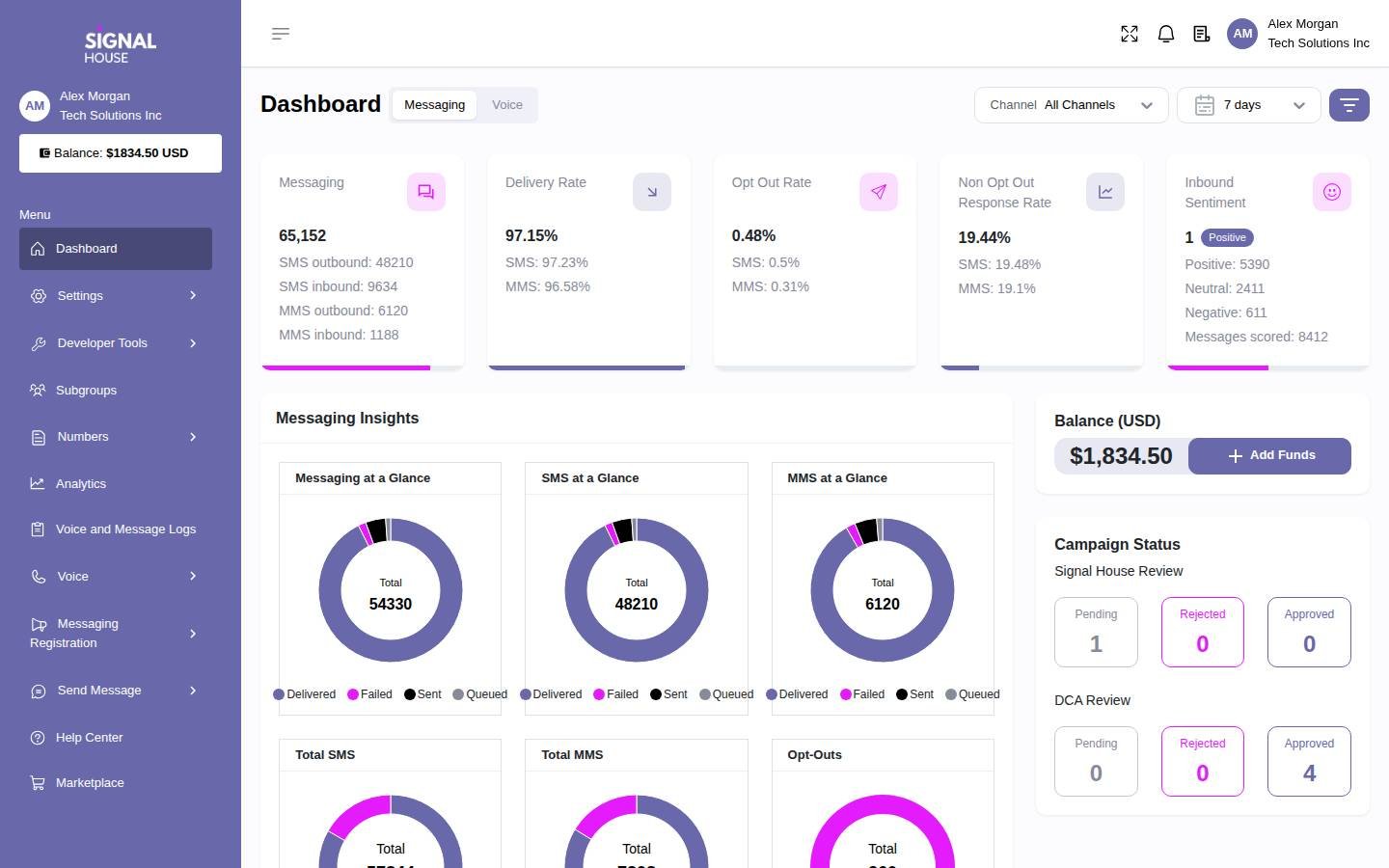
Request a quote for numbers, inbound and outbound usage and required capacity. The dashboard shows the broader Signal House platform. Ask for a demo of the voice settings, trace and support process your team will use.
2. KrispCall — Best For Shared Office Calls And Callbacks
Suggested Team Size. About 2–20 staff who share a business number and can use desktop or mobile apps.
KrispCall fits a team that wants basic hosted calling and shared callbacks. Try a spare number with two employees. Have one miss a call and the other return it from the company identity. Check whether the new owner can see the call history and whether both employees know it was handled.
Advance lists US$32 per user per month on annual billing or US$40 monthly. Ask about numbers, transfers, menus and any extra usage. If IntelePeer performs self-service or a customer-data lookup today, identify where that workflow will run before replacing the phone route. The KrispCall pilot evaluates the employee calling experience.
VoIPCalling customers can test the app for seven days. Include a desktop user, a mobile user and an after-hours call. Have the staff who use the number approve the callback and voicemail workflow.

3. Calilio — Best For Department Queues And Supervision
Suggested Team Size. About 5–30 staff with sales and service queues and a supervisor.
Calilio fits teams replacing routine phone menus, queues and supervision. Bring a current example of a caller who chooses support while all staff are busy. Test the overflow path and ask a supervisor to trace the call. Then test a callback and verify what appears in the reports.
Premium lists US$28 per user per month annually or US$35 monthly. Confirm eligible numbers and allowances, and the tier for recording and monitoring. Separate any integration or automated task that reads or updates another system. Ask who will build and maintain that step if it remains part of the customer journey.
Use the proposed supervisor role and a normal user role during the demo. Verify who can edit a route, access recordings and identify an abandoned call. Put the intended after-hours and fallback settings in the quote.

4. Zoom Contact Center — Best For Contact Center And Virtual Agent Evaluation
Suggested Team Size. About 20–150 agents who need staffed queues and want to evaluate voice self-service.
Zoom Contact Center is a candidate when the project includes new live-agent tools and a virtual agent. Zoom documents Virtual Agent as a standalone option or an add-on to Contact Center. Ask for the actual plan, the AI component and implementation scope. Have the vendor test one customer intent that can be resolved automatically and one that needs a person.
Observe the transfer into a queue. Check which customer details and conversation context reach the agent, what callers hear when agents are unavailable and which reports count the escalation. Ask how your team updates the knowledge or workflow and who supports failures after launch.
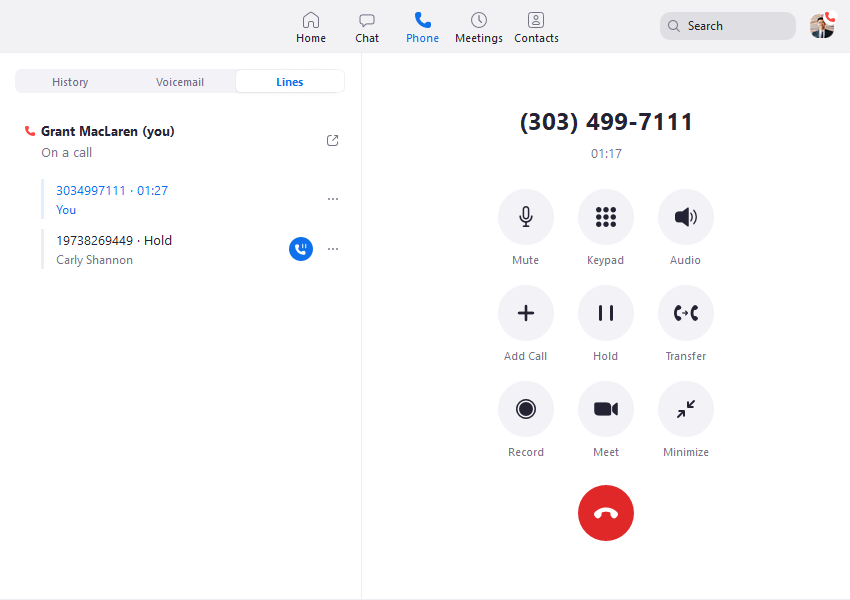
Quote seats, the virtual agent, numbers, usage and integrations. The supplied screenshot shows Zoom Phone. Ask to see the Contact Center and Virtual Agent screens live in the demo.
5. Dialpad Support — Best For Live Agent Workflows And AI Self-Service
Suggested Team Size. About 10–100 service staff using queues, agent tools and a structured escalation process.
Dialpad Support is useful when agents need to handle calls, review conversations and take over from automated self-service. Dialpad lists Resolve, formerly Dialpad AI Agents, separately. Ask for a quote covering the exact products, integrations and actions you need. Test the handoff from the automation to the person who can resolve the issue.
Give the vendor a representative conversation. Include an incorrect customer reference and an outage in the system that holds account records. Ask the agent what information appears when the call transfers and what the customer must repeat. Verify how supervisors find the event and review the result.
Compare Support and Resolve costs on the written order. Ask which features are included, how automation usage is counted and who manages the knowledge base or integration. Use the proposed permissions in the pilot.
6. Twilio Studio — Best For Visual Voice And Messaging Workflows
Suggested Team Size. An engineering or operations team able to build, test and maintain communications flows.
Twilio Studio is worth evaluating when SmartFlows mainly runs visual call or messaging workflows. Recreate one complete flow, such as an inbound call that checks a customer record and either gives an answer or transfers to a staffed queue. Confirm how the new flow calls your systems and how staff can troubleshoot it.
Twilio publishes US$0.0025 per paid Studio execution after the first 1,000 free executions per month on standard pay-as-you-go. Include media, numbers and development costs separately. Ask which actions incur separate usage and what a representative interaction looks like on the bill.
Test a timeout and an incomplete customer record. Give the next operator enough context to take over, and verify that retrying an action does not create an unintended second request. The G2 score reflects the Twilio seller across products.
7. Telnyx — Best For Programmable SIP And Voice AI Infrastructure
Suggested Team Size. An engineering-led business or service provider with staff to own carrier and automation integrations.
Telnyx is worth comparing if you want to assemble a programmable carrier and voice AI deployment. Confirm the components you need for numbers, SIP, inference and any voice assistant. Ask who will implement the application and handle handoffs to live staff. A provider’s infrastructure can support a build while your team still owns the service workflow.
US local outbound SIP rates start at US$0.005 per minute. Ask for numbers, inbound rates, capacity, AI usage and any support on the same proposal. Verify which prices apply to your regions and traffic. The G2 score is for Telnyx CPaaS.
Have an engineer test a temporary number, a failed route and a transfer to your staffed destination. Compare provider and application logs. If you use a separate model or tool, measure its response time and have the system take the agreed fallback when it is unavailable.
How To Choose An IntelePeer Replacement
List The Components Behind Each Customer Journey
Choose a high-volume customer request and follow it from start to finish. Record the number or channel, greeting, menu, data lookup, automated action, live queue and any confirmation sent afterwards. Ask who can change each step today. Mark where information passes between systems and which team investigates a failure. Do the same for a lower-volume request that has a more serious consequence when the workflow fails.
Use the diagram to decide the scope. If the existing workflow can stay and the problem is carrier coverage or routing, pilot another trunk. If SmartFlows holds the process logic, expect to rebuild and test it. If the business also wants a new agent desktop and queue configuration, evaluate contact center software and the automation together. Ask for a proposal that identifies who builds, operates and supports each part.
Keep Employee Calling Separate From Customer Automation
A small office can move shared calls, menus and voicemail to a hosted phone plan. That is a different job from replacing a system that checks a record, resolves an issue and hands off to an agent. Draw a line between the two on the scope. An employee phone pilot should prove callbacks and transfers. An automation pilot should prove the underlying task, the data path and how a person can take over.
Check the routes that cross between systems. If the office will use a different phone platform from the support team, demonstrate a transfer to the correct queue and a transfer back. Record which caller identity and conversation context carry through. If someone has to re-enter an account number or repeat the problem, decide whether that is acceptable for the workflow. Include those steps in the quote and test plan.
Decide Who Will Operate The New Setup
Ask who handles workflow edits, number assignments, outage escalation and integration updates. A development team can own a visual builder or an API, while a service department may need an implementation partner for the same project. Write down the tasks you expect to do in-house and the tasks you want contracted. Ask each provider to identify what its implementation team hands over at launch.
Include a staff member who will support the system after launch. Have them find a failed call or request and explain which team owns it. Ask how they can disable a broken route without affecting unrelated queues. Obtain a sample runbook, access requirements and support contacts. The ability to recover the service should be part of the pilot alongside ordinary call handling.
Rebuild SmartFlows And Test AI Handoffs
Recreate One Flow From Start To Finish
Pick a real request, such as checking an order or changing an appointment. Write down what information the caller provides, which system is queried and what result the customer receives. Include the next step when the record is missing, the request is ambiguous or the upstream system is unavailable. Use approved test data and ask the vendor to show the same flow on the product and plan being quoted.
If the flow writes to another system, test what happens when the operation completes but the response never arrives. Ask how the workflow identifies the existing action before retrying. If the operation cannot safely continue, route the customer to the agreed fallback with a clear status for the employee. Check both the customer experience and the records the support team can review afterwards.
Test Escalation To A Human
Choose an example that a virtual agent should resolve and another where it should transfer to a person. Ask a caller to change their mind partway through and request a human. Verify which queue receives the call, what the person can see and how the system behaves if no one is available. Have the receiving employee explain what they can do without asking the caller to repeat information.
Agree how the system will handle an uncertain answer and how staff can review it. Use examples with uncommon names, different accents or a caller interrupting. Include a request that should go straight to a person. Test with the same telephone connection and language settings planned for production. If the proposed tool can take actions, use an approved list of test actions and confirm how it handles a request outside that list.
Compare Results That Reflect The Customer’s Outcome
Define a successful resolution before running the trial. A call ending without a transfer can mean the customer got the answer, gave up or disconnected. Check outcomes with a sample of records and compare them with queue data. Record completion, repeat contacts, handoff quality and the time staff spend fixing errors. Decide which measures are available in the product and which need to be calculated elsewhere.
Review a sample of completed, transferred and failed interactions. Have staff verify whether the data was correct and whether the next team could act. Ask which product stores recordings, transcripts or event logs, and who can retrieve them. Set an acceptance threshold with the service owner before the first production route moves. Revisit the same measures after launch using a full work cycle.
Plan How To Change A Live Workflow
Ask the vendor to show how a draft becomes the version that callers reach. Have one employee edit a test greeting and a second person review it. Verify that the draft can be exercised without changing the live number. Then publish the change to a temporary route and restore the previous version. Check how the two versions appear in reporting so the support team can tell which one handled an interaction.
Repeat the exercise with an integration change. Ask how credentials and endpoints are separated between test and production. Test an expired connection in a controlled environment and confirm the fallback. Keep the version, date and reason for each change with the support records. If the provider will make changes for you, identify the approval process and who can request a rollback outside normal business hours.
Verify Which Data Reaches Each System
Record an interaction identifier in each system during the pilot. Ask support to trace the same call across the carrier, automation and agent desktop without relying on a customer name alone.
Follow the test interaction through the phone platform, workflow, customer database and staffed queue. Note which customer fields and conversation records each system receives. Ask a supervisor to locate a test record and an ordinary user to confirm what they can see. If the team exports transcripts or logs, verify how an export identifies the source interaction and whether it includes data the recipient needs.
Check the retention and deletion controls against the requirements your organisation has already set. Ask who can change those settings and how staff can identify an automated action that needs review. If the integration sends confirmation by text, verify the number and message that will be used. Have the person responsible for that channel approve the test separately from the call route.
Shortlist IntelePeer Competitors By Deployment
A PBX Or Application Keeping Its Existing Call Logic
Start with Signal House when programmable voice or a new SIP connection is the immediate need. Include Telnyx if engineers also need programmable number operations or want to evaluate voice AI infrastructure. Give both vendors the same number list, normal and busy traffic, and an unavailable-destination test. Have your team compare the call records and ask who will investigate a route that fails.
A Team Replacing Visual Workflows
Put Twilio Studio on the shortlist when your team can build and maintain flows. Start with one call or message that reads an external record. Test the successful path and at least one failure. Have an operator show how they would find the latest version and restore the previous one. Include engineering time, integrations and ongoing maintenance in the quote.
A Service Desk Moving To A New Contact Center
Compare Zoom Contact Center with Virtual Agent and Dialpad Support with Resolve. Give both the same staffed queue, a customer intent and a handoff requirement. Ask each provider to show the escalation and quote every component used in the demo. If you want to keep your existing CRM, test using that system and check which roles can see the conversation or follow-up task.
A Small Office Simplifying Its Phones
Start with KrispCall if the team shares incoming calls and callbacks. Compare Calilio for department queues and supervisor visibility. Pilot an ordinary business day, an after-hours call and an unanswered transfer. If another system handles customer automation, keep it in the scope and test how staff transfer calls across the boundary before moving the main number.
Compare IntelePeer Pricing By Component
Use your current order and usage records to identify what you pay for. IntelePeer publishes a SmartFlows usage schedule with separate line items, including voice at $0.01 per minute and SMS at $0.01 per message. Confirm which charges apply to your account, including base media and any additional actions or commitments. Separate published unit references from the amount you actually pay to operate the service.
Twilio Studio uses a different unit. For illustration, 5,000 executions in a month with 1,000 free and the remaining 4,000 billed at US$0.0025 would yield US$10 in Studio execution charges. That excludes voice, messages, numbers, development and other services. A workflow can run once and use several billable media or integration actions. Price an actual interaction from start to finish before comparing vendors.
For carrier proposals, request a rate deck for your actual destinations and number types. Include local and toll-free inbound traffic, transfers, forwarding and peak capacity. For a contact center, count agent and supervisor access separately where the quote calls for it. Add the virtual agent or automation usage, numbers, recordings, integrations and support. Ask the provider to identify the unit it bills for every component.
Build a normal-month and peak-month worksheet. Estimate staffed seats, calls, messages, model or speech usage where applicable, and escalations. Add implementation, testing, training and a transition period where both systems may run. Ask how prices or limits change at higher usage. Keep ongoing maintenance visible if your team will be responsible for fixing integrations and updating workflows.
Ask for the cost of an interaction that transfers to a person after automation. Record which charges stop at the transfer and which continue. Compare it with a call resolved in self-service and one that fails before completion. Use the mix of these outcomes from your pilot to refine the monthly estimate and ask finance to reconcile those examples with the first invoice.
What To Ask IntelePeer Competitors Before Signing
- Scope. Identify whether the quote covers the carrier, the workflow builder, automated self-service, the agent desktop or all of them.
- Numbers And Routing. Confirm local and toll-free eligibility, the supported SIP configuration, fallback and the capacity needed for your busiest traffic.
- Data And Integrations. Test the actual external system, data fields, access roles and behaviour when a lookup fails.
- Agent Handoff. Demonstrate transfer to the intended queue and verify which context reaches the person who answers.
- Usage And Support. Ask for a sample invoice and confirm seats, execution or interaction units, base media, model usage and ownership of maintenance.
- Records And Recovery. Confirm retention, permissions and export. Have the provider show how to recover a previous route or workflow.
Ask the vendor to mark the functions it demonstrated and those that need separate configuration, software or staff time. If a demo used a different product or tier, request the same test on the intended plan or put the dependency in the order. Assign an owner and acceptance condition to each open item before moving live traffic.
Move IntelePeer Numbers, Routes And Workflows In Stages
- Document The Current Deployment. Record numbers, call paths, workflow versions, integrations and staffed queues. Identify the person who can approve changes and any records to retain.
- Build A Pilot On A Temporary Number. Test a representative workflow, a transfer and an unavailable dependency. Use the roles and client that staff will have in production.
- Choose The First Live Route. Move a lower-risk number or workflow first where possible. Verify number eligibility and keep the original service active until the replacement is validated.
- Verify Outcomes And Fallbacks. Test from several networks and check messages and recordings separately where they apply. Follow the provider’s approved procedure for emergency calling configuration and validation if relevant.
- Review Usage And Support. Compare call records and invoices with the agreed rate units. Track incorrect answers, failed handoffs and repeat contacts before moving more routes.
Give the deployment team a test sheet with the number, time, expected route and outcome. Record enough information to locate the provider and application events for the same interaction. Agree who can restore the old route if a workflow fails. If a system changes customer records, verify the result and document what support should do if the caller retries or reaches an agent midway through the action.
FAQs About IntelePeer Alternatives
What Are The Best Alternatives To IntelePeer?
Compare Signal House or Telnyx for programmable voice, Twilio Studio for visual workflows, and Zoom or Dialpad for contact center and AI self-service. KrispCall and Calilio fit simpler hosted phone requirements. Choose based on the service you need to replace.
Which IntelePeer Competitor Can Replace SmartFlows?
Twilio Studio is a candidate for visual voice and messaging workflows. Test the complete flow, including external systems, error handling and agent transfer. Quote execution, media and development separately.
What Can Replace IntelePeer SmartAgent?
Compare Zoom Virtual Agent and Dialpad Resolve for automated self-service. Test the customer intents and actions you need, plus handoff to the actual live queue. Verify which contact center products and usage terms are required.
Can I Keep My PBX And Change The IntelePeer SIP Trunk?
Yes, if you control the PBX and the new carrier supports its configuration. Pilot Signal House or Telnyx on a temporary number and verify routing, identity, capacity and fallback.
Can I Keep My Existing IntelePeer Numbers?
You can port eligible numbers through the gaining provider. Check local and toll-free numbers individually and confirm any messaging activation separately. Keep existing service active through validation.
How Much Does An IntelePeer Replacement Cost?
Cost depends on numbers, media usage, workflows, AI usage, seats and implementation. Model a complete interaction and a typical month. Ask each vendor to quote the same workload and label each billing unit.
Can KrispCall Or Calilio Replace IntelePeer?
They can replace office calling workflows such as shared lines, callbacks and department routing. If your IntelePeer setup also performs customer self-service or writes to another system, scope and test that automation separately.
Use Customer Reviews To Set Pilot Tests
Read reviews about the service you intend to buy. A carrier review can help you ask about routing and port support. A contact center review may explain how agents handle transfers and reports. A platform-wide or seller-level score cannot establish how your specific workflow will perform. Turn the relevant experiences into test cases.
Have the service owner, an agent and an engineer review the same results. Ask finance to reconcile the sample invoice against the documented interaction. Record which tasks worked and what still needs a test. Use the results to decide whether to expand the rollout or adjust the workflow before moving more traffic.
Affiliate Disclosure. VoIPCalling may earn a commission when you purchase through a partner link.