

KrispCall and Calilio are the best Channels alternatives to start with for shared calling and department routing. JustCall deserves the first website-call demo if visitors need to speak through a browser button. Compare Ringover for browser dialing, Dialpad Connect for transcripts, Quo for shared calls and texts, and RingCentral RingEX for reception with supported desk phones.
What Does Channels Do That You Need To Keep?
This guide covers the business phone platform at channels.app. Channels promotes a website calling bubble, an inbound helpline with customer context, sales dialing from webpages, SMS and international numbers. Its Web Call guide describes a visitor starting a voice call in their browser and an employee answering through the widget, extension or mobile app. Record which of those entry points your customers and staff actually use.
The pricing page shows Plus at $29 per month with three included users and additional users at $10 on monthly billing. Advanced shows $75 with five included users and additional users at $20. It also describes different web-call and retention allowances. Confirm the selected billing period, currency, calling add-ons and current order details before comparing a pooled account with a per-user subscription.
Start with a sample customer call. Note how it begins, which account data appears and where the result is saved. A store may use the website bubble to answer product questions, while a sales team may use the extension to call leads. Both depend on voice, but each requires a different pilot. Choose the replacement from the work you need to preserve.
Compare Channels Alternatives And Competitors
All seven providers come from the VoIPCalling master sheet. The comparison highlights website calls, employee browser dialing and customer context where documented. Published US-dollar prices are references. Request the actual region, integrations and plan. Suggested team sizes are editorial workflow estimates.
| Provider | Best Fit | Buying Consideration | Pricing & Trial |
|---|---|---|---|
| Shared Calls And CRM Click-To-Call | Verify the exact CRM and tier. Quote a visitor web-call requirement separately. | US$32/user/monthAdvance, billed annually. US$40 with monthly billing. Up to 50 users. Usage and selected add-ons cost extra.7-Day Free Trial for VoIPCalling CustomersStart a 7-Day KrispCall Free Trial | |
| Pipedrive Calling And Department Queues | Confirm integration entitlement, eligible numbers and supervision. | US$28/user/monthPremium, billed annually. US$35 with monthly billing. Number and usage charges can apply.Demo AvailableRequest a Calilio Demo | |
| Website Direct Calls And CRM Workflows | Test Direct Call, browser permissions and after-hours behaviour. | US$29/user/monthTeam annual-billing reference. Minimum 2 licences. Confirm widget and CRM eligibility.14-Day Free Trial. Confirm Paid-Plan Features.Start A 14-Day JustCall Free Trial | |
| Browser Dialing And CRM Work | Test the Chrome dialer and the exact CRM. Verify visitor calling separately. | Request Current Business PricingConfirm term, seat minimum, region and included integrations.7-Day Free Trial — Up To 5 Users And 300 Outbound Minutes; Feature Limits ApplyStart A 7-Day Ringover Free Trial | |
| Transcripts And Customer Follow-Up | Confirm the integration tier, supported languages and retention. | US$15/user/monthStandard US-dollar reference. Request a Canadian quote and confirm the integration tier.14-Day Free TrialStart A 14-Day Dialpad Connect Trial | |
| Shared Calls And Text Conversations | Confirm number eligibility, menus, transfers and messaging activation. | US$23/user/monthBusiness, billed annually. US$33 with monthly billing. Starter is lower-priced but has a different feature set.7-Day Free TrialStart A 7-Day Quo Free Trial | |
| Reception And Supported Desk Phones | US Core is the phone plan benchmark. Verify Canadian terms, desk phone models and integrations. | US$20/user/monthUS Core annual-billing reference. Quote the tier for CRM, devices and recording.Free Trial AvailableStart A RingEX Free Trial |







1. KrispCall — Best For Shared Business Calls And CRM Click-To-Call
Suggested Team Size. About 2–20 people sharing customer calls or returning missed calls.
KrispCall is a starting point for teams that mainly use Channels to answer a shared number and coordinate callbacks. Give two employees access to a temporary line. Have one person miss a call and another return it under the business identity. Check whether the second employee can see who spoke to the caller and whether the conversation has an owner.
Advance lists US$32 per user per month on annual billing or US$40 monthly. Confirm the tier for menus, transfers and your exact CRM. KrispCall documents browser click-to-call in supported integrations, including a requirement for its dialer extension in its OnePageCRM guide. Ask the vendor to show the equivalent workflow on your CRM and browser.
Use the exclusive 7-day VoIPCalling trial to test reception and a remote user. If you rely on Channels’ visitor calling bubble, ask for a separate demonstration of that requirement and quote any additional setup. Test business calls and website visitor calls as individual acceptance items.

2. Calilio — Best For Pipedrive Calling And Department Queues
Suggested Team Size. About 5–30 staff with several call routes and someone supervising the team.
Calilio fits a team that needs an inbound menu, queues and access to customer information in Pipedrive. Its helpdesk documents a Pipedrive integration with click-to-call. Bring a real contact and a call flow to the demo. Place an inbound call, overflow it to another group and ask the supervisor to find the result.
Premium lists US$28 per user per month annually or US$35 monthly. Confirm integration entitlement, allowances for eligible numbers and the monitoring and reporting features you need. Ask what appears when a caller is unknown or shares a number with another contact. Quote any extra numbers or forwarding separately.
Let the supervisor and an ordinary agent test their proposed roles. Have a caller abandon the queue and call back. Compare the report and CRM record with the events you placed so staff understand how to follow up.

3. JustCall — Best For Direct Website Calls And CRM Workflows
Suggested Team Size. About 5–40 sales or service staff who answer website calls and work in a CRM.
JustCall documents a website button with Direct Call and a separate callback option. Its guide says Direct Call requires browser microphone access. That makes it a relevant first demo if your Channels customers click a bubble and speak through their browser. Test as an outside visitor, then check how the employee answers and where the call is recorded.
Team has a US$29 per-user monthly reference on annual billing with a two-licence minimum. Confirm the plan for the widget and your actual CRM. JustCall also documents Pipedrive contact creation on calls. Ask whether the intended configuration creates records automatically and what happens if a contact already exists.
Test closed hours, blocked microphone permission and an employee who cannot answer. JustCall’s guide explains that button visibility follows routing and hours. If you want a scheduled callback, confirm the separate scheduler setup and available slots. Include the accepted behaviour in the order.
4. Ringover — Best For Browser Dialing And CRM Work
Suggested Team Size. About 5–40 staff who call leads or customers from CRM pages and browser tabs.
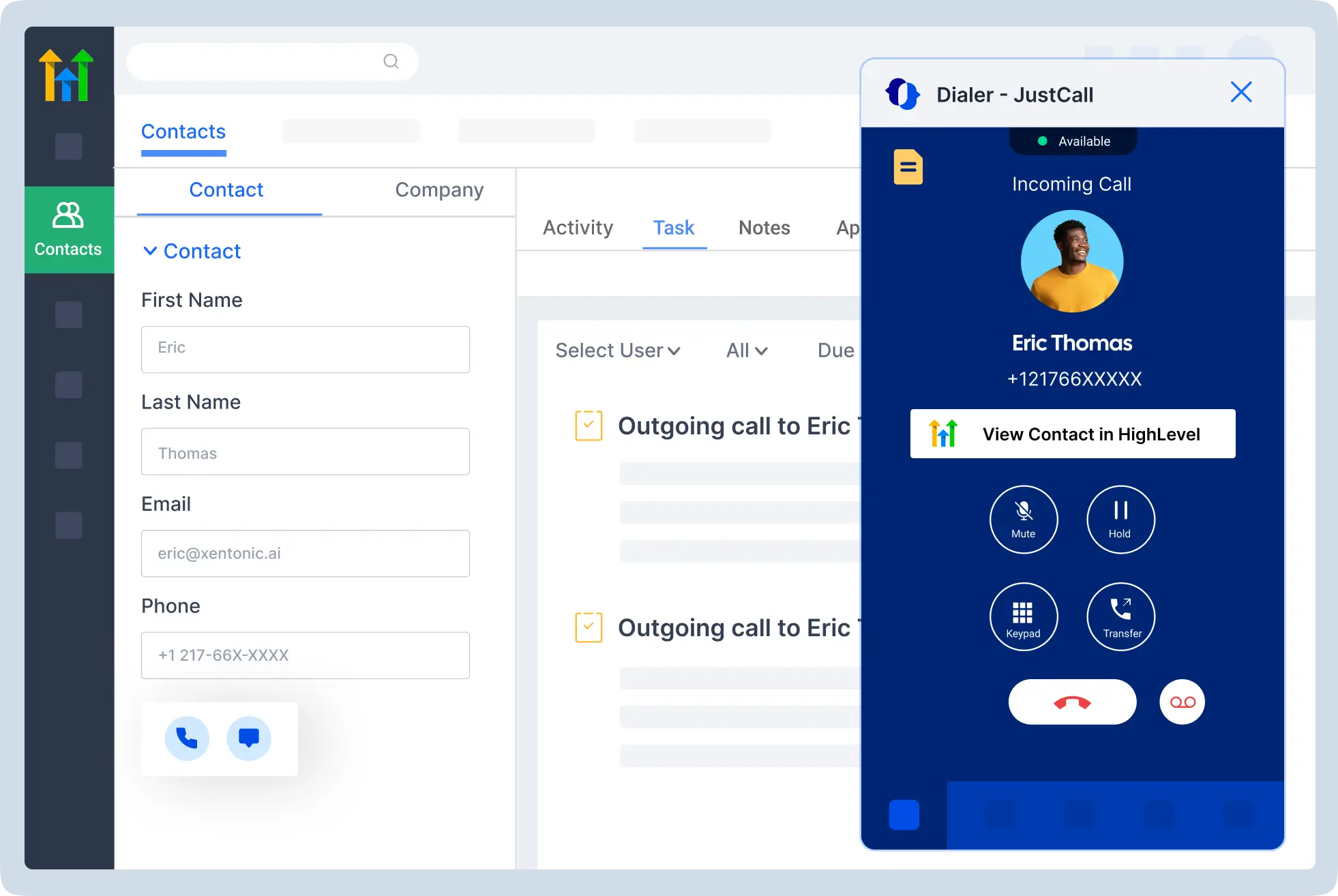
Ringover documents a Chrome dialer that can initiate calls, send SMS and launch calling campaigns from webpages. It is a fit when Channels’ sales extension is the feature staff use most. Open the pages employees actually work from and test a number in the format they see. Confirm that the right identity is used and the result reaches the intended record.
Request current Business pricing, regional allowances, seat minimums, term and integration count. Ask for the specific CRM and any supervision or recording requirements in writing. If your staff work with a website visitor button too, demonstrate that journey separately before treating browser dialing as complete replacement coverage.
Use a test with a local number, an international format and a contact with several phone fields. Ask a second employee to find the call and continue the follow-up. Include a browser or extension update in the support handover so the team knows who investigates if click-to-call stops working.
5. Dialpad Connect — Best For Transcripts And Searchable Call History
Suggested Team Size. About 5–40 staff who review conversations and hand customers between employees.
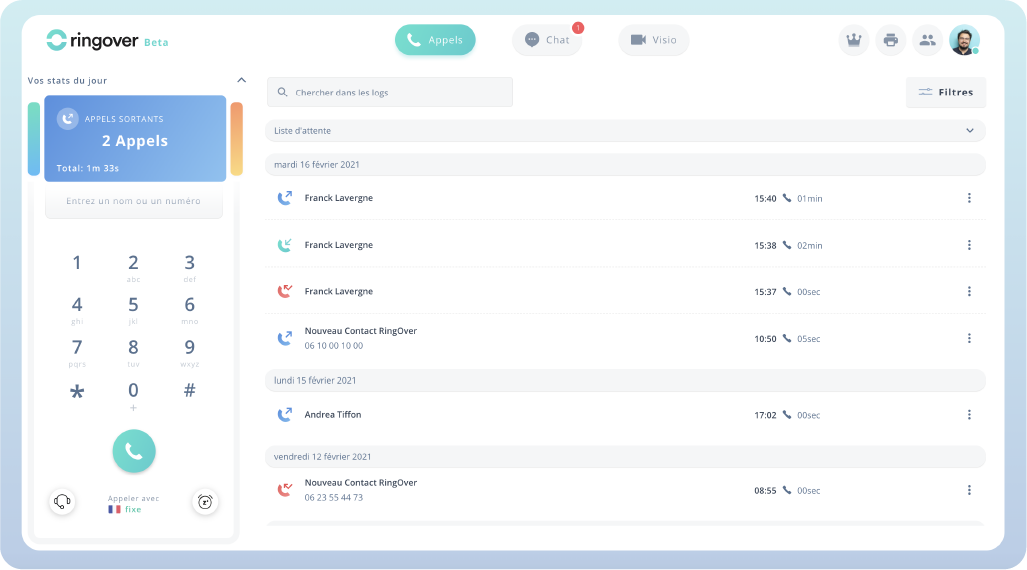
Dialpad Connect fits teams that want searchable transcripts and summaries for follow-up. Try a call with an unfamiliar name, an order reference and a promised next step. Have another employee find the recap and verify it against the recording before updating a customer record. This checks how well the next person can reconstruct the conversation.
Standard has a US$15 per-user monthly reference on annual billing. Confirm the CRM tier, supported languages, recording and retention. If Channels currently shows store or customer information before the employee answers, ask Dialpad to demonstrate that part with the proposed integration as well as the transcript afterwards.
Test supervisor and ordinary-user permissions. Ask who can search or export recordings and what happens to a former employee’s calls. Put any required retention or integration feature in the written proposal.
6. Quo — Best For Shared Calls And Text Conversations
Suggested Team Size. About 2–15 staff handling conversations on one or two business numbers.
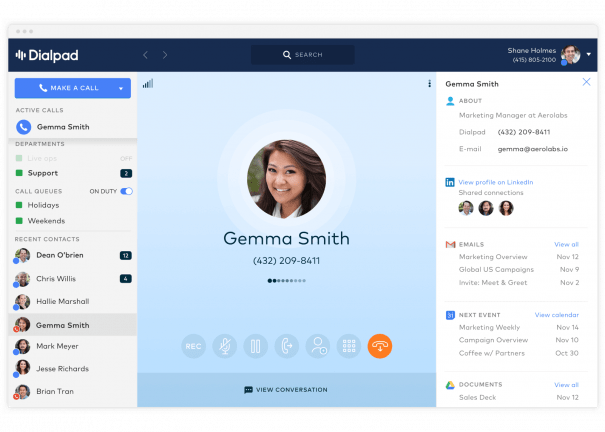
Quo, formerly OpenPhone, is useful when a customer conversation moves between a call and a text. Have one employee take the call and another answer a reply after a shift change. Check who can see the earlier conversation, tell that someone has responded and make the next call from the same business number.
Business has a US$23 per-user monthly reference on annual billing. Verify numbers, menus, transfers and messaging requirements. If your Channels workflow centres on order data from a store, ask how the team will access that context in the proposed setup. Include any separate integration or lookup in the scope.
Test the exact number’s messaging eligibility and activation schedule. Use a missed call, an inbound message and a callback to confirm that shared ownership stays clear across the handoff.
7. RingCentral RingEX — Best For Reception And Supported Desk Phones
Suggested Team Size. About 10–75 staff with reception, physical phones and office collaboration.
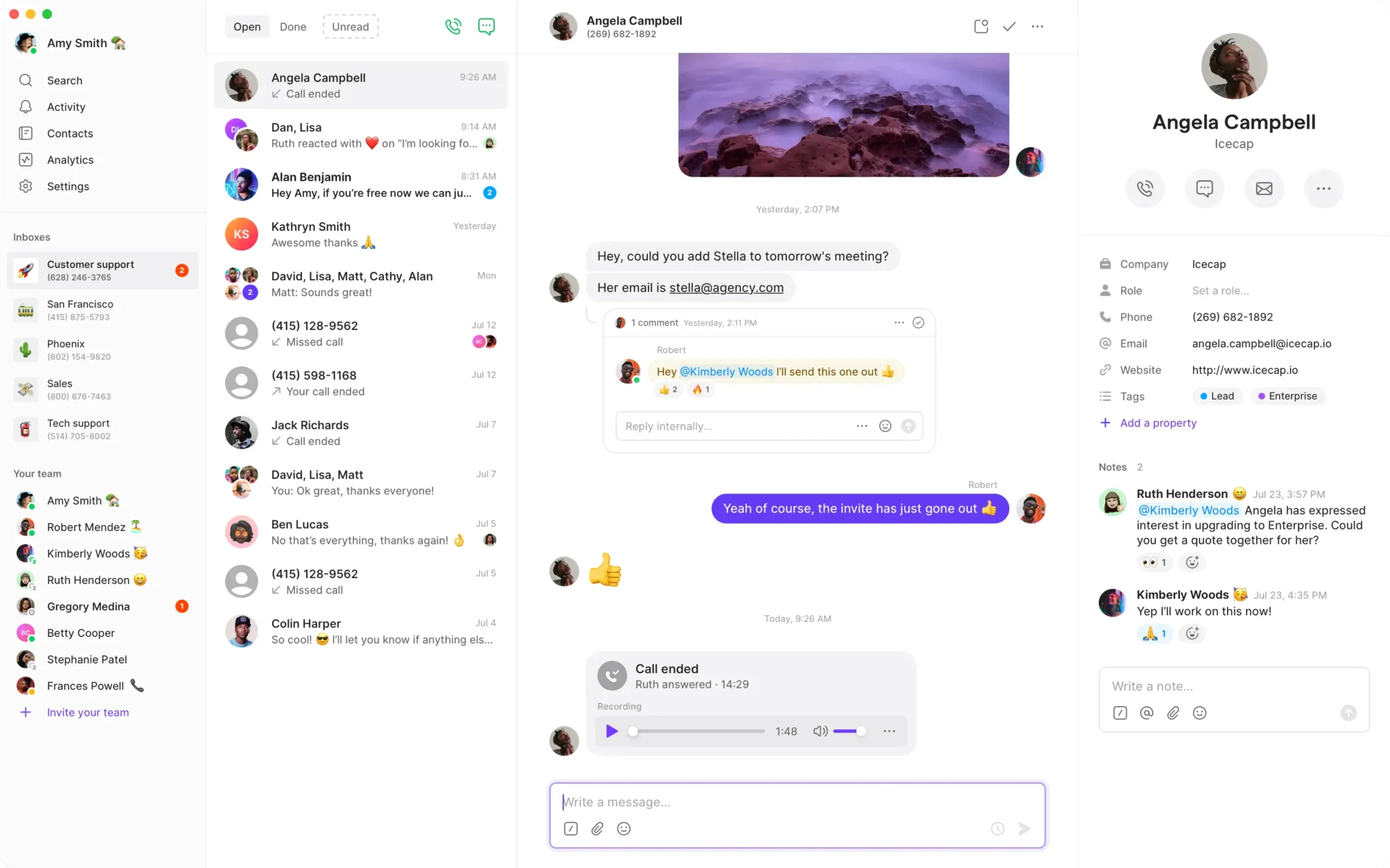
RingEX is a candidate when the company wants to move reception or branch calling to a hosted platform. Test the proposed handset and console. Have the receptionist park a call, transfer to a busy employee and take it back. Verify which extension status and branch information appears.
US Core has a US$20 per-user monthly reference on annual billing. Ask for the tier that covers the actual CRM, recording, devices and sites. Get model and firmware support in writing before assuming existing phones can move. Quote installation and common-area devices separately.
If a website call needs to reach reception, include that entry point in the pilot and confirm what the user sees. Ask who owns the integration and which system reports the call. A desk-phone demo should be followed by the complete visitor-to-agent test if the website remains a required channel.

How To Choose A Channels Replacement
Follow The Call From Its Starting Point
Choose one common customer request and follow it through the system. A visitor may start from a website bubble, dial a public number or reply to a text. An employee may start by clicking a lead’s number on a CRM page. Write down which of those events begins the journey, where the employee answers and what appears before the conversation starts. Ask staff what they must open next to resolve the request.
Record the required outcome for each step. A store customer may need an answer about a recent order, while a salesperson may need a call logged against the correct lead. Ask the candidate provider to show the entire journey with your intended number, website and CRM. If another product or custom connection is needed, include its owner and cost in the proposal.
Decide What Your Team Can Maintain
Identify who configures the website, who administers the phone platform and who maintains integrations. A small company may use the same person for all three. Ask the provider what onboarding covers and how staff request a change later. Have the future administrator edit a test schedule, add a user and inspect a failed integration event. Check which permissions and support plan they need.
Include the local devices and networks in the pilot. Ask a remote employee and someone in the office to answer calls from the same queue. Test the browser, headset and mobile device they will use. If a staff member changes between devices during a shift, check where calls ring and which identity appears when they call back. Agree on a support contact for problems the team cannot solve from its own settings.
Replace The Channels Website Calling Bubble
Test Voice In The Visitor’s Browser
Channels Web Call lets visitors speak through the website. To test a replacement, use a browser that is not signed into an employee account. Open a representative page, click the button and follow the microphone prompt. Check whether the visitor can speak directly, is asked for a callback number or opens another phone application. Have the business owner approve the behaviour before replacing the live button.
JustCall’s Direct Call documentation is relevant here because it describes microphone permission and direct calling from its website button. Ask it to show the same experience on your test page. Test the employee side as well. Confirm who rings, how the agent knows the call came from the website and what customer details arrive with it. If identifying the visitor requires an integration, test that connection on the proposed plan.
Check Closed Hours And Permission Failures
Try the page outside the team’s working hours and when nobody is available. Decide whether the button should disappear, offer a message or provide a callback option. Test the actual configuration rather than relying on the widget preview. Ask what happens if the browser blocks the microphone or the visitor declines permission. Make sure the person testing can find another approved contact route.
Test a mobile visitor and a desktop visitor on the browsers your audience uses. If visitors arrive from embedded browsers or in-app links, include a representative example. A website call can depend on the visitor’s browser and permissions as well as the agent platform. Record the expected behaviour and which team owns fixes when a website change affects the button.
Keep Callback Requests Distinct In The Test
If the proposed service also offers a callback form, run that workflow separately. Enter a test number, select an available time and check who receives the request. Confirm which timezone the visitor sees and how staff know it needs a response. Ask what happens if no appointments are available and whether the visitor can submit a request outside normal hours.
For JustCall, its guide links callback availability to the appointment scheduler and a configured calendar. Ask which plan and setup cover those pieces. Have an employee call the visitor back using the intended number and confirm where the request is marked complete. Include the calendar and notification path in the scope if the team plans to offer it on the same page as Direct Call.
Preserve Customer Recognition And CRM Context
Test The Exact Store Or CRM
Channels promotes customer information from connected systems. Bring the platform name, edition and fields your employees use. A Pipedrive contact is different from a store order and can require a different integration. Ask the new vendor to show the record an agent sees before answering. Verify the customer name, relevant history and any order or account reference that staff need to solve the problem.
Use test cases with a known caller, an unknown number and two records sharing a number. Ask an ordinary employee to choose the right record and correct a wrong match. Then transfer the call to another colleague and check whether that person receives the same context. If staff need to look up the customer manually, measure the extra steps and agree whether the result meets the requirement.
Check What Is Written Back After A Call
Have an agent add a note, select a result and schedule a follow-up if that is part of the workflow. Inspect the CRM or store record and verify what was saved. Check whether the call attaches to a person, company, deal or another object. Ask how the integration avoids creating a second contact when one already exists and how staff can fix an incorrect association.
Test the case where the integration is temporarily unavailable. Ask where the agent can save the note and how it reaches the right record after the connection returns. Have a second person locate the interaction. Record which system contains the authoritative call outcome and who investigates when the records disagree. Include the integration tier and support responsibility in the quote.
Review Access And Historical Records
Use the roles staff will have after launch. A supervisor may need call review while another user only needs their assigned customer record. Ask both people to search for the same call and verify what each can see or export. If customer details appear in alerts or a shared inbox, have the account owner confirm the intended audience before production records are posted.
Ask Channels how to retrieve call logs, notes and recordings the business needs to retain. Its pricing page shows different retention windows by plan. Set a date for collecting the required records and have staff verify access to a representative item. Plan what happens to links in old CRM records when the phone account is closed.
Shortlist Channels Competitors By Workflow
An Online Store Taking Calls From Its Website
Start with the visitor experience and ask JustCall to demonstrate Direct Call on a test page. Then test recognition of an existing customer in the exact store or CRM. If the website calling feature and customer lookup come from different services, identify who maintains the connection. Include a caller with no matching record and a closed-hours test before choosing the setup.
A Sales Team Calling From Browser Pages
Compare Ringover’s Chrome dialer and the documented CRM workflows available through KrispCall, Calilio or JustCall. Use the webpages employees work from every day. Test numbers in international and local formats and a contact with more than one phone field. Check what the employee sees when a call fails and where the outcome is recorded. Have a second employee continue the follow-up.
A Support Team Sharing Queues And Customer Calls
Compare Calilio for menus and supervision and KrispCall for shared callbacks. Give both the same daytime route, overflow and voicemail scenario. Have a caller abandon a queue and then call again. Ask the supervisor to find the history and tell who owns the callback. Include the integration or manual lookup needed to show customer context to the next employee.
A Team Moving Between Voice And Text
Try Quo with two employees and a conversation that begins by phone and continues by text. Check the history, notifications and reply ownership during a shift change. Verify number and messaging eligibility before planning a port. Ask where the team will find store or CRM information and test any separate lookup it needs. Include that work in the final proposal.
An Office With Reception Or Call Review
Test RingEX if the deployment includes a front desk and supported handsets. Bring a parked call, an attended transfer and an unavailable recipient. Compare Dialpad Connect when searchable history and transcripts are the larger requirement. Test a name or order reference in a call, then have a colleague verify the recap before acting. Quote the actual devices and integration tier used in each demo.
Compare Channels Pricing With Per-User Alternatives
Channels uses an account price with included users and charges for additional users. On the displayed monthly Plus offer, three included users at $29 and seven extra users at $10 would give an account subscription of $99 for ten users. On the displayed Advanced offer, five included at $75 and five extra at $20 would give $175. Confirm the selected billing period, currency and current terms. Add numbers, calling and any relevant add-ons before comparing totals.
For comparison, ten KrispCall Advance seats at US$32 per user per month on annual billing would total US$320 in monthly seat charges. Ten JustCall Team licences at the US$29 annual-billing reference would total US$290. These examples use different commitments and products. Ask for quotes on the same term and for the workflows you actually tested, including the website widget and integrations.
Count website voice traffic separately from public telephone calls. Ask each provider how it bills visitor calls, outgoing calls, toll-free inbound, callbacks and recordings. Channels’ published rates and FAQ distinguish media and add-on details, so use your order and invoices to identify what applies. Send a representative month to each finalist and ask for a priced example with the same destinations and number types.
Put one-time setup, website work, number ports, devices and training in a separate column. Include ongoing maintenance for any custom integration or extra service. Ask which features change if you add a user or reduce seats. For a team that grows seasonally, request a normal-month and busy-month quote and clarify whether commitments apply to the maximum seats or the current active users.
What To Ask Channels Competitors Before Signing
- Visitor Calling. Demonstrate the button on a real test page with an outside browser, microphone permission and after-hours behaviour.
- Employee Dialing. Test the extension or CRM with the numbers and fields staff use. Confirm what opens and where audio is handled.
- Customer Context. Verify a known caller, an unknown caller, a duplicate match and the record saved after the conversation.
- Queues And Records. Test overflow, callbacks, notes, recordings, reporting and the permissions for each role.
- Numbers And Messaging. Confirm exact port eligibility, destinations and any separate messaging activation.
- Costs And Support. Request the tier, term, seat minimum, usage, website work and integration support in writing.
Ask the vendor to mark which requirements it demonstrated and which depend on a higher plan or another service. Have the website and CRM owners review the proposed setup before a port. Keep open items on the pilot checklist with a person and deadline. The final order should name the actual integration, website feature and account tier the business approved.
Move Channels Numbers And Replace The Website Widget
- Inventory The Current Deployment. Record numbers, website pages, installed extensions, routes, integrations and retention needs.
- Build A Test Route. Use a temporary number and a test page. Include the real browser, CRM and staff roles.
- Verify Number Eligibility. Ask the gaining provider to check each number and any messaging requirement. Confirm where the number is currently hosted.
- Coordinate The Cutover. Keep existing service active during an authorised port. Schedule the website change and give staff an alternate route if the new button fails.
- Validate Each Journey. Test the public number, browser voice call, outbound dialer and text replies separately. Follow the provider’s approved emergency calling setup and validation procedure where applicable.
- Review Records And Billing. Check customer matches, notes, missed calls and the first invoice before retiring the old setup.
Channels documents an option to use an existing number for outgoing calls without porting. Check the current provider of each number before submitting a move. Presenting a number on outbound calls does not establish where incoming calls terminate. Use invoices or account records to identify which provider must authorise a port or change the inbound route.
When replacing the website button, have one person make the change and another test as an outside visitor. Check the pages and device types where calls usually start. Verify that the old widget has been removed from any cached or reused page component once the new version works. Let agents know how a website call appears so they can identify and report issues during the first day.
FAQs About Channels Alternatives
What Are The Best Alternatives To Channels?
KrispCall and Calilio are starting points for shared calling and department routing. Test JustCall for direct website calls, Ringover for browser dialing, Dialpad Connect for transcripts, Quo for shared texts and RingEX for reception.
Which Channels Competitor Can Replace A Website Calling Bubble?
JustCall documents a website Direct Call button that uses the visitor’s microphone. Test it on your website and confirm the plan, visitor browser, closed-hours behaviour and employee answering workflow.
Can I Keep My Channels Phone Number?
You can port an eligible number through the gaining provider. First confirm which carrier currently hosts it. An outbound caller ID verified in Channels may be hosted elsewhere.
Does Click-To-Call Mean Website Visitors Can Talk In Their Browser?
It depends on the feature. An employee extension, a phone link, a callback request and a direct browser voice button have different workflows. Ask the provider to demonstrate the exact visitor journey.
Which Channels Alternative Works With Pipedrive?
Calilio and JustCall document Pipedrive calling integrations. Verify plan eligibility, contact matching, notes and what happens after a call. Test the exact workflow your staff uses.
How Much Does A Channels Replacement Cost?
Cost depends on users, numbers, calling and the integrations or website feature required. Compare Channels’ included-user model with a complete per-user quote on the same billing term.
Which Provider Fits Shared Calls And Customer Texts?
Quo is worth testing for a shared calling and text inbox. Have a colleague take over a conversation and confirm where customer data is accessed. Check number and messaging eligibility before moving the line.
Use Customer Reviews To Set Pilot Tests
Choose reviews that discuss the same workflow. A browser-dialing review can help sales staff prepare a test, while a reception review may describe handset support. For a website button, verify the visitor experience directly. Ask the website owner, agent and CRM administrator to score the complete journey rather than a single screen.
Record which test failed, what system held the information and who fixed it. Give finance the plan and usage assumptions from the successful pilot. Keep the unresolved requirements visible until the vendor confirms them and your team can repeat the expected result.
Affiliate Disclosure. VoIPCalling may earn a commission when you purchase through a partner link.


