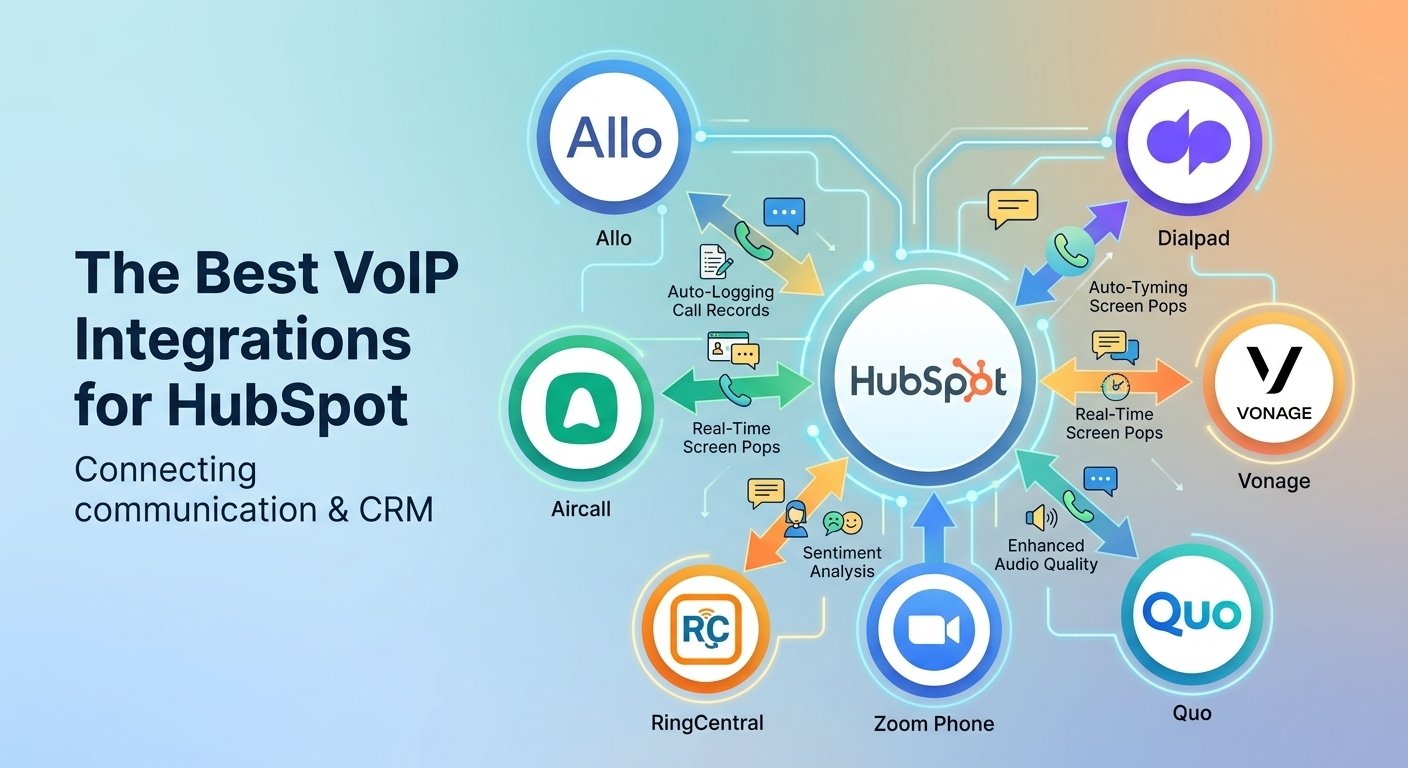
The best Pipedrive VoIP integration connects your business phone system to your CRM, so every call is logged, recorded, and linked to the right deal automatically. JustCall, RingCentral, and Dialpad lead the field for most sales teams. Zoom Phone, Nextiva, and Grasshopper, suit more specific needs. This guide compares features, pricing, and ideal use cases so you can choose a setup that fits your team size, call volume, and budget.
How Pipedrive VoIP Integration Works
VoIP integrations connect your phone system to CRM data in three main ways: native Pipedrive Marketplace apps, browser-based dialers, and call automation tools. Marketplace apps connect through authorized APIs, which let the provider pull contact and deal details and sync call duration, outcomes, and notes back to Pipedrive in real time. Browser dialers add click-to-call buttons next to every phone number and show caller details during incoming calls.
-
Working (Key Features)
When a VoIP system is integrated with Pipedrive, sales representatives can manage calls and customer information more efficiently from their CRM.
-
-
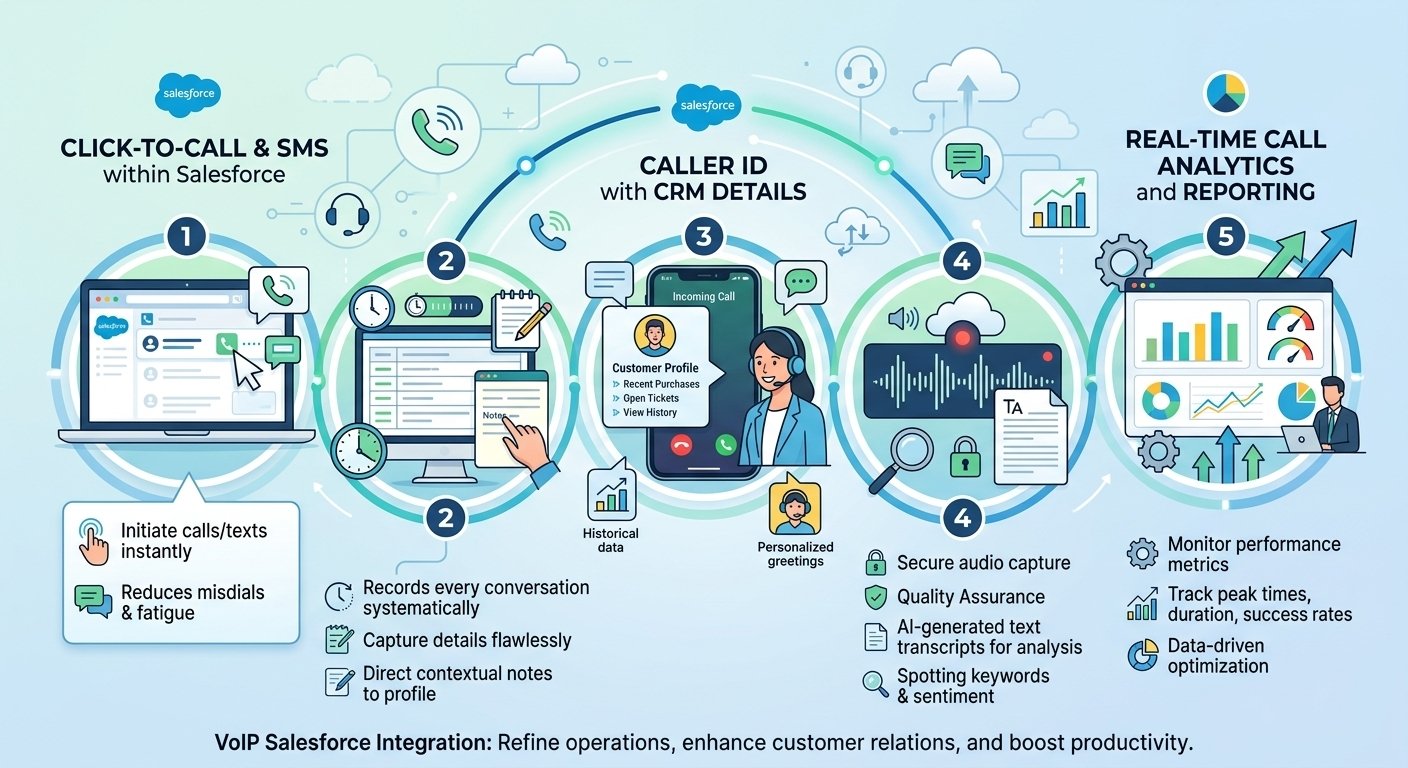
- Click-to-Dial: Phone numbers in Pipedrive can be used to initiate calls through a compatible calling app. Depending on the integration, clicking a contact’s number opens the provider’s dialer with the number prefilled, reducing manual dialing.
- Automatic Call Logging: Supported VoIP integrations can automatically log calls as activities in Pipedrive. Depending on the provider and configuration, records may include the call date, time, duration, direction, notes and outcome. Calls can be linked to the relevant contact or deal.
- Screen Pops (Inbound Caller ID): Some integrations display incoming caller information in a softphone or CTI (Computer Telephony Integration) panel. When a number matches an existing Pipedrive contact, representatives may be able to view the person’s details, notes and associated deals before or during the conversation.
- Call Recording and Notes: Supported integrations can attach recording links and synchronize call notes with Pipedrive activities. Recording availability depends on the VoIP provider, subscription, settings and applicable consent requirements.
- Analytics and Reporting: Logged call activities can help sales managers monitor calling activity and evaluate team performance through Pipedrive reports and provider-specific analytics. Advanced metrics, such as call-to-conversion rates, may require additional configuration or reporting tools.
-
-
The Two Ways to Make Calls with Pipedrive
There are two common approaches to calling through Pipedrive: using its available calling options or connecting a third-party VoIP service.
A. Pipedrive’s Native Calling Options
Pipedrive does not offer a built-in VoIP calling integration. However, it supports calling workflows through compatible third-party apps, its mobile app and its web-to-mobile feature.
With web-to-mobile calling, a representative can initiate a call from Pipedrive’s web app and continue it on their mobile phone. The call is charged through the user’s usual phone service. Pipedrive’s mobile apps also support calling and call logging, subject to the relevant settings and platform capabilities.
B. Third-Party VoIP Integrations
Businesses that need a dedicated business phone system can connect a third-party provider through the Pipedrive Marketplace. Examples include JustCall and CallHippo.
Depending on the provider, these integrations can offer in-CRM calling, automatic call logging, call recording, SMS, caller information, call routing and advanced analytics. Available features, pricing and setup requirements vary by provider and subscription.
-
How the Integration Connects (The Technical Mechanics)
Third-party VoIP integrations connect Pipedrive with a business phone system to exchange relevant contact and call information. The exact implementation varies by provider.
- Authentication and Authorization: During setup, an administrator or authorized user connects the VoIP service to Pipedrive and grants the required permissions. The integration may use an authorization flow, API credentials or another supported authentication method. Users do not necessarily need to generate API keys or configure authentication manually.
- The Dialer Interface (CTI): Depending on the provider, representatives can initiate calls through a softphone, an embedded CTI panel, a browser extension or the provider’s desktop application. Some integrations work directly through Pipedrive’s calling settings without requiring a browser extension.
- Data Synchronization:
- Reading CRM data: With the necessary permissions, the integration can access relevant contact and deal information to identify callers, prefill phone numbers and display customer context.
- Writing call data: When a call starts or ends, the integration processes the call event and can create or update a Pipedrive activity. Depending on the implementation, synchronization may use APIs, webhooks or the provider’s own integration mechanisms. The activity can include details such as call duration, notes, outcome and a recording link when supported and enabled.
These capabilities depend on the chosen VoIP provider, its Pipedrive integration, account permissions and configuration.
Top VoIP Integrations for Pipedrive
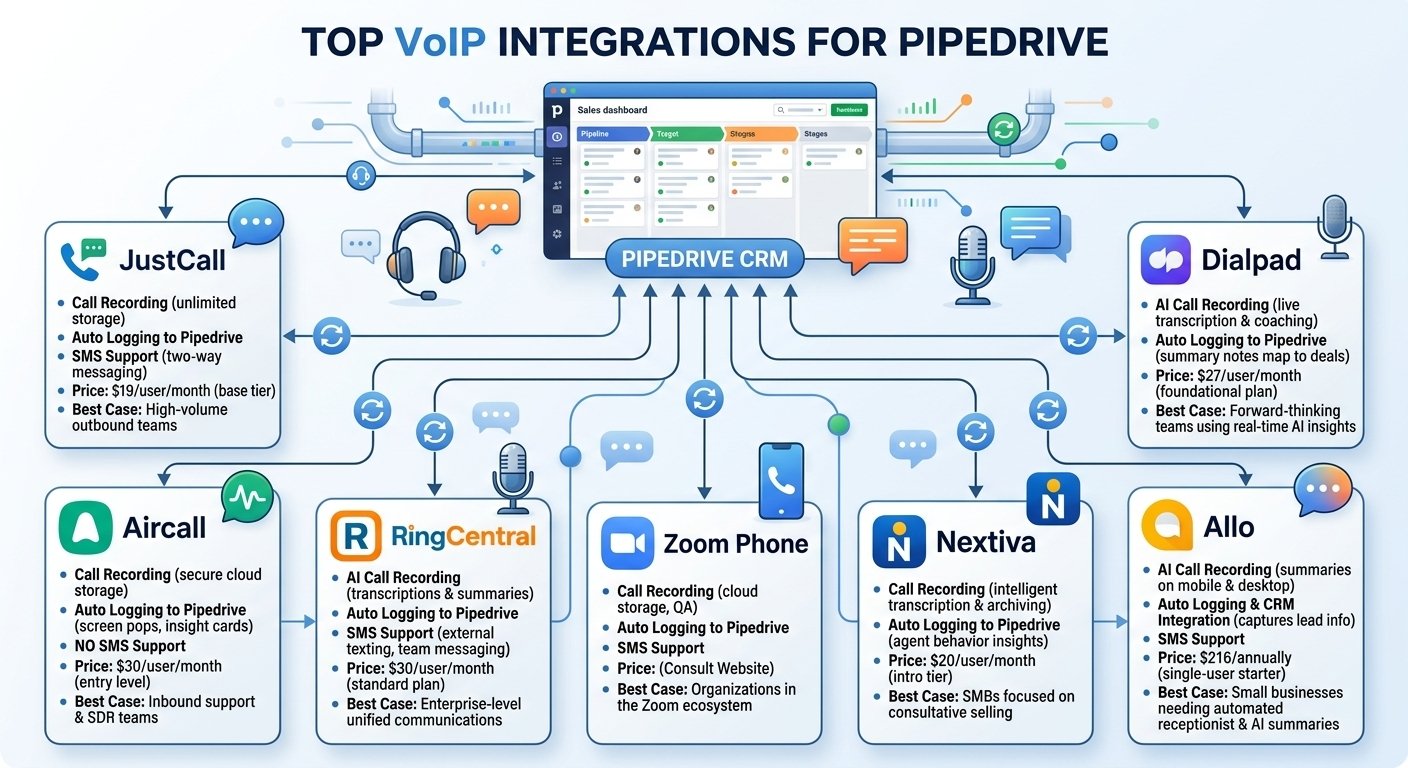
Choosing the right pipedrive voip system depends heavily on your daily call volume and workflow requirements. The following solutions represent the most capable platforms for combining voice communications with your sales dashboard.
1. JustCall
JustCall simplifies how remote and office-based teams handle both voice and text communications. The platform synchronizes all interactions directly into your CRM database for a unified workflow.
-
JustCall Call Recording
The platform provides unlimited cloud storage for all inbound and outbound audio files. These recordings attach automatically to the relevant prospect files, making it simple for managers to review past conversations.
-
JustCall Auto Logging to Pipedrive
Every interaction logs automatically with precise timestamps, participant details, and duration metrics. The system also tags conversations intelligently based on specific criteria to keep your pipeline organized.
-
JustCall SMS Support
Sales representatives can send and receive text messages directly within the CRM environment. This two-way messaging capability automatically saves prospect replies directly to their individual profiles.
-
JustCall Pricing (USD)
The base tier costs $19 per user per month. Larger teams can upgrade to advanced plans for custom automation and specialized priority support.
-
Best Use Case for JustCall
This platform excels for outbound teams relying heavily on high-volume dialing and integrated text messaging campaigns to nurture leads.
2. Aircall
Aircall delivers a cloud-based communication center tailored for structured sales environments. It prioritizes quick access to customer context during live conversations.
-
Aircall Call Recording
The system captures all audio and stores it securely in the cloud. Representatives can quickly listen to previous discussions directly from the CRM without opening a separate browser tab.
-
Aircall Auto Logging to Pipedrive
Incoming calls trigger instant screen pop-ups that display caller history and account status. Insight cards and synced tags provide immediate context to help agents personalize their approach.
-
Aircall SMS Limitations
This particular platform currently focuses exclusively on voice communications and does not support text messaging functionality within its CRM integration.
-
Aircall Pricing (USD)
The entry-level package starts at $30 per user per month. More advanced tiers offer expanded analytics and specialized routing tools.
-
Best Use Case for Aircall
Sales development teams handling steady inbound inquiries benefit greatly from the real-time context cards and structured call routing features.
3. RingCentral
RingCentral operates as a comprehensive communication suite combining voice, messaging, and video conferencing. It is designed to handle demanding enterprise-level communication needs seamlessly.
-
RingCentral AI Call Recording
Instead of forcing agents to review lengthy audio files, the system uses artificial intelligence to generate accurate transcriptions and concise summaries. Intelligent noise cancellation further improves the clarity of all captured audio.
-
RingCentral Auto Logging to Pipedrive
Whether you are conducting a video meeting or a standard phone call, the platform syncs the activity data straight to your CRM. Instant screen alerts ensure your team always has the right data available when answering.
-
RingCentral SMS Support
The platform integrates robust team messaging and external text capabilities. This ensures comprehensive tracking across multiple distinct communication channels.
-
RingCentral Pricing (USD)
The standard core plan costs $30 per user per month. Customers frequently secure discounts by committing to annual billing cycles.
-
Best Use Case for RingCentral
Large, distributed organizations requiring unified video, voice, and text solutions will find this robust enterprise software highly beneficial.
4. Dialpad
Dialpad utilizes advanced artificial intelligence to transform standard conversations into actionable sales data. The platform focuses heavily on real-time coaching and transcription.
-
Dialpad Call Recording
The software generates live transcriptions and immediate post-call summaries as representatives speak. These automated tools ensure that no critical negotiation details slip through the cracks.
-
Dialpad Auto Logging to Pipedrive
All generated transcriptions and summary notes map directly to the corresponding deal files. This eliminates administrative fatigue and keeps records perfectly updated.
-
Dialpad Pricing (USD)
Access to the foundational plan begins at $27 per user per month.
-
Best Use Case for Dialpad
Forward-thinking teams wanting to leverage real-time artificial intelligence to extract deep conversation insights should prioritize this tool.
5. Zoom Phone
Zoom Phone adds dedicated voice functionality to the popular video conferencing software. It provides a familiar interface for teams already utilizing the brand’s primary video tools.
-
Zoom Phone Call Recording
Audio files save securely to the cloud for easy retrieval. Managers can access these files to monitor quality assurance and compliance.
-
Zoom Phone Auto Logging to Pipedrive
The software pushes all activity metrics into the CRM automatically. This ensures your communication history remains fully accurate without manual intervention.
-
Zoom Phone SMS Support
Agents can follow up with clients via text message directly through the interface, providing a convenient alternative to voice communication.
-
Zoom Phone Pricing
Costs vary depending on existing software licenses and specific regional requirements, making it best to consult their official website for exact figures.
-
Best Use Case for Zoom Phone
Organizations already entrenched in the Zoom ecosystem will appreciate adding voice capabilities without deploying an entirely new software suite.
6. Nextiva
Nextiva blends traditional voice features with visual collaboration tools and deep analytics. The software utilizes a highly visual drag-and-drop call flow builder to manage complex routing needs.
-
Nextiva Call Recording
The platform uses intelligent technology to transcribe conversations and archive them safely. Reviewing historical interactions takes just a few clicks from the main dashboard.
-
Nextiva Auto Logging to Pipedrive
Customer interactions sync rapidly to provide managers with clear insights into agent behavior. This visibility helps leaders identify coaching opportunities and track overall performance.
-
Nextiva Pricing
The introductory tier is priced at $20 per user per month, providing an affordable entry point for essential communication tools.
-
Best Use Case for Nextiva
Small to mid-sized businesses focusing heavily on consultative selling and high-quality customer experiences will benefit from the platform’s visual workflow builders.
7. Allo
Allo operates as an artificial intelligence-first phone system built for modern small businesses. It features an automated receptionist capable of answering routine questions and capturing lead information when human agents are busy.
-
Allo Call Recording
The software records audio, generates transcriptions, and creates concise summaries automatically. These assets remain accessible on both mobile applications and desktop interfaces.
-
Allo Auto Logging & CRM Integration
The system pushes all captured lead data and transcripts directly into the database. Live contact information appears on the screen the moment a prospect dials your business.
-
Allo SMS Support
Users can handle business text messages from the same interface used for voice interactions, keeping all client dialogue neatly centralized.
-
Allo Pricing (USD)
A single-user starter plan costs $216 annually. Larger business tiers are available with no hidden fees for the artificial intelligence features.
-
Best Use Case for Allo
Small enterprises wanting advanced automated receptionist capabilities and intelligent summaries without configuring legacy enterprise software will love this solution.
VoIP Integration Comparison Table
| VoIP Tool | Key Features | Best For | Starting Price |
| JustCall | Call, SMS, CRM syncing | Outbound sales teams | $19/user/month |
| Aircall | Call routing, real-time analytics | Structured sales workflows | $30/user/month |
| RingCentral | Video, AI transcription | Large enterprise teams | $30/user/month |
| Dialpad | Real-time AI summaries | AI-driven organizations | $27/user/month |
| Zoom Phone | Lightweight voice add-on | Existing Zoom users | Varies |
| Nextiva | Unified voice and visual flows | Customer-focused SMBs | $20/user/month |
| Allo | AI receptionist, smart logging | Small modern businesses | $216/year |
How to Choose the Right VoIP Tool for Your Team
The best solution depends on your team’s daily activities rather than the number of features advertised. Consider these factors before committing to a subscription:
-
Team size: Smaller teams may prefer a simple business phone system, while large contact centers need queues, routing, analytics, and administrative controls.
-
Calling volume: Teams making hundreds of outbound calls should prioritize power dialers, call lists, and automation.
-
CRM automation: Check whether calls, notes, recordings, and outcomes are automatically linked to the correct Pipedrive contact or deal.
-
Messaging needs: If you rely on SMS follow-ups, verify regional availability and two-way message synchronization.
-
AI capabilities: Transcription and summaries can reduce administrative work, but confirm whether these features are included or sold separately.
-
Budget: Compare the full cost, including phone numbers, usage charges, add-ons, and minimum seat requirements.
-
International coverage: Confirm that the provider supports the countries and phone numbers your business needs.
Salesforce’s State of Sales research found reps spent only 28% of their week selling in its 2023 edition, and its 2026 edition reportedly puts that near 40%. Pay attention to how deeply each tool syncs with Pipedrive, since two-way syncing matters more than flashy extras.
Pros and Cons of Pipedrive VoIP Integration
-
Pros
-
-
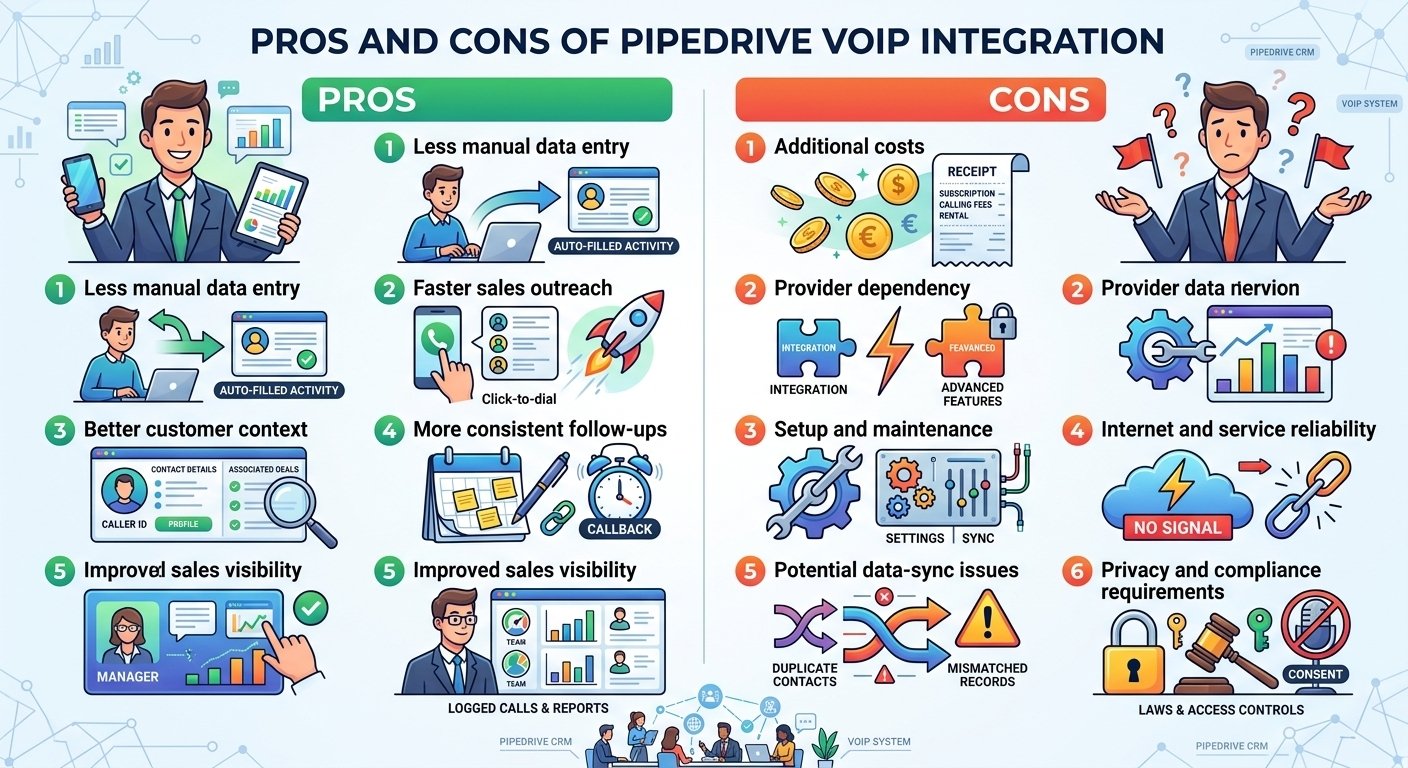
Less manual data entry: Compatible integrations can log completed calls as CRM activities.
-
Faster sales outreach: Click-to-dial lets representatives start calls from Pipedrive without manually copying phone numbers.
-
Better customer context: Caller ID features can display contact details and associated deals when the number matches a saved contact.
-
More consistent follow-ups: Representatives can record notes, schedule callbacks and link calls to contacts or deals.
- Improved sales visibility: Managers can review logged call activities and use supported reports to monitor team activity.
-
-
-
Cons
-
-
Additional costs: A third-party phone system may charge separate subscription, number rental, calling or usage fees.
-
Provider dependency: Features such as power dialing, call recording, AI summaries and advanced analytics are not included with every integration.
-
Setup and maintenance: Administrators may need to configure permissions, calling settings, user accounts and synchronization.
-
Internet and service reliability: Cloud calling depends on a reliable network and the provider’s service availability.
-
Potential data-sync issues: Incorrect settings, duplicate contacts or integration failures can result in incomplete or mismatched call records.
-
Privacy and compliance requirements: Recording calls and storing customer information may require consent, access controls and compliance with applicable laws.
-
-
Which Businesses Is Pipedrive VoIP Integration Best Suited For?
Pipedrive VoIP integration is most useful for businesses where phone conversations are a regular part of acquiring customers, progressing deals or maintaining customer relationships.
- Sales and outbound prospecting teams: Best for teams making frequent prospecting calls, qualifying leads, following up on quotations and scheduling sales meetings. Click-to-dial and automatic activity logging reduce repetitive administrative work.
- Customer service and account management teams: Useful for businesses that need to review previous customer conversations, record outcomes and coordinate follow-ups. Advanced queue management and contact-center features depend on the phone provider.
- Recruitment and staffing agencies: Helpful for recruiters contacting candidates and employers, recording screening outcomes and keeping communication linked to the relevant CRM records.
- Real estate and professional services: Suitable for property agents, consultants and service providers who regularly call prospective clients, arrange appointments and follow up on opportunities.
- B2B companies and growing sales organizations: Useful for software companies, business service providers and distributors that need a shared record of customer calls across a sales pipeline.
How Many Users Is Pipedrive VoIP Integration Designed For?
There is no single fixed user limit for Pipedrive VoIP integration. The number of people who can use it depends on the Pipedrive subscription, the third-party phone provider’s plan and the integration’s licensing terms.
| Business size | Typical use case | What to check |
|---|---|---|
| 1–5 users | Freelancers, small agencies and owner-led sales teams | Minimum subscription, individual calling costs and basic call logging |
| 6–20 users | Small sales teams and growing businesses | Per-user pricing, shared numbers, contact synchronization and reporting |
| 21–100 users | Established sales teams, recruitment firms and B2B companies | User provisioning, call routing, team analytics and administrative controls |
| 100+ users | Larger sales organizations and multi-team operations | Enterprise licensing, integrations, security, scalability and support |
Which Industries Use Pipedrive VoIP Integration?
The integration is not restricted to a particular industry. It is most valuable where phone calls are an important part of customer acquisition, sales, service or account management.
| Industry | Common use cases |
|---|---|
| Technology and SaaS | Product demos, lead qualification, renewals and sales follow-ups |
| Real estate | Buyer inquiries, property-viewing appointments and lead follow-ups |
| Recruitment and staffing | Candidate screening, interview scheduling and employer outreach |
| Financial and professional services | Prospect qualification, client consultations and relationship management |
| Telecommunications | Sales prospecting, customer acquisition and account management |
| E-commerce and retail | Order-related inquiries, sales follow-ups and customer retention |
| Manufacturing and distribution | Dealer outreach, quotation follow-ups and B2B account management |
| Marketing and consulting agencies | Lead qualification, proposal follow-ups and client communication |
| Education and training | Course inquiries, enrollment follow-ups and admissions calls |
| Travel and hospitality | Booking inquiries, customer consultations and corporate sales |
Read More: Doxy.me vs Zoom: Telehealth & HIPAA Comparison (2026)
Final Thoughts
The right VoIP tool removes manual data entry and keeps every conversation tied to the correct deal. Match the platform to your team size, calling habits, and budget, then test it during a trial period. A well-chosen integration helps your reps spend more time selling and gives managers dependable data.
Pipedrive VoIP integration is best suited to businesses that rely on phone calls for sales, lead generation, customer service or account management. It can benefit freelancers, small businesses, growing sales teams and larger organizations, provided they select a compatible calling provider that meets their requirements. Common use cases include SaaS sales, real estate, recruitment, consulting, telecommunications and B2B services. However, the available features, pricing and supported user count depend on the selected VoIP provider rather than Pipedrive alone.
FAQs
-
What is the best Pipedrive VoIP integration?
There is no single winner. JustCall suits outbound teams, Aircall suits structured workflows, RingCentral suits large teams, and Dialpad suits AI-focused teams. Your call volume and budget decide the best fit.
-
What should I look for in a VoIP integration for Pipedrive?
Prioritize call recording, click-to-call, automatic logging, and reliable call quality. Also weigh pricing, scalability, and international number support.
-
Is there a free Pipedrive VoIP integration?
Most providers do not offer permanently free plans, but many offer free trials. Allo, for example, includes a 7-day trial.
-
What is the difference between Marketplace apps and browser dialers?
Marketplace apps connect through authorized APIs and sync data in both directions. Browser dialers add click-to-call buttons and caller pop-ups directly inside Pipedrive.
-
Can I get a Pipedrive phone number through a VoIP provider?
Yes. Your VoIP provider issues the business number, and the integration links calls from that number to Pipedrive records.
-
Which tools support SMS inside Pipedrive?
JustCall, Aircall, CloudTalk, and Allo support texting alongside Pipedrive logging. RingCentral, Dialpad, and Zoom Phone also offer SMS, though syncing depends on your setup.
-
What are the benefits of AI features in VoIP integrations?
AI tools provide transcripts, call summaries, and searchable records. They reduce note-taking and make follow-ups faster.
-
What do I need to set up a Pipedrive VoIP integration?
You need admin access, API authorization, a stable internet connection, and a modern browser. Call recording or international dialing may require extra compliance steps.